---
title: "Sending emails with Whop's email integration: Mailmodo"
slug: mailmodo
excerpt: "Sending emails with Whop's email integration: Mailmodo"
customExcerpt: "Sending emails with Whop's email integration: Mailmodo"
featureImage: "https://storage.ghost.io/c/12/7b/127b828b-bdc2-4972-9cf2-de857df9c324/content/images/2023/03/Mailmodo.jpg"
status: published
publishedAt: "2023-03-13T21:59:32.000Z"
updatedAt: "2026-03-05T12:02:01.000Z"
createdAt: "2025-10-06T02:55:07.033Z"
tags:
- { name: Whop, slug: whop }
authors:
- { name: Hunter Dickinson, slug: hunter }
---
# Sending emails with Whop's email integration: Mailmodo
## Key takeaways
- Whop's Mailmodo integration lets merchants import customers directly into email marketing campaigns seamlessly.
- Connecting Whop to Mailmodo requires generating an API key and pasting it into Mailmodo's integration settings.
- Email marketing drives measurable engagement growth, making it essential for business owners selling through Whop.
**This article is over 2 years old. For updated information check the **[**Mailmodo docs**](https://support.mailmodo.com/articles/130987-getting-started-with-mailmodo-via-whop)**.**
## Introduction to Mailmodo
Mailmodo is an email tool that helps businesses create, manage, and launch full fledged email marketing campaigns. With our new direct integration, merchants on Whop can import their customers directly into Mailmodo’s system. With [77%](https://blog.hubspot.com/marketing/email-marketing-stats) of marketers seeing an increase in email engagement over the last 12 months, adding email marketing is a must-do for any business owner.
## Purchasing Mailmodo
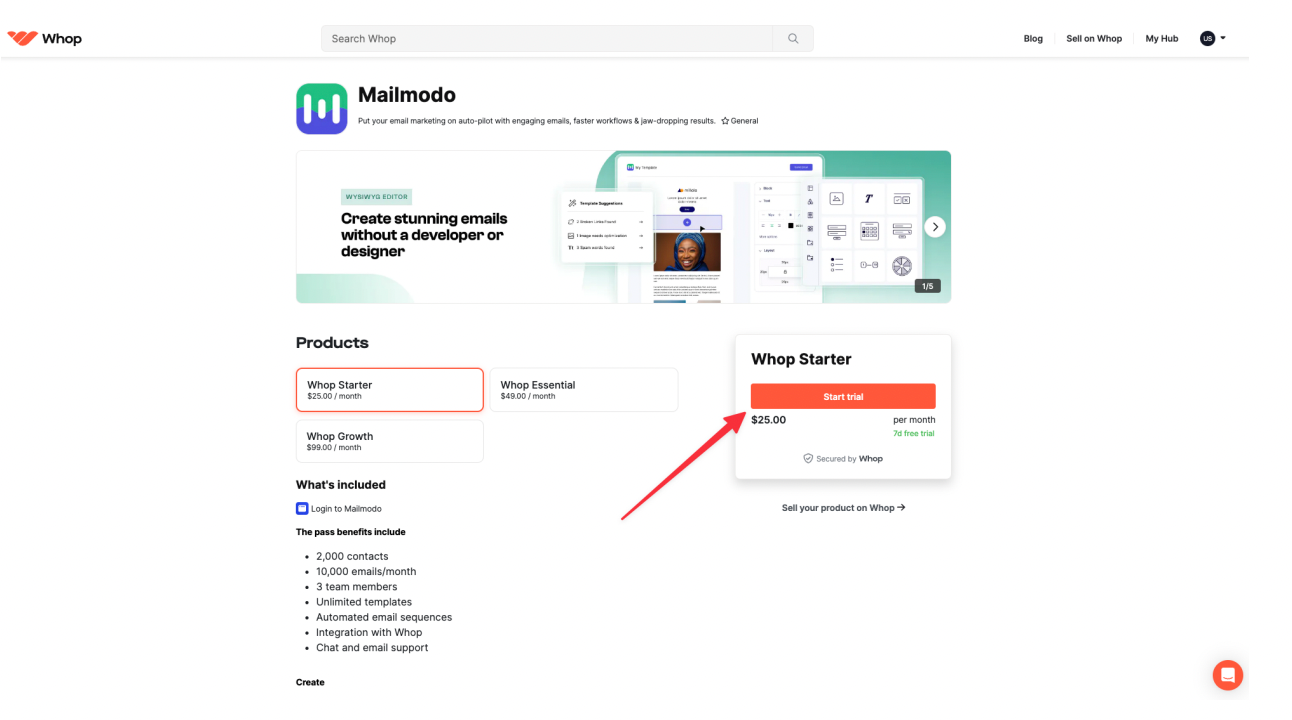
*Purchasing Mailmodo*
To start using Mailmodo, you must purchase access to their services through Whop. This can be done by following these steps:
- Login to the Whop account that is admin for your company.
- Go to the [Mailmodo product page](https://whop.com/marketplace/mailmodo).
- Purchase access to whichever plan you feel suits your company (For the best value, we recommend **Whop Growth**).
## Accessing Mailmodo
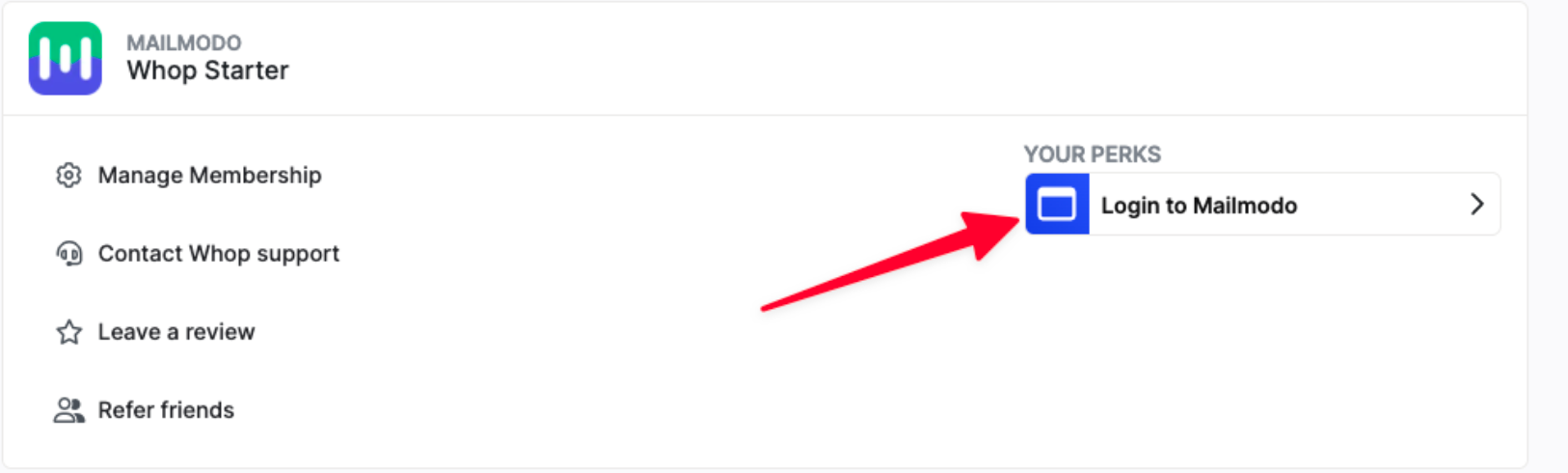
*Signing into Mailmodo*
Now that you have purchased Mailmodo, go to your Whop dashboard and select ”Login to Mailmodo”. This will redirect you to the Mailmodo site.
**Generating a Whop API key**
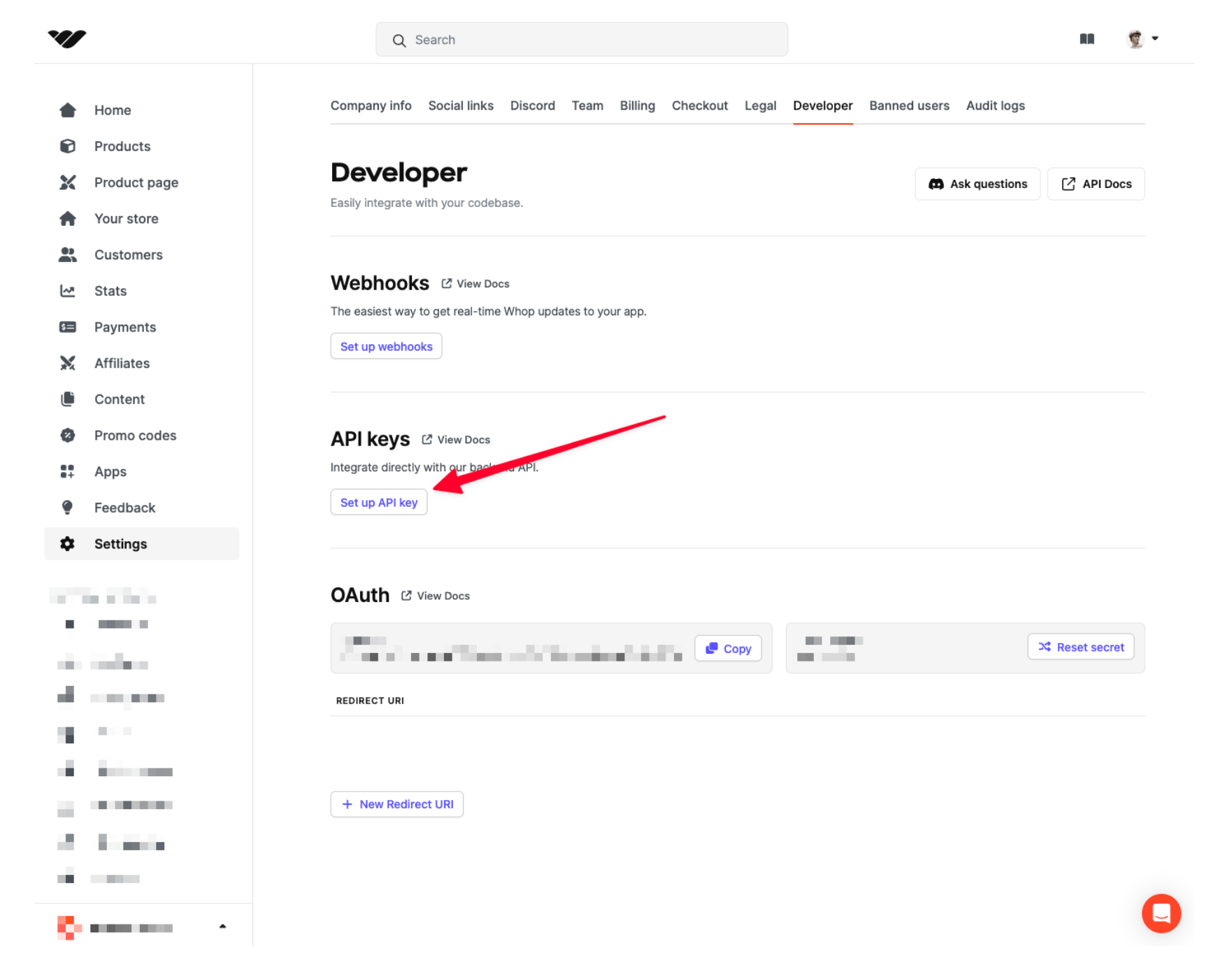
*Accessing your API key*
The first step in uploading your contacts is to generate an API key. To do this:
- Go to the Whop Dashboard of the company you want to integrate.
- Go to ‘Developer’ under the ‘Settings’ tab.
- Select ‘Set up API Key’ and copy your key.
**Adding your API key to Mailmodo**
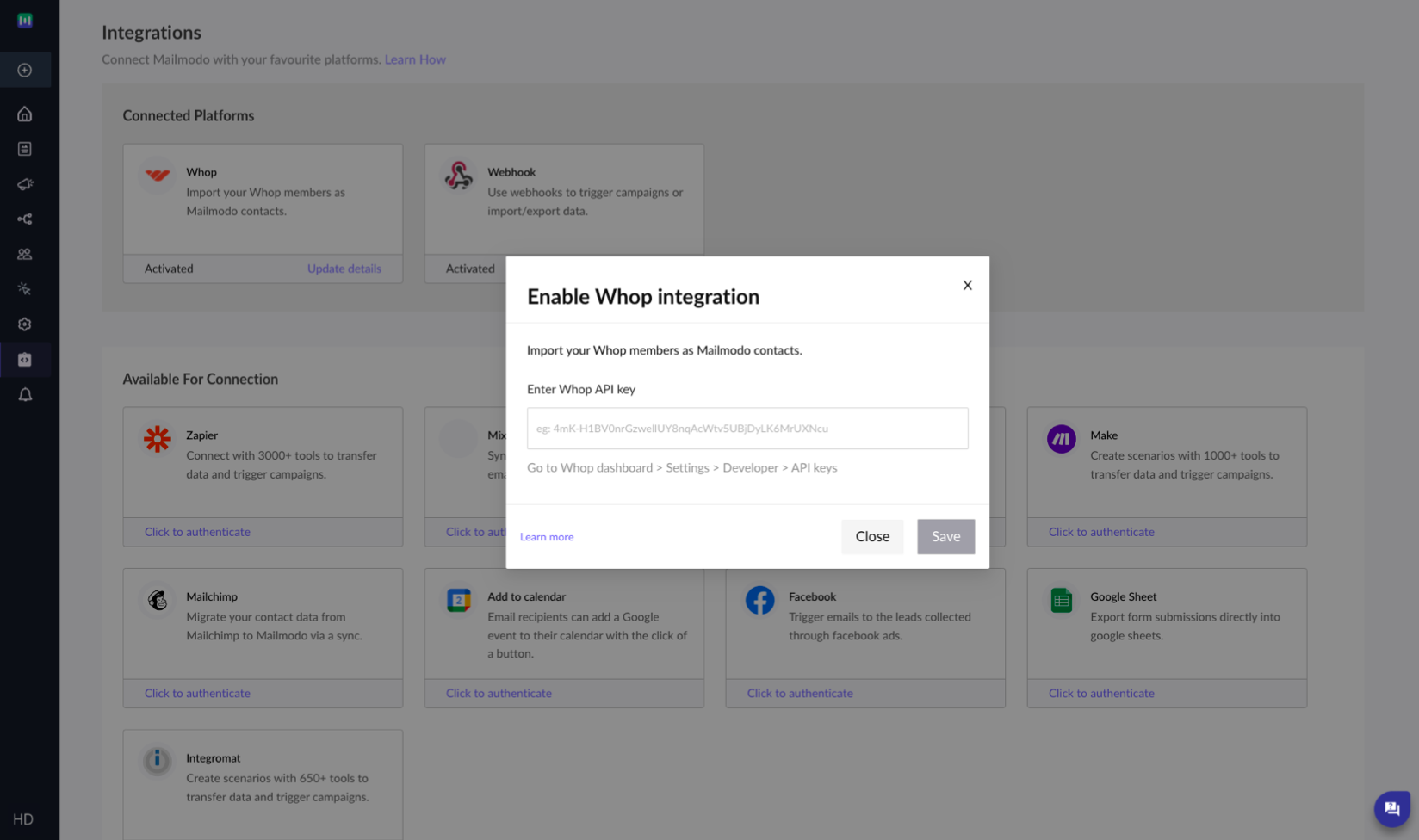
*Adding your API key*
Go back to Mailmodo and follow these steps:
- Go to ‘Integrations.'
- Select the ‘Whop Integration.’
- Paste in your API key.
**Adding your client's emails**
Once you have added your API key, your contacts will populate in the ‘Contacts’ section of Mailmodo. It’s important to note that importing your contacts will take **~10 minutes**. If you have any issues, please contact our team [here](https://dash.whop.com/intercom).