FSD-X Strategy Optimizer | TradingView
The Ultimate Backtesting Automation Chrome Extension for TradingView
Stop manual testing. FSD-X Strategy Optimizer is a Chrome extension that automates TradingView strategy backtesting — cycling through hundreds of parameter combinations to find your best settings in minutes. Works with any Pine Script strategy.
⚠️ After purchase, DM me on Discord or Whop to receive your Pro license key.
HOW IT WORKS:
Open your strategy settings on TradingView
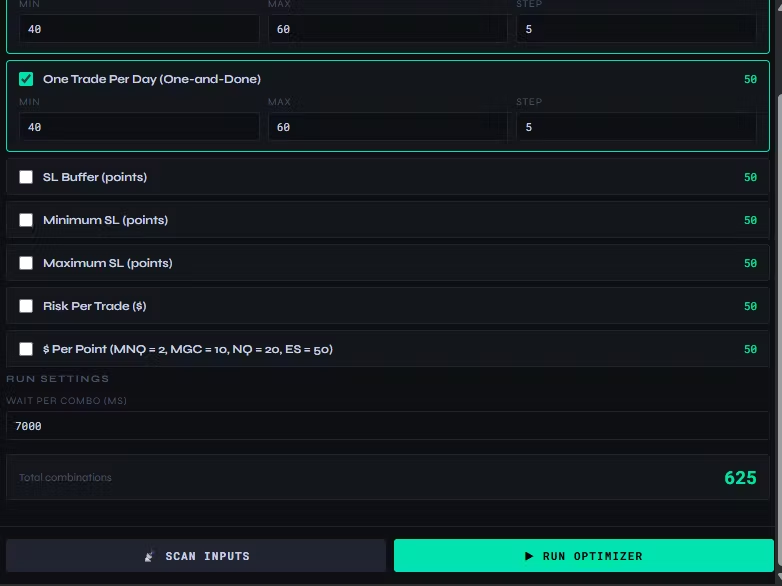
Open the FSD-X popup — it detects your inputs automatically
Set your ranges and click Start
The extension tests every combination and logs the results
INSTALLATION:
Download the zip after checkout and unzip it
Go to chrome://extensions in Chrome
Toggle Developer Mode ON (top right)
Click Load unpacked and select the unzipped folder
Enter your license key in the KEY button to unlock Pro
FREE VERSION:
Up to 2 parameters, 50 combinations
Real-time progress tracking
PRO VERSION:
Unlimited parameters & combinations
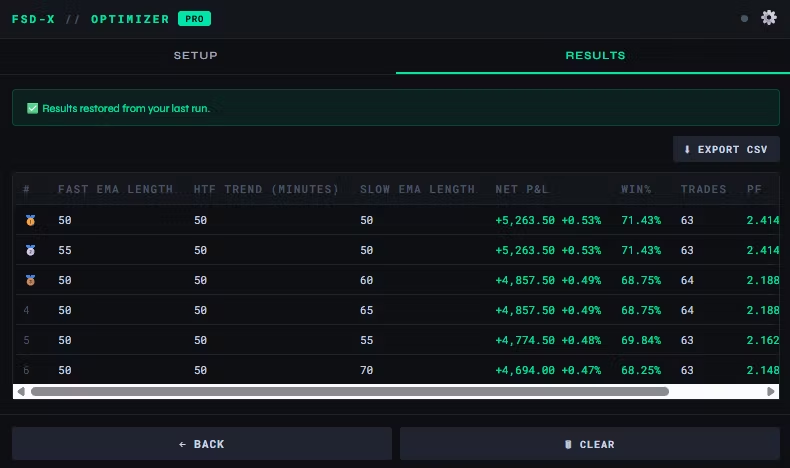
Track Net Profit, Win %, Profit Factor & Drawdown
Sort, filter, and export results to CSV
Auto-saves progress if you close the popup
GET PRO: whop.com/dj-trades-fsdx/fsd-x-optimizer/