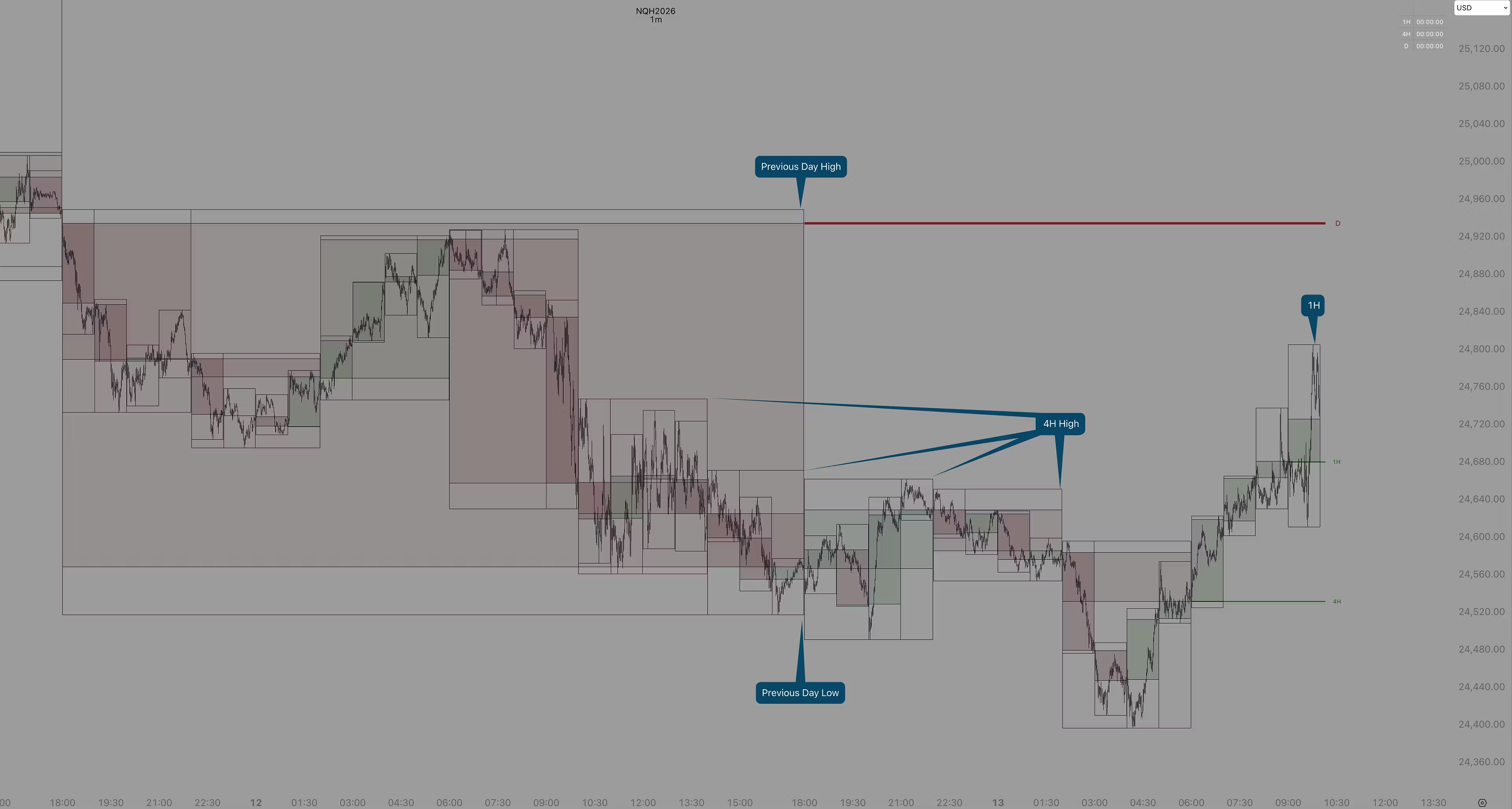
CBC™ - HTF Candle Pro (Lifetime)
Higher Timeframe (HTF) candle data directly on your Lower Timeframe (LTF)
End “Timeframe Blindness”.
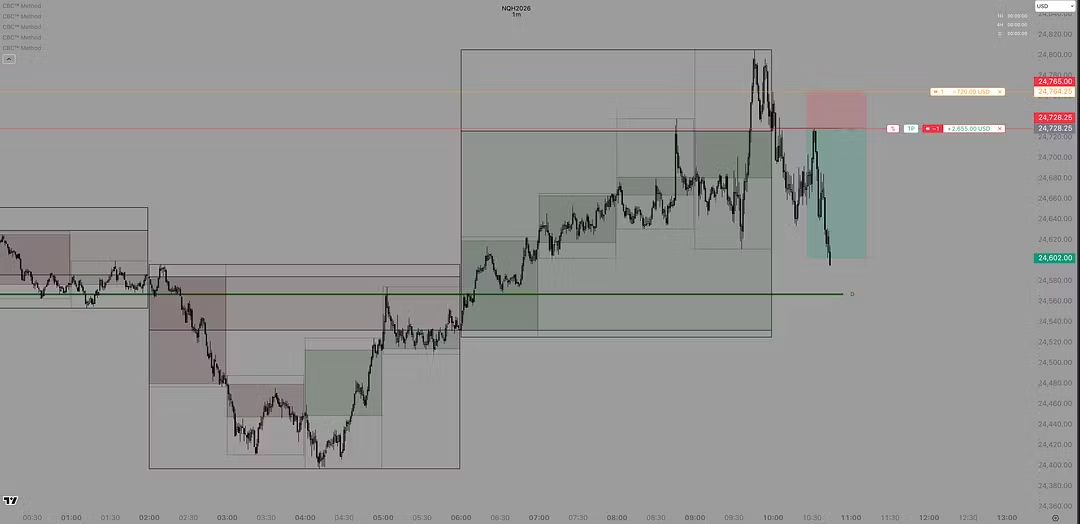
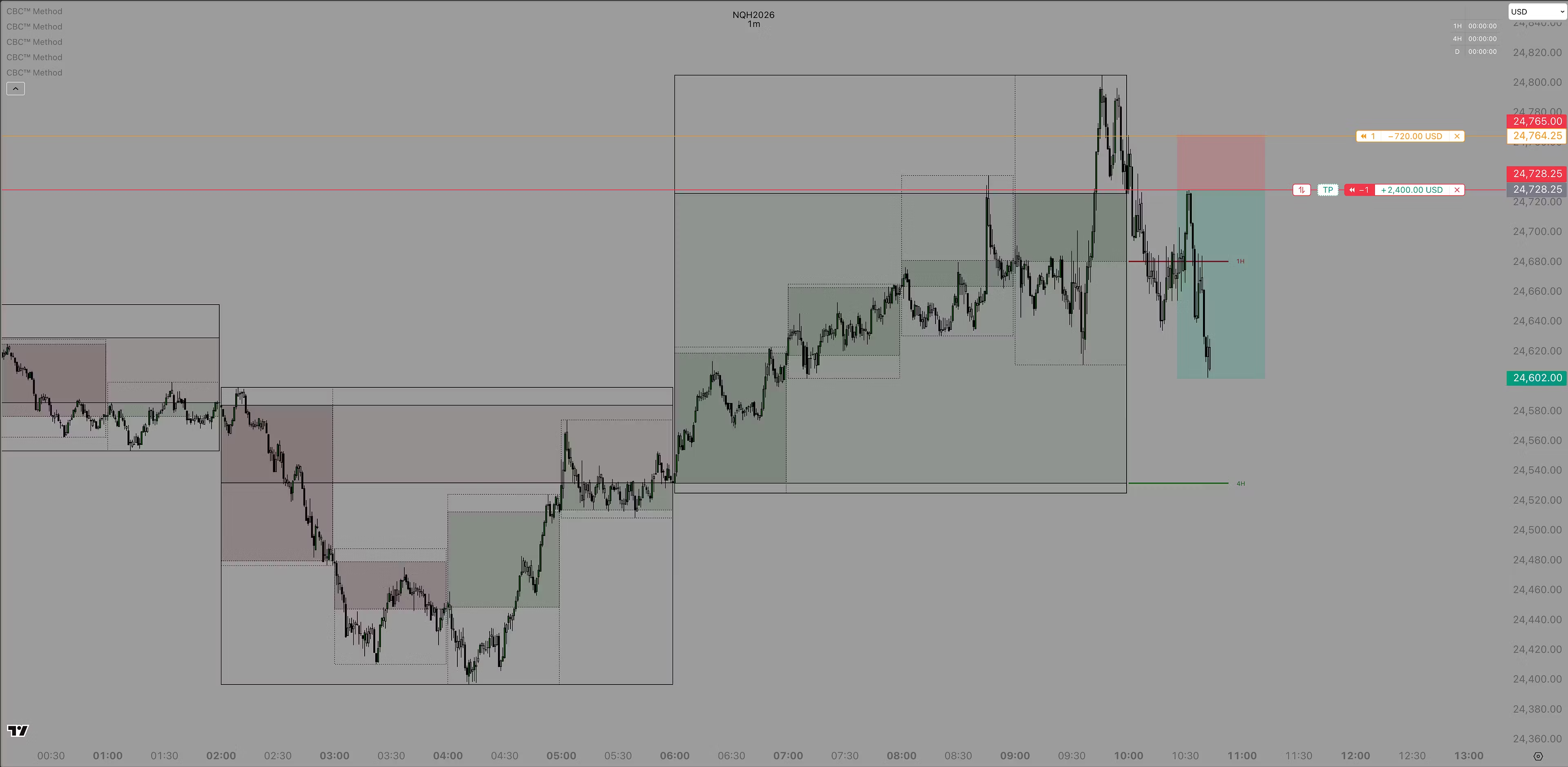
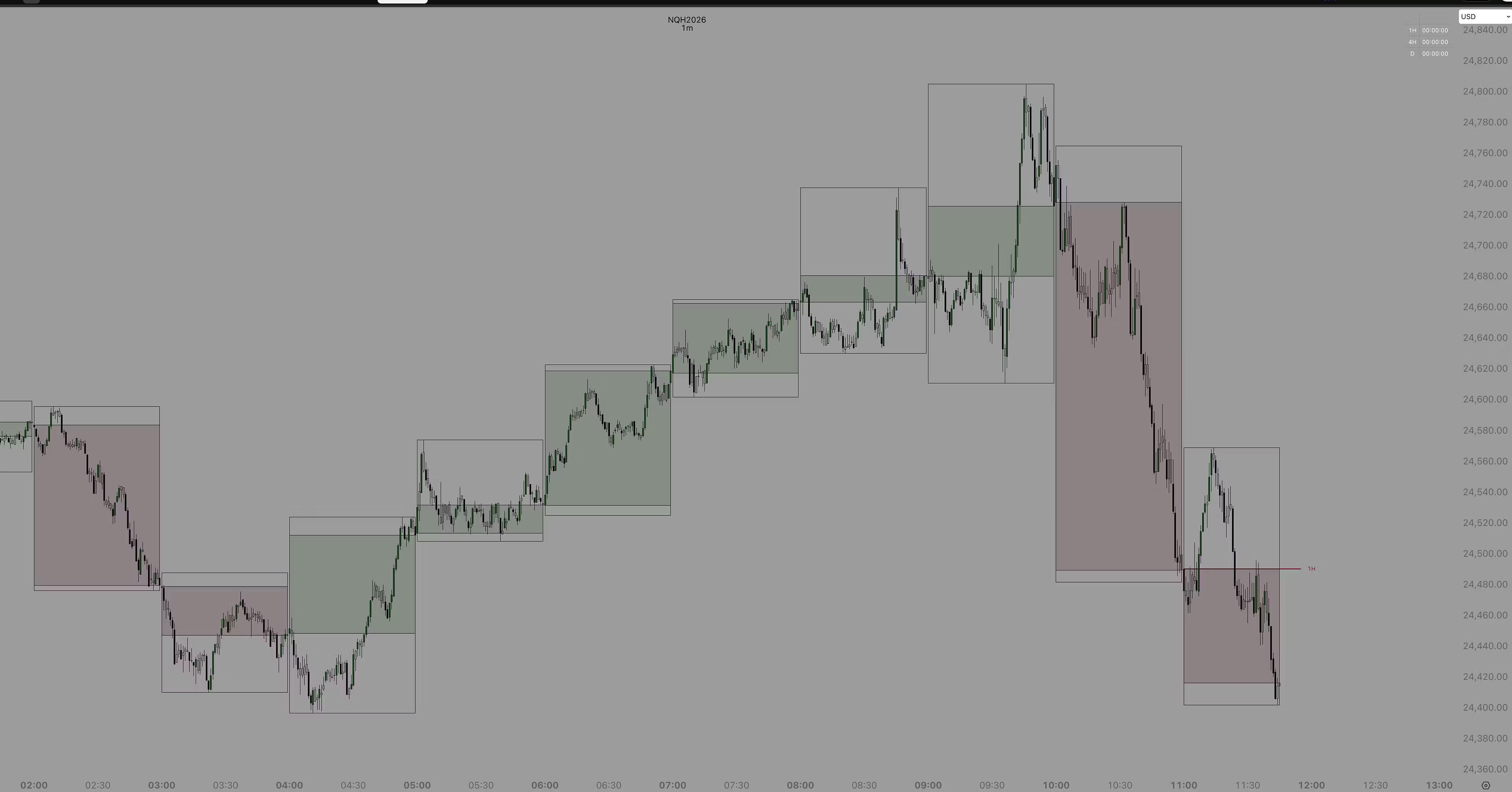
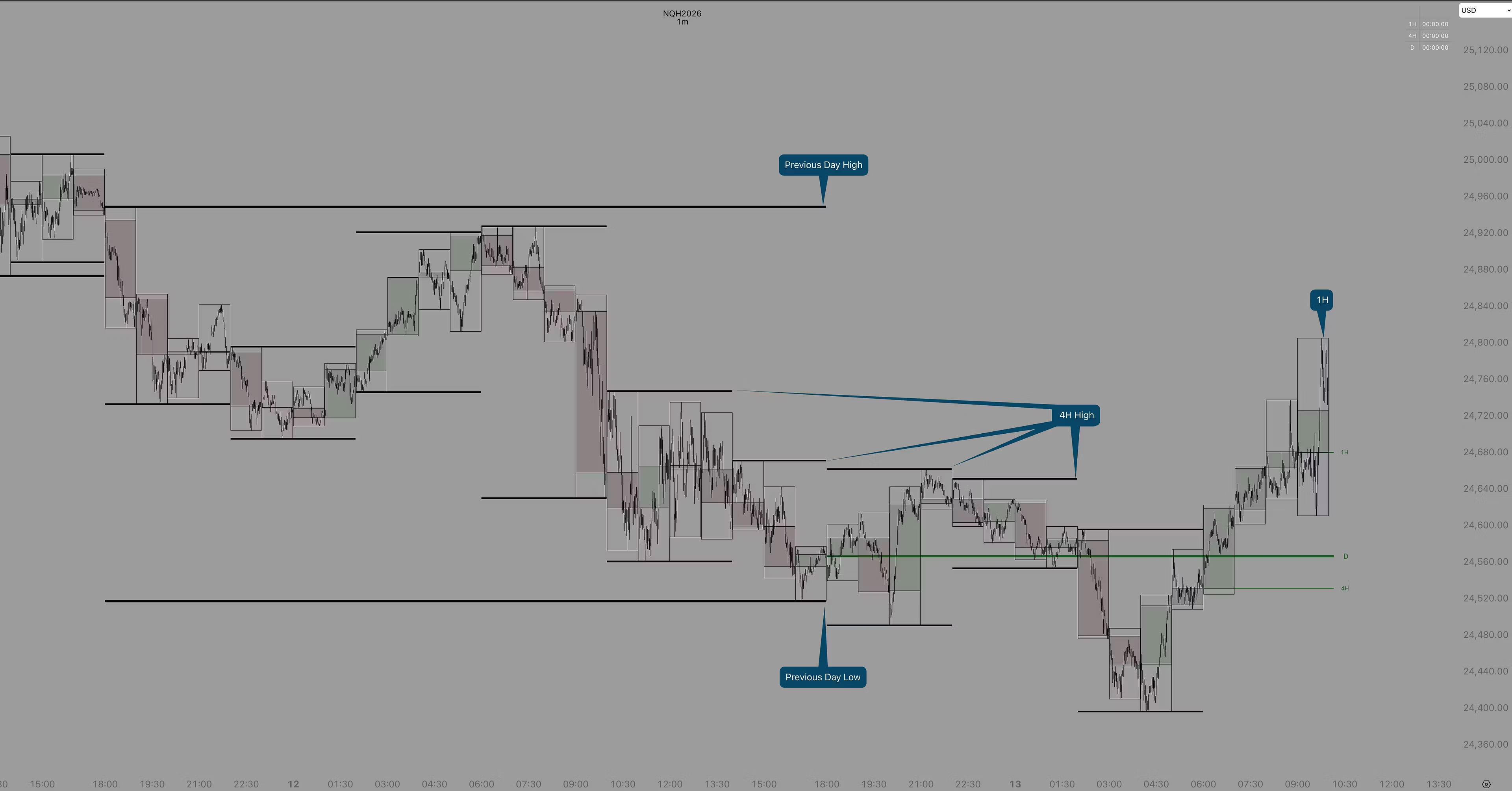
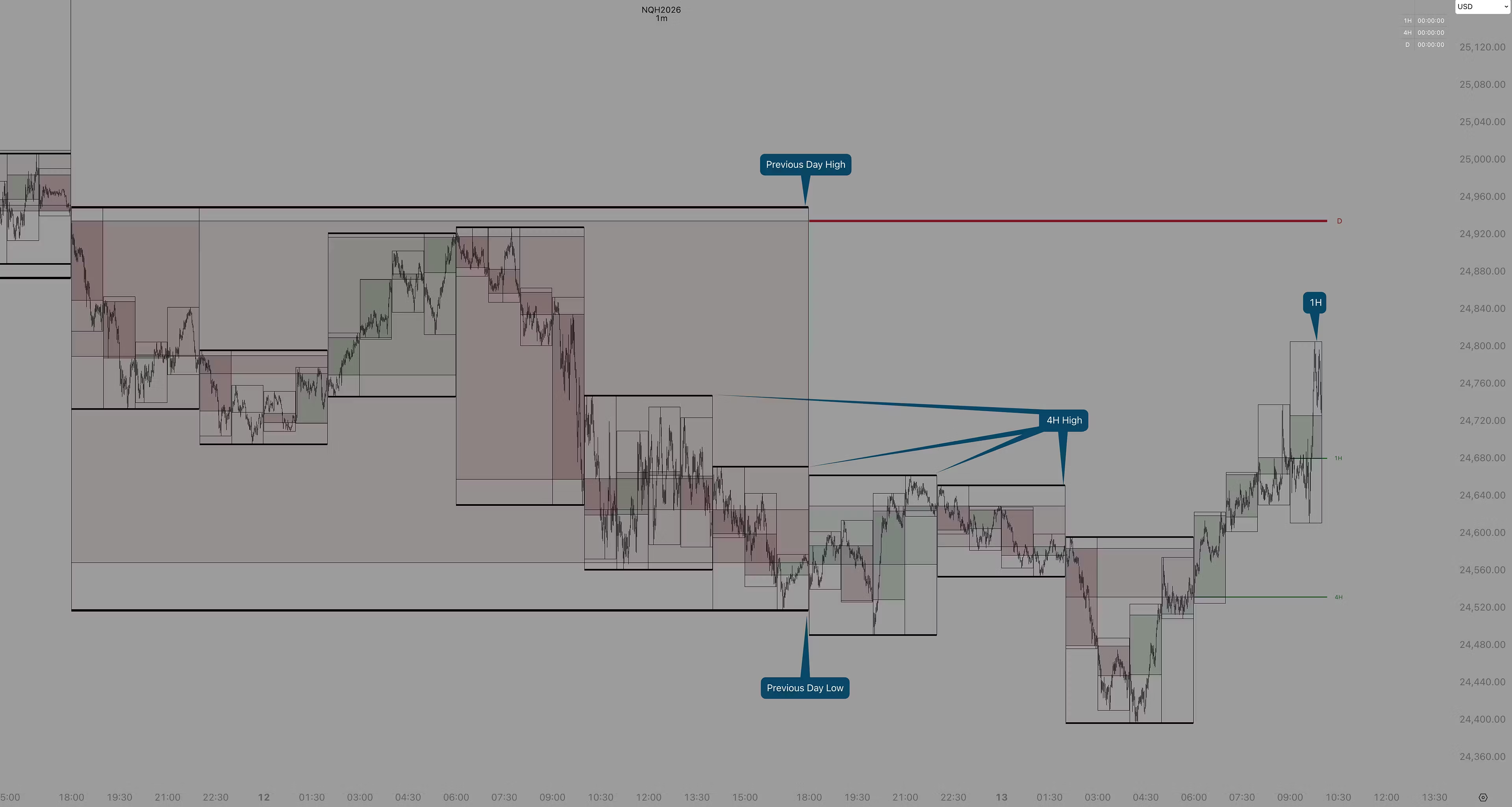
This tool overlays Higher Timeframe (HTF) candle data directly onto your LTF without switching back and forth between timeframes.
The Benefits
Better Perspective: You’ll always know if your current trade is inside the middle of a 1-hour candle or at its edge.
Faster Decisions: No more flipping timeframes to check where the "Daily Open" is, it’s already drawn for you.
Less Clutter: Replaces multiple indicators (EMAs and manual level drawing) with one streamlined script.
Custom Look: Everything can be toggled on or off, from the thickness of the lines to the opacity of the candles.
CBC™ Method: Quick Start Guide
Select HTF Candle
Set this to 1H, 4H, or D.
Candle Visuals
Wick & Sidewall: Full range of the HTF candle or just the body.
Live Candle: In real-time as the current candle forms.
Color: Up and down.
Automatic Open Levels
See the wick and expansion from the open.
Path Tracker
Path tracker (Full History) line connecting HTF open and close.
Recent tracker (Custom)
Dashboard & Watermark
Dashboard: Time left before candle closure.
Watermark: Add custom text or to simply show the ticker and timeframe.
Confirmation Candle
Go to your Chart Settings and turn the "Opacity" of your regular candle bodies to 0%.
Go to the Confirmation candle section and turn it on.