FSD-X Strategy Optimizer
The Ultimate Backtesting Automation Chrome Extension for TradingView
Stop manual testing. FSD-X Strategy Optimizer is a Chrome extension that automates TradingView strategy backtesting, cycling through hundreds of parameter combinations to find your "Golden Settings" in minutes.
Built for performance, FSD-X interacts directly with your charts to find the most profitable inputs for any Pine Script strategy.
HOW IT WORKS:
Open your strategy settings on TradingView.
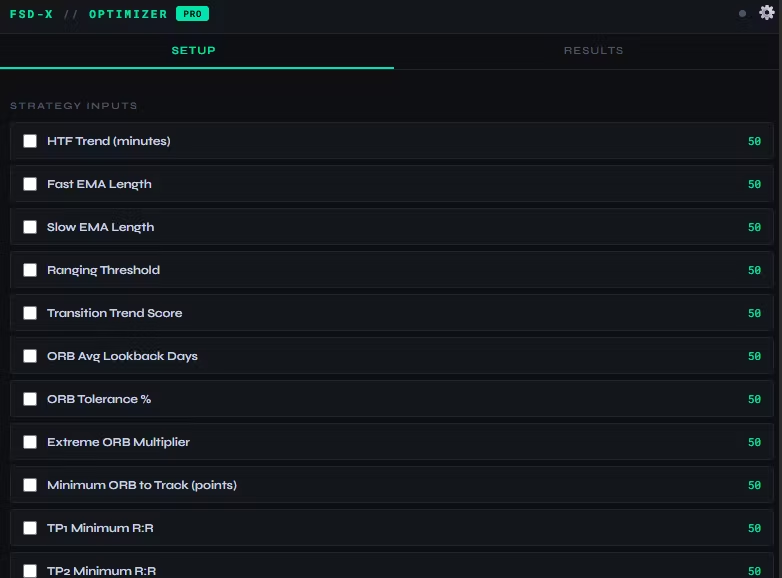
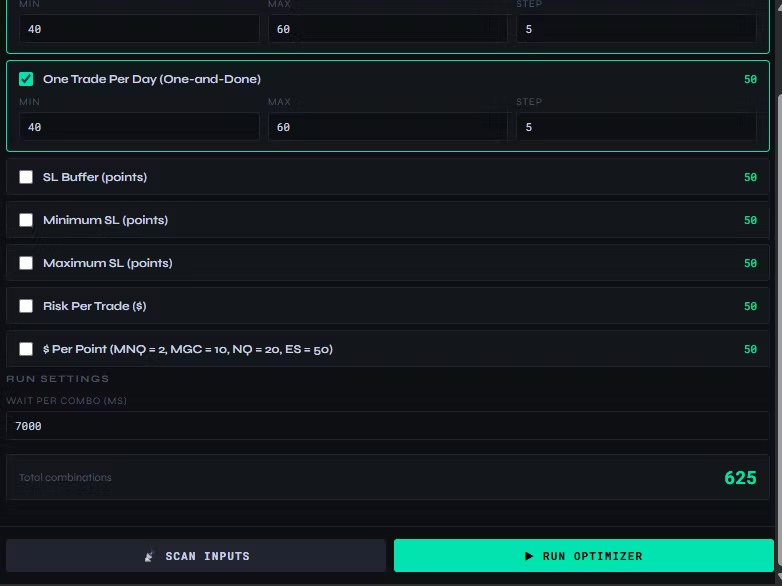
Open the FSD-X popup; it detects your inputs automatically.
Set your ranges and click "Start."
The extension clicks through every combination and logs the data for you.
FREE VERSION:
Automate up to 2 parameters.
Run up to 50 unique combinations.
Real-time progress tracking.
PRO VERSION (Unlimited):
Unlimited Parameters & Combinations: Test every variable at once.
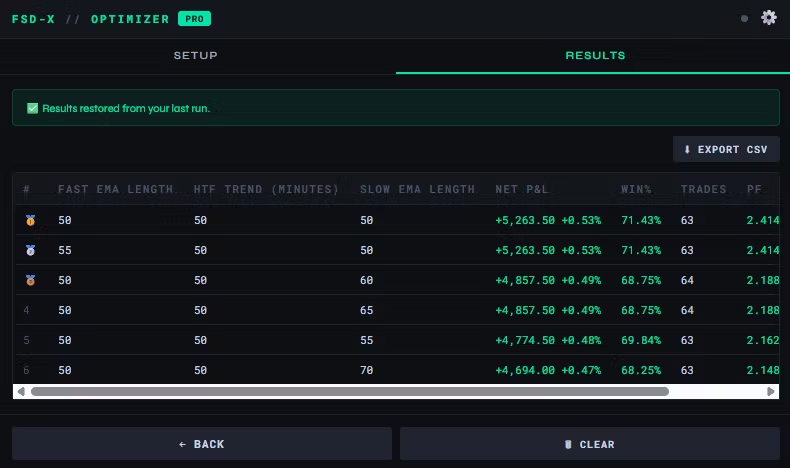
Advanced Results Table: Track Net Profit, Win %, Total Trades, Profit Factor, and Drawdown.
Sort & Filter: Instantly identify high-profit or low-drawdown setups.
CSV Export: Download results for deep analysis in Excel/Sheets.
Auto-Save: Data is saved locally; never lose progress if you close the popup.