WordPress Emoji Settings
WordPress Emoji Settings Plugin
WordPress Emoji Settings gives you full control over how emojis behave on your site.
With a single option, you can enable or disable WordPress’s default emoji conversion, stopping ASCII smilies like :) or :D from being automatically converted into emoji images. It also prevents native Unicode emojis from being replaced with Twitter’s Twemoji images.
When emoji conversion is disabled, the plugin removes all related WordPress emoji scripts, styles, filters, and TinyMCE integrations on both the front end and the admin area. This helps reduce unnecessary assets, avoids unwanted visual changes, and keeps your content exactly as you wrote it.
Key features
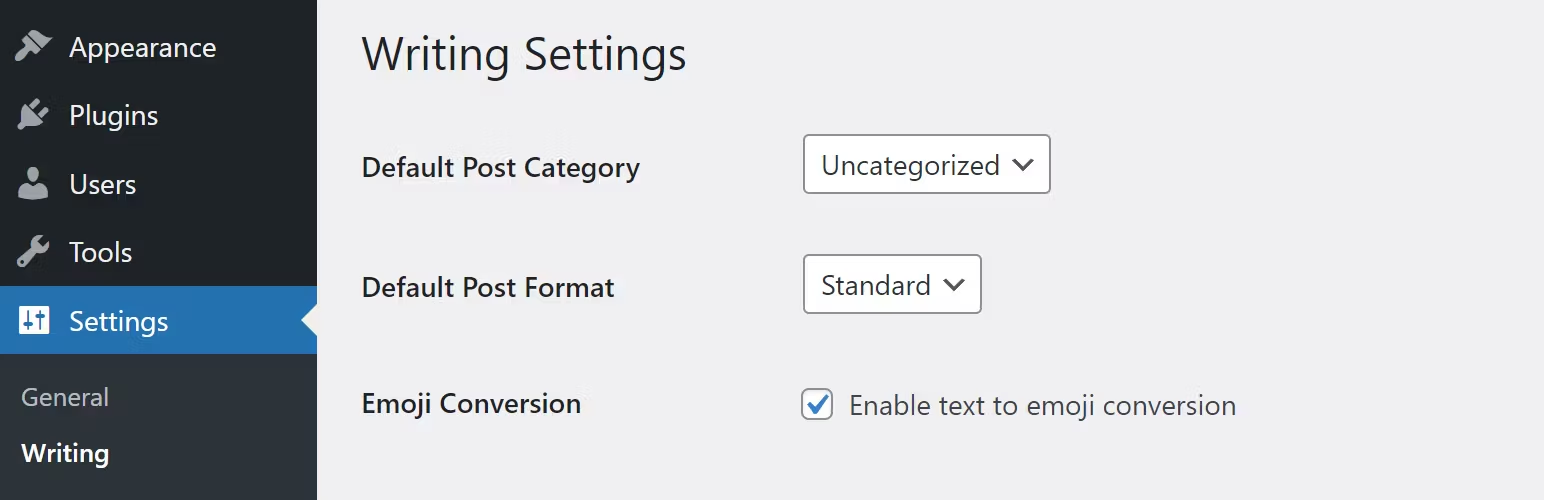
Enable or disable emoji conversion with one checkbox
Stops ASCII smilies converting to emoji images
Prevents Unicode emojis from being replaced with Twemoji
Fully removes emoji scripts, styles, and DNS prefetching
Disables emoji handling in TinyMCE and the WordPress admin
Fixes character encoding issues on sites originally installed with WordPress 4.2 or earlier
Important notes
Real emojis entered via an emoji keyboard are still stored and displayed correctly
Emoji conversion is enabled by default to match standard WordPress behavior
The setting is available under Settings > Writing
Developers can override defaults using the
cw_emoji_overridesfilter