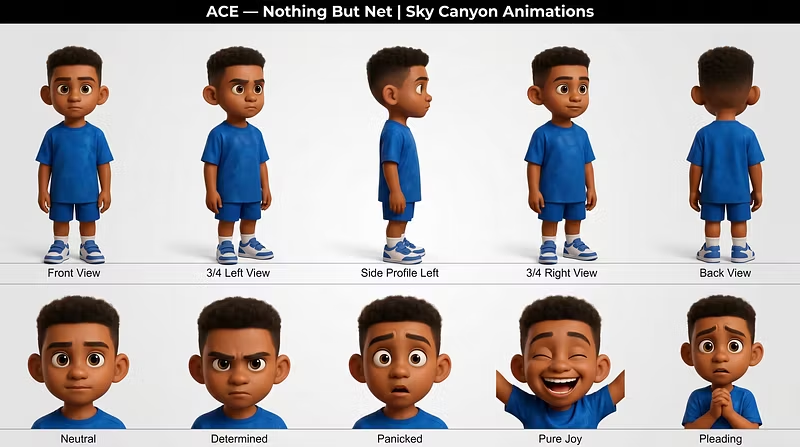


Quick sample of the character consistency
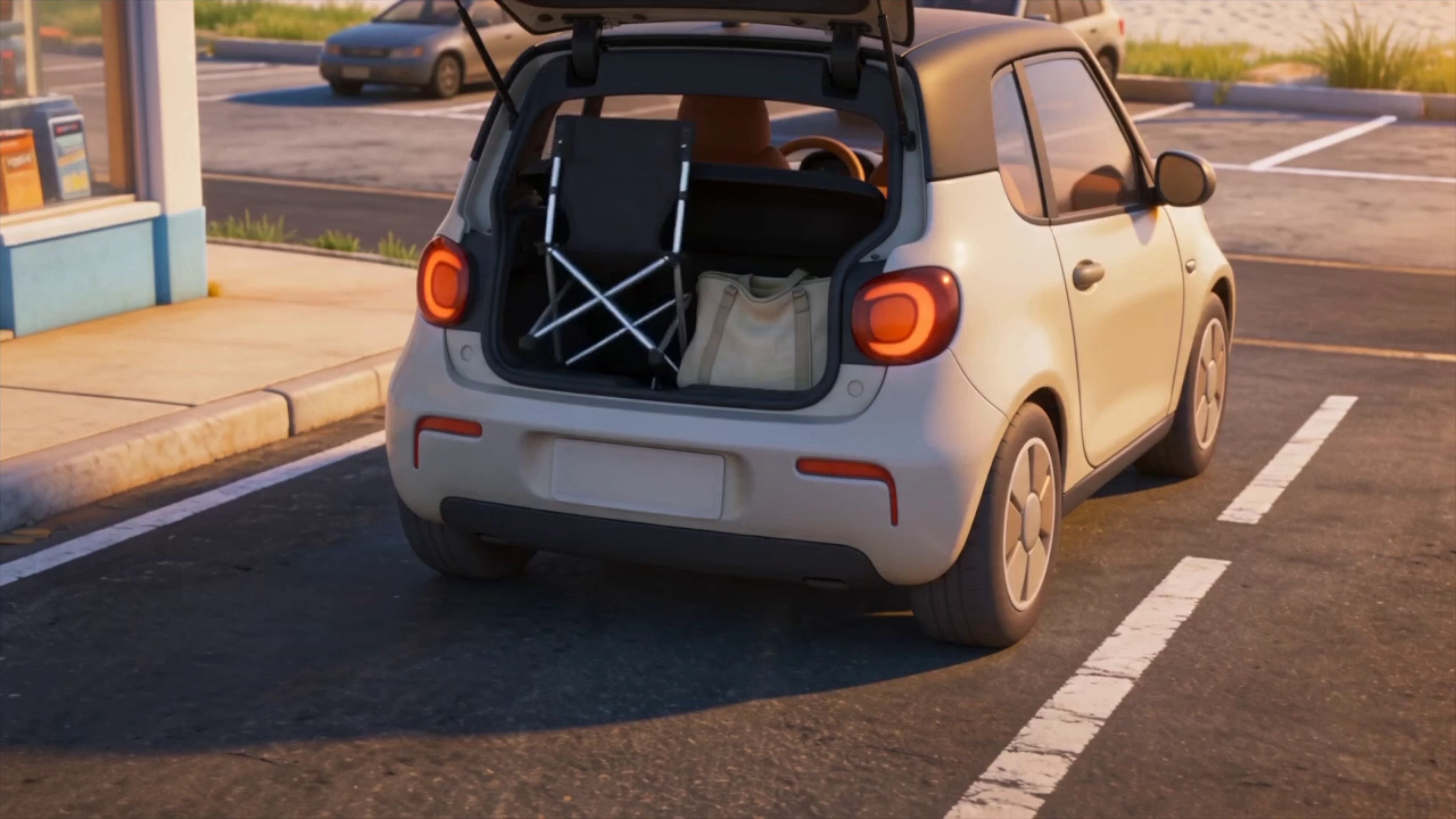

 @skycanyonstudios·May 15
Quick sample of the character consistency
@skycanyonstudios·May 14Most people get a different character every generation. This system gives you ONE consistent character — every time.
The reference sheet and clip above are not mockups. That character — five angles, five expressions, identical across every panel — was built in under 30 minutes using the 7-step workflow in this bundle. Award-winning animators recognised it. A major feature film project came from it.
WHAT MOST PEOPLE GET:
❌ Different face in every generation
❌ Inconsistent proportions that won't cut together
❌ Clips they have to throw out and start over
WHAT YOU GET WITH THIS SYSTEM:
✅ Same character — every angle, every expression, every clip
✅ Full emotion range ready for real storytelling
✅ Cinematic output at a fraction of studio cost
THREE FILES. ONE SYSTEM.
📄 Quick-Start Guide (10 pages)
Tool decision system · 5-step workflow · 6 rules of professional kids content · 7 beginner mistakes + fast fixes
📚 Mega Prompt Library (60+ prompts)
Copy-paste prompts for characters, scenes, and motion · The 7-step character reference workflow · Full Seedance 2.0 directorial system · Complete guide to 9 tools
📋 Settings & Specs Cheat Sheet (2 pages)
Exact export settings for YouTube, Shorts, Reels, TikTok, Facebook · Exact generation settings for every tool
$17 launch price. Instant download. Your first consistent character in 10 minutes — not five broken versions.
 @skycanyonstudios·May 14
I've helped dozens of people get started with AI animation, and the same mistakes keep coming up. Here's what to watch for:
1. Overcomplicating your first project
Your first animation doesn't need to be a 30-second short film. Start with a 2-3 second loop. A bouncing ball. A character blinking. The fundamentals matter more than ambition at this stage.
2. Ignoring the prompt structure
Most AI animation tools are prompt-driven, and most beginners write prompts like they're texting a friend. Structure matters. Subject first, then motion description, then style keywords. "A cat walking across a wooden floor, smooth motion, 2D cel-shaded" will always beat "make a cute cat video."
3. Not iterating
Your first generation is rarely your best. Treat it as a draft. Tweak the prompt, adjust parameters, regenerate. The best AI animators I know generate 10-15 versions before landing on one they keep.
If you're just getting started with AI animation, I put together a complete beginner's guide covering tools, techniques, and workflows step by step.
Check it out → https://whop.com/sky-canyon-studios/