
Invoice and Receipt Parsing, n8n template
PDF in, fields out, with the arithmetic checked rather than trusted.
Stop keying receipts in by hand.
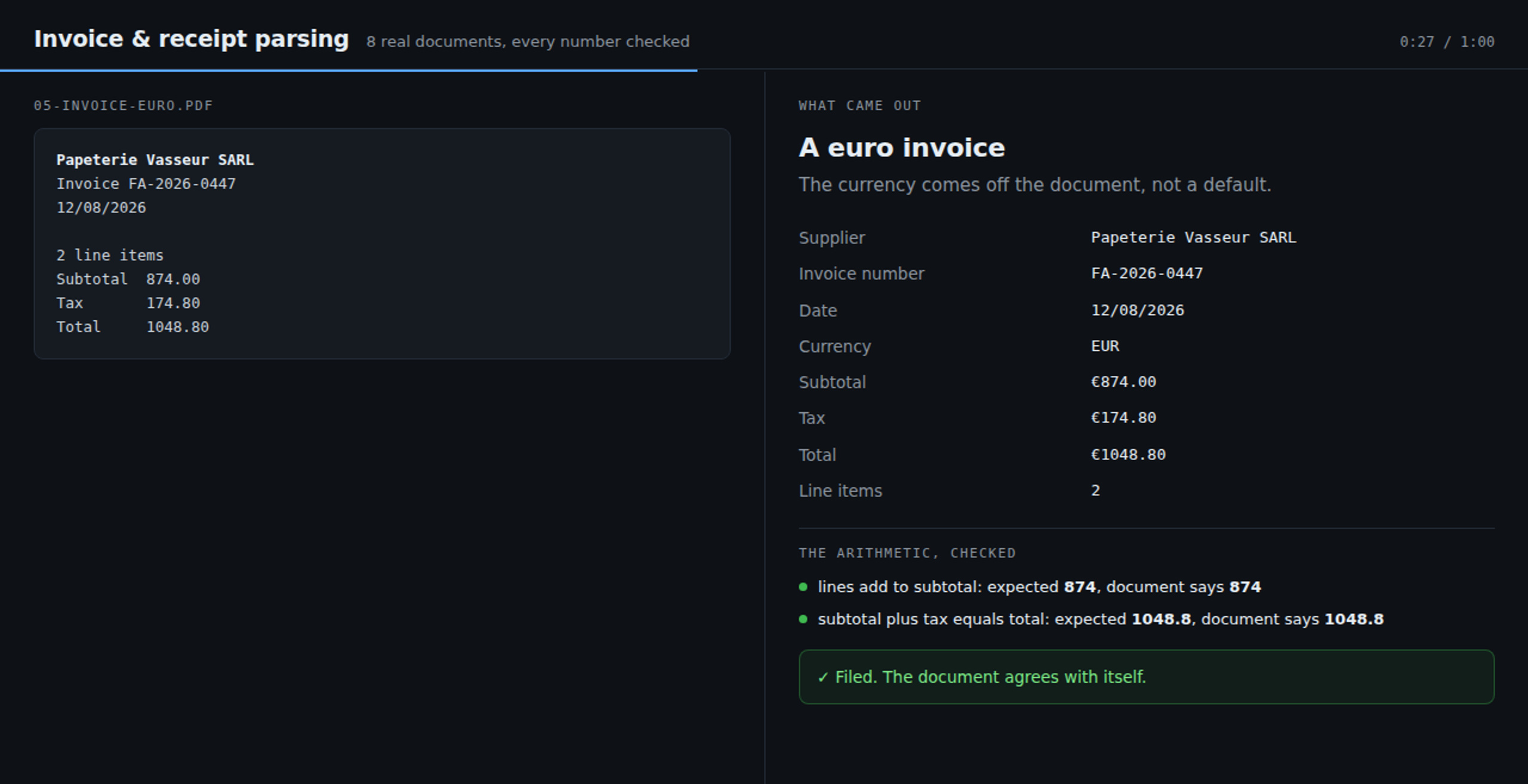
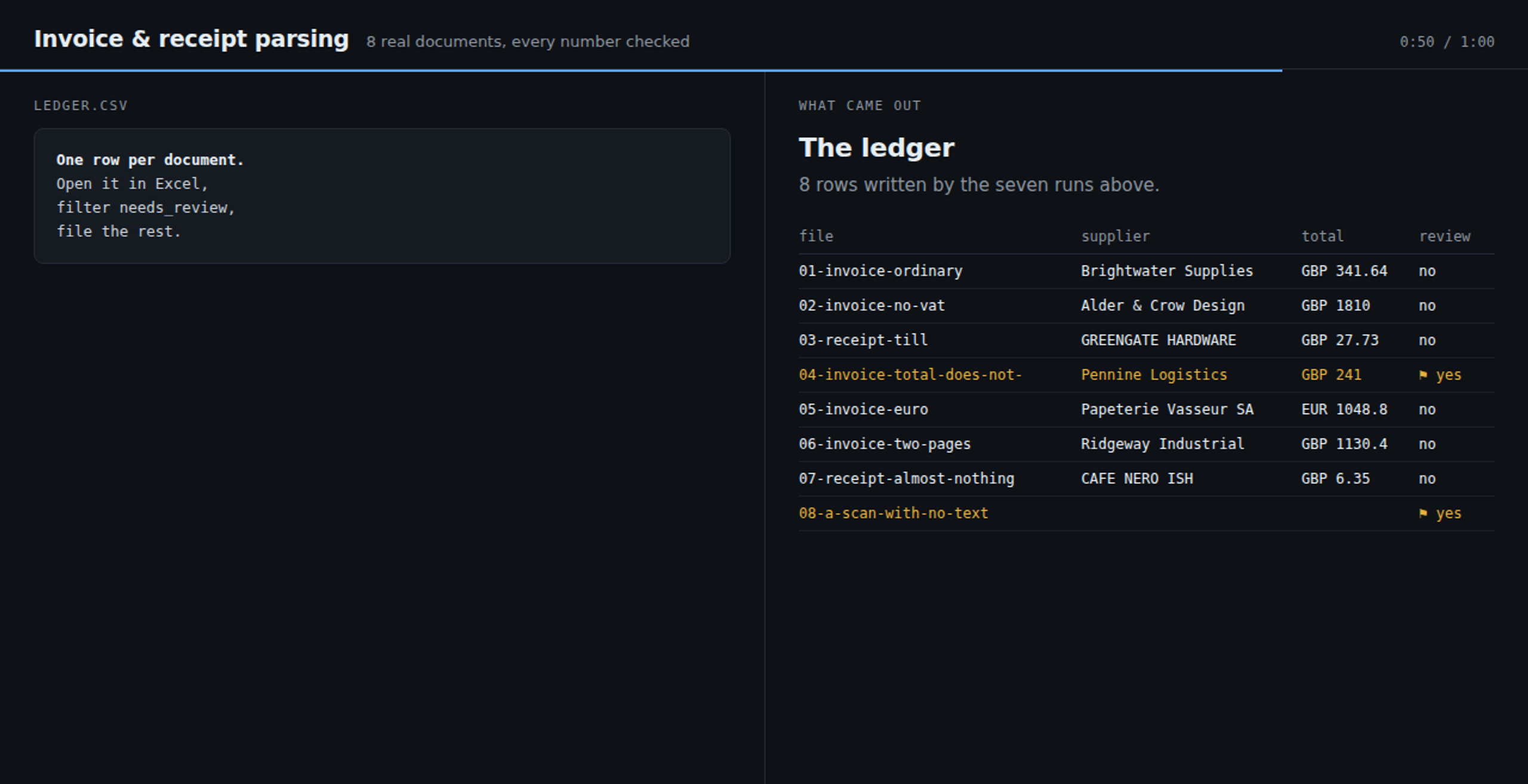
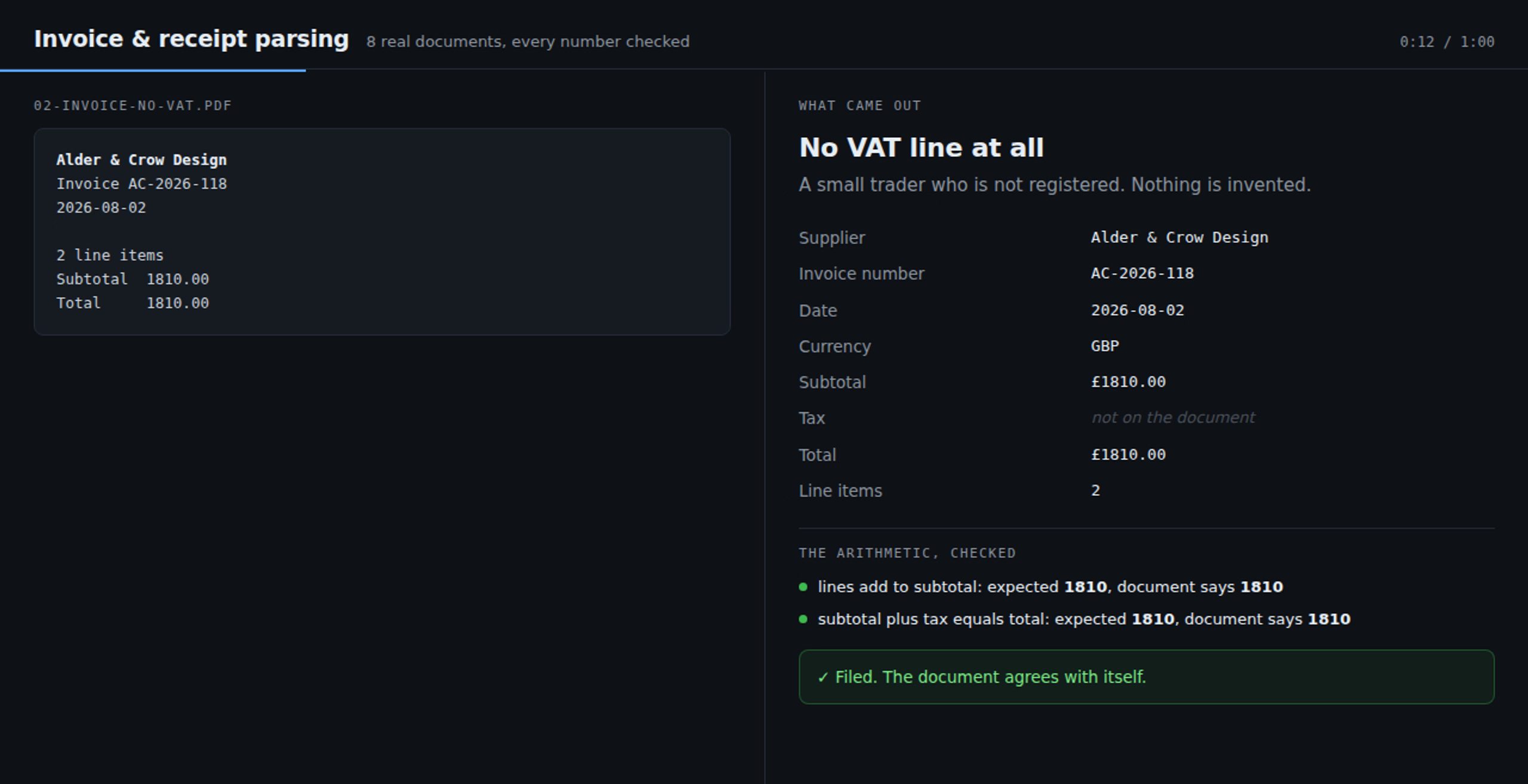
Drop a PDF invoice or receipt on a page. It comes back as fields: supplier, invoice number, date, currency, subtotal, tax, total, and every line item. A row lands in a CSV ledger you open in Excel.
Here is the part worth paying for. It checks the arithmetic. The AI is told to copy what is printed, never to compute. The workflow then does the sums itself. Do the lines add up to the subtotal, or on a receipt the total? Does subtotal plus tax equal the printed total? Does each line match its amount? Anything that disagrees is flagged with the reason in plain words, like this: subtotal 220 plus tax 44 comes to 264, but the total says 241.
It is never silently corrected. A tool that quietly fixes a total is worse than no tool, because you find out at the VAT return. Filter the needs_review column and those are the only ones that need your eyes.
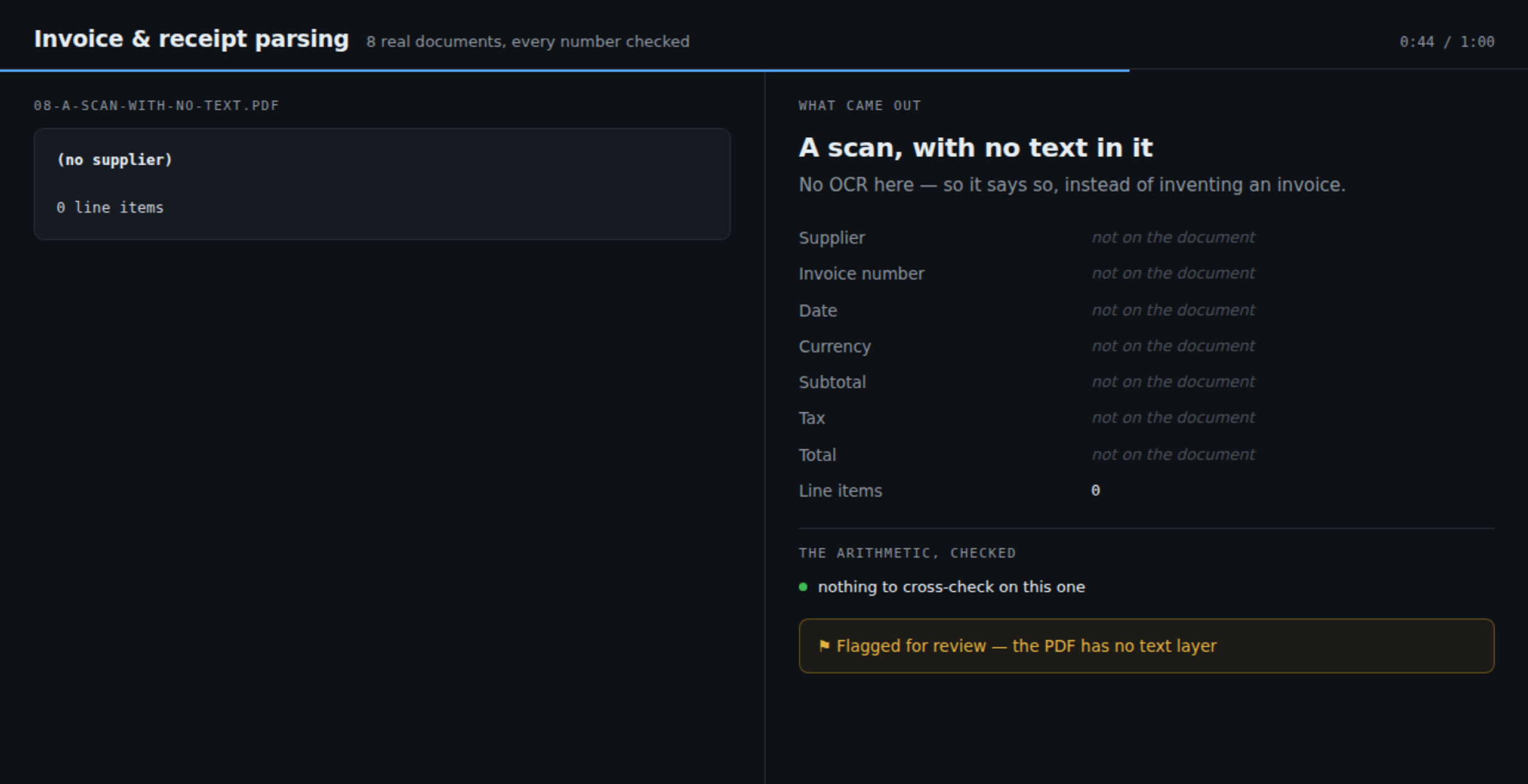
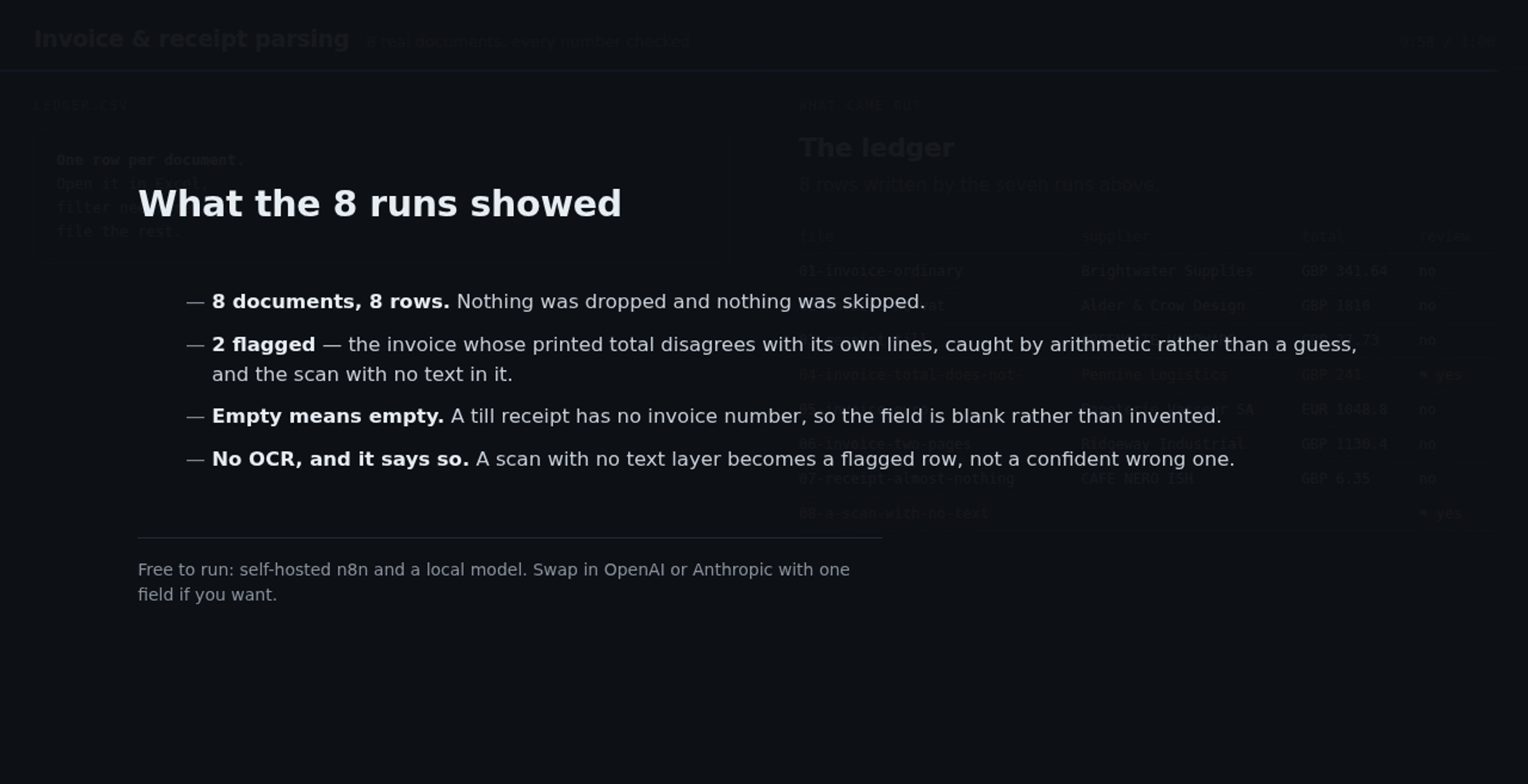
It ships with its proof: eight real documents, eight saved executions, and the ledger they produced. Three are flagged: a wrong total, quantities the AI misread on a two-page invoice, and a scan with no text. You get the sample PDFs too, so you can run it before trusting it with your own books.
Setup takes about 10 minutes; only two settings change. You need self hosted n8n and an AI model. A free local model through Ollama is what this was tested on.
There is no OCR. It reads the text layer inside a PDF. A photo of a receipt has none, and becomes a flagged row saying so rather than a wrong answer.