Autoshort

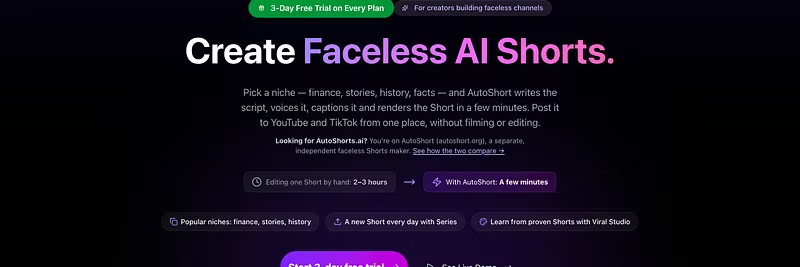
You write one line. AutoShort writes the script, picks the visuals, records the voiceover, burns the captions, and hands you a finished 9:16...
Ho Chi Minh City, VN
•
•Created byProfile pictureKien Phan
12 joined
Profile picture
Kien PhanProfile picture@kienphan91·11h
Pinned post

Quickstart: Render Your First 60-Second Short in 3 Minutes

Welcome to AutoShort! Here is exactly how to generate your first ready-to-post 9:16 short right now:


  1. Choose your niche: In this guide we'll focus on motivational quotes and self-improvement.

  2. Paste your one-line prompt: Let AutoShort write the script, generate background visuals, voice the audio, and burn captions automatically.

  3. Export & Post: Check your generated short, adjust scene timing if desired, and export watermark-free.


Need help tweaking your prompt or script? Reply right here in the forum and our team will help you optimize your hooks!

Profile picture
Kien PhanProfile picture@kienphan91·Oct 31
Pinned post

Important: How to keep your AutoShort subscription active & fix card declines

Hi everyone, if your AutoShort video generations or monthly renewal paused recently, your bank may have declined the renewal charge due to card expiration or international processing limits. To make sure you don't lose your saved projects and credit balance: 1) Go to your Whop profile settings at 2) Select Billing & Memberships, 3) Under AutoShort, tap Update Payment Method and enter an active card. If you run into any issues, reach out right away so we can help!

Profile picture
Kien PhanProfile picture@kienphan91·Oct 20
Pinned post

How to render your first viral short in under 2 minutes

Welcome to AutoShort! If you're on a 3-day trial, here is how to get your very first video live right now:


  1. Go to autoshort.org/en/dashboard/chat

  2. Select your video theme: focused on a faceless product review video.

  3. Paste a single line topic: e.g., 'The craziest psychological facts people don't know'

  4. Click Generate. AutoShort handles scriptwriting, AI voiceover, dynamic visual cuts, and synced captions automatically.

  5. Download your 9:16 video and post directly to YouTube Shorts, TikTok, or Instagram Reels.


Drop a comment below with your generated video link or questions!

Profile picture
Kien PhanProfile picture@kienphan91·Oct 19
Pinned post

Getting Started: Render Your First AutoShort in 5 Minutes

Day 1: Render your first AutoShort in 5 minutes


Your 3-day trial is the window to ship a finished 9:16 video. This guide walks you through a 60-second viral explainer from first prompt to export.


1. Input your first prompt or URL


  1. Open AutoShort and start a new project.

  2. Choose prompt (or paste a source URL if you already have an article, product page, or script).

  3. Use this starter prompt (edit the topic to match your niche):


Create a 60-second viral explainer video. Hook in the first 3 seconds. Cover one clear idea with 3 punchy points, simple visuals, and a strong CTA at the end. Keep it fast, on-screen text friendly, and built for 9:16.


  1. Confirm duration is about 60 seconds and aspect ratio is 9:16.


2. Voiceover accents and caption presets


  1. Pick a voiceover accent that matches your audience (for example US English for a broad feed, or the accent your viewers already trust).

  2. Preview a few seconds of audio. If it feels off, switch voices before you render.

  3. Apply a caption preset with high contrast, large type, and safe margins so text stays readable on mobile.

  4. Keep captions on for the full clip. Most short-form views start muted.


3. Render and export in under 5 minutes


  1. Hit Render. Stay on the page until the job finishes.

  2. Watch the preview once: check the hook, captions, and ending CTA.

  3. Export the finished 9:16 file (MP4).

  4. Post it the same day. The trial is 3 days. One published short beats a perfect draft.


Typical first render is well under 5 minutes if the prompt is already set.


4. If rendering hits a technical issue


Reply in this forum with:

  • What you entered (prompt or URL)

  • Voice and caption preset

  • Approximate time you started the render

  • Any error text or a screenshot


A team member or another AutoShort user can help you unblock so you still get a video out before the trial ends.


Goal for today: one 60-second viral explainer, exported, ready to post.

Profile picture
Kien PhanProfile picture@kienphan91·Oct 19
Pinned post

Quickstart: How to Render Your First Video in 3 Minutes

Render a viral explainer from a 1-line script


You are on a 3-day trial. Follow this once and you should have a downloadable video in about 3 minutes. If something feels off, ask in chat before you cancel.


1. Input a 1-line script (or paste a URL)


Open AutoShort and start a new video.


  • Fastest path: type one sentence that states the idea, e.g. Why most people fail at short-form video (and the 10-second fix).

  • AutoShort expands that line into a short explainer with scenes, hook, and CTA.

  • Optional: paste a blog, YouTube, or article URL if you already have source material. The same pipeline still builds an explainer.


Keep the first run simple: one line, one topic, no extra settings.


2. Pick AI voice and caption style


Before you hit render:


  1. Choose a voice that matches the topic (clear, energetic for explainers).

  2. Pick a caption style that stays readable on mobile (high contrast, large type).

  3. Leave other defaults unless you already know what you want.


You can change voice and captions later. First video is about finishing a render, not perfecting style.


3. Render and download (about 3 minutes)


  1. Click render / generate.

  2. Wait for the job to finish. Most first videos complete in under 3 minutes.

  3. Preview the explainer.

  4. Download the file so you can post it on TikTok, Reels, or Shorts.


If it is still processing after a few minutes, stay on this page. Do not cancel the trial yet.


4. Need help or a feature? Use chat first


Trialing members sometimes cancel before anyone can help.


  • Ask in community chat or reply here if render fails, voice sounds wrong, or captions cut off.

  • Feature requests are welcome in chat too.

  • Support can usually unblock a first video during the 3-day trial.


Pin this post so you can find it again. Go make the 1-line explainer now.

Profile picture
Kien PhanProfile picture@kienphan91·Oct 17
Pinned post

What's new in AutoShort

Faster script-to-video rendering is live. Turn scripts into clips quicker so you can ship more this week.


Reply with the topics or video prompts you’re testing. We’ll use that to shape the next round of updates.

Profile picture
Kien PhanProfile picture@kienphan91·Oct 9
Pinned post

New here? What AutoShort does


AutoShort (autoshort.org) turns one topic into a finished faceless Short. You type the idea; it writes the script with AI, generates the scenes with AI, records the voiceover and burns in the captions.


Pricing: plans start at $19/month (AutoShort Starter: 1,200 credits, about 30 one-minute videos). Starter begins with a 3-day trial, and a card is required at checkout. No subscription wanted? Credit packs start at $2.99.


Posting: auto-posts to YouTube. TikTok uploads stay private until TikTok finishes reviewing our app.


Sample video (the one in the site's Live Demo):

Plans and sign-up:


Not the same as AutoShorts.ai: AutoShort is a separate product, built by one person in Ho Chi Minh City.

Profile picture
Kien PhanProfile picture@kienphan91·Sep 18

30% recurring, paid by Whop, not by me


AutoShort turns one line into a finished vertical video — script, visuals, voiceover, burnt-in captions — in a few minutes. Built by one person. 3,559 videos rendered so far.


Affiliate terms, plainly:

• 30% of every payment your referral makes, for as long as they stay subscribed

• 40% if you are a paying customer yourself

• Whop holds the money and pays you 30 days after each sale. You are not waiting on me to send it.


Who to send it to: people posting daily to TikTok, Reels or Shorts; agencies producing volume for clients; anyone who says editing eats their evening.


What not to promise on my behalf: no view counts, no "this will go viral", no claim it replaces an editor. A refund cancels your commission, and overselling is what causes refunds.


What actually converts is a 30-second screen recording of a real video being made. Show it working. Do not describe it.


Search "Autoshort" in the Whop Affiliate marketplace to grab your link.