BrandKit Extractor

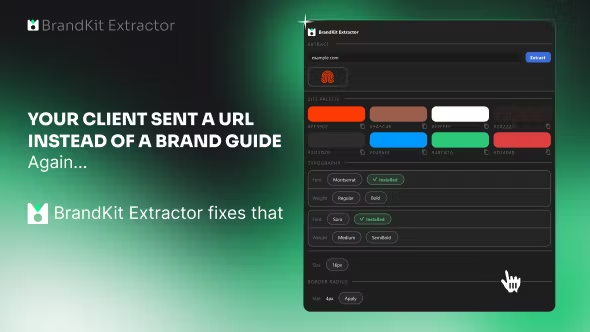
After Effects plugin that extracts and organizes brand kits — colors, fonts, logos, and assets — directly from your projects.
Cherkasy, UA
•Created byProfile picturedifraxion
2 joined
Profile picture
difraxionProfile picture@difraxion·Jun 16

How I stopped wasting 2 hours per project on brand asset organization

If you work in After Effects, you know the pain: client sends a brand guide (if you're lucky), and you spend forever manually pulling hex codes, matching fonts, organizing logo variants, and building your asset library before the real work starts.


For repeat clients it's fine — everything's saved. But new ones? Every. Single. Time.


I built BrandKit Extractor to fix this. One click inside AE:


  • Pulls every color used across all comps → organized palette

  • Identifies fonts with weights and sizes

  • Extracts logo assets grouped by variant

  • Exports a clean brand kit you can reuse across projects


The time savings compound fast. 3-4 client projects a month? This pays for itself on the first one.


Built it for myself, now sharing it with the community.

Profile picture
difraxionProfile picture@difraxion·Jun 16
Pinned post

Welcome to BrandKit Extractor 👋

Thanks for grabbing BrandKit Extractor — you just saved yourself hours of manual asset work.


Getting started:

  1. Head to Plugin Download and grab the latest .zxp file

  2. Install via ZXP Installer or drop into your AE extensions folder

  3. Open After Effects → Window → Extensions → BrandKit Extractor

  4. Load any project and hit Extract — colors, fonts, and assets organized automatically


Need help? Drop a message in Community chat. Updates posted in Updates & Changelogs.