
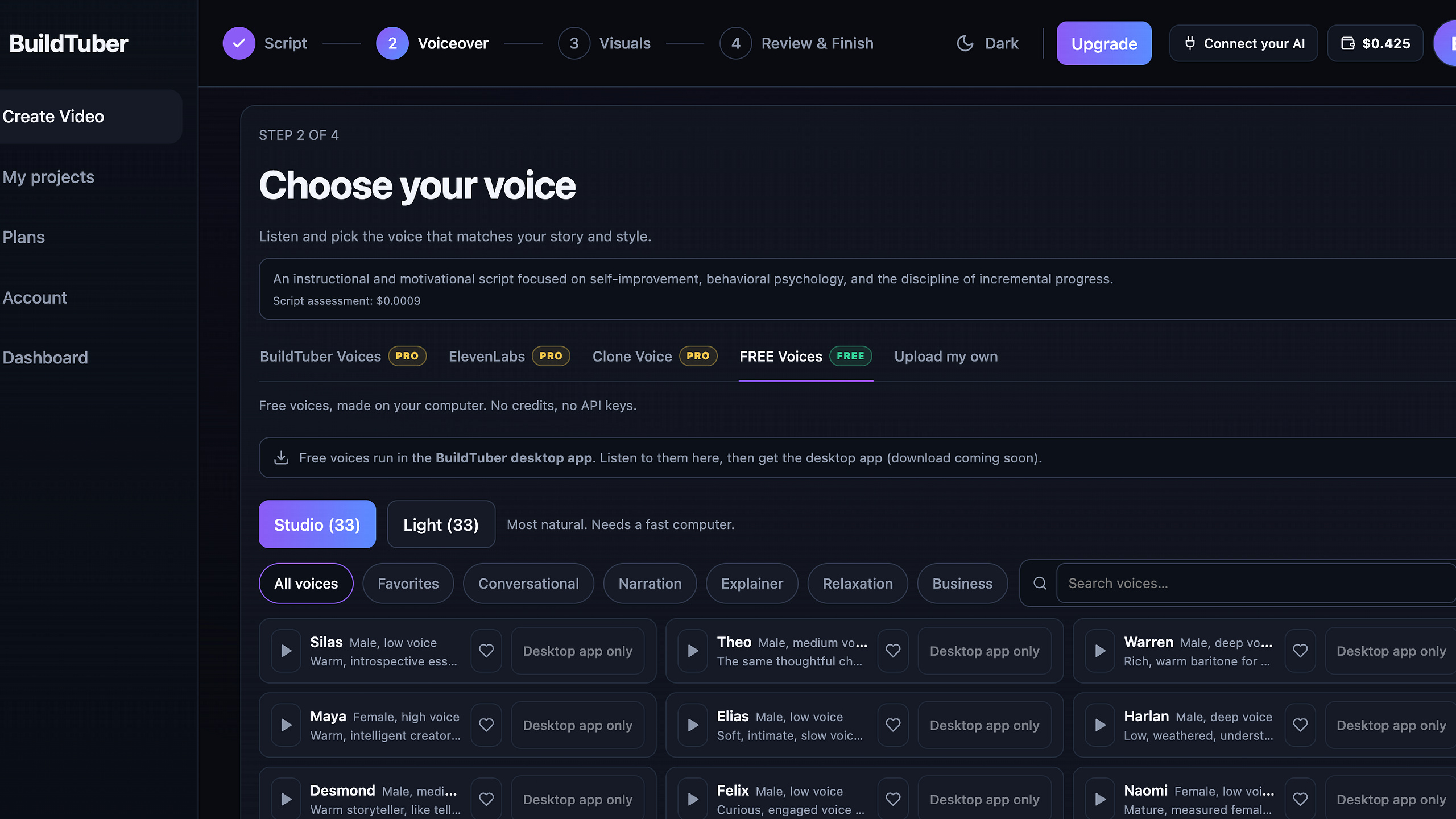
BuildTuber Desktop – Unlimited Free Voiceover + Auto Edit (Runs on Your PC)
Turn a script into a finished faceless YouTube video, on your own computer.
BuildTuber Desktop is a free Windows app that turns your script into a finished faceless YouTube video. The voiceover and the final MP4 are both made on your own computer.
It is the desktop version of BuildTuber Auto Edit. No Google Colab, no browser tab to keep alive.
What you get:
• Unlimited free voiceover. Free AI voices run on your PC. No character limit, no credits. Or upload your own recording.
• Local render. Your MP4 is built and saved on your machine.
• Auto Edit. It finds when each scene is spoken, places your images and clips, and adds Ken Burns zooms, transitions and word-timed captions.
How it works:
- Write or paste your script, one scene per line
- Pick a free voice or upload your own
- Add your images and clips
- Preview, then render
Needs: Windows 10 or 11 (64-bit) and 8 GB RAM. NVIDIA GPU optional. Voice models download once inside the app.
Good to know: scene planning and stock visuals still use the BuildTuber cloud. Voiceover and rendering do not. The installer is not code-signed yet, so Windows may show “Unknown publisher” (choose More info, then Run anyway).
Voices: Qwen3-TTS (Apache 2.0), Kyutai Pocket TTS (CC BY 4.0). Captions: whisper.cpp (MIT).
Browser version: BuildTuber Auto Edit 2.0.