AgentFast

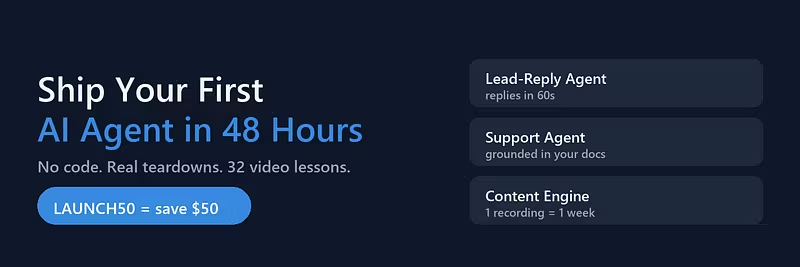
Ship your first working AI agent in 48 hours - no code. 32 video lessons, real business teardowns, copy-paste prompts. Launch week: LAUNCH50...
Dali Old Town, CN
•Created byProfile pictureblandspur5f
1 joined
Profile picture
@blandspur5fProfile picture1d

The 48-hour agent: what actually has to happen, hour by hour

48 hours to a live agent sounds like marketing. Here is the honest hour-by-hour.


Hour 1-3: pick one bottleneck, not three. Export your last 100 customer messages and count the questions. Fifteen to twenty questions will cover most of your volume.


Hour 4-6: write the facts file for those questions. Prices, hours, policies, delivery times. Awkward answers included - the agent quoting your real policy is the point.


Hour 7-10: write the escalation rules before you write any answers. Six triggers: asks for a human, legal language, refund request, unhappy sentiment, question not covered, payment details in chat.


Hour 11-14: wire it to one channel only. WhatsApp or the website form or Instagram DMs. One. Channels two and three come later, after the first one holds.


Hour 15-20: hostile testing. Twenty messages: angry customer, price fishing, off-topic, refund demand. Fix the prompt until all twenty behave.


Hour 21-24: soft launch to twenty percent of traffic, and read every conversation for the first two days.


Anything faster than this is a demo, and anything slower is a consulting project. The templates for every step are in the AI Ops Playbook:

Profile picture
@blandspur5fProfile picture1d

The vendor trap: why your agent needs an exit plan on day one

Nobody asks this question when buying automation: what happens when we want to leave?


Six months from now the tool changes pricing, or the person who set it up moves on, or the platform changes a model under you and the tone of every reply shifts. If your agent is a collection of settings living inside one vendor's UI, you are not leaving - you are repricing.


Three things to keep outside the tool, always:


Your facts file. Prices, policies, hours, delivery times - one document you own, that the agent reads. When you change a price you edit one line and nothing else.


Your rules. The escalation triggers and the never-do list, written in plain language, in a file that lives with your documents, not in someone's screenshot.


Your conversations. Export monthly. The log is the only way to audit what was promised to customers and it is your evidence if a dispute goes sideways.


Vendors change. Documents you own don't. The full structure we use - including the monthly export routine - is in the AI Ops Playbook:

Profile picture
@blandspur5fProfile picture1d

When your AI is 80% right, you're losing money on the other 20%

An agent that is 80 percent right feels like a win. Eight out of ten customers get a good answer. Here is what the other 20 percent costs.


If two in ten conversations get a wrong price, a wrong policy, or a made-up delivery date, you are paying for it three times: refund handling, staff time cleaning up, and the review that says the business is unreliable with automated replies.


The fix is not a better model. It is boundary discipline. Write down the categories the agent must never touch - pricing exceptions, refunds, legal, anything about a specific account - and make the handoff automatic. Then measure your coverage rate honestly: 60 percent resolved with zero errors beats 95 percent resolved with ten mistakes a week.


One test we run before launch tells you where you stand: take your last twenty real customer messages and run all twenty through the agent. Count correct answers, escalations, and - most important - confident wrong answers. That third number is the one that decides whether you go live.


The pre-launch test protocol is in the AI Ops Playbook:

Profile picture
@blandspur5fProfile picture1d

Stop building the perfect agent. Build the boring one.

Every business owner who asked me to build an AI agent wanted the impressive version: multi-step reasoning, tool calls, a dozen integrations.


The version that actually earns money is boring: it answers the twenty questions you already get asked, quotes facts from one file, and hands off cleanly when it does not know something.


Three reasons the boring version wins:


It ships this week instead of this quarter. Value starts on day two, not after an integration project.


It fails visibly. When a boring agent does not know something, it escalates. When a clever agent does not know something, it improvises - and you find out from an angry customer.


It survives maintenance. A system with three moving parts can be fixed by anyone who reads the notes. A system with twelve can only be fixed by the person who built it.


Our first agent for any client is always the boring one. The clever version only gets built after the boring one has shown a number on the ROI sheet.


The boring agent blueprint - facts file, escalation rules, the 20-ticket knowledge base - is in the AI Ops Playbook:

Profile picture
@blandspur5fProfile picture1d

The only three numbers worth reporting about an AI agent

Dashboard theatre is easy: tokens used, conversations handled, hours saved. None of these survive a budget conversation.


Report these three instead, monthly:


  1. Median first-response time. Median, not average - one two-day outlier hides inside an average and makes the whole report a lie.

  2. Coverage rate: the share of conversations finished end-to-end with no human touch. Healthy first target is 50-60 percent. If it is 100 percent, your agent is guessing somewhere.

  3. Cost per handled conversation. Total tooling plus maintenance divided by conversations handled. Compare it to the loaded hourly cost of whoever used to do the work. This is the number that gets renewals approved.

One rule keeps the whole thing honest: if a metric moves in the wrong direction for two months, change the workflow or kill it. Scale or kill beats keeping something because we built it.


The reporting template and the 60-day review process are part of the AI Ops Playbook:

Profile picture
@blandspur5fProfile picture1d

Your AI agent doesn't fail at launch. It fails at 4pm.

Most agents pass the demo and die in week three. Not because the model got worse - because of the two failure windows nobody tests.


Window one: the busy hour. Ask your agent what happens when five conversations arrive at once. If your escalation rules were written for a calm Tuesday, the agent will either drop people or start inventing answers under pressure. Test it with ten messages in sixty seconds.


Window two: the new price. Every price change creates a gap - the knowledge base says one thing, the old cached reply says another. An agent that quotes a retired price twice in one day will cost you more trust than the discount ever saved.


Both windows have the same fix, and it takes about twenty minutes: a facts file with a single source of truth, plus a hard rule that anything not in the file gets escalated instead of guessed. Then a monthly ten-minute review where you read the last fifty escalations and promote any repeated question into the file.


We hold every agent we build to one test before it goes live: run it through twenty hostile messages, then run it at peak volume. If it holds both, it ships. If it only holds the second, it is still a demo.


The full test suite (20 messages, pass criteria, launch checklist) is in the AI Ops Playbook:

Profile picture
@blandspur5fProfile pictureSep 18

Multilingual support without hiring: one agent, three markets

The moment a small business gets inbound from a second country, support breaks. A bakery taking wholesale orders from English and Spanish speakers either hires someone bilingual or answers late in one language and never in the other. An agent handles this embarrassingly well — if you set it up right.


What actually works:


  1. One facts file, per-language columns. Prices, hours and policies don't change by language; wording does. Keep the canonical facts in one table with a column per language, and instruct the agent to answer in the language the customer wrote in — detected from their message, never assumed from their name or country code.

  2. Translate at authoring time, not generation time. Have the model write the reply from the native-language facts column directly, rather than generating English then machine-translating. The first approach keeps numbers and policy phrasing consistent; the second drifts ("business days" becoming a vague "soon" in Spanish, for example).

  3. Lock the critical sentences. Refund policy, delivery times, and anything with a number or a legal edge should exist as pre-approved templates per language that the agent inserts verbatim. The model freely composes the friendly connective text around them, never the commitments themselves.

  4. Escalate on language, not just topic. If a conversation involves a complaint plus a language your facts file doesn't cover, escalate to a human immediately. A confidently wrong answer in a third language is worse than a slow human one.

  5. Test like a native. Before launch, have one native speaker per language run ten real questions and grade the answers. A fluent-sounding reply with a subtly wrong policy detail is the most dangerous failure mode, because nobody on your team will catch it.

The economics: a part-time bilingual support hire costs $800-1,500/month. A multilingual agent costs one build and a few dollars of API calls. For a business with modest but real cross-border volume, this is one of the highest-ROI first agents there is. The full facts-file template and the per-language guardrail prompts are in the course — the soft version is "the full build is in AI Ops Playbook."

Profile picture
@blandspur5fProfile pictureSep 18

Case study: an auto shop that quotes brake jobs in 61 seconds

Auto shops have a strange problem: the phone rings while there's a car on the lift, and whoever answers half-knows the answer. Pricing questions — "how much for front brakes on a 2018 CR-V?" — get answered with "bring it in and we'll take a look," which in 2026 reads like a brush-off. Customers just call the next shop on the map.


Here's the agent we set up for a two-bay independent shop, and the numbers it produced:


The knowledge base. A simple sheet of their 15 most common jobs by vehicle category (brake pads and rotors, oil service, battery, AC recharge, tires) with parts-labor breakdowns and three honest caveats the shop insisted on: rust belt rotor replacements vary, diagnostic fees apply to electrical issues, and quotes are estimates until inspection. The agent quotes ranges, never a single number, for exactly those flagged jobs.


The intake flow. Vehicle make, model, year and symptom go into a 4-field form the agent fills conversationally — it asks follow-ups the way a good service writer would ("any grinding, or just squeaking when wet?") because symptom detail is what makes a range quote useful instead of useless.


The booking close. Once quoted, the agent offers the two earliest open slots for inspection. Confirmed appointments land straight in the shop calendar.


Results over 8 weeks: average quote turnaround went from "sometime before close" to 61 seconds. After-hours inquiries — previously a voicemail graveyard — now convert at roughly 1 in 4 into booked inspections, about 11 extra appointments a month. The owner's words: "It quotes brakes better than my old service writer, because it never guesses from memory."


The build took two evenings. The hard part wasn't the tech — it was getting the shop owner to agree to publish prices at all, since his instinct was to hide them. The shops losing customers to chains aren't losing on price. They're losing on the 3 minutes it takes the chain's website to answer what theirs won't. An agent closes that gap for the price of two evenings and a spreadsheet.

Profile picture
@blandspur5fProfile pictureSep 18

Cost per resolution: the math that beats a part-time VA

"Why not just hire someone?" is the first objection you'll get when selling an AI agent. Don't argue — do the arithmetic out loud. Cost per resolved ticket makes the case better than any demo.


Take a business with 300 support conversations a month:


Part-time VA route. At $12/hour handling roughly 10 conversations per hour (that's optimistic once you count reading, looking things up, and typing), each resolution costs about $1.20 — call it $360/month plus management time, sick days, and the fact that coverage stops when the shift ends.


Agent route. Model + platform costs for 300 conversations run $20-50/month, so under $0.17 per resolution. But the honest math includes what people skip: build time ($500-1,500 of your effort, amortized over the first year), monthly maintenance (2-4 hours), and the ~40% of conversations that still need a human. Even loading everything, the real first-year cost lands near $0.35-0.50 per resolution — and coverage is 24/7, not 20 hours a week.


But the argument that actually closes deals isn't cost — it's the response time. A VA answers in minutes-to-hours. An agent answers in under 5 minutes at 3am on a Sunday, and for a service business, an after-hours inquiry answered in five minutes versus next morning is often the difference between a booked customer and a competitor's booking.


Two honesty rules when you present this: state your per-ticket assumptions so they can redo the math with their numbers (a buyer who recalculates and gets your answer again becomes a buyer), and never claim 100% automation — "the agent fully resolves about 60% of tickets, and the rest get better because they arrive pre-summarized" is both true and more credible than perfection.


The VA objection isn't really about cost. It's about fear of a worse customer experience. Cost per resolution plus response time is how you answer it with numbers instead of opinions. I break down this ROI sheet, ready to adapt per client, in AI Ops Playbook at aiopsplaybook.com — code LAUNCH50 takes $50 off.

Profile picture
@blandspur5fProfile pictureSep 18

The proposal follow-up sequence that books the call (without pestering)

You sent the proposal for your AI agent project. Then you heard nothing for nine days. Most people either panic-spam daily or quietly give up. Both lose the deal.


The sequence that works is four touches over twelve days, and every touch gives before it asks:


Day 0 — the proposal itself. One page, not twelve. The number they care about (hours saved per month, in their numbers, not yours), the build scope, the price. If it needs a cover email explaining it, the proposal failed.


Day 3 — the ROI note. Not "just checking in." Send one concrete micro-forecast: "Ran a quick estimate on your inquiry volume from our call — at 40 leads a week, the agent covers about 34 of those within five minutes. That's roughly 2.5 hours a week back for your team." You're showing you thought about them after the meeting, not nudging.


Day 7 — the proof drop. One short case snippet, ideally their industry: "A firm like yours was answering bookings in under 5 minutes after the agent went live — here's the 2-minute breakdown." A link or a screenshot beats a paragraph.


Day 12 — the close-the-loop. "I'll assume the timing isn't right — the proposal stays valid for 30 days if you want to revisit. Worth knowing: every month of delay is roughly the number above in hours your team keeps doing manually." Then actually stop. Silence after a clean exit line reopens more deals than a fifth nudge.


Two rules that make this work: every message is skimmable in ten seconds, and only the last one mentions the proposal directly. The others are value. This sequence alone converts maybe a third of proposals that would otherwise die in silence — and it's fully automatable: four scheduled emails in your ESP, triggered the day the proposal is sent. Which is, fittingly, the kind of workflow you'd sell to a client.