
Client Boundary Kit PRO
$7
Scope, invoices, payments, and receipts, handled calmly and in your voice
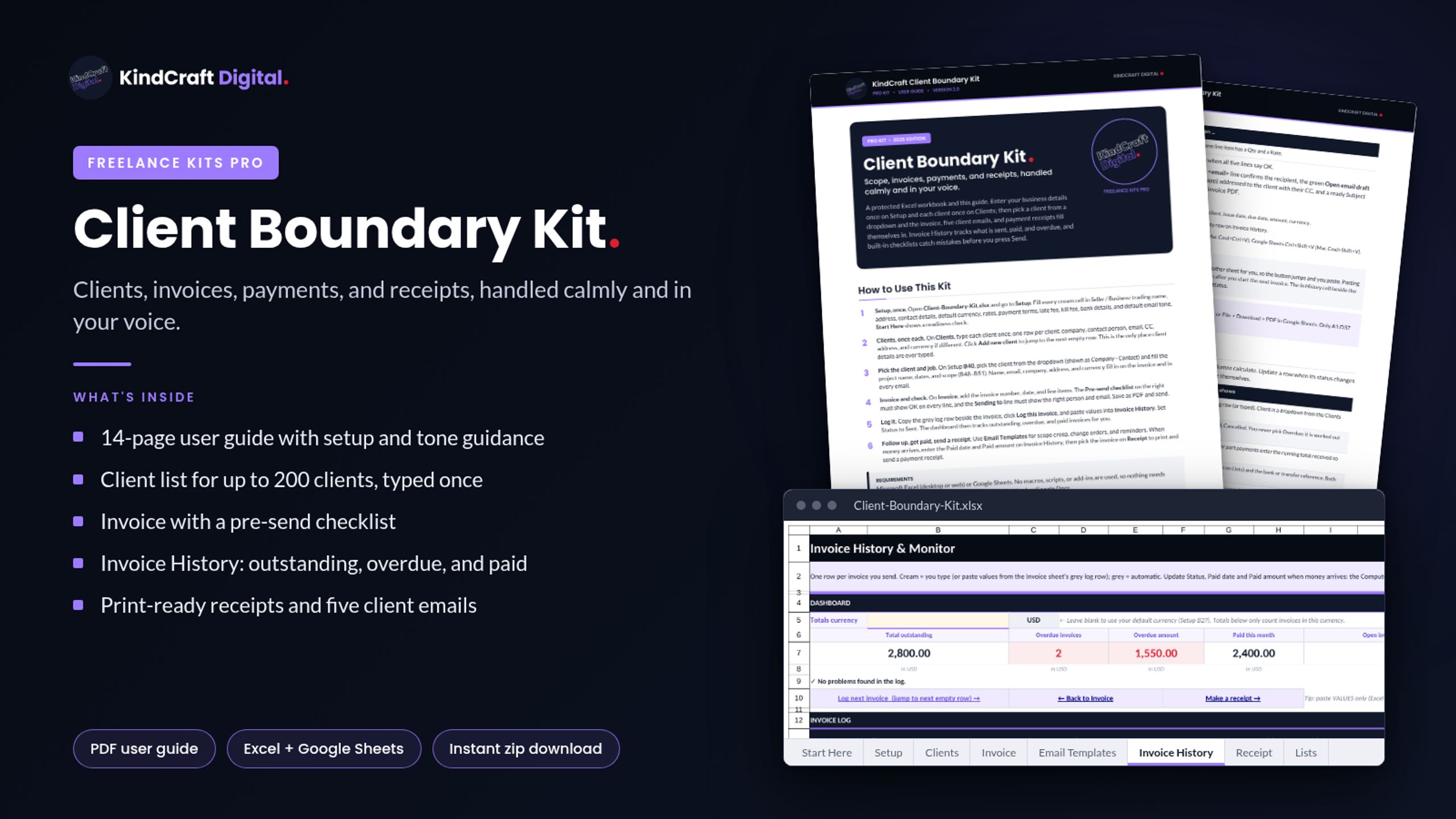
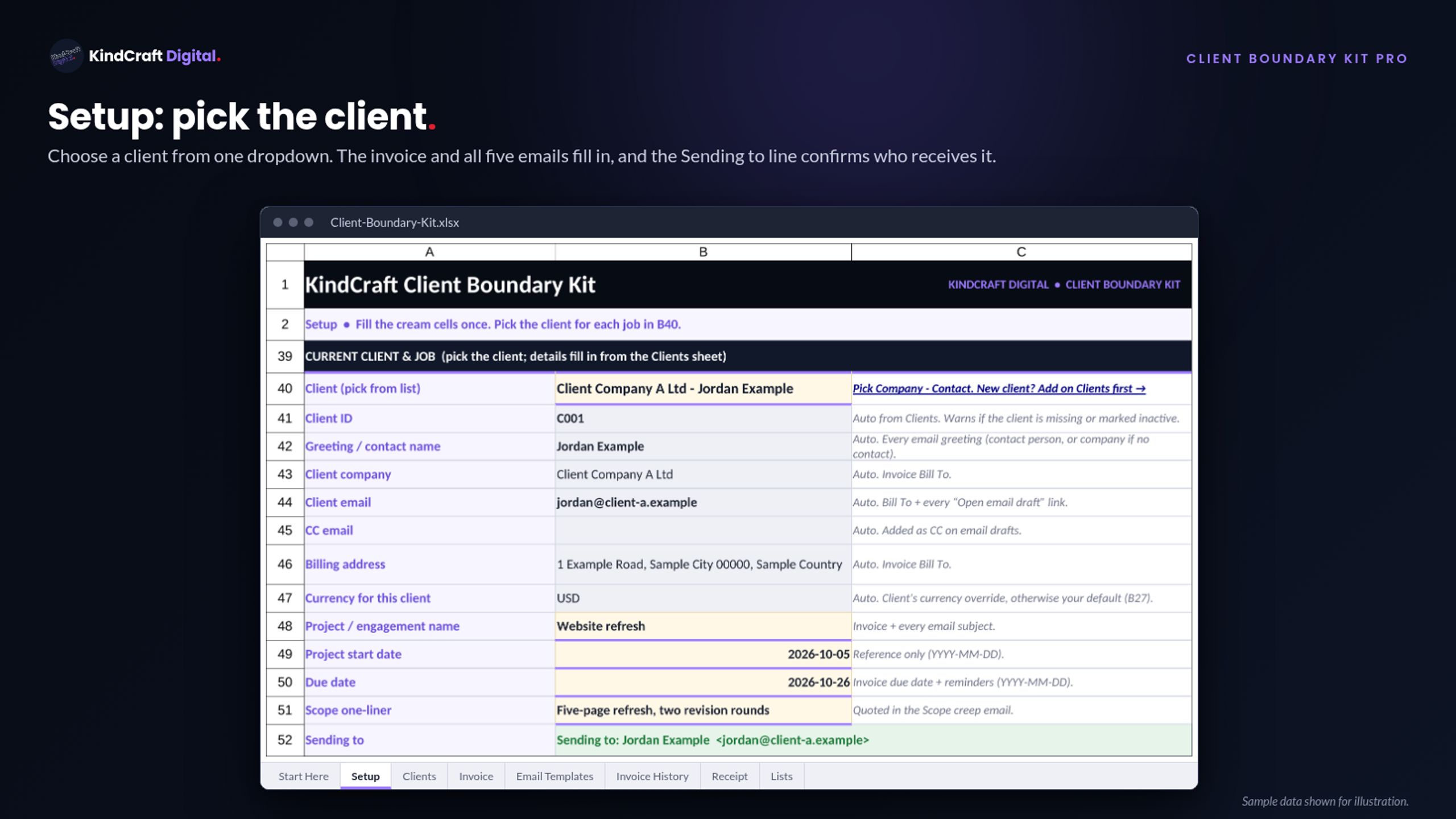
A protected Excel workbook and user guide for clients, invoices, payments, and receipts. Enter your business once on Setup and each client once on Clients, then pick a client from one dropdown: the invoice, five client emails, and receipts fill in.
What is included:
- User Guide (PDF, 14 pages) with tone guidance and a late-payment escalation ladder
- Workbook (.xlsx): Start Here, Setup, Email Templates, Lists
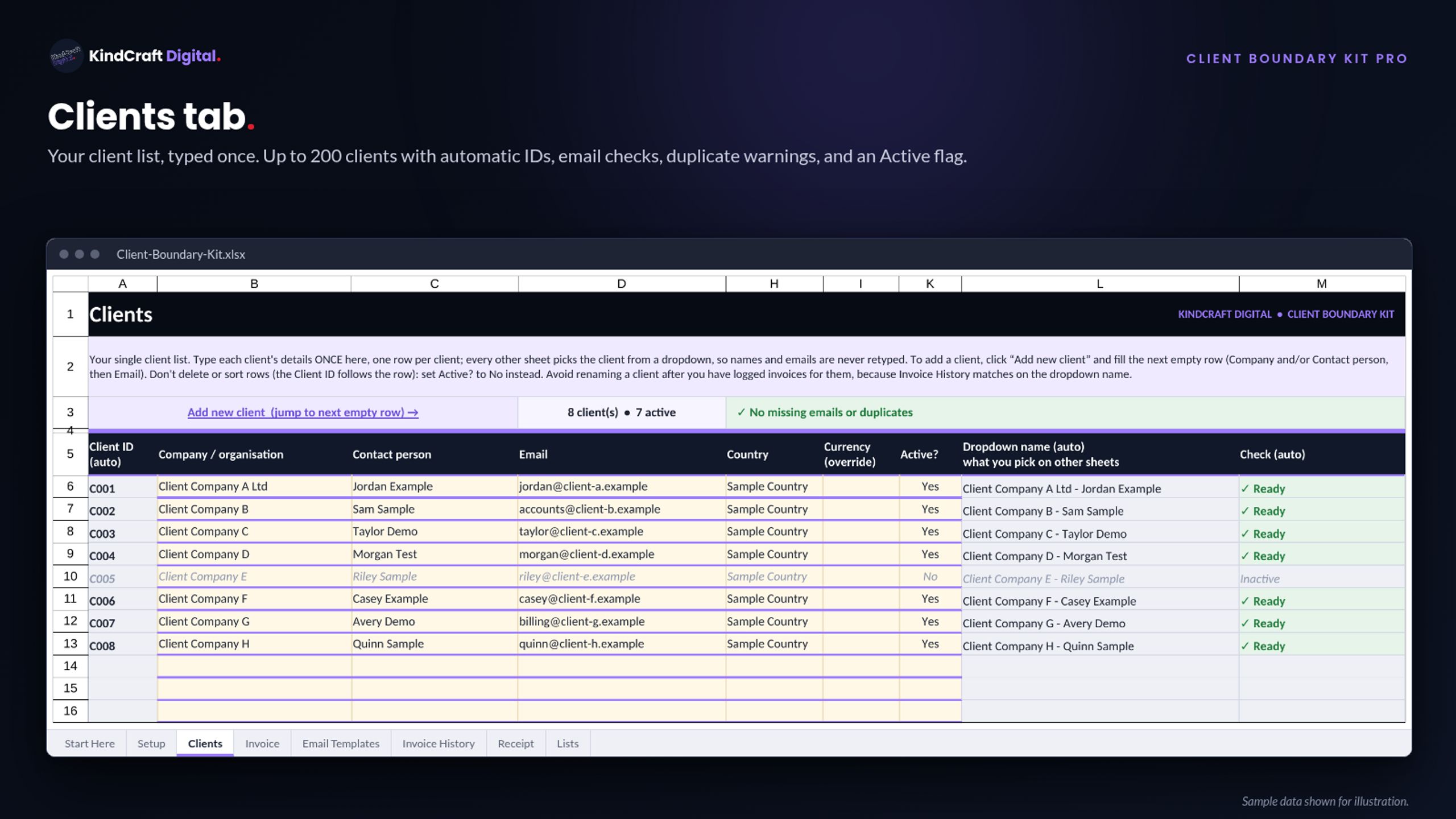
- Clients: up to 200, auto IDs, email checks, duplicate warnings, Active Y/N
- Multi-currency: default on Setup, optional per client; invoices follow the client’s currency
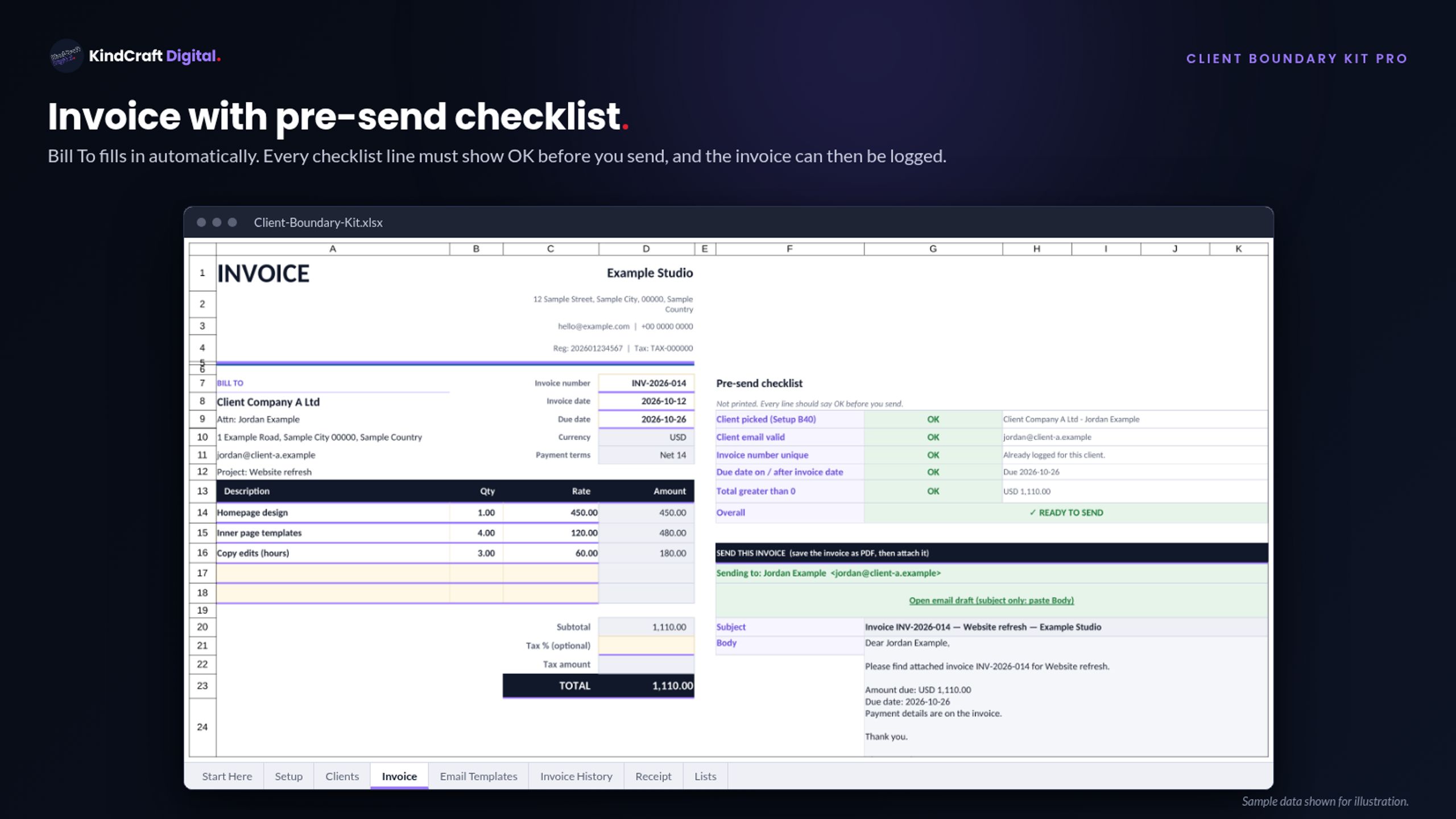
- Invoice: auto Bill To, a pre-send OK/FIX checklist, and a Sending to line that turns red for an invalid email
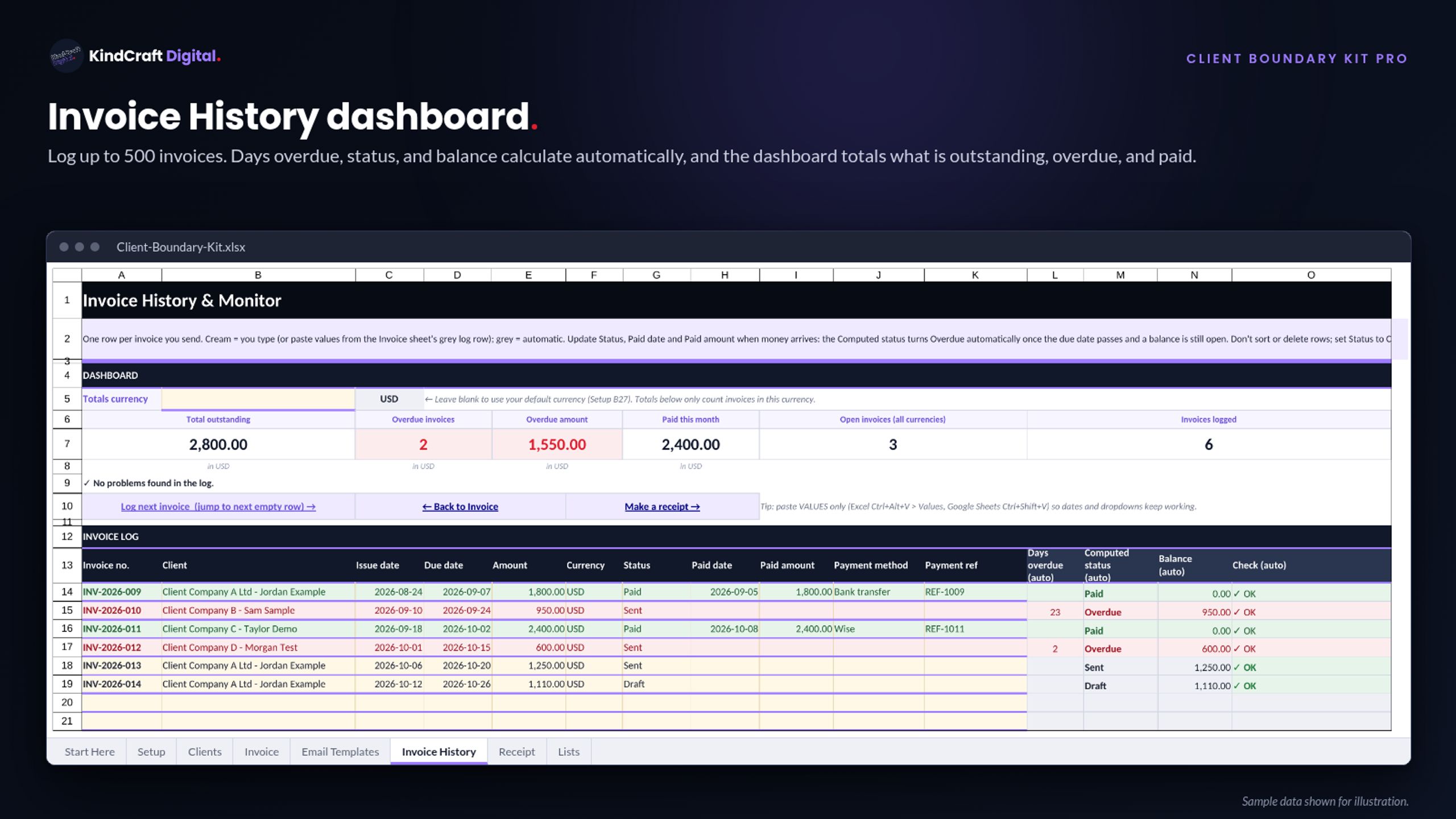
- Invoice History: up to 500, auto days overdue, status, and balance; dashboard totals one currency at a time (no conversion)
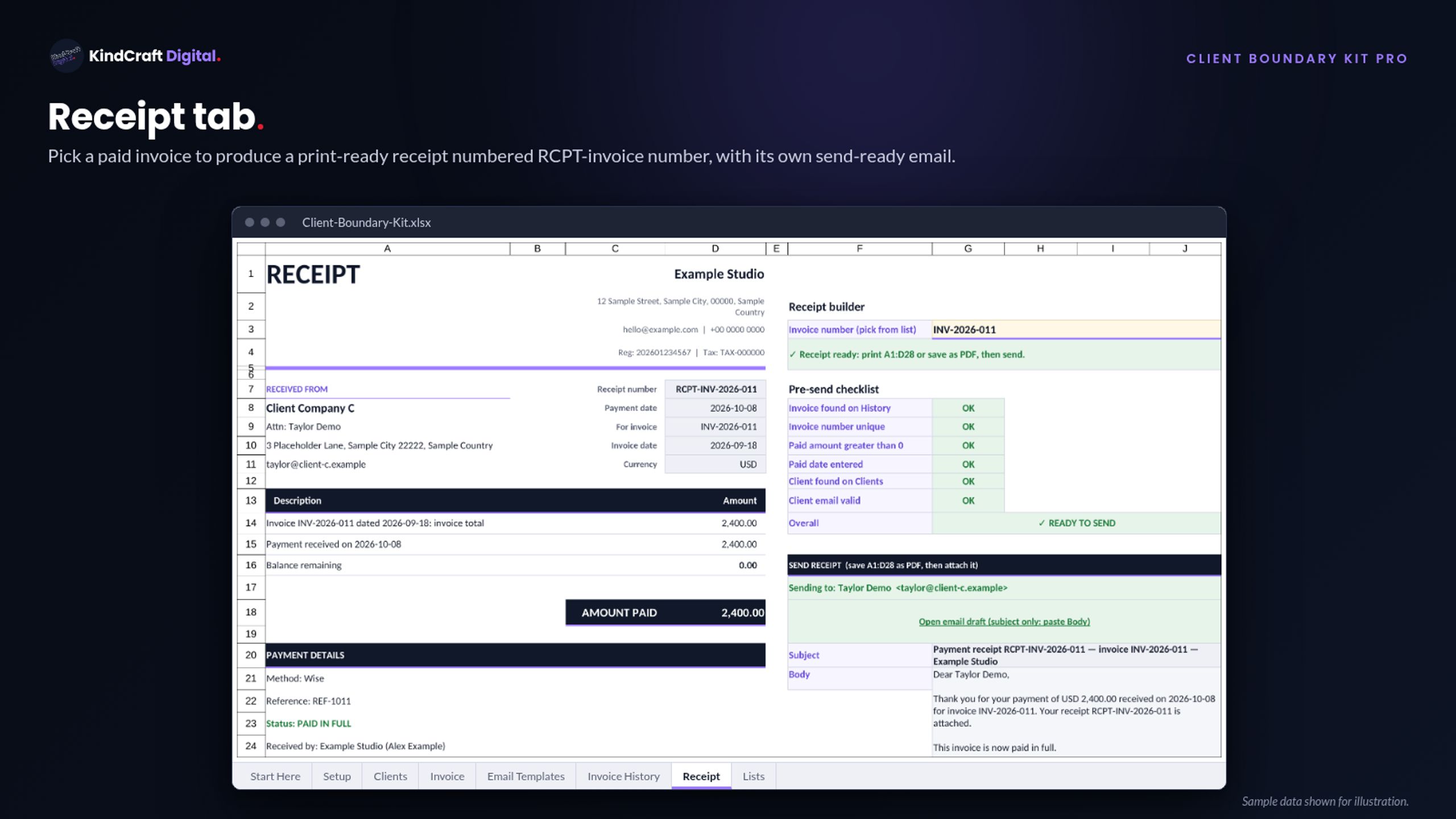
- Receipt: print-ready, with a Send receipt email
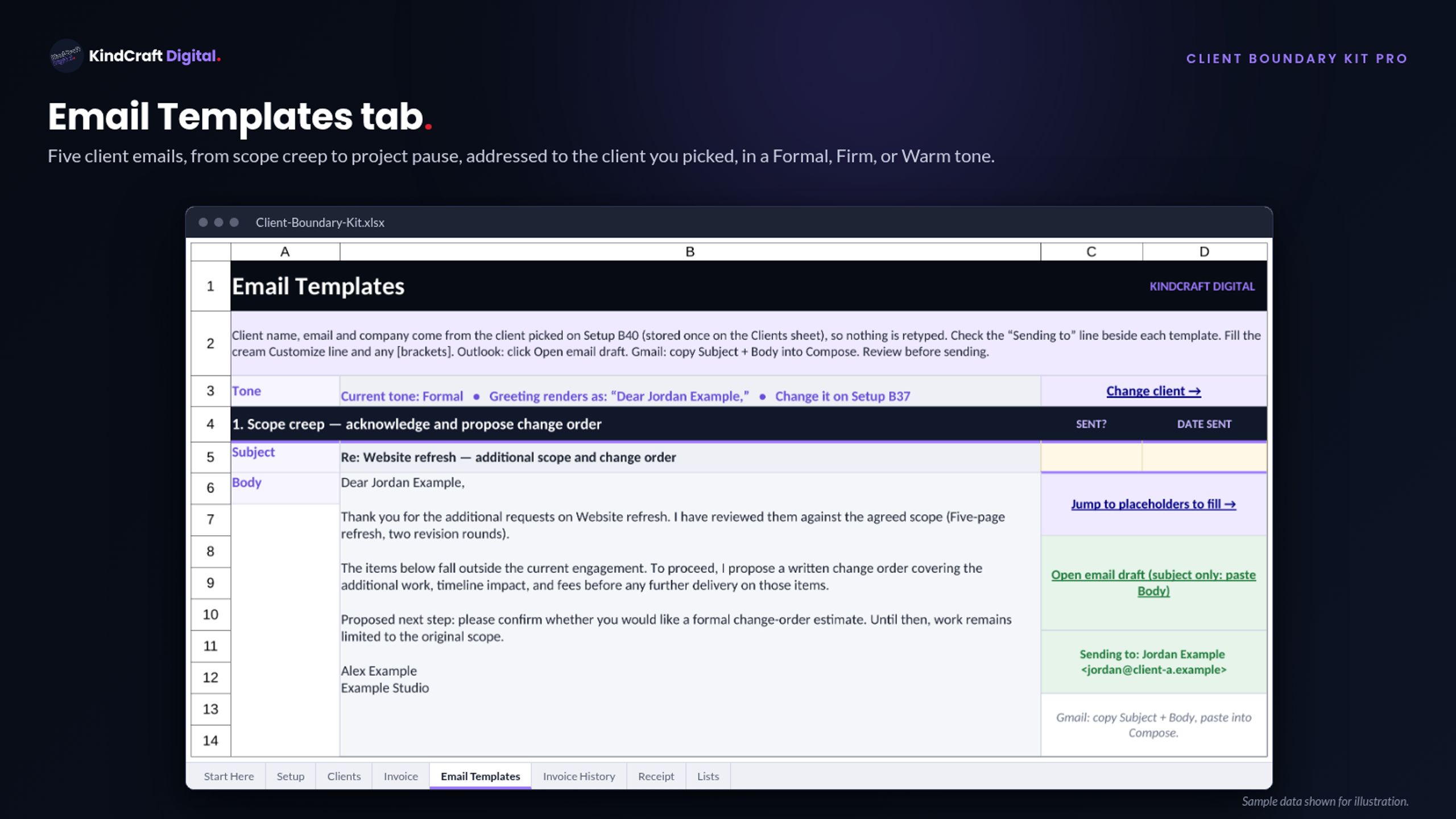
- Five emails: scope creep, change order, polite reminder, firm follow-up, project pause and kill fee; Formal, Firm, or Warm tone
- No macros
- Google Sheets import guide (jump links may not jump in Sheets)
Requirements: Microsoft Excel (desktop or web) or Google Sheets. Sold as-is.
These templates are starting points, not legal, tax, or financial advice. Review everything before sending, and confirm your terms and fees are lawful where you and your client operate.
How to get your files: click the link in your Whop order confirmation email, or log in at whop.com and open Orders. Your kit download is in Files.