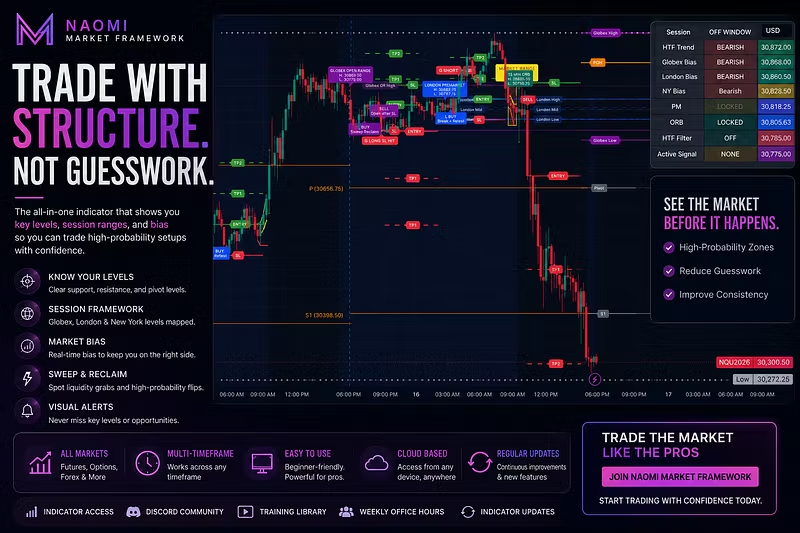

🚨🚨Anyone that has purchased my indicators, please make sure that you have already sent your discord username on WHOP. Everyone will be added tonight and I will be going live for New York open. Thank you all for all of the support. Also, those that are more active in the community, will receive priority for beta testing for any updates.
K
G NicoleNF@karmatwist·Jun 21
E
carlos santos@elcharliepr·3d
elcharliepr discord and traidingview
K
G NicoleNF@karmatwist·Jun 17
🚨 Naomi Market Framework Recommended Settings Update 🚨
To ensure you're using the latest recommended configuration, please update the following settings:
✅ Turn ON Globex Reversal Trades
This allows the framework to identify reversal opportunities after liquidity sweeps and failed breakouts.
✅ Add 1 Additional Hour to the Globex Signal Window
This helps capture more valid overnight setups and provides better coverage during Globex trading.
✅ Turn OFF "Use Previous Session Context for Globex"
For now, I recommend disabling this setting. The current Globex logic performs best when focused on the active session without requiring confirmation from the previous session's structure.
After making these changes, click OK to save your settings.
⚠️ If you've been using an older version of the indicator, please double-check all settings to ensure they match the latest recommendations.
I will be releasing a full indicator guide and walkthrough video this weekend covering every setting, signal type, and best practices for using the Naomi Market Framework.
— G Nicole
K
G NicoleNF@karmatwist·Jun 17
Discord access will be granted tomorrow.
C
Corey davis@coreymcdavis·Jun 19
Can you add me pls.
K
G NicoleNF@karmatwist·Jun 17
🎉 Welcome to Naomi Market Framework!
First, thank you for your purchase and for trusting me to be part of your trading journey. I truly appreciate your support and can't wait to see what you're able to accomplish with this tool.
📌 Step 1: Add the Indicator to Your Favorites
Visit the indicator page below:
https://www.tradingview.com/script/N9xBcdK9-Naomi-Market-Framework-Globex-London-New-York
Once there:
✅ Click the ⭐ Favorite button
✅ Make sure you're logged into TradingView
✅ Submit your TradingView username (if you haven't already)
📌 Step 2: Request Access
Reply to this message with:
• Your TradingView Username
• Your Discord Username
I will grant indicator access as quickly as possible.
📌 Step 3: Add to Chart
After access has been granted:
Open any TradingView chart
Click Indicators
Go to "Invite-Only Scripts"
Select "Naomi Market Framework"
The indicator should now appear on your chart.
⚠️ Please allow a little time for TradingView access to be processed. If you don't see it immediately, log out and back into TradingView and check again.
Thank you again for your support. I'm excited to help you trade with structure, confidence, and consistency.
— G Nicole
Naomi Market Framework
E
carlos santos@elcharliepr·3d
elcharliepr