
Excel Process Flowchart Generator
Automatically Generate Flowcharts in Excel from Data Tables
Building flowcharts manually in Excel quickly becomes messy and time-consuming—especially as workflows grow more complex.
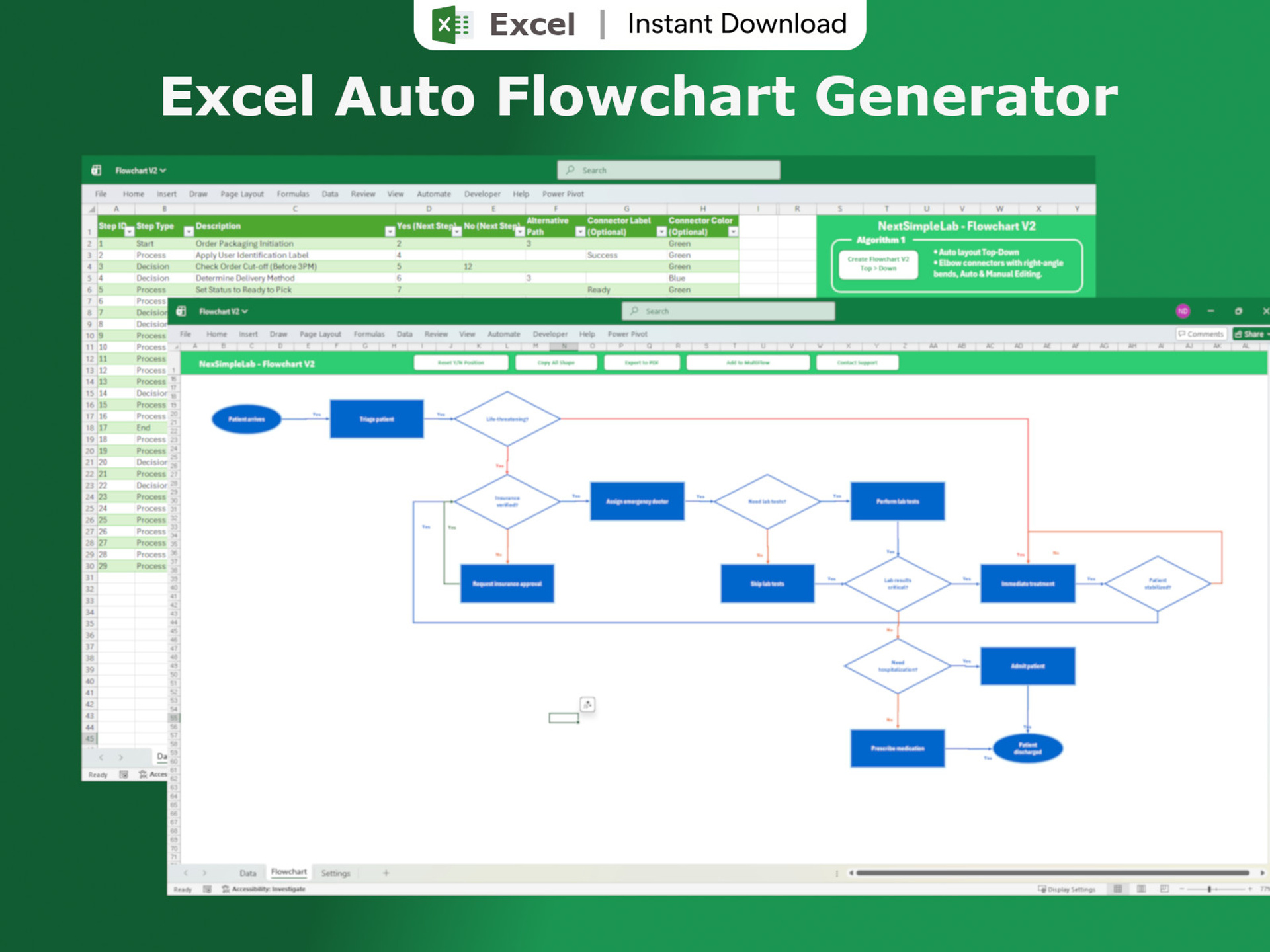
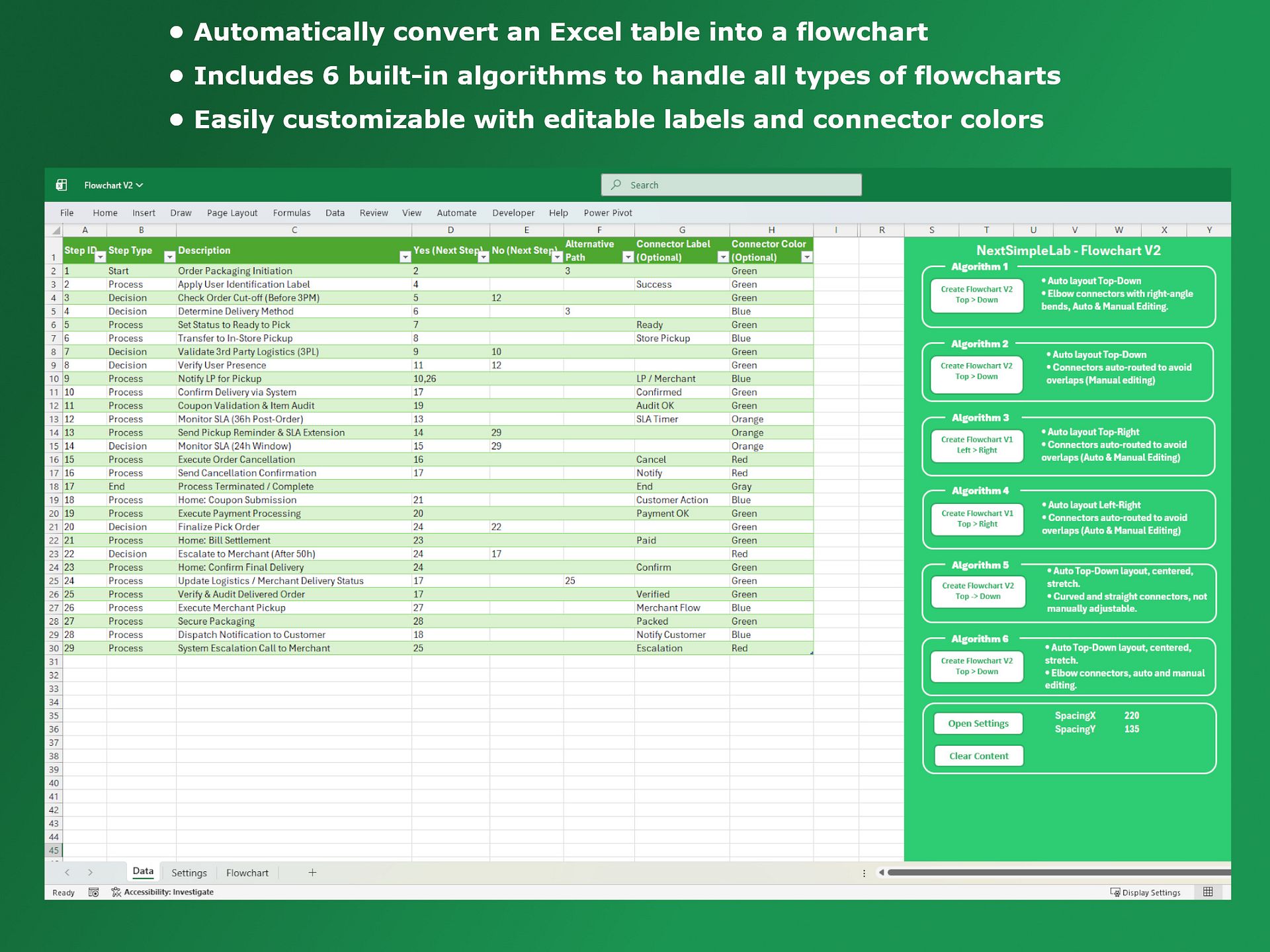
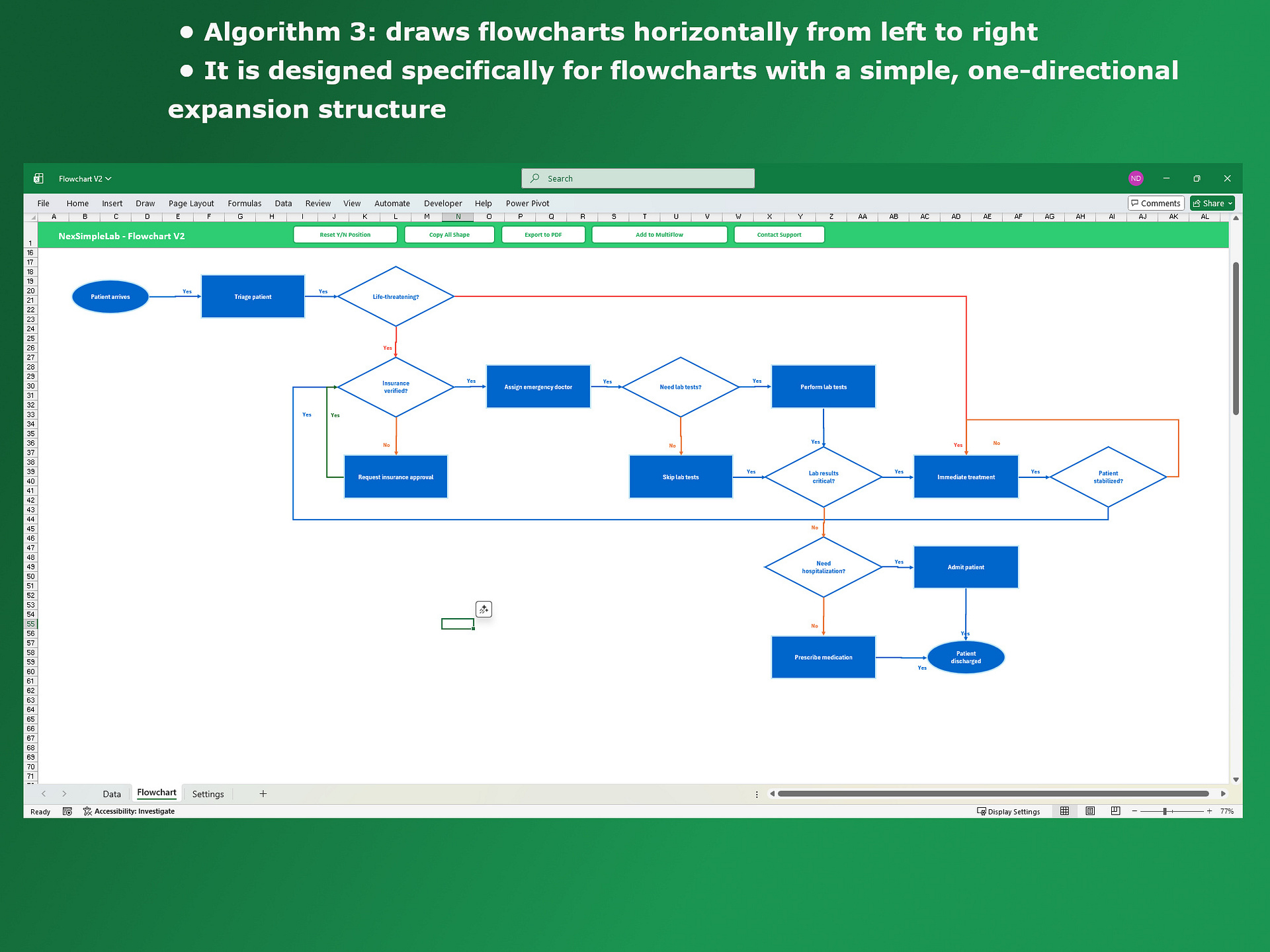
Flowchart V2 automatically transforms structured Excel data into clean, fully connected flowcharts. With 6 built-in algorithms, it adapts to different workflow types—helping you visualize processes clearly at any scale.
No manual drawing. No broken layouts. Just dynamic, data-driven flowcharts.
Key Features
🔹 Generate flowcharts automatically from Excel tables
🔹 6 algorithms for different layouts and complexities
🔹 Support for Process, Decision, Start, End, and custom paths
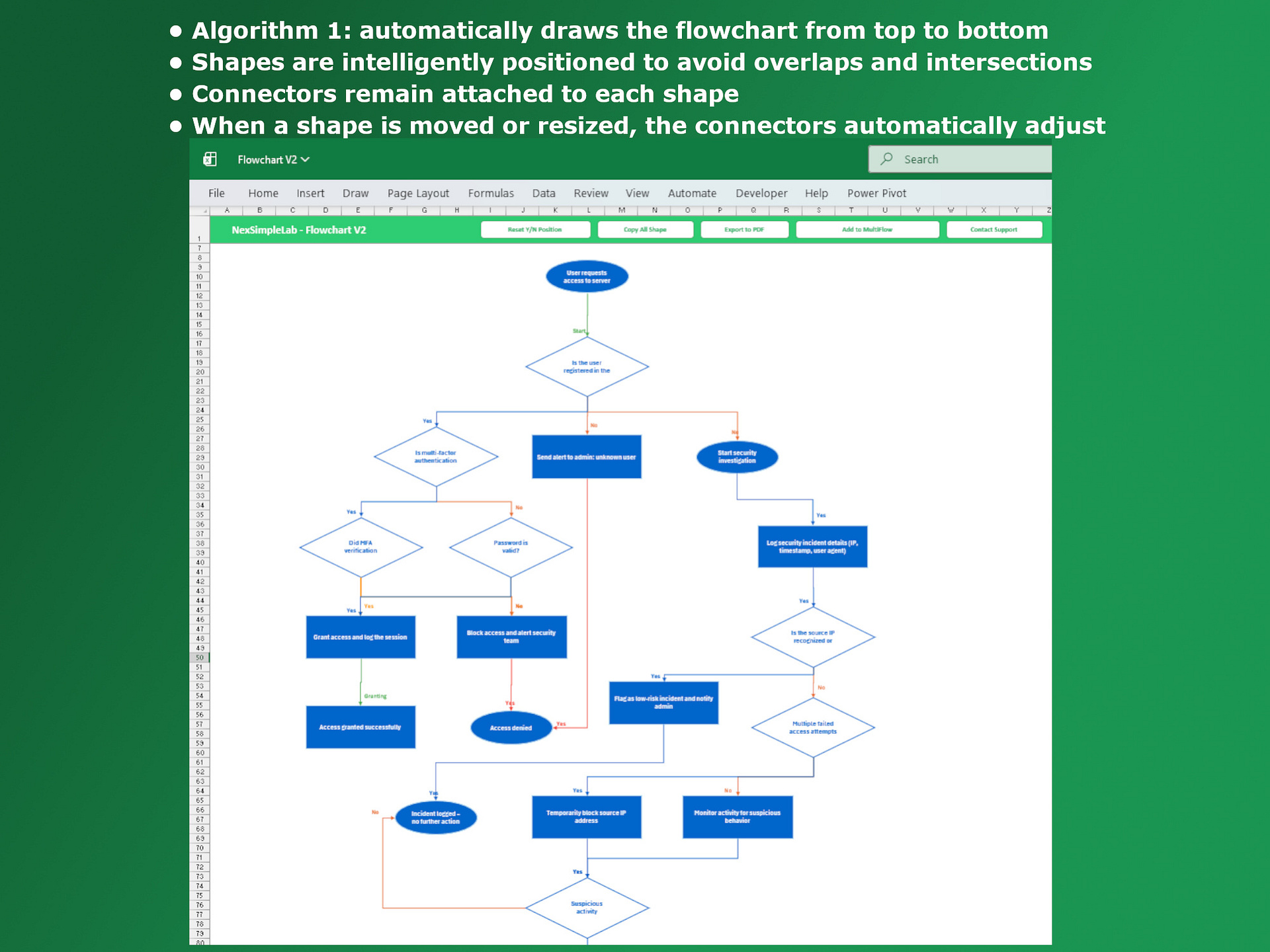
🔹 Smart connectors to reduce overlaps and improve clarity
🔹 Dynamic layouts (vertical, horizontal, multi-directional)
🔹 Built-in data validation before generating
What You Can Do
🔹 Visualize simple to complex workflows
🔹 Turn raw data into structured diagrams instantly
🔹 Extend flowcharts without rebuilding
🔹 Split and reconnect large workflows (MultiFlow)
Customization & Tools
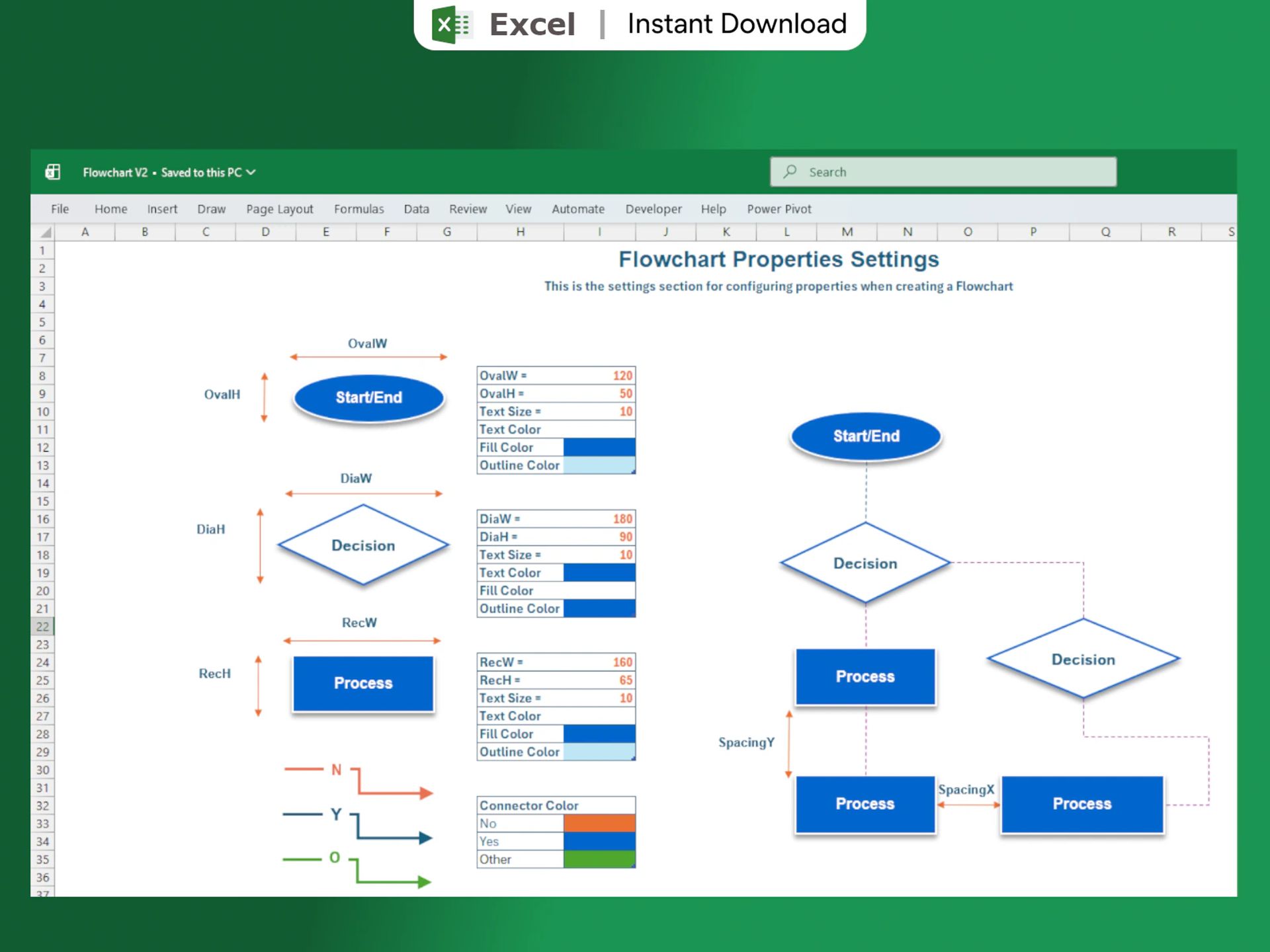
🔹 Adjust layout, spacing, colors, and styles
🔹 Move shapes freely with auto-updating connectors
🔹 One-click label alignment
🔹 Export to PDF or copy to Word/PowerPoint
👉 This isn’t just a flowchart tool—it’s a data-driven visualization engine in Excel.