


NorthFrame

NorthFrame creates simple Notion workspaces for creators, freelancers, solopreneurs, and solo operators. Our templates help organize projec...
Leesburg, US
Created byProfile pictureJIFENG WU
5 joined
Profile picture
JIFENG WUProfile picture@northframe·2h

NorthFrame separates Knowledge and Resources because useful information comes in different forms.


Knowledge can hold:


decisions

lessons

important context

working notes

follow-up thinking


Resources can hold:


files

links

tools

templates

references

supporting materials


Keeping both organized makes it easier to bring useful information back into active work when a project needs it.

Profile picture
JIFENG WUProfile picture@northframe·2d

NorthFrame’s Goals section is designed to keep direction visible while daily work continues.


Track goals by:


area

status

target date

progress

related projects

supporting notes


Then use Weekly Review and Monthly Review to check what moved, what changed, and what deserves attention next.


Goals become more useful when they stay connected to the projects and actions that create progress.

Profile picture
JIFENG WUProfile picture@northframe·6d

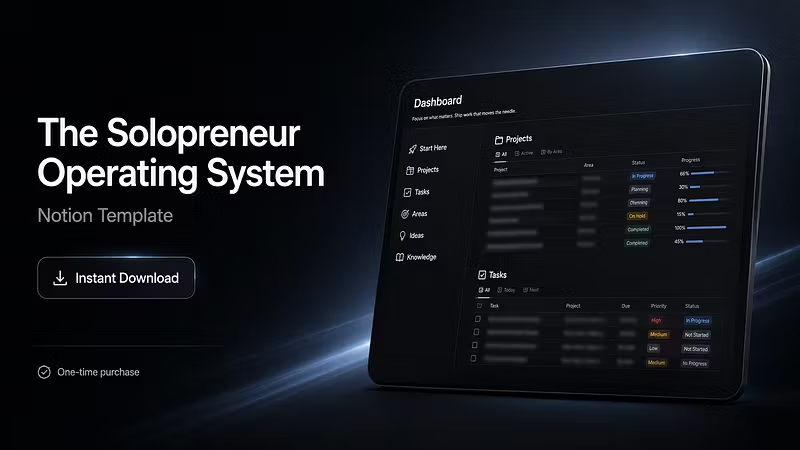
NorthFrame keeps tasks connected to the projects behind them.

A task can include its priority, due date, project, focus area, notes, and time block.

A project can hold its status, progress, timeline, next action, and supporting context.

Together, these layers create a clearer execution flow.

You can see the individual action while still understanding the larger piece of work it supports.

Profile picture
JIFENG WUProfile picture@northframe·Aug 17

NorthFrame’s Command Center is designed to make the transition from planning to execution easier.

Start with one overview of:

active projects

current tasks

goals

content plans

reviews

resources

next actions

Then move directly into the part of the workspace that needs attention.

The value is not just having everything organized.

It is being able to understand the current state of the work and move forward without rebuilding the plan first.

Profile picture
JIFENG WUProfile picture@northframe·Aug 14

NorthFrame Creator Operating System Complete is designed to support the full flow of solo work.

Command Center provides the overview.

Projects hold active work.

Tasks support execution.

Areas keep ongoing responsibilities visible.

Ideas capture future opportunities.

Content Planner organizes publishing.

Goals track direction.

Reviews support reflection and reset.

Knowledge and Resources preserve useful context.

Archive keeps completed work out of the active system.

A connected workspace built to remain clear as the work expands.

Profile picture
JIFENG WUProfile picture@northframe·Aug 11

Goals become more useful when they stay connected to regular review.

NorthFrame combines Goals with Weekly Review and Monthly Review so progress can be checked from different perspectives.

Weekly Review supports short-term adjustments.

Monthly Review helps examine larger direction, changing priorities, completed work, and what should move into the next cycle.

The result is a clearer relationship between long-term direction and current execution.

Profile picture
JIFENG WUProfile picture@northframe·Aug 9

NorthFrame’s Content Planner gives publishing work a clearer structure.

Each content item can include:

the core idea

platform

current status

publish date

related project

supporting notes

This helps creators move content through a visible workflow instead of leaving ideas scattered across notes and tabs.

Capture the idea.

Develop the draft.

Prepare the next step.

Keep publishing work easier to track.

Profile picture
JIFENG WUProfile picture@northframe·Aug 5

NorthFrame helps make hidden work states easier to see.

A task may be waiting.

A project may need review.

A goal may be falling behind.

A content idea may already be ready to develop.

A resource may be missing.

Clear status makes it easier to identify where attention is actually needed.

Instead of checking every page manually, the workspace helps surface what is active, waiting, unfinished, or ready to move.

Profile picture
JIFENG WUProfile picture@northframe·Aug 4

A project becomes easier to continue when its important context stays together.

NorthFrame keeps project status, priority, progress, timelines, next actions, related tasks, and supporting notes in one structured place.

That means you can return to a project and quickly understand:

where it stands

what has already moved

what still needs attention

what should happen next

Less context rebuilding makes continued execution easier.

Profile picture
JIFENG WUProfile picture@northframe·Aug 3

NorthFrame Creator Operating System Complete brings the main parts of solo work into one connected Notion workspace.

Command Center for overview.

Projects for active work.

Tasks for execution.

Goals for direction.

Content Planner for publishing.

Ideas for future opportunities.

Reviews for reflection and reset.

Knowledge and Resources for useful context.

Archive for completed and inactive items.

A complete structure designed to make work easier to understand, continue, and complete.