

Why Most Construction Schedules Fall Apart (And How to Fix It)
Every PM has been there — you build a schedule in Excel, it looks clean for a week, and then reality hits. Trades overlap, rain delays cascade, and suddenly you're updating 40 cells by hand at 11pm.
The problem isn't Excel. It's that most schedule templates are static. They don't respond to changes.
Here's what actually works:
1. Automate your dependencies. If concrete gets pushed, framing should move automatically. Don't manually drag rows — use logic.
2. Separate your inputs from your outputs. Your crew list, task durations, and start dates should live in one place. The visual schedule should generate itself.
3. Keep it simple. Primavera and MS Project are overkill for 90% of residential and mid-size commercial jobs. A well-built Excel macro does the job faster and costs a fraction.
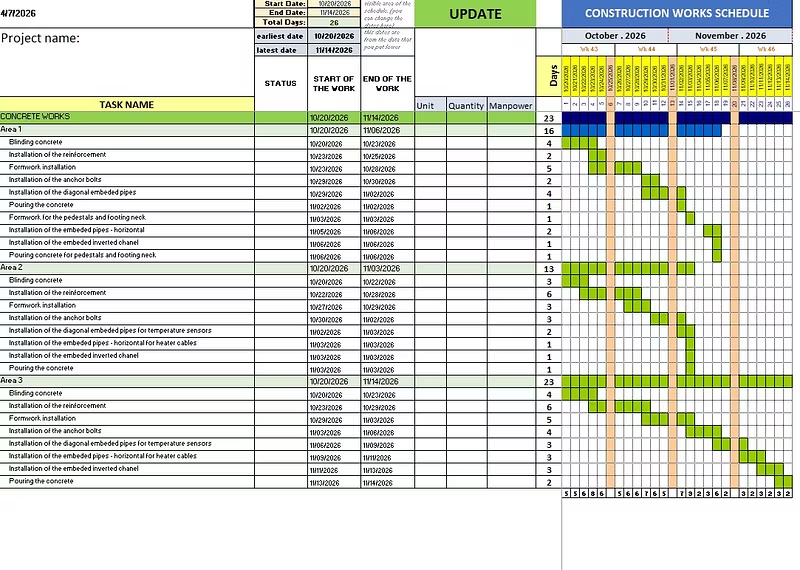
That's exactly what I built — a VBA-powered Excel template that handles scheduling logic for you. Input your tasks and constraints, and it generates a clean, printable schedule. No bloated software, no learning curve.
Built for site managers, PMs, and engineers who just need something that works.