

Library Spaces Booking — library floor, media room, study rooms (Excel)
No more double-booked library slots. One shared Excel file, booked in seconds.
For the school librarian who runs class visits, the media room, the maker space and the study rooms from a paper diary at the desk — and gets two classes at the door at once.
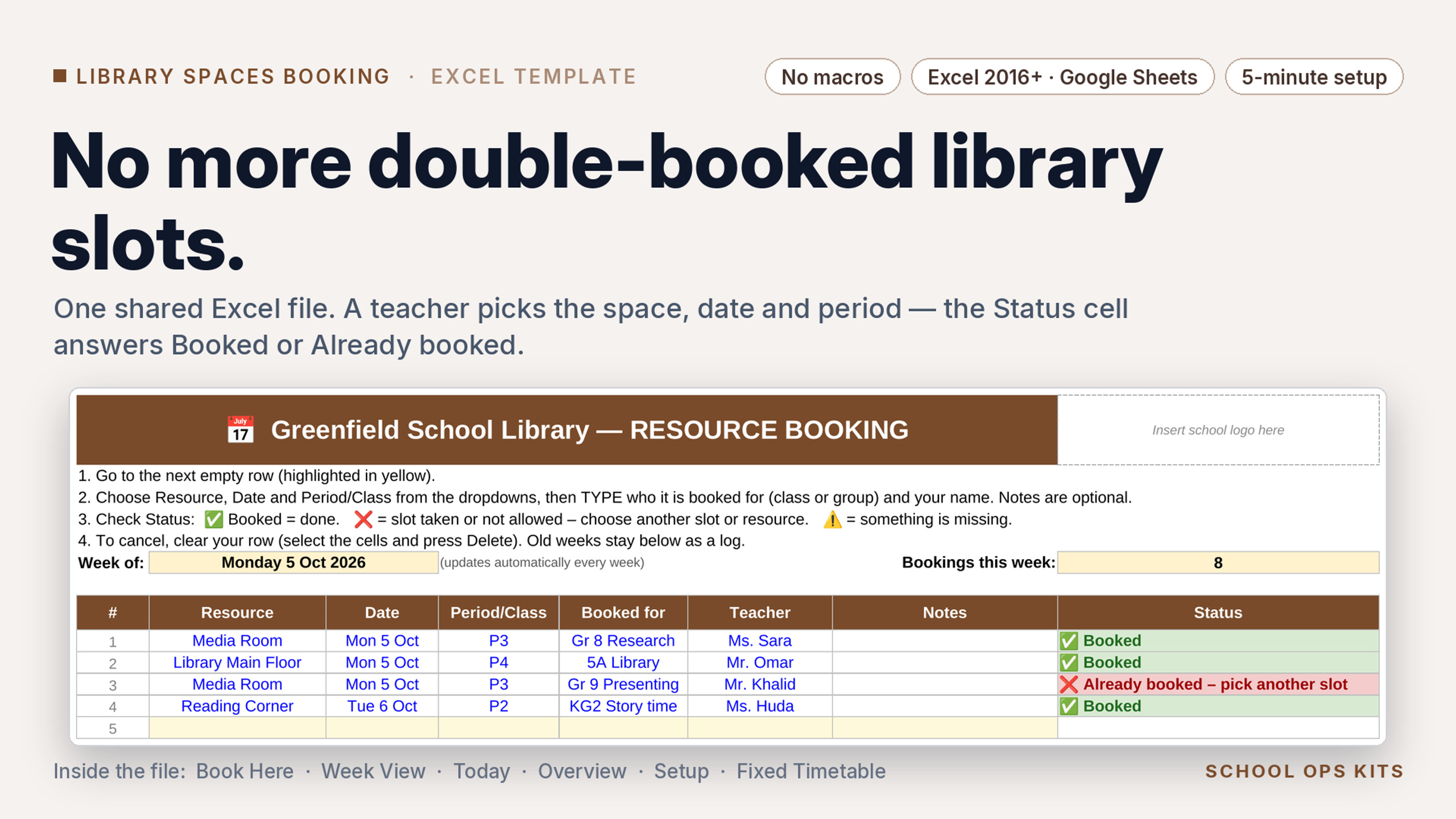
One shared Excel file for every library space: main floor, reading corner, media room, maker space, group study rooms, the library laptop trolley. Teachers pick the space, date and period from dropdowns, type their class and name — and the Status column answers instantly: ✅ Booked, or ❌ Already booked / fixed timetable / out of service, so they pick another slot. Nobody can double-book, and nobody has to referee.
WHAT’S INSIDE
• Book Here — the shared log. First come, first served, enforced by formulas.
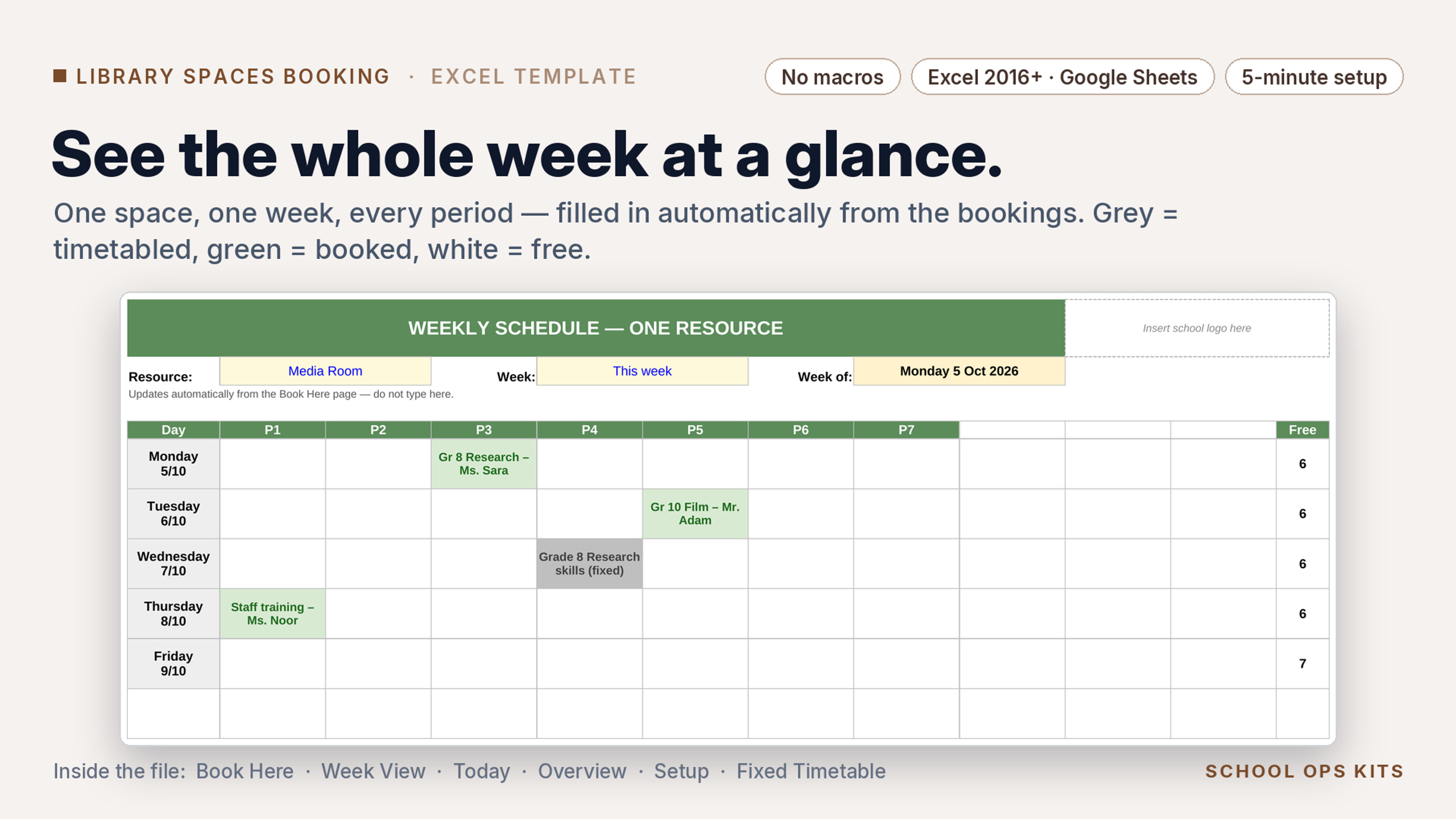
• Week View — one space, one week, every period. Printable.
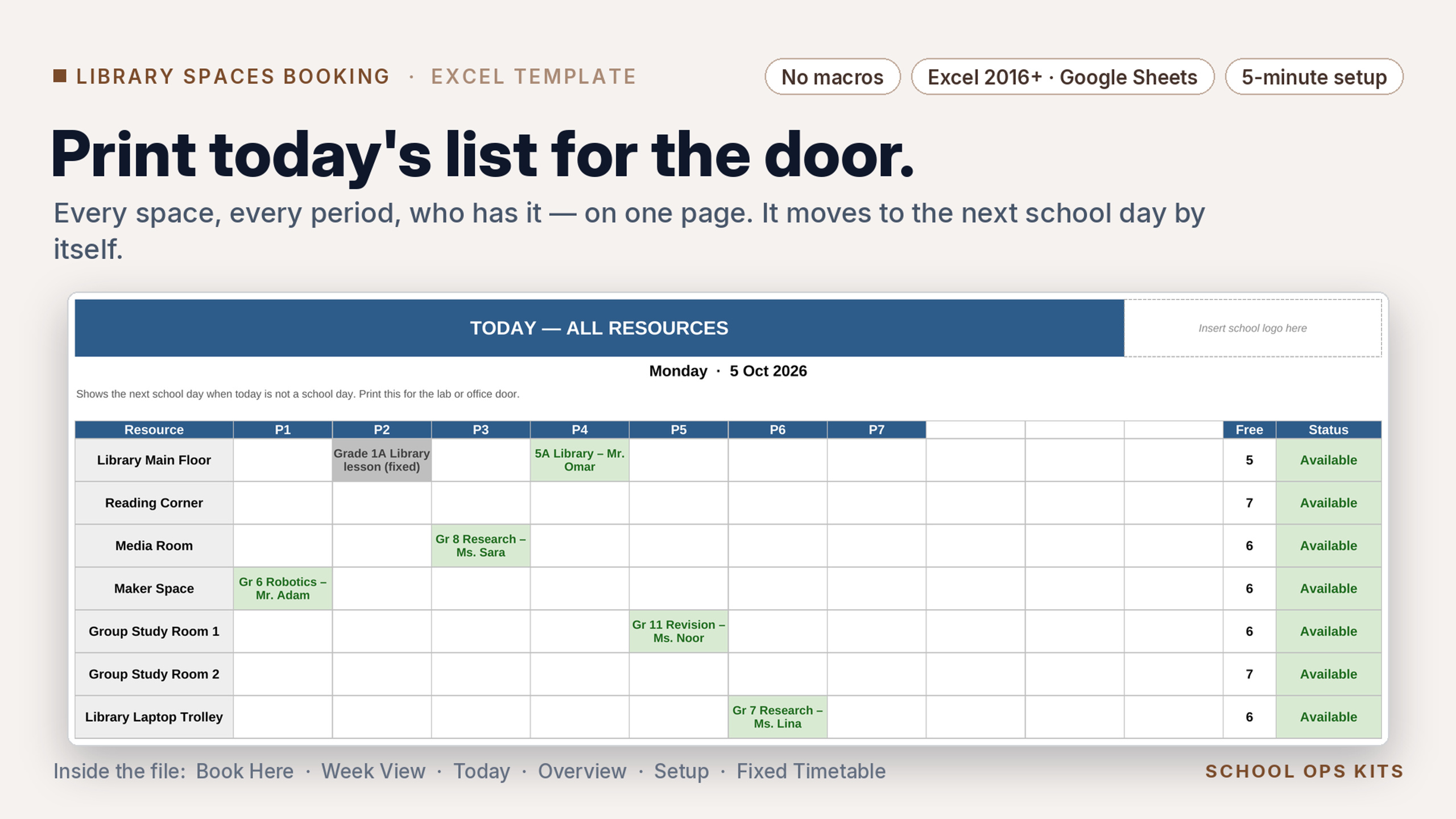
• Today — every space today. Print it for the library door.
• Overview — fixed, booked, free and % use per space this week.
• Setup — school name, Sunday or Monday week start, 5 or 6 school days, up to 10 periods, up to 12 spaces, Out-of-service switch, booking window, optional weekly cap per teacher.
• Fixed Timetable — weekly library lessons and story time are blocked automatically.
Sample spaces are pre-filled; rename them in Setup in five minutes.
Works in Excel 2016 or later (desktop, Microsoft 365, Excel for the web) and Google Sheets. No macros, no add-ins, no logins for teachers.
LICENCE: one school. Whole-School Pack (all six English editions) $39. Multi-Campus licence (up to five schools) $79. 7-day refund.