

PE & Sports Facilities Booking — hall, pitch, courts, pool (Excel)
No more clashes over the sports hall. One shared Excel file, booked in seconds.
For the PE head of department who shares the sports hall, pitch, courts and pool with assemblies, exams, clubs and five other teachers — and settles clashes in the corridor.
One shared Excel file for every facility: sports hall, outdoor pitch, courts, swimming pool, dance studio, the PE equipment trolley. Teachers pick the facility, date and period from dropdowns, type their class and name — and the Status column answers instantly: ✅ Booked, or ❌ Already booked / fixed timetable / out of service, so they pick another slot. Nobody can double-book, and nobody has to referee.
WHAT’S INSIDE
• Book Here — the shared log. First come, first served, enforced by formulas.
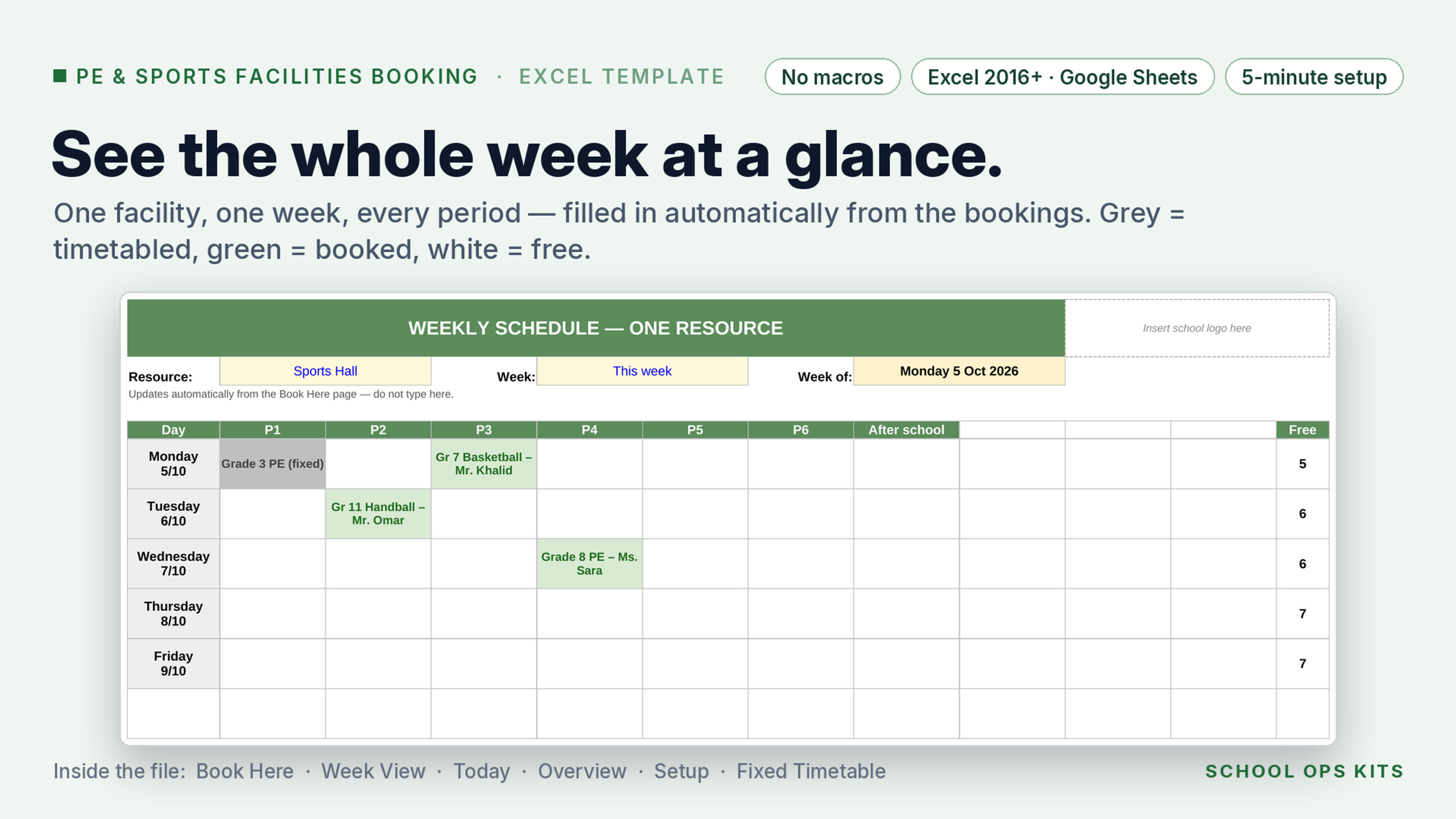
• Week View — one facility, one week, every period. Printable.
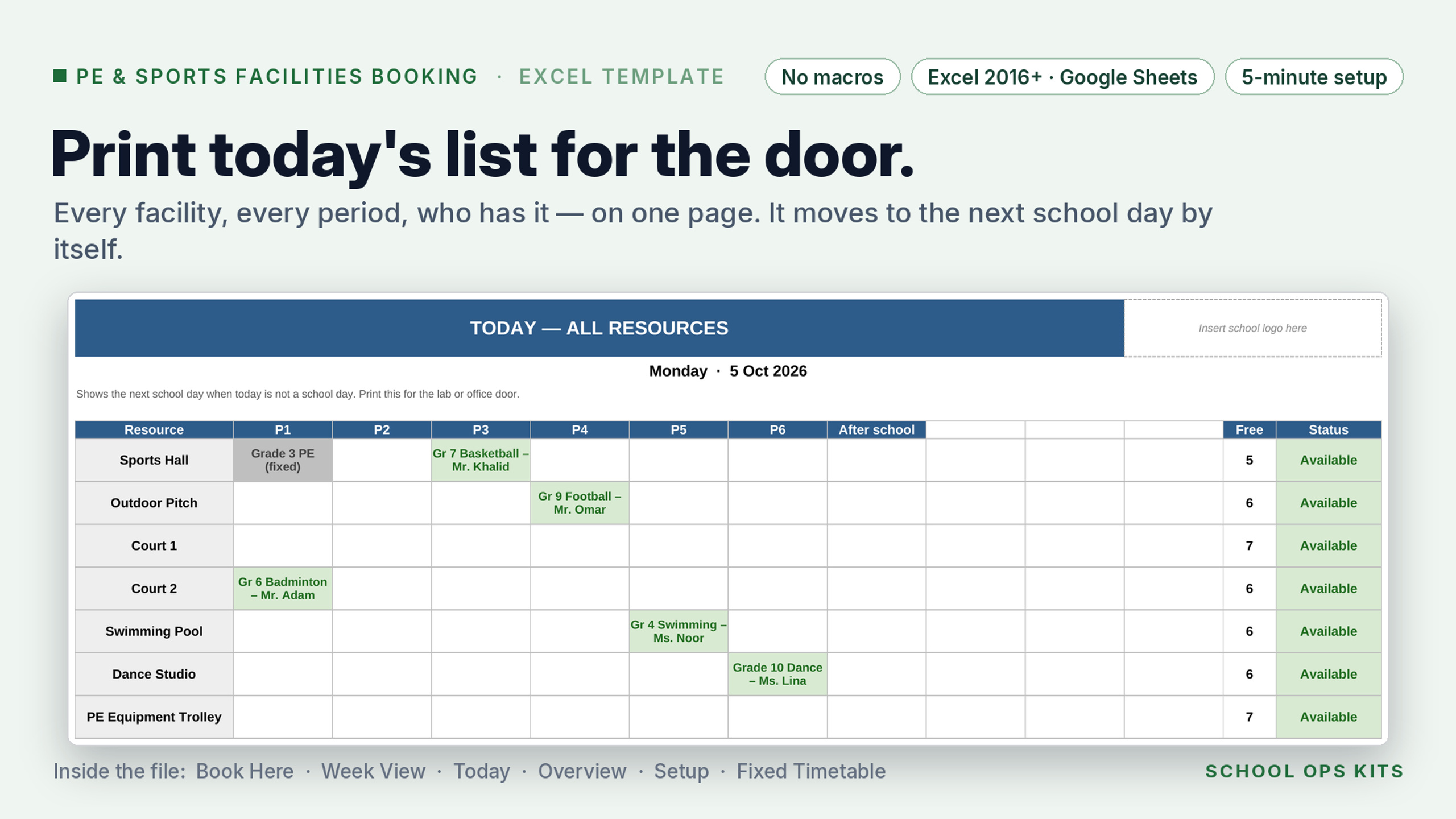
• Today — every facility today. Print it for the PE office door.
• Overview — fixed, booked, free and % use per facility this week.
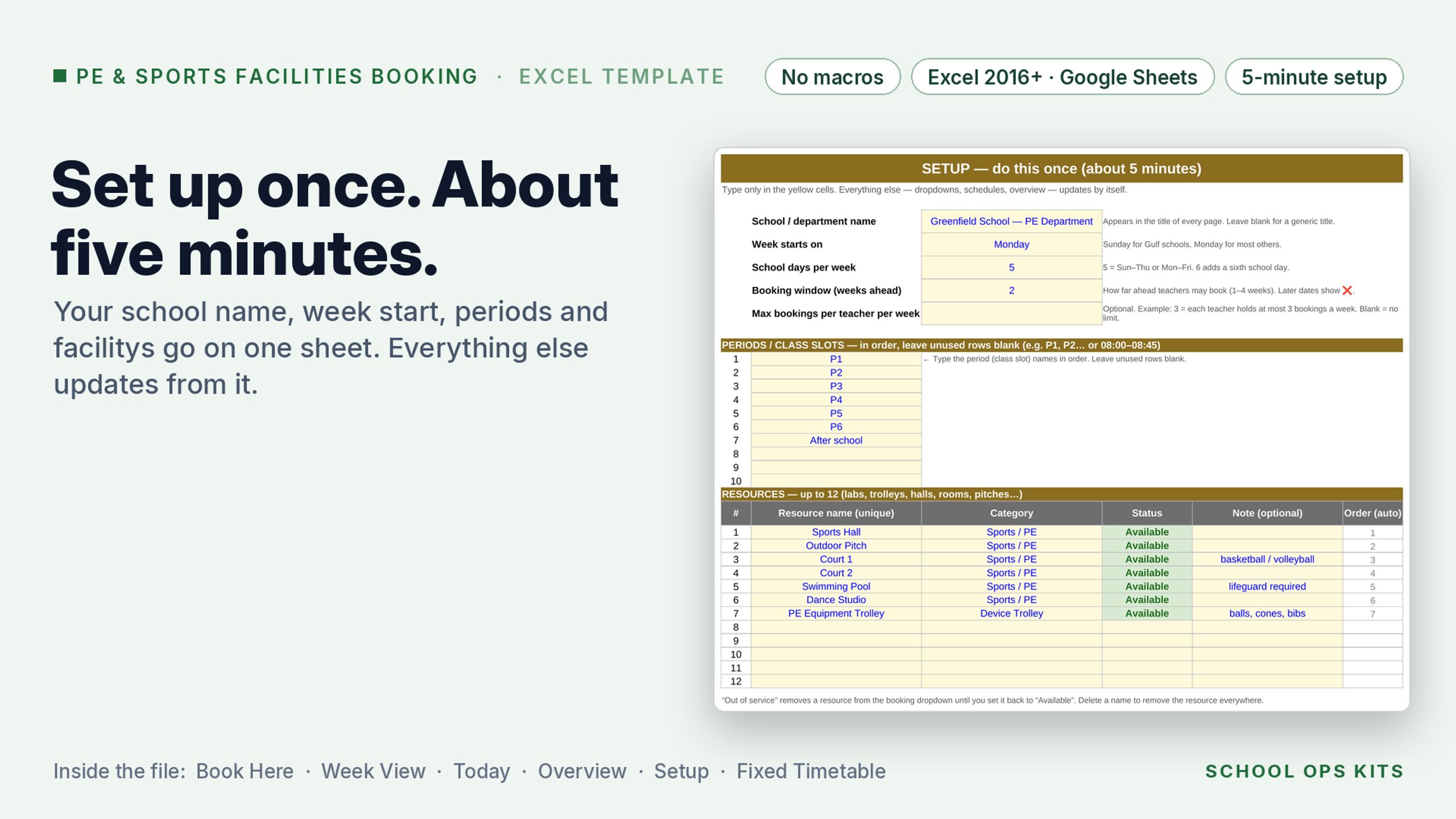
• Setup — school name, Sunday or Monday week start, 5 or 6 school days, up to 10 periods (incl. after-school), up to 12 facilities, Out-of-service switch, booking window, optional weekly cap per teacher.
• Fixed Timetable — timetabled PE lessons and assemblies are blocked automatically.
Sample facilities are pre-filled; rename them in Setup in five minutes.
Works in Excel 2016 or later (desktop, Microsoft 365, Excel for the web) and Google Sheets. No macros, no add-ins, no logins for teachers.
LICENCE: one school. Whole-School Pack (six English editions) $39. Multi-Campus licence (up to five schools) $79. 7-day refund.