
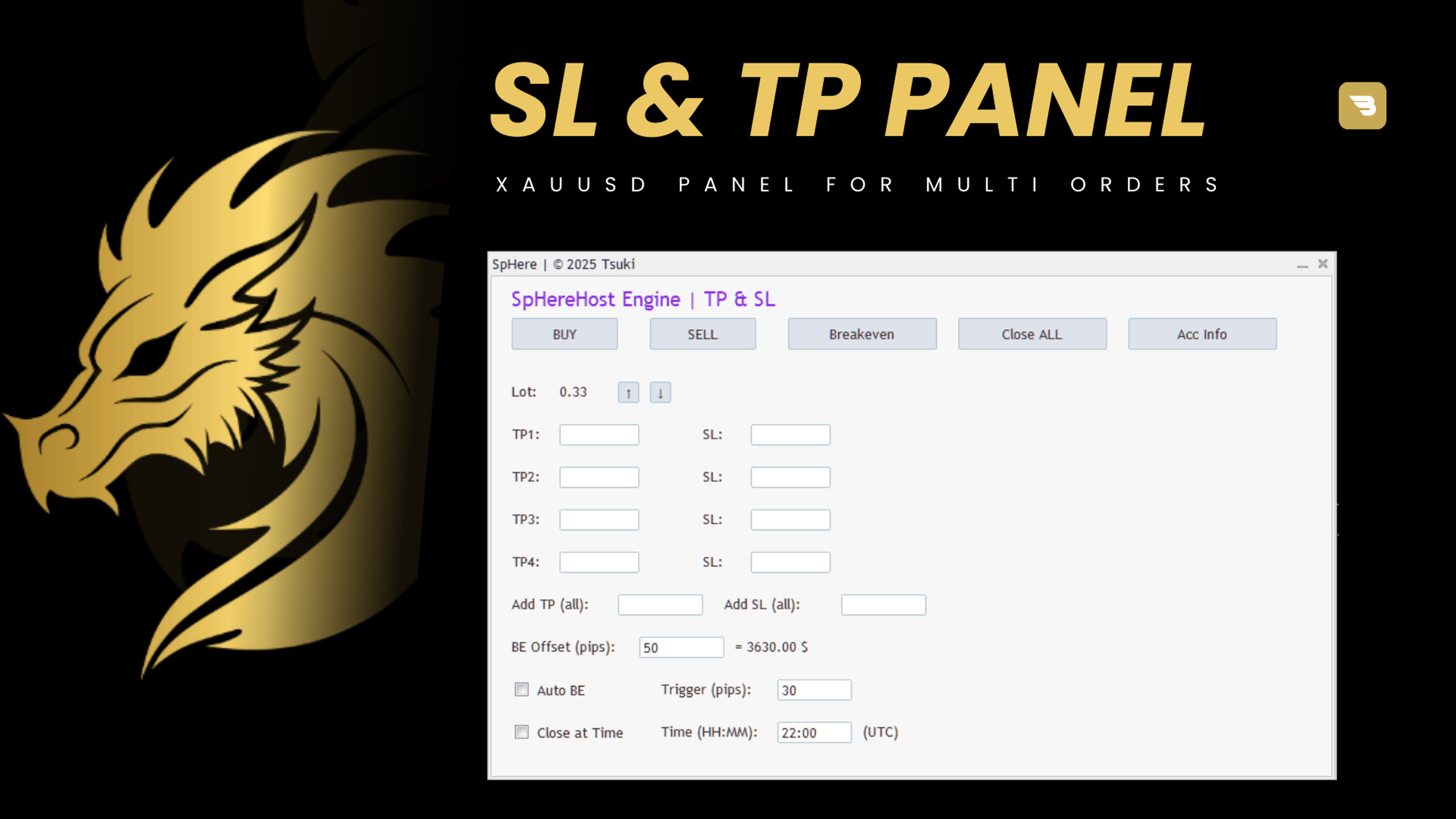
MT5 Script for TP & SL | EA |
SpHere Engine Panel
SpHereHost Engine Panel
-
Trading Functions (One-Click Trading)
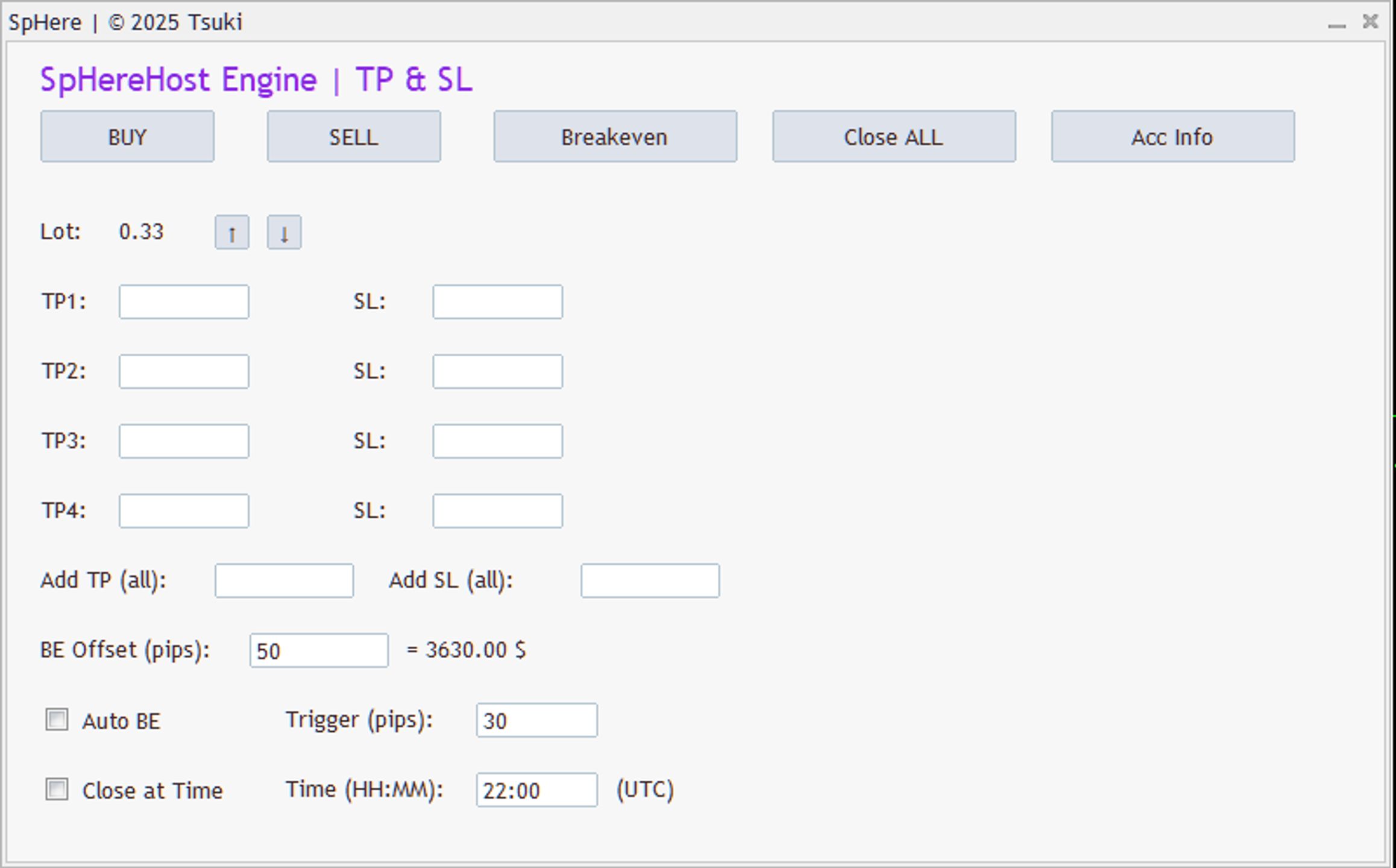
• BUY Button → instantly opens a Buy order with your set Lot, TP & SL.
• SELL Button → instantly opens a Sell order with your set Lot, TP & SL.
• Close ALL Button → closes all open trades (both Buy & Sell).
• Breakeven Button → moves the StopLoss of all open trades to the Entry Price ± Offset (if the trade is in profit). -
Lot Management
• Display: Lot: 0.01 (starting value).
• Arrows:
↑ increases Lot by +0.01.
↓ decreases Lot by -0.01 (minimum = 0.01). -
TP / SL Setup
• You have 4 slots for TakeProfit and StopLoss:
TP1 + SL1
TP2 + SL2
TP3 + SL3
TP4 + SL4
• The panel uses a cycle system
1st click on BUY → uses TP1 & SL1
2nd click on BUY → uses TP2 & SL2
3rd click → TP3 & SL3
4th click → TP4 & SL4
5th click → goes back to TP1 | (Same logic applies for SELL).
If no valid TP or SL is entered → no trade will be opened (safety check).
- Breakeven (BE Offset)
• Input field: BE Offset (pips)
Example:
BE Offset = 10 → SL moves 10 pips above entry (Buy) or 10 pips below entry (Sell).
On the right, you see the estimated profit in $ if all trades close at BE.
- Automation
• Auto BE (Checkbox + Input Trigger):
Example: Trigger = 30 → once a trade is 30 pips in profit, SL automatically moves to entry.
• Close at Time (Checkbox + Input field HH:MM):
Example: 22:00 (UTC) → all open trades are automatically closed at that time.
- Acc Stats ( NEW )
+“Total Net Profit”
+“Daily Profits”
- and more.
- 1 year agoI started using the SphereHost recently for gold and crypto, and honestly, it’s been impressive so far. Within a couple of days, I’ve seen steady growth without needing to sit and watch the charts all day. The automation makes things so much easier, and it even helped me pass a prop firm challenge q...Written 5 days after purchase
- 1 year agoResults amazing from SpHereHost. Can easily achieve up to 90% winning. Genuine and best trader I've met. Earned my respect. Thank you for sharing us the accurate signals. Highly appreciated.Written 7 minutes after purchase
- 1 year agoI’ve been using the SpHere Ea BOT for trading gold and crypto, and I couldn’t be happier with the results. In just 2 weeks, I’ve seen solid growth in my account. I’ve experienced consistent profits myself. What really stands out is that it works fully automated, so I don’t need to monitor the marke...Written 26 minutes after purchase
- 1 year agoWritten 2 days after purchase