
TidyBatch: Bulk Rename, Organize & De-duplicate Files (with Undo)
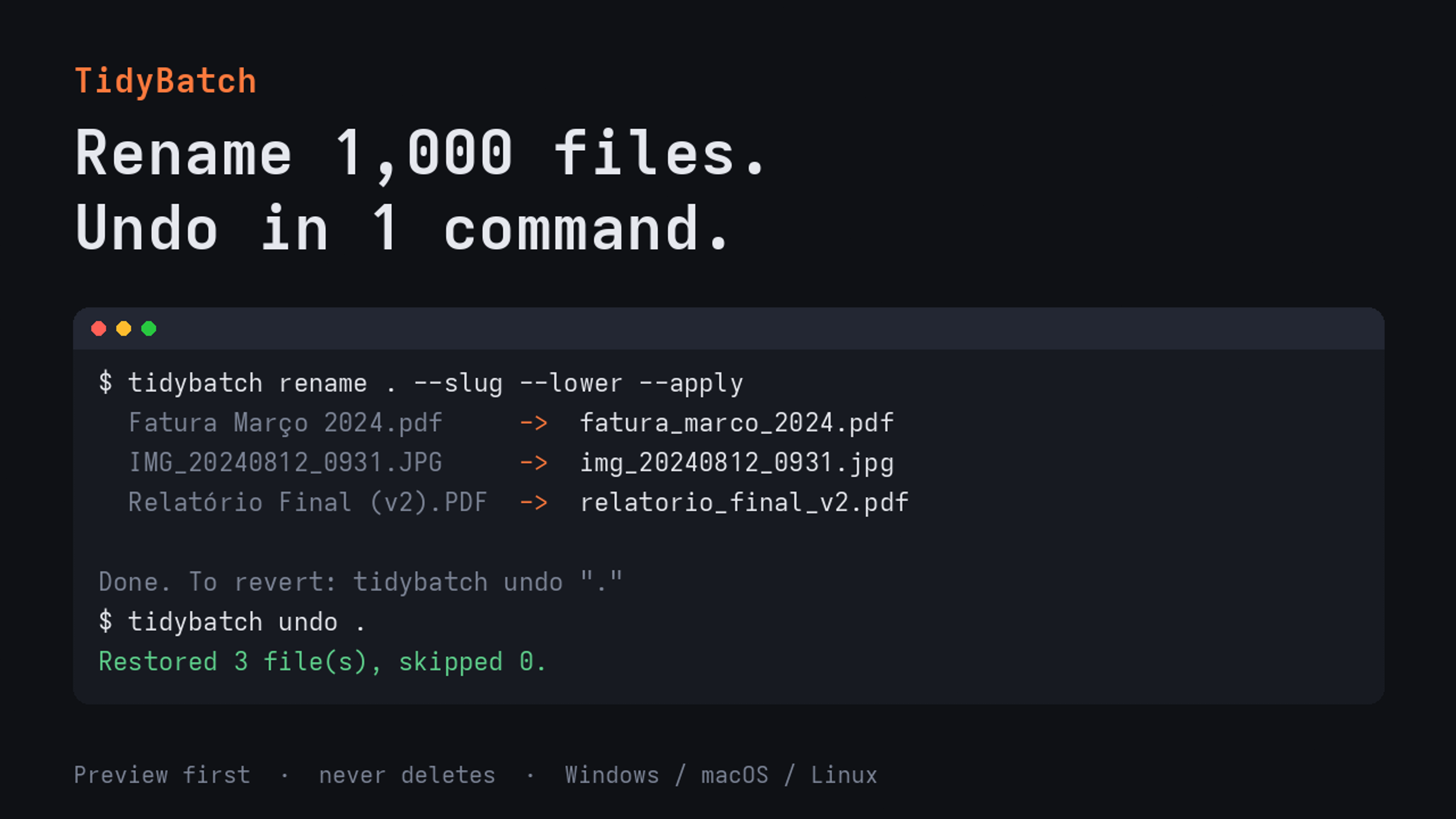
Rename 1,000 files. Undo in 1 command.
IMG_4821.JPG. Scan (3).pdf. Invoice FINAL v2.pdf. A Downloads folder with 2,000 files.
A script could fix it in seconds, but one wrong loop can overwrite half a folder with no way back. TidyBatch is the safe way to clean up files in bulk.
WHAT IT DOES
• Rename hundreds of files at once: counters and dates (holiday_{n:03} → holiday_001.jpg), regex find/replace, and removal of accents, spaces and symbols.
• Name and sort photos by the date they were TAKEN (EXIF: JPEG, iPhone HEIC, RAW), not the file date.
• Sort folders into Images / Documents / Videos…, by year/month, or by extension.
• Find exact duplicates by content (SHA-256): keeps the oldest, moves the rest to _duplicates/.
WHY IT’S SAFE
- Preview by default: nothing changes until you add --apply.
- One-command undo: “tidybatch undo [folder]” puts every file back.
- Never deletes, never overwrites: clashes get _1, _2.
WHAT YOU GET
• Ready-to-run apps for Windows and Linux
• macOS: the same tool as one Python script (python3 tidybatch.py)
• Source code, recipe guide, free 1.x updates
FREE VS PRO
The rename + undo engine is open source (MIT): github.com/tidybatch/tidybatch. Read the code before you trust it. Pro adds organize, dedupe and the ready-to-run apps.
HONEST NOTES
Command-line tool, no graphical interface. Runs 100% offline: no account, no telemetry. Built mostly with an AI coding agent; the safety behaviour is covered by automated tests.
14-day full refund, no questions asked: message us.