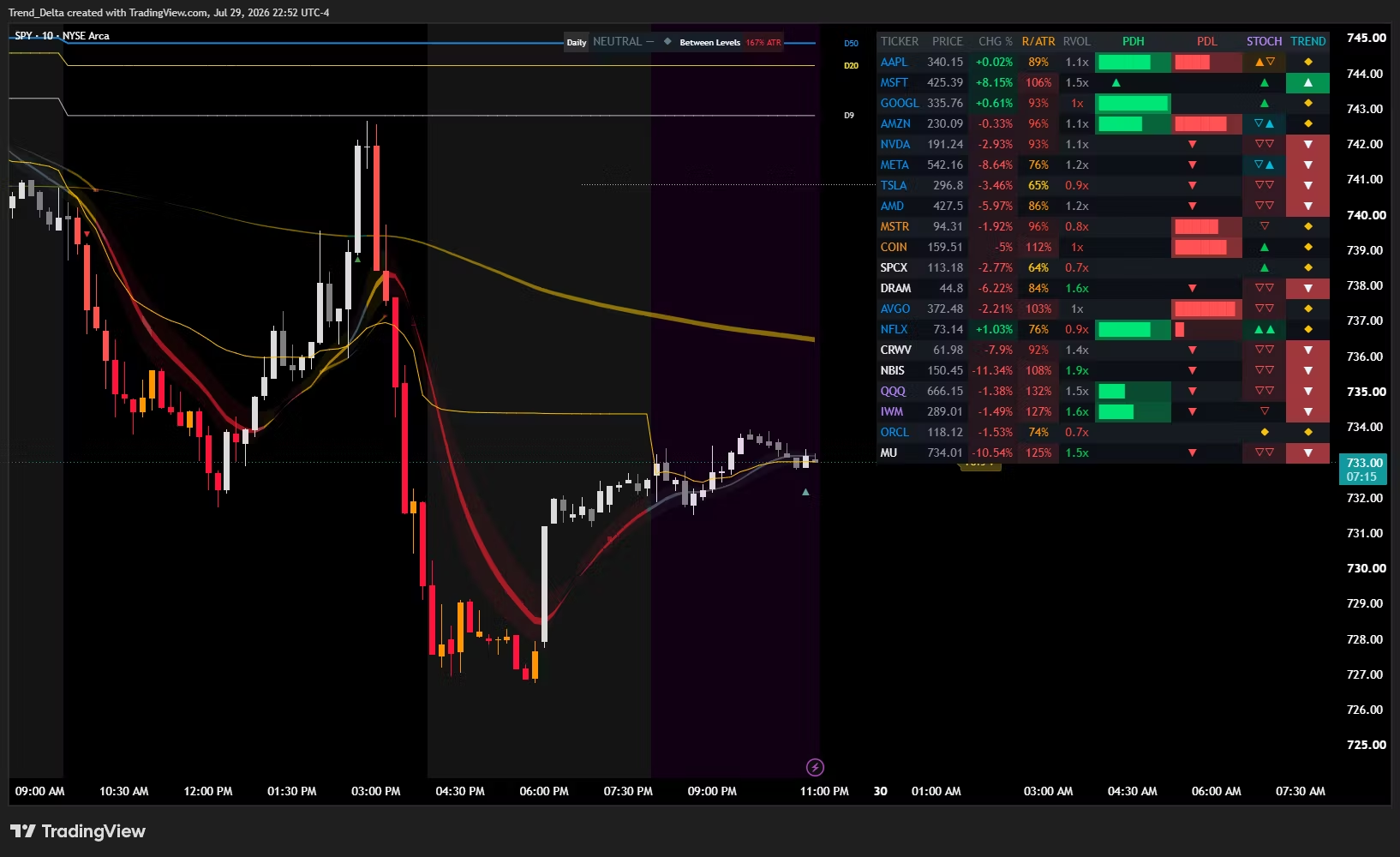
LevelBoard Scanner
Stay up to date with the key levels of 20 tickers ALL AT ONCE!
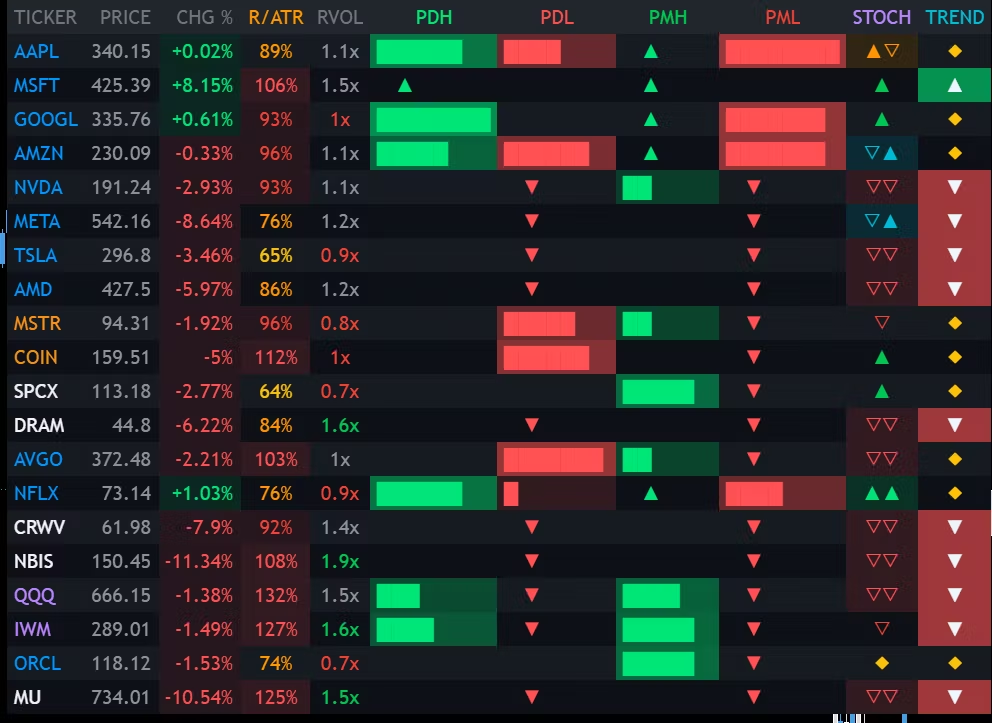
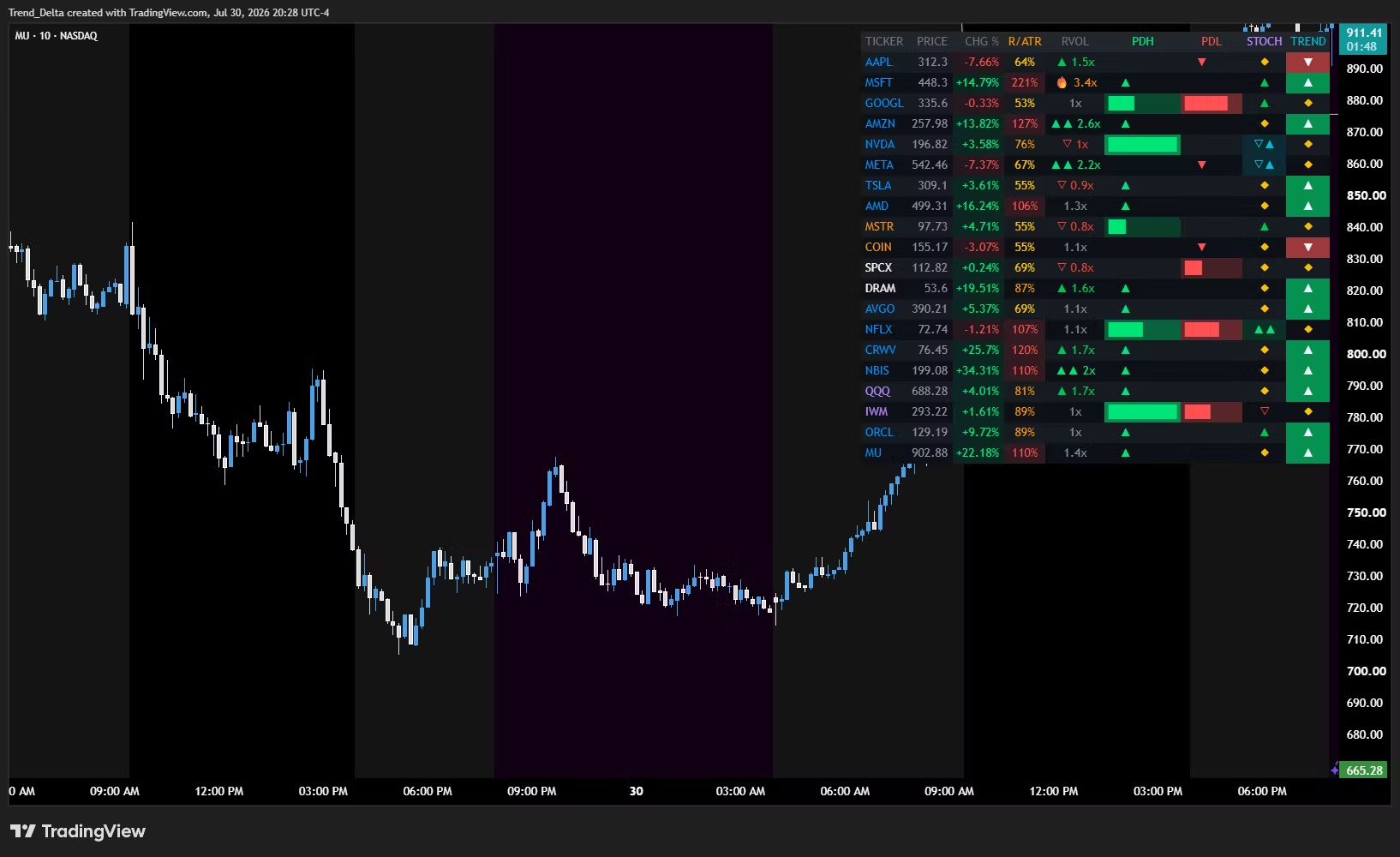
A TradingView scanner for prior day and premarket levels — PDH, PDL, PMH, PML — across 20 tickers at once, on one screen.
You already know the setups. The problem is finding them before the move is gone. Flipping charts one at a time is what costs you the retest.
What each column shows
PDH · PDL · PMH · PML — a bar that fills as price approaches the level, and an arrow once the level has been taken. You see the approach building, not just the break after it.
R/ATR — how much of the day's average range is already used, so you know if there's room left in the move.
RVOL — relative volume against the same time of day, so you know if anyone is actually behind it.
STOCH · TREND — momentum and trend state per row, so you can see whether the level is being pressed with the tape or against it.
Plus live price and change on every row.
How it's used
Load your watchlist once. Scan the level columns for rows where price is pressing a level with volume behind it. Open that chart and confirm the setup yourself.
Levelboard tells you where to look. It doesn't place trades, and it doesn't tell you what to buy.
What you get
Invite-only access to the Levelboard indicator on TradingView
Full setup guide and a walkthrough of every column
All future updates included
Requires a TradingView account — the free plan works. Works on stocks, futures, forex, and crypto — any symbol TradingView carries.
Disclaimer: For research and analysis only. Not financial advice.