CommissionIQ

CommissionIQ calculates sales commissions straight from HubSpot for teams of 5–40 reps: any comp plan, commission on cash collected, refunds...
Port Saint Lucie, US
•Created byProfile pictureDean DeVries
Profile picture
Dean DeVriesProfile picture@systemsjunkie·7h

What happens to commission when a payment record is missing?

A gap only becomes a question if someone can see it. Here's what CommissionIQ does when a payment record is missing.
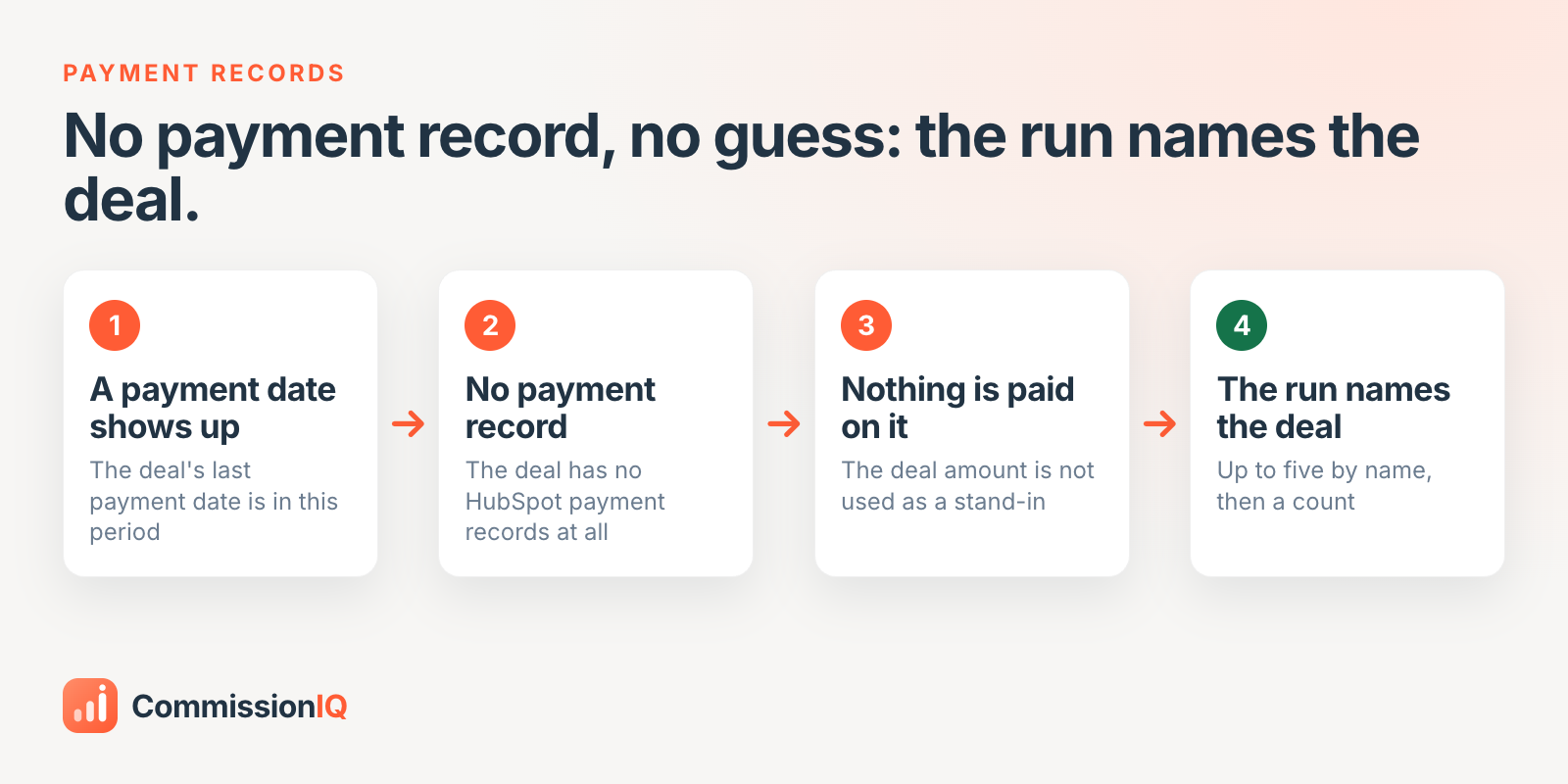

No payment record, no guess: the run names the deal


Hypothetical example: your account pays cash-collected commission from HubSpot payment records. A deal shows a last payment date this period, but it has no payment records.


  • It doesn't guess. The deal amount isn't used as a stand-in. The cash-collected plan pays nothing on that deal.

  • It says so. The calculation run adds a note naming the deal (up to five by name, then a count) and says to check that the payments synced.


Now you have a question to ask before payroll, not a short check to explain after it.


One limit: the note only covers a deal with a last payment date in the period and no payment records at all. A missed installment on a deal with other payments won't appear. Your reps still need to own the record.


Built for HubSpot sales teams. 14-day free trial, setup on us:

Profile picture
Dean DeVriesProfile picture@systemsjunkie·2d

Why nagging reps about HubSpot costs you honest data (and what to do instead)

A reminder to update HubSpot teaches a rep one thing: this record is for my manager. So they fill in the field to make the reminder stop. The field is full. It may not be true.


Nagging reps about HubSpot costs you honest data


People take care of what belongs to them. Most reps will check a paycheck line by line. So tie the record to the rep.


  • Show them what it decides. Walk through which fields say who gets credit and when they get paid.

  • Treat a gap as a question. "Who set this deal?" gets the truth. "You missed this again" gets a guess.

  • Let them fix it. If you quietly clean up their deals at month end, they never learn what broke.


You can't audit your way to honest data. It comes from reps who know the record is theirs and who can raise a gap without getting blamed.


Built for HubSpot sales teams. 14-day free trial, setup on us:

Profile picture
Dean DeVriesProfile picture@systemsjunkie·Oct 21

A scoreboard, not a dispute: what your reps see

Reps re-check your math because they can't see it. Give them the same numbers you see, and the questions mostly stop.


The rep portal

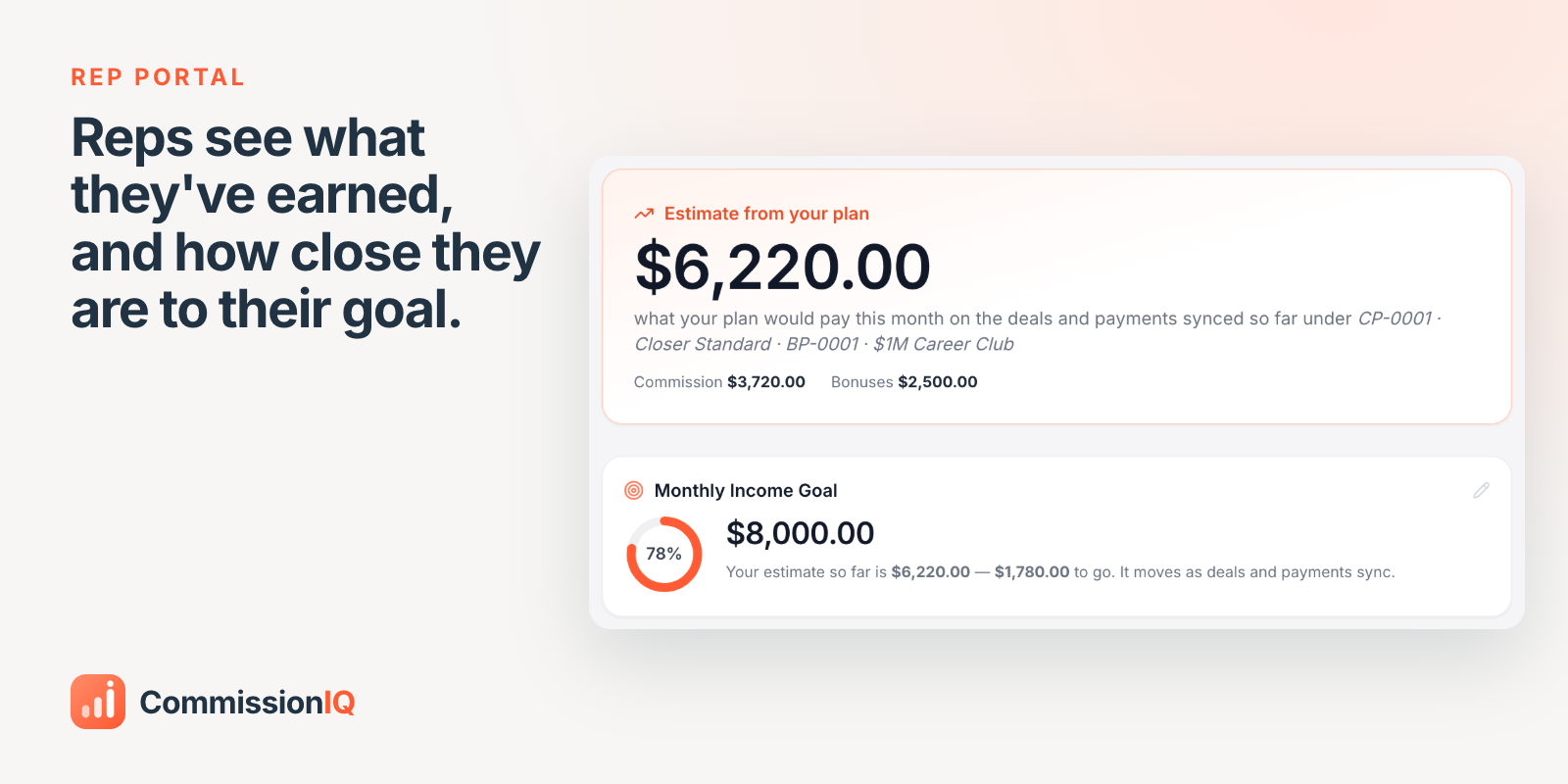
In the app, as Sarah sees it: her plan would pay $6,220 this month so far (commission $3,720 plus a $2,500 bonus), 78% of her $8,000 goal. It moves as deals and payments sync. (Demo account.)


In the CommissionIQ rep portal, each rep sees:

  • A live estimate from their actual plan, on everything synced so far

  • Their own monthly goal, and how far they are from it

  • Every deal and payment behind the number

  • Bonuses the moment they're earned


When reps can see the math, payday stops being a negotiation.


Built for HubSpot sales teams. 14-day free trial, setup on us:

Profile picture
Dean DeVriesProfile picture@systemsjunkie·Oct 21

Setters, closers, coaches: how to split one deal without starting a fight

The most common commission dispute isn't about the rate. It's about who gets credit for the deal.


How to split one deal without starting a fight


How to split a deal cleanly:

  1. Name every role that can earn on a deal: setter, closer, coach, manager. If it isn't named, it will be argued about.

  2. Pay each role from the same deal, on its own plan. The setter's per-unit plan and the closer's tiered plan can both pay on one sale without one coming out of the other's pocket.

  3. Record the role on the deal itself, in HubSpot, when it happens. Not in a Slack thread, and not from memory at month end.

  4. Let everyone see the split before the money moves. Disputes are cheap before payroll and expensive after.


Clear credit makes teams more willing to help each other, because nobody is afraid of losing their share.


If you want this handled for you:

Profile picture
Dean DeVriesProfile picture@systemsjunkie·Oct 20

Career milestones, paid the period they're earned

Set milestones on a rep's whole career, not just this month. CommissionIQ tracks career sales and pays the bonus the period they cross the line.


Career milestones paid automatically

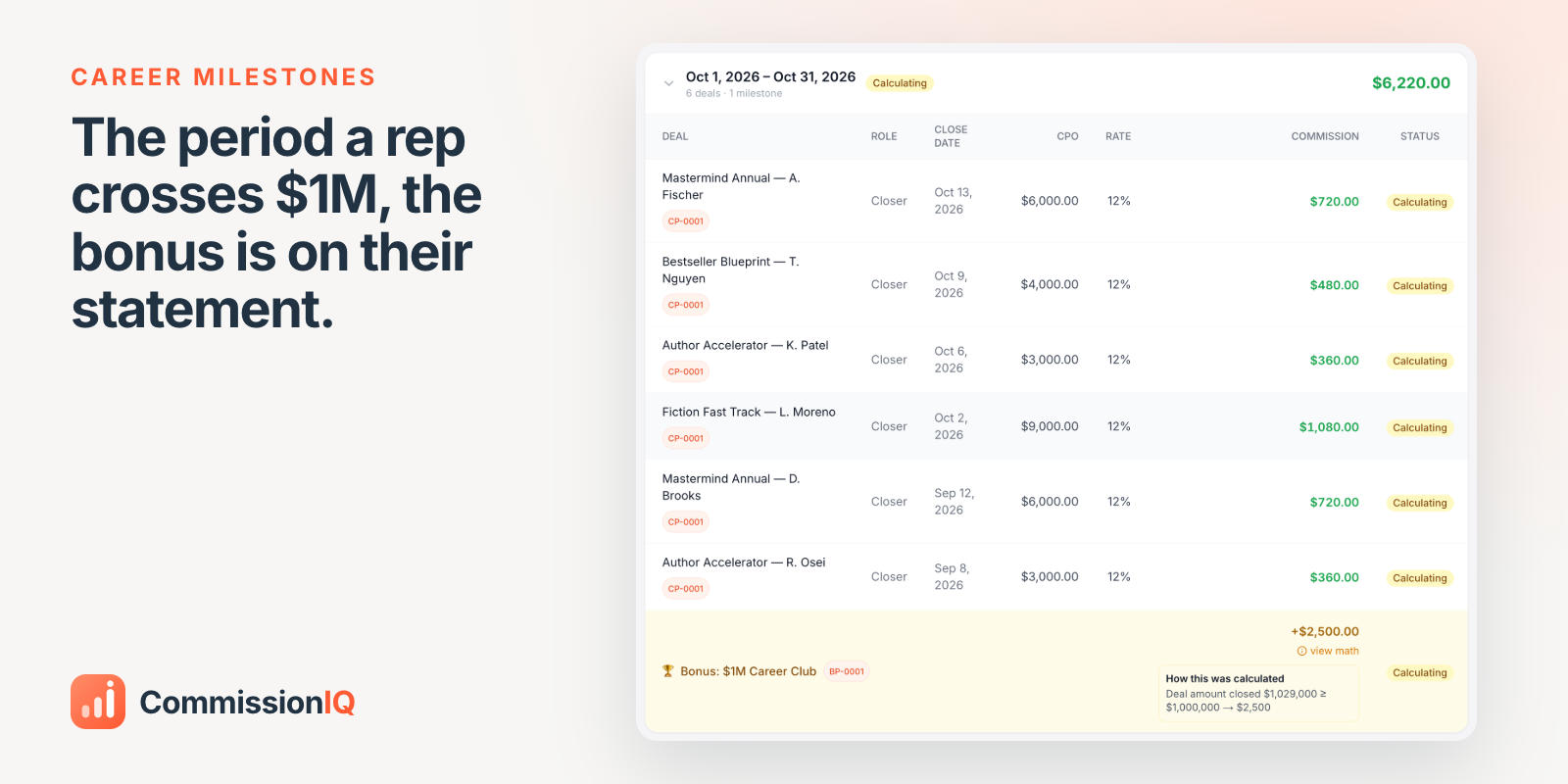
In the app, as Sarah sees it: her career sales passed $1,029,000 in October, so the $2,500 Career Club bonus is on this month's statement, with the math one click away. (Demo account.)


How it works:

  • Define the ladder, for example $500 at $250K, $1,000 at $500K, $2,500 at $1M.

  • Choose who it applies to (closers, account managers, anyone).

  • When a rep crosses a line, the bonus is on that period's statement, paid once. Nobody keeps count in a spreadsheet.


Pair it with weekly, monthly, quarterly or yearly bonuses for shorter-term goals.


Built for HubSpot sales teams. 14-day free trial, setup on us:

Profile picture
Dean DeVriesProfile picture@systemsjunkie·Oct 20

Your best rep just crossed $1M in career sales. Did anyone notice?

Monthly targets reset every month. A career doesn't. Yet most companies only celebrate the month.


Your best rep just crossed $1M in career sales


The rep who has been with you for three years and quietly crossed a million in sales is exactly the person you can least afford to lose. And they usually find out about the milestone themselves, if at all.


Why career milestones matter:

  • They reward staying, not just this month's spike.

  • They're cheap relative to what they signal. A milestone bonus is a fraction of what replacing that rep would cost.

  • They only work if they're automatic. Recognition that depends on someone remembering will eventually be forgotten.


Notice your people. Then make sure noticing doesn't depend on your memory.


If you want this handled for you:

Profile picture
Dean DeVriesProfile picture@systemsjunkie·Oct 19

Contests that pay themselves when someone crosses the finish line

Most sales contests die in the spreadsheet: someone has to track it, check it, and remember to pay it.


Contests with a finish line


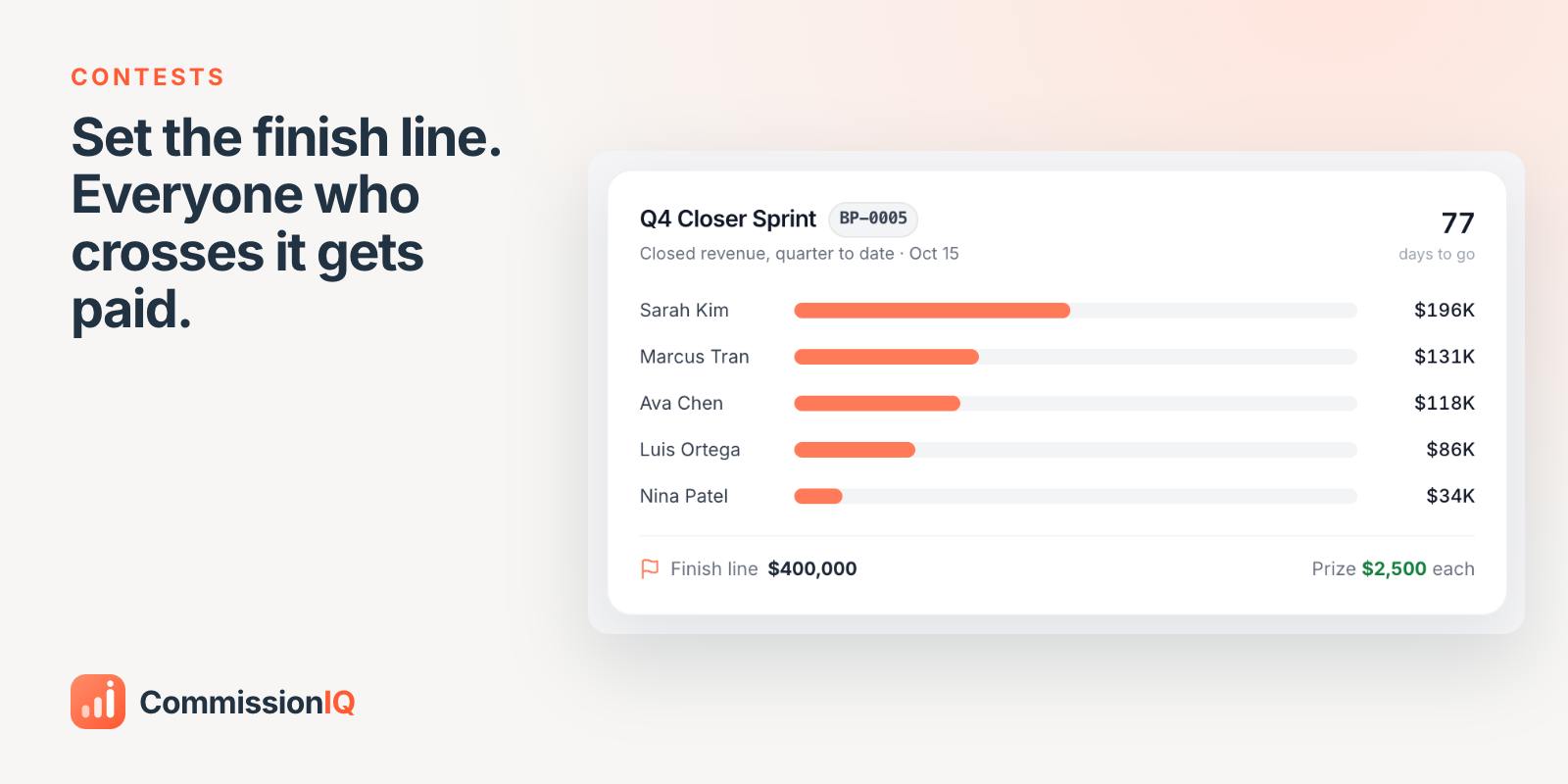
In CommissionIQ, a contest is a bonus with dates, a team and a finish line:

  • Pick who's in it and what counts, for example closed revenue this quarter.

  • Set the finish line and the prize.

  • Everyone who crosses the line is paid when the contest closes. Not just first place.


Built for HubSpot sales teams. 14-day free trial, setup on us:

Profile picture
Dean DeVriesProfile picture@systemsjunkie·Oct 19

Why most sales leaderboards backfire, and the version that works

A leaderboard feels like motivation. For most of your team, it's a weekly reminder that they're losing.


Why most sales leaderboards backfire


Research on gamification found that a single global leaderboard leaves lower-ranked people with a sense of repeated failure; mostly the people already near the top feel the win ().


What works better:

  • Compare reps with peers at the same tenure, so a new hire isn't racing your top closer.

  • Run short races that reset, so last week's result doesn't decide this week.

  • Set a finish line, not just a ranking. Everyone who crosses it wins, not only first place.


The test: does every rep have a realistic way to win something this month? If not, it's a scoreboard for a game most of your team has already lost.


If you want this handled for you:

Profile picture
Dean DeVriesProfile picture@systemsjunkie·Oct 18

Tiers and accelerators that pay on cash you actually collected

Accelerators are the most motivating part of a comp plan, and the hardest to run in a spreadsheet.


Tiers and accelerators on cash collected


How tiers work in CommissionIQ:

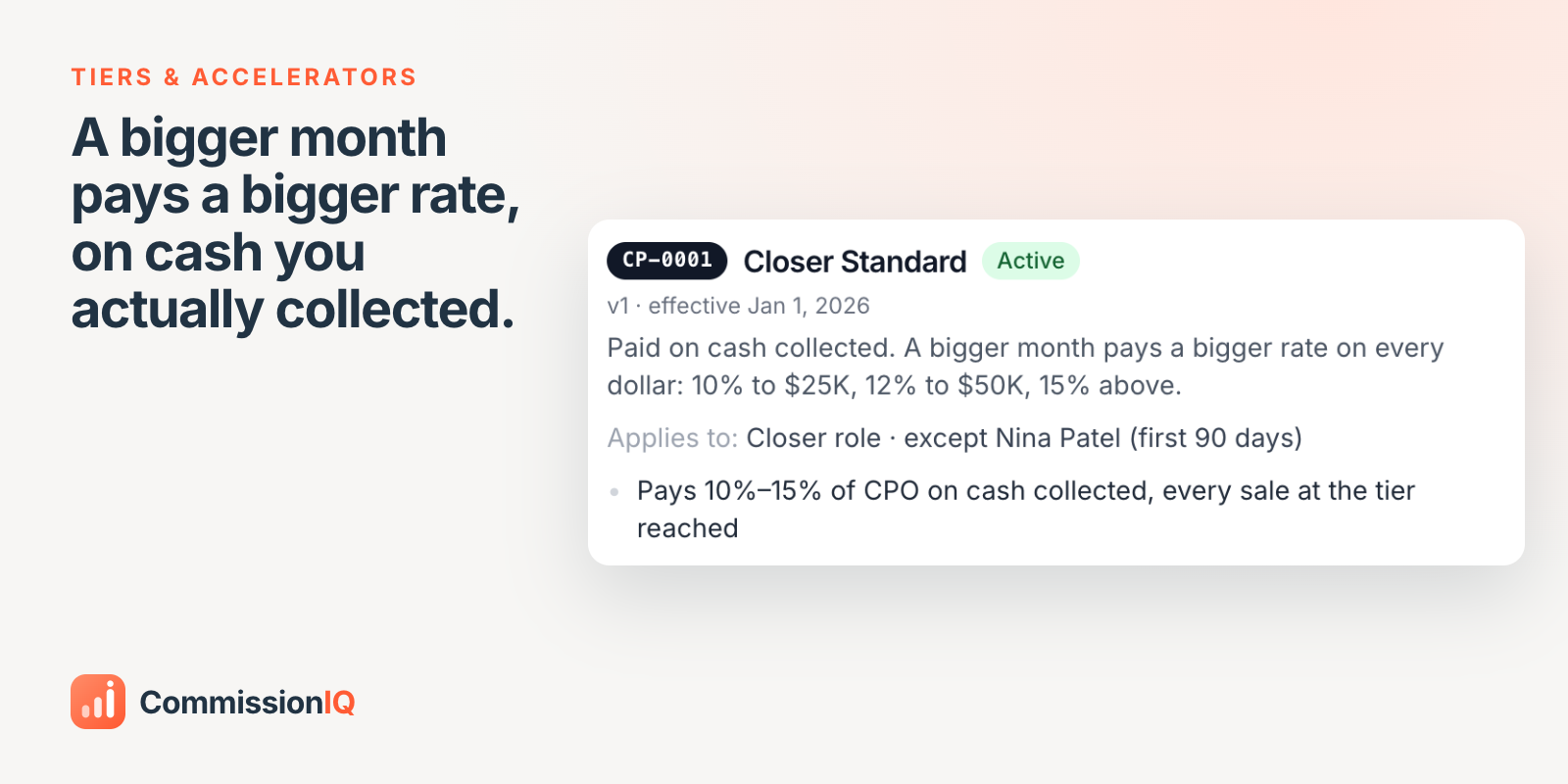
  • Set the rate bands: for example 10% up to $25K, 12% up to $50K, 15% above.

  • Decide how the tier applies: every sale at the tier reached, or only the part above each line.

  • Tier on bookings or on cash collected, and pay on cash collected or close date, plan by plan.


Example: Sarah collects $31,000 in October, reaches the 12% tier, and every payment that month pays 12%: $3,720 in commission, calculated as the payments sync. Marcus collects $21,000 and stays at 10%.


Edit a plan and the change starts on the date you choose, so periods you've already approved never change under you.


Built for HubSpot sales teams. 14-day free trial, setup on us:

Profile picture
Dean DeVriesProfile picture@systemsjunkie·Oct 18

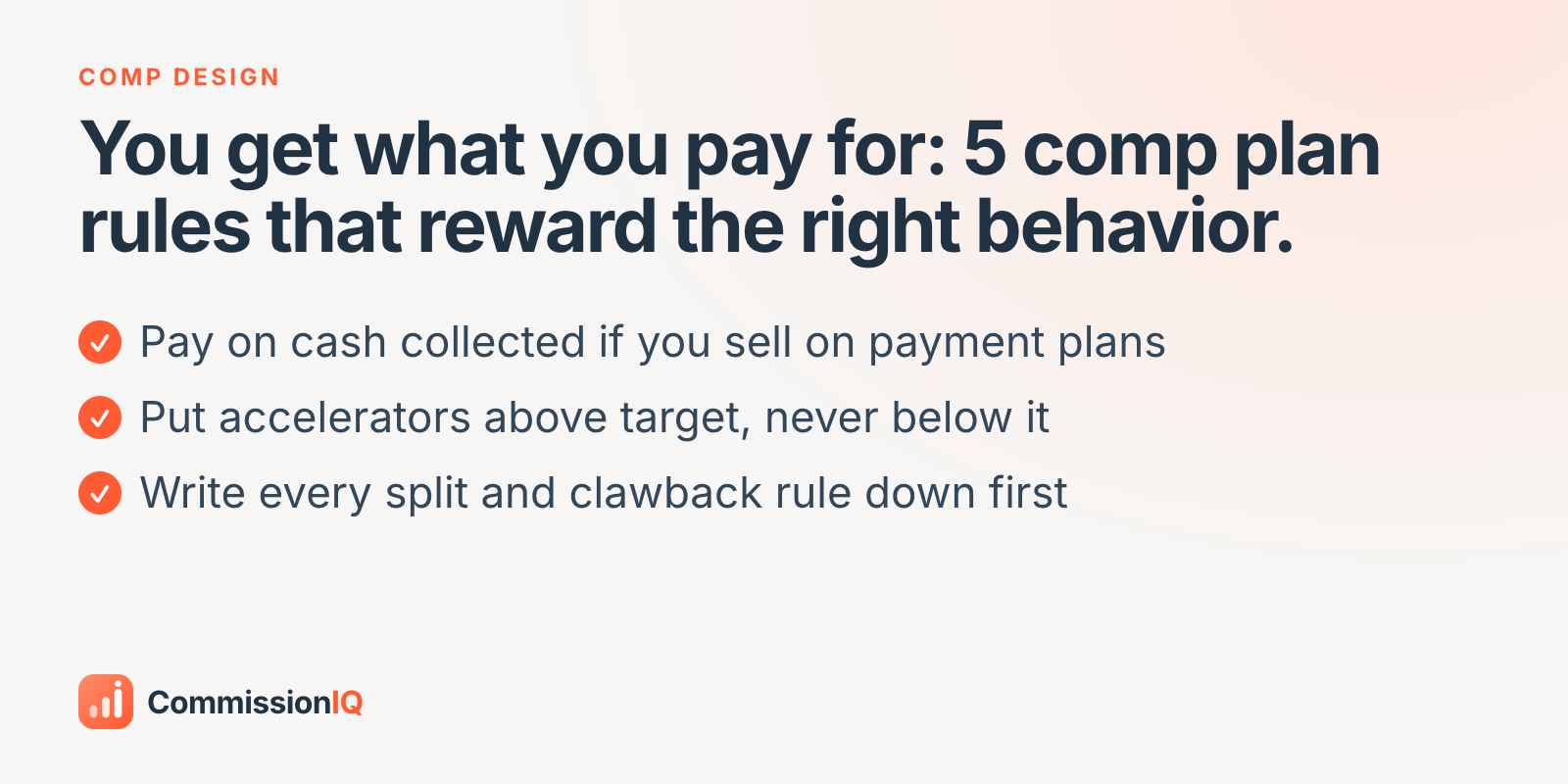
You get what you pay for: 5 comp plan rules that reward the right behavior

Every comp plan is a message. Reps read it more carefully than any memo you'll ever send, and they do exactly what it pays for.


5 comp plan rules that reward the right behavior


  1. Pay on cash collected if you sell on payment plans. Otherwise you're paying for deals that may never fully pay you.

  2. Put accelerators above target, never below it. Reward the extra effort, not the baseline.

  3. Split credit explicitly. If a setter and a closer both touch a deal, write down who earns what before the deal happens.

  4. Write the clawback rule down first. A rule agreed in advance is a policy; a rule invented after a refund is a grievance.

  5. Keep it explainable in one sentence. If a rep can't predict their own check, the plan can't change their behavior.


The best comp plan isn't the most generous one. It's the one your reps trust.


If you want this handled for you: