Fromensics

Check the email before you pay. Fromensics is a Chrome extension for Gmail and Outlook that spots fake invoices, changed bank details, and...
Location hidden
•
•Created byProfile pictureZima Media
4 joined
Profile picture
Zima MediaProfile picture@zimamedia·4d

Fake invoice or real one? Check it before you pay.

We're Zima Media, and we built Fromensics, a Chrome extension that checks suspicious emails right inside Gmail and Outlook.

If you run a business on Whop, you've probably seen them: "updated bank details" from a "supplier," a payout notice that's a little off, an invoice from a domain one letter away from the real one.

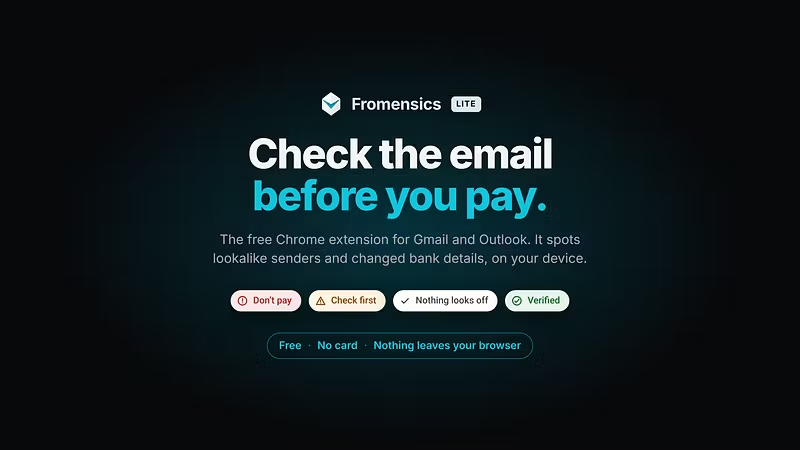
Fromensics looks at the email on your device and tells you plainly: Don't pay, Check first, or Nothing looks off. It shows you why: sender authentication, lookalike domains, changed payment details, and known scam indicators.

  • Your email never leaves your browser

  • On-device AI explains the evidence but never decides the verdict

  • Free to use, no account needed. Pro is $5.99/mo, sold through Whop.

Try it at fromensics.com. We'd love feedback from other Whop sellers, especially on the scam emails you're getting.

Profile picture
Zima MediaProfile picture@zimamedia·6d

Hi everyone đź‘‹

Two bits of news. First, Fromensics has a new website: It explains what the extension checks, what stays on your device, and what Pro adds.

Second, we're about to pass 100 users. No ads, no launch, just people telling other people. Thank you for being one of the first.

This is the place to tell me what's working and what isn't. What helps most is an email Fromensics got wrong in either direction, a check you wish it did, or anything in the report that confused you. Please describe the email instead of pasting it, and leave out anything private.

If an invoice scam almost worked on you, I'd like to hear about that too. Those stories shape what we build next.

— Mike

Profile picture
Zima MediaProfile picture@zimamedia·6d

Fromensics has a new website 🎉

If you're new here: Fromensics is a Chrome extension that checks an email before you pay it. Open a message in Gmail or Outlook and it gives you one answer: Don't pay, Check first, or Nothing looks off. It catches the usual tricks, like changed bank details, lookalike domains, and senders pretending to be someone you know.

The free version runs entirely on your device and has unlimited checks. Pro costs $5.99 a month and adds online lookups through our privacy proxy. Each lookup sends one domain or IP, never your email.

We're about to pass 100 users, and every one of them found us by word of mouth. If Fromensics has helped you, please send it to whoever pays the invoices where you work.

— Mike

Profile picture
Zima MediaProfile picture@zimamedia·Aug 24

Investigate locally. Block collectively.

Spam and phishing win because each inbox fights alone, and most “email scanners” ask you to upload the message. Fromensics is the opposite: a Chrome extension that investigates the email on your device. The body never goes to us.

Google approved it on the Chrome Web Store.

What it does

Open a suspicious Gmail, click Investigate Sender. Fromensics reads that message locally, runs deterministic checks first (sender, domains, links, lookalikes, a signed threat feed), then on-device AI to read pressure tactics and claims. You get an evidence report in a side panel — what fired, what did not, no black box.

No account. No Gmail API. Strict local mode by default. Outlook on the web is next.

How we fight spam together

We do not share emails. We share indicators.

Everyone running Fromensics downloads the same signed local threat feed: domains, URL hosts, fingerprints — not subjects, not bodies, not your inbox. One person’s catch can protect the next without anyone uploading mail to a central pile.

That is the deal:

  • You keep the message.

  • The network keeps the pattern.

  • Senders can later pay to prove who they are. They cannot pay to erase what they have done.

If you see a suspicious email this week, investigate it here instead of forwarding it to a random scanner. If the report is useful, send the extension to the person who still clicks “reset your payroll.”

How to start

  1. Install from the 

  2. Open Gmail → open the message → Investigate Sender

  3. Optional Pro ($5.99/mo or $47.88/year) unlocks privacy-proxy live lookups, site checks, extra feed, and longer local history. Core investigation stays free.

More at . After checkout, paste the license key in Settings. License check sends the key and extension version only — never the email.

We are building an open sender-intelligence network from a tool you can actually use on the next weird email. Install it. Investigate one. Tell us what the report missed. That is how this gets sharper for everyone.