RestockRocket HQ

5.0 (2 Reviews)
Get instant access to Restock Rocket — the fastest restocking software on the market. Catch drops, beat the bots, and never miss a restock...
Location hidden
•
•Created byProfile pictureNephew Rudy
8 joined
Profile picture
Nephew RudyProfile picture@nephewrudyyy·Jul 10
Pinned post

Restock Rocket v4.7.31.2 — Major Update

First update post since 4.6.21. That build got checkouts on drop night, but it had real problems — most of you saw them. This release is the result of tearing all of that down and rebuilding it, then testing rigorously.

What was wrong in 4.6.21

  • The AI would jump into checkouts it had no business touching, interrupting runs that were working and looping on ones that weren't.

  • Add to Cart gave up too early on items that were still buyable.

  • Quantity selection would spam the controls and sometimes end up with the wrong count.

  • Place Order would blindly re-click through Target errors instead of handling them.

  • When a run failed, the logs didn't tell you why.

What's fixed in 4.7.31.2

  • The AI knows its place. On live drops it only steps in when a checkout is genuinely stuck, and steps back out when it's done. It also got two new buttons in Options for safe testing — Dry Run (never places an order) and Full Flow.

  • Add to Cart doesn't quit. It keeps working an item until it's truly sold out — Target's stalling tactics don't fool it anymore.

  • Quantity is set once, cleanly. If Target won't take the higher count, checkout continues instead of failing.

  • Checkout errors are handled, not ignored. The common drop-night popups get dealt with properly; anything that needs a human stops and waits for you.

  • Your cart is protected. It will never buy the wrong item, and a leftover item from an earlier attempt can't kill the rest of your night.

  • Failures tell you why. Every run shows a clear reason in Diagnostics — if something goes wrong, copy the report and send it in.

Worth knowing

  • Sold-out and completed tabs close themselves; a failed tab stays open on purpose so you can finish it by hand.

  • Start AI tests with an empty Target cart.

  • Ordering the same item multiple times close together often gets auto-canceled by Target — that's their risk system, not the bot.

Updating

Remove the old extension, Load Unpacked on the new folder, re-check your settings, and run one Dry Run before drop night.
Profile picture
Nephew RudyProfile picture@nephewrudyyy·Jun 30

🛠️ Restock Rocket — Setup Guide

1) Install

  1. Unzip the extension to a folder you'll keep (don't delete it — the browser loads it from there).

  2. Open your browser's Extensions page (Chrome/Edge: menu → Extensions → Manage Extensions).

  3. Turn on Developer mode (top-right).

  4. Click Load unpacked → select the unzipped folder.

  5. Pin the Restock Rocket icon.

2) Activate

Click the Restock Rocket icon → Activate → accept the terms and paste your license key.

3) Set up Target FIRST (important)

  • In the same browser, sign in to Target.

  • Save your shipping address and a default payment card on your account.

  • Stay signed in. (Auto-login is a backup — a logged-in session is the reliable setup.)

4) Configure (Settings)

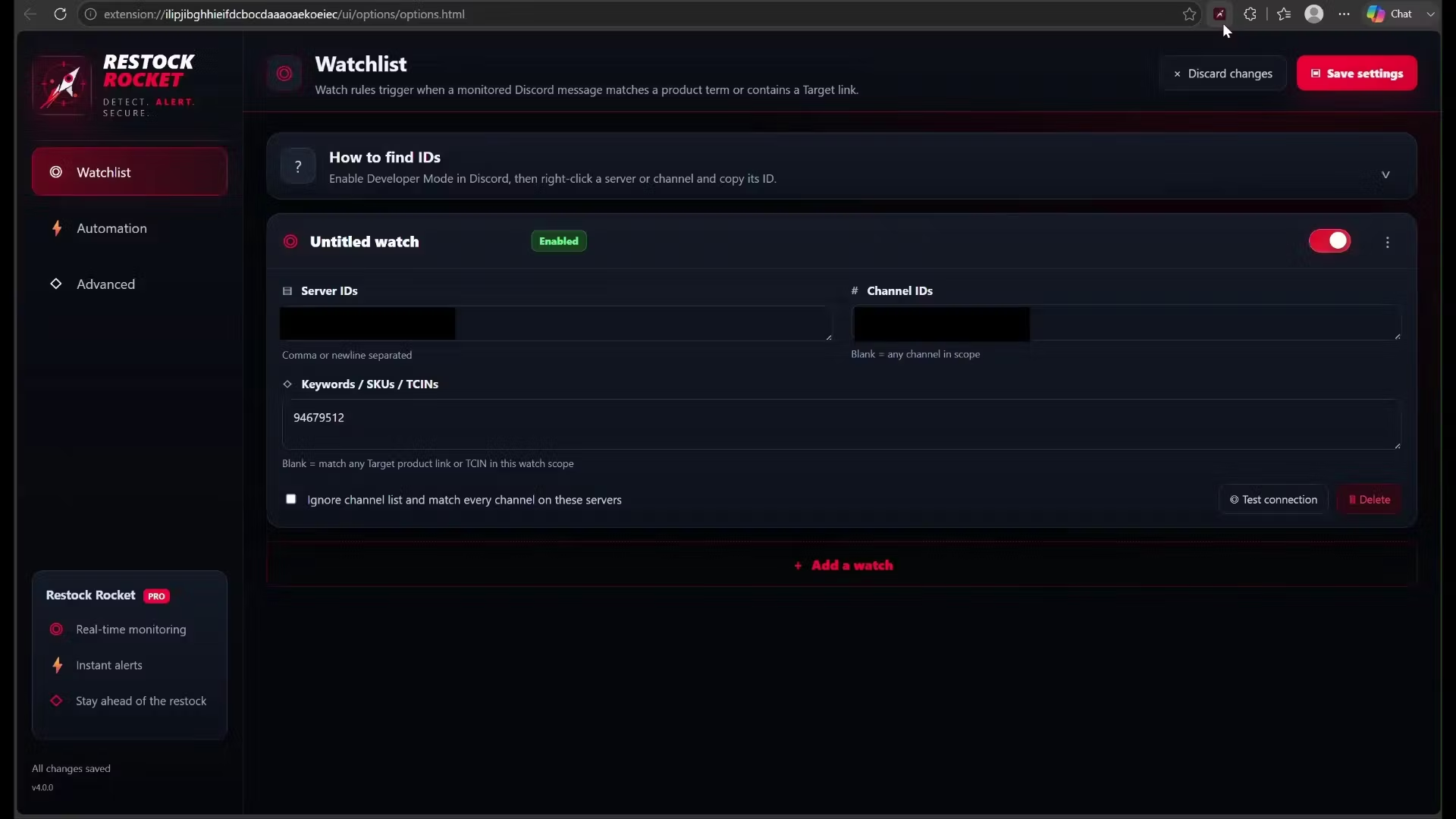
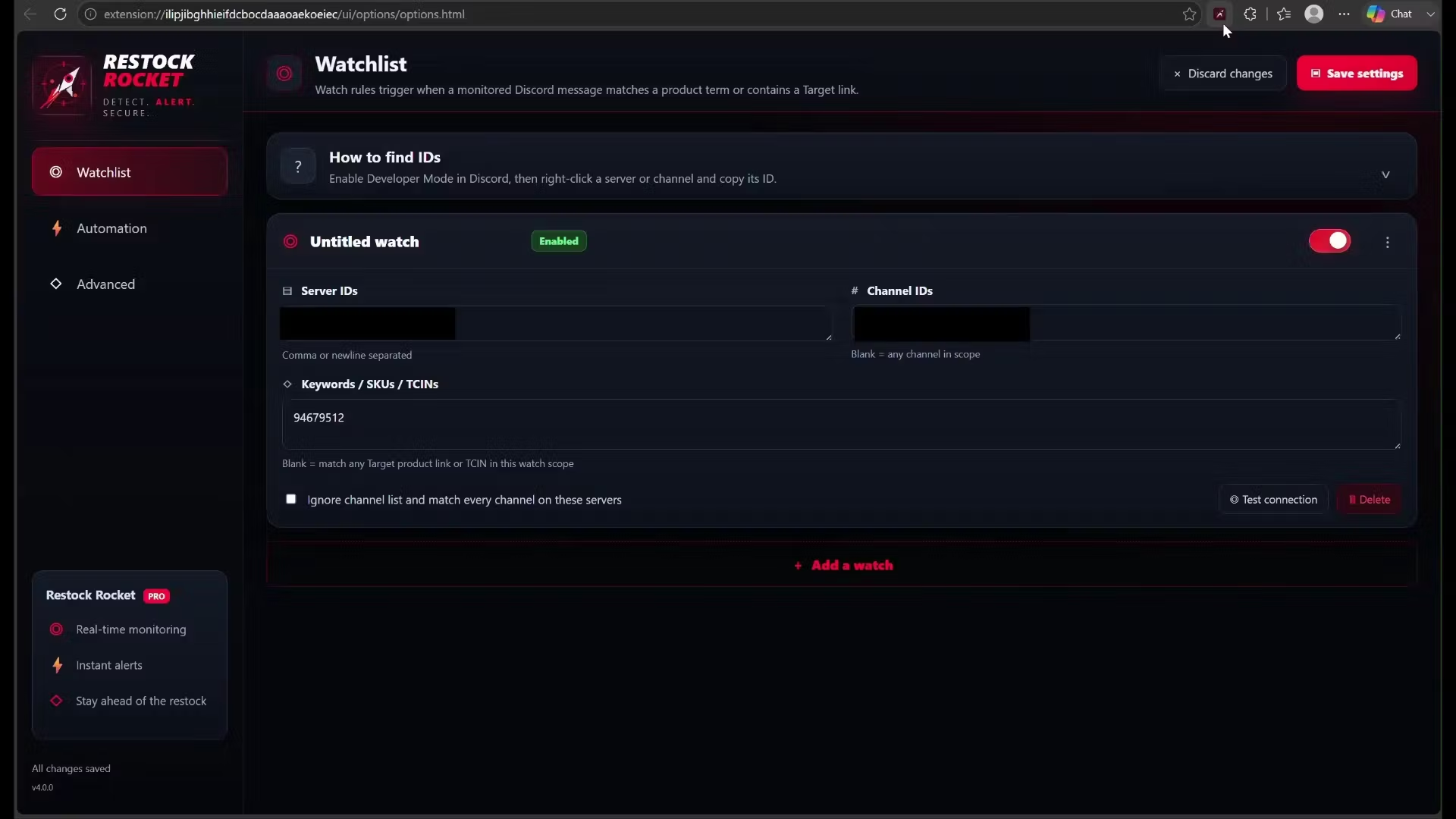
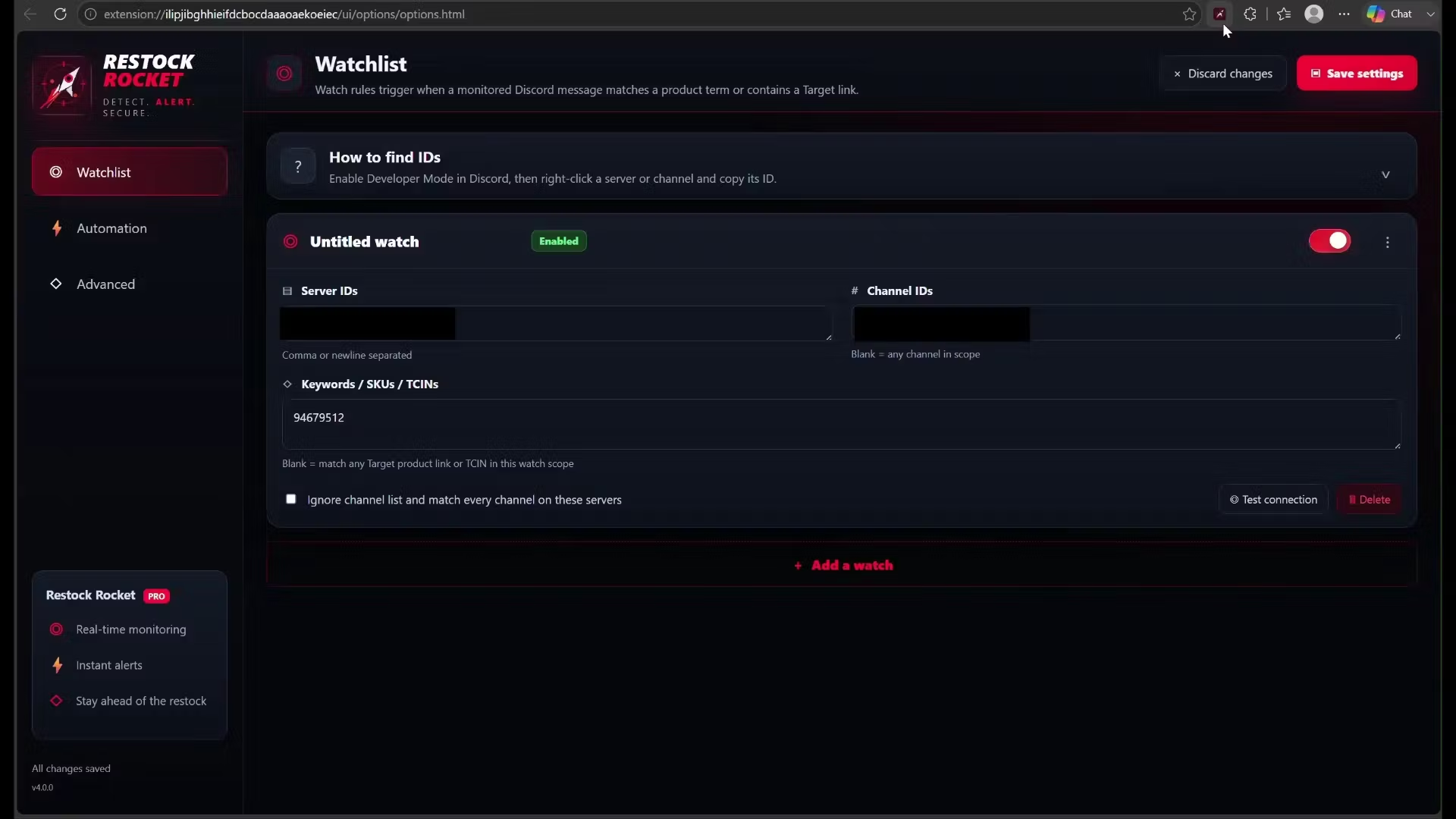
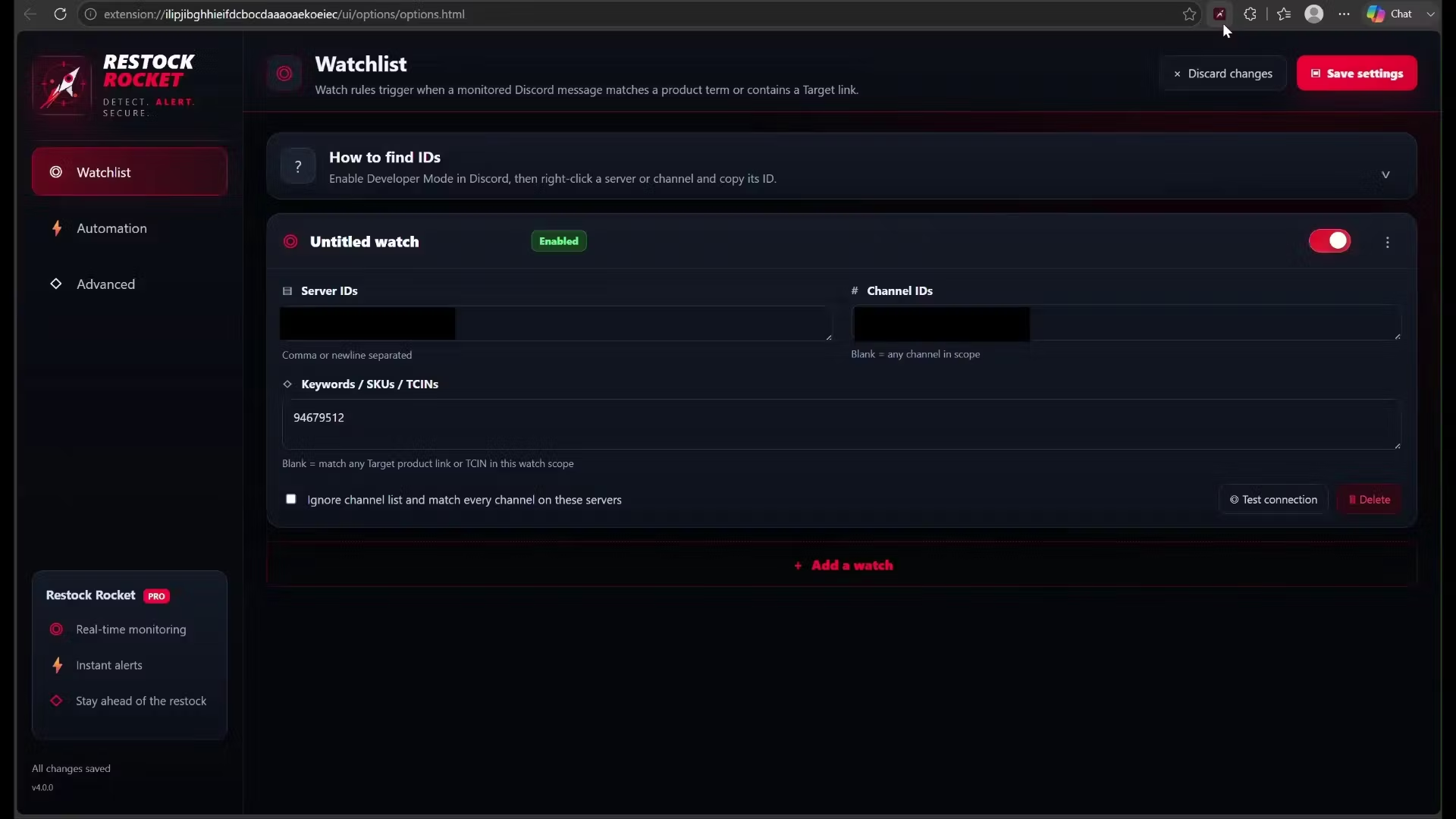
  • Watchlist: add the Discord Server ID + Channel ID to monitor, and the SKUs/TCINs (or keywords) to watch.

    • Get IDs: Discord → Settings → Advanced → enable Developer Mode, then right-click the server → Copy Server ID and the channel → Copy Channel ID.

  • Automation: turn on Open the Target tab automatically + Run automated checkout. Set Quantity and Fulfillment (ship/pickup).

  • Payment: enter your CVV (needed for Target's "Confirm CVV" step). Optionally add your Target email/password for auto-login backup.

  • "Only auto-checkout on a matched SKU/TCIN" — leave ON (recommended).

  • "Place the order at the end" — ON = actually buy; OFF = test run that stops before paying.

5) Open Discord — the step people miss ⚠️

  1. Open Discord in a browser tab (the web app) and go to the exact channel you're monitoring.

  2. Keep that tab open on that channel.

  3. Open the Restock Rocket popup and check "Discord Tabs" shows 1 (or more).

  4. If it shows 0 or monitoring isn't picking up → refresh the Discord tab. That lets the monitor attach. Always have Discord open on the channel before arming.

6) Arm it

  1. Open the popup → switch Monitoring ON.

  2. Click 🔍 Test detection — it scans the messages on screen and lists the SKUs it sees, without buying anything.

7) When a drop hits

It opens the Target product, adds to cart, goes to checkout, handles Save and continue → CVV → sign-in if needed, and places the order. Watch the Activity feed in the popup.

✅ Troubleshooting

  • Sign into Target before arming (address + payment saved).

  • Monitoring off? Refresh the Discord tab; confirm the popup shows Discord Tabs: 1 and your watches are active.

  • Keep the channel scrolled to the latest so new drops render.

  • "License expired"? Reopen the popup — it re-validates automatically (be online).

  • Stalled on a signed-out page? Sign into Target, then toggle Monitoring off/on.

  • Dry run? Turn OFF "Place the order at the end."

Profile picture
Nephew RudyProfile picture@nephewrudyyy·Jun 30
Pinned post

🚀 Restock Rocket — Latest Update + How-To Guide

📦 What's New (Latest Update)

Checkout & reliability

  • ✅ CVV checkout fixed. It now fills your card's security code, clicks Confirm, and places the order — fast. No more getting stuck on the "Confirm CVV" popup.

  • ✅ Stays activated. Your license now refreshes automatically in the background, so it won't lock you out after sitting idle for a day. Just reopen the popup and it re-validates itself.

  • ✅ Faster reaction. It starts working the moment the needed buttons appear on the product/checkout page instead of waiting for the whole page (ads, trackers, etc.) to finish loading.

  • ✅ More reliable on repeat/double-checkout and odd page timing — fewer one-off glitches.

Safety

  • ✅ "Only auto-checkout on a matched SKU/TCIN" setting (ON by default) — it only auto-buys items that are actually on your watchlist, so a random link in a channel won't trigger a purchase.

  • ✅ Buys the right item. It double-checks the product and cart against your watched SKU before placing the order.

Behind the scenes

  • ✅ Cleaner, more detailed logging so support can pinpoint any issue from your console in seconds.

How to update: Remove the old version from your browser's Extensions page, then load the new unzipped folder (steps below). Your settings and license stay saved.

🛠️ How to Use Restock Rocket

1) Install the extension

  1. Download the extension and unzip it to a folder you'll keep (don't delete it — Chrome loads it from there).

  2. Open chrome://extensions (or edge://extensions on Edge).

  3. Turn on Developer mode (top-right toggle).

  4. Click Load unpacked → select the unzipped folder.

  5. Pin the Restock Rocket icon to your toolbar for quick access.

2) Activate your license

  1. Click the Restock Rocket icon → Activate.

  2. Accept the terms and paste your license key → it unlocks.

3) Set up Target FIRST (important)

  • In the same browser, sign in to .

  • Save your shipping address and a default payment card on your Target account.

  • Stay signed in. Auto-login is a backup, but a logged-in session is the reliable setup.

4) Configure your watchlist + checkout (Settings)

Open the extension → Settings:

  • Watchlist: add the Discord Server ID and Channel ID you want to monitor, plus the SKUs/TCINs (or keywords) to watch.

    • To get IDs: In Discord → User Settings → Advanced → enable Developer Mode. Then right-click the server icon → Copy Server ID, and right-click the channel → Copy Channel ID.

  • Automation: turn on Open the Target tab automatically + Run automated checkout. Set your Quantity and Fulfillment (ship or pickup).

  • Payment: enter your CVV (needed for Target's "Confirm CVV" step). Optionally enter your Target email/password for the auto-login backup.

  • "Only auto-checkout on a matched SKU/TCIN" is ON by default (recommended).

  • "Place the order at the end" — leave ON to actually buy. Turn it OFF for a test run that stops right before paying.

5) Open Discord — the step people miss ⚠️

  1. Open Discord in a Chrome tab (the web app at ) and go to the exact channel you're monitoring.

  2. Keep that tab open on that channel.

  3. Open the Restock Rocket popup and check that "Discord Tabs" shows 1 (or more).

  4. If it shows 0 or monitoring isn't picking up → refresh the Discord tab. That lets the monitor attach to the page. (Always have Discord open and on the channel before arming.)

6) Arm it

  1. Open the popup → switch Monitoring ON.

  2. Click 🔍 Test detection to confirm it's reading the channel — it scans the messages currently on screen and lists the SKUs it sees, without buying anything.

7) When a drop hits

It opens the Target product, adds to cart, goes straight to checkout, handles Save and continue → CVV → sign-in if needed, and places the order. Watch the Activity feed in the popup for live status.

✅ Quick Tips & Troubleshooting

  • Be signed into Target before arming (address + payment saved).

  • Discord tab must be open and on the channel. If monitoring looks off, refresh the Discord tab and confirm the popup shows "Discord Tabs: 1" and your watches are active.

  • Keep the Discord channel scrolled to the latest so new drops render and get picked up instantly.

  • "License expired"? Just reopen the popup — it re-validates automatically. (Make sure you're online.)

  • Checkout stalled on a signed-out page? Sign into Target, then flip Monitoring off and back on.

  • Want to dry-run? Turn OFF "Place the order at the end" — it'll go all the way to the final button and stop.

Need help? Send a screenshot of your popup's Activity feed and we'll sort it out fast.

Profile picture
Nephew RudyProfile picture@nephewrudyyy·Jun 27

7 DAY FREE TRIAL!!! Target is rumored to drop the Pokémon Prismatic Evolutions SPC for $99.99 this week! Resale for Prismatic Evolutions SPC is $300+!!!

Snag your SPC for msrp with Restock Rocket!!!

Profile picture
Nephew RudyProfile picture@nephewrudyyy·Jun 27

7 DAY FREE TRIAL!!! Target is rumored to drop the Pokémon Prismatic Evolutions SPC for $99.99 this week! Resale for Prismatic Evolutions SPC is $300+!!!

Snag your SPC for msrp with Restock Rocket!!!

Profile picture
Nephew RudyProfile picture@nephewrudyyy·Jun 27

Restock Rocket REAL DEMONSTRATION!!!!! 7 DAY FREE TRIAL!!!

Guys its real, its fast its effective...

Is Restock Rocket as fast as Refract or Stellar? No...no it is not...BUT it is a FRACTION of the price and can complete a checkout FAR FASTER than a human. The competitors charge $100-200/month plus the cost of proxies. Restock Rocket is $9.99/month!

The purpose of Restock Rocket is to provide a Target Retail bot to the common man who can't afford outrageous prices for a retail bot or insane MSRP markups. Restock Rocket is a chrome/edge extension and is incredibly easy to install and use. Be up and running in minutes.

You have the ability to monitor ANY discord channel you want. Simply enter the Server/Channel ID and click save (only monitoring 1 is recommended as of now).

I am a one man show and this is my first program I am sharing with the public. Any bugs will be patched ASAP.

PLEASE LIKE, COMMENT, AND BOOKMARK!

Profile picture
Nephew RudyProfile picture@nephewrudyyy·Jun 27
Pinned post

Restock Rocket REAL DEMONSTRATION!!!!!

Guys its real, its fast its effective...

Is Restock Rocket as fast as Refract or Stellar? No...no it is not...BUT it is a FRACTION of the price and can complete a checkout FAR FASTER than a human. The competitors charge $100-200/month plus the cost of proxies. Restock Rocket is $9.99/month!

The purpose of Restock Rocket is to provide a Target Retail bot to the common man who can't afford outrageous prices for a retail bot or insane MSRP markups. Restock Rocket is a chrome/edge extension and is incredibly easy to install and use. Be up and running in minutes.

You have the ability to monitor ANY discord channel you want. Simply enter the Server/Channel ID and click save (only monitoring 1 is recommended as of now).

I am a one man show and this is my first program I am sharing with the public. Any bugs will be patched ASAP.

PLEASE LIKE, COMMENT, AND BOOKMARK!

Profile picture
Nephew RudyProfile picture@nephewrudyyy·Jun 26

Hot drops don’t wait. Neither should you.

Restock Rocket helps you catch Target restocks faster with:

Discord monitoring
Instant product opening
Fast ATC
Checkout assist
OOS auto-close
Built for serious drop chasers.
Available now.

Profile picture
Nephew RudyProfile picture@nephewrudyyy·Jun 25

UPDATE! WORKING VERSION IS OUT NOW. GO TO APPS AND DOWNLOAD RESTOCK ROCKET 4.0

LOGIN TO TARGET PRIOR AND LEAVE A WINDOW OPEN. AUTO LOGIN IS STILL GLITCHY.

Profile picture
Nephew RudyProfile picture@nephewrudyyy·Jun 19

How to never miss a restock (what most people get wrong)

Most people trying to cop restocks are losing before they even start — and it's not because they're slow.


Here's what actually kills your chances:


1. Relying on notifications alone

Browser and email alerts have 30-60 second delays by the time they reach you. That's an eternity when stock goes live. You need to be monitoring at the source, not waiting for a push.


2. Not having checkout pre-configured

Even if you see the alert first, if you're fumbling through checkout, you're done. Saved payment, address, and size preferences need to be ready to fire instantly.


3. Checking too many sites manually

No one can monitor 10+ sites at once. Automation isn't cheating — it's just not handicapping yourself against people who are already running tools.


This is exactly what Restock Rocket v3.0 was built for. Real-time monitoring, pre-configured checkout, multi-site coverage in one place.


If you're still doing this manually, it's time to change the approach.