

📢 Important: All VIP Alerts Are Still on Discord
All Market Masters VIP alerts, analysis, trade updates, watchlists, and premium content are posted directly inside Discord.
There is no VIP trading content or alerts posted on Whop. Whop is only used to manage your subscription, billing, and Discord access.
If you recently joined VIP but cannot see the premium Discord channels, your Discord account may not be properly connected to your Whop subscription.
🛠️ How to Connect Your Discord
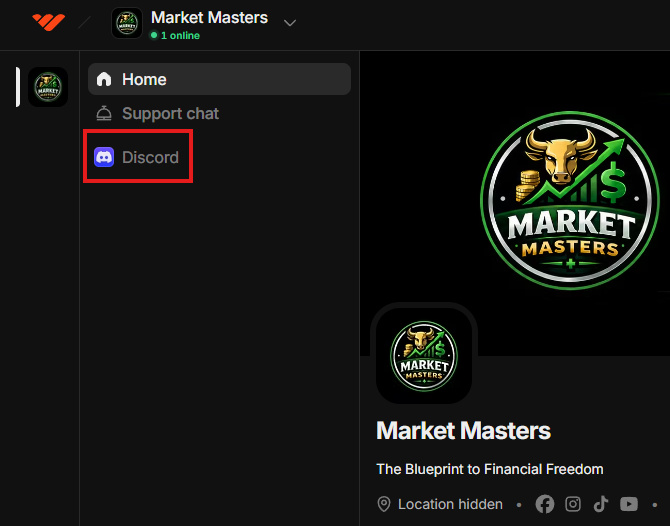
Go to the Whop home page
Select Market Masters on the left side
Click the Discord icon
Connect the Discord account you use for Market Masters
Click Claim Access
Once connected, Whop will automatically give your Discord account the correct VIP role and unlock the premium channels.
🔍 Still Not Seeing the VIP Channels?
Make sure you're connecting the correct Discord account. If you have multiple accounts, your browser may automatically connect the wrong one. Log out of Discord in your browser and try connecting through Whop again.
Try using a desktop or browser. If the Whop app or mobile connection keeps looping, try doing it from a desktop computer or your mobile browser using Desktop Site mode.
Give the role a few minutes to update. Sometimes it can take a short period for Discord access to refresh after connecting.
✅ Remember:
Whop = Subscription & billing management
Discord = ALL VIP alerts, analysis, trades, education, and community content
If your subscription is active and you still can't access the VIP Discord channels after following these steps, reach out to us and we'll help you get connected.