The Engineer Inventor

Automate your AutoCAD quantity takeoffs. Our flagship tool converts DXF drawings into accurate, export-ready Bills of Quantities in minutes...
Alexandria, EG
Created byProfile pictureahmed galal
2 joined
Profile picture
ahmed galalProfile picture@fleetgageb4·7h

Two programs for preparing accurate schedules to quantify structural materials.

These two specialized programs streamline structural engineering workflows by automating quantity takeoffs directly from your CAD files. Both tools are available in Arabic and English versions.

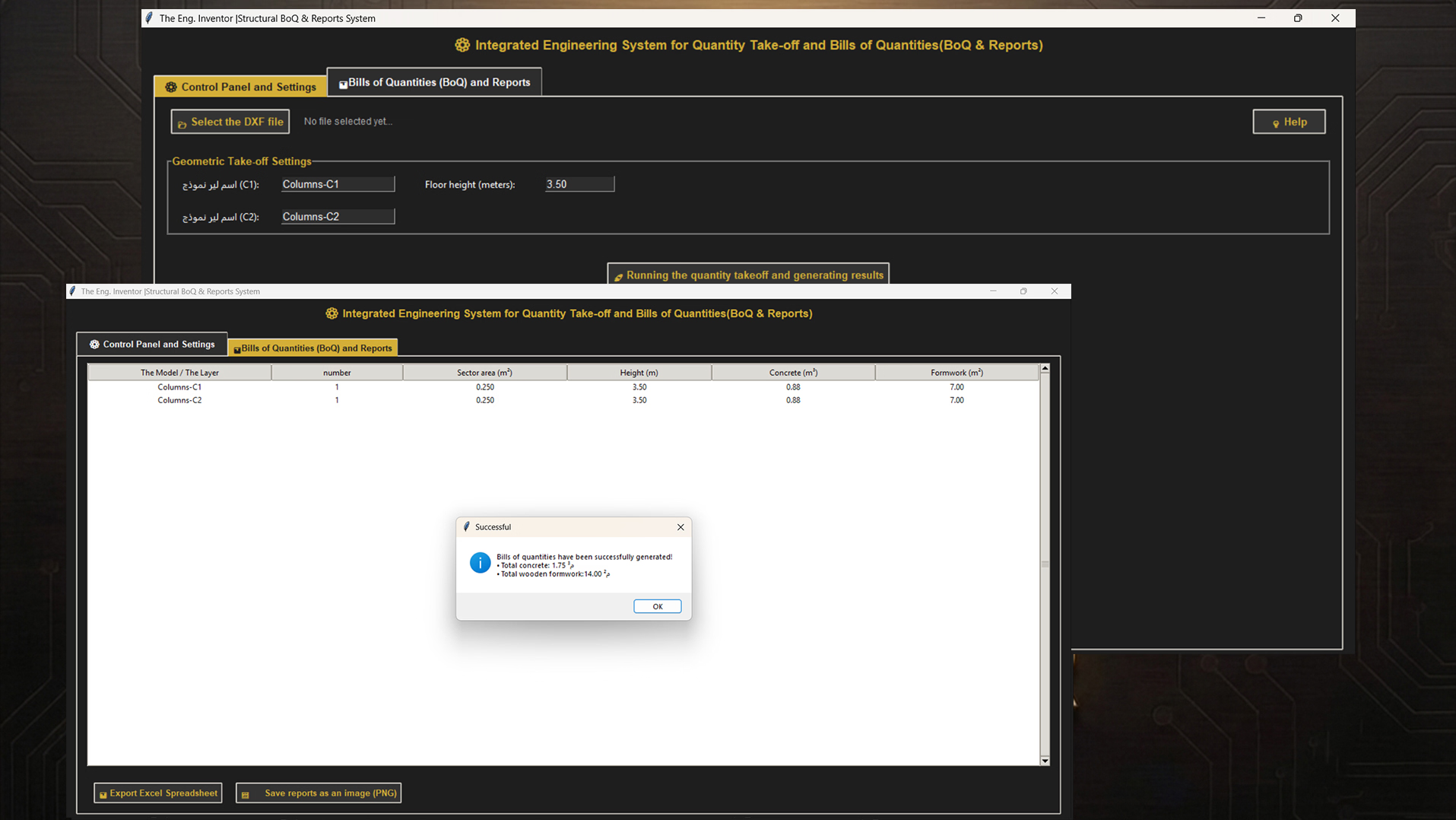
Inventor Structural BoQ&Reports System extracts concrete and formwork quantities from DXF 2010 files. Select your column layers and story heights, then instantly generate detailed schedules and export professional Bill of Quantities in Excel format.

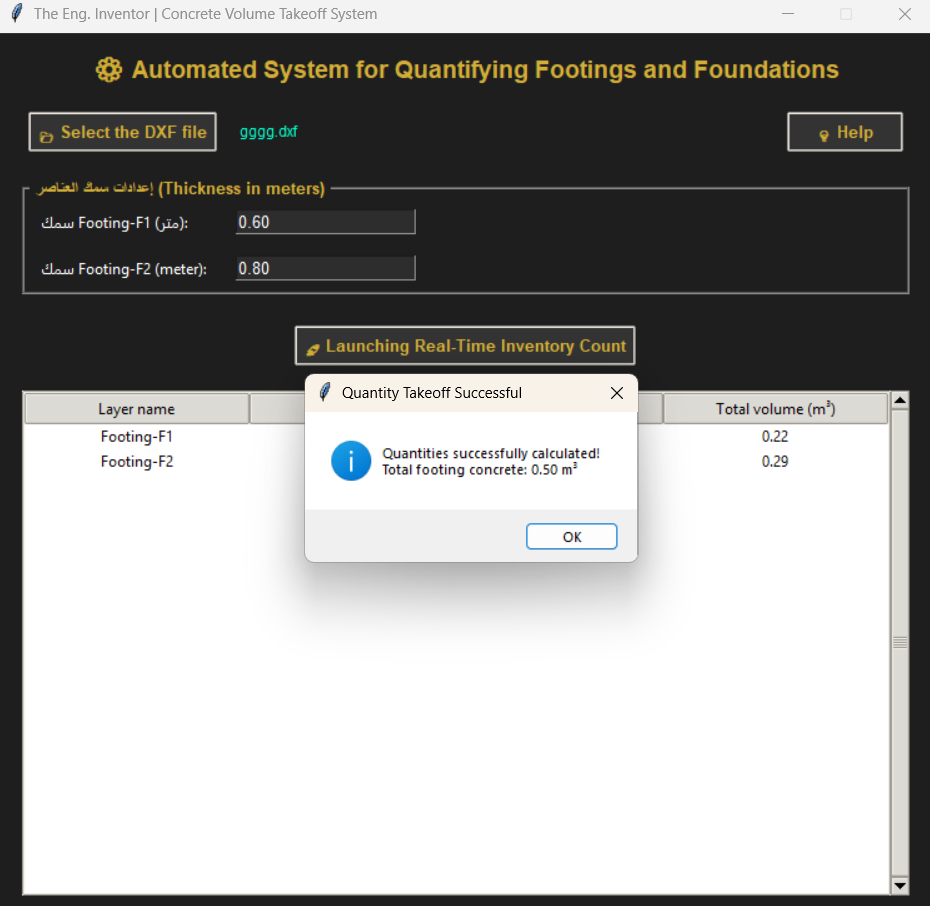
Concrete Volume Takeoff System handles footing and foundation calculations with labeled quantity tracking, perfect for detailed foundation design work.

  • Inventor Structural BoQ&Reports System (Arabic + English)

  • Concrete Volume Takeoff System (Arabic + English)

  • DXF 2010 file processing with layer-based extraction

  • Automated Excel (.xlsx) Bill of Quantities export

  • Snapshot and reporting capabilities for technical documentation

  • Support for complex column and foundation calculations
file_DgRaGpfgtWxnB
file_QLBCvAAKYT6h3
Profile picture
ahmed galalProfile picture@fleetgageb4·1d

Automate electrical takeoffs and load calculations from AutoCAD drawings.

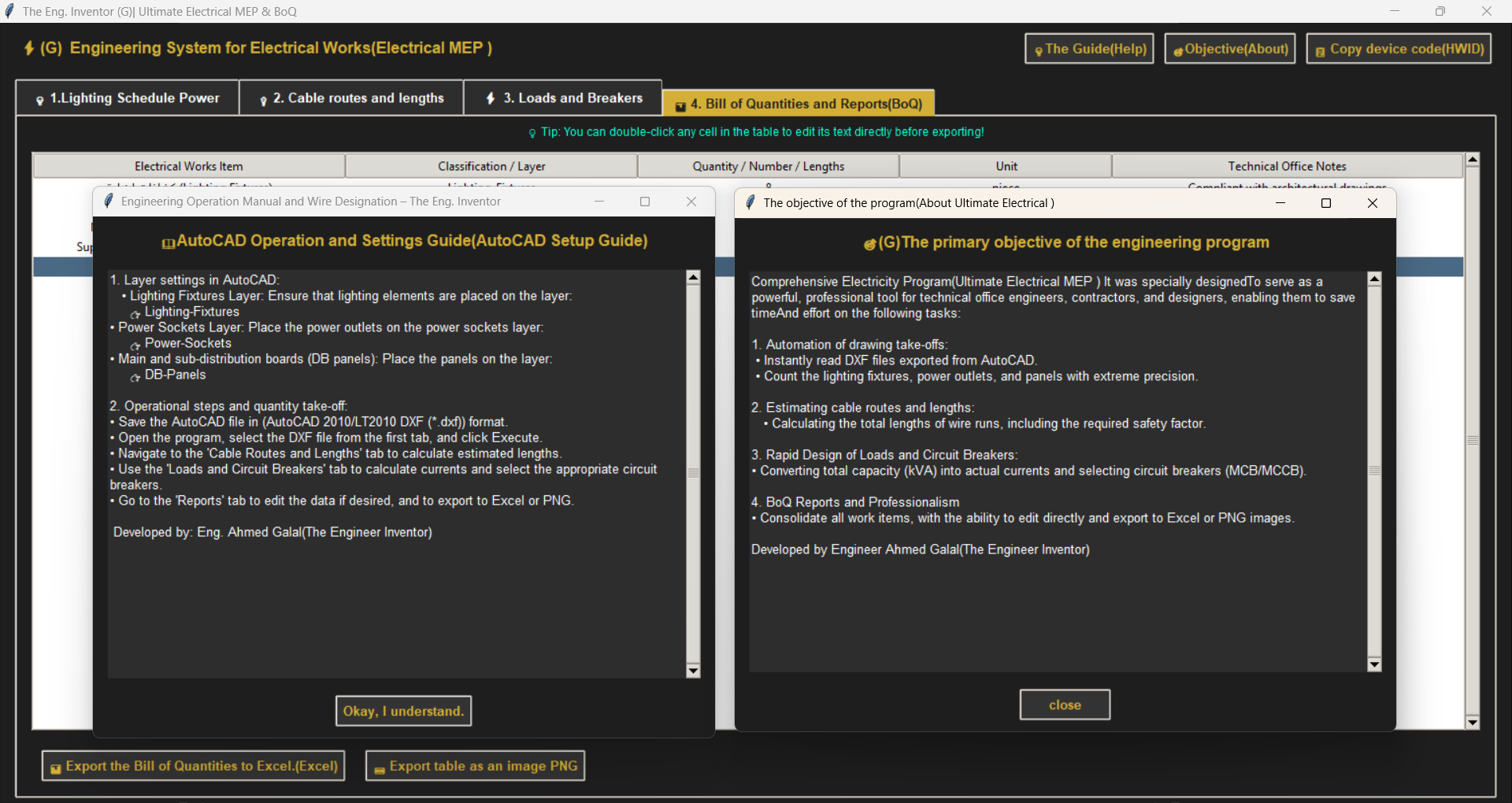
This comprehensive electrical MEP program is built for technical office engineers, contractors, and designers who need to streamline electrical documentation and design workflows. It eliminates manual counting and calculation errors by reading DXF files directly from AutoCAD and instantly generating precise takeoffs, cable route estimates, and circuit breaker schedules.

Save hours on repetitive tasks while maintaining professional accuracy. The tool handles lighting fixtures, power outlets, panel analysis, wire length calculations with safety factors, and complete load scheduling—all in one integrated solution.

  • Automated DXF(2010) file reading and analysis from AutoCAD

  • Precision counting of lighting fixtures, outlets, and electrical panels

  • Cable route length estimation with safety factor calculations

  • Rapid load and circuit breaker design

  • Bill of quantities (BoQ) reports generation

  • Professional documentation export for contractors and designers

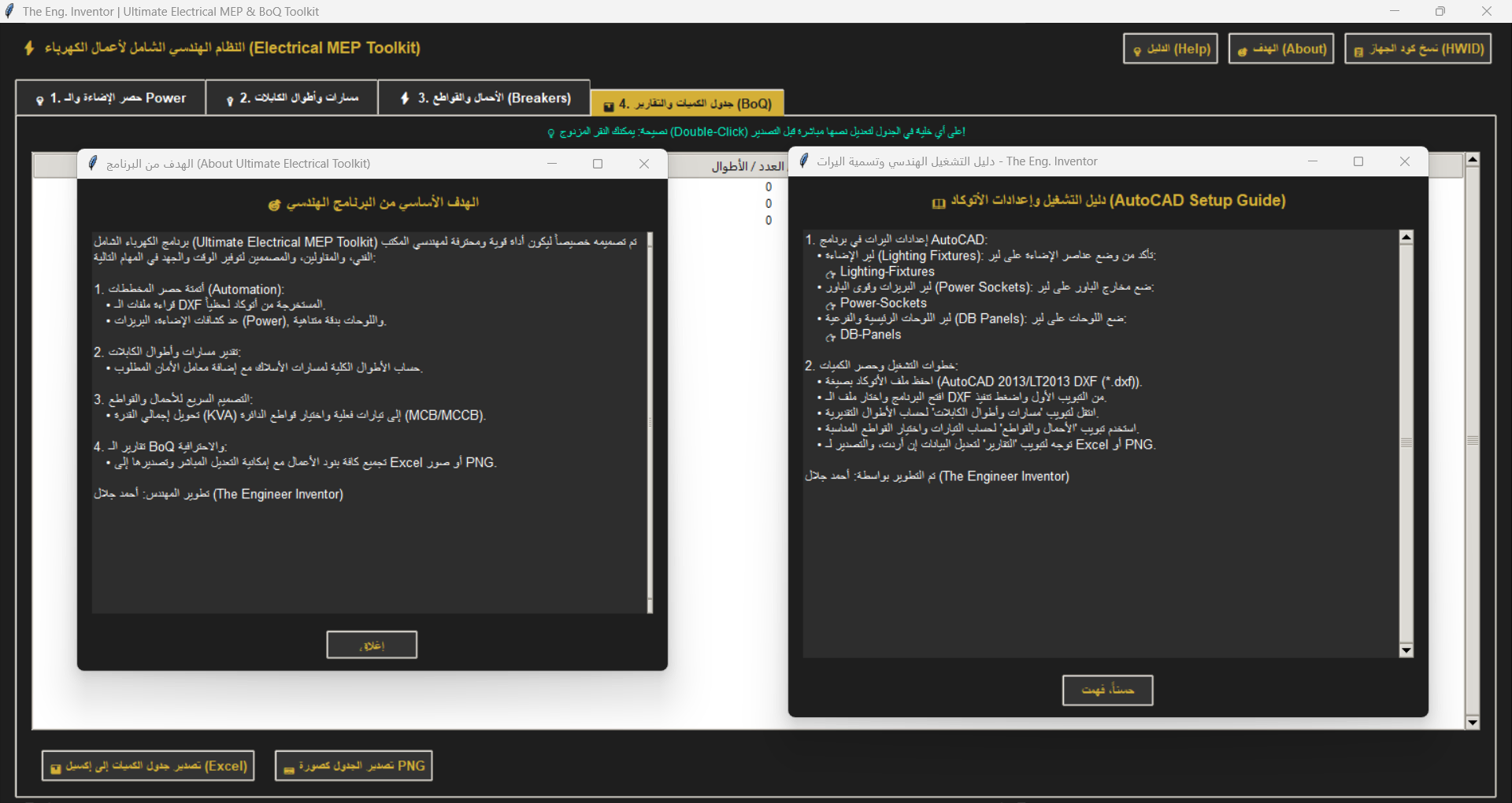
  • There are Arabic and English versions of the program.

  • Single-device hardware-locked license (lifetime activation)

  • Technical support access

file_O3EToeSRBp2Lt
file_GSdxsdrWT3jFS
Profile picture
ahmed galalProfile picture@fleetgageb4·1d

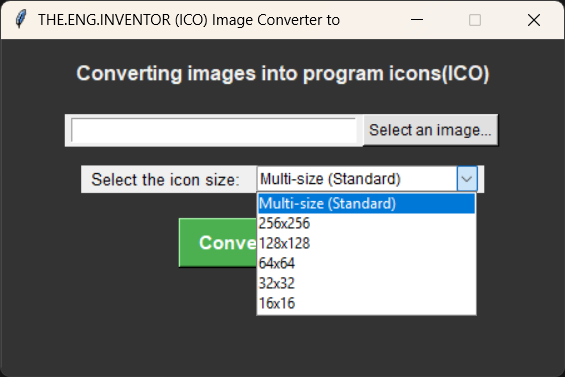
Generate secure passwords and convert images to icons instantly.

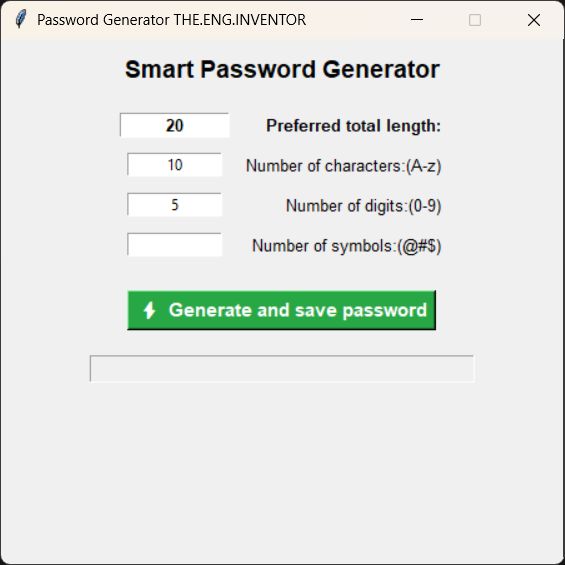
Two essential utilities for developers and designers. The Password Generator creates complex passwords with your exact specifications—control the quantity of letters, numbers, and symbols, then save directly to your desktop. The Icon Converter transforms any image into .ico format with full size options, perfect for app development and branding.

Both tools automate repetitive tasks and eliminate manual formatting, saving hours of work. Perfect for UE5 developers, game creators, software engineers, and digital designers who need reliability and speed.

  • Advanced password generator with customizable character controls

  • Automatic desktop file saving for generated passwords

  • Image to .ico conversion with all standard icon sizes

  • Full size selection options for flexible icon creation

  • Instant processing for batch workflows

  • No external dependencies required

  • Single-device hardware-locked license (lifetime activation)

  • Technical support access

file_4xTeJZeb4eqrV
file_Fn6nhVCqjw6Bn
Profile picture
ahmed galalProfile picture@fleetgageb4·1d

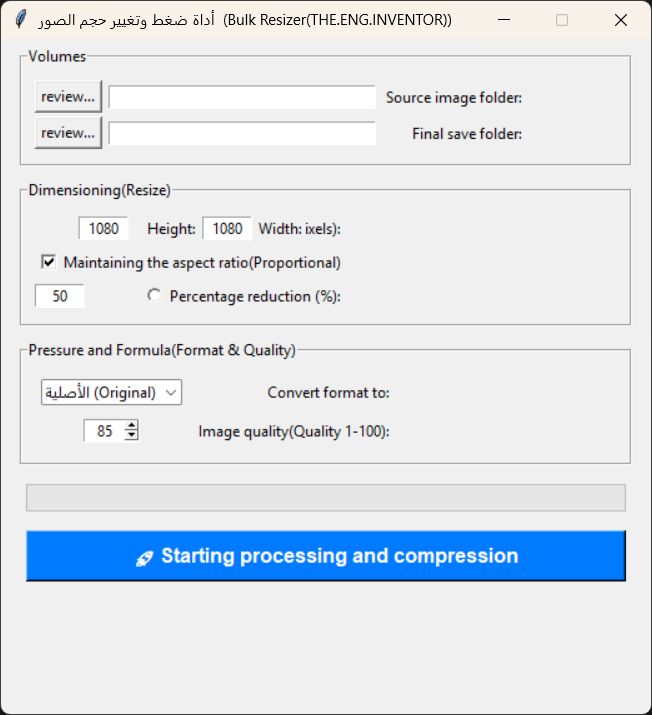
Convert and resize image folders instantly with one click.

Batch process entire folders of mixed images in seconds. Set your target resolution—2K, 4K, or custom dimensions—choose your output format (JPG, PNG, WebP, or original), and let the tool handle the rest. Perfect for designers, developers, and content creators who need consistent image dimensions across projects without manual work.

Control every aspect of your output with precision. Use Keep Aspect Ratio mode to scale images as close as possible to your target size without distortion, or deploy Percentage Resizing to scale by exact input percentages. Fine-tune compression and quality settings to balance file size and visual fidelity.

  • Batch convert unlimited images in one click

  • Target resolution presets (2K, 4K) and custom dimensions

  • Multiple output formats (JPG, PNG, WebP, original)

  • Keep Aspect Ratio scaling to prevent distortion

  • Percentage-based resizing for precise scaling

  • Built-in compression and quality controls

  • Separate organized output folder

  • Single-device hardware-locked license (lifetime activation)

  • Technical support access

file_gPtSI3Yj57Cou
Profile picture
ahmed galalProfile picture@fleetgageb4·1d

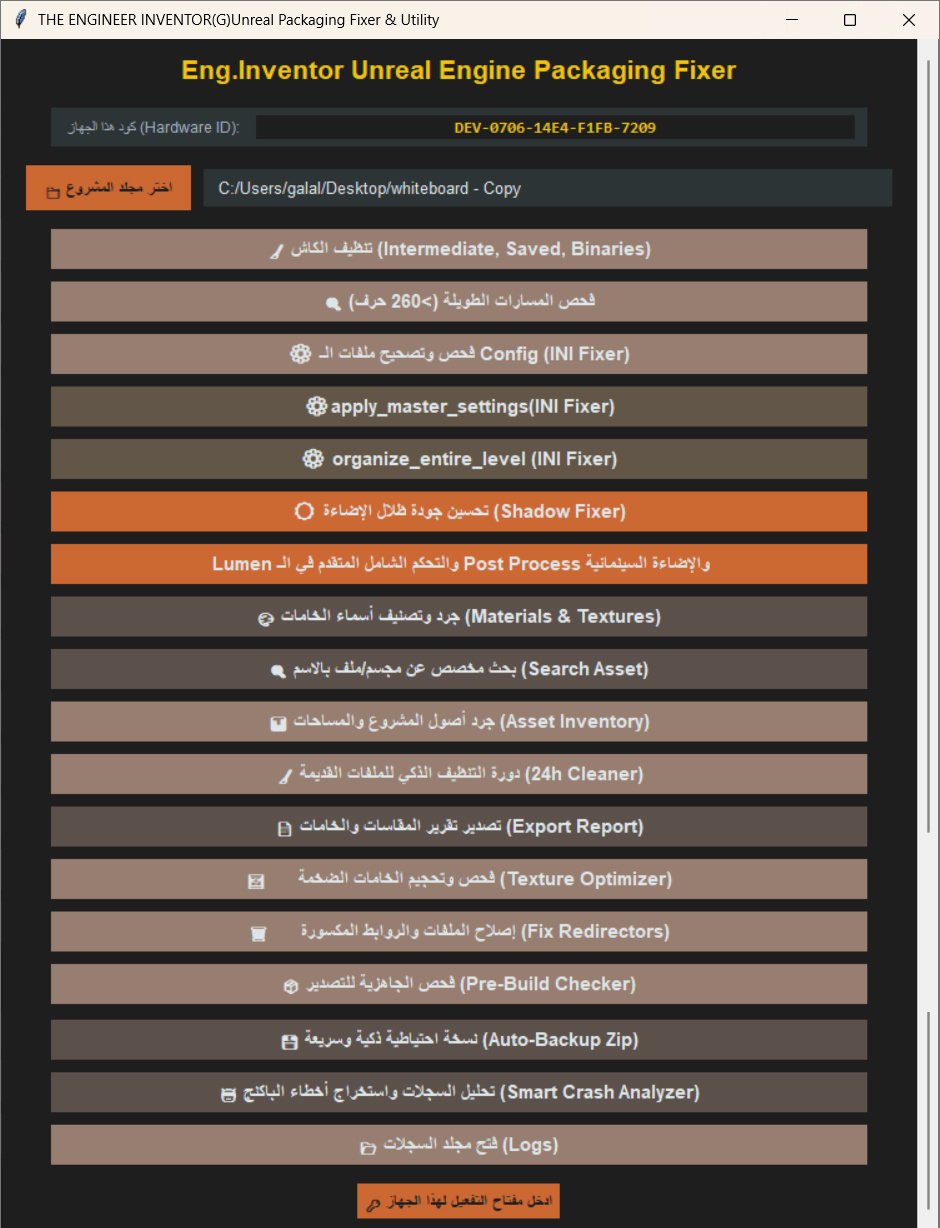
Fix packaging errors and optimize your UE5.4.4 builds instantly.

Eng.Inventor is a Python-based utility that resolves Unreal Engine 5.4.4 packaging failures by cleaning corrupted caches, fixing INI configuration issues, optimizing Lumen shadow rendering, and resizing oversized textures. A built-in crash log analyzer helps identify root causes of build failures quickly.

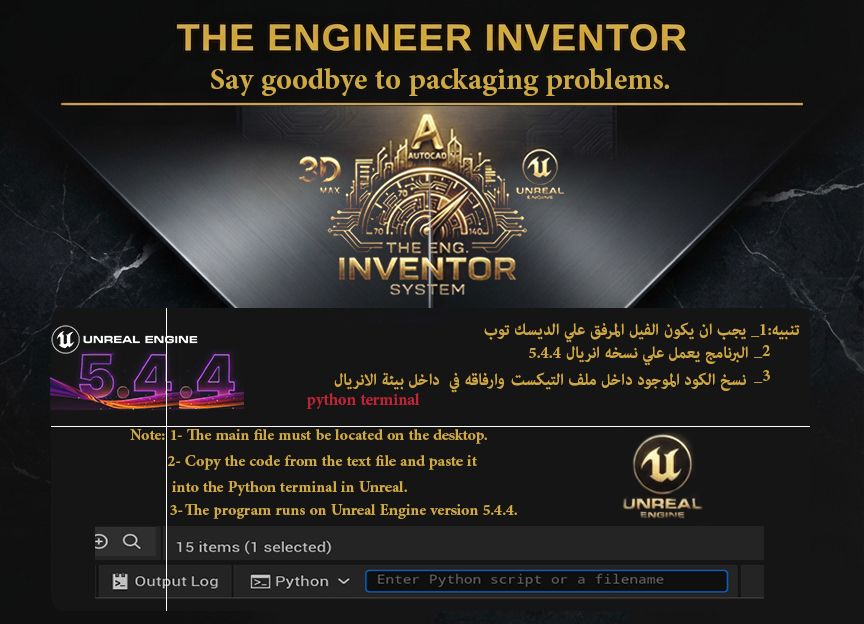
Simply place the script on your Desktop, run it via Python Terminal within UE 5.4.4, and follow the included video tutorials. After launch, copy your Hardware ID, share it via your Whop chat, and receive your lifetime activation key within hours.

What’s Included:

  • Advanced Python GUI utility for cache cleaning and config repair

  • Lumen shadow optimization module

  • Texture resizing and compression tools

  • Crash log analyzer with detailed diagnostics

  • Step-by-step video tutorial library

  • Hardware-locked lifetime activation (one-time key tied to your device, no trial/expiry)

file_INU9AgX4Z8uXH
file_WxHIZxLOwNtfp
Profile picture
ahmed galalProfile picture@fleetgageb4·1d

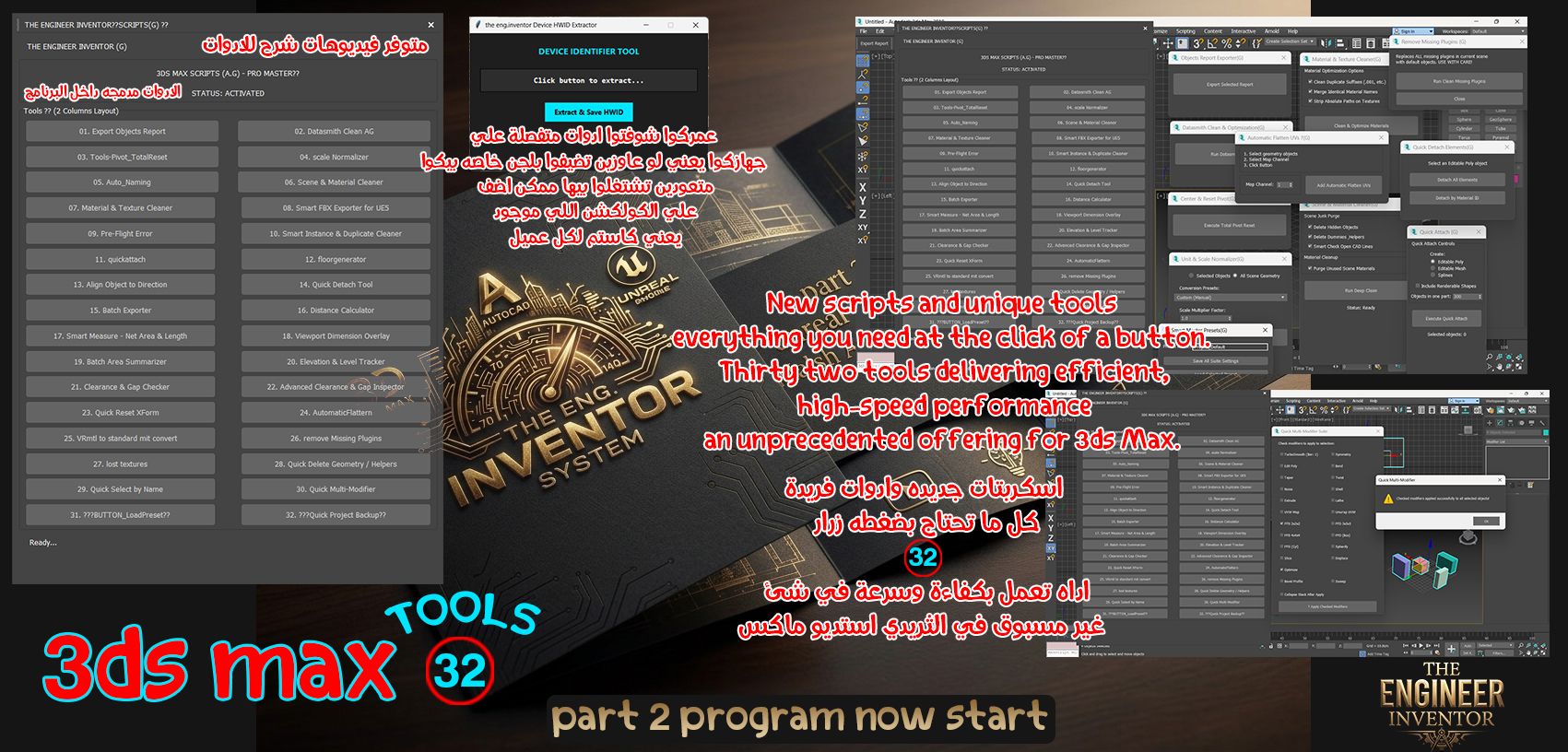
Clean, automate, and export your 3dsMax scenes to UE5 in minutes.

All-in-one 3dsMax utility: scene cleanup, material optimization, missing plugin detection, and smart FBX export to UE5 — eliminating tedious manual work.

Includes surveying, area calculation, and quantity takeoff tools new to 3ds Max workflows, plus optional integration of your own .ms scripts into the core collection.

What You Get:

  • Video tutorial guide

  • Scene and material cleaner

  • Pivot reset automation

  • Batch exporter

  • Missing plugins remover

  • Smart FBX export for UE5

  • Custom .ms script integration

  • Hardware-locked lifetime activation

file_2UL0bKNTwbbLH
Profile picture
ahmed galalProfile picture@fleetgageb4·1d

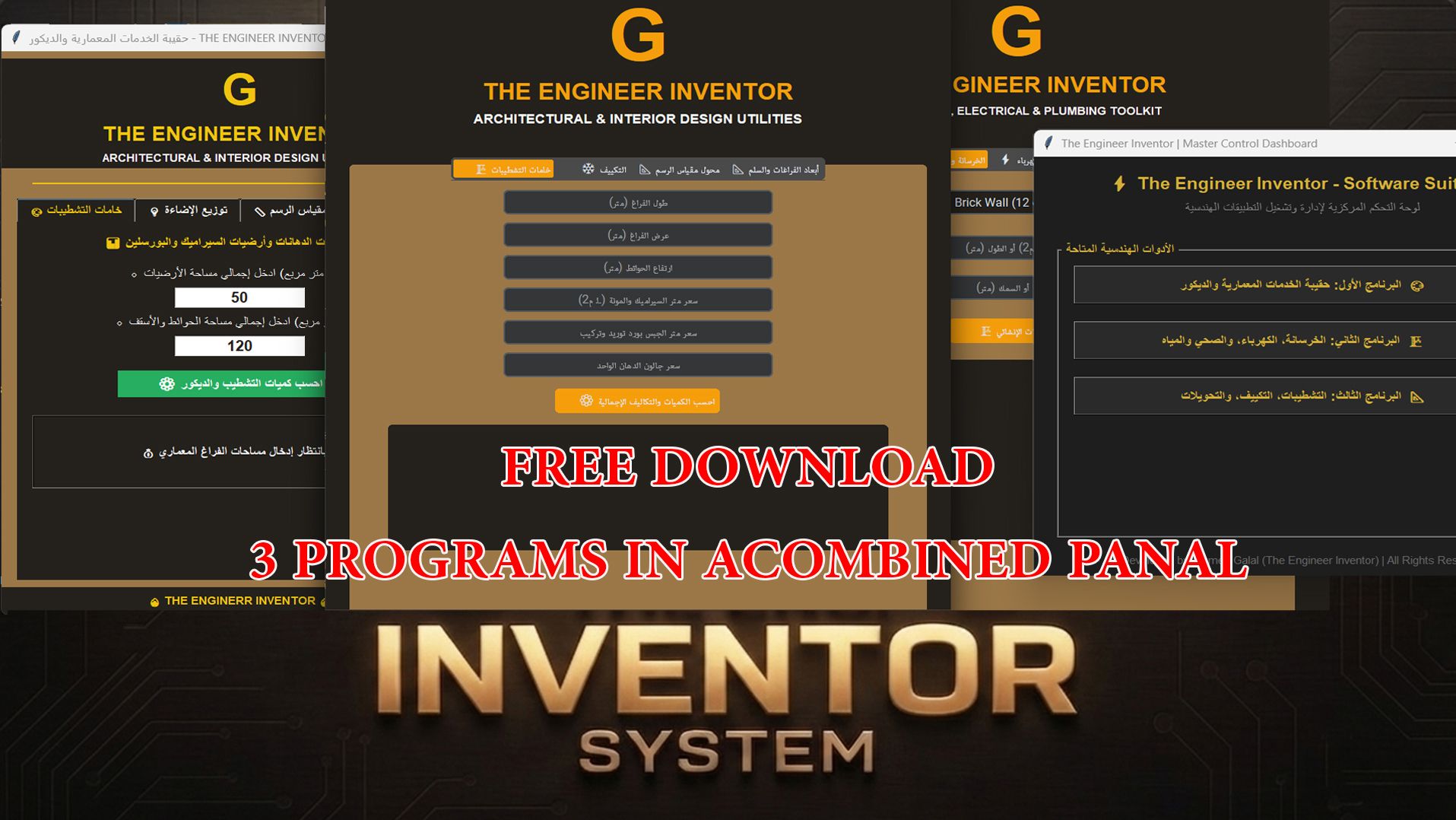
Free lead magnet — a starter dashboard so you can try Inventor tools before you buy.

What’s included (3 calculators, one panel):

  1. Architectural, interior, and finishes utilities

  2. Concrete, electrical, plumbing, and water toolkit

  3. HVAC systems and engineering conversions

Join free. Download is inside Whop on the Software Download tab — no external links.

file_o5lFQNvYVslAU
Profile picture
ahmed galalProfile picture@fleetgageb4·1d

Convert CAD (dxf) files to 3D geometry in minutes, not hours

The Eng. Inventor Pipeline automates the tedious manual work of translating AutoCAD 2D blueprints into 3D models in 3ds Max. Using intelligent layer recognition, the system instantly extrudes walls, rooms, and windows while maintaining perfect geometry and filtering out unnecessary elements.

Simply load your CAD (dxf)(2010) file or less, and the pipeline handles origin alignment, spline filtering, and 3D conversion automatically. The result is production-ready geometry with zero mesh errors, ready for rendering or further refinement.

What’s included:

  • Automated CAD (dxf or earlier)-to-3ds Max conversion plugin

  • Smart layer detection for walls, rooms, and windows

  • Auto-alignment to world origin (0,0,0)

  • Full step-by-step video tutorial

  • Single-device personal use license

  • Error-free geometry output

  • Technical support access

  • There is a video explaining the tool.

Profile picture
ahmed galalProfile picture@fleetgageb4·1d

Click lights, furniture, and materials — a full interior Blueprint.

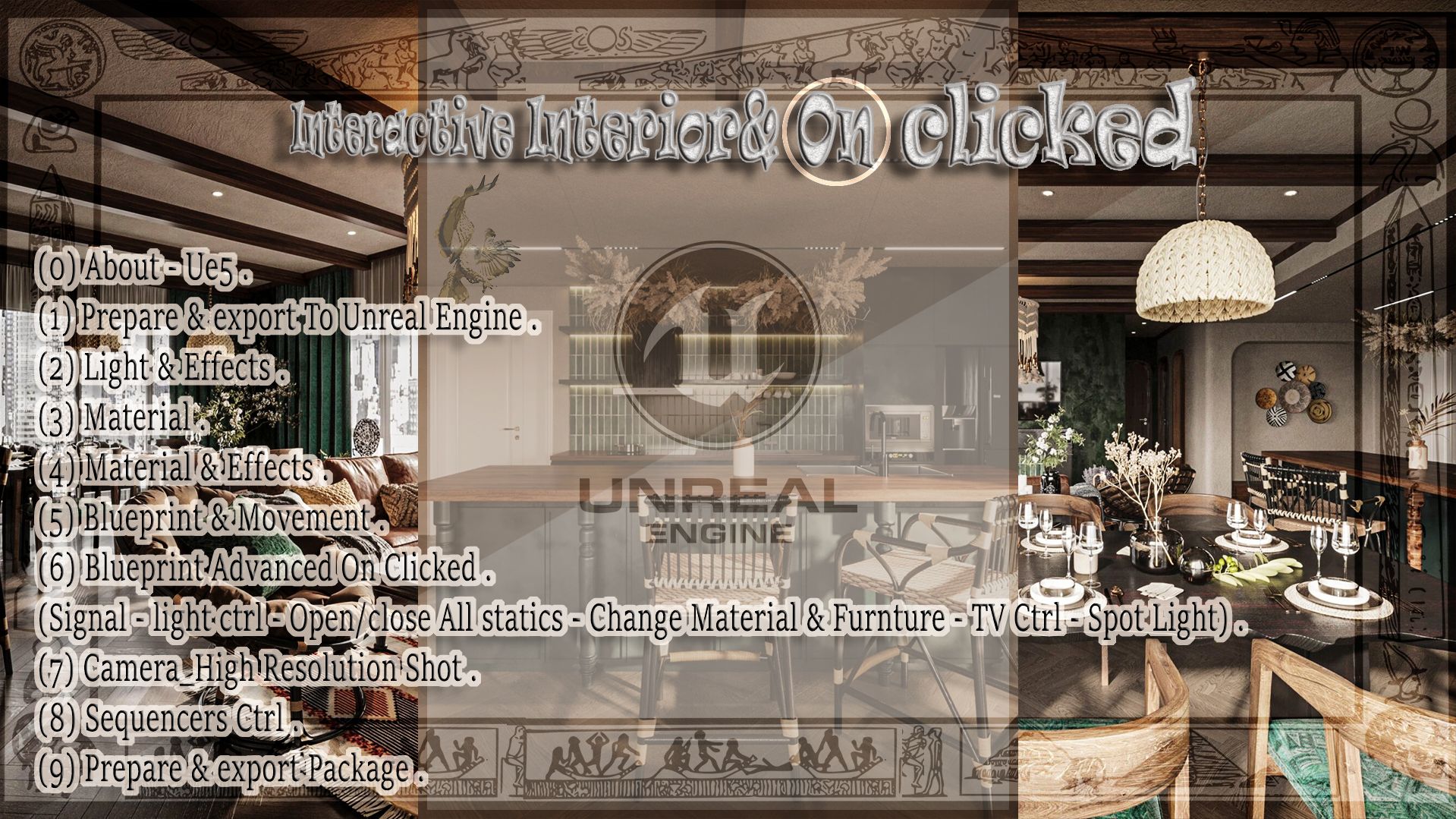
Turn a static ArchViz interior into a clickable, real-time experience. This course builds the full On-Clicked Blueprint system inside Unreal Engine 5 — lights, materials, furniture swaps, TV control, and sequencers.

Language: Spoken instruction is in Arabic. Unreal Engine UI is in English.

Curriculum (Chapters 0–9):

  • About UE5

  • Prepare and export to Unreal Engine

  • Lighting and effects

  • Materials

  • Materials and effects

  • Blueprint and movement

  • Advanced On-Clicked Blueprint (signals, light control, open/close statics, material and furniture change, TV, spot lights)

  • High-resolution camera shots

  • Sequencer control

  • Package and export

file_QU4jSmKavEFXB
Profile picture
ahmed galalProfile picture@fleetgageb4·1d

True-scale CAD to UE5: size box, drone, and apartment control.

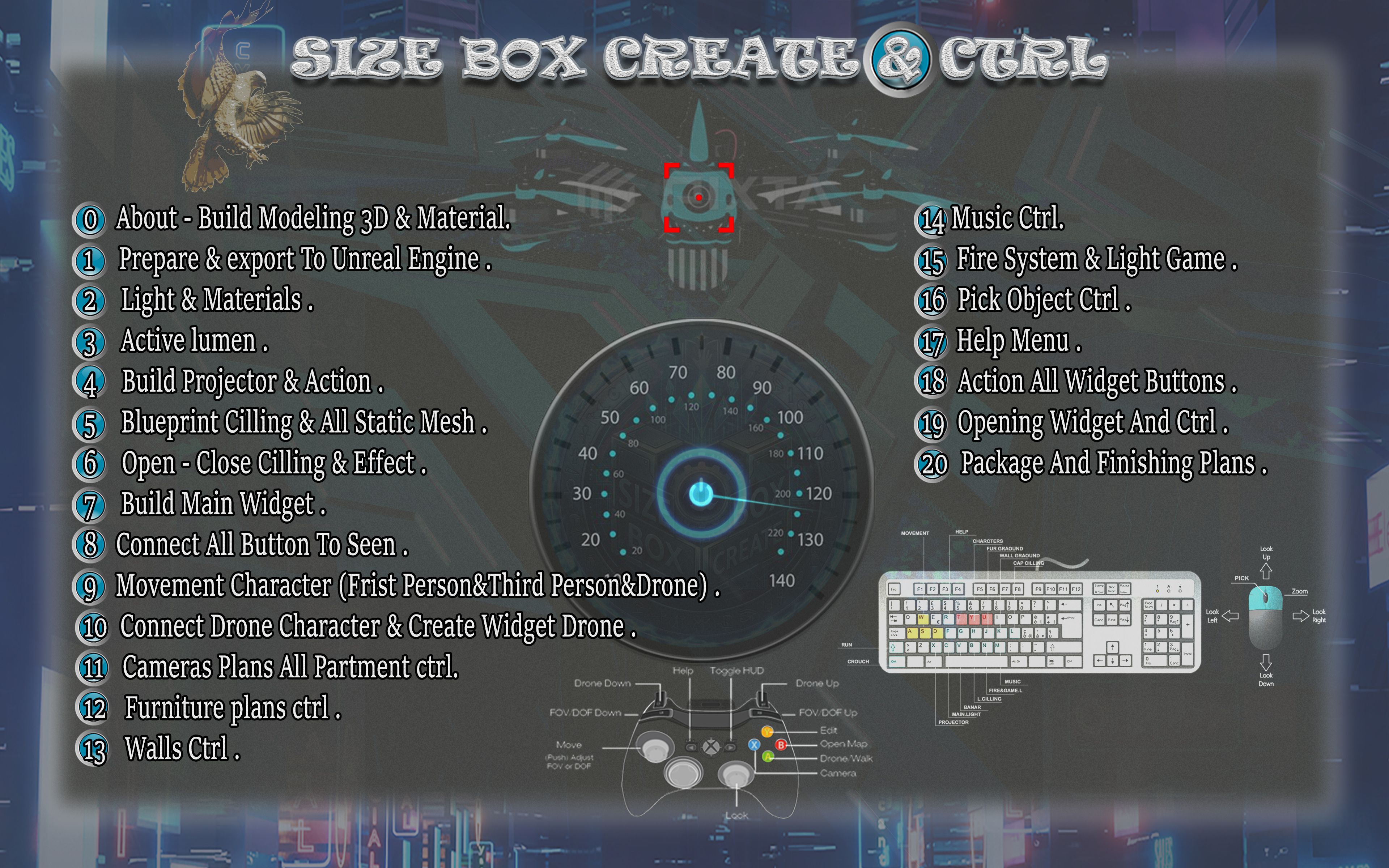
Build a dimensionally accurate UE5 ArchViz scene, then control it. This 34-hour course covers the Size Box Create & Control system: true scale from CAD into Unreal, then interactive apartment control — walls, furniture, cameras, drone, and widgets.

Language: Spoken instruction is in Arabic. Unreal Engine UI is in English.

What you build (20 modules, 34 hours):

  • 3D modeling, materials, and export to Unreal

  • Lighting, materials, and Lumen

  • Projector and action setup

  • Ceiling Blueprint, static mesh, open/close effects

  • Main widget and button-to-scene wiring

  • Character movement: first person, third person, and drone

  • Drone widget

  • Apartment camera, furniture, and wall control

  • Music, fire/light game, pick-object, help menu

  • Widget actions, opening controls, package and finish

Lifetime access to all course materials.

file_IngrQVlUqJI3n