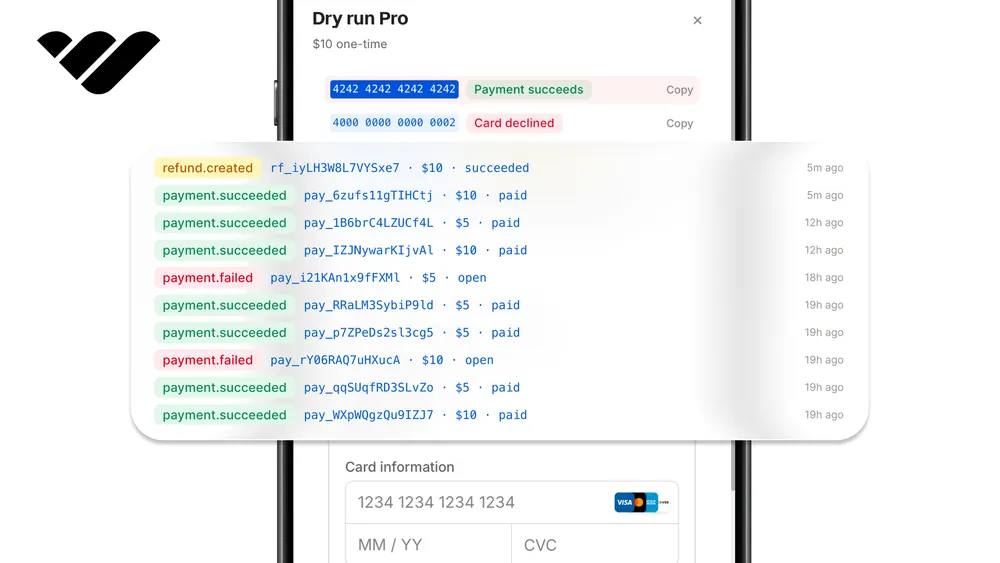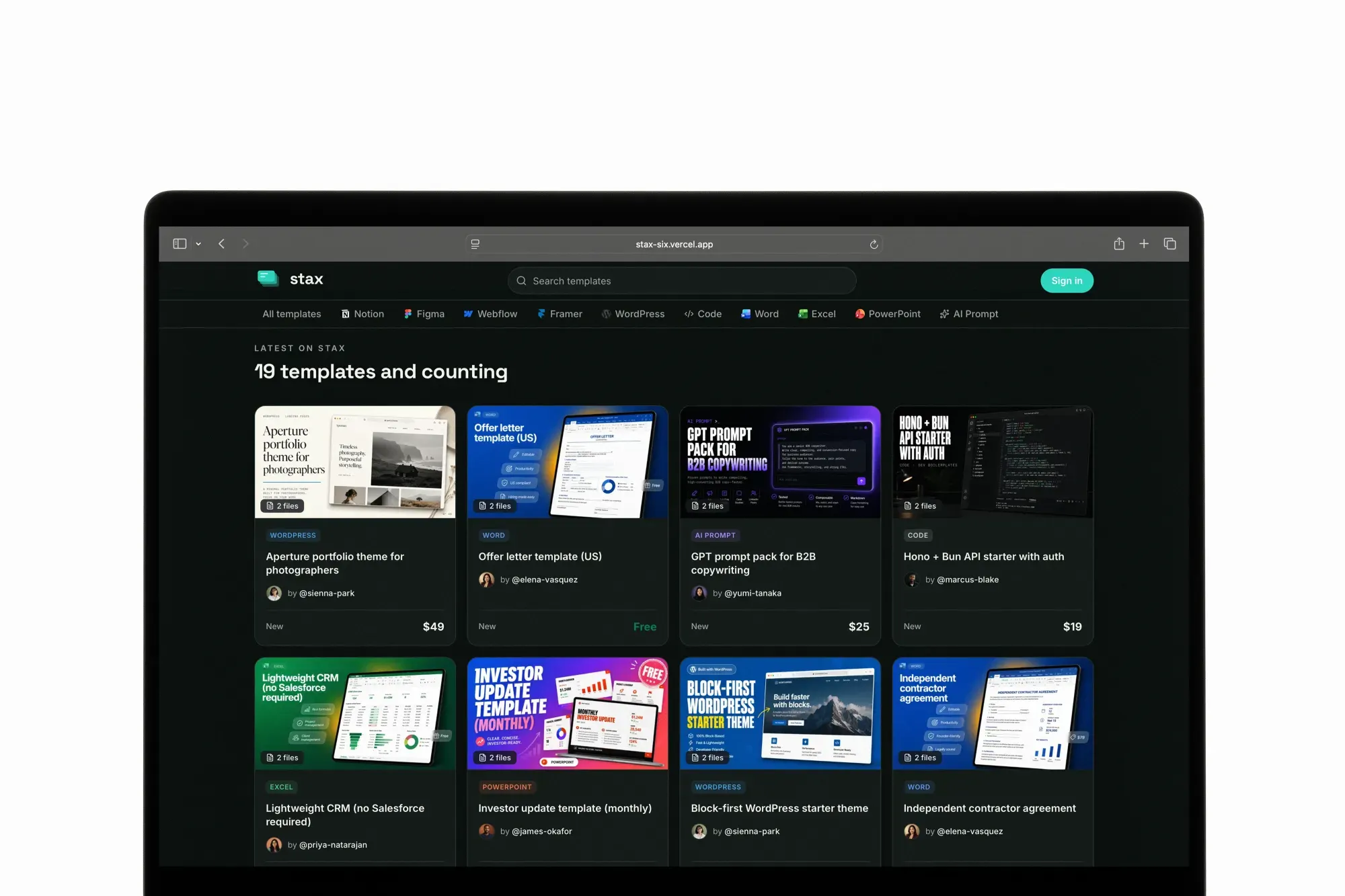
You can build a template marketplace with sellers and buyers using Next.js and the Whop infrastructure. Learn how to build a platform with this guide.
Key takeaways
- Whop's SDK collapses marketplace hard parts—OAuth, connected accounts, hosted KYC, promo codes—into one integration.
- Connected accounts make each seller the merchant of record while your platform skims a 5% application fee.
- Deploying first to Vercel with Neon and Whop's sandbox lets you iterate safely without local infrastructure.
You can build a template marketplace where users sign up, become sellers, list their templates, and purchase products from other users using Next.js and Whop. Digital templates can mean a lot of things Notion pages, Figma kits, Webflow clones, code starters, pitch decks, and more.
Creating a real marketplace for them, though, means setting up authentication, payments seller and platform, KYC for payouts, file delivery with access control, a review system, and a discount engine.
In this tutorial we're going to build a multi-seller marketplace called Stax. Sellers sign in, create connected accounts via Whop, upload templates, set their own prices, and publish to a shared storefront.
Buyers browse the catalog, purchase via an embedded Whop checkout, and either download files or follow a revealed share URL. Buyers leave star reviews on what they purchased. Sellers issue their own promo codes. The platform takes a 5% cut of every paid sale.
You can preview the demo of our project here, and see the full GitHub repository here.
npx create-whop-kit my-app. That CLI scaffolds the whopio/whop-saas-starter template with auth, a pricing page, billing portal, subscription tiers, and a setup wizard already wired up.Project overview
Before we dive into code, let's take a general look at our project:
- Multi-seller marketplace where any signed-in user can become a seller through Whop's connected account flow
- Multi-tool catalog with a Tool axis (Notion, Figma, Webflow, Framer, WordPress, code, Word, Excel, PowerPoint, AI prompts) and a Category axis (productivity, dashboards, branding, dev boilerplates, marketing, finance)
- Template creation with file uploads through UploadThing: preview images on a public route, downloadable files on a page-gated route
- Marketplace discovery with search, Tool × Category filters, and pagination
- One-time purchases through the Whop Payments Network, with a 5% application fee on every paid sale
- Access-gated downloads where buyers get instant access to files or the revealed share URL after purchase
- Seller-issued promo codes through the Whop Promo Codes API, scoped to the seller's own templates
- Seller and buyer dashboards with earnings stats, template management, payout portal, and purchase history
Tech stack
- Next.js - (App Router, Turbopack). Server Components, API routes, and Vercel deployment in one framework
- React - Server Components for data fetching, Client Components for interactivity
- Tailwind CSS - CSS-first configuration with
@themeblocks, no config file - Whop OAuth - Sign-in for both buyers and sellers
- Whop. - Connected accounts for seller onboarding, direct charges with
application_fee_amountfor payment splits - Whop Promo Codes API - Seller-issued discounts redeemed at the embedded checkout
- Neon - Serverless Postgres via the Vercel integration. Auto-populated connection strings
- Prisma 7 - ESM-only ORM with
@prisma/adapter-pgfor Neon. Client generated intosrc/generated/prisma - UploadThing - File uploads with typed routes, auth middleware, and CDN delivery
- Zod 4 - Runtime validation for env vars, API inputs, and form data
- iron-session 8 - Encrypted cookie sessions. No session store, no Redis
- Vercel - Deployment with automatic builds from GitHub
Pages: /: Landing page (hero, tool grid, latest templates, pagination)/sign-in: Sign-in card with Whop button/templates: Browse marketplace with search, Tool filter, Category filter, pagination/templates/[slug]: Template detail: gallery, description, tool/category badges, delivery type, file list or share-URL placeholder, seller info, reviews, "Buy Now"/templates/[slug]/access: Post-purchase access page (file downloads or revealed share URL plus optional setup notes)/templates/[slug]/review/new: Buyer-only review form (purchase-gated)/sellers/[username]: Seller profile with bio, stats, and published templates/sell: Become a seller pitch with "Connect with Whop" CTA/sell/dashboard: Seller dashboard: earnings, sales, template list, promo codes panel, embedded payout portal/sell/templates/new: Create template form/sell/templates/[id]/edit: Edit a template, manage previews and files, publish/dashboard: Buyer dashboard listing every purchase by the signed-in user
API route
/api/auth/login: OAuth initiation (PKCE)/api/auth/callback: OAuth callback + user upsert/api/auth/logout: Session destroy/api/sell/onboard: Create connected account Company + KYC link/api/sell/templates: POST: create template/api/sell/templates/[id]: PATCH: update / DELETE: remove/api/sell/templates/[id]/publish: POST: publish (Whop product + checkout config)/api/sell/templates/[id]/promo-codes: GET: list / POST: create/api/sell/templates/[id]/promo-codes/[codeId]: DELETE: archive/api/templates/[id]/purchase: POST: free template direct purchase/api/templates/[id]/reviews: POST/PATCH/DELETE: review write endpoints/api/uploadthing: UploadThing file upload endpoint/api/webhooks/whop: POST: Whop payment webhooks
Payment flow
- Seller signs in with Whop, clicks "Become a seller," and the app creates a connected account Company under our parent platform Company. Whop redirects the seller through hosted KYC.
- Seller publishes a template. The app creates a Whop product on the seller's connected company, then a checkout configuration with an inline plan and
application_fee_amount(the platform's 5% cut). - Buyer clicks "Buy Now" and sees the embedded checkout. They optionally enter a promo code, then pay.
- Whop processes the payment, deducts the application fee, and routes the rest to the seller's connected account balance.
- Whop fires a
payment.succeededwebhook on our company-level webhook (with connected-account events enabled). The handler validates the signature, checks idempotency, and creates a Purchase record. - Seller manages payouts through an embedded Whop payout portal on their dashboard.
Free templates skip steps 2-4: clicking "Get for Free" creates the Purchase directly via an API route. If a buyer redeems a promo code, the discount comes out of the seller's revenue. The platform fee is fixed at publish time. We surface that in Part 7 as a callout.
Why we use Whop
Whop covers the four of complex parts of standing up a marketplace, in one SDK:
- Whop OAuth makes the user authentication easier for us since it handles all the credential verification, password storage, password restoration, and uptime.
- Whop for platforms provides the connected account model we need. Each seller is the merchant of record on their own Whop Company, and our platform takes a configurable cut via
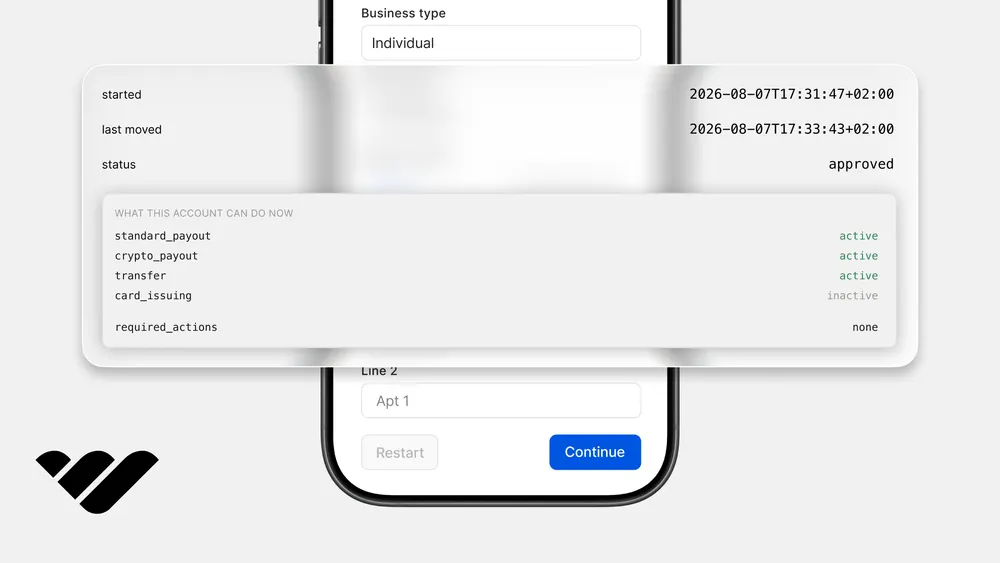
application_fee_amounton the checkout configuration. No Stripe Connect setup, no manual payouts. - Whop's hosted KYC handles the entire KYC flow so that we don't need to set up additional services.
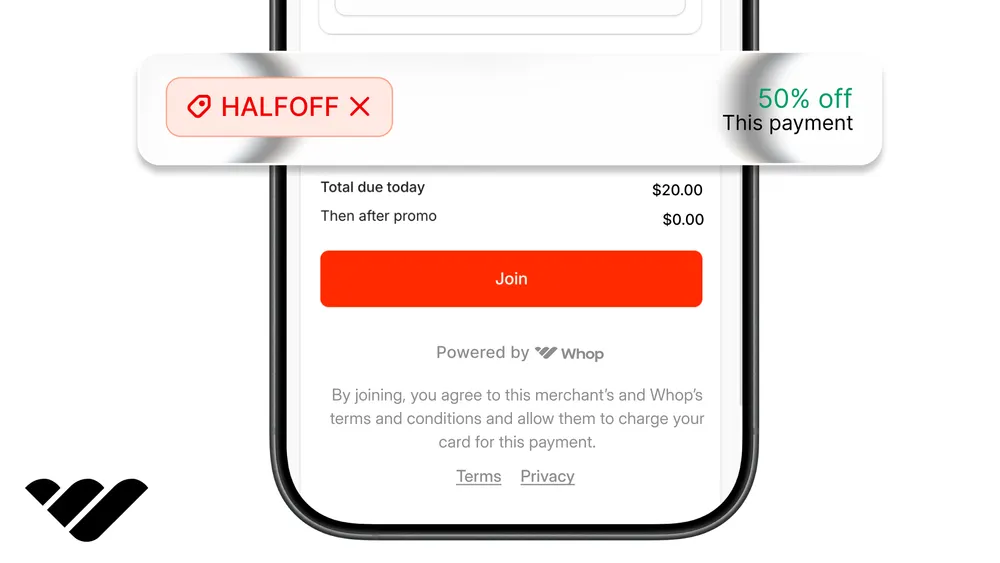
- Whop Promo Codes is a managed discount engine. Sellers create percentage or flat-amount codes scoped to their own templates, and embedded checkout redemption. Our app calls
whop.promoCodes.list/create/deleteand stores nothing locally.
What you need first
Before starting, make sure you have:
- Working familiarity with Next.js and React
- Whop accounts on both the live (Whop.com) and sandbox environments (sandbox.Whop.com)
- A Vercel account
- An UploadThing account
Part 1: Scaffold, deploy, and authenticate
In this tutorial, we're going to follow a deploy-first approach which makes it easier for us to do future changes to our project. First, let's scaffold a new Next.js project.
Scaffold
npx create-next-app@latest stax --ts --tailwind --eslint --app --src-dir --turbopack --import-alias "@/*" --no-cache-componentsInstall all dependencies upfront, including ones we'll only use in later parts:
npm install @whop/sdk@2.4.0 @whop/checkout @prisma/client@7.10.1 @prisma/adapter-pg@7.10.1 pg iron-session zod lucide-react next-themes clsx tailwind-merge dotenv uploadthing @uploadthing/react
npm install -D prisma@7.10.1 @types/pg @vercel/config
Putting everything in upfront keeps package.json stable across the series and means we don't break flow later for a one-line install.
Deploy to Vercel
Push the scaffold to GitHub and connect it to Vercel. We need the production URL before configuring OAuth.
git init && git add . && git commit -m "scaffold"- Push to a new GitHub repo (private repos work)
- Import the repo at vercel.com/new
- Note your production URL (something like
https://stax-xyz.vercel.app). We'll use it soon
The first deploy will succeed with the default Next.js starter template. We'll add the real env vars and redeploy as we go.
Neon database
We're going to use the Neon integration on Vercel for two reasons: we don't have to set up Postgres locally and connection strings auto-populate in every Vercel environment.
Add the Neon integration from Vercel's marketplace (Storage > Create Database > Neon). It auto-populates DATABASE_URL (pooled, for runtime) and DATABASE_URL_UNPOOLED (direct, for migrations) across all environments.
Pull the env vars locally:
vercel link
vercel env pull .env.local
Whop app setup
Use Whop sandbox (sandbox.whop.com) throughout development. The sandbox is a separate environment with its own accounts, products, and test payments. We use it to simulate payments without moving real money.
- Go to
sandbox.whop.comand create a whop. Copy the company ID from the dashboard URL (biz_xxx). This isWHOP_COMPANY_ID. We'll use it as the parent platform company under which sellers create their connected accounts. - Go to Developer (bottom-left sidebar) > Create app. Name it "Stax (Sandbox)".
- From the app's settings page, copy:
- Client ID (OAuth tab) >
WHOP_CLIENT_ID - Client Secret (OAuth tab) >
WHOP_CLIENT_SECRET - App API Key >
WHOP_API_KEY
- Client ID (OAuth tab) >
- In the OAuth tab, add redirect URIs:
http://localhost:3000/api/auth/callbackhttps://your-vercel-url.vercel.app/api/auth/callback
- Under permissions, enable
oauth:token_exchange. We'll add more scopes when we start using the Platforms API in Part 2.
We're using two Whop API keys before this tutorial is done: the App API Key above (used for OAuth and webhook verification) and a separate Company API Key that we'll grab in Part 2 (used for products, plans, checkout configurations, and promo codes). The Company key has the access_pass:create scope that the App key doesn't, which is why we need both.
Environment variables
Here's every variable we need for this part and where to get it:
| Variable | Where to get it |
|---|---|
DATABASE_URL | Auto-populated by the Neon integration |
DATABASE_URL_UNPOOLED | Auto-populated by the Neon integration |
WHOP_CLIENT_ID | Whop app > OAuth tab > App ID |
WHOP_CLIENT_SECRET | Whop app > OAuth tab > Client Secret |
WHOP_API_KEY | Whop app > API Key |
SESSION_SECRET | Generate with openssl rand -base64 32 |
NEXT_PUBLIC_APP_URL | Your Vercel URL (e.g. https://stax-xyz.vercel.app) |
Add all five to Vercel (the Neon variables are already there from the integration), then pull everything locally:
vercel env pull .env.localAdd these two to your .env.local only (not on Vercel, they're for local development):
WHOP_SANDBOX=true
NEXT_PUBLIC_APP_URL=http://localhost:3000
The local NEXT_PUBLIC_APP_URL override points to localhost:3000 so OAuth redirects work during development. On Vercel, it stays as your production URL.
Callout: Vercel marks API-key-shaped values as Sensitive, which means vercel env pull writes them as empty strings to .env.local. If WHOP_API_KEY ends up empty locally, append it manually with echo 'WHOP_API_KEY=apik_...' >> .env.local.
Vercel build config
Prisma 7 doesn't run prisma generate automatically anymore, and Next.js 16 won't import the generated client if it isn't there. We add a small TypeScript build config so every Vercel deploy generates the client and pushes the schema before next build. Go to the project root and create a file called vercel.ts:
import type { VercelConfig } from "@vercel/config/v1";

export const config: VercelConfig = {
  buildCommand: "prisma generate && prisma db push && next build",
};
Callout: prisma db push applies the schema directly without creating migration files, which is fast for a tutorial whose schema is evolving across parts. Once a schema stabilizes for production, switch to prisma migrate deploy for versioned migrations.
Global CSS
Now, let's adjust the global CSS of our project. Go to src/app and create a file called globals.css with the content:
@import "tailwindcss";
@import "@uploadthing/react/styles.css";

@custom-variant dark (@media (prefers-color-scheme: dark));

@theme {
  --color-background: #FAFAF7;
  --color-surface: #FFFFFF;
  --color-surface-elevated: #F2F2EC;
  --color-border: #E4E3DC;
  --color-text-primary: #16181C;
  --color-text-secondary: #5C5E66;
  --color-accent: #0F766E;
  --color-accent-hover: #0B5E58;
  --color-accent-subtle: rgba(15, 118, 110, 0.09);
  --color-success: #047857;
  --color-warning: #B45309;
  --color-error: #DC2626;
  --color-rating: #F59E0B;
  --color-chrome: #14181A;
  --color-chrome-text: #F5F4EE;
  --color-chrome-text-muted: #A8ACA8;

  /* Light-mode tool brand colors. Figma / Framer / AI-Prompt are darker
     than the canonical brand hex to clear WCAG AA 4.5:1 for small text
     on white surfaces. Originals (kept in dark mode + seed thumbnails)
     would dip to 3.0-4.2:1. */
  --color-tool-notion: #1F1F1F;
  --color-tool-figma: #C23E18;
  --color-tool-webflow: #146EF5;
  --color-tool-framer: #0073BF;
  --color-tool-wordpress: #135E96;
  --color-tool-code: #24292E;
  --color-tool-docx: #185ABD;
  --color-tool-xlsx: #107C41;
  --color-tool-pptx: #C43E1C;
  --color-tool-ai-prompt: #7A51D8;
  --color-tool-other: #6A6E7E;
  --font-sans: var(--font-sans), system-ui, -apple-system, sans-serif;
  --font-display: var(--font-display), system-ui, -apple-system, sans-serif;
  --font-mono: "JetBrains Mono", ui-monospace, SFMono-Regular, monospace;
}

@media (prefers-color-scheme: dark) {
  :root {
    --color-background: #0A0F0E;
    --color-surface: #141A18;
    --color-surface-elevated: #1F2624;
    --color-border: #2A302E;
    --color-text-primary: #F2F2EE;
    --color-text-secondary: #9CA29F;
    --color-accent: #2DD4BF;
    --color-accent-hover: #5EEAD4;
    --color-accent-subtle: rgba(45, 212, 191, 0.13);
    --color-tool-notion: #F0F0F0;
    --color-tool-figma: #FF6B3F;
    --color-tool-webflow: #146EF5;
    --color-tool-framer: #33B0FF;
    --color-tool-wordpress: #4A9EE0;
    --color-tool-code: #C9D1D9;
    --color-tool-docx: #5B97E6;
    --color-tool-xlsx: #4FC785;
    --color-tool-pptx: #E47452;
    --color-tool-ai-prompt: #A78BFA;
  }
}

html, body {
  font-family: var(--font-sans);
}

body {
  background: var(--color-background);
  color: var(--color-text-primary);
}

.font-display {
  font-family: var(--font-display);
  letter-spacing: -0.02em;
}

.hero-mesh {
  position: absolute;
  inset: 0;
  overflow: hidden;
  pointer-events: none;
}
.hero-mesh::before,
.hero-mesh::after,
.hero-mesh > span {
  content: "";
  position: absolute;
  border-radius: 9999px;
  filter: blur(80px);
  opacity: 0.65;
}
.hero-mesh::before {
  width: 520px;
  height: 520px;
  top: -160px;
  left: -120px;
  background: radial-gradient(circle, #2DD4BF 0%, transparent 70%);
}
.hero-mesh::after {
  width: 460px;
  height: 460px;
  top: 80px;
  right: -100px;
  background: radial-gradient(circle, #F59E0B 0%, transparent 70%);
}
.hero-mesh > span {
  width: 380px;
  height: 380px;
  bottom: -120px;
  left: 30%;
  background: radial-gradient(circle, #0F766E 0%, transparent 70%);
}

@media (prefers-color-scheme: dark) {
  .hero-mesh::before { opacity: 0.45; }
  .hero-mesh::after { opacity: 0.4; }
  .hero-mesh > span { opacity: 0.5; }
}

@media (prefers-reduced-motion: reduce) {
  *, *::before, *::after {
    animation-duration: 0.01ms !important;
    animation-iteration-count: 1 !important;
    transition-duration: 0.01ms !important;
  }
}

.no-scrollbar {
  -ms-overflow-style: none;
  scrollbar-width: none;
}
.no-scrollbar::-webkit-scrollbar {
  display: none;
}
Utility helpers
Throughout the app, we'll combine Tailwind class names from multiple sources, like a button's default styles plus any extras passed in by the parent component. Go to src/lib and create a file called utils.ts with the content:
import { clsx, type ClassValue } from "clsx";
import { twMerge } from "tailwind-merge";

export function cn(...inputs: ClassValue[]) {
  return twMerge(clsx(inputs));
}
Environment validation
Now, it's time to set up the environment validation. When you use a wrong environment variable or you're missing one, instead of getting cryptic errors, we want the app to throw up errors upon starting. Go to src/lib and create a file called env.ts with the content:
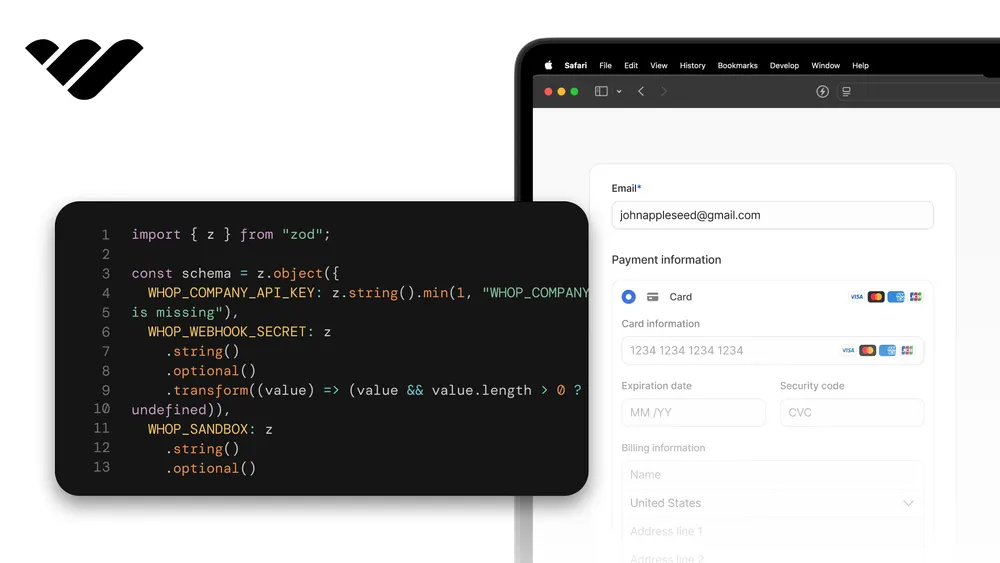
import { z } from "zod";

const envSchema = z.object({
  DATABASE_URL: z.string().url(),
  DATABASE_URL_UNPOOLED: z.string().url(),
  WHOP_CLIENT_ID: z.string().min(1),
  WHOP_CLIENT_SECRET: z.string().min(1),
  WHOP_API_KEY: z.string().min(1),
  WHOP_COMPANY_API_KEY: z.string().min(1),
  WHOP_COMPANY_ID: z.string().min(1),
  WHOP_WEBHOOK_SECRET: z.string().min(1),
  SESSION_SECRET: z.string().min(32),
  NEXT_PUBLIC_APP_URL: z.string().url(),
  WHOP_SANDBOX: z.string().optional(),
  UPLOADTHING_TOKEN: z.string().min(1),
  PLATFORM_FEE_PERCENT: z.string().default("5"),
});

type Env = z.infer<typeof envSchema>;

export const env = new Proxy({} as Env, {
  get(_, key: string) {
    const value = process.env[key];
    const field = envSchema.shape[key as keyof typeof envSchema.shape];
    if (field) field.parse(value);
    return value as Env[keyof Env];
  },
});
Prisma setup
We need two files for Prisma: a config that tells the CLI where to find the database, and a client singleton our app uses at runtime. In the project root, create a file called prisma.config.ts with the content:
import { config } from "dotenv";
config({ path: ".env.local" });

import { defineConfig } from "prisma/config";

const url =
  process.env.DATABASE_URL_UNPOOLED ??
  process.env.DATABASE_URL ??
  "postgresql://placeholder:placeholder@localhost:5432/placeholder";

export default defineConfig({
  schema: "prisma/schema.prisma",
  migrations: { path: "prisma/migrations" },
  datasource: { url },
});
This file tells the Prisma CLI which database to use. We pick DATABASE_URL_UNPOOLED because schema changes need a direct connection to the database.
The fallback chain just keeps things working locally if that variable isn't set; on Vercel the real value is always there at build time.
Now create prisma/schema.prisma with just the User model. The remaining six models go in upfront in Part 2. Part 1 only needs User.
Go to the project root, create a prisma directory, and create a file called schema.prisma:
generator client {
  provider = "prisma-client"
  output   = "../src/generated/prisma"
}

datasource db {
  provider = "postgresql"
}

model User {
  id          String   @id @default(cuid())
  whopUserId  String   @unique
  email       String
  name        String?
  avatar      String?
  createdAt   DateTime @default(now())
  updatedAt   DateTime @updatedAt
}url field from the schema's datasource block. The URL must come from prisma.config.ts or the runtime driver adapter, putting it back in the schema fails with P1012.Generate the client and push the schema:
npx prisma generate
npx prisma db push
Add the generated client folder to .gitignore:
echo "/src/generated" >> .gitignoreNow create the runtime singleton. This pattern reuses the same Prisma client across hot reloads in development instead of opening new connections every time. Go to src/lib and create a file called prisma.ts with the content:
import { PrismaClient } from "@/generated/prisma/client";
import { PrismaPg } from "@prisma/adapter-pg";
import { Pool } from "pg";

const pool = new Pool({ connectionString: process.env.DATABASE_URL });
const adapter = new PrismaPg(pool);

const globalForPrisma = globalThis as unknown as { prisma: PrismaClient };

export const prisma =
  globalForPrisma.prisma || new PrismaClient({ adapter });

if (process.env.NODE_ENV !== "production") globalForPrisma.prisma = prisma;
Session configuration
Our app needs to remember who's signed in across pages. iron-session handles that by storing the session in an encrypted cookie on the user's browser, so we don't have to run anything extra on the server side. Go to src/lib and create a file called session.ts with the content:
import { getIronSession, type SessionOptions } from "iron-session";
import { cookies } from "next/headers";

export interface SessionData {
  userId?: string;
  whopUserId?: string;
  accessToken?: string;
}

const sessionOptions: SessionOptions = {
  password: process.env.SESSION_SECRET!,
  cookieName: "stax_session",
  cookieOptions: {
    secure: process.env.NODE_ENV === "production",
    httpOnly: true,
    sameSite: "lax",
  },
};

export async function getSession() {
  return getIronSession<SessionData>(await cookies(), sessionOptions);
}
Whop SDK and OAuth configuration
This file is how our server talks to Whop. The WHOP_SANDBOX flag flips between Whop's sandbox and production endpoints so the same code works in both. Whop gives us two API keys with different permissions, so we set up two clients: whopApp for sign-in, and whopCompany for products, plans, and promo codes. The file also exports the webhook secret that our webhook route checks signatures with.Only whopApp is used in Part 1.
Go to src/lib and create a file called whop.ts with the content:
import { WhopClient, WhopEnvironment } from "@whop/sdk";

const isSandbox = process.env.WHOP_SANDBOX?.trim() === "true";

const environment = isSandbox
  ? WhopEnvironment.Sandbox
  : WhopEnvironment.Production;

const appKey = (process.env.WHOP_API_KEY ?? "").trim();
const companyKey = (process.env.WHOP_COMPANY_API_KEY ?? "").trim();
export const webhookSecret = (process.env.WHOP_WEBHOOK_SECRET ?? "").trim();

export const whopApp = new WhopClient({
  token: appKey,
  environment,
});

export const whopCompany = new WhopClient({
  token: companyKey,
  environment,
});

export const whopOauthBaseUrl = isSandbox
  ? "https://sandbox-api.whop.com"
  : "https://api.whop.com";

export const appUrl = (process.env.NEXT_PUBLIC_APP_URL ?? "").trim();
Auth helpers
We need two levels of authentication gating in Part 1: optional (for the homepage greeting) and required (which we'll use for the buyer dashboard later). A third helper for seller-only routes lands in Part 2 once SellerProfile exists.
Go to src/lib and create a file called auth.ts with the content:
import { redirect } from "next/navigation";
import { prisma } from "./prisma";
import { getSession } from "./session";

export async function requireAuth() {
  const session = await getSession();
  if (!session.userId) redirect("/sign-in");
  const user = await prisma.user.findUnique({ where: { id: session.userId } });
  if (!user) redirect("/sign-in");
  return user;
}

export async function isAuthenticated() {
  const session = await getSession();
  if (!session.userId) return null;
  return prisma.user.findUnique({ where: { id: session.userId } });
}
Login route
When a user clicks "Sign in with Whop," we generate a PKCE challenge, store the verifier in a cookie, and redirect to Whop's OAuth page.
Go to src/app/api/auth/login and create a file called route.ts with the content:
import { NextRequest, NextResponse } from "next/server";
import { randomBytes, createHash } from "crypto";
import { appUrl, whopOauthBaseUrl } from "@/lib/whop";

const VERIFIER_COOKIE = "stax_pkce_verifier";
const STATE_COOKIE = "stax_oauth_state";
const REDIRECT_COOKIE = "stax_oauth_redirect";

function base64url(input: Buffer) {
  return input
    .toString("base64")
    .replace(/\+/g, "-")
    .replace(/\//g, "_")
    .replace(/=+$/, "");
}

// Only accept same-origin paths like "/sell" — never absolute URLs or
// protocol-relative URLs ("//evil.com") that could redirect off-site.
function safeRedirectTarget(raw: string | null): string | null {
  if (!raw) return null;
  if (!raw.startsWith("/") || raw.startsWith("//")) return null;
  return raw;
}

export async function GET(request: NextRequest) {
  const verifier = base64url(randomBytes(32));
  const challenge = base64url(
    createHash("sha256").update(verifier).digest(),
  );
  const state = base64url(randomBytes(16));
  const nonce = base64url(randomBytes(16));

  const params = new URLSearchParams({
    client_id: process.env.WHOP_CLIENT_ID!,
    redirect_uri: `${appUrl}/api/auth/callback`,
    response_type: "code",
    scope: "openid profile email",
    state,
    nonce,
    code_challenge: challenge,
    code_challenge_method: "S256",
  });

  const response = NextResponse.redirect(
    `${whopOauthBaseUrl}/oauth/authorize?${params.toString()}`,
  );

  response.cookies.set(VERIFIER_COOKIE, verifier, {
    httpOnly: true,
    secure: process.env.NODE_ENV === "production",
    sameSite: "lax",
    maxAge: 60 * 10,
    path: "/",
  });
  response.cookies.set(STATE_COOKIE, state, {
    httpOnly: true,
    secure: process.env.NODE_ENV === "production",
    sameSite: "lax",
    maxAge: 60 * 10,
    path: "/",
  });

  const redirectTo = safeRedirectTarget(
    new URL(request.url).searchParams.get("redirect_to"),
  );
  if (redirectTo) {
    response.cookies.set(REDIRECT_COOKIE, redirectTo, {
      httpOnly: true,
      secure: process.env.NODE_ENV === "production",
      sameSite: "lax",
      maxAge: 60 * 10,
      path: "/",
    });
  }

  return response;
}
Callout: Whop's /oauth/authorize requires a nonce parameter when the scope includes openid. Skip it and the request fails with error=invalid_request&error_description=nonce+is+required+for+openid+scope. We generate one alongside the state.
Callback route
After the user approves the OAuth consent, Whop redirects back to /api/auth/callback?code=...&state=.... We exchange the code for an access token, fetch the userinfo, upsert the user, set the session cookie, and redirect home.
Go to src/app/api/auth/callback and create a file called route.ts with the content:
import { NextRequest, NextResponse } from "next/server";
import { prisma } from "@/lib/prisma";
import { getSession } from "@/lib/session";
import { appUrl, whopOauthBaseUrl } from "@/lib/whop";

const VERIFIER_COOKIE = "stax_pkce_verifier";
const STATE_COOKIE = "stax_oauth_state";
const REDIRECT_COOKIE = "stax_oauth_redirect";

// Only accept same-origin paths the login route stored — defense in depth
// against a stale cookie that somehow holds an absolute URL.
function safeRedirectTarget(raw: string | undefined): string | null {
  if (!raw) return null;
  if (!raw.startsWith("/") || raw.startsWith("//")) return null;
  return raw;
}

interface TokenResponse {
  access_token: string;
  token_type: string;
  expires_in: number;
}

interface UserInfo {
  sub: string;
  name?: string;
  preferred_username?: string;
  picture?: string;
  email?: string;
}

export async function GET(request: NextRequest) {
  const url = new URL(request.url);
  const code = url.searchParams.get("code");
  const state = url.searchParams.get("state");

  const verifier = request.cookies.get(VERIFIER_COOKIE)?.value;
  const expectedState = request.cookies.get(STATE_COOKIE)?.value;

  if (!code || !verifier || !state || state !== expectedState) {
    return NextResponse.redirect(
      `${appUrl}/sign-in?error=invalid_state`,
    );
  }

  const tokenRes = await fetch(`${whopOauthBaseUrl}/oauth/token`, {
    method: "POST",
    headers: { "Content-Type": "application/json" },
    body: JSON.stringify({
      grant_type: "authorization_code",
      code,
      redirect_uri: `${appUrl}/api/auth/callback`,
      client_id: process.env.WHOP_CLIENT_ID!,
      client_secret: process.env.WHOP_CLIENT_SECRET!,
      code_verifier: verifier,
    }),
  });

  if (!tokenRes.ok) {
    const body = await tokenRes.text();
    console.error("Token exchange failed", tokenRes.status, body);
    const detail = encodeURIComponent(`${tokenRes.status}:${body.slice(0, 500)}`);
    return NextResponse.redirect(
      `${appUrl}/sign-in?error=token_exchange&detail=${detail}`,
    );
  }

  const tokens = (await tokenRes.json()) as TokenResponse;

  const userInfoRes = await fetch(`${whopOauthBaseUrl}/oauth/userinfo`, {
    headers: { Authorization: `Bearer ${tokens.access_token}` },
  });

  if (!userInfoRes.ok) {
    console.error("Userinfo fetch failed", await userInfoRes.text());
    return NextResponse.redirect(
      `${appUrl}/sign-in?error=userinfo`,
    );
  }

  const userInfo = (await userInfoRes.json()) as UserInfo;

  const user = await prisma.user.upsert({
    where: { whopUserId: userInfo.sub },
    create: {
      whopUserId: userInfo.sub,
      email: userInfo.email ?? `${userInfo.sub}@unknown.whop`,
      name: userInfo.name ?? userInfo.preferred_username ?? null,
      avatar: userInfo.picture ?? null,
    },
    update: {
      email: userInfo.email ?? undefined,
      name: userInfo.name ?? userInfo.preferred_username ?? undefined,
      avatar: userInfo.picture ?? undefined,
    },
  });

  const session = await getSession();
  session.userId = user.id;
  session.whopUserId = user.whopUserId;
  session.accessToken = tokens.access_token;
  await session.save();

  const redirectTo =
    safeRedirectTarget(request.cookies.get(REDIRECT_COOKIE)?.value) ?? "/";

  const response = NextResponse.redirect(`${appUrl}${redirectTo}`);
  response.cookies.delete(VERIFIER_COOKIE);
  response.cookies.delete(STATE_COOKIE);
  response.cookies.delete(REDIRECT_COOKIE);
  return response;
}
Callout: Whop's token endpoint requires client_secret in the body even with PKCE. Whop's own OAuth docs example omits it, but the endpoint returns 401 invalid_client: client_secret is required if you skip it. Send it as JSON, not form-urlencoded. Form-urlencoded bodies return 400.
Logout route
Go to src/app/api/auth/logout and create a file called route.ts with the content:
import { NextResponse } from "next/server";
import { getSession } from "@/lib/session";
import { appUrl } from "@/lib/whop";

export async function POST() {
  const session = await getSession();
  session.destroy();
  return NextResponse.redirect(
    `${appUrl}/`,
    { status: 303 },
  );
}
Sign-in page
The sign-in page is intentionally minimal: pitch on the left, a single "Sign in with Whop" CTA on the right, and a slot for OAuth error messages.
Go to src/app/sign-in and create a file called page.tsx with the content:
import { ArrowRight, ShieldCheck } from "lucide-react";
const errorMessages: Record<string, string> = {
invalid_state: "Your sign-in attempt expired or was tampered with. Try again.",
token_exchange: "Whop couldn't issue a token. Check your network and retry.",
userinfo: "We signed you in but couldn't fetch your profile. Try again.",
};
export default async function SignInPage({
searchParams,
}: {
searchParams: Promise<{ error?: string; detail?: string }>;
}) {
const { error, detail } = await searchParams;
const friendly = error ? errorMessages[error] ?? `Sign-in failed (${error}).` : null;
return (
<main className="relative isolate min-h-[calc(100vh-3.5rem-1px)] overflow-hidden">
<div className="hero-mesh" aria-hidden>
<span />
</div>
<div className="relative mx-auto grid max-w-6xl gap-10 px-4 py-16 sm:px-6 lg:grid-cols-2 lg:gap-16 lg:py-24">
<div className="flex flex-col justify-center">
<h1 className="font-display text-4xl font-bold tracking-tight text-[var(--color-text-primary)] sm:text-5xl">
Sign in to Stax.
</h1>
<p className="mt-4 max-w-md text-lg text-[var(--color-text-secondary)]">
One Whop account. Browse and buy templates, or publish your own and
get paid via the Whop Payments Network.
</p>
<ul className="mt-8 space-y-3 text-sm text-[var(--color-text-secondary)]">
<li className="flex items-start gap-3">
<ShieldCheck className="mt-0.5 h-4 w-4 flex-shrink-0 text-[var(--color-accent)]" />
<span>OAuth 2.1 with PKCE. We never see your password.</span>
</li>
<li className="flex items-start gap-3">
<ShieldCheck className="mt-0.5 h-4 w-4 flex-shrink-0 text-[var(--color-accent)]" />
<span>Your purchases and seller earnings move through Whop’s payout rails.</span>
</li>
<li className="flex items-start gap-3">
<ShieldCheck className="mt-0.5 h-4 w-4 flex-shrink-0 text-[var(--color-accent)]" />
<span>Sandbox-only during the build. Production switch comes later.</span>
</li>
</ul>
</div>
<div className="flex items-center">
<div className="w-full rounded-2xl border border-[var(--color-border)] bg-[var(--color-surface)]/80 p-6 shadow-xl backdrop-blur sm:p-8">
<h2 className="font-display text-2xl font-semibold tracking-tight text-[var(--color-text-primary)]">
Continue with Whop
</h2>
<p className="mt-2 text-sm text-[var(--color-text-secondary)]">
We’ll redirect you to Whop’s secure sign-in page.
</p>
{friendly && (
<div
role="alert"
className="mt-5 rounded-lg border border-[var(--color-error)]/30 bg-[var(--color-error)]/8 p-3 text-sm text-[var(--color-error)]"
>
<div className="font-medium">{friendly}</div>
{detail && (
<pre className="mt-2 whitespace-pre-wrap break-all text-xs opacity-75">
{detail}
</pre>
)}
</div>
)}
<a
href="/api/auth/login"
className="group mt-6 flex w-full items-center justify-center gap-2 rounded-lg bg-[var(--color-accent)] px-6 py-3 text-base font-medium text-white transition hover:bg-[var(--color-accent-hover)] focus-visible:outline-none focus-visible:ring-2 focus-visible:ring-[var(--color-accent)] focus-visible:ring-offset-2 focus-visible:ring-offset-[var(--color-background)]"
>
Sign in with Whop
<ArrowRight className="h-4 w-4 transition-transform group-hover:translate-x-0.5" />
</a>
<p className="mt-5 text-center text-xs text-[var(--color-text-secondary)]">
By continuing, you agree to use Stax for testing only during sandbox.
</p>
</div>
</div>
</div>
</main>
);
}Root layout with theming
Our project has a light/dark/system toggle, to build it, go to src/app and replace layout.tsx with the content:
import type { Metadata } from "next";
import { Inter, Space_Grotesk } from "next/font/google";
import { ThemeProvider } from "next-themes";
import "./globals.css";

const inter = Inter({
  subsets: ["latin"],
  variable: "--font-sans",
  display: "swap",
});

const spaceGrotesk = Space_Grotesk({
  subsets: ["latin"],
  variable: "--font-display",
  display: "swap",
});

export const metadata: Metadata = {
  title: "Stax: Templates for every tool",
  description:
    "The marketplace for Notion templates, Figma kits, Webflow clones, Framer sites, and code starters. Coming soon.",
};

export default function RootLayout({
  children,
}: Readonly<{
  children: React.ReactNode;
}>) {
  return (
    <html
      lang="en"
      className={`${inter.variable} ${spaceGrotesk.variable} h-full antialiased`}
      suppressHydrationWarning
    >
      <body className="min-h-full flex flex-col bg-[var(--color-background)]">
        <ThemeProvider attribute="class" defaultTheme="system" enableSystem>
          <div className="flex-1">{children}</div>
        </ThemeProvider>
      </body>
    </html>
  );
}
We're not adding the navbar yet, there's nothing to navigate to until Part 4. We'll add a Header and Footer in a future part once there's more than one page worth visiting.
Homepage
This is a placeholder homepage. We'll replace it in Part 4 with the real marketplace grid (hero, tool tiles, latest templates) once we have published templates to show.
For now, all we need is something simple that proves the auth flow works end to end. Go to src/app and replace page.tsx with the content:
import Link from "next/link";
import { isAuthenticated } from "@/lib/auth";

export default async function HomePage() {
  const user = await isAuthenticated();

  return (
    <main className="min-h-screen px-6 py-16">
      <div className="mx-auto max-w-3xl text-center">
        <h1 className="text-5xl font-extrabold tracking-tight text-[var(--color-text-primary)] sm:text-6xl">
          Stax
        </h1>
        <p className="mt-4 text-lg text-[var(--color-text-secondary)]">
          Templates for every tool. Coming soon.
        </p>

        <div className="mt-10">
          {user ? (
            <div className="inline-flex items-center gap-4 rounded-xl border border-[var(--color-border)] bg-[var(--color-surface)] px-6 py-4 shadow-sm">
              <span className="text-sm text-[var(--color-text-secondary)]">
                Signed in as
              </span>
              <span className="font-semibold text-[var(--color-text-primary)]">
                {user.name ?? user.email}
              </span>
              <form action="/api/auth/logout" method="post">
                <button
                  type="submit"
                  className="rounded-md border border-[var(--color-border)] px-3 py-1.5 text-sm font-medium hover:bg-[var(--color-surface-elevated)]"
                >
                  Sign out
                </button>
              </form>
            </div>
          ) : (
            <Link
              href="/sign-in"
              prefetch={false}
              className="inline-block rounded-lg bg-[var(--color-accent)] px-8 py-3 font-semibold text-white transition hover:bg-[var(--color-accent-hover)]"
            >
              Sign in with Whop
            </Link>
          )}
        </div>
      </div>
    </main>
  );
}
Deploy and test
Commit, push, and let Vercel build:
git add .
git commit -m "feat: scaffold + auth"
git push
Vercel will run prisma generate && prisma db push && next build, push the User table to Neon, and deploy.
Checkpoint
Verify the following before moving on to Part 2:
- The Vercel production URL renders the Stax homepage with the "Sign in with Whop" CTA.
- Clicking "Sign in with Whop" redirects to a Whop sandbox authorize page (you should see a sandbox banner across the top of Whop's UI).
- Approving the consent screen redirects back to your homepage and shows "Signed in as
<your name>". - A new row appears in the Neon
Usertable with the correctwhopUserId(starts withuser_), email, and name. Open Prisma Studio withnpx prisma studioand confirm. - Clicking "Sign out" returns the homepage to its signed-out state.
- Signing in a second time reuses the same
Userrow, verify by re-checking the User table; row count should still be 1, not 2. WHOP_SANDBOX=trueis set inenv.local..env.localis gitignored. No secrets are in the repo.- The browser devtools Console shows no errors on the homepage.
npm run buildsucceeds locally withprisma generate && prisma db push && next build.
Part 2: Data models and seller onboarding
In this part we'll define the full database schema and build the onboarding to turn any signed-in user into a seller.
When someone clicks "Become a seller," we create a connected Whop Company under our parent platform, generate a hosted KYC link in production (or skip KYC in sandbox), and save a SellerProfile row.
New environment variables
Seller onboarding needs three new variables:
| Variable | Where to get it |
|---|---|
WHOP_COMPANY_API_KEY | Business Settings > API Keys > Create new key, with the access_pass:create scope |
WHOP_COMPANY_ID | Your platform's company ID (from the dashboard URL or settings, starts with biz_) |
WHOP_WEBHOOK_SECRET | Generated when we set up the Part 5 webhook; add a placeholder for now |
We need a second key because Whop splits permissions between two: the App key from Part 1 handles sign-in and webhooks, and this Company key handles everything else (creating sellers, products, checkouts, promo codes). We already wired both into lib/whop.ts as whopApp and whopCompany.
Add all three to Vercel in the Production scope, then vercel env pull .env.local. WHOP_WEBHOOK_SECRET can be any non-empty placeholder for now, we'll replace it with the real one in Part 5 when we create the webhook.
Full Prisma schema
We'll define every model the app needs in one go, even ones we don't touch until later parts, so the schema file stays stable across the rest of the tutorial.
Open prisma/schema.prisma and replace its contents:
generator client {
  provider = "prisma-client"
  output   = "../src/generated/prisma"
}

datasource db {
  provider = "postgresql"
}

model User {
  id          String   @id @default(cuid())
  whopUserId  String   @unique
  email       String
  name        String?
  avatar      String?
  createdAt   DateTime @default(now())
  updatedAt   DateTime @updatedAt

  sellerProfile SellerProfile?
  purchases     Purchase[]
  reviews       Review[]
}

model SellerProfile {
  id            String   @id @default(cuid())
  userId        String   @unique
  username      String   @unique
  headline      String?
  bio           String?
  whopCompanyId String   @unique
  kycComplete   Boolean  @default(false)
  createdAt     DateTime @default(now())
  updatedAt     DateTime @updatedAt

  user      User       @relation(fields: [userId], references: [id], onDelete: Cascade)
  templates Template[]
}

enum Tool {
  NOTION
  FIGMA
  WEBFLOW
  FRAMER
  WORDPRESS
  CODE
  DOCX
  XLSX
  PPTX
  AI_PROMPT
  OTHER
}

enum Category {
  PRODUCTIVITY
  PROJECT_MANAGEMENT
  LANDING_PAGES
  DASHBOARDS
  BRANDING
  DEV_BOILERPLATES
  MARKETING
  FINANCE
  OTHER
}

enum DeliveryType {
  FILE_DOWNLOAD
  SHARE_URL
}

enum TemplateStatus {
  DRAFT
  PUBLISHED
  ARCHIVED
}

enum TemplateFileKind {
  PREVIEW
  DOWNLOAD
}

model Template {
  id              String         @id @default(cuid())
  sellerProfileId String
  title           String
  slug            String         @unique
  description     String
  price           Int
  tool            Tool
  category        Category
  deliveryType    DeliveryType
  shareUrl        String?
  content         String?
  thumbnailUrl    String?
  status          TemplateStatus @default(DRAFT)
  whopProductId   String?
  whopPlanId      String?
  whopCheckoutUrl String?
  createdAt       DateTime       @default(now())
  updatedAt       DateTime       @updatedAt

  sellerProfile SellerProfile  @relation(fields: [sellerProfileId], references: [id], onDelete: Cascade)
  files         TemplateFile[]
  purchases     Purchase[]
  reviews       Review[]
}

model TemplateFile {
  id           String           @id @default(cuid())
  templateId   String
  kind         TemplateFileKind
  fileName     String
  fileKey      String           @unique
  fileUrl      String
  fileSize     Int
  mimeType     String
  displayOrder Int              @default(0)

  template Template @relation(fields: [templateId], references: [id], onDelete: Cascade)
}

model Purchase {
  id            String   @id @default(cuid())
  userId        String
  templateId    String
  whopPaymentId String?
  pricePaid     Int
  createdAt     DateTime @default(now())

  user     User     @relation(fields: [userId], references: [id], onDelete: Cascade)
  template Template @relation(fields: [templateId], references: [id], onDelete: Cascade)

  @@unique([userId, templateId])
}

model Review {
  id         String   @id @default(cuid())
  userId     String
  templateId String
  stars      Int
  title      String?
  body       String?
  createdAt  DateTime @default(now())
  updatedAt  DateTime @updatedAt

  user     User     @relation(fields: [userId], references: [id], onDelete: Cascade)
  template Template @relation(fields: [templateId], references: [id], onDelete: Cascade)

  @@unique([userId, templateId])
}

model WebhookEvent {
  id          String   @id
  processedAt DateTime @default(now())
}
Two design choices in the schema worth flagging:
- Tool and Category are independent filters. Tool is the platform (Notion, Figma, Code), Category is the use case (productivity, dashboards, finance). Buyers combine the two, like "Notion productivity templates".
TemplateStatusincludesARCHIVED. Added in Part 7: it hides a template from the marketplace without breaking access for past buyers.
Push the schema to Neon and regenerate the client:
npx prisma db push
npx prisma generate
Username generation
Each seller gets a unique URL-friendly username for the /sellers/[username] page. Go to src/lib and create a file called username.ts with the content:
import { randomBytes } from "crypto";
import { prisma } from "./prisma";

function slugify(input: string): string {
  return input
    .toLowerCase()
    .normalize("NFKD")
    .replace(/[̀-ͯ]/g, "")
    .replace(/[^a-z0-9]+/g, "-")
    .replace(/^-+|-+$/g, "")
    .slice(0, 24);
}

function randomSuffix(length = 4): string {
  return randomBytes(8)
    .toString("base64")
    .replace(/[^a-z0-9]/gi, "")
    .toLowerCase()
    .slice(0, length);
}

export async function generateUsername(seed: string): Promise<string> {
  const base = slugify(seed) || "seller";

  for (let attempt = 0; attempt < 6; attempt++) {
    const candidate = attempt === 0 ? base : `${base}-${randomSuffix()}`;
    const taken = await prisma.sellerProfile.findUnique({
      where: { username: candidate },
      select: { id: true },
    });
    if (!taken) return candidate;
  }

  return `seller-${randomSuffix(8)}`;
}
Auth helper for sellers
Now we can add a seller-only auth helper. Open src/lib/auth.ts and replace its contents:
import { redirect } from "next/navigation";
import { prisma } from "./prisma";
import { getSession } from "./session";

export async function requireAuth() {
  const session = await getSession();
  if (!session.userId) redirect("/sign-in");
  const user = await prisma.user.findUnique({ where: { id: session.userId } });
  if (!user) redirect("/sign-in");
  return user;
}

export async function isAuthenticated() {
  const session = await getSession();
  if (!session.userId) return null;
  return prisma.user.findUnique({ where: { id: session.userId } });
}

export async function requireSeller() {
  const user = await requireAuth();
  const seller = await prisma.sellerProfile.findUnique({
    where: { userId: user.id },
  });
  if (!seller) redirect("/sell");
  return { user, seller };
}

export async function getSellerProfile(userId: string) {
  return prisma.sellerProfile.findUnique({ where: { userId } });
}
Constants for tools and categories
Here are the lookups for tools and categories. Go to src/constants and create a file called categories.ts with the content:
import type { Tool, Category } from "@/generated/prisma/client";

export const TOOLS: ReadonlyArray<{
  value: Tool;
  label: string;
  cssVar: string;
  description: string;
  group: "clone" | "file";
}> = [
  { value: "NOTION", label: "Notion", cssVar: "--color-tool-notion", description: "Notion duplicate URLs", group: "clone" },
  { value: "FIGMA", label: "Figma", cssVar: "--color-tool-figma", description: "Figma community files", group: "clone" },
  { value: "WEBFLOW", label: "Webflow", cssVar: "--color-tool-webflow", description: "Webflow site clones", group: "clone" },
  { value: "FRAMER", label: "Framer", cssVar: "--color-tool-framer", description: "Framer remix URLs", group: "clone" },
  { value: "CODE", label: "Code", cssVar: "--color-tool-code", description: "Project starters and boilerplates", group: "file" },
  { value: "DOCX", label: "Word", cssVar: "--color-tool-docx", description: "Word / Google Docs templates", group: "file" },
  { value: "XLSX", label: "Excel", cssVar: "--color-tool-xlsx", description: "Excel / Google Sheets templates", group: "file" },
  { value: "PPTX", label: "PowerPoint", cssVar: "--color-tool-pptx", description: "PowerPoint / Keynote decks", group: "file" },
  { value: "AI_PROMPT", label: "AI Prompt", cssVar: "--color-tool-ai-prompt", description: "Cursor rules, GPT instructions, Claude prompts", group: "file" },
  { value: "OTHER", label: "Other", cssVar: "--color-tool-other", description: "Anything else", group: "file" },
];

export const CATEGORIES: ReadonlyArray<{ value: Category; label: string }> = [
  { value: "PRODUCTIVITY", label: "Productivity" },
  { value: "PROJECT_MANAGEMENT", label: "Project management" },
  { value: "LANDING_PAGES", label: "Landing pages" },
  { value: "DASHBOARDS", label: "Dashboards" },
  { value: "BRANDING", label: "Branding" },
  { value: "DEV_BOILERPLATES", label: "Dev boilerplates" },
  { value: "MARKETING", label: "Marketing" },
  { value: "FINANCE", label: "Finance" },
  { value: "OTHER", label: "Other" },
];

export function toolByValue(value: Tool) {
  return TOOLS.find((t) => t.value === value) ?? TOOLS[TOOLS.length - 1];
}

export function categoryByValue(value: Category) {
  return CATEGORIES.find((c) => c.value === value) ?? CATEGORIES[CATEGORIES.length - 1];
}Header and footer
Now we'll build the logo, header, and footer. Go to src/components and create a file called Logo.tsx with the content:
import { cn } from "@/lib/utils";

export function Logo({ className }: { className?: string }) {
  return (
    <div className={cn("inline-flex items-center gap-2.5", className)}>
      <LogoMark className="h-7 w-7" />
      <span className="font-display text-xl font-bold tracking-tight text-[var(--color-text-primary)]">
        stax
      </span>
    </div>
  );
}

export function LogoMark({ className }: { className?: string }) {
  return (
    <svg
      viewBox="0 0 32 32"
      xmlns="http://www.w3.org/2000/svg"
      aria-hidden
      className={className}
    >
      <rect x="9" y="12.5" width="20" height="13" rx="2.5" fill="var(--color-accent)" opacity="0.32" />
      <rect x="6.5" y="9.5" width="20" height="13" rx="2.5" fill="var(--color-accent)" opacity="0.6" />
      <rect x="4" y="6.5" width="20" height="13" rx="2.5" fill="var(--color-accent)" />
      <rect x="7" y="9.5" width="9" height="1.5" rx="0.75" fill="white" opacity="0.85" />
      <rect x="7" y="13" width="6" height="1.5" rx="0.75" fill="white" opacity="0.6" />
    </svg>
  );
}
The header includes an inline search input that submits to /templates. Because the input needs to track URL state, it's a small client component on its own.
Go to src/components and create a file called HeaderSearch.tsx:
"use client";

import { Search } from "lucide-react";
import { useRouter, useSearchParams, usePathname } from "next/navigation";
import { useState, useEffect, type FormEvent } from "react";

export function HeaderSearch() {
  const router = useRouter();
  const pathname = usePathname();
  const params = useSearchParams();
  const [value, setValue] = useState(() => params?.get("q") ?? "");

  useEffect(() => {
    const fromUrl = params?.get("q") ?? "";
    if (pathname?.startsWith("/templates")) {
      setValue(fromUrl);
    }
  }, [params, pathname]);

  function onSubmit(e: FormEvent) {
    e.preventDefault();
    const q = value.trim();
    const search = new URLSearchParams();
    if (q) search.set("q", q);
    router.push(`/templates${search.toString() ? `?${search.toString()}` : ""}`);
  }

  return (
    <form
      onSubmit={onSubmit}
      role="search"
      className="flex flex-1 md:max-w-md lg:max-w-lg"
    >
      <div className="relative w-full">
        <span className="pointer-events-none absolute inset-y-0 left-3 flex items-center text-[var(--color-text-secondary)]">
          <Search className="h-4 w-4" aria-hidden />
        </span>
        <input
          type="search"
          value={value}
          onChange={(e) => setValue(e.target.value)}
          placeholder="Search templates"
          aria-label="Search templates"
          className="block w-full rounded-full border border-[var(--color-border)] bg-[var(--color-surface)] py-2 pl-9 pr-3 text-sm text-[var(--color-text-primary)] placeholder:text-[var(--color-text-secondary)] transition focus:border-[var(--color-accent)] focus:outline-none focus:ring-2 focus:ring-[var(--color-accent-subtle)]"
        />
      </div>
    </form>
  );
}
The header renders three rows: a dark utility row with brand + search + actions, a dark tool nav with the top-level tool tabs, and a light category sub-nav that only appears on the marketplace grid. Both nav rows are their own client components so they can read the current URL.
Go to src/components and create a file called NavToolBar.tsx:
"use client";

import Link from "next/link";
import { usePathname, useSearchParams } from "next/navigation";
import { TOOLS } from "@/constants/categories";
import { ToolIcon } from "@/components/ToolIcon";

const NAV_TOOLS = TOOLS.filter((t) => t.value !== "OTHER");

export function NavToolBar() {
  const pathname = usePathname();
  const params = useSearchParams();
  const onTemplatesPage = pathname?.startsWith("/templates") ?? false;
  const activeTool = onTemplatesPage ? params?.get("tool") : null;

  const buildHref = (toolValue: string | null) => {
    const next = new URLSearchParams();
    const q = params?.get("q");
    if (q) next.set("q", q);
    if (toolValue) next.set("tool", toolValue);
    const qs = next.toString();
    return `/templates${qs ? `?${qs}` : ""}`;
  };

  return (
    <nav
      aria-label="Browse by tool"
      className="border-b border-[var(--color-border)] bg-[var(--color-background)]/85 backdrop-blur-md"
    >
      <div className="mx-auto max-w-7xl px-4 sm:px-6">
        <div className="no-scrollbar -mx-4 flex gap-0 overflow-x-auto px-4 sm:mx-0 sm:gap-1 sm:px-0">
          <ToolTab href={buildHref(null)} active={onTemplatesPage && !activeTool}>
            All templates
          </ToolTab>
          {NAV_TOOLS.map((tool) => {
            const isActive = activeTool === tool.value;
            return (
              <ToolTab
                key={tool.value}
                href={buildHref(tool.value)}
                active={isActive}
                color={`var(${tool.cssVar})`}
                icon={<ToolIcon tool={tool.value} className="h-3.5 w-3.5" />}
              >
                {tool.label}
              </ToolTab>
            );
          })}
        </div>
      </div>
    </nav>
  );
}

function ToolTab({
  href,
  active,
  color,
  icon,
  children,
}: {
  href: string;
  active: boolean;
  color?: string;
  icon?: React.ReactNode;
  children: React.ReactNode;
}) {
  return (
    <Link
      href={href}
      prefetch={false}
      className={`group relative inline-flex shrink-0 items-center gap-1.5 whitespace-nowrap px-3 py-2.5 text-sm transition ${
        active
          ? "font-semibold text-[var(--color-text-primary)]"
          : "font-medium text-[var(--color-text-secondary)] hover:text-[var(--color-text-primary)]"
      }`}
      style={active && color ? { color } : undefined}
    >
      {icon && <span aria-hidden>{icon}</span>}
      {children}
      <span
        aria-hidden
        className={`pointer-events-none absolute inset-x-2 -bottom-px h-0.5 rounded-t transition ${
          active ? "opacity-100" : "opacity-0 group-hover:opacity-30"
        }`}
        style={active ? { backgroundColor: color ?? "var(--color-accent)" } : { backgroundColor: "var(--color-text-primary)" }}
      />
    </Link>
  );
}
Then go to src/components and create a file called NavCategoryBar.tsx:
"use client";

import Link from "next/link";
import { usePathname, useSearchParams } from "next/navigation";
import { CATEGORIES } from "@/constants/categories";

const NAV_CATEGORIES = CATEGORIES.filter((c) => c.value !== "OTHER");

export function NavCategoryBar() {
  const pathname = usePathname();
  const params = useSearchParams();

  if (pathname !== "/templates") return null;

  const activeTool = params?.get("tool") ?? null;
  const activeCategory = params?.get("category") ?? null;
  const q = params?.get("q") ?? null;

  const buildHref = (categoryValue: string | null) => {
    const next = new URLSearchParams();
    if (q) next.set("q", q);
    if (activeTool) next.set("tool", activeTool);
    if (categoryValue) next.set("category", categoryValue);
    const qs = next.toString();
    return `/templates${qs ? `?${qs}` : ""}`;
  };

  return (
    <nav
      aria-label="Browse by category"
      className="border-b border-[var(--color-border)] bg-[var(--color-surface-elevated)]/60"
    >
      <div className="mx-auto max-w-7xl px-4 sm:px-6">
        <div className="no-scrollbar -mx-4 flex gap-1 overflow-x-auto px-4 py-2 sm:mx-0 sm:px-0">
          <CategoryPill href={buildHref(null)} active={!activeCategory}>
            All
          </CategoryPill>
          {NAV_CATEGORIES.map((cat) => (
            <CategoryPill
              key={cat.value}
              href={buildHref(cat.value)}
              active={activeCategory === cat.value}
            >
              {cat.label}
            </CategoryPill>
          ))}
        </div>
      </div>
    </nav>
  );
}

function CategoryPill({
  href,
  active,
  children,
}: {
  href: string;
  active: boolean;
  children: React.ReactNode;
}) {
  return (
    <Link
      href={href}
      prefetch={false}
      className={`inline-flex shrink-0 items-center whitespace-nowrap rounded-full px-3 py-1 text-xs font-medium transition ${
        active
          ? "bg-[var(--color-text-primary)] text-[var(--color-surface)]"
          : "text-[var(--color-text-secondary)] hover:bg-[var(--color-surface)] hover:text-[var(--color-text-primary)]"
      }`}
    >
      {children}
    </Link>
  );
}
Now the header that stitches all three rows together. Go to src/components and create a file called Header.tsx:
import Link from "next/link";
import { getSellerProfile, isAuthenticated } from "@/lib/auth";
import { Logo } from "./Logo";
import { HeaderSearch } from "./HeaderSearch";
import { NavToolBar } from "./NavToolBar";
import { NavCategoryBar } from "./NavCategoryBar";

export async function Header() {
  const user = await isAuthenticated();
  const seller = user ? await getSellerProfile(user.id) : null;

  return (
    <header className="sticky top-0 z-40 bg-[var(--color-background)]/85 backdrop-blur-md">
      <div className="border-b border-[var(--color-border)]">
        <div className="mx-auto flex h-14 max-w-7xl items-center justify-between gap-4 px-4 sm:px-6">
          <Link
            href="/"
            aria-label="Stax home"
            className="shrink-0 rounded focus-visible:outline-none focus-visible:ring-2 focus-visible:ring-[var(--color-accent)]"
          >
            <Logo />
          </Link>

          <HeaderSearch />

          <nav className="flex items-center gap-1 sm:gap-2">
            {user && (
              <Link
                href={seller ? "/sell/dashboard" : "/sell"}
                className="hidden rounded-md px-3 py-1.5 text-sm font-medium text-[var(--color-text-secondary)] transition hover:bg-[var(--color-surface-elevated)] hover:text-[var(--color-text-primary)] sm:inline-flex"
              >
                {seller ? "Seller dashboard" : "Become a seller"}
              </Link>
            )}
            {user ? (
              <div className="flex items-center gap-1 rounded-full border border-[var(--color-border)] bg-[var(--color-surface)] py-1 pl-1 pr-1 text-sm">
                <Link
                  href={seller ? "/sell/dashboard" : "/dashboard"}
                  className="flex items-center gap-1 rounded-full px-2.5 py-1 transition hover:bg-[var(--color-surface-elevated)] focus-visible:outline-none focus-visible:ring-2 focus-visible:ring-[var(--color-accent)]"
                  aria-label={seller ? "Seller dashboard" : "Your library"}
                >
                  <span className="hidden text-[var(--color-text-secondary)] sm:inline">
                    Hi,
                  </span>
                  <span className="font-medium text-[var(--color-text-primary)]">
                    {user.name?.split(" ")[0] ?? user.email.split("@")[0]}
                  </span>
                </Link>
                <form action="/api/auth/logout" method="post">
                  <button
                    type="submit"
                    className="rounded-full px-2.5 py-1 text-xs font-medium text-[var(--color-text-secondary)] transition hover:bg-[var(--color-surface-elevated)] hover:text-[var(--color-text-primary)] focus-visible:outline-none focus-visible:ring-2 focus-visible:ring-[var(--color-accent)]"
                  >
                    Sign out
                  </button>
                </form>
              </div>
            ) : (
              <a
                href="/api/auth/login"
                className="inline-flex items-center rounded-full bg-[var(--color-accent)] px-4 py-2 text-sm font-semibold text-white shadow-sm transition hover:bg-[var(--color-accent-hover)] focus-visible:outline-none focus-visible:ring-2 focus-visible:ring-[var(--color-accent)] focus-visible:ring-offset-2 focus-visible:ring-offset-[var(--color-background)]"
              >
                Sign in
              </a>
            )}
          </nav>
        </div>
      </div>

      <NavToolBar />
      <NavCategoryBar />
    </header>
  );
}
Go to src/components and create a file called Footer.tsx with the content:
import Link from "next/link";
import { Logo } from "./Logo";

export function Footer() {
  return (
    <footer className="mt-24 border-t border-[var(--color-border)] bg-[var(--color-surface)]/40">
      <div className="mx-auto max-w-7xl px-4 py-14 sm:px-6">
        <div className="grid grid-cols-2 gap-10 sm:grid-cols-4">
          <div className="col-span-2 max-w-sm sm:col-span-1">
            <Logo />
            <p className="mt-4 text-sm leading-relaxed text-[var(--color-text-secondary)]">
              Templates for every tool. One marketplace, every format.
            </p>
          </div>

          <div>
            <h3 className="text-xs font-semibold uppercase tracking-[0.15em] text-[var(--color-text-secondary)]">
              Browse
            </h3>
            <ul className="mt-4 space-y-2.5 text-sm">
              <li>
                <Link href="/templates" className="text-[var(--color-text-primary)] transition hover:text-[var(--color-accent)]">
                  All templates
                </Link>
              </li>
              <li>
                <Link href="/#tools" className="text-[var(--color-text-primary)] transition hover:text-[var(--color-accent)]">
                  By tool
                </Link>
              </li>
            </ul>
          </div>

          <div>
            <h3 className="text-xs font-semibold uppercase tracking-[0.15em] text-[var(--color-text-secondary)]">
              Sell
            </h3>
            <ul className="mt-4 space-y-2.5 text-sm">
              <li>
                <Link href="/sell" className="text-[var(--color-text-primary)] transition hover:text-[var(--color-accent)]">
                  Become a seller
                </Link>
              </li>
              <li>
                <Link href="/sell/dashboard" className="text-[var(--color-text-primary)] transition hover:text-[var(--color-accent)]">
                  Seller dashboard
                </Link>
              </li>
            </ul>
          </div>

          <div>
            <h3 className="text-xs font-semibold uppercase tracking-[0.15em] text-[var(--color-text-secondary)]">
              About
            </h3>
            <ul className="mt-4 space-y-2.5 text-sm">
              <li>
                <a
                  href="https://whop.com"
                  target="_blank"
                  rel="noreferrer"
                  className="text-[var(--color-text-primary)] transition hover:text-[var(--color-accent)]"
                >
                  Whop
                </a>
              </li>
            </ul>
          </div>
        </div>

        <div className="mt-12 flex flex-col gap-3 border-t border-[var(--color-border)] pt-6 text-xs text-[var(--color-text-secondary)] sm:flex-row sm:items-center sm:justify-between">
          <span>© {new Date().getFullYear()} Stax</span>
          <span>
            Powered by{" "}
            <a
              href="https://whop.com"
              target="_blank"
              rel="noreferrer"
              className="font-medium text-[var(--color-text-primary)] underline-offset-4 hover:underline"
            >
              Whop
            </a>
          </span>
        </div>
      </div>
    </footer>
  );
}
Now connect the header and footer into the root layout. Open src/app/layout.tsx and replace its contents:
import type { Metadata } from "next";
import { Inter, Space_Grotesk } from "next/font/google";
import { ThemeProvider } from "next-themes";
import { Header } from "@/components/Header";
import { Footer } from "@/components/Footer";
import "./globals.css";

const inter = Inter({
  subsets: ["latin"],
  variable: "--font-sans",
  display: "swap",
});

const spaceGrotesk = Space_Grotesk({
  subsets: ["latin"],
  variable: "--font-display",
  display: "swap",
});

export const metadata: Metadata = {
  title: "Stax: Templates for every tool",
  description:
    "The marketplace for Notion templates, Figma kits, Webflow clones, Framer sites, and code starters. Coming soon.",
};

export default function RootLayout({
  children,
}: Readonly<{
  children: React.ReactNode;
}>) {
  return (
    <html
      lang="en"
      className={`${inter.variable} ${spaceGrotesk.variable} h-full antialiased`}
      suppressHydrationWarning
    >
      <body className="min-h-full flex flex-col bg-[var(--color-background)]">
        <ThemeProvider attribute="class" defaultTheme="system" enableSystem>
          <Header />
          <div className="flex-1">{children}</div>
          <Footer />
        </ThemeProvider>
      </body>
    </html>
  );
}
Sell page
The /sell page is the seller pitch. Already-onboarded sellers see a "Welcome back" shortcut to their dashboard. Go to src/app/sell and create a file called page.tsx with the content:
import Link from "next/link";
import { ArrowRight, ShieldCheck, Tag, Wallet } from "lucide-react";
import { requireAuth, getSellerProfile } from "@/lib/auth";
import { BecomeSellerButton } from "@/components/BecomeSellerButton";
const benefits = [
{
icon: Wallet,
title: "Keep 95% of every sale",
body: "We take a 5% platform fee. Whop handles the rest, checkout, taxes, payouts.",
},
{
icon: ShieldCheck,
title: "Zero compliance work",
body: "Whop handles KYC, tax forms, and international payouts. You just upload templates.",
},
{
icon: Tag,
title: "Run your own promotions",
body: "Issue percentage or flat-amount discount codes scoped to your templates.",
},
];
export default async function SellPage() {
const user = await requireAuth();
const seller = await getSellerProfile(user.id);
if (seller) {
return (
<main className="relative isolate min-h-[calc(100vh-3.5rem-1px)] overflow-hidden">
<div className="hero-mesh" aria-hidden>
<span />
</div>
<div className="relative mx-auto max-w-3xl px-4 py-20 text-center sm:px-6 sm:py-28">
<h1 className="font-display text-4xl font-bold tracking-tight text-[var(--color-text-primary)] sm:text-5xl">
You’re a seller on Stax
</h1>
<p className="mt-4 text-lg text-[var(--color-text-secondary)]">
Welcome back, <span className="font-semibold text-[var(--color-text-primary)]">@{seller.username}</span>.
</p>
<Link
href="/sell/dashboard"
className="mt-10 inline-flex items-center gap-2 rounded-lg bg-[var(--color-accent)] px-6 py-3 text-base font-medium text-white shadow-sm transition hover:bg-[var(--color-accent-hover)] focus-visible:outline-none focus-visible:ring-2 focus-visible:ring-[var(--color-accent)] focus-visible:ring-offset-2 focus-visible:ring-offset-[var(--color-background)]"
>
Open seller dashboard
<ArrowRight className="h-4 w-4" />
</Link>
</div>
</main>
);
}
return (
<main className="relative isolate overflow-hidden">
<div className="hero-mesh" aria-hidden>
<span />
</div>
<div className="relative mx-auto max-w-5xl px-4 py-20 sm:px-6 sm:py-28">
<div className="max-w-2xl">
<h1 className="font-display text-5xl font-bold tracking-tight text-[var(--color-text-primary)] sm:text-6xl">
Sell your templates on Stax
</h1>
<p className="mt-5 text-lg text-[var(--color-text-secondary)]">
One Whop account connects you to checkout, payouts, and KYC. Upload
a template, set your price, publish, buyers get instant downloads
and you get paid.
</p>
<div className="mt-8">
<BecomeSellerButton isSandbox={process.env.WHOP_SANDBOX === "true"} />
<p className="mt-3 text-xs text-[var(--color-text-secondary)]">
We’ll create a connected Whop account for you. In sandbox,
KYC is auto-completed for testing.
</p>
</div>
</div>
<div className="mt-16 grid gap-6 md:grid-cols-3">
{benefits.map((b) => (
<div
key={b.title}
className="rounded-2xl border border-[var(--color-border)] bg-[var(--color-surface)] p-6"
>
<div className="grid h-10 w-10 place-items-center rounded-lg bg-[var(--color-accent-subtle)] text-[var(--color-accent)]">
<b.icon className="h-5 w-5" />
</div>
<h3 className="mt-4 font-display text-xl font-semibold text-[var(--color-text-primary)]">
{b.title}
</h3>
<p className="mt-2 text-sm leading-relaxed text-[var(--color-text-secondary)]">
{b.body}
</p>
</div>
))}
</div>
</div>
</main>
);
}Become a seller button
Go to src/components and create a file called BecomeSellerButton.tsx with the content:
"use client";
import { ArrowRight, FlaskConical, Loader2, X } from "lucide-react";
import { useEffect, useState } from "react";
export function BecomeSellerButton({ isSandbox }: { isSandbox: boolean }) {
const [pending, setPending] = useState(false);
const [error, setError] = useState<string | null>(null);
const [errorDetail, setErrorDetail] = useState<string | null>(null);
const [confirmOpen, setConfirmOpen] = useState(false);
useEffect(() => {
if (!confirmOpen) return;
function onKey(e: KeyboardEvent) {
if (e.key === "Escape") setConfirmOpen(false);
}
window.addEventListener("keydown", onKey);
return () => window.removeEventListener("keydown", onKey);
}, [confirmOpen]);
function startFlow() {
if (isSandbox) {
setConfirmOpen(true);
} else {
void onboard();
}
}
async function onboard() {
setConfirmOpen(false);
setPending(true);
setError(null);
setErrorDetail(null);
try {
const res = await fetch("/api/sell/onboard", { method: "POST" });
const body = await res.json().catch(() => ({} as Record<string, unknown>));
if (!res.ok) {
const errMsg =
(body && typeof body === "object" && "error" in body && typeof body.error === "string"
? body.error
: null) ?? `Request failed (${res.status})`;
const detail =
body && typeof body === "object" && "detail" in body && typeof body.detail === "string"
? body.detail
: null;
setError(errMsg);
setErrorDetail(detail);
setPending(false);
return;
}
const url =
body && typeof body === "object" && "url" in body && typeof body.url === "string"
? body.url
: "/sell/dashboard";
window.location.href = url;
} catch (err) {
setError(err instanceof Error ? err.message : "Unknown error");
setPending(false);
}
}
return (
<div className="flex flex-col items-start gap-3">
<button
type="button"
onClick={startFlow}
disabled={pending}
className="group inline-flex items-center gap-2 rounded-lg bg-[var(--color-accent)] px-6 py-3 text-base font-medium text-white shadow-sm transition hover:bg-[var(--color-accent-hover)] focus-visible:outline-none focus-visible:ring-2 focus-visible:ring-[var(--color-accent)] focus-visible:ring-offset-2 focus-visible:ring-offset-[var(--color-background)] disabled:opacity-60"
>
{pending ? (
<>
<Loader2 className="h-4 w-4 animate-spin" />
Setting up your seller account…
</>
) : (
<>
Become a seller
<ArrowRight className="h-4 w-4 transition-transform group-hover:translate-x-0.5" />
</>
)}
</button>
{error && (
<div role="alert" className="max-w-xl rounded-lg border border-[var(--color-error)]/30 bg-[var(--color-error)]/10 p-3 text-sm text-[var(--color-error)]">
<div className="font-medium">{error}</div>
{errorDetail && (
<pre className="mt-2 whitespace-pre-wrap break-all text-xs opacity-80">
{errorDetail}
</pre>
)}
</div>
)}
{confirmOpen && (
<div
role="dialog"
aria-modal
aria-labelledby="sandbox-modal-title"
className="fixed inset-0 z-50 grid place-items-center bg-black/50 p-4 backdrop-blur-sm"
onClick={() => setConfirmOpen(false)}
>
<div
className="relative w-full max-w-md rounded-2xl border border-[var(--color-border)] bg-[var(--color-surface)] p-6 shadow-2xl"
onClick={(e) => e.stopPropagation()}
>
<button
type="button"
aria-label="Close"
onClick={() => setConfirmOpen(false)}
className="absolute right-4 top-4 grid h-8 w-8 place-items-center rounded-md text-[var(--color-text-secondary)] transition hover:bg-[var(--color-surface-elevated)] hover:text-[var(--color-text-primary)]"
>
<X className="h-4 w-4" />
</button>
<div className="grid h-10 w-10 place-items-center rounded-lg bg-[var(--color-accent-subtle)] text-[var(--color-accent)]">
<FlaskConical className="h-5 w-5" />
</div>
<h2
id="sandbox-modal-title"
className="mt-4 font-display text-xl font-semibold tracking-tight text-[var(--color-text-primary)]"
>
We’re skipping KYC for this demo
</h2>
<p className="mt-2 text-sm leading-relaxed text-[var(--color-text-secondary)]">
Stax is running on the Whop sandbox, so we’ll create a
connected sandbox company for you and mark you as a seller right
away — no identity verification required.
</p>
<p className="mt-3 text-sm leading-relaxed text-[var(--color-text-secondary)]">
<strong className="text-[var(--color-text-primary)]">In production</strong>,
you’d be redirected to Whop’s hosted KYC flow to verify
your identity, link a payout method, and accept tax forms. That
path is wired up; we just don’t exercise it in the demo.
</p>
<div className="mt-6 flex flex-col-reverse gap-2 sm:flex-row sm:justify-end">
<button
type="button"
onClick={() => setConfirmOpen(false)}
className="rounded-lg border border-[var(--color-border)] bg-[var(--color-surface)] px-4 py-2 text-sm font-medium text-[var(--color-text-primary)] transition hover:bg-[var(--color-surface-elevated)]"
>
Cancel
</button>
<button
type="button"
onClick={onboard}
className="inline-flex items-center justify-center gap-2 rounded-lg bg-[var(--color-accent)] px-4 py-2 text-sm font-medium text-white transition hover:bg-[var(--color-accent-hover)]"
>
Continue
<ArrowRight className="h-4 w-4" />
</button>
</div>
</div>
</div>
)}
</div>
);
}Onboard API route
This route creates the connected Whop Company and saves the local SellerProfile. It's idempotent: if the user already has a profile, we send them straight to the dashboard. Go to src/app/api/sell/onboard and create a file called route.ts with the content:
import { NextResponse } from "next/server";
import { prisma } from "@/lib/prisma";
import { getSession } from "@/lib/session";
import { generateUsername } from "@/lib/username";
import { appUrl, whopCompany } from "@/lib/whop";

export async function POST() {
  const session = await getSession();
  if (!session.userId) {
    return NextResponse.json({ error: "Unauthorized" }, { status: 401 });
  }

  const user = await prisma.user.findUnique({ where: { id: session.userId } });
  if (!user) {
    return NextResponse.json({ error: "User not found" }, { status: 404 });
  }

  const existing = await prisma.sellerProfile.findUnique({
    where: { userId: user.id },
  });
  if (existing) {
    return NextResponse.json({ url: "/sell/dashboard" });
  }

  const isSandbox = process.env.WHOP_SANDBOX === "true";

  try {
    const company = await whopCompany.accounts.create({
      email: user.email,
      title: `${user.name ?? user.email}'s Templates`,
    });

    const username = await generateUsername(
      user.name ?? user.email.split("@")[0],
    );

    if (isSandbox) {
      await prisma.sellerProfile.create({
        data: {
          userId: user.id,
          username,
          whopCompanyId: company.id,
          kycComplete: true,
        },
      });
      return NextResponse.json({ url: "/sell/dashboard" });
    }

    await prisma.sellerProfile.create({
      data: {
        userId: user.id,
        username,
        whopCompanyId: company.id,
        kycComplete: false,
      },
    });

    const accountLink = await whopCompany.accountLinks.create({
      account_id: company.id,
      use_case: "account_onboarding",
      return_url: `${appUrl}/sell/onboard/complete?company_id=${company.id}`,
      refresh_url: `${appUrl}/sell?refresh=true`,
    });

    return NextResponse.json({ url: accountLink.url });
  } catch (err: unknown) {
    const message = err instanceof Error ? err.message : String(err);
    const status =
      typeof err === "object" && err !== null && "statusCode" in err && typeof err.statusCode === "number"
        ? err.statusCode
        : 500;
    console.error("Seller onboard failed", { status, message });
    return NextResponse.json(
      { error: "Onboarding failed", detail: message.slice(0, 500), status },
      { status: 500 },
    );
  }
}
Sandbox notice
- In sandbox we mark the seller
kycComplete: trueand send them to the dashboard. Whop's sandbox doesn't run the real KYC flow. - In production we save
kycComplete: falseand redirect to Whop's hosted KYC page. A small completion route after the seller returns flips the flag; Part 8 covers what to add.
accountLinks.create requires HTTPS, so the production branch only works against your deployed Vercel URL, not localhost. We don't hit that branch until Part 8.Checkpoint
Push and walk through the full flow on your production URL:
git add .
git commit -m "feat: schema + seller onboarding"
git push
Every step below should pass before moving on:
WHOP_COMPANY_API_KEY,WHOP_COMPANY_ID, and a placeholderWHOP_WEBHOOK_SECRETare set in Vercel.- After deploy,
npx prisma studioshows all seven tables: User, SellerProfile, Template, TemplateFile, Purchase, Review, WebhookEvent. - Sign in with Whop. The homepage shows your name pill (top-right). Click it: as a non-seller it links to
/dashboard. - Visit
/sell. The pitch renders with three benefit cards. - Click "Become a seller". The sandbox confirmation modal appears with the "we're skipping KYC" explanation. Click Continue.
- The button shows "Setting up your seller account…" briefly, then redirects to
/sell/dashboard(which 404s for now, we build it in Part 7). - In Prisma Studio, the
SellerProfiletable has one row with youruserId, a slugifiedusername, awhopCompanyIdstarting withbiz_, andkycComplete = true. Visitsandbox.whop.com/dashboardand confirm a child company exists under your parent. - Visit
/sellagain: you see the "You're a seller on Stax" welcome panel. - The header pill now links to
/sell/dashboardinstead of/dashboard, and the inline link says "Seller dashboard" instead of "Become a seller". npm run buildsucceeds locally.
Part 3: Template creation, uploads, and publishing
In this part we'll let sellers create templates, upload preview images and downloadable files, fill out details with autosave, and publish to Whop's checkout system. By the end of the part, a seller can take a draft from "title only" to a live, paid product on the marketplace with a real Whop checkout URL.
New environment variables
We're adding two:
| Variable | Where to get it |
|---|---|
UPLOADTHING_TOKEN | UploadThing dashboard > Your app > API Keys > copy the token (base64-encoded; starts with eyJ) |
PLATFORM_FEE_PERCENT | Set to 5. Configurable; the publish flow rounds this percentage of every paid template's price into application_fee_amount |
Sign up for an UploadThing account at uploadthing.com (free tier, no credit card needed), create a new app, copy the API token. Add both env vars to Vercel and vercel env pull .env.local.
UploadThing file router
UploadThing routes are the heart of this part. We define two routes with different file-type allowlists, file-size limits, and access expectations:
preview: public images shown on the template detail page before purchase. PNG, JPG, WebP, GIF; up to 8MB each, up to 6 files.downloadable: the actual goods. Mixed file types (PDF, image, video, generic blob,.zip,.fig,.psd, etc); up to 16MB each, up to 10 files. These live behind purchase-gating in Part 6.
Both routes share an authorizeUpload middleware that rejects uploads from anyone who doesn't own the template.
Go to src/app/api/uploadthing and create a file called core.ts with the content:
import { createUploadthing, type FileRouter } from "uploadthing/next";
import { UploadThingError } from "uploadthing/server";
import { z } from "zod";
import { prisma } from "@/lib/prisma";
import { getSession } from "@/lib/session";

const f = createUploadthing();

const inputSchema = z.object({ templateId: z.string().min(1) });

async function authorizeUpload(templateId: string) {
  const session = await getSession();
  if (!session.userId) throw new UploadThingError("Unauthorized");

  const template = await prisma.template.findUnique({
    where: { id: templateId },
    select: {
      id: true,
      sellerProfile: { select: { userId: true } },
    },
  });
  if (!template) throw new UploadThingError("Template not found");
  if (template.sellerProfile.userId !== session.userId) {
    throw new UploadThingError("You don't own this template");
  }
  return { templateId: template.id, userId: session.userId };
}

export const ourFileRouter = {
  preview: f({
    image: { maxFileSize: "8MB", maxFileCount: 6 },
  })
    .input(inputSchema)
    .middleware(async ({ input }) => authorizeUpload(input.templateId))
    .onUploadComplete(async ({ metadata, file }) => {
      const count = await prisma.templateFile.count({
        where: { templateId: metadata.templateId, kind: "PREVIEW" },
      });
      const created = await prisma.templateFile.create({
        data: {
          templateId: metadata.templateId,
          kind: "PREVIEW",
          fileName: file.name,
          fileKey: file.key,
          fileUrl: file.ufsUrl,
          fileSize: file.size,
          mimeType: file.type,
          displayOrder: count,
        },
      });
      if (count === 0) {
        await prisma.template.update({
          where: { id: metadata.templateId },
          data: { thumbnailUrl: file.ufsUrl },
        });
      }
      return { fileId: created.id, url: file.ufsUrl };
    }),

  downloadable: f({
    pdf: { maxFileSize: "16MB", maxFileCount: 10 },
    image: { maxFileSize: "16MB", maxFileCount: 10 },
    video: { maxFileSize: "16MB", maxFileCount: 5 },
    blob: { maxFileSize: "16MB", maxFileCount: 10 },
  })
    .input(inputSchema)
    .middleware(async ({ input }) => authorizeUpload(input.templateId))
    .onUploadComplete(async ({ metadata, file }) => {
      const count = await prisma.templateFile.count({
        where: { templateId: metadata.templateId, kind: "DOWNLOAD" },
      });
      const created = await prisma.templateFile.create({
        data: {
          templateId: metadata.templateId,
          kind: "DOWNLOAD",
          fileName: file.name,
          fileKey: file.key,
          fileUrl: file.ufsUrl,
          fileSize: file.size,
          mimeType: file.type,
          displayOrder: count,
        },
      });
      return { fileId: created.id, url: file.ufsUrl };
    }),
} satisfies FileRouter;

export type OurFileRouter = typeof ourFileRouter;
The first preview a seller uploads becomes the template's thumbnail (the cover shown on catalog cards). The file-deletion route later promotes the next preview if the cover gets removed.
Go to src/app/api/uploadthing and create a file called route.ts with the content:
import { createRouteHandler } from "uploadthing/next";
import { ourFileRouter } from "./core";

export const { GET, POST } = createRouteHandler({
  router: ourFileRouter,
});
Client helpers
Go to src/lib and create a file called uploadthing.ts with the content:
import {
  generateReactHelpers,
  generateUploadButton,
  generateUploadDropzone,
} from "@uploadthing/react";

import type { OurFileRouter } from "@/app/api/uploadthing/core";

export const UploadButton = generateUploadButton<OurFileRouter>();
export const UploadDropzone = generateUploadDropzone<OurFileRouter>();
export const { useUploadThing } = generateReactHelpers<OurFileRouter>();
Add the UploadThing CSS import to globals.css if it isn't there already. Open src/app/globals.css and confirm the second line:
@import "tailwindcss";
@import "@uploadthing/react/styles.css";
Allow UploadThing's hosts
Before we can render UploadThing uploads with Next.js's <Image> component, we have to list UploadThing's hosts in next.config.ts. Otherwise Next refuses to load them.
Open next.config.ts at the project root and replace its contents:
import type { NextConfig } from "next";

const nextConfig: NextConfig = {
  // create-next-app adds this rule so Tailwind CSS gets compiled. Keep it.
  turbopack: {
    rules: {
      "*.css": {
        loaders: ["@tailwindcss/turbopack"],
        as: "*.css",
      },
    },
  },

  outputFileTracingIncludes: {
    "/api/seed": ["./scripts/seed-helpers/fonts/**"],
  },

  images: {
    remotePatterns: [
      { protocol: "https", hostname: "*.ufs.sh" },
      { protocol: "https", hostname: "utfs.io" },
    ],
  },
};

export default nextConfig;
Slug generation
Templates need URL-friendly slugs for the /templates/[slug] pages. Same approach as the usernames in Part 2.
Go to src/lib and create a file called slug.ts with the content:
import { randomBytes } from "crypto";
import { prisma } from "./prisma";

function slugify(input: string): string {
  return input
    .toLowerCase()
    .normalize("NFKD")
    .replace(/[̀-ͯ]/g, "")
    .replace(/[^a-z0-9]+/g, "-")
    .replace(/^-+|-+$/g, "")
    .slice(0, 60);
}

function randomSuffix(length = 5): string {
  return randomBytes(8)
    .toString("base64")
    .replace(/[^a-z0-9]/gi, "")
    .toLowerCase()
    .slice(0, length);
}

export async function generateSlug(title: string): Promise<string> {
  const base = slugify(title) || "template";

  for (let attempt = 0; attempt < 6; attempt++) {
    const candidate = attempt === 0 ? base : `${base}-${randomSuffix()}`;
    const taken = await prisma.template.findUnique({
      where: { slug: candidate },
      select: { id: true },
    });
    if (!taken) return candidate;
  }

  return `template-${randomSuffix(8)}`;
}
"New template" page
We split the new-template flow in two: a single-input page that creates a draft from just a title, then redirects to the full editor where the seller fills in everything else.
Go to src/app/sell/templates/new and create a file called page.tsx with the content:
import { redirect } from "next/navigation";
import { ArrowRight } from "lucide-react";
import { requireSeller } from "@/lib/auth";
import { generateSlug } from "@/lib/slug";
import { prisma } from "@/lib/prisma";
async function createDraft(formData: FormData) {
"use server";
const { seller } = await requireSeller();
const title = (formData.get("title")?.toString() ?? "").trim().slice(0, 80);
if (!title) {
return;
}
const slug = await generateSlug(title);
const template = await prisma.template.create({
data: {
sellerProfileId: seller.id,
title,
slug,
description: "",
price: 0,
tool: "DOCX",
category: "PRODUCTIVITY",
deliveryType: "FILE_DOWNLOAD",
status: "DRAFT",
},
});
redirect(`/sell/templates/${template.id}/edit`);
}
export default async function NewTemplatePage() {
await requireSeller();
return (
<main className="mx-auto max-w-2xl px-4 py-16 sm:px-6">
<p className="text-sm text-[var(--color-text-secondary)]">New template</p>
<h1 className="mt-1 font-display text-3xl font-bold tracking-tight text-[var(--color-text-primary)] sm:text-4xl">
Start with a title
</h1>
<p className="mt-3 text-base text-[var(--color-text-secondary)]">
We’ll create a draft you can fill in details for, upload files,
and publish when ready.
</p>
<form action={createDraft} className="mt-8 flex flex-col gap-3 sm:flex-row">
<input
type="text"
name="title"
maxLength={80}
required
autoFocus
placeholder="e.g. SaaS pricing model"
className="flex-1 rounded-lg border border-[var(--color-border)] bg-[var(--color-surface)] px-4 py-3 text-base text-[var(--color-text-primary)] placeholder-[var(--color-text-secondary)] focus-visible:border-[var(--color-accent)] focus-visible:outline-none focus-visible:ring-2 focus-visible:ring-[var(--color-accent-subtle)]"
/>
<button
type="submit"
className="inline-flex items-center justify-center gap-2 rounded-lg bg-[var(--color-accent)] px-5 py-3 text-sm font-semibold text-white shadow-sm transition hover:bg-[var(--color-accent-hover)]"
>
Continue
<ArrowRight className="h-4 w-4" />
</button>
</form>
</main>
);
}The defaults (tool: "DOCX", category: "PRODUCTIVITY", deliveryType: "FILE_DOWNLOAD") get overridden in the editor; they exist only so the new row is valid.
Template form (editor)
The editor is one big form for everything that doesn't involve files: title, description, price, tool, category, delivery type, share URL (only when delivery type is Share URL), and optional setup notes. Go to src/components and create a file called TemplateForm.tsx with the content:
"use client";

import { Loader2 } from "lucide-react";
import { useEffect, useRef, useState } from "react";
import { TOOLS, CATEGORIES } from "@/constants/categories";
import type {
  Tool,
  Category,
  DeliveryType,
} from "@/generated/prisma/client";

export interface TemplateFormState {
  title: string;
  description: string;
  priceDollars: string;
  tool: Tool;
  category: Category;
  deliveryType: DeliveryType;
  shareUrl: string;
  content: string;
}

export function TemplateForm({
  templateId,
  initial,
}: {
  templateId: string;
  initial: TemplateFormState;
}) {
  const [form, setForm] = useState<TemplateFormState>(initial);
  const [saving, setSaving] = useState(false);
  const [savedAt, setSavedAt] = useState<Date | null>(null);
  const [error, setError] = useState<string | null>(null);
  const debounceRef = useRef<ReturnType<typeof setTimeout> | null>(null);

  const update = <K extends keyof TemplateFormState>(
    key: K,
    value: TemplateFormState[K],
  ) => {
    setForm((f) => ({ ...f, [key]: value }));
  };

  useEffect(() => {
    if (debounceRef.current) clearTimeout(debounceRef.current);
    debounceRef.current = setTimeout(async () => {
      setSaving(true);
      setError(null);
      try {
        const priceCents = Math.max(
          0,
          Math.round(Number.parseFloat(form.priceDollars || "0") * 100),
        );
        const body = {
          title: form.title,
          description: form.description,
          price: Number.isNaN(priceCents) ? 0 : priceCents,
          tool: form.tool,
          category: form.category,
          deliveryType: form.deliveryType,
          shareUrl: form.shareUrl.trim() || null,
          content: form.content.trim() || null,
        };
        const res = await fetch(`/api/sell/templates/${templateId}`, {
          method: "PATCH",
          headers: { "Content-Type": "application/json" },
          body: JSON.stringify(body),
        });
        if (!res.ok) {
          const errBody = await res.json().catch(() => ({}));
          setError(
            (errBody && typeof errBody === "object" && "error" in errBody && typeof errBody.error === "string"
              ? errBody.error
              : `Save failed (${res.status})`) ?? `Save failed (${res.status})`,
          );
        } else {
          setSavedAt(new Date());
        }
      } catch {
        setError("Network error while saving");
      } finally {
        setSaving(false);
      }
    }, 700);
    return () => {
      if (debounceRef.current) clearTimeout(debounceRef.current);
    };
  }, [form, templateId]);

  return (
    <div className="space-y-6">
      <div className="flex items-center justify-between">
        <h2 className="font-display text-xl font-semibold tracking-tight text-[var(--color-text-primary)]">
          Template details
        </h2>
        <SaveStatus saving={saving} savedAt={savedAt} error={error} />
      </div>

      <Field label="Title">
        <input
          type="text"
          value={form.title}
          maxLength={80}
          onChange={(e) => update("title", e.target.value)}
          placeholder="e.g. SaaS pricing model with cohort retention"
          className="block w-full rounded-lg border border-[var(--color-border)] bg-[var(--color-surface)] px-3 py-2 text-sm text-[var(--color-text-primary)] placeholder-[var(--color-text-secondary)] focus-visible:border-[var(--color-accent)] focus-visible:outline-none focus-visible:ring-2 focus-visible:ring-[var(--color-accent-subtle)]"
        />
      </Field>

      <Field
        label="Description"
        helper="Markdown supported. Buyers see this on the product detail page."
      >
        <textarea
          value={form.description}
          maxLength={2000}
          rows={5}
          onChange={(e) => update("description", e.target.value)}
          placeholder="What buyers will get, who it's for, how it works. A few crisp sentences beats a wall of text."
          className="block w-full resize-y rounded-lg border border-[var(--color-border)] bg-[var(--color-surface)] px-3 py-2 text-sm text-[var(--color-text-primary)] placeholder-[var(--color-text-secondary)] focus-visible:border-[var(--color-accent)] focus-visible:outline-none focus-visible:ring-2 focus-visible:ring-[var(--color-accent-subtle)]"
        />
      </Field>

      <div className="grid gap-6 md:grid-cols-2">
        <Field label="Price (USD)" helper="Set to 0 for free templates.">
          <div className="relative">
            <span className="pointer-events-none absolute left-3 top-1/2 -translate-y-1/2 text-sm text-[var(--color-text-secondary)]">
              $
            </span>
            <input
              type="number"
              step="0.01"
              min="0"
              value={form.priceDollars}
              onChange={(e) => update("priceDollars", e.target.value)}
              className="block w-full rounded-lg border border-[var(--color-border)] bg-[var(--color-surface)] py-2 pl-7 pr-3 text-sm text-[var(--color-text-primary)] focus-visible:border-[var(--color-accent)] focus-visible:outline-none focus-visible:ring-2 focus-visible:ring-[var(--color-accent-subtle)]"
            />
          </div>
        </Field>

        <Field label="Category">
          <select
            value={form.category}
            onChange={(e) => update("category", e.target.value as Category)}
            className="block w-full rounded-lg border border-[var(--color-border)] bg-[var(--color-surface)] px-3 py-2 text-sm text-[var(--color-text-primary)] focus-visible:border-[var(--color-accent)] focus-visible:outline-none focus-visible:ring-2 focus-visible:ring-[var(--color-accent-subtle)]"
          >
            {CATEGORIES.map((c) => (
              <option key={c.value} value={c.value}>
                {c.label}
              </option>
            ))}
          </select>
        </Field>
      </div>

      <Field label="Tool" helper="Drives the badge on the product card and powers tool filters.">
        <div className="grid grid-cols-2 gap-2 sm:grid-cols-3 md:grid-cols-5">
          {TOOLS.map((t) => {
            const selected = form.tool === t.value;
            return (
              <button
                key={t.value}
                type="button"
                onClick={() => update("tool", t.value)}
                className={`rounded-lg border px-3 py-2.5 text-left transition ${
                  selected
                    ? "border-[var(--color-accent)] bg-[var(--color-accent-subtle)]"
                    : "border-[var(--color-border)] bg-[var(--color-surface)] hover:bg-[var(--color-surface-elevated)]"
                }`}
              >
                <div
                  className="text-sm font-semibold"
                  style={{ color: `var(${t.cssVar})` }}
                >
                  {t.label}
                </div>
                <div className="mt-0.5 text-xs text-[var(--color-text-secondary)]">
                  {t.description}
                </div>
              </button>
            );
          })}
        </div>
      </Field>

      <Field label="Delivery type" helper="How buyers receive the template after purchase.">
        <div className="grid gap-3 sm:grid-cols-2">
          <DeliveryRadio
            label="File download"
            description="Buyers download the files you upload (.docx, .xlsx, .zip, etc.)"
            checked={form.deliveryType === "FILE_DOWNLOAD"}
            onChange={() => update("deliveryType", "FILE_DOWNLOAD")}
          />
          <DeliveryRadio
            label="Share URL"
            description="Reveal a Notion / Webflow / GitHub URL after purchase"
            checked={form.deliveryType === "SHARE_URL"}
            onChange={() => update("deliveryType", "SHARE_URL")}
          />
        </div>
      </Field>

      {form.deliveryType === "SHARE_URL" && (
        <Field label="Share URL" helper="Revealed to buyers post-purchase.">
          <input
            type="url"
            value={form.shareUrl}
            onChange={(e) => update("shareUrl", e.target.value)}
            placeholder="https://www.notion.so/..."
            className="block w-full rounded-lg border border-[var(--color-border)] bg-[var(--color-surface)] px-3 py-2 text-sm text-[var(--color-text-primary)] placeholder-[var(--color-text-secondary)] focus-visible:border-[var(--color-accent)] focus-visible:outline-none focus-visible:ring-2 focus-visible:ring-[var(--color-accent-subtle)]"
          />
        </Field>
      )}

      <Field label="Setup notes (optional)" helper="Markdown shown to buyers on the access page.">
        <textarea
          value={form.content}
          rows={4}
          maxLength={10000}
          onChange={(e) => update("content", e.target.value)}
          placeholder="Step-by-step setup instructions, requirements, etc."
          className="block w-full resize-y rounded-lg border border-[var(--color-border)] bg-[var(--color-surface)] px-3 py-2 text-sm text-[var(--color-text-primary)] focus-visible:border-[var(--color-accent)] focus-visible:outline-none focus-visible:ring-2 focus-visible:ring-[var(--color-accent-subtle)]"
        />
      </Field>
    </div>
  );
}

function Field({
  label,
  helper,
  children,
}: {
  label: string;
  helper?: string;
  children: React.ReactNode;
}) {
  return (
    <label className="block">
      <div className="mb-1.5 flex items-baseline justify-between gap-3">
        <span className="text-sm font-medium text-[var(--color-text-primary)]">
          {label}
        </span>
        {helper && (
          <span className="text-xs text-[var(--color-text-secondary)]">{helper}</span>
        )}
      </div>
      {children}
    </label>
  );
}

function DeliveryRadio({
  label,
  description,
  checked,
  onChange,
}: {
  label: string;
  description: string;
  checked: boolean;
  onChange: () => void;
}) {
  return (
    <button
      type="button"
      onClick={onChange}
      className={`flex flex-col items-start rounded-lg border px-4 py-3 text-left transition ${
        checked
          ? "border-[var(--color-accent)] bg-[var(--color-accent-subtle)]"
          : "border-[var(--color-border)] bg-[var(--color-surface)] hover:bg-[var(--color-surface-elevated)]"
      }`}
    >
      <span className="text-sm font-semibold text-[var(--color-text-primary)]">
        {label}
      </span>
      <span className="mt-1 text-xs text-[var(--color-text-secondary)]">
        {description}
      </span>
    </button>
  );
}

function SaveStatus({
  saving,
  savedAt,
  error,
}: {
  saving: boolean;
  savedAt: Date | null;
  error: string | null;
}) {
  if (error) {
    return <span className="text-xs text-[var(--color-error)]">{error}</span>;
  }
  if (saving) {
    return (
      <span className="inline-flex items-center gap-1.5 text-xs text-[var(--color-text-secondary)]">
        <Loader2 className="h-3 w-3 animate-spin" />
        Saving…
      </span>
    );
  }
  if (savedAt) {
    return (
      <span className="text-xs text-[var(--color-text-secondary)]">
        Saved {savedAt.toLocaleTimeString([], { hour: "2-digit", minute: "2-digit" })}
      </span>
    );
  }
  return null;
}
File uploader component
Go to src/components and create a file called TemplateFileUploader.tsx with the content:
"use client";

import Image from "next/image";
import { useRouter } from "next/navigation";
import { File as FileIcon, Image as ImageIcon, Trash2 } from "lucide-react";
import { useTransition } from "react";
import { UploadDropzone } from "@/lib/uploadthing";

export interface UploadedFile {
  id: string;
  fileName: string;
  fileUrl: string;
  fileSize: number;
  mimeType: string;
}

export function TemplateFileUploader({
  templateId,
  kind,
  files,
}: {
  templateId: string;
  kind: "preview" | "downloadable";
  files: UploadedFile[];
}) {
  const router = useRouter();
  const [pending, startTransition] = useTransition();

  return (
    <div className="space-y-3">
      {files.length > 0 && (
        <ul className="space-y-2">
          {files.map((file) => (
            <li
              key={file.id}
              className="flex w-full min-w-0 items-center gap-3 rounded-lg border border-[var(--color-border)] bg-[var(--color-surface)] p-3"
            >
              {kind === "preview" ? (
                <Image
                  src={file.fileUrl}
                  alt=""
                  width={48}
                  height={48}
                  sizes="48px"
                  className="h-12 w-12 flex-shrink-0 rounded object-cover"
                />
              ) : (
                <div className="grid h-12 w-12 flex-shrink-0 place-items-center rounded bg-[var(--color-surface-elevated)] text-[var(--color-text-secondary)]">
                  {file.mimeType.startsWith("image/") ? (
                    <ImageIcon className="h-5 w-5" />
                  ) : (
                    <FileIcon className="h-5 w-5" />
                  )}
                </div>
              )}
              <div className="min-w-0 flex-1">
                <p
                  title={file.fileName}
                  className="truncate text-sm font-medium text-[var(--color-text-primary)]"
                >
                  {file.fileName}
                </p>
                <p className="text-xs text-[var(--color-text-secondary)]">
                  {formatBytes(file.fileSize)}
                </p>
              </div>
              <button
                type="button"
                disabled={pending}
                onClick={() => {
                  startTransition(async () => {
                    await fetch(
                      `/api/sell/templates/${templateId}/files/${file.id}`,
                      { method: "DELETE" },
                    );
                    router.refresh();
                  });
                }}
                aria-label={`Remove ${file.fileName}`}
                className="flex-shrink-0 rounded-md p-2 text-[var(--color-text-secondary)] transition hover:bg-[var(--color-error)]/10 hover:text-[var(--color-error)]"
              >
                <Trash2 className="h-4 w-4" />
              </button>
            </li>
          ))}
        </ul>
      )}

      <UploadDropzone
        endpoint={kind}
        input={{ templateId }}
        onClientUploadComplete={() => router.refresh()}
        onUploadError={(error: Error) => {
          alert(`Upload failed: ${error.message}`);
        }}
        appearance={{
          container:
            "rounded-lg border border-dashed border-[var(--color-border)] bg-[var(--color-surface)]/40 py-8 transition hover:border-[var(--color-accent)]",
          label: "text-[var(--color-text-primary)] font-medium",
          allowedContent: "text-xs text-[var(--color-text-secondary)]",
          button:
            "ut-ready:bg-[var(--color-accent)] ut-ready:hover:bg-[var(--color-accent-hover)] ut-ready:text-white ut-ready:rounded-lg ut-uploading:bg-[var(--color-accent-hover)] ut-uploading:text-white",
        }}
      />
    </div>
  );
}

function formatBytes(bytes: number): string {
  if (bytes < 1024) return `${bytes} B`;
  if (bytes < 1024 * 1024) return `${(bytes / 1024).toFixed(0)} KB`;
  return `${(bytes / (1024 * 1024)).toFixed(1)} MB`;
}
Publish button
The publish button, as its name suggests, publishes the template. If anything's missing (no preview image, no share URL, etc.), the error shows up right next to the button.
Go to src/components and create a file called PublishButton.tsx with the content:
"use client";

import { Loader2, Send } from "lucide-react";
import { useRouter } from "next/navigation";
import { useState } from "react";

export function PublishButton({
  templateId,
  alreadyPublished,
}: {
  templateId: string;
  alreadyPublished: boolean;
}) {
  const router = useRouter();
  const [pending, setPending] = useState(false);
  const [error, setError] = useState<string | null>(null);
  const [issues, setIssues] = useState<string[] | null>(null);
  const [detail, setDetail] = useState<string | null>(null);

  async function publish() {
    setPending(true);
    setError(null);
    setIssues(null);
    setDetail(null);
    try {
      const res = await fetch(
        `/api/sell/templates/${templateId}/publish`,
        { method: "POST" },
      );
      const body = await res.json().catch(() => ({} as Record<string, unknown>));
      if (!res.ok) {
        if (body && typeof body === "object" && "issues" in body && Array.isArray(body.issues)) {
          setIssues(body.issues as string[]);
        }
        if (body && typeof body === "object" && "detail" in body && typeof body.detail === "string") {
          setDetail(body.detail);
        }
        setError(
          body && typeof body === "object" && "error" in body && typeof body.error === "string"
            ? body.error
            : `Publish failed (${res.status})`,
        );
        setPending(false);
        return;
      }
      router.refresh();
      setPending(false);
    } catch (err) {
      setError(err instanceof Error ? err.message : "Network error");
      setPending(false);
    }
  }

  return (
    <div className="space-y-3">
      <button
        type="button"
        onClick={publish}
        disabled={pending}
        className="inline-flex items-center gap-2 rounded-lg bg-[var(--color-accent)] px-5 py-2.5 text-sm font-semibold text-white shadow-sm transition hover:bg-[var(--color-accent-hover)] focus-visible:outline-none focus-visible:ring-2 focus-visible:ring-[var(--color-accent)] focus-visible:ring-offset-2 focus-visible:ring-offset-[var(--color-background)] disabled:opacity-60"
      >
        {pending ? (
          <>
            <Loader2 className="h-4 w-4 animate-spin" />
            Publishing…
          </>
        ) : (
          <>
            <Send className="h-4 w-4" />
            {alreadyPublished ? "Republish" : "Publish"}
          </>
        )}
      </button>

      {(error || issues) && (
        <div role="alert" className="max-w-xl rounded-lg border border-[var(--color-error)]/30 bg-[var(--color-error)]/10 p-3 text-sm text-[var(--color-error)]">
          {error && <div className="font-medium">{error}</div>}
          {issues && issues.length > 0 && (
            <ul className="mt-2 list-inside list-disc space-y-0.5 text-xs">
              {issues.map((i) => (
                <li key={i}>{i}</li>
              ))}
            </ul>
          )}
          {detail && (
            <pre className="mt-2 whitespace-pre-wrap break-all text-xs opacity-80">
              {detail}
            </pre>
          )}
        </div>
      )}
    </div>
  );
}
Promo codes panel, stub
Before the edit page, we need a part for the PromoCodesPanel. We'll build the real component in Part 7.
Go to src/components and create a file called PromoCodesPanel.tsx with the content:
export function PromoCodesPanel({
  templateId,
  isPublished,
}: {
  templateId: string;
  isPublished: boolean;
}) {
  if (!isPublished) {
    return (
      <p className="rounded-lg border border-dashed border-[var(--color-border)] bg-[var(--color-surface)]/40 p-4 text-xs text-[var(--color-text-secondary)]">
        Publish this template to issue promo codes.
      </p>
    );
  }
  return (
    <p className="rounded-lg border border-dashed border-[var(--color-border)] bg-[var(--color-surface)]/40 p-4 text-xs text-[var(--color-text-secondary)]">
      Promo code management lands in Part 7. Template ID: <code>{templateId}</code>
    </p>
  );
}
Edit page
Now, let's build the edit page which connects the form, file uploaders, promo codes part, and the publish button together. Go to src/app/sell/templates/[id]/edit and create a file called page.tsx with the content:
import { notFound } from "next/navigation";
import Link from "next/link";
import { ArrowLeft, ExternalLink } from "lucide-react";
import { requireSeller } from "@/lib/auth";
import { prisma } from "@/lib/prisma";
import { TemplateForm, type TemplateFormState } from "@/components/TemplateForm";
import { TemplateFileUploader } from "@/components/TemplateFileUploader";
import { PublishButton } from "@/components/PublishButton";
import { PromoCodesPanel } from "@/components/PromoCodesPanel";

export default async function EditTemplatePage({
  params,
}: {
  params: Promise<{ id: string }>;
}) {
  const { id } = await params;
  const { seller } = await requireSeller();

  const template = await prisma.template.findFirst({
    where: { id, sellerProfileId: seller.id },
    include: { files: { orderBy: { displayOrder: "asc" } } },
  });
  if (!template) notFound();

  const previewFiles = template.files.filter((f) => f.kind === "PREVIEW");
  const downloadFiles = template.files.filter((f) => f.kind === "DOWNLOAD");

  const initial: TemplateFormState = {
    title: template.title,
    description: template.description,
    priceDollars: (template.price / 100).toFixed(2),
    tool: template.tool,
    category: template.category,
    deliveryType: template.deliveryType,
    shareUrl: template.shareUrl ?? "",
    content: template.content ?? "",
  };

  return (
    <main className="mx-auto max-w-4xl px-4 py-10 sm:px-6 lg:py-14">
      <Link
        href="/sell/dashboard"
        className="inline-flex items-center gap-1.5 text-sm text-[var(--color-text-secondary)] transition hover:text-[var(--color-text-primary)]"
      >
        <ArrowLeft className="h-4 w-4" />
        Back to dashboard
      </Link>

      <div className="mt-4 flex flex-col gap-3 sm:flex-row sm:items-end sm:justify-between">
        <div>
          <p className="text-sm text-[var(--color-text-secondary)]">
            Edit template · {template.status === "PUBLISHED" ? "Published" : "Draft"}
          </p>
          <h1 className="mt-1 font-display text-3xl font-bold tracking-tight text-[var(--color-text-primary)]">
            {template.title}
          </h1>
        </div>
        <div className="flex items-center gap-3">
          {template.whopCheckoutUrl && (
            <a
              href={template.whopCheckoutUrl}
              target="_blank"
              rel="noreferrer"
              className="inline-flex items-center gap-1.5 rounded-md border border-[var(--color-border)] bg-[var(--color-surface)] px-3 py-1.5 text-xs font-medium text-[var(--color-text-secondary)] transition hover:bg-[var(--color-surface-elevated)]"
            >
              View checkout
              <ExternalLink className="h-3 w-3" />
            </a>
          )}
          <PublishButton
            templateId={template.id}
            alreadyPublished={template.status === "PUBLISHED"}
          />
        </div>
      </div>

      <div className="mt-10 grid gap-12 lg:grid-cols-[minmax(0,2fr)_minmax(0,1fr)]">
        <TemplateForm templateId={template.id} initial={initial} />

        <aside className="min-w-0 space-y-8">
          <section>
            <h2 className="font-display text-base font-semibold tracking-tight text-[var(--color-text-primary)]">
              Preview images
            </h2>
            <p className="mt-1 text-xs text-[var(--color-text-secondary)]">
              Up to 6 images, 8 MB each. The first becomes the thumbnail.
            </p>
            <div className="mt-3">
              <TemplateFileUploader
                templateId={template.id}
                kind="preview"
                files={previewFiles}
              />
            </div>
          </section>

          {template.deliveryType === "FILE_DOWNLOAD" && (
            <section>
              <h2 className="font-display text-base font-semibold tracking-tight text-[var(--color-text-primary)]">
                Downloadable files
              </h2>
              <p className="mt-1 text-xs text-[var(--color-text-secondary)]">
                Up to 10 files, 16 MB each. Revealed only after purchase.
              </p>
              <div className="mt-3">
                <TemplateFileUploader
                  templateId={template.id}
                  kind="downloadable"
                  files={downloadFiles}
                />
              </div>
            </section>
          )}

          <section id="promo-codes">
            <h2 className="font-display text-base font-semibold tracking-tight text-[var(--color-text-primary)]">
              Promo codes
            </h2>
            <p className="mt-1 text-xs text-[var(--color-text-secondary)]">
              Issue percentage or flat-amount discounts. Buyers redeem them at
              checkout.
            </p>
            <div className="mt-3">
              <PromoCodesPanel
                templateId={template.id}
                isPublished={template.status === "PUBLISHED" && !!template.whopProductId}
              />
            </div>
          </section>
        </aside>
      </div>
    </main>
  );
}
Update API route
Now, let's build the file that handles edits from the autosaving form and deletes. Deletes are blocked when anyone has bought the template, so paying buyers never lose access. To take a sold template offline, sellers archive it instead (Part 7).
Go to src/app/api/sell/templates/[id] and create a file called route.ts with the content:
import { NextRequest, NextResponse } from "next/server";
import { z } from "zod";
import { prisma } from "@/lib/prisma";
import { getSession } from "@/lib/session";

const updateSchema = z.object({
  title: z.string().min(1).max(80).optional(),
  description: z.string().max(2000).optional(),
  price: z.number().int().min(0).optional(),
  tool: z.enum([
    "NOTION", "FIGMA", "WEBFLOW", "FRAMER", "CODE",
    "DOCX", "XLSX", "PPTX", "AI_PROMPT", "OTHER",
  ]).optional(),
  category: z.enum([
    "PRODUCTIVITY", "PROJECT_MANAGEMENT", "LANDING_PAGES", "DASHBOARDS",
    "BRANDING", "DEV_BOILERPLATES", "MARKETING", "FINANCE", "OTHER",
  ]).optional(),
  deliveryType: z.enum(["FILE_DOWNLOAD", "SHARE_URL"]).optional(),
  shareUrl: z.string().url().nullable().optional(),
  content: z.string().max(10000).nullable().optional(),
});

async function loadOwnedTemplate(id: string, userId: string) {
  return prisma.template.findFirst({
    where: { id, sellerProfile: { userId } },
  });
}

export async function PATCH(
  request: NextRequest,
  { params }: { params: Promise<{ id: string }> },
) {
  const { id } = await params;
  const session = await getSession();
  if (!session.userId) {
    return NextResponse.json({ error: "Unauthorized" }, { status: 401 });
  }

  const owned = await loadOwnedTemplate(id, session.userId);
  if (!owned) {
    return NextResponse.json({ error: "Template not found" }, { status: 404 });
  }

  const body = await request.json().catch(() => ({}));
  const parsed = updateSchema.safeParse(body);
  if (!parsed.success) {
    return NextResponse.json(
      { error: "Validation failed", detail: parsed.error.message },
      { status: 400 },
    );
  }

  const updated = await prisma.template.update({
    where: { id },
    data: parsed.data,
  });
  return NextResponse.json({ ok: true, template: updated });
}

export async function DELETE(
  _request: NextRequest,
  { params }: { params: Promise<{ id: string }> },
) {
  const { id } = await params;
  const session = await getSession();
  if (!session.userId) {
    return NextResponse.json({ error: "Unauthorized" }, { status: 401 });
  }
  const owned = await loadOwnedTemplate(id, session.userId);
  if (!owned) {
    return NextResponse.json({ error: "Template not found" }, { status: 404 });
  }

  const purchaseCount = await prisma.purchase.count({ where: { templateId: id } });
  if (purchaseCount > 0) {
    return NextResponse.json(
      {
        error: `This template has ${purchaseCount} ${purchaseCount === 1 ? "purchase" : "purchases"}. Archive it instead so buyers keep access.`,
        purchaseCount,
      },
      { status: 409 },
    );
  }

  await prisma.template.delete({ where: { id } });
  return NextResponse.json({ ok: true });
}
File deletion route
We also need a delete route for individual files. If the deleted file was the current thumbnail, the route promotes the next preview.
Go to src/app/api/sell/templates/[id]/files/[fileId] and create a file called route.ts with the content:
import { NextRequest, NextResponse } from "next/server";
import { prisma } from "@/lib/prisma";
import { getSession } from "@/lib/session";

export async function DELETE(
  _request: NextRequest,
  { params }: { params: Promise<{ id: string; fileId: string }> },
) {
  const { id, fileId } = await params;
  const session = await getSession();
  if (!session.userId) {
    return NextResponse.json({ error: "Unauthorized" }, { status: 401 });
  }

  const file = await prisma.templateFile.findFirst({
    where: {
      id: fileId,
      templateId: id,
      template: { sellerProfile: { userId: session.userId } },
    },
  });
  if (!file) {
    return NextResponse.json({ error: "File not found" }, { status: 404 });
  }

  await prisma.templateFile.delete({ where: { id: fileId } });

  if (file.kind === "PREVIEW") {
    const next = await prisma.templateFile.findFirst({
      where: { templateId: id, kind: "PREVIEW" },
      orderBy: { displayOrder: "asc" },
    });
    await prisma.template.update({
      where: { id },
      data: { thumbnailUrl: next?.fileUrl ?? null },
    });
  }

  return NextResponse.json({ ok: true });
}
Publish API route, the money flow
This is the route where we integrate payments. Free templates doesn't have any Whop calls, and paid templates create a Whop product on the seller's connected account. Go to src/app/api/sell/templates/[id]/publish and create a file called route.ts with the content:
import { NextRequest, NextResponse } from "next/server";
import { prisma } from "@/lib/prisma";
import { getSession } from "@/lib/session";
import { appUrl, whopCompany } from "@/lib/whop";

export async function POST(
  _request: NextRequest,
  { params }: { params: Promise<{ id: string }> },
) {
  const { id } = await params;
  const session = await getSession();
  if (!session.userId) {
    return NextResponse.json({ error: "Unauthorized" }, { status: 401 });
  }

  const template = await prisma.template.findFirst({
    where: { id, sellerProfile: { userId: session.userId } },
    include: {
      sellerProfile: true,
      files: true,
    },
  });
  if (!template) {
    return NextResponse.json({ error: "Template not found" }, { status: 404 });
  }

  const issues: string[] = [];
  if (!template.title?.trim()) issues.push("Title is required");
  if (!template.description?.trim()) issues.push("Description is required");
  const previews = template.files.filter((f) => f.kind === "PREVIEW");
  if (previews.length === 0) issues.push("At least one preview image is required");
  if (template.deliveryType === "FILE_DOWNLOAD") {
    const downloads = template.files.filter((f) => f.kind === "DOWNLOAD");
    if (downloads.length === 0) {
      issues.push("File-download templates need at least one downloadable file");
    }
  } else {
    if (!template.shareUrl?.trim()) {
      issues.push("Share-URL templates need a non-empty share URL");
    }
  }
  if (issues.length > 0) {
    return NextResponse.json({ error: "Not ready to publish", issues }, { status: 400 });
  }

  if (template.price === 0) {
    const updated = await prisma.template.update({
      where: { id },
      data: { status: "PUBLISHED" },
    });
    return NextResponse.json({ ok: true, template: updated });
  }

  const platformFeePercent = parseInt(process.env.PLATFORM_FEE_PERCENT ?? "5", 10);
  const feeAmountCents = Math.round((template.price * platformFeePercent) / 100);

  try {
    const whopProduct = await whopCompany.products.create({
      account_id: template.sellerProfile.whopCompanyId,
      title: template.title,
      description: template.description,
    });

    // application_fee_amount is accepted by the Whop API but missing from the SDK types,
    // so we build the plan as a variable first instead of writing it inline.
    const plan = {
      account_id: template.sellerProfile.whopCompanyId,
      product_id: whopProduct.id,
      currency: "usd",
      initial_price: template.price / 100,
      plan_type: "one_time" as const,
      application_fee_amount: feeAmountCents / 100,
      title: template.title.slice(0, 30),
    };

    const checkoutConfig = await whopCompany.checkoutConfigurations.create({
      mode: "payment",
      redirect_url: `${appUrl}/templates/${template.slug}/access`,
      plan,
    });

    const updated = await prisma.template.update({
      where: { id },
      data: {
        status: "PUBLISHED",
        whopProductId: whopProduct.id,
        whopPlanId: checkoutConfig.plan?.id ?? null,
        whopCheckoutUrl: checkoutConfig.purchase_url,
      },
    });

    return NextResponse.json({ ok: true, template: updated });
  } catch (err: unknown) {
    const message = err instanceof Error ? err.message : String(err);
    const status =
      typeof err === "object" && err !== null && "statusCode" in err && typeof err.statusCode === "number"
        ? err.statusCode
        : 500;
    console.error("Publish failed", { templateId: id, status, message });
    return NextResponse.json(
      { error: "Publish failed", detail: message.slice(0, 500), status },
      { status: 500 },
    );
  }
}
A few things worth flagging:
- Validation runs first so the seller sees every missing field at once, not one at a time.
- The product lives on the seller's company, which is what lets us take a cut on their sales.
application_fee_amountis our 5%. On a $20 sale, Whop credits $1 to us and $19 to the seller.redirect_urllands buyers on our access page after checkout instead of Whop's default page.title.slice(0, 30)because Whop caps plan titles at 30 characters.
Callout: The fee is locked in at publish time, so any promo code a buyer redeems later comes out of the seller's revenue, not ours. That's intentional, and we surface it in Part 7.
Checkpoint
Push and walk through it as a seller:
git add .
git commit -m "feat: template creation, uploads, publishing"
git push
Then walk through it as a seller:
UPLOADTHING_TOKENandPLATFORM_FEE_PERCENT=5are set in Vercel, andnpm run buildsucceeds locally.- Become a seller, then go to
/sell/templates/new. Type a title and hit Continue to land on the editor. - Fill in a description, upload a preview image, and (with delivery type = File download) upload a downloadable file.
- Click Publish. The status flips to "Published" because the template is free.
- Set the price to
19.99and click Republish. "View checkout" now displays the embedded checkout with the right price.
Part 4: Marketplace and discovery
In this part we build the public side of the marketplace. We'll build a browse page where buyers filter templates by tool, a detail page for each template with a gallery and reviews, and a seller profile page.
We also turn the homepage from a placeholder into a real grid of the latest templates. It is the same catalog-and-detail shape we build for courses in our Udemy clone.
Templates query helper
Every list view (like the ones in the homepage, browse, and seller profiles) goes through the same helper, so we have a single place to control and tweak filters, pagination, or card data.
Go to src/lib and create a file called templates.ts with the content:
import { prisma } from "./prisma";
import type { Tool, Category } from "@/generated/prisma/client";

export const PAGE_SIZE = 12;

export type SortOption = "recent" | "popular";

export interface TemplateListFilters {
  tool?: Tool;
  category?: Category;
  q?: string;
  sellerProfileId?: string;
  page?: number;
  sort?: SortOption;
  pageSize?: number;
}

export interface TemplateCardSummary {
  id: string;
  slug: string;
  title: string;
  description: string;
  price: number;
  tool: Tool;
  category: Category;
  thumbnailUrl: string | null;
  deliveryType: "FILE_DOWNLOAD" | "SHARE_URL";
  fileCount: number;
  reviewCount: number;
  avgRating: number | null;
  seller: {
    username: string;
    headline: string | null;
    avatarUrl: string | null;
  };
}

export async function listPublishedTemplates(
  filters: TemplateListFilters = {},
): Promise<{ items: TemplateCardSummary[]; total: number; page: number; pageSize: number }> {
  const page = Math.max(1, filters.page ?? 1);
  const pageSize = filters.pageSize ?? PAGE_SIZE;
  const skip = (page - 1) * pageSize;

  const where = {
    status: "PUBLISHED" as const,
    ...(filters.tool && { tool: filters.tool }),
    ...(filters.category && { category: filters.category }),
    ...(filters.sellerProfileId && { sellerProfileId: filters.sellerProfileId }),
    ...(filters.q && {
      OR: [
        { title: { contains: filters.q, mode: "insensitive" as const } },
        { description: { contains: filters.q, mode: "insensitive" as const } },
      ],
    }),
  };

  const orderBy =
    filters.sort === "popular"
      ? [{ purchases: { _count: "desc" as const } }, { createdAt: "desc" as const }]
      : [{ createdAt: "desc" as const }];

  const [rows, total] = await Promise.all([
    prisma.template.findMany({
      where,
      orderBy,
      skip,
      take: pageSize,
      include: {
        sellerProfile: {
          select: { username: true, headline: true, user: { select: { avatar: true } } },
        },
        _count: { select: { files: true, reviews: true } },
        reviews: { select: { stars: true } },
      },
    }),
    prisma.template.count({ where }),
  ]);

  const items: TemplateCardSummary[] = rows.map((t) => {
    const ratingSum = t.reviews.reduce((s, r) => s + r.stars, 0);
    const avgRating = t.reviews.length > 0 ? ratingSum / t.reviews.length : null;
    return {
      id: t.id,
      slug: t.slug,
      title: t.title,
      description: t.description,
      price: t.price,
      tool: t.tool,
      category: t.category,
      thumbnailUrl: t.thumbnailUrl,
      deliveryType: t.deliveryType,
      fileCount: t._count.files,
      reviewCount: t._count.reviews,
      avgRating,
      seller: {
        username: t.sellerProfile.username,
        headline: t.sellerProfile.headline,
        avatarUrl: t.sellerProfile.user.avatar,
      },
    };
  });

  return { items, total, page, pageSize };
}

export async function getTemplateBySlug(slug: string) {
  return prisma.template.findUnique({
    where: { slug },
    include: {
      sellerProfile: {
        select: {
          username: true,
          headline: true,
          bio: true,
          userId: true,
          user: { select: { avatar: true } },
        },
      },
      files: { orderBy: { displayOrder: "asc" } },
      reviews: {
        orderBy: { createdAt: "desc" },
        select: {
          id: true,
          userId: true,
          stars: true,
          title: true,
          body: true,
          createdAt: true,
          user: { select: { name: true } },
        },
      },
    },
  });
}
Hardcoding status: "PUBLISHED" here means drafts and archived templates never leak into public listings, no matter who calls this helper.
Template card component
Now, let's build the card that all grids render. Go to src/components and create a file called TemplateCard.tsx with the content:
import Image from "next/image";
import Link from "next/link";
import { Star, FileText, Link2 } from "lucide-react";
import { toolByValue } from "@/constants/categories";
import type { TemplateCardSummary } from "@/lib/templates";

function formatPrice(cents: number): string {
  if (cents === 0) return "Free";
  return `$${(cents / 100).toFixed(cents % 100 === 0 ? 0 : 2)}`;
}

export function TemplateCard({ template }: { template: TemplateCardSummary }) {
  const tool = toolByValue(template.tool);
  const isFree = template.price === 0;
  const initial = template.seller.username.charAt(0).toUpperCase();

  return (
    <Link
      href={`/templates/${template.slug}`}
      className="group flex flex-col overflow-hidden rounded-2xl border border-[var(--color-border)] bg-[var(--color-surface)] transition hover:-translate-y-0.5 hover:border-[color-mix(in_srgb,var(--color-accent)_30%,var(--color-border))] hover:shadow-lg focus-visible:outline-none focus-visible:ring-2 focus-visible:ring-[var(--color-accent)] focus-visible:ring-offset-2 focus-visible:ring-offset-[var(--color-background)]"
    >
      <div className="relative aspect-[16/9] overflow-hidden bg-[var(--color-surface-elevated)]">
        {template.thumbnailUrl ? (
          <Image
            src={template.thumbnailUrl}
            alt=""
            fill
            sizes="(min-width: 1024px) 400px, (min-width: 640px) 50vw, 100vw"
            className="object-cover transition duration-500 group-hover:scale-[1.03]"
          />
        ) : (
          <div
            className="h-full w-full"
            style={{
              background: `linear-gradient(135deg, var(${tool.cssVar}) 0%, transparent 80%)`,
              opacity: 0.25,
            }}
          />
        )}
        <span className="absolute bottom-2 left-2 inline-flex items-center gap-1 rounded-md bg-[var(--color-chrome)]/85 px-2 py-0.5 text-[11px] font-medium text-[var(--color-chrome-text)] backdrop-blur-sm">
          {template.deliveryType === "FILE_DOWNLOAD" ? (
            <>
              <FileText className="h-3 w-3" aria-hidden />
              {template.fileCount} {template.fileCount === 1 ? "file" : "files"}
            </>
          ) : (
            <>
              <Link2 className="h-3 w-3" aria-hidden />
              Share URL
            </>
          )}
        </span>
      </div>

      <div className="flex flex-1 flex-col gap-3 p-4">
        <span
          className="inline-flex w-fit items-center rounded-md px-1.5 py-0.5 text-[10px] font-semibold uppercase tracking-wider"
          style={{
            color: `var(${tool.cssVar})`,
            backgroundColor: `color-mix(in srgb, var(${tool.cssVar}) 12%, transparent)`,
          }}
        >
          {tool.label}
        </span>

        <h3 className="line-clamp-2 text-[15px] font-semibold leading-snug text-[var(--color-text-primary)]">
          {template.title}
        </h3>

        <div className="flex items-center gap-2">
          {template.seller.avatarUrl ? (
            <Image
              src={template.seller.avatarUrl}
              alt=""
              width={24}
              height={24}
              className="h-6 w-6 shrink-0 rounded-full border border-[var(--color-border)] object-cover"
            />
          ) : (
            <span
              className="flex h-6 w-6 shrink-0 items-center justify-center rounded-full bg-[var(--color-accent-subtle)] text-[10px] font-bold uppercase text-[var(--color-accent)]"
              aria-hidden
            >
              {initial}
            </span>
          )}
          <span className="truncate text-xs text-[var(--color-text-secondary)]">
            by{" "}
            <span className="font-medium text-[var(--color-text-primary)]">
              @{template.seller.username}
            </span>
          </span>
        </div>

        <div className="mt-auto flex items-center justify-between border-t border-[var(--color-border)] pt-3">
          {template.reviewCount > 0 && template.avgRating !== null ? (
            <span className="inline-flex items-center gap-1 text-xs">
              <Star className="h-3.5 w-3.5 fill-[var(--color-rating)] text-[var(--color-rating)]" />
              <span className="font-semibold text-[var(--color-text-primary)]">
                {template.avgRating.toFixed(1)}
              </span>
              <span className="text-[var(--color-text-secondary)]">
                ({template.reviewCount})
              </span>
            </span>
          ) : (
            <span className="text-xs font-medium text-[var(--color-text-secondary)]">
              New
            </span>
          )}
          <span
            className={`text-base font-bold ${
              isFree
                ? "text-[var(--color-success)]"
                : "text-[var(--color-text-primary)]"
            }`}
          >
            {formatPrice(template.price)}
          </span>
        </div>
      </div>
    </Link>
  );
}
Templates grid + empty state
The grid is essentially a list of cards. When it's empty, we can display copy on the homepage, the browse page, and when a filter returns nothing.
Go to src/components and create a file called TemplatesGrid.tsx with the content:
import { TemplateCard } from "./TemplateCard";
import type { TemplateCardSummary } from "@/lib/templates";

export function TemplatesGrid({
  templates,
  emptyTitle = "No templates yet",
  emptyDescription = "Be the first seller in this category.",
}: {
  templates: TemplateCardSummary[];
  emptyTitle?: string;
  emptyDescription?: string;
}) {
  if (templates.length === 0) {
    return (
      <div className="rounded-2xl border border-dashed border-[var(--color-border)] bg-[var(--color-surface)]/50 p-12 text-center">
        <h3 className="font-display text-xl font-semibold text-[var(--color-text-primary)]">
          {emptyTitle}
        </h3>
        <p className="mx-auto mt-2 max-w-md text-sm text-[var(--color-text-secondary)]">
          {emptyDescription}
        </p>
      </div>
    );
  }

  return (
    <div className="grid gap-4 sm:grid-cols-2 lg:grid-cols-3 xl:grid-cols-4">
      {templates.map((t) => (
        <TemplateCard key={t.id} template={t} />
      ))}
    </div>
  );
}
Pagination
Pagination preserves any other filters in the URL when you click through. Page 1 has no page number in the URL at all, just the path, which keeps things clean.
Go to src/components and create a file called Pagination.tsx with the content:
import Link from "next/link";
import { ChevronLeft, ChevronRight } from "lucide-react";

export function Pagination({
  basePath,
  searchParams,
  page,
  pageSize,
  total,
}: {
  basePath: string;
  searchParams: Record<string, string | undefined>;
  page: number;
  pageSize: number;
  total: number;
}) {
  const totalPages = Math.max(1, Math.ceil(total / pageSize));
  if (totalPages <= 1) return null;

  function makeHref(targetPage: number) {
    const params = new URLSearchParams();
    for (const [k, v] of Object.entries(searchParams)) {
      if (v && k !== "page") params.set(k, v);
    }
    if (targetPage !== 1) params.set("page", String(targetPage));
    const qs = params.toString();
    return qs ? `${basePath}?${qs}` : basePath;
  }

  const start = Math.max(1, page - 2);
  const end = Math.min(totalPages, start + 4);
  const visibleStart = Math.max(1, end - 4);
  const pages: number[] = [];
  for (let i = visibleStart; i <= end; i++) pages.push(i);

  return (
    <nav
      className="flex items-center justify-center gap-1.5"
      aria-label="Pagination"
    >
      <PageLink
        disabled={page <= 1}
        href={makeHref(page - 1)}
        aria-label="Previous page"
      >
        <ChevronLeft className="h-4 w-4" />
      </PageLink>

      {visibleStart > 1 && (
        <>
          <PageLink href={makeHref(1)}>1</PageLink>
          {visibleStart > 2 && (
            <span className="px-1 text-sm text-[var(--color-text-secondary)]">…</span>
          )}
        </>
      )}

      {pages.map((p) => (
        <PageLink key={p} href={makeHref(p)} active={p === page}>
          {p}
        </PageLink>
      ))}

      {end < totalPages && (
        <>
          {end < totalPages - 1 && (
            <span className="px-1 text-sm text-[var(--color-text-secondary)]">…</span>
          )}
          <PageLink href={makeHref(totalPages)}>{totalPages}</PageLink>
        </>
      )}

      <PageLink
        disabled={page >= totalPages}
        href={makeHref(page + 1)}
        aria-label="Next page"
      >
        <ChevronRight className="h-4 w-4" />
      </PageLink>
    </nav>
  );
}

function PageLink({
  href,
  children,
  active,
  disabled,
  ...rest
}: {
  href: string;
  children: React.ReactNode;
  active?: boolean;
  disabled?: boolean;
} & Omit<React.ComponentProps<typeof Link>, "href" | "children">) {
  if (disabled) {
    return (
      <span
        aria-disabled
        className="grid h-8 min-w-8 place-items-center rounded-md border border-[var(--color-border)] bg-[var(--color-surface)] px-2 text-sm text-[var(--color-text-secondary)] opacity-40"
      >
        {children}
      </span>
    );
  }
  return (
    <Link
      href={href}
      prefetch={false}
      {...rest}
      className={`grid h-8 min-w-8 place-items-center rounded-md border px-2 text-sm transition ${
        active
          ? "border-[var(--color-accent)] bg-[var(--color-accent)] text-white"
          : "border-[var(--color-border)] bg-[var(--color-surface)] text-[var(--color-text-primary)] hover:bg-[var(--color-surface-elevated)]"
      }`}
    >
      {children}
    </Link>
  );
}
Browse page
The browse page renders the list grid and the row of tool-filter buttons above it. Picking a tool resets the page back to 1, otherwise filtering on page 5 could land you on an empty page if the filtered set is shorter.
Go to src/app/templates and create a file called page.tsx with the content:
import Link from "next/link";
import { X } from "lucide-react";
import { TOOLS, CATEGORIES } from "@/constants/categories";
import { TemplatesGrid } from "@/components/TemplatesGrid";
import { Pagination } from "@/components/Pagination";
import { listPublishedTemplates } from "@/lib/templates";
import type { Tool, Category } from "@/generated/prisma/client";

const TOOL_VALUES = TOOLS.map((t) => t.value);
const CATEGORY_VALUES = CATEGORIES.map((c) => c.value);

function parseTool(input: string | undefined): Tool | undefined {
  if (!input) return undefined;
  return TOOL_VALUES.includes(input as Tool) ? (input as Tool) : undefined;
}

function parseCategory(input: string | undefined): Category | undefined {
  if (!input) return undefined;
  return CATEGORY_VALUES.includes(input as Category) ? (input as Category) : undefined;
}

export default async function TemplatesPage({
  searchParams,
}: {
  searchParams: Promise<{ tool?: string; category?: string; page?: string; q?: string }>;
}) {
  const sp = await searchParams;
  const tool = parseTool(sp.tool);
  const category = parseCategory(sp.category);
  const page = Math.max(1, parseInt(sp.page ?? "1", 10) || 1);
  const q = sp.q?.trim() || undefined;

  const { items, total, pageSize } = await listPublishedTemplates({
    tool,
    category,
    q,
    page,
    sort: "recent",
  });

  const activeToolMeta = tool ? TOOLS.find((t) => t.value === tool) : null;
  const activeCategoryMeta = category ? CATEGORIES.find((c) => c.value === category) : null;

  const title = activeToolMeta
    ? `${activeToolMeta.label} templates`
    : activeCategoryMeta
      ? `${activeCategoryMeta.label} templates`
      : "All templates";

  return (
    <main className="mx-auto max-w-7xl px-4 py-12 sm:px-6 lg:py-16">
      <div>
        <p className="text-xs font-semibold uppercase tracking-[0.2em] text-[var(--color-text-secondary)]">
          Marketplace
        </p>
        <h1 className="mt-2 font-display text-3xl font-bold tracking-tight text-[var(--color-text-primary)] sm:text-4xl lg:text-5xl">
          {title}
        </h1>
        <p className="mt-2 text-sm text-[var(--color-text-secondary)]">
          {total === 0
            ? "No templates yet"
            : `${total} ${total === 1 ? "template" : "templates"}`}
          {activeToolMeta && activeCategoryMeta && (
            <> · Filtered by {activeCategoryMeta.label}</>
          )}
          {q && ` · matching “${q}”`}
        </p>
      </div>

      {q && (
        <div className="mt-6 flex flex-wrap items-center gap-2 text-sm">
          <span className="text-[var(--color-text-secondary)]">Search:</span>
          <Link
            href={makeHref({ ...sp, q: undefined, page: undefined })}
            prefetch={false}
            className="inline-flex items-center gap-1.5 rounded-full bg-[var(--color-accent-subtle)] px-3 py-1 font-medium text-[var(--color-accent)] transition hover:bg-[color-mix(in_srgb,var(--color-accent)_18%,transparent)]"
          >
            “{q}”
            <X className="h-3.5 w-3.5" aria-hidden />
            <span className="sr-only">Clear search</span>
          </Link>
        </div>
      )}

      <div className="mt-8">
        <TemplatesGrid
          templates={items}
          emptyTitle={
            q
              ? `No templates match “${q}”`
              : activeToolMeta
                ? `No ${activeToolMeta.label} templates yet`
                : activeCategoryMeta
                  ? `No ${activeCategoryMeta.label} templates yet`
                  : "No templates yet"
          }
          emptyDescription={
            q
              ? "Try a different keyword, or clear the search to browse everything."
              : activeToolMeta
                ? `Be the first seller to publish a ${activeToolMeta.label} template on Stax.`
                : "Templates will appear here as sellers publish them."
          }
        />
      </div>

      <div className="mt-10">
        <Pagination
          basePath="/templates"
          searchParams={sp}
          page={page}
          pageSize={pageSize}
          total={total}
        />
      </div>
    </main>
  );
}

function makeHref(sp: Record<string, string | undefined>): string {
  const params = new URLSearchParams();
  for (const [k, v] of Object.entries(sp)) {
    if (v) params.set(k, v);
  }
  const qs = params.toString();
  return qs ? `/templates?${qs}` : "/templates";
}
We validate the tool filter against our known list. Anything weird (someone manually adjusting the URL, an old bookmark) just falls back to showing all templates instead of crashing.
Template detail page
This is the conversion page. The sticky purchase card on the right swaps its CTA based on context: "Edit your template" for the owner, "Open template" for buyers who already paid, and "Get for $X" for everyone else. Clicking the Get button opens an embedded checkout modal.
Go to src/app/templates/[slug] and create a file called page.tsx with the content:
import { Suspense } from "react";
import Image from "next/image";
import Link from "next/link";
import { notFound } from "next/navigation";
import { ChevronRight, FileText, Link2, Star } from "lucide-react";
import { isAuthenticated } from "@/lib/auth";
import { prisma } from "@/lib/prisma";
import { getTemplateBySlug } from "@/lib/templates";
import { appUrl } from "@/lib/whop";
import { toolByValue, categoryByValue } from "@/constants/categories";
import { CheckoutModal } from "@/components/CheckoutModal";
function formatPrice(cents: number): string {
if (cents === 0) return "Free";
return `$${(cents / 100).toFixed(cents % 100 === 0 ? 0 : 2)}`;
}
function formatBytes(bytes: number): string {
if (bytes < 1024) return `${bytes} B`;
if (bytes < 1024 * 1024) return `${(bytes / 1024).toFixed(0)} KB`;
return `${(bytes / (1024 * 1024)).toFixed(1)} MB`;
}
export default function TemplateDetailPage({
params,
}: {
params: Promise<{ slug: string }>;
}) {
return (
<Suspense fallback={<TemplateDetailSkeleton />}>
<TemplateDetailContent params={params} />
</Suspense>
);
}
function TemplateDetailSkeleton() {
return (
<main className="mx-auto max-w-7xl px-4 py-8 sm:px-6 lg:py-12">
<div className="h-4 w-64 animate-pulse rounded bg-[var(--color-surface-elevated)]" />
<div className="mt-5 h-10 w-3/4 animate-pulse rounded-lg bg-[var(--color-surface-elevated)] sm:h-12 lg:h-14" />
<div className="mt-8 grid gap-8 lg:grid-cols-[minmax(0,2fr)_minmax(0,1fr)] lg:gap-10">
<div className="aspect-[16/9] w-full animate-pulse rounded-2xl bg-[var(--color-surface-elevated)]" />
<div className="h-72 animate-pulse rounded-2xl bg-[var(--color-surface-elevated)]" />
</div>
</main>
);
}
async function TemplateDetailContent({
params,
}: {
params: Promise<{ slug: string }>;
}) {
const { slug } = await params;
const template = await getTemplateBySlug(slug);
if (!template || template.status !== "PUBLISHED") notFound();
const tool = toolByValue(template.tool);
const category = categoryByValue(template.category);
const previews = template.files.filter((f) => f.kind === "PREVIEW");
const downloadFiles = template.files.filter((f) => f.kind === "DOWNLOAD");
const ratingSum = template.reviews.reduce((s, r) => s + r.stars, 0);
const avgRating = template.reviews.length > 0 ? ratingSum / template.reviews.length : null;
const me = await isAuthenticated();
const purchase = me
? await prisma.purchase.findUnique({
where: { userId_templateId: { userId: me.id, templateId: template.id } },
})
: null;
const isOwner = me?.id === template.sellerProfile.userId;
const isSandbox = process.env.WHOP_SANDBOX?.trim() === "true";
return (
<main className="mx-auto max-w-7xl px-4 py-8 sm:px-6 lg:py-12">
{/* Breadcrumb */}
<nav
aria-label="Breadcrumb"
className="flex items-center gap-1 text-xs text-[var(--color-text-secondary)]"
>
<Link href="/templates" className="transition hover:text-[var(--color-text-primary)]">
All templates
</Link>
<ChevronRight className="h-3 w-3" aria-hidden />
<Link
href={`/templates?tool=${template.tool}`}
className="transition hover:text-[var(--color-text-primary)]"
>
{tool.label}
</Link>
<ChevronRight className="h-3 w-3" aria-hidden />
<span className="text-[var(--color-text-primary)]">{template.title}</span>
</nav>
{/* Title row */}
<div className="mt-5">
<h1 className="font-display text-3xl font-bold tracking-tight text-[var(--color-text-primary)] sm:text-4xl lg:text-5xl">
{template.title}
</h1>
<div className="mt-4 flex flex-wrap items-center gap-4 text-sm text-[var(--color-text-secondary)]">
<Link
href={`/sellers/${template.sellerProfile.username}`}
className="inline-flex items-center gap-2 transition hover:text-[var(--color-text-primary)]"
>
{template.sellerProfile.user.avatar ? (
<Image
src={template.sellerProfile.user.avatar}
alt=""
width={28}
height={28}
className="h-7 w-7 rounded-full border border-[var(--color-border)] object-cover"
/>
) : (
<span
className="flex h-7 w-7 items-center justify-center rounded-full bg-[var(--color-accent-subtle)] text-[11px] font-bold uppercase text-[var(--color-accent)]"
aria-hidden
>
{template.sellerProfile.username.charAt(0).toUpperCase()}
</span>
)}
<span>
by{" "}
<span className="font-medium text-[var(--color-text-primary)]">
@{template.sellerProfile.username}
</span>
</span>
</Link>
{avgRating !== null && (
<span className="inline-flex items-center gap-1.5">
<Star className="h-4 w-4 fill-[var(--color-rating)] text-[var(--color-rating)]" />
<span className="font-medium text-[var(--color-text-primary)]">
{avgRating.toFixed(1)}
</span>
<span>
({template.reviews.length} {template.reviews.length === 1 ? "review" : "reviews"})
</span>
</span>
)}
<span
className="inline-flex items-center rounded-md px-2 py-0.5 text-[11px] font-semibold uppercase tracking-wider"
style={{
color: `var(${tool.cssVar})`,
backgroundColor: `color-mix(in srgb, var(${tool.cssVar}) 12%, transparent)`,
}}
>
{tool.label} · {category.label}
</span>
</div>
</div>
<div className="mt-8 grid gap-8 lg:grid-cols-[minmax(0,2fr)_minmax(0,1fr)] lg:gap-10">
<div className="min-w-0 space-y-10">
{/* Gallery */}
{previews.length > 0 && (
<section>
<div className="relative aspect-[16/9] w-full overflow-hidden rounded-2xl border border-[var(--color-border)]">
<Image
src={previews[0].fileUrl}
alt=""
fill
sizes="(min-width: 1024px) 800px, 100vw"
priority
className="object-cover"
/>
</div>
{previews.length > 1 && (
<div className="mt-3 grid grid-cols-4 gap-3 sm:grid-cols-5">
{previews.slice(1).map((p) => (
<div
key={p.id}
className="relative aspect-square w-full overflow-hidden rounded-lg border border-[var(--color-border)]"
>
<Image
src={p.fileUrl}
alt=""
fill
sizes="(min-width: 1024px) 160px, (min-width: 640px) 20vw, 25vw"
className="object-cover"
/>
</div>
))}
</div>
)}
</section>
)}
{/* About */}
<section>
<h2 className="font-display text-xl font-semibold tracking-tight text-[var(--color-text-primary)]">
About this template
</h2>
<p className="mt-3 whitespace-pre-wrap text-base leading-relaxed text-[var(--color-text-secondary)]">
{template.description || "No description provided."}
</p>
</section>
{/* What's included */}
<section>
<h2 className="font-display text-xl font-semibold tracking-tight text-[var(--color-text-primary)]">
What’s included
</h2>
<div className="mt-3 overflow-hidden rounded-2xl border border-[var(--color-border)] bg-[var(--color-surface)]">
{template.deliveryType === "FILE_DOWNLOAD" ? (
<ul className="divide-y divide-[var(--color-border)]">
{downloadFiles.map((f) => (
<li key={f.id} className="flex items-center gap-3 px-4 py-3">
<FileText className="h-4 w-4 flex-shrink-0 text-[var(--color-text-secondary)]" />
<span className="min-w-0 flex-1 truncate text-sm font-medium text-[var(--color-text-primary)]">
{f.fileName}
</span>
<span className="flex-shrink-0 text-xs text-[var(--color-text-secondary)]">
{formatBytes(f.fileSize)}
</span>
</li>
))}
</ul>
) : (
<div className="flex items-center gap-3 px-4 py-3">
<Link2 className="h-4 w-4 flex-shrink-0 text-[var(--color-text-secondary)]" />
<span className="text-sm text-[var(--color-text-primary)]">
{tool.label} share URL
</span>
<span className="ml-auto text-xs text-[var(--color-text-secondary)]">
Revealed after purchase
</span>
</div>
)}
</div>
</section>
{/* Reviews */}
<section>
<div className="flex items-center justify-between gap-3">
<h2 className="font-display text-xl font-semibold tracking-tight text-[var(--color-text-primary)]">
Reviews
</h2>
{purchase && !isOwner && (
<Link
href={`/templates/${template.slug}/review/new`}
className="inline-flex items-center gap-1.5 rounded-full border border-[var(--color-border)] bg-[var(--color-surface)] px-3.5 py-1.5 text-xs font-semibold text-[var(--color-text-primary)] transition hover:bg-[var(--color-surface-elevated)]"
>
<Star className="h-3 w-3" />
{template.reviews.some((r) => r.userId === me?.id)
? "Edit your review"
: "Write a review"}
</Link>
)}
</div>
{template.reviews.length === 0 ? (
<p className="mt-3 text-sm text-[var(--color-text-secondary)]">
No reviews yet.{" "}
{purchase && !isOwner ? "Be the first." : "Buyers can leave reviews after purchase."}
</p>
) : (
<div className="mt-4 space-y-3">
{template.reviews.slice(0, 10).map((r) => {
const name = r.user.name ?? "Buyer";
const initial = name.charAt(0).toUpperCase();
return (
<div
key={r.id}
className="rounded-2xl border border-[var(--color-border)] bg-[var(--color-surface)] p-4"
>
<div className="flex items-start justify-between gap-3">
<div className="flex items-center gap-2.5">
<span
className="flex h-8 w-8 shrink-0 items-center justify-center rounded-full bg-[var(--color-accent-subtle)] text-xs font-bold uppercase text-[var(--color-accent)]"
aria-hidden
>
{initial}
</span>
<div className="min-w-0">
<p className="text-sm font-medium text-[var(--color-text-primary)]">
{name}
{r.userId === me?.id && (
<span className="ml-2 rounded bg-[var(--color-accent-subtle)] px-1.5 py-0.5 text-[10px] font-semibold uppercase tracking-wider text-[var(--color-accent)]">
You
</span>
)}
</p>
<p className="text-xs text-[var(--color-text-secondary)]">
{r.createdAt.toLocaleDateString(undefined, {
month: "short",
day: "numeric",
year: "numeric",
})}
</p>
</div>
</div>
<div className="flex items-center gap-0.5">
{Array.from({ length: 5 }).map((_, idx) => (
<Star
key={idx}
className={`h-3.5 w-3.5 ${
idx < r.stars
? "fill-[var(--color-rating)] text-[var(--color-rating)]"
: "text-[var(--color-border)]"
}`}
/>
))}
</div>
</div>
{r.title && (
<p className="mt-3 font-semibold text-[var(--color-text-primary)]">
{r.title}
</p>
)}
{r.body && (
<p className="mt-1 text-sm leading-relaxed text-[var(--color-text-secondary)]">
{r.body}
</p>
)}
</div>
);
})}
</div>
)}
</section>
</div>
{/* Purchase card */}
<aside className="lg:sticky lg:top-20 lg:self-start">
<div className="overflow-hidden rounded-2xl border border-[var(--color-border)] bg-[var(--color-surface)] shadow-sm">
<div className="p-6">
<p className="text-xs font-semibold uppercase tracking-[0.15em] text-[var(--color-text-secondary)]">
{template.price === 0 ? "Free template" : "One-time purchase"}
</p>
<p className="mt-2 font-display text-4xl font-bold tracking-tight text-[var(--color-text-primary)]">
{formatPrice(template.price)}
</p>
<div className="mt-5">
{isOwner ? (
<Link
href={`/sell/templates/${template.id}/edit`}
className="block w-full rounded-full border border-[var(--color-border)] bg-[var(--color-surface)] px-4 py-3 text-center text-sm font-semibold text-[var(--color-text-primary)] transition hover:bg-[var(--color-surface-elevated)]"
>
Edit your template
</Link>
) : purchase ? (
<Link
href={`/templates/${template.slug}/access`}
className="block w-full rounded-full bg-[var(--color-success)] px-4 py-3 text-center text-sm font-semibold text-white transition hover:opacity-90"
>
Open template
</Link>
) : template.price === 0 ? (
!me ? (
<a
href="/api/auth/login"
className="block w-full rounded-full bg-[var(--color-accent)] px-4 py-3 text-center text-sm font-semibold text-white shadow-sm transition hover:bg-[var(--color-accent-hover)]"
>
Sign in to claim
</a>
) : (
<FreeBuyForm templateId={template.id} />
)
) : template.whopPlanId ? (
<CheckoutModal
planId={template.whopPlanId}
slug={template.slug}
isSandbox={isSandbox}
appUrl={appUrl}
buttonLabel={`Get for ${formatPrice(template.price)}`}
/>
) : null}
</div>
</div>
{/* Metadata table */}
<dl className="divide-y divide-[var(--color-border)] border-t border-[var(--color-border)] bg-[var(--color-surface-elevated)]/50 text-sm">
<div className="flex items-center justify-between gap-3 px-6 py-3">
<dt className="text-xs font-medium uppercase tracking-wider text-[var(--color-text-secondary)]">
Tool
</dt>
<dd className="font-medium" style={{ color: `var(${tool.cssVar})` }}>
{tool.label}
</dd>
</div>
<div className="flex items-center justify-between gap-3 px-6 py-3">
<dt className="text-xs font-medium uppercase tracking-wider text-[var(--color-text-secondary)]">
Category
</dt>
<dd className="font-medium text-[var(--color-text-primary)]">
{category.label}
</dd>
</div>
<div className="flex items-center justify-between gap-3 px-6 py-3">
<dt className="text-xs font-medium uppercase tracking-wider text-[var(--color-text-secondary)]">
Delivery
</dt>
<dd className="inline-flex items-center gap-1.5 font-medium text-[var(--color-text-primary)]">
{template.deliveryType === "FILE_DOWNLOAD" ? (
<>
<FileText className="h-3.5 w-3.5" aria-hidden />
{downloadFiles.length} {downloadFiles.length === 1 ? "file" : "files"}
</>
) : (
<>
<Link2 className="h-3.5 w-3.5" aria-hidden />
Share URL
</>
)}
</dd>
</div>
<div className="flex items-center justify-between gap-3 px-6 py-3">
<dt className="text-xs font-medium uppercase tracking-wider text-[var(--color-text-secondary)]">
Updated
</dt>
<dd className="font-medium text-[var(--color-text-primary)]">
{template.updatedAt.toLocaleDateString(undefined, {
month: "short",
day: "numeric",
year: "numeric",
})}
</dd>
</div>
</dl>
</div>
</aside>
</div>
</main>
);
}
function FreeBuyForm({ templateId }: { templateId: string }) {
return (
<form action={`/api/templates/${templateId}/purchase`} method="post">
<button
type="submit"
className="w-full cursor-pointer rounded-full bg-[var(--color-success)] px-4 py-3 text-center text-sm font-semibold text-white transition hover:opacity-90"
>
Get for free
</button>
</form>
);
}To decide between "Open template" and "Get for $X", we check whether the visitor has already bought this template. One quick database lookup tells us.
The Get button opens an embedded Whop checkout in a modal. We'll build that component in Part 5, alongside the receipt-keyed page the buyer lands on after paying. "Get for free" goes through our own server instead.
Seller profile page
/sellers/[username] shows the seller's profile with their published templates underneath. Go to src/app/sellers/[username] and create a file called page.tsx with the content:
import Image from "next/image";
import { notFound } from "next/navigation";
import { prisma } from "@/lib/prisma";
import { TemplatesGrid } from "@/components/TemplatesGrid";
import { Pagination } from "@/components/Pagination";
import { listPublishedTemplates } from "@/lib/templates";

export default async function SellerProfilePage({
  params,
  searchParams,
}: {
  params: Promise<{ username: string }>;
  searchParams: Promise<{ page?: string }>;
}) {
  const { username } = await params;
  const sp = await searchParams;
  const page = Math.max(1, parseInt(sp.page ?? "1", 10) || 1);

  const seller = await prisma.sellerProfile.findUnique({
    where: { username },
    include: {
      user: { select: { name: true, avatar: true } },
      _count: { select: { templates: { where: { status: "PUBLISHED" } } } },
    },
  });
  if (!seller) notFound();

  const { items, total, pageSize } = await listPublishedTemplates({
    sellerProfileId: seller.id,
    page,
    sort: "recent",
  });

  // Aggregate sales across the seller's templates
  const salesAgg = await prisma.purchase.aggregate({
    where: { template: { sellerProfileId: seller.id } },
    _count: true,
  });

  const initial = (seller.user.name ?? seller.username).slice(0, 1).toUpperCase();

  return (
    <main className="mx-auto max-w-7xl px-4 py-12 sm:px-6 lg:py-16">
      <div className="flex flex-col items-start gap-6 sm:flex-row sm:items-center">
        {seller.user.avatar ? (
          <Image
            src={seller.user.avatar}
            alt=""
            width={96}
            height={96}
            priority
            className="h-24 w-24 rounded-full border border-[var(--color-border)] object-cover"
          />
        ) : (
          <div className="grid h-24 w-24 place-items-center rounded-full bg-[var(--color-accent-subtle)] font-display text-3xl font-bold text-[var(--color-accent)]">
            {initial}
          </div>
        )}
        <div className="min-w-0 flex-1">
          <p className="text-xs font-semibold uppercase tracking-[0.2em] text-[var(--color-text-secondary)]">Seller</p>
          <h1 className="mt-2 font-display text-3xl font-bold tracking-tight text-[var(--color-text-primary)] sm:text-4xl lg:text-5xl">
            {seller.user.name ?? seller.username}
          </h1>
          <p className="mt-1 text-sm text-[var(--color-text-secondary)]">@{seller.username}</p>
          {seller.headline && (
            <p className="mt-2 max-w-2xl text-base text-[var(--color-text-secondary)]">
              {seller.headline}
            </p>
          )}
        </div>
        <div className="flex gap-6 text-sm text-[var(--color-text-secondary)]">
          <Stat value={String(seller._count.templates)} label="Templates" />
          <Stat value={String(salesAgg._count)} label="Sales" />
        </div>
      </div>

      {seller.bio && (
        <p className="mt-8 max-w-2xl text-base leading-relaxed text-[var(--color-text-secondary)]">
          {seller.bio}
        </p>
      )}

      <h2 className="mt-12 font-display text-lg font-semibold tracking-tight text-[var(--color-text-primary)]">
        Templates
      </h2>
      <div className="mt-4">
        <TemplatesGrid
          templates={items}
          emptyTitle="Nothing published yet"
          emptyDescription={`@${seller.username} hasn't published a template yet.`}
        />
      </div>

      <div className="mt-10">
        <Pagination
          basePath={`/sellers/${seller.username}`}
          searchParams={sp}
          page={page}
          pageSize={pageSize}
          total={total}
        />
      </div>
    </main>
  );
}

function Stat({ value, label }: { value: string; label: string }) {
  return (
    <div>
      <p className="font-display text-xl font-bold text-[var(--color-text-primary)]">
        {value}
      </p>
      <p className="text-xs uppercase tracking-wider">{label}</p>
    </div>
  );
}
Update the homepage
Now we replace the Part 1 placeholder with the real hero, a tools row, and a "Latest on Stax" (or your app's name) grid.
Open src/app/page.tsx and replace its contents:
import Image from "next/image";
import Link from "next/link";
import { ArrowRight } from "lucide-react";
import { isAuthenticated } from "@/lib/auth";
import { listPublishedTemplates } from "@/lib/templates";
import { TemplatesGrid } from "@/components/TemplatesGrid";
import { Pagination } from "@/components/Pagination";
import { ToolIcon } from "@/components/ToolIcon";
import { HomeHeroSearch } from "@/components/HomeHeroSearch";
import type { Tool } from "@/generated/prisma/client";

const tools: Array<{ name: string; value: Tool; color: string }> = [
  // Clone-URL tools
  { name: "Notion", value: "NOTION", color: "var(--color-tool-notion)" },
  { name: "Figma", value: "FIGMA", color: "var(--color-tool-figma)" },
  { name: "Webflow", value: "WEBFLOW", color: "var(--color-tool-webflow)" },
  { name: "Framer", value: "FRAMER", color: "var(--color-tool-framer)" },
  { name: "WordPress", value: "WORDPRESS", color: "var(--color-tool-wordpress)" },
  // File-download tools
  { name: "Code", value: "CODE", color: "var(--color-tool-code)" },
  { name: "Word", value: "DOCX", color: "var(--color-tool-docx)" },
  { name: "Excel", value: "XLSX", color: "var(--color-tool-xlsx)" },
  { name: "PowerPoint", value: "PPTX", color: "var(--color-tool-pptx)" },
  { name: "AI Prompts", value: "AI_PROMPT", color: "var(--color-tool-ai-prompt)" },
];

export default async function HomePage({
  searchParams,
}: {
  searchParams: Promise<{ page?: string }>;
}) {
  const sp = await searchParams;
  const page = Math.max(1, parseInt(sp.page ?? "1", 10) || 1);
  const user = await isAuthenticated();

  const { items, total, pageSize } = await listPublishedTemplates({
    page,
    sort: "recent",
  });

  return (
    <main className="relative">
      {/* Hero */}
      <section className="relative isolate overflow-hidden">
        <div className="hero-mesh" aria-hidden>
          <span />
        </div>

        <div className="relative mx-auto max-w-5xl px-4 pb-20 pt-20 sm:px-6 sm:pb-24 sm:pt-32">
          <div className="text-center">
            <h1 className="font-display text-5xl font-bold tracking-tight text-[var(--color-text-primary)] sm:text-6xl lg:text-7xl">
              Templates for every tool
            </h1>
            <p className="mx-auto mt-6 max-w-2xl text-lg leading-relaxed text-[var(--color-text-secondary)] sm:text-xl">
              Notion duplicates, Figma kits, Webflow clones, Framer remixes,
              WordPress themes, code starters, Word and Excel templates, pitch
              decks, AI prompts. One marketplace, every format.
            </p>

            <div className="mt-10">
              <HomeHeroSearch />
            </div>

            <p className="mt-6 text-sm text-[var(--color-text-secondary)]">
              Or{" "}
              <Link
                href="/templates"
                className="font-medium text-[var(--color-accent)] hover:text-[var(--color-accent-hover)]"
              >
                browse all templates
              </Link>
            </p>
          </div>
        </div>
      </section>

      {/* Browse by tool */}
      <section
        id="tools"
        className="relative border-y border-[var(--color-border)] bg-[var(--color-surface)]/50"
      >
        <div className="mx-auto max-w-7xl px-4 py-16 sm:px-6 sm:py-20">
          <div className="mb-8 flex items-end justify-between">
            <div>
              <p className="text-xs font-semibold uppercase tracking-[0.2em] text-[var(--color-text-secondary)]">
                Browse
              </p>
              <h2 className="mt-2 font-display text-3xl font-bold tracking-tight text-[var(--color-text-primary)]">
                Templates by tool
              </h2>
            </div>
          </div>

          <div className="grid grid-cols-2 gap-3 sm:grid-cols-3 lg:grid-cols-5">
            {tools.map((tool) => (
              <Link
                key={tool.value}
                href={`/templates?tool=${tool.value}`}
                prefetch={false}
                className="group flex flex-col items-start gap-3 rounded-2xl border border-[var(--color-border)] bg-[var(--color-surface)] p-5 transition hover:-translate-y-0.5 hover:border-[color-mix(in_srgb,var(--color-accent)_30%,var(--color-border))] hover:shadow-md focus-visible:outline-none focus-visible:ring-2 focus-visible:ring-[var(--color-accent)] focus-visible:ring-offset-2 focus-visible:ring-offset-[var(--color-background)]"
              >
                <span
                  className="flex h-10 w-10 items-center justify-center rounded-xl"
                  style={{
                    backgroundColor: `color-mix(in srgb, ${tool.color} 12%, transparent)`,
                  }}
                >
                  <ToolIcon
                    tool={tool.value}
                    className="h-5 w-5"
                    style={{ color: tool.color }}
                  />
                </span>
                <span
                  className="text-sm font-semibold tracking-tight"
                  style={{ color: tool.color }}
                >
                  {tool.name}
                </span>
              </Link>
            ))}
          </div>
          <p className="mt-8 text-center text-sm text-[var(--color-text-secondary)]">
            Clone-URL tools (Notion, Figma, Webflow, Framer) ship as share links revealed
            after purchase. Everything else (WordPress themes, code, .docx, .xlsx, .pptx, .zip,
            .txt) ships as instant downloads.
          </p>
        </div>
      </section>

      {/* Latest templates */}
      <section className="relative">
        <div className="mx-auto max-w-7xl px-4 py-16 sm:px-6 sm:py-20">
          <div className="mb-8 flex items-end justify-between">
            <div>
              <p className="text-xs font-semibold uppercase tracking-[0.2em] text-[var(--color-text-secondary)]">
                Latest on Stax
              </p>
              <h2 className="mt-2 font-display text-3xl font-bold tracking-tight text-[var(--color-text-primary)]">
                {total === 0 ? "Templates coming soon" : `${total} templates and counting`}
              </h2>
            </div>
            {total > 0 && (
              <Link
                href="/templates"
                className="hidden text-sm font-medium text-[var(--color-accent)] hover:text-[var(--color-accent-hover)] sm:inline-flex sm:items-center sm:gap-1"
              >
                View all
                <ArrowRight className="h-4 w-4" />
              </Link>
            )}
          </div>

          <TemplatesGrid
            templates={items}
            emptyTitle="Templates coming soon"
            emptyDescription="Sellers are publishing the first batch. Check back soon, or become a seller and be one of the first."
          />

          <div className="mt-10">
            <Pagination
              basePath="/"
              searchParams={sp}
              page={page}
              pageSize={pageSize}
              total={total}
            />
          </div>
        </div>
      </section>

      {/* Sell on Stax CTA */}
      {!user && (
        <section className="relative">
          <div className="mx-auto max-w-7xl px-4 pb-20 sm:px-6 sm:pb-28">
            <div className="relative overflow-hidden rounded-3xl bg-gradient-to-br from-[#0F766E] via-[#0EA5A4] to-[#2DD4BF] p-10 text-white shadow-xl sm:p-14">
              {/* Soft glow accents */}
              <div
                aria-hidden
                className="pointer-events-none absolute -right-24 -top-24 h-72 w-72 rounded-full bg-white/15 blur-3xl"
              />
              <div
                aria-hidden
                className="pointer-events-none absolute -bottom-32 -left-16 h-72 w-72 rounded-full bg-[#F59E0B]/25 blur-3xl"
              />

              <div className="relative grid gap-8 lg:grid-cols-[minmax(0,1fr)_minmax(0,1fr)] lg:items-center lg:gap-12">
                {/* Scattered cover collage, desktop only */}
                <div
                  aria-hidden
                  className="relative block h-72 max-lg:hidden"
                >
                  <Image
                    src="/seed-thumbnails/aperture-portfolio-theme-for-photographers.webp"
                    alt=""
                    width={288}
                    height={160}
                    sizes="288px"
                    className="absolute left-0 top-2 h-40 w-72 rotate-[-7deg] rounded-2xl object-cover shadow-2xl ring-1 ring-white/15"
                  />
                  <Image
                    src="/seed-thumbnails/claude-system-prompt-for-code-review.webp"
                    alt=""
                    width={288}
                    height={160}
                    sizes="288px"
                    className="absolute left-20 top-20 h-40 w-72 rotate-[4deg] rounded-2xl object-cover shadow-2xl ring-1 ring-white/15"
                  />
                  <Image
                    src="/seed-thumbnails/block-first-wordpress-starter-theme.webp"
                    alt=""
                    width={288}
                    height={160}
                    sizes="288px"
                    className="absolute left-40 top-36 h-40 w-72 rotate-[-3deg] rounded-2xl object-cover shadow-2xl ring-1 ring-white/15"
                  />
                </div>

                {/* Text + button */}
                <div className="flex flex-col gap-8 sm:flex-row sm:items-end sm:justify-between lg:flex-col lg:items-start lg:gap-6">
                  <div className="max-w-xl">
                    <p className="text-xs font-semibold uppercase tracking-[0.2em] text-white/70">
                      For sellers
                    </p>
                    <h2 className="mt-3 font-display text-3xl font-bold tracking-tight sm:text-4xl">
                      Sell your templates
                    </h2>
                    <p className="mt-4 text-base leading-relaxed text-white/85">
                      Connected accounts handle KYC, taxes, and payouts. List a
                      template, set a price, get paid via the Whop Payments
                      Network.
                    </p>
                  </div>
                  <a
                    href="/api/auth/login?redirect_to=%2Fsell"
                    className="group inline-flex shrink-0 items-center gap-2 self-start rounded-full bg-white px-5 py-3 text-sm font-semibold text-[#0F766E] shadow-sm transition hover:bg-white/95 hover:shadow-md focus-visible:outline-none focus-visible:ring-2 focus-visible:ring-white focus-visible:ring-offset-2 focus-visible:ring-offset-[#0F766E] sm:self-end lg:self-start"
                  >
                    Become a seller
                    <ArrowRight className="h-4 w-4 transition-transform group-hover:translate-x-0.5" />
                  </a>
                </div>
              </div>
            </div>
          </div>
        </section>
      )}
    </main>
  );
}
Checkpoint
Push and walk through it:
git add .
git commit -m "feat: marketplace browse, detail, seller profile, homepage grid"
git push
Then:
- At your production URL, the homepage hero, tool grid, and "Templates coming soon" empty state render.
- As a seller, publish a paid template (Part 3 flow). Reload the homepage: it now shows in the "Latest on Stax" grid.
- Click the card. The detail page shows the gallery, description, "What's included" list, empty Reviews section, and a sticky purchase card with "Edit your template" (because you're the owner).
- Visit
/sellers/<your-username>: the profile shows your name, stats, and a grid with your one template. - Visit
/templates. Click the Notion filter pill: empty state. Click All: your template comes back. - Open Incognito (signed out). The detail page's purchase card still reads "Get for $X". Paid templates don't gate on auth. (We'll wire up the modal that the button opens in Part 5.)
npm run buildsucceeds locally.
Part 5: Checkout, webhooks, and purchases
In this part we complete the money flow. A buyer clicking "Get for $X" sees an embedded Whop checkout right there in a modal, pays, and a payment.succeeded webhook fires on our company-level webhook. The buyer then lands on a receipt-keyed download page. The same URL gets emailed to them by Whop as a backup.
The handler validates the signature, deduplicates against retries, and creates a Purchase record that the buyer dashboard surfaces. Free templates skip the entire Whop loop with a direct API route.
Webhook setup on Whop
We need a webhook endpoint on Whop that listens for events on our parent platform company and events on the connected accounts our sellers create. Both fire to the same URL.
In your Whop dashboard:
- Go to your platform company, Developer > Webhooks
- Click Create webhook. Name it "Stax"
- Set the destination URL to
https://<your-vercel-url>/api/webhooks/whop - Enable the "Connected account events" toggle. This is the critical step: without it, Whop only fires events for payments to your own company. With it on, payments to seller-owned connected companies fire here too
- Subscribe to these events:
payment.succeeded(the only one we handle)payment.failed(subscribed for future use; the handler ignores it for now)membership.activated(same)membership.deactivated(same)
- Save. Whop generates a webhook secret, copy it
Update WHOP_WEBHOOK_SECRET in Vercel to the new value (replacing the placeholder from Part 2). Pull it locally with vercel env pull .env.local.
Keep in mind that Whop's webhook event names are dotted in the payload (payment.succeeded) and underscored in the dashboard event picker (payment_succeeded). Don't pattern-match on the dashboard form when writing the handler.
lib/whop.ts already trims defensively, but if you paste it through some other path, paste carefully, printf over echo, no editor that auto-adds a newline.Checkout modal
We want the buyer to see the checkout form the moment they click Get. The shortest path is a modal containing Whop's embed directly: the button opens it, the form appears, the moment Whop confirms payment the modal swaps to a success panel with a link to the buyer's downloads.
This is also the reason we don't need auth here. Whop handles buyer identity itself. Guests get a Whop account created on the fly during checkout, and Whop emails them the receipt. Our webhook (next section) catches the payment.succeeded event and upserts a User row for that buyer. If they ever OAuth into Stax later, the row already exists keyed by their whopUserId and their purchase shows up in their dashboard automatically.
Go to src/components and create a file called CheckoutModal.tsx with the content:
"use client";
import { useCallback, useEffect, useState } from "react";
import { createPortal } from "react-dom";
import Link from "next/link";
import { WhopCheckoutEmbed } from "@whop/checkout/react";
import { CheckCircle2, ShieldCheck, X } from "lucide-react";
interface CheckoutModalProps {
planId: string;
slug: string;
isSandbox: boolean;
appUrl: string;
buttonLabel: string;
}
export function CheckoutModal({
planId,
slug,
isSandbox,
appUrl,
buttonLabel,
}: CheckoutModalProps) {
const [open, setOpen] = useState(false);
const [receiptId, setReceiptId] = useState<string | null>(null);
const [mounted, setMounted] = useState(false);
useEffect(() => setMounted(true), []);
useEffect(() => {
if (!open) return;
const prev = document.body.style.overflow;
document.body.style.overflow = "hidden";
return () => {
document.body.style.overflow = prev;
};
}, [open]);
useEffect(() => {
if (!open) return;
function onKey(e: KeyboardEvent) {
if (e.key === "Escape" && !receiptId) handleClose();
}
window.addEventListener("keydown", onKey);
return () => window.removeEventListener("keydown", onKey);
}, [open, receiptId]);
const handleClose = useCallback(() => {
setOpen(false);
}, []);
const handleComplete = useCallback(
(_planId: string, receipt_id?: string) => {
if (receipt_id) setReceiptId(receipt_id);
},
[],
);
return (
<>
<button
type="button"
onClick={() => setOpen(true)}
className="block w-full cursor-pointer rounded-full bg-[var(--color-accent)] px-4 py-3 text-center text-sm font-semibold text-white shadow-sm transition hover:bg-[var(--color-accent-hover)]"
>
{buttonLabel}
</button>
<p className="mt-3 flex items-center justify-center gap-1.5 text-xs text-[var(--color-text-secondary)]">
<ShieldCheck className="h-3.5 w-3.5 text-[var(--color-accent)]" />
Secure checkout via Whop · No account required
</p>
{mounted && open
? createPortal(
<Backdrop onClose={receiptId ? undefined : handleClose}>
<div
role="dialog"
aria-modal="true"
aria-labelledby="checkout-modal-title"
className="relative w-full max-w-lg overflow-hidden rounded-2xl border border-[var(--color-border)] bg-[var(--color-surface)] shadow-2xl"
onClick={(e) => e.stopPropagation()}
>
<header className="flex items-center justify-between gap-3 border-b border-[var(--color-border)] px-5 py-4">
<h2
id="checkout-modal-title"
className="font-display text-base font-semibold text-[var(--color-text-primary)]"
>
{receiptId ? "Payment confirmed" : "Checkout"}
</h2>
{!receiptId && (
<button
type="button"
onClick={handleClose}
aria-label="Close checkout"
className="grid h-8 w-8 cursor-pointer place-items-center rounded-full text-[var(--color-text-secondary)] transition hover:bg-[var(--color-surface-elevated)] hover:text-[var(--color-text-primary)]"
>
<X className="h-4 w-4" />
</button>
)}
</header>
{receiptId ? (
<SuccessPanel receiptId={receiptId} />
) : (
<div className="max-h-[70vh] overflow-y-auto">
<WhopCheckoutEmbed
planId={planId}
environment={isSandbox ? "sandbox" : "production"}
returnUrl={`${appUrl}/templates/${slug}`}
onComplete={handleComplete}
fallback={
<div className="grid min-h-[420px] place-items-center text-sm text-[var(--color-text-secondary)]">
Loading checkout…
</div>
}
/>
</div>
)}
</div>
</Backdrop>,
document.body,
)
: null}
</>
);
}
function Backdrop({
children,
onClose,
}: {
children: React.ReactNode;
onClose?: () => void;
}) {
return (
<div
onClick={onClose}
className="fixed inset-0 z-50 grid place-items-center bg-black/60 px-4 backdrop-blur-sm"
>
{children}
</div>
);
}
function SuccessPanel({ receiptId }: { receiptId: string }) {
return (
<div className="px-6 py-8 text-center">
<div className="mx-auto grid h-12 w-12 place-items-center rounded-full bg-[var(--color-success)]/15 text-[var(--color-success)]">
<CheckCircle2 className="h-6 w-6" />
</div>
<h3 className="mt-4 font-display text-lg font-semibold text-[var(--color-text-primary)]">
Thanks for your purchase
</h3>
<p className="mt-2 text-sm text-[var(--color-text-secondary)]">
Your downloads are ready. We’ve also emailed you the receipt
link.
</p>
<Link
href={`/access/${receiptId}`}
prefetch={false}
className="mt-6 inline-flex w-full items-center justify-center rounded-full bg-[var(--color-accent)] px-4 py-3 text-sm font-semibold text-white shadow-sm transition hover:bg-[var(--color-accent-hover)]"
>
Open your downloads
</Link>
</div>
);
}Receipt-keyed access page
When checkout completes, the embed fires onComplete(planId, receiptId) and the modal swaps to a success state with a deep link to /access/[receiptId].
Go to src/app/access/[receiptId] and create a file called page.tsx with the content:
import { Suspense } from "react";
import Link from "next/link";
import { notFound } from "next/navigation";
import {
  ArrowLeft,
  CheckCircle2,
  Download,
  ExternalLink,
  FileText,
  Image as ImageIcon,
  Link2,
} from "lucide-react";
import { prisma } from "@/lib/prisma";
import { toolByValue } from "@/constants/categories";
import { ProcessingAccess } from "./ProcessingAccess";

function formatBytes(bytes: number): string {
  if (bytes < 1024) return `${bytes} B`;
  if (bytes < 1024 * 1024) return `${(bytes / 1024).toFixed(0)} KB`;
  return `${(bytes / (1024 * 1024)).toFixed(1)} MB`;
}

export default function ReceiptAccessPage({
  params,
}: {
  params: Promise<{ receiptId: string }>;
}) {
  return (
    <Suspense fallback={<AccessSkeleton />}>
      <ReceiptAccessContent params={params} />
    </Suspense>
  );
}

function AccessSkeleton() {
  return (
    <main className="mx-auto max-w-3xl px-4 py-12 sm:px-6 lg:py-16">
      <div className="h-4 w-40 animate-pulse rounded bg-[var(--color-surface-elevated)]" />
      <div className="mt-6 h-10 w-2/3 animate-pulse rounded-lg bg-[var(--color-surface-elevated)]" />
      <div className="mt-8 h-40 animate-pulse rounded-2xl bg-[var(--color-surface-elevated)]" />
    </main>
  );
}

async function ReceiptAccessContent({
  params,
}: {
  params: Promise<{ receiptId: string }>;
}) {
  const { receiptId } = await params;
  if (!/^[A-Za-z0-9_]{6,64}$/.test(receiptId)) notFound();

  const purchase = await prisma.purchase.findFirst({
    where: { whopPaymentId: receiptId },
    include: {
      template: {
        include: {
          sellerProfile: { select: { username: true } },
          files: { orderBy: { displayOrder: "asc" } },
        },
      },
    },
  });

  if (!purchase) {
    return <ProcessingAccess />;
  }

  const template = purchase.template;
  const tool = toolByValue(template.tool);
  const downloadFiles = template.files.filter((f) => f.kind === "DOWNLOAD");

  return (
    <main className="mx-auto max-w-3xl px-4 py-12 sm:px-6 lg:py-16">
      <Link
        href={`/templates/${template.slug}`}
        prefetch={false}
        className="inline-flex items-center gap-1.5 text-sm text-[var(--color-text-secondary)] transition hover:text-[var(--color-text-primary)]"
      >
        <ArrowLeft className="h-4 w-4" />
        Back to template
      </Link>

      <div className="mt-6 flex items-start gap-3">
        <div className="grid h-10 w-10 flex-shrink-0 place-items-center rounded-lg bg-[var(--color-success)]/15 text-[var(--color-success)]">
          <CheckCircle2 className="h-5 w-5" />
        </div>
        <div className="min-w-0">
          <p className="text-sm text-[var(--color-text-secondary)]">
            Purchase confirmed
          </p>
          <h1 className="font-display text-2xl font-bold tracking-tight text-[var(--color-text-primary)] sm:text-3xl">
            {template.title}
          </h1>
          <Link
            href={`/sellers/${template.sellerProfile.username}`}
            className="mt-1 inline-block text-sm text-[var(--color-text-secondary)] transition hover:text-[var(--color-text-primary)]"
          >
            by{" "}
            <span className="font-medium text-[var(--color-text-primary)]">
              @{template.sellerProfile.username}
            </span>
          </Link>
        </div>
      </div>

      <div className="mt-8 space-y-6">
        {template.deliveryType === "SHARE_URL" && template.shareUrl ? (
          <section className="rounded-2xl border border-[var(--color-border)] bg-[var(--color-surface)] p-5">
            <div className="flex items-center gap-2">
              <Link2 className="h-4 w-4 text-[var(--color-text-secondary)]" />
              <h2 className="font-display text-base font-semibold text-[var(--color-text-primary)]">
                {tool.label} share URL
              </h2>
            </div>
            <p className="mt-1 text-xs text-[var(--color-text-secondary)]">
              Open the link below to duplicate the template into your own
              workspace.
            </p>
            <div className="mt-4 flex flex-col gap-2 sm:flex-row sm:items-center">
              <a
                href={template.shareUrl}
                target="_blank"
                rel="noreferrer"
                className="inline-flex items-center justify-center gap-2 rounded-lg bg-[var(--color-accent)] px-4 py-2.5 text-sm font-semibold text-white transition hover:bg-[var(--color-accent-hover)]"
              >
                Open template
                <ExternalLink className="h-4 w-4" />
              </a>
              <code className="overflow-hidden truncate rounded-md border border-[var(--color-border)] bg-[var(--color-surface-elevated)] px-3 py-2 text-xs text-[var(--color-text-secondary)]">
                {template.shareUrl}
              </code>
            </div>
          </section>
        ) : null}

        {template.deliveryType === "FILE_DOWNLOAD" && downloadFiles.length > 0 ? (
          <section className="rounded-2xl border border-[var(--color-border)] bg-[var(--color-surface)] p-5">
            <div className="flex items-center gap-2">
              <Download className="h-4 w-4 text-[var(--color-text-secondary)]" />
              <h2 className="font-display text-base font-semibold text-[var(--color-text-primary)]">
                Download files
              </h2>
            </div>
            <ul className="mt-3 divide-y divide-[var(--color-border)]">
              {downloadFiles.map((f) => (
                <li key={f.id} className="flex items-center gap-3 py-3">
                  <div className="grid h-9 w-9 flex-shrink-0 place-items-center rounded-md bg-[var(--color-surface-elevated)] text-[var(--color-text-secondary)]">
                    {f.mimeType.startsWith("image/") ? (
                      <ImageIcon className="h-4 w-4" />
                    ) : (
                      <FileText className="h-4 w-4" />
                    )}
                  </div>
                  <div className="min-w-0 flex-1">
                    <p
                      title={f.fileName}
                      className="truncate text-sm font-medium text-[var(--color-text-primary)]"
                    >
                      {f.fileName}
                    </p>
                    <p className="text-xs text-[var(--color-text-secondary)]">
                      {formatBytes(f.fileSize)}
                    </p>
                  </div>
                  <a
                    href={f.fileUrl}
                    download={f.fileName}
                    className="inline-flex flex-shrink-0 items-center gap-1.5 rounded-md border border-[var(--color-border)] bg-[var(--color-surface)] px-3 py-1.5 text-xs font-semibold text-[var(--color-text-primary)] transition hover:bg-[var(--color-surface-elevated)]"
                  >
                    <Download className="h-3 w-3" />
                    Download
                  </a>
                </li>
              ))}
            </ul>
          </section>
        ) : null}

        {template.content ? (
          <section className="rounded-2xl border border-[var(--color-border)] bg-[var(--color-surface)] p-5">
            <h2 className="font-display text-base font-semibold text-[var(--color-text-primary)]">
              Setup notes
            </h2>
            <div className="mt-3 whitespace-pre-wrap text-sm leading-relaxed text-[var(--color-text-secondary)]">
              {template.content}
            </div>
          </section>
        ) : null}
      </div>

      <div className="mt-10 rounded-2xl border border-dashed border-[var(--color-border)] bg-[var(--color-surface-elevated)]/40 p-5 text-sm text-[var(--color-text-secondary)]">
        <p className="font-medium text-[var(--color-text-primary)]">
          Bookmark this page or save the receipt email.
        </p>
        <p className="mt-1">
          The link above is your permanent download URL. To keep a library of
          all your purchases in one place,{" "}
          <Link
            href="/api/auth/login"
            className="font-medium text-[var(--color-accent)] hover:text-[var(--color-accent-hover)]"
          >
            sign in with Whop
          </Link>{" "}
          — purchases tied to your email are claimed automatically.
        </p>
      </div>

      <p className="mt-8 text-xs text-[var(--color-text-secondary)]">
        Purchased{" "}
        {purchase.createdAt.toLocaleDateString(undefined, {
          month: "long",
          day: "numeric",
          year: "numeric",
        })}
        .
      </p>
    </main>
  );
}
Then, create the polling helper next to it. Go to src/app/access/[receiptId] and create a file called ProcessingAccess.tsx with the content:
"use client";
import { useEffect, useState } from "react";
import { useRouter } from "next/navigation";
import { Loader2, MailCheck } from "lucide-react";
const POLL_MS = 2000;
const MAX_POLLS = 15; // ~30 seconds
export function ProcessingAccess() {
const router = useRouter();
const [attempts, setAttempts] = useState(0);
const [stalled, setStalled] = useState(false);
useEffect(() => {
if (stalled) return;
const id = setTimeout(() => {
if (attempts + 1 >= MAX_POLLS) {
setStalled(true);
return;
}
setAttempts((n) => n + 1);
router.refresh();
}, POLL_MS);
return () => clearTimeout(id);
}, [attempts, stalled, router]);
return (
<main className="mx-auto max-w-3xl px-4 py-16 sm:px-6 lg:py-24">
<div className="rounded-2xl border border-[var(--color-border)] bg-[var(--color-surface)] p-8 text-center">
{stalled ? (
<>
<div className="mx-auto grid h-12 w-12 place-items-center rounded-full bg-[var(--color-accent-subtle)] text-[var(--color-accent)]">
<MailCheck className="h-6 w-6" />
</div>
<h1 className="mt-4 font-display text-xl font-semibold text-[var(--color-text-primary)]">
Still working on it
</h1>
<p className="mt-2 text-sm text-[var(--color-text-secondary)]">
Your payment went through, but our system hasn’t finished
recording it. Check your email — Whop sends a receipt with the
same link, and reloading this page in a moment should work too.
</p>
<button
type="button"
onClick={() => {
setStalled(false);
setAttempts(0);
router.refresh();
}}
className="mt-6 inline-flex cursor-pointer items-center justify-center rounded-full border border-[var(--color-border)] bg-[var(--color-surface)] px-5 py-2.5 text-sm font-semibold text-[var(--color-text-primary)] transition hover:bg-[var(--color-surface-elevated)]"
>
Try again
</button>
</>
) : (
<>
<div className="mx-auto grid h-12 w-12 place-items-center rounded-full bg-[var(--color-accent-subtle)] text-[var(--color-accent)]">
<Loader2 className="h-6 w-6 animate-spin" />
</div>
<h1 className="mt-4 font-display text-xl font-semibold text-[var(--color-text-primary)]">
Finalizing your purchase
</h1>
<p className="mt-2 text-sm text-[var(--color-text-secondary)]">
Confirming your payment with Whop. This usually takes a couple
of seconds — don’t close the tab.
</p>
</>
)}
</div>
</main>
);
}Webhook route
The handler verifies the signature, deduplicates by event ID, and creates a Purchase record for payment.succeeded events.
Go to src/app/api/webhooks/whop and create a file called route.ts with the content:
import type { NextRequest } from "next/server";
import { unwrapWebhook } from "@whop/sdk/helpers";
import { Prisma } from "@/generated/prisma/client";
import { prisma } from "@/lib/prisma";
import { webhookSecret } from "@/lib/whop";

type WebhookEvent = {
  id: string;
  type: string;
  data: Record<string, unknown>;
};
type PaymentData = WebhookEvent["data"];

// Depending on the webhook's API version, Whop sends the payment with nested
// objects (plan.id) and plain numbers, or with flat IDs (plan_id) and money
// objects ({ amount: "9.99" }). These helpers read both shapes.
function str(value: unknown): string | undefined {
  return typeof value === "string" && value !== "" ? value : undefined;
}

function field(value: unknown, key: string): unknown {
  return value && typeof value === "object"
    ? (value as Record<string, unknown>)[key]
    : undefined;
}

function dollars(value: unknown): number | undefined {
  if (typeof value === "number") return value;
  const amount = Number(field(value, "amount"));
  return Number.isFinite(amount) ? amount : undefined;
}

export async function POST(request: NextRequest) {
  const bodyText = await request.text();
  const headers = Object.fromEntries(request.headers);

  let event: WebhookEvent;
  try {
    event = unwrapWebhook<WebhookEvent>(bodyText, { headers, key: webhookSecret });
  } catch (err) {
    console.error("Webhook signature verification failed", err);
    return new Response("Invalid signature", { status: 401 });
  }

  try {
    await prisma.webhookEvent.create({ data: { id: event.id } });
  } catch (err) {
    if (
      err instanceof Prisma.PrismaClientKnownRequestError &&
      err.code === "P2002"
    ) {
      return new Response("Already processed", { status: 200 });
    }
    console.error("Webhook event idempotency insert failed", err);
    return new Response("OK", { status: 200 });
  }

  try {
    if (event.type === "payment.succeeded") {
      await handlePaymentSucceeded(event.data);
    }
  } catch (err) {
    console.error("Webhook handler error", { type: event.type, err });
  }

  return new Response("OK", { status: 200 });
}

async function handlePaymentSucceeded(payment: PaymentData) {
  const paymentId = str(payment.id);
  const planId = str(payment.plan_id) ?? str(field(payment.plan, "id"));
  const whopUserId = str(field(payment.user, "id"));

  if (!paymentId || !planId || !whopUserId) {
    console.warn("payment.succeeded missing plan or user", {
      paymentId,
      planId,
      userId: whopUserId,
    });
    return;
  }

  const template = await prisma.template.findFirst({
    where: { whopPlanId: planId },
    select: { id: true },
  });
  if (!template) {
    console.warn("payment.succeeded for unknown plan", { planId });
    return;
  }

  const email = str(field(payment.user, "email")) ?? str(payment.customer_email);
  const name = str(field(payment.user, "name"));

  const user = await prisma.user.upsert({
    where: { whopUserId },
    create: {
      whopUserId,
      email: email ?? `${whopUserId}@unknown.whop`,
      name: name ?? str(field(payment.user, "username")) ?? null,
    },
    update: {
      ...(email && { email }),
      ...(name && { name }),
    },
  });

  const pricePaidCents = Math.round(
    (dollars(payment.subtotal) ?? dollars(payment.total) ?? 0) * 100,
  );

  await prisma.purchase.upsert({
    where: {
      userId_templateId: { userId: user.id, templateId: template.id },
    },
    create: {
      userId: user.id,
      templateId: template.id,
      whopPaymentId: paymentId,
      pricePaid: pricePaidCents,
    },
    update: {
      whopPaymentId: paymentId,
      pricePaid: pricePaidCents,
    },
  });
}
Free template purchase route
Free templates naturally skip Whop entirely. The "Get for free" form on the details page redirects here, and we then redirect to the access page (built in Part 6).
Go to src/app/api/templates/[id]/purchase and create a file called route.ts with the content:
import { NextRequest, NextResponse } from "next/server";
import { prisma } from "@/lib/prisma";
import { getSession } from "@/lib/session";
import { appUrl } from "@/lib/whop";

export async function POST(
  _request: NextRequest,
  { params }: { params: Promise<{ id: string }> },
) {
  const { id } = await params;
  const session = await getSession();
  if (!session.userId) {
    return NextResponse.redirect(`${appUrl}/sign-in`, { status: 303 });
  }

  const template = await prisma.template.findUnique({
    where: { id },
    select: { id: true, slug: true, status: true, price: true },
  });
  if (!template || template.status !== "PUBLISHED") {
    return NextResponse.json({ error: "Not available" }, { status: 404 });
  }
  if (template.price !== 0) {
    return NextResponse.json(
      { error: "Paid templates must go through Whop checkout" },
      { status: 400 },
    );
  }

  await prisma.purchase.upsert({
    where: { userId_templateId: { userId: session.userId, templateId: template.id } },
    create: { userId: session.userId, templateId: template.id, pricePaid: 0 },
    update: {},
  });

  return NextResponse.redirect(`${appUrl}/templates/${template.slug}/access`, { status: 303 });
}
The price check stops anyone from sneaking a paid template through the free path. And if someone clicks "Get for free" twice, the second click is ignored and won't trigger the process again.
Buyer dashboard
/dashboard is where any signed-in user sees what they've purchased. Sellers manage their own templates separately at /sell/dashboard (Part 7). Go to src/app/dashboard and create a file called page.tsx with the content:
import Image from "next/image";
import Link from "next/link";
import { Plus, Package, DollarSign, Star, Pencil, Tag } from "lucide-react";
import { requireSeller } from "@/lib/auth";
import { prisma } from "@/lib/prisma";
import { toolByValue } from "@/constants/categories";
import { PayoutsButton } from "@/components/PayoutsButton";

function formatPrice(cents: number): string {
  if (cents === 0) return "Free";
  return `$${(cents / 100).toFixed(2)}`;
}

export default async function SellerDashboardPage() {
  const { seller } = await requireSeller();

  const templates = await prisma.template.findMany({
    where: { sellerProfileId: seller.id },
    orderBy: { updatedAt: "desc" },
    include: {
      _count: { select: { purchases: true, reviews: true, files: true } },
      purchases: { select: { pricePaid: true } },
      reviews: { select: { stars: true } },
    },
  });

  const totals = templates.reduce(
    (acc, t) => {
      const revenue = t.purchases.reduce((s, p) => s + p.pricePaid, 0);
      acc.revenue += revenue;
      acc.sales += t._count.purchases;
      const ratingSum = t.reviews.reduce((s, r) => s + r.stars, 0);
      if (t.reviews.length > 0) {
        acc.ratingSum += ratingSum;
        acc.ratingCount += t.reviews.length;
      }
      return acc;
    },
    { revenue: 0, sales: 0, ratingSum: 0, ratingCount: 0 },
  );

  const avgRating =
    totals.ratingCount > 0 ? (totals.ratingSum / totals.ratingCount).toFixed(1) : "0.0";

  return (
    <main className="mx-auto max-w-7xl px-4 py-12 sm:px-6 lg:py-16">
      <div className="flex flex-col gap-6 sm:flex-row sm:items-end sm:justify-between">
        <div>
          <p className="text-xs font-semibold uppercase tracking-[0.2em] text-[var(--color-text-secondary)]">Seller dashboard</p>
          <h1 className="mt-2 font-display text-3xl font-bold tracking-tight text-[var(--color-text-primary)] sm:text-4xl lg:text-5xl">
            @{seller.username}
          </h1>
          {seller.headline && (
            <p className="mt-2 text-base text-[var(--color-text-secondary)]">
              {seller.headline}
            </p>
          )}
        </div>
        <div className="flex flex-col-reverse items-stretch gap-2 sm:flex-row sm:items-center">
          <PayoutsButton />
          <Link
            href="/sell/templates/new"
            className="inline-flex items-center justify-center gap-2 rounded-full bg-[var(--color-accent)] px-4 py-2.5 text-sm font-semibold text-white shadow-sm transition hover:bg-[var(--color-accent-hover)]"
          >
            <Plus className="h-4 w-4" />
            New template
          </Link>
        </div>
      </div>

      <div className="mt-10 grid gap-4 sm:grid-cols-2 lg:grid-cols-4">
        <Stat label="Total earnings" value={formatPrice(totals.revenue)} icon={DollarSign} />
        <Stat label="Total sales" value={String(totals.sales)} icon={Package} />
        <Stat label="Templates" value={String(templates.length)} icon={Package} />
        <Stat label="Avg rating" value={avgRating} icon={Star} />
      </div>

      <h2 className="mt-12 font-display text-lg font-semibold tracking-tight text-[var(--color-text-primary)]">
        Your templates
      </h2>

      {templates.length === 0 ? (
        <div className="mt-4 rounded-2xl border border-dashed border-[var(--color-border)] bg-[var(--color-surface)]/50 p-12 text-center">
          <h3 className="font-display text-xl font-semibold text-[var(--color-text-primary)]">
            No templates yet
          </h3>
          <p className="mx-auto mt-2 max-w-md text-sm text-[var(--color-text-secondary)]">
            Publish your first template to start earning.
          </p>
          <Link
            href="/sell/templates/new"
            className="mt-6 inline-flex items-center gap-2 rounded-full bg-[var(--color-accent)] px-4 py-2.5 text-sm font-semibold text-white transition hover:bg-[var(--color-accent-hover)]"
          >
            <Plus className="h-4 w-4" />
            Create your first template
          </Link>
        </div>
      ) : (
        <div className="mt-4 overflow-hidden rounded-2xl border border-[var(--color-border)] bg-[var(--color-surface)]">
          <table className="w-full text-sm">
            <thead>
              <tr className="border-b border-[var(--color-border)] bg-[var(--color-surface-elevated)] text-xs uppercase tracking-wider text-[var(--color-text-secondary)]">
                <th className="px-4 py-3 text-left font-medium">Template</th>
                <th className="px-4 py-3 text-left font-medium">Status</th>
                <th className="px-4 py-3 text-left font-medium">Tool</th>
                <th className="px-4 py-3 text-right font-medium">Price</th>
                <th className="px-4 py-3 text-right font-medium">Sales</th>
                <th className="px-4 py-3"></th>
              </tr>
            </thead>
            <tbody>
              {templates.map((t) => {
                const tool = toolByValue(t.tool);
                const revenue = t.purchases.reduce((s, p) => s + p.pricePaid, 0);
                return (
                  <tr key={t.id} className="border-b border-[var(--color-border)] last:border-b-0">
                    <td className="px-4 py-3">
                      <div className="flex items-center gap-3">
                        {t.thumbnailUrl ? (
                          <Image
                            src={t.thumbnailUrl}
                            alt=""
                            width={40}
                            height={40}
                            sizes="40px"
                            className="h-10 w-10 rounded object-cover"
                          />
                        ) : (
                          <div className="h-10 w-10 rounded bg-[var(--color-surface-elevated)]" />
                        )}
                        <div className="min-w-0">
                          <p className="truncate font-medium text-[var(--color-text-primary)]">
                            {t.title}
                          </p>
                          <p className="text-xs text-[var(--color-text-secondary)]">
                            {t._count.files} files · {t._count.reviews} reviews
                          </p>
                        </div>
                      </div>
                    </td>
                    <td className="px-4 py-3">
                      <span
                        className={`inline-flex items-center rounded-full px-2 py-0.5 text-xs font-medium ${
                          t.status === "PUBLISHED"
                            ? "bg-[var(--color-success)]/10 text-[var(--color-success)]"
                            : t.status === "ARCHIVED"
                              ? "bg-[var(--color-text-secondary)]/15 text-[var(--color-text-secondary)]"
                              : "bg-[var(--color-warning)]/10 text-[var(--color-warning)]"
                        }`}
                      >
                        {t.status === "PUBLISHED"
                          ? "Published"
                          : t.status === "ARCHIVED"
                            ? "Archived"
                            : "Draft"}
                      </span>
                    </td>
                    <td className="px-4 py-3">
                      <span
                        className="text-xs font-semibold"
                        style={{ color: `var(${tool.cssVar})` }}
                      >
                        {tool.label}
                      </span>
                    </td>
                    <td className="px-4 py-3 text-right text-[var(--color-text-primary)]">
                      {formatPrice(t.price)}
                    </td>
                    <td className="px-4 py-3 text-right text-[var(--color-text-primary)]">
                      {t._count.purchases}
                      {revenue > 0 && (
                        <span className="ml-1 text-xs text-[var(--color-text-secondary)]">
                          ({formatPrice(revenue)})
                        </span>
                      )}
                    </td>
                    <td className="px-4 py-3 text-right">
                      <div className="inline-flex items-center gap-1">
                        {t.status === "PUBLISHED" && (
                          <Link
                            href={`/sell/templates/${t.id}/edit#promo-codes`}
                            className="inline-flex items-center gap-1.5 rounded-md px-2 py-1 text-xs font-medium text-[var(--color-text-secondary)] transition hover:bg-[var(--color-surface-elevated)] hover:text-[var(--color-text-primary)]"
                          >
                            <Tag className="h-3 w-3" />
                            Codes
                          </Link>
                        )}
                        <Link
                          href={`/sell/templates/${t.id}/edit`}
                          className="inline-flex items-center gap-1.5 rounded-md px-2 py-1 text-xs font-medium text-[var(--color-text-secondary)] transition hover:bg-[var(--color-surface-elevated)] hover:text-[var(--color-text-primary)]"
                        >
                          <Pencil className="h-3 w-3" />
                          Edit
                        </Link>
                      </div>
                    </td>
                  </tr>
                );
              })}
            </tbody>
          </table>
        </div>
      )}
    </main>
  );
}

function Stat({
  label,
  value,
  icon: Icon,
}: {
  label: string;
  value: string;
  icon: typeof Package;
}) {
  return (
    <div className="rounded-xl border border-[var(--color-border)] bg-[var(--color-surface)] p-5">
      <div className="flex items-center justify-between">
        <p className="text-xs font-medium uppercase tracking-wider text-[var(--color-text-secondary)]">
          {label}
        </p>
        <Icon className="h-4 w-4 text-[var(--color-text-secondary)]" />
      </div>
      <p className="mt-3 font-display text-2xl font-bold text-[var(--color-text-primary)]">
        {value}
      </p>
    </div>
  );
}
Checkpoint
Push and walk through the full flow:
git add .
git commit -m "feat: webhook handler, free purchase route, buyer dashboard"
git push
You'll need two accounts in separate browser windows: one seller, one buyer (any other Whop sandbox account works).
- The Whop webhook is set up with connected account events enabled, and
WHOP_WEBHOOK_SECRETin Vercel matches what Whop assigned (no trailing whitespace). - As the seller, publish a paid template at $9.99.
- Without signing in (use Incognito), click "Get for $9.99" on the detail page. The checkout modal opens. Pay with sandbox card
4242 4242 4242 4242(any future expiry, any CVC). The modal swaps to a "Thanks for your purchase" panel with a button that opens/access/[receiptId]and the file downloads. - In Prisma Studio, a new
Purchaserow exists for the buyer withpricePaid: 999(cents). AWebhookEventrow also appears. - As the buyer, visit
/dashboard: the purchased template shows up. - As the seller, set the price to $0 and republish. Back as the buyer, click "Get for free" on the detail page: another Purchase row appears with
pricePaid: 0, and no webhook fires this time. - In Whop's webhook delivery log, click "Resend" on the original
payment.succeededdelivery. No duplicate Purchase is created.
Part 6: Access pages and reviews
In this part, we're going to build the buyer-facing side of the project: post-purchase file/URL access and the review system.
Access page
After buyers make the payment, the modal's success panel deep-links them to /access/[receiptId] (the receipt-keyed public page from Part 5). That URL is the one Whop also emails them. Signed-in buyers get a second permanent route which gates on the session-bound Purchase row instead of a bearer URL, and is what their buyer dashboard links to.
Go to src/app/templates/[slug]/access and create a file called page.tsx with the content:
import { notFound, redirect } from "next/navigation";
import Link from "next/link";
import {
  ArrowLeft,
  CheckCircle2,
  Download,
  ExternalLink,
  FileText,
  Image as ImageIcon,
  Link2,
  Star,
} from "lucide-react";
import { requireAuth } from "@/lib/auth";
import { prisma } from "@/lib/prisma";
import { toolByValue } from "@/constants/categories";

function formatBytes(bytes: number): string {
  if (bytes < 1024) return `${bytes} B`;
  if (bytes < 1024 * 1024) return `${(bytes / 1024).toFixed(0)} KB`;
  return `${(bytes / (1024 * 1024)).toFixed(1)} MB`;
}

export default async function TemplateAccessPage({
  params,
}: {
  params: Promise<{ slug: string }>;
}) {
  const { slug } = await params;
  const user = await requireAuth();

  const template = await prisma.template.findUnique({
    where: { slug },
    include: {
      sellerProfile: { select: { username: true, headline: true } },
      files: { orderBy: { displayOrder: "asc" } },
    },
  });
  if (!template) notFound();

  const purchase = await prisma.purchase.findUnique({
    where: { userId_templateId: { userId: user.id, templateId: template.id } },
  });
  if (!purchase) {
    if (template.status === "PUBLISHED") {
      redirect(`/templates/${template.slug}`);
    }
    notFound();
  }

  const existingReview = await prisma.review.findUnique({
    where: { userId_templateId: { userId: user.id, templateId: template.id } },
    select: { stars: true },
  });

  const tool = toolByValue(template.tool);
  const downloadFiles = template.files.filter((f) => f.kind === "DOWNLOAD");

  return (
    <main className="mx-auto max-w-3xl px-4 py-12 sm:px-6 lg:py-16">
      <Link
        href="/dashboard"
        className="inline-flex items-center gap-1.5 text-sm text-[var(--color-text-secondary)] transition hover:text-[var(--color-text-primary)]"
      >
        <ArrowLeft className="h-4 w-4" />
        Back to your library
      </Link>

      <div className="mt-6 flex items-start gap-3">
        <div className="grid h-10 w-10 flex-shrink-0 place-items-center rounded-lg bg-[var(--color-success)]/15 text-[var(--color-success)]">
          <CheckCircle2 className="h-5 w-5" />
        </div>
        <div className="min-w-0">
          <p className="text-sm text-[var(--color-text-secondary)]">
            You own this template
          </p>
          <h1 className="font-display text-2xl font-bold tracking-tight text-[var(--color-text-primary)] sm:text-3xl">
            {template.title}
          </h1>
          <Link
            href={`/sellers/${template.sellerProfile.username}`}
            className="mt-1 inline-block text-sm text-[var(--color-text-secondary)] transition hover:text-[var(--color-text-primary)]"
          >
            by{" "}
            <span className="font-medium text-[var(--color-text-primary)]">
              @{template.sellerProfile.username}
            </span>
          </Link>
        </div>
      </div>

      <div className="mt-8 space-y-6">
        {template.deliveryType === "SHARE_URL" && template.shareUrl ? (
          <section className="rounded-2xl border border-[var(--color-border)] bg-[var(--color-surface)] p-5">
            <div className="flex items-center gap-2">
              <Link2 className="h-4 w-4 text-[var(--color-text-secondary)]" />
              <h2 className="font-display text-base font-semibold text-[var(--color-text-primary)]">
                {tool.label} share URL
              </h2>
            </div>
            <p className="mt-1 text-xs text-[var(--color-text-secondary)]">
              Open the link below to duplicate the template into your own workspace.
            </p>
            <div className="mt-4 flex flex-col gap-2 sm:flex-row sm:items-center">
              <a
                href={template.shareUrl}
                target="_blank"
                rel="noreferrer"
                className="inline-flex items-center justify-center gap-2 rounded-lg bg-[var(--color-accent)] px-4 py-2.5 text-sm font-semibold text-white transition hover:bg-[var(--color-accent-hover)]"
              >
                Open template
                <ExternalLink className="h-4 w-4" />
              </a>
              <code className="overflow-hidden truncate rounded-md border border-[var(--color-border)] bg-[var(--color-surface-elevated)] px-3 py-2 text-xs text-[var(--color-text-secondary)]">
                {template.shareUrl}
              </code>
            </div>
          </section>
        ) : null}

        {template.deliveryType === "FILE_DOWNLOAD" && downloadFiles.length > 0 ? (
          <section className="rounded-2xl border border-[var(--color-border)] bg-[var(--color-surface)] p-5">
            <div className="flex items-center gap-2">
              <Download className="h-4 w-4 text-[var(--color-text-secondary)]" />
              <h2 className="font-display text-base font-semibold text-[var(--color-text-primary)]">
                Download files
              </h2>
            </div>
            <ul className="mt-3 divide-y divide-[var(--color-border)]">
              {downloadFiles.map((f) => (
                <li
                  key={f.id}
                  className="flex items-center gap-3 py-3"
                >
                  <div className="grid h-9 w-9 flex-shrink-0 place-items-center rounded-md bg-[var(--color-surface-elevated)] text-[var(--color-text-secondary)]">
                    {f.mimeType.startsWith("image/") ? (
                      <ImageIcon className="h-4 w-4" />
                    ) : (
                      <FileText className="h-4 w-4" />
                    )}
                  </div>
                  <div className="min-w-0 flex-1">
                    <p
                      title={f.fileName}
                      className="truncate text-sm font-medium text-[var(--color-text-primary)]"
                    >
                      {f.fileName}
                    </p>
                    <p className="text-xs text-[var(--color-text-secondary)]">
                      {formatBytes(f.fileSize)}
                    </p>
                  </div>
                  <a
                    href={f.fileUrl}
                    download={f.fileName}
                    className="inline-flex flex-shrink-0 items-center gap-1.5 rounded-md border border-[var(--color-border)] bg-[var(--color-surface)] px-3 py-1.5 text-xs font-semibold text-[var(--color-text-primary)] transition hover:bg-[var(--color-surface-elevated)]"
                  >
                    <Download className="h-3 w-3" />
                    Download
                  </a>
                </li>
              ))}
            </ul>
          </section>
        ) : null}

        {template.content ? (
          <section className="rounded-2xl border border-[var(--color-border)] bg-[var(--color-surface)] p-5">
            <h2 className="font-display text-base font-semibold text-[var(--color-text-primary)]">
              Setup notes
            </h2>
            <div className="mt-3 whitespace-pre-wrap text-sm leading-relaxed text-[var(--color-text-secondary)]">
              {template.content}
            </div>
          </section>
        ) : null}
      </div>

      <section className="mt-6 rounded-2xl border border-[var(--color-border)] bg-[var(--color-surface)] p-5">
        <div className="flex items-start gap-3">
          <div className="grid h-9 w-9 flex-shrink-0 place-items-center rounded-md bg-[var(--color-rating)]/15 text-[var(--color-rating)]">
            <Star className="h-4 w-4 fill-current" />
          </div>
          <div className="min-w-0 flex-1">
            <h2 className="font-display text-base font-semibold text-[var(--color-text-primary)]">
              {existingReview ? "Update your review" : "Help other buyers"}
            </h2>
            <p className="mt-1 text-xs text-[var(--color-text-secondary)]">
              {existingReview
                ? `You rated this ${existingReview.stars}/5. You can edit your review any time.`
                : "Share what worked and what could be better. Reviews are visible on the template's public page."}
            </p>
          </div>
          <Link
            href={`/templates/${template.slug}/review/new`}
            className="flex-shrink-0 rounded-md border border-[var(--color-border)] bg-[var(--color-surface)] px-3 py-2 text-xs font-semibold text-[var(--color-text-primary)] transition hover:bg-[var(--color-surface-elevated)]"
          >
            {existingReview ? "Edit review" : "Write a review"}
          </Link>
        </div>
      </section>

      <p className="mt-8 text-xs text-[var(--color-text-secondary)]">
        Purchased{" "}
        {purchase.createdAt.toLocaleDateString(undefined, {
          month: "long",
          day: "numeric",
          year: "numeric",
        })}
        .
      </p>
    </main>
  );
}For higher-value file bundles, Whop's Files API gives short-lived URLs that expire after a set window. A possible Part 8 upgrade.
Review form
Go to src/components and create a file called ReviewForm.tsx with the content:
"use client";

import { Loader2, Star, Trash2 } from "lucide-react";
import { useRouter } from "next/navigation";
import { useState } from "react";

interface ExistingReview {
  stars: number;
  title: string | null;
  body: string | null;
}

export function ReviewForm({
  templateId,
  templateSlug,
  existing,
}: {
  templateId: string;
  templateSlug: string;
  existing: ExistingReview | null;
}) {
  const router = useRouter();
  const [stars, setStars] = useState(existing?.stars ?? 0);
  const [hoverStars, setHoverStars] = useState<number | null>(null);
  const [title, setTitle] = useState(existing?.title ?? "");
  const [body, setBody] = useState(existing?.body ?? "");
  const [pending, setPending] = useState(false);
  const [error, setError] = useState<string | null>(null);

  async function submit() {
    if (stars < 1) {
      setError("Pick a star rating before submitting.");
      return;
    }
    setPending(true);
    setError(null);
    try {
      const res = await fetch(`/api/templates/${templateId}/reviews`, {
        method: "POST",
        headers: { "Content-Type": "application/json" },
        body: JSON.stringify({
          stars,
          title: title.trim() || null,
          body: body.trim() || null,
        }),
      });
      if (!res.ok) {
        const data = await res.json().catch(() => ({}));
        setError(
          (data && typeof data === "object" && "error" in data && typeof data.error === "string"
            ? data.error
            : null) ?? `Submit failed (${res.status})`,
        );
        setPending(false);
        return;
      }
      router.push(`/templates/${templateSlug}`);
      router.refresh();
    } catch {
      setError("Network error");
      setPending(false);
    }
  }

  async function deleteReview() {
    if (!existing) return;
    if (!confirm("Delete this review?")) return;
    setPending(true);
    setError(null);
    try {
      const res = await fetch(`/api/templates/${templateId}/reviews`, {
        method: "DELETE",
      });
      if (!res.ok) {
        setError(`Delete failed (${res.status})`);
        setPending(false);
        return;
      }
      router.push(`/templates/${templateSlug}`);
      router.refresh();
    } catch {
      setError("Network error");
      setPending(false);
    }
  }

  const renderedStars = hoverStars ?? stars;

  return (
    <div className="space-y-6">
      <div>
        <p className="mb-2 text-sm font-medium text-[var(--color-text-primary)]">
          Your rating
        </p>
        <div
          className="inline-flex gap-1"
          onMouseLeave={() => setHoverStars(null)}
        >
          {[1, 2, 3, 4, 5].map((n) => (
            <button
              key={n}
              type="button"
              onClick={() => setStars(n)}
              onMouseEnter={() => setHoverStars(n)}
              aria-label={`${n} star${n === 1 ? "" : "s"}`}
              className="rounded p-1 transition focus-visible:outline-none focus-visible:ring-2 focus-visible:ring-[var(--color-accent)]"
            >
              <Star
                className={`h-7 w-7 transition ${
                  n <= renderedStars
                    ? "fill-[var(--color-rating)] text-[var(--color-rating)]"
                    : "text-[var(--color-border)]"
                }`}
              />
            </button>
          ))}
        </div>
      </div>

      <label className="block">
        <span className="mb-1.5 block text-sm font-medium text-[var(--color-text-primary)]">
          Title <span className="text-xs font-normal text-[var(--color-text-secondary)]">(optional)</span>
        </span>
        <input
          type="text"
          value={title}
          maxLength={80}
          onChange={(e) => setTitle(e.target.value)}
          placeholder="Summarize your experience"
          className="block w-full rounded-lg border border-[var(--color-border)] bg-[var(--color-surface)] px-3 py-2 text-sm text-[var(--color-text-primary)] placeholder-[var(--color-text-secondary)] focus-visible:border-[var(--color-accent)] focus-visible:outline-none focus-visible:ring-2 focus-visible:ring-[var(--color-accent-subtle)]"
        />
      </label>

      <label className="block">
        <span className="mb-1.5 block text-sm font-medium text-[var(--color-text-primary)]">
          What did you think? <span className="text-xs font-normal text-[var(--color-text-secondary)]">(optional)</span>
        </span>
        <textarea
          value={body}
          rows={5}
          maxLength={2000}
          onChange={(e) => setBody(e.target.value)}
          placeholder="A few sentences on what worked and what could be better."
          className="block w-full resize-y rounded-lg border border-[var(--color-border)] bg-[var(--color-surface)] px-3 py-2 text-sm text-[var(--color-text-primary)] placeholder-[var(--color-text-secondary)] focus-visible:border-[var(--color-accent)] focus-visible:outline-none focus-visible:ring-2 focus-visible:ring-[var(--color-accent-subtle)]"
        />
      </label>

      {error && (
        <p
          role="alert"
          className="rounded-lg border border-[var(--color-error)]/30 bg-[var(--color-error)]/10 p-3 text-sm text-[var(--color-error)]"
        >
          {error}
        </p>
      )}

      <div className="flex flex-col-reverse gap-3 sm:flex-row sm:items-center sm:justify-between">
        <div>
          {existing && (
            <button
              type="button"
              onClick={deleteReview}
              disabled={pending}
              className="inline-flex items-center gap-1.5 rounded-md border border-[var(--color-border)] bg-[var(--color-surface)] px-3 py-2 text-xs font-medium text-[var(--color-text-secondary)] transition hover:bg-[var(--color-error)]/10 hover:text-[var(--color-error)] disabled:opacity-60"
            >
              <Trash2 className="h-3.5 w-3.5" />
              Delete review
            </button>
          )}
        </div>
        <button
          type="button"
          onClick={submit}
          disabled={pending}
          className="inline-flex items-center justify-center gap-2 rounded-lg bg-[var(--color-accent)] px-5 py-2.5 text-sm font-semibold text-white shadow-sm transition hover:bg-[var(--color-accent-hover)] focus-visible:outline-none focus-visible:ring-2 focus-visible:ring-[var(--color-accent)] focus-visible:ring-offset-2 focus-visible:ring-offset-[var(--color-background)] disabled:opacity-60"
        >
          {pending ? (
            <>
              <Loader2 className="h-4 w-4 animate-spin" />
              {existing ? "Updating…" : "Submitting…"}
            </>
          ) : (
            <>{existing ? "Update review" : "Submit review"}</>
          )}
        </button>
      </div>
    </div>
  );
}
Review page wrapper
The new review page at /templates/[slug]/review/new can handle both "new" and "edit". If a review already exists, the form is populated automatically.
Go to src/app/templates/[slug]/review/new and create a file called page.tsx with the content:
import { notFound, redirect } from "next/navigation";
import Link from "next/link";
import {
  ArrowLeft,
  CheckCircle2,
  Download,
  ExternalLink,
  FileText,
  Image as ImageIcon,
  Link2,
  Star,
} from "lucide-react";
import { requireAuth } from "@/lib/auth";
import { prisma } from "@/lib/prisma";
import { toolByValue } from "@/constants/categories";

function formatBytes(bytes: number): string {
  if (bytes < 1024) return `${bytes} B`;
  if (bytes < 1024 * 1024) return `${(bytes / 1024).toFixed(0)} KB`;
  return `${(bytes / (1024 * 1024)).toFixed(1)} MB`;
}

export default async function TemplateAccessPage({
  params,
}: {
  params: Promise<{ slug: string }>;
}) {
  const { slug } = await params;
  const user = await requireAuth();

  const template = await prisma.template.findUnique({
    where: { slug },
    include: {
      sellerProfile: { select: { username: true, headline: true } },
      files: { orderBy: { displayOrder: "asc" } },
    },
  });
  if (!template) notFound();

  const purchase = await prisma.purchase.findUnique({
    where: { userId_templateId: { userId: user.id, templateId: template.id } },
  });
  if (!purchase) {
    if (template.status === "PUBLISHED") {
      redirect(`/templates/${template.slug}`);
    }
    notFound();
  }

  const existingReview = await prisma.review.findUnique({
    where: { userId_templateId: { userId: user.id, templateId: template.id } },
    select: { stars: true },
  });

  const tool = toolByValue(template.tool);
  const downloadFiles = template.files.filter((f) => f.kind === "DOWNLOAD");

  return (
    <main className="mx-auto max-w-3xl px-4 py-12 sm:px-6 lg:py-16">
      <Link
        href="/dashboard"
        className="inline-flex items-center gap-1.5 text-sm text-[var(--color-text-secondary)] transition hover:text-[var(--color-text-primary)]"
      >
        <ArrowLeft className="h-4 w-4" />
        Back to your library
      </Link>

      <div className="mt-6 flex items-start gap-3">
        <div className="grid h-10 w-10 flex-shrink-0 place-items-center rounded-lg bg-[var(--color-success)]/15 text-[var(--color-success)]">
          <CheckCircle2 className="h-5 w-5" />
        </div>
        <div className="min-w-0">
          <p className="text-sm text-[var(--color-text-secondary)]">
            You own this template
          </p>
          <h1 className="font-display text-2xl font-bold tracking-tight text-[var(--color-text-primary)] sm:text-3xl">
            {template.title}
          </h1>
          <Link
            href={`/sellers/${template.sellerProfile.username}`}
            className="mt-1 inline-block text-sm text-[var(--color-text-secondary)] transition hover:text-[var(--color-text-primary)]"
          >
            by{" "}
            <span className="font-medium text-[var(--color-text-primary)]">
              @{template.sellerProfile.username}
            </span>
          </Link>
        </div>
      </div>

      <div className="mt-8 space-y-6">
        {template.deliveryType === "SHARE_URL" && template.shareUrl ? (
          <section className="rounded-2xl border border-[var(--color-border)] bg-[var(--color-surface)] p-5">
            <div className="flex items-center gap-2">
              <Link2 className="h-4 w-4 text-[var(--color-text-secondary)]" />
              <h2 className="font-display text-base font-semibold text-[var(--color-text-primary)]">
                {tool.label} share URL
              </h2>
            </div>
            <p className="mt-1 text-xs text-[var(--color-text-secondary)]">
              Open the link below to duplicate the template into your own workspace.
            </p>
            <div className="mt-4 flex flex-col gap-2 sm:flex-row sm:items-center">
              <a
                href={template.shareUrl}
                target="_blank"
                rel="noreferrer"
                className="inline-flex items-center justify-center gap-2 rounded-lg bg-[var(--color-accent)] px-4 py-2.5 text-sm font-semibold text-white transition hover:bg-[var(--color-accent-hover)]"
              >
                Open template
                <ExternalLink className="h-4 w-4" />
              </a>
              <code className="overflow-hidden truncate rounded-md border border-[var(--color-border)] bg-[var(--color-surface-elevated)] px-3 py-2 text-xs text-[var(--color-text-secondary)]">
                {template.shareUrl}
              </code>
            </div>
          </section>
        ) : null}

        {template.deliveryType === "FILE_DOWNLOAD" && downloadFiles.length > 0 ? (
          <section className="rounded-2xl border border-[var(--color-border)] bg-[var(--color-surface)] p-5">
            <div className="flex items-center gap-2">
              <Download className="h-4 w-4 text-[var(--color-text-secondary)]" />
              <h2 className="font-display text-base font-semibold text-[var(--color-text-primary)]">
                Download files
              </h2>
            </div>
            <ul className="mt-3 divide-y divide-[var(--color-border)]">
              {downloadFiles.map((f) => (
                <li
                  key={f.id}
                  className="flex items-center gap-3 py-3"
                >
                  <div className="grid h-9 w-9 flex-shrink-0 place-items-center rounded-md bg-[var(--color-surface-elevated)] text-[var(--color-text-secondary)]">
                    {f.mimeType.startsWith("image/") ? (
                      <ImageIcon className="h-4 w-4" />
                    ) : (
                      <FileText className="h-4 w-4" />
                    )}
                  </div>
                  <div className="min-w-0 flex-1">
                    <p
                      title={f.fileName}
                      className="truncate text-sm font-medium text-[var(--color-text-primary)]"
                    >
                      {f.fileName}
                    </p>
                    <p className="text-xs text-[var(--color-text-secondary)]">
                      {formatBytes(f.fileSize)}
                    </p>
                  </div>
                  <a
                    href={f.fileUrl}
                    download={f.fileName}
                    className="inline-flex flex-shrink-0 items-center gap-1.5 rounded-md border border-[var(--color-border)] bg-[var(--color-surface)] px-3 py-1.5 text-xs font-semibold text-[var(--color-text-primary)] transition hover:bg-[var(--color-surface-elevated)]"
                  >
                    <Download className="h-3 w-3" />
                    Download
                  </a>
                </li>
              ))}
            </ul>
          </section>
        ) : null}

        {template.content ? (
          <section className="rounded-2xl border border-[var(--color-border)] bg-[var(--color-surface)] p-5">
            <h2 className="font-display text-base font-semibold text-[var(--color-text-primary)]">
              Setup notes
            </h2>
            <div className="mt-3 whitespace-pre-wrap text-sm leading-relaxed text-[var(--color-text-secondary)]">
              {template.content}
            </div>
          </section>
        ) : null}
      </div>

      <section className="mt-6 rounded-2xl border border-[var(--color-border)] bg-[var(--color-surface)] p-5">
        <div className="flex items-start gap-3">
          <div className="grid h-9 w-9 flex-shrink-0 place-items-center rounded-md bg-[var(--color-rating)]/15 text-[var(--color-rating)]">
            <Star className="h-4 w-4 fill-current" />
          </div>
          <div className="min-w-0 flex-1">
            <h2 className="font-display text-base font-semibold text-[var(--color-text-primary)]">
              {existingReview ? "Update your review" : "Help other buyers"}
            </h2>
            <p className="mt-1 text-xs text-[var(--color-text-secondary)]">
              {existingReview
                ? `You rated this ${existingReview.stars}/5. You can edit your review any time.`
                : "Share what worked and what could be better. Reviews are visible on the template's public page."}
            </p>
          </div>
          <Link
            href={`/templates/${template.slug}/review/new`}
            className="flex-shrink-0 rounded-md border border-[var(--color-border)] bg-[var(--color-surface)] px-3 py-2 text-xs font-semibold text-[var(--color-text-primary)] transition hover:bg-[var(--color-surface-elevated)]"
          >
            {existingReview ? "Edit review" : "Write a review"}
          </Link>
        </div>
      </section>

      <p className="mt-8 text-xs text-[var(--color-text-secondary)]">
        Purchased{" "}
        {purchase.createdAt.toLocaleDateString(undefined, {
          month: "long",
          day: "numeric",
          year: "numeric",
        })}
        .
      </p>
    </main>
  );
}
Reviews API route
The write endpoint re-checks the same gates server-side. If the same user submits a review twice for the same template, the second submission updates the first instead of creating a duplicate.
Go to src/app/api/templates/[id]/reviews and create a file called route.ts with the content:
import { NextRequest, NextResponse } from "next/server";
import { z } from "zod";
import { prisma } from "@/lib/prisma";
import { getSession } from "@/lib/session";

const reviewSchema = z.object({
  stars: z.number().int().min(1).max(5),
  title: z.string().max(80).nullable().optional(),
  body: z.string().max(2000).nullable().optional(),
});

export async function POST(
  request: NextRequest,
  { params }: { params: Promise<{ id: string }> },
) {
  const { id: templateId } = await params;

  const session = await getSession();
  if (!session.userId) {
    return NextResponse.json({ error: "Unauthorized" }, { status: 401 });
  }

  const purchase = await prisma.purchase.findUnique({
    where: { userId_templateId: { userId: session.userId, templateId } },
    select: { id: true },
  });
  if (!purchase) {
    return NextResponse.json(
      { error: "Only buyers can review this template" },
      { status: 403 },
    );
  }

  const template = await prisma.template.findUnique({
    where: { id: templateId },
    select: { id: true, sellerProfile: { select: { userId: true } } },
  });
  if (!template) {
    return NextResponse.json({ error: "Template not found" }, { status: 404 });
  }
  if (template.sellerProfile.userId === session.userId) {
    return NextResponse.json(
      { error: "Sellers can't review their own template" },
      { status: 403 },
    );
  }

  const body = await request.json().catch(() => ({}));
  const parsed = reviewSchema.safeParse(body);
  if (!parsed.success) {
    return NextResponse.json(
      { error: "Validation failed", detail: parsed.error.message },
      { status: 400 },
    );
  }

  const review = await prisma.review.upsert({
    where: { userId_templateId: { userId: session.userId, templateId } },
    create: {
      userId: session.userId,
      templateId,
      stars: parsed.data.stars,
      title: parsed.data.title ?? null,
      body: parsed.data.body ?? null,
    },
    update: {
      stars: parsed.data.stars,
      title: parsed.data.title ?? null,
      body: parsed.data.body ?? null,
    },
  });

  return NextResponse.json({ ok: true, review });
}

export async function DELETE(
  _request: NextRequest,
  { params }: { params: Promise<{ id: string }> },
) {
  const { id: templateId } = await params;
  const session = await getSession();
  if (!session.userId) {
    return NextResponse.json({ error: "Unauthorized" }, { status: 401 });
  }

  const review = await prisma.review.findUnique({
    where: { userId_templateId: { userId: session.userId, templateId } },
    select: { id: true },
  });
  if (!review) {
    return NextResponse.json({ error: "Review not found" }, { status: 404 });
  }

  await prisma.review.delete({ where: { id: review.id } });
  return NextResponse.json({ ok: true });
}
Checkpoint
Push and walk through it:
git add .
git commit -m "feat: access page, review form and API"
git push- As the buyer from Part 5, click "Open template" on the detail page. You land on the access page, with file download buttons (or the revealed share URL) depending on the template's delivery type.
- Click a download button: the file saves with its original name.
- Click "Write a review" from the access page. Pick 4 stars, add a title and body, submit. The detail page now shows your review and the catalog card displays "4.0 (1)" with a star.
- Click "Edit review". The form pre-fills. Change to 5 stars and submit; the rating updates in place.
- Click "Delete review" and confirm. The review disappears and the card resets to "New".
- As the seller, visit your own template's detail page. There shouldn't be a "Write a review" button. Sellers can't review their own work.
- As an account that didn't buy the template, try to visit the review page directly, you're redirected away.
Part 7: Seller dashboard, payouts, and promo codes
In this part we build the seller dashboard. By the end, sellers will have everything they need to see the money, manage their templates, withdraw money, and create discount codes.
Payouts API route
For seller withdrawals, we're going to use a Whop-hosted payout portal. We just generate a link to it and the seller manages the rest on Whop's side.
Go to src/app/api/sell/payouts and create a file called route.ts with the content:
import { NextResponse } from "next/server";
import { prisma } from "@/lib/prisma";
import { getSession } from "@/lib/session";
import { appUrl, whopCompany } from "@/lib/whop";

export async function POST() {
  const session = await getSession();
  if (!session.userId) {
    return NextResponse.json({ error: "Unauthorized" }, { status: 401 });
  }

  const seller = await prisma.sellerProfile.findUnique({
    where: { userId: session.userId },
  });
  if (!seller) {
    return NextResponse.json({ error: "Not a seller" }, { status: 403 });
  }

  try {
    const accountLink = await whopCompany.accountLinks.create({
      account_id: seller.whopCompanyId,
      use_case: "payouts_portal",
      return_url: `${appUrl}/sell/dashboard`,
      refresh_url: `${appUrl}/sell/dashboard?refresh=true`,
    });
    return NextResponse.json({ url: accountLink.url });
  } catch (err: unknown) {
    const message = err instanceof Error ? err.message : String(err);
    console.error("Payouts portal link failed", { message });
    return NextResponse.json(
      { error: "Couldn't generate payouts link", detail: message.slice(0, 500) },
      { status: 500 },
    );
  }
}
Manage payouts button
A button that opens the payouts portal. Go to src/components and create a file called PayoutsButton.tsx with the content:
"use client";

import { ExternalLink, Loader2, Wallet } from "lucide-react";
import { useState } from "react";

export function PayoutsButton() {
  const [pending, setPending] = useState(false);
  const [error, setError] = useState<string | null>(null);

  async function open() {
    setPending(true);
    setError(null);
    try {
      const res = await fetch("/api/sell/payouts", { method: "POST" });
      const body = await res.json().catch(() => ({} as Record<string, unknown>));
      if (!res.ok) {
        setError(
          body && typeof body === "object" && "error" in body && typeof body.error === "string"
            ? body.error
            : `Request failed (${res.status})`,
        );
        setPending(false);
        return;
      }
      const url =
        body && typeof body === "object" && "url" in body && typeof body.url === "string"
          ? body.url
          : null;
      if (!url) {
        setError("Whop didn't return a portal URL");
        setPending(false);
        return;
      }
      window.location.href = url;
    } catch (err) {
      setError(err instanceof Error ? err.message : "Network error");
      setPending(false);
    }
  }

  return (
    <div className="flex flex-col items-end gap-2">
      <button
        type="button"
        onClick={open}
        disabled={pending}
        className="inline-flex items-center gap-2 rounded-lg border border-[var(--color-border)] bg-[var(--color-surface)] px-4 py-2.5 text-sm font-medium text-[var(--color-text-primary)] transition hover:bg-[var(--color-surface-elevated)] focus-visible:outline-none focus-visible:ring-2 focus-visible:ring-[var(--color-accent)] focus-visible:ring-offset-2 focus-visible:ring-offset-[var(--color-background)] disabled:opacity-60"
      >
        {pending ? (
          <>
            <Loader2 className="h-4 w-4 animate-spin" />
            Opening…
          </>
        ) : (
          <>
            <Wallet className="h-4 w-4" />
            Manage payouts
            <ExternalLink className="h-3.5 w-3.5 text-[var(--color-text-secondary)]" />
          </>
        )}
      </button>
      {error && (
        <p role="alert" className="text-xs text-[var(--color-error)]">
          {error}
        </p>
      )}
    </div>
  );
}
Promo codes API routes
We're going to use the Whop API for promo codes as well. We won't store them in our own database. Three routes (list, create, archive) call Whop's API directly.
Go to src/app/api/sell/templates/[id]/promo-codes and create a file called route.ts with the content:
import { NextRequest, NextResponse } from "next/server";
import { z } from "zod";
import { prisma } from "@/lib/prisma";
import { getSession } from "@/lib/session";
import { whopCompany } from "@/lib/whop";

const createSchema = z.object({
  code: z
    .string()
    .min(3)
    .max(40)
    .regex(/^[A-Z0-9_-]+$/i, "Use letters, numbers, hyphen, or underscore only"),
  promoType: z.enum(["percentage", "flat_amount"]),
  amountOff: z.number().positive(),
  expiresAt: z.string().datetime().nullable().optional(),
  stock: z.number().int().positive().nullable().optional(),
  onePerCustomer: z.boolean().default(true),
});

async function loadOwnedTemplate(id: string, userId: string) {
  return prisma.template.findFirst({
    where: { id, sellerProfile: { userId } },
    include: { sellerProfile: { select: { whopCompanyId: true } } },
  });
}

export async function GET(
  _request: NextRequest,
  { params }: { params: Promise<{ id: string }> },
) {
  const { id } = await params;
  const session = await getSession();
  if (!session.userId) {
    return NextResponse.json({ error: "Unauthorized" }, { status: 401 });
  }
  const template = await loadOwnedTemplate(id, session.userId);
  if (!template) {
    return NextResponse.json({ error: "Template not found" }, { status: 404 });
  }
  if (!template.whopProductId) {
    return NextResponse.json({ codes: [] });
  }

  try {
    const codes = [];
    for await (const code of await whopCompany.promoCodes.list({
      account_id: template.sellerProfile.whopCompanyId,
      product_ids: [template.whopProductId],
    })) {
      codes.push(code);
      if (codes.length >= 50) break;
    }
    return NextResponse.json({ codes });
  } catch (err: unknown) {
    const message = err instanceof Error ? err.message : String(err);
    console.error("Promo code list failed", { templateId: id, message });
    return NextResponse.json(
      { error: "Couldn't load promo codes", detail: message.slice(0, 500) },
      { status: 500 },
    );
  }
}

export async function POST(
  request: NextRequest,
  { params }: { params: Promise<{ id: string }> },
) {
  const { id } = await params;
  const session = await getSession();
  if (!session.userId) {
    return NextResponse.json({ error: "Unauthorized" }, { status: 401 });
  }
  const template = await loadOwnedTemplate(id, session.userId);
  if (!template) {
    return NextResponse.json({ error: "Template not found" }, { status: 404 });
  }
  if (!template.whopProductId) {
    return NextResponse.json(
      { error: "Publish the template before issuing codes" },
      { status: 400 },
    );
  }

  const body = await request.json().catch(() => ({}));
  const parsed = createSchema.safeParse(body);
  if (!parsed.success) {
    return NextResponse.json(
      { error: "Validation failed", detail: parsed.error.message },
      { status: 400 },
    );
  }
  const input = parsed.data;

  if (input.promoType === "percentage" && input.amountOff >= 100) {
    return NextResponse.json(
      {
        error:
          "100%-off codes can't be applied to paid templates because of the platform fee. Set the template's price to $0 instead.",
      },
      { status: 400 },
    );
  }
  if (input.promoType === "percentage" && input.amountOff > 100) {
    return NextResponse.json(
      { error: "Percentage discount can't exceed 100" },
      { status: 400 },
    );
  }

  const normalizedCode = input.code.toUpperCase();

  try {
    const created = await whopCompany.promoCodes.create({
      account_id: template.sellerProfile.whopCompanyId,
      product_id: template.whopProductId,
      code: normalizedCode,
      promo_type: input.promoType,
      amount_off: input.amountOff,
      base_currency: "usd",
      new_users_only: false,
      promo_duration_months: 1,
      expires_at: input.expiresAt ?? null,
      stock: input.stock ?? null,
      unlimited_stock: input.stock == null,
      one_per_customer: input.onePerCustomer,
    });
    return NextResponse.json({ code: created });
  } catch (err: unknown) {
    const message = err instanceof Error ? err.message : String(err);
    const status =
      typeof err === "object" && err !== null && "statusCode" in err && typeof err.statusCode === "number"
        ? err.statusCode
        : 500;

    const lc = message.toLowerCase();
    const isDuplicate =
      status === 409 ||
      status === 422 ||
      lc.includes("already") ||
      lc.includes("duplicate") ||
      lc.includes("taken") ||
      lc.includes("in use");

    if (isDuplicate) {
      return NextResponse.json(
        {
          error: `A promo code "${normalizedCode}" already exists. Pick a different code.`,
        },
        { status: 409 },
      );
    }

    if (status >= 400 && status < 500) {
      return NextResponse.json(
        { error: message.slice(0, 500) },
        { status },
      );
    }

    console.error("Promo code create failed", { templateId: id, status, message });
    return NextResponse.json(
      { error: "Couldn't create promo code", detail: message.slice(0, 500) },
      { status: 500 },
    );
  }
}
We also do best-effort detection of Whop's duplicate-code errors (the wording varies) and surface a friendly message when we recognize them.
Now the archive route. Whop's delete actually archives the code (keeping the historical record) instead of wiping it out.
Go to src/app/api/sell/templates/[id]/promo-codes/[codeId] and create a file called route.ts with the content:
import { NextRequest, NextResponse } from "next/server";
import { prisma } from "@/lib/prisma";
import { getSession } from "@/lib/session";
import { whopCompany } from "@/lib/whop";

export async function DELETE(
  _request: NextRequest,
  { params }: { params: Promise<{ id: string; codeId: string }> },
) {
  const { id, codeId } = await params;
  const session = await getSession();
  if (!session.userId) {
    return NextResponse.json({ error: "Unauthorized" }, { status: 401 });
  }

  const template = await prisma.template.findFirst({
    where: { id, sellerProfile: { userId: session.userId } },
    include: { sellerProfile: { select: { whopCompanyId: true } } },
  });
  if (!template) {
    return NextResponse.json({ error: "Template not found" }, { status: 404 });
  }
  if (!template.whopProductId) {
    return NextResponse.json({ error: "Promo code not found" }, { status: 404 });
  }

  let belongsToTemplate = false;
  try {
    for await (const code of await whopCompany.promoCodes.list({
      account_id: template.sellerProfile.whopCompanyId,
      product_ids: [template.whopProductId],
    })) {
      if (code.id === codeId) {
        belongsToTemplate = true;
        break;
      }
    }
  } catch (err: unknown) {
    const message = err instanceof Error ? err.message : String(err);
    console.error("Promo code ownership check failed", { codeId, message });
    return NextResponse.json(
      { error: "Couldn't verify promo code", detail: message.slice(0, 500) },
      { status: 500 },
    );
  }

  if (!belongsToTemplate) {
    return NextResponse.json({ error: "Promo code not found" }, { status: 404 });
  }

  try {
    await whopCompany.promoCodes.delete({ id: codeId });
    return NextResponse.json({ ok: true });
  } catch (err: unknown) {
    const message = err instanceof Error ? err.message : String(err);
    console.error("Promo code archive failed", { codeId, message });
    return NextResponse.json(
      { error: "Couldn't archive promo code", detail: message.slice(0, 500) },
      { status: 500 },
    );
  }
}
The Company API Key has a company-wide permission to delete any promo code on the platform, so verifying "this seller owns the template at [id]" isn't enough.
We also have to verify the codeId actually belongs to that template's product, otherwise an authenticated seller could pass any code ID in the URL and wipe out another seller's promotion.
We list the codes for the seller's company filtered by product_id and 404 if the requested codeId doesn't appear.
Promo codes panel, replace the stub
Now the real component, replacing the Part 3 stub. Open src/components/PromoCodesPanel.tsx and replace its contents:
"use client";

import { Info, Loader2, Plus, Tag, Trash2 } from "lucide-react";
import { useEffect, useState, useTransition } from "react";

interface PromoCode {
  id: string;
  code: string | null;
  promo_type: "percentage" | "flat_amount";
  amount_off: number;
  status: "active" | "inactive" | "archived";
  stock: number;
  unlimited_stock: boolean;
  uses: number;
  expires_at: string | null;
  one_per_customer: boolean;
}

export function PromoCodesPanel({
  templateId,
  isPublished,
}: {
  templateId: string;
  isPublished: boolean;
}) {
  const [codes, setCodes] = useState<PromoCode[]>([]);
  const [loading, setLoading] = useState(false);
  const [error, setError] = useState<string | null>(null);
  const [showForm, setShowForm] = useState(false);

  async function refresh() {
    if (!isPublished) return;
    setLoading(true);
    setError(null);
    try {
      const res = await fetch(`/api/sell/templates/${templateId}/promo-codes`);
      const body = await res.json().catch(() => ({}));
      if (!res.ok) {
        setError(
          body && typeof body === "object" && "error" in body && typeof body.error === "string"
            ? body.error
            : `Request failed (${res.status})`,
        );
        return;
      }
      setCodes((body && typeof body === "object" && "codes" in body
        ? (body.codes as PromoCode[])
        : []) ?? []);
    } catch (err) {
      setError(err instanceof Error ? err.message : "Network error");
    } finally {
      setLoading(false);
    }
  }

  useEffect(() => {
    let cancelled = false;
    async function load() {
      if (!isPublished) return;
      setLoading(true);
      setError(null);
      try {
        const res = await fetch(`/api/sell/templates/${templateId}/promo-codes`);
        const body = await res.json().catch(() => ({}));
        if (cancelled) return;
        if (!res.ok) {
          setError(
            body && typeof body === "object" && "error" in body && typeof body.error === "string"
              ? body.error
              : `Request failed (${res.status})`,
          );
          return;
        }
        setCodes((body && typeof body === "object" && "codes" in body
          ? (body.codes as PromoCode[])
          : []) ?? []);
      } catch (err) {
        if (cancelled) return;
        setError(err instanceof Error ? err.message : "Network error");
      } finally {
        if (!cancelled) setLoading(false);
      }
    }
    void load();
    return () => {
      cancelled = true;
    };
  }, [templateId, isPublished]);

  if (!isPublished) {
    return (
      <div className="rounded-2xl border border-dashed border-[var(--color-border)] bg-[var(--color-surface)]/50 p-6 text-center">
        <Tag className="mx-auto h-5 w-5 text-[var(--color-text-secondary)]" />
        <p className="mt-2 text-sm font-medium text-[var(--color-text-primary)]">
          Publish first to issue codes
        </p>
        <p className="mt-1 text-xs text-[var(--color-text-secondary)]">
          Promo codes attach to the Whop product created on publish.
        </p>
      </div>
    );
  }

  return (
    <div className="space-y-4">
      <div className="flex items-start gap-3 rounded-lg border border-[var(--color-border)] bg-[var(--color-accent-subtle)] p-3 text-xs text-[var(--color-text-secondary)]">
        <Info className="mt-0.5 h-3.5 w-3.5 flex-shrink-0 text-[var(--color-accent)]" />
        <p>
          Promo discounts come out of <strong className="text-[var(--color-text-primary)]">your</strong> revenue, not the
          5% platform fee. To give the template away free, set its price to{" "}
          <strong className="text-[var(--color-text-primary)]">$0</strong> instead of issuing a 100%-off code.
        </p>
      </div>

      {error && (
        <p role="alert" className="rounded-lg border border-[var(--color-error)]/30 bg-[var(--color-error)]/10 p-3 text-xs text-[var(--color-error)]">
          {error}
        </p>
      )}

      {loading && codes.length === 0 ? (
        <p className="text-sm text-[var(--color-text-secondary)]">Loading codes…</p>
      ) : codes.length === 0 ? (
        <div className="rounded-2xl border border-dashed border-[var(--color-border)] bg-[var(--color-surface)]/50 p-6 text-center">
          <p className="text-sm text-[var(--color-text-secondary)]">No promo codes yet.</p>
        </div>
      ) : (
        <ul className="divide-y divide-[var(--color-border)] overflow-hidden rounded-2xl border border-[var(--color-border)] bg-[var(--color-surface)]">
          {codes.map((c) => (
            <CodeRow key={c.id} code={c} templateId={templateId} onChange={refresh} />
          ))}
        </ul>
      )}

      {showForm ? (
        <CreateCodeForm
          templateId={templateId}
          onCancel={() => setShowForm(false)}
          onCreated={() => {
            setShowForm(false);
            void refresh();
          }}
        />
      ) : (
        <button
          type="button"
          onClick={() => setShowForm(true)}
          className="inline-flex items-center gap-2 rounded-lg border border-[var(--color-border)] bg-[var(--color-surface)] px-3.5 py-2 text-sm font-medium text-[var(--color-text-primary)] transition hover:bg-[var(--color-surface-elevated)]"
        >
          <Plus className="h-4 w-4" />
          New code
        </button>
      )}
    </div>
  );
}

function CodeRow({
  code,
  templateId,
  onChange,
}: {
  code: PromoCode;
  templateId: string;
  onChange: () => void;
}) {
  const [pending, startTransition] = useTransition();

  const stockLabel = code.unlimited_stock ? "∞" : `${code.stock}`;
  const amountLabel =
    code.promo_type === "percentage"
      ? `${code.amount_off}% off`
      : `$${code.amount_off.toFixed(2)} off`;
  const expiresLabel = code.expires_at
    ? new Date(code.expires_at).toLocaleDateString(undefined, {
        month: "short",
        day: "numeric",
        year: "numeric",
      })
    : "Never";

  return (
    <li className="flex items-center gap-3 px-4 py-3">
      <div className="min-w-0 flex-1">
        <div className="flex items-center gap-2">
          <code className="rounded bg-[var(--color-surface-elevated)] px-2 py-0.5 font-mono text-xs font-bold text-[var(--color-text-primary)]">
            {code.code}
          </code>
          <span
            className={`inline-flex rounded-full px-2 py-0.5 text-[10px] font-semibold uppercase tracking-wider ${
              code.status === "active"
                ? "bg-[var(--color-success)]/10 text-[var(--color-success)]"
                : "bg-[var(--color-text-secondary)]/15 text-[var(--color-text-secondary)]"
            }`}
          >
            {code.status}
          </span>
        </div>
        <p className="mt-1 text-xs text-[var(--color-text-secondary)]">
          {amountLabel} · {code.uses}/{stockLabel} uses · expires {expiresLabel}
        </p>
      </div>
      <button
        type="button"
        disabled={pending}
        onClick={() => {
          if (!confirm(`Archive code ${code.code}?`)) return;
          startTransition(async () => {
            await fetch(
              `/api/sell/templates/${templateId}/promo-codes/${code.id}`,
              { method: "DELETE" },
            );
            onChange();
          });
        }}
        aria-label={`Archive code ${code.code}`}
        className="flex-shrink-0 rounded-md p-2 text-[var(--color-text-secondary)] transition hover:bg-[var(--color-error)]/10 hover:text-[var(--color-error)] disabled:opacity-60"
      >
        <Trash2 className="h-4 w-4" />
      </button>
    </li>
  );
}

function CreateCodeForm({
  templateId,
  onCancel,
  onCreated,
}: {
  templateId: string;
  onCancel: () => void;
  onCreated: () => void;
}) {
  const [code, setCode] = useState("");
  const [promoType, setPromoType] = useState<"percentage" | "flat_amount">("percentage");
  const [amountOff, setAmountOff] = useState("20");
  const [expiresAt, setExpiresAt] = useState("");
  const [stock, setStock] = useState("");
  const [onePerCustomer, setOnePerCustomer] = useState(true);
  const [pending, setPending] = useState(false);
  const [error, setError] = useState<string | null>(null);

  async function submit() {
    setPending(true);
    setError(null);
    try {
      const stockNum = stock.trim() === "" ? null : parseInt(stock, 10);
      const expires =
        expiresAt.trim() === "" ? null : new Date(expiresAt).toISOString();
      const res = await fetch(`/api/sell/templates/${templateId}/promo-codes`, {
        method: "POST",
        headers: { "Content-Type": "application/json" },
        body: JSON.stringify({
          code: code.trim().toUpperCase(),
          promoType,
          amountOff: parseFloat(amountOff),
          expiresAt: expires,
          stock: stockNum,
          onePerCustomer,
        }),
      });
      const body = await res.json().catch(() => ({}));
      if (!res.ok) {
        setError(
          body && typeof body === "object" && "error" in body && typeof body.error === "string"
            ? body.error
            : `Request failed (${res.status})`,
        );
        setPending(false);
        return;
      }
      onCreated();
    } catch (err) {
      setError(err instanceof Error ? err.message : "Network error");
      setPending(false);
    }
  }

  return (
    <div className="space-y-3 rounded-2xl border border-[var(--color-border)] bg-[var(--color-surface)] p-4">
      <p className="text-sm font-semibold text-[var(--color-text-primary)]">New promo code</p>

      <div className="grid gap-3 sm:grid-cols-2">
        <Field label="Code">
          <input
            type="text"
            value={code}
            onChange={(e) => setCode(e.target.value)}
            placeholder="LAUNCH20"
            maxLength={40}
            className="block w-full rounded-lg border border-[var(--color-border)] bg-[var(--color-surface)] px-3 py-2 font-mono text-sm uppercase text-[var(--color-text-primary)] placeholder-[var(--color-text-secondary)] focus-visible:border-[var(--color-accent)] focus-visible:outline-none focus-visible:ring-2 focus-visible:ring-[var(--color-accent-subtle)]"
          />
        </Field>

        <Field label="Type">
          <select
            value={promoType}
            onChange={(e) =>
              setPromoType(e.target.value as "percentage" | "flat_amount")
            }
            className="block w-full rounded-lg border border-[var(--color-border)] bg-[var(--color-surface)] px-3 py-2 text-sm text-[var(--color-text-primary)] focus-visible:border-[var(--color-accent)] focus-visible:outline-none focus-visible:ring-2 focus-visible:ring-[var(--color-accent-subtle)]"
          >
            <option value="percentage">Percentage</option>
            <option value="flat_amount">Flat amount</option>
          </select>
        </Field>

        <Field label={promoType === "percentage" ? "Percent off" : "Dollars off"}>
          <input
            type="number"
            step={promoType === "percentage" ? "1" : "0.01"}
            min="0"
            max={promoType === "percentage" ? "99" : undefined}
            value={amountOff}
            onChange={(e) => setAmountOff(e.target.value)}
            className="block w-full rounded-lg border border-[var(--color-border)] bg-[var(--color-surface)] px-3 py-2 text-sm text-[var(--color-text-primary)] focus-visible:border-[var(--color-accent)] focus-visible:outline-none focus-visible:ring-2 focus-visible:ring-[var(--color-accent-subtle)]"
          />
        </Field>

        <Field label="Expires (optional)">
          <input
            type="datetime-local"
            value={expiresAt}
            onChange={(e) => setExpiresAt(e.target.value)}
            className="block w-full rounded-lg border border-[var(--color-border)] bg-[var(--color-surface)] px-3 py-2 text-sm text-[var(--color-text-primary)] focus-visible:border-[var(--color-accent)] focus-visible:outline-none focus-visible:ring-2 focus-visible:ring-[var(--color-accent-subtle)]"
          />
        </Field>

        <Field label="Stock (optional)" helper="Blank = unlimited">
          <input
            type="number"
            min="1"
            value={stock}
            onChange={(e) => setStock(e.target.value)}
            placeholder="Unlimited"
            className="block w-full rounded-lg border border-[var(--color-border)] bg-[var(--color-surface)] px-3 py-2 text-sm text-[var(--color-text-primary)] placeholder-[var(--color-text-secondary)] focus-visible:border-[var(--color-accent)] focus-visible:outline-none focus-visible:ring-2 focus-visible:ring-[var(--color-accent-subtle)]"
          />
        </Field>

        <label className="flex items-center gap-2 self-end pb-2 text-sm text-[var(--color-text-primary)]">
          <input
            type="checkbox"
            checked={onePerCustomer}
            onChange={(e) => setOnePerCustomer(e.target.checked)}
            className="h-4 w-4 rounded border-[var(--color-border)] text-[var(--color-accent)] focus-visible:ring-[var(--color-accent)]"
          />
          One per customer
        </label>
      </div>

      {error && (
        <p role="alert" className="rounded-lg border border-[var(--color-error)]/30 bg-[var(--color-error)]/10 p-3 text-xs text-[var(--color-error)]">
          {error}
        </p>
      )}

      <div className="flex justify-end gap-2">
        <button
          type="button"
          onClick={onCancel}
          className="rounded-lg border border-[var(--color-border)] bg-[var(--color-surface)] px-3.5 py-2 text-xs font-medium text-[var(--color-text-secondary)] transition hover:bg-[var(--color-surface-elevated)]"
        >
          Cancel
        </button>
        <button
          type="button"
          onClick={submit}
          disabled={pending || !code.trim()}
          className="inline-flex items-center gap-2 rounded-lg bg-[var(--color-accent)] px-3.5 py-2 text-xs font-semibold text-white transition hover:bg-[var(--color-accent-hover)] disabled:opacity-60"
        >
          {pending ? (
            <>
              <Loader2 className="h-3.5 w-3.5 animate-spin" />
              Creating…
            </>
          ) : (
            "Create code"
          )}
        </button>
      </div>
    </div>
  );
}

function Field({
  label,
  helper,
  children,
}: {
  label: string;
  helper?: string;
  children: React.ReactNode;
}) {
  return (
    <label className="block">
      <div className="mb-1.5 flex items-baseline justify-between gap-2">
        <span className="text-xs font-medium text-[var(--color-text-primary)]">{label}</span>
        {helper && (
          <span className="text-[10px] text-[var(--color-text-secondary)]">{helper}</span>
        )}
      </div>
      {children}
    </label>
  );
}
Archive and delete
We also need to think about what happens when a seller wants to archive or even delete a template from the project. So we offer two actions:
- Archive hides the template from the marketplace but keeps past buyers' access intact. It's reversible: unarchiving moves the template back to draft, and the seller can republish it if they want.
- Delete is only allowed when no one has bought the template. If anyone has, we block the delete with a friendly message and tell the seller to archive instead.
Archive route
We put archive and unarchive on the same route. Unarchive moves the template back to draft. Sellers have to explicitly republish to make it live again.
Go to src/app/api/sell/templates/[id]/archive and create a file called route.ts with the content:
import { NextRequest, NextResponse } from "next/server";
import { prisma } from "@/lib/prisma";
import { getSession } from "@/lib/session";

async function loadOwnedTemplate(id: string, userId: string) {
  return prisma.template.findFirst({
    where: { id, sellerProfile: { userId } },
    select: { id: true, status: true },
  });
}

export async function POST(
  _request: NextRequest,
  { params }: { params: Promise<{ id: string }> },
) {
  const { id } = await params;
  const session = await getSession();
  if (!session.userId) {
    return NextResponse.json({ error: "Unauthorized" }, { status: 401 });
  }

  const owned = await loadOwnedTemplate(id, session.userId);
  if (!owned) {
    return NextResponse.json({ error: "Template not found" }, { status: 404 });
  }

  await prisma.template.update({
    where: { id },
    data: { status: "ARCHIVED" },
  });
  return NextResponse.json({ ok: true });
}

export async function DELETE(
  _request: NextRequest,
  { params }: { params: Promise<{ id: string }> },
) {
  const { id } = await params;
  const session = await getSession();
  if (!session.userId) {
    return NextResponse.json({ error: "Unauthorized" }, { status: 401 });
  }

  const owned = await loadOwnedTemplate(id, session.userId);
  if (!owned) {
    return NextResponse.json({ error: "Template not found" }, { status: 404 });
  }

  await prisma.template.update({
    where: { id },
    data: { status: "DRAFT" },
  });
  return NextResponse.json({ ok: true });
}
Archive button
The archive button is a toggle: archive a published template, or restore one that's already archived. Go to src/components and create a file called ArchiveButton.tsx with the content:
"use client";

import { Archive, ArchiveRestore, Loader2 } from "lucide-react";
import { useRouter } from "next/navigation";
import { useState } from "react";

export function ArchiveButton({
  templateId,
  isArchived,
}: {
  templateId: string;
  isArchived: boolean;
}) {
  const router = useRouter();
  const [pending, setPending] = useState(false);
  const [error, setError] = useState<string | null>(null);

  async function toggle() {
    setPending(true);
    setError(null);
    try {
      const res = await fetch(`/api/sell/templates/${templateId}/archive`, {
        method: isArchived ? "DELETE" : "POST",
      });
      if (!res.ok) {
        const body = await res.json().catch(() => ({} as Record<string, unknown>));
        setError(
          body && typeof body === "object" && "error" in body && typeof body.error === "string"
            ? body.error
            : `Request failed (${res.status})`,
        );
        setPending(false);
        return;
      }
      router.refresh();
      setPending(false);
    } catch (err) {
      setError(err instanceof Error ? err.message : "Network error");
      setPending(false);
    }
  }

  return (
    <div className="flex flex-col items-end gap-2">
      <button
        type="button"
        onClick={toggle}
        disabled={pending}
        className="inline-flex items-center gap-2 rounded-lg border border-[var(--color-border)] bg-[var(--color-surface)] px-4 py-2.5 text-sm font-medium text-[var(--color-text-primary)] transition hover:bg-[var(--color-surface-elevated)] focus-visible:outline-none focus-visible:ring-2 focus-visible:ring-[var(--color-accent)] focus-visible:ring-offset-2 focus-visible:ring-offset-[var(--color-background)] disabled:opacity-60"
      >
        {pending ? (
          <>
            <Loader2 className="h-4 w-4 animate-spin" />
            {isArchived ? "Unarchiving" : "Archiving"}
          </>
        ) : isArchived ? (
          <>
            <ArchiveRestore className="h-4 w-4" />
            Unarchive
          </>
        ) : (
          <>
            <Archive className="h-4 w-4" />
            Archive
          </>
        )}
      </button>
      {error && (
        <p role="alert" className="text-xs text-[var(--color-error)]">
          {error}
        </p>
      )}
    </div>
  );
}
Delete button
The delete button calls the delete route we wrote in Part 3. If anyone has bought the template, the route refuses with a friendly message, which the button shows inline so the seller knows to archive instead.
Go to src/components and create a file called DeleteButton.tsx with the content:
"use client";

import { Loader2, Trash2 } from "lucide-react";
import { useRouter } from "next/navigation";
import { useState } from "react";

export function DeleteButton({
  templateId,
  templateTitle,
}: {
  templateId: string;
  templateTitle: string;
}) {
  const router = useRouter();
  const [pending, setPending] = useState(false);
  const [error, setError] = useState<string | null>(null);

  async function deleteIt() {
    const ok = confirm(
      `Permanently delete "${templateTitle}"? This can't be undone.\n\nUploadThing files stay on the CDN (delete those manually if you want them gone), but the template row, file metadata, and any reviews will be removed.`,
    );
    if (!ok) return;

    setPending(true);
    setError(null);
    try {
      const res = await fetch(`/api/sell/templates/${templateId}`, {
        method: "DELETE",
      });
      if (!res.ok) {
        const body = await res.json().catch(() => ({} as Record<string, unknown>));
        const msg =
          body && typeof body === "object" && "error" in body && typeof body.error === "string"
            ? body.error
            : `Delete failed (${res.status})`;
        setError(msg);
        setPending(false);
        return;
      }
      router.push("/sell/dashboard");
      router.refresh();
    } catch (err) {
      setError(err instanceof Error ? err.message : "Network error");
      setPending(false);
    }
  }

  return (
    <div className="flex flex-col items-start gap-2">
      <button
        type="button"
        onClick={deleteIt}
        disabled={pending}
        className="inline-flex items-center gap-2 rounded-lg border border-[var(--color-error)]/30 bg-[var(--color-error)]/5 px-4 py-2.5 text-sm font-medium text-[var(--color-error)] transition hover:bg-[var(--color-error)]/10 focus-visible:outline-none focus-visible:ring-2 focus-visible:ring-[var(--color-error)] focus-visible:ring-offset-2 focus-visible:ring-offset-[var(--color-background)] disabled:opacity-60"
      >
        {pending ? (
          <>
            <Loader2 className="h-4 w-4 animate-spin" />
            Deleting
          </>
        ) : (
          <>
            <Trash2 className="h-4 w-4" />
            Delete forever
          </>
        )}
      </button>
      {error && (
        <p role="alert" className="max-w-md text-xs text-[var(--color-error)]">
          {error}
        </p>
      )}
    </div>
  );
}
Edit page replacement
Now we add both buttons into the edit page. The Archive button slots next to Publish in the header row, and a new "Danger zone" section at the bottom hosts the delete button along with the copy explaining whether it's safe to delete.
Open src/app/sell/templates/[id]/edit/page.tsx and replace its contents:
import { notFound } from "next/navigation";
import Link from "next/link";
import { ArrowLeft, ExternalLink } from "lucide-react";
import { requireSeller } from "@/lib/auth";
import { prisma } from "@/lib/prisma";
import { TemplateForm, type TemplateFormState } from "@/components/TemplateForm";
import { TemplateFileUploader } from "@/components/TemplateFileUploader";
import { PublishButton } from "@/components/PublishButton";
import { ArchiveButton } from "@/components/ArchiveButton";
import { DeleteButton } from "@/components/DeleteButton";
import { PromoCodesPanel } from "@/components/PromoCodesPanel";

function statusLabel(status: "DRAFT" | "PUBLISHED" | "ARCHIVED"): string {
  switch (status) {
    case "DRAFT":
      return "Draft";
    case "PUBLISHED":
      return "Published";
    case "ARCHIVED":
      return "Archived";
  }
}

export default async function EditTemplatePage({
  params,
}: {
  params: Promise<{ id: string }>;
}) {
  const { id } = await params;
  const { seller } = await requireSeller();

  const template = await prisma.template.findFirst({
    where: { id, sellerProfileId: seller.id },
    include: {
      files: { orderBy: { displayOrder: "asc" } },
      _count: { select: { purchases: true } },
    },
  });
  if (!template) notFound();

  const previewFiles = template.files.filter((f) => f.kind === "PREVIEW");
  const downloadFiles = template.files.filter((f) => f.kind === "DOWNLOAD");
  const isPublished = template.status === "PUBLISHED";
  const isArchived = template.status === "ARCHIVED";
  const purchaseCount = template._count.purchases;
  const canHardDelete = purchaseCount === 0;

  const initial: TemplateFormState = {
    title: template.title,
    description: template.description,
    priceDollars: (template.price / 100).toFixed(2),
    tool: template.tool,
    category: template.category,
    deliveryType: template.deliveryType,
    shareUrl: template.shareUrl ?? "",
    content: template.content ?? "",
  };

  return (
    <main className="mx-auto max-w-4xl px-4 py-10 sm:px-6 lg:py-14">
      <Link
        href="/sell/dashboard"
        className="inline-flex items-center gap-1.5 text-sm text-[var(--color-text-secondary)] transition hover:text-[var(--color-text-primary)]"
      >
        <ArrowLeft className="h-4 w-4" />
        Back to dashboard
      </Link>

      <div className="mt-4 flex flex-col gap-3 sm:flex-row sm:items-end sm:justify-between">
        <div>
          <p className="text-sm text-[var(--color-text-secondary)]">
            Edit template · {statusLabel(template.status)}
          </p>
          <h1 className="mt-1 font-display text-3xl font-bold tracking-tight text-[var(--color-text-primary)]">
            {template.title}
          </h1>
        </div>
        <div className="flex flex-wrap items-center gap-3">
          {template.whopCheckoutUrl && isPublished && (
            <a
              href={template.whopCheckoutUrl}
              target="_blank"
              rel="noreferrer"
              className="inline-flex items-center gap-1.5 rounded-md border border-[var(--color-border)] bg-[var(--color-surface)] px-3 py-1.5 text-xs font-medium text-[var(--color-text-secondary)] transition hover:bg-[var(--color-surface-elevated)]"
            >
              View checkout
              <ExternalLink className="h-3 w-3" />
            </a>
          )}
          {(isPublished || isArchived) && (
            <ArchiveButton templateId={template.id} isArchived={isArchived} />
          )}
          {!isArchived && (
            <PublishButton
              templateId={template.id}
              alreadyPublished={isPublished}
            />
          )}
        </div>
      </div>

      <div className="mt-10 grid gap-12 lg:grid-cols-[minmax(0,2fr)_minmax(0,1fr)]">
        <TemplateForm templateId={template.id} initial={initial} />

        <aside className="min-w-0 space-y-8">
          <section>
            <h2 className="font-display text-base font-semibold tracking-tight text-[var(--color-text-primary)]">
              Preview images
            </h2>
            <p className="mt-1 text-xs text-[var(--color-text-secondary)]">
              Up to 6 images, 8 MB each. The first becomes the thumbnail.
            </p>
            <div className="mt-3">
              <TemplateFileUploader
                templateId={template.id}
                kind="preview"
                files={previewFiles}
              />
            </div>
          </section>

          {template.deliveryType === "FILE_DOWNLOAD" && (
            <section>
              <h2 className="font-display text-base font-semibold tracking-tight text-[var(--color-text-primary)]">
                Downloadable files
              </h2>
              <p className="mt-1 text-xs text-[var(--color-text-secondary)]">
                Up to 10 files, 16 MB each. Revealed only after purchase.
              </p>
              <div className="mt-3">
                <TemplateFileUploader
                  templateId={template.id}
                  kind="downloadable"
                  files={downloadFiles}
                />
              </div>
            </section>
          )}

          <section id="promo-codes">
            <h2 className="font-display text-base font-semibold tracking-tight text-[var(--color-text-primary)]">
              Promo codes
            </h2>
            <p className="mt-1 text-xs text-[var(--color-text-secondary)]">
              Issue percentage or flat-amount discounts. Buyers redeem them at
              checkout.
            </p>
            <div className="mt-3">
              <PromoCodesPanel
                templateId={template.id}
                isPublished={template.status === "PUBLISHED" && !!template.whopProductId}
              />
            </div>
          </section>
        </aside>
      </div>

      <section
        id="danger-zone"
        className="mt-16 rounded-2xl border border-[var(--color-error)]/30 bg-[var(--color-error)]/5 p-5"
      >
        <h2 className="font-display text-base font-semibold tracking-tight text-[var(--color-error)]">
          Danger zone
        </h2>
        <p className="mt-1 text-xs text-[var(--color-text-secondary)]">
          {canHardDelete
            ? "No purchases yet. You can permanently delete this template."
            : `${purchaseCount} ${purchaseCount === 1 ? "buyer has" : "buyers have"} purchased this template. Hard delete is blocked so they keep access. Archive it to take it off the marketplace without breaking past purchases.`}
        </p>
        <div className="mt-4">
          <DeleteButton templateId={template.id} templateTitle={template.title} />
        </div>
      </section>
    </main>
  );
}
Seller dashboard
The dashboard shows four stat cards (earnings, sales, templates, average rating) above a table of the seller's templates. The "Codes" link on each row jumps straight to that template's promo codes section.
Go to src/app/sell/dashboard and create a file called page.tsx with the content:
import Link from "next/link";
import { Plus, Package, DollarSign, Star, Pencil, Tag } from "lucide-react";
import { requireSeller } from "@/lib/auth";
import { prisma } from "@/lib/prisma";
import { toolByValue } from "@/constants/categories";
import { PayoutsButton } from "@/components/PayoutsButton";

function formatPrice(cents: number): string {
  if (cents === 0) return "Free";
  return `$${(cents / 100).toFixed(2)}`;
}

export default async function SellerDashboardPage() {
  const { seller } = await requireSeller();

  const templates = await prisma.template.findMany({
    where: { sellerProfileId: seller.id },
    orderBy: { updatedAt: "desc" },
    include: {
      _count: { select: { purchases: true, reviews: true, files: true } },
      purchases: { select: { pricePaid: true } },
      reviews: { select: { stars: true } },
    },
  });

  const totals = templates.reduce(
    (acc, t) => {
      const revenue = t.purchases.reduce((s, p) => s + p.pricePaid, 0);
      acc.revenue += revenue;
      acc.sales += t._count.purchases;
      const ratingSum = t.reviews.reduce((s, r) => s + r.stars, 0);
      if (t.reviews.length > 0) {
        acc.ratingSum += ratingSum;
        acc.ratingCount += t.reviews.length;
      }
      return acc;
    },
    { revenue: 0, sales: 0, ratingSum: 0, ratingCount: 0 },
  );

  const avgRating =
    totals.ratingCount > 0 ? (totals.ratingSum / totals.ratingCount).toFixed(1) : "0.0";

  return (
    <main className="mx-auto max-w-6xl px-4 py-12 sm:px-6 lg:py-16">
      <div className="flex flex-col gap-6 sm:flex-row sm:items-end sm:justify-between">
        <div>
          <p className="text-sm text-[var(--color-text-secondary)]">Seller dashboard</p>
          <h1 className="mt-1 font-display text-3xl font-bold tracking-tight text-[var(--color-text-primary)] sm:text-4xl">
            @{seller.username}
          </h1>
          {seller.headline && (
            <p className="mt-2 text-base text-[var(--color-text-secondary)]">
              {seller.headline}
            </p>
          )}
        </div>
        <div className="flex flex-col-reverse items-stretch gap-2 sm:flex-row sm:items-center">
          <PayoutsButton />
          <Link
            href="/sell/templates/new"
            className="inline-flex items-center justify-center gap-2 rounded-lg bg-[var(--color-accent)] px-4 py-2.5 text-sm font-medium text-white shadow-sm transition hover:bg-[var(--color-accent-hover)]"
          >
            <Plus className="h-4 w-4" />
            New template
          </Link>
        </div>
      </div>

      <div className="mt-10 grid gap-4 sm:grid-cols-2 lg:grid-cols-4">
        <Stat label="Total earnings" value={formatPrice(totals.revenue)} icon={DollarSign} />
        <Stat label="Total sales" value={String(totals.sales)} icon={Package} />
        <Stat label="Templates" value={String(templates.length)} icon={Package} />
        <Stat label="Avg rating" value={avgRating} icon={Star} />
      </div>

      <h2 className="mt-12 font-display text-lg font-semibold tracking-tight text-[var(--color-text-primary)]">
        Your templates
      </h2>

      {templates.length === 0 ? (
        <div className="mt-4 rounded-2xl border border-dashed border-[var(--color-border)] bg-[var(--color-surface)]/50 p-12 text-center">
          <h3 className="font-display text-xl font-semibold text-[var(--color-text-primary)]">
            No templates yet
          </h3>
          <p className="mx-auto mt-2 max-w-md text-sm text-[var(--color-text-secondary)]">
            Publish your first template to start earning.
          </p>
          <Link
            href="/sell/templates/new"
            className="mt-6 inline-flex items-center gap-2 rounded-lg bg-[var(--color-accent)] px-4 py-2.5 text-sm font-medium text-white transition hover:bg-[var(--color-accent-hover)]"
          >
            <Plus className="h-4 w-4" />
            Create your first template
          </Link>
        </div>
      ) : (
        <div className="mt-4 overflow-hidden rounded-2xl border border-[var(--color-border)] bg-[var(--color-surface)]">
          <table className="w-full text-sm">
            <thead>
              <tr className="border-b border-[var(--color-border)] bg-[var(--color-surface-elevated)] text-xs uppercase tracking-wider text-[var(--color-text-secondary)]">
                <th className="px-4 py-3 text-left font-medium">Template</th>
                <th className="px-4 py-3 text-left font-medium">Status</th>
                <th className="px-4 py-3 text-left font-medium">Tool</th>
                <th className="px-4 py-3 text-right font-medium">Price</th>
                <th className="px-4 py-3 text-right font-medium">Sales</th>
                <th className="px-4 py-3"></th>
              </tr>
            </thead>
            <tbody>
              {templates.map((t) => {
                const tool = toolByValue(t.tool);
                const revenue = t.purchases.reduce((s, p) => s + p.pricePaid, 0);
                return (
                  <tr key={t.id} className="border-b border-[var(--color-border)] last:border-b-0">
                    <td className="px-4 py-3">
                      <div className="flex items-center gap-3">
                        {t.thumbnailUrl ? (
                          // eslint-disable-next-line @next/next/no-img-element
                          <img
                            src={t.thumbnailUrl}
                            alt=""
                            className="h-10 w-10 rounded object-cover"
                          />
                        ) : (
                          <div className="h-10 w-10 rounded bg-[var(--color-surface-elevated)]" />
                        )}
                        <div className="min-w-0">
                          <p className="truncate font-medium text-[var(--color-text-primary)]">
                            {t.title}
                          </p>
                          <p className="text-xs text-[var(--color-text-secondary)]">
                            {t._count.files} files · {t._count.reviews} reviews
                          </p>
                        </div>
                      </div>
                    </td>
                    <td className="px-4 py-3">
                      <span
                        className={`inline-flex items-center rounded-full px-2 py-0.5 text-xs font-medium ${
                          t.status === "PUBLISHED"
                            ? "bg-[var(--color-success)]/10 text-[var(--color-success)]"
                            : t.status === "ARCHIVED"
                              ? "bg-[var(--color-text-secondary)]/15 text-[var(--color-text-secondary)]"
                              : "bg-[var(--color-warning)]/10 text-[var(--color-warning)]"
                        }`}
                      >
                        {t.status === "PUBLISHED"
                          ? "Published"
                          : t.status === "ARCHIVED"
                            ? "Archived"
                            : "Draft"}
                      </span>
                    </td>
                    <td className="px-4 py-3">
                      <span
                        className="text-xs font-semibold"
                        style={{ color: `var(${tool.cssVar})` }}
                      >
                        {tool.label}
                      </span>
                    </td>
                    <td className="px-4 py-3 text-right text-[var(--color-text-primary)]">
                      {formatPrice(t.price)}
                    </td>
                    <td className="px-4 py-3 text-right text-[var(--color-text-primary)]">
                      {t._count.purchases}
                      {revenue > 0 && (
                        <span className="ml-1 text-xs text-[var(--color-text-secondary)]">
                          ({formatPrice(revenue)})
                        </span>
                      )}
                    </td>
                    <td className="px-4 py-3 text-right">
                      <div className="inline-flex items-center gap-1">
                        {t.status === "PUBLISHED" && (
                          <Link
                            href={`/sell/templates/${t.id}/edit#promo-codes`}
                            className="inline-flex items-center gap-1.5 rounded-md px-2 py-1 text-xs font-medium text-[var(--color-text-secondary)] transition hover:bg-[var(--color-surface-elevated)] hover:text-[var(--color-text-primary)]"
                          >
                            <Tag className="h-3 w-3" />
                            Codes
                          </Link>
                        )}
                        <Link
                          href={`/sell/templates/${t.id}/edit`}
                          className="inline-flex items-center gap-1.5 rounded-md px-2 py-1 text-xs font-medium text-[var(--color-text-secondary)] transition hover:bg-[var(--color-surface-elevated)] hover:text-[var(--color-text-primary)]"
                        >
                          <Pencil className="h-3 w-3" />
                          Edit
                        </Link>
                      </div>
                    </td>
                  </tr>
                );
              })}
            </tbody>
          </table>
        </div>
      )}
    </main>
  );
}

function Stat({
  label,
  value,
  icon: Icon,
}: {
  label: string;
  value: string;
  icon: typeof Package;
}) {
  return (
    <div className="rounded-xl border border-[var(--color-border)] bg-[var(--color-surface)] p-5">
      <div className="flex items-center justify-between">
        <p className="text-xs font-medium uppercase tracking-wider text-[var(--color-text-secondary)]">
          {label}
        </p>
        <Icon className="h-4 w-4 text-[var(--color-text-secondary)]" />
      </div>
      <p className="mt-3 font-display text-2xl font-bold text-[var(--color-text-primary)]">
        {value}
      </p>
    </div>
  );
}
Checkpoint
Push and walk through it:
git add .
git commit -m "feat: seller dashboard, payouts portal, promo codes"
git push
As the seller:
- Visit
/sell/dashboard. The four stat cards (earnings, sales, templates, avg rating) and a table of your templates appear. - Click "Manage payouts": Whop's hosted payouts portal opens with your connected company's balance from the Part 5 sale. Close it and you land back on the dashboard.
- Open the edit page for a published template. The promo codes panel (replacing the Part 3 stub) reads "No promo codes yet".
- Click "New code", fill in
LAUNCH20, percentage, 20% off, submit. The code appears with "active" status. - Try creating
LAUNCH20again. A friendly 409 says it already exists. Try a 100% code. Gets rejected with a clear message. - As a buyer (Incognito), check out with the code
LAUNCH20: the price drops by 20%. Pay with the test card. The seller's earnings stat updates after the webhook fires. - Back on the seller side, click the trash icon on
LAUNCH20: the code archives. - On the same template's edit page, click "Archive". The template disappears from the marketplace, but the buyer from step 6 can still open their access page.
- Click "Unarchive": the template moves back to Draft (not directly to Published).
- Scroll to the Danger zone and try to delete this template: blocked with "Archive it instead so buyers keep access".
- Create a fresh draft template with no purchases, then delete it from the Danger zone. It's gone from the dashboard.
Part 8: Production deploy
In this part we take our project out of the sandbox and move to production. The codebase doesn't change, WHOP_SANDBOX is the only thing that needs to come off, and a few of credentials.
What stays the same
The entire codebase. lib/whop.ts already handles sandbox vs production via the WHOP_SANDBOX env var:
const isSandbox = process.env.WHOP_SANDBOX?.trim() === "true";
const environment = isSandbox
  ? WhopEnvironment.Sandbox
  : WhopEnvironment.Production;
Remove WHOP_SANDBOX from production and the SDK automatically switches to Whop's real API. This is the only change needed to tell Whop we're not using the sandbox, but the live Whop.com.
What changes
Five things, in order:
- Production Whop app, a brand-new app, separate from the sandbox app
- Production Company API Key, rotated from Business Settings > API Keys
- Production webhook, recreated at the new dashboard, with connected-account events enabled
- Vercel env vars, every Whop-related variable rotated for the Production scope,
WHOP_SANDBOXremoved - Redeploy to apply the new env
UploadThing, Neon, and the iron-session secret stay as they are, those services don't have a sandbox/production distinction, and rotating them mid-deploy invalidates active sessions.
1. Create the production Whop app
Visit whop.com/dashboard (production, not sandbox). Switch to the Whop Company you'll use as the parent platform. Note its biz_xxx ID from the URL or settings, this is the new WHOP_COMPANY_ID.
Developer > Apps > Create App. After creation, on the app's Overview and OAuth pages, copy:
- App ID > new
WHOP_CLIENT_ID - Client Secret > new
WHOP_CLIENT_SECRET - App API Key > new
WHOP_API_KEY
Under permissions, enable oauth:token_exchange. Same as sandbox.
In the OAuth tab, add redirect URIs:
https://<your-production-vercel-url>/api/auth/callbackhttp://localhost:3000/api/auth/callbackfor local dev against production (optional)
2. Create the production company API key
Now, to create the API key for production, go to Developer > API Keys > Create new key. Make sure the access_pass:create scope is enabled. Copy the key, this is the new WHOP_COMPANY_API_KEY.
3. Create the production webhook
To get the production webhook, go to Developer > Webhooks > Create webhook.
- Destination URL:
https://<your-production-vercel-url>/api/webhooks/whop - Enable connected account events. Without this, you only get events for payments to your own platform company; you won't get events for sellers' connected company payments.
- Subscribe to:
payment.succeeded,payment.failed,membership.activated,membership.deactivated. Same set as sandbox. - Save. Copy the new webhook secret: this is
WHOP_WEBHOOK_SECRET.
4. Update every env var in Vercel
In your Vercel project's settings:
WHOP_CLIENT_ID> production app IDWHOP_CLIENT_SECRET> production app client secretWHOP_API_KEY> production App API KeyWHOP_COMPANY_API_KEY> production Company API KeyWHOP_COMPANY_ID> production parent company IDWHOP_WEBHOOK_SECRET> production webhook secret
Then delete WHOP_SANDBOX from the Production scope, or set it to false (anything other than true works because of the equality check in lib/whop.ts). Keep it as true in Preview and Development.
5. Redeploy
With the env vars updated, the next deploy picks up production credentials. Push to your main branch and let Vercel auto-deploy, or run vercel --prod from your terminal.
Checkpoint, production smoke test
Run through the full flow with real (or test-mode) credentials. Every step below should pass before considering the production switch complete:
- Sign in with Whop. Confirm the OAuth round-trip works against the production Whop UI (no sandbox banner).
- Become a seller. Production runs the real KYC flow, Whop redirects to identity verification, document upload, and bank account linking. Complete it.
- After KYC, Whop redirects you back to the seller dashboard.
- Publish a template. Confirm Whop creates a real product on your connected company (visit
whop.com/dashboard/<connected-company-id>/productsto verify). - As a buyer (different account), check out with a real card. Whop's real payment processor runs.
- Watch Vercel's runtime logs. The
payment.succeededwebhook should arrive within a few seconds and the handler should return a success response. - Open Prisma Studio against the production database. The purchase row shows the real payment ID and the price paid in cents.
- As the seller, visit
/sell/dashboard. The earnings stat reflects the new sale (less the 5% application fee). Click "Manage payouts", the production payout portal opens, showing the real balance. - Issue a promo code via the real Promo Codes API. Confirm it lists, redeems at checkout, and archives.
- As the buyer, leave a review. Confirm it lands and surfaces on the detail page.
Time to build your own platform with Whop
In this tutorial, we built a fully functioning template marketplace, but it's not the only type of platform you can build with Whop. From a Gumroad or Substack clone to an AI writing tool SaaS, you can build your dream platform with Whop.
You can see more of our technical guides in the tutorials category, and get more information about the Whop infrastructure in our developer documentation.