Splitit offers a buy now, pay later (BNPL) provider that gives shoppers flexible installments, reduces cart abandonment, and grows your online business.
Key takeaways
- Splitit uses customers' existing credit card limits instead of issuing new loans, approving buyers traditional BNPL providers decline.
- Merchants receive full payment upfront while Splitit handles installment collection, eliminating repayment management entirely.
- Stacking Splitit with other BNPL providers across price points maximizes approval coverage and reduces checkout abandonment.
Most buy now, pay later providers issue new short-term loans at checkout, which means credit checks, new accounts, and a meaningful slice of high-intent buyers getting declined.
For sellers of premium coaching, memberships, or SaaS, that's a real conversion problem.
Splitit takes a different approach. Rather than opening a new line of credit, it uses the credit your customer already has on a card they already trust. If the card has enough available credit to cover the full purchase amount, the transaction moves forward, and you get paid upfront.
Here's how Splitit works, what it costs, and how to enable it on your checkout.
What is Splitit?
Splitit is a buy now, pay later provider that lets customers split purchases into monthly installments using a credit card they already own. Unlike most BNPL services, it doesn't issue new credit or run hard credit checks - approval is based entirely on available card balance.
Note: Splitit provides multiple payment and financing products depending on region and merchant setup. The breakdown in this article refers only to Splitit’s BNPL installment solution.
How Splitit works
Splitit works differently from Pay-in-4 providers, but it still keeps things simple.
When checking out, customers choose Splitit and enter their existing credit card details as they normally would.
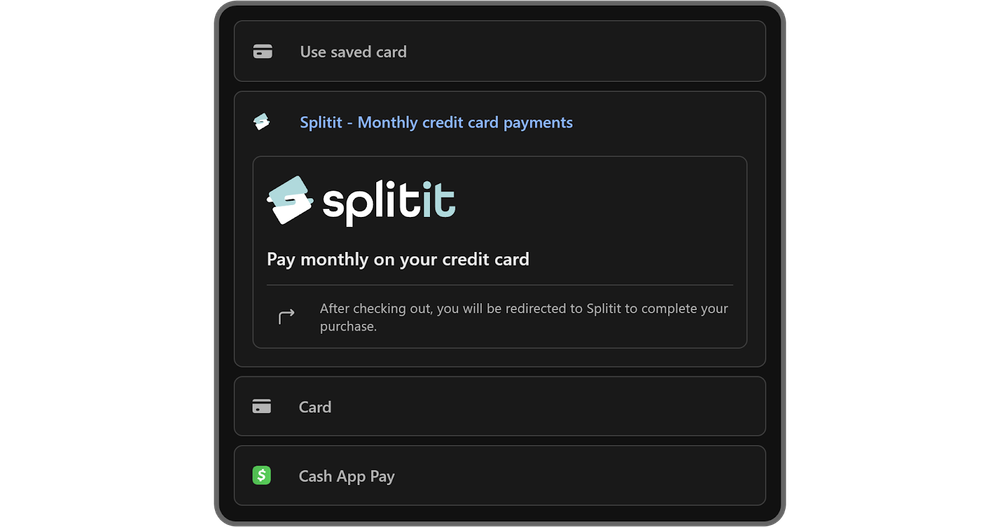
Splitit then checks that the card has enough available credit to cover the full purchase amount. If it does, the transaction moves forward.
The customer pays in installments, and you get paid upfront. Splitit manages the installment schedule in the background.
Here’s how it works on both sides of the transaction.
For customers:
- Select Splitit at checkout: When ready to buy, the customer chooses Splitit as their payment method.
- Enter their existing credit card: They use a Visa or Mastercard credit card they already have. No new account is created.
- Authorization check: Splitit confirms the card has enough available credit for the full purchase amount.
- Installments begin: The first installment is charged immediately. The remaining balance is charged in fixed monthly installments.
- Authorization model: The full purchase amount is temporarily authorized on the card. As installments are paid, that authorization reduces over time.
- Manage payments as normal: There’s no separate BNPL portal. Payments appear on the customer’s existing credit card statement.
For merchants:
- Enable Splitit at checkout: You activate Splitit through your platform or payment setup.
- Splitit confirms card eligibility: Approval is based on available credit, not a new underwriting process.
- You get paid upfront: Once the transaction is confirmed, you receive the full purchase amount (minus fees), regardless of the installment schedule.
- Splitit handles installment collection: You’re not managing repayment plans or chasing missed payments.
- Disputes follow card network rules: If a dispute occurs, it follows standard Visa/Mastercard chargeback processes.
How to get started with Splitit
Setting up Splitit is straightforward, especially if you use an integrated payments solution that already supports it.
Here’s how it works:
- You apply for a Splitit merchant account and submit your business registration details, processing history, product or service category, and AOV for review
- If approved, you'll complete the onboarding which may include providing compliance documents, identity verification, and agreeing on installment durations and any reserve requirements
- You'll then choose your integration method, whether through your ecommerce platform, payment processor, plugin, or direct API integration
- Choose which products support Splitit, minimum and maximum order values, and available plan lengths
- Test your checkout flow to confirm Splitit appears correctly, the authorization model works as expected, and installment terms display clearly
- Go live once everything is approved and configured, allowing eligible customers to select Splitit at checkout
That’s the traditional route.
But if you’re selling with Whop, it’s even easier.
Installing Splitit on Whop checkouts
If you sell on Whop, you don’t need to apply with Splitit separately or directly. Just apply for financing directly inside your Whop dashboard.
- Go to your Payouts section and apply for financing. Whop reviews your account to determine eligibility across its financing partners, including Splitit.
- If approved, financing options are automatically added to your checkout links. You can then toggle which providers appear for each product.
No separate integration work, no external API setup, and no direct merchant agreement required on your end. We’ll handle provider relationships behind the scenes.
As long as you meet the eligibility requirements (including dispute rate thresholds, supported business categories, and processing volume), Splitit can be enabled directly from your payment settings.
That’s it.
Ready to install Splitit on your Whop hosted or embedded checkout? Check out our financing documentation for the step-by-step guide.
Splitit merchant eligibility requirements
Eligibility for Splitit depends on your business model, processing history, and overall risk profile.
If you’re applying directly, you’ll need to operate as a legally registered business in a supported category.
- During review, Splitit assesses your processing history, including transaction volume, average order value, and dispute rates.
- You’ll also need clear refund and fulfillment policies in place and the ability to manage chargebacks under standard Visa and Mastercard rules.
- Approval terms are determined during underwriting.
Splitit eligibility for Whop sellers
If you’re enabling Splitit through Whop, eligibility is assessed at the platform level.
Your Whop Payments account must be fully set up and verified, and your store page must clearly explain what you’re selling and how orders are fulfilled.
Remember, financing providers don’t support certain high-risk categories including gambling, adult content, and some regulated financial services, so your business needs to fall within supported guidelines.
- Whop monitors dispute rates and processing performance. To qualify for (and maintain access to) financing, your account must stay within the platform’s dispute rate thresholds.
- New sellers may be asked to provide recent processing statements from a previous payment processor to demonstrate transaction volume and dispute history.
- Once approved, financing options including Splitit automatically appear in your checkout settings, where you can control which providers are shown per product.
Head’s up, though: if your dispute rates exceed permitted levels, financing access can be revoked automatically.
Splitit merchant fees
Splitit doesn’t publish a flat pricing model. Merchant fees are determined during onboarding and vary based on factors such as industry, average order value, transaction volume, and overall risk profile.
If you apply directly, your pricing is agreed upon as part of your merchant contract.
But as a basic guideline, fees typically include a transaction-based percentage, and in some cases, additional processing costs depending on your integration setup.
For higher-risk or higher-ticket businesses, Splitit may also require a reserve.
What are the fees if I apply through Whop?
When Splitit is enabled through Whop, the structure is simpler.
Splitit appears at checkout as a no-interest, no-credit-check installment option that allows customers to split purchases into monthly payments using their existing personal credit card.
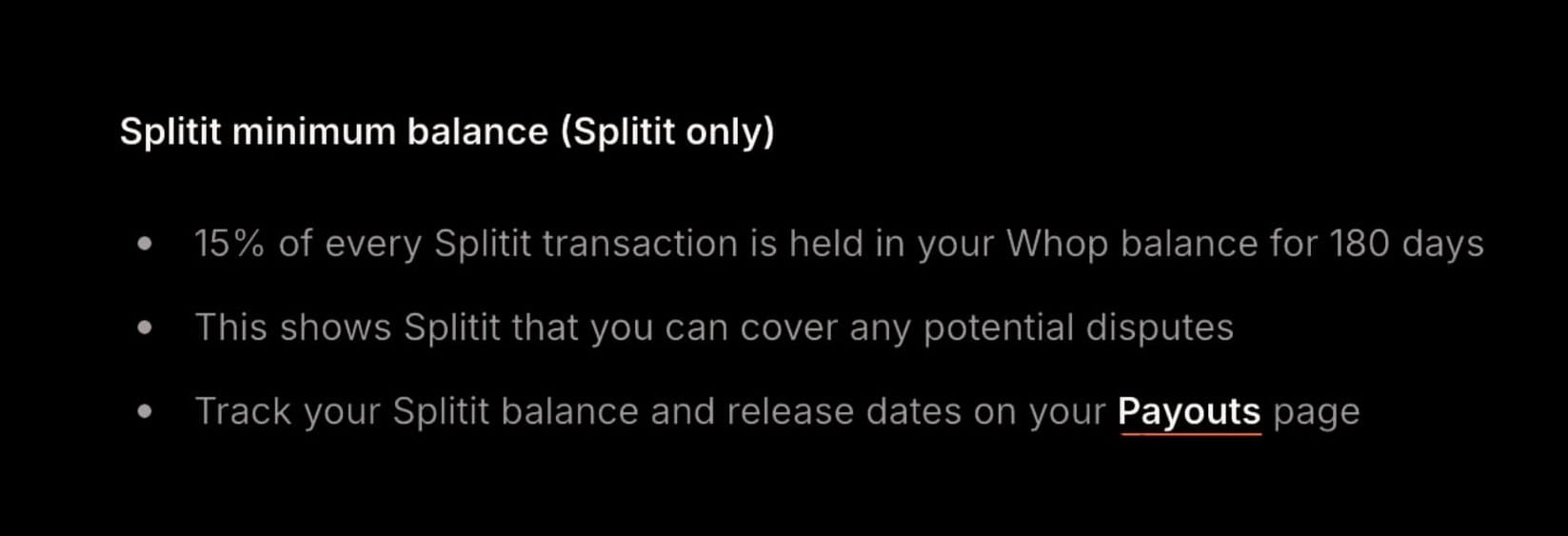
For merchants, 15% of each Splitit transaction is held in your Whop balance for 180 days as a reserve. This reserve is used to cover potential disputes and is automatically tracked in your Payouts dashboard. Standard Whop processing fees still apply.
Customers don’t pay interest or additional fees with Splitit on Whop. As with any credit card purchase, though, card issuer interest may apply.
Pros and cons of offering Splitit at checkout
Splitit runs on existing credit cards and uses an authorization model rather than issuing new short-term loans, which makes it strong for certain business models (especially higher-ticket offers). That said, it won’t be the perfect fit for every audience.
Here’s a snapshot of where it shines:
| Pros | Cons |
| Supports higher order values (up to $20,000 on Whop) | Customer must have the full purchase amount available on their credit card at checkout |
| No credit check and no new loan account created | Temporary authorization reduces available credit until installments are paid down |
| Customers use a card they already trust and continue earning card rewards | Only works with personal credit cards for installment plans |
| Structured monthly installments suit high-ticket one-time offers | Not available for subscription or recurring payments on Whop |
| Merchant receives upfront payment | 15% reserve held for 180 days on Whop |
| Can approve buyers who might be declined by traditional BNPL underwriting | Less suited to impulse, low-ticket purchases |
Splitit specifically suits sellers of high-ticket products like coaching programs, courses, and software licenses.
Top BNPL providers to stack with Splitit
Splitit is strong for higher-ticket, credit-backed buyers, but the reality is no single BNPL provider can capture every customer.
If you want broader approval coverage, better geographic reach, and stronger conversion across price points, stacking multiple BNPL options is the move.
Below are providers that pair well with Splitit on Whop.
| Provider | Whop limit | Typical term | Regions | Best for |
|---|---|---|---|---|
| Zip Pay | Up to $1,500 | 4 months | US, AU, NZ | Mid-ticket one-time purchases |
| AfterPay / ClearPay | Up to $4,000 | Up to 12 months | US, UK, AU | Impulse-to-mid-ticket offers |
| Klarna | Up to $10,000 | Up to 24 months | US | Mid-to-high-ticket digital programs |
| Sezzle | Up to $2,500 | Up to 24 months | US | Younger buyers and thinner credit files |
| Climb | Up to $42,750 | Up to 5 years | US | Very high-ticket education and premium programs |
| Scalapay | Up to $3,000 | 4 months | Select regions | Short-term installment buyers |
Build your BNPL stack with Whop
Splitit works best as part of a broader payment strategy. With Whop, you can offer Splitit alongside 9 other financing options, plus credit cards, digital wallets, and crypto - all inside a single checkout flow.
Different buyers have different preferences. Giving them the flexibility to pay the way they want means fewer abandoned checkouts and more completed sales.
Ready to get started? Head to your Whop dashboard and apply for financing.
Splitit FAQs
How does Splitit benefit my business?
Because Splitit doesn’t require a credit check or a new loan account, it can convert buyers who might be declined by traditional BNPL providers but still have available credit. For higher-ticket products, that flexibility can increase conversions while you still receive payment upfront.
On Whop, Splitit can support purchases up to $20,000.
Does Splitit run a credit check?
No, Splitit does not run a hard credit inquiry and does not issue a new line of credit. Approval is based on whether the customer’s credit card has enough available credit to cover the full purchase amount at checkout.
Why does Splitit place a hold on the full purchase amount?
Splitit places a temporary authorization hold on the full purchase amount to guarantee the installment plan. This hold reduces the customer’s available credit but does not appear as a charge.
What cards are supported?
Splitit works with most major personal credit cards, including Visa, Mastercard, American Express, and Discover, depending on merchant setup. The card must have enough available credit to cover the full purchase amount at the time of checkout.
Can Splitit be used for subscriptions?
Splitit is designed for one-time purchases that are split into monthly installments.
How much can customers finance with Splitit?
The maximum amount a customer can split with Splitit depends on the merchant’s setup and the approved limit for that account. On Whop, Splitit supports purchases up to $20,000.
Do customers pay interest with Splitit?
Splitit is a no-interest installment option. However, if a customer carries a balance on their credit card, their card issuer may charge interest under their normal card agreement.
When do merchants get paid?
Merchants receive the full purchase amount upfront (minus standard fees and applicable reserves). On Whop, 15% of each Splitit transaction is held in reserve for 180 days to cover potential disputes.
Can customers pay off their plan early?
Yes. Customers can log into the Splitit Shopper Portal and pay off their outstanding balance early.
Why might Splitit not appear at checkout?
Splitit may not show if:
- The purchase exceeds supported limits
- The customer is in an unsupported country
- The checkout is set up as a subscription
- The product category is not eligible
- The customer’s credit card does not have sufficient available credit



