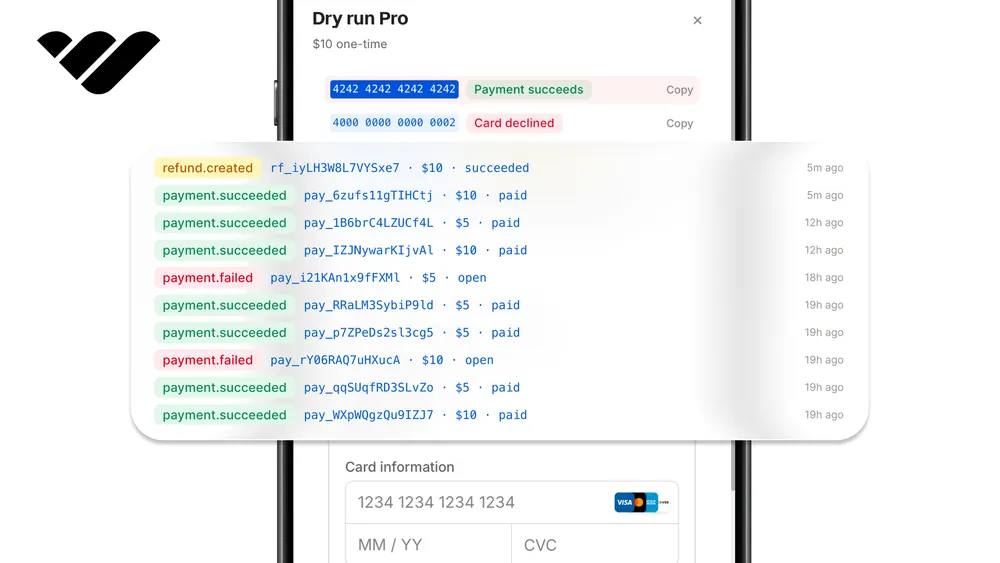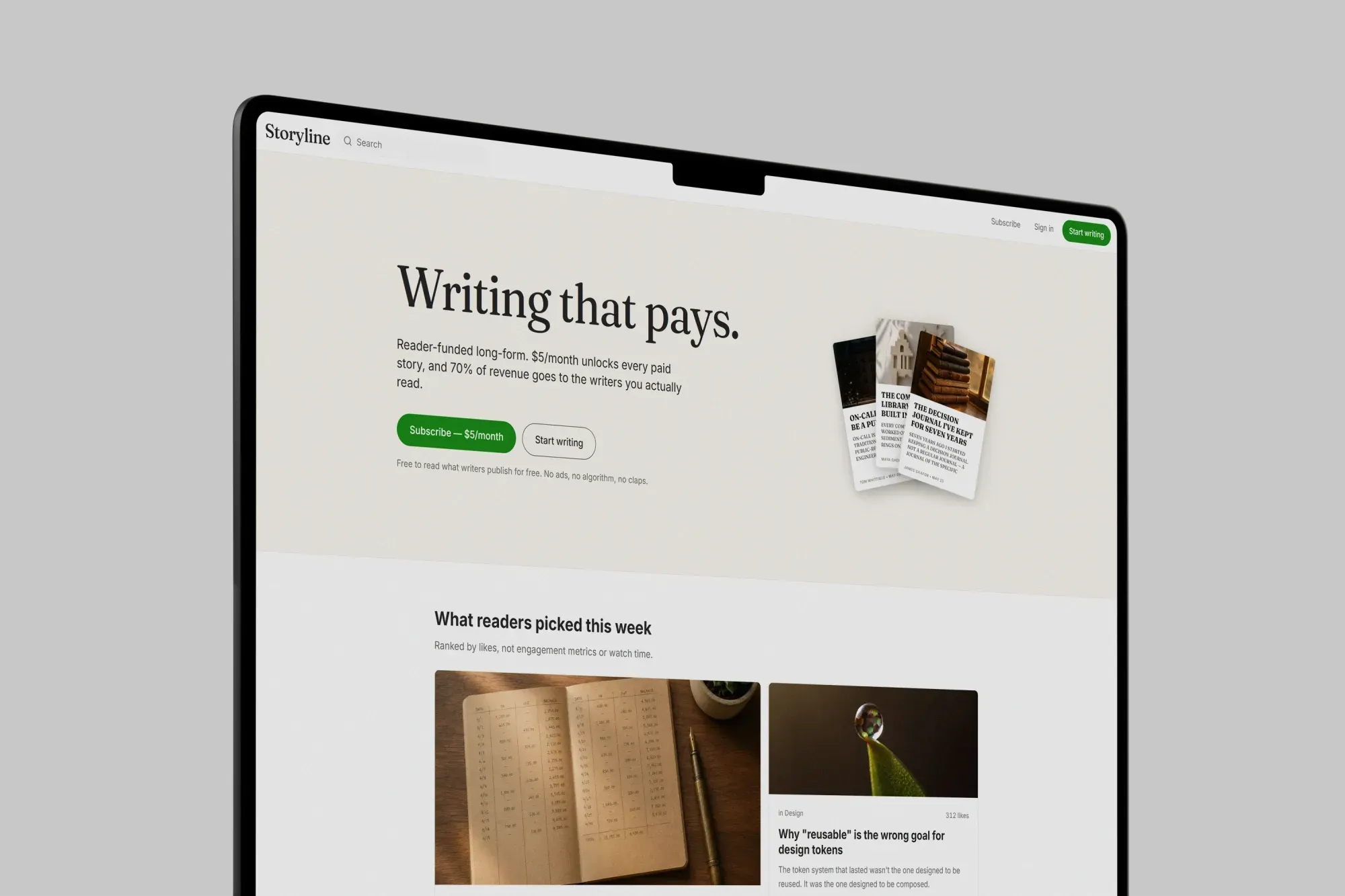
You can build a Medium clone with writer onboarding, partner program, revenue share, tipping, and more using Next.js and Whop. Learn how to in this guide.
Key takeaways
- One Whop SDK replaces four separate integrations: OAuth sign-in, recurring subscriptions, direct creator payments, and revenue-share payouts.
- Enforce paywalls on the server by truncating content at a custom TipTap break node before it reaches non-paying readers.
- Pay writers through two channels: instant tips via connected sub-companies and monthly read-weighted transfers from subscription revenue.
Building a publishing platform can get a bit complex once you start wiring up subscriptions, configuring per-writer payouts, and adding a Partner Program-style revenue share. Each is its own infrastructure problem. We're going to do all three with one SDK.
The Medium clone we're going to build is a multi-writer publishing platform. Anyone can sign in with Whop and start writing. Stories are free by default. Writers drop a paywall break anywhere in a story to mark it Plus-only, and readers unlock everything paid with a single $5 a month membership.
Readers can like, bookmark, follow writers, and tip any story they love with any amount they choose. Writers earn from two channels: direct tips paid to their Whop account on the spot, and a monthly Partner Program payout that splits Plus subscription revenue across writers based on how much Plus members read their paid stories.
You can preview the our demo here, and find the full codebase in this GitHub repository.
Project overview
Before we dive deep into coding, let's take a general look at our project:
- Multi-writer publishing platform where anyone signs in with Whop and starts writing stories
- Server-enforced paywall via a custom TipTap node that the writer places anywhere in a story, then the server truncates the content for non-Plus readers
- Plus subscription ($5 a month, single platform plan) that unlocks every paid story across the site, with self-service pause, cancel, uncancel, and resume
- Per-writer tipping with custom amounts between $1 and $500, charged directly on the writer's connected Whop account company with a 10% platform fee held back
- Monthly Partner Program that aggregates Plus reads, splits 70% of Plus subscription revenue across writers by reads, and pushes per-writer transfers via a Vercel Cron
- Embedded writer dashboard with the Whop payout portal mounted inline so writers see their balance, withdraw method, and recent payouts without leaving Storyline
- Discovery surfaces including topic feeds, writer profiles, follows, likes, bookmarks, site-wide search, and an in-app notification bell
- Operator allowlist + promo codes for the platform team, with a database-driven admin gate
Why we use Whop
Storyline needs four things: sign-in, recurring billing for Plus, direct payments to writers for tips, and a monthly revenue share. Whop handles all four with one SDK. The same <WhopCheckoutEmbed> component runs both the Plus checkout and the tip flow, so both use the same popup with the same look.
- Authentication uses Whop OAuth, and the same login powers readers and writers.
- Plus subscription is a single recurring plan on Storyline's company. Whop's API powers the whole lifecycle (pause, cancel, uncancel, resume, refunds).
- Direct tips turn every writer into a connected sub-company. Tips are direct charges on that company with an
application_fee_amountfor Storyline's cut. Whop handles KYC, payment processing, and per-writer balance. - Partner Program payouts use the Transfers API. Once a month, Storyline aggregates Plus reads, computes each writer's share, and pushes funds to each writer's sub-company.
What you need to start
Before starting this project, you need:
- Working familiarity with Next.js and React (App Router, Server Components)
- A Whop sandbox account (free, sign up at Sandbox.Whop.com)
- A Vercel account (free tier works)
- A GitHub account so Vercel can pull your repo
- A Neon account (provisioned through the Vercel Marketplace, no local Postgres install)
- An UploadThing account for cover images and inline image uploads
Everything else (Prisma, TipTap, iron-session, Zod, Tailwind v4, the Whop SDK) is an npm install we'll run in the first part.
Architecture overview
Storyline is one Next.js 16 app with a handful of foundational pieces. Skim this section once, then refer back when a part feels disorienting.
Tech stack
- Next.js (App Router, Turbopack) for routing, Server Components, and Vercel-native deploy. The new framework convention is
proxy.ts, notmiddleware.ts. - React 19 for Server Components and the editor's client islands.
- Tailwind CSS with CSS-first
@themeblocks. Notailwind.config.js. - Prisma with
@prisma/adapter-pg(driver adapter pattern, ESM-friendly). The generated client lives atsrc/generated/prisma/client. - Neon Postgres via the Vercel Marketplace.
- iron-session for encrypted-cookie sessions, no session table.
- TipTap for the writing editor, with a custom
paywallBreaknode. - UploadThing for cover and inline images.
- Zod for runtime validation at every API boundary.
- next-themes for an OS-aware light/dark toggle.
- Whop SDK (
@whop/sdk), the checkout embed (@whop/checkout), and the embedded payouts UI (@whop/embedded-components-react-js). - Vercel for hosting plus
vercel.tsfor typed routing, cron, and CSP config.
Pages
/home feed (signed-out trending and Plus pitch, signed-in two-column "Latest" with a sidebar of topics and suggestions)/membershipPlus pricing with the $5 a month plan/searchsite-wide story search/tag/[slug]topic feed/topicstopic directory/@[username]writer profile/@[username]/[storySlug]story reading page with paywall enforcement/new-storycreates a draft and redirects to the editor/edit/[id]the TipTap editor/me/storiesdrafts and published stories/me/librarybookmarks/me/membershipPlus self-service (pause, cancel, resume)/me/dashboardwriter dashboard with the embedded payout portal/me/settingsprofile and payout enablement/admin/operatorsoperator allowlist (operator-only)/admin/promo-codesPlus discount codes (operator-only)
API routes
- Auth:
/api/auth/login,/api/auth/callback,/api/auth/logout - Stories:
/api/stories,/api/stories/[id],/api/stories/[id]/publish,/api/stories/[id]/unpublish - Engagement:
/api/stories/[id]/like,/api/stories/[id]/bookmark,/api/stories/[id]/read,/api/users/[username]/follow,/api/topics/[slug]/follow - Plus:
/api/membership/checkout,/api/membership/pause,/api/membership/resume,/api/membership/cancel,/api/membership/uncancel - Tipping:
/api/stories/[id]/tip - Writer onboarding and payouts:
/api/writers/onboard,/api/writers/kyc-return,/api/writers/payout-token - Promo codes and operators:
/api/promo-codes,/api/admin/operators - Cron:
/api/cron/partner-payout - Webhooks:
/api/webhooks/whop - Notifications:
/api/notifications,/api/notifications/mark-read - Uploads:
/api/uploadthing
Part 1: Scaffold, deploy, and authenticate
In this part, we're going to scaffold the framework, push the empty app to GitHub, deploy it to Vercel for a working production URL, provision the database, register the Whop sandbox app, and wire OAuth sign-in.
By the end of this part you can sign in, see your avatar in the top nav, and sign out, all running against the deployed URL.
Scaffolding the app
We're going to scaffold with the official Next.js generator: App Router, TypeScript, Tailwind, ESLint, the src/ directory, Turbopack, and the standard @/* alias.
npx create-next-app@latest storyline --ts --tailwind --eslint --app --src-dir --turbopack --import-alias "@/*"
cd storyline
Pushing to GitHub
Create an empty repository on GitHub (no README, no .gitignore, nothing prepopulated, so the local repo can fast-forward push). Then back in the project directory:
git init
git add -A
git commit -m "Initial scaffold"
git branch -M main
git remote add origin git@github.com:<your-account>/storyline.git
git push -u origin main
Deploying to Vercel
Head to vercel.com/new, pick the GitHub repository, and click Deploy. Vercel detects Next.js automatically.
When it's done, Vercel shows two URLs: the deployment-specific URL (changes on every push) and the stable project alias (something like storyline-six.vercel.app that stays the same across deployments we'll make).
Save the alias URL. The first env var we'll add is NEXT_PUBLIC_APP_URL set to that exact string.
Provisioning Neon
In the Vercel project dashboard, open Storage, click Connect Database, pick Neon, accept the defaults, and let Vercel provision it. The integration adds two env vars to the project automatically, DATABASE_URL and DATABASE_URL_UNPOOLED.
Creating the Whop sandbox app
Go to Sandbox.Whop.com and sign up. The sandbox allows us to simulate the payments without moving real money.
Once you're in, create a new Whop. Whop gives you a company ID that looks like biz_xxxxxxxxx (which you can find in the dashboard URL). Save it as WHOP_COMPANY_ID.
From your sandbox company dashboard, open Developer, then Apps, and click Create App and grab three values from the app's settings page:
- The App API key under the API tab (
apik_xxxxxxxxx). This is yourWHOP_APP_API_KEY. It's going to power OAuth and webhooks. - The Client ID and Client Secret under the OAuth tab. The Client ID looks like
app_xxxxxxxxx. These becomeWHOP_CLIENT_IDandWHOP_CLIENT_SECRET.
Still under OAuth, click Redirect URIs and add two entries: your Vercel alias suffixed with /api/auth/callback, and http://localhost:3000/api/auth/callback. Both. Save.
Then create a Company API key. Go to the Developer page of your whop dashboard, then under API Keys, Create new key. Once created, you'll see an API key which you can copy.
This apik_xxxxxxxxx is WHOP_COMPANY_API_KEY. It's separate from the App API key, and it's the one that needs the full set of scopes the tutorial uses end-to-end: access_pass:create, plan:create, checkout_configuration:create, accounts:create, membership:update, promo_code:create, payout:transfer_funds. Give it all of those.
Adding env vars
We add env vars to Vercel first, then pull them down to our machine. Vercel is the source of truth. If we edit .env.local first and forget to copy it up, the two get out of sync fast.
Here's every variable you need for this section and where to get it:
| Variable | Where to get it |
|---|---|
WHOP_APP_API_KEY | apik_... from your App API tab |
WHOP_CLIENT_ID | app_... from the OAuth tab |
WHOP_CLIENT_SECRET | The secret from the OAuth tab |
WHOP_COMPANY_API_KEY | apik_... from Company API Keys |
WHOP_COMPANY_ID | biz_... from your company settings |
WHOP_SANDBOX | Set to true |
NEXT_PUBLIC_WHOP_SANDBOX | Set to true (client-side mirror for the embed) |
NEXT_PUBLIC_APP_URL | Your Vercel alias URL, no trailing slash |
SESSION_SECRET | Generate with openssl rand -hex 32 |
ROOT_OPERATOR_EMAIL | Your sandbox Whop email, lowercased |
CRON_SECRET | Generate with openssl rand -hex 32 |
TIP_PLATFORM_FEE_PERCENT | Set to 10 |
PLATFORM_PLUS_FEE_PERCENT | Set to 30 |
STORYLINE_PLUS_MONTHLY_PRICE | Set to 5 |
PARTNER_PAYOUT_MIN_USD | Set to 1 |
In the Vercel project, open Settings, then Environment Variables, and add each one, scoped to Production, Preview, and Development.
A few will be added in later steps (STORYLINE_PLUS_PLAN_ID, WHOP_WEBHOOK_SECRET, UPLOADTHING_TOKEN). Add them now as placeholders if you prefer the convenience of a complete .env.local from the start.
Install the Vercel CLI, link the project, then pull:
npm i -g vercel
vercel link
vercel env pull .env.local
Vercel writes .env.local with all the variables you added. Sensitive ones come down as empty strings (Vercel encrypts them and never serves them back); for those, paste the values into .env.local manually for local development.
Installing dependencies
Now, let's install all dependencies we're going to use in one go. We install exact versions of the Whop SDK and Prisma, because new releases of both can change code and commands this tutorial relies on:
npm install @whop/sdk@2.4.0 @whop/checkout @whop/embedded-components-react-js iron-session zod @prisma/client@7.10.1 @prisma/adapter-pg@7.10.1 pg @types/pg prisma@7.10.1 @tiptap/core @tiptap/react @tiptap/starter-kit @tiptap/extension-image @tiptap/extension-link @tiptap/extension-placeholder uploadthing @uploadthing/react next-themes lucide-react clsx tailwind-merge dotenv @vercel/config @vercel/functionsThe environment schema
Every env var in our project goes through a single Zod schema, and each one is only checked when we actually read it. That way a missing var only breaks the feature that needs it, not the whole app at startup.
Go to src/lib and create a file called env.ts with the content:
import { z } from "zod";

const envSchema = z.object({
  WHOP_APP_API_KEY: z.string().min(1),
  WHOP_CLIENT_ID: z.string().min(1),
  WHOP_CLIENT_SECRET: z.string().min(1),
  SESSION_SECRET: z.string().min(32),
  NEXT_PUBLIC_APP_URL: z.string().url(),

  DATABASE_URL: z.string().url(),
  DATABASE_URL_UNPOOLED: z.string().url(),

  WHOP_COMPANY_API_KEY: z.string().min(1),
  WHOP_COMPANY_ID: z.string().min(1),
  WHOP_WEBHOOK_SECRET: z.string().min(1),
  STORYLINE_PLUS_PLAN_ID: z.string().min(1),

  UPLOADTHING_TOKEN: z.string().min(1),

  ROOT_OPERATOR_EMAIL: z.string().email(),
  OPERATOR_TOPUP_PAYMENT_METHOD_ID: z.string().optional(),

  CRON_SECRET: z.string().min(16),

  TIP_PLATFORM_FEE_PERCENT: z.string().default("10"),
  PLATFORM_PLUS_FEE_PERCENT: z.string().default("30"),
  STORYLINE_PLUS_MONTHLY_PRICE: z.string().default("5"),
  PARTNER_PAYOUT_MIN_USD: z.string().default("1"),

  NEXT_PUBLIC_WHOP_SANDBOX: z.string().optional(),
});

type Env = z.infer<typeof envSchema>;

export const env = new Proxy({} as Env, {
  get(_, key: string) {
    const value = process.env[key];
    const field = envSchema.shape[key as keyof typeof envSchema.shape];
    if (field) field.parse(value);
    return value as Env[keyof Env];
  },
});
The Prisma schema
Fifteen models cover the whole project: users, writer profiles, operators, stories, topics, likes, bookmarks, follows, Plus memberships, tips, story reads, partner payouts, promo codes, notifications, and a table that tracks which webhooks we've already handled.
Most aren't used until later parts, but defining them once up front means we only run prisma db push once instead of every couple of parts. Go to prisma/ and create a file called schema.prisma with the content:
generator client {
  provider = "prisma-client"
  output   = "../src/generated/prisma"
}

datasource db {
  provider = "postgresql"
}

model User {
  id          String   @id @default(cuid())
  whopUserId  String   @unique
  email       String   @unique
  name        String?
  username    String   @unique
  avatar      String?
  bio         String?
  headline    String?
  createdAt   DateTime @default(now())
  updatedAt   DateTime @updatedAt

  writerProfile  WriterProfile?
  plusMembership PlusMembership?
  operator       Operator?

  stories            Story[]
  likes              Like[]
  bookmarks          Bookmark[]
  followers          Follow[]         @relation("Followed")
  following          Follow[]         @relation("Follower")
  tipsGiven          Tip[]            @relation("Tipper")
  tipsReceived       Tip[]            @relation("Writer")
  storyReads         StoryRead[]
  partnerPayouts     PartnerPayout[]
  notifications      Notification[]
  promoCodesCreated  PromoCode[]
  operatorsInvited   Operator[]       @relation("OperatorAddedBy")
  topicFollows       TopicFollow[]
}

model Operator {
  id              String   @id @default(cuid())
  email           String   @unique
  userId          String?  @unique
  addedByUserId   String?
  createdAt       DateTime @default(now())

  user    User? @relation(fields: [userId], references: [id], onDelete: SetNull)
  addedBy User? @relation("OperatorAddedBy", fields: [addedByUserId], references: [id], onDelete: SetNull)
}

model WriterProfile {
  id              String   @id @default(cuid())
  userId          String   @unique
  whopCompanyId   String   @unique
  kycComplete     Boolean  @default(false)
  tippingEnabled  Boolean  @default(false)
  createdAt       DateTime @default(now())
  updatedAt       DateTime @updatedAt

  user User @relation(fields: [userId], references: [id], onDelete: Cascade)
}

enum StoryStatus {
  DRAFT
  PUBLISHED
  UNLISTED
}

enum StoryVisibility {
  FREE
  PLUS
}

model Story {
  id                  String           @id @default(cuid())
  authorUserId        String
  title               String
  subtitle            String?
  slug                String
  contentJson         Json
  excerpt             String           @default("")
  coverImageUrl       String?
  coverImageKey       String?
  status              StoryStatus      @default(DRAFT)
  visibility          StoryVisibility  @default(FREE)
  paywallNodePos      Int?
  readingTimeMinutes  Int              @default(1)
  likesTotal          Int              @default(0)
  publishedAt         DateTime?
  createdAt           DateTime         @default(now())
  updatedAt           DateTime         @updatedAt

  author     User         @relation(fields: [authorUserId], references: [id], onDelete: Cascade)
  topics     StoryTopic[]
  likes      Like[]
  bookmarks  Bookmark[]
  tips       Tip[]
  storyReads StoryRead[]

  @@unique([authorUserId, slug])
  @@index([status, publishedAt(sort: Desc)])
  @@index([visibility, publishedAt(sort: Desc)])
}

model Topic {
  id          String         @id @default(cuid())
  slug        String         @unique
  name        String
  description String?
  stories     StoryTopic[]
  followers   TopicFollow[]
}

model StoryTopic {
  storyId String
  topicId String

  story Story @relation(fields: [storyId], references: [id], onDelete: Cascade)
  topic Topic @relation(fields: [topicId], references: [id], onDelete: Cascade)

  @@id([storyId, topicId])
}

model TopicFollow {
  userId    String
  topicId   String
  createdAt DateTime @default(now())

  user  User  @relation(fields: [userId], references: [id], onDelete: Cascade)
  topic Topic @relation(fields: [topicId], references: [id], onDelete: Cascade)

  @@id([userId, topicId])
}

model Like {
  id        String   @id @default(cuid())
  userId    String
  storyId   String
  createdAt DateTime @default(now())

  user  User  @relation(fields: [userId], references: [id], onDelete: Cascade)
  story Story @relation(fields: [storyId], references: [id], onDelete: Cascade)

  @@unique([userId, storyId])
}

model Bookmark {
  id        String   @id @default(cuid())
  userId    String
  storyId   String
  createdAt DateTime @default(now())

  user  User  @relation(fields: [userId], references: [id], onDelete: Cascade)
  story Story @relation(fields: [storyId], references: [id], onDelete: Cascade)

  @@unique([userId, storyId])
}

model Follow {
  id              String   @id @default(cuid())
  followerUserId  String
  followedUserId  String
  createdAt       DateTime @default(now())

  follower User @relation("Follower", fields: [followerUserId], references: [id], onDelete: Cascade)
  followed User @relation("Followed", fields: [followedUserId], references: [id], onDelete: Cascade)

  @@unique([followerUserId, followedUserId])
}

enum PlusStatus {
  ACTIVE
  PAUSED
  CANCELED
  EXPIRED
}

model PlusMembership {
  id                  String      @id @default(cuid())
  userId              String      @unique
  whopMembershipId    String      @unique
  status              PlusStatus  @default(ACTIVE)
  currentPeriodEnd    DateTime
  cancelAtPeriodEnd   Boolean     @default(false)
  priceCents          Int
  whopPlanId          String
  createdAt           DateTime    @default(now())
  updatedAt           DateTime    @updatedAt

  user User @relation(fields: [userId], references: [id], onDelete: Cascade)
}

enum TipStatus {
  SUCCEEDED
  REFUNDED
}

model Tip {
  id                   String    @id @default(cuid())
  tipperUserId         String
  writerUserId         String
  storyId              String
  amountCents          Int
  applicationFeeCents  Int
  whopPaymentId        String    @unique
  status               TipStatus @default(SUCCEEDED)
  createdAt            DateTime  @default(now())

  tipper User  @relation("Tipper", fields: [tipperUserId], references: [id], onDelete: Cascade)
  writer User  @relation("Writer", fields: [writerUserId], references: [id], onDelete: Cascade)
  story  Story @relation(fields: [storyId], references: [id], onDelete: Cascade)

  @@index([writerUserId, createdAt])
  @@index([storyId])
}

model StoryRead {
  id            String   @id @default(cuid())
  userId        String
  storyId       String
  readAt        DateTime @default(now())
  monthBucket   String
  dwellSeconds  Int?

  user  User  @relation(fields: [userId], references: [id], onDelete: Cascade)
  story Story @relation(fields: [storyId], references: [id], onDelete: Cascade)

  @@unique([userId, storyId, monthBucket])
  @@index([monthBucket, storyId])
}

enum PayoutStatus {
  PENDING
  SENT
  FAILED
}

model PartnerPayout {
  id                 String       @id @default(cuid())
  writerUserId       String
  monthBucket        String
  totalReads         Int
  revenueShareCents  Int
  whopTransferId     String?
  status             PayoutStatus @default(PENDING)
  failureReason      String?
  createdAt          DateTime     @default(now())
  sentAt             DateTime?

  writer User @relation(fields: [writerUserId], references: [id], onDelete: Cascade)

  @@unique([writerUserId, monthBucket])
}

model PromoCode {
  id                 String    @id @default(cuid())
  code               String    @unique
  whopPromoCodeId    String    @unique
  discountPercent    Int
  validUntil         DateTime?
  maxUses            Int?
  usageCount         Int       @default(0)
  createdByUserId    String
  archivedAt         DateTime?
  createdAt          DateTime  @default(now())

  createdBy User @relation(fields: [createdByUserId], references: [id], onDelete: Cascade)
}

enum NotificationType {
  LIKE
  FOLLOWED
  TIP_RECEIVED
  PAYOUT_SENT
  PLUS_RENEWED
}

model Notification {
  id        String           @id @default(cuid())
  userId    String
  type      NotificationType
  entityId  String
  read      Boolean          @default(false)
  createdAt DateTime         @default(now())

  user User @relation(fields: [userId], references: [id], onDelete: Cascade)

  @@index([userId, read, createdAt(sort: Desc)])
}

model WebhookEvent {
  id          String   @id
  eventType   String
  processedAt DateTime @default(now())
}
Prisma config and client
We load .env.local first so prisma db push can read our database URL without us setting it manually every time we open a new terminal.
Go to the project root and create a file called prisma.config.ts with the content:
import { config } from "dotenv";
config({ path: ".env.local" });

import { defineConfig, env } from "prisma/config";

export default defineConfig({
  schema: "prisma/schema.prisma",
  migrations: { path: "prisma/migrations" },
  datasource: { url: env("DATABASE_URL_UNPOOLED") },
});
Go to src/lib and create a file called prisma.ts with the content:
import { PrismaClient } from "@/generated/prisma/client";
import { PrismaPg } from "@prisma/adapter-pg";
import { Pool } from "pg";
import { env } from "@/lib/env";

const globalForPrisma = globalThis as unknown as { prisma?: PrismaClient };

function createClient() {
  const pool = new Pool({ connectionString: env.DATABASE_URL });
  const adapter = new PrismaPg(pool);
  return new PrismaClient({ adapter });
}

export const prisma = globalForPrisma.prisma ?? createClient();

if (process.env.NODE_ENV !== "production") globalForPrisma.prisma = prisma;
Pushing the schema
With the env vars pulled locally and the schema in place, generate the client and push the schema to Neon:
npx prisma generate
npx prisma db push
Vercel config
Go to the project root and create a file called vercel.ts with the content:
import { routes, type VercelConfig } from "@vercel/config/v1";

const CSP = [
  "default-src 'self'",
  "script-src 'self' 'unsafe-inline' 'unsafe-eval' https://js.whop.com https://sandbox-js.whop.com https://*.elements.whop.com https://uploadthing.com",
  "style-src 'self' 'unsafe-inline' https://fonts.googleapis.com",
  "font-src 'self' https://fonts.gstatic.com data:",
  "img-src 'self' data: blob: https://utfs.io https://assets.whop.com https://cdn.whop.com https://ui-avatars.com",
  "connect-src 'self' https://*.whop.com https://*.uploadthing.com https://*.utfs.io",
  "frame-src 'self' https://whop.com https://*.whop.com",
].join("; ");

export const config: VercelConfig = {
  buildCommand: "prisma generate && next build",
  framework: "nextjs",
  crons: [
    { path: "/api/cron/partner-payout", schedule: "0 0 1 * *" },
  ],
  headers: [
    routes.header("/(.*)", [
      { key: "Content-Security-Policy", value: CSP },
      { key: "X-Content-Type-Options", value: "nosniff" },
      { key: "Referrer-Policy", value: "strict-origin-when-cross-origin" },
    ]),
  ],
};
Next.js config
We're going to lean on next/image for every user-facing image (avatars, story covers, etc.) That gives us automatic WebP/AVIF, responsive srcset, and explicit dimensions so the layout doesn't shift while images load.
For external hosts (Whop's own CDN, the ui-avatars.com fallback the OIDC picture claim sometimes returns, UploadThing's signed URLs) we need to allowlist them in next.config.ts. Open next.config.ts at the project root and replace its contents:
import path from "node:path";
import type { NextConfig } from "next";

const nextConfig: NextConfig = {
  turbopack: {
    root: path.resolve(__dirname),
    // create-next-app adds this rule so Tailwind CSS gets compiled. Keep it.
    rules: {
      "*.css": {
        loaders: ["@tailwindcss/turbopack"],
        as: "*.css",
      },
    },
  },
  images: {
    remotePatterns: [
      { protocol: "https", hostname: "utfs.io" },
      { protocol: "https", hostname: "assets.whop.com" },
      { protocol: "https", hostname: "cdn.whop.com" },
      { protocol: "https", hostname: "ui-avatars.com" },
    ],
  },
};

export default nextConfig;
Theme tokens and the root layout
Now, let's build the styles we're going to use across the project. Open src/app/globals.css and replace its contents:
@import "tailwindcss";

@custom-variant dark (&:where(.dark, .dark *));

@theme {
  --color-background: #ffffff;
  --color-background-marketing: #f7f4ed;
  --color-surface: #f9f9f9;
  --color-border: #e6e6e6;
  --color-text-primary: #242424;
  --color-text-secondary: #6b6b6b;
  --color-text-tertiary: #737373;
  --color-accent: #191919;
  --color-accent-hover: #000000;
  --color-brand: #1a8917;
  --color-brand-hover: #156d12;
  --color-plus: #ffc017;
  --color-highlight: #f2efe5;
  --color-success: #0f7b0f;
  --color-warning: #b45309;
  --color-error: #c92a2a;

  --font-display: var(--font-display-loaded), "Fraunces", "GT Super Display", Georgia, serif;
  --font-sans: var(--font-sans-loaded), "Inter", "Söhne", "Helvetica Neue", system-ui, sans-serif;
  --font-serif: var(--font-serif-loaded), "Source Serif 4", "Source Serif Pro", Georgia, Cambria, serif;

  --radius-sm: 4px;
  --radius-md: 8px;
  --radius-pill: 9999px;
}

@layer base {
  html {
    color: var(--color-text-primary);
    -webkit-font-smoothing: antialiased;
    text-rendering: optimizeLegibility;
  }
  body {
    background: var(--color-background);
    font-family: var(--font-sans);
  }
  ::selection {
    background: var(--color-highlight);
  }
  *:focus-visible {
    outline: 2px solid var(--color-accent);
    outline-offset: 2px;
    border-radius: 4px;
  }

  /* Tailwind v4 dropped the default `cursor: pointer` on buttons. Restore it. */
  button:not(:disabled),
  [role="button"]:not([aria-disabled="true"]),
  [type="button"]:not(:disabled),
  [type="submit"]:not(:disabled),
  [type="reset"]:not(:disabled) {
    cursor: pointer;
  }

  /* Dialogs add this class to lock body scroll. Class toggles batch into the
     next paint, avoiding the forced reflow inline `style.overflow = "hidden"`
     mutations would trigger. */
  body.scroll-locked {
    overflow: hidden;
  }

  @media (prefers-reduced-motion: reduce) {
    *,
    *::before,
    *::after {
      animation-duration: 0.01ms !important;
      animation-iteration-count: 1 !important;
      transition-duration: 0.01ms !important;
    }
  }
}

.dark {
  --color-background: #191919;
  --color-background-marketing: #1f1b14;
  --color-surface: #242424;
  --color-border: #2e2e2e;
  --color-text-primary: #f2f2f2;
  --color-text-secondary: #a8a8a8;
  --color-text-tertiary: #a3a3a3;
  --color-accent: #ffffff;
  --color-accent-hover: #f2f2f2;
  --color-brand: #22c620;
}

.skip-to-content {
  position: absolute;
  left: -9999px;
  top: 0;
  z-index: 100;
  background: var(--color-accent);
  color: white;
  padding: 12px 20px;
  border-radius: 0 0 8px 0;
}
.skip-to-content:focus {
  left: 0;
}
Go to src/components and create a file called ThemeProvider.tsx with the content:
"use client";

import { ThemeProvider as NextThemeProvider } from "next-themes";
import type { ReactNode } from "react";

export function ThemeProvider({ children }: { children: ReactNode }) {
  return (
    <NextThemeProvider attribute="class" defaultTheme="system" enableSystem>
      {children}
    </NextThemeProvider>
  );
}
Let's put together the root layout. It loads the fonts, sets up the theme wrapper, adds a skip-link for keyboard users, and stacks the header, main, and footer. The collapsible sidebar joins us later, in Part 4.
Open src/app/layout.tsx and replace its contents:
import type { Metadata } from "next";
import { Inter, Source_Serif_4, Fraunces } from "next/font/google";
import { ThemeProvider } from "@/components/ThemeProvider";
import { TopNav } from "@/components/TopNav";
import { Footer } from "@/components/Footer";
import "./globals.css";

const inter = Inter({
  subsets: ["latin"],
  variable: "--font-sans-loaded",
  display: "swap",
});

const sourceSerif = Source_Serif_4({
  subsets: ["latin"],
  variable: "--font-serif-loaded",
  display: "swap",
});

const fraunces = Fraunces({
  subsets: ["latin"],
  variable: "--font-display-loaded",
  display: "swap",
});

export const metadata: Metadata = {
  title: {
    default: "Storyline | Writing that pays.",
    template: "%s · Storyline",
  },
  description:
    "A reader-funded publication. $5/month unlocks every paid story, and 70% of revenue goes straight to the writers you read.",
};

export default function RootLayout({
  children,
}: Readonly<{
  children: React.ReactNode;
}>) {
  return (
    <html
      lang="en"
      suppressHydrationWarning
      className={`${inter.variable} ${sourceSerif.variable} ${fraunces.variable} h-full antialiased`}
    >
      <body className="min-h-full flex flex-col">
        <ThemeProvider>
          <a href="#main" className="skip-to-content">
            Skip to content
          </a>
          <TopNav />
          <main id="main" className="flex-1">
            {children}
          </main>
          <Footer />
        </ThemeProvider>
      </body>
    </html>
  );
}
The basic chrome
Now for the visible parts of the layout: the Logo, the Footer, and the TopNav. Before we get to those, we need a tiny helper that merges Tailwind classes for us whenever a component takes a className prop.
Go to src/lib and create a file called utils.ts with the content:
import { clsx, type ClassValue } from "clsx";
import { twMerge } from "tailwind-merge";

export function cn(...inputs: ClassValue[]) {
  return twMerge(clsx(inputs));
}

export function pickRandomSuffix(length = 4): string {
  return String(Math.floor(Math.random() * 9 * 10 ** (length - 1)) + 10 ** (length - 1));
}

export function generateUsername(seed: string | null | undefined) {
  const base = (seed || "writer").toLowerCase().replace(/[^a-z0-9]/g, "") || "writer";
  return `${base}${pickRandomSuffix()}`;
}
Go to src/components and create a file called Logo.tsx with the content:
import Link from "next/link";
import { cn } from "@/lib/utils";

export function Logo({ className }: { className?: string }) {
  return (
    <Link
      href="/"
      aria-label="Storyline home"
      className={cn(
        "font-display text-[24px] sm:text-[28px] font-medium tracking-tight text-text-primary",
        className,
      )}
    >
      Storyline
    </Link>
  );
}
Go to src/components and create a file called Footer.tsx with the content:
import Link from "next/link";
import { Logo } from "@/components/Logo";

const LINKS = [
  { href: "/membership", label: "Subscribe" },
  { href: "/topics", label: "Topics" },
];

export function Footer() {
  return (
    <footer className="border-t border-border bg-surface mt-auto">
      <div className="mx-auto max-w-[1336px] px-4 sm:px-6 py-6 sm:py-8 flex flex-wrap items-center justify-between gap-4">
        <Logo className="text-[20px]" />
        <ul className="flex flex-wrap items-center gap-x-4 gap-y-2 text-sm text-text-secondary">
          {LINKS.map((l) => (
            <li key={l.href}>
              <Link href={l.href} className="hover:text-text-primary">
                {l.label}
              </Link>
            </li>
          ))}
        </ul>
      </div>
    </footer>
  );
}
Go to src/components and create a file called TopNav.tsx with the content:
import Link from "next/link";
import { getAuthUser } from "@/lib/auth";
import { Logo } from "@/components/Logo";
import { UserMenu } from "@/components/UserMenu";

export async function TopNav() {
  const user = await getAuthUser();

  return (
    <header className="sticky top-0 z-30 bg-background/90 backdrop-blur border-b border-border">
      <div className="mx-auto max-w-[1336px] flex items-center justify-between gap-3 px-4 sm:px-6 h-[57px]">
        <Logo />
        <nav className="flex items-center gap-2 sm:gap-3">
          {user ? (
            <>
              <Link
                href="/new-story"
                className="hidden sm:inline-flex items-center gap-1.5 px-3 py-1.5 rounded-pill text-sm text-text-secondary hover:text-text-primary"
              >
                <span aria-hidden="true">✎</span> Write
              </Link>
              <UserMenu
                avatar={user.avatar ?? null}
                name={user.name ?? user.username}
                username={user.username}
              />
            </>
          ) : (
            <>
              <Link
                href="/membership"
                className="hidden sm:inline-flex px-3 py-1.5 rounded-pill text-sm text-text-secondary hover:text-text-primary"
              >
                Subscribe
              </Link>
              <a
                href="/api/auth/login"
                className="hidden sm:inline-flex px-3 py-1.5 rounded-pill text-sm text-text-secondary hover:text-text-primary"
              >
                Sign in
              </a>
              <a
                href="/api/auth/login?returnTo=/new-story"
                className="inline-flex items-center px-4 py-2 rounded-pill text-sm font-medium bg-brand text-white hover:bg-brand-hover transition-colors"
              >
                Start writing
              </a>
            </>
          )}
        </nav>
      </div>
    </header>
  );
}
Go to src/components and create a file called UserMenu.tsx with the content:
"use client";

import Link from "next/link";
import Image from "next/image";
import { useEffect, useRef, useState } from "react";
import { cn } from "@/lib/utils";

export function UserMenu({
  avatar,
  name,
  username,
}: {
  avatar: string | null;
  name: string;
  username: string;
}) {
  const [open, setOpen] = useState(false);
  const ref = useRef<HTMLDivElement | null>(null);

  useEffect(() => {
    function onClickOutside(e: MouseEvent) {
      if (ref.current && !ref.current.contains(e.target as Node)) setOpen(false);
    }
    function onKey(e: KeyboardEvent) {
      if (e.key === "Escape") setOpen(false);
    }
    document.addEventListener("mousedown", onClickOutside);
    document.addEventListener("keydown", onKey);
    return () => {
      document.removeEventListener("mousedown", onClickOutside);
      document.removeEventListener("keydown", onKey);
    };
  }, []);

  return (
    <div className="relative" ref={ref}>
      <button
        type="button"
        aria-label="Open user menu"
        aria-expanded={open}
        onClick={() => setOpen((v) => !v)}
        className="size-9 rounded-full overflow-hidden bg-surface border border-border flex items-center justify-center"
      >
        {avatar ? (
          <Image src={avatar} alt="" width={36} height={36} className="size-full object-cover" />
        ) : (
          <span className="text-sm font-medium text-text-secondary">
            {(name || username).slice(0, 1).toUpperCase()}
          </span>
        )}
      </button>

      <div
        role="menu"
        className={cn(
          "absolute right-0 mt-2 w-56 rounded-md border border-border bg-background shadow-lg origin-top-right transition-all",
          open
            ? "opacity-100 scale-100 pointer-events-auto"
            : "opacity-0 scale-95 pointer-events-none",
        )}
      >
        <div className="px-4 py-3 border-b border-border">
          <div className="text-sm font-medium text-text-primary truncate">{name}</div>
          <div className="text-xs text-text-secondary truncate">@{username}</div>
        </div>
        <Link
          href={`/@${username}`}
          role="menuitem"
          className="block px-4 py-2 text-sm text-text-primary hover:bg-surface"
        >
          Profile
        </Link>
        <div className="border-t border-border">
          <form action="/api/auth/logout" method="post">
            <button
              type="submit"
              className="block w-full text-left px-4 py-2 text-sm text-error hover:bg-surface"
            >
              Sign out
            </button>
          </form>
        </div>
      </div>
    </div>
  );
}
Whop SDK clients
We'll use two Whop API keys, each with its own job:
- App API key for OAuth and webhook verification.
- Company API key for anything that creates resources on our platform's company: products, plans, checkout configurations, transfers, promo codes.
Each one gets its own function that returns a fresh SDK instance, so the keys stay isolated per request. Go to src/lib and create a file called whop.ts with the content:
import { WhopClient, WhopEnvironment } from "@whop/sdk";

function resolveEnvironment() {
  return process.env.WHOP_SANDBOX === "true"
    ? WhopEnvironment.Sandbox
    : WhopEnvironment.Production;
}

export function getWhop() {
  return new WhopClient({
    token: process.env.WHOP_APP_API_KEY!,
    environment: resolveEnvironment(),
  });
}

export function getCompanyWhop() {
  return new WhopClient({
    token: process.env.WHOP_COMPANY_API_KEY!,
    environment: resolveEnvironment(),
  });
}
Whop OAuth helpers
Every login attempt uses three random tokens to keep things safe. This helper generates them and makes them safe to put in a URL.
Go to src/lib and create a file called whop-oauth.ts with the content:
export function getWhopOauthBaseUrl(): string {
  return process.env.WHOP_SANDBOX === "true"
    ? "https://sandbox-api.whop.com"
    : "https://api.whop.com";
}

export const whopOauthBaseUrl =
  process.env.WHOP_SANDBOX === "true"
    ? "https://sandbox-api.whop.com"
    : "https://api.whop.com";

export function base64url(bytes: Uint8Array) {
  return Buffer.from(bytes).toString("base64url");
}

export function randomString(len: number) {
  return base64url(crypto.getRandomValues(new Uint8Array(len)));
}

export async function sha256(s: string) {
  const digest = await crypto.subtle.digest("SHA-256", new TextEncoder().encode(s));
  return base64url(new Uint8Array(digest));
}
iron-session
We're going to use iron-session so that we can use encrypted cookie sessions instead of server-side storage. This allows us to avoid Redis, no new tables, and no token refresh flows.
Go to src/lib and create a file called session.ts with the content:
import { getIronSession, type SessionOptions } from "iron-session";
import { cookies } from "next/headers";
import { env } from "@/lib/env";

export interface SessionData {
  userId?: string;
  whopUserId?: string;
  accessToken?: string;
}

const sessionOptions: SessionOptions = {
  password: env.SESSION_SECRET,
  cookieName: "storyline_session",
  cookieOptions: {
    secure: process.env.NODE_ENV === "production",
    httpOnly: true,
    sameSite: "lax",
    path: "/",
  },
};

export async function getSession() {
  return getIronSession<SessionData>(await cookies(), sessionOptions);
}
Auth helpers
We're going to wrap session lookups in two small helpers we'll use everywhere. One just gives us back the signed-in user if there is one.
The other grabs the user too, but bounces to OAuth when nobody's signed in. Writer and operator guards come later.
Go to src/lib and create a file called auth.ts with the content:
import { redirect } from "next/navigation";
import { prisma } from "@/lib/prisma";
import { getSession } from "@/lib/session";
import type { Prisma } from "@/generated/prisma/client";

export async function getAuthUser<I extends Prisma.UserInclude | undefined = undefined>(
  opts?: { include?: I },
): Promise<Prisma.UserGetPayload<{ include: I }> | null> {
  const session = await getSession();
  if (!session.userId) return null;
  return (await prisma.user.findUnique({
    where: { id: session.userId },
    include: opts?.include,
  })) as Prisma.UserGetPayload<{ include: I }> | null;
}

export async function requireAuth<I extends Prisma.UserInclude | undefined = undefined>(
  opts?: { include?: I },
): Promise<Prisma.UserGetPayload<{ include: I }>> {
  const user = await getAuthUser(opts);
  if (!user) redirect("/api/auth/login");
  return user;
}
The OAuth login route
The login route is where we kick off the OAuth flow. We generate the three tokens, stash them in short-lived cookies, and redirect to Whop so the user can sign in.
Go to src/app/api/auth/login and create a file called route.ts with the content:
import { cookies } from "next/headers";
import { NextResponse, type NextRequest } from "next/server";
import { env } from "@/lib/env";
import { whopOauthBaseUrl, randomString, sha256 } from "@/lib/whop-oauth";

export async function GET(req: NextRequest) {
  const verifier = randomString(32);
  const challenge = await sha256(verifier);
  const state = randomString(16);
  const nonce = randomString(16);

  const returnTo = req.nextUrl.searchParams.get("returnTo") || "/";

  const c = await cookies();
  c.set("storyline_pkce_verifier", verifier, {
    httpOnly: true,
    secure: process.env.NODE_ENV === "production",
    sameSite: "lax",
    maxAge: 600,
    path: "/",
  });
  c.set("storyline_oauth_state", state, {
    httpOnly: true,
    secure: process.env.NODE_ENV === "production",
    sameSite: "lax",
    maxAge: 600,
    path: "/",
  });
  c.set("storyline_oauth_return_to", returnTo, {
    httpOnly: true,
    secure: process.env.NODE_ENV === "production",
    sameSite: "lax",
    maxAge: 600,
    path: "/",
  });

  const params = new URLSearchParams({
    response_type: "code",
    client_id: env.WHOP_CLIENT_ID,
    redirect_uri: `${env.NEXT_PUBLIC_APP_URL}/api/auth/callback`,
    scope: "openid profile email",
    state,
    nonce,
    code_challenge: challenge,
    code_challenge_method: "S256",
  });

  return NextResponse.redirect(`${whopOauthBaseUrl}/oauth/authorize?${params}`);
}
The OAuth callback
The callback is where the real work happens. We validate the state, swap the code for an access token, fetch the user's profile, create or update their User row, link any pending operator invite, and start the session.
Go to src/app/api/auth/callback and create a file called route.ts with the content:
import { cookies } from "next/headers";
import { NextResponse, type NextRequest } from "next/server";
import { env } from "@/lib/env";
import { getSession } from "@/lib/session";
import { whopOauthBaseUrl } from "@/lib/whop-oauth";
import { prisma } from "@/lib/prisma";
import { generateUsername } from "@/lib/utils";

interface TokenResponse {
  access_token: string;
  refresh_token?: string;
  expires_in?: number;
  token_type?: string;
  id_token?: string;
}

interface UserInfo {
  sub: string;
  email?: string;
  name?: string;
  picture?: string;
  preferred_username?: string;
}

export async function GET(req: NextRequest) {
  const c = await cookies();
  const code = req.nextUrl.searchParams.get("code");
  const state = req.nextUrl.searchParams.get("state");
  const verifier = c.get("storyline_pkce_verifier")?.value;
  const expectedState = c.get("storyline_oauth_state")?.value;
  const returnTo = c.get("storyline_oauth_return_to")?.value || "/";

  if (!code || !state || !verifier || state !== expectedState) {
    return NextResponse.redirect(
      `${env.NEXT_PUBLIC_APP_URL}/?auth_error=state_mismatch`,
    );
  }

  const tokenRes = await fetch(`${whopOauthBaseUrl}/oauth/token`, {
    method: "POST",
    headers: { "Content-Type": "application/json" },
    body: JSON.stringify({
      grant_type: "authorization_code",
      code,
      redirect_uri: `${env.NEXT_PUBLIC_APP_URL}/api/auth/callback`,
      client_id: env.WHOP_CLIENT_ID,
      client_secret: env.WHOP_CLIENT_SECRET,
      code_verifier: verifier,
    }),
  });

  if (!tokenRes.ok) {
    return NextResponse.redirect(
      `${env.NEXT_PUBLIC_APP_URL}/?auth_error=token_exchange_failed`,
    );
  }

  const tokens = (await tokenRes.json()) as TokenResponse;

  const userinfoRes = await fetch(`${whopOauthBaseUrl}/oauth/userinfo`, {
    headers: { Authorization: `Bearer ${tokens.access_token}` },
  });
  if (!userinfoRes.ok) {
    return NextResponse.redirect(
      `${env.NEXT_PUBLIC_APP_URL}/?auth_error=userinfo_failed`,
    );
  }
  const userinfo = (await userinfoRes.json()) as UserInfo;

  const lowerEmail = (userinfo.email || "").toLowerCase();

  let baseUsername = (userinfo.preferred_username || userinfo.name || "writer")
    .toLowerCase()
    .replace(/[^a-z0-9]/g, "");
  if (!baseUsername) baseUsername = "writer";
  let username = baseUsername;
  let attempts = 0;
  while (await prisma.user.findUnique({ where: { username } })) {
    username = generateUsername(baseUsername);
    if (++attempts > 5) break;
  }

  const user = await prisma.user.upsert({
    where: { whopUserId: userinfo.sub },
    create: {
      whopUserId: userinfo.sub,
      email: lowerEmail,
      name: userinfo.name,
      avatar: userinfo.picture,
      username,
    },
    update: {
      email: lowerEmail,
      name: userinfo.name,
      avatar: userinfo.picture,
    },
  });

  if (lowerEmail) {
    await prisma.operator.updateMany({
      where: { email: lowerEmail, userId: null },
      data: { userId: user.id },
    });
  }

  const session = await getSession();
  session.userId = user.id;
  session.whopUserId = user.whopUserId;
  session.accessToken = tokens.access_token;
  await session.save();

  c.delete("storyline_pkce_verifier");
  c.delete("storyline_oauth_state");
  c.delete("storyline_oauth_return_to");

  return NextResponse.redirect(`${env.NEXT_PUBLIC_APP_URL}${returnTo}`);
}
We're generating usernames from whatever Whop hands us, falling back to a random suffix if there's a collision. Usernames stay fixed after the first sign-in. There's no edit-handle UI in this version.
The logout route
Logout destroys the session and sends the user back home. Go to src/app/api/auth/logout and create a file called route.ts with the content:
import { NextResponse } from "next/server";
import { env } from "@/lib/env";
import { getSession } from "@/lib/session";

export async function POST() {
  const session = await getSession();
  session.destroy();
  return NextResponse.redirect(`${env.NEXT_PUBLIC_APP_URL}/`, { status: 303 });
}

export async function GET() {
  return POST();
}
A placeholder home page
We'll replace the default Next.js home page with a single placeholder line for now. The real home feed comes together in Part 4.
Open src/app/page.tsx and replace its contents:
export default function Home() {
return (
<div className="mx-auto max-w-[760px] px-4 sm:px-6 py-24 text-center">
<h1 className="font-display text-[48px] sm:text-[72px] leading-tight text-text-primary">
Writing that pays.
</h1>
<p className="mt-6 text-text-secondary text-lg">
We're building Storyline. Sign in to follow along.
</p>
</div>
);
}Standard error and not-found pages
We'll add quick 404 and error pages now so visitors never hit the default unstyled fallbacks. Next.js wires these in automatically whenever a route throws or fires notFound().
Go to src/app and create a file called not-found.tsx with the content:
import Link from "next/link";
export default function NotFound() {
return (
<div className="min-h-[calc(100dvh-57px)] flex items-center justify-center bg-background px-4">
<div className="text-center max-w-md">
<p className="text-sm uppercase tracking-widest text-text-tertiary">Not found</p>
<h1 className="mt-2 font-display text-[60px] text-text-primary leading-none">404</h1>
<p className="mt-4 text-text-secondary">
That URL doesn't resolve to anything we publish.
</p>
<Link
href="/"
className="mt-8 inline-flex px-6 py-2.5 rounded-pill bg-accent text-white font-medium hover:bg-accent-hover"
>
Go home
</Link>
</div>
</div>
);
}Go to src/app and create a file called error.tsx with the content:
"use client";

import Link from "next/link";

export default function GlobalError({ reset }: { error: Error; reset: () => void }) {
  return (
    <div className="min-h-[calc(100dvh-57px)] flex items-center justify-center bg-background px-4">
      <div className="text-center max-w-md">
        <p className="text-sm uppercase tracking-widest text-text-tertiary">Something broke</p>
        <h1 className="mt-2 font-display text-[60px] text-text-primary leading-none">Sorry</h1>
        <p className="mt-4 text-text-secondary">
          We hit an unexpected error rendering this page.
        </p>
        <div className="mt-8 flex items-center justify-center gap-3">
          <button
            type="button"
            onClick={reset}
            className="inline-flex px-6 py-2.5 rounded-pill bg-accent text-white font-medium hover:bg-accent-hover"
          >
            Try again
          </button>
          <Link
            href="/"
            className="inline-flex px-6 py-2.5 rounded-pill border border-border text-text-primary hover:bg-surface"
          >
            Go home
          </Link>
        </div>
      </div>
    </div>
  );
}
Deploying and verifying
Commit everything, push, and let Vercel build:
git add -A
git commit -m "Part 1: scaffold, deploy, authenticate"
git push
Vercel picks up the push and kicks off a build. Watch the deploy logs. The build runs prisma generate && next build and finishes in about a minute.
Open the deployed URL. You should see the placeholder home page. Click Sign in. You land on Whop's hosted OAuth screen, sign in with your sandbox account, get redirected back to /api/auth/callback, and end up at the home page with your avatar visible in the top right.
Click the avatar and the dropdown should open with your name, your @handle, and a Sign out button. Click Sign out and the avatar should disappear and the marketing CTAs should come back.
If the OAuth redirect fails, check these three things in order:
- The redirect URI on the Whop sandbox app must exactly match
${NEXT_PUBLIC_APP_URL}/api/auth/callback, character for character, includinghttps://and with no trailing slash. WHOP_CLIENT_SECRETis the OAuth tab's secret, not the App API key. They look similar but are different values.WHOP_SANDBOXmust be the literal stringtrue, notTrueorTRUE.
Checkpoint
Confirm each item before moving on.
- The deployed Vercel URL loads the placeholder home page.
- Sign in redirects through Whop and lands you back on
/with your avatar in the top right. - The avatar dropdown shows your name, your
@handle, and a Sign out button. - Sign out clears the session and returns the marketing CTAs.
- Your Neon dashboard shows fifteen tables, with one row in the
Usertable (your account). prisma db pushruns cleanly from your local shell against the unpooled URL.- The browser console is clean. No CSP violations, no hydration warnings.
WHOP_SANDBOXreadstruein both.env.localand the Vercel environment variables.
Part 2: The writing experience
In this part, we're going to work on the editor, the cover image picker, topic system, drafts and more. We're going to use TipTap for the editor, push JSON straight to Postgres, and our slugs will be scoped per author.
The TipTap configuration
We're going to use the TipTap StarterKit for the editor, which covers all the standard formatting methods.
On top of that, we'll add extensions for inline images, links, placeholders, and a custom paywall break node. We wire it up now and start enforcing it next part.
Go to src/lib/tiptap and create a file called paywall-break-node.ts with the content:
import { Node, mergeAttributes, type RawCommands } from "@tiptap/core";

declare module "@tiptap/core" {
  interface Commands<ReturnType> {
    paywallBreak: {
      insertPaywallBreak: () => ReturnType;
      removePaywallBreak: () => ReturnType;
    };
  }
}

export const PaywallBreak = Node.create({
  name: "paywallBreak",
  group: "block",
  atom: true,
  selectable: true,
  draggable: false,
  parseHTML() {
    return [{ tag: 'div[data-paywall-break="true"]' }];
  },
  renderHTML({ HTMLAttributes }) {
    return [
      "div",
      mergeAttributes(HTMLAttributes, {
        "data-paywall-break": "true",
        class: "paywall-break",
      }),
      [
        "div",
        { class: "paywall-break-inner" },
        "Paid content starts here",
      ],
    ];
  },
  addCommands(): Partial<RawCommands> {
    return {
      insertPaywallBreak:
        () =>
        ({ chain, editor }) => {
          let exists = false;
          editor.state.doc.descendants((node) => {
            if (node.type.name === "paywallBreak") exists = true;
          });
          if (exists) return false;
          return chain().focus().insertContent({ type: "paywallBreak" }).run();
        },
      removePaywallBreak:
        () =>
        ({ chain, editor }) => {
          let pos: number | null = null;
          editor.state.doc.descendants((node, p) => {
            if (node.type.name === "paywallBreak") pos = p;
          });
          if (pos === null) return false;
          return chain()
            .focus()
            .setNodeSelection(pos)
            .deleteSelection()
            .run();
        },
    };
  },
});

export function findPaywallNodePos(doc: { content?: unknown[] } | null | undefined): number | null {
  if (!doc?.content || !Array.isArray(doc.content)) return null;
  const idx = doc.content.findIndex(
    (n) => typeof n === "object" && n !== null && (n as { type?: string }).type === "paywallBreak",
  );
  return idx >= 0 ? idx : null;
}
Go to src/lib/tiptap and create a file called extensions.ts with the content:
import StarterKit from "@tiptap/starter-kit";
import Image from "@tiptap/extension-image";
import Link from "@tiptap/extension-link";
import Placeholder from "@tiptap/extension-placeholder";
import { PaywallBreak } from "./paywall-break-node";

export const storylineExtensions = [
  StarterKit.configure({
    heading: { levels: [1, 2, 3] },
    codeBlock: { HTMLAttributes: { class: "story-code" } },
  }),
  Image.configure({
    HTMLAttributes: { class: "story-image" },
    allowBase64: false,
  }),
  Link.configure({
    openOnClick: false,
    HTMLAttributes: { class: "story-link", rel: "noopener noreferrer" },
  }),
  Placeholder.configure({
    placeholder: ({ node }) => {
      if (node.type.name === "heading") return "Title";
      return "Tell your story…";
    },
    emptyEditorClass: "is-editor-empty",
  }),
  PaywallBreak,
];
Server-side rendering
The editor saves TipTap JSON and the reading page takes that JSON, then renders it back on the server. Go to src/lib/tiptap and create a file called render-server.tsx with the content:
import "server-only";
import type { ReactNode } from "react";
import type { JSONContent } from "@tiptap/core";

interface RenderOptions {
  truncateAtPaywall?: boolean;
}

const SAFE_PROTOCOLS = new Set(["http:", "https:", "mailto:", "ftp:"]);

function sanitizeHref(href: string | undefined): string | undefined {
  if (!href) return undefined;
  if (href.startsWith("/") || href.startsWith("#")) return href;
  try {
    const url = new URL(href);
    if (!SAFE_PROTOCOLS.has(url.protocol)) return undefined;
    return href;
  } catch {
    return undefined;
  }
}

function renderMarks(text: string, marks: JSONContent["marks"] | undefined, key: string): ReactNode {
  if (!marks || marks.length === 0) return text;
  let node: ReactNode = text;
  for (const mark of marks) {
    switch (mark.type) {
      case "bold":
        node = <strong key={`${key}-b`}>{node}</strong>;
        break;
      case "italic":
        node = <em key={`${key}-i`}>{node}</em>;
        break;
      case "strike":
        node = <s key={`${key}-s`}>{node}</s>;
        break;
      case "underline":
        node = <u key={`${key}-u`}>{node}</u>;
        break;
      case "code":
        node = <code key={`${key}-c`} className="story-inline-code">{node}</code>;
        break;
      case "link": {
        const href = sanitizeHref((mark.attrs as { href?: string } | undefined)?.href);
        if (href) {
          node = (
            <a
              key={`${key}-a`}
              href={href}
              rel="noopener noreferrer nofollow"
              className="story-link"
              target="_blank"
            >
              {node}
            </a>
          );
        }
        break;
      }
      default:
        break;
    }
  }
  return node;
}

function renderChildren(children: JSONContent[] | undefined, prefix: string): ReactNode[] {
  if (!children) return [];
  return children.map((child, i) => renderNode(child, `${prefix}-${i}`));
}

function renderNode(node: JSONContent, key: string): ReactNode {
  switch (node.type) {
    case "doc":
      return <>{renderChildren(node.content, key)}</>;
    case "paragraph":
      return <p key={key}>{renderChildren(node.content, key)}</p>;
    case "heading": {
      const level = (node.attrs as { level?: 1 | 2 | 3 } | undefined)?.level ?? 2;
      if (level === 1) return <h1 key={key}>{renderChildren(node.content, key)}</h1>;
      if (level === 3) return <h3 key={key}>{renderChildren(node.content, key)}</h3>;
      return <h2 key={key}>{renderChildren(node.content, key)}</h2>;
    }
    case "blockquote":
      return <blockquote key={key}>{renderChildren(node.content, key)}</blockquote>;
    case "bulletList":
      return <ul key={key}>{renderChildren(node.content, key)}</ul>;
    case "orderedList":
      return <ol key={key}>{renderChildren(node.content, key)}</ol>;
    case "listItem":
      return <li key={key}>{renderChildren(node.content, key)}</li>;
    case "codeBlock":
      return (
        <pre key={key} className="story-code">
          <code>{renderChildren(node.content, key)}</code>
        </pre>
      );
    case "horizontalRule":
      return <hr key={key} className="story-divider" />;
    case "hardBreak":
      return <br key={key} />;
    case "image": {
      const attrs = (node.attrs ?? {}) as { src?: string; alt?: string; title?: string };
      const src = sanitizeHref(attrs.src);
      if (!src) return null;
      return (
        // eslint-disable-next-line @next/next/no-img-element
        <img
          key={key}
          src={src}
          alt={attrs.alt ?? ""}
          title={attrs.title}
          className="story-image"
        />
      );
    }
    case "paywallBreak":
      return (
        <div key={key} data-paywall-break="true" className="paywall-break" aria-hidden="true">
          <div className="paywall-break-inner">Paid content starts here</div>
        </div>
      );
    case "text":
      return renderMarks(node.text ?? "", node.marks, key);
    default:
      return <>{renderChildren(node.content, key)}</>;
  }
}

export function StoryContent({ json, options = {} }: { json: unknown; options?: RenderOptions }) {
  let doc = (json ?? { type: "doc", content: [] }) as JSONContent & { content?: JSONContent[] };
  if (options.truncateAtPaywall && Array.isArray(doc.content)) {
    const idx = doc.content.findIndex((n) => (n as { type?: string }).type === "paywallBreak");
    if (idx > -1) doc = { ...doc, content: doc.content.slice(0, idx) };
  }
  return <>{renderNode(doc, "n")}</>;
}
Reading time, excerpt, slug
We also want to add three utilities the editor and the API routes both use. First, go to src/lib and create a file called reading-time.ts with the content:
import type { JSONContent } from "@tiptap/core";

const WORDS_PER_MINUTE = 265;

function countWords(node: JSONContent): number {
  let total = 0;
  if (typeof node.text === "string") {
    total += node.text.trim().split(/\s+/).filter(Boolean).length;
  }
  if (Array.isArray(node.content)) {
    for (const child of node.content) total += countWords(child);
  }
  return total;
}

export function computeReadingTime(doc: JSONContent | null | undefined): number {
  if (!doc) return 1;
  const words = countWords(doc);
  return Math.max(1, Math.ceil(words / WORDS_PER_MINUTE));
}
Then, go to src/lib and create a file called excerpt.ts with the content:
import type { JSONContent } from "@tiptap/core";

const MAX_LEN = 200;

function collectText(node: JSONContent, out: string[]): void {
  if (out.join(" ").length > MAX_LEN * 2) return;
  if (typeof node.text === "string") out.push(node.text);
  if (Array.isArray(node.content)) {
    for (const child of node.content) collectText(child, out);
  }
}

export function buildExcerpt(doc: JSONContent | null | undefined): string {
  if (!doc) return "";
  const parts: string[] = [];
  collectText(doc, parts);
  const text = parts.join(" ").replace(/\s+/g, " ").trim();
  if (text.length <= MAX_LEN) return text;
  return text.slice(0, MAX_LEN).replace(/\s+\S*$/, "") + "…";
}
Lastly, go to src/lib and create a file called slug.ts with the content:
import { prisma } from "@/lib/prisma";

function slugify(text: string): string {
  return text
    .toLowerCase()
    .trim()
    .replace(/['"`]/g, "")
    .replace(/[^a-z0-9]+/g, "-")
    .replace(/^-+|-+$/g, "")
    .slice(0, 80);
}

export async function generateStorySlug(
  authorUserId: string,
  title: string,
  excludeStoryId?: string,
): Promise<string> {
  const base = slugify(title) || "untitled";
  let candidate = base;
  let attempt = 0;
  while (true) {
    const existing = await prisma.story.findUnique({
      where: { authorUserId_slug: { authorUserId, slug: candidate } },
      select: { id: true },
    });
    if (!existing || existing.id === excludeStoryId) return candidate;
    attempt += 1;
    const suffix = Math.random().toString(36).slice(2, 6);
    candidate = `${base}-${suffix}`;
    if (attempt > 6) return `${base}-${Date.now().toString(36)}`;
  }
}
The handle parser
Profile and story URLs live under /@username. But sometimes, Next.js gives the route parameter as %40username instead of @username, depending on how the request came in. We'll add a small parser that handles both forms.
Go to src/lib and create a file called handle.ts with the content:
export function parseHandle(handleParam: string): string | null {
  let decoded: string;
  try {
    decoded = decodeURIComponent(handleParam);
  } catch {
    decoded = handleParam;
  }
  if (!decoded.startsWith("@")) return null;
  const username = decoded.slice(1).trim();
  if (!username) return null;
  return username;
}
UploadThing
We're going to use UploadThing for all image uploads. Now, you should Grab a token from the UploadThing dashboard, drop it in Vercel as UPLOADTHING_TOKEN, and pull it down locally.
Now, go to src/app/api/uploadthing and create a file called core.ts with the content:
import { createUploadthing, type FileRouter } from "uploadthing/next";
import { getAuthUser } from "@/lib/auth";

const f = createUploadthing();

async function authedMiddleware() {
  const user = await getAuthUser();
  if (!user) throw new Error("Unauthorized");
  return { userId: user.id };
}

export const storylineFileRouter = {
  storyCover: f({ image: { maxFileSize: "4MB", maxFileCount: 1 } })
    .middleware(authedMiddleware)
    .onUploadComplete(async ({ metadata, file }) => {
      return { uploadedBy: metadata.userId, url: file.ufsUrl, key: file.key };
    }),
  storyInlineImage: f({ image: { maxFileSize: "4MB", maxFileCount: 1 } })
    .middleware(authedMiddleware)
    .onUploadComplete(async ({ metadata, file }) => {
      return { uploadedBy: metadata.userId, url: file.ufsUrl, key: file.key };
    }),
  avatar: f({ image: { maxFileSize: "2MB", maxFileCount: 1 } })
    .middleware(authedMiddleware)
    .onUploadComplete(async ({ metadata, file }) => {
      return { uploadedBy: metadata.userId, url: file.ufsUrl, key: file.key };
    }),
} satisfies FileRouter;

export type StorylineFileRouter = typeof storylineFileRouter;
Then go to src/app/api/uploadthing and create a file called route.ts with the content:
import { createRouteHandler } from "uploadthing/next";
import { storylineFileRouter } from "./core";

export const { GET, POST } = createRouteHandler({
  router: storylineFileRouter,
});
And lastly, go to src/lib and create a file called uploadthing.ts with the content:
import {
  generateUploadButton,
  generateUploadDropzone,
  generateReactHelpers,
} from "@uploadthing/react";
import type { StorylineFileRouter } from "@/app/api/uploadthing/core";

export const UploadButton = generateUploadButton<StorylineFileRouter>();
export const UploadDropzone = generateUploadDropzone<StorylineFileRouter>();
export const { useUploadThing, uploadFiles } = generateReactHelpers<StorylineFileRouter>();
Story API routes
We need four routes: creating a draft, updating, deleting, and publishing. We're going to use Zod on all routes for validation. Go to src/app/api/stories and create a file called route.ts with the content:
import { NextResponse, type NextRequest } from "next/server";
import { z } from "zod";
import { requireAuth } from "@/lib/auth";
import { prisma } from "@/lib/prisma";
import { generateStorySlug } from "@/lib/slug";

const CreateSchema = z.object({
  title: z.string().max(160).optional(),
});

export async function POST(req: NextRequest) {
  const user = await requireAuth();
  const body = await req.json().catch(() => ({}));
  const parsed = CreateSchema.safeParse(body);
  if (!parsed.success) {
    return NextResponse.json({ error: "Invalid input" }, { status: 400 });
  }
  const title = (parsed.data.title || "Untitled draft").trim().slice(0, 160);
  const slug = await generateStorySlug(user.id, title);

  const story = await prisma.story.create({
    data: {
      authorUserId: user.id,
      title,
      slug,
      contentJson: { type: "doc", content: [{ type: "paragraph" }] },
    },
  });

  return NextResponse.json({ id: story.id });
}
Then to src/app/api/stories/[id] and create a file called route.ts with the content:
import { NextResponse, type NextRequest } from "next/server";
import { z } from "zod";
import { requireAuth } from "@/lib/auth";
import { prisma } from "@/lib/prisma";
import { buildExcerpt } from "@/lib/excerpt";
import { computeReadingTime } from "@/lib/reading-time";
import type { JSONContent } from "@tiptap/core";

const PatchSchema = z.object({
  title: z.string().max(160).optional(),
  subtitle: z.string().max(280).optional().nullable(),
  contentJson: z.unknown().optional(),
  coverImageUrl: z.string().url().optional().nullable(),
  coverImageKey: z.string().optional().nullable(),
  topicSlugs: z.array(z.string()).max(5).optional(),
});

async function findOwnedStory(storyId: string, userId: string) {
  const story = await prisma.story.findUnique({
    where: { id: storyId },
    select: { id: true, authorUserId: true, status: true, title: true },
  });
  if (!story || story.authorUserId !== userId) return null;
  return story;
}

export async function PATCH(
  req: NextRequest,
  { params }: { params: Promise<{ id: string }> },
) {
  const { id } = await params;
  const user = await requireAuth();
  const story = await findOwnedStory(id, user.id);
  if (!story) return NextResponse.json({ error: "Not found" }, { status: 404 });

  const body = await req.json().catch(() => ({}));
  const parsed = PatchSchema.safeParse(body);
  if (!parsed.success) {
    return NextResponse.json({ error: "Invalid input" }, { status: 400 });
  }

  const data: Record<string, unknown> = {};
  if (parsed.data.title !== undefined) data.title = parsed.data.title.trim().slice(0, 160) || "Untitled draft";
  if (parsed.data.subtitle !== undefined) data.subtitle = parsed.data.subtitle;
  if (parsed.data.coverImageUrl !== undefined) data.coverImageUrl = parsed.data.coverImageUrl;
  if (parsed.data.coverImageKey !== undefined) data.coverImageKey = parsed.data.coverImageKey;

  if (parsed.data.contentJson !== undefined) {
    const json = parsed.data.contentJson as JSONContent;
    data.contentJson = json as unknown as object;
    data.excerpt = buildExcerpt(json);
    data.readingTimeMinutes = computeReadingTime(json);
  }

  await prisma.$transaction(async (tx) => {
    await tx.story.update({ where: { id }, data });

    if (parsed.data.topicSlugs) {
      const topics = await tx.topic.findMany({
        where: { slug: { in: parsed.data.topicSlugs } },
        select: { id: true },
      });
      await tx.storyTopic.deleteMany({ where: { storyId: id } });
      if (topics.length > 0) {
        await tx.storyTopic.createMany({
          data: topics.map((t) => ({ storyId: id, topicId: t.id })),
        });
      }
    }
  });

  return NextResponse.json({ ok: true });
}

export async function DELETE(
  _req: NextRequest,
  { params }: { params: Promise<{ id: string }> },
) {
  const { id } = await params;
  const user = await requireAuth();
  const story = await findOwnedStory(id, user.id);
  if (!story) return NextResponse.json({ error: "Not found" }, { status: 404 });

  await prisma.story.delete({ where: { id } });
  return NextResponse.json({ ok: true });
}
Lastly, go to src/app/api/stories/[id]/publish and create a file called route.ts with the content:
import { NextResponse, type NextRequest } from "next/server";
import { requireAuth } from "@/lib/auth";
import { prisma } from "@/lib/prisma";
import { generateStorySlug } from "@/lib/slug";
import { buildExcerpt } from "@/lib/excerpt";
import { computeReadingTime } from "@/lib/reading-time";
import { findPaywallNodePos } from "@/lib/tiptap/paywall-break-node";
import type { JSONContent } from "@tiptap/core";

export async function POST(
  _req: NextRequest,
  { params }: { params: Promise<{ id: string }> },
) {
  const { id } = await params;
  const user = await requireAuth();
  const story = await prisma.story.findUnique({
    where: { id },
    select: {
      id: true,
      authorUserId: true,
      title: true,
      contentJson: true,
      slug: true,
      status: true,
    },
  });
  if (!story || story.authorUserId !== user.id) {
    return NextResponse.json({ error: "Not found" }, { status: 404 });
  }
  if (!story.title.trim()) {
    return NextResponse.json({ error: "Title required" }, { status: 400 });
  }

  const doc = story.contentJson as JSONContent;
  const paywallPos = findPaywallNodePos(doc);
  const visibility = paywallPos !== null ? "PLUS" : "FREE";

  const slug = await generateStorySlug(user.id, story.title, story.id);

  await prisma.story.update({
    where: { id },
    data: {
      status: "PUBLISHED",
      visibility,
      paywallNodePos: paywallPos,
      slug,
      excerpt: buildExcerpt(doc),
      readingTimeMinutes: computeReadingTime(doc),
      publishedAt: story.status === "PUBLISHED" ? undefined : new Date(),
    },
  });

  return NextResponse.json({ ok: true, slug });
}
The unpublish route is the mirror image which is smaller. Go to src/app/api/stories/[id]/unpublish and create a file called route.ts with the content:
import { NextResponse, type NextRequest } from "next/server";
import { requireAuth } from "@/lib/auth";
import { prisma } from "@/lib/prisma";

export async function POST(
  _req: NextRequest,
  { params }: { params: Promise<{ id: string }> },
) {
  const { id } = await params;
  const user = await requireAuth();
  const story = await prisma.story.findUnique({
    where: { id },
    select: { id: true, authorUserId: true },
  });
  if (!story || story.authorUserId !== user.id) {
    return NextResponse.json({ error: "Not found" }, { status: 404 });
  }
  await prisma.story.update({
    where: { id },
    data: { status: "DRAFT", publishedAt: null },
  });
  return NextResponse.json({ ok: true });
}
The new-story page
The Write button in the top nav links to /new-story. We don't render any UI here. The page just creates a draft and redirects to the editor for that draft. We want the editor to be the first thing the writer sees.
Go to src/app/new-story and create a file called page.tsx with the content:
import { redirect } from "next/navigation";
import { requireAuth } from "@/lib/auth";
import { prisma } from "@/lib/prisma";
import { generateStorySlug } from "@/lib/slug";

export default async function NewStory() {
  const user = await requireAuth();
  const title = "Untitled draft";
  const slug = await generateStorySlug(user.id, title);

  const story = await prisma.story.create({
    data: {
      authorUserId: user.id,
      title,
      slug,
      contentJson: { type: "doc", content: [{ type: "paragraph" }] },
    },
  });

  redirect(`/edit/${story.id}`);
}
The editor page and its components
We're going to build the editor in two parts. First, a server page that loads the story and checks ownership, then a client component that runs TipTap. Go to src/app/edit/[id] and create a file called page.tsx with the content:
import { notFound } from "next/navigation";
import type { Metadata } from "next";
import type { JSONContent } from "@tiptap/core";
import { requireAuth } from "@/lib/auth";
import { prisma } from "@/lib/prisma";
import { StoryEditor } from "@/components/editor/StoryEditor";

export const metadata: Metadata = { title: "Edit story" };

interface PageProps {
  params: Promise<{ id: string }>;
}

export default async function EditStoryPage({ params }: PageProps) {
  const { id } = await params;
  const user = await requireAuth();

  const [story, topics] = await Promise.all([
    prisma.story.findUnique({
      where: { id },
      include: { topics: { include: { topic: true } } },
    }),
    prisma.topic.findMany({ orderBy: { name: "asc" }, select: { slug: true, name: true } }),
  ]);

  if (!story || story.authorUserId !== user.id) notFound();

  return (
    <StoryEditor
      story={{
        id: story.id,
        title: story.title,
        subtitle: story.subtitle,
        contentJson: (story.contentJson as JSONContent) ?? { type: "doc", content: [] },
        coverImageUrl: story.coverImageUrl,
        status: story.status,
        topicSlugs: story.topics.map((t) => t.topic.slug),
      }}
      topicOptions={topics}
    />
  );
}
Go to src/components/editor and create a file called StoryEditor.tsx with the content:
"use client";

import { useEffect, useMemo, useRef, useState } from "react";
import { useRouter } from "next/navigation";
import { useEditor, EditorContent } from "@tiptap/react";
import type { JSONContent } from "@tiptap/core";
import { storylineExtensions } from "@/lib/tiptap/extensions";
import { findPaywallNodePos } from "@/lib/tiptap/paywall-break-node";
import { EditorToolbar } from "./EditorToolbar";
import { CoverImagePicker } from "./CoverImagePicker";
import { PublishDialog } from "./PublishDialog";
import type { TopicOption } from "./TopicsPicker";

interface InitialStory {
  id: string;
  title: string;
  subtitle: string | null;
  contentJson: JSONContent;
  coverImageUrl: string | null;
  status: "DRAFT" | "PUBLISHED" | "UNLISTED";
  topicSlugs: string[];
}

interface Props {
  story: InitialStory;
  topicOptions: TopicOption[];
}

type SaveState = "idle" | "saving" | "saved" | "error";

export function StoryEditor({ story, topicOptions }: Props) {
  const router = useRouter();
  const [title, setTitle] = useState(story.title);
  const [subtitle, setSubtitle] = useState(story.subtitle ?? "");
  const [coverUrl, setCoverUrl] = useState<string | null>(story.coverImageUrl);
  const [coverKey, setCoverKey] = useState<string | null>(null);
  const [saveState, setSaveState] = useState<SaveState>("idle");
  const [showPublish, setShowPublish] = useState(false);
  const [hasPaywallBreak, setHasPaywallBreak] = useState(() =>
    findPaywallNodePos(story.contentJson as { content?: unknown[] } | null) !== null,
  );
  const pendingPayloadRef = useRef<Record<string, unknown> | null>(null);
  const saveTimer = useRef<ReturnType<typeof setTimeout> | null>(null);

  const editor = useEditor({
    extensions: storylineExtensions,
    content: story.contentJson,
    immediatelyRender: false,
    editorProps: {
      attributes: {
        class:
          "tiptap-prose prose-storyline focus:outline-none min-h-[400px] font-serif text-[20px] leading-[32px] text-text-primary",
      },
    },
    onUpdate({ editor }) {
      const json = editor.getJSON();
      let has = false;
      editor.state.doc.descendants((node) => {
        if (node.type.name === "paywallBreak") has = true;
      });
      setHasPaywallBreak(has);
      queueSave({ contentJson: json });
    },
  });

  function queueSave(patch: Record<string, unknown>) {
    pendingPayloadRef.current = { ...(pendingPayloadRef.current ?? {}), ...patch };
    if (saveTimer.current) clearTimeout(saveTimer.current);
    setSaveState("saving");
    saveTimer.current = setTimeout(flushSave, 1500);
  }

  async function flushSave() {
    const payload = pendingPayloadRef.current;
    pendingPayloadRef.current = null;
    if (!payload) return;
    try {
      const res = await fetch(`/api/stories/${story.id}`, {
        method: "PATCH",
        headers: { "Content-Type": "application/json" },
        body: JSON.stringify(payload),
      });
      if (!res.ok) throw new Error("Save failed");
      setSaveState("saved");
    } catch {
      setSaveState("error");
    }
  }

  useEffect(() => {
    function onUnload() {
      if (saveTimer.current) clearTimeout(saveTimer.current);
      if (pendingPayloadRef.current && navigator.sendBeacon) {
        navigator.sendBeacon(
          `/api/stories/${story.id}`,
          new Blob([JSON.stringify(pendingPayloadRef.current)], {
            type: "application/json",
          }),
        );
        pendingPayloadRef.current = null;
      }
    }
    window.addEventListener("beforeunload", onUnload);
    return () => window.removeEventListener("beforeunload", onUnload);
  }, [story.id]);

  function onTitleChange(value: string) {
    setTitle(value);
    queueSave({ title: value });
  }

  function onSubtitleChange(value: string) {
    setSubtitle(value);
    queueSave({ subtitle: value });
  }

  function onCoverChange(next: { url: string; key: string } | null) {
    setCoverUrl(next?.url ?? null);
    setCoverKey(next?.key ?? null);
    queueSave({ coverImageUrl: next?.url ?? null, coverImageKey: next?.key ?? null });
  }

  const saveLabel = useMemo(() => {
    switch (saveState) {
      case "saving":
        return "Saving…";
      case "saved":
        return "Saved";
      case "error":
        return "Save failed";
      default:
        return "Draft";
    }
  }, [saveState]);

  return (
    <>
      <div className="sticky top-0 z-30 bg-background border-b border-border">
        <div className="mx-auto max-w-[680px] flex items-center justify-between px-4 sm:px-0 h-[57px]">
          <div className="text-sm text-text-secondary">
            {story.status === "PUBLISHED" ? "Editing published story" : "Draft"} ·{" "}
            <span className={saveState === "error" ? "text-error" : ""}>{saveLabel}</span>
          </div>
          <div className="flex items-center gap-2">
            <button
              type="button"
              onClick={() => router.push(`/me/stories`)}
              className="px-3 py-1.5 rounded-pill text-sm text-text-secondary hover:text-text-primary"
            >
              Done
            </button>
            <button
              type="button"
              onClick={() => setShowPublish(true)}
              className="px-4 py-2 rounded-pill bg-brand text-white text-sm font-medium hover:bg-brand-hover"
            >
              {story.status === "PUBLISHED" ? "Update" : "Publish"}
            </button>
          </div>
        </div>
      </div>

      <EditorToolbar editor={editor} />

      <div className="mx-auto max-w-[680px] px-4 sm:px-0 py-8">
        <div className="mb-6">
          <CoverImagePicker
            url={coverUrl}
            onChange={onCoverChange}
            key={coverKey ?? coverUrl ?? "empty"}
          />
        </div>

        <input
          type="text"
          value={title}
          onChange={(e) => onTitleChange(e.target.value)}
          placeholder="Title"
          aria-label="Story title"
          className="w-full font-sans font-bold text-[32px] sm:text-[42px] leading-[1.24] tracking-[-0.011em] text-text-primary placeholder:text-text-tertiary bg-transparent focus:outline-none"
        />

        <input
          type="text"
          value={subtitle}
          onChange={(e) => onSubtitleChange(e.target.value)}
          placeholder="Tell your story…"
          aria-label="Story subtitle"
          className="mt-2 w-full font-sans text-[18px] sm:text-[22px] leading-[1.27] text-text-secondary placeholder:text-text-tertiary bg-transparent focus:outline-none"
        />

        <div className="mt-8">
          <EditorContent editor={editor} />
        </div>
      </div>

      {showPublish && (
        <PublishDialog
          storyId={story.id}
          initialCoverUrl={coverUrl}
          initialTopicSlugs={story.topicSlugs}
          topicOptions={topicOptions}
          hasPaywallBreak={hasPaywallBreak}
          onClose={() => setShowPublish(false)}
        />
      )}
    </>
  );
}
Go to src/components/editor and create a file called EditorToolbar.tsx with the content:
"use client";

import type { Editor } from "@tiptap/react";
import {
  Bold,
  Italic,
  Link2,
  Heading1,
  Heading2,
  Quote,
  Code2,
  Minus,
  Image as ImageIcon,
  Lock,
} from "lucide-react";
import { useCallback } from "react";
import { useUploadThing } from "@/lib/uploadthing";
import { cn } from "@/lib/utils";

interface ToolbarProps {
  editor: Editor | null;
}

export function EditorToolbar({ editor }: ToolbarProps) {
  const { startUpload, isUploading } = useUploadThing("storyInlineImage", {
    onClientUploadComplete: (files) => {
      const url = files?.[0]?.ufsUrl;
      if (url && editor) editor.chain().focus().setImage({ src: url }).run();
    },
    onUploadError: (e) => {
      console.error(e);
    },
  });

  const onPickImage = useCallback(() => {
    const input = document.createElement("input");
    input.type = "file";
    input.accept = "image/*";
    input.onchange = async () => {
      const file = input.files?.[0];
      if (file) await startUpload([file]);
    };
    input.click();
  }, [startUpload]);

  const onAddLink = useCallback(() => {
    if (!editor) return;
    const prev = editor.getAttributes("link").href as string | undefined;
    const url = window.prompt("Link URL", prev || "https://");
    if (url === null) return;
    if (url === "") {
      editor.chain().focus().extendMarkRange("link").unsetLink().run();
      return;
    }
    editor.chain().focus().extendMarkRange("link").setLink({ href: url }).run();
  }, [editor]);

  if (!editor) return null;

  return (
    <div
      role="toolbar"
      aria-label="Formatting"
      className="sticky top-[57px] z-20 bg-background/95 backdrop-blur border-b border-border"
    >
      <div className="mx-auto max-w-[680px] flex items-center gap-1 px-4 sm:px-0 py-2 overflow-x-auto">
        <ToolbarButton
          icon={Heading1}
          label="Heading 1"
          active={editor.isActive("heading", { level: 1 })}
          onClick={() => editor.chain().focus().toggleHeading({ level: 1 }).run()}
        />
        <ToolbarButton
          icon={Heading2}
          label="Heading 2"
          active={editor.isActive("heading", { level: 2 })}
          onClick={() => editor.chain().focus().toggleHeading({ level: 2 }).run()}
        />
        <Divider />
        <ToolbarButton
          icon={Bold}
          label="Bold"
          active={editor.isActive("bold")}
          onClick={() => editor.chain().focus().toggleBold().run()}
        />
        <ToolbarButton
          icon={Italic}
          label="Italic"
          active={editor.isActive("italic")}
          onClick={() => editor.chain().focus().toggleItalic().run()}
        />
        <ToolbarButton
          icon={Link2}
          label="Link"
          active={editor.isActive("link")}
          onClick={onAddLink}
        />
        <Divider />
        <ToolbarButton
          icon={Quote}
          label="Blockquote"
          active={editor.isActive("blockquote")}
          onClick={() => editor.chain().focus().toggleBlockquote().run()}
        />
        <ToolbarButton
          icon={Code2}
          label="Code block"
          active={editor.isActive("codeBlock")}
          onClick={() => editor.chain().focus().toggleCodeBlock().run()}
        />
        <ToolbarButton
          icon={Minus}
          label="Divider"
          onClick={() => editor.chain().focus().setHorizontalRule().run()}
        />
        <ToolbarButton
          icon={ImageIcon}
          label={isUploading ? "Uploading…" : "Image"}
          onClick={onPickImage}
          disabled={isUploading}
        />
        <Divider />
        <ToolbarButton
          icon={Lock}
          label="Insert paywall break"
          active={editor.isActive("paywallBreak")}
          onClick={() => editor.chain().focus().insertPaywallBreak().run()}
        />
      </div>
    </div>
  );
}

function ToolbarButton({
  icon: Icon,
  label,
  active,
  disabled,
  onClick,
}: {
  icon: typeof Bold;
  label: string;
  active?: boolean;
  disabled?: boolean;
  onClick: () => void;
}) {
  return (
    <button
      type="button"
      aria-label={label}
      title={label}
      onClick={onClick}
      disabled={disabled}
      className={cn(
        "shrink-0 size-9 rounded-md flex items-center justify-center transition-colors",
        active
          ? "bg-text-primary text-white"
          : "text-text-secondary hover:bg-surface hover:text-text-primary",
        disabled && "opacity-40 cursor-not-allowed",
      )}
    >
      <Icon aria-hidden="true" className="size-4" />
    </button>
  );
}

function Divider() {
  return <span aria-hidden="true" className="shrink-0 w-px h-5 bg-border mx-1" />;
}
Go to src/components/editor and create a file called CoverImagePicker.tsx with the content:
"use client";

import { useState } from "react";
import { ImagePlus, X } from "lucide-react";
import { useUploadThing } from "@/lib/uploadthing";
import { cn } from "@/lib/utils";

interface Props {
  url: string | null;
  onChange: (next: { url: string; key: string } | null) => void;
}

export function CoverImagePicker({ url, onChange }: Props) {
  const [error, setError] = useState<string | null>(null);
  const { startUpload, isUploading } = useUploadThing("storyCover", {
    onClientUploadComplete: (files) => {
      const file = files?.[0];
      if (file?.ufsUrl) onChange({ url: file.ufsUrl, key: file.key });
    },
    onUploadError: (e) => setError(e.message),
  });

  function pick() {
    setError(null);
    const input = document.createElement("input");
    input.type = "file";
    input.accept = "image/*";
    input.onchange = async () => {
      const file = input.files?.[0];
      if (file) await startUpload([file]);
    };
    input.click();
  }

  if (url) {
    return (
      <div className="relative group">
        {/* eslint-disable-next-line @next/next/no-img-element */}
        <img src={url} alt="Cover" className="w-full max-h-[420px] object-cover rounded-md" />
        <button
          type="button"
          aria-label="Remove cover image"
          onClick={() => onChange(null)}
          className="absolute top-3 right-3 size-9 rounded-full bg-background/90 hover:bg-background border border-border flex items-center justify-center"
        >
          <X aria-hidden="true" className="size-4" />
        </button>
      </div>
    );
  }

  return (
    <div>
      <button
        type="button"
        onClick={pick}
        disabled={isUploading}
        className={cn(
          "w-full px-4 py-3 rounded-pill inline-flex items-center gap-2 text-sm text-text-secondary border border-dashed border-border hover:border-text-primary hover:text-text-primary transition-colors",
          isUploading && "opacity-50",
        )}
      >
        <ImagePlus aria-hidden="true" className="size-4" />
        {isUploading ? "Uploading cover image…" : "Add a cover image"}
      </button>
      {error && (
        <p role="alert" className="mt-2 text-sm text-error">
          {error}
        </p>
      )}
    </div>
  );
}
Go to src/components/editor and create a file called TopicsPicker.tsx with the content:
"use client";

import { useMemo, useState } from "react";
import { X } from "lucide-react";

export interface TopicOption {
  slug: string;
  name: string;
}

interface Props {
  options: TopicOption[];
  selected: string[];
  onChange: (slugs: string[]) => void;
  max?: number;
}

export function TopicsPicker({ options, selected, onChange, max = 5 }: Props) {
  const [query, setQuery] = useState("");

  const filtered = useMemo(() => {
    const q = query.toLowerCase().trim();
    return options
      .filter((o) => !selected.includes(o.slug))
      .filter((o) => (q ? o.name.toLowerCase().includes(q) : true))
      .slice(0, 8);
  }, [options, selected, query]);

  function add(slug: string) {
    if (selected.includes(slug) || selected.length >= max) return;
    onChange([...selected, slug]);
    setQuery("");
  }

  function remove(slug: string) {
    onChange(selected.filter((s) => s !== slug));
  }

  const selectedOptions = selected
    .map((s) => options.find((o) => o.slug === s))
    .filter((o): o is TopicOption => Boolean(o));

  return (
    <div>
      <div className="flex flex-wrap gap-2">
        {selectedOptions.map((opt) => (
          <span
            key={opt.slug}
            className="inline-flex items-center gap-1 pl-3 pr-1.5 py-1 rounded-pill bg-text-primary text-white text-sm"
          >
            {opt.name}
            <button
              type="button"
              aria-label={`Remove ${opt.name}`}
              onClick={() => remove(opt.slug)}
              className="size-5 rounded-full flex items-center justify-center hover:bg-white/10"
            >
              <X aria-hidden="true" className="size-3" />
            </button>
          </span>
        ))}
      </div>

      {selected.length < max && (
        <div className="mt-3">
          <input
            type="text"
            value={query}
            onChange={(e) => setQuery(e.target.value)}
            placeholder={selected.length === 0 ? `Add up to ${max} topics` : "Add another topic…"}
            className="w-full px-4 py-3 rounded-md border border-border bg-background text-text-primary placeholder:text-text-tertiary focus:outline-none focus:border-text-primary"
            aria-label="Search topics"
          />
          {(query || filtered.length > 0) && (
            <ul role="listbox" className="mt-2 flex flex-wrap gap-2">
              {filtered.length === 0 && query && (
                <li className="text-sm text-text-tertiary">No matching topic.</li>
              )}
              {filtered.map((opt) => (
                <li key={opt.slug}>
                  <button
                    type="button"
                    onClick={() => add(opt.slug)}
                    className="px-3 py-1.5 rounded-pill border border-border text-sm text-text-secondary hover:border-text-primary hover:text-text-primary"
                  >
                    {opt.name}
                  </button>
                </li>
              ))}
            </ul>
          )}
        </div>
      )}
    </div>
  );
}
Go to src/components/editor and create a file called PublishDialog.tsx with the content:
"use client";

import { useState } from "react";
import { useRouter } from "next/navigation";
import { X } from "lucide-react";
import { CoverImagePicker } from "./CoverImagePicker";
import { TopicsPicker, type TopicOption } from "./TopicsPicker";
import { cn } from "@/lib/utils";

interface Props {
  storyId: string;
  initialCoverUrl: string | null;
  initialTopicSlugs: string[];
  topicOptions: TopicOption[];
  hasPaywallBreak: boolean;
  onClose: () => void;
}

export function PublishDialog({
  storyId,
  initialCoverUrl,
  initialTopicSlugs,
  topicOptions,
  hasPaywallBreak,
  onClose,
}: Props) {
  const router = useRouter();
  const [cover, setCover] = useState<{ url: string; key: string } | null>(
    initialCoverUrl ? { url: initialCoverUrl, key: "" } : null,
  );
  const [topics, setTopics] = useState<string[]>(initialTopicSlugs);
  const [submitting, setSubmitting] = useState(false);
  const [error, setError] = useState<string | null>(null);

  async function publish() {
    setSubmitting(true);
    setError(null);
    try {
      const patchRes = await fetch(`/api/stories/${storyId}`, {
        method: "PATCH",
        headers: { "Content-Type": "application/json" },
        body: JSON.stringify({
          coverImageUrl: cover?.url ?? null,
          coverImageKey: cover?.key ?? null,
          topicSlugs: topics,
        }),
      });
      if (!patchRes.ok) throw new Error("Could not save story details");

      const pubRes = await fetch(`/api/stories/${storyId}/publish`, { method: "POST" });
      if (!pubRes.ok) {
        const data = (await pubRes.json().catch(() => ({}))) as { error?: string };
        throw new Error(data.error || "Could not publish");
      }
      router.refresh();
      router.push("/me/stories?published=1");
    } catch (e) {
      setError(e instanceof Error ? e.message : "Something went wrong");
    } finally {
      setSubmitting(false);
    }
  }

  return (
    <div
      role="dialog"
      aria-modal="true"
      aria-label="Publish story"
      className="fixed inset-0 z-50 flex items-end sm:items-center justify-center"
    >
      <div
        className="absolute inset-0 bg-black/40 backdrop-blur-md"
        onClick={onClose}
      />
      <div
        className={cn(
          "relative w-full sm:max-w-[560px] max-h-[90vh] sm:max-h-[85vh]",
          "bg-background rounded-t-2xl sm:rounded-2xl shadow-2xl flex flex-col",
        )}
        onClick={(e) => e.stopPropagation()}
      >
        <header className="flex items-center justify-between px-5 py-4 border-b border-border shrink-0">
          <h2 className="font-bold text-base sm:text-lg">Publish story</h2>
          <button
            type="button"
            aria-label="Close"
            onClick={onClose}
            className="p-1 -mr-1 hover:bg-surface rounded-full"
          >
            <X aria-hidden="true" className="size-5" />
          </button>
        </header>

        <div className="overflow-y-auto flex-1 p-6 space-y-6">
          <section>
            <h3 className="text-sm font-medium text-text-secondary mb-2">Cover image</h3>
            <CoverImagePicker
              url={cover?.url ?? null}
              onChange={(next) => setCover(next)}
            />
          </section>

          <section>
            <h3 className="text-sm font-medium text-text-secondary mb-2">Topics</h3>
            <TopicsPicker
              options={topicOptions}
              selected={topics}
              onChange={setTopics}
              max={5}
            />
          </section>

          <section className="text-sm text-text-secondary">
            <p>
              {hasPaywallBreak
                ? "This story has a paywall break, so it will be published as a Plus story."
                : "This story is free to read."}
            </p>
          </section>

          {error && (
            <div role="alert" className="px-4 py-3 bg-error/10 text-error text-sm rounded-md border border-error/30">
              {error}
            </div>
          )}
        </div>

        <footer className="px-5 py-4 border-t border-border shrink-0 flex justify-end gap-2">
          <button
            type="button"
            onClick={onClose}
            className="px-4 py-2 rounded-pill border border-border text-sm hover:bg-surface"
          >
            Cancel
          </button>
          <button
            type="button"
            onClick={publish}
            disabled={submitting}
            className="px-5 py-2 rounded-pill bg-brand text-white text-sm font-medium hover:bg-brand-hover disabled:opacity-50"
          >
            {submitting ? "Publishing…" : "Publish now"}
          </button>
        </footer>
      </div>
    </div>
  );
}
The story card
Now, let's build story cards that render the same way on the feed, the profile, the topic pages, the search results, and the library. Go to src/components and create a file called StoryCard.tsx with the content:
import Link from "next/link";
import Image from "next/image";
import { Star } from "lucide-react";

export interface StoryCardData {
  id: string;
  slug: string;
  title: string;
  subtitle: string | null;
  excerpt: string;
  coverImageUrl: string | null;
  readingTimeMinutes: number;
  likesTotal: number;
  visibility: "FREE" | "PLUS";
  publishedAt: Date | null;
  author: {
    username: string;
    name: string | null;
  };
  topics: { slug: string; name: string }[];
}

function formatDate(d: Date | null): string {
  if (!d) return "";
  return d.toLocaleDateString("en-US", { month: "short", day: "numeric" });
}

export function StoryCard({ story }: { story: StoryCardData }) {
  const href = `/@${story.author.username}/${story.slug}`;
  return (
    <article className="py-6 border-b border-border last:border-0">
      <div className="flex items-start gap-6">
        <div className="flex-1 min-w-0">
          <div className="text-xs text-text-secondary mb-2 flex items-center gap-2">
            <Link href={`/@${story.author.username}`} className="hover:underline">
              {story.author.name || `@${story.author.username}`}
            </Link>
            {story.topics[0] && (
              <>
                <span aria-hidden="true">·</span>
                <Link
                  href={`/tag/${story.topics[0].slug}`}
                  className="hover:underline"
                >
                  in {story.topics[0].name}
                </Link>
              </>
            )}
          </div>
          <Link href={href} className="block group">
            <h2 className="font-sans font-bold text-[18px] sm:text-[20px] leading-tight text-text-primary line-clamp-2 group-hover:underline">
              {story.title}
            </h2>
            {(story.subtitle || story.excerpt) && (
              <p className="mt-1 text-[14px] sm:text-[15px] text-text-secondary line-clamp-2">
                {story.subtitle || story.excerpt}
              </p>
            )}
          </Link>
          <div className="mt-3 flex items-center gap-3 text-[13px] text-text-tertiary">
            <span>{formatDate(story.publishedAt)}</span>
            <span aria-hidden="true">·</span>
            <span>{story.readingTimeMinutes} min read</span>
            {story.visibility === "PLUS" && (
              <span className="inline-flex items-center gap-1 px-1.5 py-0.5 rounded-pill bg-plus/15 text-[12px]">
                <Star aria-hidden="true" className="size-3 fill-plus stroke-plus" />
                <span className="text-text-primary font-medium">Plus</span>
              </span>
            )}
            <span aria-hidden="true">·</span>
            <span>{story.likesTotal} {story.likesTotal === 1 ? "like" : "likes"}</span>
          </div>
        </div>
        {story.coverImageUrl && (
          <Link href={href} className="shrink-0">
            <Image
              src={story.coverImageUrl}
              alt=""
              width={160}
              height={160}
              sizes="(max-width: 640px) 112px, 160px"
              className="size-[112px] sm:size-[160px] object-cover rounded-sm"
            />
          </Link>
        )}
      </div>
    </article>
  );
}
The story reading page
For now the reading page just renders any free story. In the next part, we'll add the paywall gate that hides Plus content behind the subscription. We're designing the page so paywall enforcement is a one-line conditional swap.
Go to src/app/[handle]/[slug] and create a file called page.tsx with the content:
import { notFound } from "next/navigation";
import Link from "next/link";
import Image from "next/image";
import type { Metadata } from "next";
import { Star } from "lucide-react";
import { parseHandle } from "@/lib/handle";
import { prisma } from "@/lib/prisma";
import { StoryContent } from "@/lib/tiptap/render-server";

interface PageProps {
  params: Promise<{ handle: string; slug: string }>;
}

function formatLongDate(d: Date | null): string {
  if (!d) return "";
  return d.toLocaleDateString("en-US", { month: "long", day: "numeric", year: "numeric" });
}

export async function generateMetadata({ params }: PageProps): Promise<Metadata> {
  const { handle, slug } = await params;
  const username = parseHandle(handle);
  if (!username) return {};
  const author = await prisma.user.findUnique({ where: { username }, select: { id: true } });
  if (!author) return {};
  const story = await prisma.story.findUnique({
    where: { authorUserId_slug: { authorUserId: author.id, slug } },
    select: { title: true, subtitle: true, coverImageUrl: true },
  });
  if (!story) return {};
  return {
    title: story.title,
    description: story.subtitle ?? undefined,
    openGraph: { images: story.coverImageUrl ? [story.coverImageUrl] : undefined },
  };
}

export default async function StoryPage({ params }: PageProps) {
  const { handle, slug } = await params;
  const username = parseHandle(handle);
  if (!username) notFound();

  const author = await prisma.user.findUnique({
    where: { username },
    select: { id: true, name: true, username: true, avatar: true },
  });
  if (!author) notFound();

  const story = await prisma.story.findUnique({
    where: { authorUserId_slug: { authorUserId: author.id, slug } },
  });
  if (!story || story.status !== "PUBLISHED") notFound();

  return (
    <article className="mx-auto max-w-[680px] px-4 sm:px-6 py-8 sm:py-12">
      <h1 className="font-sans font-bold text-[36px] sm:text-[42px] leading-tight text-text-primary">
        {story.title}
      </h1>
      {story.subtitle && (
        <p className="mt-2 text-text-secondary text-[20px] sm:text-[22px] leading-snug">
          {story.subtitle}
        </p>
      )}

      <div className="mt-6 flex items-start gap-3">
        {author.avatar && (
          <Image src={author.avatar} alt="" width={40} height={40} className="size-10 rounded-full object-cover" />
        )}
        <div className="flex-1 min-w-0">
          <Link
            href={`/@${author.username}`}
            className="font-medium text-text-primary hover:underline"
          >
            {author.name ?? `@${author.username}`}
          </Link>
          <div className="text-text-secondary text-[13px] mt-0.5">
            {story.readingTimeMinutes} min read · {formatLongDate(story.publishedAt)}
            {story.visibility === "PLUS" && (
              <>
                {" · "}
                <span className="inline-flex items-center gap-1 px-1.5 py-0.5 rounded-pill bg-plus/15 text-text-primary">
                  <Star aria-hidden="true" className="size-3 fill-plus stroke-plus" /> Plus
                </span>
              </>
            )}
          </div>
        </div>
      </div>

      {story.coverImageUrl && (
        <Image
          src={story.coverImageUrl}
          alt=""
          width={1280}
          height={720}
          priority
          sizes="(max-width: 680px) 100vw, 680px"
          className="mt-8 w-full h-auto max-h-[520px] object-cover rounded-sm"
        />
      )}

      <div className="story-content mt-8 font-serif text-[18px] sm:text-[20px] leading-[1.6] text-text-primary [&_p+p]:mt-6 [&_h2]:mt-12 [&_h2]:mb-2 [&_h2]:font-sans [&_h2]:text-[24px] [&_h2]:font-semibold [&_h3]:mt-8 [&_h3]:mb-2 [&_h3]:font-sans [&_h3]:text-[20px] [&_h3]:font-semibold [&_blockquote]:my-6 [&_blockquote]:pl-5 [&_blockquote]:border-l-2 [&_blockquote]:border-text-primary [&_blockquote]:italic [&_ul]:list-disc [&_ul]:pl-6 [&_ul]:my-4 [&_ol]:list-decimal [&_ol]:pl-6 [&_ol]:my-4 [&_a]:underline [&_pre]:bg-surface [&_pre]:rounded-md [&_pre]:p-4 [&_pre]:my-6 [&_img]:rounded-sm [&_img]:my-8 [&_img]:w-full [&_hr]:my-10 [&_hr]:border-border">
        <StoryContent json={story.contentJson} />
      </div>
    </article>
  );
}
The writer profile
Writer's profiles live at /@username. It shows their name, headline, bio, follower count, and the list of their published stories. Go to src/app/[handle] and create a file called page.tsx with the content:
import { notFound } from "next/navigation";
import Image from "next/image";
import type { Metadata } from "next";
import { prisma } from "@/lib/prisma";
import { parseHandle } from "@/lib/handle";
import { StoryCard } from "@/components/StoryCard";

interface PageProps {
  params: Promise<{ handle: string }>;
}

export async function generateMetadata({ params }: PageProps): Promise<Metadata> {
  const { handle } = await params;
  const username = parseHandle(handle);
  if (!username) return {};
  const user = await prisma.user.findUnique({
    where: { username },
    select: { name: true, headline: true },
  });
  if (!user) return {};
  return {
    title: `${user.name ?? username}`,
    description: user.headline ?? `Stories by @${username}`,
  };
}

export default async function WriterProfilePage({ params }: PageProps) {
  const { handle } = await params;
  const username = parseHandle(handle);
  if (!username) notFound();

  const user = await prisma.user.findUnique({
    where: { username },
    include: {
      stories: {
        where: { status: "PUBLISHED" },
        orderBy: { publishedAt: "desc" },
        include: {
          author: { select: { username: true, name: true } },
          topics: { include: { topic: true } },
        },
      },
      _count: { select: { followers: true, following: true } },
    },
  });

  if (!user) notFound();

  return (
    <div className="mx-auto max-w-[680px] px-4 sm:px-6 py-8 sm:py-12">
      <header className="pb-6 border-b border-border">
        <div className="flex items-start gap-4">
          {user.avatar && (
            <Image src={user.avatar} alt="" width={64} height={64} className="size-16 rounded-full object-cover" />
          )}
          <div className="flex-1 min-w-0">
            <h1 className="font-sans font-bold text-[28px] text-text-primary">
              {user.name ?? `@${user.username}`}
            </h1>
            <p className="text-text-secondary mt-0.5">@{user.username}</p>
            {user.headline && (
              <p className="text-text-secondary mt-2">{user.headline}</p>
            )}
            {user.bio && (
              <p className="text-text-primary mt-3 text-[15px] leading-relaxed">{user.bio}</p>
            )}
            <p className="text-sm text-text-tertiary mt-3">
              {user._count.followers} {user._count.followers === 1 ? "follower" : "followers"} ·{" "}
              {user._count.following} following
            </p>
          </div>
        </div>
      </header>

      <section className="pt-2">
        {user.stories.length === 0 ? (
          <div className="py-16 text-center text-text-secondary">No stories yet.</div>
        ) : (
          user.stories.map((story) => (
            <StoryCard
              key={story.id}
              story={{
                id: story.id,
                slug: story.slug,
                title: story.title,
                subtitle: story.subtitle,
                excerpt: story.excerpt,
                coverImageUrl: story.coverImageUrl,
                readingTimeMinutes: story.readingTimeMinutes,
                likesTotal: story.likesTotal,
                visibility: story.visibility,
                publishedAt: story.publishedAt,
                author: { username: story.author.username, name: story.author.name },
                topics: story.topics.map((t) => ({ slug: t.topic.slug, name: t.topic.name })),
              }}
            />
          ))
        )}
      </section>
    </div>
  );
}
My stories
The draft and published list lives at /me/stories. Inline delete uses a two-step confirm where the first click swaps the label to "Confirm delete," a second click within three seconds fires the request. Go to src/components and create a file called DeleteStoryButton.tsx with the content:
"use client";

import { useState, useTransition } from "react";
import { useRouter } from "next/navigation";

export function DeleteStoryButton({ storyId }: { storyId: string }) {
  const router = useRouter();
  const [confirming, setConfirming] = useState(false);
  const [isPending, startTransition] = useTransition();

  function onClick() {
    if (!confirming) {
      setConfirming(true);
      window.setTimeout(() => setConfirming(false), 3000);
      return;
    }
    startTransition(async () => {
      await fetch(`/api/stories/${storyId}`, { method: "DELETE" });
      router.refresh();
    });
  }

  return (
    <button
      type="button"
      onClick={onClick}
      disabled={isPending}
      className="text-sm text-error hover:text-error/80 disabled:opacity-50"
    >
      {isPending ? "Deleting…" : confirming ? "Confirm delete" : "Delete"}
    </button>
  );
}
Go to src/app/me/stories and create a file called page.tsx with the content:
import Link from "next/link";
import type { Metadata } from "next";
import { Pencil } from "lucide-react";
import { requireAuth } from "@/lib/auth";
import { prisma } from "@/lib/prisma";
import { DeleteStoryButton } from "@/components/DeleteStoryButton";
export const metadata: Metadata = { title: "My stories" };
interface PageProps {
searchParams: Promise<{ published?: string }>;
}
function formatDate(d: Date | null): string {
if (!d) return "-";
return d.toLocaleDateString("en-US", { month: "short", day: "numeric", year: "numeric" });
}
export default async function MyStoriesPage({ searchParams }: PageProps) {
const user = await requireAuth();
const { published } = await searchParams;
const stories = await prisma.story.findMany({
where: { authorUserId: user.id },
orderBy: [{ updatedAt: "desc" }],
select: {
id: true, title: true, slug: true, status: true, visibility: true,
likesTotal: true, publishedAt: true, updatedAt: true,
},
});
const drafts = stories.filter((s) => s.status === "DRAFT");
const published_ = stories.filter((s) => s.status === "PUBLISHED");
return (
<div className="mx-auto max-w-[760px] px-4 sm:px-6 py-8 sm:py-12">
<header className="flex items-center justify-between gap-3 mb-8">
<h1 className="font-sans font-bold text-[28px] sm:text-[32px] text-text-primary">
Your stories
</h1>
<Link
href="/new-story"
className="inline-flex items-center gap-1.5 px-4 py-2 rounded-pill bg-brand text-white text-sm font-medium hover:bg-brand-hover"
>
<Pencil aria-hidden="true" className="size-4" /> Write
</Link>
</header>
{published === "1" && (
<div role="status" className="mb-6 px-4 py-3 rounded-md bg-brand/10 text-brand text-sm border border-brand/30">
Story published.
</div>
)}
<section className="mb-10">
<h2 className="text-sm font-medium text-text-secondary uppercase tracking-wider mb-2">
Drafts ({drafts.length})
</h2>
<div className="border-t border-border">
{drafts.length === 0 ? (
<div className="py-6 text-text-secondary text-sm">No drafts.</div>
) : (
drafts.map((s) => (
<div key={s.id} className="flex items-center gap-3 py-4 border-b border-border last:border-0">
<div className="flex-1 min-w-0">
<Link href={`/edit/${s.id}`} className="font-medium text-text-primary hover:underline">
{s.title || "Untitled draft"}
</Link>
<div className="text-xs text-text-tertiary mt-1">
Last edited {formatDate(s.updatedAt)}
</div>
</div>
<Link href={`/edit/${s.id}`} className="text-sm text-text-secondary hover:text-text-primary">
Edit
</Link>
<DeleteStoryButton storyId={s.id} />
</div>
))
)}
</div>
</section>
<section>
<h2 className="text-sm font-medium text-text-secondary uppercase tracking-wider mb-2">
Published ({published_.length})
</h2>
<div className="border-t border-border">
{published_.length === 0 ? (
<div className="py-6 text-text-secondary text-sm">You haven't published a story yet.</div>
) : (
published_.map((s) => (
<div key={s.id} className="flex items-center gap-3 py-4 border-b border-border last:border-0">
<div className="flex-1 min-w-0">
<Link href={`/@${user.username}/${s.slug}`} className="font-medium text-text-primary hover:underline">
{s.title}
</Link>
<div className="text-xs text-text-tertiary mt-1">
Published {formatDate(s.publishedAt)} · {s.likesTotal} likes
{s.visibility === "PLUS" && <span> · Plus</span>}
</div>
</div>
<Link href={`/edit/${s.id}`} className="text-sm text-text-secondary hover:text-text-primary">
Edit
</Link>
</div>
))
)}
</div>
</section>
</div>
);
}Topic discovery
Now, let's build the topic discovery page. Go to src/app/tag/[slug] and create a file called page.tsx with the content:
import { notFound } from "next/navigation";
import type { Metadata } from "next";
import { prisma } from "@/lib/prisma";
import { StoryCard } from "@/components/StoryCard";

interface PageProps {
  params: Promise<{ slug: string }>;
}

export async function generateMetadata({ params }: PageProps): Promise<Metadata> {
  const { slug } = await params;
  const topic = await prisma.topic.findUnique({ where: { slug }, select: { name: true } });
  if (!topic) return {};
  return { title: topic.name };
}

export default async function TagPage({ params }: PageProps) {
  const { slug } = await params;

  const topic = await prisma.topic.findUnique({
    where: { slug },
    include: {
      stories: {
        where: { story: { status: "PUBLISHED" } },
        orderBy: { story: { publishedAt: "desc" } },
        include: {
          story: {
            include: {
              author: { select: { username: true, name: true } },
              topics: { include: { topic: true } },
            },
          },
        },
      },
    },
  });

  if (!topic) notFound();

  return (
    <div className="mx-auto max-w-[680px] px-4 sm:px-6 py-8 sm:py-12">
      <header className="pb-6 border-b border-border">
        <p className="text-sm uppercase tracking-widest text-text-tertiary">Topic</p>
        <h1 className="mt-2 font-display font-normal text-[36px] sm:text-[48px] text-text-primary leading-tight">
          {topic.name}
        </h1>
        {topic.description && (
          <p className="mt-2 text-text-secondary">{topic.description}</p>
        )}
      </header>

      <section>
        {topic.stories.length === 0 ? (
          <div className="py-16 text-center text-text-secondary">
            No stories tagged {topic.name} yet.
          </div>
        ) : (
          topic.stories.map(({ story }) => (
            <StoryCard
              key={story.id}
              story={{
                id: story.id,
                slug: story.slug,
                title: story.title,
                subtitle: story.subtitle,
                excerpt: story.excerpt,
                coverImageUrl: story.coverImageUrl,
                readingTimeMinutes: story.readingTimeMinutes,
                likesTotal: story.likesTotal,
                visibility: story.visibility,
                publishedAt: story.publishedAt,
                author: { username: story.author.username, name: story.author.name },
                topics: story.topics.map((t) => ({ slug: t.topic.slug, name: t.topic.name })),
              }}
            />
          ))
        )}
      </section>
    </div>
  );
}
Go to src/app/topics and create a file called page.tsx with the content:
import type { Metadata } from "next";
import Link from "next/link";
import { prisma } from "@/lib/prisma";

export const metadata: Metadata = { title: "Topics" };

export default async function TopicsPage() {
  const topics = await prisma.topic.findMany({
    orderBy: { name: "asc" },
    select: {
      slug: true,
      name: true,
      description: true,
      _count: { select: { stories: true } },
    },
  });

  return (
    <div className="mx-auto max-w-[760px] px-4 sm:px-6 py-8 sm:py-12">
      <h1 className="font-display text-[36px] sm:text-[48px] text-text-primary leading-tight">
        Topics
      </h1>
      <p className="mt-2 text-text-secondary">
        Follow a few. The feed sorts itself out.
      </p>

      <div className="mt-8 grid grid-cols-2 sm:grid-cols-3 gap-3">
        {topics.map((t) => (
          <Link
            key={t.slug}
            href={`/tag/${t.slug}`}
            className="px-4 py-4 rounded-md border border-border bg-background hover:border-text-primary transition-colors"
          >
            <div className="font-sans font-semibold text-text-primary">{t.name}</div>
            <div className="text-xs text-text-tertiary mt-0.5">
              {t._count.stories} {t._count.stories === 1 ? "story" : "stories"}
            </div>
          </Link>
        ))}
      </div>
    </div>
  );
}
Seeding topics and sample stories
We're going to seed 19 topics on first deploy, plus a handful of fictional writers and stories so we can actually see how the app will look and work in production. We'll wipe this seeded content in the last part before we switch to production.
The sample content lives in its own folder so the seed orchestrator stays readable, and so you can swap in your own data without editing the entry point.
Go to prisma and create a file called seed.ts with the content:
import { PrismaClient, Prisma } from "../src/generated/prisma/client";
import { PrismaPg } from "@prisma/adapter-pg";
import { Pool } from "pg";
import { config } from "dotenv";
import { SEED_WRITERS } from "./seed-content/writers";
import { SEED_STORIES } from "./seed-content/stories";
import {
  SEED_READERS,
  STORY_LIKE_TOTALS,
  STORY_READ_COUNTS,
  WRITER_FOLLOWS,
  FOLLOW_ROOT_OPERATOR_FROM,
  mulberry32,
  sampleN,
  monthBucketOf,
  dateDaysAgo,
} from "./seed-content/engagement";
import { paywallPos, excerpt, readingMinutes } from "./seed-content/tiptap";

config({ path: ".env.local" });

const TOPICS = [
  { slug: "programming", name: "Programming" },
  { slug: "technology", name: "Technology" },
  { slug: "design", name: "Design" },
  { slug: "ux", name: "UX" },
  { slug: "product-management", name: "Product Management" },
  { slug: "startups", name: "Startups" },
  { slug: "productivity", name: "Productivity" },
  { slug: "self-improvement", name: "Self-improvement" },
  { slug: "writing", name: "Writing" },
  { slug: "books", name: "Books" },
  { slug: "money", name: "Money" },
  { slug: "career", name: "Career" },
  { slug: "science", name: "Science" },
  { slug: "health", name: "Health" },
  { slug: "climate", name: "Climate" },
  { slug: "culture", name: "Culture" },
  { slug: "music", name: "Music" },
  { slug: "film", name: "Film" },
  { slug: "sports", name: "Sports" },
];

async function main() {
  const pool = new Pool({ connectionString: process.env.DATABASE_URL });
  const adapter = new PrismaPg(pool);
  const prisma = new PrismaClient({ adapter });

  for (const topic of TOPICS) {
    await prisma.topic.upsert({
      where: { slug: topic.slug },
      create: topic,
      update: { name: topic.name },
    });
  }
  console.log(`✓ Topics: ${TOPICS.length}`);

  const writerIdByHandle = new Map<string, string>();
  for (const w of SEED_WRITERS) {
    const user = await prisma.user.upsert({
      where: { email: w.email },
      create: {
        whopUserId: `seed_user_${w.handle}`,
        email: w.email,
        username: w.handle,
        name: w.name,
        headline: w.headline,
        bio: w.bio,
        avatar: `https://ui-avatars.com/api/?name=${encodeURIComponent(w.name)}&background=1a8917&color=fff&size=256`,
      },
      update: { username: w.handle, name: w.name, headline: w.headline, bio: w.bio },
    });
    await prisma.writerProfile.upsert({
      where: { userId: user.id },
      create: {
        userId: user.id,
        whopCompanyId: `seed_biz_${w.handle}`,
        kycComplete: true,
        tippingEnabled: true,
      },
      update: { kycComplete: true, tippingEnabled: true },
    });
    writerIdByHandle.set(w.handle, user.id);
  }
  console.log(`✓ Writers: ${SEED_WRITERS.length}`);

  const topicRows = await prisma.topic.findMany({ select: { id: true, slug: true } });
  const topicIdBySlug = new Map(topicRows.map((t) => [t.slug, t.id]));

  for (let i = 0; i < SEED_STORIES.length; i++) {
    const s = SEED_STORIES[i];
    const authorId = writerIdByHandle.get(s.authorHandle);
    if (!authorId) continue;

    const publishedAt = new Date(Date.now() - s.publishedDaysAgo * 86_400_000);
    const contentJson = s.body as unknown as Prisma.InputJsonValue;
    const story = await prisma.story.upsert({
      where: { authorUserId_slug: { authorUserId: authorId, slug: s.slug } },
      create: {
        authorUserId: authorId, slug: s.slug, title: s.title, subtitle: s.subtitle,
        contentJson, excerpt: excerpt(s.body),
        coverImageUrl: s.hasCover ? `/seed/${s.slug}.webp` : null,
        status: "PUBLISHED", visibility: s.visibility,
        paywallNodePos: paywallPos(s.body),
        readingTimeMinutes: readingMinutes(s.body),
        likesTotal: STORY_LIKE_TOTALS[i] ?? 25,
        publishedAt,
      },
      update: {
        title: s.title, subtitle: s.subtitle, contentJson, excerpt: excerpt(s.body),
        coverImageUrl: s.hasCover ? `/seed/${s.slug}.webp` : null,
        status: "PUBLISHED", visibility: s.visibility,
        paywallNodePos: paywallPos(s.body),
        readingTimeMinutes: readingMinutes(s.body),
        likesTotal: STORY_LIKE_TOTALS[i] ?? 25,
        publishedAt,
      },
    });

    await prisma.storyTopic.deleteMany({ where: { storyId: story.id } });
    await prisma.storyTopic.createMany({
      data: s.topics
        .map((slug) => topicIdBySlug.get(slug))
        .filter((id): id is string => Boolean(id))
        .map((topicId) => ({ storyId: story.id, topicId })),
    });
  }
  console.log(`✓ Stories: ${SEED_STORIES.length}`);

  console.log("\nSeed complete.");
  await pool.end();
}

main().catch((err) => {
  console.error(err);
  process.exit(1);
});
The seed pulls writers, stories, and engagement data from three sibling files in prisma/seed-content/ and cover images live in public/seed/<slug>.webp. You can grab them from our companion repo, or create your own if you want different sample content.
Run the seed once:
npx tsx prisma/seed.tsYou should see one line per section: topics, writers, stories. Re-running is safe because everything is upserted by stable key.
Checkpoint
Confirm each item before moving on.
- Sign in, click Write in the top nav, and you land in an empty editor on
/edit/<some-id>. - Type a title, type a body, watch the save indicator go from "Saving…" to "Saved" inside two seconds.
- Add a cover image. The upload completes and the image appears at the top of the editor.
- Click Publish, pick two topics, leave the paywall break off, and confirm. You bounce to
/me/storieswith a "Story published" banner. - Click the published story's title. You read it at
/@yourusername/<slug>. Reading time, date, author byline render. Cover image is at the top. - Visit
/@yourusername. Your story is listed. - Visit
/tag/<one-of-your-topic-slugs>. Your story appears under the topic. - Visit
/topics. All nineteen topics show with story counts. - From
/me/stories, click Delete on a draft. The label changes to "Confirm delete." Click again within three seconds; the draft disappears. - Run
npx tsx prisma/seed.ts. The seed produces nineteen topics plus the sample writers and stories. The home feed (still just a placeholder right now) doesn't reflect them yet, but/@mayachenand/tag/designshould now have real content. - The browser console stays clean across every page.
Part 3: Plus subscription and the paywall
In this part, we take our first steps towards our full payment flow. First, we're going to create a plan on Whop, build the pricing page, mount the embedded checkout, set up the webhook flow, and more.
Creating the Plus plan
We're going to create the plan for the subscription with a one-shot script and store the resulting plan_id as an env var. Every subscription references this single plan. We never create new plans at runtime.
Go to scripts and create a file called create-plus-plan.ts with the content:
import { config } from "dotenv";
config({ path: ".env.local" });

import { getCompanyWhop } from "../src/lib/whop";

const PRICE_USD = Number(process.env.STORYLINE_PLUS_MONTHLY_PRICE || "5");

async function main() {
  const companyId = process.env.WHOP_COMPANY_ID;
  if (!companyId) throw new Error("WHOP_COMPANY_ID is not set");

  const whop = getCompanyWhop();

  const product = await whop.products.create({
    account_id: companyId,
    title: "Storyline Plus",
    description: "Unlimited access to every Plus story on Storyline.",
  });
  console.log(`Created product: ${product.id}`);

  const plan = await whop.plans.create({
    account_id: companyId,
    product_id: product.id,
    plan_type: "renewal",
    initial_price: PRICE_USD,
    renewal_price: PRICE_USD,
    billing_period: 30,
    currency: "usd",
  });
  console.log(`Created plan: ${plan.id}`);

  console.log("\nAdd this to Vercel (Environment Variables), then run `vercel env pull .env.local`:");
  console.log(`STORYLINE_PLUS_PLAN_ID=${plan.id}`);
}

main().catch((err) => {
  console.error(err);
  process.exit(1);
});
Run it once:
npx tsx scripts/create-plus-plan.tsThe script prints a plan_id. Add STORYLINE_PLUS_PLAN_ID=plan_xxxx to Vercel's environment variables (Production, Preview, Development), then re-run vercel env pull .env.local so your local environment matches.
products.create and plans.create need the Company API key, not the App API key, which is why this script reaches for the company SDK client we set up in Part 1. Also, initial_price and renewal_price are dollars as numbers, not cents.Registering the webhook
Open your sandbox Whop company dashboard, go to Developer then Webhooks, click Add endpoint, and paste your Vercel alias followed by /api/webhooks/whop (for example https://storyline-six.vercel.app/api/webhooks/whop) as the URL. Set the endpoint to API version v1. Enable five events:
payment_succeededpayment_failedmembership_activatedmembership_deactivatedrefund_created
Whop generates a signing secret. Paste it into Vercel as WHOP_WEBHOOK_SECRET and pull it down locally.
The pricing page
Our pricing page has a hero with the headline price, then a benefits and pricing block. Go to src/app/membership and create a file called page.tsx with the content:
import type { Metadata } from "next";
import { Star, Check } from "lucide-react";
import { getAuthUser } from "@/lib/auth";
import { MembershipCTA } from "@/components/checkout/MembershipCTA";
import { MembershipPromoSection } from "@/components/checkout/MembershipPromoSection";
export const metadata: Metadata = {
title: "Subscribe",
description:
"$5/month unlocks every paid story on Storyline. 70% of your subscription goes directly to the writers you read.",
};
const PRICE = Number(process.env.STORYLINE_PLUS_MONTHLY_PRICE || "5");
const WRITER_PCT = 100 - Number(process.env.PLATFORM_PLUS_FEE_PERCENT || "30");
const BENEFITS = [
{
title: `${WRITER_PCT}% goes to writers`,
body: `Your $${PRICE} doesn't disappear into a platform's general fund. Each month we split ${WRITER_PCT}% of subscription revenue across the writers you actually read, weighted by reads. Writers see the payout land in their Whop account on the 1st.`,
},
{
title: "Unlock every paid story",
body:
"One subscription, the whole catalog. Writers paywall what they want, and the moment you subscribe everything opens.",
},
{
title: "No ads, no algorithm",
body:
"No banners, no tracking pixels, no recommendation engine optimizing for outrage. You follow writers and topics; the feed shows you what they published, when they published it.",
},
{
title: "Cancel from your dashboard",
body:
"Pause, cancel, or uncancel in two clicks, billing self-service, no support emails. Your reads still count toward writer payouts through the end of the period you paid for.",
},
];
const PRICING_PERKS = [
"Every paid story, unlocked",
`${WRITER_PCT}% of your subscription paid to writers monthly`,
"Bookmarks, follows, and tipping included",
"Cancel any time",
];
export default async function MembershipPage() {
const user = await getAuthUser();
const isAuth = Boolean(user?.id);
return (
<div className="bg-background-marketing border-b border-border">
<section className="border-b border-border">
<div className="mx-auto max-w-[1336px] px-6 sm:px-10 py-16 sm:py-24 text-center">
<h1 className="font-display font-normal text-[44px] sm:text-[64px] lg:text-[85px] leading-[1.05] tracking-tight text-text-primary mx-auto max-w-3xl">
${PRICE} a month. {WRITER_PCT}% goes to writers.
</h1>
<p className="mt-5 mx-auto max-w-xl text-text-secondary text-base sm:text-lg">
Storyline is reader-funded. One subscription unlocks every paid story. Each month we
split {WRITER_PCT}% of revenue across the writers you actually read.
</p>
<div className="mt-8 flex flex-wrap items-center justify-center gap-3">
<MembershipCTA authenticated={isAuth} label={`Subscribe - $${PRICE}/month`} />
<a
href="#plans"
className="inline-flex items-center px-6 py-3 rounded-pill border border-text-primary text-text-primary text-base font-medium hover:bg-text-primary hover:text-background transition-colors"
>
See what's included
</a>
</div>
</div>
</section>
<section className="bg-background">
<div className="mx-auto max-w-[1100px] px-6 sm:px-10 py-16 sm:py-20 grid grid-cols-1 lg:grid-cols-[260px_1fr] gap-10">
<h2 className="font-display text-[28px] sm:text-[36px] leading-tight text-text-primary lg:sticky lg:top-[80px] h-fit">
What you get
</h2>
<div className="space-y-12">
{BENEFITS.map((b) => (
<div key={b.title}>
<h3 className="font-sans font-semibold text-[20px] sm:text-[22px] text-text-primary">
{b.title}
</h3>
<p className="mt-2 text-text-secondary leading-relaxed">{b.body}</p>
</div>
))}
</div>
</div>
</section>
<section id="plans" className="bg-background-marketing border-t border-border">
<div className="mx-auto max-w-[1100px] px-6 sm:px-10 py-16 sm:py-20 grid grid-cols-1 lg:grid-cols-[260px_1fr] gap-10">
<h2 className="font-display text-[28px] sm:text-[36px] leading-tight text-text-primary lg:sticky lg:top-[80px] h-fit">
Pricing
</h2>
<div className="bg-background rounded-md p-6 sm:p-8 border border-border max-w-[420px]">
<div className="flex items-center gap-2">
<Star aria-hidden="true" className="size-5 fill-plus stroke-plus" />
<span className="font-sans font-semibold text-text-primary">Storyline Plus</span>
</div>
<div className="mt-3">
<span className="font-sans font-bold text-[32px] text-text-primary">${PRICE}</span>
<span className="text-text-secondary ml-1">/month</span>
</div>
<div className="mt-5">
<MembershipPromoSection authenticated={isAuth} />
</div>
<ul className="mt-6 space-y-2.5 text-sm text-text-secondary">
{PRICING_PERKS.map((p) => (
<li key={p} className="flex items-start gap-2">
<Check aria-hidden="true" className="size-4 mt-0.5 text-brand shrink-0" />
<span>{p}</span>
</li>
))}
</ul>
</div>
</div>
</section>
</div>
);
}The checkout popup shell
Now, let's build the popup shell we're going to use on all popups. Go to src/components/checkout and create a file called CheckoutPopup.tsx with the content:
"use client";

import { useEffect, useRef, type ReactNode } from "react";
import { X } from "lucide-react";
import { cn } from "@/lib/utils";

interface Props {
  title: string;
  onClose: () => void;
  children: ReactNode;
}

export function CheckoutPopup({ title, onClose, children }: Props) {
  const closeRef = useRef<HTMLButtonElement | null>(null);

  useEffect(() => {
    function onKey(e: KeyboardEvent) {
      if (e.key === "Escape") onClose();
    }
    document.body.classList.add("scroll-locked");
    window.addEventListener("keydown", onKey);
    closeRef.current?.focus();
    return () => {
      window.removeEventListener("keydown", onKey);
      document.body.classList.remove("scroll-locked");
    };
  }, [onClose]);

  return (
    <div
      role="dialog"
      aria-modal="true"
      aria-label={title}
      className="fixed inset-0 z-50 flex items-end sm:items-center justify-center"
    >
      <div
        className="absolute inset-0 bg-black/40 backdrop-blur-md"
        onClick={onClose}
        aria-hidden="true"
      />

      <div
        className={cn(
          "relative w-full sm:max-w-[480px]",
          "max-h-[90vh] sm:max-h-[85vh]",
          "bg-background rounded-t-2xl sm:rounded-2xl shadow-2xl",
          "flex flex-col",
        )}
        onClick={(e) => e.stopPropagation()}
      >
        <header className="flex items-center justify-between px-5 py-4 border-b border-border shrink-0">
          <h2 className="font-bold text-base sm:text-lg text-text-primary">{title}</h2>
          <button
            ref={closeRef}
            type="button"
            onClick={onClose}
            aria-label="Close"
            className="p-1 -mr-1 hover:bg-surface rounded-full transition-colors"
          >
            <X aria-hidden="true" className="size-5" />
          </button>
        </header>

        <div className="overflow-y-auto flex-1">{children}</div>
      </div>
    </div>
  );
}
The Plus checkout
Each time the popup opens, we mount a fresh inner component so the previous session ID doesn't linger after a successful payment. Go to src/components/checkout and create a file called PlusCheckoutPopup.tsx with the content:
"use client";

import { useEffect, useState } from "react";
import { useRouter } from "next/navigation";
import { useTheme } from "next-themes";
import { WhopCheckoutEmbed } from "@whop/checkout/react";
import { CheckoutPopup } from "./CheckoutPopup";

interface Props {
  open: boolean;
  onClose: () => void;
  promoCode?: string;
}

type CheckoutEnvironment = "sandbox" | "production";

interface CheckoutSession {
  sessionId: string;
  planId: string;
  environment: CheckoutEnvironment;
  returnUrl: string;
}

function PlusCheckoutInner({ onClose, promoCode }: { onClose: () => void; promoCode?: string }) {
  const router = useRouter();
  const { resolvedTheme } = useTheme();
  const [checkout, setCheckout] = useState<CheckoutSession | null>(null);
  const [error, setError] = useState<string | null>(null);

  useEffect(() => {
    let cancelled = false;
    fetch("/api/membership/checkout", {
      method: "POST",
      headers: { "Content-Type": "application/json" },
      body: JSON.stringify({ promoCode }),
    })
      .then(async (r) => {
        const data = (await r.json()) as Partial<CheckoutSession> & { error?: string };
        if (cancelled) return;
        if (!r.ok || !data.sessionId || !data.planId || !data.environment || !data.returnUrl) {
          setError(data.error || "Could not start checkout.");
          return;
        }
        setCheckout({
          sessionId: data.sessionId,
          planId: data.planId,
          environment: data.environment,
          returnUrl: data.returnUrl,
        });
      })
      .catch((e) => {
        if (cancelled) return;
        setError(e instanceof Error ? e.message : "Could not start checkout.");
      });
    return () => {
      cancelled = true;
    };
  }, [promoCode]);

  return (
    <CheckoutPopup title="Subscribe to Storyline" onClose={onClose}>
      {error ? (
        <div role="alert" className="p-6 text-sm text-error">
          {error}
        </div>
      ) : checkout ? (
        <WhopCheckoutEmbed
          planId={checkout.planId}
          sessionId={checkout.sessionId}
          returnUrl={checkout.returnUrl}
          promoCode={promoCode}
          theme={resolvedTheme === "dark" ? "dark" : "light"}
          themeOptions={{ accentColor: "green" }}
          environment={checkout.environment}
          styles={{ container: { paddingX: 16, paddingY: 8 } }}
          fallback={
            <div className="p-12 text-center text-text-secondary">Loading checkout…</div>
          }
          onComplete={() => {
            onClose();
            router.refresh();
          }}
        />
      ) : (
        <div className="p-12 text-center text-text-secondary">Preparing checkout…</div>
      )}
    </CheckoutPopup>
  );
}

export function PlusCheckoutPopup({ open, onClose, promoCode }: Props) {
  if (!open) return null;
  return <PlusCheckoutInner onClose={onClose} promoCode={promoCode} />;
}
Go to src/components/checkout and create a file called MembershipCTA.tsx with the content:
"use client";

import { useState } from "react";
import { PlusCheckoutPopup } from "./PlusCheckoutPopup";

interface Props {
  authenticated: boolean;
  label?: string;
  className?: string;
  promoCode?: string;
}

export function MembershipCTA({
  authenticated,
  label = "Get started",
  className,
  promoCode,
}: Props) {
  const [open, setOpen] = useState(false);

  return (
    <>
      <button
        type="button"
        onClick={() => {
          if (!authenticated) {
            window.location.href = "/api/auth/login?returnTo=/membership";
            return;
          }
          setOpen(true);
        }}
        className={
          className ??
          "inline-flex items-center px-6 py-3 rounded-pill bg-brand text-white text-base font-medium hover:bg-brand-hover"
        }
      >
        {label}
      </button>
      <PlusCheckoutPopup
        open={open}
        onClose={() => setOpen(false)}
        promoCode={promoCode}
      />
    </>
  );
}
Go to src/components/checkout and create a file called MembershipPromoSection.tsx with the content:
"use client";

import { useState } from "react";
import { MembershipCTA } from "./MembershipCTA";

interface Props {
  authenticated: boolean;
}

export function MembershipPromoSection({ authenticated }: Props) {
  const [showInput, setShowInput] = useState(false);
  const [promoCode, setPromoCode] = useState("");

  return (
    <>
      <MembershipCTA
        authenticated={authenticated}
        label="Get started"
        promoCode={promoCode || undefined}
        className="inline-flex items-center justify-center w-full px-5 py-3 rounded-pill bg-brand text-white text-sm font-medium hover:bg-brand-hover"
      />
      <div className="mt-3 text-center">
        {showInput ? (
          <input
            type="text"
            value={promoCode}
            onChange={(e) => setPromoCode(e.target.value.toUpperCase())}
            placeholder="Promo code"
            aria-label="Promo code"
            className="w-full px-3 py-2 rounded-md border border-border bg-background text-sm text-text-primary placeholder:text-text-tertiary focus:outline-none focus:border-text-primary text-center uppercase tracking-wider font-mono"
          />
        ) : (
          <button
            type="button"
            onClick={() => setShowInput(true)}
            className="text-xs text-text-secondary hover:text-text-primary"
          >
            Have a promo code?
          </button>
        )}
      </div>
    </>
  );
}
The checkout API route
Each subscribe click creates a fresh checkout configuration on Whop. We reference our existing plan rather than inlining plan details, and attach metadata so the webhook can tell this apart from tips later.
Go to src/app/api/membership/checkout and create a file called route.ts with the content:
import { NextResponse, type NextRequest } from "next/server";
import { z } from "zod";
import { requireAuth } from "@/lib/auth";
import { getCompanyWhop } from "@/lib/whop";
import { env } from "@/lib/env";

const Schema = z.object({
  promoCode: z.string().trim().min(1).max(64).optional(),
});

function checkoutEnvironment() {
  return process.env.WHOP_SANDBOX === "true" ? "sandbox" : "production";
}

export async function POST(req: NextRequest) {
  const user = await requireAuth();
  const body = await req.json().catch(() => ({}));
  const parsed = Schema.safeParse(body);
  if (!parsed.success) {
    return NextResponse.json({ error: "Invalid input" }, { status: 400 });
  }

  try {
    const returnUrl = `${env.NEXT_PUBLIC_APP_URL}/me/membership`;
    const checkout = await getCompanyWhop().checkoutConfigurations.create({
      plan_id: env.STORYLINE_PLUS_PLAN_ID,
      ...(returnUrl.startsWith("https://") ? { redirect_url: returnUrl } : {}),
      metadata: {
        kind: "plus",
        userId: user.id,
        ...(parsed.data.promoCode ? { promoCode: parsed.data.promoCode } : {}),
      },
    });
    return NextResponse.json({
      sessionId: checkout.id,
      planId: checkout.plan?.id ?? env.STORYLINE_PLUS_PLAN_ID,
      environment: checkoutEnvironment(),
      returnUrl,
    });
  } catch (e) {
    const message = e instanceof Error ? e.message : "Could not create checkout";
    return NextResponse.json({ error: message }, { status: 500 });
  }
}
The webhook
We're going to use one endpoint to handle every webhook Whop sends us. We check the signature, skip duplicates by event ID, and do the heavy work in the background so Whop's retry timer doesn't fire.
Go to src/app/api/webhooks/whop and create a file called route.ts with the content:
import { waitUntil } from "@vercel/functions";
import type { NextRequest } from "next/server";
import { unwrapWebhook } from "@whop/sdk/helpers";
import { prisma } from "@/lib/prisma";

interface WebhookData {
  id: string;
  type: string;
  data: Record<string, unknown>;
}

// Depending on the webhook's API version, Whop sends nested objects (user.id, plan.id)
// and plain numbers, or flat IDs (user_id, plan_id) and money objects ({ amount: "5.00" }).
// The payload types and handlers below accept both.
interface MembershipPayload {
  id?: string;
  user_id?: string;
  plan_id?: string;
  user?: { id?: string; email?: string };
  plan?: { id?: string };
  expires_at?: string | number;
  expiration_at?: string | number;
  current_period_end?: string | number;
  status?: string;
  metadata?: Record<string, unknown>;
}

interface PaymentPayload {
  id?: string;
  membership?: { id?: string };
  membership_id?: string;
  user?: { id?: string; email?: string };
  plan?: { id?: string };
  subtotal?: number | { amount?: string };
  metadata?: Record<string, unknown>;
}

interface RefundPayload {
  id?: string;
  payment_id?: string;
  payment?: { id?: string };
}

function subtotalDollars(data: PaymentPayload): number {
  if (typeof data.subtotal === "number") return data.subtotal;
  const amount = Number(data.subtotal?.amount);
  return Number.isFinite(amount) ? amount : 0;
}

function toDate(value: string | number | undefined): Date | null {
  if (!value) return null;
  const d = typeof value === "number" ? new Date(value * 1000) : new Date(value);
  return Number.isNaN(d.getTime()) ? null : d;
}

async function findUserByWhopId(whopUserId: string) {
  return prisma.user.findUnique({ where: { whopUserId } });
}

async function handleMembershipActivated(data: MembershipPayload) {
  const whopMembershipId = data.id;
  const whopUserId = data.user_id ?? data.user?.id;
  const whopPlanId = data.plan_id ?? data.plan?.id;
  if (!whopMembershipId || !whopUserId || !whopPlanId) return;

  const user = await findUserByWhopId(whopUserId);
  if (!user) return;

  const currentPeriodEnd =
    toDate(data.current_period_end) ?? toDate(data.expires_at) ?? toDate(data.expiration_at);
  if (!currentPeriodEnd) return;

  await prisma.plusMembership.upsert({
    where: { userId: user.id },
    create: {
      userId: user.id,
      whopMembershipId,
      whopPlanId,
      status: "ACTIVE",
      currentPeriodEnd,
      cancelAtPeriodEnd: false,
      priceCents: Math.round((data.metadata?.amountCents as number | undefined) ?? 0),
    },
    update: {
      whopMembershipId,
      whopPlanId,
      status: "ACTIVE",
      currentPeriodEnd,
      cancelAtPeriodEnd: false,
    },
  });

  await prisma.notification.create({
    data: { userId: user.id, type: "PLUS_RENEWED", entityId: whopMembershipId },
  });
}

async function handleMembershipDeactivated(data: MembershipPayload) {
  const whopMembershipId = data.id;
  if (!whopMembershipId) return;
  await prisma.plusMembership.updateMany({
    where: { whopMembershipId },
    data: { status: "EXPIRED" },
  });
}

async function handlePaymentSucceeded(data: PaymentPayload) {
  const kind = data.metadata?.kind as string | undefined;

  if (kind === "tip") {
    return;
  }

  const whopMembershipId = data.membership?.id ?? data.membership_id;
  if (whopMembershipId) {
    const existing = await prisma.plusMembership.findUnique({
      where: { whopMembershipId },
    });
    if (existing) {
      await prisma.plusMembership.update({
        where: { whopMembershipId },
        data: {
          status: "ACTIVE",
          priceCents: Math.round(subtotalDollars(data) * 100),
        },
      });
      await prisma.notification.create({
        data: { userId: existing.userId, type: "PLUS_RENEWED", entityId: whopMembershipId },
      });
    }
  }
}

async function handlePaymentFailed(_data: PaymentPayload) {
}

async function handleRefundCreated(data: RefundPayload) {
  const whopPaymentId = data.payment_id ?? data.payment?.id;
  if (!whopPaymentId) return;
  await prisma.tip.updateMany({
    where: { whopPaymentId },
    data: { status: "REFUNDED" },
  });
}

export async function POST(request: NextRequest): Promise<Response> {
  const bodyText = await request.text();
  const headers = Object.fromEntries(request.headers);

  let webhookData: WebhookData;
  try {
    webhookData = unwrapWebhook<WebhookData>(bodyText, {
      headers,
      key: process.env.WHOP_WEBHOOK_SECRET,
    });
  } catch {
    return new Response("Invalid signature", { status: 401 });
  }

  const existing = await prisma.webhookEvent.findUnique({ where: { id: webhookData.id } });
  if (existing) return new Response("Already processed", { status: 200 });
  await prisma.webhookEvent.create({
    data: { id: webhookData.id, eventType: webhookData.type },
  });

  switch (webhookData.type) {
    case "membership.activated":
      waitUntil(handleMembershipActivated(webhookData.data as MembershipPayload));
      break;
    case "membership.deactivated":
      waitUntil(handleMembershipDeactivated(webhookData.data as MembershipPayload));
      break;
    case "payment.succeeded":
      waitUntil(handlePaymentSucceeded(webhookData.data as PaymentPayload));
      break;
    case "payment.failed":
      waitUntil(handlePaymentFailed(webhookData.data as PaymentPayload));
      break;
    case "refund.created":
      waitUntil(handleRefundCreated(webhookData.data as RefundPayload));
      break;
    default:
      break;
  }

  return new Response("OK", { status: 200 });
}
Self-service membership
Readers manage their Plus subscription on /me/membership. The buttons swap based on their current state where active shows Pause and Cancel, active-canceling shows Uncancel, paused shows Resume, and expired shows the subscribe CTA.
Go to src/app/me/membership and create a file called MembershipActions.tsx with the content:
"use client";

import { useState, useTransition } from "react";
import { useRouter } from "next/navigation";

type Status = "ACTIVE" | "PAUSED" | "CANCELED" | "EXPIRED";
type Action = "pause" | "resume" | "cancel" | "uncancel";

const LABELS: Record<Action, { default: string; pending: string; confirm: string }> = {
  pause: { default: "Pause", pending: "Pausing…", confirm: "Confirm pause" },
  resume: { default: "Resume", pending: "Resuming…", confirm: "" },
  cancel: { default: "Cancel membership", pending: "Canceling…", confirm: "Confirm cancel" },
  uncancel: { default: "Uncancel", pending: "Uncanceling…", confirm: "" },
};

export function MembershipActions({
  status,
  cancelAtPeriodEnd,
}: {
  status: Status;
  cancelAtPeriodEnd: boolean;
}) {
  return (
    <div className="flex flex-wrap gap-2">
      {status === "ACTIVE" && !cancelAtPeriodEnd && (
        <>
          <ActionButton action="pause" />
          <ActionButton action="cancel" variant="danger" />
        </>
      )}
      {status === "ACTIVE" && cancelAtPeriodEnd && (
        <ActionButton action="uncancel" variant="brand" />
      )}
      {status === "PAUSED" && <ActionButton action="resume" variant="brand" />}
    </div>
  );
}

function ActionButton({
  action,
  variant = "default",
}: {
  action: Action;
  variant?: "default" | "brand" | "danger";
}) {
  const router = useRouter();
  const [confirming, setConfirming] = useState(false);
  const [error, setError] = useState<string | null>(null);
  const [isPending, startTransition] = useTransition();

  const needsConfirm = action === "pause" || action === "cancel";

  function onClick() {
    if (needsConfirm && !confirming) {
      setConfirming(true);
      window.setTimeout(() => setConfirming(false), 3000);
      return;
    }
    setError(null);
    startTransition(async () => {
      const res = await fetch(`/api/membership/${action}`, { method: "POST" });
      if (!res.ok) {
        const data = (await res.json().catch(() => ({}))) as { error?: string };
        setError(data.error ?? "Something went wrong");
        return;
      }
      setConfirming(false);
      router.refresh();
    });
  }

  const label = isPending
    ? LABELS[action].pending
    : confirming
      ? LABELS[action].confirm || LABELS[action].default
      : LABELS[action].default;

  const baseClasses = "px-4 py-2 rounded-pill text-sm font-medium transition-colors";
  const styles =
    variant === "brand"
      ? "bg-brand text-white hover:bg-brand-hover"
      : variant === "danger"
        ? "border border-error text-error hover:bg-error hover:text-white"
        : "border border-border text-text-secondary hover:text-text-primary";

  return (
    <div className="flex flex-col gap-1">
      <button
        type="button"
        onClick={onClick}
        disabled={isPending}
        className={`${baseClasses} ${styles} disabled:opacity-50`}
      >
        {label}
      </button>
      {error && (
        <p role="alert" className="text-xs text-error">
          {error}
        </p>
      )}
    </div>
  );
}
Go to src/app/me/membership and create a file called page.tsx with the content:
import type { Metadata } from "next";
import Link from "next/link";
import { Star } from "lucide-react";
import { requireAuth } from "@/lib/auth";
import { MembershipActions } from "./MembershipActions";
export const metadata: Metadata = { title: "Membership" };
function formatLongDate(d: Date | null | undefined): string {
if (!d) return "-";
return d.toLocaleDateString("en-US", { year: "numeric", month: "long", day: "numeric" });
}
const PRICE = Number(process.env.STORYLINE_PLUS_MONTHLY_PRICE || "5");
export default async function MyMembershipPage() {
const user = await requireAuth({ include: { plusMembership: true } });
const membership = user.plusMembership;
if (!membership || membership.status === "EXPIRED") {
return (
<div className="mx-auto max-w-[600px] px-4 sm:px-6 py-12">
<h1 className="font-sans font-bold text-[28px] text-text-primary">Subscription</h1>
<p className="mt-3 text-text-secondary">
You're not subscribed yet. ${PRICE}/month unlocks every paid story, and 70% goes to
the writers you read.
</p>
<Link
href="/membership"
className="mt-6 inline-flex items-center px-5 py-2.5 rounded-pill bg-brand text-white text-sm font-medium hover:bg-brand-hover"
>
Subscribe - ${PRICE}/month
</Link>
</div>
);
}
const statusLabel =
membership.status === "ACTIVE"
? membership.cancelAtPeriodEnd
? `Active - ends ${formatLongDate(membership.currentPeriodEnd)}`
: `Active - renews ${formatLongDate(membership.currentPeriodEnd)}`
: membership.status === "PAUSED"
? "Paused"
: "Canceled";
return (
<div className="mx-auto max-w-[600px] px-4 sm:px-6 py-12">
<h1 className="font-sans font-bold text-[28px] text-text-primary">Subscription</h1>
<section className="mt-6 rounded-md border border-border p-6 bg-background">
<div className="flex items-center gap-2">
<Star aria-hidden="true" className="size-5 fill-plus stroke-plus" />
<span className="font-sans font-semibold text-text-primary">Storyline Plus</span>
</div>
<p className="mt-3 text-text-primary">{statusLabel}</p>
<p className="mt-1 text-sm text-text-secondary">${PRICE}/month · billed by Whop on your behalf</p>
<div className="mt-6">
<MembershipActions
status={membership.status}
cancelAtPeriodEnd={membership.cancelAtPeriodEnd}
/>
</div>
</section>
</div>
);
}Those four routes are short. Each one calls the matching Whop SDK method and also updates our database directly. Go to src/app/api/membership/cancel and create a file called route.ts with the content:
import { NextResponse } from "next/server";
import { requireAuth } from "@/lib/auth";
import { prisma } from "@/lib/prisma";
import { getCompanyWhop } from "@/lib/whop";

export async function POST() {
  const user = await requireAuth({ include: { plusMembership: true } });
  const membership = user.plusMembership;
  if (!membership) {
    return NextResponse.json({ error: "No active membership" }, { status: 400 });
  }
  await getCompanyWhop().memberships.cancel({
    id: membership.whopMembershipId,
    cancel_at_period_end: true,
  });
  await prisma.plusMembership.update({
    where: { id: membership.id },
    data: { cancelAtPeriodEnd: true },
  });
  return NextResponse.json({ ok: true });
}
Go to src/app/api/membership/uncancel and create a file called route.ts with the content:
import { NextResponse } from "next/server";
import { requireAuth } from "@/lib/auth";
import { prisma } from "@/lib/prisma";
import { getCompanyWhop } from "@/lib/whop";

export async function POST() {
  const user = await requireAuth({ include: { plusMembership: true } });
  const membership = user.plusMembership;
  if (!membership) {
    return NextResponse.json({ error: "No active membership" }, { status: 400 });
  }
  await getCompanyWhop().memberships.update({
    id: membership.whopMembershipId,
    cancel_at_period_end: false,
  });
  await prisma.plusMembership.update({
    where: { id: membership.id },
    data: { cancelAtPeriodEnd: false },
  });
  return NextResponse.json({ ok: true });
}
Go to src/app/api/membership/pause and create a file called route.ts with the content:
import { NextResponse } from "next/server";
import { requireAuth } from "@/lib/auth";
import { prisma } from "@/lib/prisma";
import { getCompanyWhop } from "@/lib/whop";

export async function POST() {
  const user = await requireAuth({ include: { plusMembership: true } });
  const membership = user.plusMembership;
  if (!membership) {
    return NextResponse.json({ error: "No active membership" }, { status: 400 });
  }
  await getCompanyWhop().memberships.pause({ id: membership.whopMembershipId });
  await prisma.plusMembership.update({
    where: { id: membership.id },
    data: { status: "PAUSED" },
  });
  return NextResponse.json({ ok: true });
}
Go to src/app/api/membership/resume and create a file called route.ts with the content:
import { NextResponse } from "next/server";
import { requireAuth } from "@/lib/auth";
import { prisma } from "@/lib/prisma";
import { getCompanyWhop } from "@/lib/whop";

export async function POST() {
  const user = await requireAuth({ include: { plusMembership: true } });
  const membership = user.plusMembership;
  if (!membership) {
    return NextResponse.json({ error: "No active membership" }, { status: 400 });
  }
  await getCompanyWhop().memberships.resume({ id: membership.whopMembershipId });
  await prisma.plusMembership.update({
    where: { id: membership.id },
    data: { status: "ACTIVE" },
  });
  return NextResponse.json({ ok: true });
}
The paywall card
Posts that are locked behind the Plus subscription show a paywall card under the truncated preview. Go to src/components and create a file called PaywallCard.tsx with the content:
import { Star } from "lucide-react";
import { MembershipCTA } from "@/components/checkout/MembershipCTA";

export function PaywallCard({
  authenticated,
  writerName,
  returnTo,
}: {
  authenticated: boolean;
  writerName: string;
  returnTo?: string;
}) {
  const loginHref = `/api/auth/login${returnTo ? `?returnTo=${encodeURIComponent(returnTo)}` : ""}`;
  return (
    <aside
      aria-label="Plus paywall"
      className="not-prose mt-10 pt-10 border-t border-border text-center font-sans"
    >
      <div className="inline-flex items-center gap-1.5 px-2.5 py-1 rounded-pill bg-plus/15 border border-plus/30 text-[12px]">
        <Star aria-hidden="true" className="size-3.5 fill-plus stroke-plus" />
        <span className="font-medium text-text-primary">Paid story</span>
      </div>

      <h2 className="mt-5 text-[18px] font-medium text-text-primary">
        The rest of this story is behind the paywall.
      </h2>
      <p className="mt-2 mx-auto max-w-md text-sm text-text-secondary">
        $5/month unlocks every paid story on Storyline, including this one, and a share goes
        directly to {writerName} based on what you read.
      </p>

      <div className="mt-6 mx-auto max-w-[320px] flex flex-col gap-2">
        <MembershipCTA
          authenticated={authenticated}
          label="Subscribe - $5/month"
          className="inline-flex items-center justify-center w-full px-5 py-3 rounded-pill bg-brand text-white text-sm font-medium hover:bg-brand-hover"
        />
        {!authenticated && (
          <a
            href={loginHref}
            className="inline-flex items-center justify-center w-full px-5 py-3 rounded-pill border border-text-primary text-text-primary text-sm font-medium hover:bg-text-primary hover:text-background transition-colors"
          >
            Already subscribed? Sign in
          </a>
        )}
      </div>
    </aside>
  );
}
Updating the story reading page
The reading page now needs to gate Plus content. We make that decision server-side as part of the same render, so the full body never leaves the server for non-subscribers.
Update src/app/[handle]/[slug]/page.tsx with the content:
import { notFound } from "next/navigation";
import Link from "next/link";
import Image from "next/image";
import type { Metadata } from "next";
import { Star } from "lucide-react";
import { getAuthUser } from "@/lib/auth";
import { parseHandle } from "@/lib/handle";
import { prisma } from "@/lib/prisma";
import { StoryContent } from "@/lib/tiptap/render-server";
import { PaywallCard } from "@/components/PaywallCard";

interface PageProps {
  params: Promise<{ handle: string; slug: string }>;
}

function formatLongDate(d: Date | null): string {
  if (!d) return "";
  return d.toLocaleDateString("en-US", { month: "long", day: "numeric", year: "numeric" });
}

export async function generateMetadata({ params }: PageProps): Promise<Metadata> {
  const { handle, slug } = await params;
  const username = parseHandle(handle);
  if (!username) return {};
  const author = await prisma.user.findUnique({ where: { username }, select: { id: true } });
  if (!author) return {};
  const story = await prisma.story.findUnique({
    where: { authorUserId_slug: { authorUserId: author.id, slug } },
    select: { title: true, subtitle: true, coverImageUrl: true },
  });
  if (!story) return {};
  return {
    title: story.title,
    description: story.subtitle ?? undefined,
    openGraph: { images: story.coverImageUrl ? [story.coverImageUrl] : undefined },
  };
}

export default async function StoryPage({ params }: PageProps) {
  const { handle, slug } = await params;
  const username = parseHandle(handle);
  if (!username) notFound();

  const [author, viewer] = await Promise.all([
    prisma.user.findUnique({
      where: { username },
      select: { id: true, name: true, username: true, avatar: true },
    }),
    getAuthUser({ include: { plusMembership: true } }),
  ]);
  if (!author) notFound();

  const story = await prisma.story.findUnique({
    where: { authorUserId_slug: { authorUserId: author.id, slug } },
  });
  if (!story || story.status !== "PUBLISHED") notFound();

  const isPlus =
    viewer?.plusMembership?.status === "ACTIVE" || viewer?.plusMembership?.status === "PAUSED";
  const locked = story.visibility === "PLUS" && !isPlus;

  return (
    <article className="mx-auto max-w-[680px] px-4 sm:px-6 py-8 sm:py-12">
      <h1 className="font-sans font-bold text-[36px] sm:text-[42px] leading-tight text-text-primary">
        {story.title}
      </h1>
      {story.subtitle && (
        <p className="mt-2 text-text-secondary text-[20px] sm:text-[22px] leading-snug">
          {story.subtitle}
        </p>
      )}

      <div className="mt-6 flex items-start gap-3">
        {author.avatar && (
          <Image src={author.avatar} alt="" width={40} height={40} className="size-10 rounded-full object-cover" />
        )}
        <div className="flex-1 min-w-0">
          <Link
            href={`/@${author.username}`}
            className="font-medium text-text-primary hover:underline"
          >
            {author.name ?? `@${author.username}`}
          </Link>
          <div className="text-text-secondary text-[13px] mt-0.5">
            {story.readingTimeMinutes} min read · {formatLongDate(story.publishedAt)}
            {story.visibility === "PLUS" && (
              <>
                {" · "}
                <span className="inline-flex items-center gap-1 px-1.5 py-0.5 rounded-pill bg-plus/15 text-text-primary">
                  <Star aria-hidden="true" className="size-3 fill-plus stroke-plus" /> Plus
                </span>
              </>
            )}
          </div>
        </div>
      </div>

      {story.coverImageUrl && (
        <Image
          src={story.coverImageUrl}
          alt=""
          width={1280}
          height={720}
          priority
          sizes="(max-width: 680px) 100vw, 680px"
          className="mt-8 w-full h-auto max-h-[520px] object-cover rounded-sm"
        />
      )}

      <div className="story-content mt-8 font-serif text-[18px] sm:text-[20px] leading-[1.6] text-text-primary [&_p+p]:mt-6 [&_h2]:mt-12 [&_h2]:mb-2 [&_h2]:font-sans [&_h2]:text-[24px] [&_h2]:font-semibold [&_h3]:mt-8 [&_h3]:mb-2 [&_h3]:font-sans [&_h3]:text-[20px] [&_h3]:font-semibold [&_blockquote]:my-6 [&_blockquote]:pl-5 [&_blockquote]:border-l-2 [&_blockquote]:border-text-primary [&_blockquote]:italic [&_ul]:list-disc [&_ul]:pl-6 [&_ul]:my-4 [&_ol]:list-decimal [&_ol]:pl-6 [&_ol]:my-4 [&_a]:underline [&_pre]:bg-surface [&_pre]:rounded-md [&_pre]:p-4 [&_pre]:my-6 [&_img]:rounded-sm [&_img]:my-8 [&_img]:w-full [&_hr]:my-10 [&_hr]:border-border [&_.paywall-break]:hidden">
        <StoryContent json={story.contentJson} options={{ truncateAtPaywall: locked }} />
      </div>

      {locked && (
        <PaywallCard
          authenticated={Boolean(viewer)}
          writerName={author.name ?? `@${author.username}`}
          returnTo={`/@${author.username}/${story.slug}`}
        />
      )}
    </article>
  );
}
Checkpoint
Confirm each item before moving on.
npx tsx scripts/create-plus-plan.tsprintsSTORYLINE_PLUS_PLAN_ID=plan_xxxx. Paste it into Vercel, pull locally.- The webhook is registered on your sandbox Whop, with
WHOP_WEBHOOK_SECRETset on Vercel and pulled locally (no trailing newline). - Open
/membership. The hero, benefits, and pricing block render. Subscribe with the sandbox test card4242 4242 4242 4242. The embed completes, the popup closes, and/me/membershipshows your active subscription with a "renews on …" line. - Check your Neon dashboard:
PlusMembershiphas one row for your user,WebhookEventhas at least one row for themembership.activateddelivery. - Click Cancel membership, confirm the second click.
/me/membershipswitches to "Active - ends …" and the buttons swap to Uncancel. - Click Uncancel. The page goes back to "renews on …".
- Click Pause, confirm. The page shows "Paused" with a single Resume button. Click Resume; the page returns to active.
- Open the editor on a draft, drop a paywall break in the middle of the content, publish. Visit the story while signed in as your Plus self; you see the full body. Open the same URL in an incognito window or as a non-Plus user; you see the preview plus the paywall card.
- Inspect the page source of the Plus story when viewed as a non-Plus reader. The content past the break is not present in the HTML.
Part 4: Discovery, likes, bookmarks, follows
In this part, we're going to set up the home feed, engagement metrics, notification popup, a left sidebar for navigation, search bar, and more so our project can feel more like a live platform.
The engagement API routes
We're going to add four toggle endpoints:
- Like flips a like on a story and bumps the story's like count.
- Bookmark flips a bookmark for the reader.
- Follow writer flips one user following another.
- Follow topic flips a reader following a topic.
Go to src/app/api/stories/[id]/like and create a file called route.ts with the content:
import { NextResponse, type NextRequest } from "next/server";
import { requireAuth } from "@/lib/auth";
import { prisma } from "@/lib/prisma";

const DEDUPE_WINDOW_MS = 24 * 60 * 60 * 1000;

export async function POST(
  _req: NextRequest,
  { params }: { params: Promise<{ id: string }> },
) {
  const { id } = await params;
  const user = await requireAuth();

  const story = await prisma.story.findUnique({
    where: { id },
    select: { id: true, authorUserId: true, status: true },
  });
  if (!story || story.status !== "PUBLISHED") {
    return NextResponse.json({ error: "Story not available" }, { status: 404 });
  }

  const existing = await prisma.like.findUnique({
    where: { userId_storyId: { userId: user.id, storyId: id } },
    select: { id: true },
  });

  const liked = await prisma.$transaction(async (tx) => {
    if (existing) {
      await tx.like.delete({ where: { id: existing.id } });
      await tx.story.update({
        where: { id },
        data: { likesTotal: { decrement: 1 } },
      });
      return false;
    }
    await tx.like.create({ data: { userId: user.id, storyId: id } });
    await tx.story.update({
      where: { id },
      data: { likesTotal: { increment: 1 } },
    });
    return true;
  });

  if (liked && story.authorUserId !== user.id) {
    const cutoff = new Date(Date.now() - DEDUPE_WINDOW_MS);
    const recent = await prisma.notification.findFirst({
      where: {
        userId: story.authorUserId,
        type: "LIKE",
        entityId: story.id,
        read: false,
        createdAt: { gte: cutoff },
      },
      select: { id: true },
    });
    if (!recent) {
      await prisma.notification.create({
        data: {
          userId: story.authorUserId,
          type: "LIKE",
          entityId: story.id,
        },
      });
    }
  }

  const fresh = await prisma.story.findUnique({
    where: { id },
    select: { likesTotal: true },
  });

  return NextResponse.json({ liked, likesTotal: fresh?.likesTotal ?? 0 });
}
Go to src/app/api/stories/[id]/bookmark and create a file called route.ts with the content:
import { NextResponse, type NextRequest } from "next/server";
import { requireAuth } from "@/lib/auth";
import { prisma } from "@/lib/prisma";

export async function POST(
  _req: NextRequest,
  { params }: { params: Promise<{ id: string }> },
) {
  const { id } = await params;
  const user = await requireAuth();

  const story = await prisma.story.findUnique({
    where: { id },
    select: { id: true, status: true },
  });
  if (!story || story.status !== "PUBLISHED") {
    return NextResponse.json({ error: "Story not available" }, { status: 404 });
  }

  const existing = await prisma.bookmark.findUnique({
    where: { userId_storyId: { userId: user.id, storyId: id } },
    select: { id: true },
  });

  if (existing) {
    await prisma.bookmark.delete({ where: { id: existing.id } });
    return NextResponse.json({ bookmarked: false });
  }

  await prisma.bookmark.create({ data: { userId: user.id, storyId: id } });
  return NextResponse.json({ bookmarked: true });
}
Go to src/app/api/users/[username]/follow and create a file called route.ts with the content:
import { NextResponse, type NextRequest } from "next/server";
import { requireAuth } from "@/lib/auth";
import { prisma } from "@/lib/prisma";

export async function POST(
  _req: NextRequest,
  { params }: { params: Promise<{ username: string }> },
) {
  const { username } = await params;
  const user = await requireAuth();

  const target = await prisma.user.findUnique({
    where: { username },
    select: { id: true },
  });
  if (!target) return NextResponse.json({ error: "Not found" }, { status: 404 });
  if (target.id === user.id) {
    return NextResponse.json({ error: "Cannot follow yourself" }, { status: 400 });
  }

  const existing = await prisma.follow.findUnique({
    where: {
      followerUserId_followedUserId: {
        followerUserId: user.id,
        followedUserId: target.id,
      },
    },
    select: { id: true },
  });

  if (existing) {
    await prisma.follow.delete({ where: { id: existing.id } });
    return NextResponse.json({ following: false });
  }

  await prisma.follow.create({
    data: { followerUserId: user.id, followedUserId: target.id },
  });

  await prisma.notification.create({
    data: { userId: target.id, type: "FOLLOWED", entityId: user.id },
  });

  return NextResponse.json({ following: true });
}
Go to src/app/api/topics/[slug]/follow and create a file called route.ts with the content:
import { NextResponse, type NextRequest } from "next/server";
import { requireAuth } from "@/lib/auth";
import { prisma } from "@/lib/prisma";

export async function POST(
  _req: NextRequest,
  { params }: { params: Promise<{ slug: string }> },
) {
  const { slug } = await params;
  const user = await requireAuth();

  const topic = await prisma.topic.findUnique({ where: { slug }, select: { id: true } });
  if (!topic) return NextResponse.json({ error: "Topic not found" }, { status: 404 });

  const existing = await prisma.topicFollow.findUnique({
    where: { userId_topicId: { userId: user.id, topicId: topic.id } },
    select: { userId: true },
  });

  if (existing) {
    await prisma.topicFollow.delete({
      where: { userId_topicId: { userId: user.id, topicId: topic.id } },
    });
    return NextResponse.json({ following: false });
  }

  await prisma.topicFollow.create({
    data: { userId: user.id, topicId: topic.id },
  });
  return NextResponse.json({ following: true });
}
The engagement buttons
Now, let's build the buttons for likes, bookmarks, follows, and topic follows. Go to src/components and create a file called LikeButton.tsx with the content:
"use client";

import { useOptimistic, useState, useTransition } from "react";
import { Heart } from "lucide-react";
import { cn } from "@/lib/utils";

interface Props {
  storyId: string;
  initialLiked: boolean;
  initialCount: number;
  authenticated: boolean;
  size?: "sm" | "md";
}

interface LikeState {
  liked: boolean;
  count: number;
}

export function LikeButton({
  storyId,
  initialLiked,
  initialCount,
  authenticated,
  size = "md",
}: Props) {
  const [state, setState] = useState<LikeState>({
    liked: initialLiked,
    count: initialCount,
  });
  const [optimistic, applyOptimistic] = useOptimistic<LikeState, void>(
    state,
    (prev, _action) => ({
      liked: !prev.liked,
      count: prev.count + (prev.liked ? -1 : 1),
    }),
  );
  const [, startTransition] = useTransition();
  const [error, setError] = useState<string | null>(null);

  async function onClick() {
    if (!authenticated) {
      window.location.href = `/api/auth/login?returnTo=${encodeURIComponent(window.location.pathname)}`;
      return;
    }
    setError(null);
    startTransition(async () => {
      applyOptimistic(undefined);
      try {
        const res = await fetch(`/api/stories/${storyId}/like`, { method: "POST" });
        if (!res.ok) throw new Error("Could not like");
        const data = (await res.json()) as { liked: boolean; likesTotal: number };
        setState({ liked: data.liked, count: data.likesTotal });
      } catch (e) {
        setError(e instanceof Error ? e.message : "Error");
      }
    });
  }

  const sizeClasses = size === "sm" ? "size-4" : "size-[18px]";
  const textSize = size === "sm" ? "text-[13px]" : "text-sm";

  return (
    <button
      type="button"
      onClick={onClick}
      aria-label={optimistic.liked ? "Unlike story" : "Like story"}
      aria-pressed={optimistic.liked}
      className="group inline-flex items-center gap-1.5 text-text-secondary hover:text-text-primary transition-colors"
      title={error ?? undefined}
    >
      <Heart
        aria-hidden="true"
        className={cn(
          sizeClasses,
          "transition-transform group-active:scale-125",
          optimistic.liked && "fill-brand stroke-brand",
        )}
      />
      <span className={cn(textSize, optimistic.liked && "text-brand")}>
        {optimistic.count}
      </span>
    </button>
  );
}
Go to src/components and create a file called BookmarkButton.tsx with the content:
"use client";

import { useOptimistic, useState, useTransition } from "react";
import { Bookmark, BookmarkCheck } from "lucide-react";

interface Props {
  storyId: string;
  initialBookmarked: boolean;
  authenticated: boolean;
}

export function BookmarkButton({ storyId, initialBookmarked, authenticated }: Props) {
  const [state, setState] = useState(initialBookmarked);
  const [optimistic, applyOptimistic] = useOptimistic(state, (v: boolean, _action: void) => !v);
  const [, startTransition] = useTransition();

  async function onClick() {
    if (!authenticated) {
      window.location.href = `/api/auth/login?returnTo=${encodeURIComponent(window.location.pathname)}`;
      return;
    }
    startTransition(async () => {
      applyOptimistic(undefined);
      const res = await fetch(`/api/stories/${storyId}/bookmark`, { method: "POST" });
      if (!res.ok) return;
      const data = (await res.json()) as { bookmarked: boolean };
      setState(data.bookmarked);
    });
  }

  const Icon = optimistic ? BookmarkCheck : Bookmark;

  return (
    <button
      type="button"
      onClick={onClick}
      aria-label={optimistic ? "Remove bookmark" : "Bookmark story"}
      aria-pressed={optimistic}
      className="text-text-secondary hover:text-text-primary transition-colors"
    >
      <Icon
        aria-hidden="true"
        className="size-[18px]"
        fill={optimistic ? "currentColor" : "none"}
      />
    </button>
  );
}
Go to src/components and create a file called FollowButton.tsx with the content:
"use client";

import { useOptimistic, useState, useTransition } from "react";
import { cn } from "@/lib/utils";

interface Props {
  username: string;
  initialFollowing: boolean;
  authenticated: boolean;
  size?: "sm" | "md";
}

export function FollowButton({
  username,
  initialFollowing,
  authenticated,
  size = "md",
}: Props) {
  const [state, setState] = useState(initialFollowing);
  const [optimistic, applyOptimistic] = useOptimistic(state, (v: boolean, _action: void) => !v);
  const [, startTransition] = useTransition();

  async function onClick() {
    if (!authenticated) {
      window.location.href = `/api/auth/login?returnTo=${encodeURIComponent(window.location.pathname)}`;
      return;
    }
    startTransition(async () => {
      applyOptimistic(undefined);
      const res = await fetch(`/api/users/${username}/follow`, { method: "POST" });
      if (!res.ok) return;
      const data = (await res.json()) as { following: boolean };
      setState(data.following);
    });
  }

  const padding = size === "sm" ? "px-3 py-1" : "px-4 py-1.5";

  return (
    <button
      type="button"
      onClick={onClick}
      aria-pressed={optimistic}
      className={cn(
        "inline-flex items-center rounded-pill text-sm font-medium transition-colors",
        padding,
        optimistic
          ? "border border-border text-text-secondary bg-transparent hover:border-error hover:text-error"
          : "bg-text-primary text-background hover:bg-text-primary/85",
      )}
    >
      {optimistic ? "Following" : "Follow"}
    </button>
  );
}
Go to src/components and create a file called TopicFollowButton.tsx with the content:
"use client";

import { useOptimistic, useState, useTransition } from "react";
import { Plus, Check } from "lucide-react";
import { cn } from "@/lib/utils";

interface Props {
  topicSlug: string;
  initialFollowing: boolean;
  authenticated: boolean;
}

export function TopicFollowButton({ topicSlug, initialFollowing, authenticated }: Props) {
  const [state, setState] = useState(initialFollowing);
  const [optimistic, applyOptimistic] = useOptimistic(state, (v: boolean, _action: void) => !v);
  const [, startTransition] = useTransition();

  async function onClick() {
    if (!authenticated) {
      window.location.href = `/api/auth/login?returnTo=${encodeURIComponent(window.location.pathname)}`;
      return;
    }
    startTransition(async () => {
      applyOptimistic(undefined);
      const res = await fetch(`/api/topics/${topicSlug}/follow`, { method: "POST" });
      if (!res.ok) return;
      const data = (await res.json()) as { following: boolean };
      setState(data.following);
    });
  }

  return (
    <button
      type="button"
      onClick={onClick}
      aria-pressed={optimistic}
      className={cn(
        "inline-flex items-center gap-1.5 rounded-pill px-3 py-1.5 text-sm font-medium transition-colors",
        optimistic
          ? "border border-border text-text-secondary bg-transparent hover:border-error hover:text-error"
          : "bg-text-primary text-background hover:bg-text-primary/85",
      )}
    >
      {optimistic ? (
        <>
          <Check aria-hidden="true" className="size-3.5" /> Following
        </>
      ) : (
        <>
          <Plus aria-hidden="true" className="size-3.5" /> Follow topic
        </>
      )}
    </button>
  );
}
Now let's drop the follow button onto the topic page. Open src/app/tag/[slug]/page.tsx and replace the header section:
import { notFound } from "next/navigation";
import type { Metadata } from "next";
import { prisma } from "@/lib/prisma";
import { getAuthUser } from "@/lib/auth";
import { StoryCard } from "@/components/StoryCard";
import { TopicFollowButton } from "@/components/TopicFollowButton";

interface PageProps {
  params: Promise<{ slug: string }>;
}

export async function generateMetadata({ params }: PageProps): Promise<Metadata> {
  const { slug } = await params;
  const topic = await prisma.topic.findUnique({ where: { slug }, select: { name: true } });
  if (!topic) return {};
  return { title: topic.name };
}

export default async function TagPage({ params }: PageProps) {
  const { slug } = await params;
  const user = await getAuthUser();

  const [topic, follow] = await Promise.all([
    prisma.topic.findUnique({
      where: { slug },
      include: {
        stories: {
          where: { story: { status: "PUBLISHED" } },
          orderBy: { story: { publishedAt: "desc" } },
          include: {
            story: {
              include: {
                author: { select: { username: true, name: true } },
                topics: { include: { topic: true } },
              },
            },
          },
        },
      },
    }),
    user
      ? prisma.topicFollow.findFirst({
          where: { userId: user.id, topic: { slug } },
          select: { userId: true },
        })
      : Promise.resolve(null),
  ]);

  if (!topic) notFound();

  return (
    <div className="mx-auto max-w-[680px] px-4 sm:px-6 py-8 sm:py-12">
      <header className="pb-6 border-b border-border">
        <p className="text-sm uppercase tracking-widest text-text-tertiary">Topic</p>
        <div className="mt-2 flex items-center justify-between gap-3 flex-wrap">
          <h1 className="font-display font-normal text-[36px] sm:text-[48px] text-text-primary leading-tight">
            {topic.name}
          </h1>
          <TopicFollowButton
            topicSlug={topic.slug}
            initialFollowing={Boolean(follow)}
            authenticated={Boolean(user)}
          />
        </div>
        {topic.description && (
          <p className="mt-2 text-text-secondary">{topic.description}</p>
        )}
      </header>

      <section>
        {topic.stories.length === 0 ? (
          <div className="py-16 text-center text-text-secondary">
            No stories tagged {topic.name} yet.
          </div>
        ) : (
          topic.stories.map(({ story }) => (
            <StoryCard
              key={story.id}
              story={{
                id: story.id,
                slug: story.slug,
                title: story.title,
                subtitle: story.subtitle,
                excerpt: story.excerpt,
                coverImageUrl: story.coverImageUrl,
                readingTimeMinutes: story.readingTimeMinutes,
                likesTotal: story.likesTotal,
                visibility: story.visibility,
                publishedAt: story.publishedAt,
                author: { username: story.author.username, name: story.author.name },
                topics: story.topics.map((t) => ({ slug: t.topic.slug, name: t.topic.name })),
              }}
            />
          ))
        )}
      </section>
    </div>
  );
}
Notifications
Our project is going to have five notification types: likes, followers, tips received, payouts, and subscription renewals. Go to src/app/api/notifications and create a file called route.ts with the content:
import { NextResponse } from "next/server";
import { requireAuth } from "@/lib/auth";
import { prisma } from "@/lib/prisma";

export interface NotificationItem {
  id: string;
  type: "LIKE" | "FOLLOWED" | "TIP_RECEIVED" | "PAYOUT_SENT" | "PLUS_RENEWED";
  read: boolean;
  createdAt: string;
  href: string | null;
  body: string;
}

export async function GET() {
  const user = await requireAuth();

  const notifications = await prisma.notification.findMany({
    where: { userId: user.id },
    orderBy: { createdAt: "desc" },
    take: 25,
  });

  const storyIds = notifications.filter((n) => n.type === "LIKE").map((n) => n.entityId);
  const followerIds = notifications.filter((n) => n.type === "FOLLOWED").map((n) => n.entityId);
  const tipStoryIds = notifications.filter((n) => n.type === "TIP_RECEIVED").map((n) => n.entityId);

  const [likeStories, followers, tipStories] = await Promise.all([
    storyIds.length
      ? prisma.story.findMany({
          where: { id: { in: storyIds } },
          select: { id: true, title: true, slug: true, author: { select: { username: true } } },
        })
      : Promise.resolve([]),
    followerIds.length
      ? prisma.user.findMany({
          where: { id: { in: followerIds } },
          select: { id: true, username: true, name: true },
        })
      : Promise.resolve([]),
    tipStoryIds.length
      ? prisma.story.findMany({
          where: { id: { in: tipStoryIds } },
          select: { id: true, title: true, slug: true, author: { select: { username: true } } },
        })
      : Promise.resolve([]),
  ]);

  const storyById = new Map(likeStories.map((s) => [s.id, s]));
  const followerById = new Map(followers.map((u) => [u.id, u]));
  const tipStoryById = new Map(tipStories.map((s) => [s.id, s]));

  const items: NotificationItem[] = notifications.map((n) => {
    let href: string | null = null;
    let body = "";
    switch (n.type) {
      case "LIKE": {
        const s = storyById.get(n.entityId);
        if (s) {
          body = `Someone liked your story "${s.title}".`;
          href = `/@${s.author.username}/${s.slug}`;
        } else {
          body = "Someone liked your story.";
        }
        break;
      }
      case "FOLLOWED": {
        const f = followerById.get(n.entityId);
        if (f) {
          body = `${f.name ?? `@${f.username}`} followed you.`;
          href = `/@${f.username}`;
        } else {
          body = "You have a new follower.";
        }
        break;
      }
      case "TIP_RECEIVED": {
        const s = tipStoryById.get(n.entityId);
        body = s ? `You received a tip on "${s.title}".` : "You received a tip.";
        href = "/me/dashboard";
        break;
      }
      case "PAYOUT_SENT":
        body = "Your monthly Partner Program payout was sent.";
        href = "/me/dashboard";
        break;
      case "PLUS_RENEWED":
        body = "Your subscription renewed.";
        href = "/me/membership";
        break;
    }
    return {
      id: n.id,
      type: n.type,
      read: n.read,
      createdAt: n.createdAt.toISOString(),
      href,
      body,
    };
  });

  const unread = items.filter((i) => !i.read).length;
  return NextResponse.json({ items, unread });
}
Then, go to src/app/api/notifications/mark-read and create a file called route.ts with the content:
import { NextResponse } from "next/server";
import { requireAuth } from "@/lib/auth";
import { prisma } from "@/lib/prisma";

export async function POST() {
  const user = await requireAuth();
  await prisma.notification.updateMany({
    where: { userId: user.id, read: false },
    data: { read: true },
  });
  return NextResponse.json({ ok: true });
}
The bell shows the unread count on the initial paint and fetches the full list when the user opens it. Go to src/components and create a file called NotificationBell.tsx with the content:
import { prisma } from "@/lib/prisma";
import { NotificationsMenu } from "@/components/NotificationsMenu";

export async function NotificationBell({ userId }: { userId: string }) {
  const unread = await prisma.notification.count({
    where: { userId, read: false },
  });
  return <NotificationsMenu initialUnread={unread} />;
}
Go to src/components and create a file called NotificationsMenu.tsx with the content:
"use client";

import { useEffect, useRef, useState } from "react";
import Link from "next/link";
import { Bell, Heart, UserPlus, Coins, Wallet, Star } from "lucide-react";
import { cn } from "@/lib/utils";

interface NotificationItem {
  id: string;
  type: "LIKE" | "FOLLOWED" | "TIP_RECEIVED" | "PAYOUT_SENT" | "PLUS_RENEWED";
  read: boolean;
  createdAt: string;
  href: string | null;
  body: string;
}

const ICONS = {
  LIKE: Heart,
  FOLLOWED: UserPlus,
  TIP_RECEIVED: Coins,
  PAYOUT_SENT: Wallet,
  PLUS_RENEWED: Star,
} as const;

function timeAgo(iso: string): string {
  const diff = Date.now() - new Date(iso).getTime();
  const m = Math.floor(diff / 60_000);
  if (m < 1) return "just now";
  if (m < 60) return `${m}m`;
  const h = Math.floor(m / 60);
  if (h < 24) return `${h}h`;
  const d = Math.floor(h / 24);
  if (d < 7) return `${d}d`;
  return new Date(iso).toLocaleDateString("en-US", { month: "short", day: "numeric" });
}

export function NotificationsMenu({ initialUnread }: { initialUnread: number }) {
  const [open, setOpen] = useState(false);
  const [items, setItems] = useState<NotificationItem[] | null>(null);
  const [unread, setUnread] = useState(initialUnread);
  const [loading, setLoading] = useState(false);
  const ref = useRef<HTMLDivElement | null>(null);

  useEffect(() => {
    function onClickOutside(e: MouseEvent) {
      if (ref.current && !ref.current.contains(e.target as Node)) setOpen(false);
    }
    function onKey(e: KeyboardEvent) {
      if (e.key === "Escape") setOpen(false);
    }
    document.addEventListener("mousedown", onClickOutside);
    document.addEventListener("keydown", onKey);
    return () => {
      document.removeEventListener("mousedown", onClickOutside);
      document.removeEventListener("keydown", onKey);
    };
  }, []);

  useEffect(() => {
    if (!open) return;
    const controller = new AbortController();
    async function load(signal: AbortSignal) {
      setLoading(true);
      try {
        const r = await fetch("/api/notifications", { signal });
        if (signal.aborted) return;
        const data = (await r.json()) as { items: NotificationItem[]; unread: number };
        if (signal.aborted) return;
        setItems(data.items);
        setUnread(0);
        if (data.unread > 0) {
          void fetch("/api/notifications/mark-read", { method: "POST" }).catch(() => {});
        }
      } catch {
      } finally {
        if (!signal.aborted) setLoading(false);
      }
    }
    void load(controller.signal);
    return () => controller.abort();
  }, [open]);

  return (
    <div className="relative" ref={ref}>
      <button
        type="button"
        aria-label={unread > 0 ? `Notifications, ${unread} unread` : "Notifications"}
        aria-expanded={open}
        onClick={() => setOpen((v) => !v)}
        className="relative size-9 rounded-full hover:bg-surface inline-flex items-center justify-center text-text-secondary hover:text-text-primary"
      >
        <Bell aria-hidden="true" className="size-[18px]" />
        {unread > 0 && (
          <span
            aria-hidden="true"
            className="absolute -top-0.5 -right-0.5 min-w-[18px] h-[18px] px-1 rounded-full bg-brand text-white text-[10px] font-semibold flex items-center justify-center"
          >
            {unread > 99 ? "99+" : unread}
          </span>
        )}
      </button>

      <div
        role="menu"
        aria-label="Notifications"
        className={cn(
          "absolute right-0 mt-2 w-[360px] max-w-[calc(100vw-2rem)] rounded-md border border-border bg-background shadow-lg origin-top-right transition-all overflow-hidden",
          open
            ? "opacity-100 scale-100 pointer-events-auto"
            : "opacity-0 scale-95 pointer-events-none",
        )}
      >
        <header className="px-4 py-3 border-b border-border flex items-center justify-between">
          <h2 className="text-sm font-semibold text-text-primary">Notifications</h2>
        </header>

        <div className="max-h-[60vh] overflow-y-auto">
          {loading && !items && (
            <div className="px-4 py-8 text-center text-sm text-text-secondary">Loading…</div>
          )}
          {items && items.length === 0 && (
            <div className="px-4 py-8 text-center text-sm text-text-secondary">
              No notifications yet.
            </div>
          )}
          {items && items.length > 0 && (
            <ul>
              {items.map((n) => {
                const Icon = ICONS[n.type];
                const inner = (
                  <li
                    role="menuitem"
                    className="flex items-start gap-3 px-4 py-3 border-b border-border last:border-0 hover:bg-surface/50 transition-colors cursor-pointer"
                  >
                    <div className="size-8 rounded-full bg-surface flex items-center justify-center text-text-secondary shrink-0">
                      <Icon aria-hidden="true" className="size-3.5" />
                    </div>
                    <div className="flex-1 min-w-0 text-sm">
                      <div className="text-text-primary leading-snug">{n.body}</div>
                      <div className="text-xs text-text-tertiary mt-0.5">
                        {timeAgo(n.createdAt)}
                      </div>
                    </div>
                  </li>
                );
                return n.href ? (
                  <Link key={n.id} href={n.href} onClick={() => setOpen(false)}>
                    {inner}
                  </Link>
                ) : (
                  <div key={n.id}>{inner}</div>
                );
              })}
            </ul>
          )}
        </div>
      </div>
    </div>
  );
}
The app shell
Now, let's wrap the header, sidebar, and main content in a shared app shell so every page picks up the same chrome and fetches the user just once. Go to src/components and create a file called SidebarProvider.tsx with the content:
"use client";

import { createContext, useCallback, useContext, useEffect, useState } from "react";

interface SidebarCtx {
  collapsed: boolean;
  toggleCollapsed: () => void;
  mobileOpen: boolean;
  openMobile: () => void;
  closeMobile: () => void;
}

const Ctx = createContext<SidebarCtx | null>(null);

const SIDEBAR_W_VISIBLE = "240px";
const SIDEBAR_W_HIDDEN = "0px";

export function SidebarProvider({
  children,
  initialCollapsed,
}: {
  children: React.ReactNode;
  initialCollapsed: boolean;
}) {
  const [collapsed, setCollapsed] = useState(initialCollapsed);
  const [mobileOpen, setMobileOpen] = useState(false);

  useEffect(() => {
    if (!mobileOpen) return;
    document.body.classList.add("scroll-locked");
    return () => document.body.classList.remove("scroll-locked");
  }, [mobileOpen]);

  const toggleCollapsed = useCallback(() => {
    setCollapsed((prev) => {
      const next = !prev;
      document.cookie = `sidebar_collapsed=${next ? "1" : "0"}; path=/; max-age=${
        60 * 60 * 24 * 365
      }; SameSite=Lax`;
      return next;
    });
  }, []);

  const openMobile = useCallback(() => setMobileOpen(true), []);
  const closeMobile = useCallback(() => setMobileOpen(false), []);
  const sidebarWidth = collapsed ? SIDEBAR_W_HIDDEN : SIDEBAR_W_VISIBLE;

  return (
    <Ctx.Provider value={{ collapsed, toggleCollapsed, mobileOpen, openMobile, closeMobile }}>
      <div style={{ ["--sidebar-w" as string]: sidebarWidth }}>{children}</div>
    </Ctx.Provider>
  );
}

export function useSidebar() {
  const ctx = useContext(Ctx);
  if (!ctx) throw new Error("useSidebar must be used inside <SidebarProvider>");
  return ctx;
}
Go to src/components and create a file called HamburgerButton.tsx with the content:
"use client";

import { Menu } from "lucide-react";
import { useSidebar } from "./SidebarProvider";

export function HamburgerButton() {
  const { openMobile, toggleCollapsed, collapsed } = useSidebar();
  return (
    <>
      <button
        type="button"
        onClick={openMobile}
        aria-label="Open navigation"
        className="lg:hidden inline-flex items-center justify-center size-9 rounded-full text-text-secondary hover:bg-surface hover:text-text-primary"
      >
        <Menu aria-hidden="true" className="size-5" />
      </button>
      <button
        type="button"
        onClick={toggleCollapsed}
        aria-label={collapsed ? "Show sidebar" : "Hide sidebar"}
        aria-pressed={!collapsed}
        className="hidden lg:inline-flex items-center justify-center size-9 rounded-full text-text-secondary hover:bg-surface hover:text-text-primary"
      >
        <Menu aria-hidden="true" className="size-5" />
      </button>
    </>
  );
}
Go to src/components and create a file called SearchBar.tsx with the content:
import { Search } from "lucide-react";

export function SearchBar({ defaultValue = "" }: { defaultValue?: string }) {
  return (
    <form
      action="/search"
      method="GET"
      role="search"
      className="hidden md:flex items-center gap-2 px-3 h-9 rounded-pill bg-surface hover:bg-surface/80 focus-within:bg-surface focus-within:ring-1 focus-within:ring-text-primary/20 transition-colors w-[240px] lg:w-[280px]"
    >
      <Search aria-hidden="true" className="size-4 text-text-tertiary shrink-0" />
      <input
        type="search"
        name="q"
        defaultValue={defaultValue}
        placeholder="Search"
        aria-label="Search Storyline"
        className="flex-1 min-w-0 bg-transparent border-0 outline-none text-sm text-text-primary placeholder:text-text-tertiary"
      />
    </form>
  );
}
Go to src/components and create a file called SearchButton.tsx with the content:
import Link from "next/link";
import { Search } from "lucide-react";

export function SearchButton() {
  return (
    <Link
      href="/search"
      aria-label="Search Storyline"
      className="md:hidden inline-flex items-center justify-center size-9 rounded-full text-text-secondary hover:bg-surface hover:text-text-primary"
    >
      <Search aria-hidden="true" className="size-[18px]" />
    </Link>
  );
}
Go to src/components and create a file called LeftSidebar.tsx with the content:
"use client";

import Link from "next/link";
import Image from "next/image";
import { usePathname } from "next/navigation";
import {
  Home, BookMarked, User as UserIcon, FileText, Users, Plus, X,
} from "lucide-react";
import { useSidebar } from "./SidebarProvider";
import { cn } from "@/lib/utils";

interface FollowingWriter {
  username: string;
  name: string | null;
  avatar: string | null;
}

interface Props {
  username: string;
  followingWriters: FollowingWriter[];
}

export function LeftSidebar({ username, followingWriters }: Props) {
  const { collapsed, mobileOpen, closeMobile } = useSidebar();
  const pathname = usePathname();
  const navItems = [
    { href: "/", label: "Home", icon: Home },
    { href: "/me/library", label: "Library", icon: BookMarked },
    { href: `/@${username}`, label: "Profile", icon: UserIcon },
    { href: "/me/stories", label: "Stories", icon: FileText },
  ];

  const desktopHidden = collapsed;
  const ariaHidden = desktopHidden && !mobileOpen ? true : undefined;

  return (
    <>
      <div
        aria-hidden="true"
        onClick={closeMobile}
        className={cn(
          "fixed inset-0 z-30 bg-background/70 backdrop-blur-sm lg:hidden transition-opacity",
          mobileOpen ? "opacity-100" : "opacity-0 pointer-events-none",
        )}
      />

      <aside
        aria-label="Primary navigation"
        aria-hidden={ariaHidden}
        className={cn(
          "fixed left-0 top-[57px] bottom-0 z-40 bg-background border-r border-border overflow-y-auto",
          "transition-transform duration-200 ease-out",
          "w-[280px] lg:w-[240px]",
          mobileOpen ? "translate-x-0" : "-translate-x-full",
          desktopHidden
            ? "lg:-translate-x-full lg:pointer-events-none"
            : "lg:translate-x-0 lg:pointer-events-auto",
        )}
      >
        <div className="lg:hidden flex items-center justify-between px-4 h-12 border-b border-border">
          <span className="text-xs uppercase tracking-wider text-text-tertiary">Menu</span>
          <button
            type="button"
            onClick={closeMobile}
            aria-label="Close navigation"
            className="inline-flex items-center justify-center size-8 rounded-full hover:bg-surface text-text-secondary hover:text-text-primary"
          >
            <X aria-hidden="true" className="size-4" />
          </button>
        </div>

        <nav className="py-4">
          <ul>
            {navItems.map(({ href, label, icon: Icon }) => {
              const active =
                href === "/"
                  ? pathname === "/"
                  : pathname === href || pathname.startsWith(href + "/");
              return (
                <li key={href}>
                  <Link
                    href={href}
                    onClick={closeMobile}
                    aria-current={active ? "page" : undefined}
                    tabIndex={ariaHidden ? -1 : undefined}
                    className={cn(
                      "group relative flex items-center gap-4 h-11 px-5 transition-colors",
                      active
                        ? "text-text-primary"
                        : "text-text-secondary hover:text-text-primary hover:bg-surface/60",
                    )}
                  >
                    {active && (
                      <span
                        aria-hidden="true"
                        className="absolute left-0 top-1.5 bottom-1.5 w-[3px] rounded-r-full bg-text-primary"
                      />
                    )}
                    <Icon aria-hidden="true" className="size-[20px] shrink-0" />
                    <span className="text-[15px] font-medium">{label}</span>
                  </Link>
                </li>
              );
            })}
          </ul>

          <div aria-hidden="true" className="my-4 mx-5 border-t border-border" />

          <div className="px-5">
            <div className="flex items-center gap-3 mb-2">
              <Users aria-hidden="true" className="size-[20px] text-text-secondary shrink-0" />
              <span className="text-[15px] font-medium text-text-secondary">Following</span>
            </div>

            {followingWriters.length > 0 ? (
              <ul className="space-y-2 mt-3">
                {followingWriters.map((w) => {
                  const initial = (w.name || w.username).slice(0, 1).toUpperCase();
                  return (
                    <li key={w.username}>
                      <Link
                        href={`/@${w.username}`}
                        onClick={closeMobile}
                        tabIndex={ariaHidden ? -1 : undefined}
                        className="flex items-center gap-3 py-1.5 text-sm text-text-secondary hover:text-text-primary"
                      >
                        {w.avatar ? (
                          <Image src={w.avatar} alt="" width={24} height={24} className="size-6 rounded-full object-cover shrink-0" />
                        ) : (
                          <span
                            aria-hidden="true"
                            className="size-6 rounded-full bg-gradient-to-br from-brand to-brand-hover text-white text-[10px] flex items-center justify-center shrink-0 font-display"
                          >
                            {initial}
                          </span>
                        )}
                        <span className="truncate">{w.name ?? `@${w.username}`}</span>
                      </Link>
                    </li>
                  );
                })}
              </ul>
            ) : (
              <div className="mt-3 flex items-start gap-3">
                <Plus aria-hidden="true" className="size-[20px] text-text-secondary shrink-0 mt-0.5" />
                <div className="text-sm text-text-secondary leading-snug">
                  Find writers and publications to follow.
                  <div className="mt-1">
                    <Link
                      href="/topics"
                      onClick={closeMobile}
                      tabIndex={ariaHidden ? -1 : undefined}
                      className="underline text-text-primary hover:text-text-primary"
                    >
                      See suggestions
                    </Link>
                  </div>
                </div>
              </div>
            )}
          </div>
        </nav>
      </aside>
    </>
  );
}
Go to src/components and create a file called AppShell.tsx with the content:
import { cookies } from "next/headers";
import { getAuthUser } from "@/lib/auth";
import { prisma } from "@/lib/prisma";
import { SidebarProvider } from "./SidebarProvider";
import { TopNav } from "./TopNav";
import { LeftSidebar } from "./LeftSidebar";
import { Footer } from "./Footer";

export async function AppShell({ children }: { children: React.ReactNode }) {
  const cookieStore = await cookies();
  const cookieCollapsed = cookieStore.get("sidebar_collapsed")?.value === "1";

  const user = await getAuthUser();

  let followingWriters: { username: string; name: string | null; avatar: string | null }[] = [];
  if (user) {
    const follows = await prisma.follow.findMany({
      where: { followerUserId: user.id },
      orderBy: { createdAt: "desc" },
      take: 5,
      select: { followed: { select: { username: true, name: true, avatar: true } } },
    });
    followingWriters = follows.map((f) => f.followed);
  }

  const initialCollapsed = !user || cookieCollapsed;

  return (
    <SidebarProvider initialCollapsed={initialCollapsed}>
      <TopNav signedIn={Boolean(user)} />
      {user && (
        <LeftSidebar username={user.username} followingWriters={followingWriters} />
      )}
      <main
        id="main"
        className="flex-1 transition-[padding] duration-200 lg:pl-[var(--sidebar-w,0px)]"
      >
        {children}
      </main>
      <div className="lg:pl-[var(--sidebar-w,0px)] transition-[padding] duration-200">
        <Footer />
      </div>
    </SidebarProvider>
  );
}
Update src/components/TopNav.tsx with the content:
import Link from "next/link";
import { getAuthUser } from "@/lib/auth";
import { Logo } from "@/components/Logo";
import { UserMenu } from "@/components/UserMenu";
import { NotificationBell } from "@/components/NotificationBell";
import { HamburgerButton } from "@/components/HamburgerButton";
import { SearchBar } from "@/components/SearchBar";
import { SearchButton } from "@/components/SearchButton";

export async function TopNav({ signedIn }: { signedIn?: boolean } = {}) {
  const user = signedIn === false ? null : await getAuthUser();

  return (
    <header className="sticky top-0 z-50 bg-background/90 backdrop-blur border-b border-border">
      <div className="flex items-center gap-2 sm:gap-3 px-3 sm:px-4 h-[57px]">
        <div className="flex items-center gap-2 sm:gap-3 min-w-0">
          {user && <HamburgerButton />}
          <Logo />
          <SearchBar />
        </div>
        <nav className="ml-auto flex items-center gap-1.5 sm:gap-2">
          {user ? (
            <>
              <Link
                href="/new-story"
                className="hidden sm:inline-flex items-center gap-1.5 px-3 py-1.5 rounded-pill text-sm text-text-secondary hover:text-text-primary"
              >
                <span aria-hidden="true">✎</span> Write
              </Link>
              <SearchButton />
              <NotificationBell userId={user.id} />
              <UserMenu
                avatar={user.avatar ?? null}
                name={user.name ?? user.username}
                username={user.username}
              />
            </>
          ) : (
            <>
              <SearchButton />
              <Link
                href="/membership"
                className="hidden sm:inline-flex px-3 py-1.5 rounded-pill text-sm text-text-secondary hover:text-text-primary"
              >
                Subscribe
              </Link>
              {/* eslint-disable-next-line @next/next/no-html-link-for-pages */}
              <a
                href="/api/auth/login"
                className="hidden sm:inline-flex px-3 py-1.5 rounded-pill text-sm text-text-secondary hover:text-text-primary"
              >
                Sign in
              </a>
              {/* eslint-disable-next-line @next/next/no-html-link-for-pages */}
              <a
                href="/api/auth/login?returnTo=/new-story"
                className="inline-flex items-center px-4 py-2 rounded-pill text-sm font-medium bg-brand text-white hover:bg-brand-hover transition-colors"
              >
                Start writing
              </a>
            </>
          )}
        </nav>
      </div>
    </header>
  );
}
Update src/app/layout.tsx to swap the inline TopNav/Footer for AppShell:
import type { Metadata } from "next";
import { Inter, Source_Serif_4, Fraunces } from "next/font/google";
import { ThemeProvider } from "@/components/ThemeProvider";
import { AppShell } from "@/components/AppShell";
import "./globals.css";

const inter = Inter({ subsets: ["latin"], variable: "--font-sans-loaded", display: "swap" });
const sourceSerif = Source_Serif_4({ subsets: ["latin"], variable: "--font-serif-loaded", display: "swap" });
const fraunces = Fraunces({ subsets: ["latin"], variable: "--font-display-loaded", display: "swap" });

export const metadata: Metadata = {
  title: { default: "Storyline | Writing that pays.", template: "%s · Storyline" },
  description:
    "A reader-funded publication. $5/month unlocks every paid story, and 70% of revenue goes straight to the writers you read.",
};

export default function RootLayout({ children }: Readonly<{ children: React.ReactNode }>) {
  return (
    <html
      lang="en"
      suppressHydrationWarning
      className={`${inter.variable} ${sourceSerif.variable} ${fraunces.variable} h-full antialiased`}
    >
      <body className="min-h-full flex flex-col">
        <ThemeProvider>
          <a href="#main" className="skip-to-content">
            Skip to content
          </a>
          <AppShell>{children}</AppShell>
        </ThemeProvider>
      </body>
    </html>
  );
}
Site search
We want to keep the search simple. The server matches the reader's query against story titles, subtitles, and excerpts, and renders the results with our existing story card. Go to src/app/search and create a file called page.tsx with the content:
import type { Metadata } from "next";
import { Search as SearchIcon } from "lucide-react";
import { prisma } from "@/lib/prisma";
import { StoryCard } from "@/components/StoryCard";
export const metadata: Metadata = { title: "Search" };
interface PageProps {
searchParams: Promise<{ q?: string }>;
}
export default async function SearchPage({ searchParams }: PageProps) {
const { q: rawQ } = await searchParams;
const q = (rawQ ?? "").trim();
const stories = q
? await prisma.story.findMany({
where: {
status: "PUBLISHED",
OR: [
{ title: { contains: q, mode: "insensitive" } },
{ subtitle: { contains: q, mode: "insensitive" } },
{ excerpt: { contains: q, mode: "insensitive" } },
],
},
orderBy: [{ likesTotal: "desc" }, { publishedAt: "desc" }],
take: 30,
include: {
author: { select: { username: true, name: true } },
topics: { include: { topic: true } },
},
})
: [];
return (
<div className="mx-auto max-w-[760px] px-4 sm:px-6 py-8 sm:py-12">
<form
action="/search"
method="GET"
role="search"
className="flex items-center gap-2 px-4 h-12 rounded-pill bg-surface focus-within:ring-1 focus-within:ring-text-primary/30"
>
<SearchIcon aria-hidden="true" className="size-5 text-text-tertiary shrink-0" />
<input
// eslint-disable-next-line jsx-a11y/no-autofocus
autoFocus
type="search"
name="q"
defaultValue={q}
placeholder="Search stories…"
aria-label="Search Storyline"
className="flex-1 min-w-0 bg-transparent border-0 outline-none text-[16px] text-text-primary placeholder:text-text-tertiary"
/>
</form>
{!q && (
<div className="mt-12 text-center text-text-secondary">
<p className="text-sm">Type a title, topic, or phrase to begin.</p>
</div>
)}
{q && stories.length === 0 && (
<div className="mt-12 text-center">
<p className="font-sans font-bold text-[18px] text-text-primary">
No matches for “{q}”
</p>
<p className="text-sm text-text-secondary mt-1">
Try a broader phrase or a different word.
</p>
</div>
)}
{q && stories.length > 0 && (
<section className="mt-6">
<h1 className="font-sans font-bold text-[18px] text-text-primary mb-3">
{stories.length} {stories.length === 1 ? "result" : "results"} for “{q}”
</h1>
<div className="border-t border-border">
{stories.map((story) => (
<StoryCard
key={story.id}
story={{
id: story.id,
slug: story.slug,
title: story.title,
subtitle: story.subtitle,
excerpt: story.excerpt,
coverImageUrl: story.coverImageUrl,
readingTimeMinutes: story.readingTimeMinutes,
likesTotal: story.likesTotal,
visibility: story.visibility,
publishedAt: story.publishedAt,
author: { username: story.author.username, name: story.author.name },
topics: story.topics.map((t) => ({ slug: t.topic.slug, name: t.topic.name })),
}}
/>
))}
</div>
</section>
)}
</div>
);
}The share button
Every published story gets a Share button on the read page, sitting to the left of the Tip button (which lands in the next part). Go to src/components and create a file called ShareButton.tsx with the content:
"use client";

import { useState } from "react";
import { Check, Share2 } from "lucide-react";

interface Props {
  title: string;
  href?: string;
}

export function ShareButton({ title, href }: Props) {
  const [copied, setCopied] = useState(false);

  async function onClick() {
    const url = href ?? (typeof window !== "undefined" ? window.location.href : "");
    if (!url) return;

    if (typeof navigator !== "undefined" && "share" in navigator) {
      try {
        await navigator.share({ title, url });
        return;
      } catch {
        // User cancelled the native sheet.
      }
    }

    try {
      await navigator.clipboard.writeText(url);
      setCopied(true);
      setTimeout(() => setCopied(false), 1400);
    } catch {
      // Clipboard blocked.
    }
  }

  return (
    <button
      type="button"
      onClick={onClick}
      aria-label={copied ? "Link copied" : "Share story"}
      className="inline-flex items-center gap-1.5 px-3 py-1.5 rounded-pill text-sm font-medium border border-border text-text-secondary hover:border-text-primary hover:text-text-primary transition-colors"
    >
      {copied ? (
        <>
          <Check aria-hidden="true" className="size-3.5 text-brand" />
          Copied
        </>
      ) : (
        <>
          <Share2 aria-hidden="true" className="size-3.5" />
          Share
        </>
      )}
    </button>
  );
}
Wiring engagement into the story page
The story page now needs the Like, Bookmark, Follow, and Share buttons in a row, plus a placeholder for the Tip button that lands in the next part. Update src/app/[handle]/[slug]/page.tsx with the content:
import { notFound } from "next/navigation";
import Link from "next/link";
import Image from "next/image";
import type { Metadata } from "next";
import { Star } from "lucide-react";
import { getAuthUser } from "@/lib/auth";
import { parseHandle } from "@/lib/handle";
import { prisma } from "@/lib/prisma";
import { StoryContent } from "@/lib/tiptap/render-server";
import { PaywallCard } from "@/components/PaywallCard";
import { LikeButton } from "@/components/LikeButton";
import { BookmarkButton } from "@/components/BookmarkButton";
import { FollowButton } from "@/components/FollowButton";
import { ShareButton } from "@/components/ShareButton";

interface PageProps {
  params: Promise<{ handle: string; slug: string }>;
}

function formatLongDate(d: Date | null): string {
  if (!d) return "";
  return d.toLocaleDateString("en-US", { month: "long", day: "numeric", year: "numeric" });
}

export async function generateMetadata({ params }: PageProps): Promise<Metadata> {
  const { handle, slug } = await params;
  const username = parseHandle(handle);
  if (!username) return {};
  const author = await prisma.user.findUnique({ where: { username }, select: { id: true } });
  if (!author) return {};
  const story = await prisma.story.findUnique({
    where: { authorUserId_slug: { authorUserId: author.id, slug } },
    select: { title: true, subtitle: true, coverImageUrl: true },
  });
  if (!story) return {};
  return {
    title: story.title,
    description: story.subtitle ?? undefined,
    openGraph: { images: story.coverImageUrl ? [story.coverImageUrl] : undefined },
  };
}

export default async function StoryPage({ params }: PageProps) {
  const { handle, slug } = await params;
  const username = parseHandle(handle);
  if (!username) notFound();

  const [author, viewer] = await Promise.all([
    prisma.user.findUnique({
      where: { username },
      select: { id: true, name: true, username: true, avatar: true },
    }),
    getAuthUser({ include: { plusMembership: true } }),
  ]);
  if (!author) notFound();

  const story = await prisma.story.findUnique({
    where: { authorUserId_slug: { authorUserId: author.id, slug } },
  });
  if (!story || story.status !== "PUBLISHED") notFound();

  const isPlus =
    viewer?.plusMembership?.status === "ACTIVE" || viewer?.plusMembership?.status === "PAUSED";
  const locked = story.visibility === "PLUS" && !isPlus;

  const [viewerLike, viewerBookmark, viewerFollow] = viewer
    ? await Promise.all([
        prisma.like.findUnique({
          where: { userId_storyId: { userId: viewer.id, storyId: story.id } },
          select: { id: true },
        }),
        prisma.bookmark.findUnique({
          where: { userId_storyId: { userId: viewer.id, storyId: story.id } },
          select: { id: true },
        }),
        prisma.follow.findUnique({
          where: {
            followerUserId_followedUserId: {
              followerUserId: viewer.id,
              followedUserId: author.id,
            },
          },
          select: { id: true },
        }),
      ])
    : [null, null, null];

  return (
    <article className="mx-auto max-w-[680px] px-4 sm:px-6 py-8 sm:py-12">
      <h1 className="font-sans font-bold text-[36px] sm:text-[42px] leading-tight text-text-primary">
        {story.title}
      </h1>
      {story.subtitle && (
        <p className="mt-2 text-text-secondary text-[20px] sm:text-[22px] leading-snug">
          {story.subtitle}
        </p>
      )}

      <div className="mt-6 flex items-start gap-3">
        {author.avatar && (
          <Image src={author.avatar} alt="" width={40} height={40} className="size-10 rounded-full object-cover" />
        )}
        <div className="flex-1 min-w-0">
          <div className="flex items-center gap-3 flex-wrap">
            <Link
              href={`/@${author.username}`}
              className="font-medium text-text-primary hover:underline"
            >
              {author.name ?? `@${author.username}`}
            </Link>
            {viewer?.id !== author.id && (
              <FollowButton
                username={author.username}
                initialFollowing={Boolean(viewerFollow)}
                authenticated={Boolean(viewer)}
                size="sm"
              />
            )}
          </div>
          <div className="text-text-secondary text-[13px] mt-0.5">
            {story.readingTimeMinutes} min read · {formatLongDate(story.publishedAt)}
            {story.visibility === "PLUS" && (
              <>
                {" · "}
                <span className="inline-flex items-center gap-1 px-1.5 py-0.5 rounded-pill bg-plus/15 text-text-primary">
                  <Star aria-hidden="true" className="size-3 fill-plus stroke-plus" /> Plus
                </span>
              </>
            )}
          </div>
        </div>
      </div>

      <div className="mt-6 flex items-center gap-5 py-3 border-y border-border">
        <LikeButton
          storyId={story.id}
          initialLiked={Boolean(viewerLike)}
          initialCount={story.likesTotal}
          authenticated={Boolean(viewer)}
        />
        <BookmarkButton
          storyId={story.id}
          initialBookmarked={Boolean(viewerBookmark)}
          authenticated={Boolean(viewer)}
        />
        <div className="ml-auto flex items-center gap-3">
          <ShareButton title={story.title} />
          {/* TipButton lands in the next part */}
        </div>
      </div>

      {story.coverImageUrl && (
        <Image
          src={story.coverImageUrl}
          alt=""
          width={1280}
          height={720}
          priority
          sizes="(max-width: 680px) 100vw, 680px"
          className="mt-8 w-full h-auto max-h-[520px] object-cover rounded-sm"
        />
      )}

      <div className="story-content mt-8 font-serif text-[18px] sm:text-[20px] leading-[1.6] text-text-primary [&_p+p]:mt-6 [&_h2]:mt-12 [&_h2]:mb-2 [&_h2]:font-sans [&_h2]:text-[24px] [&_h2]:font-semibold [&_h3]:mt-8 [&_h3]:mb-2 [&_h3]:font-sans [&_h3]:text-[20px] [&_h3]:font-semibold [&_blockquote]:my-6 [&_blockquote]:pl-5 [&_blockquote]:border-l-2 [&_blockquote]:border-text-primary [&_blockquote]:italic [&_ul]:list-disc [&_ul]:pl-6 [&_ul]:my-4 [&_ol]:list-decimal [&_ol]:pl-6 [&_ol]:my-4 [&_a]:underline [&_pre]:bg-surface [&_pre]:rounded-md [&_pre]:p-4 [&_pre]:my-6 [&_img]:rounded-sm [&_img]:my-8 [&_img]:w-full [&_hr]:my-10 [&_hr]:border-border [&_.paywall-break]:hidden">
        <StoryContent json={story.contentJson} options={{ truncateAtPaywall: locked }} />
      </div>

      {locked && (
        <PaywallCard
          authenticated={Boolean(viewer)}
          writerName={author.name ?? `@${author.username}`}
          returnTo={`/@${author.username}/${story.slug}`}
        />
      )}
    </article>
  );
}
The home feed
The home page has two layouts depending on whether the reader is signed in:
- Signed out: a marketing hero and a trending strip.
- Signed in: a two-column layout with the latest stories on the left and a sidebar of suggested topics and writers on the right.
Update src/app/page.tsx with the content:
import Link from "next/link";
import Image from "next/image";
import { ArrowRight, Sparkles } from "lucide-react";
import { getAuthUser } from "@/lib/auth";
import { prisma } from "@/lib/prisma";
import { StoryCard } from "@/components/StoryCard";
import { FollowButton } from "@/components/FollowButton";

const AUTH_ERROR_LABELS: Record<string, string> = {
  state_mismatch: "Sign-in didn't complete (state mismatch). Try again.",
  token_exchange_failed: "Whop couldn't issue an access token. Try again.",
  userinfo_failed: "Signed in, but couldn't load your profile from Whop. Try again.",
};

interface HomeProps {
  searchParams: Promise<{ auth_error?: string }>;
}

export default async function Home({ searchParams }: HomeProps) {
  const { auth_error } = await searchParams;
  const authErrorMessage = auth_error ? AUTH_ERROR_LABELS[auth_error] ?? "Sign-in failed." : null;

  const user = await getAuthUser({
    include: {
      following: { select: { followedUserId: true } },
      topicFollows: { select: { topicId: true } },
      plusMembership: { select: { status: true } },
    },
  });

  if (!user) return <SignedOutHome authErrorMessage={authErrorMessage} />;
  return <SignedInHome user={user} />;
}

function AuthErrorBanner({ message }: { message: string }) {
  return (
    <div
      role="alert"
      className="mx-auto max-w-[760px] mt-4 mx-4 sm:mx-auto px-4 py-3 rounded-md bg-error/10 text-error text-sm border border-error/30 flex items-center justify-between gap-3"
    >
      <span>{message}</span>
      {/* eslint-disable-next-line @next/next/no-html-link-for-pages */}
      <a href="/api/auth/login" className="font-medium underline shrink-0">
        Try again
      </a>
    </div>
  );
}

async function SignedOutHome({ authErrorMessage }: { authErrorMessage: string | null }) {
  const trending = await prisma.story.findMany({
    where: { status: "PUBLISHED" },
    orderBy: [{ likesTotal: "desc" }, { publishedAt: "desc" }],
    take: 8,
    include: {
      author: { select: { username: true, name: true } },
      topics: { include: { topic: true } },
    },
  });

  return (
    <>
      {authErrorMessage && <AuthErrorBanner message={authErrorMessage} />}
      <section className="bg-background-marketing border-b border-border">
        <div className="mx-auto max-w-[1336px] px-6 sm:px-10 py-16 sm:py-24 lg:py-28 grid grid-cols-1 lg:grid-cols-[1fr_auto] gap-12 items-center">
          <div className="max-w-2xl">
            <h1 className="font-display font-normal leading-[1.05] tracking-tight text-text-primary text-[48px] sm:text-[72px] lg:text-[85px]">
              Writing that pays.
            </h1>
            <p className="mt-5 sm:mt-7 text-text-primary text-lg sm:text-xl max-w-xl">
              Reader-funded long-form. $5/month unlocks every paid story, and 70% of revenue goes
              to the writers you actually read.
            </p>
            <div className="mt-8 flex flex-wrap items-center gap-3">
              <Link
                href="/membership"
                className="inline-flex items-center px-6 py-3 rounded-pill text-base font-medium bg-brand text-white hover:bg-brand-hover"
              >
                Subscribe - $5/month
              </Link>
              {/* eslint-disable-next-line @next/next/no-html-link-for-pages */}
                            <a
                href="/api/auth/login?returnTo=/new-story"
                className="inline-flex items-center px-6 py-3 rounded-pill text-base font-medium border border-text-primary text-text-primary hover:bg-text-primary hover:text-white transition-colors"
              >
                Start writing
              </a>
            </div>
            <p className="mt-4 text-sm text-text-secondary">
              Free to read what writers publish for free.
            </p>
          </div>

          <div className="hidden lg:block w-[420px]" aria-hidden="true">
            {/* Pre-rendered fan of three seed story cards */}
            <Image
              src="/hero-stack.webp"
              alt=""
              width={1070}
              height={909}
              priority
              sizes="420px"
              className="w-full h-auto select-none"
            />
          </div>
        </div>
      </section>

      <section className="mx-auto max-w-[760px] px-4 sm:px-6 py-12 sm:py-16">
        <h2 className="font-sans font-bold text-[24px] sm:text-[28px] text-text-primary mb-2">
          What readers picked this week
        </h2>
        <p className="text-text-secondary mb-6">
          Ranked by likes, not engagement metrics or watch time.
        </p>
        <div className="border-t border-border">
          {trending.length === 0 ? (
            <div className="py-12 text-center text-text-secondary">
              Nothing published yet. Yours could be the first.
            </div>
          ) : (
            trending.map((story) => (
              <StoryCard
                key={story.id}
                story={{
                  id: story.id,
                  slug: story.slug,
                  title: story.title,
                  subtitle: story.subtitle,
                  excerpt: story.excerpt,
                  coverImageUrl: story.coverImageUrl,
                  readingTimeMinutes: story.readingTimeMinutes,
                  likesTotal: story.likesTotal,
                  visibility: story.visibility,
                  publishedAt: story.publishedAt,
                  author: { username: story.author.username, name: story.author.name },
                  topics: story.topics.map((t) => ({ slug: t.topic.slug, name: t.topic.name })),
                }}
              />
            ))
          )}
        </div>
      </section>
    </>
  );
}

interface SignedInHomeUser {
  id: string;
  following: { followedUserId: string }[];
  topicFollows: { topicId: string }[];
  plusMembership: { status: "ACTIVE" | "PAUSED" | "CANCELED" | "EXPIRED" } | null;
}

async function SignedInHome({ user }: { user: SignedInHomeUser }) {
  const followedAuthorIds = user.following.map((f) => f.followedUserId);
  const followedTopicIds = user.topicFollows.map((t) => t.topicId);
  const hasPlus = user.plusMembership?.status === "ACTIVE";

  const [latest, followedRail, topics, whoToFollow] = await Promise.all([
    prisma.story.findMany({
      where: { status: "PUBLISHED" },
      orderBy: { publishedAt: "desc" },
      take: 20,
      include: {
        author: { select: { username: true, name: true } },
        topics: { include: { topic: true } },
      },
    }),
    followedAuthorIds.length > 0
      ? prisma.story.findMany({
          where: { status: "PUBLISHED", authorUserId: { in: followedAuthorIds } },
          orderBy: { publishedAt: "desc" },
          take: 3,
          include: {
            author: { select: { username: true, name: true } },
            topics: { include: { topic: true } },
          },
        })
      : Promise.resolve([]),
    prisma.topic.findMany({
      orderBy: { name: "asc" },
      include: { _count: { select: { stories: true } } },
    }),
    prisma.user.findMany({
      where: {
        writerProfile: { isNot: null },
        stories: { some: { status: "PUBLISHED" } },
        id: { notIn: [user.id, ...followedAuthorIds] },
      },
      orderBy: { followers: { _count: "desc" } },
      take: 4,
      select: {
        id: true, username: true, name: true, avatar: true, headline: true,
        _count: { select: { followers: true } },
      },
    }),
  ]);

  const followedTopicIdSet = new Set(followedTopicIds);

  return (
    <div className="mx-auto max-w-[1280px] px-4 sm:px-6 lg:px-8 py-8 sm:py-12">
      <div className="grid grid-cols-1 lg:grid-cols-[minmax(0,1fr)_320px] gap-10 lg:gap-12">
        <main className="min-w-0">
          {followedRail.length > 0 && (
            <section className="mb-10">
              <h2 className="font-sans font-bold text-[18px] text-text-primary mb-3">
                From writers you follow
              </h2>
              <div className="border-t border-border">
                {followedRail.map((story) => (
                  <StoryCard
                    key={story.id}
                    story={{
                      id: story.id, slug: story.slug, title: story.title,
                      subtitle: story.subtitle, excerpt: story.excerpt,
                      coverImageUrl: story.coverImageUrl,
                      readingTimeMinutes: story.readingTimeMinutes,
                      likesTotal: story.likesTotal, visibility: story.visibility,
                      publishedAt: story.publishedAt,
                      author: { username: story.author.username, name: story.author.name },
                      topics: story.topics.map((t) => ({ slug: t.topic.slug, name: t.topic.name })),
                    }}
                  />
                ))}
              </div>
            </section>
          )}

          <section>
            <h2 className="font-sans font-bold text-[18px] text-text-primary mb-3">Latest</h2>
            <div className="border-t border-border">
              {latest.length === 0 ? (
                <div className="py-12 text-center text-text-secondary">
                  Nothing here yet. Write the first one.
                </div>
              ) : (
                latest.map((story) => (
                  <StoryCard
                    key={story.id}
                    story={{
                      id: story.id, slug: story.slug, title: story.title,
                      subtitle: story.subtitle, excerpt: story.excerpt,
                      coverImageUrl: story.coverImageUrl,
                      readingTimeMinutes: story.readingTimeMinutes,
                      likesTotal: story.likesTotal, visibility: story.visibility,
                      publishedAt: story.publishedAt,
                      author: { username: story.author.username, name: story.author.name },
                      topics: story.topics.map((t) => ({ slug: t.topic.slug, name: t.topic.name })),
                    }}
                  />
                ))
              )}
            </div>
          </section>
        </main>

        <aside className="lg:sticky lg:top-[73px] lg:self-start space-y-8 lg:max-h-[calc(100vh-89px)] lg:overflow-y-auto lg:pr-1">
          {!hasPlus && (
            <section className="rounded-lg border border-border bg-surface p-5">
              <div className="flex items-center gap-2 text-text-primary font-sans font-semibold text-[15px]">
                <Sparkles aria-hidden="true" className="size-4 text-plus" />
                <span>Storyline Plus</span>
              </div>
              <p className="mt-2 text-sm text-text-secondary leading-relaxed">
                $5 a month unlocks every paid story. 70% of your subscription goes to the writers
                you actually read.
              </p>
              <Link
                href="/membership"
                className="mt-4 inline-flex items-center gap-1.5 px-4 py-2 rounded-pill bg-brand text-white text-sm font-medium hover:bg-brand-hover"
              >
                Subscribe - $5/month
                <ArrowRight aria-hidden="true" className="size-4" />
              </Link>
            </section>
          )}

          {whoToFollow.length > 0 && (
            <section>
              <h2 className="font-sans font-semibold text-[15px] text-text-primary mb-3">
                Who to follow
              </h2>
              <ul className="space-y-4">
                {whoToFollow.map((w) => {
                  const initial = (w.name || w.username).slice(0, 1).toUpperCase();
                  return (
                    <li key={w.id} className="flex items-start gap-3">
                      {w.avatar ? (
                        <Image src={w.avatar} alt="" width={36} height={36} className="size-9 rounded-full object-cover shrink-0" />
                      ) : (
                        <div
                          aria-hidden="true"
                          className="size-9 rounded-full bg-gradient-to-br from-brand to-brand-hover text-white text-sm flex items-center justify-center shrink-0 font-display"
                        >
                          {initial}
                        </div>
                      )}
                      <div className="flex-1 min-w-0">
                        <Link
                          href={`/@${w.username}`}
                          className="block font-medium text-sm text-text-primary hover:underline truncate"
                        >
                          {w.name ?? w.username}
                        </Link>
                        {w.headline && (
                          <p className="text-xs text-text-secondary line-clamp-2 mt-0.5 leading-snug">
                            {w.headline}
                          </p>
                        )}
                        <div className="mt-2">
                          <FollowButton
                            username={w.username}
                            initialFollowing={false}
                            authenticated
                            size="sm"
                          />
                        </div>
                      </div>
                    </li>
                  );
                })}
              </ul>
            </section>
          )}

          <section>
            <div className="flex items-center justify-between gap-2 mb-3">
              <h2 className="font-sans font-semibold text-[15px] text-text-primary">
                Recommended topics
              </h2>
              <Link href="/topics" className="text-xs text-text-secondary hover:text-text-primary">
                See all
              </Link>
            </div>
            <div className="flex flex-wrap gap-2">
              {topics
                .filter((t) => t._count.stories > 0)
                .sort((a, b) => {
                  const aF = followedTopicIdSet.has(a.id) ? 0 : 1;
                  const bF = followedTopicIdSet.has(b.id) ? 0 : 1;
                  if (aF !== bF) return aF - bF;
                  return b._count.stories - a._count.stories;
                })
                .slice(0, 12)
                .map((t) => {
                  const followed = followedTopicIdSet.has(t.id);
                  return (
                    <Link
                      key={t.id}
                      href={`/tag/${t.slug}`}
                      className={
                        followed
                          ? "inline-flex items-center px-3 py-1.5 rounded-pill text-xs font-medium bg-text-primary text-background hover:bg-text-primary/85 transition-colors"
                          : "inline-flex items-center px-3 py-1.5 rounded-pill text-xs font-medium bg-surface text-text-secondary hover:bg-text-primary hover:text-background transition-colors"
                      }
                    >
                      {t.name}
                    </Link>
                  );
                })}
            </div>
          </section>
        </aside>
      </div>
    </div>
  );
}
Checkpoint
Confirm each item before moving on.
- Sign in. Hard-refresh the home page. The two-column layout renders: latest stories on the left, the Plus upsell, Who to follow, and Recommended topics on the right.
- Click the hamburger top-left. On desktop, the sidebar collapses to an icon rail. Click again, it re-expands.
- On mobile (or a narrow window), the hamburger opens a slide-in drawer with a backdrop.
- Click Search on the header. You land on
/searchwith an auto-focused input. Type any term that matches a seeded story and press Enter. - Open a free story. Click the heart; it fills brand-green and the count increments. Click again; it unfills and decrements.
- Click the bookmark icon. Open
/me/library. The story is there. Click bookmark again from the library. - Click Follow on a writer's profile (or beside the byline on a story). The button switches to "Following" with a subtle border.
- Open
/tag/<some-topic>. Click Follow topic. The home feed's "Recommended topics" pill for that topic moves to the front and renders as filled. - Like one of your own seeded stories from a second user account. Open the bell as the story's author; the new notification is at the top.
- Click Share on a story. On a Web Share-capable device, the native sheet opens. On desktop without it, the URL copies to the clipboard and the button shows "Copied" for 1.4 seconds.
- Open a Plus story while not subscribed. The preview plus paywall card still renders correctly; the new sidebar and header don't shift the page.
Part 5: Writer onboarding, tipping, operators, promo codes
In this part, we're going to work on writer onboarding (KYC), creating a connected account for writers, the tipping flow, platform operator access, and promo codes across the project.
The operator helpers
We're going to add two helpers on top of the auth utilities from Part 1. One redirects non-operators to the home page, and the other upserts the root operator on every admin access so the platform is never lockless. Update src/lib/auth.ts with the content:
import { redirect } from "next/navigation";
import { prisma } from "@/lib/prisma";
import { getSession } from "@/lib/session";
import type { Prisma } from "@/generated/prisma/client";

export async function getAuthUser<I extends Prisma.UserInclude | undefined = undefined>(
  opts?: { include?: I },
): Promise<Prisma.UserGetPayload<{ include: I }> | null> {
  const session = await getSession();
  if (!session.userId) return null;
  return (await prisma.user.findUnique({
    where: { id: session.userId },
    include: opts?.include,
  })) as Prisma.UserGetPayload<{ include: I }> | null;
}

export async function requireAuth<I extends Prisma.UserInclude | undefined = undefined>(
  opts?: { include?: I },
): Promise<Prisma.UserGetPayload<{ include: I }>> {
  const user = await getAuthUser(opts);
  if (!user) redirect("/api/auth/login");
  return user;
}

export async function requireWriter() {
  const user = await requireAuth({ include: { writerProfile: true } });
  if (!user.writerProfile?.kycComplete) redirect("/me/settings?onboard=true");
  return user;
}

export async function isOperator(userId: string, email?: string | null) {
  await ensureRootOperator();
  if (email) {
    await prisma.operator.updateMany({
      where: { email: email.toLowerCase(), userId: null },
      data: { userId },
    });
  }
  const row = await prisma.operator.findFirst({ where: { userId } });
  return Boolean(row);
}

export async function requireOperator() {
  const user = await requireAuth();
  if (!(await isOperator(user.id, user.email))) redirect("/");
  return user;
}

export async function ensureRootOperator() {
  const email = (process.env.ROOT_OPERATOR_EMAIL || "").toLowerCase();
  if (!email) return;
  const matchingUser = await prisma.user.findUnique({ where: { email } });
  await prisma.operator.upsert({
    where: { email },
    create: { email, userId: matchingUser?.id ?? null, addedByUserId: null },
    update: { userId: matchingUser?.id ?? null },
  });
}
Writer onboarding
The settings page already exists. We're going to drop in a small component that pops a confirmation modal before triggering onboarding, so the writer sees a demo-vs-production explainer before the page bounces to Whop's hosted KYC.
Since sandbox allows us to simulate payments without moving real money, we're going to skip KYC in the sandbox mode entirely. Go to src/app/me/settings and create a file called EnablePayoutsButton.tsx with the content:
"use client";

import { useEffect, useState, useTransition } from "react";
import { useRouter } from "next/navigation";
import { X, ShieldCheck } from "lucide-react";

export function EnablePayoutsButton() {
  const router = useRouter();
  const [open, setOpen] = useState(false);
  const [error, setError] = useState<string | null>(null);
  const [isPending, startTransition] = useTransition();
  const isSandbox = process.env.NEXT_PUBLIC_WHOP_SANDBOX === "true";

  function confirm() {
    setError(null);
    startTransition(async () => {
      const res = await fetch("/api/writers/onboard", { method: "POST" });
      const data = (await res.json().catch(() => ({}))) as {
        error?: string;
        redirectUrl?: string;
      };
      if (!res.ok) {
        setError(data.error ?? "Could not start payouts");
        return;
      }
      if (data.redirectUrl) {
        window.location.href = data.redirectUrl;
        return;
      }
      router.refresh();
      router.push("/me/dashboard?kyc=complete");
    });
  }

  return (
    <>
      <button
        type="button"
        onClick={() => setOpen(true)}
        className="inline-flex items-center px-5 py-2.5 rounded-pill bg-brand text-white text-sm font-medium hover:bg-brand-hover"
      >
        Enable payouts
      </button>

      {open && (
        <ConfirmModal
          onClose={() => setOpen(false)}
          onConfirm={confirm}
          isPending={isPending}
          isSandbox={isSandbox}
          error={error}
        />
      )}
    </>
  );
}

function ConfirmModal({
  onClose,
  onConfirm,
  isPending,
  isSandbox,
  error,
}: {
  onClose: () => void;
  onConfirm: () => void;
  isPending: boolean;
  isSandbox: boolean;
  error: string | null;
}) {
  useEffect(() => {
    function onKey(e: KeyboardEvent) {
      if (e.key === "Escape") onClose();
    }
    document.body.classList.add("scroll-locked");
    window.addEventListener("keydown", onKey);
    return () => {
      window.removeEventListener("keydown", onKey);
      document.body.classList.remove("scroll-locked");
    };
  }, [onClose]);

  return (
    <div
      role="dialog"
      aria-modal="true"
      aria-label="Enable payouts"
      className="fixed inset-0 z-50 flex items-end sm:items-center justify-center"
    >
      <div
        className="absolute inset-0 bg-black/40 backdrop-blur-md"
        onClick={onClose}
        aria-hidden="true"
      />
      <div
        className="relative w-full sm:max-w-[460px] bg-background rounded-t-2xl sm:rounded-2xl shadow-2xl flex flex-col"
        onClick={(e) => e.stopPropagation()}
      >
        <header className="flex items-center justify-between px-5 py-4 border-b border-border shrink-0">
          <h2 className="font-bold text-base sm:text-lg text-text-primary">Enable payouts</h2>
          <button
            type="button"
            onClick={onClose}
            aria-label="Close"
            className="p-1 -mr-1 hover:bg-surface rounded-full transition-colors"
          >
            <X aria-hidden="true" className="size-5" />
          </button>
        </header>

        <div className="p-6 space-y-4">
          <div className="flex items-start gap-3">
            <div className="size-10 rounded-full bg-brand/10 flex items-center justify-center shrink-0">
              <ShieldCheck aria-hidden="true" className="size-5 text-brand" />
            </div>
            <div className="flex-1 min-w-0">
              <p className="font-medium text-text-primary">
                {isSandbox
                  ? "Demo mode: KYC will be skipped"
                  : "You'll be redirected to Whop's hosted verification"}
              </p>
              <p className="mt-1 text-sm text-text-secondary">
                {isSandbox
                  ? "This is a sandbox demo, so we'll create your Whop sub-account and auto-complete identity verification. In production, you'd be sent to Whop's hosted KYC flow first (government ID upload, address details, typically 1-3 minutes) and payouts would only unlock after verification succeeded."
                  : "Whop hosts the verification flow on its own domain. You'll be asked for a government ID and basic personal details. Most writers complete it in 1-3 minutes. We'll bring you back here when you're done."}
              </p>
            </div>
          </div>

          {error && (
            <div role="alert" className="px-3 py-2 rounded-md bg-error/10 text-error text-sm border border-error/30">
              {error}
            </div>
          )}
        </div>

        <footer className="px-5 py-4 border-t border-border shrink-0 flex justify-end gap-2">
          <button
            type="button"
            onClick={onClose}
            disabled={isPending}
            className="px-4 py-2 rounded-pill border border-border text-sm hover:bg-surface disabled:opacity-50"
          >
            Cancel
          </button>
          <button
            type="button"
            onClick={onConfirm}
            disabled={isPending}
            className="px-5 py-2 rounded-pill bg-brand text-white text-sm font-medium hover:bg-brand-hover disabled:opacity-50"
          >
            {isPending
              ? "Setting up your account…"
              : isSandbox
                ? "Skip KYC, enable payouts"
                : "Continue to Whop verification"}
          </button>
        </footer>
      </div>
    </div>
  );
}
Then, go to src/app/api/writers/onboard and create a file called route.ts with the content:
import { NextResponse } from "next/server";
import { requireAuth } from "@/lib/auth";
import { prisma } from "@/lib/prisma";
import { getCompanyWhop } from "@/lib/whop";
import { env } from "@/lib/env";

export async function POST() {
  const user = await requireAuth({ include: { writerProfile: true } });
  const isSandbox = process.env.WHOP_SANDBOX === "true";
  const whop = getCompanyWhop();

  let writerCompanyId = user.writerProfile?.whopCompanyId;

  if (!writerCompanyId) {
    const company = await whop.accounts.create({
      email: user.email,
      title: `${user.name ?? user.username}'s Storyline`,
      metadata: { storyline_user_id: user.id },
    });
    writerCompanyId = company.id;

    await prisma.writerProfile.create({
      data: {
        userId: user.id,
        whopCompanyId: writerCompanyId,
        kycComplete: isSandbox,
        tippingEnabled: isSandbox,
      },
    });
  }

  if (isSandbox) {
    return NextResponse.json({ ok: true, kycComplete: true });
  }

  const link = await whop.accountLinks.create({
    account_id: writerCompanyId,
    use_case: "account_onboarding",
    return_url: `${env.NEXT_PUBLIC_APP_URL}/me/kyc-return`,
    refresh_url: `${env.NEXT_PUBLIC_APP_URL}/me/settings?kyc=refresh`,
  });

  return NextResponse.json({ ok: true, redirectUrl: link.url });
}
And for the return route that catches the writer when Whop sends them back, go to src/app/api/writers/kyc-return and create a file called route.ts with the content:
import { NextResponse } from "next/server";
import { requireAuth } from "@/lib/auth";
import { prisma } from "@/lib/prisma";

export async function POST() {
  const user = await requireAuth({ include: { writerProfile: true } });
  if (!user.writerProfile) {
    return NextResponse.json({ error: "No writer profile" }, { status: 400 });
  }
  await prisma.writerProfile.update({
    where: { id: user.writerProfile.id },
    data: { kycComplete: true, tippingEnabled: true },
  });
  return NextResponse.json({ ok: true });
}
Now let's build the page Whop sends the writer to once they finish KYC. We tell our server they're done, then send them over to their dashboard. Go to src/app/me/kyc-return and create a file called page.tsx with the content:
"use client";

import { useEffect } from "react";
import { useRouter } from "next/navigation";

export default function KycReturnPage() {
  const router = useRouter();
  useEffect(() => {
    fetch("/api/writers/kyc-return", { method: "POST" })
      .then(() => router.push("/me/dashboard?kyc=complete"))
      .catch(() => router.push("/me/settings?kyc=refresh"));
  }, [router]);
  return (
    <div className="min-h-[calc(100dvh-57px)] flex items-center justify-center">
      <p className="text-text-secondary">Finalizing your account…</p>
    </div>
  );
}
Tipping
The tip flow uses the same popup shell we built in previous sections, with one extra screen before the embed: an amount picker with four preset chips ($1, $3, $5, $10) plus a custom input that takes any amount between $1 and $500.
Once the reader confirms, the server creates a one-time checkout configuration on the writer's connected company with the price set to the reader's amount and the platform's 10% application fee.
Go to src/components/checkout and create a file called TipButton.tsx with the content:
"use client";

import { useState } from "react";
import { Coins } from "lucide-react";
import { TipPopup } from "./TipPopup";

interface Props {
  storyId: string;
  writerName: string;
  authenticated: boolean;
  tippingEnabled: boolean;
}

export function TipButton({ storyId, writerName, authenticated, tippingEnabled }: Props) {
  const [open, setOpen] = useState(false);

  if (!tippingEnabled) return null;

  function onClick() {
    if (!authenticated) {
      window.location.href = `/api/auth/login?returnTo=${encodeURIComponent(window.location.pathname)}`;
      return;
    }
    setOpen(true);
  }

  return (
    <>
      <button
        type="button"
        onClick={onClick}
        className="inline-flex items-center gap-1.5 px-3 py-1.5 rounded-pill text-sm font-medium bg-brand text-white hover:bg-brand-hover transition-colors"
      >
        <Coins aria-hidden="true" className="size-3.5" /> Tip
      </button>
      <TipPopup
        open={open}
        onClose={() => setOpen(false)}
        storyId={storyId}
        writerName={writerName}
      />
    </>
  );
}
Go to src/components/checkout and create a file called TipPopup.tsx with the content:
"use client";
import { useState } from "react";
import { useRouter } from "next/navigation";
import { useTheme } from "next-themes";
import { WhopCheckoutEmbed } from "@whop/checkout/react";
import { cn } from "@/lib/utils";
import { CheckoutPopup } from "./CheckoutPopup";
interface Props {
open: boolean;
onClose: () => void;
storyId: string;
writerName: string;
}
type CheckoutEnvironment = "sandbox" | "production";
interface CheckoutSession {
sessionId: string;
planId: string;
environment: CheckoutEnvironment;
returnUrl: string;
}
const PRESETS_CENTS = [100, 300, 500, 1000];
const FEE_PCT = Number(process.env.NEXT_PUBLIC_TIP_PLATFORM_FEE_PERCENT ?? "10");
function format(cents: number): string {
return `$${(cents / 100).toFixed(cents % 100 === 0 ? 0 : 2)}`;
}
export function TipPopup({ open, onClose, storyId, writerName }: Props) {
const router = useRouter();
const { resolvedTheme } = useTheme();
const [amountCents, setAmountCents] = useState<number>(300);
const [checkout, setCheckout] = useState<CheckoutSession | null>(null);
const [submitting, setSubmitting] = useState(false);
const [error, setError] = useState<string | null>(null);
if (!open) return null;
const validAmount = amountCents >= 100 && amountCents <= 50_000;
async function startTip() {
setSubmitting(true);
setError(null);
try {
const res = await fetch(`/api/stories/${storyId}/tip`, {
method: "POST",
headers: { "Content-Type": "application/json" },
body: JSON.stringify({ amountCents }),
});
const data = (await res.json()) as Partial<CheckoutSession> & { error?: string };
if (!res.ok || !data.sessionId || !data.planId || !data.environment || !data.returnUrl) {
setError(data.error ?? "Could not start tip");
return;
}
setCheckout({
sessionId: data.sessionId,
planId: data.planId,
environment: data.environment,
returnUrl: data.returnUrl,
});
} catch (e) {
setError(e instanceof Error ? e.message : "Could not start tip");
} finally {
setSubmitting(false);
}
}
const title = checkout ? `Tip ${format(amountCents)}` : `Tip ${writerName}`;
return (
<CheckoutPopup title={title} onClose={onClose}>
{!checkout ? (
<div className="p-6">
<p className="text-sm text-text-secondary">
Pick an amount, or enter your own.
</p>
<div className="mt-4 flex gap-2 flex-wrap">
{PRESETS_CENTS.map((p) => (
<button
key={p}
type="button"
onClick={() => setAmountCents(p)}
aria-pressed={amountCents === p}
className={cn(
"px-3 py-1.5 rounded-pill border text-sm transition-colors",
amountCents === p
? "bg-text-primary text-background border-text-primary"
: "border-border text-text-secondary hover:border-text-primary hover:text-text-primary",
)}
>
{format(p)}
</button>
))}
</div>
<label className="block mt-5">
<span className="text-sm font-medium text-text-secondary">Custom amount</span>
<div className="mt-1 flex items-center border-b border-border focus-within:border-text-primary">
<span className="text-[28px] font-bold mr-1">$</span>
<input
type="number"
min="1"
max="500"
step="0.01"
value={(amountCents / 100).toFixed(2)}
onChange={(e) =>
setAmountCents(Math.round(Math.max(0, Number(e.target.value)) * 100))
}
className="w-full font-bold text-[28px] bg-transparent text-text-primary focus:outline-none"
aria-label="Tip amount in dollars"
/>
</div>
</label>
{error && (
<div role="alert" className="mt-4 px-3 py-2 rounded-md bg-error/10 text-error text-sm border border-error/30">
{error}
</div>
)}
<button
type="button"
onClick={startTip}
disabled={!validAmount || submitting}
className="mt-6 w-full inline-flex items-center justify-center px-5 py-3 rounded-pill bg-brand text-white font-medium hover:bg-brand-hover disabled:opacity-50"
>
{submitting ? "Preparing checkout…" : `Tip ${format(amountCents)}`}
</button>
<p className="mt-3 text-center text-xs text-text-tertiary">
Storyline takes a {FEE_PCT}% fee. The rest goes directly to {writerName}'s Whop account.
</p>
</div>
) : (
<WhopCheckoutEmbed
planId={checkout.planId}
sessionId={checkout.sessionId}
returnUrl={checkout.returnUrl}
theme={resolvedTheme === "dark" ? "dark" : "light"}
themeOptions={{ accentColor: "green" }}
environment={checkout.environment}
hidePrice
styles={{ container: { paddingX: 16, paddingY: 8 } }}
fallback={
<div className="p-12 text-center text-text-secondary">Loading checkout…</div>
}
onComplete={() => {
onClose();
router.refresh();
}}
/>
)}
</CheckoutPopup>
);
}You might wonder why we're using hidePrice on the checkout embed. That's because the popup header already displays the chosen amount as "Tip $X." This is just another quality of life feature embedded Whop checkouts has.
Now let's build the tipping API. It's going to create a one-time checkout on the writer's sub-company plus the platform fee, and Whop splits the payment between us and the writer when the reader pays.
Go to src/app/api/stories/[id]/tip and create a file called route.ts with the content:
import { NextResponse, type NextRequest } from "next/server";
import { z } from "zod";
import { requireAuth } from "@/lib/auth";
import { prisma } from "@/lib/prisma";
import { getCompanyWhop } from "@/lib/whop";
import { env } from "@/lib/env";

const Schema = z.object({
  amountCents: z.number().int().min(100).max(50_000),
});

function checkoutEnvironment() {
  return process.env.WHOP_SANDBOX === "true" ? "sandbox" : "production";
}

function safeReturnUrl(req: NextRequest) {
  const appUrl = new URL(env.NEXT_PUBLIC_APP_URL);
  const referer = req.headers.get("referer");
  if (!referer) return appUrl.toString();
  try {
    const url = new URL(referer);
    if (url.origin === appUrl.origin) return url.toString();
  } catch {
    // Ignore malformed referer.
  }
  return appUrl.toString();
}

export async function POST(
  req: NextRequest,
  { params }: { params: Promise<{ id: string }> },
) {
  const { id } = await params;
  const user = await requireAuth();
  const parsed = Schema.safeParse(await req.json().catch(() => ({})));
  if (!parsed.success) {
    return NextResponse.json({ error: "Invalid amount" }, { status: 400 });
  }
  const { amountCents } = parsed.data;

  const story = await prisma.story.findUnique({
    where: { id },
    include: { author: { include: { writerProfile: true } } },
  });
  if (!story || story.status !== "PUBLISHED") {
    return NextResponse.json({ error: "Story not available" }, { status: 404 });
  }
  if (story.author.id === user.id) {
    return NextResponse.json({ error: "Cannot tip your own story" }, { status: 400 });
  }
  if (!story.author.writerProfile?.kycComplete || !story.author.writerProfile.tippingEnabled) {
    return NextResponse.json(
      { error: "This writer hasn't enabled tipping yet" },
      { status: 400 },
    );
  }

  const feePercent = Number(env.TIP_PLATFORM_FEE_PERCENT);
  const feeCents = Math.max(1, Math.round((amountCents * feePercent) / 100));

  try {
    const returnUrl = safeReturnUrl(req);
    // application_fee_amount is accepted by the API but missing from the SDK's
    // types, so we build the inline plan as a variable instead of in place.
    const plan = {
      account_id: story.author.writerProfile.whopCompanyId,
      initial_price: amountCents / 100,
      plan_type: "one_time" as const,
      currency: "usd",
      application_fee_amount: feeCents / 100,
    };
    const checkout = await getCompanyWhop().checkoutConfigurations.create({
      ...(returnUrl.startsWith("https://") ? { redirect_url: returnUrl } : {}),
      plan,
      metadata: {
        kind: "tip",
        storyId: story.id,
        tipperUserId: user.id,
        writerUserId: story.author.id,
        amountCents: String(amountCents),
        applicationFeeCents: String(feeCents),
      },
    });
    if (!checkout.plan?.id) {
      return NextResponse.json({ error: "Whop did not return a plan for this checkout" }, { status: 502 });
    }
    return NextResponse.json({
      sessionId: checkout.id,
      planId: checkout.plan.id,
      environment: checkoutEnvironment(),
      returnUrl,
    });
  } catch (e) {
    const message = e instanceof Error ? e.message : "Could not start tip";
    return NextResponse.json({ error: message }, { status: 500 });
  }
}
Now we'll make the webhook from Part 3 to handle tip payments. When Whop tells us a tip went through, we save it. Open src/app/api/webhooks/whop/route.ts and add:
async function handleTipSucceeded(data: PaymentPayload) {
  const meta = data.metadata ?? {};
  const storyId = meta.storyId as string | undefined;
  const tipperUserId = meta.tipperUserId as string | undefined;
  const writerUserId = meta.writerUserId as string | undefined;
  const amountCents = Number(meta.amountCents ?? Math.round(subtotalDollars(data) * 100));
  const applicationFeeCents = Number(meta.applicationFeeCents ?? 0);
  const whopPaymentId = data.id;

  if (!storyId || !tipperUserId || !writerUserId || !whopPaymentId || !amountCents) return;

  await prisma.tip.upsert({
    where: { whopPaymentId },
    create: {
      tipperUserId,
      writerUserId,
      storyId,
      amountCents,
      applicationFeeCents,
      whopPaymentId,
      status: "SUCCEEDED",
    },
    update: { status: "SUCCEEDED" },
  });

  await prisma.notification.create({
    data: { userId: writerUserId, type: "TIP_RECEIVED", entityId: storyId },
  });
}
Then in the same file, find the handlePaymentSucceeded function and add this snippet at the top to route tips to the new handler:
if (kind === "tip") {
  await handleTipSucceeded(data);
  return;
}
Now let's put the tip button into the story page. The action row from Part 4 has a placeholder where the live button goes. Open src/app/[handle]/[slug]/page.tsx and update the imports and action row:
// At the top, add:
import { TipButton } from "@/components/checkout/TipButton";

// Replace the story include to load the writer profile:
const story = await prisma.story.findUnique({
  where: { authorUserId_slug: { authorUserId: author.id, slug } },
  include: { author: { include: { writerProfile: true } } },
});

// Update the action row's ml-auto block to:
<div className="ml-auto flex items-center gap-3">
  <ShareButton title={story.title} />
  {viewer?.id !== story.author.id && (
    <TipButton
      storyId={story.id}
      writerName={story.author.name ?? `@${story.author.username}`}
      authenticated={Boolean(viewer)}
      tippingEnabled={Boolean(
        story.author.writerProfile?.tippingEnabled &&
          story.author.writerProfile?.kycComplete,
      )}
    />
  )}
</div>Operators
Now let's set up operator invites. The inviter adds in a teammate's email and submits. Next time that teammate signs in, we link them up automatically. That part already works from Part 1, so all we have left is the admin UI and the routes behind it.
Go to src/app/admin/operators and create a file called page.tsx with the content:
import type { Metadata } from "next";
import { requireOperator } from "@/lib/auth";
import { prisma } from "@/lib/prisma";
import { OperatorsManager } from "./OperatorsManager";

export const metadata: Metadata = { title: "Operators" };

export default async function OperatorsAdminPage() {
  await requireOperator();

  const operators = await prisma.operator.findMany({
    orderBy: { createdAt: "asc" },
    include: {
      user: { select: { id: true, username: true, name: true, avatar: true } },
      addedBy: { select: { username: true } },
    },
  });

  return (
    <div className="mx-auto max-w-[700px] px-4 sm:px-6 py-8 sm:py-12">
      <h1 className="font-sans font-bold text-[28px] sm:text-[32px] text-text-primary">
        Operators
      </h1>
      <p className="mt-2 text-text-secondary">
        Manage who can access Storyline admin tools. Invite by the Whop-registered email. Access
        is granted the first time they sign in.
      </p>

      <OperatorsManager
        initial={operators.map((o) => ({
          id: o.id,
          email: o.email,
          isRoot: o.addedByUserId === null,
          linkedUser: o.user
            ? { id: o.user.id, username: o.user.username, name: o.user.name, avatar: o.user.avatar }
            : null,
          addedByUsername: o.addedBy?.username ?? null,
          createdAt: o.createdAt.toISOString(),
        }))}
      />
    </div>
  );
}
The operators manager handles the invite form, the list of current operators, and the remove confirmation. It calls the routes we're about to build, so we'll grab the full file from the companion repo instead of typing it out here.
Go to src/app/api/admin/operators and create a file called route.ts with the content:
import { NextResponse, type NextRequest } from "next/server";
import { z } from "zod";
import { requireOperator } from "@/lib/auth";
import { prisma } from "@/lib/prisma";

const InviteSchema = z.object({ email: z.string().email() });

export async function GET() {
  await requireOperator();
  const operators = await prisma.operator.findMany({
    orderBy: { createdAt: "asc" },
    include: {
      user: { select: { id: true, username: true, name: true, avatar: true } },
      addedBy: { select: { username: true } },
    },
  });
  return NextResponse.json({
    operators: operators.map((o) => ({
      id: o.id,
      email: o.email,
      isRoot: o.addedByUserId === null,
      linkedUser: o.user
        ? { id: o.user.id, username: o.user.username, name: o.user.name, avatar: o.user.avatar }
        : null,
      addedByUsername: o.addedBy?.username ?? null,
      createdAt: o.createdAt.toISOString(),
    })),
  });
}

export async function POST(req: NextRequest) {
  const me = await requireOperator();
  const parsed = InviteSchema.safeParse(await req.json().catch(() => ({})));
  if (!parsed.success) {
    return NextResponse.json({ error: "Invalid email" }, { status: 400 });
  }
  const email = parsed.data.email.toLowerCase().trim();

  const existing = await prisma.operator.findUnique({ where: { email } });
  if (existing) {
    return NextResponse.json({ error: "Already an operator", id: existing.id }, { status: 409 });
  }

  const matchingUser = await prisma.user.findUnique({ where: { email }, select: { id: true } });

  const op = await prisma.operator.create({
    data: {
      email,
      userId: matchingUser?.id ?? null,
      addedByUserId: me.id,
    },
  });

  return NextResponse.json({ id: op.id, pending: !matchingUser });
}
Go to src/app/api/admin/operators/[id] and create a file called route.ts with the content:
import { NextResponse, type NextRequest } from "next/server";
import { requireOperator } from "@/lib/auth";
import { prisma } from "@/lib/prisma";

export async function DELETE(
  _req: NextRequest,
  { params }: { params: Promise<{ id: string }> },
) {
  await requireOperator();
  const { id } = await params;
  const op = await prisma.operator.findUnique({ where: { id } });
  if (!op) return NextResponse.json({ error: "Not found" }, { status: 404 });
  if (op.addedByUserId === null) {
    return NextResponse.json({ error: "Cannot remove root operator" }, { status: 400 });
  }
  await prisma.operator.delete({ where: { id } });
  return NextResponse.json({ ok: true });
}
Promo codes
Now let's build the page where operators can create discount codes for the Plus subscription. When we create one, we save it to Whop so it actually works at checkout, and we also keep a copy in our own database so we can show usage stats and an archive button without asking Whop every time.
Go to src/app/api/promo-codes and create a file called route.ts with the content:
import { NextResponse, type NextRequest } from "next/server";
import { z } from "zod";
import { requireOperator } from "@/lib/auth";
import { prisma } from "@/lib/prisma";
import { getCompanyWhop } from "@/lib/whop";
import { env } from "@/lib/env";

const CreateSchema = z.object({
  code: z.string().trim().min(2).max(64),
  discountPercent: z.number().int().min(1).max(100),
  validUntil: z.string().datetime().optional().nullable(),
  maxUses: z.number().int().positive().optional().nullable(),
});

export async function GET() {
  await requireOperator();
  const codes = await prisma.promoCode.findMany({
    orderBy: { createdAt: "desc" },
    include: { createdBy: { select: { username: true } } },
  });
  return NextResponse.json({
    codes: codes.map((c) => ({
      id: c.id,
      code: c.code,
      discountPercent: c.discountPercent,
      validUntil: c.validUntil?.toISOString() ?? null,
      maxUses: c.maxUses,
      usageCount: c.usageCount,
      createdByUsername: c.createdBy?.username ?? null,
      createdAt: c.createdAt.toISOString(),
      archived: Boolean(c.archivedAt),
    })),
  });
}

export async function POST(req: NextRequest) {
  const me = await requireOperator();
  const parsed = CreateSchema.safeParse(await req.json().catch(() => ({})));
  if (!parsed.success) {
    return NextResponse.json({ error: "Invalid input" }, { status: 400 });
  }
  const code = parsed.data.code.toUpperCase();

  const existing = await prisma.promoCode.findUnique({ where: { code } });
  if (existing) {
    return NextResponse.json({ error: "Code already exists" }, { status: 409 });
  }

  try {
    const whopPromo = await getCompanyWhop().promoCodes.create({
      account_id: env.WHOP_COMPANY_ID,
      code,
      promo_type: "percentage",
      amount_off: parsed.data.discountPercent,
      base_currency: "usd",
      plan_ids: [env.STORYLINE_PLUS_PLAN_ID],
      promo_duration_months: 1,
      new_users_only: false,
      ...(parsed.data.validUntil ? { expires_at: parsed.data.validUntil } : {}),
      ...(parsed.data.maxUses
        ? { stock: parsed.data.maxUses, unlimited_stock: false }
        : { unlimited_stock: true }),
    });

    const row = await prisma.promoCode.create({
      data: {
        code,
        whopPromoCodeId: whopPromo.id,
        discountPercent: parsed.data.discountPercent,
        validUntil: parsed.data.validUntil ? new Date(parsed.data.validUntil) : null,
        maxUses: parsed.data.maxUses ?? null,
        createdByUserId: me.id,
      },
    });
    return NextResponse.json({ id: row.id, code: row.code });
  } catch (e) {
    const message = e instanceof Error ? e.message : "Could not create promo code";
    return NextResponse.json({ error: message }, { status: 500 });
  }
}
Go to src/app/api/promo-codes/[id]/archive and create a file called route.ts with the content:
import { NextResponse, type NextRequest } from "next/server";
import { requireOperator } from "@/lib/auth";
import { prisma } from "@/lib/prisma";

export async function POST(
  _req: NextRequest,
  { params }: { params: Promise<{ id: string }> },
) {
  await requireOperator();
  const { id } = await params;
  await prisma.promoCode.update({
    where: { id },
    data: { archivedAt: new Date() },
  });
  return NextResponse.json({ ok: true });
}
Checkpoint
Confirm each item before moving on.
- Open
/me/settingsas your sandbox user. The Payouts section shows "Not enabled" with an Enable payouts button. - Click Enable payouts. The confirmation modal explains that sandbox skips KYC. Confirm. The settings page reloads with
WriterProfileset up; check Neon to seewriterProfile.kycComplete = trueand aseed_biz_*style synthetic company ID isn't there but a realbiz_*is. - Visit a story written by another user (or a seeded writer). Click the brand-green Tip button. Pick a preset chip or type a custom amount. Confirm. The embed loads, complete payment with
4242 4242 4242 4242. The popup closes. - Check Neon:
Tiphas a new row with the right amount, the right fee,status = SUCCEEDED, and awhopPaymentId. Open the bell on the recipient writer's account; "You received a tip on ''" is at the top. - Sign in as the root operator (set by
ROOT_OPERATOR_EMAIL). Visit/admin/operators. The operator list renders with your row showing "Root operator". Invite a second email; the row appears as "Pending" (no linked user yet). - Sign in as that second email's owner (a different sandbox account). Visit
/admin/operators. The page loads; you have access. The first operator's panel now shows the pending row linked to your user. - Visit
/admin/promo-codesas an operator. Create a codeWELCOME20at 20%. Open/membership(signed out or as a non-Plus user), expand the promo input, pasteWELCOME20, click Get started. The embed shows the discounted price. - Visit your own story while signed in. The Tip button doesn't render (no self-tipping).
- Visit a story by a writer who has not enabled payouts. The Tip button doesn't render.
Part 6: The Partner Program
In this section, we're going to build one of the highlights of the project, the partner program. Every month, Whop transfers each writer's share of Plus revenue to their connected sub-company, weighted by how much Plus members read their paid stories.
This part wires the read tracking that feeds the math, the cron job that runs the math, and the writer dashboard with the embedded payout portal where withdrawals happen in-place.
Read tracking
We fire a read event once per story, after the reader has been on the page for thirty seconds. The server route is the real deal, it only counts the read if the reader is on Plus, the story is paid, and they're not reading their own story.
Go to src/components and create a file called TrackRead.tsx with the content:
"use client";

import { useEffect, useRef } from "react";

const DWELL_MS = 30_000;

export function TrackRead({ storyId }: { storyId: string }) {
  const fired = useRef(false);
  const startedAt = useRef<number | null>(null);

  useEffect(() => {
    startedAt.current = Date.now();
    const id = window.setTimeout(() => {
      if (fired.current) return;
      fired.current = true;
      const dwellSeconds = startedAt.current
        ? Math.round((Date.now() - startedAt.current) / 1000)
        : Math.round(DWELL_MS / 1000);
      void fetch(`/api/stories/${storyId}/read`, {
        method: "POST",
        headers: { "Content-Type": "application/json" },
        body: JSON.stringify({ dwellSeconds }),
        keepalive: true,
      }).catch(() => {});
    }, DWELL_MS);

    return () => window.clearTimeout(id);
  }, [storyId]);

  return null;
}
Thirty seconds is the same threshold Medium's Partner Program uses. We picked it for one practical reason: it filters page bounces from real reads. Mount the component inside the story page.
Open src/app/[handle]/[slug]/page.tsx and add it next to the article body:
import { TrackRead } from "@/components/TrackRead";

// inside the JSX, right before the </article>:
<TrackRead storyId={story.id} />
Go to src/app/api/stories/[id]/read and create a file called route.ts with the content:
import { NextResponse, type NextRequest } from "next/server";
import { z } from "zod";
import { getAuthUser } from "@/lib/auth";
import { prisma } from "@/lib/prisma";

const Schema = z.object({
  dwellSeconds: z.number().int().min(0).max(86_400).optional(),
});

function currentMonthBucket(): string {
  const d = new Date();
  const yyyy = d.getUTCFullYear();
  const mm = String(d.getUTCMonth() + 1).padStart(2, "0");
  return `${yyyy}-${mm}`;
}

export async function POST(
  req: NextRequest,
  { params }: { params: Promise<{ id: string }> },
) {
  const { id } = await params;
  const user = await getAuthUser({ include: { plusMembership: true } });
  if (!user) return new NextResponse(null, { status: 204 });

  const body = await req.json().catch(() => ({}));
  const parsed = Schema.safeParse(body);
  const dwellSeconds = parsed.success ? parsed.data.dwellSeconds : undefined;

  const story = await prisma.story.findUnique({
    where: { id },
    select: { id: true, visibility: true, status: true, authorUserId: true },
  });
  if (!story || story.status !== "PUBLISHED" || story.visibility !== "PLUS") {
    return new NextResponse(null, { status: 204 });
  }
  if (story.authorUserId === user.id) {
    return new NextResponse(null, { status: 204 });
  }
  const hasActivePlus =
    user.plusMembership?.status === "ACTIVE" &&
    user.plusMembership.currentPeriodEnd > new Date();
  if (!hasActivePlus) {
    return new NextResponse(null, { status: 204 });
  }

  const monthBucket = currentMonthBucket();

  await prisma.storyRead.upsert({
    where: {
      userId_storyId_monthBucket: { userId: user.id, storyId: id, monthBucket },
    },
    create: { userId: user.id, storyId: id, monthBucket, dwellSeconds },
    update: { dwellSeconds: dwellSeconds ?? undefined },
  });

  return NextResponse.json({ ok: true });
}
We check four things before writing the row. If the user signed in, the story is paid, the reader is the writer, or the reader doesn't have a Plus subscription, we skip.
The monthly cron
Back in Part 1, we registered the cron inside vercel.ts:
crons: [
  { path: "/api/cron/partner-payout", schedule: "0 0 1 * *" },
],
On the first of every month at midnight UTC, Vercel hits that path with an Authorization: Bearer ${CRON_SECRET} header. Now we'll build the route that catches the hit. Go to src/app/api/cron/partner-payout and create a file called route.ts with the content:
import { NextResponse, type NextRequest } from "next/server";
import { prisma } from "@/lib/prisma";
import { getCompanyWhop } from "@/lib/whop";
import { env } from "@/lib/env";

function previousMonthBucket(now = new Date()): string {
  const d = new Date(Date.UTC(now.getUTCFullYear(), now.getUTCMonth() - 1, 1));
  const yyyy = d.getUTCFullYear();
  const mm = String(d.getUTCMonth() + 1).padStart(2, "0");
  return `${yyyy}-${mm}`;
}

interface PayoutRow {
  writerUserId: string;
  reads: number;
  shareCents: number;
}

async function runPartnerPayout(req: NextRequest) {
  const auth = req.headers.get("authorization") || "";
  if (!auth.endsWith(env.CRON_SECRET)) {
    return NextResponse.json({ error: "Unauthorized" }, { status: 401 });
  }

  const url = new URL(req.url);
  const overrideBucket = url.searchParams.get("monthBucket");
  const monthBucket = overrideBucket || previousMonthBucket();

  const activeMembers = await prisma.plusMembership.count({
    where: { status: { in: ["ACTIVE", "CANCELED"] } },
  });
  const monthlyPriceCents = Math.round(Number(env.STORYLINE_PLUS_MONTHLY_PRICE) * 100);
  const grossRevenueCents = activeMembers * monthlyPriceCents;
  const platformPct = Number(env.PLATFORM_PLUS_FEE_PERCENT);
  const poolCents = Math.floor((grossRevenueCents * (100 - platformPct)) / 100);

  const readsByStory = await prisma.storyRead.groupBy({
    by: ["storyId"],
    where: { monthBucket },
    _count: { _all: true },
  });

  if (readsByStory.length === 0 || poolCents === 0) {
    return NextResponse.json({
      ok: true, monthBucket, activeMembers, grossRevenueCents, poolCents,
      writerCount: 0, transfers: [],
    });
  }

  const stories = await prisma.story.findMany({
    where: { id: { in: readsByStory.map((r) => r.storyId) } },
    select: { id: true, authorUserId: true },
  });
  const writerByStory = new Map(stories.map((s) => [s.id, s.authorUserId]));

  const writerReads = new Map<string, number>();
  for (const r of readsByStory) {
    const writerId = writerByStory.get(r.storyId);
    if (!writerId) continue;
    writerReads.set(writerId, (writerReads.get(writerId) ?? 0) + r._count._all);
  }
  const totalReads = Array.from(writerReads.values()).reduce((a, b) => a + b, 0);
  if (totalReads === 0) {
    return NextResponse.json({
      ok: true, monthBucket, activeMembers, grossRevenueCents, poolCents,
      writerCount: 0, transfers: [],
    });
  }

  const minPayoutCents = Math.round(Number(env.PARTNER_PAYOUT_MIN_USD) * 100);

  const writers = await prisma.user.findMany({
    where: { id: { in: Array.from(writerReads.keys()) } },
    select: {
      id: true, username: true,
      writerProfile: { select: { whopCompanyId: true, kycComplete: true } },
    },
  });

  const rows: (PayoutRow & { whopCompanyId: string })[] = [];
  for (const writer of writers) {
    if (!writer.writerProfile?.kycComplete) continue;
    const reads = writerReads.get(writer.id) ?? 0;
    const shareCents = Math.floor((reads / totalReads) * poolCents);
    if (shareCents < minPayoutCents) continue;
    rows.push({
      writerUserId: writer.id,
      reads,
      shareCents,
      whopCompanyId: writer.writerProfile.whopCompanyId,
    });
  }

  const existing = await prisma.partnerPayout.findMany({
    where: {
      monthBucket,
      writerUserId: { in: rows.map((r) => r.writerUserId) },
    },
    select: { writerUserId: true },
  });
  const alreadyPaid = new Set(existing.map((p) => p.writerUserId));
  const eligible = rows.filter((r) => !alreadyPaid.has(r.writerUserId));

  const whop = getCompanyWhop();
  const results: { writerUserId: string; status: "SENT" | "FAILED"; transferId?: string; error?: string }[] = [];

  for (const row of eligible) {
    try {
      const transfer = await whop.transfers.create({
        type: "balance",
        amount: row.shareCents / 100,
        currency: "usd",
        origin_id: env.WHOP_COMPANY_ID,
        destination_id: row.whopCompanyId,
        idempotence_key: `partner-payout-${row.writerUserId}-${monthBucket}`,
        metadata: {
          kind: "partner_payout",
          monthBucket,
          writerUserId: row.writerUserId,
        },
        notes: `Storyline Partner Program · ${monthBucket}`,
      });

      await prisma.partnerPayout.create({
        data: {
          writerUserId: row.writerUserId,
          monthBucket,
          totalReads: row.reads,
          revenueShareCents: row.shareCents,
          whopTransferId: transfer.id,
          status: "SENT",
          sentAt: new Date(),
        },
      });
      await prisma.notification.create({
        data: { userId: row.writerUserId, type: "PAYOUT_SENT", entityId: transfer.id },
      });
      results.push({ writerUserId: row.writerUserId, status: "SENT", transferId: transfer.id });
    } catch (e) {
      const reason = e instanceof Error ? e.message : "Unknown";
      await prisma.partnerPayout.create({
        data: {
          writerUserId: row.writerUserId,
          monthBucket,
          totalReads: row.reads,
          revenueShareCents: row.shareCents,
          status: "FAILED",
          failureReason: reason,
        },
      });
      results.push({ writerUserId: row.writerUserId, status: "FAILED", error: reason });
    }
  }

  return NextResponse.json({
    ok: true,
    monthBucket, activeMembers, grossRevenueCents, poolCents, totalReads,
    writerCount: results.length,
    transfers: results,
  });
}

export const GET = runPartnerPayout;
export const POST = runPartnerPayout;
Callout: Vercel Cron sends a GET request, not a POST. If we only handle POST, the cron silently fails. Handling both means the scheduled run works and we can also trigger the cron ourselves for testing.
The idempotence_key we use in every transaction acts as our safety net. If a failure occurs partway through the process and we try again, Whop will not pay the writer twice, as we have already used this key.
Writers who earned less than $1 (the default minimum) are skipped without a notification, because sub-dollar transfers cost more in fees than they're worth.
Generate the embedded portal token
We don't want writers to ever see the platform's API keys, but instead, they get a short-lived access token scoped only to their own sub-company, generated by a route that verifies they own that company.
Go to src/app/api/writers/payout-token and create a file called route.ts with the content:
import { NextResponse, type NextRequest } from "next/server";
import { requireAuth } from "@/lib/auth";
import { getCompanyWhop } from "@/lib/whop";

export async function GET(req: NextRequest) {
  const user = await requireAuth({ include: { writerProfile: true } });
  const companyId = req.nextUrl.searchParams.get("companyId");

  if (!companyId || companyId !== user.writerProfile?.whopCompanyId) {
    return NextResponse.json({ error: "Forbidden" }, { status: 403 });
  }

  try {
    const token = await getCompanyWhop().accessTokens.create({ account_id: companyId });
    return NextResponse.json({ token: token.token });
  } catch (e) {
    const message = e instanceof Error ? e.message : "Could not mint token";
    return NextResponse.json({ error: message }, { status: 500 });
  }
}
For browsers that block the embedded iframe entirely (older Safari, hard tracking-protection setups), we offer a hosted fallback URL. Go to src/app/api/writers/hosted-payout-link and create a file called route.ts with the content:
import { NextResponse } from "next/server";
import { requireAuth } from "@/lib/auth";
import { getCompanyWhop } from "@/lib/whop";
import { env } from "@/lib/env";

export async function GET() {
  const user = await requireAuth({ include: { writerProfile: true } });
  if (!user.writerProfile?.whopCompanyId) {
    return NextResponse.json({ error: "No writer profile" }, { status: 400 });
  }
  try {
    const link = await getCompanyWhop().accountLinks.create({
      account_id: user.writerProfile.whopCompanyId,
      use_case: "payouts_portal",
      return_url: `${env.NEXT_PUBLIC_APP_URL}/me/dashboard`,
      refresh_url: `${env.NEXT_PUBLIC_APP_URL}/me/dashboard`,
    });
    return NextResponse.json({ url: link.url });
  } catch (e) {
    const message = e instanceof Error ? e.message : "Could not open hosted portal";
    return NextResponse.json({ error: message }, { status: 500 });
  }
}
The embedded payout portal
Now, let's create the elements to build the writer's withdraw surface: a wrapper that signs the writer into their account, the balance display, the withdraw form, an inline KYC follow-up Whop sometimes asks for after the initial onboarding, and the bank or card entry.
We cover this withdraw surface as a standalone integration in our global payouts API guide, if you want it outside the Partner Program context.
Go to src/components/payouts and create a file called PayoutPortal.tsx with the content:
"use client";

import { useMemo, useState } from "react";
import { useTheme } from "next-themes";
import { ExternalLink, Loader2, Wallet } from "lucide-react";
import {
  Elements,
  PayoutsSession,
  BalanceElement,
  WithdrawElement,
  VerifyElement,
  AddPayoutMethodElement,
} from "@whop/embedded-components-react-js";
import { loadWhopElements } from "@whop/embedded-components-vanilla-js";
import { env } from "@/lib/env-public";

interface Props {
  companyId: string;
  kycComplete: boolean;
}

export function PayoutPortal({ companyId, kycComplete }: Props) {
  const { resolvedTheme } = useTheme();
  const [hostedLoading, setHostedLoading] = useState(false);
  const [hostedError, setHostedError] = useState<string | null>(null);
  const [embeddedOpen, setEmbeddedOpen] = useState(false);
  const isSandbox = env.NEXT_PUBLIC_WHOP_SANDBOX === "true";

  const elements = useMemo(
    () => loadWhopElements({ environment: isSandbox ? "sandbox" : "production" }),
    [isSandbox],
  );

  async function fetchToken(): Promise<string> {
    const res = await fetch(`/api/writers/payout-token?companyId=${companyId}`);
    if (!res.ok) throw new Error("Could not mint payout token");
    const data = (await res.json()) as { token?: string };
    if (!data.token) throw new Error("No token returned");
    return data.token;
  }

  async function openHostedPortal() {
    setHostedLoading(true);
    setHostedError(null);
    const res = await fetch("/api/writers/hosted-payout-link");
    const data = (await res.json().catch(() => ({}))) as { url?: string; error?: string };
    setHostedLoading(false);
    if (!res.ok || !data.url) {
      setHostedError(data.error ?? "Could not open hosted payout portal");
      return;
    }
    window.open(data.url, "_blank", "noopener,noreferrer");
  }

  return (
    <div className="space-y-6">
      <div className="rounded-md border border-border bg-surface px-4 py-3 flex flex-col sm:flex-row sm:items-center sm:justify-between gap-3">
        <div className="min-w-0">
          <p className="text-sm font-medium text-text-primary">Payout portal</p>
          <p className="text-xs text-text-secondary mt-0.5">
            Open the hosted portal for withdrawals, or load the embedded portal here.
          </p>
          {hostedError && (
            <p role="alert" className="text-xs text-error mt-1">{hostedError}</p>
          )}
        </div>
        <div className="flex flex-col sm:flex-row gap-2">
          <button
            type="button"
            onClick={openHostedPortal}
            disabled={hostedLoading}
            className="inline-flex items-center justify-center gap-1.5 px-4 py-2 rounded-pill border border-border bg-background text-sm text-text-primary hover:border-text-primary disabled:opacity-60"
          >
            {hostedLoading ? (
              <Loader2 aria-hidden="true" className="size-4 animate-spin" />
            ) : (
              <ExternalLink aria-hidden="true" className="size-4" />
            )}
            Open hosted portal
          </button>
          <button
            type="button"
            onClick={() => setEmbeddedOpen((v) => !v)}
            className="inline-flex items-center justify-center gap-1.5 px-4 py-2 rounded-pill border border-border bg-background text-sm text-text-primary hover:border-text-primary"
          >
            <Wallet aria-hidden="true" className="size-4" />
            {embeddedOpen ? "Hide embedded portal" : "Show embedded portal"}
          </button>
        </div>
      </div>

      {embeddedOpen && (
        <Elements
          elements={elements}
          appearance={{
            theme: {
              appearance: resolvedTheme === "dark" ? "dark" : "light",
              accentColor: "green",
            },
          }}
        >
          <PayoutsSession
            token={fetchToken}
            companyId={companyId}
            redirectUrl={`${env.NEXT_PUBLIC_APP_URL}/me/dashboard`}
          >
            {!kycComplete && (
              <div className="rounded-md border border-warning/40 bg-warning/10 p-4">
                <p className="text-sm font-medium text-text-primary">Verify your identity</p>
                <p className="text-xs text-text-secondary mt-1">
                  Whop needs to verify you before you can withdraw funds.
                </p>
                <div className="mt-3">
                  <VerifyElement />
                </div>
              </div>
            )}

            <div className="rounded-md border border-border bg-background p-5">
              <BalanceElement />
            </div>

            <div className="rounded-md border border-border bg-background p-5">
              <h3 className="font-sans font-semibold text-sm text-text-secondary uppercase tracking-wider mb-3">
                Withdraw
              </h3>
              <WithdrawElement />
            </div>

            <div className="rounded-md border border-border bg-background p-5">
              <h3 className="font-sans font-semibold text-sm text-text-secondary uppercase tracking-wider mb-3">
                Payout method
              </h3>
              <AddPayoutMethodElement />
            </div>
          </PayoutsSession>
        </Elements>
      )}
    </div>
  );
}
That env.NEXT_PUBLIC_WHOP_SANDBOX reference comes from a separate env file we make for client components, since they can't import the server one. Go to src/lib and create a file called env-public.ts with the content:
const publicSchema = {
  NEXT_PUBLIC_APP_URL: process.env.NEXT_PUBLIC_APP_URL ?? "",
  NEXT_PUBLIC_WHOP_SANDBOX: process.env.NEXT_PUBLIC_WHOP_SANDBOX ?? "",
} as const;

export const env = publicSchema;
The writer dashboard
The dashboard is where writers can see their lifetime stats, recent tips, recent Partner Program payouts, and the embedded withdraw. Go to src/app/me/dashboard and create a file called page.tsx with the content:
import type { Metadata } from "next";
import Link from "next/link";
import { ArrowUpRight, AlertCircle, Coins, Wallet } from "lucide-react";
import { requireAuth } from "@/lib/auth";
import { prisma } from "@/lib/prisma";
import { PayoutPortal } from "@/components/payouts/PayoutPortal";
export const metadata: Metadata = { title: "Dashboard" };
interface PageProps {
searchParams: Promise<{ kyc?: string }>;
}
function formatCents(cents: number): string {
return `$${(cents / 100).toFixed(2)}`;
}
function formatDate(d: Date): string {
return d.toLocaleDateString("en-US", { month: "short", day: "numeric" });
}
function formatMonth(bucket: string): string {
const [yyyy, mm] = bucket.split("-");
const d = new Date(Number(yyyy), Number(mm) - 1, 1);
return d.toLocaleDateString("en-US", { month: "long", year: "numeric" });
}
function currentMonthBucket(): string {
const d = new Date();
return `${d.getUTCFullYear()}-${String(d.getUTCMonth() + 1).padStart(2, "0")}`;
}
export default async function WriterDashboardPage({ searchParams }: PageProps) {
const user = await requireAuth({ include: { writerProfile: true } });
const { kyc } = await searchParams;
const monthBucket = currentMonthBucket();
const [totals, recentTips, partnerPayouts, mtdReads] = await Promise.all([
prisma.story.aggregate({
where: { authorUserId: user.id, status: "PUBLISHED" },
_sum: { likesTotal: true },
_count: { _all: true },
}),
prisma.tip.findMany({
where: { writerUserId: user.id, status: "SUCCEEDED" },
orderBy: { createdAt: "desc" },
take: 10,
include: {
story: { select: { title: true, slug: true } },
tipper: { select: { username: true, name: true } },
},
}),
prisma.partnerPayout.findMany({
where: { writerUserId: user.id },
orderBy: { monthBucket: "desc" },
take: 6,
}),
prisma.storyRead.count({
where: { story: { authorUserId: user.id }, monthBucket },
}),
]);
const lifetimeTipNetCents = recentTips.reduce(
(sum, t) => sum + (t.amountCents - t.applicationFeeCents),
0,
);
const lifetimePartnerCents = partnerPayouts
.filter((p) => p.status === "SENT")
.reduce((sum, p) => sum + p.revenueShareCents, 0);
const totalLikes = totals._sum.likesTotal ?? 0;
const totalStories = totals._count._all;
return (
<div className="mx-auto max-w-[900px] px-4 sm:px-6 py-8 sm:py-12">
<header className="flex items-center justify-between gap-3 mb-6 flex-wrap">
<h1 className="font-sans font-bold text-[28px] sm:text-[32px] text-text-primary">
Writer dashboard
</h1>
<Link
href="/me/stories"
className="text-sm text-text-secondary hover:text-text-primary inline-flex items-center gap-1"
>
Your stories <ArrowUpRight aria-hidden="true" className="size-4" />
</Link>
</header>
{kyc === "complete" && (
<div role="status" className="mb-6 px-4 py-3 rounded-md bg-brand/10 text-brand text-sm border border-brand/30">
Payouts are live. Tips and Partner Program transfers will land in your Whop wallet.
</div>
)}
{!user.writerProfile?.kycComplete && (
<div role="alert" className="mb-8 p-5 rounded-md border border-warning/40 bg-warning/10 flex items-start gap-3">
<AlertCircle aria-hidden="true" className="size-5 text-warning shrink-0 mt-0.5" />
<div className="flex-1">
<p className="font-medium text-text-primary">Turn on payouts to start earning</p>
<p className="text-sm text-text-secondary mt-1">
Two-minute setup. Tips clear instantly; Partner Program payouts arrive on the 1st of each month.
</p>
<Link
href="/me/settings"
className="mt-3 inline-flex items-center px-3 py-1.5 rounded-pill bg-warning text-white text-sm font-medium hover:bg-warning/90"
>
Go to settings
</Link>
</div>
</div>
)}
<div className="grid grid-cols-2 sm:grid-cols-4 gap-3 mb-10">
<StatCard label="Likes received" value={totalLikes} />
<StatCard label="Stories published" value={totalStories} />
<StatCard label="Plus reads (this month)" value={mtdReads} />
<StatCard
label="Lifetime earnings"
value={formatCents(lifetimeTipNetCents + lifetimePartnerCents)}
/>
</div>
<section className="mb-10">
<h2 className="text-sm font-medium text-text-secondary uppercase tracking-wider mb-3">
Partner Program payouts
</h2>
{partnerPayouts.length === 0 ? (
<p className="text-text-secondary text-sm">
No payouts yet. The Partner Program clears on the 1st of each month, so this month's
paid-story reads roll into the next payout.
</p>
) : (
<ul className="border-t border-border">
{partnerPayouts.map((p) => (
<li
key={p.id}
className="py-3 flex items-center justify-between gap-3 border-b border-border last:border-0"
>
<div className="flex items-center gap-3 min-w-0">
<Wallet aria-hidden="true" className="size-4 text-text-secondary shrink-0" />
<div className="min-w-0">
<div className="text-sm text-text-primary">{formatMonth(p.monthBucket)}</div>
<div className="text-xs text-text-tertiary mt-0.5">
{p.totalReads} {p.totalReads === 1 ? "read" : "reads"}
{p.status === "FAILED" && p.failureReason && ` · failed: ${p.failureReason}`}
{p.status === "PENDING" && " · pending"}
</div>
</div>
</div>
<div
className={
"text-sm font-medium tabular-nums " +
(p.status === "FAILED" ? "text-error" : "text-text-primary")
}
>
{p.status === "SENT" ? "+" : ""}
{formatCents(p.revenueShareCents)}
</div>
</li>
))}
</ul>
)}
</section>
<section className="mb-10">
<h2 className="text-sm font-medium text-text-secondary uppercase tracking-wider mb-3">
Recent tips
</h2>
{recentTips.length === 0 ? (
<p className="text-text-secondary text-sm">No tips received yet.</p>
) : (
<ul className="border-t border-border">
{recentTips.map((t) => (
<li
key={t.id}
className="py-3 flex items-center justify-between gap-3 border-b border-border last:border-0"
>
<div className="flex items-center gap-3 min-w-0">
<Coins aria-hidden="true" className="size-4 text-brand shrink-0" />
<div className="min-w-0">
<div className="text-sm text-text-primary truncate">
{t.tipper.name ?? `@${t.tipper.username}`} tipped{" "}
<Link
href={`/@${user.username}/${t.story.slug}`}
className="font-medium hover:underline"
>
{t.story.title}
</Link>
</div>
<div className="text-xs text-text-tertiary mt-0.5">
{formatDate(t.createdAt)}
</div>
</div>
</div>
<div className="text-sm font-medium text-text-primary tabular-nums">
+{formatCents(t.amountCents - t.applicationFeeCents)}
</div>
</li>
))}
</ul>
)}
</section>
{user.writerProfile?.kycComplete && user.writerProfile.whopCompanyId && (
<section>
<h2 className="text-sm font-medium text-text-secondary uppercase tracking-wider mb-3">
Withdraw
</h2>
<PayoutPortal
companyId={user.writerProfile.whopCompanyId}
kycComplete={user.writerProfile.kycComplete}
/>
</section>
)}
</div>
);
}
function StatCard({ label, value }: { label: string; value: string | number }) {
return (
<div className="rounded-md border border-border bg-background p-4">
<div className="text-xs text-text-secondary uppercase tracking-wider">{label}</div>
<div className="mt-1 font-sans font-bold text-[22px] text-text-primary tabular-nums">
{value}
</div>
</div>
);
}Verifying the math without waiting a month
Now to test the flow, let's trigger the cron manually:
curl -H "authorization: Bearer $CRON_SECRET" \
  "https://your-app.vercel.app/api/cron/partner-payout?monthBucket=2026-05"
The response is a JSON object with the active member count, gross revenue, the pool, writer count, and one entry per transfer. Failed transfers come back with a FAILED status and the error reason.
Payout rows show up in our database with the same status, and the writer dashboard picks them up from there.
You can re-run the same curl five times. The unique constraint on the payout table and the idempotence_key on the transfer call together guarantee no duplicate payouts. The second run returns writerCount: 0 because every eligible writer already has a payout row for that bucket.
Checkpoint
Confirm each item before moving on.
- Subscribe to Plus on a sandbox account. Read a Plus story for thirty seconds. Check Neon:
StoryReadhas a row with your user id, the story id, the current month bucket, and a dwell of around 30. - Refresh the page and wait another thirty seconds. The row is still there with a single id; no duplicate.
- Sign out and read the same Plus story. No row is created.
- Trigger the cron with
curland amonthBucketquery param pointed at the current month. The response shape includesactiveMembers,poolCents, and atransfersarray. With at least one eligible writer (andkycComplete = true), a row inPartnerPayoutappears withstatus = SENTand awhopTransferId. The writer's notification bell shows "Your monthly Partner Program payout was sent." - Open
/me/dashboardas the writer. The stat cards render. Partner Program payouts list the new row. - Click Show embedded portal. The Whop balance loads inline. Try Open hosted portal; a new tab opens to Whop's hosted payout UI for the writer's sub-company.
- Re-run the cron with the same
monthBucket. The response now listswriterCount: 0. No duplicate rows. No duplicate transfers. - Manually adjust a writer's
WriterProfile.kycCompletetofalsein Neon. Re-run the cron with a fresh bucket. That writer is skipped. Their share gets redistributed across eligible writers proportionally.
Part 7: Production switch and polish
In this final part, we're going to turn our working build into a production ready project. We'll add rate limiting on every write endpoint, a sitemap and robots file, the small accessibility touches we kept deferring, and the move to production Whop credentials.
By the end, Storyline will be running against real Whop, real money, and a domain you'd be comfortable putting on a business card.
Rate limiting
Every public write endpoint needs a limit on how often someone can call it. Without one, a single user spamming the Like button could fire thousands of requests, which is not good for our database and the performance of our site.
We're going to handle this in Next.js's proxy.ts, which runs before any of our route code. That way, anything over the limit gets bounced before it ever touches the rest of our app.
Go to src/lib and create a file called rate-limit.ts with the content:
interface Bucket {
  count: number;
  resetAt: number;
}

const buckets = new Map<string, Bucket>();
const SWEEP_EVERY = 60_000;
let lastSweep = Date.now();

function sweep(now: number) {
  if (now - lastSweep < SWEEP_EVERY) return;
  lastSweep = now;
  for (const [key, bucket] of buckets) {
    if (bucket.resetAt < now) buckets.delete(key);
  }
}

export interface RateLimitResult {
  allowed: boolean;
  remaining: number;
  resetAt: number;
}

export function rateLimit(
  key: string,
  limit: number,
  windowMs: number,
): RateLimitResult {
  const now = Date.now();
  sweep(now);

  const existing = buckets.get(key);
  if (!existing || existing.resetAt < now) {
    const fresh = { count: 1, resetAt: now + windowMs };
    buckets.set(key, fresh);
    return { allowed: true, remaining: limit - 1, resetAt: fresh.resetAt };
  }

  if (existing.count >= limit) {
    return { allowed: false, remaining: 0, resetAt: existing.resetAt };
  }

  existing.count += 1;
  return { allowed: true, remaining: limit - existing.count, resetAt: existing.resetAt };
}
This keeps the counts in memory, which works fine for the tutorial and any site with light-to-moderate traffic. At scale, each Vercel instance keeps its own counter, so the real limit ends up multiplied by however many instances are running.
When that becomes a problem, swap the storage for Upstash Redis or Vercel Runtime Cache. The function we just wrote doesn't change.
Now let's wire up the rate limiter. Go to src and create a file called proxy.ts with the content:
import { NextResponse, type NextRequest } from "next/server";
import { rateLimit } from "@/lib/rate-limit";

const LIMITS: { match: RegExp; limit: number; windowMs: number }[] = [
  { match: /^\/api\/stories\/[^/]+\/(like|bookmark|read)$/, limit: 60, windowMs: 60_000 },
  { match: /^\/api\/stories\/[^/]+\/tip$/, limit: 10, windowMs: 60_000 },
  { match: /^\/api\/stories\b/, limit: 30, windowMs: 60_000 },
  { match: /^\/api\/me\/profile$/, limit: 20, windowMs: 60_000 },
  { match: /^\/api\/users\/[^/]+\/follow$/, limit: 30, windowMs: 60_000 },
  { match: /^\/api\/topics\/[^/]+\/follow$/, limit: 30, windowMs: 60_000 },
  { match: /^\/api\/membership\/(checkout|pause|resume|cancel|uncancel)$/, limit: 20, windowMs: 60_000 },
  { match: /^\/api\/writers\/(onboard|kyc-return)$/, limit: 10, windowMs: 60_000 },
  { match: /^\/api\/admin\/operators(\/[^/]+)?$/, limit: 30, windowMs: 60_000 },
  { match: /^\/api\/promo-codes(\/[^/]+\/archive)?$/, limit: 30, windowMs: 60_000 },
  { match: /^\/api\/notifications\/mark-read$/, limit: 30, windowMs: 60_000 },
];

function clientKey(req: NextRequest): string {
  const session = req.cookies.get("storyline_session")?.value;
  if (session) return `session:${session}`;
  const fwd = req.headers.get("x-forwarded-for");
  const ip = fwd?.split(",")[0]?.trim() || req.headers.get("x-real-ip") || "anon";
  return `ip:${ip}`;
}

export function proxy(req: NextRequest) {
  if (req.method === "GET" || req.method === "HEAD" || req.method === "OPTIONS") {
    return NextResponse.next();
  }
  if (req.nextUrl.pathname.startsWith("/api/webhooks/")) return NextResponse.next();
  if (req.nextUrl.pathname.startsWith("/api/cron/")) return NextResponse.next();

  const rule = LIMITS.find((r) => r.match.test(req.nextUrl.pathname));
  if (!rule) return NextResponse.next();

  const key = `${clientKey(req)}:${req.nextUrl.pathname}`;
  const result = rateLimit(key, rule.limit, rule.windowMs);

  if (!result.allowed) {
    return NextResponse.json(
      { error: "Too many requests" },
      {
        status: 429,
        headers: {
          "Retry-After": String(Math.ceil((result.resetAt - Date.now()) / 1000)),
          "X-RateLimit-Limit": String(rule.limit),
          "X-RateLimit-Remaining": "0",
          "X-RateLimit-Reset": String(Math.ceil(result.resetAt / 1000)),
        },
      },
    );
  }

  const res = NextResponse.next();
  res.headers.set("X-RateLimit-Limit", String(rule.limit));
  res.headers.set("X-RateLimit-Remaining", String(result.remaining));
  res.headers.set("X-RateLimit-Reset", String(Math.ceil(result.resetAt / 1000)));
  return res;
}

export const config = {
  matcher: ["/api/:path*"],
};
SEO
A sitemap and a robots file is the minimum for SEO every public site should have. Next.js generates both from sitemap.ts and robots.ts. Go to src/app and create a file called sitemap.ts with the content:
import type { MetadataRoute } from "next";
import { prisma } from "@/lib/prisma";

export const dynamic = "force-dynamic";
export const revalidate = 3600;

const BASE = process.env.NEXT_PUBLIC_APP_URL ?? "https://storyline.example";

export default async function sitemap(): Promise<MetadataRoute.Sitemap> {
  const [stories, writers, topics] = await Promise.all([
    prisma.story.findMany({
      where: { status: "PUBLISHED" },
      orderBy: { publishedAt: "desc" },
      take: 5000,
      select: { slug: true, updatedAt: true, author: { select: { username: true } } },
    }),
    prisma.user.findMany({
      where: { stories: { some: { status: "PUBLISHED" } } },
      select: { username: true, updatedAt: true },
    }),
    prisma.topic.findMany({ select: { slug: true } }),
  ]);

  const stat: MetadataRoute.Sitemap = [
    { url: `${BASE}/`, changeFrequency: "hourly", priority: 1 },
    { url: `${BASE}/membership`, changeFrequency: "weekly", priority: 0.8 },
    { url: `${BASE}/topics`, changeFrequency: "weekly", priority: 0.7 },
  ];

  const storyUrls: MetadataRoute.Sitemap = stories.map((s) => ({
    url: `${BASE}/@${s.author.username}/${s.slug}`,
    lastModified: s.updatedAt,
    changeFrequency: "weekly",
    priority: 0.9,
  }));

  const writerUrls: MetadataRoute.Sitemap = writers.map((w) => ({
    url: `${BASE}/@${w.username}`,
    lastModified: w.updatedAt,
    changeFrequency: "weekly",
    priority: 0.6,
  }));

  const topicUrls: MetadataRoute.Sitemap = topics.map((t) => ({
    url: `${BASE}/tag/${t.slug}`,
    changeFrequency: "weekly",
    priority: 0.5,
  }));

  return [...stat, ...storyUrls, ...writerUrls, ...topicUrls];
}
Then, go to src/app and create a file called robots.ts with the content:
import type { MetadataRoute } from "next";

const BASE = process.env.NEXT_PUBLIC_APP_URL ?? "https://storyline.example";

export default function robots(): MetadataRoute.Robots {
  return {
    rules: [
      {
        userAgent: "*",
        allow: "/",
        disallow: ["/api/", "/me/", "/admin/", "/edit/", "/new-story"],
      },
    ],
    sitemap: `${BASE}/sitemap.xml`,
    host: BASE,
  };
}
Authenticated surfaces (/me/*, /admin/*, the editor at /edit/*, the /new-story draft factory) are disallowed. Crawlers would never get past the auth gate anyway, but the disallow saves them the round-trip.
The preflight script
Before flipping any env var to production credentials, we want a script that walks the env, pings Whop, validates the Plus plan, and exits non-zero on any failure. We'll build it now and run it later.
Go to scripts and create a file called preflight-prod.ts with the content:
import { config } from "dotenv";
config({ path: ".env.local" });

import { WhopClient, WhopEnvironment } from "@whop/sdk";

interface CheckResult {
  name: string;
  status: "ok" | "warn" | "fail";
  detail?: string;
}

function ok(name: string, detail?: string): CheckResult {
  return { name, status: "ok", detail };
}
function warn(name: string, detail: string): CheckResult {
  return { name, status: "warn", detail };
}
function fail(name: string, detail: string): CheckResult {
  return { name, status: "fail", detail };
}

const REQUIRED_FOR_PROD = [
  "WHOP_APP_API_KEY",
  "WHOP_CLIENT_ID",
  "WHOP_CLIENT_SECRET",
  "WHOP_COMPANY_API_KEY",
  "WHOP_COMPANY_ID",
  "WHOP_WEBHOOK_SECRET",
  "STORYLINE_PLUS_PLAN_ID",
  "DATABASE_URL",
  "DATABASE_URL_UNPOOLED",
  "SESSION_SECRET",
  "NEXT_PUBLIC_APP_URL",
  "UPLOADTHING_TOKEN",
  "ROOT_OPERATOR_EMAIL",
  "CRON_SECRET",
];

async function main() {
  const results: CheckResult[] = [];

  for (const key of REQUIRED_FOR_PROD) {
    const value = process.env[key];
    if (!value) {
      results.push(fail(`env.${key}`, "Not set"));
    } else if (value.trim() !== value) {
      results.push(fail(`env.${key}`, "Has leading/trailing whitespace"));
    } else if (value.startsWith("placeholder")) {
      results.push(fail(`env.${key}`, "Still set to a placeholder"));
    } else {
      results.push(ok(`env.${key}`));
    }
  }

  const sandbox = process.env.WHOP_SANDBOX;
  if (sandbox === "true") {
    results.push(fail("env.WHOP_SANDBOX", "Still 'true' - unset before promoting to production"));
  } else {
    results.push(ok("env.WHOP_SANDBOX", "production mode"));
  }
  if (process.env.NEXT_PUBLIC_WHOP_SANDBOX === "true") {
    results.push(fail("env.NEXT_PUBLIC_WHOP_SANDBOX", "Still 'true' - the embed will load sandbox JS in prod"));
  } else {
    results.push(ok("env.NEXT_PUBLIC_WHOP_SANDBOX"));
  }

  const secret = process.env.WHOP_WEBHOOK_SECRET ?? "";
  if (secret && secret !== secret.replace(/\s+$/, "")) {
    results.push(fail("WHOP_WEBHOOK_SECRET", "Trailing whitespace - signature verification will fail"));
  }

  try {
    const whop = new WhopClient({
      token: process.env.WHOP_COMPANY_API_KEY ?? "",
      environment: WhopEnvironment.Production,
    });
    const planId = process.env.STORYLINE_PLUS_PLAN_ID ?? "";
    if (planId) {
      const plan = await whop.plans.retrieve({ id: planId });
      if (plan?.id) {
        results.push(ok("Whop plan", `${plan.id} (${(plan as { plan_type?: string }).plan_type ?? "?"})`));
      } else {
        results.push(fail("Whop plan", "Plan not found - re-run scripts/create-plus-plan.ts"));
      }
    }
  } catch (e) {
    results.push(fail("Whop API", e instanceof Error ? e.message : "Could not reach Whop"));
  }

  results.push(warn("CSP", "Manually verify vercel.ts script-src includes js.whop.com but NOT sandbox-js.whop.com"));

  const appUrl = process.env.NEXT_PUBLIC_APP_URL ?? "";
  if (!appUrl.startsWith("https://")) {
    results.push(fail("NEXT_PUBLIC_APP_URL", "Must be HTTPS in production for OAuth and account links"));
  }

  const symbols = { ok: "[OK]  ", warn: "[WARN]", fail: "[FAIL]" };
  for (const r of results) {
    console.log(`${symbols[r.status]} ${r.name}${r.detail ? ` - ${r.detail}` : ""}`);
  }

  const failures = results.filter((r) => r.status === "fail").length;
  console.log(`\n${results.length} checks, ${failures} failed.`);
  if (failures > 0) process.exit(1);
}

main().catch((e) => {
  console.error(e);
  process.exit(1);
});
The sandbox-to-production move
Now, let's switch from sandbox to the live Whop.com environment.
Whop production app
Create a whop at Whop.com. Then, create a new Whop app under that whop. Note the new App API key, the new Client ID and Client Secret (the App's OAuth tab), and the new Company API key (whop dashboard > Developer > API Keys).
Register the same two redirect URIs as before, but using the production domain this time: https://yourdomain.com/api/auth/callback.
Production Plus plan
Re-run the plan creation script against production credentials, which prints a production plan_id. This becomes your production STORYLINE_PLUS_PLAN_ID.:
WHOP_COMPANY_API_KEY=apik_prod_xxxx \
WHOP_COMPANY_ID=biz_prod_xxxx \
WHOP_SANDBOX=false \
npx tsx scripts/create-plus-plan.ts
Production webhook
In your production Whop company dashboard, register a new webhook endpoint pointing at https://yourdomain.com/api/webhooks/whop on API version v1. Enable the same five events we used in Part 3:
payment_succeededpayment_failedmembership_activatedmembership_deactivatedrefund_created
After you create the webhook, save it as your production WHOP_WEBHOOK_SECRET.
Swap env vars on Vercel
On Vercel, open the project's environment variable settings. For the Production environment only:
- Replace these with your production keys from whop.com:
WHOP_APP_API_KEYWHOP_CLIENT_IDWHOP_CLIENT_SECRETWHOP_COMPANY_API_KEYWHOP_COMPANY_IDSTORYLINE_PLUS_PLAN_IDWHOP_WEBHOOK_SECRET
- Set
WHOP_SANDBOXtofalse(or remove the variable entirely). - Set
NEXT_PUBLIC_WHOP_SANDBOXtofalse(or remove). - Replace
NEXT_PUBLIC_APP_URLwith the production domain (https://yourdomain.com, no trailing slash). - Rotate
SESSION_SECRETandCRON_SECRETwith fresh values (openssl rand -hex 32each).
Pull the new values locally if you want to run the preflight script against them:
vercel env pull .env.local --environment=productionUpdate CSP
Open vercel.ts and remove https://sandbox-js.whop.com from the script-src directive. The production Whop checkout embed loads its frame from https://whop.com, which the frame-src line already allows, so we can tighten the policy.
Clear the seeded content
Back in Part 2 we created six fictional writers and twenty-five sample stories so the app didn't feel empty during development. Now, it's time to nuke them.
Every seeded user has a whopUserId that starts with seed_user_, so we can clean up by deleting any user with that prefix. Go to prisma and create a file called seed-clear.ts with the content:
import { PrismaClient } from "../src/generated/prisma/client";
import { PrismaPg } from "@prisma/adapter-pg";
import { Pool } from "pg";
import { config } from "dotenv";

config({ path: ".env.local" });

async function main() {
  const pool = new Pool({ connectionString: process.env.DATABASE_URL });
  const adapter = new PrismaPg(pool);
  const prisma = new PrismaClient({ adapter });

  const deleted = await prisma.user.deleteMany({
    where: { whopUserId: { startsWith: "seed_user_" } },
  });
  console.log(`✓ Removed ${deleted.count} seeded users (and everything they owned).`);

  await pool.end();
}

main().catch((err) => {
  console.error(err);
  process.exit(1);
});
Then run it:
npx tsx prisma/seed-clear.tsYou should see one line: how many seeded users got removed. Topics stay in place because they're real categorization. Re-running is safe.
The Neon database is shared across our Vercel environments, so this wipe affects dev and preview too. If we want the sample content back for local work later, we can re-run npx tsx prisma/seed.ts.
Run the preflight
Now we'll run the preflight. Every check should come back [OK]. Fix any [FAIL] before deploying. A [WARN] is just a manual reminder.
npx tsx scripts/preflight-prod.tsProduction checks
Now, let's do a full production check in the project:
- Sign out, sign in. Whop's OAuth screen now loads against production. You come back signed in.
- Subscribe to Plus using a real card. Receive the membership-activated webhook. The
PlusMembershiprow appears. - As a writer, enable payouts. Whop's production hosted KYC flow opens (no sandbox bypass anymore). Complete it. The
WriterProfile.kycCompleteflag flips to true. - As a reader, tip $1 on a story. Real money flows from your card to the writer's connected company, minus the 10% platform fee.
- Manually trigger the cron with a curl against the current month. If you have at least one writer with reads and KYC complete, a transfer fires. Walk the writer's dashboard and see the new balance.
Build your dream platform with Whop
In this tutorial, we built a full Medium clone called Storyline with a TipTap editor, a server-enforced paywall, a Plus subscription, custom-amount tipping, and a monthly Partner Program payout, all powered by Whop.
The same Whop infrastructure powers a wide range of platforms. If you're looking to build a different platform, you can use the same patterns to build a Linktree clone, a Gumroad clone, or a Substack clone. If you want a SaaS instead of a platform, you can use the Whop API to build something like an AI writing tool or an AI chatbot SaaS.
To learn more about how the Whop Payments Network and the Whop API can help you ship your dream platform, check out the Whop developer documentation.