
Stripe Connect lets you pay multiple parties, manage compliance, and split funds automatically - perfect for platforms, apps, and marketplaces.
Key takeaways
- Stripe Connect handles multi-party payment complexity so platforms can route funds, verify users, and stay compliant without building infrastructure themselves.
- Platforms choose between direct, destination, or separate charge flows depending on how much control they need over funds and payouts.
- Modern controller properties replace legacy account types, letting platforms flexibly configure each connected account's fees, liability, verification, and dashboard access.
Stripe Connect is a payment infrastructure built for platforms and marketplaces to manage multi-party payments, onboard users, verify identities, and handle payouts to third parties worldwide.
For any product that moves money between users, payments quickly become more complex than just taking card payments. You need to onboard and verify users, split funds from a single transaction, manage cross-border payouts, stay compliant with regulations, and take your platform’s fee without operating like a bank.
That’s a lot. And that's the layer Stripe Connect is designed to handle.
If you need to move money between multiple parties and want to understand how Connect makes that possible - without you having to build the infrastructure, legal coverage, and operational tooling from scratch - then this guide is for you.
But if you’re simply a single business taking payments for yourself, read our guide to regular Stripe Payments instead.
What is Stripe Connect?
Stripe Connect is the payments infrastructure for products where money passes through you to other people. It lets you accept payments, route and split funds, onboard and verify users, manage compliance, and send payouts - without becoming a payments company yourself.
Put simply: the customer pays for a product or service, your platform manages the payment - handling rules, fees, and safety, and the seller or service provider receives the funds in their account.
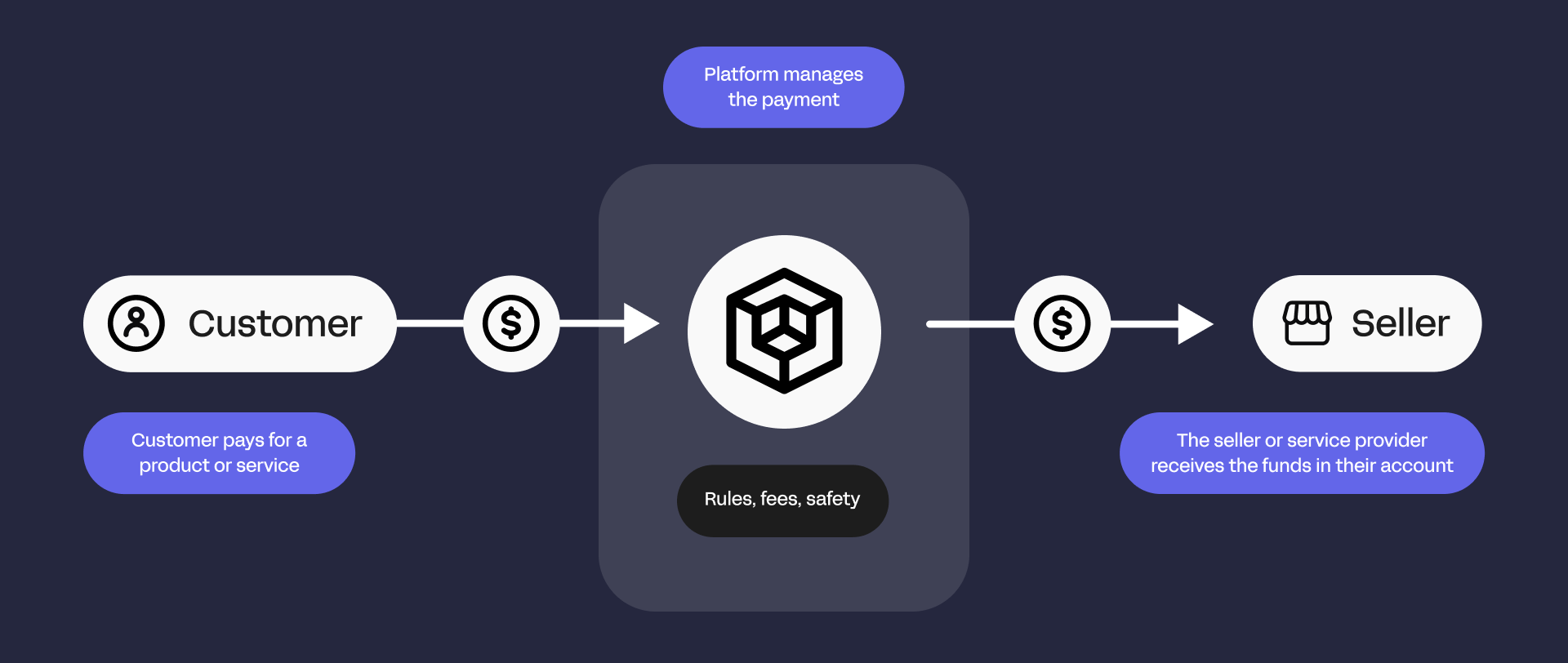
This looks super simple, until you try to build it. The moment you introduce multiple parties into a payment flow, you become responsible for:
- Verifying the identity of sellers and service providers
- Complying with anti-money laundering and tax regulations
- Managing payout across different countries (and their related currencies)
- Calculating splits and fees
- Handling refunds, chargebacks, and disputes
That’s a lot to manage, but Stripe Connect takes care of it for you by providing ready-made infrastructure for multi-party payments.
When you’ll need Stripe Connect
Stripe Connect is ideal whenever money flows from customers to multiple parties. Examples include:
| Use case | Stripe Connect role |
|---|---|
| Marketplaces | Accept customer payments, split funds between sellers/service providers, handle platform fees and compliance |
| Gig economy / On-demand | Pay workers quickly, manage fees and compliance |
| SaaS / Platform software | Sub-merchant billing, subscription payments, automate payouts to vendors/providers |
| Crowdfunding | Collect pledges and route funds to creators, handle refunds and multi-currency payouts |
| Event ticketing / Education | Pay organizers/instructors, manage complex payout schedules |
| Creator economy | Process recurring subscriptions and tips, route funds to creators while managing fees |
| Healthcare platforms | Process payments and automatically pay providers while staying compliant |
Let's take a closer look.
Marketplaces
Platforms that connect buyers with multiple sellers need to accept online payments, keep a portion as a service fee, and send the remainder of the funds to sellers.
This is complicated to take care of yourself, but Stripe Connect handles compliance, routing, and payouts automatically.
Shopify uses Connect for Shopify Payments, enabling merchants to accept orders while Shopify manages fees and verification.
SaaS platforms
SaaS and platform software companies often sell or facilitate services on behalf of other businesses.
Connect lets these platforms accept payments, implement sub-merchant billing, integrate subscription payments, split revenue, and automatically payout vendors and service providers.
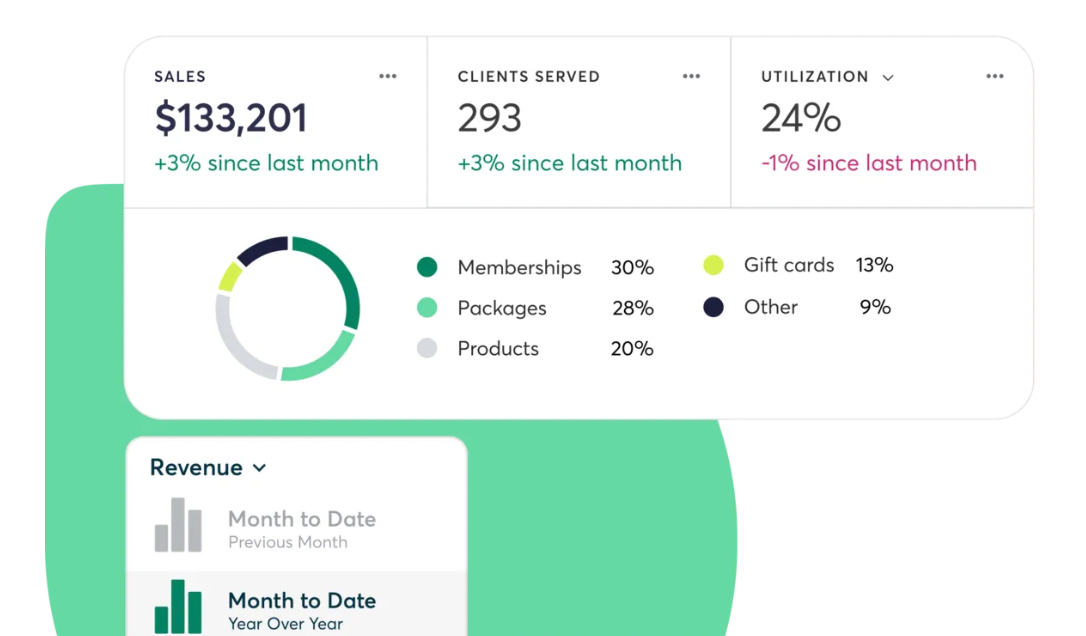
Mindbody uses Stripe Connect to let gyms, spas, and wellness providers accept bookings and subscription payments while automating payouts and compliance.
Gig economy & on-demand platforms
On‑demand platforms pay independent workers or contractors based on tasks completed. As the platform pays out individuals, this requires fast or flexible payout timing.
Stripe Connect helps these platforms accept customer payments, automatically route funds to workers’ accounts, and manage fees and verification.
Rideshare services such as Lyft offer fast payouts like Express Pay using Stripe Connect, giving drivers more control over when they get paid (often getting paid within hours instead of weekly).
Crowdfunding platforms
Crowdfunding platforms bring people together towards one common goal. These platforms collect pledges or donations from many backers, and then distribute those funds to creators when a campaign succeeds. Stripe Connect handles the complexity of collecting multi‑currency payments, processing refunds if necessary, and routing funds to creators.
Kickstarter uses Stripe Connect to collect pledges from backers and distribute funds to project creators around the world.
Event ticketing and education platforms
Platforms that sell tickets for events or courses for instructors often handle payments on behalf of organizers and educators. Stripe Connect lets these platforms automatically route funds to hosts or creators while managing refunds and tax requirements.
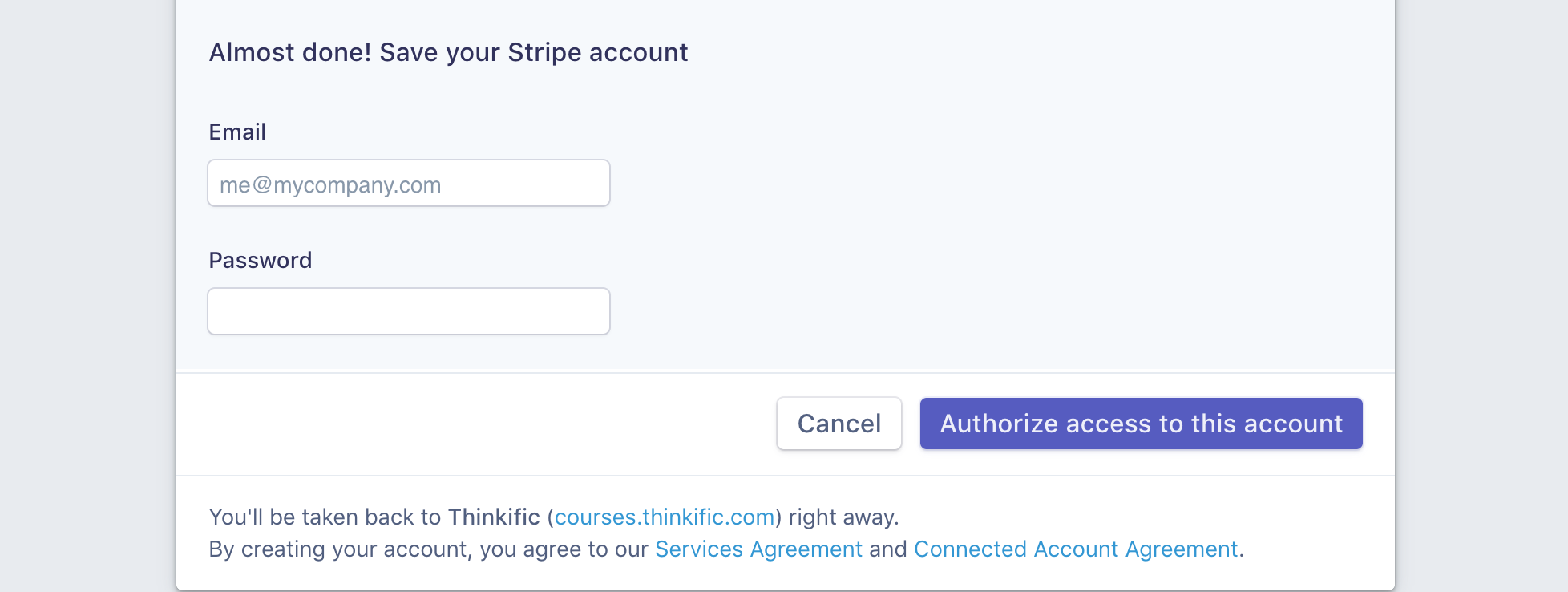
Thinkific uses Stripe Connect to simplify their back-office operations.
Stripe allows us to turn on new markets instantly and move at the pace that meets our customers’ growing and changing needs. I'd estimate we move twice as fast as we would with any other platform.
- Peter Fitzpatrick, Vice President of Payments at Thinkific
Healthcare platforms
Healthcare platforms connect patients with providers or clinics who need to pay providers directly, while remaining compliant with healthcare regulations. Stripe Connect supports these platforms by routing payments securely and automating verification and tax compliance.
Zocdoc uses Stripe Connect to process payments for doctor appointments, automatically paying providers while handling compliance and scheduling-related payouts.
Creator economy platforms
Many services in the creator economy run on subscriptions or tipping models that pay individual creators. Stripe Connect processes recurring or one-off payments, routes funds to creators, and handles platform fees and compliance.

Patreon uses Stripe Connect to process subscriptions and tips, then route funds to creators globally.
How Stripe Connect works
Stripe Connect is how your platform safely moves money for other people. It does the heavy lifting for onboarding, payouts, and compliance - but to use it well, you need to understand two things: who has what account, and how money flows between them.
Let's take a closer look.
Account structure
When you use Stripe Connect, there are two key types of accounts:
- Platform account (that’s you)
This is your Stripe account. You control payments, payouts, and fees from here. Think of it as the 'hub' where everything passes through. - Connected accounts (your users)
These are the sellers, creators, or service providers on your platform. Each one has a connected account through Stripe, which is fully configurable using controller properties.
This structure lets your platform do something important - you can act on behalf of connected accounts - creating charges, issuing refunds, and sending payouts, without having to build all the financial, legal, and operational infrastructure yourself.
Now that you understand the roles of the platform and connected accounts, let’s look at how money actually moves between them.
Stripe Connect payment flows
Stripe Connect supports different payment flows depending on how much control your platform needs over funds and payouts.
1. Direct charges

With direct charges, you create the charge for the connected account. They are the merchant for the transaction, and you take a cut for your role.
You should use this when you trust the connected accounts and want them to 'own' their customer payments, but be aware that you will have less control over the fund after the charge happens.
2. Destination charges

If you want visibility and control over the payment, but still want funds to move immediately, then use destination charges. With this flow, you take on slightly more responsibility.
3. Separate charges and transfers

If you need escrow-style timing, complex splits, and delayed payouts, then use separate charges and transfers. But be aware that although this flow gives you the most control, it also gives you the most responsibility.
How connected accounts are configured
Every seller, creator, or service provider on your platform needs a connected account in Stripe. This is where payouts, verification, and transaction tracking happen.
Legacy accounts (the older model)
In the past, Stripe used Standard, Express, and Custom accounts. These account types defined how much control your platform had over payouts, fees, and branding. If you’re working with older platforms, you may still see these account types, but new setups don’t require them.
Note: Legacy connected account types exist, but new platforms should configure controller properties for more flexible control.
Controller properties (the modern model)
Stripe now recommends using controller properties instead of rigid account types. These let you configure exactly what each connected account can do and how it behaves, without being locked into a legacy model.
With controller properties, you define:
- Dashboard access: whether users rely on Stripe’s interface, your own UI, or a mix of both
- Fee handling: who is responsible for collecting fees and managing payments?
- Liability: who covers disputes, refunds, or negative balances?
- Verification & KYC: what information is required, and at what stage of the user journey
This approach is flexible. You can start your users with minimal requirements, progressively collect more info as needed, and set different rules for different types of users.
Everything you can do with Stripe Connect
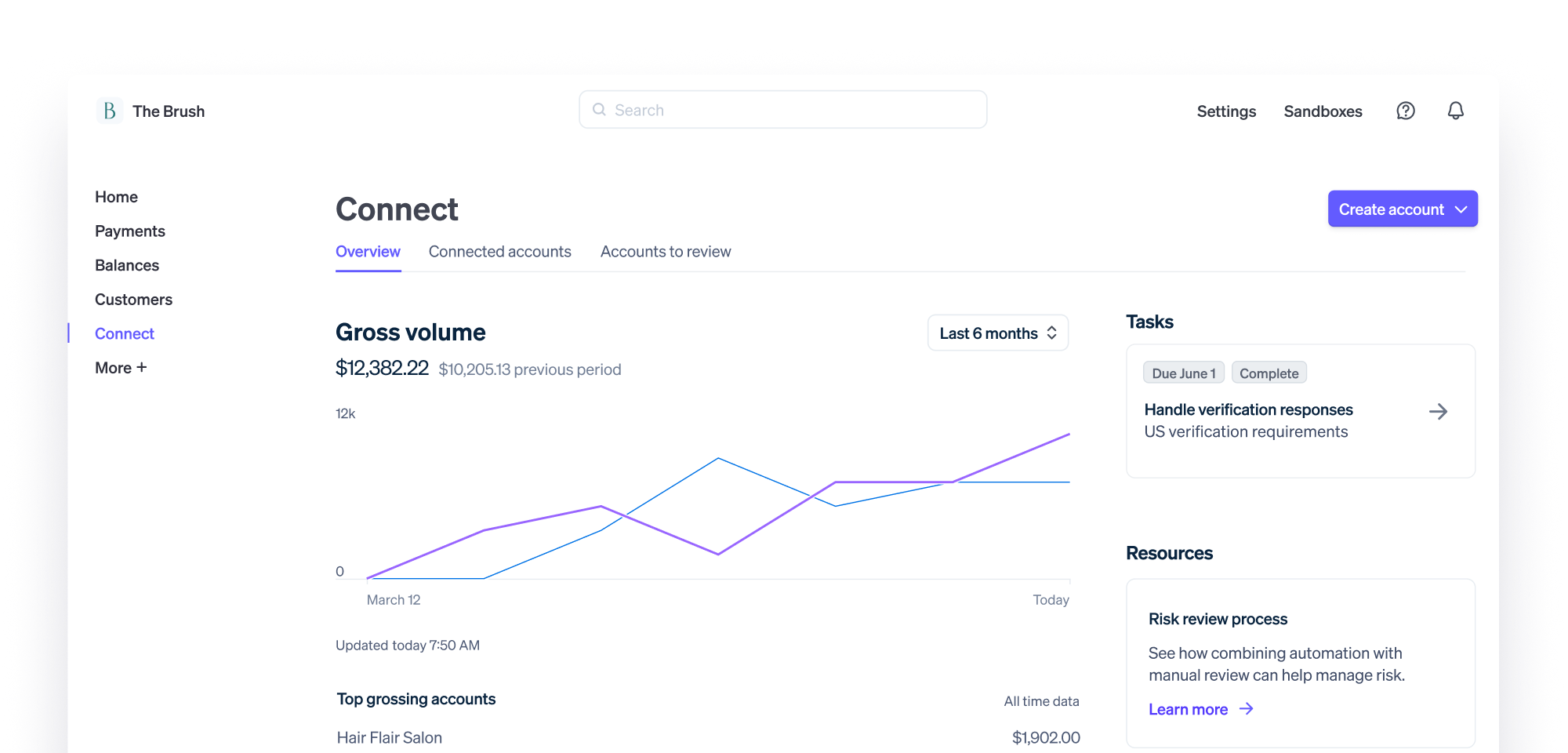
With controller properties, your platform can fully configure how each connected account behaves inside your payments system.
In practical terms, this means you decide:
- Who sees Stripe dashboards vs. your own UI
- Who collects fees and controls the flow of money
- Who is liable for disputes and negative balances
- When identity verification is required, and how much information is collected
- Whether onboarding happens through Stripe-hosted screens, embedded components, or your own custom flow
- How payouts are controlled, scheduled, and managed for different types of users
These settings shape the entire experience for both you and your users, and they’re what make Stripe Connect flexible enough to support marketplaces, platforms, SaaS products, and multi-sided businesses of all kinds.
Here’s what you can do with Stripe Connect:
Onboard your users
Before you can accept payments for other people, you need to bring them into your platform in a compliant way.
This means collecting the right information from them, verifying their identity, and satisfying regulatory requirements. And with Stripe Connect, you don't have to build all of that yourself.
Stripe Connect provides a structured onboarding system that handles this for you. Here's how it works:
Progressive onboarding and verification
One of the most powerful parts of Connect is that onboarding doesn’t have to happen all at once. Meaning, you don’t need to ask for every document, ID, and bank detail upfront.
Stripe allows what is called 'progressive onboarding'. This means your users can start accepting payments with minimal information, while Stripe quietly collects and verifies additional details in the background as needed.
For example:
- A seller can sign up and start listing products
- They can even accept their first payments
- Stripe will then prompt for more information, only when it’s required for payouts or regulatory thresholds
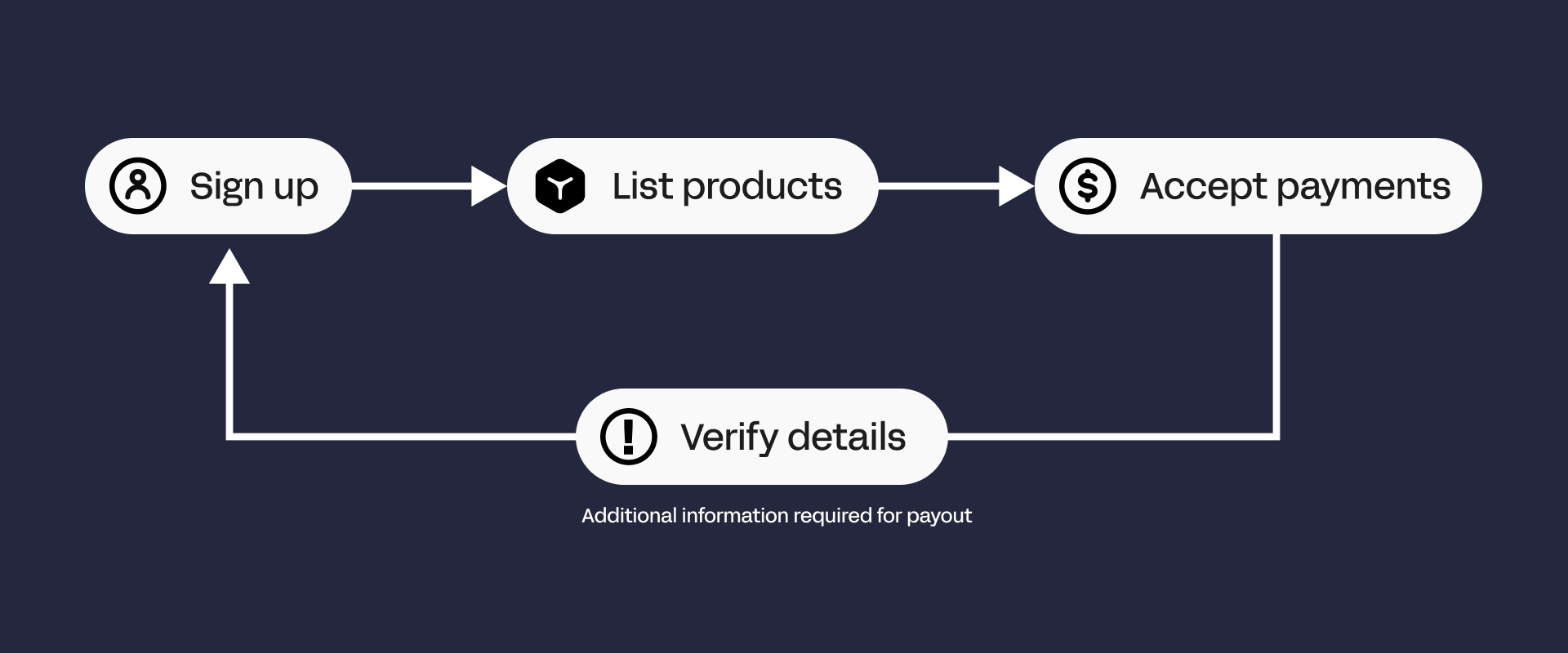
Instead of getting overwhelmed with digital paperwork straight out the gate, users can get started immediately and verify when needed. This dramatically improves conversion during sign-up while keeping you compliant.
Stripe-hosted vs embedded vs custom onboarding flows
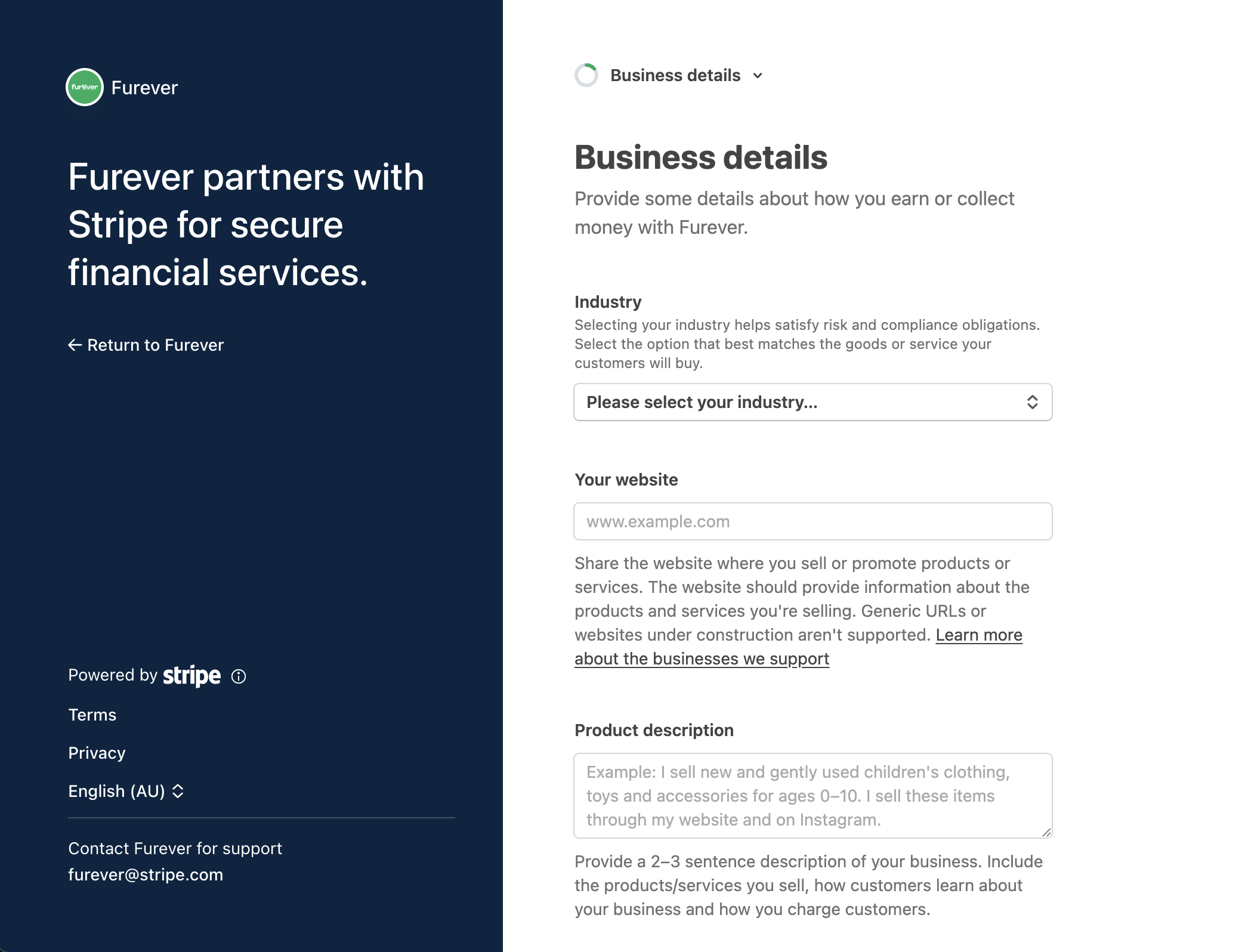
How the experience looks is up to you. Stripe offers three approaches depending on how much control and engineering effort you want:
- Stripe-hosted onboarding: Stripe handles the entire onboarding flow for you in a secure, Stripe-branded experience. You redirect users to Stripe, they enter their details, and come back verified.
- Embedded onboarding: Stripe provides prebuilt components that you drop directly into your UI. Users never feel like they’re leaving your product, but Stripe still handles the complexity underneath.
- Custom onboarding: You build your own onboarding experience entirely using Stripe’s APIs. This gives you full control over the UX, but you’re responsible for collecting the right information and keeping up with Stripe’s evolving requirements.
Regardless of which flow you choose, controller properties let you define what each connected account can do: who sees which dashboards, when additional verification is required, who handles fees, and more.
Most platforms start with Stripe-hosted or embedded onboarding while keeping platform control through controller properties.
Networked onboarding
If your users already have a Stripe account, they can onboard to your platform in as little as three clicks, which means no forms, document uploads, or waiting.
Networked onboarding works by leveraging Stripe's existing verification data. When a user begins onboarding, Stripe checks if they have an active, verified account.
If they do, Stripe presents an easy-to-follow flow that asks for permission to share their information with your platform. The user authorizes, and they're connected - often in under a minute. It's super simple, which means reduced friction, better user experience, and a faster time-to-revenue for you.
Networked onboarding is built into Stripe's hosted, embedded, and custom onboarding flows; it works automatically when eligible users sign up.
Accept payments on your platform
Stripe Connect makes it easy to collect money for your users anywhere, in multiple currencies, and across a wide range of payment methods.
Global reach
Where you can operate depends on Stripe’s regional availability, and you need to make sure your business is legally allowed in those countries. Connected accounts - whether sellers, freelancers, or creators - can accept payments in most Stripe-supported countries.
Keep in mind:
- Some countries require extra documentation or have restrictions on payouts
- Certain currencies may not be supported for settlement
- Local regulations can affect payment methods or payout frequency
Currency conversion
If your platform or connected accounts deal in multiple currencies, Stripe Connect handles the tricky parts. Here's everything involved in the currency conversion:
- Presentation currency: what the customer sees at checkout. Showing prices in their local currency makes it easier for them to trust you and hit ‘buy’.
- Automatic conversion: if the customer pays in a different currency than the connected account, Stripe can convert it automatically.
- FX rates and markup: Stripe applies standard conversion rates. You can choose whether to absorb fees or pass them to connected accounts.
- Multi-currency balance management: for pricing, reporting, and reconciliation.
Payment methods
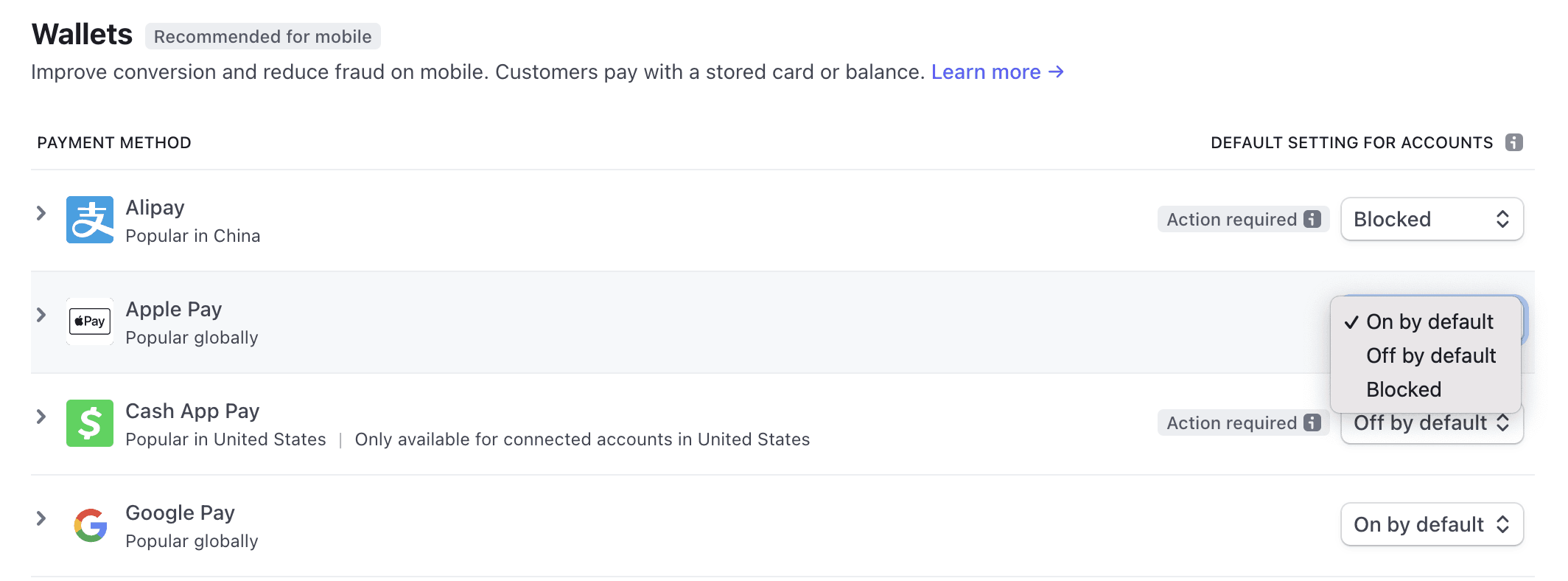
Stripe Connect supports cards, wallets, BNPL, and local rails - online, mobile, and even in-person. You can also handle subscriptions, invoicing, and optimize payments across channels.
Compliance and tax
Stripe Connect helps you stay compliant when accepting payments, but some responsibilities remain yours:
- KYC & identity verification: collect required information and documents from connected accounts to meet Know Your Customer (KYC) obligations.
- AML & risk monitoring: Stripe handles most checks, but you’re responsible for acting on flagged accounts.
- Tax reporting: Stripe helps generate reports, but you must ensure your platform follows local tax rules (1099-K in the US, VAT in the EU, etc.).
- PCI DSS & data privacy: Stripe reduces your compliance burden for card data, tokenization, and GDPR, but you still need to follow some rules.
Pay out your users
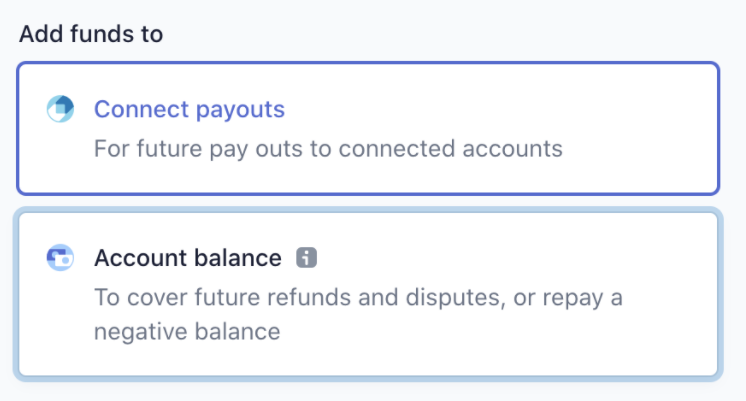
Once you’ve collected payments, it’s time to move money to your connected accounts.
Payout methods
Stripe Connect supports multiple ways to pay connected accounts, depending on their location. You can pay out connected accounts through bank transfers, debit cards, or local payment rails.
Debit card payouts reach eligible cards in minutes or hours (perfect for gig workers and freelancers), but local payment rails offer the fastest, cheapest, and most compliant payouts.
Payout timing and schedules
Decide how and when connected accounts get paid. You can enable automatic payments on a daily, weekly, or monthly basis; trigger payments whenever you need with manual payouts, or send near real-time transfers to debit cards with instant payouts.
At first, Stripe may temporarily hold payouts to verify banking info and reduce risk. Stripe might also hold a portion of funds temporarily to protect against chargebacks or disputes.
Currency conversion
When paying connected accounts in multiple currencies:
- Settlement currency: what the connected account actually receives.
- Automatic conversion: Stripe converts if the payout currency differs from the account’s preferred currency.
- FX rates and markup: platforms can choose whether to absorb conversion costs or pass them to connected accounts.
- Multi-currency balances: accounts can hold balances in multiple currencies and get paid in their preferred one if supported.
Failed payouts
Sometimes payouts fail, usually because of incorrect bank info, closed accounts, or country/currency restrictions. When this happens, Stripe automatically retries according to its schedule.
Both you and the connected account get notified, and usually, updating the account info or retrying the payout resolves it.
Regulatory licenses
Some regions require money transmitter licenses or payment facilitator registration.
Stripe’s licenses cover many areas, but you still need to check for country- or state-specific rules that may apply to your platform.
Manage fees and revenue
Once your users are onboarded, Stripe Connect gives you the tools to turn your platform into a sustainable business.
Application fees and revenue share
One of the simplest ways to monetize your platform is through application fees. Whenever a connected account gets paid, you can take a cut - either a flat fee, a percentage, or a combination.
Not good with numbers? Don't worry. Connect handles all of the calculations and automatically routes the correct amount to each account. That means you don’t need to build custom logic for every transaction, refund, or split.
This also gives you flexibility. You can adjust fees based on factors like region, payment method, or user type.
For example, you might charge more for international payments to cover higher processing costs, or offer discounted rates to high-volume sellers. By managing fees directly in Connect, your platform can scale without getting stuck with complex accounting.
Pricing tools and margin reporting
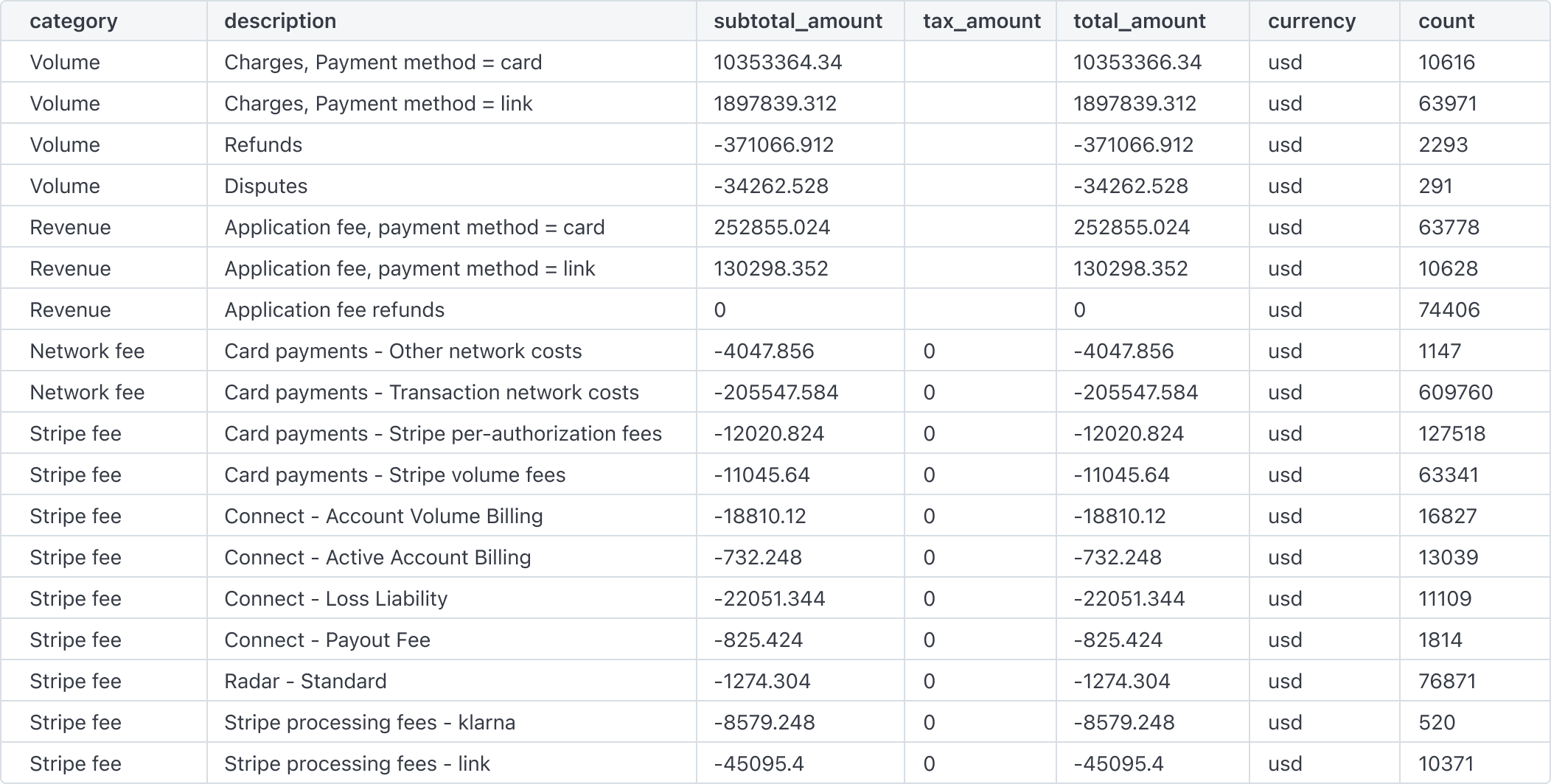
Understanding your revenue is just as important as collecting it. Stripe Connect provides analytics and reporting to show exactly how much your platform earns, where it comes from, and what it costs to operate.
Margin reports break down the money flowing through your platform: what’s collected, what’s sent to connected accounts, and how fees impact your take.
Advanced monetization opportunities
Stripe Connect isn’t limited to standard fees. You can add additional revenue streams through features like Instant Payouts, debit card transfers, or premium services.
For example, if you enable instant payouts, you can pass on a small fee or markup and keep it as revenue. You can also integrate Stripe Billing with Connect to charge connected accounts for subscriptions, platform add-ons, or analytics services.
Platforms can also offer financing through 'Capital for Platforms'. This enables your connected accounts to access business loans directly through your platform, creating an additional revenue stream for you, while helping users get the cash they need.
Manage risk and streamline tax
When you’re handling other people’s money, your platform is also on the hook for risk, fraud, and regulatory compliance. Stripe Connect provides tools to help you manage these challenges.
Fraud detection and chargeback management
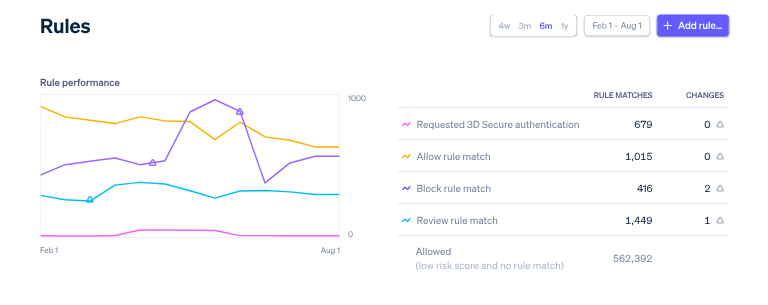
Every payment you process carries some risk of fraud or disputes. With Connect, Stripe’s fraud tools work behind the scenes to reduce risk automatically, with machine learning monitoring transactions in real time and flagging suspicious activity before it reaches your connected accounts.
And, when chargebacks or disputes occur, Stripe provides workflows for handling them efficiently. You can respond directly, track the dispute status, and let Stripe automatically deduct funds from your platform only if necessary.
Radar for Platforms (AI-powered fraud prevention)
Beyond transaction-level fraud, Connect includes Radar for Platforms to detect fraudulent accounts before they can even process their first payment.
The system analyzes signals across Stripe's global network during onboarding, using machine learning to identify fake identities, suspicious signup patterns, and high-risk behavior.
When Radar flags a potentially fraudulent account, you can review risk signals, set custom rules to automatically block accounts, and access analytics to understand fraud trends.
Tax reporting and documentation
Connect helps you generate reports for local tax obligations, for example, 1099-K forms in the U.S., VAT summaries in the EU, or GST statements in Australia.
These reports can be customized to show:
- Revenue per connected account
- Transaction type
- Geographic region
Other advanced Stripe Connect features
We've covered a lot already, but Stripe Connect also includes advanced tools that let platforms go beyond basic payments and payouts.
These features are optional, but they give your platform more flexibility and control.
- Subscription billing plus Connect: Manage recurring charges, trials, prorations, and invoicing for your platform or connected accounts. Integrates automatically with Connect for seamless subscription flows.
- Issuing and treasury integration: Provide connected accounts with cards, wallets, or bank accounts. Manage balances, spend limits, and virtual cards, while keeping funds flows and compliance fully handled.
- Scalable flexibility: Optional tools that let platforms expand into subscriptions, complex payouts, or financial services without rebuilding payment infrastructure.
Getting started with Stripe Connect
Think Stripe Connect is right for you?
Connect isn’t something you just sign up for and switch on. Rather, you design Stripe Connect into your existing platform.
Because of this, the decisions you make at the start (like controller properties, onboarding flow, and payment flow) shape how money, compliance, and user experience work for you long-term.
Now, before you begin, make sure that you have these fundamentals in place:
- A registered business entity
- A bank account in your platform’s name
- A rough idea of expected user count and payment volume
That last one matters a lot, because while Connect does scale with you, your setup should reflect whether you’re onboarding 50 sellers or 50,000.
Implementing Stripe Connect (a common rollout sequence)
Though Stripe Connect can be used for many different models, most platforms follow roughly the same path when implementing it:
- Create and verify your Stripe account
- Enable Connect from the dashboard
- Configure controller properties for your connected accounts (who sees dashboards, who handles fees, verification requirements, etc.)
- Decide how onboarding will appear inside your product
- Choose your payment flow (direct, destination, or separate charges & transfers)
- Set your application fee or revenue model
- Integrate Stripe on the server and client
- Configure webhooks to listen for important events
- Test everything in test mode
- Go live
- Monitor, refine, and scale
Now, you don’t need to do all of this at once, but you do need to take your time and make these decisions deliberately. Stripe’s test mode lets you simulate nearly every scenario your platform will encounter.
So, before launch, make sure you’ve tested different controller property configurations and payment flows, webhook delivery, charges (both successful and failed), refunds and disputes, and payout delays and failures.
Once live, your job shifts from setup to monitoring. Keep a close eye on failed payouts and disputes and Stripe API updates.
Technical integration
Onto the technical details.
Stripe Connect is API-first. That means most of your interaction with it happens through API calls from your server, with Stripe’s client-side tools handling the secure collection of payment details.
At a high level, your integration splits into two parts:
- Client-side: collecting payment details securely with Stripe.js or mobile SDKs
- Server-side: creating charges, managing connected accounts, and handling payouts
Stripe provides official libraries for Node, Python, Ruby, PHP, Java, Go, and .NET, so you’re not building requests from scratch.
Embedded components
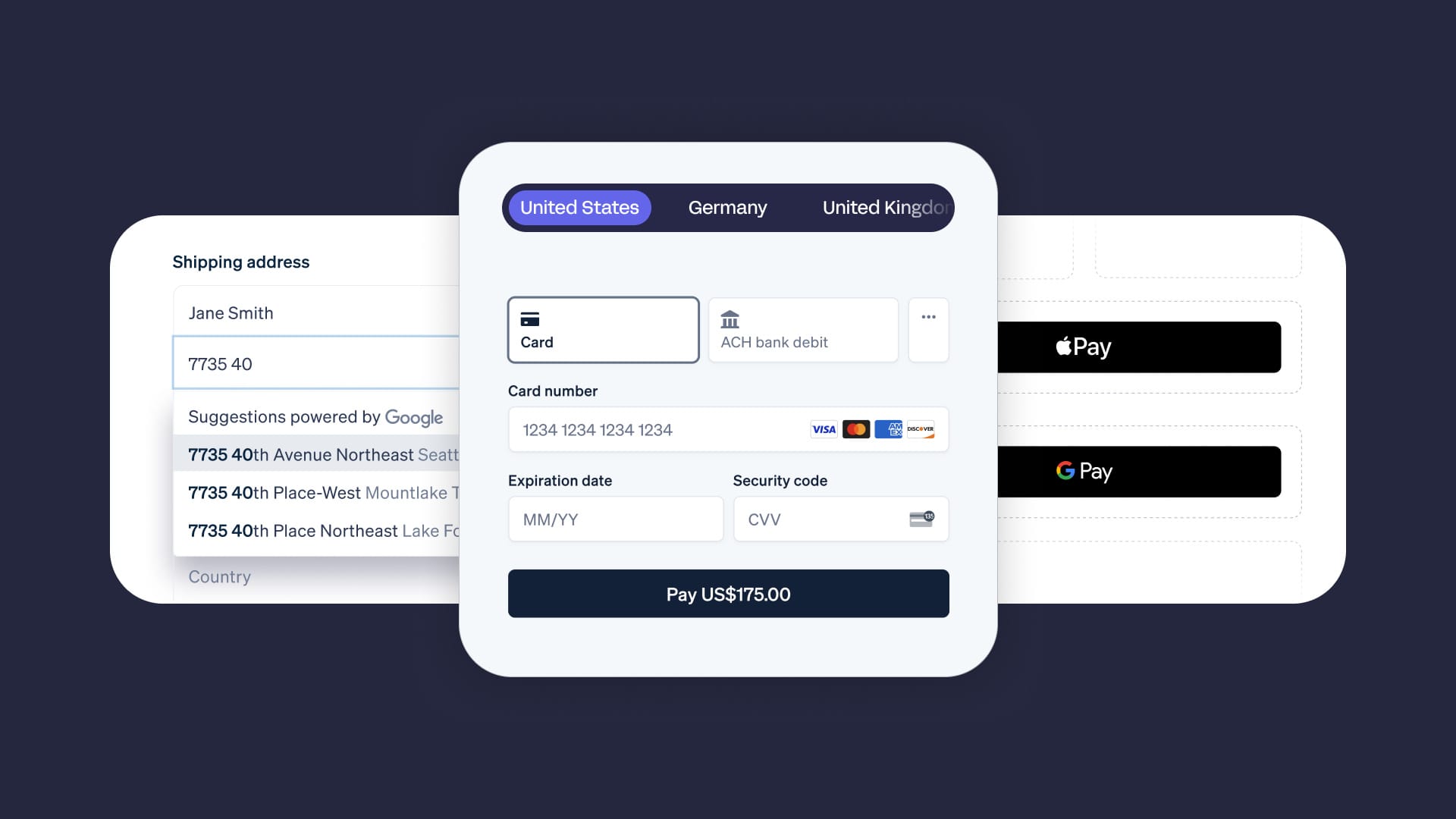
Stripe provides ready-made parts of the experience that you can place directly into your product instead of designing and building them yourself. This includes secure checkout for taking payments and prebuilt onboarding screens for collecting user details.
These components are already polished, security-reviewed, and compliant. You get a professional, trustworthy experience for your users without having to recreate complex payment forms or identity verification flows from scratch, while keeping everything inside your own interface.
Using Stripe Connect: reporting, compliance, and account management
Once you're set up with Stripe Connect, it's time to monitor everything that is happening on your platform.
Reporting, analytics, and dashboards
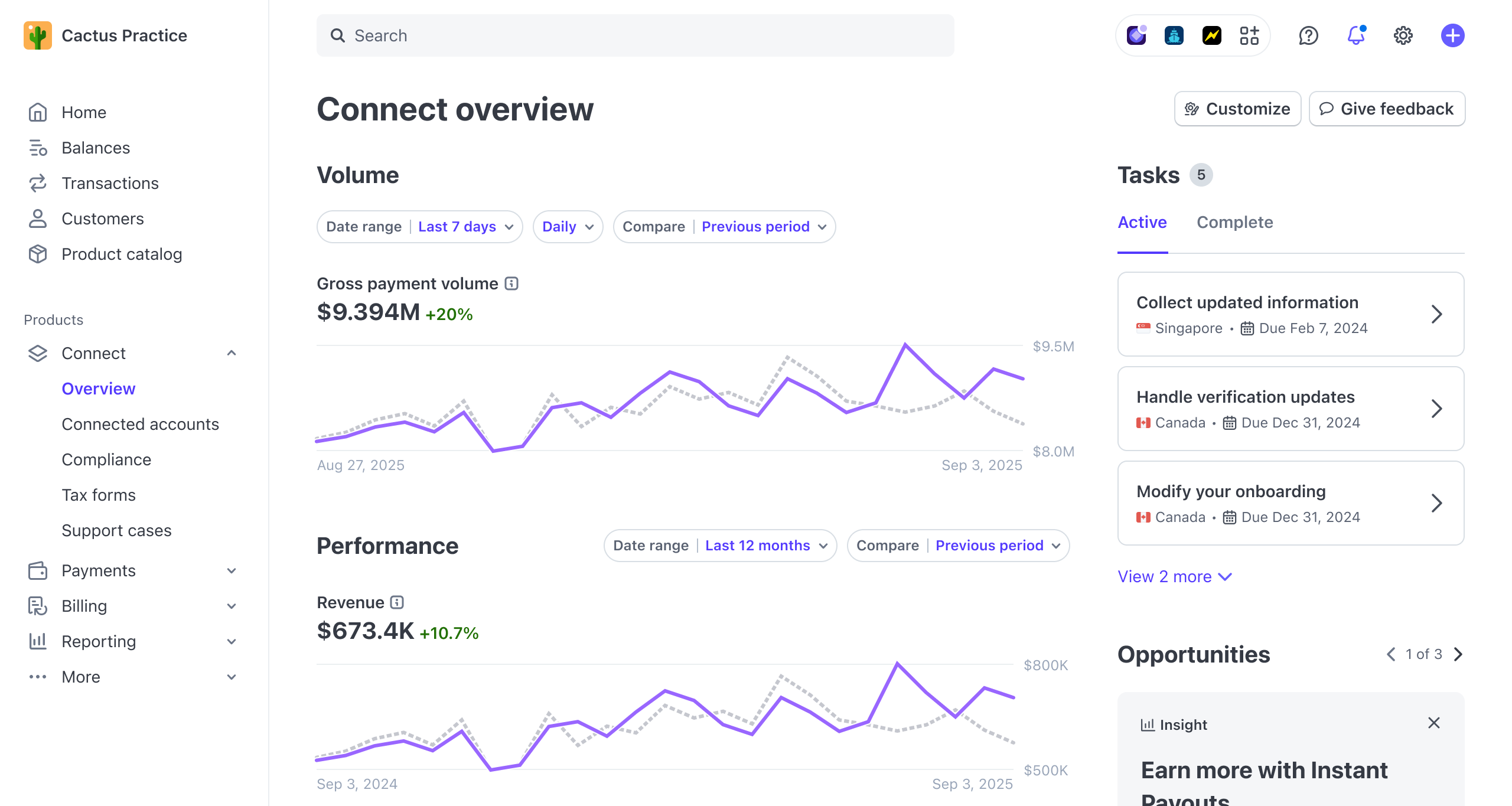
With Stripe Connect, you can see how much revenue you’re generating, which connected accounts are processing the most volume, where payments are coming from around the world, and the real-time status of every payout.
Stripe can generate the reports you’ll need for tax and compliance obligations, such as 1099-K forms in the US or VAT summaries in the EU, filtered by account and region.
Note: This doesn’t remove your responsibility to follow local regulations, but it gives you accurate, organized data that you can use at the end of the year.
You’re also able to see how risk shows up across your platform. Stripe surfaces which payments were blocked, how fraud scores are trending, and what your chargeback rates look like over time.
If you’re using Custom connected accounts, you may need to build dashboards so your users can see their own payments and payouts.
Stripe supports this with tools like Sigma, which lets you run SQL-style queries for deeper reporting, reconciliation, and custom views of your data.
Onboarding & account management
We’ve already covered how Stripe Connect handles onboarding and verification for you (need a refresh? Jump back up to 'onboarding flows').
What matters now is what happens after users are onboarded and actively using your platform. This is where Stripe Connect becomes an operational tool, not just a payments tool.
Once people are live on your platform, Stripe continues monitoring their accounts in the background. It tracks when more information is required, when payouts should be paused, when verification needs updating, and when accounts are ready to receive funds again.
This is all done without you having to interpret financial regulations yourself.
Stripe provides the status signals and tools to manage the entire lifecycle of account management (based on how you’ve configured controller properties), so you don't have to build your own compliance and account management system.
What your users can access
Depending on how you’ve set up connected accounts, users may be able to log in and view their payments, payouts, and verification status themselves, or they may rely on dashboards you build.
Either way, Stripe keeps the underlying account state, verification requirements, and payout readiness accurate in the background.
Stripe Connect pricing and fees
It's clear that Stripe offers a lot - but at what cost?
Stripe Connect offers two pricing models depending on how you want to manage payments for your users.
Base payment processing fees
Standard Stripe processing fees apply regardless of which Connect pricing model you choose. Fees are:
2.9% + 30¢ per successful domestic card charge in the United States, with an additional 1.5% for international cards, and an additional 1% for currency conversion (US accounts).
Option 1: Stripe handles pricing
Recommended for platforms that want to leverage Stripe's payments pricing.
Platform fees: $0
- No account fees
- No payout fees
- No tax reporting fees
Stripe sets and collects processing fees directly from your connected accounts. Platforms that let Stripe manage pricing for connected accounts, integrate Stripe Checkout or Elements, and reach $1M+ in annual payment volume, can qualify to earn a revenue share from Stripe through their partner program.
Option 2: You handle pricing
Recommended for marketplaces and platforms with custom pricing strategies.
- $2 per monthly active account
An account is active in any month payouts are sent to its bank account or debit card. - 0.25% + 25¢ per payout sent
Stripe charges your platform based on total payouts sent at the end of each month. - Tax reporting (US): $2.99 per 1099 e-filed with IRS; $1.49 per state 1099; $2.99 per mailed 1099
- Account debits: 1.5% of debit volume
Charge customers for products or services directly from their Stripe balance.
Additional fees (both options)
- Instant payouts: 1% of payout volume
Platforms can mark up this fee as an additional revenue stream. - Cross-border payouts: 0.25% of payout volume
Applied when sending payouts to connected accounts in different countries. - Pay with Stripe balance: 1% of transaction volume
Collect subscription fees directly from customers' Stripe balance (Preview feature).
Volume discounts and enterprise pricing
High-volume platforms, marketplaces, or SaaS apps can negotiate lower rates for base processing and Connect fees.
Contact Stripe’s sales team with your monthly transaction volume, average payment size, and business model to explore a custom enterprise plan.
Stripe Connect fee example
That's a lot to get your head around.
So, let’s imagine a simple scenario, in which customer buys a product on your platform for $100 using the 'you handle pricing' model.
Here’s how the money moves and the fees that get taken out along the way:
- Stripe takes its standard processing fee.
Every card payment has a processing fee of 2.9% + $0.30, which in this case is $3.20. - Stripe Connect takes a small payout fee.
When the funds are sent to your connected account, Stripe charges 0.25% + $0.25 (0.25% of $100 = $0.25, plus $0.25 = $0.50 total). - Stripe Connect also charges a monthly “active account” fee.
Because this connected account received a payout this month, Stripe adds $2 (spread across the month if there are multiple payouts). - Your platform takes its cut.
Let’s say your platform charges an application fee of $10.
After all of that, the seller, freelancer, or creator (aka the connected account) ends up with approximately $84.30, and you earn $10.
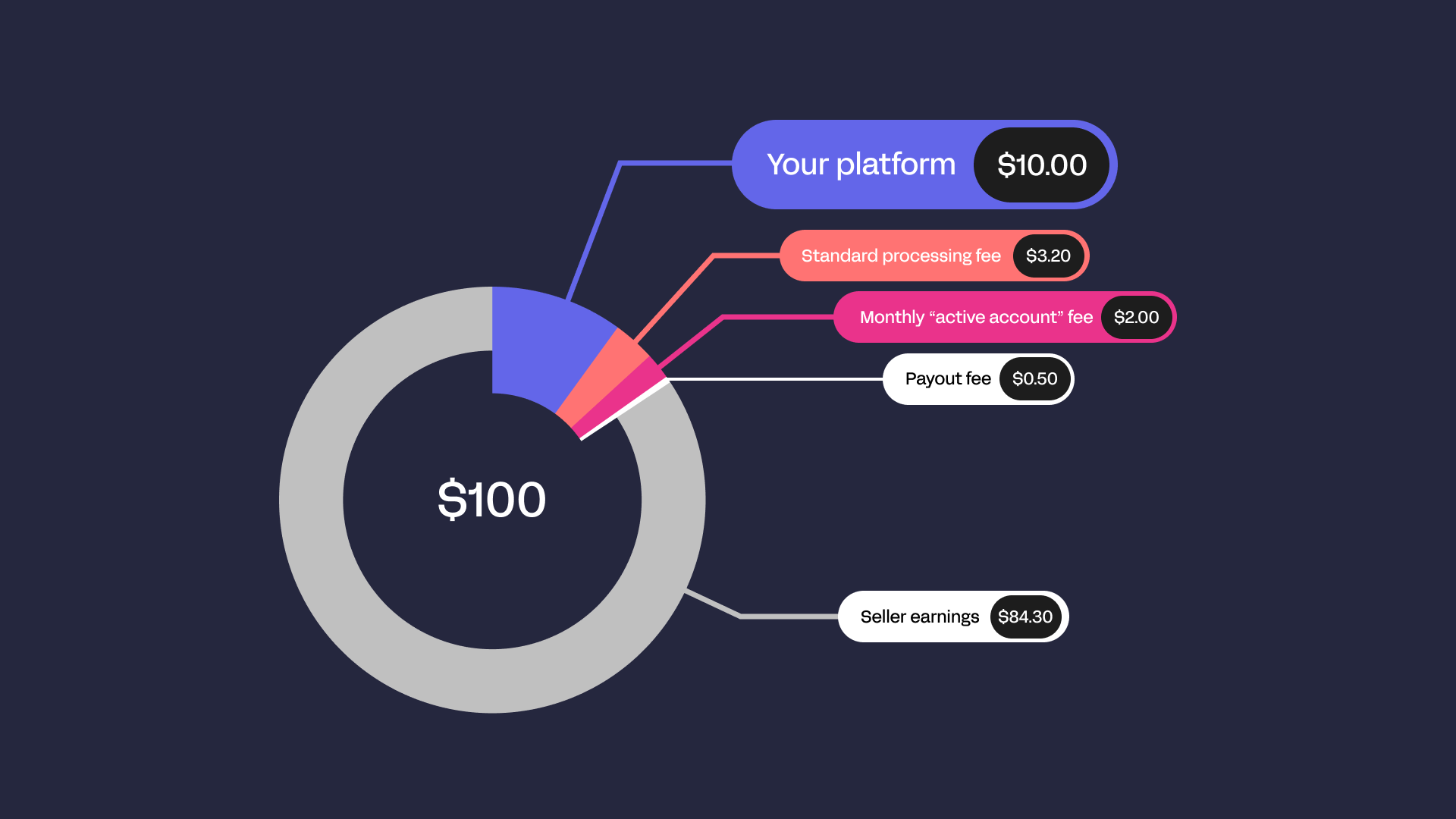
Stripe handles pricing model: The seller receives $86.80 ($100 - $3.20 processing fee - $10 platform fee), and your platform earns $10 plus potential revenue share from Stripe once you qualify.
Is Stripe Connect right for you?
Stripe Connect is a beast of a tool - in a good way.
But it's powerful and complex. If you’re a small, single-merchant business, it’s probably overkill - you’ll be paying for features you don’t need and navigating compliance that doesn’t make sense for your situation.
On the other hand, if your platform has multiple sellers, freelancers, or creators - or plans to expand globally - Connect can save you weeks of engineering and legal headaches.
If you're considering using Stripe Connect, here are some things to keep in mind:
- Fees: Active account and payout fees add up, especially for smaller platforms
- Global support: Not every country or currency is fully supported, and local regulations can affect payouts
- Payout timing: Funds may be temporarily held to satisfy compliance requirements
- Complexity: More control means more work, especially with Custom accounts
Many platforms love what Stripe Connect does, but real-world experience shows there are trade-offs. As one founder puts it:
“Overall, I’ve been grateful that Stripe Connect exists, but it imposes a heavy-handed, Stripe-branded onboarding flow that is hard to explain to my customers and can hurt conversions. I can’t fully control the onboarding experience while having sellers assume fraud and dispute liability.”
- Pierre, founder of Billways
This highlights a crucial pain point: even with controller properties, there’s still a balance between giving your platform users flexibility and keeping compliance and risk safely managed. Some founders wish they could fully customize the onboarding flow while letting sellers carry responsibility for disputes - something that’s tricky to achieve with Stripe’s current setup.
If you need to pay multiple parties, want global reach, and can handle a bit of complexity, Connect is worth it. But if your business is simple and single-sided, stick with standard Stripe payments.
Stripe Connect alternatives
Whop Payments Network

Whop Payments Network is a unified payments infrastructure built for platforms and marketplaces that need multi-party payments, connected accounts, automated revenue splits, and global payouts.
Like Stripe Connect, Whop lets you onboard and verify users, accept payments on their behalf, split funds from a single transaction, and route payouts across countries and currencies.
But instead of relying on a single payment provider, Whop uses smart orchestration across multiple providers to increase approval rates and global coverage.
Pros:
- Supports connected accounts, multi-party payouts, and automated revenue splits
- Built-in onboarding, identity verification (KYC), and compliance handling
- 100+ global payment methods and support across 241+ territories
- Smart routing and retry logic that improves authorization rates
- Lower technical overhead with no need to design complex Connect-style flows
- Unified dashboard for managing every account, payment, and payout
Cons:
- Fewer integrations than Stripe Connect
Micro1 uses Whop to automatically pay creators and manage revenue splits, similar to what Stripe Connect enables, but in a more creator-focused ecosystem.
Adyen for Platforms

Adyen’s platform solution is an enterprise-grade payments infrastructure that lets you onboard sellers or service providers, accept payments on their behalf, and manage payouts - including scheduled and on-demand transfers.
It also handles identity verification, compliance, and risk management as part of the integrated platform.
Pros:
- End-to-end payments, onboarding, and payouts in a single enterprise stack
- Strong European coverage, with limited presence in North America and Asia Pacific
- Flexible control over when and how users get paid (scheduled or on demand)
Cons:
- No coverage in Latin America (except for payment acceptance), Middle East, or Africa for platform user onboarding
- More enterprise-oriented and typically has a higher onboarding threshold compared with Connect
- Slightly less extensive marketplace-specific developer ecosystem than Stripe’s
- Requires deeper technical integration for custom platform flows
Tipalti
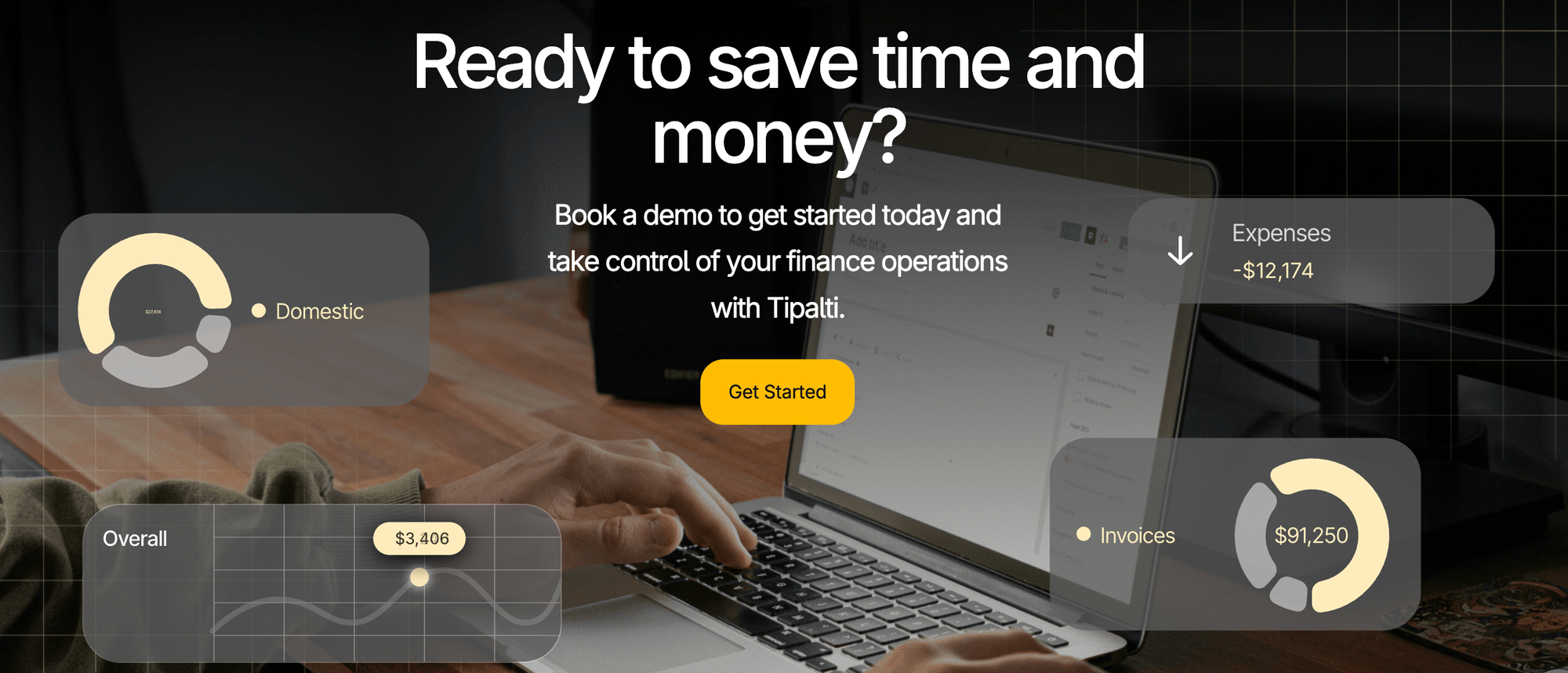
Tipalti is a payment automation and global payables platform. It's focused on automating supplier and vendor payouts, onboarding, compliance, and mass cross-border payments.
It’s widely used by tech companies, marketplaces, and enterprise businesses to streamline large volumes of payouts and compliance workflows.
Pros:
- Excellent for automated global payouts across 190+ countries and 120+ currencies with multiple local rails
- Strong compliance (tax forms, OFAC screening) and self-service payee onboarding
- Branded payee experience and robust reporting/ERP integration
Cons:
- Not a full Stripe Connect equivalent: it’s primarily a mass payments and accounts payable automation tool, not a built-in multi-party payment processing platform with escrow-style transaction routing
- Requires additional tooling or custom logic if you need complex revenue splitting or platform billing workflows similar to Connect
- More focused on back-office finance automation than developer-centric payment orchestration
PayPal: Enterprise Payouts
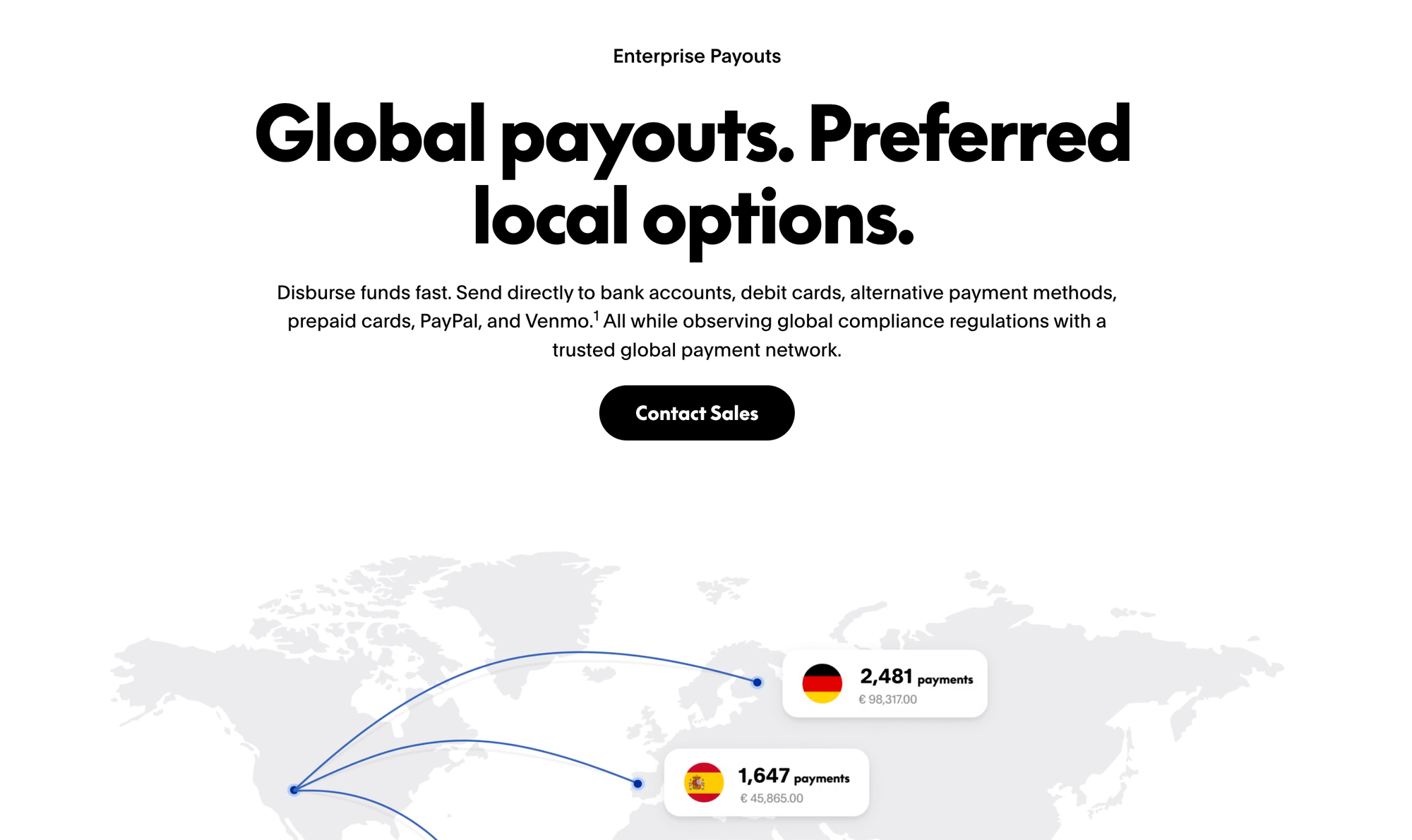
PayPal’s enterprise platform supports payments and payouts for marketplaces and platforms, including global payouts to PayPal, Venmo, bank accounts, and debit cards.
It includes tools for compliance, payee verification, and mass payouts through its Global Payouts solution, making it more advanced than standard PayPal checkout.
Pros:
- Trusted global brand with broad consumer adoption and familiar checkout experience
- Built-in compliance, tax reporting (e.g., 1099 support), and fraud screening
- Supports payouts in 200+ markets and 50+ currencies via multiple rails (bank, card, wallets)
Cons:
- Not as flexible as Stripe Connect for revenue splitting, advanced platform flows, or embedded multi-party logic
- Checkout remains PayPal/Venmo-branded unless customized heavily
- Some platform features (like delayed or conditional payouts) are more manual or less developer-centric than Connect
Payoneer
Payoneer is a global payouts and financial platform designed to help businesses pay freelancers, suppliers, and partners across borders. It’s widely used for international payouts and multi-currency payments, but unlike Stripe Connect, it doesn’t handle live transaction routing, platform fee splitting, or embedded multi-party payments.
You’ll need additional tools or manual processes to replicate the full platform logic that Connect provides.
Pros:
- Strong global coverage, supporting payments in 190+ countries and 70+ currencies
- Lower fees than PayPal in many international markets, making it cost-effective for mass payouts
- Provides virtual and physical cards, so payees can access funds immediately without waiting for a bank transfer
- Supports mass payments and batch disbursements, which is useful for high-volume freelancer or supplier payouts
- Built-in reporting tools give visibility into payments, balances, and transaction history for better finance management
Cons:
- Not designed for marketplaces or multi-party transactions - splitting funds or applying platform fees usually requires manual work
- Lacks onboarding and compliance automation tools like KYC or tax reporting that Stripe Connect or PayPal for Platforms offer
- Customer experience can feel fragmented if payees are required to create Payoneer accounts or manage multiple payment rails
- Does not handle live payment collection on your platform, it only moves funds after they’ve been received elsewhere
Power your platform with Whop Payments Network
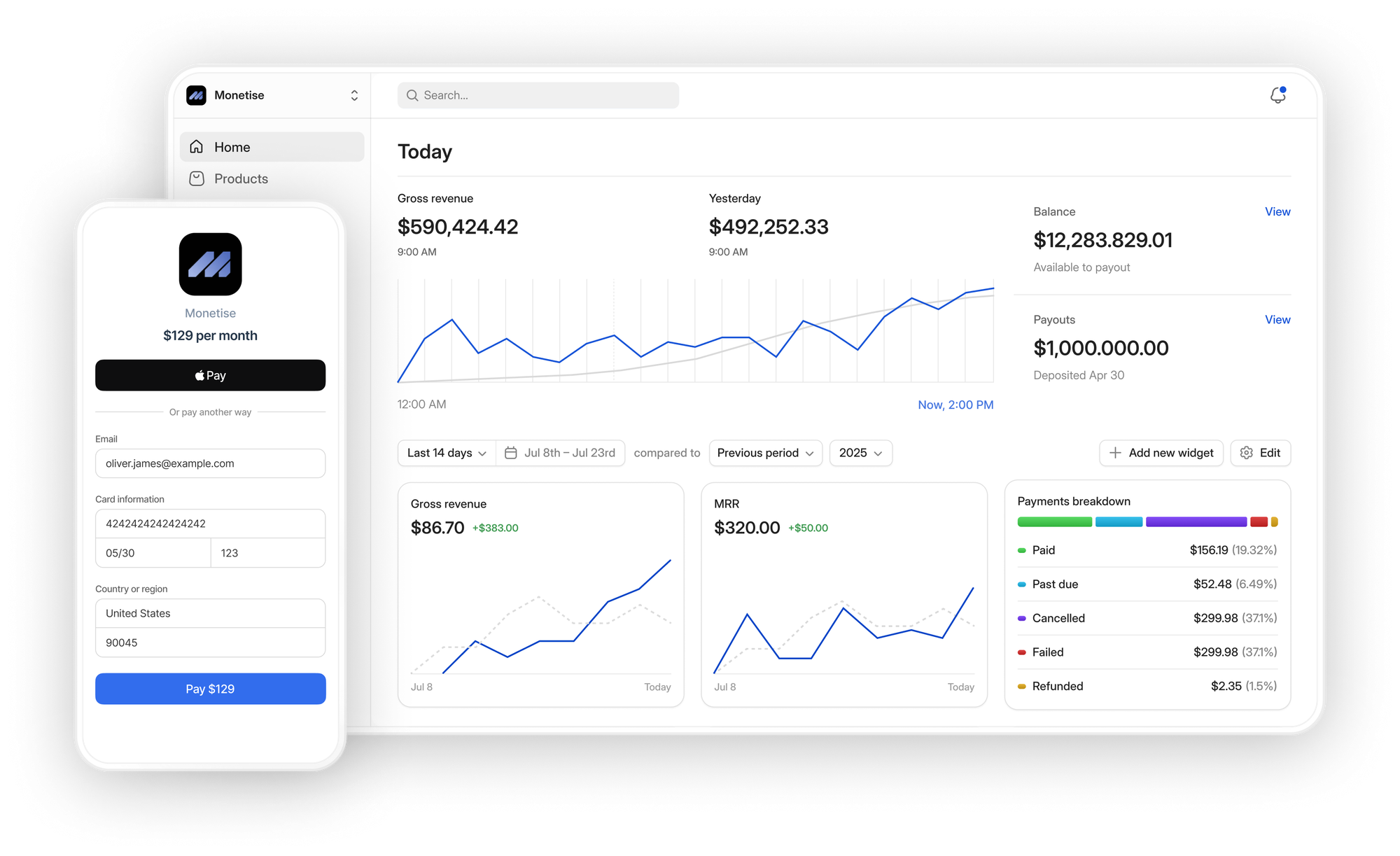
Whop Payments Network makes multi-party payments simpler for platforms and marketplaces. From onboarding and verifying connected accounts, to splitting payouts, managing compliance, and supporting 100+ payment methods globally, everything works through a single, unified system.
Whop Payments Network handles the same core use cases as Stripe Connect, but packages them in a platform-ready way with smart orchestration, global reach, instant fund transfers, and a dashboard built for operators and connected accounts alike.
"Whop gives me peace of mind - I don't have to worry about our payment stack working. Our team has gotten back so much time."
Nick Lawton • CEO of SideShift
Whether you’re launching your first platform or scaling to millions of users, Whop takes care of the complex details behind the scenes, letting you focus on growing your business.
Stripe Connect FAQs
How does Stripe Connect handle recurring payments?
Connect integrates seamlessly with Stripe Billing, so subscription payments for connected accounts can be automated - including prorations, trials, and recurring charges.
Can I switch a connected account type later?
Yes. You can adjust controller properties for each user at any time to give them more or less control, change fee responsibilities, or modify verification requirements. This replaces the old upgrade/downgrade process for legacy account types.
How do refunds and disputes work with Connect?
You can issue refunds on behalf of connected accounts, and Stripe handles most of the dispute process automatically. Platforms may need to provide additional documentation for chargebacks.
Do connected accounts need their own Stripe accounts?
Yes, each connected account is technically a Stripe account, but onboarding can be fully handled by your platform (for Express/Custom) or by Stripe (for Standard), depending on the type.
How quickly do payouts reach connected accounts?
Payout speed depends on account type and region. Express and Custom accounts can receive instant payouts via debit card, or scheduled payouts via bank transfer. Standard accounts follow Stripe’s default schedule.
Can I control the branding of the connected account experience?
Yes. Standard accounts show Stripe branding, Express accounts allow partial branding, and Custom accounts let you fully white-label the experience.
What happens if a payout fails?
Stripe automatically retries failed payouts, notifies the platform, and tracks the reason (like wrong bank info or currency restrictions). Connected accounts can update their info to resolve issues quickly.