
Beacons.ai is a link-in-bio service used to sell digital products and create brand partnerships. Read this article to discover how beacons.ai works, how much it costs, and what users are saying about the tool.
Key takeaways
- Beacons.ai uses AI to auto-generate link-in-bio pages and media kits, saving creators significant setup time.
- Creators can sell digital products, courses, and memberships directly through their bio page with built-in payment processing.
- Free tier comes with high transaction fees and limitations; upgrading to Creator Pro ($30/month) eliminates fees entirely.
Beacons.ai is a link-in-bio platform that helps creators and entrepreneurs consolidate all their important links into a single, shareable page.
It allows you to direct followers from social media bios to stores, social channels, newsletters, and other online content, all from one central hub.
This article will dive deeper into what Beacons.ai actually is and how it differs from other link-in-bio tools.
What is Beacons.ai?
Beacons.ai is a link-in-bio service that offers clean, customizable pages for influencers, with an AI-enhanced twist.
Rather than having to painstakingly add links or content to your page, the platform will auto-generate it for you.
Of course, you can customize the page yourself if you don't like the content it generates, but for most people, taking advantage of the auto-generation tools will save a lot of time.
Getting started with Beacons.ai
Creators can get started with Beacons.ai in just a few minutes.
Creating an account is free, and you have the option of using your email address and a password to log in or using one-click authentication via your Google account or other similar OAuth providers.
Once you've created an account, you'll be asked to choose your username. If possible, pick something that matches, or is at least similar, to the names you use on social media.
You'll then be asked to connect your social accounts, so you can get updated analytics. The platform supports the most popular social media services:
When you link an account, Beacons.ai will pull data from it such as the number of followers you have, how often you post, and the engagement rate on your posts. It will use that information to create a media pack that you can share with brands so they can decide whether they'd like to work with you on marketing campaigns.
These reports are generated based on public data, and Beacons.ai will provide better information for brands if your profile is public. If you have your profile locked down to followers only, the report can show only limited metrics.
Customizing your Beacons.ai
After linking your social pages, Beacons.ai will generate a simple link-in-bio page for you, including your profile picture, a background image, and an AI-generated tagline based on the details you provided in your social profiles.
You can change the template, edit the text and add new links to the bio if you wish.
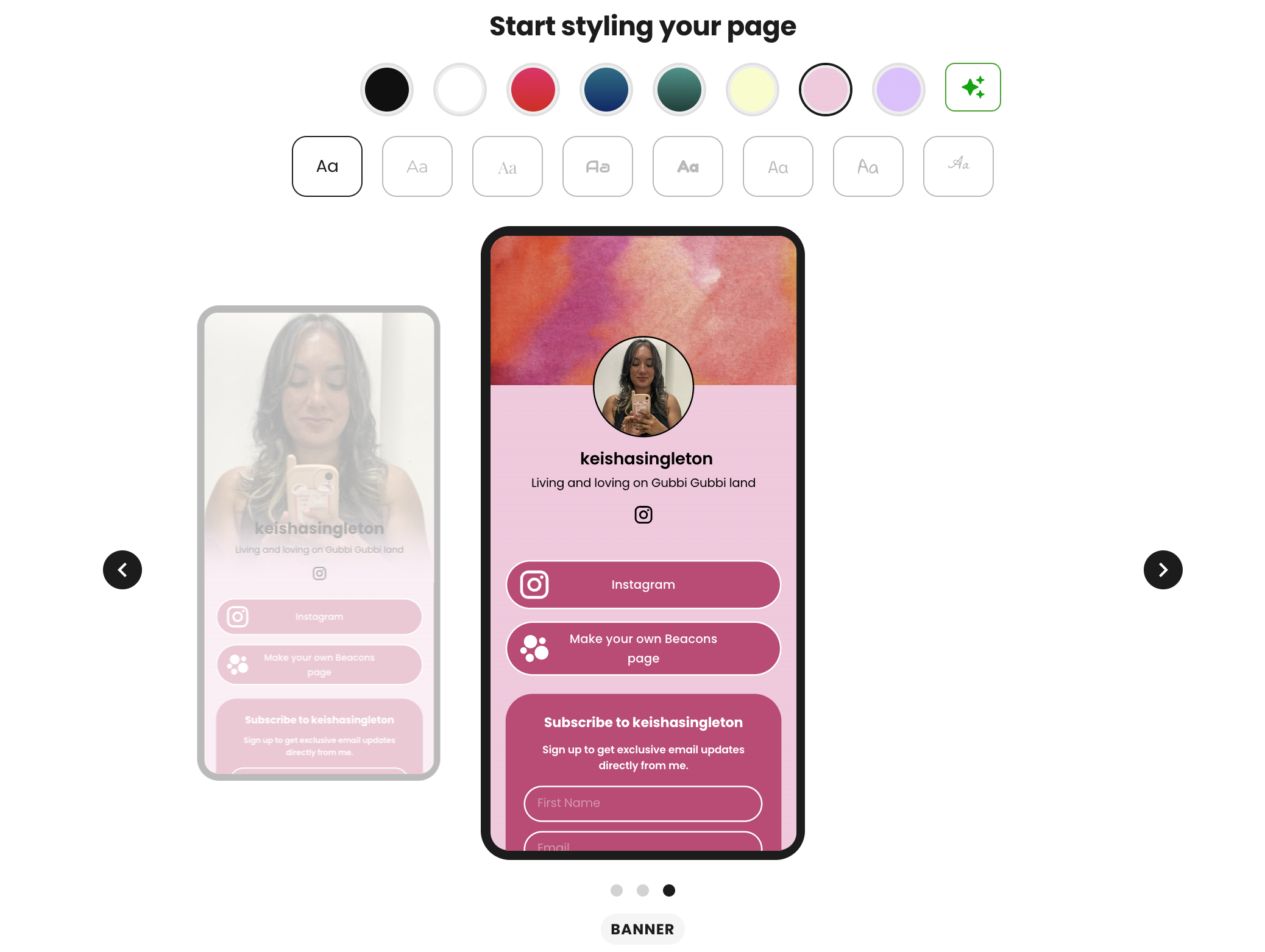
Once you've got that bio up and running, you're free to explore the platform's other options. Beacons.ai is a flexible platform offering several services, including:
- A simple website generator
- Email marketing features
- A store feature for your link-in-bio page
- The previously mentioned media kits
- A referral program
Selling digital products with Beacons.ai
The store feature enables you to sell digital products via your link in bio page.
To get started, navigate to the Store tab and choose your product type from the My Products section. Beacons.ai supports courses, digital products, memberships and appointments.
It can also import products from Shopify, Etsy, Gumroad, Stan Store and a variety of other ecommerce platforms.
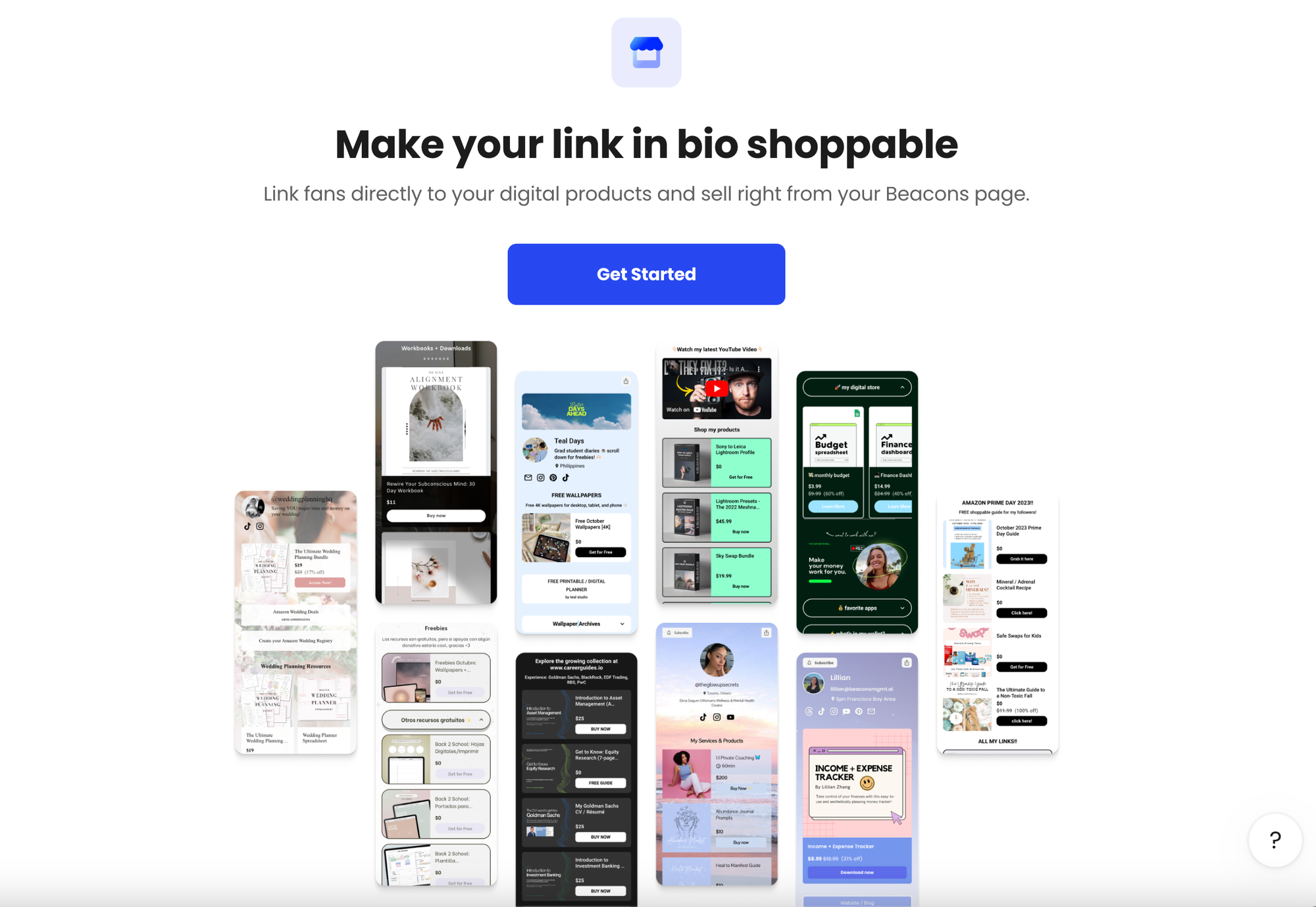
After choosing your product type, you'll be taken to the product page, where you can customize the listing.
The right-hand column of the editor page includes a checklist of things for you to customize. Each item in the list will show a green check once it's been edited.
Edit the product header, title, description and pricing by clicking on those things in the editor, or by clicking on each item in the list.
If you've chosen a digital product, one of the items in the checklist will be to upload the product files or provide a URL for them. You can add up to 6 files or links to a product listing.
Once you've set up the product page, you can also customize the checkout, success screen and email receipt, then publish your product.
While your followers will be able to see your listings as soon as you publish them, they won't be able to purchase until you've set up payment options in your account settings.
Beacons.ai works with PayPal and Stripe, and you'll be charged payment processing fees by those platforms, on top of Beacons.ai's own transaction fees. This can be substantial for those on the lower membership tiers.
How much does Beacons.ai cost?
Beacons.ai offers a free tier, which provides access to the core features of the site, including a link-in-bio, access to the website creator and the ability to sell a limited number of products via your bio store.
Users on the free tier can only use the beacons.ai domain for their link-in-bio and media kit pages.
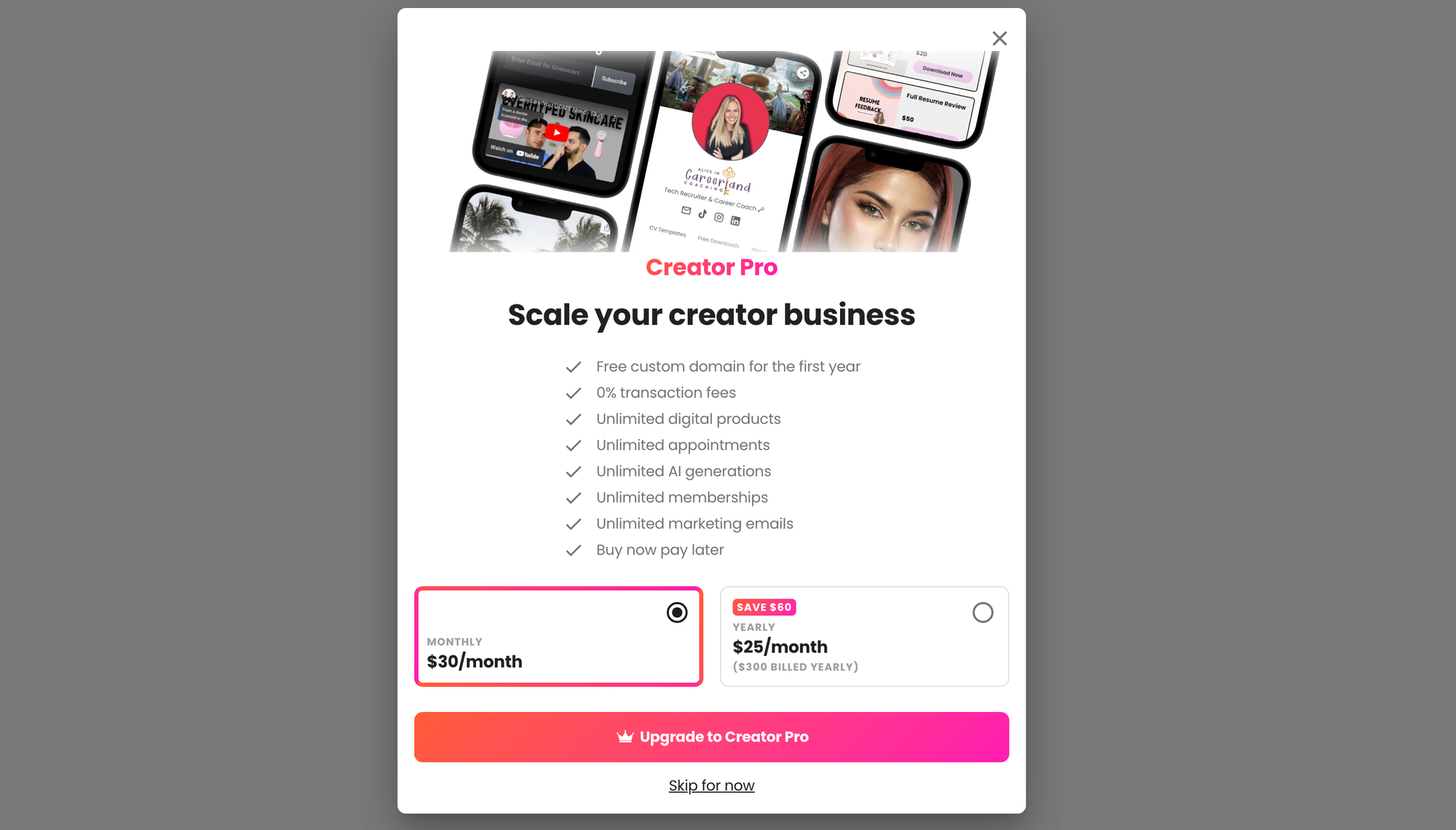
To unlock the account limitations, you'll need to upgrade to one of the premium plans.
The Creator Plus plan costs $10/month, and gives creators access to:
- Custom domains
- The ability to add unlimited products to their store
- A buy-now-pay-later feature
- Reduced transaction fees
- 500 marketing emails
- Unlimited use of AI generation tools
Creator Pro costs $30/month and offers everything in the Creator Plus plan, and:
- No transaction fees
- Unlimited marketing emails
- Unlimited memberships
- More frequent updates to the media kit
Finally, the top tier plan, VIP, costs $50 a month and offers:
- Unlimited courses
- A dedicated support team
- NFC card
- White-glove onboarding service
The prices listed above are based on month-to-month memberships. There's a discount for creators who pay for a year in advance.
Can you really make money with advertisers through Beacons.ai?
Yes, you can make a decent income through brand deals with Beacons.ai.
The platform will automatically generate a media kit based on metrics it gathers from your linked social media accounts, and summarize those metrics so advertisers can decide whether they'd like to work with you.
Creators can use the AI Brand Outreach Tool to create pitches to send to brands and use the platform's Pricing Calculator to work out how much to charge based on your reach and engagement.
Beacons.ai even provides an invoicing system, and approved influencers can use the 'Early Pay' feature to receive payment for sponsored posts instantly instead of having to wait for the brand they're working with to process their invoices.
To take advantage of these features, you need a large following.
While small accounts can land sponsorship deals if they're operating in an unusual niche, most mainstream brands want to work with accounts with at least a couple of thousand followers.
What are the pros and cons of Beacons.ai?
If you're looking for a link-in-bio service that lets you sell products easily, Beacons.ai has a lot to offer – but it has its drawbacks, too:
| Pros | Cons |
|---|---|
| Free tier with lots of features | High transaction fees on some lower-tier plans |
| Easy integration with multiple platforms | Limited customization options |
| Sell courses, digital downloads, and coaching calls | Using a custom domain costs extra after the first year |
| AI-assisted page generation | |
| Build your own basic web pages from templates | |
| Email marketing features |
So what are users saying about Beacons.ai?
Well, reviews on Trustpilot are overwhelmingly negative, leading the service to have a 2.0 out of 5-star rating.

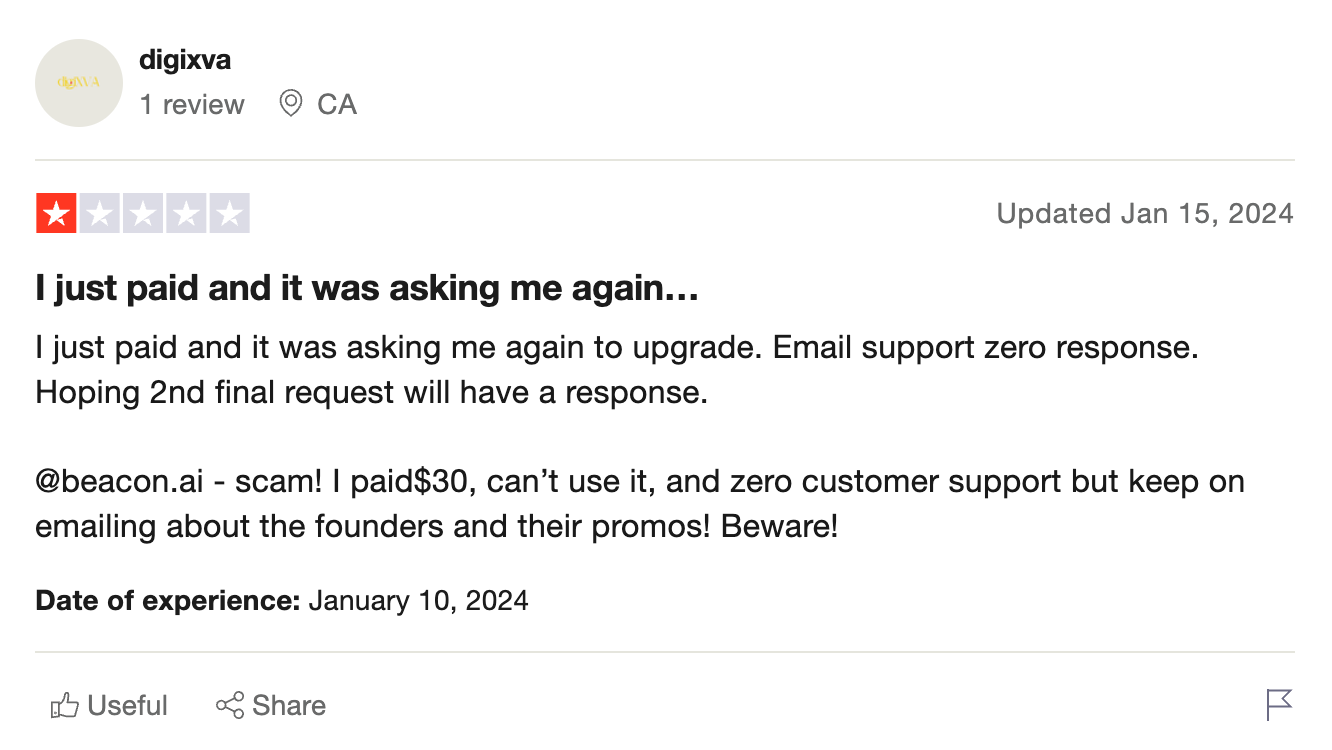
While one 5-star review states that the platform is worth using and customer service is 'great', 1-star reviews report issues with payments, customer support, and 'buggy features'.
Beacons.ai alternatives
If you want to sell digital products, courses or coaching calls via your TikTok or Instagram profile, Beacons.ai isn't the only option. Here are some alternatives:
Whop
Whop is an all-in-one platform for creators and entrepreneurs, and while it is not a dedicated link-in-bio tool, you can easily integrate your Whop hub link into your social media bio.
Whop lets you create your own hub in less than 10 minutes, customized to your liking. Courses, apps, files, communities, livestreams, SaaS – you name it, you can sell it on Whop.
You can even offer products under tiered memberships and subscriptions, maximising recurring revenue.
Linktree
Linktree is one of the most well-known link-in-bio platforms. It's incredibly easy to use, and has a free forever tier, as well as affordable pricing for those who want to remove Linktree's branding.
Compared to Beacons.ai, Linktree is a bare-bones service. It allows creators to build a page full of links and has some limited features for integrating products from Shopify and other services into the page, but those features aren't as versatile as Beacons.ai.
If you're a smaller creator who simply wants to share some third-party links with your followers, Linktree could be an affordable and accessible way of getting started.
Stan Store
Out of the established link-in-bio services, Stan Store is perhaps the most similar to Beacons.ai.
It provides similar features, including the ability to sell digital downloads and other products. Stan Store even has its own course creator. The biggest strength of Stan Store is how easy it is to use.
The store builder is intuitive, and the course creator lets you build a professional-looking course using only your mobile phone.
Unfortunately, this polish and ease of use come with a hefty price tag. There's no free tier on the platform, and the email marketing features are gated behind the Creator Pro plan, which is the platform's most expensive offering.
Building a community with Whop, the most versatile Beacons.ai alternative
Whop is your all-in-one social commerce hub.
Sell anything, run memberships, host digital products, and even process payments all in one place: no monthly fees, just a 2.7% cut per sale.
This means you can build a hub your followers actually want to visit.
Share products, chat, run forums, or gate exclusive content. Keep your community engaged, make money, and stay in control – without overwhelming your audience with a million links.
Start for free and turn your social media following into real cash flow with Whop.
FAQs
Is Beacons.ai actually free?
Yes, Beacons.ai offers a free tier that gives you access to the core features like creating a link-in-bio page, building a basic website, and selling a limited number of products. However, the free plan comes with some restrictions – you'll be stuck with the beacons.ai domain, face higher transaction fees on sales, and have limited access to features like marketing emails and AI tools. If you're serious about monetizing your content, you'll likely need to upgrade to one of the paid plans starting at $10/month.
Can I use my own domain with Beacons.ai?
You can use a custom domain with Beacons.ai, but only if you upgrade to the Creator Plus plan or higher (starting at $10/month). The free tier restricts you to using a beacons.ai subdomain for your link-in-bio and media kit pages. If branding is important to you and you want a professional-looking URL that matches your social media handles, you'll need to invest in one of the premium plans.
What are the transaction fees on Beacons.ai?
Beacons.ai's transaction fees vary depending on your plan. The free tier charges the highest fees, while Creator Plus ($10/month) offers reduced transaction fees. If you upgrade to Creator Pro ($30/month), you'll pay zero transaction fees on sales. Keep in mind that regardless of your Beacons.ai plan, you'll still need to pay payment processing fees to PayPal or Stripe, which typically range from 2.9% + $0.30 per transaction. For creators making significant sales, the Creator Pro plan might pay for itself by eliminating those extra transaction fees.