You can add an embedded chat to your Next.js app without having to deal with the complex backend thanks to Whop. Learn how to in this guide.
Key takeaways
- Whop handles messages, real-time delivery, media, reactions, and moderation, so you skip WebSocket servers entirely.
- Your server mints short-lived, user-scoped tokens, keeping the Company API key off the browser permanently.
- Channels, DMs, and support inboxes share one chat interface, differing only in creation and visibility.
You can add real-time chat to an existing Next.js app without having to store messages, running a WebSocket server, or having to set up complex moderation systems.
Whop handles the messages, real-time delivery, media uploads, reactions, and channel moderation for us.
Your application does two things: it creates a short-lived token on the server to tell Whop who the current user is, and it renders a chat interface in the browser.
By the end of the article, your app will feature three demo users chatting in a shared channel, a read-only announcement channel, private DMs, and a support inbox. We'll also look at how to moderate channels from the backend and how to integrate the chat element component into your application.
You can find our embedded chat demo here and the companion GitHub repository here.
Prerequisites
This article assumes your application is already running on Next.js (App Router) and has a lib/ folder for utilities. For integration, we'll add files under lib/, constants/, components/, scripts/, app/chat/, and app/api/chat/. Our example app is Orbit, a small community product.
Create a sandbox company and API key
First, let's go to sandbox.whop.com. Here, the chat, users, and channels behave like production without touching the live environment. Log in, create a whop, and open its dashboard.
While you're in the dashboard, you can find your company ID (starts with biz_) in your URL. Copy it.
Next, go to the Developer page of the dashboard and create an API key using the Create button next to the Company API keys section. Then, enable these scopes:
chat:read,chat:message:create,chat:moderatedms:read,dms:message:manage,dms:channel:managesupport_chat:read,support_chat:create,support_chat:message:createcompany:basic:read,company:create_childaccess_pass:create,access_pass:basic:readexperience:create,experience:attach,experience:update
Note: This must be a Company API key, not an App API key. App credentials are for OAuth flows, and everything in this article authenticates using the Company key or the user tokens it generates.
Install packages
We need the Whop server SDK, the two embedded-components packages that power the chat element, and runtime validation.
Install them using the command below:
npm install @whop/sdk@2.4.0 @whop/embedded-components-react-js @whop/embedded-components-vanilla-js zodEnvironment variables
Add these to your .env.local file (and to Vercel's environment variables when deploying).
| Variable | Example | How to get it |
|---|---|---|
WHOP_COMPANY_API_KEY | apik_... | Sandbox dashboard > Developer > API keys. |
WHOP_COMPANY_ID | biz_... | The ID in your dashboard URL. |
WHOP_SANDBOX | true | Set manually. true in development; remove or set to false in production. |
APP_URL | http://localhost:3000 | Our app origin. |
Validate env vars at startup
Go to lib/ and create a file called env.ts:
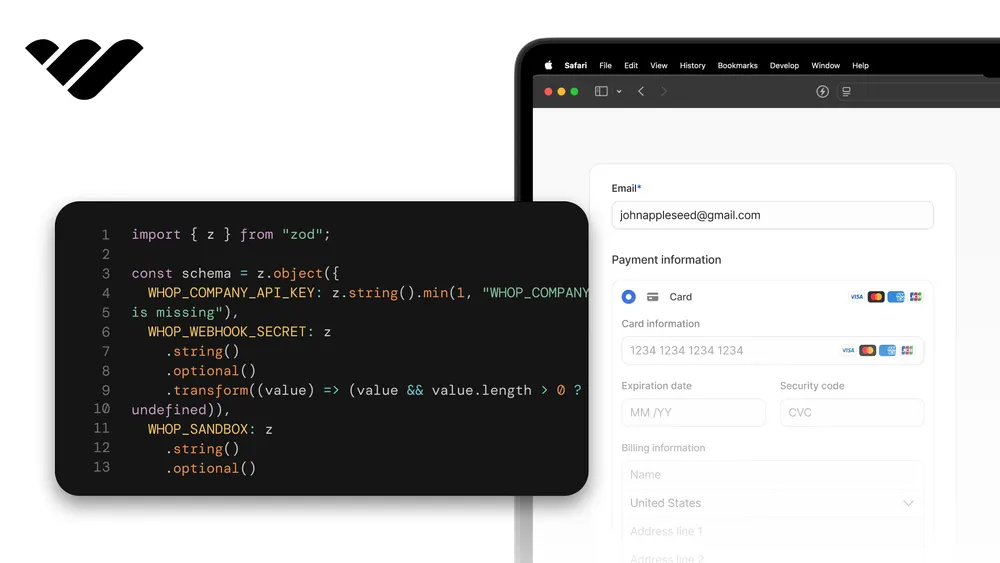
import { z } from "zod";

const envSchema = z.object({
  WHOP_COMPANY_API_KEY: z.string().startsWith("apik_"),
  WHOP_COMPANY_ID: z.string().startsWith("biz_"),
  WHOP_SANDBOX: z
    .string()
    .optional()
    .transform((v) => v === "true"),
  APP_URL: z.string().url(),
});

type Env = z.infer<typeof envSchema>;

let cached: Env | null = null;

export function getEnv(): Env {
  if (cached) return cached;
  cached = envSchema.parse({
    WHOP_COMPANY_API_KEY: process.env.WHOP_COMPANY_API_KEY?.trim(),
    WHOP_COMPANY_ID: process.env.WHOP_COMPANY_ID?.trim(),
    WHOP_SANDBOX: process.env.WHOP_SANDBOX?.trim(),
    APP_URL: process.env.APP_URL?.trim(),
  });
  return cached;
}
The chat flow
Whop's chat has three types and all of them are rendered in the same chat interface. The only difference between them is how they're created and who can see them.
- Channels are shared rooms associated with a product. They're used for communities, announcements, etc. Their IDs start with
chat_feed_. - Direct messages are private conversations between up to fifty specific users. Their IDs start with
feed_. - Support chats are one-on-one conversations between a user and your company. There is a staff inbox on your end. Their IDs also start with
feed_.
Before writing any code, we recommend that you internalize the ID model. Every person in a chat is a real Whop user.
If your app has its own accounts, you'll register each one once as a connected account and store the returned user_... ID alongside your own user record. From then on, authentication is a cycle managed by your server.
- A user opens a chat page in your app.
- The browser asks your server for a token, and your server mints a short-lived, company-scoped token for that user with the Company API key.
- The chat surface authenticates with that token: the drop-in element does it automatically and refreshes before expiry, and the API path attaches it as a bearer token.
- Whop controls access on a per-user basis. A member can only see the channels their access permits, the DMs they belong to, and their own support chat.
Company API keys can create channels, read public channels, and moderate, but they cannot send messages. Messages always belong to a user, so sending them requires a user token.
The token flow is one of the main parts of this integration. Plus, even for server-side messages, our server helpers generate the tokens.
We don't want the API key to leave the server under any circumstance. The browser only sees tokens that expire within an hour, identify a single user, and carry only chat scopes.
The SDK client
Go to lib/ and create a file called whop.ts:
import { WhopClient } from "@whop/sdk";
import { getEnv } from "@/lib/env";

let cached: WhopClient | null = null;

export function getWhop(): WhopClient {
  if (cached) return cached;
  const env = getEnv();
  cached = new WhopClient({
    token: env.WHOP_COMPANY_API_KEY,
    baseUrl: env.WHOP_SANDBOX
      ? "https://sandbox-api.whop.com/api/v1"
      : "https://api.whop.com/api/v1",
  });
  return cached;
}baseUrl with a lowercase "rl," and the value must end with /api/v1. TypeScript flags the older baseURL spelling, but in plain JavaScript files like our setup script nothing catches it, and the SDK falls back to production and returns a 401 error on every call, as if the key were invalid.Provision users and channels
The chat needs actual Whop resources to communicate with: users, a product, and channels. We'll create these once using a script, since some of these calls are only available via the API.
First, let's work on the users. Each demo member is created as a connected account under your company using accounts.create, as covered in the sync users guide. The owner.id in the response is the Whop user ID you'll need to store.
A users.update call made with your company ID assigns the user a display name specific to your company so that the chat displays "Ava Chen" instead of the generated username.
In a real-world application, you'd run this operation once for each user during sign-up and store the ID in your database, but we'll simulate this with three fictional members.
And now let's move on to channels. Channels work with Whop Chat experiences, as covered in the channels guide. We create an experience for the built-in Chat app, connect it to a product, and retrieve the channel ID using chatChannels.retrieve.
We'll create experiences with is_public: true so your registered users can read and write without purchasing a membership. For a paid channel, however, you should set is_public: false and link it to a paid product: access follows the purchase.
Finally, let's look at DMs and support channels. dmChannels.create opens a DM between specific users, while supportChannels.create opens (or returns, if existing) a support chat between a user and your company.
Go to scripts/ and create a file called setup.mjs:
import { readFileSync, writeFileSync } from "node:fs";
import { WhopClient } from "@whop/sdk";

const DEMO_EMAIL = "you@example.com";

const ROOT = new URL("../", import.meta.url);
const env = Object.fromEntries(
  readFileSync(new URL(".env.local", ROOT), "utf8")
    .split("\n")
    .filter((line) => line.includes("=") && !line.startsWith("#"))
    .map((line) => {
      const i = line.indexOf("=");
      return [line.slice(0, i).trim(), line.slice(i + 1).trim()];
    }),
);

const whop = new WhopClient({
  token: env.WHOP_COMPANY_API_KEY,
  baseUrl:
    env.WHOP_SANDBOX === "true"
      ? "https://sandbox-api.whop.com/api/v1"
      : "https://api.whop.com/api/v1",
});
const CID = env.WHOP_COMPANY_ID;
const CHAT_APP_ID = "app_xml5hbizmZPgUT";

const demoEmail = (tag) => DEMO_EMAIL.replace("@", `+orbit${tag}@`);
const demoUsers = [];
for (const name of ["Ava Chen", "Ben Ortiz", "Cara Lee"]) {
  const tag = name.split(" ")[0].toLowerCase();
  const child = await whop.accounts.create({
    email: demoEmail(tag),
    title: name,
    send_customer_emails: false,
    metadata: { internal_user_id: `demo_${tag}` },
  });
  const userId = child.owner.id;
  try {
    await whop.users.update({ id: userId, account_id: CID, name });
  } catch (e) {
    console.log(`  (name override skipped: ${e?.statusCode ?? ""} ${e?.message ?? e})`);
  }
  demoUsers.push({ key: tag, name, userId });
  console.log(`${name} -> ${userId}`);
}
const [ava, ben, cara] = demoUsers;

const product = await whop.products.create({
  account_id: CID,
  title: "Orbit Community",
  description: "Membership that unlocks the Orbit community chat.",
  visibility: "visible",
});
console.log(`product -> ${product.id}`);

async function createChannel(name) {
  const exp = await whop.experiences.create({
    app_id: CHAT_APP_ID,
    account_id: CID,
    name,
    is_public: true,
  });
  await whop.experiences.attach({ id: exp.id, product_id: product.id });
  const channel = await whop.chatChannels.retrieve({ id: exp.id });
  console.log(`${name} -> ${channel.id}`);
  return { id: channel.id, experienceId: exp.id, name };
}
const general = { ...(await createChannel("General")), readOnly: false };
const announcements = { ...(await createChannel("Announcements")), readOnly: true };
await whop.chatChannels.update({ id: announcements.id, who_can_post: "admins" });

const groupDm = await whop.dmChannels.create({
  with_user_ids: [ava.userId, ben.userId, cara.userId],
  account_id: CID,
  custom_name: "Orbit team",
});
const directDm = await whop.dmChannels.create({
  with_user_ids: [ava.userId, ben.userId],
  account_id: CID,
  custom_name: "Ava & Ben",
});
console.log(`DMs -> ${groupDm.id}, ${directDm.id}`);

const supportByUser = {};
for (const u of demoUsers) {
  const sc = await whop.supportChannels.create({
    account_id: CID,
    user_id: u.userId,
    custom_name: `${u.name.split(" ")[0]} - support`,
  });
  supportByUser[u.key] = sc.id;
  console.log(`support (${u.name}) -> ${sc.id}`);
}

const owner = await whop.accounts.retrieve({ id: CID });
const file = `// AUTO-GENERATED by scripts/setup.mjs. Do not edit by hand.

export interface DemoUser {
  key: string;
  name: string;
  userId: string;
}

export interface ChannelInfo {
  id: string;
  experienceId: string;
  name: string;
  readOnly: boolean;
}

export const companyId = ${JSON.stringify(CID)};
export const ownerUserId = ${JSON.stringify(owner.owner.id)};

export const demoUsers: DemoUser[] = ${JSON.stringify(demoUsers, null, 2)};

export const channels: Record<"general" | "announcements", ChannelInfo> = ${JSON.stringify({ general, announcements }, null, 2)};

export const dms: Record<"group" | "direct", { id: string; name: string }> = ${JSON.stringify(
  {
    group: { id: groupDm.id, name: "Orbit team" },
    direct: { id: directDm.id, name: "Ava & Ben" },
  },
  null,
  2,
)};

export const supportByUser: Record<string, string> = ${JSON.stringify(supportByUser, null, 2)};

export const productId = ${JSON.stringify(product.id)};

export const knownUserIds = demoUsers.map((u) => u.userId);
export function isKnownUser(userId: string): boolean {
  return knownUserIds.includes(userId);
}
`;
writeFileSync(new URL("constants/whop-ids.ts", ROOT), file);
console.log("wrote constants/whop-ids.ts");
Edit DEMO_EMAIL to an address you own, then run it once from the project root:
node scripts/setup.mjsThe script prints each ID as it's created and writes them all to the constants/whop-ids.ts file. We'll import it later in the article. Whop rejects email domains that don't accept mail, so you@example.com will fail unless you change it.
Mint chat tokens on the server
Everything the browser does is done using a user token, so the token route comes before any UI. A token identifies a company and a single user, and also lists the actions they can perform. The full set for every endpoint in this article is as follows.
- Channels:
chat:read,chat:message:create - Direct messages:
dms:read,dms:message:manage,dms:channel:manage - Support chats:
support_chat:read,support_chat:message:create
Go to lib/ and create a file called scopes.ts:
export const CHAT_SCOPES = [
  "chat:message:create",
  "chat:read",
  "dms:read",
  "dms:message:manage",
  "dms:channel:manage",
  "support_chat:read",
  "support_chat:message:create",
] as const;
Go to app/api/chat/token/ and create a file called route.ts:
import { NextResponse } from "next/server";
import { z } from "zod";
import { getEnv } from "@/lib/env";
import { getWhop } from "@/lib/whop";
import { CHAT_SCOPES } from "@/lib/scopes";
import { isKnownUser } from "@/constants/whop-ids";

const bodySchema = z.object({ userId: z.string().startsWith("user_") });

export async function POST(request: Request): Promise<Response> {
  const parsed = bodySchema.safeParse(await request.json().catch(() => null));
  if (!parsed.success) {
    return NextResponse.json({ error: "bad_request" }, { status: 400 });
  }
  const { userId } = parsed.data;
  if (!isKnownUser(userId)) {
    return NextResponse.json({ error: "unknown_user" }, { status: 403 });
  }

  try {
    const { token } = await getWhop().accessTokens.create({
      account_id: getEnv().WHOP_COMPANY_ID,
      user_id: userId,
      scoped_actions: [...CHAT_SCOPES],
    });
    return NextResponse.json({ token });
  } catch (error) {
    return NextResponse.json(
      { error: "token_error", detail: String(error) },
      { status: 502 },
    );
  }
}
Tokens last for one hour by default, up to a maximum of three hours, and you do not need to plan for renewal yourself.
The component calls this route again before the token expires, and our server-side components cache and regenerate it in the same way. The demo allows the browser to pick which member to act as.
This is a demo-only shortcut, contained only by the isKnownUser allowlist. Never deploy it in production. Your production route reads the user ID from your own session and completely ignores the request body.
If your users are already logged in to Whop, there's an alternative you should keep in mind. OAuth replaces connected accounts and this token route entirely, since the user's own login already verifies their identity.
Render chat with the drop-in element
The chat element is what you ship when you want to provide Whop's complete chat experience without building a UI. Three small pieces work together in the code below: Elements loads the runtime, ChatSession handles the token, and ChatElement renders the conversation.
Go to components/ and create a file called ChatStage.tsx:
"use client";

import { useCallback, useMemo } from "react";
import {
  ChatElement,
  ChatSession,
  Elements,
} from "@whop/embedded-components-react-js";
import { loadWhopElements } from "@whop/embedded-components-vanilla-js";
import type {
  Appearance,
  ChatElementEvent,
  ChatElementOptions,
} from "@whop/embedded-components-vanilla-js/types";

const elements = loadWhopElements({ environment: "sandbox" });

export function ChatStage({
  userId,
  channelId,
  chatStyle = "imessage",
  appearance,
  onEvent,
}: {
  userId: string;
  channelId: string;
  chatStyle?: "imessage" | "discord";
  appearance?: Appearance;
  onEvent?: (event: ChatElementEvent) => void;
}) {
  const getToken = useCallback(async () => {
    const res = await fetch("/api/chat/token", {
      method: "POST",
      headers: { "Content-Type": "application/json" },
      body: JSON.stringify({ userId }),
    });
    if (!res.ok) throw new Error(`token request failed: ${res.status}`);
    const data = await res.json();
    return data.token as string;
  }, [userId]);

  const options: ChatElementOptions = useMemo(
    () => ({ channelId, style: chatStyle, onEvent }),
    [channelId, chatStyle, onEvent],
  );

  return (
    <Elements elements={elements} appearance={appearance}>
      <ChatSession key={userId} token={getToken}>
        <ChatElement options={options} style={{ height: "100%", width: "100%" }} />
      </ChatSession>
    </Elements>
  );
}
Go to app/chat/embed/ and create a file called page.tsx:
import { channels, demoUsers } from "@/constants/whop-ids";
import { ChatStage } from "@/components/ChatStage";

export default function ChatEmbedPage() {
  const me = demoUsers[0];
  return (
    <main className="mx-auto max-w-lg p-6">
      <h1 className="text-lg font-semibold">General, through the chat element</h1>
      <div className="mt-4 h-[600px] overflow-hidden rounded-xl border border-gray-200 bg-white">
        <ChatStage userId={me.userId} channelId={channels.general.id} />
      </div>
    </main>
  );
}
Callout: For now, the chat element authenticates against production. So, in the sandbox, this page renders the chat interface and then remains in a loading state.
Render chat from the Chat API
The same conversations can be read and written via REST, so you can test the entire integration in the sandbox today and create a completely custom chat interface if the component's appearance doesn't fit your product.
Let's create the two helpers that carry the logic. Minting (and caching) a user token, and calling the messages endpoints with it. Go to lib/ and create a file called chat.ts:
import { getEnv } from "@/lib/env";
import { getWhop } from "@/lib/whop";
import { CHAT_SCOPES } from "@/lib/scopes";

function apiBase(): string {
  return getEnv().WHOP_SANDBOX
    ? "https://sandbox-api.whop.com/api/v1"
    : "https://api.whop.com/api/v1";
}

type Cached = { token: string; expires: number };
const tokenCache = new Map<string, Cached>();

async function userToken(userId: string): Promise<string> {
  const hit = tokenCache.get(userId);
  const now = Date.now();
  if (hit && hit.expires > now + 60_000) return hit.token;
  const { token, expires_at } = await getWhop().accessTokens.create({
    account_id: getEnv().WHOP_COMPANY_ID,
    user_id: userId,
    scoped_actions: [...CHAT_SCOPES],
  });
  const expires = expires_at ? new Date(expires_at).getTime() : now + 3_600_000;
  tokenCache.set(userId, { token, expires });
  return token;
}

export interface ChatMessage {
  id: string;
  content: string | null;
  created_at: string;
  message_type: string;
  is_pinned: boolean;
  replying_to_message_id: string | null;
  user: { id: string; username: string; name: string | null };
  reaction_counts: Array<{ emoji: string | null; count: number }>;
  poll: { options: Array<{ id: string; text: string }> } | null;
  poll_votes: Array<{ option_id: string | null; count: number }>;
}

export async function fetchMessages(
  channelId: string,
  actingUserId: string,
): Promise<
  | { ok: true; messages: ChatMessage[] }
  | { ok: false; status: number }
> {
  const token = await userToken(actingUserId);
  const res = await fetch(
    `${apiBase()}/messages?channel_id=${encodeURIComponent(channelId)}&first=50`,
    { headers: { Authorization: `Bearer ${token}` } },
  );
  if (!res.ok) return { ok: false, status: res.status };
  const data = await res.json();
  const messages = (data?.data ?? []) as ChatMessage[];
  messages.sort((a, b) => a.created_at.localeCompare(b.created_at));
  return { ok: true, messages };
}

export async function sendMessage(
  channelId: string,
  actingUserId: string,
  content: string,
): Promise<
  | { ok: true; message: ChatMessage }
  | { ok: false; status: number; detail: string }
> {
  const token = await userToken(actingUserId);
  const res = await fetch(`${apiBase()}/messages`, {
    method: "POST",
    headers: { Authorization: `Bearer ${token}`, "Content-Type": "application/json" },
    body: JSON.stringify({ channel_id: channelId, content }),
  });
  const text = await res.text();
  if (!res.ok) return { ok: false, status: res.status, detail: text };
  return { ok: true, message: JSON.parse(text) as ChatMessage };
}

export async function addReaction(
  messageId: string,
  actingUserId: string,
  emoji: string,
): Promise<{ ok: boolean; status: number }> {
  const token = await userToken(actingUserId);
  const res = await fetch(`${apiBase()}/reactions`, {
    method: "POST",
    headers: { Authorization: `Bearer ${token}`, "Content-Type": "application/json" },
    body: JSON.stringify({ resource_id: messageId, emoji }),
  });
  return { ok: res.ok, status: res.status };
}
Go to app/api/chat/messages/ and create a file called route.ts:
import { NextResponse } from "next/server";
import { z } from "zod";
import { fetchMessages, sendMessage } from "@/lib/chat";
import { isKnownUser } from "@/constants/whop-ids";

export async function GET(request: Request): Promise<Response> {
  const url = new URL(request.url);
  const channelId = url.searchParams.get("channelId") ?? "";
  const userId = url.searchParams.get("userId") ?? "";
  if (!channelId || !isKnownUser(userId)) {
    return NextResponse.json({ error: "bad_request" }, { status: 400 });
  }
  const result = await fetchMessages(channelId, userId);
  if (!result.ok) {
    return NextResponse.json(
      { error: result.status === 403 ? "no_access" : "read_error" },
      { status: result.status === 403 ? 403 : 502 },
    );
  }
  return NextResponse.json({ messages: result.messages });
}

const postSchema = z.object({
  channelId: z.string().min(1),
  userId: z.string().startsWith("user_"),
  content: z.string().min(1).max(2000),
});

export async function POST(request: Request): Promise<Response> {
  const parsed = postSchema.safeParse(await request.json().catch(() => null));
  if (!parsed.success) {
    return NextResponse.json({ error: "bad_request" }, { status: 400 });
  }
  const { channelId, userId, content } = parsed.data;
  if (!isKnownUser(userId)) {
    return NextResponse.json({ error: "unknown_user" }, { status: 403 });
  }
  const result = await sendMessage(channelId, userId, content);
  if (!result.ok) {
    const notAllowed = result.status === 403 || result.status === 400;
    return NextResponse.json(
      { error: notAllowed ? "not_allowed" : "send_error", detail: result.detail },
      { status: notAllowed ? 403 : 502 },
    );
  }
  return NextResponse.json({ message: result.message });
}
The client is a small polling panel that fetches messages every few seconds and sends through the same route.
Polling is a fair trade-off for this approach since the component handles the WebSocket for you. But if you need latency that's push-quality with a custom interface, this is a sign that you should theme the element rather than rebuilding it.
Go to components/ and create a file called ChatPanel.tsx:
"use client";

import { useCallback, useEffect, useRef, useState } from "react";
import type { ChatMessage } from "@/lib/chat";

export function ChatPanel({
  channelId,
  userId,
  userName,
}: {
  channelId: string;
  userId: string;
  userName: string;
}) {
  const [messages, setMessages] = useState<ChatMessage[]>([]);
  const [status, setStatus] = useState<"loading" | "ok" | "no_access">("loading");
  const [input, setInput] = useState("");
  const [sending, setSending] = useState(false);
  const bottomRef = useRef<HTMLDivElement>(null);

  const load = useCallback(async () => {
    const res = await fetch(
      `/api/chat/messages?channelId=${encodeURIComponent(channelId)}&userId=${userId}`,
    );
    if (res.status === 403) {
      setStatus("no_access");
      return;
    }
    if (!res.ok) return;
    const data = await res.json();
    setStatus("ok");
    setMessages(data.messages ?? []);
  }, [channelId, userId]);

  useEffect(() => {
    setStatus("loading");
    load();
    const id = setInterval(load, 2500);
    return () => clearInterval(id);
  }, [load]);

  useEffect(() => {
    bottomRef.current?.scrollIntoView({ block: "nearest" });
  }, [messages]);

  const send = useCallback(async () => {
    const content = input.trim();
    if (!content || sending) return;
    setSending(true);
    const res = await fetch("/api/chat/messages", {
      method: "POST",
      headers: { "Content-Type": "application/json" },
      body: JSON.stringify({ channelId, userId, content }),
    });
    setSending(false);
    if (res.ok) {
      setInput("");
      load();
    }
  }, [input, sending, channelId, userId, load]);

  if (status === "no_access") {
    return (
      <div className="flex h-full items-center justify-center text-sm text-gray-500">
        This user does not have access to this conversation.
      </div>
    );
  }

  return (
    <div className="flex h-full flex-col">
      <div className="flex-1 space-y-3 overflow-y-auto p-4">
        {messages.map((m) => {
          const mine = m.user.id === userId;
          return (
            <div key={m.id} className={mine ? "text-right" : "text-left"}>
              <div className="text-xs text-gray-500">
                {m.user.name ?? m.user.username}
              </div>
              <div
                className={[
                  "mt-0.5 inline-block rounded-2xl px-3 py-2 text-sm",
                  mine ? "bg-orange-600 text-white" : "bg-gray-100 text-gray-900",
                ].join(" ")}
              >
                {m.content}
              </div>
            </div>
          );
        })}
        <div ref={bottomRef} />
      </div>
      <div className="flex items-end gap-2 border-t border-gray-200 p-3">
        <textarea
          value={input}
          onChange={(e) => setInput(e.target.value)}
          onKeyDown={(e) => {
            if (e.key === "Enter" && !e.shiftKey) {
              e.preventDefault();
              send();
            }
          }}
          rows={1}
          placeholder={`Message as ${userName}...`}
          className="min-h-[40px] flex-1 resize-none rounded-lg border border-gray-200 px-3 py-2 text-sm outline-none"
        />
        <button
          type="button"
          onClick={send}
          disabled={sending || !input.trim()}
          className="h-10 rounded-lg bg-orange-600 px-4 text-sm font-medium text-white disabled:opacity-40"
        >
          Send
        </button>
      </div>
    </div>
  );
}
Go to app/chat/ and create a file called page.tsx:
import { channels, demoUsers } from "@/constants/whop-ids";
import { ChatPanel } from "@/components/ChatPanel";

export default function ChatPage() {
  const me = demoUsers[0];
  return (
    <main className="mx-auto max-w-lg p-6">
      <h1 className="text-lg font-semibold">General</h1>
      <div className="mt-4 h-[600px] overflow-hidden rounded-xl border border-gray-200 bg-white">
        <ChatPanel
          channelId={channels.general.id}
          userId={me.userId}
          userName={me.name}
        />
      </div>
    </main>
  );
}
Now, let's run npm run dev, open the /chat URL, and send a message as Ava. Within a few seconds, it's sent to Whop on her behalf.
Type demoUsers[1] instead of demoUsers[0] and the same conversation should be rendered from Ben's perspective, with Ava's message on the left and the editor now posting as him. Then, take the panel to channels.announcements.id.
Since only administrators can post there, the submission will fail with a not_allowed error. Navigate the panel to a DM that the user isn't a member of and the panel should display a "No access" message instead of messages.
The companion demo is this panel dressed up (a user switcher, all four surfaces, live moderation toggles, an activity log), reading through the same routes you just built, with one difference. Sends there are simulated in the browser, so visitors cannot graffiti the shared channels.
Direct messages
The DMs from the setup script already work in both render paths. Creating more at runtime takes one call from any server-side code that can import the lib/whop.ts client, like a route handler or a server action. Pass your company ID so the conversation is scoped to your app, and up to fifty user IDs:
const dm = await getWhop().dmChannels.create({
  with_user_ids: [userA, userB],
  account_id: getEnv().WHOP_COMPANY_ID,
  custom_name: "Deal room",
});
Just like any channel, the feed_... ID we get back is rendered in ChatPanel or ChatStage, and Whop returns the conversation if one already exists between the users.
To allow users to browse their conversations rather than providing a direct link to a single conversation, the element package also includes a DmsListElement. The direct messages guide covers member management on existing DMs.
Support chats
A support chat is the same one-call pattern with a guarantee that makes it safe to call from a "Contact support" button. supportChannels.create returns the existing chat if the user already has one.
const support = await getWhop().supportChannels.create({
  account_id: getEnv().WHOP_COMPANY_ID,
  user_id: memberUserId,
  custom_name: "Support",
});
While your staff works from an inbox created with supportChannels.list (filtered by open: true and sorted by recent activity), the customer sees this as a DM.
Responses from your side are sent using an administrator's user token, similar to the seeding in the setup script. The support chats guide documents the inbox filters.
For a marketplace-scale example of these patterns, our Fiverr clone runs its buyer-seller conversations on the same channels.
Moderate channels from your backend
Channel settings live on Whop and apply instantly to everyone, which is what makes read-only announcements work. Moderation is chatChannels.update with the company key:
await getWhop().chatChannels.update({
  id: channelId,
  who_can_post: "admins",
  who_can_react: "everyone",
  ban_media: true,
  ban_urls: true,
  banned_words: ["spam"],
  user_posts_cooldown_seconds: 10,
});
The who_can_post filter accepts everyone or admins, the who_can_react accepts everyone or no_one, and user_posts_cooldown_seconds is the slow mode in seconds which can help if the chat is too active.
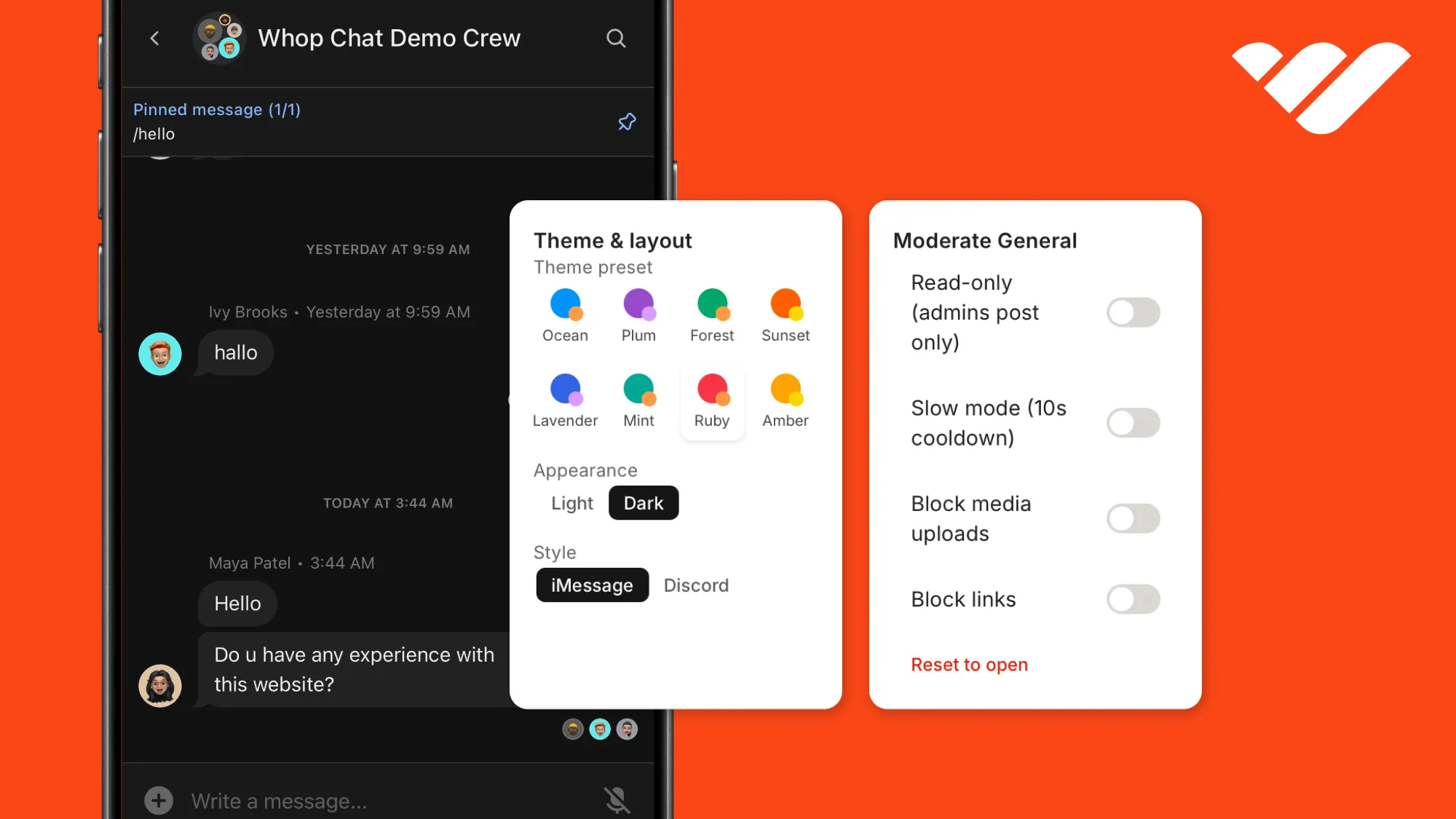
The moderation panel in our demo is the single call behind four toggles. Toggling read-only mode while acting as a member is the fastest way to get a feel for what server-side moderation means. Though DMs and support chats have no room-level moderation settings.
Theme the element and listen to events
The element takes an appearance theme through Elements, so it can sit inside your product without looking bolted on. appearance is light or dark, and the color properties take named tints from Whop's palette (orange, blue, jade, violet, crimson, and about twenty more), not arbitrary hex:
<ChatStage
  userId={me.userId}
  channelId={channels.general.id}
  chatStyle="discord"
  appearance={{ theme: { appearance: "dark", accentColor: "blue" } }}
/>
The chatStyle option you see in the code block toggles the layout between iMessage-style bubbles (default) and full-width Discord lines.
The element also reports what happens inside it through the onEvent callback our ChatStage already forwards: messageSent, profileClick, linkClick, experienceClick, and attachmentClick each arrive with a typed detail payload, which is how you wire chat activity into your own analytics or navigation. You can find the full theming guide in the documentation.
Sandbox to production
Everything above runs on the Whop sandbox, and the switch is a checklist:
- Create a production Company API key at whop.com (Company dashboard > Developer > Company API keys) and note your production company id from the dashboard URL.
- Replace
WHOP_COMPANY_API_KEYandWHOP_COMPANY_IDin the env file, then removeWHOP_SANDBOXor set it tofalse. Both the SDK base URL and the setup script are derived from these. - Run
node scripts/setup.mjsonce against production; sandbox ids do not carry over, and the script regeneratesconstants/whop-ids.tswith the production ones. The display-name step is skipped on production (company keys cannot set profile overrides), so demo users show an email-derived handle. Production also rejects emails that cannot receive mail, so keepDEMO_EMAILon an address you own. - In
components/ChatStage.tsx, changeloadWhopElements({ environment: "sandbox" })to"production". - Open the
/chat/embedURL. The component now authenticates and renders live. Whop's full chat interface appears in your production conversations. The API path at/chatcontinues to function in the same way.
If you keep a public demo running, the Chat API path can stay on sandbox credentials, where nothing can charge anyone.
The drop-in element authenticates against production only, so to show it live our companion demo runs it on a dedicated throwaway production company, created just for the demo and kept behind heavy moderation and a periodic reset, never a real one.
Take your app further with Whop
You now know how to add embedded chats to your app or website, but that's just one piece of what Whop offers.
With Whop, you can also accept payments through embedded checkouts, handle user authentication with Whop OAuth, or build entire platforms like a Gumroad or a Patreon clone where creators sign up, sell, and get paid while you take a cut.
To learn more about what you can build with Whop, check out our other tutorials and the Whop developer documentation.