Coinbase is one of the biggest names in crypto. Here’s what it’s like to use Coinbase in 2026, with real testing included.
Key takeaways
- Coinbase streamlines crypto transactions with fast fiat deposits and transfers arriving in minutes.
- Coinbase One subscription eliminates trading fees and boosts staking rewards for active traders.
- Base App combines self-custody wallet functionality with social features and cheap Layer-2 transactions.
Coinbase is one of the world’s most popular cryptocurrency exchanges. With Coinbase, you can buy and sell crypto, stake assets, manage accounts, and access a range of trading and payment tools.
TL;DR: When it comes to crypto, Coinbase does it all.
I’ve been a crypto degen for years, working with NFT projects, crypto influencers, and crypto hardware wallet brands.
As a result, I’ve seen the highs of Wolf Game and the lows of Sam Bankman-Fried - so I’m intrigued to see what Coinbase offers today’s traders.
In this guide, I’ll share my hands-on testing experience, which includes creating accounts, sending and receiving crypto, tracking fees, and exploring Coinbase’s features.
I’ll also compare it to Kraken and Binance to see how it measures up in 2026.
What is Coinbase?
Coinbase is one of the most well-known crypto platforms out there, and for good reason. Co-founded in 2012 by Brian Armstrong and Fred Ehrsam, they had one goal - make crypto accessible to everyone, not just tech bros.
The platform went public in 2021 with a direct listing, putting Armstrong (and Coinbase) in the middle of regulatory debates over staking, securities, and crypto policy.
Armstrong is so confident in crypto that he's even launched the 'Stand With Crypto' NFT campaign to show support for the crypto community.

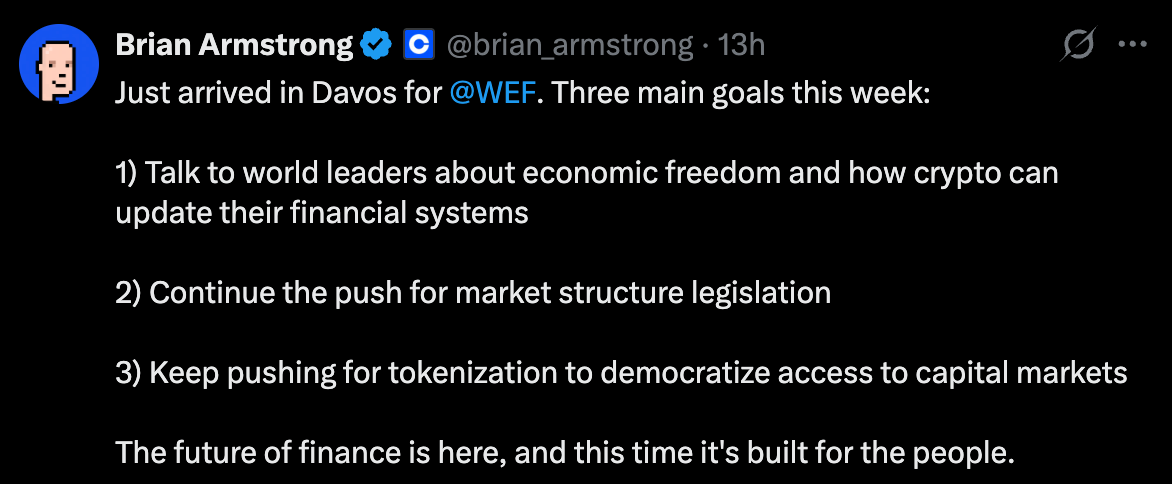
And more recently, Armstrong has been working with bank executives on the U.S market structure bill to bridge the divide between crypto and fiat.
In short, Coinbase isn't just a wallet or an exchange, but a full ecosystem for individuals, businesses, and institutions to buy, sell, hodl, and move crypto.
How many cryptocurrencies does Coinbase support?
Coinbase now supports 270+ cryptocurrencies and 460+ trading pairs, which is a huge leap from what it offered back in 2017.
Mattis Meichler, a crypto journalist with 18+ years of experience (including NFT Evening and Ledger), told me: "Coinbase was my first entry with crypto back in late 2017. At the time you, could only buy Bitcoin, Ethereum, and Litecoin."

What makes Coinbase work for so many different types of people is how it moves crypto.
It talks directly to blockchains, uses custodial wallets, and even handles internal trades when it can, which makes transfers quicker and a lot less painful than copy-pasting addresses and calculating gas fees yourself.
TL;DR: It's not just a wallet, and it's not just an exchange. Coinbase is a full platform built for different types of users.
Wondering if Coinbase is right for you? Let's find out.
Who is Coinbase for?
Individuals
Anyone can use Coinbase to buy and sell crypto.
As an individual, you can also use the Base App for faster transactions, subscribe to Coinbase One for perks like fee reductions, and get a Coinbase debit card to spend crypto IRL.
Businesses
Businesses can list multiple crypto assets, accept crypto payments through Coinbase’s merchant tools, and integrate crypto into their online stores with Commerce features.
Institutions
Institutions get access to Coinbase Prime for advanced trading and liquidity, earn rewards on holdings through staking, trade on Coinbase’s spot, derivatives, and international exchanges, and tap into Verified Pools for institutional-level liquidity.
My experience creating and using a Coinbase account
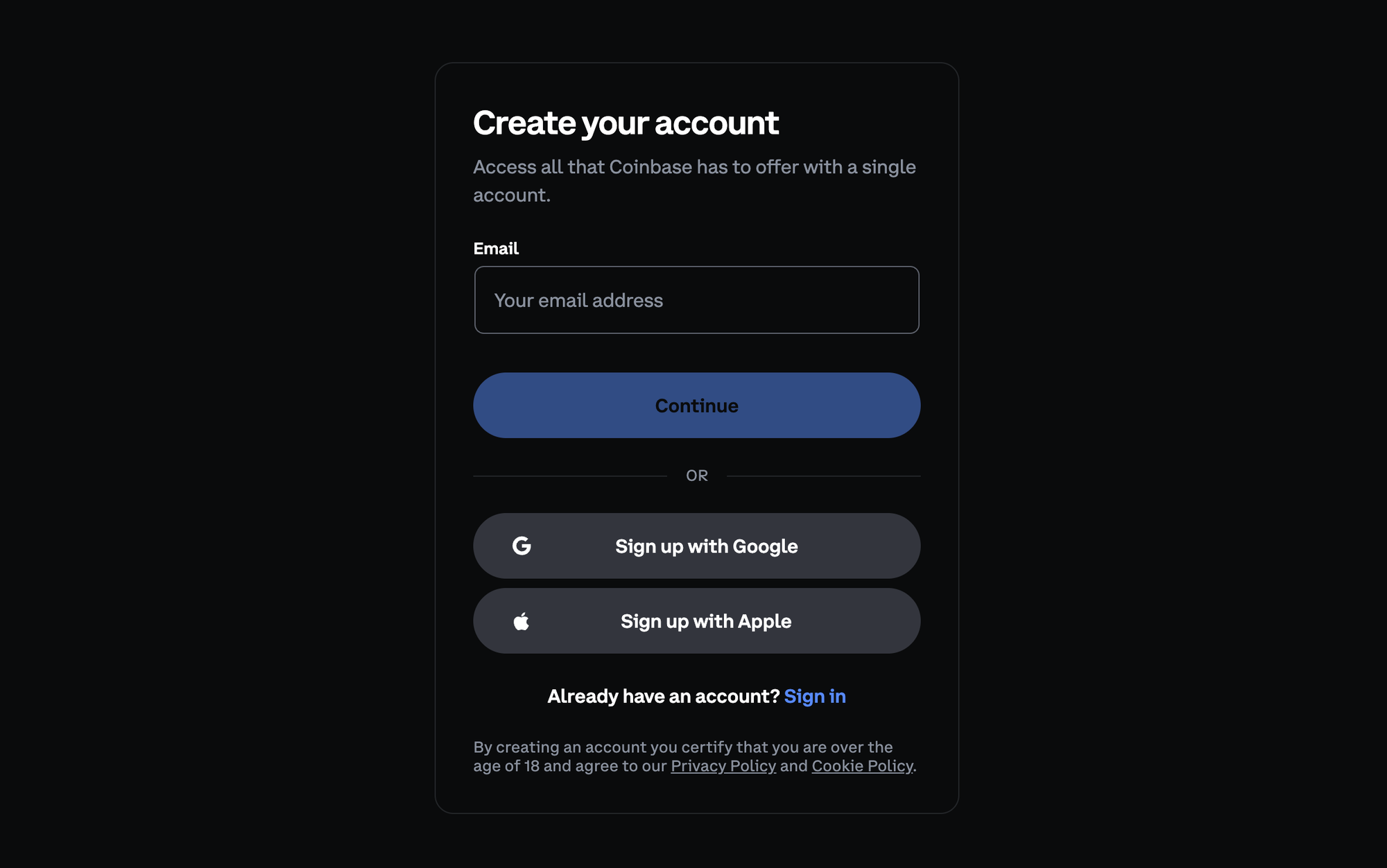
I created a Coinbase account, deposited fiat from my bank, transferred crypto from Whop, and signed up for Coinbase One - here’s how it went.
Sign-up process
Full disclosure - when I first got into crypto, it was still the wild west. You could spin up an exchange account with nothing but an email address, and I've been HODLing ever since.
So, going into Coinbase in 2026, I braced myself for a long, bank-level onboarding flow. Instead, signup was shockingly straightforward.
All I had to do was:
- Enter basic personal details (email, legal name, date of birth)
- Verify my phone number via SMS code
- Upload my ID (I used my passport)
- Confirm some basic questions about account usage
That’s it.
The onboarding experience felt polished and way simpler than I expected, especially given that Coinbase is now regulated in multiple jurisdictions and handles millions of users worldwide.
But, it isn't this easy for everyone. Monica J White had a different signup experience, saying: "The signup process wasn't very intuitive and took several days. I ran into some issues where it didn't process automatically and I had to contact support multiple times before I finally got my account sorted."
Generating wallet details
Creating a wallet on Coinbase doesn’t feel like 'creating a wallet' in the traditional crypto sense. There's no 'write down this 12-word seed phrase and keep it somewhere secret but safe' - it’s essentially automatic.
Once your account is verified, your wallets for every supported asset already exist in the background.
Sweet.
To receive crypto:
- Go to Receive Crypto
- Choose the asset (I tested Ethereum)
- Select the network (Base, Ethereum, etc.)
- Copy my wallet address or pull up the QR code
If you, like me, are used to self-custody wallets, this is incredibly simple in comparison.
Sending & receiving transfers
For my first test, I sent crypto from Whop to Coinbase, with Whop converting my USD to ETH for me as part of the transfer.
Here’s what happened:
- Whop said a withdrawal could take up to 3 business days (standard for first-time withdrawals)
- Instead, the transfer arrived in ~30 minutes
- Coinbase sent an email notification the moment funds landed
Much faster than I expected.
Next, I tested depositing fiat (AUD) via PayID from my bank.
- The transfer arrived in under 2 minutes
- 0 fees
- Coinbase immediately updated my balance and unlocked trading
So, within 45 minutes, I had created a Coinbase account, generated my wallet details, and transferred and received both crypto and fiat to my account.
Fast, huh?
What my dashboard looked like
As soon as both transfers hit, my dashboard populated with:
- My crypto & cash balances
- A clean portfolio chart
- Unrealized returns (RIP to me, already in the red after 5 minutes. NGMI.)
- Quick-access buttons for Buy, Trade, Send, Receive, Stake, and more
The UI makes it extremely obvious what you can do next, which is great for beginners but still useful for more experienced users.
And if you're a true degen, you can turn on 'advanced mode' to trade with a view of your portfolio, price charts, depth charts, limits, orders, and more.
Overall, Coinbase nails the fundamentals like getting money in, getting crypto in, and using a wallet. It's perfect for newcomers and convenient for people who’ve been around since the early days.
I asked crypto community founder Jesse McInnes about his experience with Coinbase. Here's what he had to say:
I started my crypto community back in 2021 and ran it for a couple of years. At the peak we had around 7,000 paid members.
As for Coinbase, it’s a good platform, and I never had issues depositing or withdrawing, but I never relied on it for my personal trading because the fees are pretty high. It feels like Coinbase is built for people who don’t really know what they’re doing.
I’m Australian, so I’ve always preferred local exchanges - I’ll deposit on CoinSpot, send it to SwiftEx, and trade from there.
Top features of Coinbase
Here are the Coinbase features that I found most useful.
Coinbase One
Coinbase One is basically the VIP pass for serious crypto users.
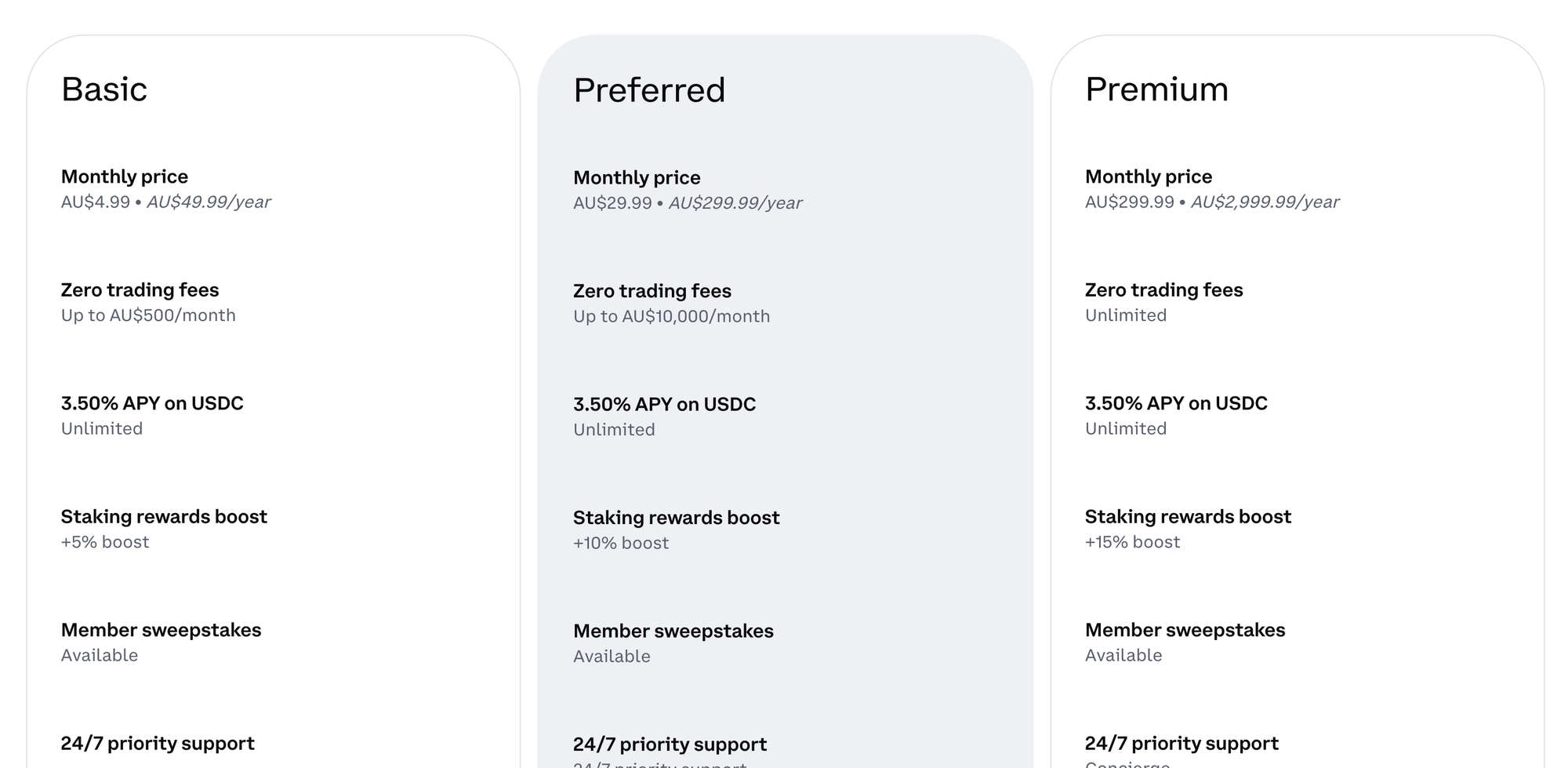
For a monthly fee (starting at AU$4.99/month or $49.99/year for me, and USD$4.99/month or $49.99/year for my pals in the US), you unlock zero trading fees on hundreds of assets up to $500/month.
You also get extras like boosted staking rewards and priority support.
If you're more active in the crypto world, the Preferred tier ($29.99/month) increases your zero-fee limit to $10,000/month and ups your staking boost.
And if you're a crypto whale, the Premium tier ($299.99/month) gives unlimited zero-fee trading, concierge-level support, and even bigger staking rewards.
As a Coinbase One member you also get access to exclusive on-chain partner deals, like discounted tax tools (Summ), early DeFi opportunities, and free collectibles or airdrops on Base.
You can even get small bonuses like free $10 gas credits (who remembers the great gas wars of 2021?) on Base or limited edition crypto wearables.
Base App (Coinbase's Layer‑2 'everything app')
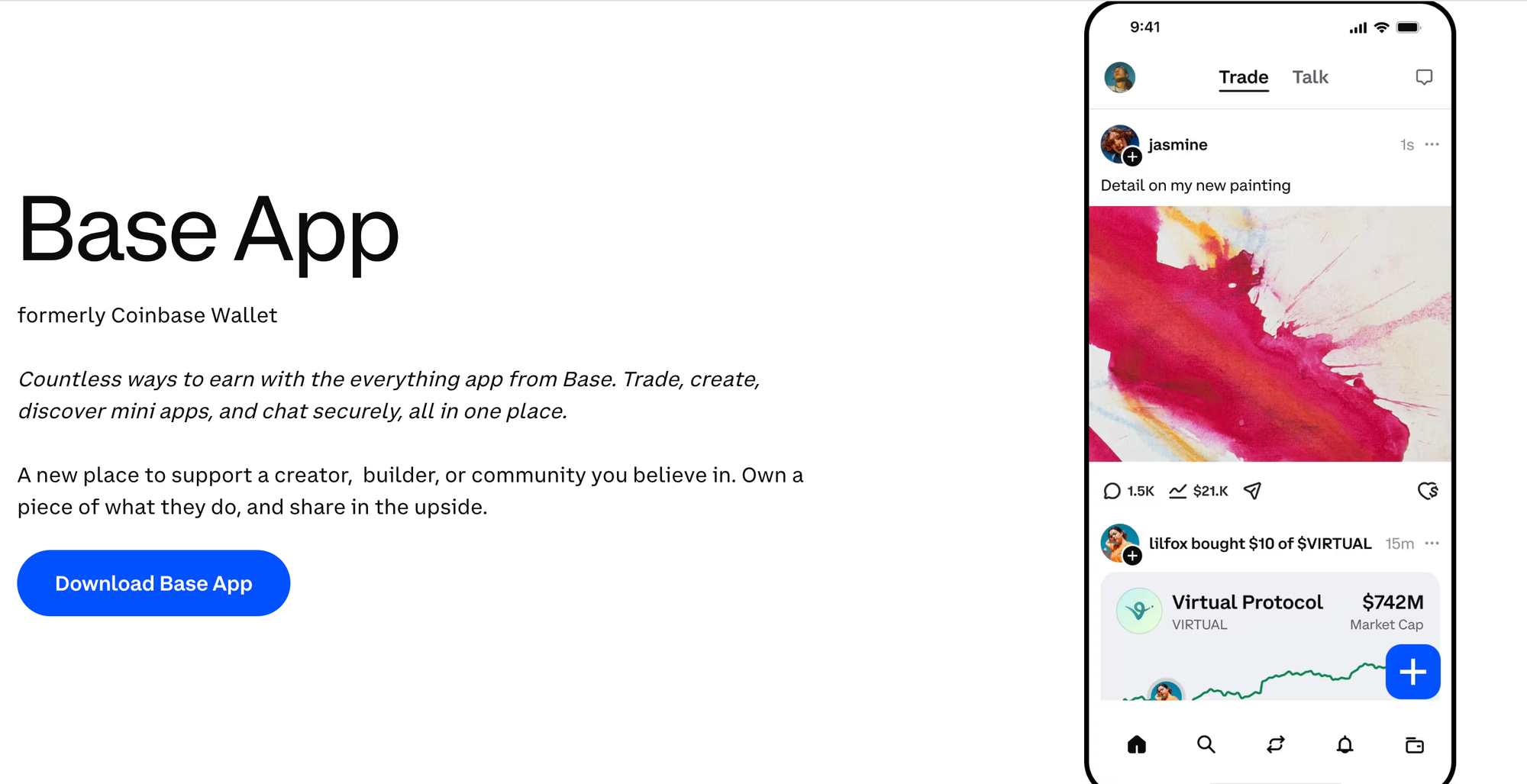
The Base App is Coinbase's crypto hub. It acts as your wallet, DeFi playground, and Layer-2 playground.
For me, it's free to use, and if you're in the US or UK, it's the same - no subscription required, just your usual network fees when you move crypto on-chain.
It runs on Base, Coinbase's own Ethereum Layer‑2 network, which means transactions are faster and way cheaper than using Ethereum mainnet directly.
I mostly use Coinbase's buy/sell feature because it's the simplest way to on-ramp and off-ramp between fiat and crypto. I've used Base a few times, and it felt basically the same as Ethereum mainnet, just faster (sometimes only slightly, sometimes noticeably during peak times) and much cheaper.- Monica J White, Coinbase userIf you've already got a Coinbase account, don't be surprised (or mildly panicked, like I was) if you open the Base app and your balance looks empty. That's because Coinbase and the Base app are two different things:
- Coinbase (the exchange) is where you buy and hold crypto *on the Coinbase platform* (Coinbase holds it for you).
- The Base app is a self-custody wallet, meaning your crypto only shows up there if it's actually been sent to your wallet address on-chain.
So even if you've got money sitting in Coinbase, it won't appear in Base until you transfer/bridge it over. Basically, the app is your wallet, and Coinbase is your bank account. Unless you take money from your account and put it in your wallet, you won't see it in there.
With the Base App, you can send crypto, swap tokens, store NFTs, and explore mini-apps.
But what really surprised me is the social aspect of the app.
The first thing you see is a social feed filled with posts, memes, and even videos, interspersed with announcements on who-bought-what recently.
But if this is overwhelming and you just want to trade without the distractions, click the 'trade' and 'wallet' icons from the bottom bar for cleaner views.
Who it's for:
- Crypto regulars who want one app to handle wallets, swaps, and DeFi.
- Gas-conscious users as Base makes on-chain moves cheap and simple.
- Web3 curious people can dip into early projects, airdrops, or partner perks without using multiple wallets.
- Crypto-twitter natives looking for a new home: if X isn't your thing anymore, you may find a new community on Base.
On top of that, Base connects with Coinbase's other products, meaning you can stake USDC, earn small rewards, and claim occasional on-chain partner deals (like early DeFi access or free collectibles).
Coinbase cards
What if you could spend your crypto IRL?
Coinbase offers two card options depending on your needs:
The Coinbase Debit Card (Visa) lets you spend your crypto like cash. Link it to your Coinbase account and pay anywhere Visa is accepted, online or in-store, and it automatically converts the crypto you hold into fiat at the time of purchase.
For Coinbase One members, there's also the Coinbase One Card — an American Express credit card that offers enhanced rewards of up to 4% back in crypto on purchases, with reward tiers based on the value of assets you hold on Coinbase.

Both cards are perfect if you get paid in crypto, hold a bunch of assets, or just want to dip your toes into spending without going full fiat.
When I was getting paid a weekly salary in crypto, I had to convert to fiat and withdraw to a bank account every time I wanted to spend my money. Having a Coinbase card would have made my life way easier.
Using either card is simple, and you can manage them entirely through the Coinbase app.
Fees are mostly low - there's no monthly card fee on the debit card, and foreign transactions are usually charged at the same competitive exchange rate Coinbase offers. The only catch is that ATM withdrawals above a certain limit may carry a small fee (but this can also be true of traditional debit and credit cards).
Asset listings, payments, commerce (Business users only)

If you're running a business that deals with crypto, Coinbase has a full toolkit for you.
- Asset Listings let you support multiple tokens so your customers or users can pay with a wide range of cryptocurrencies, not just Bitcoin or Ethereum.
- Payments are where Coinbase shines for merchants. You can accept crypto directly on your website or in person, with built-in conversion tools if you want to settle in fiat.
- Commerce tools let you integrate crypto payments with your existing checkout or accounting systems. Whether it's Shopify, WooCommerce, or custom APIs, Coinbase makes it possible to accept crypto - including invoicing, tracking, and reporting.
Staking, exchange, verified Pools (Coinbase Prime: institutions only)
Coinbase works for both individuals and small businesses, and for the big players, there's a whole other toolkit.
On Coinbase, an 'institution' is anyone trading, holding, or managing crypto professionally, not just for personal wallets or small business use.
Basically, if you're moving millions, trading professionally, or managing client portfolios, Coinbase Prime is for you.
- Coinbase Prime is the starting point for institutional trading. It's built for hedge funds, family offices, and big crypto treasuries that need deep liquidity and reliable execution. You get access to advanced trading infrastructure, API connectivity, and advanced reporting.
- Staking lets institutions earn rewards on crypto holdings without actively *doing* anything. Coinbase handles the validation, security, and payouts, so large portfolios can generate passive income while staying compliant.
- Exchange covers the heavy-duty trading side: spot trading, derivatives, international order books, all optimized for big volumes and institutional risk management.
- Verified Pools give institutions access to curated liquidity pools. It's a way to move large sums efficiently, tap into market depth, and reduce slippage *(the difference between the price you expect to pay (or receive) and the price you actually get when the trade executes.)*
The high-level difference vs individual accounts is that everything here is scaled up. Higher limits, more advanced tools, tighter compliance, and features designed for teams that trade millions, not hundreds.
What are Coinbase's fees?
Coinbase’s fees depend on what you’re doing (buying, selling, converting, withdrawing, staking) and how you’re doing it (simple trades vs Advanced, on-chain transfers vs staying inside Coinbase).
Here's a quick overview:
| Fee type | What you’re paying |
|---|---|
| Trading fees (Buy/Sell/Convert) | Trading fee (varies) + spread on simple trades |
| Coinbase Advanced fees | Trading fee (varies), no spread included |
| Withdrawal fees | Network fee (estimated by Coinbase) |
| Deposits + cash-outs | May vary by payment method (shown before you confirm) |
| Staking fees | 35% commission on rewards |
| Instant unstaking fee | 1% of the total unstaked amount |
| Lightning Network sends | 0.2% processing fee |
| USDT withdrawals | 0.01% processing fee (max 20 USDT) + network fees |
| Large USDC conversions | 0.10% fee on net conversions over $5M (30 days) |
How safe is Coinbase?

With over $3.4 billion worth of crypto stolen in 2025, you’re absolutely right to be wary of putting your assets anywhere. Hacks, phishing scams, deepfake attacks, and SIM swaps are continuing to rise, and even experienced traders still get scammed.
Thankfully, Coinbase is considered one of the safest major centralized exchanges, and it hasn’t had a Mt. Gox-style event where its core custody system was drained. The biggest losses you’ll hear about today usually come from social engineering like phishing, SIM swaps, fake support, and scam transfers (sometimes using leaked customer data) rather than Coinbase wallets being directly ‘hacked’ on-chain.
A huge part of that is because it treats security the way a bank or government agency would. Coinbase has been adding new layers of protection that make it harder for attackers to socially engineer their way into your account, even if they have some of your info.
Here’s what Coinbase does to keep accounts and funds safe
Coinbase takes security seriously.
Firstly, Coinbase keeps ~98% of crypto in offline, geographically distributed cold storage, meaning it’s literally disconnected from the internet, encrypted, and split across secure vaults.
It also uses strong protections at the account level. Meaning, Coinbase's security is designed to catch attackers before they get into your account, with app-based 2FA, mandatory ID verification for main actions, IP reputation screening, and hardware key support.
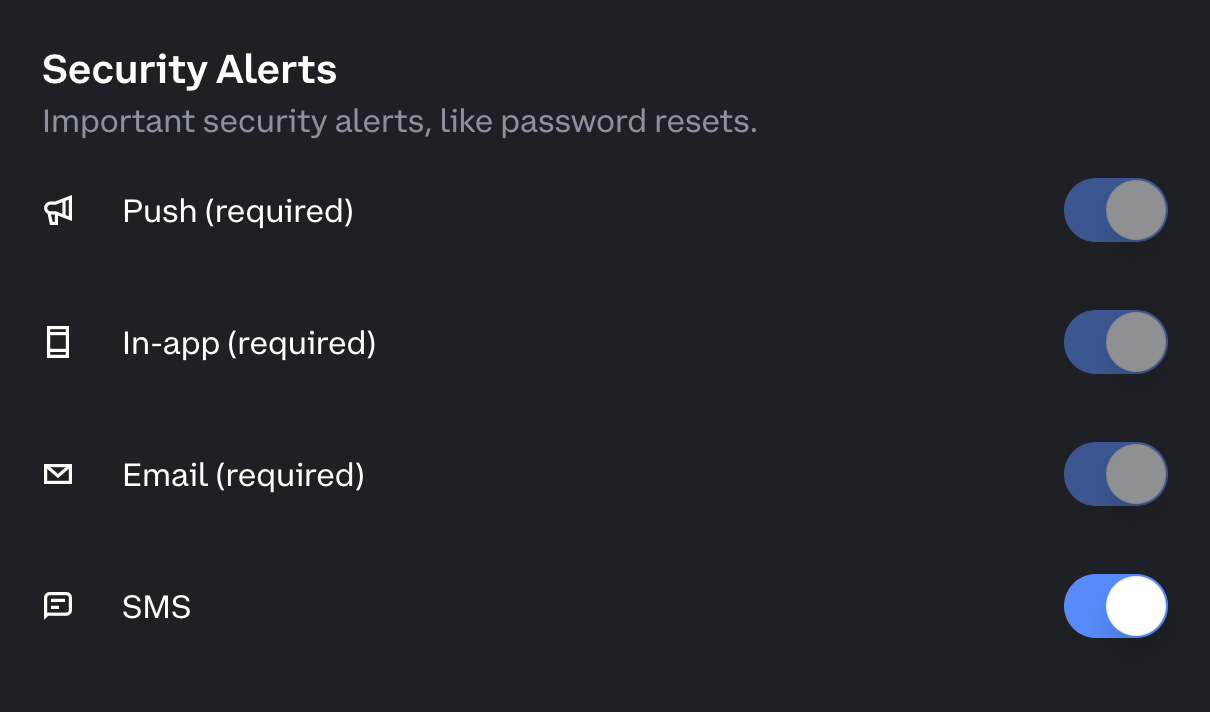
On top of this, Coinbase also monitors withdrawals and flags anything that looks suspicious, like logins on a new device with a new address, large withdrawals and fresh logins, or transfers to flagged addresses.
If something looks off, Coinbase automatically freezes the action and requires ID, biometrics, or manual review.
Then, there's continuous threat monitoring, with the Coinbase cybersecurity team running bug bounties, red-team simulations, and internal penetration testing.
So… is Coinbase 'safe'?
Safer than most exchanges, yes.
But it's important to remember that most crypto losses happen because attackers trick people, not because the exchange gets hacked. Case in point: I had a call from 'Binance' as I was writing this blog (you picked the wrong victim, hackers).
That’s why Coinbase’s newest protections focus heavily on identity confirmation, device checks, and blocking suspicious withdrawals.
Crypto scams are everywhere. Remember: Coinbase will never ask you to:
- ❌ Share your password, 2FA codes, or seed phrase
- ❌ Click links in texts or emails to 'verify' or 'unlock' your account
- ❌ Install AnyDesk, TeamViewer, or other remote access software
- ❌ Call you claiming there’s 'suspicious activity' on your account
- ❌ Pressure you into urgent withdrawals or fund 'freezes'
Coinbase vs Kraken and Binance
Coinbase, Kraken, and Binance are three of the most widely used crypto platforms, but they’re built for very different types of users.
Here’s how they compare across fees, security, usability, and features.
| Platform | Beginner-friendly | Fees | Unique Selling Point |
|---|---|---|---|
| Coinbase | ✅ Very easy | Higher | All-in-one ecosystem, Base Layer 2, debit card |
| Kraken | ✅ Moderate | Medium | Reliable, clean interface, margin/futures |
| Binance | ⚠️ Advanced | Lowest | Massive coin selection, advanced trading tools |
Coinbase
Coinbase is for users who want a straightforward, secure crypto experience. It supports dozens of major coins, staking, debit card spending, and its Base Layer‑2 app makes on-chain moves fast and cheap.
The platform is super beginner-friendly, though fees are higher than Kraken or Binance. Security is top-notch, with bank-level protections and 98% of funds in cold storage.
Coinbase is one of the oldest stewards of crypto in America - it was the first exchange I've ever used they've been around since 2012, and stuck with Bitcoin and crypto throughout its evolution
- @based16z
- Our list of the best payment methods your customers actually want
- How online payments work: a complete guide for business owners
- Payment methods for freelancers (and the one I personally use)
Kraken

Kraken is the starter track if you just want to buy, sell, and stake. The interface is clean and easy to navigate, fees are lower than Coinbase for bigger trades, and it supports margin and futures if you want to level up later.
Security is strong, with cold storage, 2FA, and optional security keys.
Binance
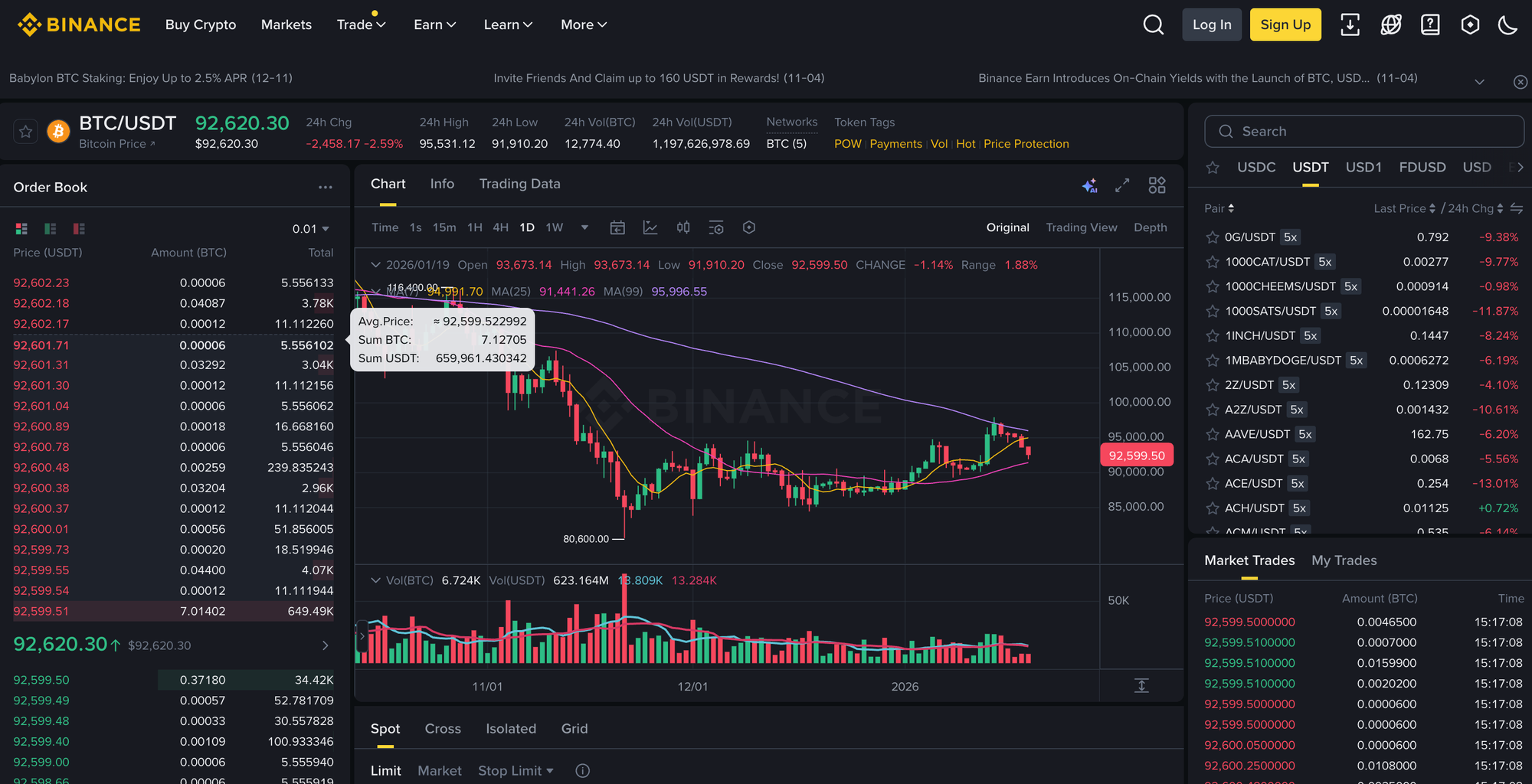
Binance is for traders who love choice and low fees. It supports hundreds of coins, spot and derivatives trading, staking, and more. The platform can feel overwhelming for beginners, but if you’re comfortable navigating advanced tools, the cost savings are worth it.
Security is solid, though not quite as 'bank-like' as Coinbase.
Is Coinbase right for you?
After spending time testing Coinbase from signup to sending, receiving, and trading crypto, here’s how I feel about Coinbase:
Coinbase really nails the basics like getting money in, generating wallets, and making transfers feel invisible.
The dashboard is clean and intuitive, whether you’re a beginner or someone who’s been in crypto since the start, and features like the Base App and Coinbase debit card make it easy to move and spend crypto, while Coinbase One adds perks for active traders.
Strength-wise, it’s super secure, beginner-friendly, and offers an all-in-one ecosystem. The Base Layer‑2 app speeds up on-chain moves and keeps fees low, and bank-level protections mean you can actually sleep at night (if you're not up trading, that is).
The only downsides? Fees are higher than Kraken or Binance, and if you’re a hardcore trader chasing low-cost trades or hundreds of altcoins, other platforms might make more sense.
Ultimately, Coinbase is best for anyone who wants a reliable, safe, and simple way to buy, sell, hold, and use crypto. For beginners or people who value security and convenience over cutting every last cent off trading fees, it’s a solid choice.
Turn Whop earnings into crypto on Coinbase
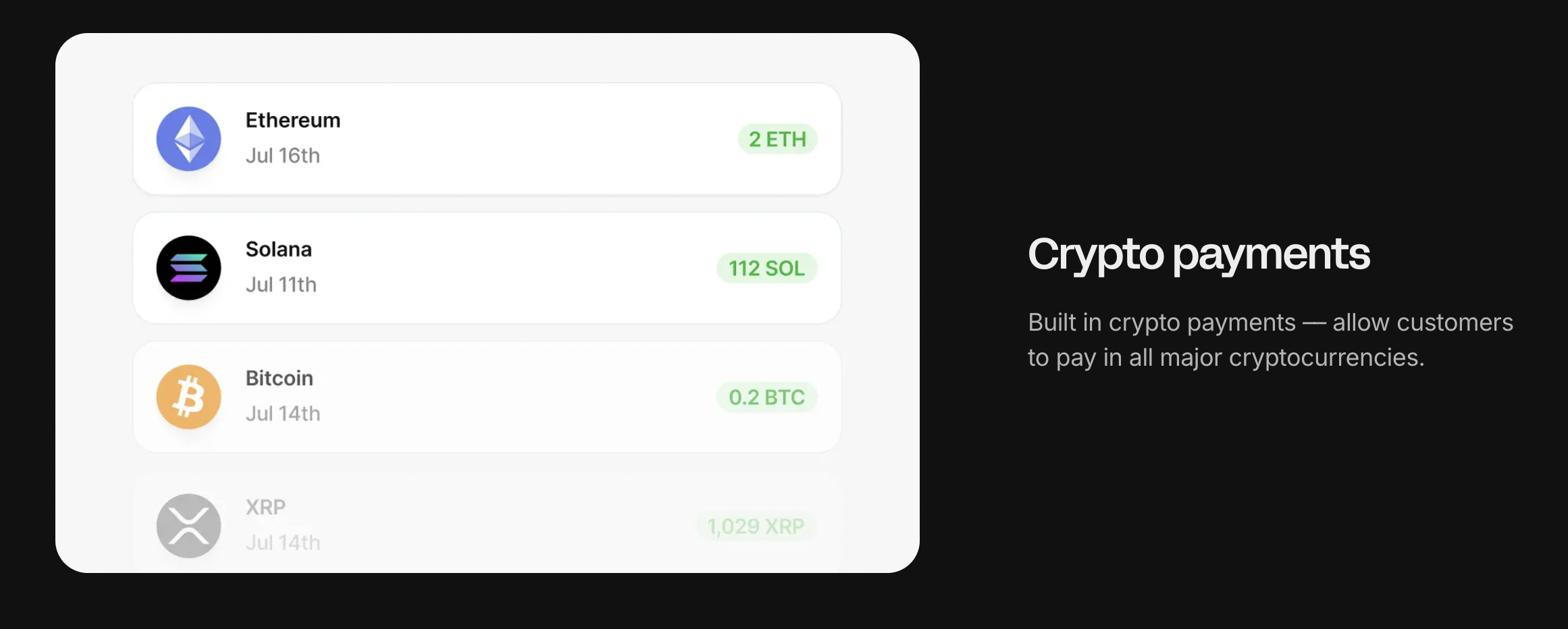
If you’re running an online business, Whop makes getting paid in crypto effortless.
We handle payments for you - cards, wallets, BNPL, crypto, you name it - manage access to your products, and let you withdraw your earnings however you want.
When you withdraw, just select crypto and send the funds directly to your Coinbase wallet. From there, you can swap into Bitcoin or ETH, stake tokens for rewards, or simply hold your positions long-term.
Whop supports payouts in 241+ territories with every method imaginable, from crypto to ACH, Venmo, CashApp, and more.
Use Whop to streamline payments and get access to the fastest, easiest crypto payouts straight to your Coinbase wallet.
Coinbase FAQs
What is the Coinbase withdrawal code text?
A 'Coinbase withdrawal code' text usually refers to a one-time security code Coinbase sends via SMS or an authenticator app when you try to withdraw crypto, cash out, or change key account settings.
But beware: if you get a withdrawal code text without requesting it, treat it as a red flag: someone may be trying to access your account. Don’t share the code with anyone.
What is a Coinbase text scam?
A Coinbase text scam is when scammers pretend to be Coinbase and send urgent messages like:
- 'Suspicious activity detected - verify now'
- 'Your account will be locked. Click this link to open'
- 'Withdrawal pending, reply with your code'
The goal is to trick you into clicking a fake link or giving up your password, 2FA codes, or ID details.
Remember: Coinbase will never ask you to share your password, 2FA codes, or seed phrase, and it won’t pressure you into 'urgent' withdrawals.
How do you cash out on Coinbase?
To cash out on Coinbase, you generally have two steps:
- Sell your crypto (convert it to your local currency)
- Withdraw the cash to your bank account or supported cash-out method (depending on your region)
Coinbase will show any fees and the estimated arrival time before you confirm.
Is Coinbase legit?
Yes, Coinbase is a legitimate, publicly traded crypto company and one of the most widely used exchanges in the world. It’s known for being beginner-friendly and security-focused.
Who owns Coinbase?
Coinbase is a public company, meaning it’s owned by its shareholders. It was founded in 2012 by Brian Armstrong (who has been the public face of the company for most of its history).
Is Coinbase insured?
Coinbase carries commercial crime insurance, but it’s not FDIC insurance and doesn’t cover losses from:
- Phishing
- Fake websites
- Social engineering
- Malware
- You accidentally approving a malicious transaction
This is standard across crypto, but is often misunderstood. This insurance does not cover crypto that you lose due to phishing scams like clicking on an unknown link or answering a phishing phonecall.