You can build a paid Chrome extension that has login, checkout, subscriptions, access gating, and more with Next.js and Whop. Learn how to in this guide.
Key takeaways
- Whop replaces your auth, checkout, billing portal, and entitlement database with a single API integration.
- Treat the Chrome extension as the untrusted interface and let your Next.js backend gate every paid feature.
- Build and test OAuth, checkout, and webhooks in Whop sandbox before swapping to production credentials.
You can build a paid Chrome extension with login, checkout, subscriptions, billing, and gated access using Next.js and Whop.
Whop handles the login, checkout, billing, webhooks, and access checks, so you focus on the feature you are selling.
The project has two pieces:
- A Manifest V3 Chrome extension that customers install in Chrome.
- A Next.js web app that handles checkout, API routes, Whop access checks, webhooks, documentation, and production deployment.
The important idea is simple. The Chrome extension is the product interface, but Whop decides who has access.
If a user has paid or otherwise has access through Whop, the extension unlocks the paid feature. If they do not, the extension keeps the feature locked and sends them to login or checkout.
You can see the web app demo here and the GitHub repository of the project here.
Sandbox first
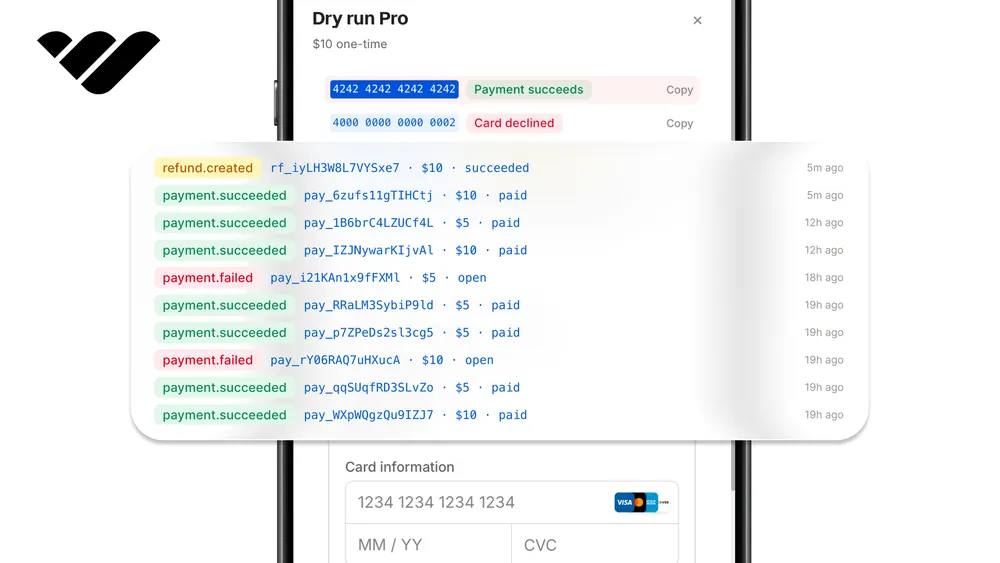
Build the first version in Whop sandbox before switching to production. Sandbox lets you test OAuth, checkout, access checks, billing behavior, and webhooks without touching a live customer product.
The final part of this tutorial shows exactly what to change when you move from sandbox credentials to your production Whop app, production web URL, and published Chrome extension ID.
Project overview
Why use Whop
A paid Chrome extension needs four things: sign-in, checkout, subscription and billing management, and a way to check who has access.
Whop provides all four through one API, so you never build or maintain an auth layer, a payment processor, a billing portal, or an entitlement database.
Tech stack
- Manifest V3 Chrome extension: the browser extension customers install.
- Vite: builds the extension bundle.
- TypeScript: keeps the extension and web app safer to edit.
- Next.js App Router: powers the web app, checkout page, docs page, webhooks, and backend API routes.
- Whop OAuth: signs users in from the Chrome extension.
- Whop access checks: verifies whether a user has access to your product, experience, or business.
- Whop checkout: sends non-customers to buy the plan connected to your extension.
- Whop webhooks: verifies payment and membership events from Whop.
- Whop hosted memberships page: lets customers manage billing, payment methods, subscriptions, and cancellations.
- Vercel: hosts the Next.js web app and API in production.
Pages and files
Chrome extension:
extension/popup.html: popup shell.extension/src/popup.ts: login flow, account state, gated UI, and popup logic.extension/src/background.ts: OAuth, PKCE, token storage, entitlement refresh, billing, and backend calls.extension/src/styles.css: popup styling.extension/public/manifest.json: extension name, permissions, OAuth permissions, and host permissions.extension/.env: browser-safe extension build variables.
Web app:
apps/web/app/page.tsx: public homepage.apps/web/app/checkout/page.tsx: checkout page used by the extension signup button.apps/web/app/api/extension/entitlements/route.ts: endpoint that returns the user's Whop access state.apps/web/app/api/extension/gated-resource/route.ts: endpoint that blocks non-paying users.apps/web/app/api/extension/billing-portal/route.ts: billing URL endpoint.apps/web/app/api/webhooks/whop/route.ts: Whop webhook verification route.apps/web/lib/whop.ts: Whop API helper functions.apps/web/lib/entitlements.ts: entitlement resolution and feature gating.apps/web/lib/cors.ts: extension CORS allowlist.
API routes
The backend routes are the trusted boundary between the public extension and Whop. The extension calls these routes, and the routes decide what data the user is allowed to receive.
apps/web/app/api/extension/entitlements/route.ts: returns the user access state.apps/web/app/api/extension/gated-resource/route.ts: blocks non-paying users.apps/web/app/api/extension/billing-portal/route.ts: returns the billing URL.apps/web/app/api/webhooks/whop/route.ts: verifies Whop webhook events.
Access flow
- A customer opens the Chrome extension.
- If they are signed out, they can log in with Whop OAuth or sign up through checkout.
- The extension runs the OAuth flow with PKCE through
chrome.identity.launchWebAuthFlow. - The extension stores the Whop tokens locally.
- The extension asks the Next.js web app to check access.
- The web app asks Whop whether the user has access to the configured resource.
- If access is active, the extension shows the gated feature.
- If access is missing, the extension keeps the feature locked and sends the user to checkout.
- Whop webhooks give the backend a verified way to receive payment and membership events.
Payment flow
- A non-customer clicks
Sign up. - The extension opens the hosted checkout page.
- The checkout page uses
WHOP_PLAN_IDto send the user to the correct Whop checkout. - The customer pays through Whop.
- Whop manages the payment, membership, subscription, renewal, cancellation, and billing state.
- Whop can send webhook events to the Next.js webhook route.
- The customer returns to the extension and logs in with Whop.
- The extension checks access again.
- If Whop says the customer has access, the paid feature appears.
What you need to start
Before starting, create or prepare:
- A Whop sandbox account at
sandbox.whop.com. - A Whop product or experience that should unlock the extension.
- A Whop plan for checkout.
- A Whop OAuth app for extension login.
- A Whop API key for the backend.
- A Whop webhook secret.
- A Vercel account.
- A Chrome Web Store developer account for production publishing.
Build and test the flow with sandbox credentials first. In the final part, you switch the same project to production credentials and the production Chrome extension ID.
Part 1: Scaffold the project
This project is a small pnpm workspace consisting of two packages: a Next.js web application in apps/web and a Chrome extension built with Vite.
The web application serves as the trusted backend, while the extension acts as the public client. Since they reside in a single repository, they share the same Node version and a single installation step.
Pin the Node version so the workspace is reproducible. Create .nvmrc with this content:
22Now, let's define the workspace at the repo root. Create pnpm-workspace.yaml with this content:
packages:
  - "apps/*"
  - "extension"
Scripts are shared between both packages; the Rollup override enforces a WebAssembly build, ensuring the extension bundles across all platforms. Create the root package.json with the content:
{
  "name": "whop-chrome-extension-template",
  "version": "0.1.0",
  "private": true,
  "description": "A Chrome extension starter template with Whop OAuth, checkout, and premium gating through a Next.js API.",
  "packageManager": "pnpm@9.15.9",
  "scripts": {
    "dev:web": "pnpm --filter @whop-extension-template/web dev",
    "dev:extension": "pnpm --filter @whop-extension-template/extension dev",
    "build": "pnpm -r build",
    "build:web": "pnpm --filter @whop-extension-template/web build",
    "build:extension": "pnpm --filter @whop-extension-template/extension build",
    "typecheck": "pnpm -r typecheck",
    "lint": "pnpm -r lint"
  },
  "keywords": [
    "chrome-extension",
    "manifest-v3",
    "whop",
    "nextjs",
    "saas",
    "template"
  ],
  "license": "MIT",
  "engines": {
    "node": "22.x"
  },
  "pnpm": {
    "overrides": {
      "rollup": "npm:@rollup/wasm-node@4.60.4"
    }
  },
  "devDependencies": {
    "@rollup/wasm-node": "4.60.4"
  }
}
Let's create the web app package at apps/web/package.json. It includes Next.js 16, React 19, the Whop SDK, and the Whop checkout embed; the dev server runs on port 3001:
{
  "name": "@whop-extension-template/web",
  "version": "0.1.0",
  "private": true,
  "type": "module",
  "scripts": {
    "dev": "next dev --webpack -p 3001",
    "build": "next build --webpack",
    "start": "next start",
    "typecheck": "tsc --noEmit",
    "lint": "eslint ."
  },
  "dependencies": {
    "@whop/checkout": "^0.0.52",
    "@whop/sdk": "^0.0.39",
    "next": "^16.2.6",
    "react": "^19.2.0",
    "react-dom": "^19.2.0"
  },
  "devDependencies": {
    "@types/node": "^22.19.19",
    "@types/react": "^19.2.15",
    "@types/react-dom": "^19.2.3",
    "eslint": "^9.39.4",
    "eslint-config-next": "^16.2.6",
    "typescript": "^6.0.3"
  },
  "engines": {
    "node": "22.x"
  }
}
We use Vite to build the Manifest V3 bundle, and dev rebuilds on change. Create the extension package at extension/package.json with the content:
{
  "name": "@whop-extension-template/extension",
  "version": "0.1.0",
  "private": true,
  "type": "module",
  "scripts": {
    "dev": "vite build --watch",
    "build": "vite build",
    "typecheck": "tsc --noEmit",
    "lint": "tsc --noEmit"
  },
  "devDependencies": {
    "@types/chrome": "^0.1.42",
    "typescript": "^6.0.3",
    "vite": "^7.3.3"
  },
  "packageManager": "pnpm@9.15.9",
  "engines": {
    "node": "22.x"
  }
}
And install everything from the repo root with one command:
pnpm installTo configure TypeScript for the web app, create apps/web/tsconfig.json with the content below. The @/* path alias is what every API route and page import relies on:
{
  "compilerOptions": {
    "target": "ES2022",
    "lib": [
      "dom",
      "dom.iterable",
      "ES2022"
    ],
    "allowJs": false,
    "skipLibCheck": true,
    "strict": true,
    "noEmit": true,
    "esModuleInterop": true,
    "module": "ESNext",
    "moduleResolution": "Bundler",
    "resolveJsonModule": true,
    "isolatedModules": true,
    "jsx": "react-jsx",
    "incremental": true,
    "plugins": [
      {
        "name": "next"
      }
    ],
    "paths": {
      "@/*": [
        "./*"
      ]
    }
  },
  "include": [
    "next-env.d.ts",
    "**/*.ts",
    "**/*.tsx",
    ".next/types/**/*.ts",
    ".next/dev/types/**/*.ts"
  ],
  "exclude": [
    "node_modules"
  ]
}
And set security headers for the web app by creating apps/web/next.config.ts with this content:
import type { NextConfig } from "next";

const securityHeaders = [
  {
    key: "Content-Security-Policy",
    value: "frame-ancestors 'none'; object-src 'none'; base-uri 'self'"
  },
  { key: "Referrer-Policy", value: "strict-origin-when-cross-origin" },
  { key: "X-Content-Type-Options", value: "nosniff" },
  { key: "X-Frame-Options", value: "DENY" },
  {
    key: "Permissions-Policy",
    value: "camera=(), microphone=(), geolocation=()"
  }
];

const nextConfig: NextConfig = {
  poweredByHeader: false,
  async headers() {
    return [
      {
        source: "/(.*)",
        headers: securityHeaders
      }
    ];
  }
};

export default nextConfig;
Create extension/tsconfig.json with the content below allow us to configure TypeScript for the extension. The chrome types are what make chrome.identity, chrome.storage, and chrome.runtime type-check:
{
  "compilerOptions": {
    "target": "ES2022",
    "useDefineForClassFields": true,
    "lib": ["DOM", "DOM.Iterable", "ES2022"],
    "allowJs": false,
    "skipLibCheck": true,
    "esModuleInterop": true,
    "allowSyntheticDefaultImports": true,
    "strict": true,
    "forceConsistentCasingInFileNames": true,
    "module": "ESNext",
    "moduleResolution": "Bundler",
    "resolveJsonModule": true,
    "isolatedModules": true,
    "noEmit": true,
    "types": ["chrome"]
  },
  "include": ["src", "*.html", "vite.config.ts"]
}
Configure the Vite build for the extension. Create extension/vite.config.ts with this content. It matches three inputs, a service worker, and two HTML pages; entryFileNames: "assets/[name].js" generates the assets/background.js file referenced by the manifest:
import { defineConfig } from "vite";

export default defineConfig({
  build: {
    outDir: "dist",
    emptyOutDir: true,
    sourcemap: true,
    rollupOptions: {
      input: {
        background: "src/background.ts",
        popup: "popup.html",
        options: "options.html"
      },
      output: {
        entryFileNames: "assets/[name].js",
        chunkFileNames: "assets/[name]-[hash].js",
        assetFileNames: "assets/[name][extname]"
      }
    }
  }
});
Add the Vite client types so import.meta.env.VITE_* type-checks. Create extension/src/vite-env.d.ts with this content:
/// <reference types="vite/client" />Part 2: Configure the web app and extension
Start by setting the environment variables for the Next.js web app and the Chrome extension. During local development, the web app can run on localhost.
When testing the package with the unpacked extension, the extension can also point to localhost.
The starter's .env.example files use port 3000 with mock mode enabled by default. In this tutorial, port 3001 is used with mock mode disabled; therefore, copy the example files and apply the values shown here.
Create apps/web/.env.local with these values:
NEXT_PUBLIC_APP_URL=http://localhost:3001
EXTENSION_ALLOWED_ORIGINS=*

NEXT_PUBLIC_WHOP_APP_ID=app_...
WHOP_ACCESS_RESOURCE_ID=prod_...
WHOP_COMPANY_ID=biz_...
WHOP_PLAN_ID=plan_...
WHOP_API_KEY=apik_...
WHOP_WEBHOOK_SECRET=...

WHOP_MOCK_MODE=false
WHOP_ALLOW_FREE_ACCESS=false
WHOP_BILLING_PORTAL_FALLBACK_URL=https://whop.com/@me/settings/memberships/
Create extension/.env with these values:
VITE_API_BASE_URL=http://localhost:3001
VITE_CHECKOUT_URL=http://localhost:3001/checkout?source=extension
VITE_WHOP_CLIENT_ID=app_...
VITE_WHOP_ACCESS_RESOURCE_ID=prod_...
VITE_WHOP_OAUTH_SCOPE=openid profile email
VITE_MOCK_MODE=false
The only server-specific values are WHOP_API_KEY and WHOP_WEBHOOK_SECRET. These are specific to the web application's environment.
Since the extension files are visible to users, never place them in the extension/.env file. WHOP_ALLOW_FREE_ACCESS determines whether users without a paid subscription can access the Starter's list of free features.
If set to false, non-paying users will continue to see the locked interface and checkout flow; however, they cannot retrieve free feature entitlements from the backend.
Part 3: Build the extension foundations
The extension's service worker and popup share a few small modules: types passed between them, a storage wrapper on chrome.storage.local, and a runtime config helper. Create these first so that the OAuth flow in the next section can import them.
Define the shared extension types. Every extension file imports from here; the RuntimeMessage union is the structure that types the message protocol from the popup to the background.
export type RuntimeConfig = {
  apiBaseUrl: string;
  checkoutUrl: string;
  whopClientId: string;
  whopResourceId: string;
  oauthScope: string;
  mockMode: boolean;
};

export type WhopTokens = {
  access_token: string;
  refresh_token?: string;
  id_token?: string;
  token_type: string;
  expires_in: number;
  obtained_at: number;
};

export type ExtensionUser = {
  id: string;
  name?: string;
  username?: string;
  email?: string;
  picture?: string;
};

export type EntitlementSnapshot = {
  hasAccess: boolean;
  accessLevel: "no_access" | "customer" | "admin";
  tier: "free" | "premium" | "admin";
  source: "mock" | "whop-api-key" | "whop-user-token";
  checkedAt: string;
  expiresAt: string;
  checkoutUrl: string;
  billingPortalUrl?: string;
  features: string[];
  user?: ExtensionUser;
  error?: string;
};

export type ExtensionState = {
  signedIn: boolean;
  user?: ExtensionUser;
  entitlement?: EntitlementSnapshot;
  config: RuntimeConfig;
};

export type RuntimeMessage =
  | { type: "GET_STATE" }
  | { type: "SIGN_IN"; mockTier?: "free" | "premium" | "admin" }
  | { type: "LOG_OUT" }
  | { type: "REFRESH_ENTITLEMENT" }
  | { type: "GET_BILLING_PORTAL" }
  | { type: "GET_GATED_RESOURCE" };
Add the storage helpers that persist tokens, the entitlement snapshot, and the user in chrome.storage.local. Create extension/src/shared/storage.ts with this content:
import type { EntitlementSnapshot, ExtensionUser, WhopTokens } from "./types";

const TOKEN_KEY = "whopTokens";
const ENTITLEMENT_KEY = "entitlementSnapshot";
const USER_KEY = "extensionUser";

export async function getTokens() {
  const result = await chrome.storage.local.get(TOKEN_KEY);
  return result[TOKEN_KEY] as WhopTokens | undefined;
}

export async function setTokens(tokens: WhopTokens) {
  await chrome.storage.local.set({ [TOKEN_KEY]: tokens });
}

export async function getEntitlement() {
  const result = await chrome.storage.local.get(ENTITLEMENT_KEY);
  return result[ENTITLEMENT_KEY] as EntitlementSnapshot | undefined;
}

export async function setEntitlement(entitlement: EntitlementSnapshot) {
  await chrome.storage.local.set({ [ENTITLEMENT_KEY]: entitlement });
}

export async function getStoredUser() {
  const result = await chrome.storage.local.get(USER_KEY);
  return result[USER_KEY] as ExtensionUser | undefined;
}

export async function setStoredUser(user: ExtensionUser) {
  await chrome.storage.local.set({ [USER_KEY]: user });
}

export async function clearAuthStorage() {
  await chrome.storage.local.remove([TOKEN_KEY, ENTITLEMENT_KEY, USER_KEY]);
}
Add the runtime config helper. It merges the compiled Vite env values with any overrides saved from the options page. Create extension/src/shared/config.ts with this content:
chrome.storage.local, which is unencrypted on disk. That is standard for extensions, but it means the refresh token persists in cleartext until the user logs out (which calls clearAuthStorage). Do not store anything here you would not put in a cookie.import type { RuntimeConfig } from "./types";
export const DEFAULT_CONFIG: RuntimeConfig = {
apiBaseUrl: import.meta.env.VITE_API_BASE_URL || "http://localhost:3000",
checkoutUrl:
import.meta.env.VITE_CHECKOUT_URL ||
"http://localhost:3000/checkout?source=extension",
whopClientId: import.meta.env.VITE_WHOP_CLIENT_ID || "",
whopResourceId:
import.meta.env.VITE_WHOP_ACCESS_RESOURCE_ID ||
import.meta.env.VITE_WHOP_RESOURCE_ID ||
"",
oauthScope: import.meta.env.VITE_WHOP_OAUTH_SCOPE || "openid profile email",
mockMode: (import.meta.env.VITE_MOCK_MODE || "true") === "true"
};
const CONFIG_KEY = "runtimeConfig";
export async function getRuntimeConfig(): Promise<RuntimeConfig> {
const stored = await chrome.storage.local.get(CONFIG_KEY);
return {
...DEFAULT_CONFIG,
...(stored[CONFIG_KEY] || {})
};
}
export async function saveRuntimeConfig(config: RuntimeConfig) {
await chrome.storage.local.set({ [CONFIG_KEY]: config });
}
export async function resetRuntimeConfig() {
await chrome.storage.local.remove(CONFIG_KEY);
}Part 4: Build the Chrome OAuth and PKCE flow
The extension's service worker handles the Whop login flow. It creates a PKCE verifier, initiates the Whop OAuth flow using chrome.identity.launchWebAuthFlow, exchanges the returned code for tokens, stores the user's credentials, and refreshes the entitlement status from the backend.
Go to extension/src/background.ts and create it with this content:
import { getRuntimeConfig } from "./shared/config";
import {
  clearAuthStorage,
  getEntitlement,
  getStoredUser,
  getTokens,
  setEntitlement,
  setStoredUser,
  setTokens
} from "./shared/storage";
import type {
  EntitlementSnapshot,
  ExtensionState,
  ExtensionUser,
  RuntimeConfig,
  RuntimeMessage,
  WhopTokens
} from "./shared/types";

const WHOP_OAUTH_BASE = "https://api.whop.com/oauth";
const REFRESH_BUFFER_MS = 5 * 60 * 1000;

type WhopTokenPayload = Partial<Omit<WhopTokens, "obtained_at">>;
type PremiumActionPayload = {
  ok?: boolean;
  message?: string;
  entitlement?: EntitlementSnapshot;
  resource?: unknown;
};
type BillingPortalPayload = {
  url?: string;
  message?: string;
};

chrome.runtime.onMessage.addListener((message: RuntimeMessage, _sender, sendResponse) => {

  handleMessage(message)
    .then((payload) => sendResponse({ ok: true, payload }))
    .catch((error) =>
      sendResponse({
        ok: false,
        error: error instanceof Error ? error.message : "Unexpected extension error"
      })
    );

  return true;
});

async function handleMessage(message: RuntimeMessage) {
  switch (message.type) {
    case "GET_STATE":
      return getState();
    case "SIGN_IN":
      return signIn(message.mockTier);
    case "LOG_OUT":
      await clearAuthStorage();
      return getState();
    case "REFRESH_ENTITLEMENT":
      return refreshEntitlement();
    case "GET_BILLING_PORTAL":
      return getBillingPortal();
    case "GET_GATED_RESOURCE":
      return getGatedResource();
    default:
      throw new Error("Unknown runtime message");
  }
}

async function getState(): Promise<ExtensionState> {
  const [config, tokens, entitlement, storedUser] = await Promise.all([
    getRuntimeConfig(),
    getTokens(),
    getEntitlement(),
    getStoredUser()
  ]);

  return {
    signedIn: Boolean(tokens),
    user: entitlement?.user || storedUser,
    entitlement,
    config
  };
}

async function signIn(mockTier?: "free" | "premium" | "admin") {
  const config = await getRuntimeConfig();

  if (config.mockMode && (mockTier || !config.whopClientId)) {
    await createMockSession(mockTier || "premium");
    return refreshEntitlement();
  }

  if (!config.whopClientId) {
    throw new Error("Add a Whop OAuth app id in the extension options page.");
  }

  const tokens = await startWhopOAuth(config);
  await setTokens(tokens);

  const user = await fetchWhopUserInfo(tokens.access_token);
  await setStoredUser(user);

  return refreshEntitlement();
}

async function createMockSession(tier: "free" | "premium" | "admin") {
  const now = Date.now();
  await setTokens({
    access_token: `mock-${tier}`,
    refresh_token: `mock-refresh-${tier}`,
    token_type: "Bearer",
    expires_in: 60 * 60,
    obtained_at: now
  });
  await setStoredUser({
    id: `user_mock_${tier}`,
    name: tier === "free" ? "Mock Free User" : "Mock Premium User",
    username: tier,
    email: `${tier}@example.test`
  });
}

async function startWhopOAuth(config: RuntimeConfig): Promise<WhopTokens> {
  const redirectUri = chrome.identity.getRedirectURL("whop");
  const pkce = {
    codeVerifier: randomString(64),
    state: randomString(24),
    // openid scope requires a nonce on the authorize request; we don't validate the
    // returned id_token here because the server re-fetches userinfo (the trust boundary)
    nonce: randomString(24)
  };

  const params = new URLSearchParams({
    response_type: "code",
    client_id: config.whopClientId,
    redirect_uri: redirectUri,
    scope: config.oauthScope,
    state: pkce.state,
    nonce: pkce.nonce,
    code_challenge: await sha256(pkce.codeVerifier),
    code_challenge_method: "S256"
  });

  let finalUrl: string | undefined;
  try {
    finalUrl = await chrome.identity.launchWebAuthFlow({
      url: `${WHOP_OAUTH_BASE}/authorize?${params.toString()}`,
      interactive: true
    });
  } catch (error) {
    const message = error instanceof Error ? error.message : "Unable to open Whop OAuth.";
    throw new Error(
      `${message} Add this redirect URI to your Whop OAuth app, then reload the extension: ${redirectUri}`
    );
  }

  if (!finalUrl) {
    throw new Error("Whop sign-in did not return a redirect URL.");
  }

  const callbackUrl = new URL(finalUrl);
  const error = callbackUrl.searchParams.get("error");
  if (error) {
    throw new Error(
      callbackUrl.searchParams.get("error_description") || `Whop OAuth error: ${error}`
    );
  }

  const code = callbackUrl.searchParams.get("code");
  const returnedState = callbackUrl.searchParams.get("state");
  if (!code || returnedState !== pkce.state) {
    throw new Error("Invalid Whop OAuth callback state.");
  }

  const response = await fetch(`${WHOP_OAUTH_BASE}/token`, {
    method: "POST",
    headers: { "Content-Type": "application/json" },
    body: JSON.stringify({
      grant_type: "authorization_code",
      code,
      redirect_uri: redirectUri,
      client_id: config.whopClientId,
      code_verifier: pkce.codeVerifier
    })
  });

  if (!response.ok) {
    throw new Error(`Whop token exchange failed with ${response.status}`);
  }

  return normalizeTokens(await readJson<WhopTokenPayload>(response));
}

async function getValidAccessToken() {
  const tokens = await getTokens();
  const config = await getRuntimeConfig();

  if (!tokens) {
    throw new Error("Sign in with Whop first.");
  }

  if (tokens.access_token.startsWith("mock-")) {
    return tokens.access_token;
  }

  const expiresAt = tokens.obtained_at + tokens.expires_in * 1000;
  if (Date.now() < expiresAt - REFRESH_BUFFER_MS) {
    return tokens.access_token;
  }

  if (!tokens.refresh_token) {
    throw new Error("Whop session expired. Please sign in again.");
  }

  const response = await fetch(`${WHOP_OAUTH_BASE}/token`, {
    method: "POST",
    headers: { "Content-Type": "application/json" },
    body: JSON.stringify({
      grant_type: "refresh_token",
      refresh_token: tokens.refresh_token,
      client_id: config.whopClientId
    })
  });

  if (!response.ok) {
    await clearAuthStorage();
    throw new Error("Whop session expired. Please sign in again.");
  }

  const refreshed = normalizeTokens(
    await readJson<WhopTokenPayload>(response),
    tokens.refresh_token
  );
  await setTokens(refreshed);
  return refreshed.access_token;
}

async function fetchWhopUserInfo(accessToken: string): Promise<ExtensionUser> {
  if (accessToken.startsWith("mock-")) {
    const tier = accessToken.replace("mock-", "");
    return {
      id: `user_mock_${tier}`,
      name: tier === "free" ? "Mock Free User" : "Mock Premium User",
      username: tier,
      email: `${tier}@example.test`
    };
  }

  const response = await fetch(`${WHOP_OAUTH_BASE}/userinfo`, {
    headers: { Authorization: `Bearer ${accessToken}` }
  });

  if (!response.ok) {
    throw new Error(`Unable to fetch Whop user info (${response.status}).`);
  }

  const user = (await response.json()) as {
    sub: string;
    name?: string;
    preferred_username?: string;
    email?: string;
    picture?: string;
  };

  return {
    id: user.sub,
    name: user.name,
    username: user.preferred_username,
    email: user.email,
    picture: user.picture
  };
}

async function refreshEntitlement() {
  const config = await getRuntimeConfig();
  const token = await getValidAccessToken();
  const response = await fetch(`${config.apiBaseUrl}/api/extension/entitlements`, {
    method: "POST",
    headers: {
      Authorization: `Bearer ${token}`,
      "Content-Type": "application/json",
      "X-Extension-Version": chrome.runtime.getManifest().version
    },
    body: JSON.stringify({
      extensionId: chrome.runtime.id,
      resourceId: config.whopResourceId
    })
  });

  const entitlement = await readJson<EntitlementSnapshot>(response);
  if (!entitlement) {
    throw new Error(`Entitlement check returned invalid JSON (${response.status}).`);
  }

  if (!response.ok && !entitlement.error) {
    throw new Error(`Entitlement check failed with ${response.status}`);
  }

  await setEntitlement(entitlement);
  if (entitlement.user) await setStoredUser(entitlement.user);

  return entitlement;
}

async function getBillingPortal() {
  const config = await getRuntimeConfig();
  const token = await getValidAccessToken();
  const response = await fetch(`${config.apiBaseUrl}/api/extension/billing-portal`, {
    method: "POST",
    headers: {
      Authorization: `Bearer ${token}`,
      "Content-Type": "application/json",
      "X-Extension-Version": chrome.runtime.getManifest().version
    }
  });

  const payload = await readJson<BillingPortalPayload>(response);
  if (!payload?.url) {
    throw new Error(payload?.message || `Billing portal lookup failed with ${response.status}`);
  }

  return payload;
}

async function getGatedResource() {
  const config = await getRuntimeConfig();
  const token = await getValidAccessToken();
  const response = await fetch(`${config.apiBaseUrl}/api/extension/gated-resource`, {
    method: "POST",
    headers: {
      Authorization: `Bearer ${token}`,
      "Content-Type": "application/json",
      "X-Extension-Version": chrome.runtime.getManifest().version
    }
  });

  const payload = await readJson<PremiumActionPayload>(response);
  if (!payload) {
    throw new Error(`Gated resource returned invalid JSON (${response.status}).`);
  }

  if (response.status === 402) {
    if (payload.entitlement) await setEntitlement(payload.entitlement);
    return payload;
  }

  if (!response.ok) {
    throw new Error(payload.message || `Gated resource failed with ${response.status}`);
  }

  if (payload.entitlement) await setEntitlement(payload.entitlement);
  return payload;
}

async function readJson<T>(response: Response): Promise<T | undefined> {
  try {
    return (await response.json()) as T;
  } catch {
    return undefined;
  }
}

function normalizeTokens(
  payload: WhopTokenPayload | undefined,
  fallbackRefreshToken?: string
): WhopTokens {
  if (
    !payload?.access_token ||
    !payload.token_type ||
    typeof payload.expires_in !== "number" ||
    !Number.isFinite(payload.expires_in)
  ) {
    throw new Error("Whop token response was incomplete.");
  }

  return {
    access_token: payload.access_token,
    refresh_token: payload.refresh_token || fallbackRefreshToken,
    id_token: payload.id_token,
    token_type: payload.token_type,
    expires_in: Math.max(0, Math.trunc(payload.expires_in)),
    obtained_at: Date.now()
  };
}

function base64url(bytes: Uint8Array) {
  let binary = "";
  bytes.forEach((byte) => {
    binary += String.fromCharCode(byte);
  });
  return btoa(binary).replace(/\+/g, "-").replace(/\//g, "_").replace(/=+$/, "");
}

function randomString(length: number) {
  return base64url(crypto.getRandomValues(new Uint8Array(length)));
}

async function sha256(value: string) {
  const digest = await crypto.subtle.digest(
    "SHA-256",
    new TextEncoder().encode(value)
  );
  return base64url(new Uint8Array(digest));
}
This file serves as the bridge between the popup interface and Whop. The popup sends runtime messages such as SIGN_IN, REFRESH_ENTITLEMENT, GET_BILLING_PORTAL, and GET_GATED_RESOURCE. The service worker processes these messages, manages tokens, and calls the hosted Next.js API.
The important OAuth pieces are:
chrome.identity.getRedirectURL("whop")creates the extension callback URL.randomString,sha256, andcode_challenge_method: "S256"implement PKCE.chrome.identity.launchWebAuthFlowopens Whop login.- The token exchange stores the access token and refresh token.
refreshEntitlementsends the Whop access token to the backend, where the real access check happens.
Part 5: Build the web app shell
Now move on to the web application. Start with the shell it renders: global styles, the root layout, the feature lists used by the entitlement model, and a home page.
Start with the global styles. Create apps/web/app/globals.css with this content:
:root {
  --bg: #ffffff;
  --ink: #181411;
  --muted: #746d66;
  --line: #eadfd6;
  --panel: #ffffff;
  --accent: #f26a21;
  --accent-strong: #c64d10;
  --accent-soft: #fff0e6;
  --warning: #8a4b00;
  --shadow: 0 24px 70px rgba(88, 54, 28, 0.14);
}

* {
  box-sizing: border-box;
}

html {
  background: var(--bg);
  color: var(--ink);
}

body {
  margin: 0;
  font-family:
    Inter, ui-sans-serif, system-ui, -apple-system, BlinkMacSystemFont, "Segoe UI",
    sans-serif;
  line-height: 1.5;
}

a {
  color: inherit;
}

code {
  border: 1px solid var(--line);
  border-radius: 6px;
  background: #f3f6f4;
  padding: 0.08rem 0.32rem;
}

.site-header,
.site-footer {
  display: flex;
  align-items: center;
  justify-content: space-between;
  gap: 1rem;
  margin: 0 auto;
  max-width: 1180px;
  padding: 1.1rem 1.5rem;
}

.site-header nav,
.site-footer {
  color: var(--muted);
  font-size: 0.92rem;
}

.site-header nav {
  display: flex;
  gap: 1rem;
}

.brand {
  display: inline-flex;
  align-items: center;
  gap: 0.58rem;
  font-weight: 750;
  text-decoration: none;
}

.brand-mark {
  width: 1rem;
  height: 1rem;
  border-radius: 999px;
  background: var(--accent);
  box-shadow: 0 0 0 5px rgba(242, 106, 33, 0.14);
}

.hero-section {
  display: grid;
  grid-template-columns: minmax(0, 1fr) minmax(340px, 0.82fr);
  gap: clamp(2rem, 6vw, 5rem);
  align-items: center;
  max-width: 1180px;
  min-height: calc(100vh - 148px);
  margin: 0 auto;
  padding: 3rem 1.5rem 5rem;
}

.hero-copy h1,
.narrow-page h1,
.checkout-copy h1 {
  max-width: 11ch;
  margin: 0;
  font-size: clamp(3.2rem, 8vw, 7rem);
  line-height: 0.94;
  letter-spacing: 0;
}

.lead {
  max-width: 680px;
  color: var(--muted);
  font-size: clamp(1.05rem, 1.8vw, 1.32rem);
}

.eyebrow,
.mini-label,
.feature-tier {
  margin: 0 0 0.75rem;
  color: var(--accent);
  font-size: 0.78rem;
  font-weight: 800;
  letter-spacing: 0;
  text-transform: uppercase;
}

.hero-actions,
.checkout-copy .clean-list {
  display: flex;
  flex-wrap: wrap;
  gap: 0.8rem;
  margin-top: 1.8rem;
}

.button {
  display: inline-flex;
  align-items: center;
  justify-content: center;
  min-height: 44px;
  border-radius: 8px;
  padding: 0.72rem 1rem;
  font-weight: 750;
  text-decoration: none;
}

.button.primary {
  background: var(--accent);
  color: #fff;
}

.button.secondary {
  border: 1px solid var(--line);
  background: #fff;
  color: var(--ink);
}

.extension-preview {
  border: 1px solid var(--line);
  border-radius: 8px;
  background: #fffaf6;
  box-shadow: var(--shadow);
  overflow: hidden;
}

.browser-bar {
  display: flex;
  gap: 0.45rem;
  padding: 0.9rem;
  background: #2b211a;
}

.browser-bar span {
  width: 0.72rem;
  height: 0.72rem;
  border-radius: 50%;
  background: #ffbf8f;
}

.preview-card {
  margin: 1.1rem;
  border-radius: 8px;
  background: #fff;
  padding: 1.2rem;
}

.preview-card h2 {
  margin: 0;
  font-size: 1.45rem;
}

.score-row {
  display: flex;
  justify-content: space-between;
  margin-top: 1.25rem;
}

.meter {
  height: 10px;
  margin: 0.7rem 0 1rem;
  border-radius: 999px;
  background: #f4e8de;
  overflow: hidden;
}

.meter span {
  display: block;
  height: 100%;
  background: var(--accent);
}

.preview-list {
  display: grid;
  gap: 0.55rem;
  color: var(--muted);
  font-size: 0.95rem;
}

.band {
  border-top: 1px solid var(--line);
  background: #fff;
  padding: 4rem 1.5rem;
}

.section-heading,
.feature-grid,
.narrow-page,
.checkout-page {
  max-width: 1180px;
  margin: 0 auto;
}

.section-heading h2,
.plain-section h2 {
  margin: 0 0 1.2rem;
  font-size: clamp(2rem, 4vw, 3.2rem);
  line-height: 1.02;
}

.feature-grid {
  display: grid;
  grid-template-columns: repeat(4, minmax(0, 1fr));
  gap: 1rem;
}

.feature-card,
.status-panel,
.checkout-box,
.setup-callout,
.doc-list a {
  border: 1px solid var(--line);
  border-radius: 8px;
  background: var(--panel);
}

.feature-card {
  padding: 1rem;
}

.feature-card h3 {
  margin: 0 0 0.65rem;
}

.feature-card p:last-child {
  color: var(--muted);
}

.narrow-page {
  padding: 4rem 1.5rem 6rem;
}

.narrow-page h1 {
  max-width: 760px;
  font-size: clamp(2.7rem, 7vw, 5.5rem);
}

.status-panel {
  display: grid;
  grid-template-columns: repeat(3, minmax(0, 1fr));
  gap: 1rem;
  margin: 2rem 0;
  padding: 1rem;
}

.status-panel div {
  display: grid;
  gap: 0.3rem;
}

.status-panel span,
.note {
  color: var(--muted);
}

.plain-section {
  margin: 2.5rem 0;
}

.steps {
  display: grid;
  gap: 0.8rem;
  padding-left: 1.25rem;
}

.checkout-page {
  display: grid;
  grid-template-columns: minmax(0, 0.85fr) minmax(360px, 1fr);
  gap: clamp(1.5rem, 5vw, 4rem);
  padding: 4rem 1.5rem 6rem;
}

.checkout-copy h1 {
  max-width: 680px;
  font-size: clamp(2.8rem, 7vw, 5.7rem);
}

.clean-list {
  display: grid;
  gap: 0.5rem;
  padding-left: 1.1rem;
  color: var(--muted);
}

.checkout-box {
  min-height: 520px;
  padding: 1rem;
}

.checkout-embed {
  min-height: 500px;
}

.checkout-status {
  margin: 0.8rem 0 0;
  color: var(--muted);
  font-size: 0.9rem;
  text-align: center;
}

.embed-loading,
.setup-callout {
  display: grid;
  place-items: center;
  min-height: 420px;
  padding: 1.5rem;
  text-align: center;
}

.fallback-link {
  display: block;
  margin-top: 0.8rem;
  color: var(--accent-strong);
  font-weight: 700;
  text-align: center;
}

.doc-list {
  display: grid;
  gap: 0.75rem;
  margin: 2rem 0;
}

.doc-list a {
  display: grid;
  gap: 0.2rem;
  padding: 1rem;
  text-decoration: none;
}

.doc-list span {
  font-weight: 780;
}

.doc-list small {
  color: var(--muted);
}

@media (max-width: 900px) {
  .hero-section,
  .checkout-page {
    grid-template-columns: 1fr;
    min-height: auto;
  }

  .feature-grid,
  .status-panel {
    grid-template-columns: 1fr 1fr;
  }
}

@media (max-width: 620px) {
  .site-header,
  .site-footer {
    align-items: flex-start;
    flex-direction: column;
  }

  .feature-grid,
  .status-panel {
    grid-template-columns: 1fr;
  }
}
Add the root layout that loads those styles and renders the header and footer. Create apps/web/app/layout.tsx with this content:
import type { Metadata } from "next";
import Link from "next/link";
import "./globals.css";

export const metadata: Metadata = {
  title: "Whop Chrome Extension Starter",
  description:
    "A Manifest V3 Chrome extension starter with Whop OAuth, checkout, billing, and premium entitlement checks."
};

export default function RootLayout({
  children
}: Readonly<{ children: React.ReactNode }>) {
  return (
    <html lang="en">
      <body>
        <header className="site-header">
          <Link className="brand" href="/">
            <span className="brand-mark" aria-hidden="true" />
            <span>Whop Extension Starter</span>
          </Link>
          <nav aria-label="Primary navigation">
            <Link href="/checkout">Checkout</Link>
            <Link href="/docs">Docs</Link>
          </nav>
        </header>
        {children}
        <footer className="site-footer">
          <span>Whop gated Chrome extension starter</span>
          <Link href="/api/health">API health</Link>
        </footer>
      </body>
    </html>
  );
}
Define the free and premium feature lists. The entitlement model returns one of these arrays; the popup renders them as feature chips. Create apps/web/lib/plans.ts with this content:
export const DEMO_PRODUCT = {
  name: "Whop Chrome Extension Starter",
  description:
    "A production-minded template for Chrome extension founders who want Whop login, checkout, billing, and premium access gating without building subscription plumbing from scratch."
};

export const FREE_FEATURES = [
  "whop_oauth_login",
  "checkout_link",
  "free_extension_shell"
];

export const PREMIUM_FEATURES = [
  ...FREE_FEATURES,
  "server_verified_access",
  "billing_portal",
  "premium_feature_unlock",
  "webhook_ready_backend"
];

export const FEATURE_MATRIX = [
  {
    tier: "Free",
    name: "Whop OAuth login",
    description:
      "The extension signs users in with Whop through Chrome identity and PKCE."
  },
  {
    tier: "Free",
    name: "Checkout handoff",
    description:
      "Send non-paying users to your Whop checkout from the popup or website."
  },
  {
    tier: "Premium",
    name: "Server-verified gated access",
    description:
      "The Next.js API checks the Whop resource ID before unlocking paid features."
  },
  {
    tier: "Premium",
    name: "Billing portal access",
    description:
      "Customers can open Whop billing management from the extension."
  }
];
Add a homepage so the root route renders. Create apps/web/app/page.tsx with this content:
import Link from "next/link";
import { DEMO_PRODUCT, FEATURE_MATRIX } from "@/lib/plans";

export default function HomePage() {
  return (
    <main>
      <section className="hero-section">
        <div className="hero-copy">
          <p className="eyebrow">Whop for Chrome extension founders</p>
          <h1>{DEMO_PRODUCT.name}</h1>
          <p className="lead">{DEMO_PRODUCT.description}</p>
          <div className="hero-actions">
            <Link className="button primary" href="/checkout?source=homepage">
              Open Whop checkout
            </Link>
            <Link className="button secondary" href="/docs">
              Setup docs
            </Link>
          </div>
        </div>

        <div className="extension-preview" aria-label="Whop extension starter preview">
          <div className="browser-bar">
            <span />
            <span />
            <span />
          </div>
          <div className="preview-card">
            <div>
              <p className="mini-label">Extension popup</p>
              <h2>Whop access active</h2>
            </div>
            <div className="score-row">
              <span>Gate status</span>
              <strong>Premium</strong>
            </div>
            <div className="meter">
              <span style={{ width: "100%" }} />
            </div>
            <div className="preview-list">
              <span>Sign in with Whop</span>
              <span>Open billing portal</span>
              <span>Unlock gated feature</span>
            </div>
          </div>
        </div>
      </section>

      <section className="band">
        <div className="section-heading">
          <p className="eyebrow">Template behavior</p>
          <h2>Login, billing, and access gating for your extension business.</h2>
        </div>
        <div className="feature-grid">
          {FEATURE_MATRIX.map((feature) => (
            <article className="feature-card" key={feature.name}>
              <p className="feature-tier">{feature.tier}</p>
              <h3>{feature.name}</h3>
              <p>{feature.description}</p>
            </article>
          ))}
        </div>
      </section>
    </main>
  );
}
Checkpoint
Run pnpm dev:web and open http://localhost:3001. The homepage should render with the feature grid. This is the first part you can actually run.
Part 6: Talk to Whop from the server
Since the extension is a public client, it should not make secure Whop API calls using private keys. The Next.js server handles this task. Before the Whop helper, define the environment reader and the associated access types.
Define the server environment reader. This is the only place that reads every WHOP* and NEXT_PUBLIC* variable and calculates the hosted checkout URL. Create apps/web/lib/env.ts with this content:
function readEnv(name: string, fallback = "") {
  return process.env[name]?.trim() || fallback;
}

function readBoolean(name: string, fallback: boolean) {
  const value = process.env[name];
  if (value === undefined) return fallback;
  return ["1", "true", "yes", "on"].includes(value.toLowerCase());
}

export function getServerEnv() {
  const whopApiKey = readEnv("WHOP_API_KEY");
  const mockMode = readBoolean("WHOP_MOCK_MODE", false);

  if (mockMode && process.env.NODE_ENV === "production") {
    throw new Error(
      "WHOP_MOCK_MODE must be disabled in production. Remove it or set it to false."
    );
  }

  return {
    publicAppUrl: readEnv("NEXT_PUBLIC_APP_URL", "http://localhost:3000"),
    whopAppId: readEnv("NEXT_PUBLIC_WHOP_APP_ID"),
    whopResourceId: readEnv("WHOP_ACCESS_RESOURCE_ID") || readEnv("WHOP_RESOURCE_ID"),
    whopCompanyId: readEnv("WHOP_COMPANY_ID") || readEnv("WHOP_BUSINESS_ID"),
    whopPlanId: readEnv("WHOP_PLAN_ID"),
    whopApiKey,
    mockMode,
    allowFreeAccess: readBoolean("WHOP_ALLOW_FREE_ACCESS", false),
    billingPortalFallbackUrl: readEnv(
      "WHOP_BILLING_PORTAL_FALLBACK_URL",
      "https://whop.com/@me/settings/memberships/"
    )
  };
}

export function getCheckoutUrl() {
  const env = getServerEnv();
  if (!env.whopPlanId) {
    return `${env.publicAppUrl}/checkout`;
  }

  return `https://whop.com/checkout/${env.whopPlanId}`;
}
Define the server-side access types. Create apps/web/lib/types.ts with this content:
export type AccessLevel = "no_access" | "customer" | "admin";
export type EntitlementTier = "free" | "premium" | "admin";

export type EntitlementSnapshot = {
  hasAccess: boolean;
  accessLevel: AccessLevel;
  tier: EntitlementTier;
  source: "mock" | "whop-api-key" | "whop-user-token";
  checkedAt: string;
  expiresAt: string;
  checkoutUrl: string;
  billingPortalUrl?: string;
  features: string[];
  user?: {
    id: string;
    name?: string;
    username?: string;
    email?: string;
    picture?: string;
  };
};WHOP_MOCK_MODE=true) and for local development only. The server throws on boot if it is ever set while NODE_ENV=production, so a stray env var or a preview deploy can never serve the mock entitlement bypass in production.Go to apps/web/lib/whop.ts and create it with this content:
import { getServerEnv } from "./env";
import type { AccessLevel } from "./types";

const WHOP_API_BASE = "https://api.whop.com";

export type WhopUserInfo = {
  sub: string;
  name?: string;
  preferred_username?: string;
  picture?: string;
  email?: string;
  email_verified?: boolean;
};

export type WhopAccessResponse = {
  has_access: boolean;
  access_level: AccessLevel;
  source?: "whop-api-key" | "whop-user-token";
};

export type WhopMembership = {
  id: string;
  status?: string;
  manage_url?: string | null;
  user?: { id?: string };
  product?: { id?: string };
  plan?: { id?: string };
};

export class WhopApiError extends Error {
  constructor(
    message: string,
    readonly status: number
  ) {
    super(message);
  }
}

async function parseWhopResponse<T>(response: Response): Promise<T> {
  if (!response.ok) {
    const errorBody = await response.text().catch(() => "");
    throw new WhopApiError(
      `Whop API request failed with ${response.status}${errorBody ? `: ${errorBody}` : ""}`,
      response.status
    );
  }

  return response.json() as Promise<T>;
}

export async function fetchWhopUserInfo(accessToken: string) {
  const response = await fetch(`${WHOP_API_BASE}/oauth/userinfo`, {
    headers: {
      Authorization: `Bearer ${accessToken}`
    },
    cache: "no-store",
    signal: AbortSignal.timeout(8000)
  });

  return parseWhopResponse<WhopUserInfo>(response);
}

export async function checkWhopAccess({
  userId,
  userAccessToken
}: {
  userId: string;
  userAccessToken: string;
}) {
  const env = getServerEnv();
  const resourceId = env.whopResourceId;

  async function requestAccess(
    authToken: string,
    source: NonNullable<WhopAccessResponse["source"]>
  ) {
    const response = await fetch(
      `${WHOP_API_BASE}/api/v1/users/${encodeURIComponent(userId)}/access/${encodeURIComponent(resourceId)}`,
      {
        headers: {
          Authorization: `Bearer ${authToken}`
        },
        cache: "no-store",
        signal: AbortSignal.timeout(8000)
      }
    );

    const access = await parseWhopResponse<WhopAccessResponse>(response);
    return { ...access, source };
  }

  if (env.whopApiKey) {
    try {
      return await requestAccess(env.whopApiKey, "whop-api-key");
    } catch (error) {
      if (!(error instanceof WhopApiError) || ![401, 403].includes(error.status)) {
        throw error;
      }
      console.error(
        `Whop API key rejected on access check (${error.status}). Falling back to the user token; check WHOP_API_KEY.`
      );
    }
  }

  return requestAccess(userAccessToken, "whop-user-token");
}

export async function findBillingPortalUrl({
  userId,
  userAccessToken
}: {
  userId: string;
  userAccessToken: string;
}) {
  const env = getServerEnv();
  const params = new URLSearchParams({
    first: "10",
    user_ids: userId
  });

  if (env.whopCompanyId) {
    params.set("company_id", env.whopCompanyId);
  }

  if (env.whopResourceId.startsWith("prod_")) {
    params.set("product_ids", env.whopResourceId);
  }

  if (env.whopPlanId) {
    params.set("plan_ids", env.whopPlanId);
  }

  async function requestMemberships(authToken: string) {
    const response = await fetch(`${WHOP_API_BASE}/api/v1/memberships?${params}`, {
      headers: {
        Authorization: `Bearer ${authToken}`
      },
      cache: "no-store",
      signal: AbortSignal.timeout(8000)
    });

    return parseWhopResponse<{ data?: WhopMembership[] }>(response);
  }

  let memberships: { data?: WhopMembership[] };

  if (env.whopApiKey) {
    try {
      memberships = await requestMemberships(env.whopApiKey);
    } catch (error) {
      if (!(error instanceof WhopApiError) || ![401, 403].includes(error.status)) {
        throw error;
      }
      console.error(
        `Whop API key rejected on membership lookup (${error.status}). Falling back to the user token; check WHOP_API_KEY.`
      );
      memberships = await requestMemberships(userAccessToken);
    }
  } else {
    memberships = await requestMemberships(userAccessToken);
  }

  const activeMembership =
    memberships.data?.find(
      (membership) =>
        membership.manage_url &&
        ["active", "trialing", "past_due", "completed"].includes(membership.status || "")
    ) || memberships.data?.find((membership) => membership.manage_url);

  return activeMembership?.manage_url || env.billingPortalFallbackUrl;
}
This file handles Whop API access on the server. fetchWhopUserInfo reads the logged-in user's Whop ID from the OAuth token. checkWhopAccess checks whether the user has access to the configured product, experience, or business.
The function first attempts to use the server API key. If Whop rejects this request with an authorization error, it falls back to the user's OAuth token. This makes access control more resilient while preserving the preferred server-side approach.
findBillingPortalUrl searches for a membership management URL and, if necessary, falls back to Whop's hosted memberships page.
Part 7: Resolve entitlements and block non-paying users
Now connect the Whop API helper to your app's entitlement model. The entitlement model is the structure the plugin uses to determine whether to display a locked state or a paid feature.
Go to apps/web/lib/entitlements.ts and create it with this content:
import type { NextRequest } from "next/server";
import { getCheckoutUrl, getServerEnv } from "./env";
import { FREE_FEATURES, PREMIUM_FEATURES } from "./plans";
import type { EntitlementSnapshot } from "./types";
import { checkWhopAccess, fetchWhopUserInfo } from "./whop";

function getBearerToken(request: NextRequest) {
  const header = request.headers.get("authorization");
  if (!header?.toLowerCase().startsWith("bearer ")) {
    return "";
  }

  return header.slice("bearer ".length).trim();
}

export function publicEntitlementError(error: unknown) {
  if (process.env.NODE_ENV !== "production" && error instanceof Error) {
    return error.message;
  }

  return "Unable to verify Whop access. Please sign in again or refresh access.";
}

function mockEntitlement(token: string): EntitlementSnapshot {
  const tier = token.includes("admin")
    ? "admin"
    : token.includes("premium")
      ? "premium"
      : "free";
  const hasAccess = tier === "premium" || tier === "admin";

  return {
    hasAccess,
    accessLevel: tier === "admin" ? "admin" : hasAccess ? "customer" : "no_access",
    tier,
    source: "mock",
    checkedAt: new Date().toISOString(),
    expiresAt: new Date(Date.now() + 5 * 60 * 1000).toISOString(),
    checkoutUrl: getCheckoutUrl(),
    billingPortalUrl: getServerEnv().billingPortalFallbackUrl,
    features: hasAccess
      ? PREMIUM_FEATURES
      : getServerEnv().allowFreeAccess
        ? FREE_FEATURES
        : [],
    user: {
      id: `user_mock_${tier}`,
      name: tier === "free" ? "Mock Free User" : "Mock Premium User",
      username: tier,
      email: `${tier}@example.test`
    }
  };
}

export async function resolveEntitlementFromRequest(request: NextRequest) {
  const token = getBearerToken(request);
  const env = getServerEnv();

  if (env.mockMode && (!token || token.startsWith("mock-"))) {
    return mockEntitlement(token || "mock-free");
  }

  if (!token) {
    throw new Error("Missing Whop OAuth access token");
  }

  if (!env.whopResourceId) {
    throw new Error("WHOP_ACCESS_RESOURCE_ID is not configured");
  }

  const user = await fetchWhopUserInfo(token);
  const access = await checkWhopAccess({
    userId: user.sub,
    userAccessToken: token
  });

  const hasAccess =
    access.has_access ||
    access.access_level === "customer" ||
    access.access_level === "admin";
  const accessLevel = access.access_level || (hasAccess ? "customer" : "no_access");

  return {
    hasAccess,
    accessLevel,
    tier: accessLevel === "admin" ? "admin" : hasAccess ? "premium" : "free",
    source: access.source || "whop-user-token",
    checkedAt: new Date().toISOString(),
    expiresAt: new Date(Date.now() + 5 * 60 * 1000).toISOString(),
    checkoutUrl: getCheckoutUrl(),
    billingPortalUrl: env.billingPortalFallbackUrl,
    features: hasAccess ? PREMIUM_FEATURES : env.allowFreeAccess ? FREE_FEATURES : [],
    user: {
      id: user.sub,
      name: user.name,
      username: user.preferred_username,
      email: user.email,
      picture: user.picture
    }
  } satisfies EntitlementSnapshot;
}
This file converts a Whop access response into the format required by the extension. It reads the bearer token from the request, retrieves the Whop user, checks access, and returns an EntitlementSnapshot.
The key line is the features decision. Paying users receive PREMIUM_FEATURES. Non-paying users receive FREE_FEATURES only if WHOP_ALLOW_FREE_ACCESS is enabled. Otherwise, they receive an empty feature list.
The routes in this part share one CORS helper so the extension's origin can call the Next.js API. Create it first.
gated-resource, which re-checks access with Whop on every request.Go to apps/web/lib/cors.ts and create it with this content:
import type { NextRequest } from "next/server";
import { NextResponse } from "next/server";

function getAllowedOrigins() {
  return (process.env.EXTENSION_ALLOWED_ORIGINS || "")
    .split(",")
    .map((origin) => origin.trim())
    .filter(Boolean);
}

export function buildCorsHeaders(request: NextRequest) {
  const requestOrigin = request.headers.get("origin");
  const allowedOrigins = getAllowedOrigins();
  const wildcard = allowedOrigins.includes("*");
  if (wildcard && process.env.NODE_ENV === "production") {
    console.error(
      "EXTENSION_ALLOWED_ORIGINS=* is ignored in production. Set explicit chrome-extension:// origins."
    );
  }
  const allowAny = wildcard && process.env.NODE_ENV !== "production";
  const isAllowed = requestOrigin && allowedOrigins.includes(requestOrigin);
  const headers = new Headers();

  if (allowAny) {
    headers.set("Access-Control-Allow-Origin", requestOrigin || "*");
  } else if (isAllowed && requestOrigin) {
    headers.set("Access-Control-Allow-Origin", requestOrigin);
  }

  headers.set("Vary", "Origin");
  headers.set("Access-Control-Allow-Methods", "GET,POST,OPTIONS");
  headers.set(
    "Access-Control-Allow-Headers",
    "Authorization,Content-Type,X-Extension-Version"
  );
  headers.set("Access-Control-Max-Age", "600");

  return headers;
}

export function optionsWithCors(request: NextRequest) {
  return new Response(null, {
    status: 204,
    headers: buildCorsHeaders(request)
  });
}

export function jsonWithCors<T>(
  request: NextRequest,
  body: T,
  init: ResponseInit = {}
) {
  const headers = new Headers(init.headers);
  buildCorsHeaders(request).forEach((value, key) => headers.set(key, value));

  return NextResponse.json(body, {
    ...init,
    headers
  });
}
This helper reads EXTENSION_ALLOWED_ORIGINS, compares it with the incoming Origin header, and adds the CORS headers the extension's API routes need. You can use * during local development; the helper ignores * when NODE_ENV=production, so set it to your published extension origin before you deploy:
EXTENSION_ALLOWED_ORIGINS=chrome-extension://your_published_extension_idNext, create the protected route that blocks users without access.
Go to apps/web/app/api/extension/gated-resource/route.ts and create it with this content:
import type { NextRequest } from "next/server";
import { jsonWithCors, optionsWithCors } from "@/lib/cors";
import { publicEntitlementError, resolveEntitlementFromRequest } from "@/lib/entitlements";

export const dynamic = "force-dynamic";

export function OPTIONS(request: NextRequest) {
  return optionsWithCors(request);
}

export async function POST(request: NextRequest) {
  let entitlement: Awaited<ReturnType<typeof resolveEntitlementFromRequest>>;

  try {
    entitlement = await resolveEntitlementFromRequest(request);
  } catch (error) {
    return jsonWithCors(
      request,
      {
        ok: false,
        code: "auth_failed",
        message: publicEntitlementError(error)
      },
      { status: 401, headers: { "Cache-Control": "no-store" } }
    );
  }

  if (!entitlement.hasAccess) {
    return jsonWithCors(
      request,
      {
        ok: false,
        code: "premium_required",
        message: "Whop access is required before this extension feature unlocks.",
        entitlement
      },
      { status: 402, headers: { "Cache-Control": "no-store" } }
    );
  }

  return jsonWithCors(
    request,
    {
      ok: true,
      entitlement,
      resource: {
        title: "Whop verified premium feature",
        items: [
          "The user is signed in with Whop.",
          "The API rechecked the configured resource ID.",
          "Replace this payload with your extension's paid feature."
        ]
      }
    },
    { headers: { "Cache-Control": "no-store" } }
  );
}
This route is where your paid server-side feature belongs. First, it resolves the user's entitlement. If the user is not logged in, it returns a 401. If the user is logged in but lacks access, it returns a 402 with the premium_required code. Only users with access receive the protected payload.
Replace the sample resource payload with your actual paid server-side feature, such as an AI call, database query, report generation, or custom data response.
The plugin accesses the backend through a few fine-grained routes. Each responds to an OPTIONS preflight request and returns JSON with the CORS headers from the helper above.
Add the entitlements endpoint the extension calls to read access state. Create apps/web/app/api/extension/entitlements/route.ts with this content:
import type { NextRequest } from "next/server";
import { jsonWithCors, optionsWithCors } from "@/lib/cors";
import { publicEntitlementError, resolveEntitlementFromRequest } from "@/lib/entitlements";

export const dynamic = "force-dynamic";

export function OPTIONS(request: NextRequest) {
  return optionsWithCors(request);
}

export async function POST(request: NextRequest) {
  try {
    const entitlement = await resolveEntitlementFromRequest(request);
    return jsonWithCors(request, entitlement, {
      headers: { "Cache-Control": "no-store" }
    });
  } catch (error) {
    return jsonWithCors(
      request,
      {
        hasAccess: false,
        accessLevel: "no_access",
        tier: "free",
        error: publicEntitlementError(error)
      },
      { status: 401, headers: { "Cache-Control": "no-store" } }
    );
  }
}
Add the billing portal endpoint. It identifies the logged-in user, retrieves the Whop membership management URL using findBillingPortalUrl, and falls back to the hosted memberships page. Create apps/web/app/api/extension/billing-portal/route.ts with this content:
import type { NextRequest } from "next/server";
import { jsonWithCors, optionsWithCors } from "@/lib/cors";
import { getServerEnv } from "@/lib/env";
import { fetchWhopUserInfo, findBillingPortalUrl } from "@/lib/whop";

export const dynamic = "force-dynamic";

export function OPTIONS(request: NextRequest) {
  return optionsWithCors(request);
}

export async function POST(request: NextRequest) {
  const env = getServerEnv();
  const header = request.headers.get("authorization") || "";
  const token = header.toLowerCase().startsWith("bearer ")
    ? header.slice("bearer ".length).trim()
    : "";

  if (!token || token.startsWith("mock-")) {
    return jsonWithCors(
      request,
      { url: env.billingPortalFallbackUrl },
      { headers: { "Cache-Control": "no-store" } }
    );
  }

  try {
    const user = await fetchWhopUserInfo(token);
    const url = await findBillingPortalUrl({
      userId: user.sub,
      userAccessToken: token
    });
    return jsonWithCors(request, { url }, { headers: { "Cache-Control": "no-store" } });
  } catch {
    return jsonWithCors(
      request,
      { url: env.billingPortalFallbackUrl },
      { headers: { "Cache-Control": "no-store" } }
    );
  }
}
Add the config endpoint that the extension reads to verify the server is accessible. Create apps/web/app/api/extension/config/route.ts with this content:
import type { NextRequest } from "next/server";
import { jsonWithCors, optionsWithCors } from "@/lib/cors";
import { getCheckoutUrl, getServerEnv } from "@/lib/env";

export function OPTIONS(request: NextRequest) {
  return optionsWithCors(request);
}

export function GET(request: NextRequest) {
  const env = getServerEnv();

  return jsonWithCors(request, {
    appName: "Whop Chrome Extension Starter",
    appUrl: env.publicAppUrl,
    checkoutUrl: getCheckoutUrl(),
    mockMode: env.mockMode,
    oauth: {
      clientId: env.whopAppId,
      scope: "openid profile email",
      resourceId: env.whopResourceId
    }
  });
}
Checkpoint
With the web app running, open http://localhost:3001/api/extension/config. You should get a JSON response showing mockMode and your OAuth client id, which confirms the env reader, the CORS helper, and the routes all work.
Part 8: Build the checkout page
The extension's "Sign Up" button directs non-paying users here. The page renders the Whop checkout embed on your own domain, so customers never leave your site. When payment is successfully completed, it redirects to a completion page.
Create the embed component. Create apps/web/components/CheckoutEmbed.tsx with this content:
"use client";

import {
  WhopCheckoutEmbed,
  useCheckoutEmbedControls
} from "@whop/checkout/react";
import { useRouter } from "next/navigation";
import { useState } from "react";

export function CheckoutEmbed({ planId }: { planId: string }) {
  const router = useRouter();
  const checkoutControlsRef = useCheckoutEmbedControls();
  const [checkoutReady, setCheckoutReady] = useState(false);

  function handleComplete(_planId: string, receiptId?: string) {
    const params = new URLSearchParams({ source: "checkout" });
    if (receiptId) params.set("receipt", receiptId);
    router.push("/checkout/complete?" + params.toString());
  }

  return (
    <div className="checkout-embed">
      <WhopCheckoutEmbed
        ref={checkoutControlsRef}
        planId={planId}
        skipRedirect
        onStateChange={(state) => setCheckoutReady(state === "ready")}
        onComplete={handleComplete}
        theme="light"
        fallback={<div className="embed-loading">Loading secure checkout...</div>}
      />
      {!checkoutReady && (
        <p className="checkout-status">Preparing secure Whop checkout...</p>
      )}
    </div>
  );
}
Once the plan ID is configured, add the checkout page that renders the embed and provides the hosted checkout fallback. Create apps/web/app/checkout/page.tsx with this content:
import Link from "next/link";
import { CheckoutEmbed } from "@/components/CheckoutEmbed";
import { getCheckoutUrl, getServerEnv } from "@/lib/env";

export default function CheckoutPage() {
  const env = getServerEnv();

  return (
    <main className="checkout-page">
      <section className="checkout-copy">
        <p className="eyebrow">Whop checkout</p>
        <h1>Unlock extension access</h1>
        <p className="lead">
          After purchase, users sign in with Whop inside the extension.
          Webhooks can update your own database if you add persistent accounts.
        </p>
        <ul className="clean-list">
          <li>Customer login through Whop OAuth</li>
          <li>Server-side gating through Whop check-access</li>
          <li>Billing management through Whop memberships</li>
        </ul>
      </section>

      <section className="checkout-box">
        {env.whopPlanId ? (
          <>
            <CheckoutEmbed planId={env.whopPlanId} />
            <a className="fallback-link" href={getCheckoutUrl()}>
              Open hosted checkout instead
            </a>
          </>
        ) : (
          <div className="setup-callout">
            <h2>Plan id not configured</h2>
            <p>
              Set <code>WHOP_PLAN_ID</code> in <code>apps/web/.env.local</code>
              to render the Whop checkout embed.
            </p>
            <Link className="button secondary" href="/docs">
              Read setup docs
            </Link>
          </div>
        )}
      </section>
    </main>
  );
}
Add the post-purchase landing page that the embed redirects to. Create apps/web/app/checkout/complete/page.tsx with this content:
import Link from "next/link";

export default async function CheckoutCompletePage({
  searchParams
}: {
  searchParams: Promise<Record<string, string | string[] | undefined>>;
}) {
  const params = await searchParams;
  const status = typeof params.status === "string" ? params.status : "success";

  return (
    <main className="narrow-page">
      <p className="eyebrow">Checkout complete</p>
      <h1>{status === "error" ? "Checkout needs another try" : "Premium is ready"}</h1>
      <p className="lead">
        Return to the extension and sign in with Whop. If you were already
        signed in, use Refresh access once to pick up the new entitlement.
      </p>
      <Link className="button primary" href="/demo">
        View template status
      </Link>
    </main>
  );
}
Checkpoint
Open http://localhost:3001/checkout. With WHOP_PLAN_ID set you should see the Whop checkout embed; without it you should see the "Plan id not configured" callout.
Part 9: Unlock the popup only when Whop confirms access
The popup is the user-facing part of the extension. It renders three states:
- Not logged in
- Logged in without access
- Logged in with access
Before the logic, the popup requires an HTML shell and its styles. The element IDs in the shell must match exactly the values that popup.ts looks for at runtime.
Create the popup shell. Create extension/popup.html with this content:
<!doctype html>
<html lang="en">
  <head>
    <meta charset="UTF-8" />
    <meta name="viewport" content="width=device-width, initial-scale=1.0" />
    <title>Whop Extension Starter</title>
  </head>
  <body>
    <main class="popup-shell">
      <header class="popup-header">
        <div>
          <p class="eyebrow">Chrome extension template</p>
          <h1>Whop Starter</h1>
        </div>
        <div id="header-actions" class="header-actions"></div>
      </header>

      <section id="account-panel" class="panel"></section>
      <section id="access-panel" class="panel"></section>
      <section id="result-panel" class="panel result-panel" hidden></section>
    </main>
    <script type="module" src="/src/popup.ts"></script>
  </body>
</html>
Add the popup styles. Create extension/src/styles.css with this content:
:root {
  --bg: #ffffff;
  --ink: #181411;
  --muted: #746d66;
  --line: #eadfd6;
  --panel: #fffaf6;
  --accent: #f26a21;
  --accent-strong: #c64d10;
  --accent-soft: #fff0e6;
  --success: #177245;
}

* {
  box-sizing: border-box;
}

body {
  margin: 0;
  background: var(--bg);
  color: var(--ink);
  font-family:
    Inter, ui-sans-serif, system-ui, -apple-system, BlinkMacSystemFont, "Segoe UI",
    sans-serif;
  line-height: 1.42;
}

button,
input {
  font: inherit;
}

.popup-shell {
  width: 390px;
  min-height: 560px;
  padding: 16px;
}

.popup-header,
.account-row,
.button-row {
  display: flex;
  align-items: center;
  justify-content: space-between;
  gap: 12px;
}

.popup-header {
  border-bottom: 1px solid var(--line);
  padding-bottom: 14px;
}

.popup-header > div:first-child {
  min-width: 0;
}

.popup-header h1,
.options-header h1 {
  margin: 0;
  font-size: 26px;
  letter-spacing: 0;
}

.eyebrow {
  margin: 0 0 5px;
  color: var(--accent-strong);
  font-size: 11px;
  font-weight: 820;
  letter-spacing: 0;
  text-transform: uppercase;
}

.stack {
  min-width: 0;
}

.panel,
.redirect-box,
.options-form {
  border: 1px solid var(--line);
  border-radius: 8px;
  background: var(--panel);
  padding: 14px;
}

.panel {
  margin-top: 12px;
}

.panel h2,
.panel h3 {
  margin: 0 0 8px;
  font-size: 19px;
}

.muted,
.options-header p,
.status-line {
  color: var(--muted);
}

.button-grid {
  display: grid;
  grid-template-columns: 1fr 1fr;
  gap: 9px;
  margin-top: 14px;
}

#account-actions {
  grid-template-columns: 1fr;
}

.button,
.icon-button {
  min-height: 40px;
  border: 0;
  border-radius: 8px;
  cursor: pointer;
  font-weight: 780;
}

.button:disabled {
  cursor: progress;
  opacity: 0.68;
}

.button.primary {
  background: var(--accent);
  color: #fff;
}

.button.secondary,
.button.ghost,
.icon-button {
  border: 1px solid var(--line);
  background: #fff;
  color: var(--ink);
}

.button.ghost {
  color: var(--muted);
}

.header-actions {
  display: flex;
  flex: 0 0 auto;
  align-items: center;
  gap: 7px;
}

.icon-button {
  display: inline-flex;
  width: 38px;
  height: 38px;
  min-height: 38px;
  align-items: center;
  justify-content: center;
  padding: 0;
}

.icon-button svg {
  width: 18px;
  height: 18px;
  fill: none;
  stroke: currentColor;
  stroke-width: 2;
  stroke-linecap: round;
  stroke-linejoin: round;
}

.tier-pill {
  flex: 0 0 auto;
  border-radius: 999px;
  padding: 5px 10px;
  background: #f2ede8;
  color: var(--muted);
  font-size: 12px;
  font-weight: 820;
  text-transform: capitalize;
}

.tier-pill.premium,
.tier-pill.admin {
  background: #e9f8ef;
  color: var(--success);
}

.feature-list,
.steps-list {
  display: grid;
  gap: 7px;
  margin: 14px 0 0;
  color: var(--muted);
  font-size: 12px;
}

.feature-list {
  grid-template-columns: 1fr 1fr;
  padding: 0;
  list-style: none;
}

.feature-list li,
.steps-list li {
  border-radius: 6px;
  background: #fff;
  padding: 7px;
}

.steps-list {
  padding: 0;
  list-style: none;
}

.access-status {
  margin-top: 12px;
  border: 1px solid var(--line);
  border-radius: 8px;
  padding: 12px;
  background: #fff;
}

.gated-content {
  margin-top: 12px;
  border: 1px solid #bce8cb;
  border-radius: 8px;
  background: #f4fff8;
  padding: 12px;
}

.access-status h3 {
  display: flex;
  align-items: center;
  gap: 8px;
}

.access-status h3::before {
  width: 10px;
  height: 10px;
  border-radius: 999px;
  content: "";
}

.access-status.on {
  border-color: #bce8cb;
  background: #f4fff8;
}

.access-status.on h3::before {
  background: var(--success);
}

.access-status.off {
  border-color: #f2c7bd;
  background: #fff8f6;
}

.access-status.off h3::before {
  background: #d0442e;
}

.result-panel {
  background: #fff;
}

.result-panel ul {
  margin: 8px 0 0;
  padding-left: 18px;
}

.options-shell {
  max-width: 760px;
  margin: 0 auto;
  padding: 34px 18px 56px;
}

.options-form {
  display: grid;
  gap: 14px;
  margin: 20px 0;
}

.options-form label {
  display: grid;
  gap: 6px;
  color: var(--muted);
  font-weight: 720;
}

.options-form input[type="url"],
.options-form input:not([type]) {
  width: 100%;
  min-height: 42px;
  border: 1px solid var(--line);
  border-radius: 8px;
  padding: 8px 10px;
  color: var(--ink);
}

.checkbox-row {
  display: flex !important;
  align-items: center;
  flex-direction: row;
}

.button-row {
  justify-content: flex-start;
  flex-wrap: wrap;
}

.button-row .button,
.redirect-box .button {
  padding: 0 14px;
}

.redirect-box {
  display: grid;
  gap: 10px;
}

.redirect-box code {
  display: block;
  overflow-wrap: anywhere;
  border: 1px solid var(--line);
  border-radius: 8px;
  background: #fff;
  padding: 10px;
}
Go to extension/src/popup.ts and create it with this content:
import "./styles.css";
import type { EntitlementSnapshot, ExtensionState, RuntimeMessage } from "./shared/types";

const accountPanel = getElement("account-panel");
const accessPanel = getElement("access-panel");
const resultPanel = getElement("result-panel");
const headerActions = getElement("header-actions");

let state: ExtensionState | undefined;

void boot();

async function boot() {
  state = await sendMessage<ExtensionState>({ type: "GET_STATE" });
  render();
}

function render() {
  if (!state) return;

  renderHeaderActions(state);
  renderAccount(state);
  renderAccess(state.entitlement);
}

function renderHeaderActions(current: ExtensionState) {
  headerActions.replaceChildren(
    iconButton(
      "Open options",
      `<svg viewBox="0 0 24 24" aria-hidden="true"><path d="M12 8.5a3.5 3.5 0 1 0 0 7 3.5 3.5 0 0 0 0-7Z"/><path d="M19.4 15a1.7 1.7 0 0 0 .34 1.87l.06.06a2.05 2.05 0 0 1-2.9 2.9l-.06-.06A1.7 1.7 0 0 0 15 19.43a1.7 1.7 0 0 0-1 .57 1.7 1.7 0 0 0-.4 1.1V21a2.1 2.1 0 0 1-4.2 0v-.09a1.7 1.7 0 0 0-.4-1.1 1.7 1.7 0 0 0-1-.57 1.7 1.7 0 0 0-1.87.34l-.06.06a2.05 2.05 0 0 1-2.9-2.9l.06-.06A1.7 1.7 0 0 0 4.57 15a1.7 1.7 0 0 0-.57-1 1.7 1.7 0 0 0-1.1-.4H2.8a2.1 2.1 0 0 1 0-4.2h.09A1.7 1.7 0 0 0 4 9a1.7 1.7 0 0 0 .57-1 1.7 1.7 0 0 0-.34-1.87l-.06-.06a2.05 2.05 0 0 1 2.9-2.9l.06.06A1.7 1.7 0 0 0 9 4.57a1.7 1.7 0 0 0 1-.57 1.7 1.7 0 0 0 .4-1.1V2.8a2.1 2.1 0 0 1 4.2 0v.09A1.7 1.7 0 0 0 15 4a1.7 1.7 0 0 0 1 .57 1.7 1.7 0 0 0 1.87-.34l.06-.06a2.05 2.05 0 0 1 2.9 2.9l-.06.06A1.7 1.7 0 0 0 19.43 9a1.7 1.7 0 0 0 .57 1 1.7 1.7 0 0 0 1.1.4h.1a2.1 2.1 0 0 1 0 4.2h-.1A1.7 1.7 0 0 0 20 14a1.7 1.7 0 0 0-.6 1Z"/></svg>`,
      () => chrome.runtime.openOptionsPage()
    )
  );

  if (!current.signedIn) return;

  headerActions.prepend(
    iconButton(
      "Refresh access",
      `<svg viewBox="0 0 24 24" aria-hidden="true"><path d="M21 12a9 9 0 0 1-15.3 6.36"/><path d="M3 12A9 9 0 0 1 18.3 5.64"/><path d="M18 2v4h-4"/><path d="M6 22v-4h4"/></svg>`,
      async () => {
        state = {
          ...current,
          entitlement: await sendMessage<EntitlementSnapshot>({
            type: "REFRESH_ENTITLEMENT"
          })
        };
        render();
      }
    ),
    iconButton(
      "Manage billing",
      `<svg viewBox="0 0 24 24" aria-hidden="true"><path d="M3 7a2 2 0 0 1 2-2h14a2 2 0 0 1 2 2v10a2 2 0 0 1-2 2H5a2 2 0 0 1-2-2V7Z"/><path d="M3 10h18"/><path d="M7 15h4"/></svg>`,
      openBillingPortal
    ),
    iconButton(
      "Logout",
      `<svg viewBox="0 0 24 24" aria-hidden="true"><path d="M10 17 15 12l-5-5"/><path d="M15 12H3"/><path d="M12 3h7a2 2 0 0 1 2 2v14a2 2 0 0 1-2 2h-7"/></svg>`,
      async () => {
        state = await sendMessage<ExtensionState>({ type: "LOG_OUT" });
        render();
        setResult("Signed out. Your extension can keep free actions available here.");
      }
    )
  );
}

function renderAccount(current: ExtensionState) {
  const entitlement = current.entitlement;
  const hasAccess = Boolean(entitlement?.hasAccess);
  const signedInLabel = current.signedIn
    ? current.user?.name || current.user?.username || "Whop user"
    : "Not signed in";

  const badge = document.createElement("span");
  badge.className = `tier-pill ${hasAccess ? "premium" : "free"}`;
  badge.textContent = hasAccess ? "Access active" : "No access";

  const accountCopy = div("stack");
  accountCopy.append(paragraph("eyebrow", "Whop account"), heading("h2", signedInLabel));

  const accountRow = div("account-row");
  accountRow.append(accountCopy, badge);

  const actions = div("button-grid");
  actions.id = "account-actions";

  accountPanel.replaceChildren(accountRow, paragraph("muted", statusLine(entitlement)));

  if (current.signedIn && !hasAccess) {
    accountPanel.append(actions);
    actions.append(
      button("Refresh access", "secondary", async () => {
        state = {
          ...current,
          entitlement: await sendMessage<EntitlementSnapshot>({
            type: "REFRESH_ENTITLEMENT"
          })
        };
        render();
      })
    );
  }

  if (current.config.mockMode) {
    actions.append(
      button("Mock free", "secondary", async () => {
        state = await signIn("free");
        render();
      }),
      button("Mock premium", "secondary", async () => {
        state = await signIn("premium");
        render();
      })
    );
  }
}

function renderAccess(entitlement?: EntitlementSnapshot) {
  const hasAccess = Boolean(entitlement?.hasAccess);
  const actions = div("button-grid");
  actions.id = "access-actions";

  if (!hasAccess) {
    actions.append(
      button("Login", "primary", async () => {
        state = await signIn();
        render();
      }),
      button("Sign up", "secondary", openCheckout)
    );
  }

  const benefits = document.createElement("ul");
  benefits.className = "steps-list";
  const benefitCopy = hasAccess
    ? [
        "Whop verified this user has access.",
        "Your paid feature can render in this section.",
        "Billing and logout are available from the top-right icons."
      ]
    : [
        "Sell access to your extension with Whop checkout.",
        "Let customers log in with Whop OAuth.",
        "Unlock this section only after Whop confirms access."
      ];

  for (const step of benefitCopy) {
    const item = document.createElement("li");
    item.textContent = step;
    benefits.append(item);
  }

  const status = div(`access-status ${hasAccess ? "on" : "off"}`);
  status.append(
    paragraph("eyebrow", "Gate status"),
    heading("h3", hasAccess ? "Access granted" : "Access locked"),
    paragraph(
      "muted",
      hasAccess
        ? "This is the state paying customers should see after Whop confirms their membership."
        : "This is the state non-customers see before they log in or purchase access."
    )
  );

  const children: Node[] = [
    paragraph("eyebrow", "Template access flow"),
    heading("h2", hasAccess ? "Premium gate is open" : "Unlock this extension"),
    paragraph(
      "muted",
      hasAccess
        ? "Replace this section with your extension feature. The starter has already handled Whop login, billing, and access checks."
        : "Use this area to explain the benefits of your paid extension before sending users to Whop checkout."
    ),
    status,
    benefits
  ];

  if (hasAccess) {
    children.push(renderGatedContent());
  } else {
    children.splice(4, 0, actions);
  }

  accessPanel.replaceChildren(...children);

  if (entitlement?.features?.length) {
    const featureList = document.createElement("ul");
    featureList.className = "feature-list";
    for (const feature of entitlement.features) {
      const item = document.createElement("li");
      item.textContent = feature.replaceAll("_", " ");
      featureList.append(item);
    }
    accessPanel.append(featureList);
  }
}

function renderGatedContent() {
  const content = div("gated-content");
  content.append(
    paragraph("eyebrow", "Unlocked content"),
    heading("h3", "Your paid extension feature goes here"),
    paragraph(
      "muted",
      "This section is visible because Whop confirmed access. Replace it with the real tool, data, workflow, or premium UI your extension sells."
    ),
    button("Load gated server data", "primary", checkGatedAccess)
  );

  return content;
}

async function signIn(mockTier?: "free" | "premium" | "admin") {
  await sendMessage<EntitlementSnapshot>({ type: "SIGN_IN", mockTier });
  return sendMessage<ExtensionState>({ type: "GET_STATE" });
}

async function checkGatedAccess() {
  if (!state?.signedIn) {
    setResult("Sign in with Whop before checking the gated feature.");
    return;
  }

  const payload = await sendMessage<{
    ok: boolean;
    message?: string;
    resource?: { title: string; items: string[] };
    entitlement?: EntitlementSnapshot;
  }>({ type: "GET_GATED_RESOURCE" });

  if (payload.entitlement) {
    state = { ...(state as ExtensionState), entitlement: payload.entitlement };
    render();
  }

  if (!payload.ok || !payload.resource) {
    setResult(payload.message || "Whop access is required before this feature unlocks.");
    return;
  }

  const fragment = document.createDocumentFragment();
  fragment.append(paragraph("eyebrow", "Gated result"), heading("h3", payload.resource.title));
  fragment.append(list(payload.resource.items));
  setResult(fragment);
}

async function openBillingPortal() {
  setResult("Opening Whop billing...");

  try {
    const payload = await sendMessage<{ url: string; message?: string }>({
      type: "GET_BILLING_PORTAL"
    });
    openUrl(payload.url);
    setResult(payload.message || "Opened Whop memberships in a new tab.");
  } catch (error) {
    const fallbackUrl =
      state?.entitlement?.billingPortalUrl || "https://whop.com/@me/settings/memberships/";
    openUrl(fallbackUrl);
    setResult(
      error instanceof Error
        ? `${error.message} Opened Whop memberships instead.`
        : "Opened Whop memberships instead."
    );
  }
}

function openCheckout() {
  const url = state?.entitlement?.checkoutUrl || state?.config.checkoutUrl;
  if (!url) return;
  openUrl(url);
}

function openUrl(url: string) {
  try {
    const parsedUrl = new URL(url);
    if (!["https:", "http:"].includes(parsedUrl.protocol)) {
      throw new Error("URL must be an http(s) URL.");
    }
    chrome.tabs.create({ url: parsedUrl.toString() });
  } catch (error) {
    setResult(error instanceof Error ? error.message : "Invalid URL.");
  }
}

function setResult(content: string | Node) {
  resultPanel.hidden = false;
  if (typeof content === "string") {
    resultPanel.textContent = content;
    return;
  }

  resultPanel.replaceChildren(content);
}

function statusLine(entitlement?: EntitlementSnapshot) {
  if (!entitlement) return "Sign in to check Whop access.";
  if (entitlement.error) return entitlement.error;
  if (entitlement.hasAccess) {
    return `Access confirmed at ${new Date(entitlement.checkedAt).toLocaleTimeString()}.`;
  }
  return "No paid access yet. Send the user to Whop checkout from here.";
}

function button(
  label: string,
  variant: "primary" | "secondary" | "ghost",
  onClick: () => void | Promise<void>
) {
  const element = document.createElement("button");
  element.type = "button";
  element.className = `button ${variant}`;
  element.textContent = label;
  element.addEventListener("click", () => {
    void (async () => {
      element.disabled = true;
      try {
        await onClick();
      } catch (error) {
        setResult(error instanceof Error ? error.message : "Action failed.");
      } finally {
        element.disabled = false;
      }
    })();
  });
  return element;
}

function iconButton(label: string, icon: string, onClick: () => void | Promise<void>) {
  const element = document.createElement("button");
  element.type = "button";
  element.className = "icon-button";
  element.title = label;
  element.setAttribute("aria-label", label);
  element.innerHTML = icon;
  element.addEventListener("click", () => {
    void (async () => {
      element.disabled = true;
      try {
        await onClick();
      } catch (error) {
        setResult(error instanceof Error ? error.message : "Action failed.");
      } finally {
        element.disabled = false;
      }
    })();
  });
  return element;
}

function div(className: string) {
  const element = document.createElement("div");
  element.className = className;
  return element;
}

function paragraph(className: string, text: string) {
  const element = document.createElement("p");
  if (className) element.className = className;
  element.textContent = text;
  return element;
}

function heading(level: "h2" | "h3", text: string) {
  const element = document.createElement(level);
  element.textContent = text;
  return element;
}

function list(items: string[]) {
  const element = document.createElement("ul");
  for (const itemText of items) {
    const item = document.createElement("li");
    item.textContent = itemText;
    element.append(item);
  }
  return element;
}

async function sendMessage<T>(message: RuntimeMessage): Promise<T> {
  const response = await chrome.runtime.sendMessage(message);
  if (!response?.ok) {
    throw new Error(response?.error || "Extension background request failed.");
  }
  return response.payload as T;
}

function getElement(id: string) {
  const element = document.getElementById(id);
  if (!element) throw new Error(`Missing element #${id}`);
  return element;
}
Until the Whop grants access, the popup displays a locked state with login and sign-up options. Once access is granted, it automatically switches to the unlocked section. This unlocked section is where your paid feature is located. Keep all sensitive data on the server and retrieve it via a gated route.
Part 10: Add the options page
The Options page allows you to override the compiled config at runtime and copy the Whop OAuth redirect URI to paste into your Whop app. The manifest you'll create in the next step defines this as the extension's options_page. The gear icon in the popup opens it.
Create the options shell. Create extension/options.html with this content:
<!doctype html>
<html lang="en">
  <head>
    <meta charset="UTF-8" />
    <meta name="viewport" content="width=device-width, initial-scale=1.0" />
    <title>Whop Starter Options</title>
  </head>
  <body>
    <main class="options-shell">
      <section class="options-header">
        <p class="eyebrow">Template configuration</p>
        <h1>Whop Starter Options</h1>
        <p>
          Configure the extension defaults for local development, production,
          and Whop OAuth redirect setup.
        </p>
      </section>

      <form id="options-form" class="options-form">
        <label>
          API base URL
          <input id="api-base-url" name="apiBaseUrl" type="url" required />
        </label>
        <label>
          Checkout URL
          <input id="checkout-url" name="checkoutUrl" type="url" required />
        </label>
        <label>
          Whop OAuth app id
          <input id="whop-client-id" name="whopClientId" placeholder="app_xxxxxxxxxxxxx" />
        </label>
        <label>
          Whop access resource id
          <input id="whop-resource-id" name="whopResourceId" placeholder="exp_or_prod_xxxxxxxxxxxxx" />
        </label>
        <label>
          OAuth scope
          <input id="oauth-scope" name="oauthScope" value="openid profile email" />
        </label>
        <label class="checkbox-row">
          <input id="mock-mode" name="mockMode" type="checkbox" />
          Use mock mode until Whop credentials are ready
        </label>

        <div class="button-row">
          <button class="button primary" type="submit">Save</button>
          <button id="reset-options" class="button secondary" type="button">Reset</button>
          <button id="test-api" class="button secondary" type="button">Test API</button>
        </div>
      </form>

      <section class="redirect-box">
        <p class="eyebrow">Whop redirect URI</p>
        <code id="redirect-uri"></code>
        <button id="copy-redirect" class="button secondary" type="button">
          Copy redirect URI
        </button>
      </section>

      <p id="options-status" class="status-line" role="status"></p>
    </main>
    <script type="module" src="/src/options.ts"></script>
  </body>
</html>
Add the logic for the Options page. It loads the current config, saves any overrides, displays the redirect URI to be pasted into Whop, and tests the API. Create extension/src/options.ts with this content:
import "./styles.css";
import {
  DEFAULT_CONFIG,
  getRuntimeConfig,
  resetRuntimeConfig,
  saveRuntimeConfig
} from "./shared/config";
import type { RuntimeConfig } from "./shared/types";

const form = getElement("options-form") as HTMLFormElement;
const statusLine = getElement("options-status");
const redirectUri = getElement("redirect-uri");
const copyRedirect = getElement("copy-redirect");
const resetButton = getElement("reset-options");
const testApiButton = getElement("test-api");

void boot();

async function boot() {
  redirectUri.textContent = chrome.identity.getRedirectURL("whop");
  fillForm(await getRuntimeConfig());
}

form.addEventListener("submit", (event) => {
  event.preventDefault();
  void save();
});

resetButton.addEventListener("click", () => {
  void (async () => {
    await resetRuntimeConfig();
    fillForm(DEFAULT_CONFIG);
    setStatus("Options reset to compiled defaults.");
  })();
});

copyRedirect.addEventListener("click", () => {
  void navigator.clipboard.writeText(redirectUri.textContent || "").then(() => {
    setStatus("Redirect URI copied.");
  });
});

testApiButton.addEventListener("click", () => {
  void testApi();
});

async function save() {
  try {
    const config = readForm();
    await saveRuntimeConfig(config);
    setStatus("Options saved.");
  } catch (error) {
    setStatus(error instanceof Error ? error.message : "Unable to save options.");
  }
}

async function testApi() {
  setStatus("Testing API...");

  try {
    const config = readForm();
    const response = await fetch(`${config.apiBaseUrl}/api/extension/config`);
    if (!response.ok) throw new Error(`API returned ${response.status}`);
    const payload = await response.json();
    setStatus(`API ok. Server mode: ${payload.mockMode ? "mock" : "whop"}.`);
  } catch (error) {
    setStatus(error instanceof Error ? error.message : "API test failed.");
  }
}

function fillForm(config: RuntimeConfig) {
  setInput("api-base-url", config.apiBaseUrl);
  setInput("checkout-url", config.checkoutUrl);
  setInput("whop-client-id", config.whopClientId);
  setInput("whop-resource-id", config.whopResourceId);
  setInput("oauth-scope", config.oauthScope);
  (getElement("mock-mode") as HTMLInputElement).checked = config.mockMode;
}

function readForm(): RuntimeConfig {
  return {
    apiBaseUrl: readWebUrlInput("api-base-url", { trimTrailingSlash: true }),
    checkoutUrl: readWebUrlInput("checkout-url"),
    whopClientId: readInput("whop-client-id"),
    whopResourceId: readInput("whop-resource-id"),
    oauthScope: readInput("oauth-scope"),
    mockMode: (getElement("mock-mode") as HTMLInputElement).checked
  };
}

function setInput(id: string, value: string) {
  (getElement(id) as HTMLInputElement).value = value;
}

function readInput(id: string) {
  return (getElement(id) as HTMLInputElement).value.trim();
}

function readWebUrlInput(
  id: string,
  options: { trimTrailingSlash?: boolean } = {}
) {
  const value = readInput(id);
  const url = new URL(value);

  if (!["http:", "https:"].includes(url.protocol)) {
    throw new Error("URLs must start with http:// or https://.");
  }

  if (options.trimTrailingSlash && (url.search || url.hash)) {
    throw new Error("API base URL cannot include a query string or hash.");
  }

  const normalized = url.toString();
  return options.trimTrailingSlash ? normalized.replace(/\/+$/, "") : normalized;
}

function setStatus(message: string) {
  statusLine.textContent = message;
}

function getElement(id: string) {
  const element = document.getElementById(id);
  if (!element) throw new Error(`Missing element #${id}`);
  return element;
}
Part 11: Add the extension manifest and permissions
The manifest declares the extension's name, entry points, permissions, and the hosts it may call. Keep the permission set as small as your feature needs.
Go to extension/public/manifest.json and create it with this content:
{
  "manifest_version": 3,
  "name": "Whop Extension Starter",
  "version": "0.1.0",
  "description": "A Chrome extension starter for Whop login, billing, and gated access.",
  "minimum_chrome_version": "113",
  "permissions": ["identity", "storage"],
  "host_permissions": ["https://api.whop.com/*", "http://localhost:3001/*"],
  "action": {
    "default_title": "Whop Starter",
    "default_popup": "popup.html"
  },
  "options_page": "options.html",
  "background": {
    "service_worker": "assets/background.js",
    "type": "module"
  },
  "content_security_policy": {
        "extension_pages": "script-src 'self'; object-src 'self'; connect-src 'self' https://api.whop.com http://localhost:3001 https://your-app.vercel.app;"
  }
}
The starter keeps the required permissions minimal:
identityallows the extension to run the Chrome OAuth flow.storageallows the extension to store tokens, user state, and entitlement snapshots.host_permissionsallows the extension to communicate with Whop and the local web app.
Before moving to production, replace the localhost host permissions and CSP entries with those of your production domain. Add broader permissions only if your actual extension feature requires them.
Part 12: Verify Whop webhooks
Webhooks are part of the build because they allow you to receive Whop events on your server in a verified manner. Even though the extension checks access in real time, webhooks are where you'll update your own database, trigger fulfillment, or record membership changes.
Go to apps/web/app/api/webhooks/whop/route.ts and create it with this content:
import type { NextRequest } from "next/server";

export const dynamic = "force-dynamic";

export async function POST(request: NextRequest) {
  const webhookSecret = process.env.WHOP_WEBHOOK_SECRET;
  const apiKey = process.env.WHOP_API_KEY;

  if (!webhookSecret || !apiKey) {
    return new Response("Webhook verification is not configured", { status: 501 });
  }

  try {
    const { Whop } = await import("@whop/sdk");
    const whop = new Whop({
      apiKey,
      webhookKey: Buffer.from(webhookSecret).toString("base64")
    });

    const requestBodyText = await request.text();
    const headers = Object.fromEntries(request.headers.entries());
    const webhookData = whop.webhooks.unwrap(requestBodyText, { headers });

    // In a database-backed app, enqueue this event and dedupe by the webhook id.
    const webhookId =
      request.headers.get("webhook-id") ||
      request.headers.get("svix-id") ||
      request.headers.get("x-webhook-id") ||
      "unknown";
    console.info("[WHOP WEBHOOK]", {
      id: webhookId,
      type: webhookData.type
    });

    return new Response("OK", { status: 200 });
  } catch (error) {
    console.error(
      "[WHOP WEBHOOK ERROR]",
      error instanceof Error ? error.message : "Invalid webhook"
    );
    return new Response("Invalid webhook", { status: 400 });
  }
}
This route uses the Whop SDK to parse and validate the raw webhook body. If the signature is valid, the route logs the event type and returns a 200. If validation fails, it returns a 400.
In a database-backed application, this is where you'll queue the event and apply deduplication based on the webhook ID. Return a 200 immediately after validation to prevent Whop from retrying.
Part 13: Test locally with an unpacked extension
Run the web app locally, build the extension, and load the built extension folder into Chrome.
From the repo root, start the web app on port 3001:
pnpm dev:webIn a second terminal, build the extension into extension/dist (use dev:extension instead to rebuild on every change):
pnpm build:extensionThen use this flow:
- Start the Next.js web app on
http://localhost:3001. - Build the Chrome extension.
- Open
chrome://extensions. - Turn on Developer Mode.
- Click
Load unpacked. - Select
extension/dist. - Copy the unpacked extension ID from Chrome.
- Add the redirect URI below to your Whop app's OAuth tab:
https://your_local_extension_id.chromiumapp.org/whopThe local extension ID is only for development. It may differ from the ID Chrome assigns after publishing.
Checkpoint
Open the extension popup. Signed out, you should see the locked state with Login and Sign up. After signing in with a sandbox account that has access, the popup should show the unlocked feature, and Manage billing should open Whop's memberships page.
Part 14: Switch from sandbox to production
After the sandbox build runs, switch to your production credentials and publish the extension.
For the web app, set production environment variables in Vercel:
NEXT_PUBLIC_APP_URL=https://your-domain.com
EXTENSION_ALLOWED_ORIGINS=chrome-extension://your_published_extension_id

NEXT_PUBLIC_WHOP_APP_ID=app_...
WHOP_ACCESS_RESOURCE_ID=prod_...
WHOP_COMPANY_ID=biz_...
WHOP_PLAN_ID=plan_...
WHOP_API_KEY=apik_...
WHOP_WEBHOOK_SECRET=...

WHOP_MOCK_MODE=false
WHOP_ALLOW_FREE_ACCESS=false
WHOP_BILLING_PORTAL_FALLBACK_URL=https://whop.com/@me/settings/memberships/
For the extension build, set production values:
VITE_API_BASE_URL=https://your-domain.com
VITE_CHECKOUT_URL=https://your-domain.com/checkout?source=extension
VITE_WHOP_CLIENT_ID=app_...
VITE_WHOP_ACCESS_RESOURCE_ID=prod_...
VITE_WHOP_OAUTH_SCOPE=openid profile email
VITE_MOCK_MODE=false
When you publish the extension to the Chrome Web Store, Chrome assigns one permanent extension ID. Use that ID to create the production Whop OAuth callback URL:
https://your_published_extension_id.chromiumapp.org/whopAdd this URL to your Whop OAuth app. Users do not need their own extension ID because anyone who installs the published Chrome Web Store version receives the same ID.
Then recompile the extension and upload the production ZIP to the Chrome Web Store.
Final checkpoint
Before launch, confirm:
- The production extension does not reference localhost.
WHOP_MOCK_MODEandVITE_MOCK_MODEare bothfalse.- The server stores
WHOP_API_KEYandWHOP_WEBHOOK_SECRETprivately. EXTENSION_ALLOWED_ORIGINSuses the published extension ID.- The Whop OAuth app includes the production
chromiumapp.orgcallback URL. - Users without access cannot retrieve the gated route.
- Users with access see the paid extension feature automatically.
- The billing icon opens Whop's hosted memberships page.
- The webhook route verifies real Whop webhook signatures.
The final mental model is simple:
- The Chrome extension is the product interface.
- The Next.js app is the trusted backend.
- Whop is the system of record for users, payments, subscriptions, billing, webhooks, and access.
Your paid feature should unlock only when Whop says the user has access.
Build more with Whop
And this is how you can build a paid Chrome extension using Next.js and the Whop infrastructure. Using the Whop features like user authentication, payments system, and more, you can build not just Chrome extensions but even entire platforms like a Medium clone or an AI writing tool.
If you want to learn more about what Whop offers and what you can build with them, check out our other tutorials and the Whop developer docs.