To accept payments online, businesses need a secure checkout, multiple payment methods, and a reliable backend system. This guide explains how to set up online payments, subscriptions, and recurring billing step by step.
Key takeaways
- Missing payment methods cause customers to abandon checkout rather than search for alternatives.
- Recurring billing automation prevents subscription churn from silent payment failures and eliminates manual follow-up.
- Digital wallets and buy now, pay later options reduce checkout friction and boost conversions on mobile and higher-priced items.
Online payments aren’t just about taking card details; they often involve handling subscriptions, recurring billing, refunds, failed payments, fraud checks, and payouts (often across different countries and currencies).
That means every extra step at checkout, every missing payment method, and every delayed payout quietly costs sales.
Customers drop off, subscriptions fail, and cash flow slows (yikes).
But you can avoid these issues by choosing the proper structure early, enabling the payment methods your customers expect, and making sure everything works reliably in the background.
This article breaks down how businesses accept payments online, from understanding payment needs to setting up checkout, testing transactions, and managing payments once they’re live.
Why do I need a reliable online payment setup?
A reliable payment setup gives a business control over how money moves, not just whether payments go through.
It means pricing can change without breaking checkout. New products can launch without rebuilding billing. Subscriptions can scale without manual fixes.
And most importantly, payouts stay predictable even as volume increases.
When the payment setup is solid, these systems stay connected, and it makes growth simpler. It lets you add products, pricing models, and customers without rethinking payments each time.
How to create a seamless online payment setup
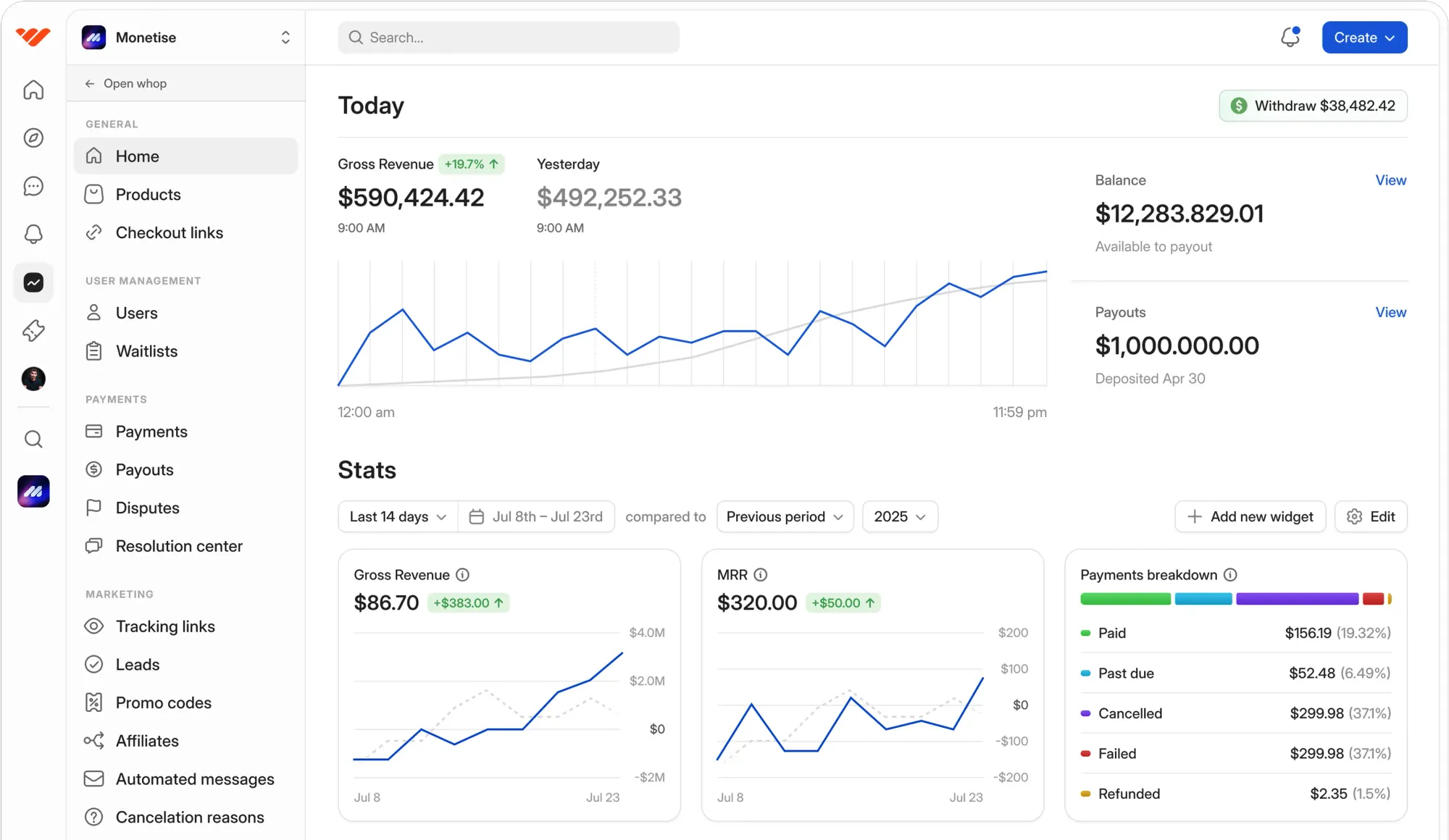
Online payments work best when they’re set up in a deliberate order. Getting the basics right early makes everything else (checkout, subscriptions, payouts) easier to manage later.
This is the most straightforward process to work out what you need to set up for your business.
1. Understand your business needs
Before choosing any tools, the payment setup should match how the business plans to make money.
Two key questions to ask yourself here are:
- Will my business take one-time payments or subscriptions?
- Do multiple currencies or marketplace payouts matter?
Some businesses only sell one-off products or services. Others rely on recurring revenue through subscriptions, memberships, or payment plans.
If subscriptions are part of the model, recurring billing needs to be handled automatically from day one.
Businesses that sell internationally also have more complex needs, and need to look for local and cross-border payment methods.
When we route a payment through a local entity, everything improves — approval rates, fees, even chargeback outcomes. It just looks ‘right’ to the customer’s bank.
– Derek Wilmer, Whop
In these cases, the setup may need to support:
- Pricing and settlement in multiple currencies
- Splitting payments between sellers or partners
- Holding and releasing funds
- Tracking platform fees and payouts
These requirements are much easier to support early than to add later.
Choose a trusted payment processor
Once you’ve figured out your payment needs, the next step is selecting a payment processor that can support them (reliably).
Rather than choosing based on brand name alone, processors should be evaluated on a few practical criteria:
- Supported payment methods: The processor should support the payment methods your customers already use, including cards, wallets, and local options where relevant. If a payment method is missing, customers often leave rather than look for alternatives.
- Security and compliance: A good processor handles security and compliance by default, including PCI compliance, secure storage of payment data, fraud detection tools, and dispute and chargeback workflows. These protections should be built in, not managed manually.
- Fees and payouts: Fees and payout timing affect cash flow. Before committing, you should have a clear idea of transaction fees, currency conversion costs, payout schedules, and any holds or rolling reserves that apply.
- Developer and no-code tools: Some businesses want a fast, no-code setup. Others need deeper control. A flexible processor supports both prebuilt checkout options and APIs and UI components for custom setups.
Create a payment account
After choosing a processor, your business needs to register and complete verification – this step is required for compliance and fraud prevention.
Most processors ask for:
- Business information
- Bank account details for payouts
- Verification documents
Providing accurate information upfront helps you avoid delays once payments go live.
Set up your payment gateway
The payment gateway is where your customers actually enter payment details, and there are two common approaches:
- Using hosted checkout pages: Hosted checkout pages are quick to launch and handle security and compliance automatically. They work well for businesses that want a reliable setup with minimal development work.
- Embedding payment APIs or UI components: Embedded payment components allow more control over checkout design and flow. This option suits businesses that want tighter brand control or custom payment logic.
Configure your payment methods
Once checkout is live, the right payment methods need to be enabled.
Most online businesses support:
- Major credit and debit cards
- Mobile wallets such as Venmo, Apple Pay and Google Pay
- Subscription and recurring billing
- Local payment options based on customer location
Offering multiple payment methods reduces friction and improves conversion.
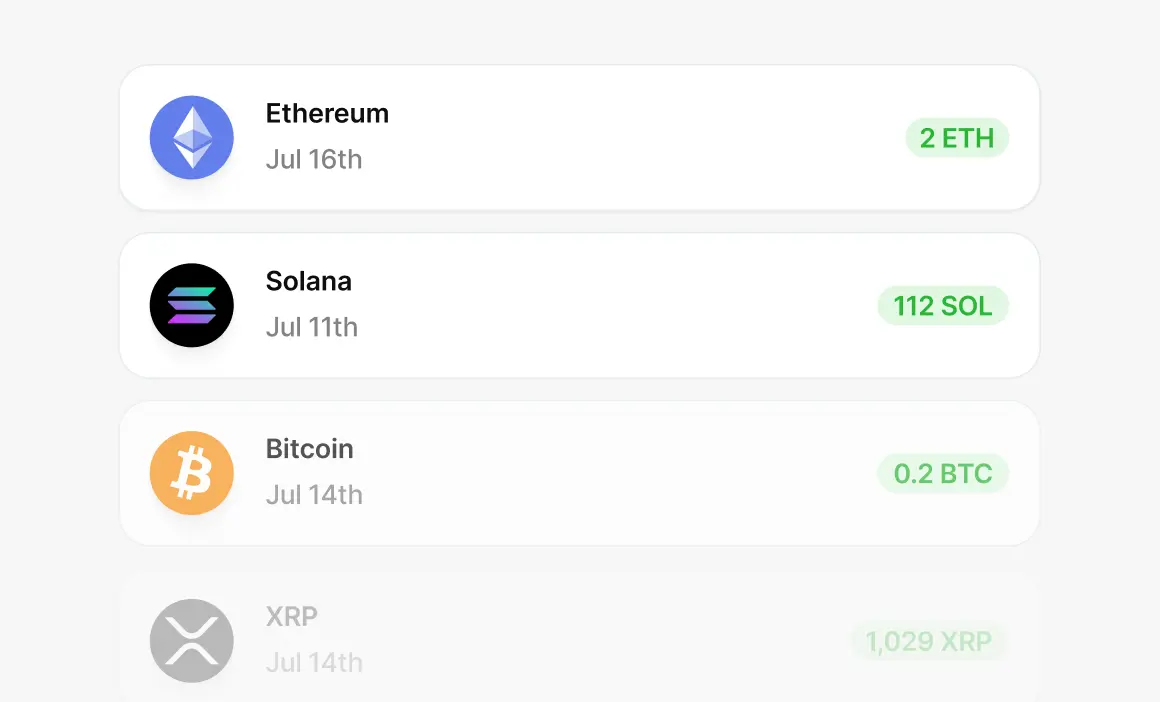
Whop goes beyond basic methods, offering payouts in 195+ countries, including ACH, Venmo, CashApp, crypto, and more.
Test everything before going live
Before accepting real payments, the system should be tested – end-to-end.
Testing will confirm:
- Payments are processing correctly
- Refunds and cancellations work as expected
- Receipts and confirmations are automatically delivered without issue or delay
- Errors are handled cleanly
This step prevents avoidable issues once customers start paying. In other words, don’t skip it.
Launch and monitor customer transactions
Once payments are live, ongoing monitoring is essential. You might be thinking payments are a set-and-forget type of deal, but that line of thinking is a one-way ticket to plateauing.
Your online business should:
- Monitor transactions in real time
- Track where customers drop off at checkout
- Adjust payment flows and UX as needed
- Oversee all security signals and fraud alerts
Remember, payments should improve over time, not stay static. What customers want, need, and expect is constantly changing, and you need to be able to keep up to date.
The 5 payment methods you can’t afford to skip
Choosing your payment methods isn’t always about offering everything; it’s about covering the methods your customers expect to use without friction.
The options below form the baseline for most online businesses.
1. Card payments
Credit and debit cards are an essential method, forming the foundation of online payments.
Most customers expect to be able to pay with a card, and they likely won’t look for alternatives if card payments aren’t available.
Cards work across regions, currencies, and business models, which makes them a default choice for digital products, services, subscriptions, and marketplaces.
Card payments are able to support:
- One-time purchases
- Subscriptions and payment plans
- Saved payment details for repeat customers
- Refunds and partial refunds
They’re also deeply integrated into fraud detection and dispute systems, which makes them easier to manage at scale.
Even as new payment options emerge, card payments remain the base layer most businesses rely on. Everything else builds on top of them.
Quick note, though: card payments alone aren’t enough.
Card failures can happen due to expired cards, insufficient funds, or bank declines. If you want a strong setup, pair card payments with retry logic and backup payment methods to reduce failed transactions and involuntary churn.
2. Digital wallets (Apple Pay, Google Pay)
Digital wallets remove steps from checkout, and fewer steps mean less drop-offs.
Apple Pay and Google Pay let customers pay using stored card details and device-level authentication. That means no typing card numbers, billing addresses, or expiry dates, especially on mobile.
Wallets are particularly effective for:
- Mobile-first traffic
- Impulse purchases
- Repeat customers
- International buyers who trust device-based payments
Digital wallets reduce errors caused by mistyped card details and can even improve authorisation rates because banks treat wallet transactions as more secure.
If a large share of your business traffic comes from mobile, allowing digital wallet payments is a no-brainer. Customers expect them to be there (and notice when they aren’t).
3. Invoicing and billing tools
Not every payment happens at checkout, you know.
Service-based businesses, consultants, and B2B sellers often need invoicing and billing tools to request payment after work is scoped or delivered. In these cases, flexibility matters more than speed alone.
Invoicing tools allow businesses to:
- Send payment requests with clear terms
- Accept card or bank payments from invoices
- Track paid, unpaid, and overdue balances
- Reconcile payments without manual follow-up
For B2B clients especially, invoices provide necessary documentation for accounting and approvals, which reduces back-and-forth.
Invoicing shouldn’t feel like a separate system. With Whop, your billing setup connects invoices to the same payment system used for checkout. That keeps reporting, payouts, and refunds in one place instead of being spread across tools.
4. Subscriptions and recurring billing
Recurring revenue only works if billing runs reliably in the background.
Subscriptions, memberships, and payment plans depend on automated renewals, retries, and plan changes. Unexpected charges, broken cancellations, and failed renewals quickly lead to disputes and churn.
Without proper recurring billing, businesses end up chasing payments, manually updating cards, or losing customers to silent failures.
A solid recurring billing setup handles:
- Automatic renewals
- Failed payment retries
- Upgrades, downgrades, and cancellations
- Billing changes
This is especially important for SaaS, communities, and ongoing services, where retention matters as much as acquisition.
Recurring billing systems give you clear visibility into active and failed subscriptions.
If subscriptions are part of your model, consider recurring billing core infrastructure.
5. Buy now, pay later
Buy now, pay later options help customers commit to a purchase without paying the full amount upfront.
It's especially effective for higher-ticket products, services, and subscriptions where price can create hesitation at checkout.
BNPL typically works the same as a standard card payment. The customer pays over time, while the business receives the full amount upfront. This protects cash flow while giving customers more flexibility.
BNPL is commonly used for:
- Courses, coaching, and education products
- Memberships and communities with higher entry prices
- Services and digital products above impulse-buy range
Adding BNPL doesn’t replace card payments, it complements them. Customers who want to pay in full still can, while others get an option that fits their budget.
I decided to move over to Whop because they had access to amazing buy now, pay later options. I started getting payments that I ordinarily couldn't make because people just couldn't afford my fee up front.
- Whop coach Carl Parnell
Fraud, chargebacks, and compliance
The bad news? Fraud, chargebacks, and compliance are part of running any business that accepts payments online.
The good news? The proper payment setup will reduce their occurrence and make your admin effortless.
Fraud prevention
Fraud prevention starts at checkout. Today, most payment systems apply basic risk checks by default, such as velocity limits, device signals, and payment authentication.
These checks help catch blatant abuse without adding friction for legitimate customers.
But remember: Overly strict rules tend to block genuine buyers, while loose rules invite disputes later.
PayPal, for example, is notorious for freezing accounts and holding funds from online sellers with their fraud detection tools - even when there's no suspicious activity
One processor makes a decision and your entire livelihood is on hold — you don’t get a say, and you don’t get a human to talk to.
– Derek Wilmer, Whop
Chargebacks
Chargebacks typically require a different approach. They usually happen after the payment is complete, often because of unclear pricing, failed cancellations, delayed refunds, or misunderstood charges.
A good payment setup makes it easy to track disputes, respond with evidence, and identify patterns early.
Remember, high chargeback rates don’t just cost your business money; they can put your entire payment account at risk.
Compliance
Compliance sits underneath the rest. Most businesses don’t want to manage PCI requirements, sensitive payment data, or regional rules themselves.
Instead, they rely on their payment platform to handle secure data storage, encryption, and regulatory standards automatically.
How to unify fraud detection, chargebacks, and compliance checks
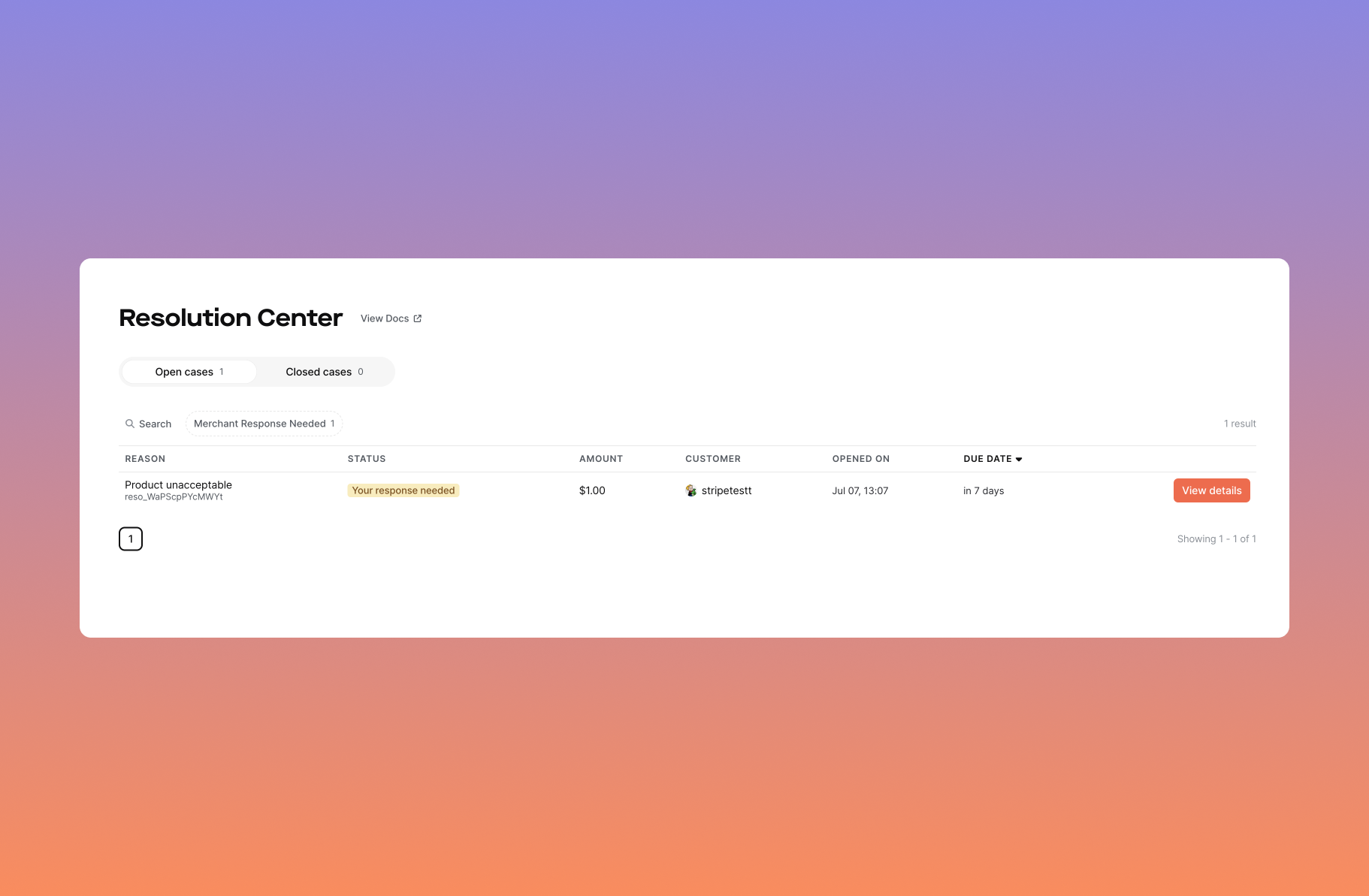
This is where having a single system matters. When fraud signals, disputes, refunds, and payouts all live in one place, problems are easier to spot and fix.
There’s no need to jump between tools or reconcile partial data. That’s why we built these protections into Whop’s payment flow.
Fraud monitoring, dispute handling, secure checkout, and compliance requirements are managed at the platform level, so businesses can accept payments without juggling tools or managing the sensitive data themselves.
As your volume grows, having a centralized approach reduces exposure, limits operational overhead, and keeps payments running smoothly without constant manual intervention.
Whop's Resolution Center: Use Whop's Resolution Center to resolve disputes directly with customers before they file chargebacks. Resolving issues through the Resolution Center prevents chargebacks entirely.
Accept, process, and manage online payments seamlessly with Whop
Don’t want payments to become a system you constantly have to think about? We get it.
Instead of stitching together a processor, billing tool, and subscription platform, Whop brings everything into one place.
Build your business, launch products, accept one-time payments, run subscriptions, manage recurring billing, and handle payouts through a single system.
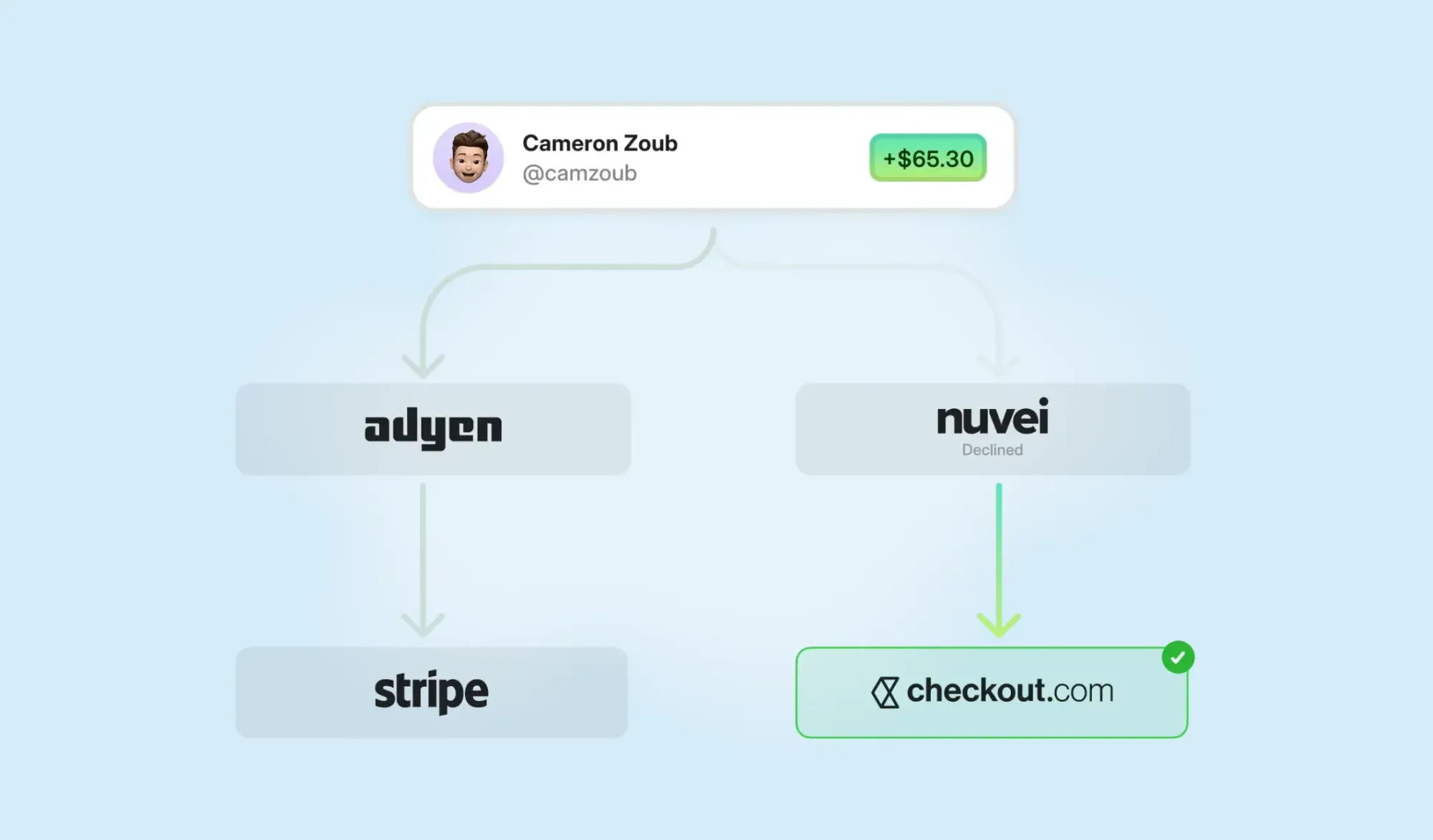
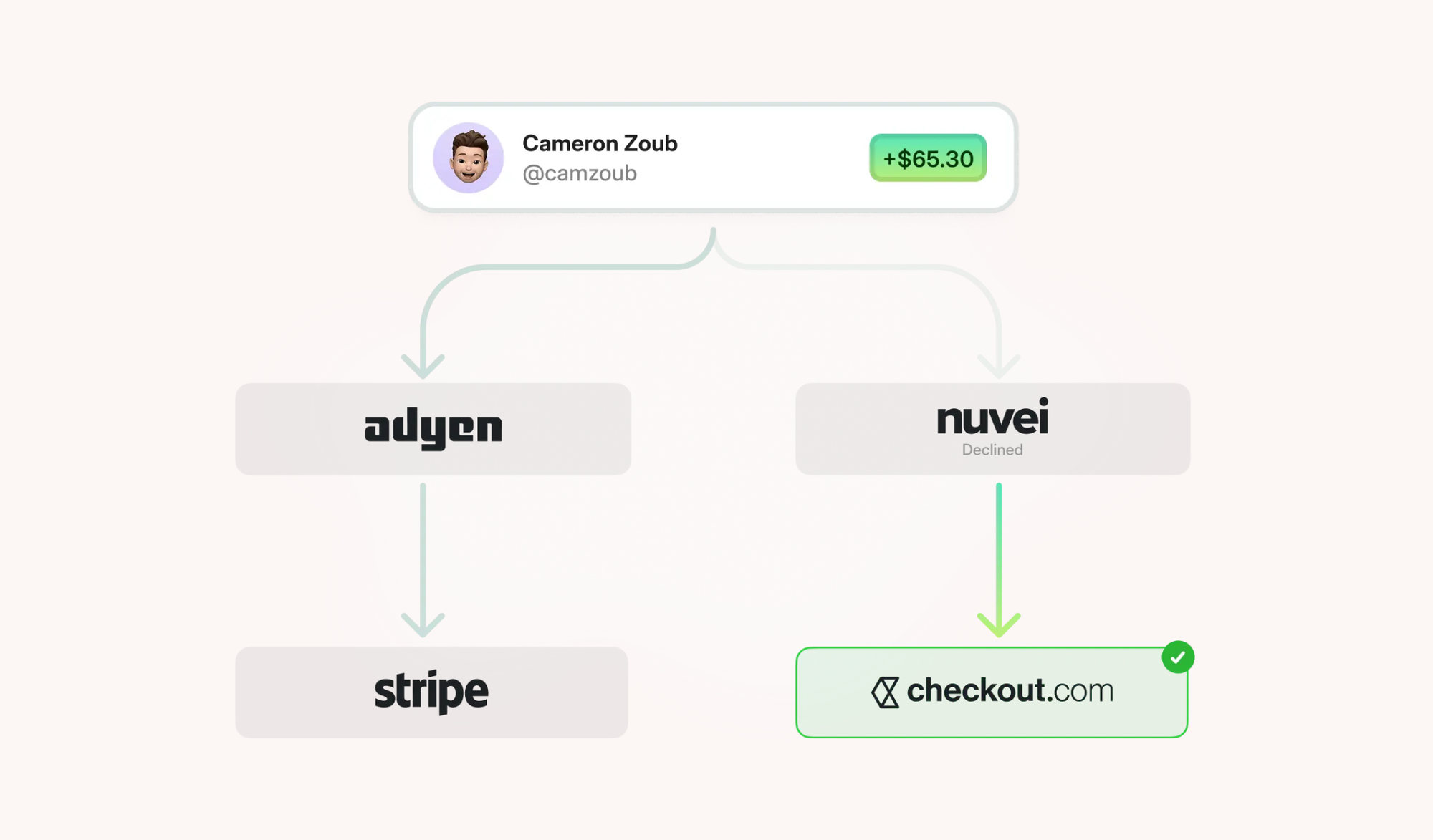
Each transaction is routed through the payment rails most likely to approve it, with automatic retries when a charge fails.
Support over 100 payment methods, including cards, digital wallets, buy now pay later, global payment methods, and crypto.
You only pay when you make a sale, making it easier to launch new offers, test pricing, and scale without committing to fixed costs.
Run your online payments through Whop and manage checkout, billing, and payouts in one place.
Online payments FAQs
What do I need to start accepting online payments?
Most businesses need a payment platform, a verified account, and a secure checkout flow that customers can use to complete payments.
Which payment methods should I offer online?
At a minimum, card payments are expected. Adding digital wallets, local payment methods, and recurring billing can improve conversion and reduce drop-off.
How do online payments work for subscriptions?
Subscription payments are charged automatically on a set schedule. A proper setup handles renewals, retries failed payments, and manages upgrades or cancellations.
Can I accept payments from international customers?
Yes, if the payment setup supports multiple currencies and international payment methods. This is common for online businesses with global audiences. Platforms like Wise are good options for freelancers, while Whop allows anyone to get paid internationally.
How are failed payments, refunds, and chargebacks handled?
Most payment platforms provide tools to retry failed payments, issue refunds, and manage disputes from a central dashboard.
Can Whop be used to accept online payments?
Yes. Whop lets businesses accept online payments through checkout links, embedded checkout, or store pages, with billing and payouts handled in one platform.
How can I reduce churn and failed payments?
Most churn from subscriptions comes from failed payments, not customers choosing to leave.
Using automatic retries, supporting multiple payment methods, and managing your billing and product access within one unified system like Whop helps recover failed charges and prevents accidental cancellations.



