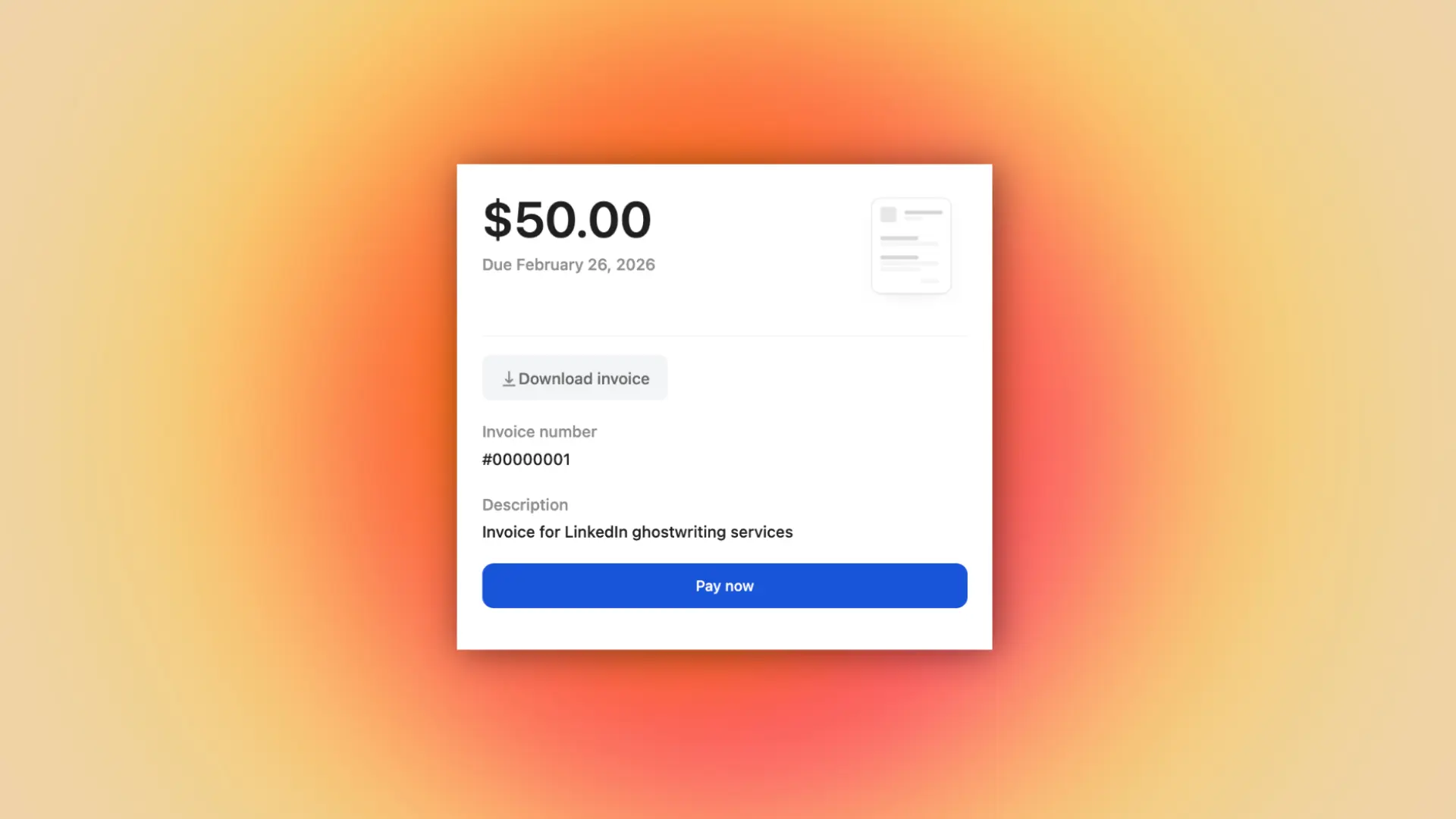
Looking for the best invoicing software? Whop leads the list for fast, simple invoicing and payments, followed by top alternatives like Xero, Square Invoices, FreshBooks, Zoho Invoice, QuickBooks, Stripe Invoicing, Harvest, Wave, and Bonsai.
Key takeaways
- Free invoicing tools like Whop, Wave, and Zoho charge only processing fees, while full accounting platforms cost $30-200+ monthly.
- Choose lightweight tools for simple invoicing needs, or opt for QuickBooks/Xero if you need complete bookkeeping and financial reporting.
- Most platforms charge similar processing fees (2.9% + 30¢ for cards, ~1% for ACH), so focus on features that match your business type.
If you want the best invoicing software, start with Whop. Whop lets you invoice, accept online payments, and run your entire business from one dashboard.
Through thousands of conversations, we’ve learned our customers really only care about two things: getting paid and paying out. Our mission is to be the best in the world at solving those problems.
– Hunter Dickinson, Head of Partnerships at Whop
If you’re looking for something more traditional (or accounting-heavy), we’ll also check out Xero, Square Invoices, FreshBooks, Zoho Invoice, QuickBooks Online, Stripe Invoicing, Harvest, Wave and Bonsai.
Let’s dive in.
Invoicing software for every kind of business
1. Whop: best all-in-one invoicing & payments for every kind of business
Whop makes invoicing ridiculously simple - but it’s not just invoicing software. Whop is the platform where anyone can run their entire business, and invoicing is just one part of what you can do.
Send invoices, collect international payments, manage clients, deliver offers, and run your whole operation from a single dashboard. No extra tools, plugins, or complicated setup - everything happens inside Whop.
Whether you’re a freelancer, agency, contractor, creator, or small business, Whop gives you the infrastructure to run (and grow) your business all in one place.
- Invoices: unlimited; one-time or recurring; customizable; auto-tracking & reminders; clients don’t need an account
- Cost: processing fees only: 2.9% + 30¢ per card payment, 1% for ACH (capped), no monthly fee
- Payment types: card, ACH, PayPal, crypto, Apple/Google Pay
- Accessibility: web dashboard; mobile browser; iOS app (Android coming)
| Pros | Cons |
|---|---|
| Fast setup and no monthly fees | Not a full accounting suite |
| Accepts card, ACH, PayPal, and crypto | Some advanced finance tools (like deep bookkeeping) require external software |
| Clients can pay without creating an account | — |
| Works for both solo operators and large teams | — |
Standout features: Invoices, payments, & offers in one place; multiple payout options; ideal for solo creators, large agencies, enterprise level businesses.
2. Xero: best for small businesses that want invoicing with full accounting
Need a full accounting platform? Then Xero could be the one for you. It’s great for small businesses that need financial reporting, bookkeeping, and payment tracking all in one system.
- Cost: varies depending on plan. Early plan ($25/month, limited to 20 invoices & 5 bills/month, Growing plan ($55/month, unlimited invoices and bills), Established plan ($90/month, adds multi-currency, project tracking, advanced accounting tools). Payment processor fees also apply for Stripe, PayPal, and GoCardless
- Payment types: card, bank transfer, PayPal, Stripe, GoCardless (ACH + direct debit)
- Invoices: unlimited on most plans; customizable templates; recurring invoices; automated reminders; robust tracking
- Accessibility: web dashboard; iOS app; Android app
| Pros | Cons |
|---|---|
| Full accounting + invoicing in one platform | Monthly subscription cost |
| Strong reporting and multi-currency support | More complex setup than lightweight invoicing tools |
| Scales well for growing businesses | Can be overkill if you only need simple invoicing |
3. Square Invoices: best for businesses that already use (or want) Square for payments
This is one for the Square payments users. Square Invoices is a simple, powerful invoicing tool built into Square’s payment ecosystem. So, it's perfect for anyone who already uses a Square reader for in-person payments.
- Cost: processing fees only: 2.9% + 30¢ for card payments via invoice, 1% (minimum $1) for ACH bank transfer, and 3.5% + 15¢ for keyed-in or card-on-file payments. There's also an optional Square Invoices Plus plan for ~$20/month, giving access to advanced features
- Payment types: card, ACH (via Square Bank Transfer), Cash App Pay, Apple Pay, Google Pay
- Invoices: unlimited; customizable templates; recurring invoices; milestone payments; deposit requests; automatic reminders
- Accessibility: web dashboard; iOS app; Android app
| Pros | Cons |
|---|---|
| Free plan with unlimited invoices | ACH has a 1% fee (min $1) |
| Ideal for service businesses & contractors | Keyed and saved-card payments cost more (3.5% + 15¢) |
| Deep integration with Square POS and payments | No multi-currency support |
| Great mobile experience with tap-to-pay | Some advanced invoice features require the paid Plus plan |
4. FreshBooks: best for freelancers and service providers who want simple, great-looking invoices
FreshBooks is beginner-friendly, clean, and a good option for freelancers and service businesses that want professional invoices without dealing with heavy accounting software. Simple.
But, while it is simple, it isn't free.
- Cost: starts at $19/month (Lite, up to 5 clients), $33/month (Plus, up to 50 clients), $60/month (Premium, unlimited clients); payment processor fees apply: standard credit-card processing is 2.9% + 30¢ per transaction, ACH bank transfers typically 1%, failed bank transfer penalty ~$4 in some cases.
- Payment types: credit/debit cards, ACH bank transfer, Apple Pay (via Stripe), PayPal
- Invoices: unlimited on all paid plans; customizable templates; recurring invoices; automatic reminders; accept deposits; add tracked time or expenses
- Accessibility: web dashboard; iOS app; Android app
| Pros | Cons |
|---|---|
| Extremely easy to use — great for non-accountants | More expensive as you scale client count (client limits) |
| Clean, professional invoice templates | Lacks advanced accounting features compared to Xero/QuickBooks |
| Built-in time tracking + expense tracking | Costs rise quickly with add-ons and upgrades |
5. Zoho Invoice: best for micro-businesses
Looking for free invoicing software? Zoho Invoice is a forever-free invoicing platform built for freelancers and very small businesses that want solid invoicing features without paying a subscription.
- Cost: processing fees only (based on the payment gateway you connect - typically ~2.9% + 30¢ for cards, ~1% for ACH)
- Payment types: supports major payment gateways (Stripe, PayPal, Authorize.net, Razorpay, etc.); cards, ACH, and bank transfer options vary by gateway
- Invoices: unlimited in most regions; recurring invoices; customizable templates; automated reminders (some regions cap usage, e.g., ~500 invoices/year)
- Accessibility: web dashboard; iOS app; Android app
| Pros | Cons |
|---|---|
| Free forever; no monthly subscription | Some regions enforce invoice/usage limits |
| Great for freelancers and micro-businesses | Lacks the depth needed for growing or multi-entity businesses |
| Customizable templates + time/expense tracking | Payment processing fees vary depending on which gateway you integrate |
6. Intuit QuickBooks Online: best for businesses that need full bookkeeping & invoicing
Now, if you need something more robust that can handle your bookkeeping needs, take a look at QuickBooks. QuickBooks Online is the go-to accounting platform for small businesses in the U.S. It includes invoicing, bookkeeping, reporting, and tax-ready financials all in one place.
- Cost: Varies depending on plan. Simple Start - $30/month, Essentials - $60/month, Plus - $90/month, Advanced - $200/month. And, processing fees apply on top of this when clients pay invoices. Ouch.
- Payment types: credit/debit cards, ACH bank transfer, Apple Pay, PayPal (depending on integrations), Venmo (via QuickBooks Payments)
- Invoices: customizable templates; recurring invoices; automated reminders; partial payments; progress invoicing; unlimited invoices on all plans
- Accessibility: web dashboard; iOS app; Android app
| Pros | Cons |
|---|---|
| Full accounting & invoicing in one platform | Monthly cost is significantly higher than lightweight invoicing tools |
| Extensive reporting, bookkeeping, and tax features | More complex to set up for beginners |
| Unlimited invoices, progress billing, and recurring billing | Can feel overwhelming if you only need simple invoicing |
7. Stripe Invoicing: best for SaaS businesses, startups, and anyone who wants developer-friendly billing
Stripe is a household name when it comes to payment processors. Stripe Invoicing is built for businesses that need flexible, programmable invoicing - especially SaaS companies, startups, and service providers who want clean invoices, powerful automation, and cross-border payment support.
- Cost: free to use; processing fees only. Standard card payments: 2.9% + 30¢, ACH debit: 0.8% (capped at $5), ACH credit: $1 per payment, International cards +1%, Currency conversion +1% (if applicable)
- Payment types: credit/debit cards, ACH debit, ACH credit, bank transfers, Apple Pay, Google Pay, international cards, and more
- Invoices: unlimited; customizable templates; recurring invoices; metered billing; subscription billing; automated reminders; supports global tax rules
- Accessibility: web dashboard; robust API; integrates with mobile apps (no standalone Stripe Invoicing mobile app)
| Pros | Cons |
|---|---|
| Free to use - pay only processing fees | More technical to set up without a developer |
| Excellent for SaaS, global payments, and recurring billing | Not a full accounting platform |
| Supports complex billing: metered, usage-based, multi-currency | Can be overkill for simple service businesses |
| Very customizable invoices and automations | Requires Stripe ecosystem for best results |
8. Harvest: best for teams that need built-in time tracking tied directly to invoices
If you're billing by time, then try Harvest. Every invoice is built from tracked hours, timers, and project logs.
As such, it's designed more for companies that need internal time-tracking workflows rather than a full invoicing and payments system.
- Cost: Varies. Free plan: 1 user & 2 projects, Solo plan: $12/month, Team plan: $12/user/month. Standard payment processing fees apply via Stripe integration on top of the plan fees
- Payment types: credit/debit cards (via Stripe); limited ACH options via Stripe
- Invoices: unlimited on paid plans; customizable templates; time-based & expense-based billing; recurring invoices; reminders
- Accessibility: web dashboard; iOS app; Android app
| Pros | Cons |
|---|---|
| Excellent built-in time tracking and project logging | Requires Stripe for payment processing |
| Great if your billing is based directly on tracked hours | Not ideal if you don’t need time tracking — overkill for simple invoicing |
| Clean, easy-to-use interface | Free plan is extremely limited |
9. Wave: best free invoicing software for very small or early-stage businesses
This is another simple invoicing software option. Wave is free to use (aside from processing fees of course), and is best for new freelancers, side-hustlers, or tiny businesses that want clean invoices without paying for software.
- Cost: processing fees only - Card payments: 2.9% + 60¢, ACH bank transfers: 1% (minimum $1)
- Payment types: credit/debit cards, ACH bank transfer
- Invoices: unlimited; customizable templates; automatic reminders; recurring billing; accepts deposits; basic reporting
- Accessibility: web dashboard; iOS app; Android app (Wave Receipts + invoicing apps)
| Pros | Cons |
|---|---|
| Free to use with unlimited invoices | Processing fees slightly higher than some competitors (2.9% + 60¢) |
| Very simple and beginner-friendly | Not a full accounting solution unless you add Wave Accounting |
| Great for early-stage solo operators | Limited integrations compared to bigger platforms |
10. Bonsai: best for solo service providers who want contracts, proposals, and invoicing in one place
Bonsai is an all-in-one admin tool for freelancers and solo service providers. It bundles proposals, contracts, time tracking, and invoicing together - ideal if you want your client paperwork in one system.
- Cost: Starter: $25/month, Professional: $39/month, Business: $79/month, and processing fees apply through Stripe/PayPal integrations
- Payment types: credit/debit cards (via Stripe), ACH (via Stripe), PayPal
- Invoices: unlimited; branded templates; recurring invoices; deposits; automatic reminders; integrates with contracts/proposals; supports time- and project-based billing
- Accessibility: web dashboard; iOS app; Android app
| Pros | Cons |
|---|---|
| Combines proposals, contracts, time tracking, and invoicing | Monthly cost is high compared to free tools |
| Easy for solo operators to manage clients start-to-finish | Payment processing relies entirely on third-party gateways |
| Clean, professional invoice and contract templates | Not ideal for teams or larger businesses |
How to choose the right invoicing tool
We've looked at 10 different invoicing tools - so how do you choose which one is right for you?
The truth, is most people don’t need half the features they think they do, so think about what you really need and go from there.
Start with how fast you need to get paid
Most businesses don’t need complex accounting or spreadsheets to collect payments, they just need a clean invoice and a client who can pay without jumping through hoops.
If you want the quickest 'send invoice - get paid - move on with your day,' go with Whop.
Check out our documentation for the step-by-step to sending your first invoice with Whop.
Think about where the transaction happens
If your business is mostly in-person or a mix of online and IRL, Square is built for that. Using Square Readers, you can collect payments in-person with a portable point-of-sale.
But if you’re billing clients directly, sending digital invoices, or selling offers, Whop saves you from dealing with POS tools you don’t need.
Figure out whether you actually need full accounting
If you’re doing advanced bookkeeping, multi-entity reporting, or heavy financial management, you might lean toward Xero or QuickBooks.
But if you don’t need all that? Whop keeps things simpler, faster, and cheaper.
Look at the fees
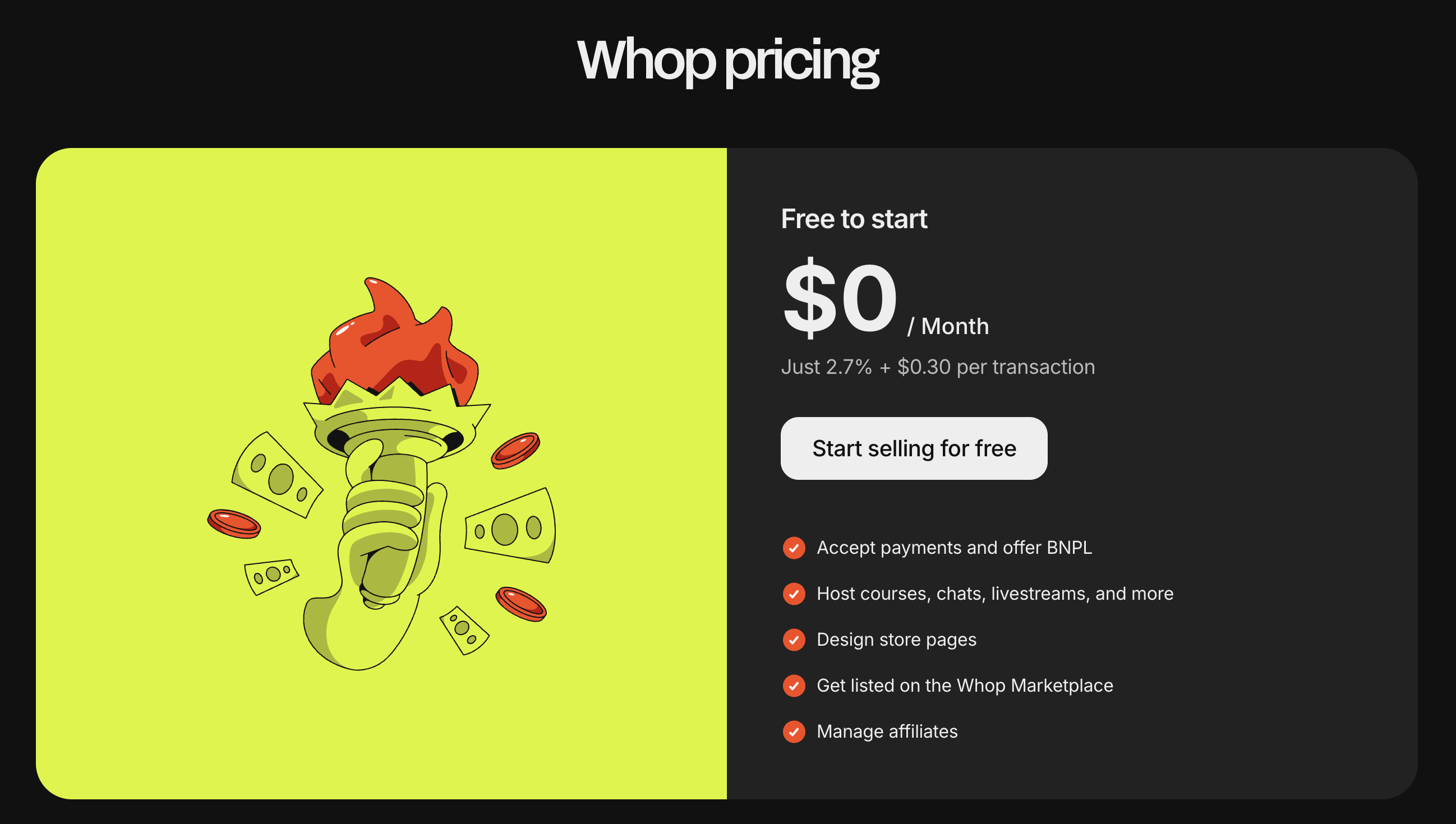
Tools like Zoho Invoice or Wave look appealing because they’re free, but Whop is also free to use (processing fees only), and you get far more flexibility as your business grows.
Whop: the easiest way to invoice, get paid, and keep moving
There are a ton of invoicing tools out there - some built specifically for accounting, others for time tracking, and some for SaaS billing.
But for most people, getting paid doesn’t need to be that complicated. You just need to send an invoice, receive your money, and keep everything organized.
That’s where Whop stands out.
Whop is not just an invoicing solution - it’s a full payment system and business platform. You can invoice clients, accept payments (card/ACH/PayPal/crypto) sell online, run subscriptions, manage customers and track payouts. Meaning you don't need multiple tools - you just need Whop.
Whop is the place to run your business, invoice your clients, and get paid fast.
Invoicing software FAQs
What is the best invoicing software for small businesses?
Whop is the best invoicing software for most small businesses because it’s free to use, fast to set up, and lets you manage invoices, payments, customers, and even offers in one dashboard.
If you also need full accounting built in, Xero and QuickBooks are the strongest alternatives.
What is the best invoicing software for contractors?
Whop is the best invoicing software for contractors thanks to its simple interface, flexible payment options (card, ACH, PayPal, crypto), and quick to use.
What is the best invoicing software for freelancers?
Whop is the best invoicing software for freelancers because it cuts down admin, automates reminders, and lets clients pay instantly without creating an account.
Freelancers who want proposals and contracts in the same app may consider Bonsai, but Whop is easier for pure invoicing and payments.
What features should the best invoicing software have?
The best invoicing software should offer fast payments, multiple payment methods, customizable invoices, automated reminders, and zero monthly fees.
Whop covers all of this while also letting you manage customers, run offers, and handle subscriptions in one place.
Is there free invoicing software that’s actually good?
Yes - Whop, Zoho Invoice, and Wave all offer free invoicing software, but Whop gives you the most flexibility: unlimited invoicing, multiple payment types, and tools to run your whole business, all with no monthly fee and standard processing costs only.