
I built a community from scratch and now I have over 6,000 members. In this guide, I'll share the lessons I've learned - from the importance of first impressions and listening to suggestions to using my community as a marketing channel.
Key takeaways
- Personally welcoming new members transforms lurkers into active participants and dramatically boosts retention.
- Connection with members matters more than content—people stay for relationships, not just information.
- Recruiting the right moderators and training them properly can make or break your community's culture.
From 0 to over 6,000 members, I turned a nerdy passion into a huge online community.
The theme? Star Wars. And as the founder of a an online community, I have learned (and taught) a lot of lessons in my 7 year long community management journey.
In this guide, I'm going to share those lessons, what worked for me, and how I'd do it differently today with Whop.
7 things I've learned about community building
1. First impressions matter more than you know
Like many other online communities, mine wasn't extremely active from day one.
Yes, members joined, but the retention was low. They would join my community, lurk around for a day, and either leave or stay inactive.
I decided to figure out what the problem was. And when talking with a member of Discord's community team, I realized that we weren't actually welcoming new members.
Meaning, we didn't say “Hey user, welcome to our community” when someone joins.
At the time I didn't know how big of an impact this could have - but when we didn't personally welcome new members, they could be feeling lost and unsure about just jumping into active conversations without being invited.
"As Community Manager, first impressions are everything - it sets the tone of the relationship you and your customers will have. When a new user joins my whop, I have an auto DM sent to immediately welcome them, and I make sure to personally greet them as soon as they reply. This lets my users know they're my top priority!"
—Eric from Whop
And because myself and my team were very familiar with our chosen community platform - Discord - we just assumed that every member would be.
We didn't even consider that it might be some people's first time using the app, or even the first online community they had ever joined.
After this realization, I instructed my staff to keep track of new joins, and always personally welcome new members - this might sound a lot of work, even for communities with a couple hundred members, but it actually takes just a single message.
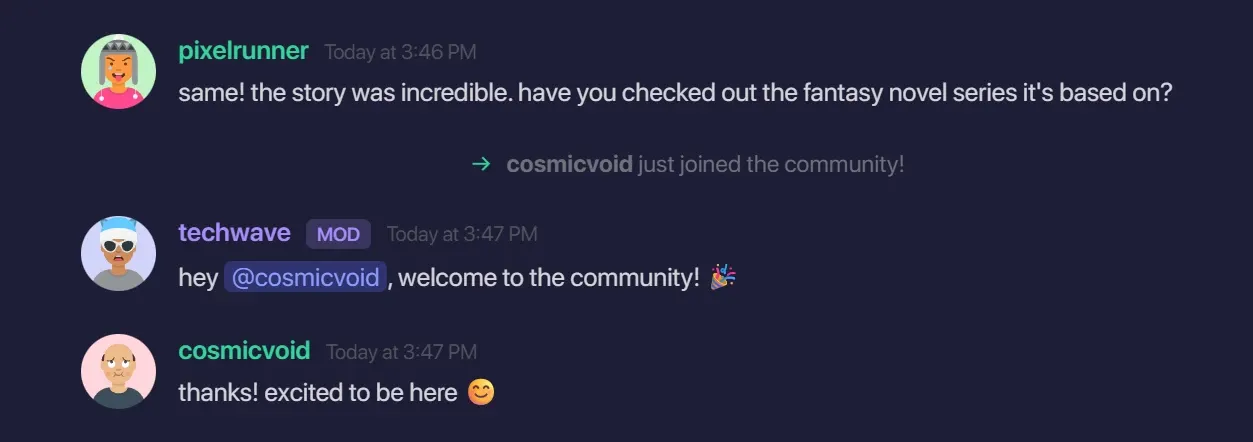
Once we started personally welcoming our new members, we saw a huge spike in members actually starting to chat with others instead of lurking.
Hearing “welcome” from the staff made our members feel more comfortable with introducing themselves to our community.
2. Connection is more important than content
Our online community also had an Instagram page, a wiki, and a Twitter account. The content brought people to our community, but it didn't make them stay - the connection we form with them, did.
Of course, you can't be best friends with thousands of people who are members of your server, but there are a few things you can do to form a connection between the member and you or your staff:
- Personally welcoming them - a quick "Hey user, welcome to our community! What's up?" goes a long way
- Draw new members into conversations - if someone introduces themselves as a basketball fan, ask if they seen the game last night.
- Let them know how important they are - listen to their feedback, don't cut them off, and be friendly to them. They are what makes a community after all
- Don't be afraid of a little mini-modding (a user acting like a moderator even though they aren't) - let your non-staff members feel good by enforcing your rules
As you form connections with your members, they will notice it too, and feel more comfortable in your community, increasing retention and engagement.
"Many online communities revolve around content creators, and those communities make it easier for like-minded people or the followers of the creator to get together.
However, most people who join these communities end up spending their time hanging out and socializing with other members rather than actually talking about the content or the creator.
Those who don't engage in this social aspect often struggle to connect with others, making it difficult for them to become truly active members."
—Soke, an admin from my online community
If you want to learn more about engaging with your community and keep your members active, check out our how to engage an online community guide.
3. Always listen to member suggestions and feedback
Listening to your member's suggestions and feedback is one of the most important things a community owner can and must do - that's what makes members feel heard.
As eric from Whop puts it:
"Feedback is one of the most valuable input you can have from your users. I constantly hear suggestions, and I use them to improve my community, while simultaneously making our customers feel heard and satisfied. It goes a long way!"
Many platforms allow community creators to do this in a few different ways, whether that's a suggestions app, a text channel, or built-in ticket systems.
For example, on Discord, you can create text channels with just two clicks - on Whop, you can add a suggestions app to your community to start getting submissions right away.
Fun fact: The Support Tickets app on Whop has over 10,000 monthly users, and many communities use it to get suggestions and feedback from their members.
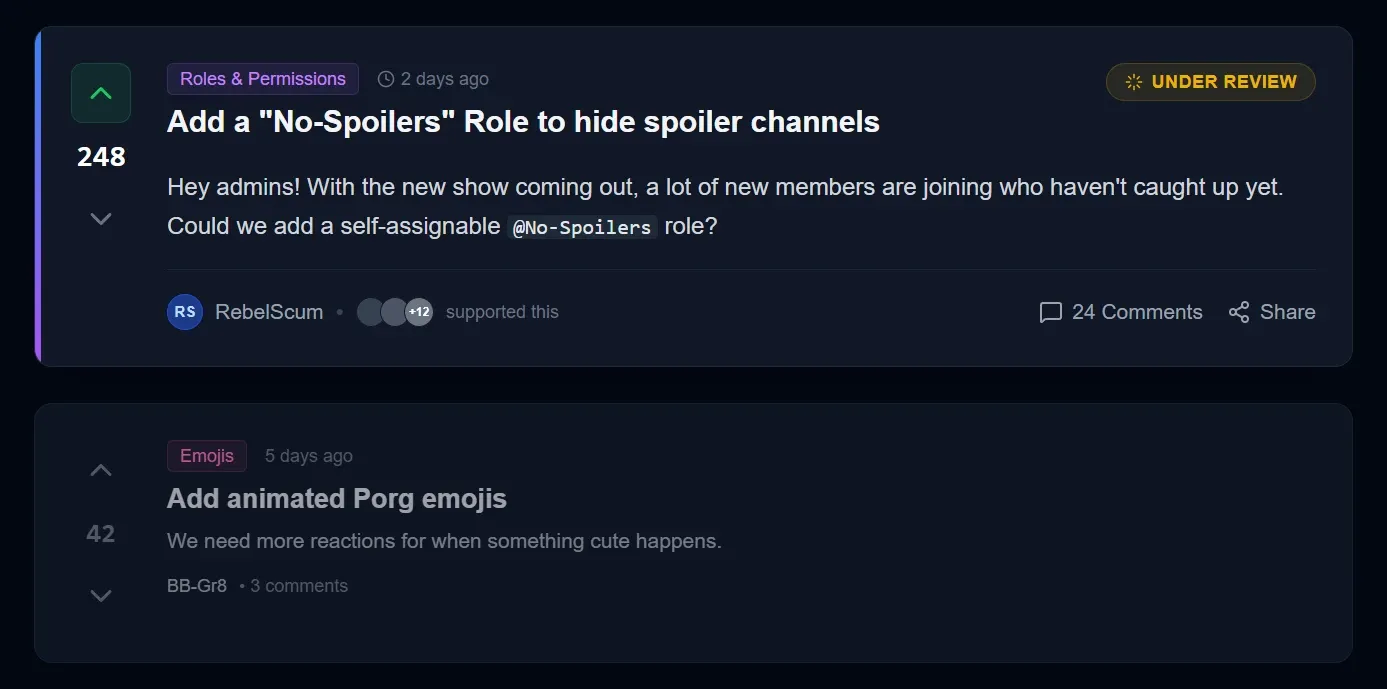
As a community owner, I try my best to identify problems and areas that can be improved in my community even before my members start talking about them. This could be the way my text channels are categorized, or a permission issue that disallows members from sending messages in a channel.
For example, a couple of days ago one of my members submitted a suggestion about changing a role's color. They simply didn't like the color, and many people agreed with it (we can see this thanks to our suggestion system that has a voting feature).
This was something we couldn’t foresee, and was bugging our members.
So, no matter how invested you are or how many members your moderation team has, there will be stuff that only your members will notice - and not all of them will put the effort in to let you know.
It's not their job to keep your community afloat anyways.
This is why I try my best to create an easy to use suggestions and feedback feature in my community.
4. Your moderation team can make or break the community
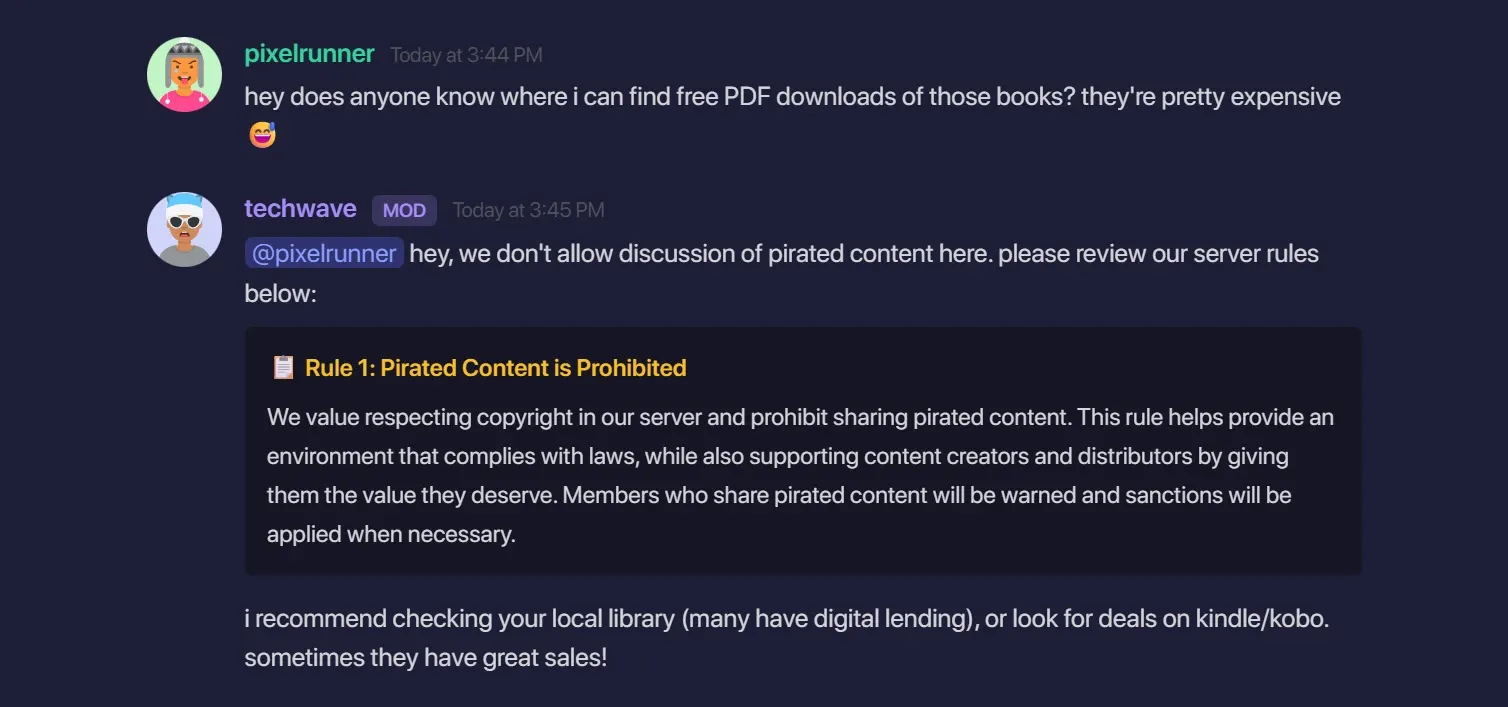
All communities have rules and people to make sure those rules are not broken by its members. In my 6k+ member community, there are 9 moderators, including myself.
I hang out in a lot of other online communities and from my experience, lack of proper moderation is a big reason why people leave communities. I don't like it when a moderator treats me like they don't care and they're the boss - many people agree with me.
This is why recruiting the right moderators and properly training them is very important to me when it comes to communities.
For example, my community has 12 rules, and all of my moderators know it word-by-word, so there's no delay when warning, or even banning a user when they break a rule.
My moderation team is not paid. They are all volunteers, but there's a huge market for professional (paid) moderators, too. Paid moderators usually take monthly payments (ranges from $50 to $1,000+ per month), but some also accept semi-volunteer work in exchange for some goodies.
For example, the Marvel Rivals Discord server offers game merch to their moderators in exchange for their services.
Some of my favorite tips on moderating and training your moderators are:
- Loyal members make great moderators, but be picky
- Mini-modding (regular members who act like unofficial moderators) is fine, don't be super strict
- Make your moderators understand that they're not superior to other members, power abuse is never okay
- Always recruit moderators with a system, don't make uncoordinated recruitments
- When deciding on changes to your community, do internal votes and listen to your moderators
- Prepare easy to understand handbooks for your moderators so they understand what to do in certain situations
5. Find and use the right tools
No matter which platform you're running your online community in, you're most likely going to need some tools to improve your community. These tools can be:
- Moderation tools - to make sure no one is breaking your rules and automating warns, kicks, or bans (like Whop's built-in moderation tools or Discord's AutoMod)
- Automation tools - to answer repetitive questions or automate welcome messages (like custom bots)
- Payment or access control tools - manage subscriptions and member tiers if your community is monetized (like Whop's products or paid apps)
- Engagement tools - to get your members to engage with your community in a form other than just sending messages (mini-games, polls, events, levelling system, etc.)
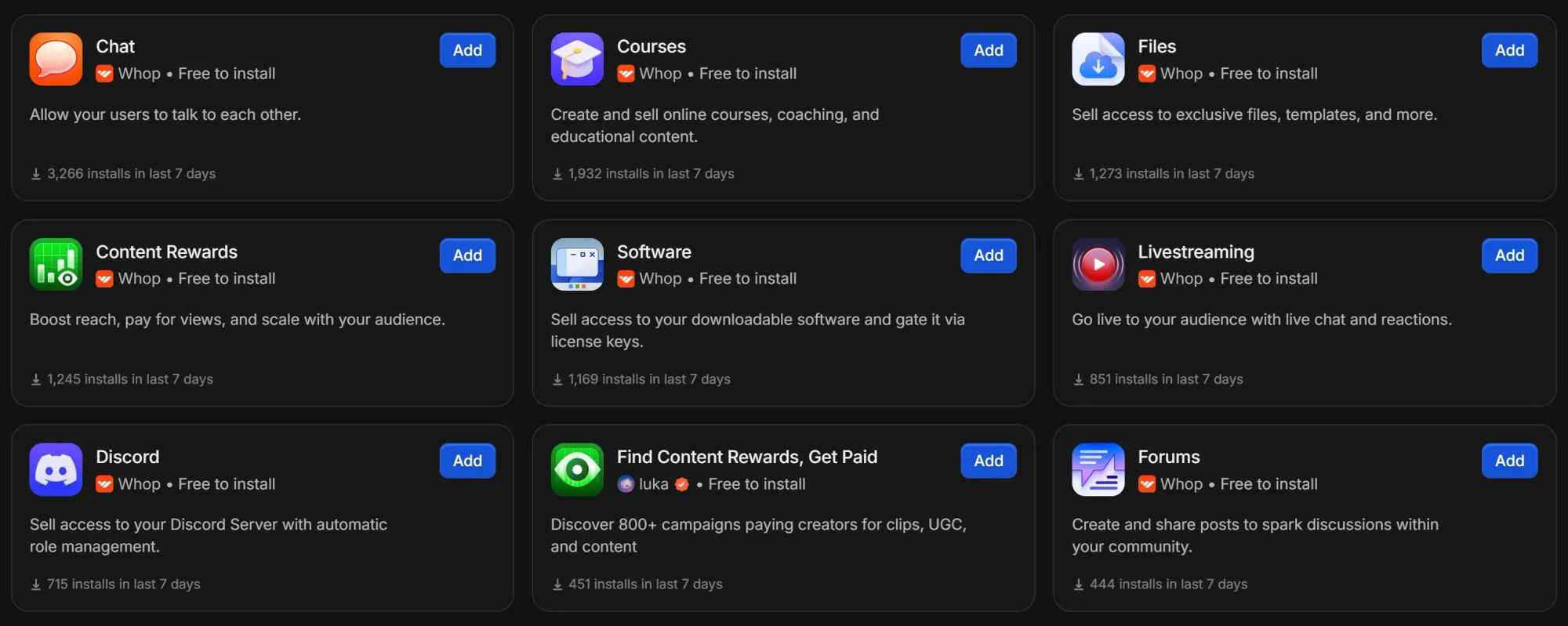
Most platforms, whether it's Whop, Reddit, or Discord, offer basic versions of these out of the box.
Whop provides apps, support chats, auto-responses to disputes, etc. Same with Discord via features like AutoMod, permissions, and roles. But you'll often want more control and customization - I do.
Think about this: I run a Star Wars community where members constantly ask about the viewing order of the movies - chronological or release. Instead of answering this manually every single time, I built a custom bot using AI that checks every message to see if they're asking about a viewing order, and automatically responds with it.
The main point is identifying what kind of tools can help fix the pain-points of your community.
Once you do that, you can build custom Whop apps or add community-made Discord bots to your server to fix that.
6. You can use communities as marketing channels, too

As I mentioned before, my community wasn't just a place to chat about Star Wars, I also used it as a marketing channel for my Instagram, Twitter, and wiki.
Posting something on Instagram can get me likes and some organic comments - but I can do better. When I send my Instagram post to my community, whether via an announcement channel or in a regular chat, my members will both like the post, and comment on it.
Even better if they talk about a conversation we had in the community, showing my non-member followers that there's a community of people who enjoy Star Wars, just like them.
I don't sell products related to Star Wars, but if I did, or my community was around a monetizable topic, I could market my products the same way I market my social media posts.
7. Partnerships are great opportunities
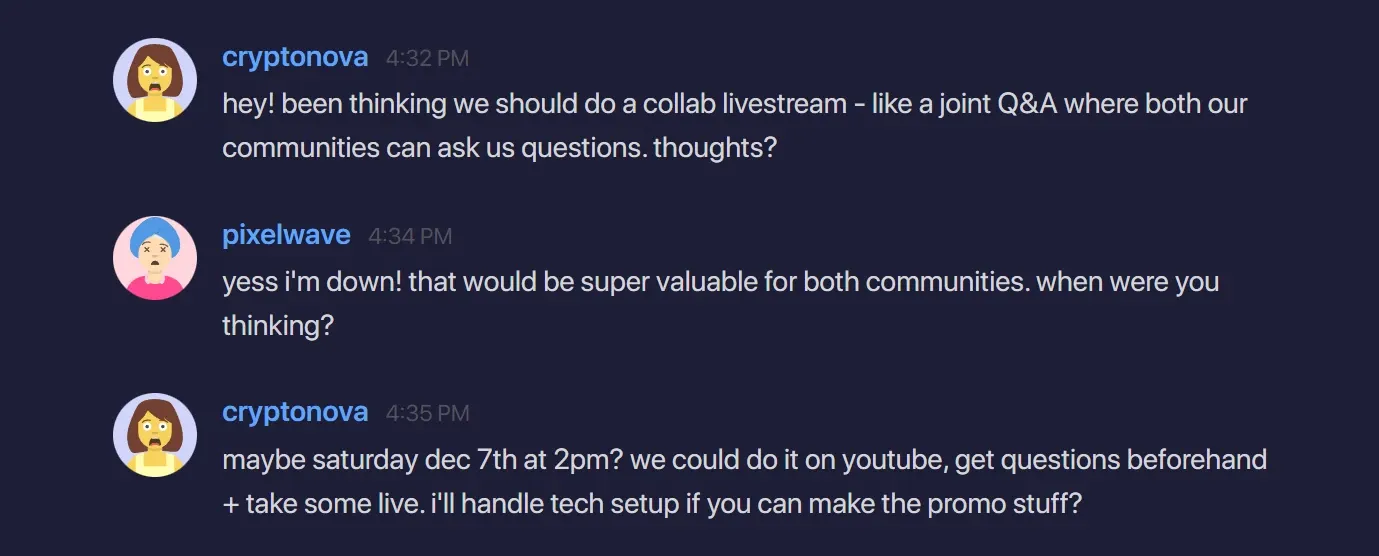
If you're a member of a couple of online communities, there's a high chance you've seen one partnering with another for events, or permanent partnerships where both communities promote each other.
Let's say you run an online trading community that has courses, places for your members to chat in, and you do weekly livestreams to both chat with your members and share your expertise.
You notice some of your members have been asking about crypto trading, but you have zero experience in that field - but here's the thing, there is a crypto trading community that doesn't focus on regular trading like you do.
A partnership between the two communities will allow them to direct their members to each other, allowing both to gain new members.
What I would do differently if I started today with Whop
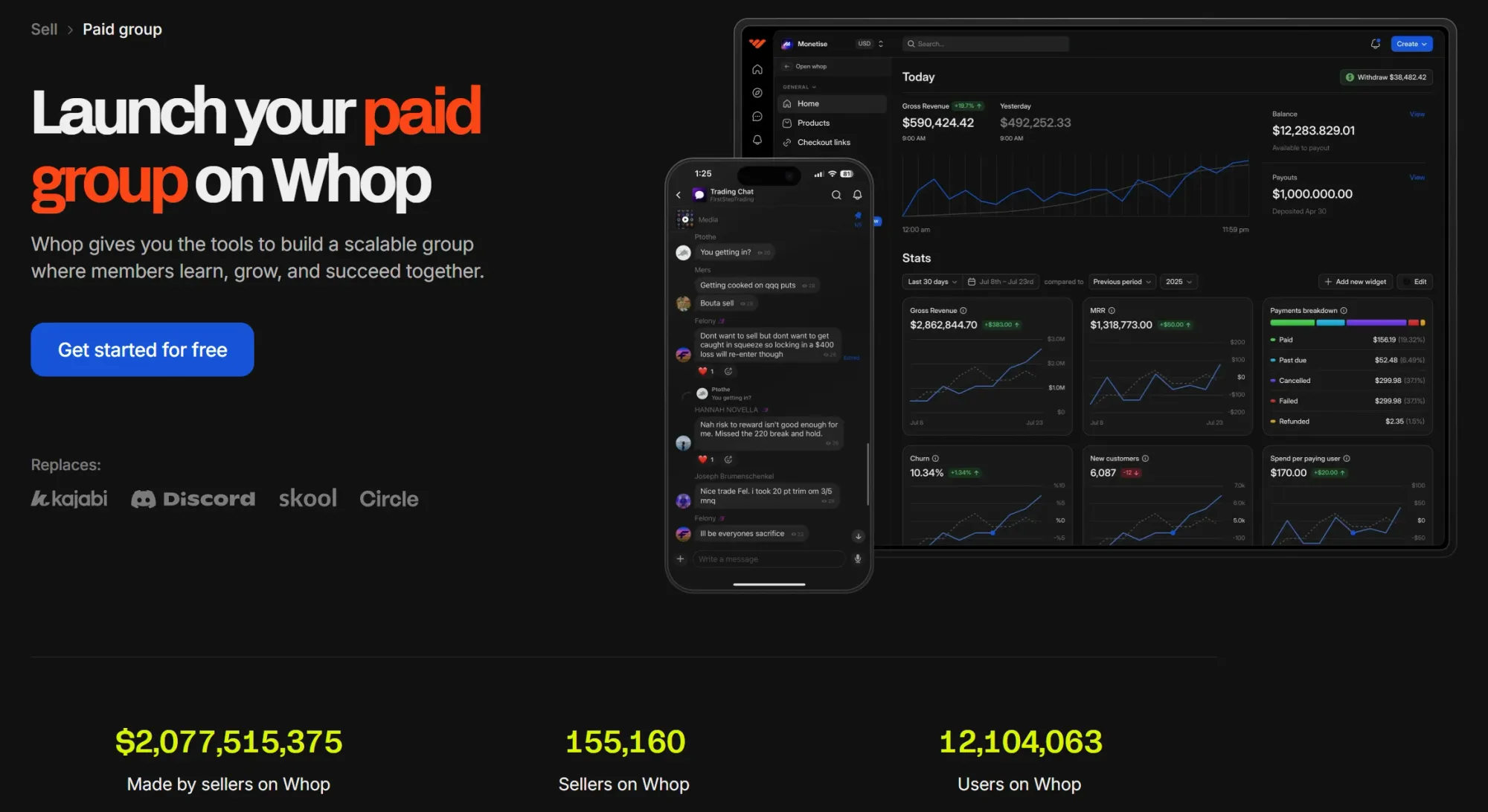
I was starting from scratch today, knowing what I know now, here's what I would do (and why I would use Whop).
First, I would build the most welcoming space possible. As I said, first impressions are everything, so I would obsess over the member experience first - so new members feel like they've joined the right community for themselves.
Luckily, Whop makes it easy to make a great one. With complete customization over colors, icons, features, and other settings, you can create the place that fits your community's needs.
For example, one of the first settings I'd use is the support chats feature of Whop, which allows creators to send users customizable automated messages upon join and leave.

For my operation side, I would build a foundation before I needed it - suggestions/feedback apps, internal policy and training documents and for my moderation staff, and more.
Whop's App Store would really help me at this step because there's always a feature that you didn't know you needed until you found it.
How to start your own community on Whop
So, those are the seven of the most important lessons I've learned in my community management journey. Of course, there are many more, but the ones we've talked about are some of the core ones - and how Whop can make it so much easier for any community creator to run their community.
You can create your own community on Whop by following these simple steps:
- Go to Whop.com/new/
- Create a new Whop account
- Follow the onboarding steps to create a whop and a product
- Add apps to your whop and customize your store page
- Launch your community
If you want to see a detailed guide on creating and launching a whop, take a look at our create your own whop guide.