PaymentCloud is a high-risk payment processor that helps hard-to-place businesses get approved. Learn how it works, what it costs, and the best alternatives for online and digital-first sellers.
Key takeaways
- PaymentCloud serves high-risk merchants that mainstream processors like Stripe and PayPal typically reject.
- PaymentCloud acts as a middleman matching businesses with partner banks, resulting in slower approvals and opaque pricing.
- Low-risk and digital-first businesses pay more and gain less with PaymentCloud compared to modern payment processors.
PaymentCloud is a payment processor that specializes in high-risk industries and hard-to-place merchant accounts (the types of businesses that Stripe, PayPal, and Square often decline).
Instead of processing payments directly, I see PaymentCloud as a middleman, matching your business with partnered banks and third-party gateways to help you get approved.
Note: PaymentCloud was acquired by Electronic Merchant Systems (EMS) — now rebranded as Kurv — in January 2024. The platform still operates under the PaymentCloud name and has maintained the same service quality since the acquisition.
From my experience, this gives high-risk merchants more flexibility, but it also comes with longer approvals and more paperwork.
For digital-first brands, course creators, coaches, SaaS products, memberships, and global online businesses? PaymentCloud often feels slower, more expensive, and more complicated than modern processors.
Below, I'll explain how PaymentCloud works, what it costs, who it's best for, and which alternatives might be a better fit (especially if you're building a digital or global business).
What is PaymentCloud?
PaymentCloud specializes in high-risk merchant accounts.
If your business falls into categories like CBD, supplements, adult, firearms, or anything with elevated chargeback risk, I've found PaymentCloud is one of the few processors willing to take you on.
Instead of offering instant sign-up, PaymentCloud underwrites your business, then pairs you with one of its partnered banks or gateways so you can accept credit cards, ACH, and alternative payments.
PaymentCloud is primarily used by US-based merchants, but businesses located elsewhere in North America and in the EU can also apply. It does not offer offshore accounts.
Because of its model, I find PaymentCloud feels very different from most modern processors:
- You need to apply and wait to be approved (there's no instant account creation).
- Pricing varies depending on your risk category, history, and volume.
- Rolling reserves and longer payouts are standard.
- Setup takes time, and I've seen onboarding require documents, bank statements, and manual reviews.
- There are no application or setup fees, but contract terms vary — low-risk merchants typically get month-to-month agreements, while high-risk merchants may face minimum two-year contracts.
If your business legally operates in one of the high-risk spaces PaymentCloud supports and you need a merchant account, I think it can be a solid option.
But for creators, digital offers, memberships, SaaS, standard ecommerce, or anyone who just values speed and transparency in payments, you're probably better off with other payment solutions – like Whop Payments.
How does PaymentCloud work?
As I mentioned earlier, PaymentCloud works by reviewing your business, approving you as a high-risk merchant, and then placing you with a partnered bank or gateway so you can accept payments.
Instead of processing transactions directly, the platform acts as a facilitator between you and an acquiring bank (which is why setup takes longer, and pricing varies from merchant to merchant).
Here's how it works, step-by-step:
1. Application and underwriting
You submit your business details, documents, and banking information.
PaymentCloud reviews your risk level, chargeback history, industry, and projected volume before matching you with a bank — something I've seen take longer than with modern processors.
2. Merchant account approval
Once underwritten, you're approved (or denied) by one of PaymentCloud's partner banks.
High-risk merchants may be required to provide additional information, updated statements, or supplier lists before going live.
3. Gateway setup
After approval, PaymentCloud connects your merchant account to a payment gateway. PaymentCloud is gateway-agnostic, meaning it can work with most major gateways — Authorize.net and NMI are the most common, but merchants can often retain their existing gateway if they already have one.
This is what actually processes card transactions online or via POS hardware.
4. Accepting payments online or in person
You can then accept:
- Credit and debit cards
- ACH and e-check
- Recurring billing
- Crypto (via partners)
- In-person payments through supported POS hardware
- QR code payments (via Paysley, PaymentCloud's mobile payment app)
Most ecommerce platforms (like Shopify, WooCommerce, BigCommerce, etc.) can connect to PaymentCloud, too, but the setup isn't instant.
You'll need to:
- Wait for your merchant account to be approved
- Receive your gateway credentials (like Authorize.net API keys)
- Manually install a gateway plugin or extension to connect everything.
5. Payouts and reserves
Your funds get deposited into your bank account based on your agreement with the acquiring bank. But restrictions around high-risk accounts often include:
- Rolling reserves (e.g., 5-10% held for 90 to 180 days)
- Longer payout cycles
- Additional monitoring for chargebacks
6. Chargeback alerts and fraud tools
Once you're processing payments, PaymentCloud monitors your account for disputes and potential suspicious activity with built-in tools:
- Basic fraud filters through your gateway (like AVS/CVV checks).
- Optional chargeback alerts via partners such as Verifi and Ethoca, which let you respond to disputes before they become chargebacks.
- Dedicated account monitoring, where PaymentCloud reviews your dispute rate, refunds, and processing patterns to keep your account in good standing.
Because high-risk merchants are more closely scrutinized by banks, staying below chargeback thresholds is essential.
Who can use PaymentCloud?
PaymentCloud was designed for businesses that can't get approved by mainstream processors – think high-risk industries with higher chargeback rates, regulated products, or complex compliance requirements.
When Stripe, PayPal, or Square won't underwrite your business, PaymentCloud is often the next step.
Industries that PaymentCloud commonly supports
PaymentCloud works with a wide range of risk profiles, including:
- CBD and hemp products
- Supplements and nutraceuticals
- Adult products and services
- Firearms, ammo, and tactical gear
- Vape and smoking accessories
- Coaching or consulting models with financial claims
- Subscription boxes with elevated chargebacks
- Credit repair and financial services
The above industries usually require deeper underwriting, which is why PaymentCloud positions itself for them.
Requirements to get approved with PaymentCloud
Because PaymentCloud places you with a partner bank, the approval process is more involved than signing up with a solution like Stripe or Whop Payments.
You'll typically need:
- A government-issued ID
- A signed merchant application
- A voided check or bank letter
- 3 months of bank statements
- 3 months of processing statements (or personal statements if you're brand new)
- Product or supplier documentation (especially for CBD and other regulated products)
There are no application or setup fees, and you won't be charged PCI compliance fees or other junk fees upfront. However, high-risk merchants usually face stricter monitoring to ensure their business practices remain compliant.
Can regular businesses use PaymentCloud?
Yes, PaymentCloud still accepts low-risk and standard ecommerce businesses, but it's primarily built for high-risk merchants – so most standard sellers won't benefit from its pricing or onboarding process.
You can apply, but you'll typically get higher fees, more paperwork, and slower approval than you would with a mainstream processor.
Why low-risk sellers usually look elsewhere
For everyday online stores, creators, or service businesses:
- Onboarding is slower (manual underwriting vs instant activation).
- Pricing isn't transparent (custom quotes only).
- Processing fees are higher than Stripe/Square/Whop.
- Rolling reserves may still be required, depending on your model.
- Payouts can take longer due to added risk checks.
While PaymentCloud can take on low-risk merchants, it's not what they're actually optimized for. That means you often end up paying "high-risk pricing" for a business that isn't high risk.
PaymentCloud features
PaymentCloud gives businesses a payment setup that includes credit cards, ACH, online checkout, subscriptions, POS hardware, crypto, QR code payments, and fraud tools.
Here's a quick summary of how it stacks up feature by feature against Whop Payments:
As you can see, key features like payouts, global methods, and setup have some drawbacks that could hinder sellers.
Let's take a look at each of PaymentCloud's features in more detail:
1. Card processing (online + in person)
PaymentCloud sets businesses up with their own MID (Merchant Identification Number), which gives you more control over risk settings, rolling reserves, and volume limits than plug-and-play processors like Stripe or Square.
To apply, you submit standard documents like your ID, bank statements, past processing history, and (if applicable) product details.
Once approved, you can accept credit and debit cards online, in person, or through a virtual terminal.
2. Online payment gateways
PaymentCloud doesn't have its own gateway. Instead, it's gateway-agnostic — it can connect you to most major payment gateways, with Authorize.net and NMI being the most common options. If you already have an existing gateway, you may be able to keep it.
After approval, you'll receive gateway credentials (API keys, login info) and will need to:
- Install the gateway plugin on Shopify, WooCommerce, etc.
- Paste credentials into your platform
- Configure AVS, CVV rules, and fraud filters
- Run a test charge
PaymentCloud's onboarding team helps, but you have to complete the manual setup.
3. ACH and eCheck
PaymentCloud supports ACH and eCheck through its banking partners. These methods usually come with lower fees than card transactions and can be enabled once your account is fully underwritten.
But settlement times are slower (think 3 to 7 days), and approvals are subject to stricter review than card payments.
4. POS hardware & in-person payments
While it's not a requirement for most online sellers, PaymentCloud works with a bunch of third-party POS devices, such as Clover, Ingenico, Verifone, Dejavoo, Poynt, and Pax.
You can buy new POS hardware through them, or reprogram your existing terminal to work with your PaymentCloud merchant account – again, great for brick-and-mortar stores, but adds extra steps for configuration.
5. Paysley (QR code & mobile payments)
PaymentCloud also offers Paysley, a mobile payment app it acquired in 2020. Paysley lets merchants generate QR codes that customers can scan to pay — useful for invoicing, events, or in-person sales without a full POS terminal.
6. Virtual terminal for phone orders
If you take payments over the phone or by email, you can key in card details manually.
Again, not something most online entrepreneurs use very often – but a feature nonetheless. Works with stored cards, refunds, and custom billing fields.
7. Recurring billing
PaymentCloud supports recurring charges through your gateway. It stores card tokens, schedules charges, sends renewal notices, and retries failed payments according to the rules you set.
Whop Payments has built-in subscription tools: no gateway, no plugins, and smart routing to maximize successful rebills.
8. Fraud tools + chargeback alerts
You can turn on the fraud tools built into your connected gateway (like Authorize.net or NMI), such as:
- AVS and CVV checks
- IP blocking and country filters
- Velocity limits (to stop repeated attempts)
- Device fingerprinting (on supported gateways)
- Chargeback alerts through partners like Verifi and Ethoca
PaymentCloud doesn't provide these tools directly: they come from your gateway and acquiring bank. PaymentCloud just helps configure them, and monitors your account for risk.
Whop includes fraud screening and dispute tracking natively, and uses multi-provider payment routing to prevent declines before they happen.
PaymentCloud pricing
PaymentCloud does not publish its pricing publicly, which I've found makes cost comparisons harder upfront.
However, I did some digging and found the average fee ranges below. These are based on publicly available third-party reports, merchant feedback, and common high-risk processing benchmarks.
Your actual quote will be different.
Note: Because PaymentCloud uses custom pricing through multiple acquiring banks, these fees are purely an estimate. Merchants need to request a quote directly from PaymentCloud.
On the plus side, there are no application fees, setup fees, PCI compliance fees, or annual fees — which is better than many high-risk processors. The standard gateway fee is around $19.95/month for Authorize.net or NMI.
What determines my final quote/rate?
PaymentCloud assesses your risk level and delivers your custom rate based on:
- Industry type (CBD, adult, supplements, coaching, firearms, etc.)
- Chargeback ratio
- Processing history (volume + ticket size)
- Merchant creditworthiness
- Online, in-person, or card-not-present sales
Low-risk merchants typically receive month-to-month contracts, while high-risk merchants should expect a minimum two-year contract.
Whop Payments uses a flat 2.7% + $0.30 structure with no monthly fees, no gateway costs, and no rolling reserves for most merchants, giving businesses more predictable earnings.
PaymentCloud pros and cons
PaymentCloud has strong approvals for high-risk merchants, but the trade-off is higher complexity, custom pricing, and slower onboarding.
Here's a summary of where it shines, and where it makes selling slower:
For a lot of sellers, these cons make PaymentCloud less suitable than other global, digital-first solutions.
If that's you? Don't worry. I've compiled 5 of the best below.
Top alternatives to PaymentCloud
If PaymentCloud sounds too complex, slow, or unpredictable, I’ve found there are alternatives that are much easier to set up (especially if you’re not operating in a high-risk category).
Below are the top platforms I’d consider if PaymentCloud doesn’t fit your needs, along with what they offer, who they suit, and what you can expect to pay.
1. Whop
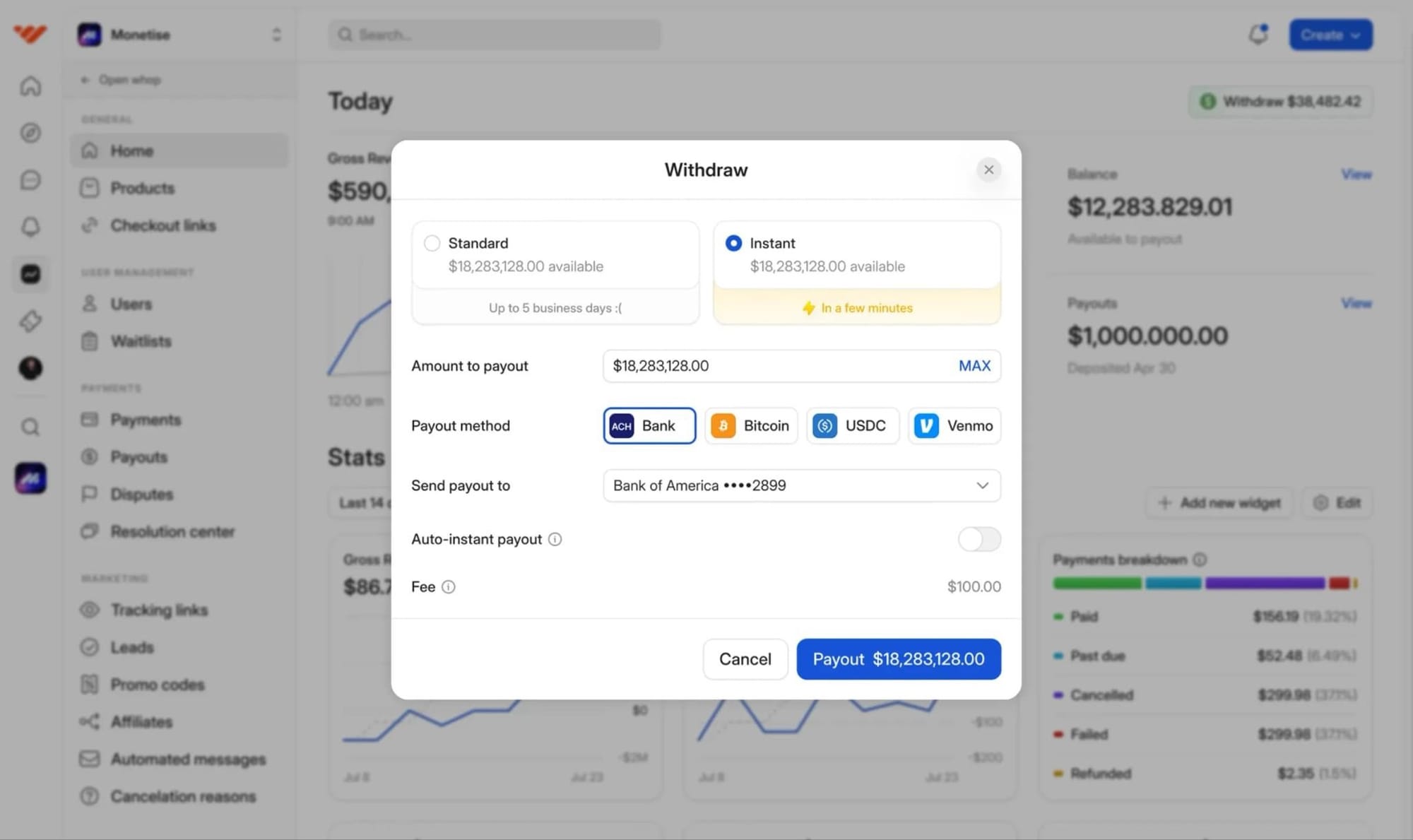
Whop Payments gives online sellers everything PaymentCloud doesn’t: instant setup, no underwriting, no rolling reserves, and no juggling gateways or plugins.
You get a modern checkout that supports cards, wallets, BNPL, crypto, 135+ currencies, and automatic fraud handling – all without the slow, high-risk merchant account approval loop.
It’s the simplest way to accept payments and deliver digital offers, communities, memberships, software access, and pretty much anything else you want to sell.
Because everything lives in one dashboard, I’ve found setup is fast, with no need for plugins or third-party gateways.
We’ve learned our customers really only care about two things: getting paid and paying out. Our mission is to be the best in the world at solving those problems.
- Hunter Dickinson, Head of Partnerships at Whop
- Key features: Unified checkout, cards, wallets, crypto, BNPL, global currencies, recurring billing, invoices, fraud controls, and instant provisioning for digital goods.
- Best for: Creators, educators, software builders, community leaders, and online businesses who want a simple payments stack without complexity.
- Pricing: 2.7% + $0.30 per successful transaction. No monthly fees, no setup fees, no rolling reserves for most businesses.
2. Stripe
Stripe is the default choice I usually see for businesses with strong technical resources. It offers strong APIs and supports dozens of payment methods, which is dope, but everything requires configuration. So, sellers without a developer often end up stuck in setup or troubleshooting.
In my experience, Stripe is powerful, but also complex. Account freezes, extra fees, and risk reviews are common, especially for digital products or fast-growing brands.
- Key features: Custom APIs, cards/wallets, global methods, subscriptions, invoicing.
- Best for: Startups with engineers and companies building custom software.
- Pricing: 2.9% + $0.30 (US), plus extra fees for international cards, currency conversion, subscriptions, and fraud tools.
3. PayPal
PayPal is one of the most recognised payment methods I see used online, and adding it can lift conversion because many shoppers already have a PayPal balance or saved cards.
But when used as a primary processor (as in, the main service you rely on to accept and settle payments), I’ve found PayPal becomes expensive, unpredictable, and often risky for digital-first sellers.
I’ve seen PayPal trigger sudden account holds, rolling reserves, and frozen payouts, especially for creators, subscription businesses, and anyone selling info or products delivered online.
Plus, the dispute system also tends to favour buyers, which can increase refund costs and operational friction.
- Key features: PayPal wallet, PayPal Credit, Pay in 4 BNPL, invoicing, subscriptions.
- Best for: Stores that want PayPal as an optional trust signal, not their primary processor.
- Pricing: 3.49% + $0.49 per online transaction (US), higher fees for digital goods, cross-border payments, and currency conversion.
4. Square
Square gives businesses an easy way to accept payments online and in person, but it’s still built primarily for local, physical sellers, and not digital-first brands.
That means some online businesses find that the checkout options are limited, and customization is basic.
Square acts as both the processor and the gateway, so setup is quick: you create an account, verify your business, and start taking payments through a Square Online store, checkout links, invoices, or embeddable buttons.
Its ecommerce tools are lightweight, and payouts, chargeback rules, and international coverage are nowhere near as flexible as modern online processors.
- Key features: POS hardware, mobile tap-to-pay, online checkout links, invoices, basic analytics.
- Best for: Retailers, cafes, salons, and service providers who primarily sell offline.
- Pricing: 2.6% + $0.10 (in person), 2.9% + $0.30 (online). Extra costs for add-ons like payroll, loyalty, and marketing tools.
5. Adyen
Adyen is an enterprise-grade global payment processor used by companies like Spotify, Uber, and H&M.
That means it’s built explicitly for massive transaction volume, multi-region acquiring, and brands that need advanced fraud systems and multi-acquirer routing.
Similar to PaymentCloud, it’s not ideal for most small online businesses or creator-led stores.
Adyen offers global coverage and sophisticated risk tools, but it requires technical resources, lengthy onboarding, and higher volume expectations.
Most merchants below enterprise scale won’t qualify, and Adyen doesn’t natively support many digital-seller needs (like instant setup or automatic delivery of digital goods).
- Key features: Global acquiring, multi-acquirer routing, advanced fraud automation, 250+ payment methods, unified commerce reporting.
- Best for: Large or high-volume enterprises with developers and dedicated finance teams.
- Pricing: Interchange fees (varies by card/network) + a processing fee. Minimums usually apply.
Is PaymentCloud right for my business?
Based on what I've found, PaymentCloud may be right for your business if it’s considered high-risk, and processors like Stripe, Square, or PayPal have declined you.
If you sell regulated products, have a higher chargeback rate, or fall into a compliant-but-risky category, PaymentCloud gives you a way to accept online payments when other providers won’t.
But if you’re running a digital-first business: selling memberships, communities, coaching, software access, subscriptions, or online products? PaymentCloud can feel heavy.
We're bringing the dream of entrepreneurship to people who haven't had that ability – payments are just one part of the stack.
– Steven Schwartz, Whop CEO
Long approval times, contract terms that vary, potential rolling reserves, gateways to configure, fees based on risk tier, longer payout cycles – it’s a lot.
And because PaymentCloud relies on third-party gateways and acquiring banks, the overall system is more complex than modern all-in-one platforms.
If you want to start selling online quickly (like, without underwriting, reserves, or gateway setup), a streamlined platform like Whop makes way more sense.
You can accept payments globally, deliver digital products instantly, run subscriptions, manage access, and track analytics under one dashboard.
My first month on Whop, and I've made $12.5k, all from X organic traffic. 0 failed payments. Thanks Whop!
– Whop seller @0xroas
No merchant account negotiations, no plugins, no delays.
Get instant approval and smarter payments with Whop
PaymentCloud might fit merchants who truly need high-risk underwriting, but for digital-first sellers, creators, and online businesses? The setup, fees, and maintenance can be heavier than needed.
Whop gives you a cleaner path: no underwriting wait times, no rolling reserves, no plugin maintenance, and no juggling multiple dashboards.
One unified platform to sell, deliver, and get paid: cards, wallets, crypto, BNPL, subscriptions, 135+ currencies, instant provisioning, and built-in fraud protection.
If you want to focus on your product rather than your payment stack, Whop makes it easy.
Start accepting payments with Whop today.
PaymentCloud FAQs
1. What is PaymentCloud, and how does it work?
PaymentCloud is a merchant services provider that places businesses (especially high-risk ones) with a bank and payment gateway so they can accept credit cards online or in person.
Instead of processing payments itself, PaymentCloud underwrites your business, approves you through one of its partner banks, and connects you to a compatible gateway. PaymentCloud is gateway-agnostic, so while Authorize.net and NMI are the most common options, merchants can often retain their existing gateway.
Once approved, you can accept cards, ACH, recurring payments, and alternative methods depending on your setup.
PaymentCloud was acquired by Electronic Merchant Systems (now Kurv) in January 2024, but continues to operate under the PaymentCloud name.
2. Is PaymentCloud suitable for high-risk businesses?
Yes, PaymentCloud was designed for high-risk merchants who can't get approved by Stripe, PayPal, or Square. It works with industries like supplements, digital goods, CBD, coaching, firearms, subscription services, and more.
Approval takes longer because banks need deeper underwriting, but PaymentCloud has one of the highest approval rates for high-risk merchant accounts.
3. What does PaymentCloud cost?
PaymentCloud uses custom pricing, so fees vary by industry, risk level, and processing volume.
Most merchants report rates between 2.7% and 4.3%, plus a monthly gateway fee of around $19.95, and possible reserves.
There are no application fees, setup fees, PCI compliance fees, or annual fees. Because pricing isn't published, you must speak with a rep to get an exact quote. (This is standard for high-risk merchant accounts.)
Low-risk merchants typically get month-to-month contracts, while high-risk merchants may face minimum two-year agreements.
4. Does PaymentCloud accept international payments?
PaymentCloud primarily serves US-based merchants, but businesses in other parts of North America and the EU can also apply. It does not offer offshore accounts.
Global coverage depends on the specific acquiring bank and gateway you're placed with. It's not as globally flexible as modern processors like Whop or Adyen, and cross-border availability varies heavily based on industry and risk level.
5. How long does PaymentCloud approval take?
Approval usually takes a few days to a couple of weeks, though complex high-risk cases can take up to a month depending on your industry, documents, and chargeback history. High-risk merchants often need to provide additional bank statements, supplier lists, and business details before the bank signs off.
6. Does PaymentCloud support recurring billing or subscriptions?
Yes, PaymentCloud supports recurring billing, but it runs through your payment gateway (e.g., Authorize.net or NMI), not PaymentCloud itself.
You'll need to configure plans, retries, and failed-payment logic inside your gateway, and you may have limitations based on your acquiring bank.
7. Can PaymentCloud accept crypto payments?
Yes, PaymentCloud supports crypto payments through partners like RocketFuel, allowing customers to pay in major cryptocurrencies while you receive USD. It works, but the partner handles setup, and it isn't as seamless as platforms like Whop, which offer crypto natively with no third-party tools.
8. What are the best alternatives to PaymentCloud?
The top PaymentCloud alternatives include Whop, Stripe, PayPal, Adyen, and Square. The best for you depends on your risk level and business model.
Whop is best for digital-first brands and creators who want fast setup, global coverage, and no-reserve payouts.



