
Stan Store is an all-in-one sales platform that lets creators sell digital products, courses, and services directly from their social media - no website needed. In this guide, we’ll explain exactly what Stan Store is, how it works, and whether it’s worth it for creators in 2026.
Key takeaways
- Stan Store lets creators sell digital products directly from social media bios without needing a website.
- The platform works best for creators with existing social audiences, not for SEO or long-form content strategies.
- Built-in course creation and email tools are available, but advanced features like quizzes and cohort scheduling are missing.
Stan Store (now rebranded to just 'Stan') is an all-in-one sales platform that lets creators sell digital products, courses, and services directly from their social media bio - no website needed. It costs $29-$99/month and works as both a link-in-bio tool and a checkout page.
If you've got a following on TikTok or Instagram, you've probably seen creators using it. But while it's convenient, it's not the only option out there. So is it actually worth it?
In this review, we'll break down what Stan Store does, who it's built for, and whether the monthly fee makes sense for your business. Plus, we'll show you what alternatives exist if you want more features or lower costs.
What is Stan Store?
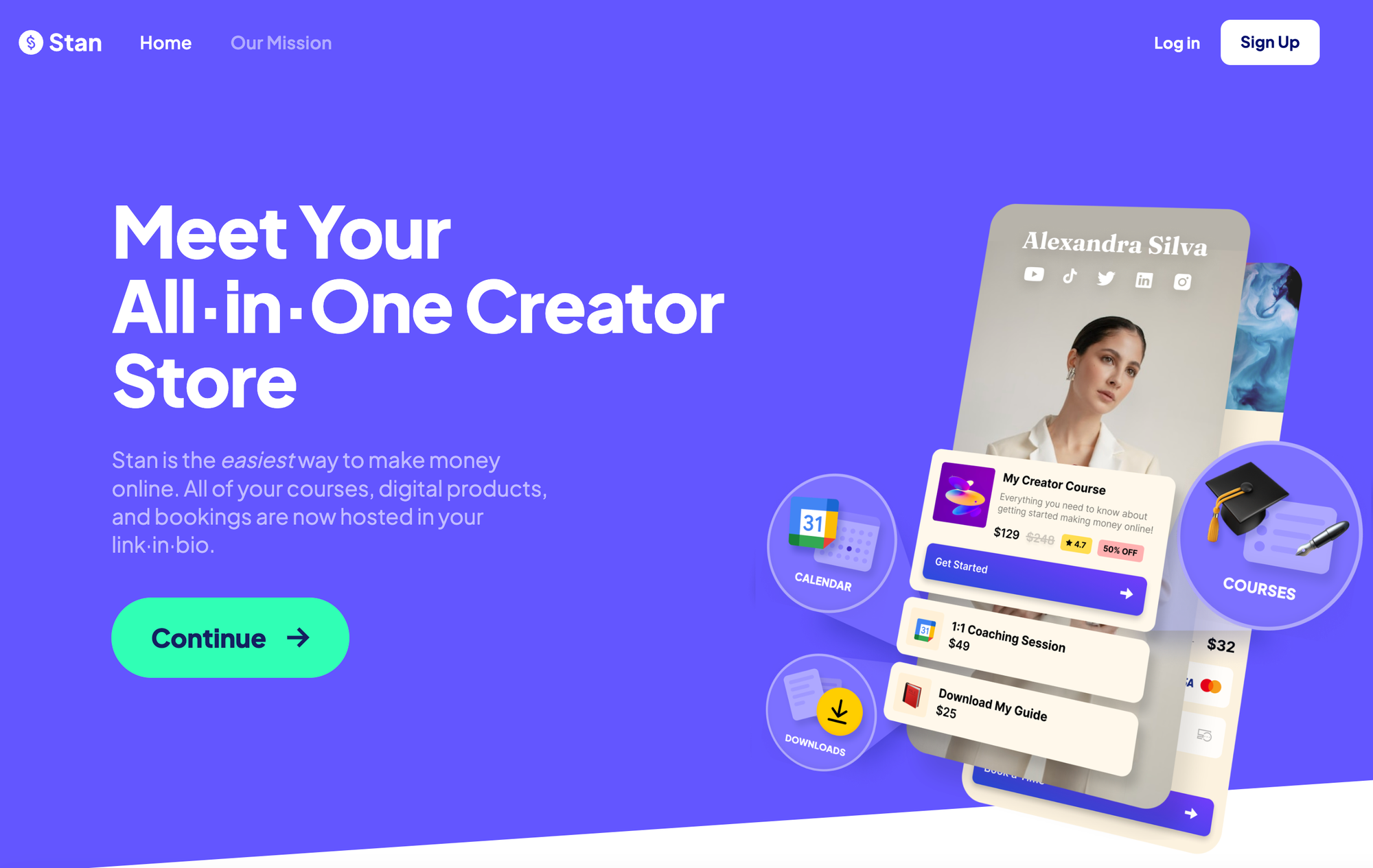
Stan Store is an ecommerce marketplace for digital content creators. It allows creators to sell memberships and online courses, manage email lists, and even book virtual meetings. Creators can even sell access to content hosted elsewhere, taking payment on Stan Store and then directing users to the URL of the content.
What sets Stan Store apart from some other ecommerce platforms is the presentation of the store itself. Creators can add a link from their social media profiles to their stores, and the store will open in a web view when the user clicks that link.
The layout of the store is designed to make the transition from Instagram or TikTok to the Stan Store feel seamless, making the whole shopping experience feel more professional and polished.
Stan Store is often compared to other ecommerce solutions like Shopify, although it's digital-only and doesn't venture into the realm of physical products.
There's plenty you can do with digital products, though, and Stan Store's link-in-bio solution also sees it put side by side with Linktree.
Who can use Stan Store?
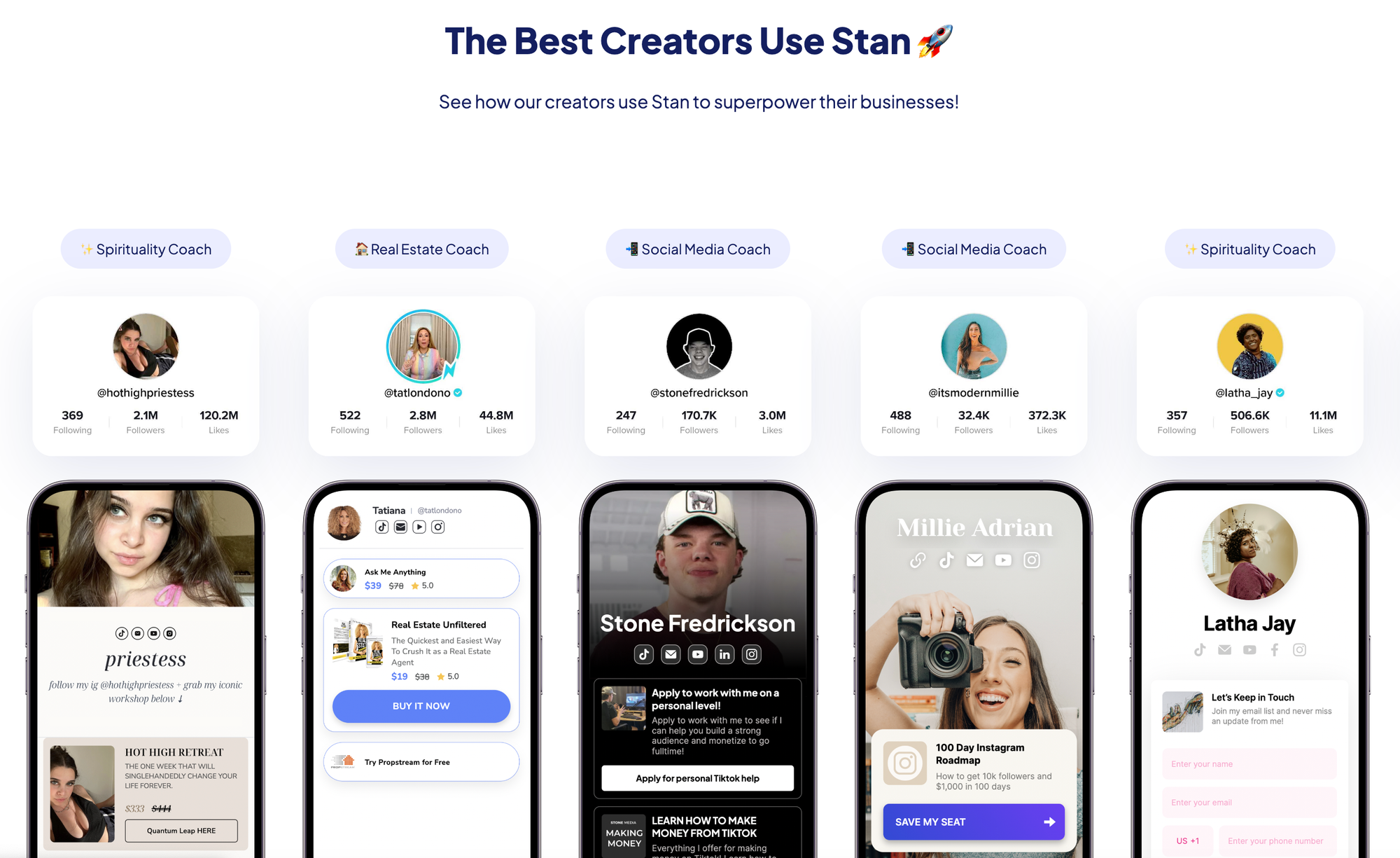
Stan Store can be used by all kinds of content creators, from authors and podcasters to coaches. It's possible to sell one-off products and recurring memberships on the platform, and there's also an affiliate program that allows marketers to refer people and earn 20% of their Stan Subscription fees each month.
Course creators and influencers make up the bulk of Stan Store's current user base, and that makes sense given how it brings a social media page and a payment button into such close proximity.
That being said, there aren't too many restrictions in terms of who can use Stan Store, and if its feature set matches what you want to sell there's nothing stopping you from signing up.
What can you sell on Stan Store?
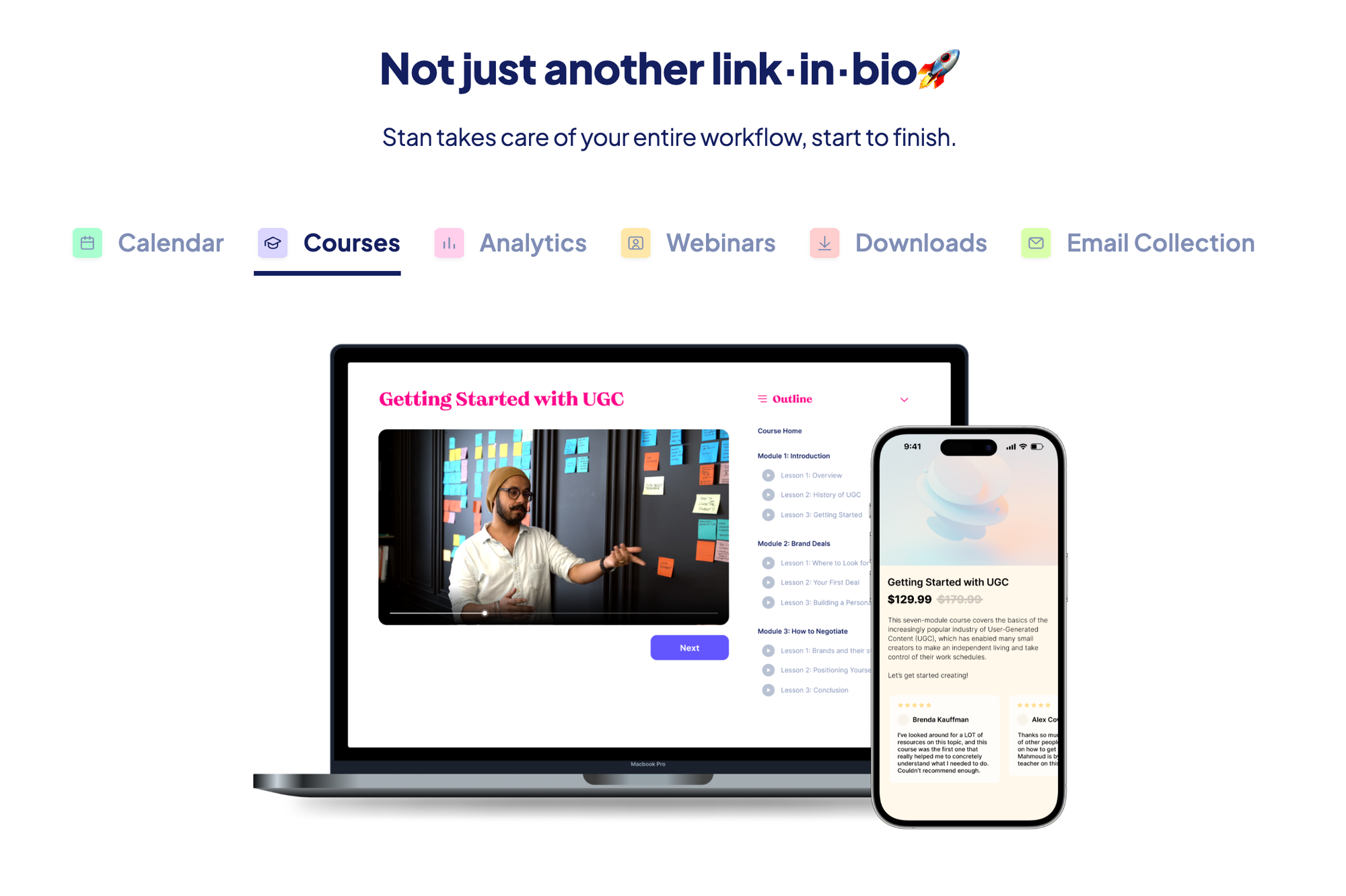
Stan Store supports a variety of digital products, including:
- PDF ebooks
- Guides
- Templates/themes (e.g. WordPress themes or FlippingBook newsletter templates)
- Music
- Video content
- Courses
- Coaching calls
- Custom products
- URLs
- Webinars
You can create as many products as you want to sell on your store, however, the platform suggests creators list only a handful of products on their store page, as offering too many options can reduce conversions.
The platform does make it easy for creators to add and remove products from the store, so you can easily rotate which products are featured, to see which ones generate the most sales.
Creators also have the option of running more than one Stan Store, as long as each store is created with a different email address. But be aware that if you go this route you'd have to pay a subscription fee for each store too, and with fees starting at $29 per month, this could quickly add up.
- Gumroad vs Stan Store: Which is best for digital creators?
- Stan Store vs Shopify: Which ecommerce platform is best for you?
Do you need a website to sell on Stan Store?
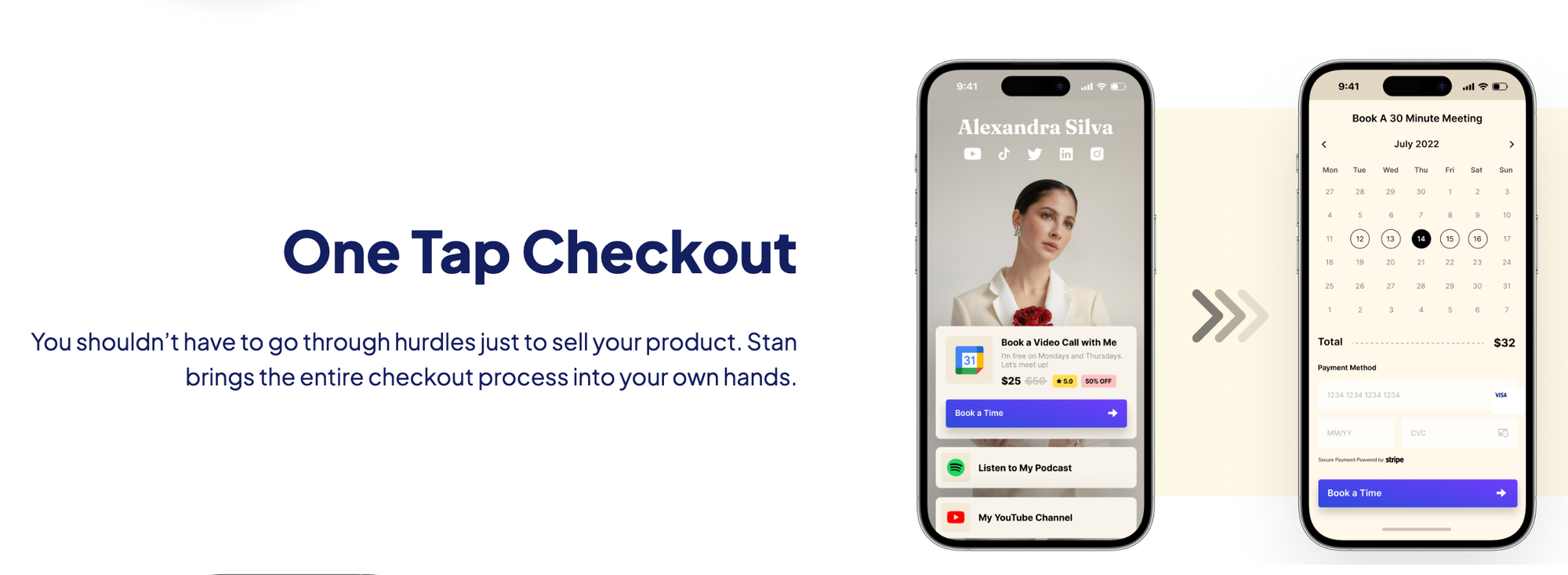
There's no need to have a website to start selling on Stan Store. In fact, the platform is aimed at people who have a strong social media presence. This is obvious when you go to create your store, as there's a section at the top of each template dedicated to sharing social media links.
Stan Store expects people to market products on social media, and link to their store pages from their posts and profiles.
It's important to note that while Stan Store is separate from the social media platforms it receives traffic from, it's not something you'd want to treat as a dedicated website. This is because your brand's store is a folder on the Stan.Store website, rather than on its own domain. So, while you can customize the look and feel of the store to an extent, you can't make changes to the meta tags or otherwise tweak the site for SEO purposes.
If you want to have a platform for sharing long-form content, posting regular updates and doing SEO/link-building work, you'd need your own domain name and a web host that supports that.
Stan Store focuses on a different area of online marketing, providing a convenient, easy-to-use way to set up a store to sell a handful of digital products to your existing social media audience.
Getting started on Stan Store
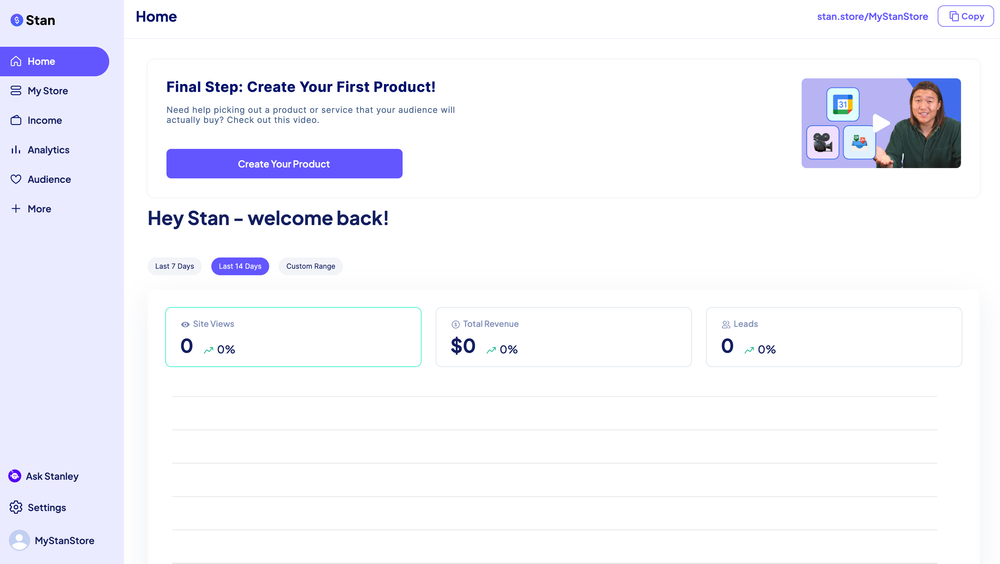
Getting started on Stan Store is easy. Simply go to the website and sign up for a free 14-day trial of the platform. You'll have to provide an email address, mobile phone number, and payment details as part of the registration process.
You'll also be asked for a username. This name will be used to generate your store URL, in the format stan.store/YOURUSERNAME, so try to come up with something distinctive and memorable.
Once you've signed up for an account, you'll be taken to your dashboard where you can upload a profile picture, connect your account to your TikTok, Instagram, and Facebook social media pages, and set up Stripe and PayPal for payments.
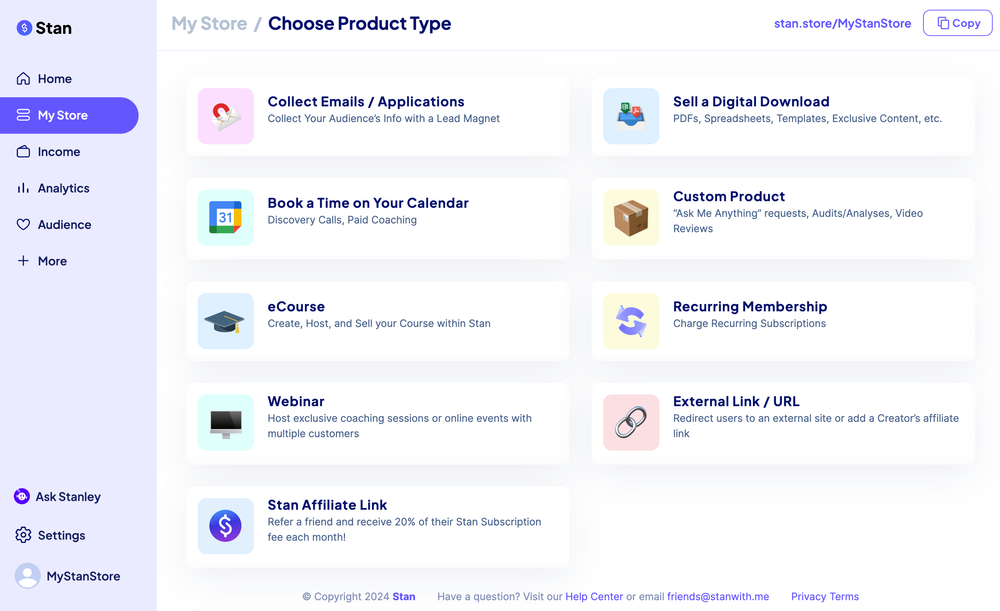
Creating products to add to the store is easy:
- Open your Dashboard
- Go to My Store
- Click Add Product
- Choose the product type (e.g. Digital Product, URL, or Coaching Call)
- Fill out the details for the product, including the title, subtitle, and button text
- Write a description for the product and upload any associated media
- Set a price for the product
- Choose what information you'd like to collect about buyers (e.g. name/email address)
- Upload the product
- Click Publish to set the product live
Creating courses with Stan Store
You can also create courses with Stan Store. The platform has a built-in course creator that makes it easy to put together a course with multiple modules, each of which has multiple lessons.
When you create a new course, you'll be presented with a course template that's ready to edit. Simply click on a Lesson within a Module to edit that lesson's content, or click Add Lesson to add a new lesson.
When you edit a lesson, you'll have the chance to edit the title and description, as well as upload a video for the lesson, and any supporting materials (e.g. PDF documents, spreadsheets, source code, or video transcripts) to complement the lesson.
Any changes you make will be shown in the preview window to the left of the course editor, giving you an idea of how the lesson will look on a mobile phone.
Once you've finished editing a lesson you can Publish your changes. If you're not ready to publish yet, you have the option to save a draft and come back later to complete your edits.
Each course can have a homepage that tells learners what the course will cover and explains why a prospective learner should take it. You can upload a header image for this page and set the font and color scheme to help it fit your brand.
It's easy to create courses on Stan Store, but the courses that you create will be basic. The platform doesn't have sophisticated learner tracking or analytics. It also lacks an option for quizzes and doesn't provide an easy way to schedule modules to unlock on specific days, so it's not easy to run cohort courses where everyone gains access to the same modules at the same time.
If you're just looking to release a video course and want an easy platform to use to split the videos up into modules, Stan Store does a good job of this and has a polished and intuitive interface.
However, for those who want a more sophisticated learning platform, Stan Store may fall short in terms of the features it offers.
Customizing your Stan Store
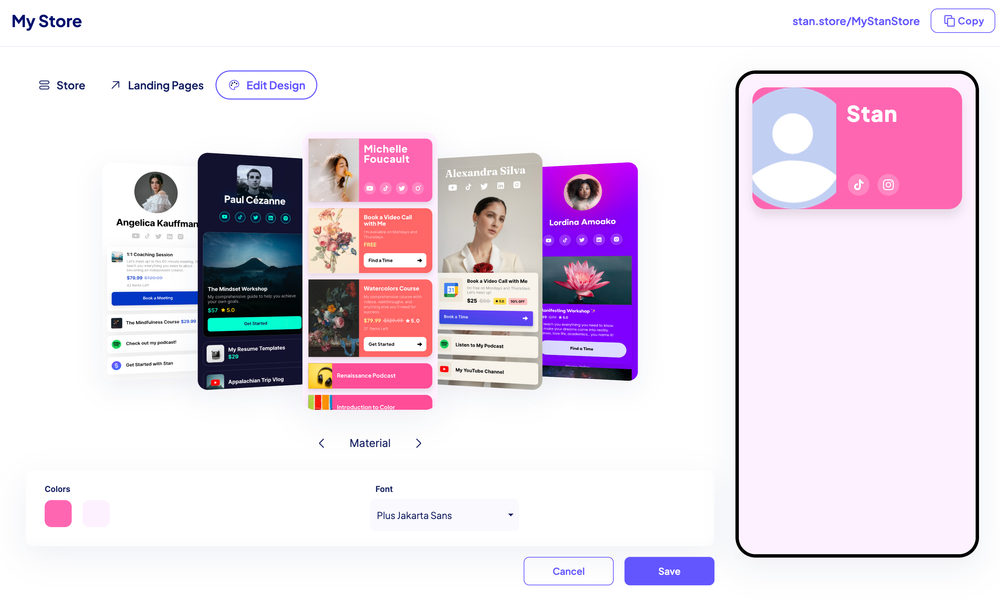
Each product you add to the Stan Store will show as a product card. When you add a product to the shop you can choose whether to include a button with a call to action such as "Download" or "Book Now", or whether to just list the products with a title, price, preview icon and other details.
The platform offers several templates to choose from, ranging from simple, minimalistic layouts to ones with a more magazine-style appearance. The colors and fonts on each template are customizable, and it's easy to add links to social media platforms, including:
- TikTok
- X (formerly Twitter)
- YouTube
Alongside your general storefront, you can also create a landing page for a specific product. This landing page isn't visible from your store's main page.
The idea is to use this landing page to target a specific audience, either through paid advertising, or by emailing links to your existing mailing list subscribers. The landing page will promote one specific product, so you'll have more space to add sales copy, preview images, etc.
Analytics and tracking tools
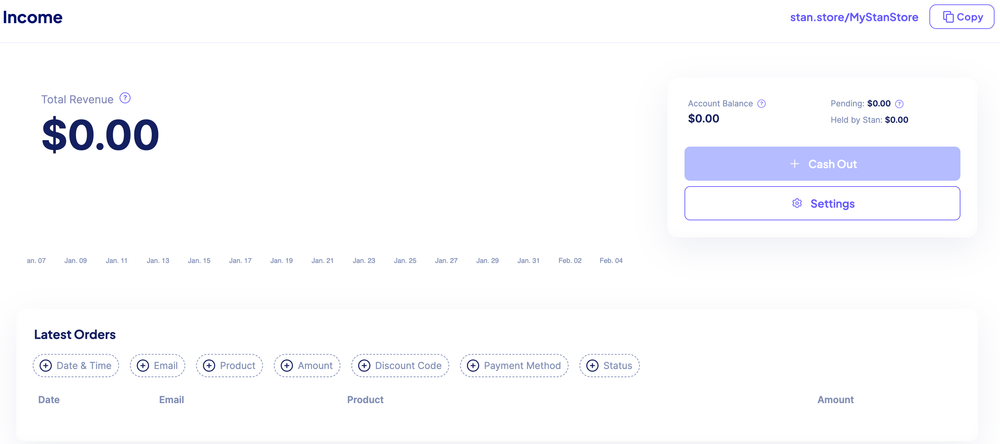
Stan Store offers a built-in analytics tool that tracks the number of store visits that occurred over the last 7 or 14 days, the number of leads generated, and total revenue earned.
Sellers on the Creator Pro plan can add tracking pixels for Facebook, Google Analytics, TikTok and Pinterest to get even more detailed analytics.
Engaging with your community
Depending on the subscription tier you have, Stan Store offers several options for communicating with your customers. Sellers who have the Creator Pro membership can take advantage of the platform's built-in email flows.
Or, sellers can use the platform's integrations with MailChimp and Zapier to send messages using third-party email providers. The integrations are easy to set up, and once they're up and running anyone who signs up for email communications via Stan Store will automatically be added to the relevant mailing list in MailChimp (or other supported mailing list platforms), and tagged so it's clear that they're a Stan Store subscriber.
How much does it cost to sell on Stan Store?
To sell on Stan Store, creators must have a paid membership. There are two plans to choose from, Creator, and Creator Pro.
The Creator plan costs $29 per month when billed monthly, with a 20% discount for annual memberships paid up-front. This offers access to the platform's main features:
- Mobile store
- Calendar bookings
- Digital downloads
- Integrations
- Analytics
The Creator Pro plan costs $99 per month, again with a 20% discount if you choose to pay for a year in advance. Creator Pro gives sellers access to all the features of the basic Creator plan, plus:
- Order bumps
- Affiliate links
- Email flows
- Funnel builders
- Advanced pricing options and payment plans
The monthly/annual fee is the only fee Stan Store takes from sellers. The payment processors (Stripe and PayPal) may charge fees, depending on the volume of sales and the currencies used by the seller and buyer.
There is a 14-day trial, so it's possible to test out the platform's features without having to spend money. However, you are required to provide payment details as part of the signup process, and the trial covers only the basic Creator features.
To access any Creator Pro features, users will have to upgrade their membership, and upgrade fees are taken immediately.
How does Stan Store collect payments?
Stan Store uses Stripe and PayPal to collect money from customers. Stripe is a trusted name in payment card processing and works with large global payment networks such as American Express, Visa and Mastercard as well as more local networks such as Interac, which is popular in Canada.
Stripe charges a payment processing fee, but Stan Store doesn't take a commission on each sale, making the platform an appealing option even for those who expect to sell a high volume of products.
PayPal can be used to receive credit or debit card payments or for payments from PayPal wallets. PayPal also charges a payment processing fee, with the fee depending on the type of PayPal account you have, how the payment was made, and whether there are any currency conversions required.
What are users saying about Stan Store?
When reviewing any platform or app, it's always a good idea to understand how its user base feels about the product. We checked out Trustpilot to see what users are saying at Stan Store.
Stan Store has an impressive 4.7 out of 5 stars. With 201 reviews in total, 97% of these are positive, with many users praising Stan Store's ease of use and customer service.
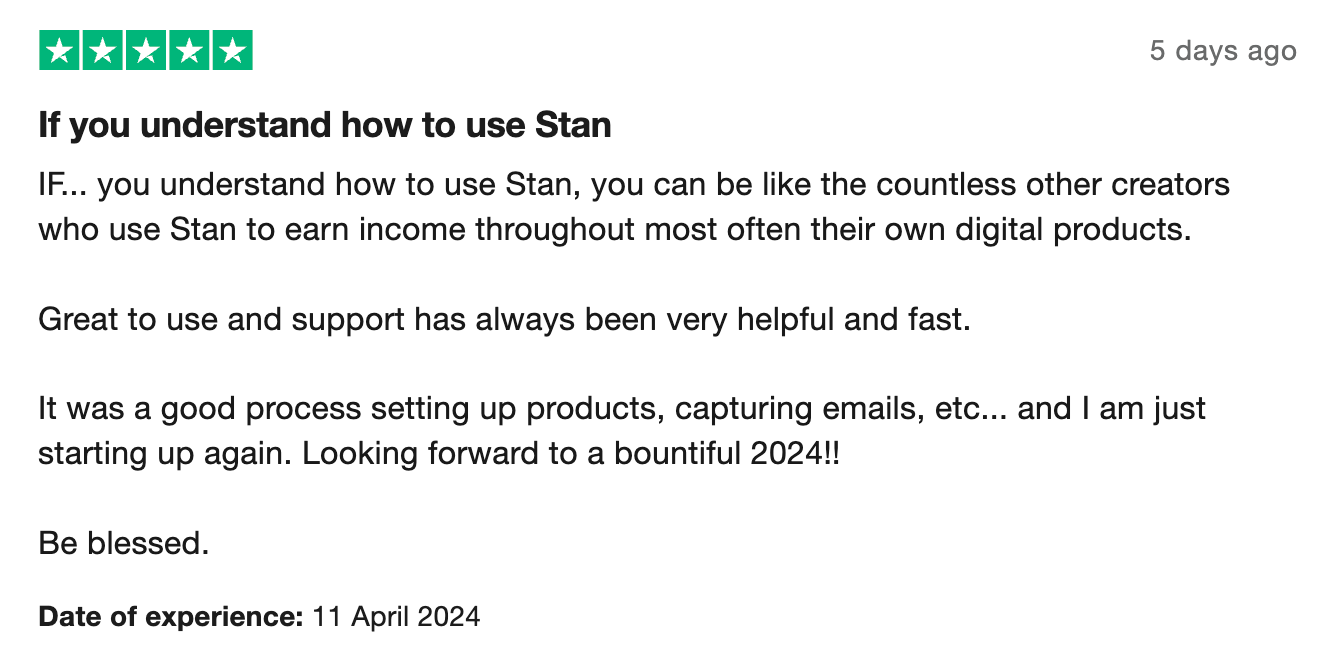
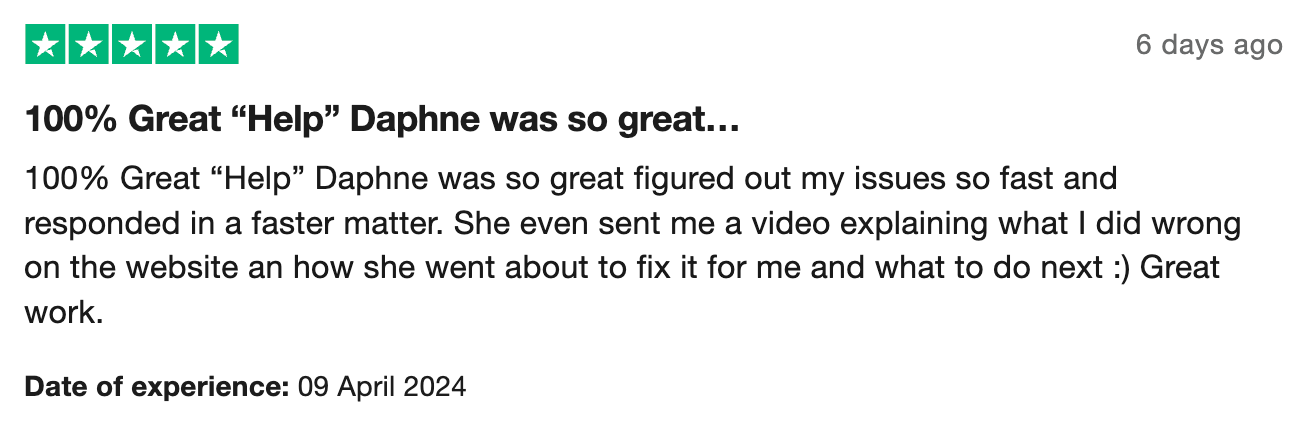
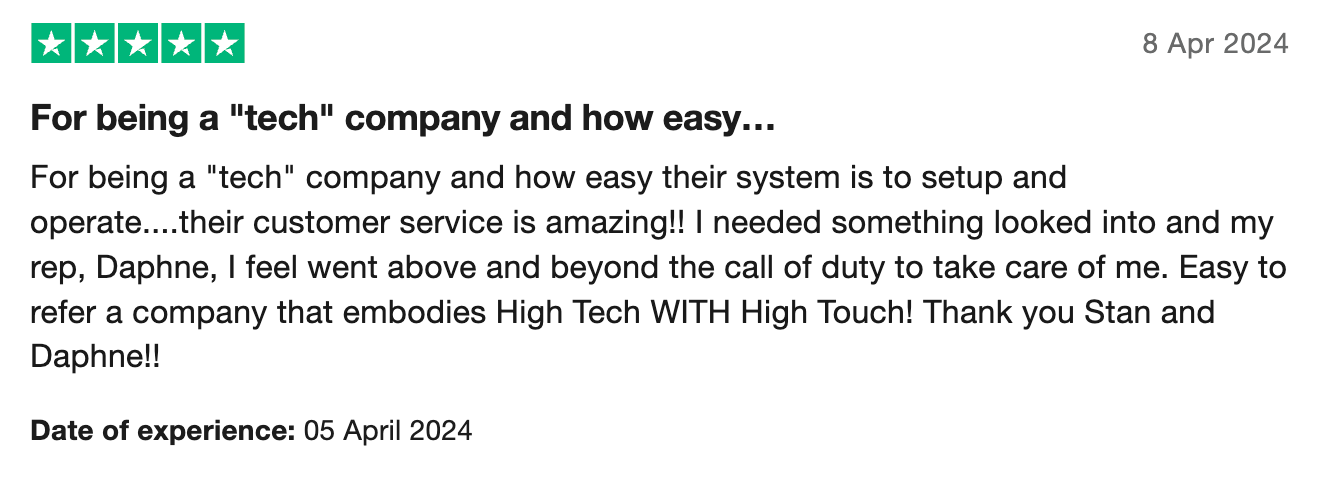
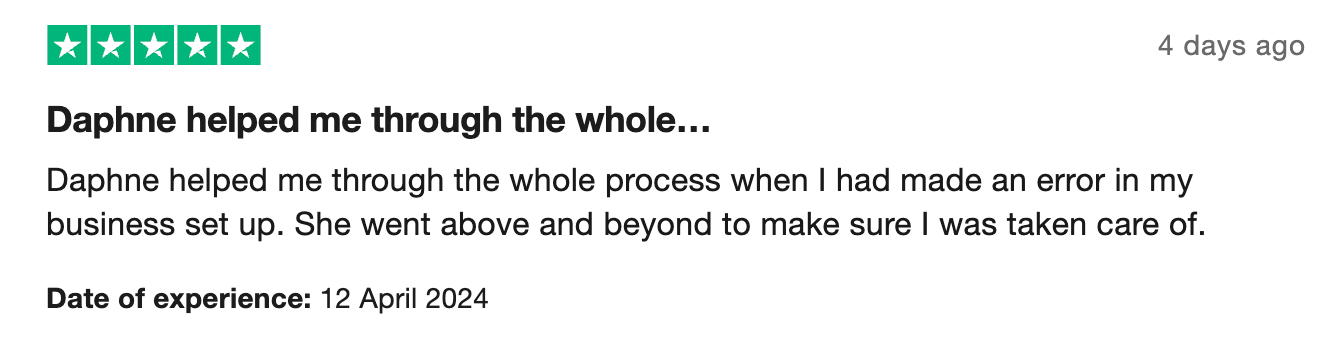
However, there are also some negative reviews, with 4% of users giving Stan a one or two-star rating. Surprisingly, these low reviews also relate to customer service, with the majority of reviews stating a lack of support and some users mentioning a lack of features.
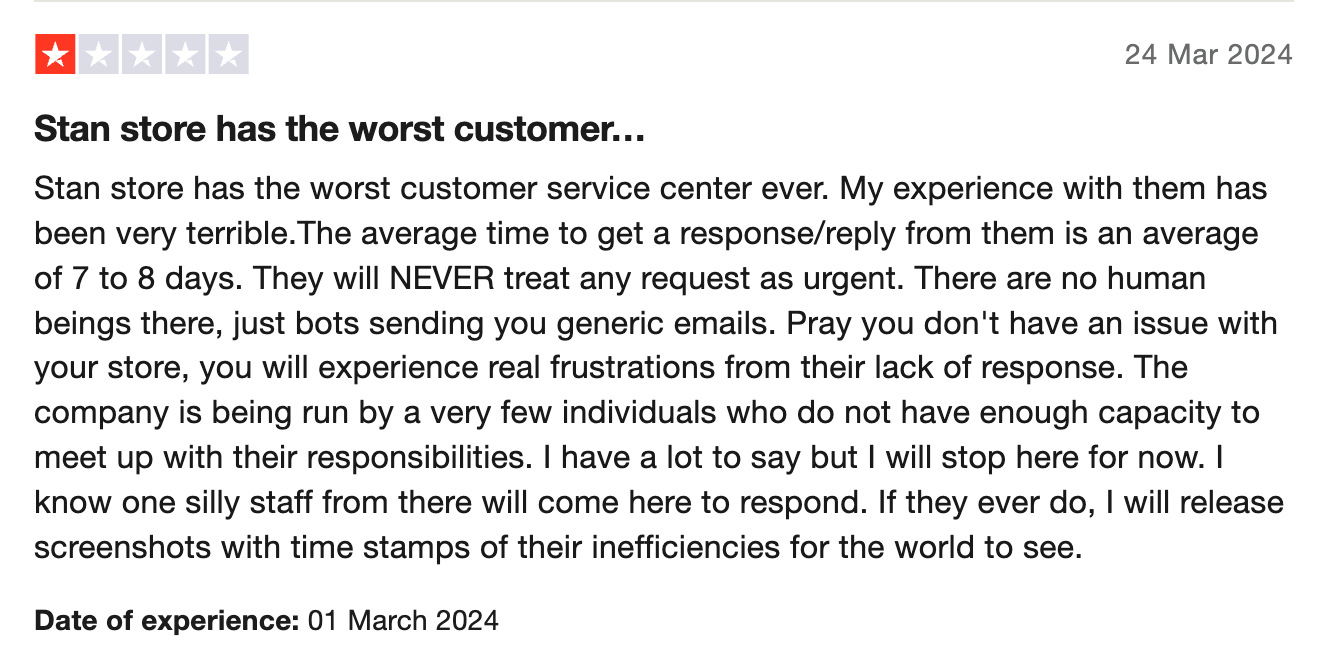
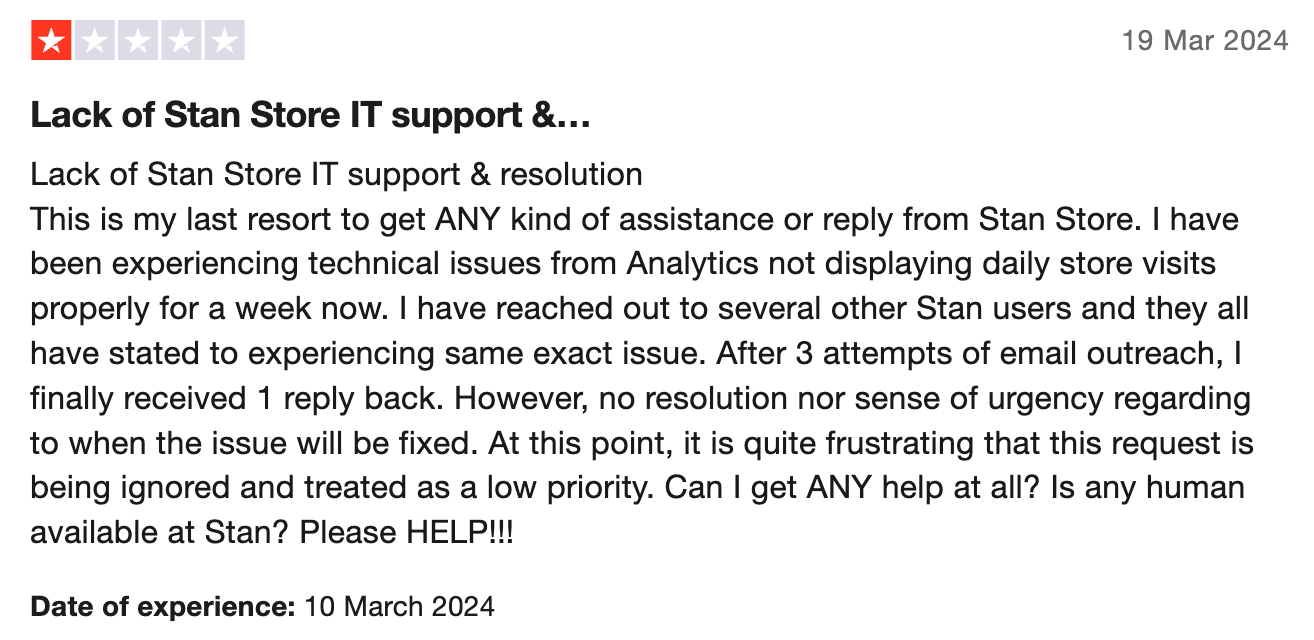
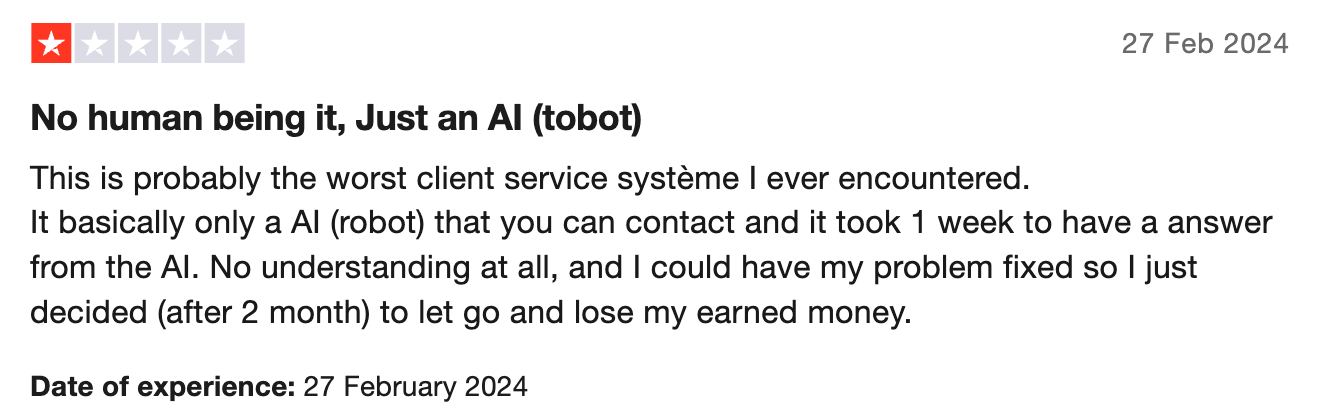
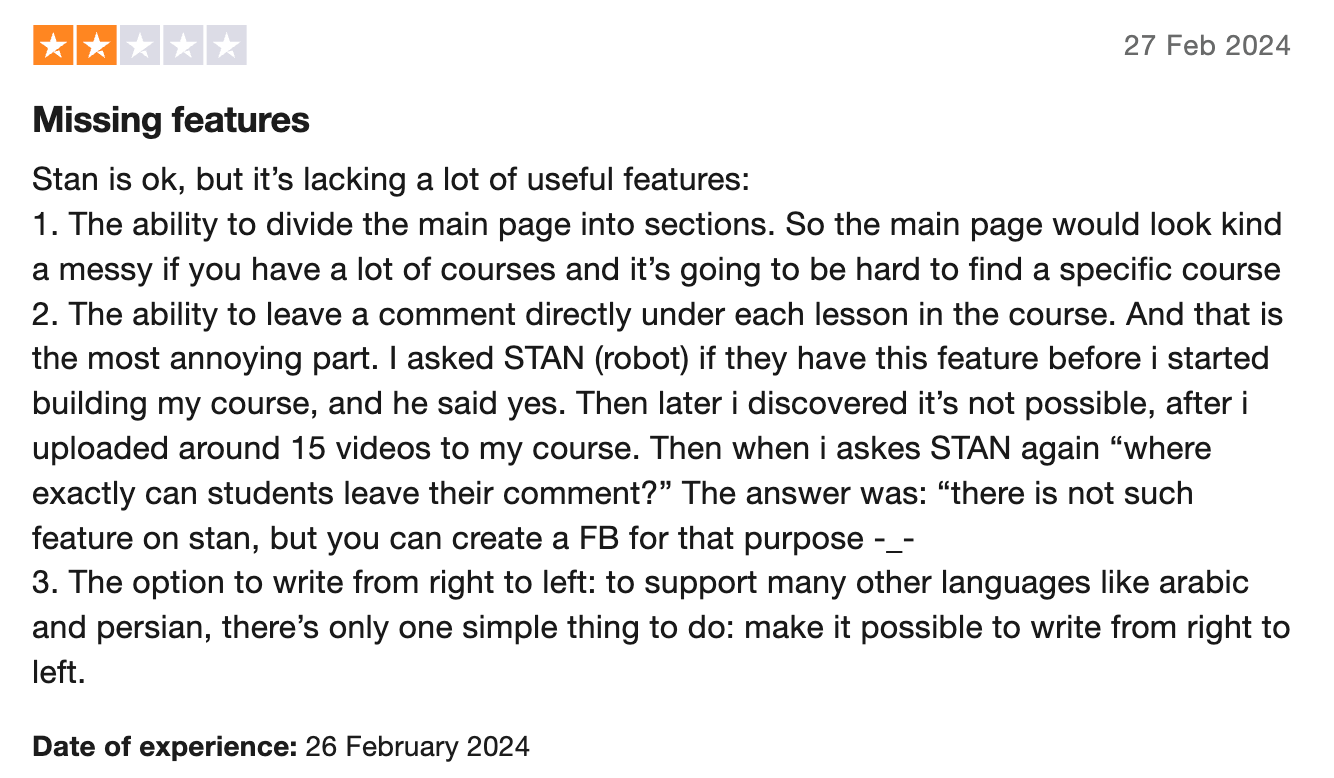
However, overall, reviews for Stan Store are largely positive.
Is Stan Store a good option for creators?
Stan Store is a good option for creators who already have a strong presence on social media, and who want to monetize that presence with a handful of products. The platform isn't a replacement for a full storefront. It performs best with six or fewer products advertised on a single-page store that's similar in layout to a Link Tree.
Stan Store is versatile enough you can use it to sell coaching sessions, conference calls, digital downloads or simple courses. However, if courses are your core product and you'd like to use gamification features, offer quizzes, create a space for community conversations or track learner activity in-depth, you may want to look at other platforms.
If you're in the target audience for Stan Store, you'll find the social media integrations it offers invaluable. For those selling more unusual products, or who want more control over their branding, other platforms may be more suitable.
The best Stan Store alternative? Whop
If you like what Stan Store offers but want more flexibility - and no monthly fees - Whop is the smarter choice.
Whop is built for creators who want to make real money online. You can sell almost anything on Whop: digital downloads, ebooks, templates, online courses, memberships, trading signals, software, live events, coaching sessions, or private communities. Whatever you create, Whop gives you the tools to sell it easily, all in one place.
Benefits of selling with Whop
Whop makes it easier, cheaper, and faster to sell online - no subscriptions, no limits, and no barriers to getting started.
Pricing
Whop's pricing hits the perfect middle ground that can appeal to creators irrespective of where they are in their journey or what sort of scale they're operating at.
With no flat subscription or membership fee, Whop lets you run your business on its platform at no cost. Charges only start to kick in when you start making sales, and they begin at an industry-low 2.7%.
Payments
Payments on Whop are faster, smarter, and more global. Whop payments include multi-PSP and native KYC, meaning you can get paid in 170+ countries via local bank transfers, crypto, or even Venmo.
Ease-of-use
Whop is also incredibly easy to get started with. You can sign up using an email address or selected social media accounts. Then simply name your whop (your new online business) and you're good to go.
We already mentioned that Whop allows you to monetize just about anything online, but there are few platforms that can even come close to how Whop does online courses and communities.
Can you sell courses with Whop?
Yes — Whop makes it incredibly easy to sell courses online. You can create, customize, and sell full learning experiences directly from your own whop (your all-in-one business hub).
When you set up your whop, you can choose “selling courses” as your business type, and the Courses app will automatically be added for you. This app gives you everything you need to build and monetize your course - from uploading lessons and adding videos or PDFs to organizing modules, chapters, and quizzes.
You can design your course however you like: structure it into chapters, drip-feed lessons over time, or attach downloadable resources to enhance learning.
Once your course is published, Whop’s built-in analytics help you track student progress, see which lessons perform best, and identify where learners might need extra support.
Because Whop handles everything - payments, access control, analytics, and delivery - you can focus entirely on creating high-quality content that sells. Whether you’re a coach, educator, or creator, Whop gives you the tools to turn your knowledge into revenue.
Whop: the best way to sell anything online
Stan Store is a simple ecommerce tool, but Whop is an all-in-one platform built for creators, entrepreneurs, and business owners to sell anything: digital, physical, or hybrid. From memberships, courses, and coaching to software, events, and bookings, Whop gives you everything you need to sell, manage, and grow in one place.
With Whop’s modular setup, you can build your own branded whop by adding only the features you need - like chat, livestreams, analytics, or file delivery — no coding required.
Plus, Whop’s Discover page reaches millions weekly, giving top-performing whops free exposure to new audiences.
Unlike Stan Store, which locks features behind paid tiers, Whop gives you full access from day one - no limits, no extra accounts, and no monthly fees. If you want to build more than just a storefront, Whop is where your entire business can live and scale.