Online payments move money from customer to business through gateways, processors, and banks in under a second. Learn the process, players, methods, and fees.
Key takeaways
- Most payment declines are preventable—they stem from data gaps, timing issues, or missing context rather than actual fraud or inability to pay.
- Smart retry logic combined with dunning communications can recover 45-70% of failed subscription payments.
- Offering local payment methods, currencies, and smart payment routing removes friction that causes cross-border transactions to fail.
Online payments are more complex than they appear. What feels instant to a customer - a tap, a click, a confirmed order - involves multiple systems, banks, and decisions happening in milliseconds.
For businesses accepting payments at scale, understanding how that system works isn't just useful. It determines how much revenue you collect, how much you lose to avoidable failures, and how well your payment infrastructure holds up as you grow.
This guide covers how online payments work, why they fail, how to optimize them, and how to choose the right setup for your business - whether you're running a subscription product, a marketplace, or selling globally.
What are online payments?
Online payments are electronic transactions that move money from a customer to a business over the internet, processed through a chain of banks, card networks, and payment infrastructure that operates in the background, usually in under a second. Global digital payment volumes reached $18.7 trillion in 2024, up from $1.7 trillion a decade earlier, according to Worldpay's Global Payments Report.
Customers experience a single tap or click, but behind it is an authorization decision involving their bank, your payment provider, and the card network - each applying their own rules and risk logic before funds are approved and eventually settled into your account.
Understanding that chain - who the players are, what each one controls, and where things can go wrong - is the foundation of building a payment system that performs reliably at scale.
How online payments work, from start to finish
Every online payment moves through a chain of players - your payment provider, the card networks, and the customer's bank - each making decisions in milliseconds before a transaction is approved or declined.
That chain completes in under a second from the customer's perspective, but what happens inside it has significant implications for your authorization rates, your costs, and your exposure to fraud.
Key players in online payment processing
Every online payment involves a few key players:
- Customer: the person paying with a card, wallet, or bank account.
- Merchant: you, the business or creator receiving the payment.
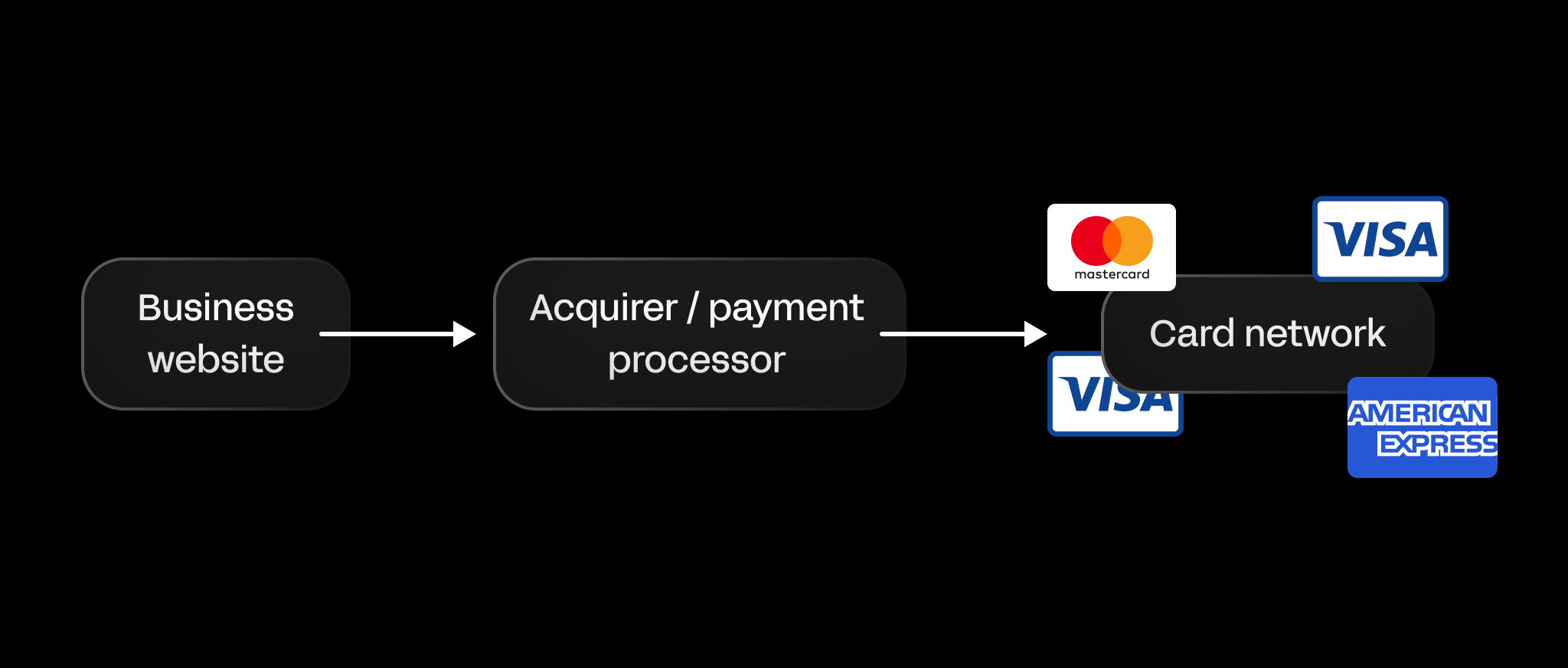
- Acquirer / payment processor: the bank or service that handles your payments, routes them through the card networks (like Visa, Mastercard, Amex), and makes sure the money gets to your account. Some providers combine these roles into one service.
- Card network: card networks (like Visa) sit between your payment provider and the customer’s bank.
- Issuing bank: the bank that issued the customer’s card and approves or declines the payment.
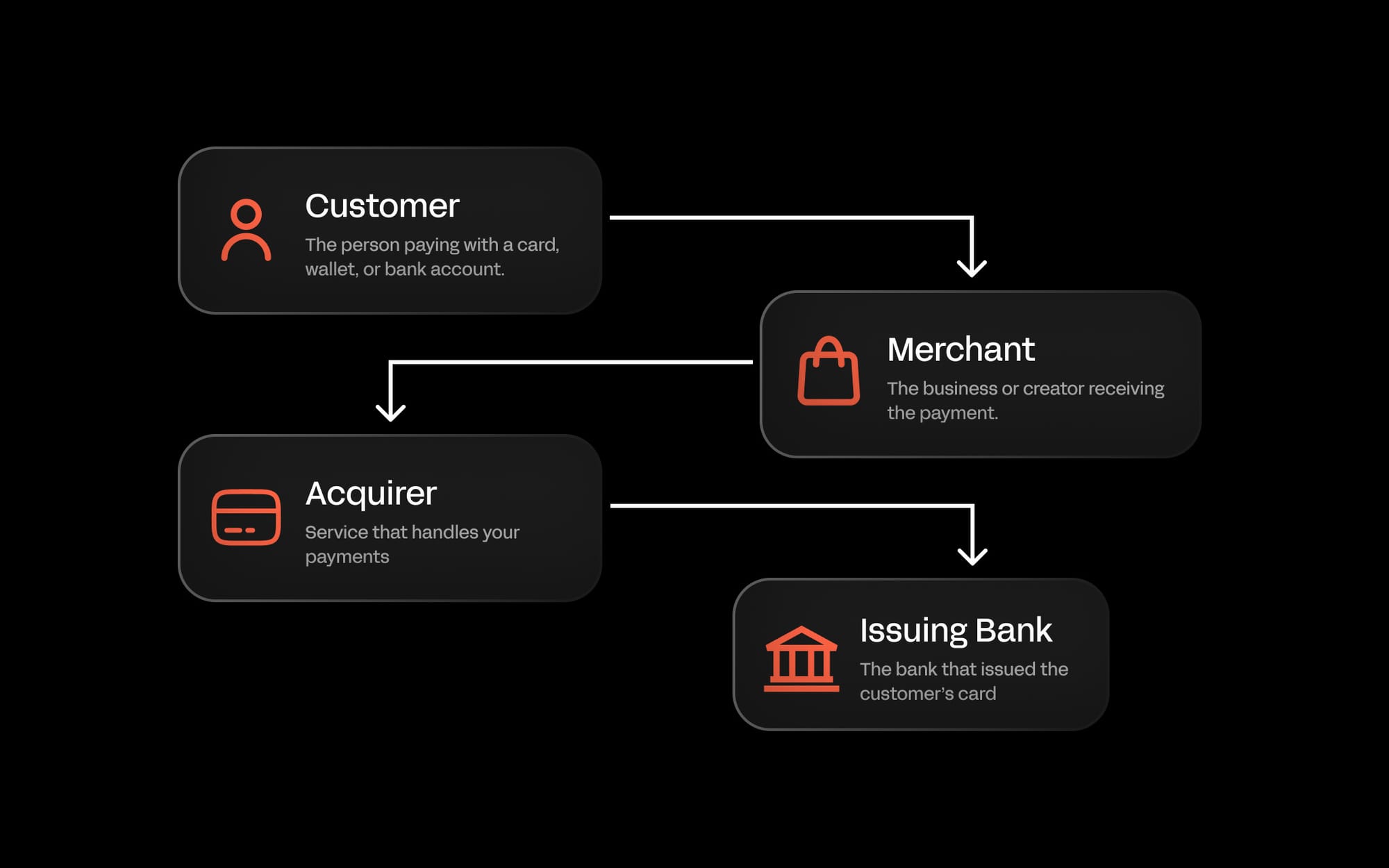
To accept online payments, you need to work with each of these players, either through a single provider or by building your own integrations.
Accepting online payments
What do you need to accept online payments?
At its core, accepting online payments requires three things:
- A payment provider to process transactions and communicate with card networks and banks
- A checkout or payment form to collect payment details from customers
- A business bank account to receive settled funds.
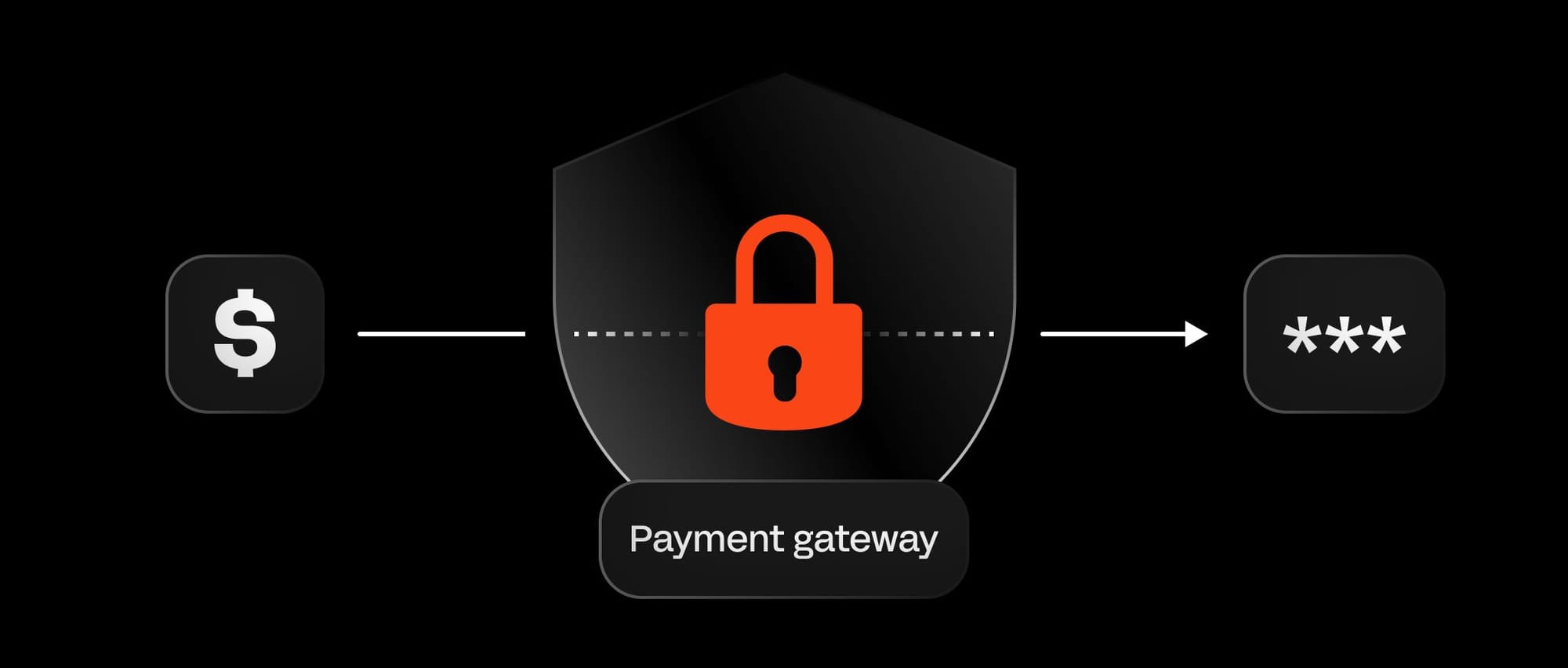
Most businesses add a payment gateway to this setup - a layer that sits between your checkout and your payment provider, encrypting and tokenizing card details so sensitive data never enters your systems.
For businesses using a hosted checkout solution, the gateway is typically bundled in. For those building custom integrations, it's a separate consideration with direct implications for PCI compliance scope and data security obligations.
Beyond the basics, the more important decision for growing businesses is how much of the payment stack to own.
For platforms and SaaS products that want payments to feel native to their product experience, embedded payments go a step further - letting you integrate checkout, billing, and payouts directly into your UI without building payment infrastructure from scratch. Read the full guide to embedded payments to learn more.
Easiest way to accept online payments
For many businesses, the simplest and fastest path to accepting payments is a platform with a ready-made checkout. You connect your bank account, choose your payment methods, and start accepting payments without building anything or handling sensitive payment data directly - the platform manages processing, security, and settlement on your behalf.
This works well for ecommerce stores, SaaS businesses, marketplaces, and entrepreneurs who want to launch quickly or avoid the engineering overhead of a custom integration.
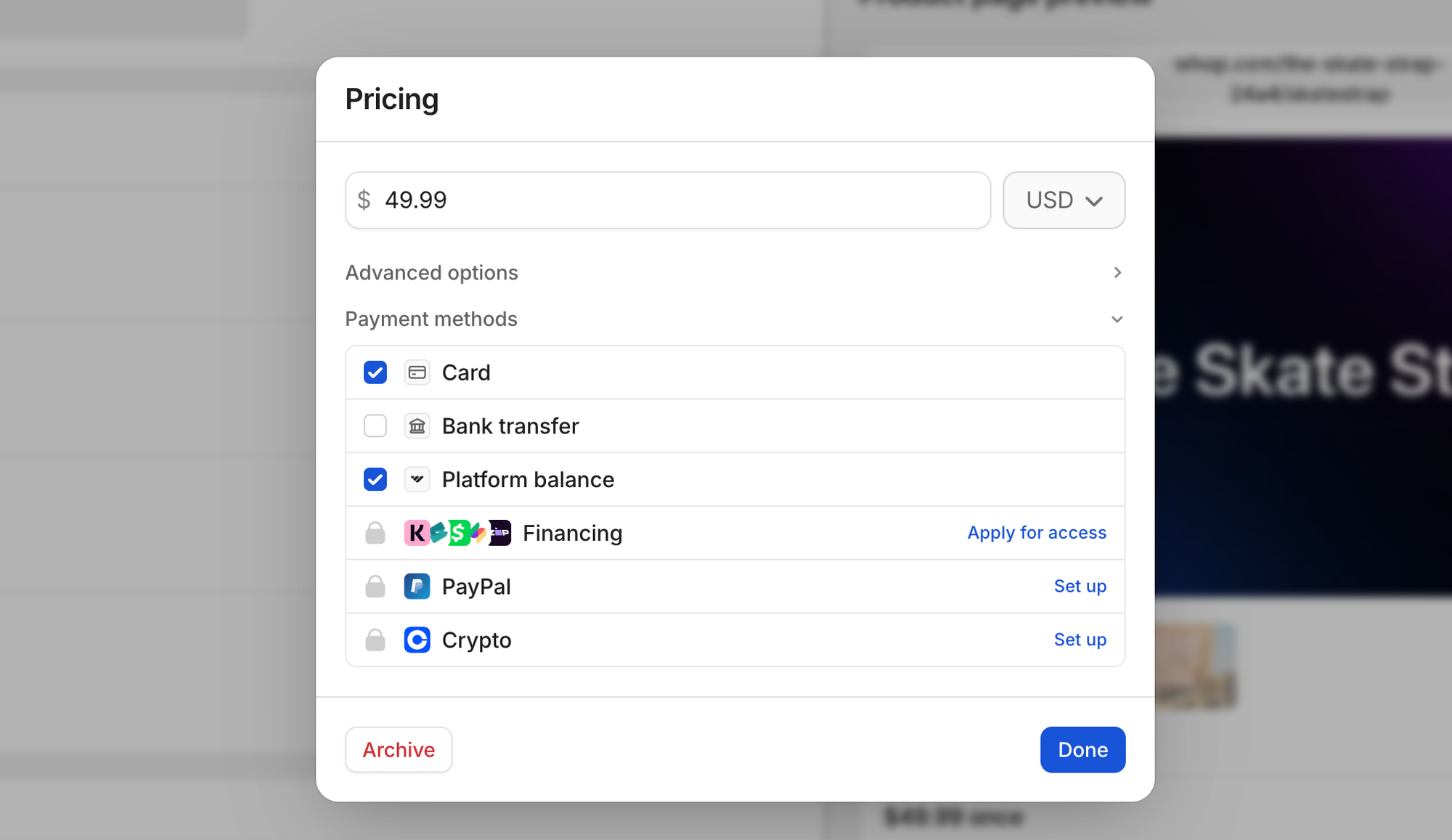
As transaction volume grows or your payment needs become more complex, you can move toward API-based integrations for greater control over routing, checkout experience, and data. But for most businesses, a hosted checkout is the right starting point.
Once everything is set up, here's what happens when a customer clicks pay.
The online payment flow
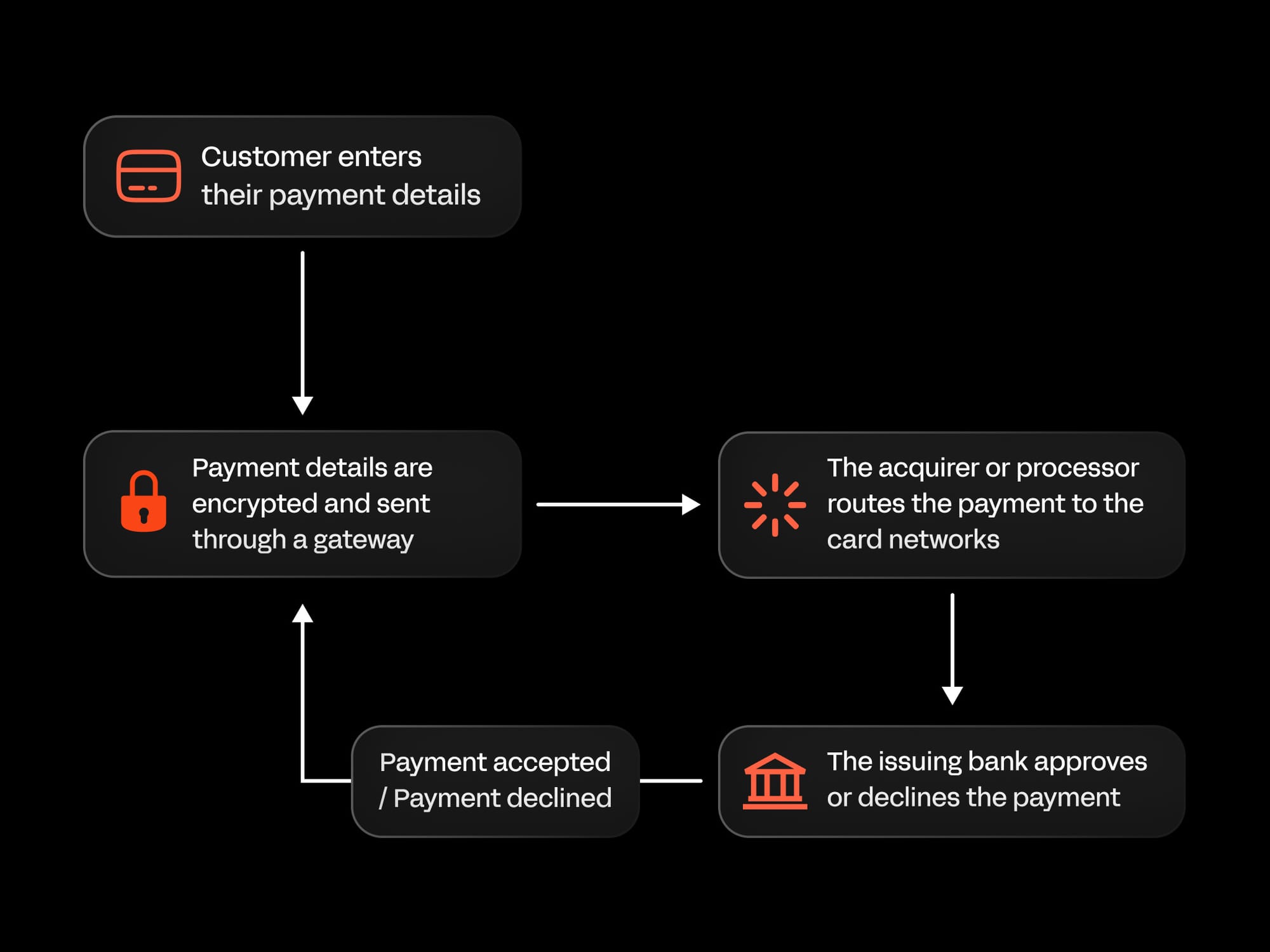
When a customer clicks pay, their transaction moves through a sequence of systems before an approval or decline is returned. Here's what happens at each stage:
- Customer enters payment details: card number, expiry, CVC, and billing address are entered at checkout - or retrieved automatically via a saved wallet like Apple Pay or Google Pay. The completeness of this data at the point of entry directly affects the likelihood of approval.
- Payment details are encrypted and tokenized: before leaving your checkout, sensitive card data is replaced with a secure token. This means real card numbers never pass through or sit on your systems, which reduces your PCI compliance scope and limits your exposure in the event of a breach.
- The payment provider routes the transaction: your provider receives the tokenized payment data and routes it through the appropriate card network - Visa, Mastercard, Amex - toward the customer's issuing bank. Which route it takes, and which acquiring relationship it travels through, can affect the outcome.
- The issuing bank makes an authorization decision: the customer's bank checks available funds, verifies card details, and applies its own fraud and risk logic. It may request additional authentication via 3D Secure before responding. This is the most consequential step in the flow - the issuing bank's decision is the primary determinant of whether a payment succeeds, and it's based entirely on what it can see from the data passed to it.
- The result is returned to your checkout: the approval or decline travels back through the network to your payment provider, which surfaces the outcome to the customer in real time.
- Approved funds are settled into your account: authorization and settlement are two distinct events. Approval happens in milliseconds, and settlement typically takes one to three business days, depending on your provider, payment method, and the markets involved.
For businesses processing internationally or managing recurring billing, additional complexity sits on top of this foundation - local acquiring relationships, stored credential frameworks, failed payment recovery, and proration logic all require your payment infrastructure to do more than handle a single one-time transaction.
What happens when an online payment fails?
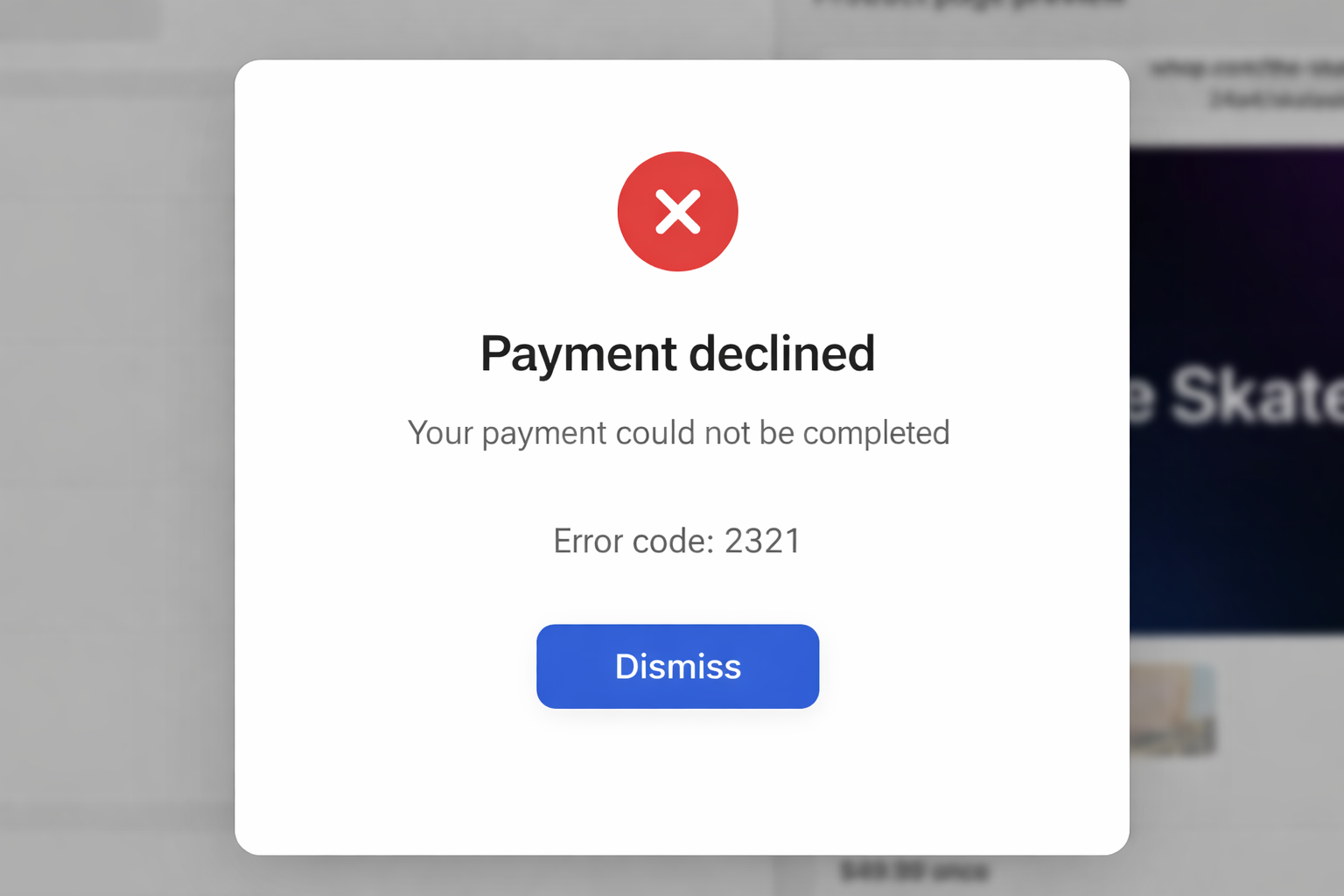
When an online payment fails, the transaction is stopped somewhere between the customer’s checkout and their bank.
From the customer’s perspective, this usually looks like a simple error message. But behind it is a specific reason - and the reason determines whether the payment is gone for good or recoverable.
Most failed payments fall into two categories:
- Hard declines: these are permanent - the issuing bank has refused the transaction and retrying it won't change the outcome. These occur when a card is expired, canceled, reported stolen, or flagged for confirmed fraud.
- Soft declines: these are temporary - the transaction failed due to a transient issue such as insufficient funds at that moment, a network timeout, a fraud flag that requires additional authentication, or a bank system outage.
Roughly 80-90% of all payment declines are soft declines, according to Payrails - which means the majority of failed payments represent recoverable revenue, not lost customers.
The gap between online and in-person payment success rates illustrates how significant this problem is. In-store approval rates run close to 97%. Ecommerce averages around 85%, according to PayU - a 12-percentage-point gap that, across thousands of transactions, represents substantial lost revenue.
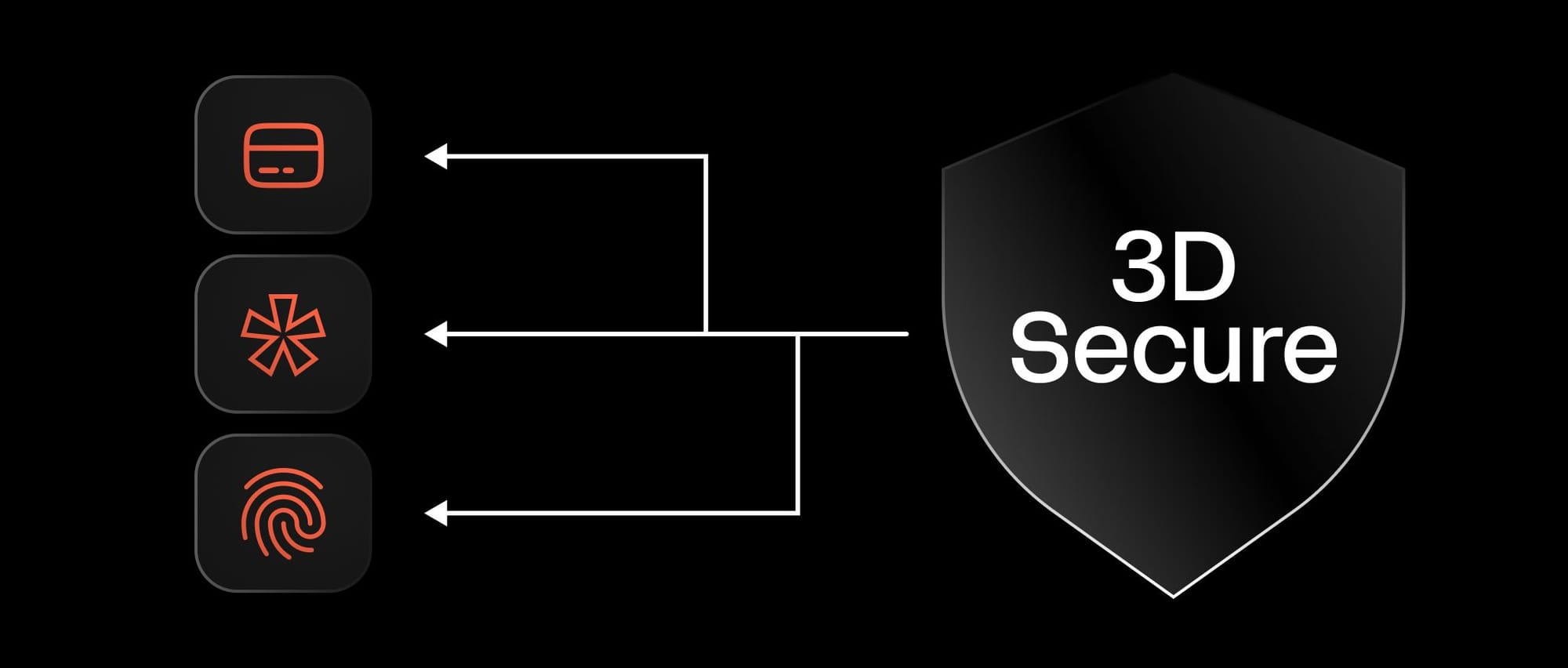
A failed payment doesn't always mean the customer can't or won't pay. Many failures are caused by timing, configuration, or issuer-side risk decisions rather than any real issue with intent or ability to pay.
Dr. Ignacio E. Carballo, Senior Consultant at PCMI and an economist with over a decade of experience in digital finance, explains why:
In 2026, most ‘false declines’ happen because issuer risk systems still lack context, not because the transaction is actually risky. Even when a merchant follows best practices, mismatches in data quality, device signals, or transaction patterns can trigger automated declines.
The biggest issue is fragmentation, the issuer doesn’t see the full customer journey, only a single moment in time.
In addition, more financial education is still needed on the consumer side in order to prevent mistakes that can lead to declines.
What does this mean? Providing richer data at checkout - complete billing addresses, email, device signals - gives issuers the context they need to approve rather than decline. The more a transaction looks complete and familiar, the less likely it is to be flagged.
Understanding where and why payments fail is the foundation of payment optimization. Most failed payments are preventable or recoverable, if you know what to fix.
Payment optimization: how to maximize success and reduce failures
Even with a well-configured payment setup, not every transaction will succeed on the first attempt. Cards expire, banks apply risk logic, and international payments fail for reasons that aren't always visible from your side of the transaction.
The difference between businesses that absorb those losses and businesses that recover them is payment optimization - the practice of systematically improving every stage of the transaction process to maximize the percentage of attempted payments that complete successfully.
For businesses processing at scale, even a one or two percentage point improvement in authorization rates compounds into significant revenue. And most of that improvement is available without the customer doing anything differently - it comes from how you collect data at checkout, how you route transactions, how you handle retries, and how quickly your systems respond when something fails.
The cost of getting this wrong extends beyond the immediate lost transaction. As Derek Wilmer at Whop explains, the window to capture a customer's intent is narrow:
Think about seeing an Instagram ad for a t-shirt and you try to buy it. If you try to purchase the product and it doesn't work, the likelihood of you trying again is very low.
If it's cold traffic, you want that payment to work on the first try as often as humanly possible, otherwise the likelihood of getting that sale ever again is very, very low - and that's now a lost customer.
Optimizing payments means treating authorization rate as a core business metric, not just a technical one, and building the systems to manage it accordingly.
Here's how to approach it across every layer of your payment process.
Checkout form optimization
Your payment funnel begins before the customer enters a card number. According to Baymard Institute, 70.22% of online shopping carts are abandoned before purchase - and Baymard estimates $260 billion of that is recoverable in the US and EU through better checkout design alone.
The biggest culprits are form complexity, surprise costs, and mobile friction. The average US checkout contains far more form fields than customers are willing to tolerate - 18% of shoppers have abandoned an order specifically because the checkout process felt too long or complicated, according to Baymard.
Unexpected fees revealed at checkout are the single most cited reason for abandonment.
And on mobile, where abandonment runs consistently higher than desktop, mobile wallets like Apple Pay and Google Pay bypass manual card entry entirely - removing one of the most friction-heavy steps in the flow.
The most effective way to find what's costing you is to instrument your checkout end to end, tracking drop-off at each step so friction has a measurable cost. Here are the kind of questions you should ask when testing your online checkout form:
- Does your checkout support autofill and one-click wallet payments like Apple Pay or Google Pay?
- Are billing and shipping address fields linked, or are customers entering the same information twice?
- Are your supported payment methods visible before the customer reaches the payment step?
- Does your checkout adapt to the customer's location - surfacing local payment methods and the correct address field format?
Retry logic and recovery
One of the most effective ways to recover failed payments is through automatic retry logic, aka payment orchestration. Instead of treating the first failure as final, an automated system attempts the payment again - at a timed interval, sometimes with a different routing path, and in some cases with a refreshed card token if credentials have been updated.
The timing matters: retry too quickly and you hit the same issuing bank state; wait too long and you lose the window.
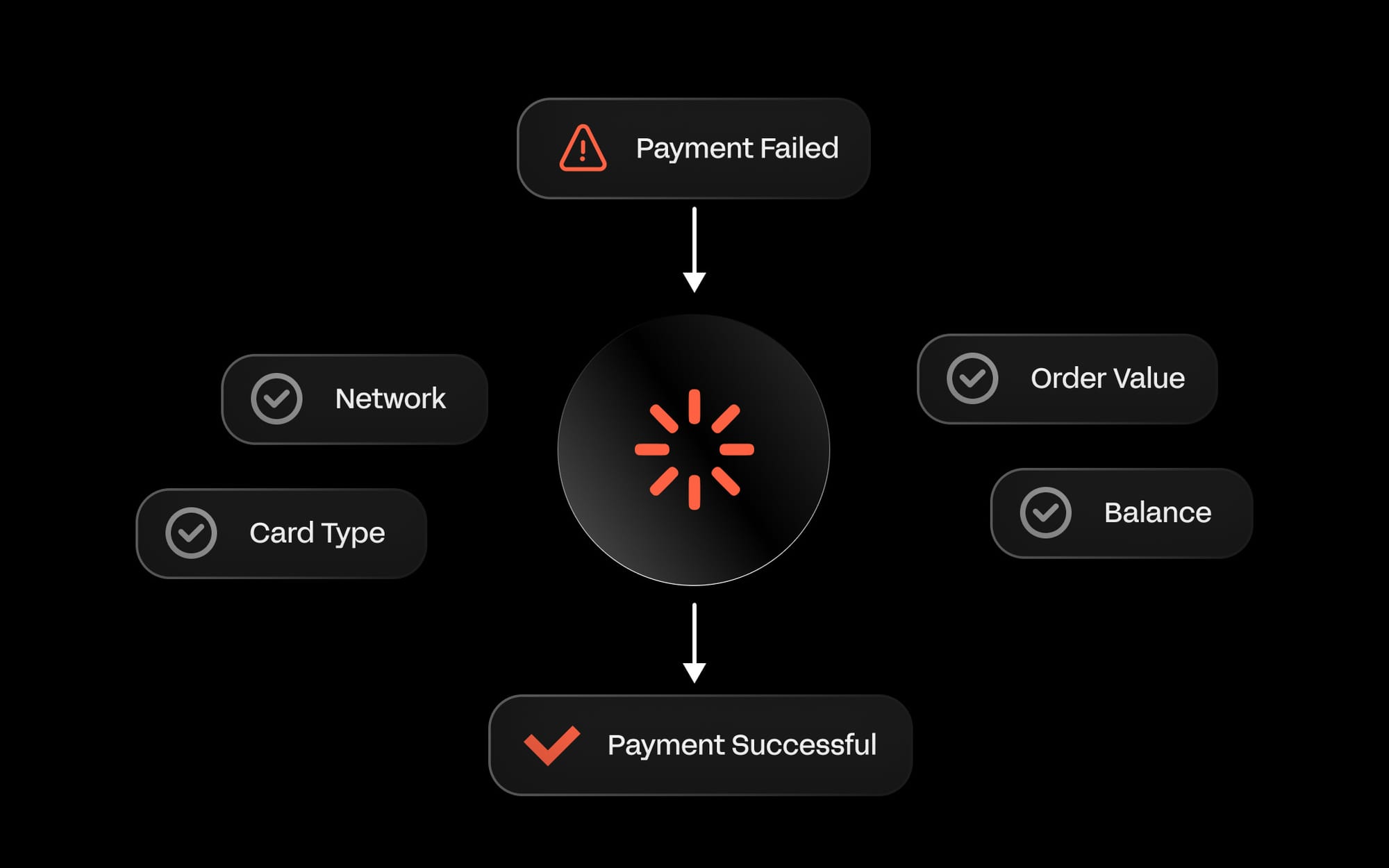
For subscription businesses, this is where involuntary churn either gets controlled or compounds. A failed renewal that goes unrecovered doesn't just cost you one month's revenue - it often costs you the customer.
Most platforms pair retry logic with a dunning sequence - a combination of in-app prompts, email reminders, and card update flows that give customers a frictionless path to resolve the issue before their access lapses.
According to Kaplan Collection Agency, businesses that implement automated retries alongside thoughtful dunning communications recover between 45–70% of initially failed payments. That's a meaningful share of revenue that would otherwise disappear silently, not because customers churned intentionally, but because a card expired or a bank flagged a routine charge.
Improving authorization success
Authorization rate - the percentage of attempted payments your issuing bank actually approves - is one of the most impactful metrics in your payment stack, but one of the easiest to overlook.
The issuing bank can't see your business or your customer's history with you. It sees a card number, a transaction amount, and whatever data your payment provider passes alongside it.
The more complete that picture, the better your odds of approval. Passing full billing address, email, and CVC reduces the chance the bank's fraud model flags the transaction simply because something looks missing.
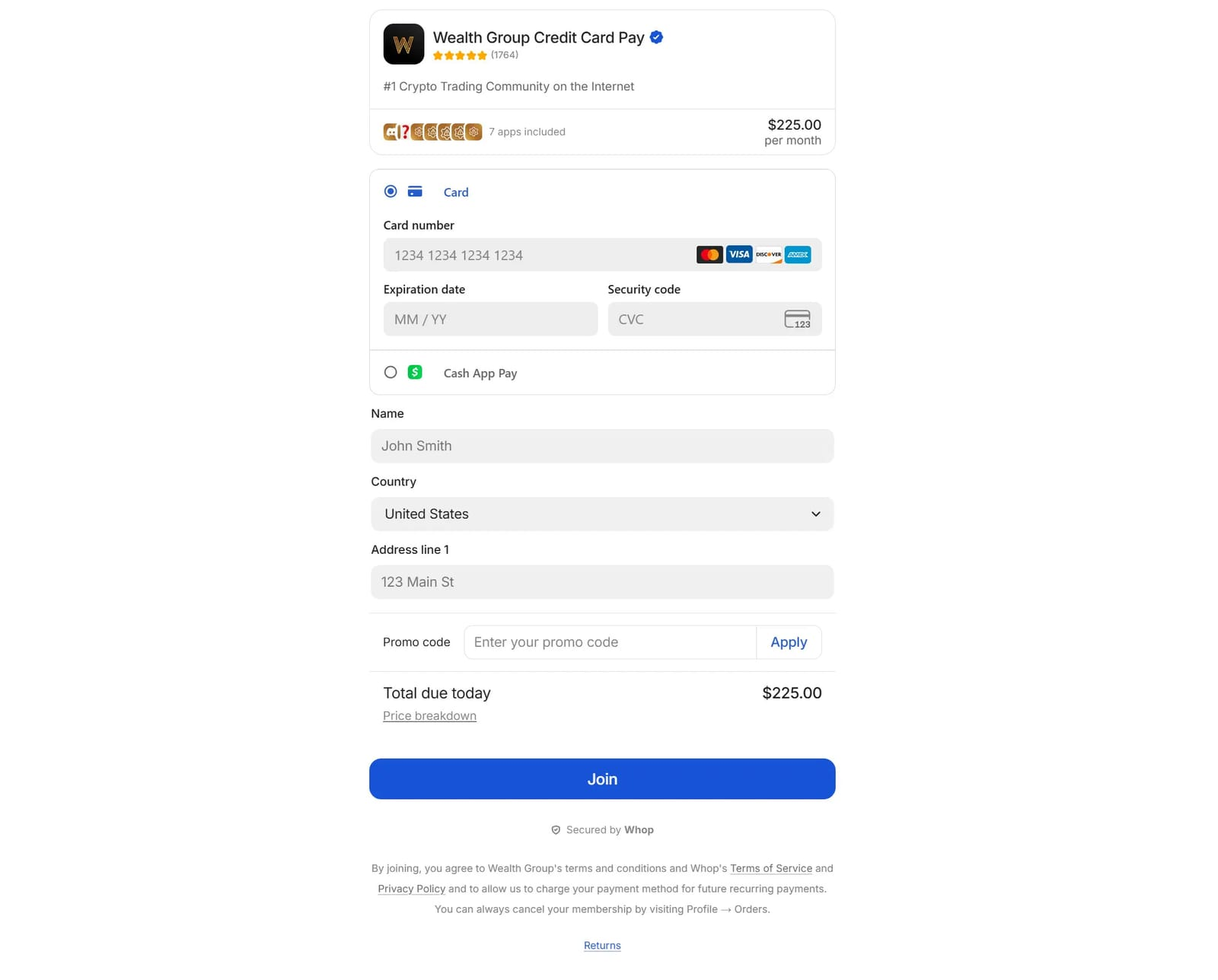
For subscriptions and stored-card payments, using the correct transaction type matters too. A merchant-initiated transaction (a renewal charge, for example) needs to be flagged differently than a new cardholder-present one. Using the wrong type is a common, but easily fixable, source of declines.
Smart routing is another great tool. Instead of sending every payment through the same acquiring path, intelligent routing evaluates each transaction - card type, BIN, geography, amount - and directs it through the relationship most likely to get approved.
"When the first 4 numbers of the card are entered (the BIN) we recognize the BIN and see 'ok it's a Chase card, in the UK, for $3000 - based off historical data it's going to be best if it goes to 'this bank', and then it gets routed to that one".
And if a card still gets declined, having alternative payment methods available - a mobile wallet, a bank transfer - gives the customer a way to complete the purchase without leaving your checkout.
International and cross-border considerations
Selling globally introduces failure points that have nothing to do with a customer's ability to pay. A transaction can decline simply because an issuing bank doesn't recognize your acquirer, or because a customer can't find their preferred payment method at checkout.
The most effective fix is local acquiring - routing transactions through a bank or processor based in the customer's country. To an issuing bank, a locally acquired transaction looks familiar; a cross-border one looks riskier by default. In key markets, even a single local acquiring relationship can meaningfully lift approval rates.
Currency matters too. Dr. Ignacio E. Carballo explains:
Approval rates improve most when transactions look ‘local’: local acquiring, local currency, familiar payment methods, and richer data all matter. Strong authentication helps, but reducing perceived foreignness is usually more powerful than adding friction.
Payment method coverage is the other side of this. iDEAL accounts for around 72% of online payment volume in the Netherlands, Alipay and WeChat Pay dominate in China, EFTPOS is standard in Australia. Offering only cards in these markets means a meaningful share of customers will hit a dead end at checkout.
You also need to stay compliant with regional rules. The key ones:
- Payment authentication: In Europe, businesses often need to follow Strong Customer Authentication (SCA) rules under PSD2, which can require extra verification like 3D Secure.
- Anti-money laundering (AML): Many regions require businesses to monitor for suspicious activity and, in some cases, verify customers or sellers (especially for platforms and marketplaces).
- Taxes and reporting: Depending on where you sell, you may need to collect and report sales tax, VAT, or GST, and keep clean records for reconciliation and audits.
Balancing customer experience, bank requirements, and legal compliance is key to running a global payment system that’s both seamless and secure.
Balancing fraud prevention with customer experience
Fraud prevention is necessary, but overly aggressive controls are their own problem. Every legitimate transaction your fraud system incorrectly blocks is a lost sale, and unlike a soft decline, the customer rarely knows why it happened.
You can use machine learning, risk scoring, and behavior analysis to detect suspicious activity while minimizing false declines, and techniques like velocity checks - which monitor how many attempts are made with a single card - help catch fraud without frustrating genuine customers.
Maddie from Whop tells us "You have the best customer and user experience when there are really seamless fraud checks. When fraud checks are working properly, you hardly even know they're there, and you're only going to catch the bad actors".
The businesses that get this right treat fraud prevention as an optimization problem, not just a security one - continuously tuning their rules to reduce false positives alongside genuine fraud rates.
Monitoring and metrics
With all the above strategies in place, continuous monitoring is essential to identify patterns and improve performance.
Tracking metrics like authorization rates, payment success rates, and the reasons for failed payments helps you pinpoint weak points. Are declines coming from expired cards, incomplete customer information, or network errors?
Key payments metrics to track
| Metric | How to track it | Why it matters |
|---|---|---|
| Authorization rate | Check your payment dashboard for approved vs attempted payments | Shows how often payments go through; low rates can signal issues with banks, payment methods, or your setup |
| Payment success rate | Compare successful payments to total attempts | Reveals how much revenue you’re losing to failed checkouts |
| Decline reasons | Review provider reports for why payments failed (for example, insufficient funds or expired cards) | Helps you spot patterns and fix the most common problems |
| Failed payment recovery | Track retries and reminder emails for subscriptions | Shows how much lost revenue you’re able to recover |
| Churn from payment failures | Look at cancellations caused by failed payments | Highlights customers you’re losing due to payment issues, not product issues |
Types of online payment methods that your business can offer
The payment methods you offer directly affect whether customers complete a purchase. A checkout that doesn't support a customer's preferred way to pay is a checkout they'll leave.
Cards, digital wallets, bank transfers, Buy Now Pay Later, and local payment options each serve different customers and use cases - and the right mix depends on who you're selling to and where.
Payment methods compared
| Method | Speed | Fees | Fraud risk | Best use case |
|---|---|---|---|---|
| Credit/Debit Card | Instant | 1.5–2.5% + $0.10 | Medium | One-off purchases, subscriptions, agencies, marketplaces |
| Digital wallet (Apple Pay, Google Pay, Venmo) | Instant | 2–3% | Low | Mobile-first ecommerce, subscriptions, tech-savvy customers |
| Bank transfer / Direct debit | 1–3 days | Low (varies by bank) | Low | Recurring subscriptions, B2B payments, marketplaces |
| Buy Now, Pay Later (Afterpay, Klarna) | Instant | Merchant pays fees (~2–6%) | Medium | High-ticket ecommerce, premium services, flexible payments |
| Local payment methods (iDEAL, Alipay, EFTPOS) | Instant | 1–3% | Low | International ecommerce, marketplaces, global SaaS |
| Cash-based / Voucher payments (OXXO, Boleto, Konbini) | 1–2 days* | Low (~1–2% depending on provider) | Low | Unbanked customers, LATAM ecommerce, emerging markets, convenience-store payments |
Card payments
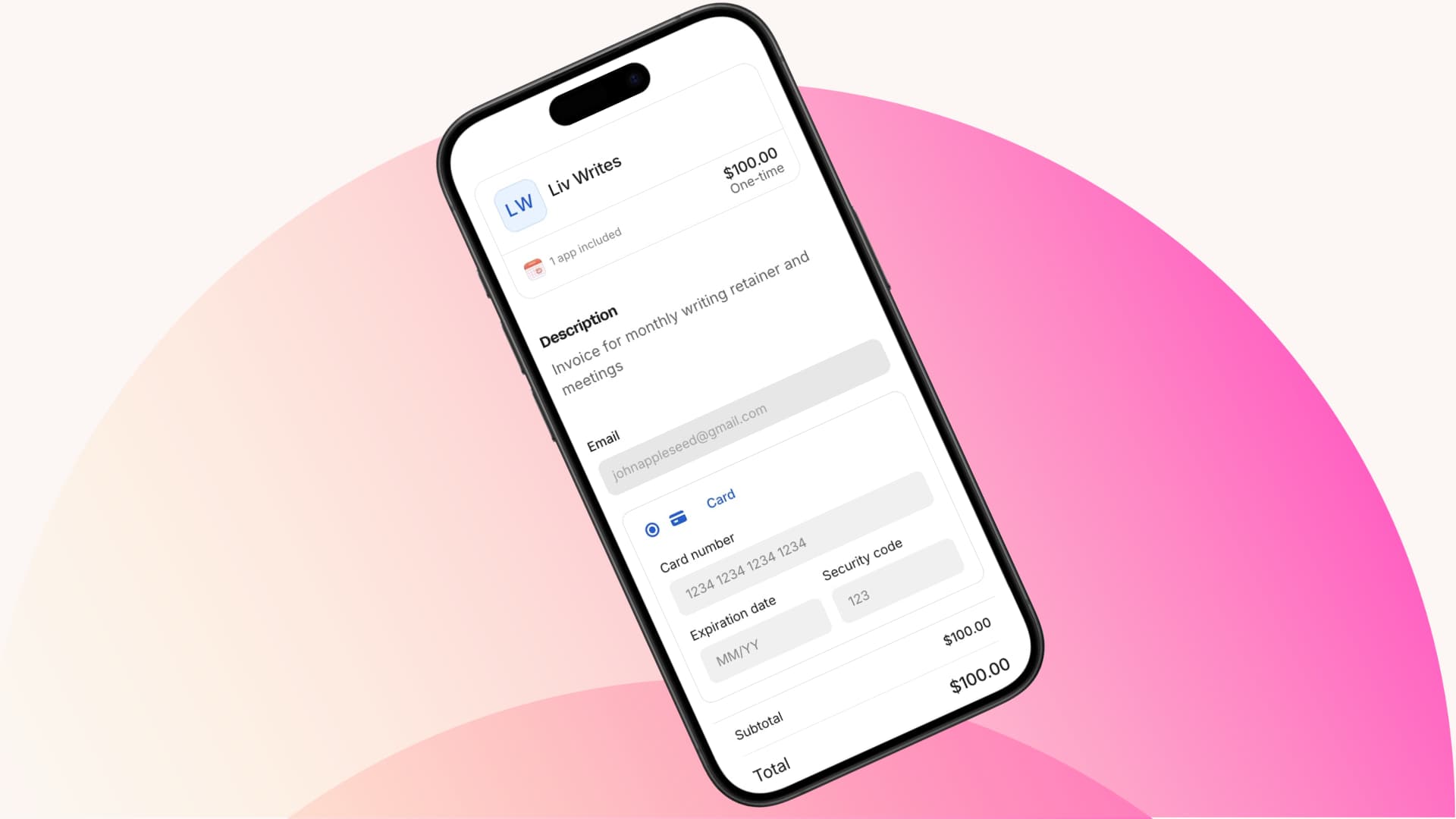
Credit and debit cards remain one of the most widely used online payment methods across the world because they’re familiar, fast, and accepted in almost every market. Several sources report that card‑based payments still account for a large share of online transactions globally, with combined credit and debit card usage representing around 40–48% of online purchases in recent data.
Cards work well for almost any business - especially for one‑off purchases and subscriptions - but they do come with fees and occasional declines that you’ll need to manage as part of your payment strategy.
Best for:
- Agencies and freelancers taking project payments
- SaaS and subscription businesses
- Ecommerce stores with one-off or repeat sales
- Marketplaces that need multiple seller payouts
Mobile/digital wallets
Digital wallets like Apple Pay, Google Pay, and Venmo allow customers to pay instantly without entering card details, streamlining the checkout process. These payments are often faster and reduce friction - especially on mobile, when customers usually do not have their card details to hand.
According to Fortunly, 90% of U.S. consumers cite 'ease of use' as their primary reason for using Apple Pay in 2024.
Best for:
- SaaS subscriptions and recurring payments
- Ecommerce mobile-first stores
- Agencies with tech-savvy clients
Bank transfers and direct debits
Bank transfers and direct debits let customers pay directly from their bank accounts, bypassing card networks entirely. That makes them particularly well-suited to recurring billing - once set up, payments collect automatically each cycle with no card expiry risk and generally lower failure rates than card-based subscriptions.
For one-off payments they're slower to settle, but for businesses with predictable billing cycles they're one of the most reliable and cost-effective methods available.
Best for:
- SaaS and subscription businesses
- Platforms and marketplaces with recurring billing
- B2B agencies handling large invoices
Buy now, pay later (BNPL)
Buy Now, Pay Later services like Afterpay or Klarna let customers split payments over time instead of paying everything upfront. Businesses use BNPL to make higher-ticket products more accessible, which can increase conversions and sales.
BNPL results in an 85% higher average order value compared to other payment methods, according to Capital One Shopping research.
Best for:
- Ecommerce stores with mid- to high-ticket products
- Agencies offering premium services to consumers
- Marketplaces where buyers may need flexible payment options
Local and alternative payment methods
Every region has its own preferred ways to pay, like iDEAL in the Netherlands - which accounted for about 72% of online payment volume in 2024 - or mobile wallets like Alipay and WeChat Pay in China, where alternative payment methods made up around two‑thirds of ecommerce transactions.
Choosing a provider that supports local acquiring - where the transaction is processed through a bank or processor in the customer’s country - can improve approval rates, reduce declines caused by cross-border restrictions, and provide a smoother experience for international buyers.
Best for:
- Global ecommerce and SaaS businesses
- Marketplaces with international sellers and buyers
- Platforms looking to scale globally
Crypto payments
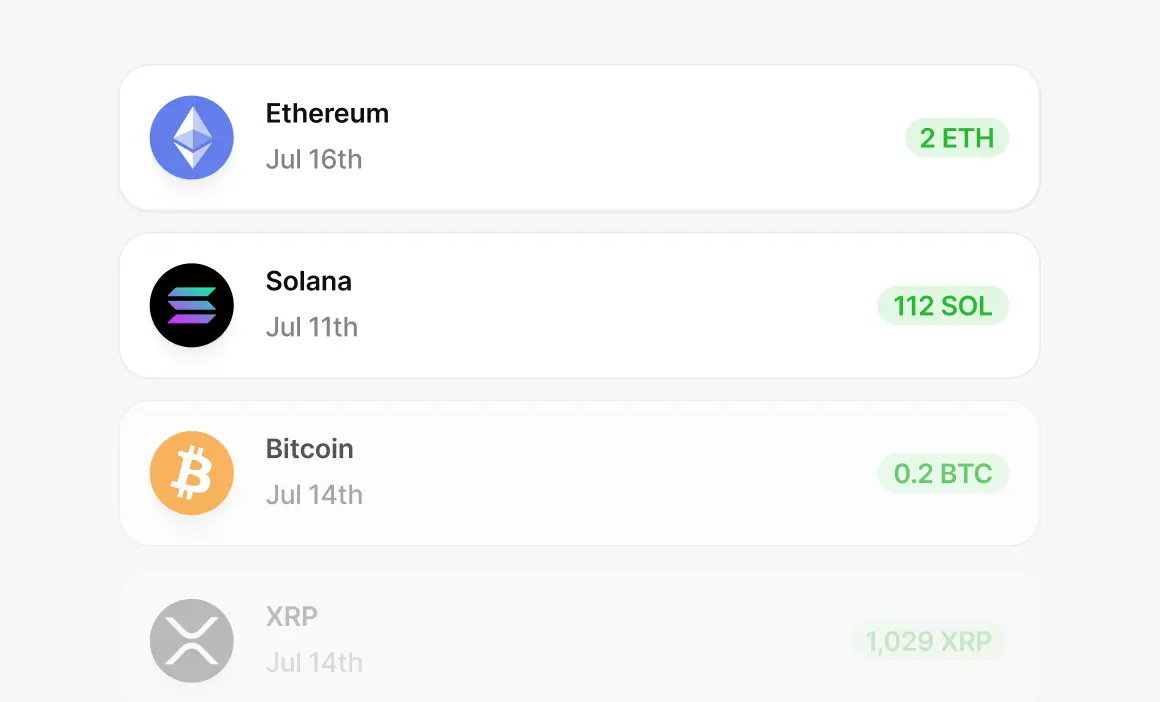
Crypto payments let customers pay using cryptocurrencies like Bitcoin, Ethereum, or stablecoins instead of traditional cards or bank transfers. Payments are settled on blockchain networks, often without intermediaries like card networks or issuing banks.
Businesses use crypto payments to reach global customers, reduce cross-border friction, and offer an alternative for buyers who prefer decentralized or wallet-based payments.
Depending on the setup, crypto payments can settle faster and carry lower fees, but price volatility and adoption vary by currency.
Some providers convert crypto to fiat instantly, so businesses don’t need to hold or manage cryptocurrency directly.
Best for:
- Global online businesses with international customers
- Virtual products, memberships, and solo entrepreneurs
- Businesses serving crypto-native or privacy-focused audiences
Thinking of integrating crypto payments? Check out this Coinbase review
Cash-based and voucher payments
Cash-based vouchers let customers pay for online orders in cash, even if they don’t have a card or bank account. Popular options include OXXO in Mexico, Boleto Bancário in Brazil, and Konbini in Japan.
With a cash or voucher-based payment, a customer selects a voucher at checkout, your site generates a barcode or reference number, they pay at a store or bank, and the voucher provider confirms the payment digitally so you can fulfill the order. So it is a way to pay online without having a credit or debit card.
These methods are essential in regions with low card penetration or unbanked customers, and can help reduce checkout drop-off. OXXO vouchers cover roughly 40% of online purchases in Mexico.
Best for:
- Ecommerce and digital businesses in LATAM or Japan
- Platforms serving unbanked customers or those that prefer cash
- Marketplaces or global businesses looking to boost approval rates in card-light regions
Leading online payments platforms
Once you know which payment methods your customers need, the next decision is which platform delivers them reliably and fits how your business operates.
The right platform determines which cards you can accept, how much engineering overhead you carry, how well payments perform at scale, and how much visibility you have when things go wrong.
| Platform | Best for | Strengths | Notes |
|---|---|---|---|
| Stripe | SaaS, subscriptions, ecommerce | APIs, global payments, billing | Developer-friendly |
| PayPal | Ecommerce, small businesses | Brand trust, wallets | Consumer-facing |
| Adyen | Enterprise, global brands | Local acquiring, optimization | Built for scale |
| Square | Small and omnichannel sellers | Online + in-person payments | Simple setup |
| Whop | Creators, marketplaces, SaaS | Checkout, subscriptions, payouts | All-in-one |
The best platform is the one that fits your business model, supports your payment methods, and scales with you.
How to choose the right online payments platform
There's no single best platform - the right choice depends on how you sell, who you sell to, and how much complexity you're willing to manage.
Here’s a simple way to think about it by use case:
- If you run a SaaS or subscription business
Look for strong recurring billing, retries, proration, and API flexibility. Platforms like Stripe or Whop are commonly used for subscription-based models. - If you sell ecommerce products
Prioritize fast checkout, wallet support, and customer trust. PayPal, Stripe, and Square are often used for online stores, especially when paired with digital wallets. - If you operate a marketplace or platform
You’ll need seller onboarding, payouts, and compliance support. Systems built for multi-party payments, like Stripe Connect or Whop, are better suited for this use case. - If you sell globally
Focus on local payment methods, local acquiring, and multi-currency support. Adyen and Stripe are commonly used by international businesses, Wise is good for freelancers, while Whop simplifies global payouts and retries for online sellers. - If you want the simplest setup
An all-in-one platform with a hosted checkout reduces setup time and ongoing complexity. This is often the easiest option for solo creators and small teams.
Once you’ve chosen a platform, the next step is configuring it correctly for your specific business model.
Choosing and optimizing an online payment setup for your business
The underlying payment flow is the same for every business. What differs is everything built on top of it - how you bill, how you pay out, how you recover failures, and how you handle the edge cases that come with scale.
For subscription businesses, involuntary churn from failed payments accounts for 20–40% of total churn - a revenue problem that often masquerades as a retention problem. For marketplaces, payout delays and compliance gaps are among the fastest ways to lose seller trust.
For ecommerce, with mobile now accounting for 57% of global transactions in 2024 (Worldpay), a checkout that isn't optimized for mobile isn't optimized at all.
Getting your setup right for your specific model is what separates payments that quietly compound revenue from payments that leak it.
SaaS and subscription
For subscription businesses, payments aren’t a one-time event. Every billing cycle introduces new failure points: cards expire, banks apply updated risk logic, customers change plans mid-cycle, and each of these events needs to be handled correctly or it becomes either a failed payment or an incorrect charge.
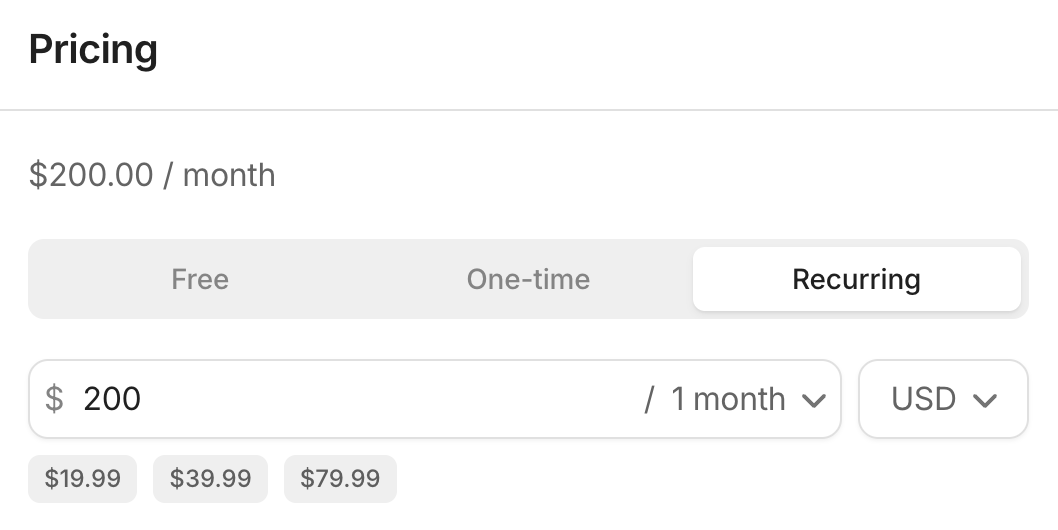
One of the first decisions SaaS businesses face is whether to build their own billing system or use an existing payments platform. Building gives you more control, but it also means ongoing engineering work and maintenance. Using a payments platform can simplify recurring billing by handling things like retries, invoicing, and reporting for you.
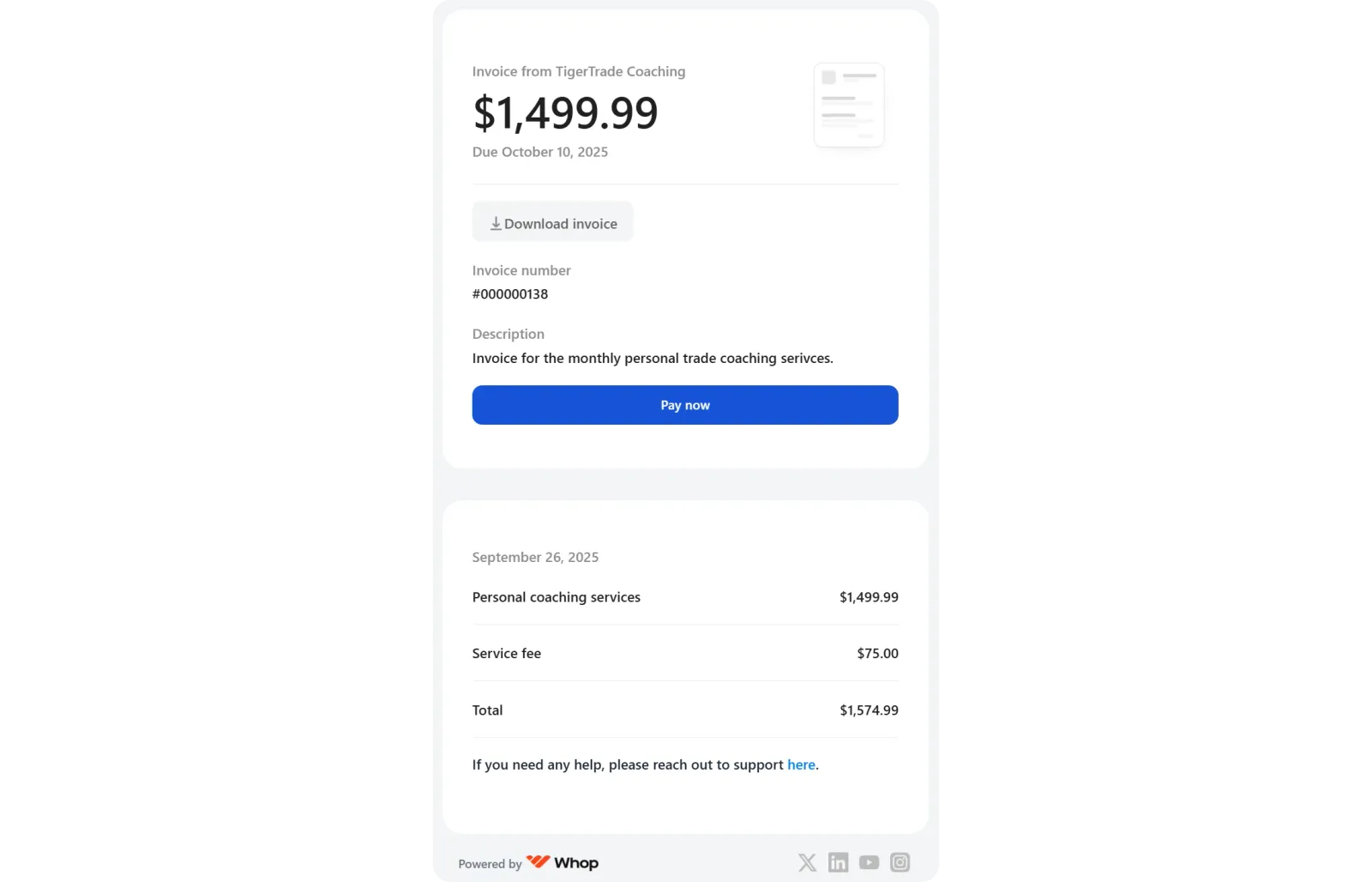
As your pricing evolves, your payment setup needs to do more than charge a flat monthly fee. Many SaaS businesses add tiered plans, per-seat pricing, usage-based billing, trials, or discounts. Your billing system needs to correctly handle plan changes mid-cycle, apply proration, and ensure future invoices reflect the new plan.
Invoicing is also important, especially for B2B SaaS. Customers often expect formal invoices for accounting purposes, and in some regions invoices must follow specific tax and formatting rules. Automating invoice creation and delivery becomes essential as volume increases.
Finally, subscription businesses need to manage involuntary churn - situations where customers want to pay, but payments fail due to expired cards, insufficient funds, or outdated details.
At small scale, this can be handled manually. As you grow, automated retries, reminder emails, flexible payment methods, and real-time reporting are critical to recovering lost revenue and maintaining healthy metrics.
Platforms and marketplaces
Marketplaces have a fundamentally different payment problem than single-seller businesses.
You're not just collecting money - you're moving it between parties, which means you're operating closer to financial infrastructure than a typical merchant. That comes with additional compliance obligations, operational complexity, and a higher cost of getting things wrong.
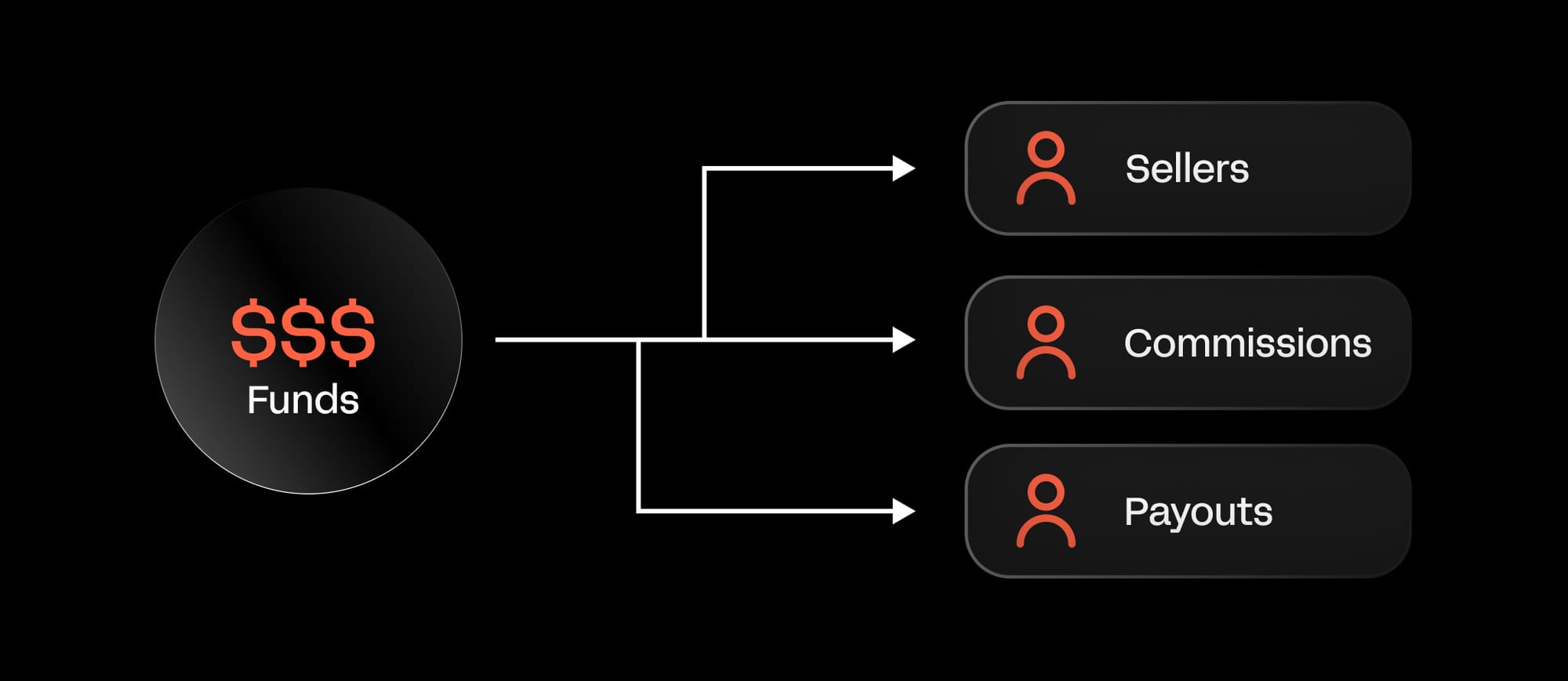
A marketplace payment setup must support seller onboarding, identity verification, and tax or compliance checks, without creating unnecessary friction. Once payments are collected, funds often need to be split across multiple sellers, commissions applied, and payouts scheduled.
This requires precise transaction tracking and clear reporting so sellers can see what they’ve earned and when they’ll be paid. Delayed or inconsistent payouts are one of the fastest ways to lose seller trust.
Compliance is another major consideration. Marketplaces operating across regions must account for local regulations related to money transmission, consumer protection, and reporting obligations.
Using a payments provider that handles fund routing and compliance infrastructure can reduce risk and operational overhead. And, because marketplaces often serve international audiences, supporting local payment methods and local acquiring can significantly improve conversion rates.
Customers are more likely to complete purchases when they can pay using familiar methods, and sellers benefit from higher authorization rates and fewer failed transactions.
Ecommerce
For ecommerce businesses, checkout is where revenue is made or lost - and the margin for friction is shrinking. Mobile now accounts for 57% of global ecommerce transactions, but mobile conversion rates still lag desktop.
Manual card entry on mobile is where purchase intent dies - shoppers may not have a card to hand, or struggle to enter so many details on a small screen. Digital wallets close that gap. Apple Pay and Google Pay bypass card entry entirely, reducing checkout to a single biometric confirmation.
As you sell internationally, supporting local payment methods becomes just as important. Customers are far more likely to complete checkout when they can pay using familiar methods and currencies.
Why would a Polish bank care about a US business? They don't. In the eyes of different regions and banks around the world, payment systems with local acquiring are looked at in a higher regard and with a higher level of trust.
– Derek Wilmer, Payments @ Whop
Behind the scenes, ecommerce businesses must balance fraud prevention with customer experience. Overly aggressive fraud rules can block legitimate customers, while weak controls can lead to chargebacks and lost inventory.
To keep payments healthy, ecommerce teams track metrics like checkout conversion rate, average transaction value, payment success rate, declines by payment method, and fraud or dispute rates. These signals help identify where customers drop off and where checkout can be improved.
Integration matters too. Connecting your ecommerce platform to a payment provider using APIs, SDKs, or built-in plugins allows payments to process in real time and supports things like automated tax calculations, fraud checks, and clean reconciliation.
And don't forget that checkout experience is crucial for conversions. If a customer can't find an easy way to pay, they will exit the checkout. So simplify flows, remove unnecessary fields, and highlight preferred payment methods first. Test mobile vs desktop constantly - even small tweaks can improve conversion by 3–5%.
Fraud management is an ongoing task. Accepting EMV chip cards and mobile wallets where possible, and reviewing chargeback reports regularly, helps reduce repeat issues and keep risk under control.
Omnichannel: connecting online and in-person payments
What if you're selling online and in person?
Expanding from online to physical sales complicates the entire payments process. You're now processing transactions across multiple channels - each with its own flow, terminal, and data format - and if those systems don't talk to each other, you end up with fragmented reporting, inventory discrepancies, and a finance team manually stitching together what should be a single view of revenue.
Unified reporting ensures your finance and operations teams can see the full picture across your entire business. Platforms that support both online and in-person payments help you to get a clear view of your sales. Orders processed at a store or pop-up automatically flow into your existing dashboards alongside online transactions, giving you one central source of truth.
Online payment fees: what you'll actually pay
Most businesses know they're paying a percentage per transaction. Fewer know where that percentage actually goes - and why it matters.
Every card payment involves at least three separate fees: interchange to the customer's bank, a network fee to Visa or Mastercard, and a processor fee to your payment provider. Each serves a different part of the chain, and each behaves differently as your business scales.
Understanding the breakdown helps you price accurately, negotiate from a position of knowledge, and avoid being caught out by costs that only become visible at volume.
1. Interchange fees
Most online payment fees go to the customer’s bank (called the issuing bank). These fees pay the bank for approving the payment and providing the customer with a card or account.
Examples of common interchange fees:
- Consumer debit card (domestic): 0.5%–0.8% + $0.10 per transaction
- Consumer credit card (domestic): 1.5%–2.5% + $0.10 per transaction
- Cross-border cards: 2.5%–3.5% + $0.20–$0.30 per transaction
These fees vary depending on card type, network, and whether the transaction is domestic or international.
2. Network or scheme fees
Card networks like Visa, Mastercard, and American Express charge network or scheme fees for processing the transaction.
Network fees cover the cost of moving the payment through their systems, handling authorization, and supporting cross-border operations.
Examples of network fees:
- Visa/Mastercard authorization fee: $0.02–$0.10 per transaction
- Cross-border fee (Visa/Mastercard): 0.2%–0.5% of the transaction
- American Express fixed per-transaction fee: $0.10–$0.30
Even though smaller than interchange fees, network fees are unavoidable when using card payments.
3. Processor or platform fees
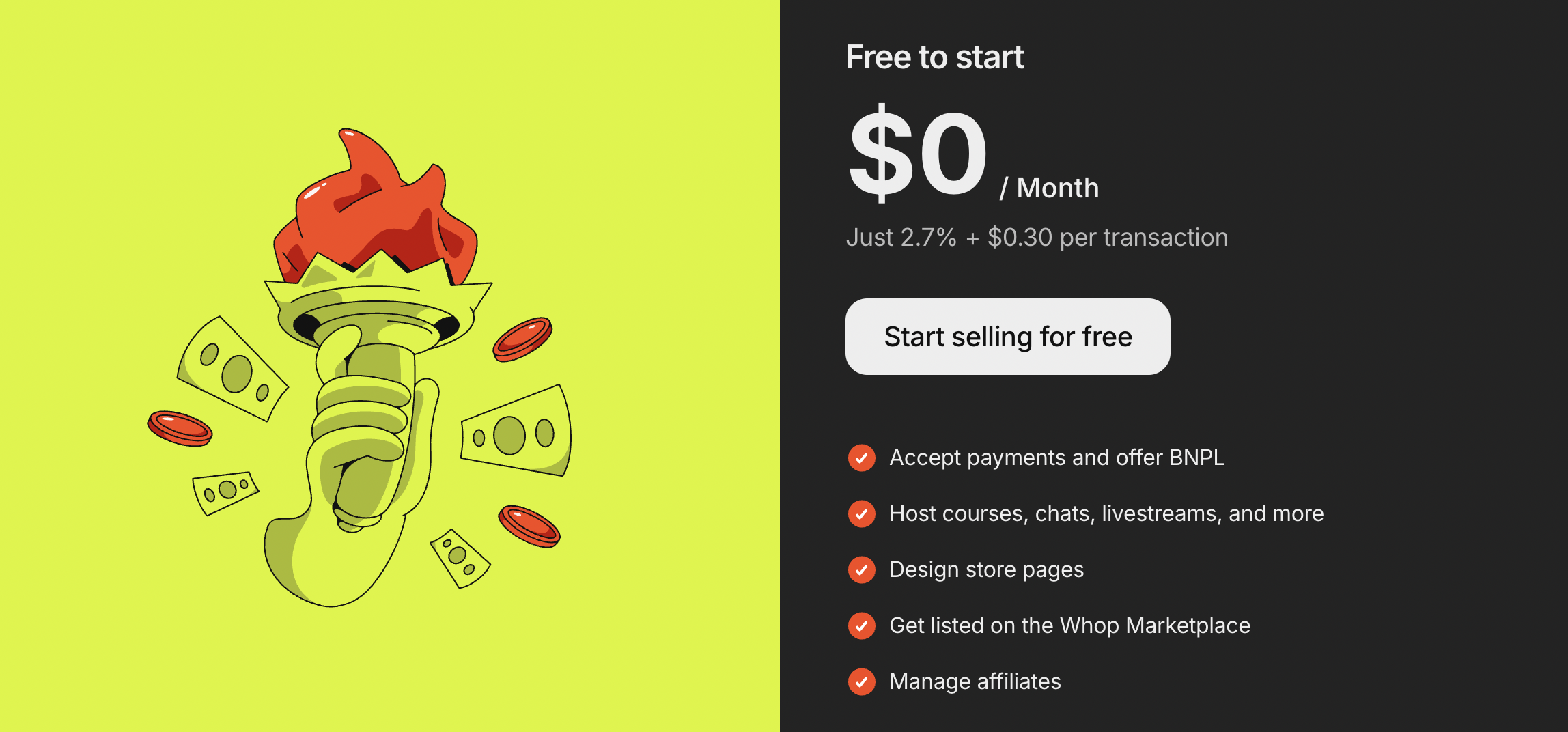
Your payment provider or processor charges fees for managing the transaction, handling encryption and tokenization, providing dashboards, and ensuring compliance with security standards.
Examples of processor/platform fees:
- Stripe/PayPal standard fee (US domestic): 2.9% + $0.30 per transaction
- International/cross-border fee: additional 1%–2%
- Currency conversion fee: 1%–2%
- Premium features: recurring billing, advanced reporting, fraud detection and other advanced features can add $0.05–$0.15 per transaction
Unlike interchange and network fees, which are set by card networks and non-negotiable, processor fees can often be reduced through volume-based negotiations as your business grows.
4. Refunds and chargebacks
Refunds and chargebacks are another important cost. When a customer disputes a payment, you may be responsible for not only returning the payment but also paying processing fees, chargeback fees, and potentially losing goods or services.
Examples:
- Refund: original transaction fees may not be returned, e.g., $2.20 on a $100 transaction
- Chargeback fee: typically $15–$25 per incident
- Lost goods/services: if the product has already been shipped
High-volume or international businesses can quickly see these costs add up, making prevention strategies crucial to curbing wasted spend.
What this looks like in practice
For a $100 online card payment, fees might look like this:
| Fee type | Example cost | Notes |
|---|---|---|
| Interchange | $1.80 | Domestic credit card |
| Network | $0.10 | Visa authorization fee |
| Processor/Platform | $0.30 | Stripe/PayPal standard fee |
| Total | $2.20 | Equivalent to 2.2% of the transaction |
While this may seem small, fees multiply across hundreds or thousands of transactions, and can have a huge impact on your revenue - especially when selling internationally or using multiple providers.
Online payments security and compliance
Security and compliance aren't a layer you add on top of your payment setup - they're embedded in every transaction by default. The question isn't whether to deal with them, but how much of that burden your infrastructure is carrying on your behalf.
From protecting customer data to meeting regulatory requirements, your payment setup plays a major role in preventing fraud, avoiding penalties, and maintaining customer trust.
For most businesses, the goal isn’t to become a security expert - it’s to choose systems that handle security and compliance by default, so you can focus on growth without increasing risk. It’s central to trust, compliance, and protecting your revenue - but it doesn't have to be difficult.
Front-end fraud protection compounds. Typically you're building models and algorithms and building upfront protections that will serve many merchants and payouts on the backend and have truly a ten-fold exponential compounding effect, because you build fraud-patterns that capture additional fraud-patterns and they build upon each other and create a really great system.
- Maddie Cohen, Head of Trust at Whop
Protecting payment data
When a customer enters their payment details online, that information becomes one of the most sensitive data points your business will ever handle. Card numbers and bank details are a prime target for attackers, and breaches involving financial data are especially costly.
A clear example of the cost of leaked payment data is the British Airways breach in 2018. Attackers harvested card details from the airline’s booking pages, stealing the names, addresses, payment card numbers, expiry dates, and card verification values (CVVs) of hundreds of thousands of customers.
The UK’s Information Commissioner’s Office (ICO) fined British Airways £20 million (around US $25 million) under GDPR for failing to protect customer data.

That’s why payment systems rely on encryption and tokenization. Instead of storing raw card numbers, payment details are encrypted in transit and replaced with secure tokens that are meaningless outside the payment provider’s systems. Even if intercepted, these tokens can’t be reused to initiate payments or access sensitive data.
For most businesses, using a hosted checkout or secure payment gateway means payment details never touch their servers at all.
This dramatically reduces exposure, lowers security risk, and simplifies compliance obligations, especially as transaction volume and geographic reach increase.
PCI DSS compliance
Any business that accepts card payments must comply with the Payment Card Industry Data Security Standard (PCI DSS). Whether you’re in Australia, Europe, the U.S., or Asia, if you accept card payments, you need to meet PCI DSS requirements - or use a provider that ensures compliance on your behalf.
These standards exist to ensure cardholder data is stored, processed, and transmitted securely.
The level of PCI responsibility you carry depends on how you accept payments. Businesses that store or process card data directly face the highest compliance burden. If you choose to use a compliant payment provider and hosted checkout solution your business will typically fall under much lighter requirements.
In practice, this means that choosing a PCI-compliant payment provider can significantly reduce the time, cost, and complexity involved in staying compliant, while still meeting card network rules.
You can review official PCI DSS documentation on the PCI Security Standards Council site for precise requirements.
Authentication and fraud detection
Not all failed payments are fraud, but fraud prevention still plays a critical role in payment success. For every $1 lost to fraud, merchants in North America now spend more than $4 managing and absorbing its impact, including disputes and customer friction.
However, as Maddie Cohen tells us, most businesses under-invest in fraud prevention services.
It's widely known that most companies or entities under-invest in fraud prevention until it's too late. You need to invest early and often in building out front-end fraud detection before it becomes a problem.
Tools like 3D Secure add an extra layer of authentication by asking customers to verify their identity with their bank, often through a one-time code or biometric check.
And while additional steps can sometimes introduce friction (such as having to complete anti-bot puzzles), they’re often required by regulation and can reduce fraud and chargebacks.
Other fraud controls work behind the scenes, including risk scoring, velocity checks, device fingerprinting, and monitoring unusual payment patterns.
The most effective setups balance protection with conversion, blocking genuine fraud attempts without rejecting legitimate customers.
Regional and regulatory compliance
Payment regulations vary by region, and selling internationally means navigating different rules depending on where your customers are located.
For example, businesses selling to customers in Europe must comply with Strong Customer Authentication (SCA) requirements, which mandate additional verification for certain transactions.
Other regions have their own consumer protection, data handling, and reporting obligations.
Using a payment provider that understands and adapts to local regulations helps ensure transactions aren’t declined due to compliance issues, and prevents your business from unknowingly violating regional laws.
Chargebacks, disputes, and liability
Chargebacks occur when a customer disputes a transaction with their bank, reversing a payment that has already been processed. While some disputes are legitimate - for example, in cases of fraud or non‑delivery - many stem from confusion over the charge, forgotten subscriptions, or unclear billing descriptors.
Chargebacks are a growing operational and financial burden for online sellers. Global chargeback volumes are expected to rise into the hundreds of millions annually (Mastercard), and businesses globally could lose billions of dollars in chargeback‑related costs as this trend continues.
As Maddie tells us, "When merchants see a dispute, the immediate in-your-face consequence or value of that dispute is the monetary value. But the bigger implications of disputes are how payment networks and card networks look at your dispute rate and assess your account health."
Even for merchants who fight disputes, the costs can extend far beyond the transaction amount. Studies show average chargeback processing costs - including labor, documentation, and operational expenses - can run well above the original sale value, and disputed amounts often range in the low hundreds of dollars per incident.
From a compliance and operational perspective, excessive chargebacks can trigger higher processing fees, stricter monitoring by payment partners, or even account termination by card networks if your dispute rate crosses certain thresholds.
Many processors consider a chargeback rate above about 1% of total transactions as high risk, which can lead to fines, reserves on your account, and increased scrutiny.
Legal and tax considerations
When you accept online payments, there’s more than just processing to think about - taxes, reporting, and financial regulations are key to staying on the right side of the law.
Taxes and reporting
Depending on where your business operates and where your customers are located, you may need to collect sales tax, GST, or VAT. For example:
- In the U.S., online sellers may be required to collect sales tax in any state where they have a tax nexus - even if your business is physically located elsewhere.
- In the U.K. and EU, VAT rules apply to digital goods sold to consumers, with different rates per country.
- In Australia, GST applies to online sales of products and services to local customers.
Accurate transaction records and regular reconciliation are critical. A study by Avalara found that small and mid-sized businesses spend an average of 120 hours per year on sales tax compliance alone - errors can easily lead to penalties or lost revenue.
Using a payments platform that automatically tracks tax obligations and produces reports can dramatically reduce the manual burden.
For guidance, you can check official resources like the IRS in the U.S., HMRC in the U.K., or the ATO in Australia.
Identity verification and financial regulations
Many regions require KYC (Know Your Customer) and AML (Anti-Money Laundering) checks to prevent fraud and illegal activity. This means verifying the identity of your customers or sellers and monitoring transactions for suspicious behavior.
Even if your platform handles much of this automatically, as a merchant you remain responsible for ensuring compliance.
Noncompliance can result in fines, frozen accounts, or even loss of the ability to accept payments.
For example, U.S. fintech regulators increasingly enforce strict AML standards, and EU anti-money laundering directives impose additional reporting obligations for virtual services.
Platform vs merchant responsibilities
Understanding where your payment provider’s responsibility ends and yours begins is critical.
- Payment platforms can manage PCI compliance, card processing, and even some reporting.
- Merchants remain responsible for accurate tax collection, bookkeeping, and meeting local regulatory requirements, including VAT reporting or KYC/AML for their users if operating marketplaces.
Whop: simple, global, and reliable
Whop is on a mission to deliver everyone a sustainable income, from the smallest business to the largest enterprise. When you sell with Whop, everything runs together in one place, powered by leading payment partners.
100+ payment methods are supported globally, including cards, digital wallets, local bank transfers, Buy Now Pay Later, and crypto, with payouts available across 241+ territories through ACH, Venmo, Cash App, and cryptocurrency.
Payment routing and retry logic are built in to reduce failed transactions. If a payment attempt doesn't go through, the system retries or reroutes it to improve the likelihood of approval - recovering revenue without manual work.
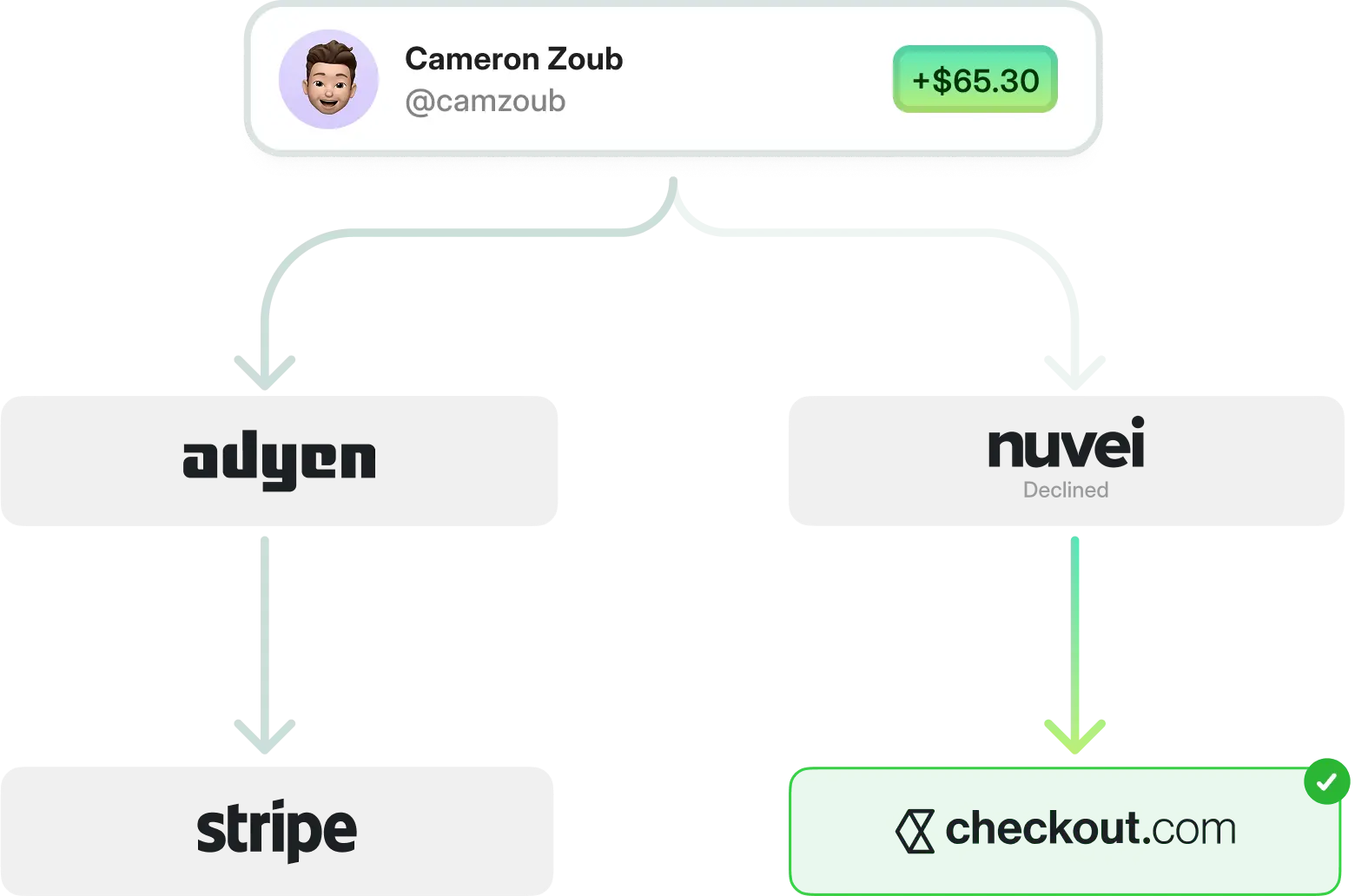
Recurring billing is handled automatically, and when a payment fails, built-in retry logic and smart routing work to recover it - with no manual intervention required.
Streamline online payments with Whop
Accept global payments, manage subscriptions and payouts, and offer your customers the payment methods they prefer - all from a single platform.
Online payments FAQs
Can I accept payments from international customers?
Yes. Many online payment platforms, including Whop, support global transactions with multiple currencies and local payment methods, helping you reach customers around the world.
How do I reduce failed online payments?
Failed payments can result from expired cards, incorrect information, or local bank declines. Using smart retry logic, multiple payment methods, and real-time reporting can significantly improve success rates.
Are online payments safe for my customers?
When properly secured with PCI DSS compliance, encryption, tokenization, and fraud detection, online payments are highly secure. Customers can trust their data is protected while paying.
What’s the difference between one-time and recurring online payments?
One-time payments are charged immediately, while recurring payments (like subscriptions) automatically charge customers at set intervals. Recurring payments require proper logic for upgrades, downgrades, and prorated charges.
Online payment terms glossary
| Term | Definition |
|---|---|
| 3d Secure (3DS) | An additional verification step some banks require to confirm the buyer’s identity before approving a payment |
| Acquirer (acquiring bank) | The bank or partner that enables a business to accept card payments and receive funds |
| AML (anti-money laundering) | Rules and monitoring designed to prevent illegal financial activity |
| Authorization | The moment a customer’s bank approves or declines a payment |
| Authorization rate | The percentage of attempted payments that are approved by banks |
| Capture | The step that finalizes an authorized payment and marks the funds to be transferred to the business, often occurring immediately or after fulfillment |
| Card network | The network that routes card payments between the business and the customer’s bank, such as Visa, Mastercard, or American Express |
| Chargeback | When a customer disputes a payment with their bank and the funds are reversed |
| Checkout | The customer-facing step where a buyer selects a payment method and completes their purchase |
| Churn (involuntary churn) | Customers lost due to payment failures rather than intentional cancellations |
| Cross-border payment | A payment where the customer and business are located in different countries |
| Crypto payments | Payments made using cryptocurrencies, including stablecoins, often settled on blockchain networks |
| Currency conversion | Converting a payment from one currency to another, often with additional fees |
| Customer | The person making the payment |
| Decline | A payment that is rejected by a bank, card network, or payment provider |
| Decline reason | The explanation for why a payment failed, such as insufficient funds or an expired card |
| Dispute | The process of responding to a chargeback by providing evidence |
| Dunning | Automated messages that prompt customers to update payment details after a failed subscription payment |
| Encryption | A security method that scrambles payment data so it cannot be read if intercepted |
| Failed payment recovery rate | The percentage of failed payments successfully recovered through retries and dunning |
| False decline | When a legitimate payment is incorrectly blocked |
| Fraud | Unauthorized or suspicious payment activity, such as stolen cards or account takeovers |
| Hard decline | A permanent payment failure that will not succeed without new payment details, such as an expired, canceled, or stolen card |
| Hosted checkout | A pre-built payment page managed by a provider that handles security, compliance, and payment processing without requiring a custom integration |
| Issuing bank | The customer’s bank that issued the card and decides whether to approve or decline a transaction |
| KYC (know your customer) | Identity checks used to verify users and reduce fraud |
| Local acquiring | Processing payments through a local bank or processor in the customer’s country to improve approval rates |
| Local payment methods | Region-specific ways to pay, such as local bank transfers or regional wallets |
| Merchant | The business or creator receiving the payment |
| Merchant of Record (MoR) | A company that legally processes payments on behalf of a business and takes responsibility for taxes, compliance, fraud, and chargebacks |
| Online payments | Any method of moving money from a customer to a business over the internet, including cards, digital wallets, and bank transfers |
| Payment gateway | The tool that securely captures and sends payment details from checkout to the payment provider |
| Payment processor | The service that handles the technical steps of processing a transaction and sending it through the appropriate networks for approval |
| Payment provider | The company you use to accept payments online, often bundling processing, gateway, and fraud tools |
| Payment success rate | The percentage of payment attempts that result in a completed transaction |
| PCI compliance (PCI DSS) | Security standards businesses must follow when accepting card payments to protect cardholder data |
| Payout | When a payment provider sends a business the funds it has collected, typically on a daily, weekly, or rolling schedule |
| Proration | Adjusting charges when a customer upgrades or downgrades a plan mid-billing cycle |
| Recurring payment | A payment that repeats on a set schedule, such as a subscription |
| Reconciliation | The process of matching payments, refunds, fees, and chargebacks with bank deposits and reports to ensure financial records are accurate |
| Refund | Returning money to a customer after a purchase |
| Reserve (rolling reserve) | A portion of a business’s funds temporarily held by a payment provider to cover potential chargebacks, refunds, or fraud risk |
| Retry logic | Automatically retrying a failed payment at set intervals to recover revenue |
| Settlement | The process of transferring approved funds from the card networks and banks to the merchant’s account after a payment is authorized and captured |
| Soft decline | A temporary payment failure that may succeed if retried, often caused by issues like network timeouts or insufficient funds |
| Stablecoin | A type of cryptocurrency designed to maintain a stable value, often pegged to the US dollar |
| Strong customer authentication (SCA) | A European regulation that can require extra verification (often using 3DS) to reduce fraud |
| Token | A secure placeholder that represents payment details without exposing the original information |
| Tokenization | A security method that replaces sensitive payment details with a secure placeholder called a token |









![17 best embedded payments platforms and providers [2026]](https://storage.ghost.io/c/12/7b/127b828b-bdc2-4972-9cf2-de857df9c324/content/images/size/w1000/format/webp/2026/09/blog-embeddedpayments.png)