Tap to pay lets you accept contactless payments with a card reader, iPhone, or Android device. Learn how it works by using NFC, what it costs, and how to set it up.
Key takeaways
- Tap to pay now dominates in-person checkout, with contactless exceeding 60-75% of major card networks' transactions.
- Your iPhone XS or newer (or NFC Android) becomes the card reader, so you can skip buying hardware entirely.
- Contactless costs no premium: compare providers' in-person rates, ranging from 2.29% + 9¢ to 2.7% + 30¢.
Tap to pay is now the default way to pay in person.
Visa reported that taps passed 60% of its US face-to-face transactions for the first time in its fiscal Q2 2025 earnings call (April 2025), and Mastercard says contactless made up more than 75% of its transactions in 2025.
Accepting tap to pay is simple. You can use a traditional card terminal, or skip hardware entirely with Tap to Pay on iPhone or an NFC-enabled Android phone.
This guide covers what tap to pay is, how it works, what it costs, and how to start accepting it with the hardware (or phone) you already have.
What is tap to pay?
Tap to pay is a contactless payment method that uses NFC to let customers pay by holding a card, phone, or wearable near a terminal.
Instead of inserting a card and entering a PIN, the customer taps or hovers their card, smartphone, or smartwatch on or near the payment terminal, and the payment is approved in seconds.
NFC (near-field communication) is a specialized form of RFID (radio-frequency identification), the same family of technology behind toll tags and inventory tracking. The device sends an encrypted, one-time token (a stand-in for the actual card number) to the card reader within range.
These payments are also known as contactless payments because they need to be within close range, but don't actually need to make physical contact with a reader, terminal, or device.
How does tap to pay work?
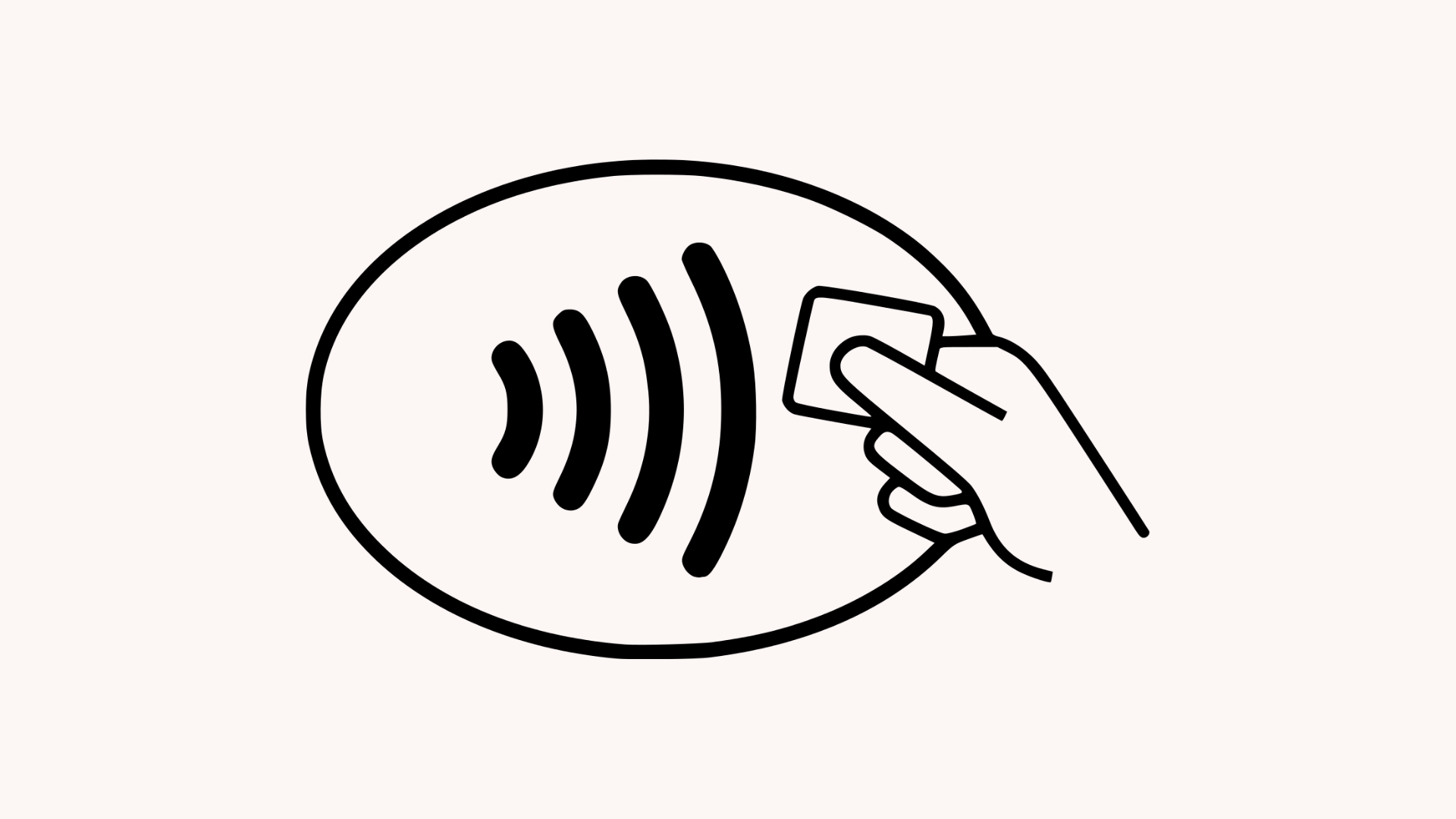
When a customer taps to pay with their card or device, NFC transfers a payment token to your reader. The payment is then approved in seconds.
Here's the full breakdown:
- The customer taps their card, phone, or smartwatch on the payment terminal or device.
- The customer's device creates a unique digital token instead of sending actual card data.
- The token and security code are encrypted and safely sent through to the payment network.
- The customer's bank then verifies the information and either approves or declines the payment.
- The merchant receives near-instant confirmation that the payment was successful, without ever seeing or storing the customer's full card details or any other sensitive info.
How do customers make contactless payments?
Customers can make tap to pay (or contactless) payments using debit and credit cards, smartphones, and even wearable devices (like Apple Watches and Google Wallet-enabled wearables).
- Credit and debit cards: Most modern credit and debit cards support tap to pay, as demonstrated by the contactless symbol you usually see on one side. This means the cards were built to support NFC and can make payments by tapping or hovering over whichever device is set up to accept tap to pay payments.
- Smartphones: Smartphones enable contactless payments through built-in digital wallets like Apple Pay, Google Pay, and Samsung Pay. Consumer appetite for speed is the driver: 74% of US consumers used faster or instant payments in 2023, according to Federal Reserve Financial Services' 2024 survey. Digital wallets were used in 40% of US e-commerce transactions in 2025 and are projected to reach 44% by 2030, according to Worldpay's Global Payments Report 2026.
- Wearable devices: Wearable devices are also gaining traction as a popular way to complete tap to pay transactions. Similar to smartphones, users simply need to wave or hover their smartwatch or other wearable over the payment device and checkout completes within seconds.
How to set up digital wallets for tap to pay
Setting up tap to pay with digital wallets (either on a phone or smartwatch) takes a couple of minutes.
The customer opens their device's wallet app (like Apple Pay or Google Wallet), adds a credit or debit card by scanning it or entering the details manually, and verifies with their bank. The approval usually happens via a text code or through a banking app.
From there, they can pay by unlocking their device and holding it within a couple of inches of any contactless-enabled terminal.
Top tap to pay and contactless payment providers
The best tap to pay provider depends on whether you want to use your phone as the terminal or buy hardware, and how much you'll pay per transaction. Whop, PayPal POS, Square, SumUp, Stripe, and Adyen all support tap to pay in the US, with in-person rates from 2.29% + 9¢ to 2.7% + 30¢ and hardware from $0 (your phone) to $899.
Rates and hardware prices verified September 2026.
| Provider | In-person rate (US) | Tap to pay on phone | Hardware (US) | Best for |
|---|---|---|---|---|
| Whop | 2.7% + 30¢ | iPhone XS+ | None – your iPhone is the terminal | Creators and event sellers with an iPhone |
| PayPal POS | 2.29% + 9¢ | iPhone XS+, Android 8.0+ | Reader from $29, terminal $199 | Lowest rate and a cheap first reader |
| Square | 2.6% + 15¢ | iPhone XS+, Android | $59 reader to $899 register | Retail and hospitality needing full POS |
| SumUp | 2.6% + 10¢ | iPhone XS+, Android 11+ | Readers from $54, POS from $499 | Low-cost readers, no subscription |
| Stripe | 2.7% + 5¢ (+10¢ per tap to pay authorization) | iPhone XS+, Android (SDK or Dashboard app) | Readers from $59 | Teams with developers building their own app |
| Adyen | $0.13 + interchange++ + 0.60% | iPhone (iOS 17+), Android 12+ (SDK) | POS terminals, pricing on request | Enterprise and multi-country businesses |
Whop
Whop gives you everything you need to run a business end-to-end: payments, ads, business cards, marketplace distribution – plus access to an on-demand workforce which is currently available in 20 countries, including the US.
Currently, Tap to Pay on iPhone is supported, with plans to introduce Tap to Pay on Android in the future. No hardware is needed for contactless payments, your phone is the reader.
Pricing is 2.7% + 30¢ per domestic card transaction (in the US), whether the customer pays online or taps their card on your iPhone. There are no setup fees or monthly costs, and custom pricing is available for high-volume businesses.
Tap to pay in practice
Whop sellers have used Tap to Pay on iPhone to run high-volume in-person sales without any card readers:
- She Sells Academy: Founder Shelby Sapp processed $700K in one hour at her She Sells Academy event in Fort Lauderdale in August 2026, taking payments on iPhones through the Whop app.
- Women's Real Estate Investing Network (WREIN): The team ran a merch store at its 2026 annual live summit and processed nearly $20,000 across roughly 600 transactions on iPhones alone.
PayPal POS
PayPal POS (formerly Zettle) gives you three ways to accept tap to pay: on your phone with no extra hardware, with a $29 card reader, or with a $199 all-in-one terminal that has the app built in.
Phone-only works on both iPhone and Android through the PayPal POS app.
The app also handles inventory, sales tracking, and staff management, with accounting and ecommerce integrations.
Transactions cost 2.29% + 9¢ in person (US) with no monthly fees, and funds land in your PayPal business account.
Square
Square has tap to pay included in its POS app. Sellers can download it, connect their Apple ID or Android device, and turn their phone into a terminal (works on iPhone XS or later, and NFC-enabled Androids).
In-person transactions cost 2.6% + 15¢ in the US, with no monthly fee on the free plan. If you outgrow your phone, Square's hardware has options from a $59 contactless reader up to an $899 dual-screen register.
SumUp
SumUp supports Tap to Pay on iPhone (XS or later) and Android (11+, NFC-enabled) through the free SumUp Business app, with no activation cost or monthly fee.
If you want hardware, SumUp has three tiers: card readers from $54 (one-time, no subscription), the POS Lite register for a one-time $499 (also no subscription), and the full SumUp POS system, which runs $99/month with hardware from $799.
US transactions cost 2.6% + 10¢ in person.
Stripe
Stripe supports Tap to Pay on iPhone and Android through its Terminal SDK, which developers integrate into their own app.
Non-technical sellers can also take payments with no code via the Stripe Dashboard app.
US in-person transactions cost 2.7% + 5¢, plus a 10¢ authorization fee per Tap to Pay transaction.
If you need hardware, Stripe's device range runs from the $59 Reader M2 to smart readers and self-service kiosks, ordered through the Stripe Dashboard.
Adyen
Adyen's tap to pay works on iPhone (iOS 17 or later) and Android (12+). For iPhone, you integrate Adyen's SDK into your own app. On Android, the Adyen Payments app connects to your POS without any SDK work.
Each transaction costs a $0.13 processing fee plus a payment-method fee (for Visa and Mastercard, interchange++ plus 0.60%).
There are no setup or monthly fees, but a minimum invoice applies depending on your industry.
Terminal hardware is available worldwide, with pricing on request.
How to accept tap to pay at your business
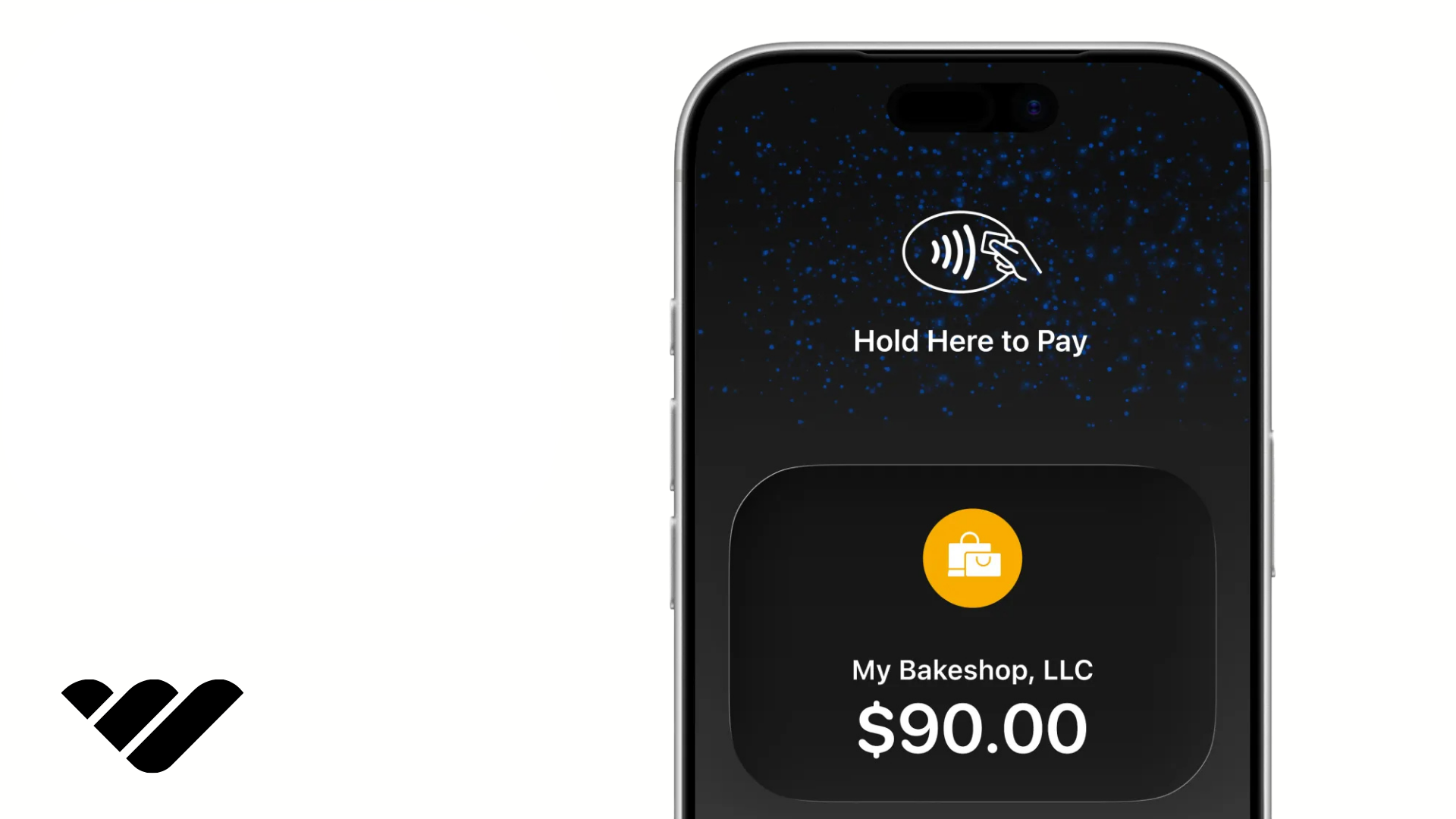
You don't need any specialized hardware to accept tap to pay at your business, just a payment provider that supports it and a compatible device. Here's how to get set up:
- Choose a payments provider that supports contactless payments: Make sure you consider transaction fees, payout speed, and that the provider supports the way you're selling (in-person, online, or both). Most tap to pay transactions have no extra fees. You typically pay the same transaction fee as regular card payments.
- Check that your payment device is compatible with tap to pay: Tap to Pay on iPhone works on iPhone XS and newer models running the latest version of iOS; on Android, you'll need an NFC-enabled phone running on a supported OS. If you already have a payment terminal or card reader, you should be good to go (just check that the contactless payment symbol is present).
- Make sure tap to pay is enabled for your account: You may need to configure your POS settings or contact your payment provider if using a POS or card reader. For smartphones, you typically enable the right settings through your payment provider's app, which may include a verification step. Android users may also need to ensure their device settings have NFC toggled on.
- Run a test transaction: Tap your own card or device to ensure everything is working before you present tap to pay to a customer.
- Start selling: Enter the amount at checkout either via your device app or POS. The customer will tap their card, phone, or wearable, and you'll get confirmation of payment within seconds.
Accepting Tap to Pay on iPhone
Businesses can accept contactless payments directly on an iPhone using Tap to Pay on iPhone, Apple's built-in feature that turns the phone itself into a card reader.
No extra hardware is needed; it works on iPhone XS or later running iOS 18 or later.
If you sell with Whop and have an iPhone, you're minutes away from accepting in-person payments. The Whop iOS app supports Tap to Pay on iPhone, which turns your phone into a contactless terminal.
Download or make sure you're already running the latest version of the Whop iOS app. From there, you can create a checkout link for each product you're selling in person, or turn on Point of Sale in Settings → Tap to Pay to charge from your product list or add a custom amount.
You can also ask for a tip before the customer presents their card.
Don't have the Whop iOS app? Download it here.
The first time you use Tap to Pay on iPhone with Whop, you'll be walked through a quick one-time setup from Apple.
Video showing setting up Tap to Pay on iPhone in the Whop app.
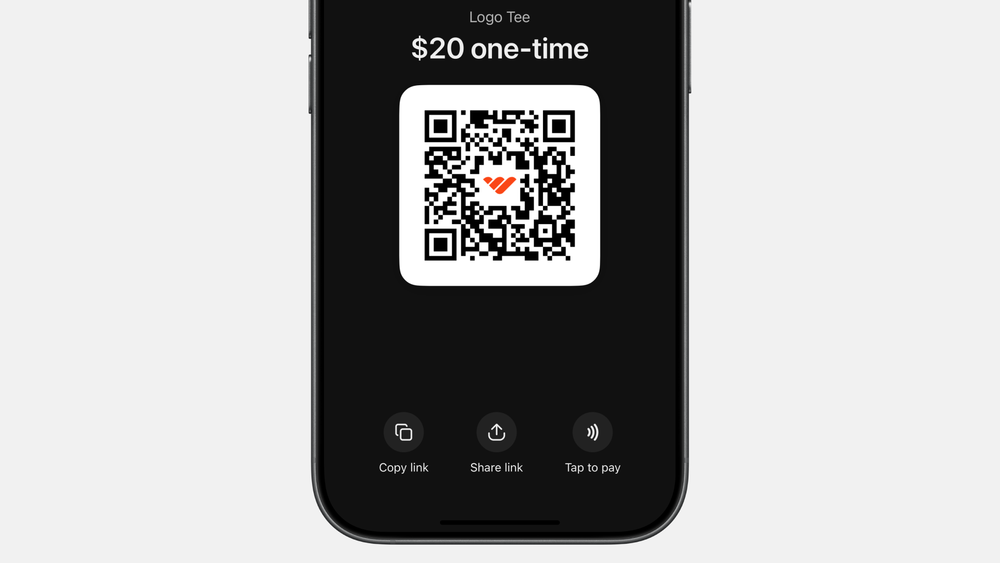
When a customer's ready to pay, tap the "Tap to pay" button under the checkout link's QR code. The customer then holds their card, phone, or smartwatch to the top of your iPhone and payment clears in seconds.
Whop's Tap to Pay on iPhone capability allows you to accept payments from contactless cards (Visa, Mastercard, American Express, Discover), Apple Pay (and other mobile wallets), and Apple Watch.
Funds land in your Whop balance alongside your other sales, and customers can add their email address for a receipt if desired.
Note: Tap to Pay on iPhone is only available for one-time payments, not subscriptions. Currently available to Whop sellers based in the US, the UK, Canada, Australia, and Poland.
Check out our guide to using Tap to Pay on iPhone with Whop.
Accepting tap to pay with an Android device
Your Android phone can accept tap to pay if it's NFC-enabled — OS requirements vary by provider (Android 8–12+). From there, a payment app like Square, Stripe, or PayPal POS turns the phone into a terminal; no reader required.
Requirements vary by app, so check your provider's supported-device list.
We're working on bringing a tap to pay solution to Whop sellers with Android devices in the near future. Stay tuned.
Accepting tap to pay with a card terminal
To accept tap to pay on a card terminal, you need a reader with NFC (which nearly every modern terminal has built in). If you already take chip cards, check yours for the contactless symbol; you're likely set without buying anything new.
Need a card reader or terminal-based solution? Check out the table of providers above with hardware.
Tap to pay not working? Common contactless payment errors and how to fix them
Tap to pay is usually quick and reliable, but contactless payments can fail for a few simple reasons. Before reaching for a physical card reader, check these common issues.
- NFC is turned off: On Android, make sure NFC and contactless payments are enabled in your phone's settings. iPhones don’t require NFC to be manually enabled for tap to pay to work, so if you’re having issues with your iPhone accepting tap to pay, check out the other common errors below.
- Your phone case is interfering: Thick, metallic, or magnetic cases can interfere with NFC communication. Remove the case and try the payment again.
- The card or device isn't supported: Check that the customer's card is contactless-enabled. If they're paying with a digital wallet, make sure their card is supported and correctly added to the wallet.
- A digital card needs to be re-added: If a card in Apple Pay or Google Wallet has expired, been replaced, or has an issue with its payment token, removing and re-adding it may resolve the problem.
- The paying card/phone/device is in the wrong position: NFC antennas sit in different places depending on the device. Ask the customer to hold their card or device against the contactless symbol or indicated area until the payment is confirmed.
- Your device or payment app isn't compatible: Tap to pay requires a supported device, operating system, and payment app. Check your provider's requirements and install any available software or app updates.
If contactless payments still aren't working after troubleshooting the above, try another card or payment method. This helps you figure out whether the problem is with the customer's card or your tap to pay setup.
How much does tap to pay cost?
Tap to pay is free for customers; there's no extra fee for tapping a card or phone instead of inserting it.
For businesses, tap to pay transactions are treated as card-present payments, so you'll typically pay the same processing rate as any other in-person card payment.
While there's no premium for accepting contactless, a few things affect what you'll actually pay:
- Processing rates: Most providers charge their standard in-person rate for tap to pay. Some may add a small per-transaction authorization fee for contactless payments, so check the fine print.
- Hardware: If you're using Tap to Pay on iPhone or Android, hardware costs are zero. The phone you own is the terminal. A dedicated card reader or terminal can run anywhere from $29 (PayPal card reader) to several hundred dollars.
- Account extras: Depending on the provider, watch for monthly fees, PCI compliance fees, and chargeback fees that apply across all payment types, not just contactless.
Selling with Whop? Tap to Pay on iPhone costs the same as any other card transaction, with no setup fees, monthly costs, or extra charge for contactless. Your iPhone is the terminal, so hardware costs are zero.
Is tap to pay a secure way to make and accept payments?
Yes. Tap to pay's security is one of the main reasons the method has become so popular.
When a customer taps their card, phone, or smartwatch, the payment details don't get transmitted in plain text. The transaction is protected using tokenization, which replaces sensitive card information with a unique code that is only valid for that exact purchase. That means even if that data were intercepted, it couldn't be used again for any fraudulent payments.
Mobile wallets such as Apple Pay and Google Pay add another layer of security by requiring customers to verify the payment with their passcode (or even more securely with biometrics, like Face ID or a fingerprint).
Merchants never receive the customer's full card details, which means there's less sensitive information at risk if a data breach occurs on the card network or business backend.
Businesses using tap to pay can offer their customers a fast, convenient, and highly secure payment experience. That security is one of tap to pay's biggest selling points.
What are the benefits of offering tap to pay?
Tap to pay's main benefits for businesses are faster checkouts, lower hardware costs, the ability to sell anywhere, and more mobile staff. Beyond security, it also makes it easier for online-first businesses to sell in person without buying a POS system.
Faster checkouts
Contactless payments take just a few seconds and help reduce physical queues and keep customers moving. This is particularly useful for in-store purchases and pop-up events – but it can also help remove checkout friction online, as for many customers it's a preferred payment method.
Lower hardware costs
Many businesses can start accepting tap to pay with a compatible smartphone or tablet rather than having to purchase a dedicated card reader or terminal. This reduces upfront costs and makes it easier for all kinds of small businesses to accept payments, from in-person mechanic services to coffee bars.
Accept payments anywhere
Even if you sell primarily online, tap to pay gives you the opportunity to expand your business into IRL experiences like pop-ups, market stalls, networking events, and more. As long as you have a device capable of accepting them (like an iPhone or Android), you can make sales with your mobile data or a WiFi connection.
Helps to mobilize staff
Ever been into an Apple store? All staff use Apple's contactless solution, Tap to Pay on iPhone, to accept customer payments, allowing staff to be completely mobile without standing behind a dedicated checkout desk. Same logic applies if you're running a brick-and-mortar store, cafe, repair shop, market stall – anywhere multiple customers can be served at once.
Downsides of tap to pay
Tap to pay's downsides are that it can't read chip-only or swipe-only cards, phone-based acceptance needs an internet or data connection, and device and country support varies by provider.
None of these are deal-breakers, but they matter if tap to pay will be your only way to take payments.
- Contactless only: Tap to pay can't read cards that need to be swiped or inserted. Most modern cards are contactless, but a small share of customers still have a chip-only card so a backup reader (or a QR code checkout link) is worth having.
- Connection-dependent: Accepting tap to pay on a phone requires WiFi or mobile data. If you're selling somewhere with patchy signal (think market stalls or traveling to customers for IRL services), you'll need to plan ahead.
- Compatibility: Not every provider supports tap to pay on every device, or in every country. Check that compatibility isn't an issue for your business or customers before committing.
You can take in-person payments with the Whop iOS app and QR code payment links.
Implement tap to pay with Whop
Customer tapping a card on an iPhone running the Whop app.
The Whop iOS app supports Tap to Pay on iPhone, so your phone can become your terminal, allowing you to create a checkout link and take contactless payments in seconds.
Because Whop runs your whole business (payments, payouts, cards, and ads), the same platform that powers your online sales can now handle your market stall, pop-up, or storefront too.
Currently, Tap to Pay on iPhone is available to sellers in the US, UK, Canada, Australia, and Poland. Sellers will soon have access to contactless payments with Android, too.
We'll keep you updated as these changes roll out.
Tap to pay FAQs
Where is tap to pay accepted?
Tap to pay works almost anywhere cards are accepted. If you can see the contactless symbol, you can tap and pay. That includes most retail and hospitality venues, transit systems, vending machines, and self-service checkouts. Acceptance is near universal across the UK, most of Europe, Canada, Australia, and the United States.
How do you set up tap to pay on iPhone or Android?
To set up tap to pay on your device to make payments, you'll need to set up your digital wallet (Apple Wallet or Google Wallet). If you want to use your iPhone or Android device to accept tap to pay payments, you'll need to set it up through your payment provider's mobile app. Android users may need to enable NFC in their device settings.
Is tap to pay the same as contactless?
Yes, tap to pay is a contactless payment method, allowing customers to make payments with their card, device, or wearable without making physical contact with a payment terminal. This relies on NFC, or near-field communication, allowing payments to be made when devices are within close range (a couple of inches) of one another.
Does tap to pay work without internet or cell service?
Customers may be able to make tap to pay payments without a working connection as their device has secure stored data tokens. For merchants, however, a working internet connection or mobile data is needed to process payments.
Is there a limit on tap to pay transactions?
Tap to pay limits depend on the country and the card issuer. The US has no federal limit (some banks set their own). In the UK, the FCA removed the £100 regulatory cap on March 19, 2026, letting banks set their own limits – though most major banks have kept £100 for now. The EU typically caps taps at €50, and Australia's limit is around A$200. Most of these limits apply to physical cards only; digital wallets like Apple Pay and Google Pay usually have no limit, because biometric or passcode verification confirms the cardholder.
What fees do merchants pay for tap to pay?
Tap to pay transactions are typically treated as card-present payments, meaning merchants pay the same processing rate as any other in-person card payment.
How do I accept tap to pay as a business?
Businesses can accept tap to pay by signing up with a payment provider that supports contactless payments and either acquiring compatible hardware or using an NFC-enabled device as their payment terminal (such as an iPhone or Android).
Do I need a card reader to accept tap to pay?
No. You can accept tap to pay with an iPhone XS or later running the latest version of iOS, or with an NFC-enabled Android phone and a payment app that supports it. A card reader is only needed if you also want to accept chip-only or swipe cards, or if your provider doesn't offer tap to pay on phone.
What's the difference between tap to pay and Apple Pay or Google Pay?
Tap to pay is the payment method: any contactless payment made by holding a card or device near a reader. Apple Pay and Google Pay are digital wallets that store a customer's cards on their phone or watch so they can tap to pay with the device instead of the physical card. Every Apple Pay or Google Pay in-store payment is a tap to pay transaction, but tap to pay also includes contactless cards.
Can you tap to pay with a credit card?
Yes. Most credit and debit cards issued in the US, UK, Europe, Canada, and Australia are contactless-enabled. Look for the contactless symbol (four curved lines, like a sideways WiFi icon) on the front or back of the card.
Is tap to pay safer than inserting a chip?
Tap to pay is at least as secure as inserting a chip card. Both use EMV encryption, but contactless payments also send a one-time token instead of the card number, and digital wallet payments add passcode or biometric verification. Because the card never leaves the customer's hand, there's also no risk of it being skimmed or left in a terminal.
How many card payments are contactless?
The majority. Visa reported that tap to pay passed 60% of its US face-to-face transactions in April 2025 (76% globally), and Mastercard says contactless accounted for more than 75% of its transactions in 2025. Chip-only cards are now a small minority, which is why a phone-based tap to pay setup covers most customers without a backup reader.








![14 best global payout platforms for mass and cross-border payouts [2026]](https://storage.ghost.io/c/12/7b/127b828b-bdc2-4972-9cf2-de857df9c324/content/images/size/w1000/format/webp/2026/08/blog-best-global-payout-platforms.png)
![Top 10 best embedded finance companies for SaaS and marketplaces [2026]](https://storage.ghost.io/c/12/7b/127b828b-bdc2-4972-9cf2-de857df9c324/content/images/size/w1000/format/webp/2026/08/embedded-finance.jpg)