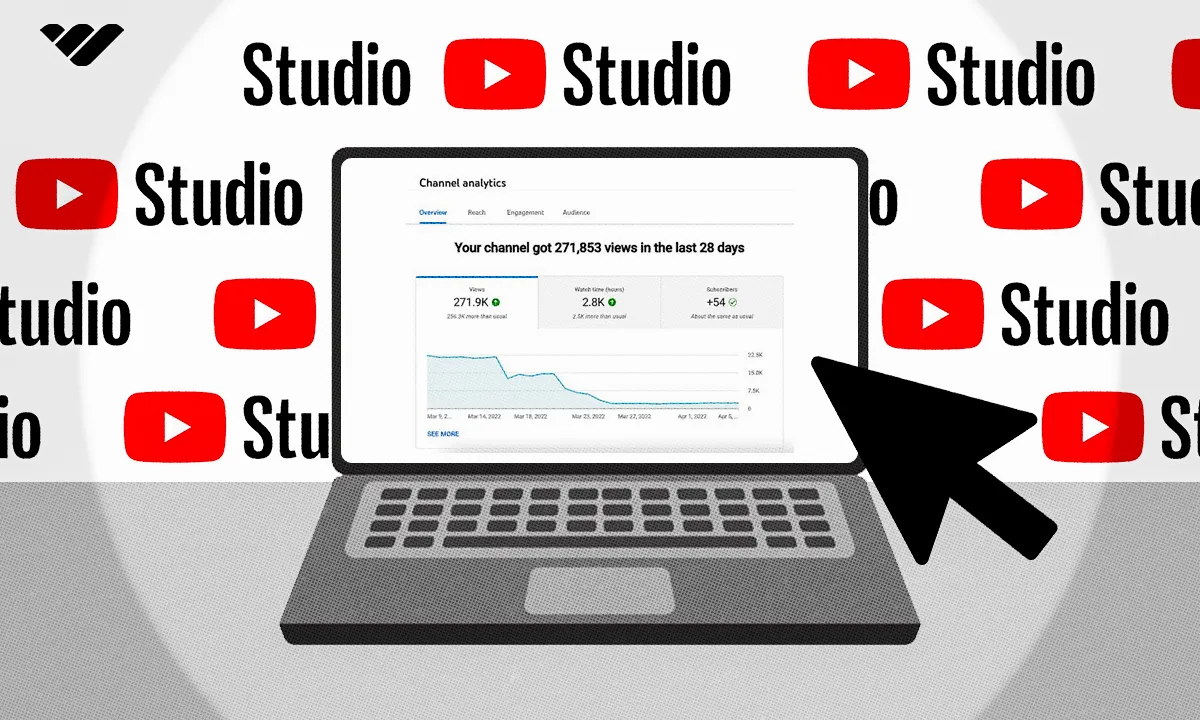
You start making money on YouTube once you meet monetization requirements like watch hours and subscribers. This guide breaks down how the program works, how payouts happen, and what creators really earn.
Key takeaways
- YouTube monetization requires 1,000 subscribers plus either 4,000 watch hours or 10 million Shorts views, typically achievable within 6-12 months.
- Sponsored content offers income even before AdSense eligibility, with nano-influencers earning $20-$200 per brand deal.
- Maximize ad revenue by creating advertiser-friendly content, making videos over 8 minutes for mid-roll ads, and boosting watch time.
You start making money on YouTube once you hit 1,000 subscribers and either 4,000 watch hours (or 10 million Shorts views in 90 days). Once you meet those requirements, you can apply for the YouTube Partner Program and start earning from ads - most creators reach this point within 6-12 months of consistent posting.
Some people post for fun or creative expression, while others treat it like a business, and there’s nothing wrong with that.
If you’re looking to run your YouTube channel as a business, this guide will walk you through how long it takes to start earning, what steps you need to take to qualify, and how to make the most of your time and effort.
We’ll even show you how to boost your YouTube income by using Whop to monetize your audience beyond ads.
Keep reading for everything you need to know about making money on YouTube.
When do you start earning money with Youtube?
You start earning money on YouTube once you qualify for the YouTube Partner Program and connect your channel to AdSense for payouts.
So, let’s say you start a YouTube channel today - when will it actually begin bringing in money? According to the YouTube Partner Program terms of service, you’ll get paid once you meet eligibility requirements and sign up with AdSense.
To even attempt eligibility, you’ll need to meet the following channel monetization policies:
- Live in a country or region where the YouTube Partner Program is available (it’s active in over 130 countries, including the U.S.)
- Have no active Community Guidelines strikes
- Enable 2-Factor Authentication on your Google account
- Have access to YouTube’s advanced features
- Link one active AdSense account to your channel (or set one up through YouTube Studio)
Once you’ve checked all those boxes, you can qualify for monetization in one of two ways:
- Reach 1,000 subscribers and 4,000 valid public watch hours, or
- Reach 1,000 subscribers and 10 million public Shorts views in the last 90 days.
Once you've hit one of those benchmarks, you can apply for monetization through YouTube. But even if you aren't there yet, you may be able to start reaching out to brands as a nano-influencer.
"There's a study by Google called the 7-11-4 rule. People need to see 7 hours of your content, 11 different pieces of content on 4 different touchpoints."
-Brett Malinowski, Head of Marketing at Whop
How much money can you make with Youtube?
How much you earn on YouTube depends on your niche, audience size, engagement, and location, but earnings can range anywhere from a few dollars a month to a full-time income.
Some creators make hundreds, others make thousands, and the top tier make millions.
While a few of these factors are outside your control, many - like your content strategy, posting consistency, and audience loyalty —-directly impact how much you can earn.
Here's how much you can earn on YouTube through different methods:
AdSense
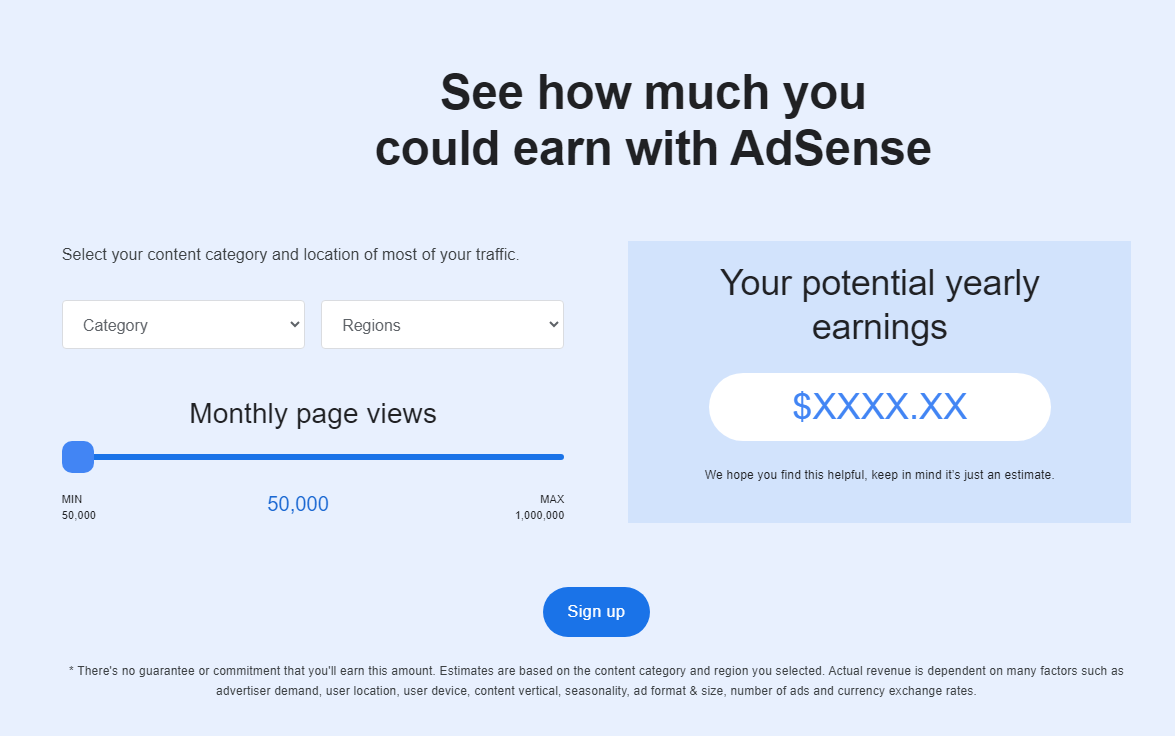
When it comes to AdSense, you can use the revenue calculator on the AdSense website to see the earnings that your region, category, and page views would make.
For example, a beauty and fitness YouTuber from the Americas with 50,000 views per month will make an estimated $1,500 a year. Depending on your niche and location, your mileage may vary.
You can play around with the revenue calculator to see what area of YouTube content creation both interests you and would make the most appealing amount of money for you.
Sponsored videos
Even if your channel isn't quite ready for AdSense yet, you can still make money through sponsored content.
This could be in the form of entire videos that the sponsor pays for and are centered on a topic, or as those quick 30-second ads that YouTubers stick into entirely unrelated content. (A certain VPN and a certain mobile game come to mind.)
Here's a quick guide to each type of influencer and what they generally make through brand deals or sponsored videos. Remember that there's no hard and fast rule to how much money you can make, so these are just general guidelines.
| Influencer level | Follower count | $$$ per brand deal |
|---|---|---|
| Nano influencer | 1,000-10,000 | $20-$200 |
| Micro influencer | 10,000-100,000 | $200-$2,000 |
| Mid-tier influencer | 100,000-500,000 | $1,000-$7,000 |
| Macro influencer | 500,000-1,000,000 | $2,000-$10,000 |
| Mega influencer | 1 million+ | $10,000+ |
You may make more or less depending on how marketable your niche is and how much engagement your audience can bring to a brand.
If you're also established on other platforms, some brands will pay more for a combination of posts across YouTube and social media.
How do you get paid on YouTube?
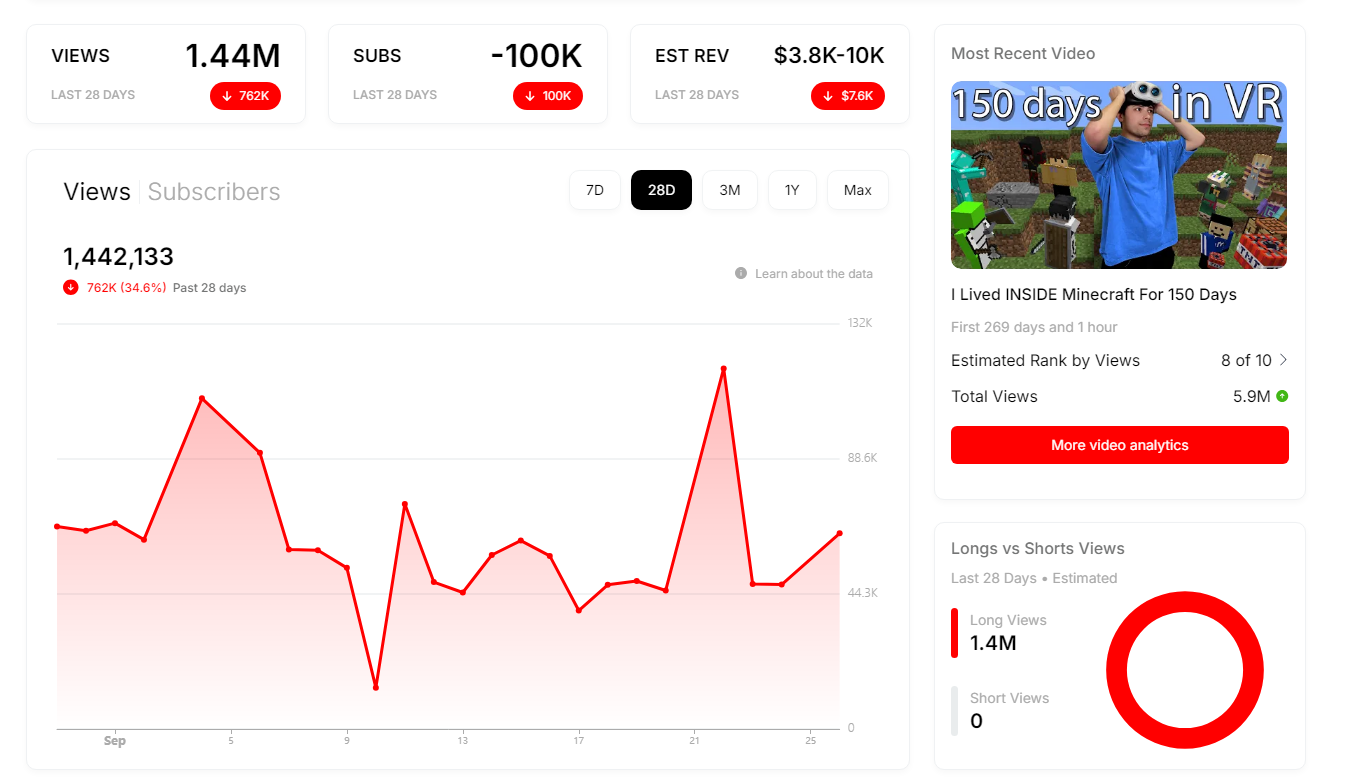
You get paid on YouTube through AdSense, but to receive earnings, you need to qualify for the YouTube Partner Program, connect your accounts, and track your performance.
Here’s how the process works step by step:
1. Set up AdSense
First, you need to make sure your AdSense account is ready and working.
- Create your Google account. If you're making content on YouTube, you will likely already have one, which makes this step easier.
- Sign up with the AdSense website. You'll fill out the information on this form that includes things like your website URL, the account type you're trying to make, and what country or territory you'll be paid in.
- Submit your application. Make sure you review all of the details first. Not being accurate will slow the process down.
- Verify your address. Once you've been approved, you'll get a verification code that you enter into your AdSense account to prove you are who you say you are.
- Set up payment information. Without this, you won't get your money, so don't forget.
Now you're ready to move on to the next step.
2. Join the YouTube Partner Program
Next, you need to be a YouTube Partner. We've already covered the eligibility requirements, so once you've set up your YouTube account and met those requirements, here's what you do.
- Enable monetization. To do this, go to the YouTube Studio and choose Monetization. From there, click on Start. This will let you review the monetization requirements once again.
- Link your AdSense account. This one is exactly what it says, and you may have to wait a while for confirmation that the two accounts have now been linked.
- Review the policies. We all scroll past the T&Cs, but since this is about getting paid, I recommend reading them to know what you're signing up for.
- Submit your application. This is where YouTube reviews your channel and decides whether you're in or not. Most users report this can take 10 hours or more.
- Set up your preferences. Once you've been approved, you have a say in the ad formats and types of ads that play on your channel.
3. Track your metrics
By using YouTube Studio to view your analytics, you can look at some key metrics and use them to set goals.
Here are some of the things to look out for:
- Overview. This lets you see things like views, watch time, and how many subscribers you have.
- Reach. This will tell you what your click-through rate (CTR) is, and where the traffic to your videos is coming from.
- Engagement. These metrics will show you how long people watch your videos for, which can help you boost viewer retention times and minimize your churn rate.
- Audience. Not only is it important to know who is watching your videos, but you also need to pay attention to demographics. Creating a target persona can help here.
Monitoring your performance on a regular basis tells you what gets you the most views and what type of content pays the most.
How to make the most with YouTube ads
You make the most money with YouTube ads by creating advertiser-friendly content, maximizing watch time, knowing your audience, growing subscribers, and staying on top of trends.
The highest-earning YouTubers do all five consistently.
Create advertiser-friendly content
Some niches on YouTube are more profitable than others, but one thing that definitely won't make you any money is controversial content. Companies don't want their advertisements running before or during a video that leaves viewers with a bad taste in their mouths.
Here are some tips to avoid the dreaded demonetization:
- Be content-conscious. If you want to keep your monetization, avoid heavier subjects like crime, war, mass tragedies, social justice, or politics.
- Watch your language. You are more likely to be demonetized for profanity in the opening moments of a video or the thumbnail and title. No matter, if you can avoid it entirely, it's usually best.
- Be careful with copyright strikes. There are plenty of options for royalty-free music; make sure you're using that to avoid your content being claimed or getting a copyright strike.
- You can clickbait a little, but don't mislead. A thumbnail, title, or description that is completely misleading can get you removed from the program.
- Follow Fair Use guidelines. If you want to use clips from another content creator, they need to adhere to the Fair Use guideline. This means that when using them, you are adding commentary, critique, or educational value.
Pay attention to ad types and placements
If you weren't aware, there are actually multiple types of ads that can play during your content on YouTube. Some of these ads pay differently, and some may be inherently more prone to drawing engagement from your viewers.
Here are the different types of ads:
- Skippable in-stream ads. Viewers can skip these after five seconds.
- Non-skippable in-stream ads. These cannot be skipped at all, and they can be up to 15 seconds.
- In-feed video ads. Users can't skip these at all.
- Bumper ads. These are quick ads with a six-second maximum that cannot be skipped.
- Masthead ads. These are special ads that are only available from a Google sales representative.
- YouTube Shorts ads. These are optimized for mobile viewers.
- Outstream ads and Accompany Content. These ads appear outside of Google.
Increase your viewer watch time
Watch time directly affects your AdSense revenue. The longer people stay on your videos, the more ads they see - and the more you earn.
Tips to boost watch time:
- Hook viewers in the first 10 seconds.
- Keep pacing tight and engaging.
- Use storytelling techniques like cliffhangers or teasers.
- Upload longer videos (8+ minutes) to qualify for mid-roll ads.
- Add end screens and playlists to keep viewers watching your next video.
Pay attention to audience demographics
You have to know who your audience is in order to make the content that they want to see. Even within a niche, you may find your viewers trending in a specific direction or responding best to certain kinds of content.
Using YouTube's analytics tool, you can monitor viewer audience information such as:
- Basic demographics like age, gender, and location
- Watch time from subscribers
- What else your audience watch/subscribe to
- What format your viewers watch videos in
This information can be leveraged to maximize your income. For example, older viewers with a higher retention rate may be more willing to sit through non-skippable ads, while you may realize you make more money focusing on sponsored content with a younger audience.
Grow your subscribers
This is the goal of every content creator on YouTube. The more people watch your stuff, the likelier you are to monetize your videos. Here are five tips to grow your subscriber counts.
- Be consistent. If you upload regularly, then your audience will stay engaged. Having a specific day and time that your videos go live every week will also help watching become a habit built into the lives of your viewers.
- Use calls to action. Calls to action, or CTAs, are the moments when you ask something specific from your viewers that beckons them to respond and engage with you. This can be asking a question that they answer in the comments, reminding them to like your video, or telling them to subscribe if they want to see more of your content.
- Engage with your audience. This one is an absolute must. Everyone likes to feel as though they're being heard and appreciated. Viewers who feel a personal connection to you are likelier to watch through your videos, not skip ads (to support you), and even partake in whatever off-platform revenue streams you pursue.
- Collaborate. Collaborating with other YouTubers allows their audiences to meet you, which opens you up to a new potential subscriber base. Because the situation is so mutually beneficial, other creators with similar views and subscriber counts are often willing to work together.
- Offer exclusive content. We'll cover this a little more in this article when we discuss YouTube memberships and the alternatives. Subscribers that enjoy you are often willing to pay a little more to gain access to exclusive content. This can include behind-the-scenes footage, bonus clips, early access, or even specific videos specially made just for paid subscribers.
Capitalize on market trends
Staying relevant means staying visible, and visibility means ad revenue. Use tools like Google Trends, YouTube’s Trending tab, TikTok’s Explore page, or X (Twitter) hashtags to spot rising topics early.
Creators who jump on trends early often dominate search results and get higher AdSense payouts. But balance is key - adapt trends to your voice and niche so your content feels authentic and sustainable.
3 tips for maximizing YouTube revenue
As long as you understand that the content you're making is for the audience and people are only there for selfish reasons to learn something, and as long as you have a business model that's in line with the type of content, you're gonna make content that are gonna attract a certain set of people.
-Brett Malinowski, Head of Marketing at Whop
Would it come as a surprise if I told you that the best way to make money on YouTube is not actually through YouTube?
You may get money from views alone, but to get the big bucks, diversifying your income is super important. Below, I'll show you three of the best ways to improve your YouTube earning potential by a whole lot.
1. Create a private community
When you post on YouTube, your audience can only connect through comments — and even live chats during streams are limited.
That’s why many YouTubers and creators build private communities on platforms like Whop, where fans can interact directly, get exclusive perks, and become part of something closer-knit.
Creating a private community has major advantages and almost no downsides. Here’s why it’s worth doing:
- Recurring revenue: AdSense income fluctuates month to month. A paid community gives you predictable income through recurring subscriptions, no algorithm required.
- Deeper fan engagement: When followers can interact with you directly, loyalty skyrockets. Engaged fans are far more likely to buy your products, attend events, and stick around long term.
- Exclusive content and perks: You can offer members-only benefits like behind-the-scenes content, early access, private podcast episodes, or even one-on-one calls. Fans happily pay for proximity and access.
- Built-in upselling opportunities: Private spaces are perfect for promoting merch, digital products, webinars, or courses - and with Whop, you can sell all of it in one place.
- More control over monetization: YouTube revenue can fluctuate or disappear overnight due to demonetization. A private community ensures your income stays steady and independent from platform changes.
A community also gives you valuable insight into your most loyal audience - what they love, what they want, and what they’ll pay for. Setting up your own space on Whop takes just a few minutes and gives you the freedom to engage, monetize, and grow on your own terms.
2. Sell online courses
We have pre-med students that wanted to help undergraduates get into med school. They do a series of courses created in the community with content written around it.
That company is called PreMedly, generating six figures off our platform while they're going to school.
-John Hill, VP of Story at Whop
Knowledge is money, and if you're willing to turn your know-how into a cohesive course, you can make some serious cash.
Educational channels are the best option here. If you're sharing some useful info on your YouTube channel, people are bound to want to learn more. Let's say you're a programmer who talks about the state of the tech economy - well, that's just a hop and a skip away from your own comprehensive course that teaches others how to code.
If your channel is focused on entertainment, such as pranks or storytime videos, you may feel like you don't have much to talk about in the way of creating a course. Wrong - you can make a course on just about anything, and as a YouTuber, your content-creation knowledge will be sought after if you market it the right way.
Building a course on Whop is easier than if you were to use just about any other platform. You can upload course files in minutes, including PDFs, presentations, ebooks, and quizzes. You can also track course progression to motivate your students more effectively.
With this, YouTube will become a funnel for your successful online business.
3. Set up an exclusive membership
I know, I know - YouTube already lets you set up a paid membership, but that doesn't let you do much beyond sharing some extra posts and videos. If you want to go all the way toward making your followers happy, consider making your own whop instead.
Why should you go off-platform for this? For starters, for extra revenue. YouTube takes a 30% cut out of every membership, so every time someone shells out $4.99 or $14.99 to support you, 30% of that is never going to make it into your wallet. Whop only takes a 2.7% cut, saving you lots of money.
Because there is no exclusivity requirement for either YouTube Memberships or Whop, you can also use both. You can choose to offer some exclusive content through the YouTube feature (like live streams on the platform), while others provide incentives for users to subscribe to you through Whop.
Join Whop and monetize your YouTube channel
The smartest YouTubers don’t rely on ads alone - they build multiple income streams. Ads are great, but algorithms, policy changes, and demonetization can wipe out earnings overnight.
With Whop, you can take control of your monetization and create predictable, recurring revenue.
Whop helps you turn your YouTube audience into paying members. You can sell exclusive live streams, courses, digital downloads, or community access - all in one place. It’s not just a backup plan for YouTube; it’s your next stage of growth.
FAQs
How many subscribers do you need to make money on YouTube?
You can start making money on YouTube once you meet the YouTube Partner Program requirements and get approved for monetization - there’s no set number beyond the eligibility threshold of 1,000 subscribers and 4,000 watch hours (or 10 million Shorts views in 90 days).
For context, creators with the minimum requirements typically earn between $0.002–$0.012 per view, depending on ad type and content category. That means if all 1,000 of your subscribers watch a video, you might earn around $2 - before YouTube takes its cut (creators usually keep 45–70% of ad revenue).
How much do the most famous YouTubers make?
Top YouTubers make millions each year - not just from ads, but through brand deals, products, sponsorships, companies, and merch. They use YouTube as a foundation and expand their income across multiple channels and platforms.
Here are some rough estimates of what these popular YouTubers make:
- Mr. Beast: $54 million annually
- Ryan Kaji of Ryan's World: $27 million annually
- Preston Arsement: $16 million annually
- Dream: $10 million annually
- Emma Chamberlain: $12 million annually
How frequently does YouTube pay creators?
YouTube pays monthly, usually between the 21st and 26th of the month. You will be paid on those dates for the previous month's earnings. The same figures will show up in your YouTube payment account balance between the 7th and 12th of the month.
Do keep in mind that to be paid, you must meet the Google AdSense payment threshold, which is $100 in the United States; this may be different in other parts of the globe.
What's the best way to make money on YouTube without ads?
The best way to make money on YouTube without ads or monetization is to expand your revenue earnings to another platform, such as Whop. For instance, you could set up a paid community or offer your followers one-on-one video calls to boost both engagement and earnings.
Is YouTube ad money taxable?
Yes, it is. As a creator, you're responsible for reporting your income from all sources of money you make through YouTube. To make sure you don't end up in a sticky spot, you should put aside some money from every check you get.
How much can I make on YouTube merch?
Viewers love to support their favorite YouTubers, so once you've established yourself as a creator with dedicated viewers you can launch a merch shop. You can even do this before you've joined the Partner Program if you think you have enough of an audience to make it worth it.
Income with merchandise is dependent on the profit split of the platform you choose to sell through, and how much you can actually sell.
What happens if you get rejected from the YouTube Partner Program?
If you don't get accepted into the Partner Program right away, don't worry. All is not lost. You still have options.
The first thing you should do is try to figure out why you were rejected. YouTube does provide you with a reason for rejection that you should be able to find in your email or on your AdSense account. It may be that you thought you met the criteria but didn't quite get there, or that they found some content on your page that didn't meet their guidelines.
YouTube will allow you to try and fix what's wrong. If it was a content issue, you can remove the content. You should also use this time to create more original content and work on improving your metrics. You can reapply once thirty days have passed.



