
Shopify Payments is Shopify’s built-in payment processor for online stores. Learn how it works, what it costs, and the best alternatives for growth.
Key takeaways
- Shopify Payments is Shopify’s built-in payment solution. It integrates seamlessly with your store and avoids extra platform fees.
- Using third-party payment gateways on Shopify triggers additional fees of 0.2% to 2.0% per transaction, depending on your plan
- Alternatives like Whop offer global coverage, a wide range of payment methods, and flexibility across platforms for businesses selling beyond a single storefront.
Shopify Payments is Shopify’s built-in payment processor and gateway, letting merchants accept payments directly on their store without third-party setup.
In the US, it supports Visa, Mastercard, Amex, Discover, Diners Club, Apple Pay, Google Pay, and Shop Pay, handling checkout, payouts, and disputes all in one place.
I think Shopify Payments is a great fit for Shopify merchants in supported countries who want a simple setup and unified reporting. It’s designed specifically for Shopify stores, and some industries aren’t eligible, so it’s worth checking it suits your business model.
In this guide I'll cover Shopify Payments pricing, pros and cons, setup, and the best alternatives if you need more control.
TLDR: Quick verdict
- Best for: Shopify-only merchants in supported countries who want native integration and fast setup.
- Pricing: 2.9% + $0.30 (Basic), 2.7% + $0.30 (Shopify), 2.5% + $0.30 (Advanced), 2.4% + $0.30 (Plus). No monthly gateway fees.
- Good to know: Shopify Payments is built specifically for Shopify stores, so it isn’t available on other platforms or standalone websites.
- Top alternative: Whop starts at 2.7% + $0.30, supports 195+ countries, accepts crypto and BNPL, and works across any platform.
How does Shopify Payments work?
When you activate Shopify Payments in your store settings, Shopify becomes your payment provider, handling everything from checkout to settlement.
It authorizes your customer's card, processes the payment, and sends funds to your US bank account (typically within two business days).
Because Shopify Payments is built into the platform, every transaction flows through your Shopify admin. That means your sales, refunds, fees, and payouts automatically sync with orders, inventory, and reports.
You can also enable digital wallets like Apple Pay, Google Pay, and Shop Pay, which speed up checkout and help lift conversion rates.
Shopify Payments can handle steps you'd usually outsource, like:
- Authorization and capture: Verifies card details, confirms funds, and processes the charge.
- Settlement: Routes the transaction through card networks (Visa, Mastercard, Amex, Discover, etc.) and deposits money into your linked US bank account.
- Reporting and compliance: Tracks fees, taxes, and disputes automatically, with 1099-K reporting handled for eligible merchants.
- Fraud and disputes: Shopify's built-in fraud analysis flags risky orders, and chargebacks are managed directly in your dashboard.
Key Shopify Payments features:
Once you enable Shopify Payments, you get access to features that streamline how you accept and manage payments.
Seamless checkout and faster payouts
Because Shopify Payments is fully integrated, customers never leave your store during checkout.
Payments are authorized, captured, and settled directly within Shopify, with payouts to US bank accounts usually landing within two business days.
Everything (orders, fees, and refunds) syncs automatically in your admin.
Multi-channel support (online and POS)
Shopify Payments works across your online store and Shopify POS, unifying in-person and online transactions.
You can sell through your website, social channels, and physical locations while tracking all payments in one dashboard.
Fraud protection and chargeback management
Built-in fraud analysis tools flag risky orders automatically, saving you from relying on separate apps. If a customer disputes a charge, you can submit evidence directly through your Shopify dashboard.
In some cases, Shopify Protect even covers the chargeback amount and fee on eligible Shop Pay orders.
Buy Now, Pay Later with Shop Pay Installments
Shopify’s BNPL option, powered by Affirm, lets customers split payments into four interest-free instalments or longer monthly plans – while you still receive the full payment upfront.
- Availability: US-based stores selling in USD.
- Payouts: Merchants get paid in full at checkout.
- Fees: Each BNPL transaction carries a separate Affirm processing fee instead of the normal card rate.
- Disputes: Handled within Shopify like any other payment.
I’ve seen offering BNPL boost conversion rates and average order value, giving US shoppers more payment flexibility. With Whop, you can offer BNPL globally through ten different providers.
Shopify Payments pricing (US)
Shopify Payments pricing depends on your Shopify plan.
Each tier has its own processing rate, and using an external payment gateway adds a small platform fee per transaction.
Here's what you'll pay if your business is based in the United States:
| Shopify plan | Online card rate | In-person rate (POS) | Extra fee if using a third-party gateway |
|---|---|---|---|
| Basic | 2.9% + 30¢ | 2.6% + 10¢ | +2.0% |
| Grow | 2.7% + 30¢ | 2.5% + 10¢ | +1.0% |
| Advanced | 2.5% + 30¢ | 2.4% + 10¢ | +0.6% |
| Shopify Plus | Custom rates | Custom | 0.20% |
These fees cover everything from card authorization to settlement, reporting, and compliance.
Oh, and a huge win? There are no setup or monthly gateway fees on top.
Shopify fees worth noting:
- Dispute fees: Chargebacks typically cost around $15 each, refunded if you win the dispute.
- BNPL via Shop Pay Installments (Affirm): Merchants pay a separate transaction fee set by Affirm, but it doesn't trigger Shopify's platform surcharge.
- Refunds: Card and currency-conversion fees aren’t returned on refunded transactions, which is common across most payment processors.
- Foreign currency: If you accept multiple currencies, a 1.5 % conversion fee applies for US stores.
Because Shopify Payments is built in, you'll also avoid the extra platform fee that Shopify charges when you use Stripe, PayPal, or any other third-party processor as your primary gateway.
Shopify Payments pros and cons
Here’s a quick look at the pros and cons of Shopify Payments:
| Pros | Cons |
|---|---|
| Fully integrated with Shopify: no third-party setup needed | Designed specifically for Shopify stores |
| Lower total cost by avoiding Shopify's extra platform fees | Some business types aren’t eligible (e.g., CBD, gambling, legal services) |
| Fast payouts to US bank accounts (≈2 business days) | Some transactions may go through a risk review before payout |
| Built-in fraud analysis and chargeback management | Dispute fee (~$15) applies per chargeback, refunded if you win |
| Supports wallets (Apple Pay, Google Pay, Shop Pay) and BNPL | Processing and currency-conversion fees aren't returned on refunds |
| Unified dashboard for orders, payouts, and reporting | Available in supported countries |
Who can use Shopify Payments?
Shopify Payments is built specifically for Shopify, so it’s available to merchants running a Shopify store rather than other ecommerce platforms or standalone websites.
Supported regions include the US, Canada, the UK, Australia, New Zealand, Japan, Singapore, and most of Western Europe.
If your business is outside these areas, you can still run a Shopify store and connect a third-party payment gateway like Stripe, PayPal, Adyen, or Worldpay.
Shopify Payments eligibility requirements:
To activate Shopify Payments, your business must meet these basic requirements:
- Registered location: Your Shopify account and legal business entity must be based in a supported country.
- Bank account: You'll need a local checking account that accepts electronic transfers in your payout currency (for US merchants, that's a USD account with a physical US bank that supports ACH).
- Business type: Heads up, some industries aren’t eligible, including gambling, CBD, adult content, weapons, financial services, and law firms.
- Verification: You'll be asked for key details like your business tax ID (EIN or SSN), address, and bank info. (Shopify uses this to verify your identity and comply with anti-money-laundering regulations).
Once approved, you can enable Shopify Payments directly in your admin settings area via Payments. Set your payout schedule, and you can start accepting cards and digital wallets immediately.
How to set up Shopify Payments
Getting started is fast. In just a few minutes, Shopify Payments can be activated and will automatically handle credit cards, digital wallets, and Shop Pay as your store’s default processor.
Here’s how to set it up:
1. Go to your admin settings
From your Shopify dashboard, click Settings, Payments, then select Shopify Payments under “Payment providers.”
2. Activate Shopify Payments
Click Activate Shopify Payments. If you already use another gateway (like Stripe), Shopify will prompt you to switch.
3. Enter your business details
Add your legal business name, address, and tax information (EIN or SSN). Shopify uses this to verify your identity and comply with financial regulations.
4. Connect your bank account
Link a checking account that accepts electronic transfers in your payout currency. For US merchants, that’s a USD account with a US-based bank that supports ACH deposits.
5. Choose your payout schedule
Decide how often you want to get paid: daily, weekly, or monthly. Most US merchants receive funds within two business days.
6. Enable wallets and BNPL
Turn on Apple Pay, Google Pay, and Shop Pay. You can also activate Shop Pay Installments (Affirm) if you want to offer Buy Now, Pay Later at checkout.
Once complete, Shopify Payments will process all card and Shop Pay transactions automatically.
You’ll see every sale, refund, and payout synced in your dashboard – no third-party logins or separate reconciliation.
Top 5 alternatives to Shopify Payments
Shopify Payments is the natural choice for most Shopify stores. But if you sell across multiple platforms, operate outside supported countries, or want to offer a wider range of payment methods, there are other options to consider.
1. Whop
Whop isn’t a payment processor - it’s the platform you run your business on. But inside that platform, Whop gives you enterprise-level payment capabilities built directly into your workflow.
Whop now handles billions in volume across 27,000+ businesses; from coaches and SaaS founders to creator-led brands (and basically everything in between).
It supports 195+ countries, 135+ currencies, and 100+ payment methods – including cards, wallets, BNPL, and crypto. All this with near-instant payouts.
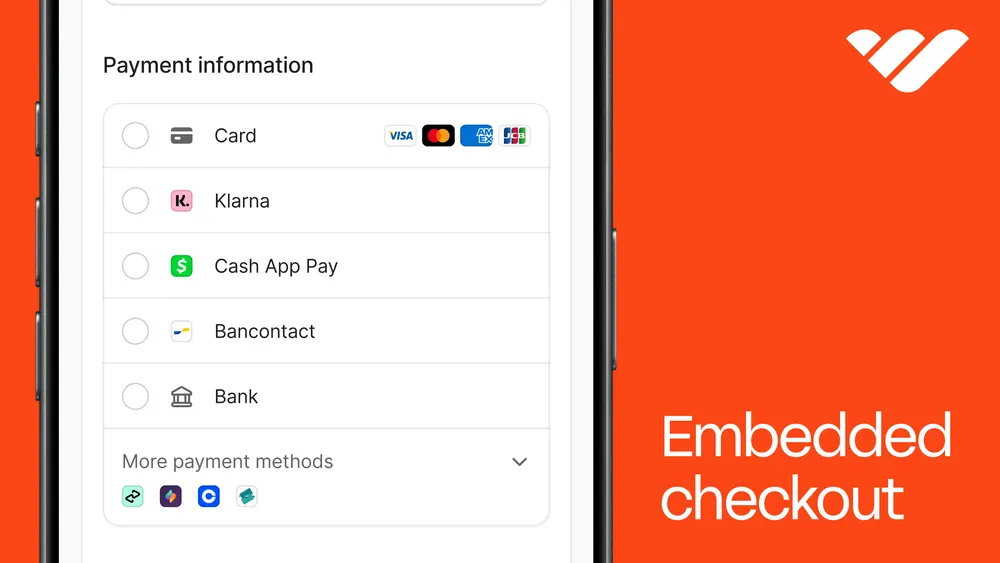
Get paid in USD, stablecoins, or even via Venmo. Embed checkout links, build a full store, or run subscriptions and downloads all in one place.
"We are trying to bring the dream of entrepreneurship to people who haven't really had that ability – payments are just one part of the stack."
- Steven Schwartz, Whop CEO
- Features: Global orchestration, crypto and BNPL support, embedded checkout, affiliate tools, built-in store builder, 24/7 live support.
- Pricing: Free to start, 2.7% + $0.30 per successful charge (enterprise discounts above $50K monthly).
- Best for: Businesses that sell across multiple platforms or internationally and want flexible payment methods and fast payouts.
2. Stripe
Stripe is one of the world’s most trusted and developer-friendly payment processors, powering giants like Amazon and Instacart.
It offers a powerful API, deep integration options, and support across multiple payment methods. Businesses can process online or in-person payments, issue invoices, manage subscriptions, and even use Stripe Treasury or Atlas for banking and business setup.
Developers can build fully custom payment experiences or use Stripe’s no-code tools like Payment Links, Invoicing, or Billing.
- Features: Best-in-class developer APIs, fraud detection (Radar), recurring billing, payouts, invoicing, financial APIs.
- Pricing: 2.9% + $0.30 for US cards (plus 1% for international cards or currency conversion).
- Caveats: Limited native BNPL and crypto options; manual KYC setup; Shopify’s third-party gateway fee applies if used as your main gateway on Shopify.
3. PayPal
PayPal remains the most universally recognised name in online payments, trusted by over 430 million users worldwide.
It offers seamless checkout, strong buyer protection, and a variety of payment options from debit and credit cards to PayPal Credit and Pay in 4 (its BNPL product).
For merchants, that consumer trust translates into higher conversion rates at checkout, especially for international buyers.
However, PayPal’s reliability can vary. Merchants have long complained about frozen funds, buyer-favoured disputes, and steep fees on cross-border sales. It’s rarely the most efficient option for high-volume sellers.
- Features: One-touch checkout, BNPL options, digital wallet, invoicing, and multi-currency support.
- Pricing: 3.49% + $0.49 for most commercial transactions in the US.
- Caveats: Higher fees and fund holds; disputes often favour buyers; Shopify’s third-party gateway fee applies if used as your main gateway on Shopify.
4. Adyen
Adyen is the global payments backbone for brands like Spotify, Uber, and H&M.
It’s an enterprise-grade solution offering unified commerce, meaning it can process payments across web, app, and in-store channels under one account.
Adyen’s multi-acquirer network and risk management tools give large businesses better approval rates and advanced fraud protection.
But setup is complex, and it's primarily designed for teams with developer resources or dedicated finance teams.
- Features: Global acquiring, risk management tools, unified commerce, real-time reporting, 250+ payment methods.
- Pricing: Interchange + 0.6% (plus network and processing fees).
- Caveats: Minimum monthly invoice amounts; complex setup; suited to high-volume merchants and enterprise use.
5. Square
Square combines online and in-person payments through its ecosystem of POS hardware, software, and digital tools. It’s particularly popular among small retailers, restaurants, and service providers moving online for the first time.
Square offers everything from online checkout and invoicing to payroll and scheduling, all tied to one account.
It integrates well with marketplaces like WooCommerce and Wix, though it’s not as flexible globally as Stripe or Whop.
- Features: POS integration, mobile payments, invoicing, scheduling, small business analytics.
- Pricing: 2.9% + $0.30 for online payments; 2.6% + $0.10 for in-person sales.
- Caveats: Limited international reach; fewer API capabilities; not ideal for global or digital-only brands.
Is Shopify Payments right for my business?
Shopify Payments is a strong choice if your business runs on Shopify.
You’ll get fast payouts, a native checkout, and unified reporting without the need to connect a third-party gateway.
Before you activate it, check that your business is based in a supported country and your industry is eligible.
If you sell across multiple platforms, or want to offer payment methods like crypto or regional BNPL, it’s worth exploring options built for those setups.
Grow your online business with Whop
Whop is the end-to-end platform for building a business, supporting entrepreneurs in over 195 countries.
With flexible global payouts and built-in BNPL and crypto support, Whop gives you more ways to get paid and reach customers wherever they are.
Embed checkout on your site, share payment links, or host your store and offers directly on Whop. It’s free to get started.
Start using Whop to accept more ways to pay and reach more customers.
Shopify Payments FAQs
Can I use Shopify Payments with multiple stores?
Yes, but each store must meet eligibility separately, including bank verification.
Does Shopify Payments support subscriptions?
Yes, it works with recurring billing apps to collect automatic recurring payments.
What currencies does Shopify Payments accept?
Multiple currencies are supported in eligible countries, with a 1.5% conversion fee for US stores accepting foreign currencies.
Can I switch from another payment provider to Shopify Payments?
Absolutely—Shopify guides you through moving from Stripe, PayPal, or another gateway.
Can I use Shopify Payments internationally?
Shopify Payments is available in supported countries, including the US, Canada, the UK, Australia, and most of Western Europe. Stores in other regions can connect a third-party payment gateway instead.










![14 best global payout platforms for mass and cross-border payouts [2026]](https://storage.ghost.io/c/12/7b/127b828b-bdc2-4972-9cf2-de857df9c324/content/images/size/w1000/format/webp/2026/08/blog-best-global-payout-platforms.png)
![Top 10 best embedded finance companies for SaaS and marketplaces [2026]](https://storage.ghost.io/c/12/7b/127b828b-bdc2-4972-9cf2-de857df9c324/content/images/size/w1000/format/webp/2026/08/embedded-finance.jpg)