
Trolley is a global payouts provider offering modular products for tax, identity verification, and accounting integrations. This review dives into how it works, pricing, features, and the top global payout alternatives.
Key takeaways
- Trolley automates global payouts to 210+ countries but only sends money, so businesses need a separate processor to accept payments.
- Trolley's modular pricing reaches $7,895 yearly for all Standard products, so subscriptions, not transaction fees, drive costs at low volumes.
- Trolley best suits high-volume platforms paying contractors globally, not small businesses sending few payouts or companies running employee payroll.
Trolley is a global payout automation platform, allowing businesses to pay out recipients while also handling certain tax and compliance obligations.
It rebranded from Payment Rails in 2021, and is used by well-known companies like Wattpad, Canva, and SoundCloud.
As a mass payout platform, Trolley is capable of handling recipient onboarding, verification, fraud detection, accounting, and more – but each module is billed separately. Trolley also only sends payouts, so you’ll need a separate provider to accept payments.
In this review, we'll look at who Trolley is best for, how it works, pricing, and its key features. We'll also suggest the best alternatives to Trolley for businesses that need payouts but have different requirements.
This review is based on Trolley’s public pricing, product pages, documentation, and regulatory licenses page, all checked in October 2026. We looked at user ratings on G2, Capterra, GetApp, and Trustpilot, and compared Trolley against other payout platforms.
What is Trolley?
Trolley is built for businesses that need to send payouts at scale, offering four key product areas: Pay, Tax, Trust, and Sync – we'll go into each of these in detail below.
In essence, the operative flow is simple: onboard recipients, send payouts, handle tax and compliance.
Trolley’s onboarding and management tools let recipients add their own bank details, complete the necessary tax forms, and receive updates through pre-built components or APIs.
Trolley claims it can automate every step of sending payouts, reducing admin by giving teams the tools to enable recurring and batch payments, operate payments at scale, track suspicious activity, and automate tax withholding.
It covers 210+ countries and territories with 135+ currencies, and facilitates payouts through digital wallets, local and global bank transfers, debit cards (US businesses only), checks, Venmo, and PayPal.
Trolley pros and cons
While each feature adds to Trolley's capabilities, they come at a cost, and not all features will be necessary for every business.
| Pros | Cons |
|---|---|
| Payouts to 210+ countries and territories in 135+ currencies | Only sends payouts – you'll need a separate processor to accept payments |
| Wide range of payout methods, including bank transfers, PayPal, Venmo, checks, and mobile wallets | Modular pricing adds up quickly ($7,895/year for all Standard products, before transaction fees) |
| Tax form collection, withholding, and year-end reporting (with Tax) | Standard Tax covers only one jurisdiction – US and EU reporting together requires Trolley Plus |
| White-label recipient onboarding through a hosted portal or embedded widget | NetSuite, SOC 2 report access, and a dedicated success manager are Plus-only |
| Identity verification and sanctions screening (with Trust) | Data Connectors sync daily, not in real time |
| REST API, SDKs, webhooks, and a sandbox for testing | Instant debit card payouts are only available to US businesses |
Who is Trolley best for (and who should skip it)?
Trolley is aimed at platforms and marketplaces that send large payout volumes across borders. Trolley pitches itself to finance, compliance, engineering, and support teams.
Because Trolley covers 210+ countries and territories and 135+ currencies, it suits businesses paying globally that need a solution that covers all recipient locations.
It can handle tax reporting (such as 1099s, W-9/W-8 collection and year-end statements in the US), but its Standard plan only handles one jurisdiction. Businesses that need coverage for more than one jurisdiction will need the Trolley Plus plan, which is custom priced.
If you want to keep payouts as part of your own brand, Trolley offers white-label onboarding and an API that allows recipients to add their own bank and tax details without leaving your platform.
It’s also best for businesses that already have a payment processor, as Trolley slots in as the payouts layer on top of whatever you use to collect payments.
You might want to skip Trolley if you only send a small number of payouts: Trolley Pay alone costs $2,399 a year before transaction fees, which is hard to justify for a handful of payouts a month.
It's also built for paying contractors, sellers, and partners – not employees, as it isn’t a payroll tool.
How does Trolley work?
Trolley works by allowing businesses to sign up, fund a balance, onboard recipients through its portal or widget, and then send and track payouts. Tax statements can be generated (for a cost) at the end of the year.
As of October 2026, Trolley onboards businesses that have offices in the US, Canada, Australia, New Zealand, the United Kingdom, or the European Economic Area.
- Fund your balance: Most accounts are approved within minutes of completing a business profile and can start sending wallet payouts (such as PayPal), but sending bank payouts needs an extra bank onboarding step that takes a few business days. Once you’re set up, you add funds to your Trolley balance, which your payouts are sent from. In the US, ACH funding typically arrives the next business day and domestic wires the same day.
- Set up recipient onboarding: Choose between Trolley’s hosted, white-label portal (no code needed) or an embedded widget in your own site or app. You decide what recipients provide, such as payout details, tax forms, and ID verification (via the Trust add-on).
- Add your recipients: Add recipients one at a time, by CSV, from your ERP, or through the API. If you use the portal, Trolley emails recipients to complete their setup. If you use the widget, they complete it in your site or app, or you can add their payout details yourself through the API.
- Send and track payouts: Send single or batch payouts, with optional approval workflows. You choose whether to cover payout fees, split them, or pass them on to recipients, and you can track each payment’s status in the dashboard.
- Handle year-end tax (with the Tax add-on): If you add Trolley’s Tax module, it generates recipient tax statements, like 1099s for US-sourced payouts. The Sync add-on can also push your payouts into your accounting software.
Trolley offers businesses a 30-day free trial, no credit card needed.
After your trial ends, you'll be prompted to add your credit card information to continue with your selected plan(s). There's a 30-day grace period in which to do so, otherwise your subscription will be canceled.
Businesses on the free trial that did supply credit card information will be automatically charged for the plan(s) they chose.
Trolley pricing
Trolley's pricing is split across its four key products: Pay, Tax, Trust, and Sync (which includes separate add-ons for Accounting and Data Connectors). Each of these gives businesses greater control over the product and their payouts, but the modular pricing stacks up.
| Product | Price (Standard) | What's included |
|---|---|---|
| Pay | $2,399/year | Domestic and international bank transfers, wallets, and checks; white-label onboarding; fee splitting; payment approval workflows |
| Tax | $2,399/year | Tax compliance in one jurisdiction (US or EU); recipient statements charged per statement |
| Trust | $1,199/year | Identity verification, document collection, public data validation, and photo verification; 10 free scans per month |
| Sync: Accounting | $699/year | Native QuickBooks Online and Xero integrations; 4 refreshes per day |
| Sync: Data Connectors | $1,199/year | Sync to data warehouses like AWS S3, Redshift, and Snowflake; scheduled exports |
| Total (all products) | $7,895/year (plus transaction fees) |
The above table reflects pricing for the Standard plans as of October 2026, in USD.
The Plus plan offers everything the Standard plans do, as well as extras like transaction and FX volume discounting, tax reporting in multiple jurisdictions (IRS + OECD digital platform reporting), the ability to flag suspicious logins, native NetSuite integration, near real-time accounting sync, granular user roles, SOC 2 report access, and a dedicated customer success manager.
The pricing for the Plus plan is customized to your business, so you'll need to talk to sales for a quote.
Transaction fees
Payout transaction fees apply on top of the pricing of plans, and businesses can carry, split, or pass payout fees to recipients.
| Payout method | Price per payment (USD) |
|---|---|
| Domestic ACH (USD) | $1.00 |
| EFT (CAD) | $1.00 |
| SEPA (EUR), FPS (GBP), NPP (AUD), BECS (NZD) | $4.00 |
| International ACH | $4.00 |
| Debit card payout (USD) | 1.00% ($1.50 minimum) |
| Wire with FX | $10.00 |
| USD wire, no FX | $25.00 |
| PayPal | $0 (PayPal fees may still apply) |
| Venmo | $1.50 (PayPal fees may still apply) |
| Currency conversion | 2.00% (may be reduced at higher volumes) |
What Trolley actually costs: a worked example
Trolley's pricing is modular and varied, so here's an example of what it would actually cost for a US business on the Standard plan for Pay and Tax, paying 100 US contractors $500 each per month by ACH, and issuing each of them a 1099-NEC (the form used to report payments to independent contractors) at year-end.
| Cost | Per year (USD) |
|---|---|
| Pay + Tax subscriptions | $4,798 |
| ACH payouts (100 × $1 × 12 months) | $1,200 |
| 1099-NEC statements (100 × $2) | $200 |
| Total | $6,198 |
Each contractor earns $6,000 a year, above the $2,000 threshold for 1099-NEC reporting on payments made from 2026 (up from $600), according to the IRS’s 2026 Instructions for Forms 1099-MISC and 1099-NEC.
That equates to roughly 1% of the $600,000 paid out over the year. Most of it is coming from the subscriptions, so the percentage drops as payout volume grows.
Hidden and variable costs
Beyond the modular plan costs and transaction fees, Trolley has other fees that can be variable:
- Tax statements: $2 per IRS statement and $3 per digital platform (DAC7) statement on the Standard plan. The cost grows with every recipient.
- ID verification: 10 free scans a month with Trust, then $2.50 per scan.
Trolley's key features
Trolley's features are divided between the modules discussed above, alongside developer tools (APIs, SDKs, and a widget) that allow you to integrate its payouts into your existing platform.
Each product handles a different part of the process, and businesses choose which products to pay for.
Trolley Pay: The main payout capability
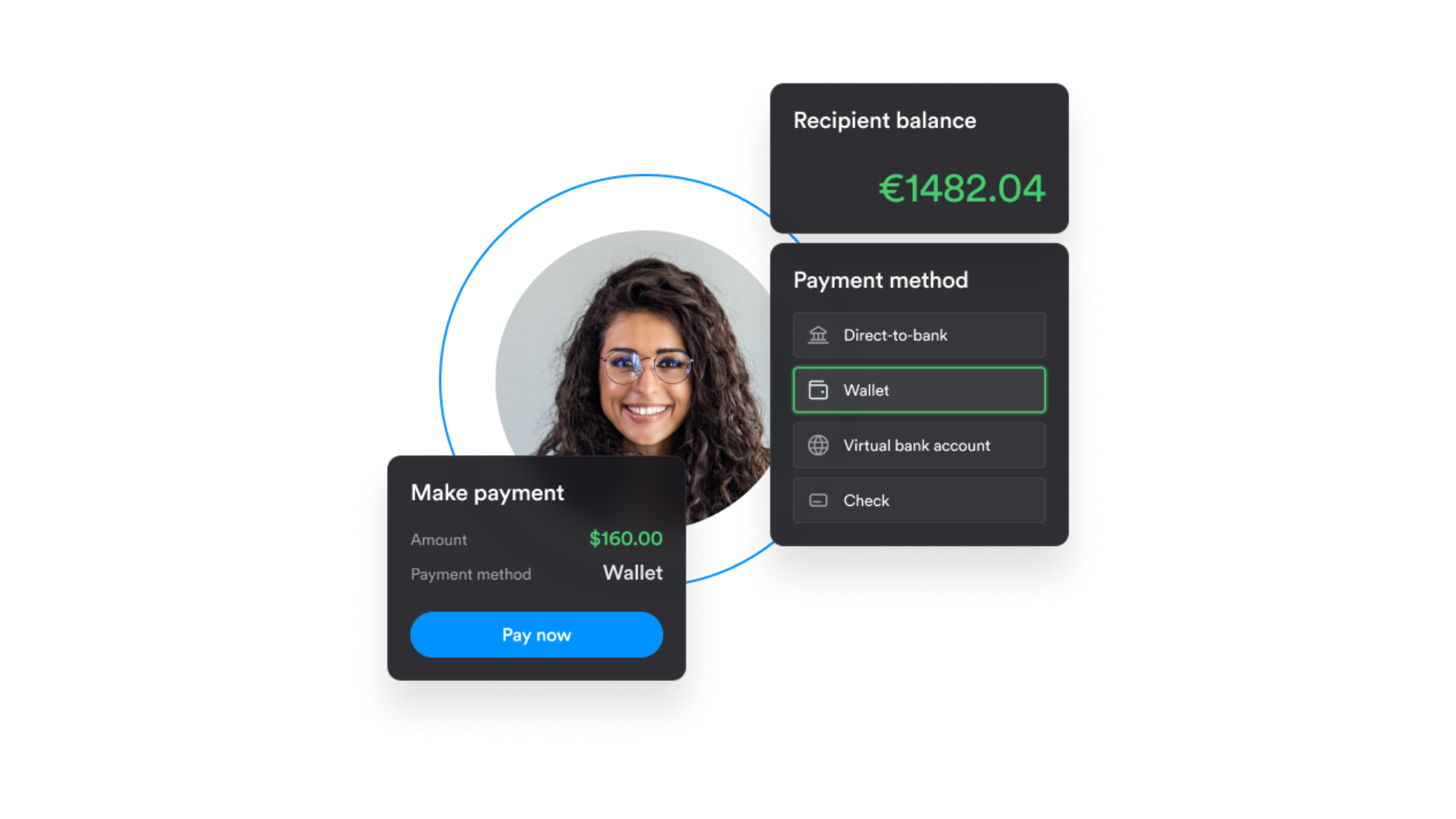
Trolley Pay is the main product that allows your business to send payments to recipients in 210+ countries and territories across 135+ currencies.
It supports local and international bank transfers (ACH, IACH, SEPA, FPS, PIX, and SWIFT wires), checks, PayPal, Venmo, and mobile wallets, so recipients can choose from the methods available in their country.
Businesses can also send instant payouts to debit cards (US merchants only) and local mobile wallets in 25+ countries (only available to merchants in the US, UK, Canada, and Australia).
Individual payouts can be created in the dashboard, CSV files can be uploaded for bulk payouts, and payouts can also be triggered through the API. The paid Sync add-on allows invoices to be imported directly from an ERP.
Trolley Pay is able to collect payee bank details and payout preferences through a hosted portal or embedded widget. Businesses can set up internal reviews before payments are released and monitor payout statuses in the dashboard.
Again, Trolley is for payouts, not payment acceptance. If you're building a marketplace or need to accept payments as well as pay out recipients, you'll need a separate processor.
Trolley Tax: Form collection, withholding, and reporting
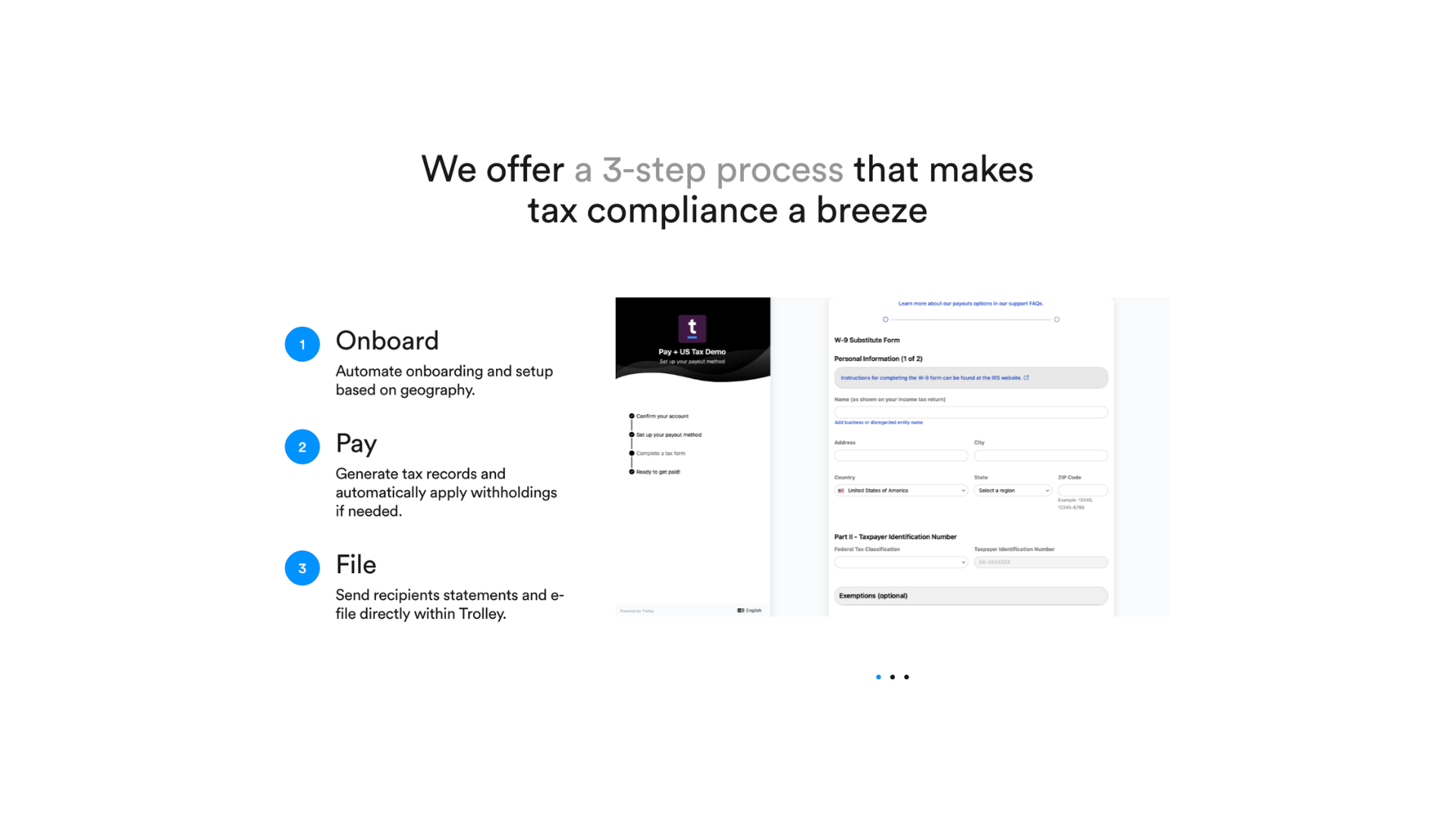
If your business needs automatic tax documentation and reporting, Trolley Tax is a necessary add-on. Rather than collecting forms manually at the end of the year, it gathers the necessary information during payee onboarding and uses it to determine how payouts should be treated for tax purposes.
For US tax compliance, this means collecting tax ID details as well as digital W-9 and W-8 forms. Trolley automates withholding where required, and provides year-end reporting through forms such as 1099s and 1042-S.
Trolley Tax also supports digital platform reporting requirements in the EU, UK, Australia, and New Zealand, including DAC7 and other OECD reporting rules. This involves collecting seller information, associating payouts with reportable activities, and preparing the required reporting files.
When you have Trolley Tax enabled, recipients will be presented with the appropriate tax forms during onboarding, and Trolley will validate their tax information and collect electronic signatures.
Trolley then builds a tax record for each recipient and applies withholding based on the details they provide. Year-end tax statements are charged per recipient on the Standard plan and included on Trolley Plus.
Use case: A marketplace paying US contractors can use Trolley to collect tax information as recipients join, rather than chasing hundreds of people for missing details at the end of the financial year.
The limitation appears when you’re paying in multiple jurisdictions – say, contractors in the US and in the EU. Standard Tax only covers one, so businesses requiring both US IRS reporting and European digital platform reporting need Trolley Plus.
Trolley Trust: Identity verification and risk monitoring

Trolley Trust automates identity checks, helping businesses monitor the people and companies receiving their payouts. It can collect and validate ID documents, verify phone numbers, assign risk scores, and flag accounts for additional checks.
Trust is an optional add-on, so businesses can still onboard and pay recipients using Trolley Pay without it. They just won't get access to the additional tools Trust has. That means they'll need their own verification processes.
For individual payees, Trust supports Know Your Customer (KYC) checks, including government-issued ID collection and validation, as well as live photo verification. Trolley says its system supports more than 11,000 government ID templates across over 200 countries.
For business recipients, KYB (Know Your Business) checks collect documents such as certificates of incorporation, partnership agreements, and tax registrations. Information collected might include registered business names, addresses, and registration numbers.
Trust also includes ongoing security features:
- Phone verification: Validate recipients' mobile numbers using one-time passwords.
- Re-verification: Request new identity checks at predefined intervals or when risk indicators are detected (automatic triggers are coming soon on Trolley Plus).
- Activity monitoring: Record login IP addresses, geolocation information, and account changes.
- Recipient risk profiles: Keep identity information, verification results, and account activity together for review.
- Watchlist screening: Automatic screening against global sanctions lists after completing verification. Businesses can configure how flagged accounts are handled, including automatically disabling recipients. Without automatic disabling, the recipient is just flagged for the business to review.
These checks can be incorporated into Trolley's hosted portal or embedded directly into your platform via the API.
Worth noting: identity verification isn’t the same as fraud prevention. Trust flags potential issues, but the business decides how to handle them, and Trolley’s Watchlist Verification help article notes that “false positives are common, especially for common names.”
Some advanced security capabilities, including suspicious login flagging, are reserved for Trolley Plus.
Trolley Sync: Accounting integrations and data synchronization
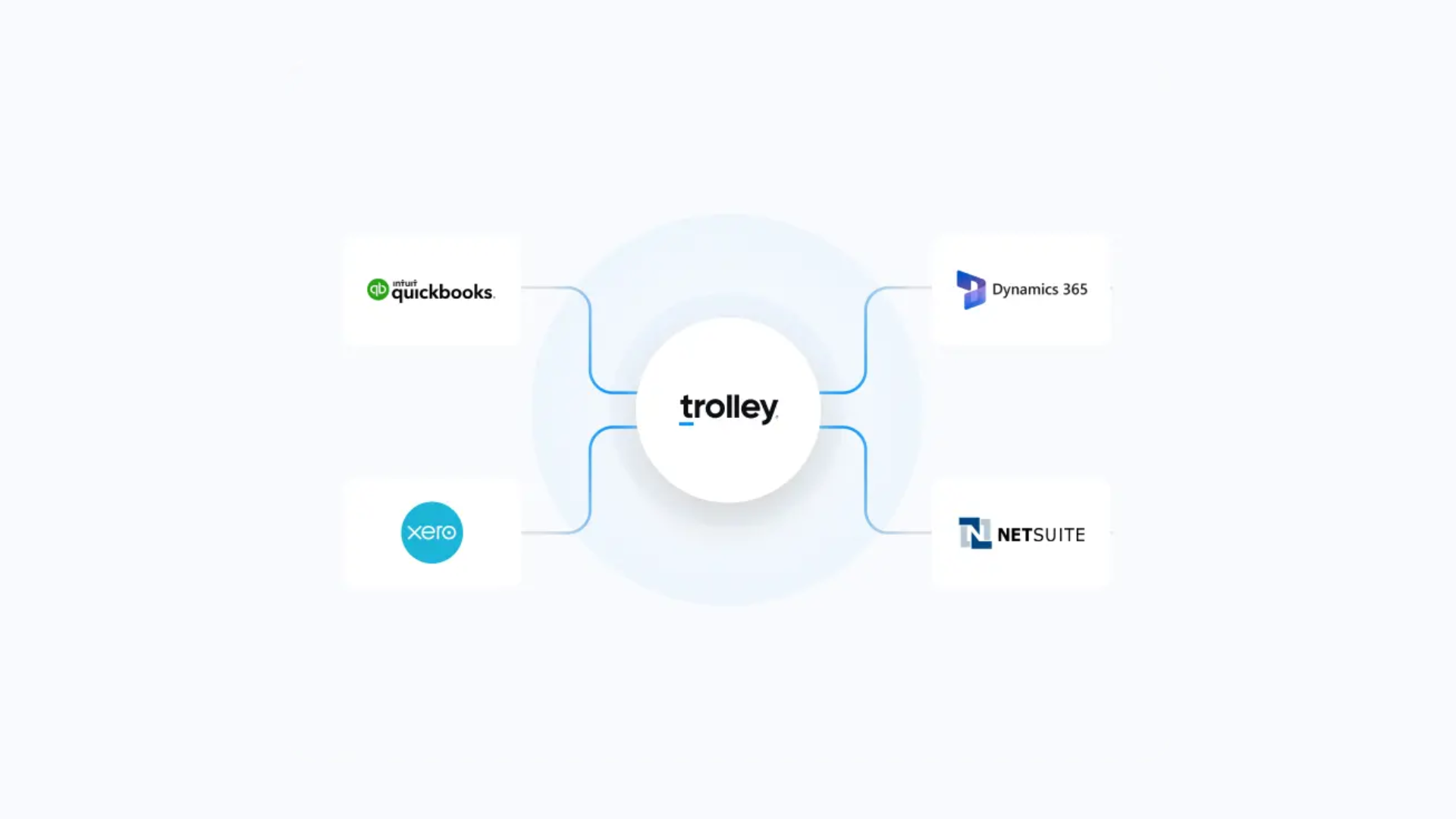
If you need Trolley to connect with your existing accounting software or data, you'll have to add Trolley Sync to your stack.
It's split into two separately priced add-ons: Accounting (which keeps your invoices, vendors, and payment records synchronized), and Data Connectors (which exports payout data to data storage systems for reporting and analytics).
Sync's accounting integrations include QuickBooks Online and Xero on the Standard plan, with NetSuite available on Plus plans.
Note: Trolley's own pricing page does show a discrepancy. NetSuite is initially shown under Standard Sync Accounting, but scroll down and it suggests it's part of the Plus plan only.
Trolley also advertises Microsoft Dynamics 365 support, but it isn't confirmed on the pricing page which plan this falls under – so businesses needing it should confirm with sales.
Sync supports two main accounting flows:
- Bill payments: Trolley can import unpaid invoices and payee details from your accounting software so you don't need to enter them again when making payouts. Once a payment completes, Trolley updates the status in your accounting software and sends automatic email notifications if a payment is returned.
- Journal entries: Once payouts are made, Sync can create and reconcile records in your accounting software, carrying over the relevant details. This keeps your books accurate without manual entry.
For example, a business paying 200 contractors each month could import their outstanding invoices from Xero, pay through Trolley, and have the completed payments reflected in Xero without needing to manually update.
Standard accounting synchronization is limited to four refreshes per day, while Plus offers near real-time syncing.
Data Connectors serve a different purpose.
Rather than updating invoices or accounting records, they export Trolley data to storage systems (like AWS S3, Redshift, and Snowflake). The first sync exports all historical data, and later syncs push new or updated records.
Data Connectors sync once a day by default, so they suit reporting and dashboards rather than real-time payout tracking.
Trolley developer tools: API, SDKs, and embedded onboarding
Trolley has developer tools that give businesses a few ways to connect its payout system to their own website or app, depending on how much they want to build themselves.
- REST API: Developers can use the API to add recipients, send payments, and retrieve payout information without having to do it via the Trolley dashboard.
- SDKs: Trolley maintains SDKs in JavaScript, Python, PHP, Ruby, Java, and C#, which give developers a starting point for working with the API.
- Pre-built widget: This sits inside your own website or app via an iframe and allows recipients to enter details and their preferred payment method without leaving your platform. You can adjust the appearance to match your branding. If you've subscribed to Tax or Trust you can also use the widget to collect tax info and carry out verification checks – though Trolley’s docs note that part of the verification flow must be completed on a mobile device.
- Webhooks: These let your systems know when something changes. For example, if a payout fails, you could have that information automatically reflected in your platform or sent to your support team, rather than having someone check the Trolley dashboard.
Developers can try out their integration in a sandbox before pushing live.
If you don’t have developer resources, Trolley’s hosted portal is the simplest option, and the widget saves you from having to build your own onboarding forms.
But if you want a completely custom payout experience, you'll still need developers to connect the API, build the interface, and maintain it over time.
What do users say about Trolley?
Trolley receives generally positive feedback from businesses using it for payouts. As of October 2026, it has a 4.5/5 rating on G2 and 4.7/5 on Capterra.
Looking at the ten most recent G2 reviews, ease of sending international payments is the most frequently praised feature, mentioned in six. Five highlight the interface and payment tracking, and three appreciate being able to let recipients enter their own banking details.
Tax automation is another strength: three reviewers praise Trolley's W-9 collection and 1099 filing.
When it comes to customer support, however, feedback is more mixed.
Four recent G2 reviewers report difficulties getting timely help, and one enterprise customer says their account representative's role was eliminated in 2025 and hadn't been replaced by the time of review in July 2026. They also note support responses were taking 1-2 days or longer, and refer to the chatbot as "extremely basic".
Payment tracking can become another issue. Some recent reviews mention difficulty obtaining payment confirmations or tracing transactions, and others want more detailed deposit information.
Individual reviewers also mention higher-than-expected currency conversion costs, occasional synchronization problems, and wanting more checks on recipient details before payouts.
TL;DR: Trolley's strongest feedback is on its ability to simplify international payouts and tax administration, and the most consistent recent criticisms concern support response times and visibility into payment issues.
It's worth noting that the recent G2 reviews were incentivized, and the sample is relatively small.
The best Trolley alternatives
If Trolley's pricing is too steep or it simply doesn't have the capabilities you expect from a mass payout provider, other options include Whop, Stripe Connect, Tipalti Mass Payments, MassPay, and Dots.
Here's how they compare using our worked example from earlier: paying 100 US contractors $500 each per month by ACH, and issuing each of them a 1099-NEC at year-end.
| Provider | Subscription | Payout fees | 1099-NECs | Total per year |
|---|---|---|---|---|
| Trolley (Pay + Tax) | $4,798 | $1,200 | $200 | $6,198 |
| Stripe Connect* | $2,400 | $1,800 | $299 | $4,499 |
| Dots Core | $228 | $2,400 | $500 | $3,128 |
| Dots Scale (API) | $11,988 | $1,200 | $350 | $13,538 |
| Tipalti | $2,988 | By quote | By quote | From $2,988 |
| MassPay | By quote | By quote | $100 | By quote |
| Whop | $0 | $3,000** | Included | $3,000 |
*Stripe’s “subscription” is its $2 monthly fee per active account, charged when your platform handles pricing.
**Whop’s payout fees are deducted from the recipient’s balance by default; this assumes your platform covers them.
All figures assume 1099-NECs are e-filed and delivered electronically. Mailed copies cost extra with Stripe ($2.99), MassPay ($1.80), and Dots ($1).
Assuming $500 ACH payouts, one per recipient per month, and excluding year-end forms, Trolley (on Pay + Tax) becomes the cheaper option at roughly 160 payouts a month against Stripe Connect, 270 against Whop, and 380 against Dots Core.
Figures cover payouts and 1099s only. If you also use Whop or Stripe Connect to accept payments, card processing fees apply on money coming in (something Trolley doesn’t handle at all).
1. Whop
Best for: Marketplaces and platforms that want to accept customer payments and pay sellers through one system. Whop also suits low-volume payouts due to no monthly or setup costs.
Unlike Trolley, which solely sends money to recipients, Whop handles both sides of a transaction.
Businesses can accept payments through checkout links or embedded checkout, then use Whop's payout infrastructure to distribute funds to sellers, affiliates, and other recipients in 241+ territories.
For marketplaces, Whop lets you onboard connected accounts, process payments on their behalf, and automatically route earnings to them.
Connected accounts can manage their own payment activity, while Whop handles identity verification and payout setup. Businesses can let users earn up to $5,000 before completing identity verification, but users must verify before they can withdraw.
Whop supports a broad range of withdrawal methods, including bank deposits, PayPal, Venmo, and crypto, depending on the recipient's location and eligibility. Instant payouts are also available.
Platforms can also set their own markup on payout costs charged to users and retain the difference, creating an additional revenue stream alongside their transaction fees.
- Pricing: No setup fees or monthly subscription. Standard payment acceptance is 2.7% + $0.30 (domestic US) per successful card transaction. Payout fees vary by withdrawal method ($2.50 for next-day ACH; 4% + $2.50 for instant bank deposits; 5% + $1 for crypto). For all pricing per payout method, see the page below.
2. Stripe Connect
Best for: Marketplaces and software platforms already using Stripe that want to manage seller payments and payouts together.
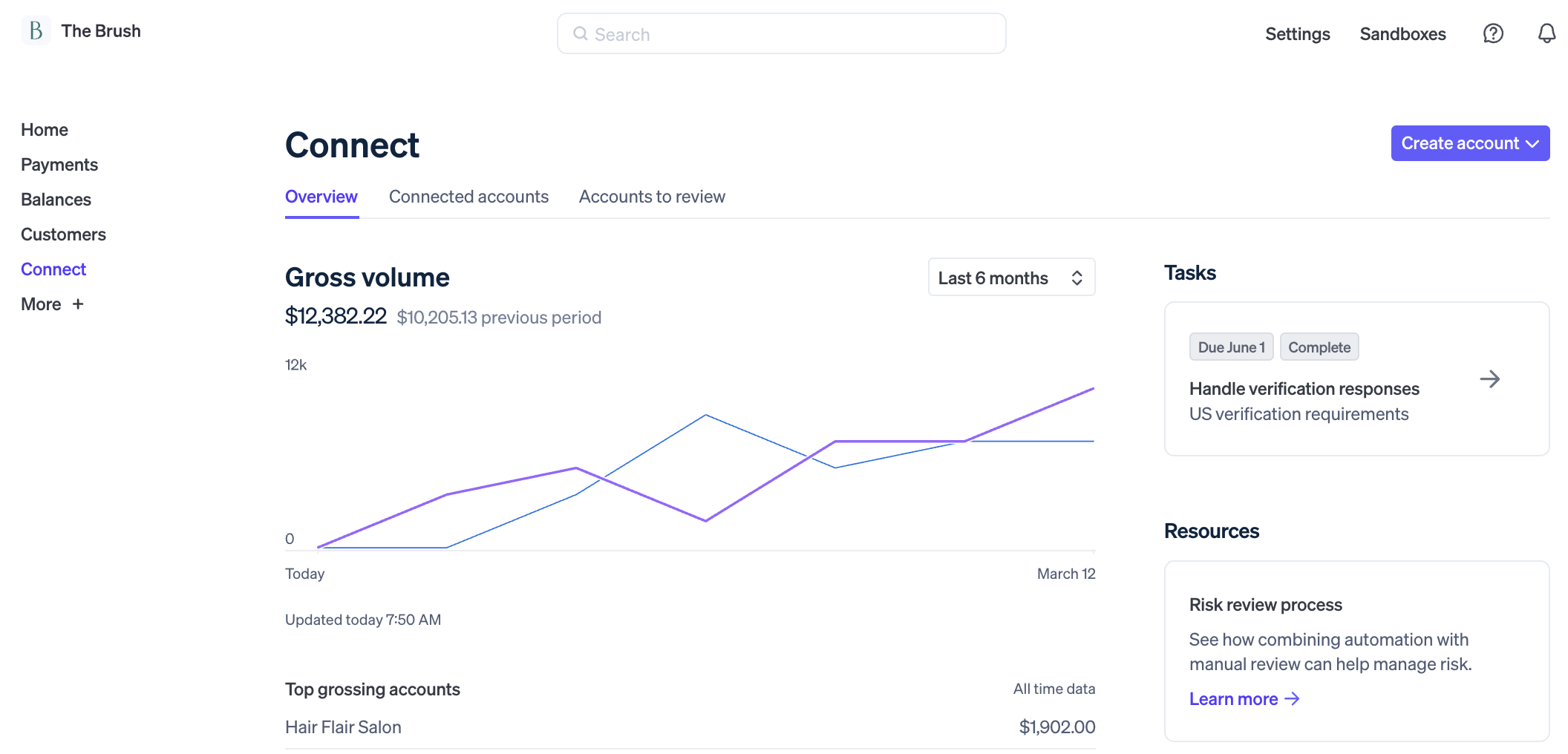
Stripe Connect extends Stripe's payment processing infrastructure to businesses that pay multiple sellers or service providers.
Platforms can onboard connected accounts, verify their identities, split customer payments, collect platform fees, and control when recipients get paid.
Stripe Connect offers hosted and embedded onboarding, APIs, payout dashboards, and support for international and instant payouts. Stripe also provides the tools for payment reconciliation and US 1099 reporting.
Connect’s costs depend on who sets the payment fees: If Stripe sets them, your sellers pay Stripe directly and your platform pays no extra Connect fees. If your platform sets them (common for marketplaces that want their own pricing), you pay Stripe extra, including $2 per active account each month and 0.25% + $0.25 per payout.
Businesses building highly customized payment flows may also need developer resources.
- Pricing: Card payments start at 2.9% + $0.30 per successful charge. If Stripe handles pricing for your connected accounts, there are no extra Connect fees for your platform. If your platform handles pricing, Connect adds $2 per monthly active account, 0.25% + $0.25 per payout, and 1% for instant payouts. Cross-border payouts start at 0.25% of payout volume and US 1099s cost $2.99 per form e-filed with the IRS.
3. Tipalti Mass Payments
Best for: Businesses that need high-volume global payouts with built-in tax compliance, plus finance tools like self-billing, invoice approvals, and multi-entity management.
Tipalti Mass Payments is designed for businesses that need to pay large numbers of recipients without managing each transaction individually.
It supports payouts to 200+ countries and territories in 120 currencies, with over 50 payment methods, including local bank transfers, international ACH, wire transfers, and PayPal.
Recipients can onboard themselves through a branded portal, choose their preferred payout method, submit tax information, and track their payments. Tipalti also supports W-9 and W-8 collection, tax ID validation, VAT requirements, DAC7 reporting, and sanctions screening.
Like Trolley, it offers APIs and accounting integrations for automating payouts and keeping financial records up to date. However, Tipalti goes further into finance operations, with self-billing, invoice approvals, and multi-entity management.
The trade-off is that Tipalti is more complex to adopt: businesses generally need to speak with sales and arrange implementation, and its larger finance capabilities are likely unnecessary if you only need straightforward global payouts.
- Pricing: Mass Payments starts at $249/month ($2,988/year), including unlimited users, a payee portal, and core automation features. Additional transaction fees apply, with pricing depending on payment volume, methods, currencies, and enabled features (Tipalti states standard implementations for common AP and payments are included, but more complex setups may require additional services). Businesses need to contact sales for a quote.
Weighing up between Tipalti vs MassPay? Read out our review of both platforms.
4. MassPay
Best for: Businesses that want flexible payout methods and local payment options across international markets – and don't mind custom pricing.

MassPay is a global payout platform that helps businesses send money through different banks, payment networks, and local payout providers without managing those relationships individually.
Its main selling point is intelligent payout routing: rather than relying on a single payment route, MassPay selects from available options based on factors such as cost, speed, and reliability.
It supports payouts across 180+ countries and markets, including bank transfers, digital wallets, mobile money, cards, and cryptocurrency.
Businesses can send payments through the dashboard or API, while recipients can manage their payout details through a branded portal. MassPay also offers identity verification, sanctions screening, KYC/KYB checks, and transaction tracking.
Its marketplace product page describes support for W-8/W-9 collection and tax documentation (although the extent of tax filing automation is less clearly specified than Trolley's).
- Pricing: Custom payout pricing, with fees varying by destination, method, and currency. MassPay doesn't publish a standard payout rate card. Its documentation states that tax services cost $1 per contractor annually, plus $1.80 per tax form sent by post. For payout pricing, businesses have to contact sales and get a custom quote.
Check out our guide to the top MassPay alternatives.
5. Dots
Best for: Businesses that want to start sending payouts at low volume with the ability to scale up to API-based payouts later (from $999/month).
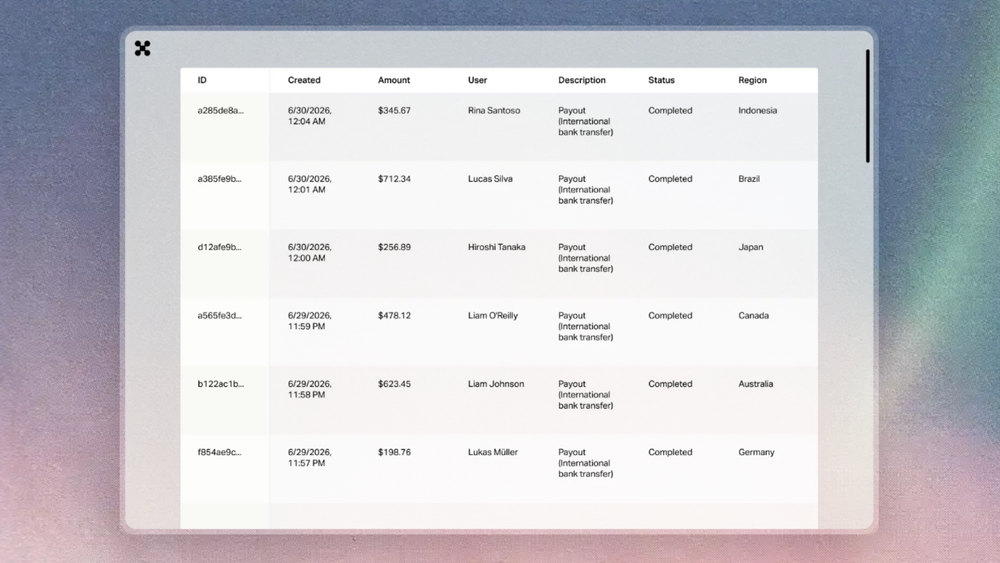
Dots is a global payouts platform for marketplaces, gig platforms, and businesses that need to pay large numbers of recipients. It brings payouts, recipient onboarding, identity verification, and tax compliance into one system.
Payouts are supported in 190+ countries and 135 currencies through more than 300 payment rails.
Recipients can choose from methods including bank transfers, PayPal, Venmo, Cash App, local instant payment networks, and crypto (USDC), depending on their location.
Dots can also handle sanctions screening and optional background checks for businesses on the Scale or Enterprise plans.
Businesses can send individual payouts from the dashboard, upload CSV files for bulk payments, or automate payouts through its API (API access is only available on the Scale or Enterprise plans).
Payout links let businesses send recipients a link by email or SMS, where they can verify their identity (optional), complete tax forms, and choose how to get paid.
Its tax features include W-9 and W-8BEN collection, IRS tax ID matching, and 1099 filing.
Dots has a much lower entry price than Trolley, but the $19/month Core plan doesn't include API access or white-labeling. Those features require the $999/month Scale plan, which unlocks lower transaction fees and additional recipient support compared to the Core plan.
- Pricing: Core costs $19/month, Scale costs $999/month, and Enterprise has custom pricing. Domestic payouts cost $2 on Core or $1 on Scale; international payouts cost 3.9% + $2 or 2.9% + $1, respectively. 1099s cost $5 each on Core or $3.50 on Scale (plus $1 per mailed copy), and ID verification costs $5 or $3.
Get fast global payouts with Whop
Trolley is a good option for businesses that need to pay recipients internationally, especially if tax compliance and accounting integrations are priorities – but the pricing is steep, and every feature adds up.
Plus, if you're building a marketplace or platform, sending payouts is only one side of the flow.
Whop gives you a simple way to accept payments, onboard sellers, and embed payouts directly into your platform or app, with no monthly or setup costs.
Whop issues 1099-K and 1099-NEC forms to payout recipients and collects W-9 and W-8 forms during onboarding.
"Whop has been super great in helping us automate all payouts on our referral platform for micro1. The integration was seamless and the team is always available to help with anything that pops up!"
– Ali Ansari, Founder of Micro1
Trolley FAQs
Is Trolley legit?
Yes. Trolley (formerly Payment Rails) has been processing payouts since 2015 and is regulated in each region it operates in. It’s registered with FinCEN and holds US state money transmitter licenses, and is registered or authorized with FINTRAC in Canada, the FCA in the UK, and AUSTRAC in Australia. It also has a SOC 2 Type II report.
How much does Trolley cost?
Trolley’s Pay product costs $2,399/year, and all Standard products together cost $7,895/year (as of October 2026). Transaction fees apply on top, starting at $1 per domestic ACH payout, plus a 2% currency conversion margin. Trolley Plus is priced by quote.
Does Trolley charge recipients fees?
Not directly. Businesses can choose whether to cover payout fees themselves, split them, or pass them on to recipients.
Does Trolley report payments to the IRS?
If the business paying you uses Trolley Tax, Trolley collects your W-9 or W-8 form during onboarding and files 1099 or 1042-S forms at year-end.
Which countries does Trolley support?
Trolley can send payouts to recipients in 210+ countries and territories, in 135+ currencies. However, the business sending payouts must have an office in the US, Canada, Australia, New Zealand, the UK, or the European Economic Area.
Is Trolley the best payouts provider?
Not necessarily; the best payouts provider depends on your business. Trolley is a strong option for platforms that pay large numbers of recipients globally and need built-in tax compliance, especially in one jurisdiction. But its modular annual pricing can be costly at low volumes, and it only sends payouts. Businesses that also need to accept payments may be better suited to using a platform like Whop, which handles both and has no monthly or annual fees.