To make a community website for free, you have to first pick your platform. You can use a free website builder, but Whop is the best option for a one-stop shop for all things related to your brand.
Key takeaways
- Choosing a specific niche over a broad topic helps creators connect with ready-made audiences and stand out.
- Whop provides a free, flexible platform with built-in apps for forums, courses, payments, and monetization tools.
- Define clear community rules, admin roles, and membership tiers before launching to ensure smooth management.
The first step to making a community website for free is choosing the right platform and deciding how much content you want to include. While free website builders exist, the best place to host a community is Whop because it lets you do a lot more than just chat.
Community websites give creators the tools to bring followers together - and monetize their brand.
If you’re just starting out, you might worry about the costs. Fortunately, it’s simple to learn how to make a community website for free.
In this post, we’ll break down everything you need to know. That includes finding a niche, choosing the right platform, and growing your digital community.
So, what’s a community website (and why do you need one)?
A community website is an online space where like-minded people can connect. It can also refer to platforms that give you the tools to build an online community, e.g., Whop, Squarespace, and Discord.
This could be through:
- Text chat channels
- Discussion forums
- 1-1 and/or group live chat
- Video and audio calls
Depending on the platform, it might also contain other features, like:
- Payment support
- Courses
- Streaming tools
- Shared files and documents
There are usually also member profiles and tools for tagging members in conversations.
Community members appreciate these spaces, as they can meet people with similar interests, talk about topics that matter to them, and potentially make some new friends. It’s also a great way to share knowledge, promote products, and set up events IRL.
Communities need to be managed and moderated. This will usually be you, but you might also assign roles to other members of the group.
Some platforms, like Whop, have bots and apps that can automate some tasks for you. For instance, if you add an app to your whop, you can choose from options like AI Chat and AI Coach.
How to make a community website for free
Step 1: Find a niche
The first step to creating a successful community website is to find the right niche. If you’re a content creator, you might already have an idea in mind. For example, if you create beauty videos, you’ll typically want to set up a community website for beauty fanatics.
Still, it’s worth thinking about your niche carefully. It’s tempting to go with the broadest idea, but honing down into something more unique could connect you with a ready-made audience. Plus, you’ll have a clearer idea of the kinds of discussion topics to focus on.
In the beauty community example, there’s scope for luxury beauty, sustainable beauty, beauty on the go for digital nomads, and all sorts of other niches.
So, how can you find the right niche for your community?
🎯Think about your audience: If you’re a content creator, your community is likely to stem from your audience (at least at the start). So, if you already have a following, find out where their pain points are and what they want from a community.
You could read their comments, explore your most popular content, or even ask them directly on your socials.
Once you've built this base level of excitement and activity inside of your community, that's when you start to branch to bigger products. Here, you can offer things in the same niche, you can branch out to a different niche or exclusive access one-on-one to yourself as the mentor.
– Jasen Hunt, professional CAD instructor and online creator
❤️ Pinpoint your passions: This might seem basic, but don’t neglect this step. If you’re passionate about a niche, you’re more likely to create an authentic online space. What topics are you instinctively drawn towards? What would you enjoy forming a community around?
🛠️ Center your skills: Along with your passions, it’s also important to focus on what you know. Think about your skills and experience. What niches are they suited to?
You could even combine these areas together. Think back to the Digital Nomad Babes group - this combines travel and digital careers into a niche.
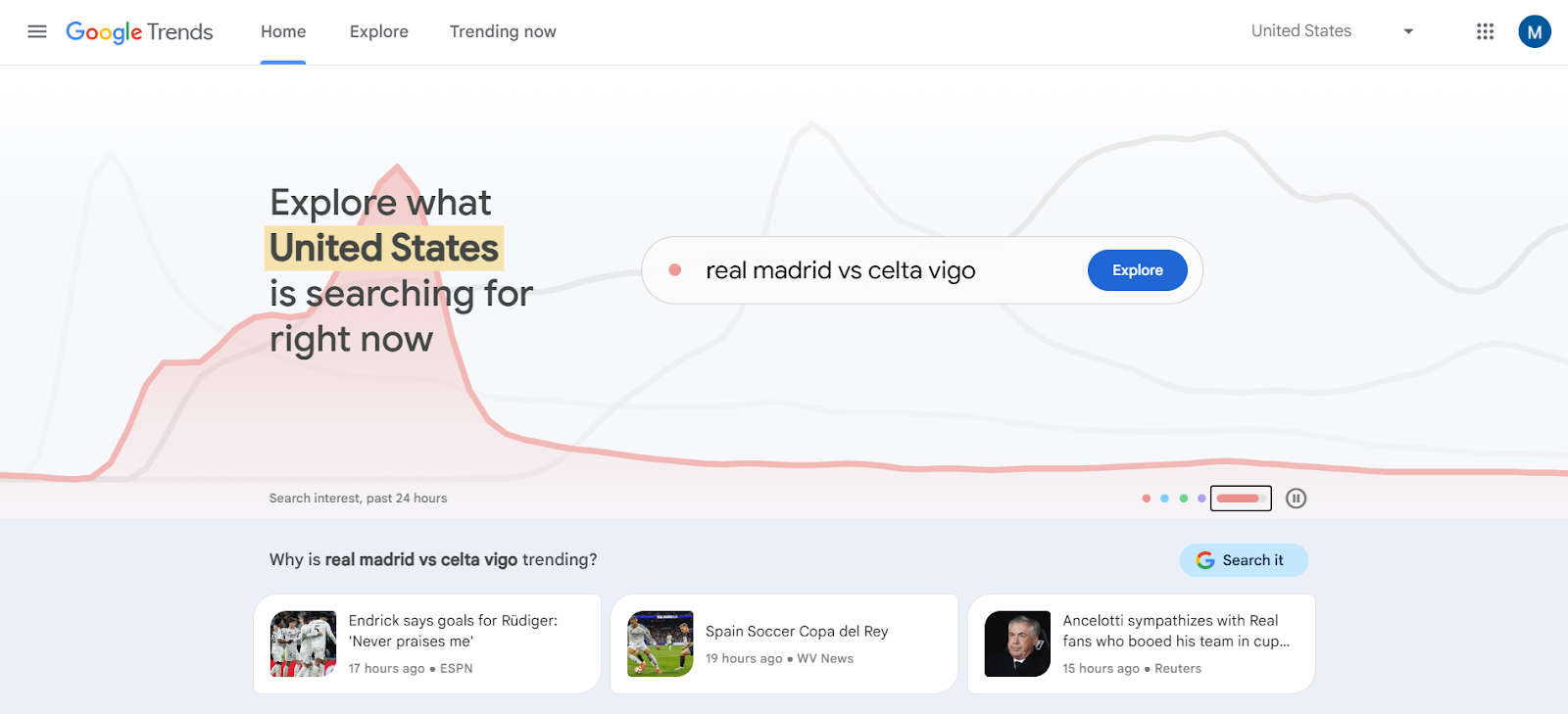
📊 Market research: Once you’ve got some rough ideas, make sure you’ve researched them online. You can use free platforms like Google Trends to see what people are searching for, browse online marketplaces (like Whop!) to see what’s selling, or read social media posts for trending topics. No matter how great your idea is, you need to be sure there’s a market.
Be clear on what your community offers
Whilst online communities are relatively flexible, you should still aim to have a goal for your community. What will it offer to members? Why should they join your community over all the others?
Meeting like-minded people is certainly a reason in itself. But you’ll likely find there will be similar communities popping up. What makes yours different?
Some potential hooks you can use include:
- Exclusive content
- Expert group members who can provide guidance
- Course materials
- Tips and how-to guides
Even if your group is focused on a product or service you offer, you’ll want to make sure your community offers value in and of itself. You can even offer multiple membership tiers, with exclusive content locked off for premium members.
Step 2: Choose the best free community platform
So, you have the core idea for your community website. Now you need the right platform to bring it to life.
There are platforms for creating a community website from scratch. For example, website builders like Wix and Squarespace include the tools for this. These do come at cost, though. Since this post is about how to make a community website for free, we’ve only included community platforms that are free to set up and maintain on this list.
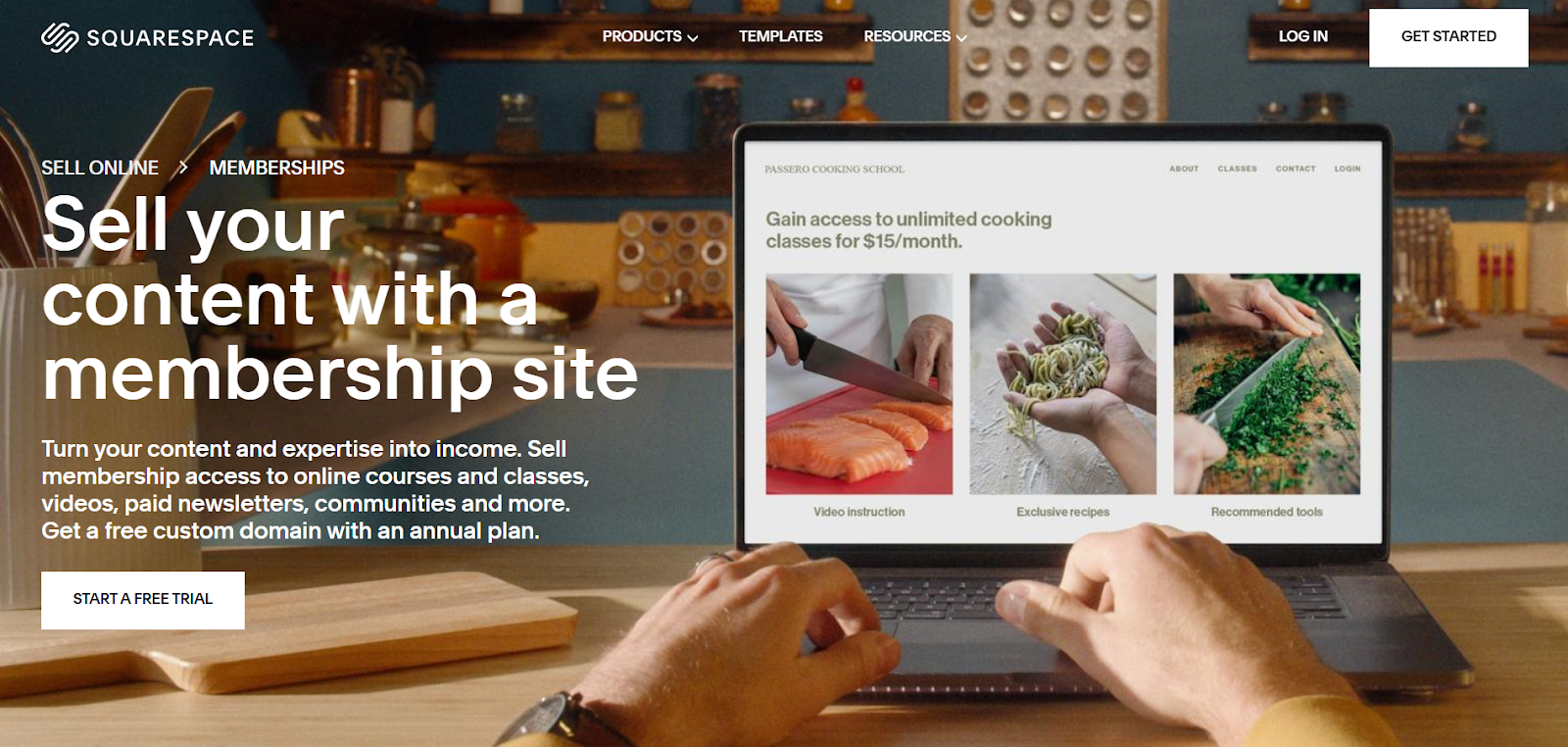
Plus, paid website builders aren’t always the best platforms for creating an online community. They’re not tailored for building communities, and often lack full functionality. If you do go for one, make sure it’s a membership website builder.
Here are our top choices for making free community websites:
Whop 🏆
Who needs a website? Just get a whop.

Whop is our top choice for a reason. Not only is it free to use, but it also offers the most flexibility. And it’s also the best option for monetizing your community website. Here’s why:
- Creating communities on Whop is completely free. You’ll only pay a percentage of your revenue when you make a sale.
- Sell digital goods along with your community, like eBooks, podcasts, and coaching sessions.
- Create, sell, and deliver courses to your community.
- Monetize and grow your online community in a way that suits you by integrating Whop’s native apps.
- Develop different paid membership tiers to suit all your group members.
- Feel secure with support and guidance for customer service.
- Whop’s marketplace makes it easy for newcomers to discover your community.
One of Whop’s top features is its built-in apps. So, how do they work?
What makes Whop apps so great is that you can pick and choose. In other words, you can create a platform that’s completely tailored to your group.

Here are some of the apps you might like to add to your whop:
- Forums: As it sounds, this forms the core of your community space. You can use this to start conversations with your community.
- Announcements: These keep your group members in the loop with your updates.
- Chat: With this app, community members can send private messages to each other.
- Newsletter: Use this to send out emails to your members.
- Suggestions: Gather suggestions and ideas from your community.
- Tips: This works like a tips jar, so community members can offer tips and donations.
- Courses: You can use this to create, sell, and deliver online courses and educational materials.
- Events: This is for selling access to both in-person and digital events.
- Video calls: This is for hosting video calls within your online community.
- Files: Sell access to a wide range of digital files, including templates.
Again, nothing here is mandatory. With Whop, you can be selective about what your community needs - and what it doesn’t.
Discord
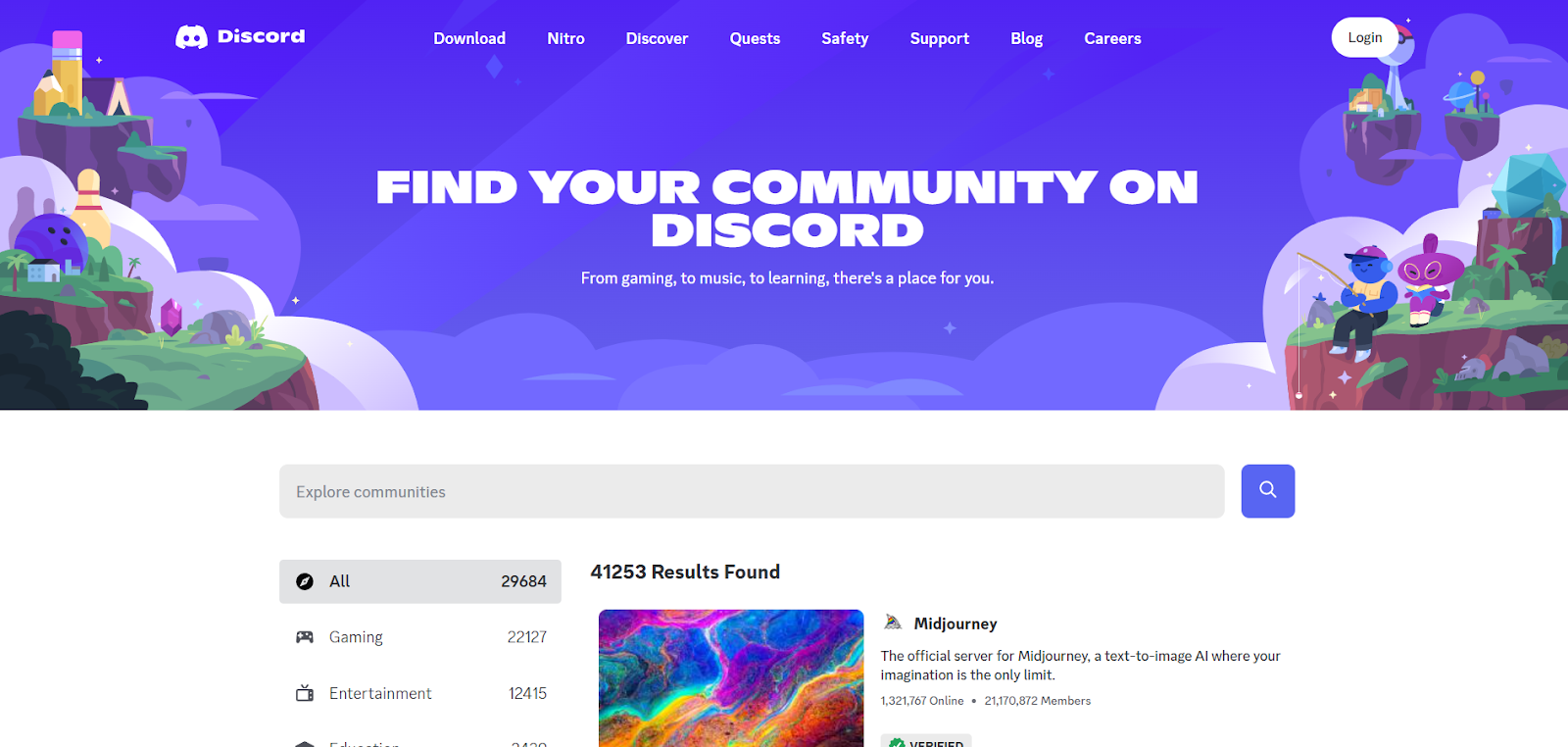
Discord started as a gaming chat platform, and it’s become a powerhouse of digital communication.
That’s thanks to its servers and channels, which combine the benefits of live chat with group forum discussions. It also boasts group and 1-1 voice and video chat, along with private messaging tools.
Discord stands out for its server management tools. You can use bots to automate admin processes and add extra features.
The biggest downside to using Discord is its lack of monetization features, particularly outside of the U.S. There are ways to get around this, though.
For example, you can run a free community on Discord, then gate off some areas to certain member roles. Then, you’d sell access to these roles through membership tiers on an online marketplace, like Whop.
So, if you want to learn how to make a gaming community website for free, Whop is a solid choice.
Step 3: Develop your community website
If you’ve decided on a community website, the next step is to start the setup process. This will vary based on your chosen platform, but for this article, we’ll focus on Whop.
Set up your community website
Sign up for an account: The only thing you need to set up a whop is a free Whop account. So, get signed up first.
Click on Start Selling: Once this is done, select the “Start Selling” icon from the menu on the left side of the page. This will take you through the onboarding process, including inputting the name for your Whop.
Next, you’ll land on the Dashboard, which looks like this:

If you want to learn more about the set-up process, we have a full guide to creating a whop. But for this post, we’ll be focusing on creating a community with your whop.
Add your apps: To start developing a community, you need the right tools. On the left side of your Dashboard, scroll down to Apps, and click on "Add."
Here you can choose which apps you want to include. We’ve already explored some of these in Step 2, but the Forums, Announcements, Video Calls, and Chat apps are useful for community creation. You can also add access to a Discord or Telegram group, if you prefer, but it's best to keep your members all in one place - your whop.
You can choose whether to make the app visible immediately, or keep it as a draft until you’re ready to publish.
For example, the Forums app is really simple to set up. You can preview it as a visitor to see how everything looks.

Or you can get stuck in and start making edits. You can customize your forum by adding a banner image, and choosing between a feed and blog layout. You can also set who is allowed to add posts and comments in the forum - everyone or just admins.
You can also set up email notifications, and enter a Discord webhook to send any forum posts automatically to your Discord channel.
There’s also a space to invite new members, either by copying a link to your whop store, searching for an existing Whop user, or using a custom pricing link.

It’s as simple as that!
Define roles, rules, and responsibilities
Add community admin: As your community grows, you’ll need to ensure you have a suitable admin team. The way you’ll add mods and admins and assign roles to them will depend on your platform.
For example, on Discord servers, you can create roles with different permissions and assign them to members. On Whop, you can assign admins, moderators, and app managers to your whop team.
Develop rules for your community: You should also ensure your community has clear guidelines before you launch. This should set out rules to prevent things like inappropriate behavior and offensive content in the community, and define how members will be penalized for breaking the rules.
This helps to keep your group members safe and comfortable. You should display the rules prominently within your community, so members can be made aware. Those are the first steps to community moderation.
Get the finishing touches right
Once the main setup is complete, it can be tempting to make your community live right away. Before you do, make sure your community has good user design. There are some simple ways to implement this:
Consistent branding: Make sure you use branding that’s consistent with your socials and any other platforms you use for your business. You want to be instantly recognisable to your followers.
Check for errors: It might not seem like a big deal, but if your community website has lots of spelling and grammatical errors, it could look spammy. Run your description through a spell checker, like Grammarly, before you post.
Incorporate keywords: SEO strategies for community websites vary. For example, Discord isn’t indexed by search engines, so SEO is pointless. But for a whop, you should aim to include relevant keywords into your product description.
Step 4: Launch your online community
Once your community website is ready, it’s time to prepare for your launch. So, how can you prepare to launch your community on the world?
It all depends on your niche and following, but there are some main steps to follow.
Promoting your community
Let fans and followers know about your community by promoting it online. Don’t assume they’ll find it themselves.
Promote on social media: Share about your community across platforms, but focus on those where you have the most followers. Don’t just spam, though. Create posts, stories, and livestreams highlighting what your community has to offer. Organic social media is a fantastic marketing tool, and it won’t cost you anything.
Let’s take a look at a really great example in more detail.
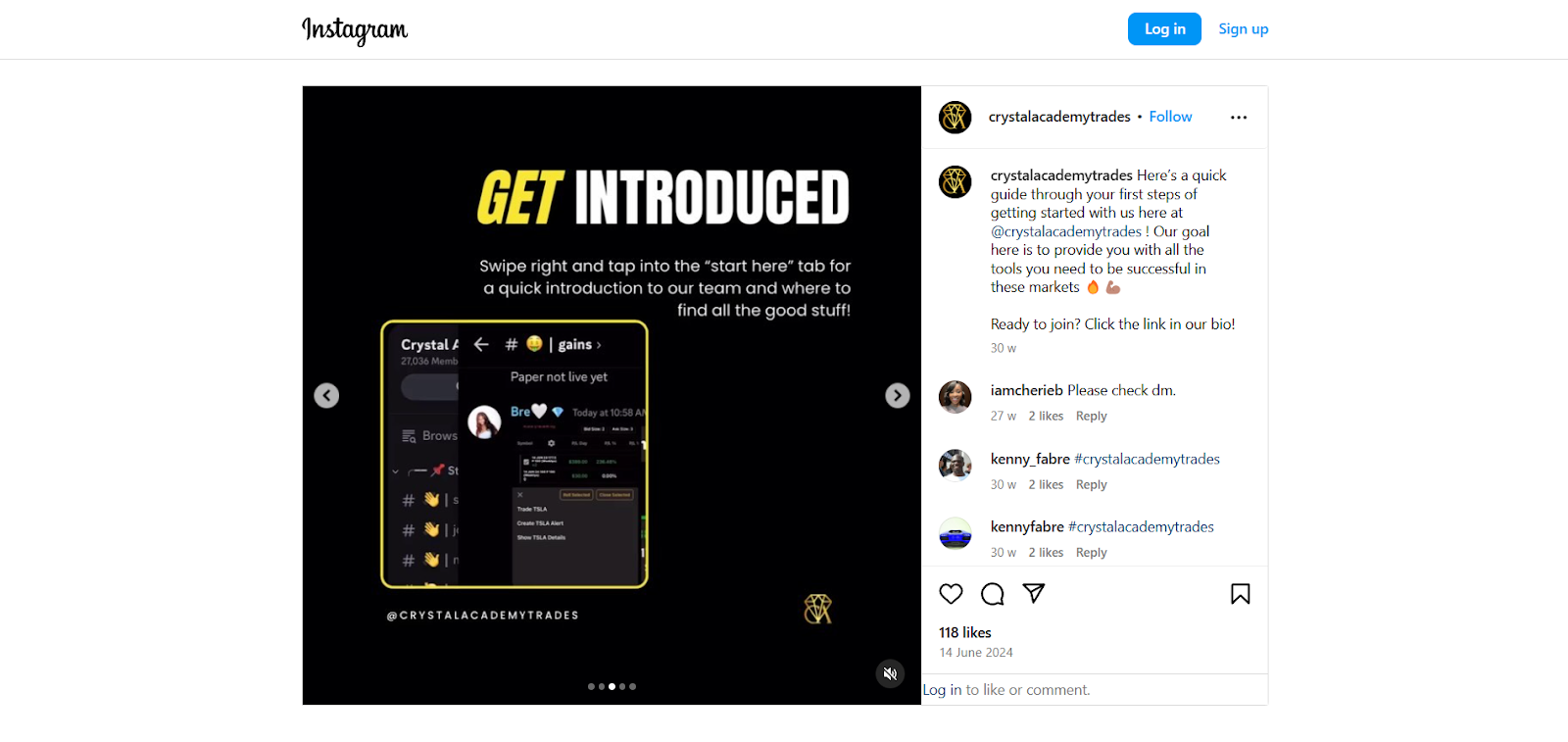
On Whop, Crystal Academy Trades offers access to the free and premium sections of their trading Discord server. In the paid subscription, they also offer webinars, trading psychology calls, a trading forum, daily live trading sessions, and more. Founder Sierra Smith uses Instagram to promote the brand.
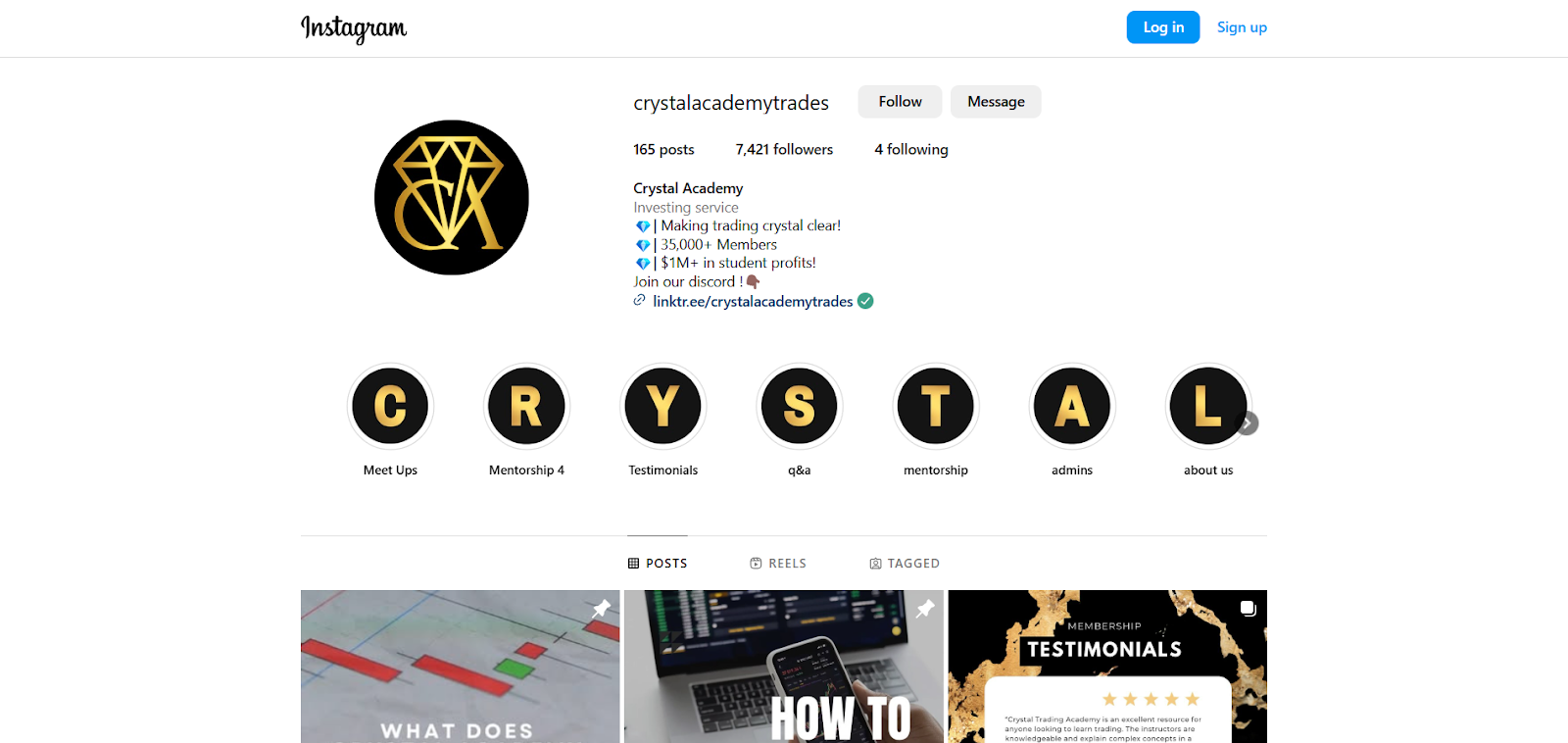
Crystal Academy’s pinned Insta posts are super helpful to beginners looking to trade. The first post is a video explaining exactly what’s on offer.
The second pinned post shows members how to get started. It provides step-by-step details, including joining the Discord and making an introduction. This is really useful, as it works as a quick-start guide for new members.
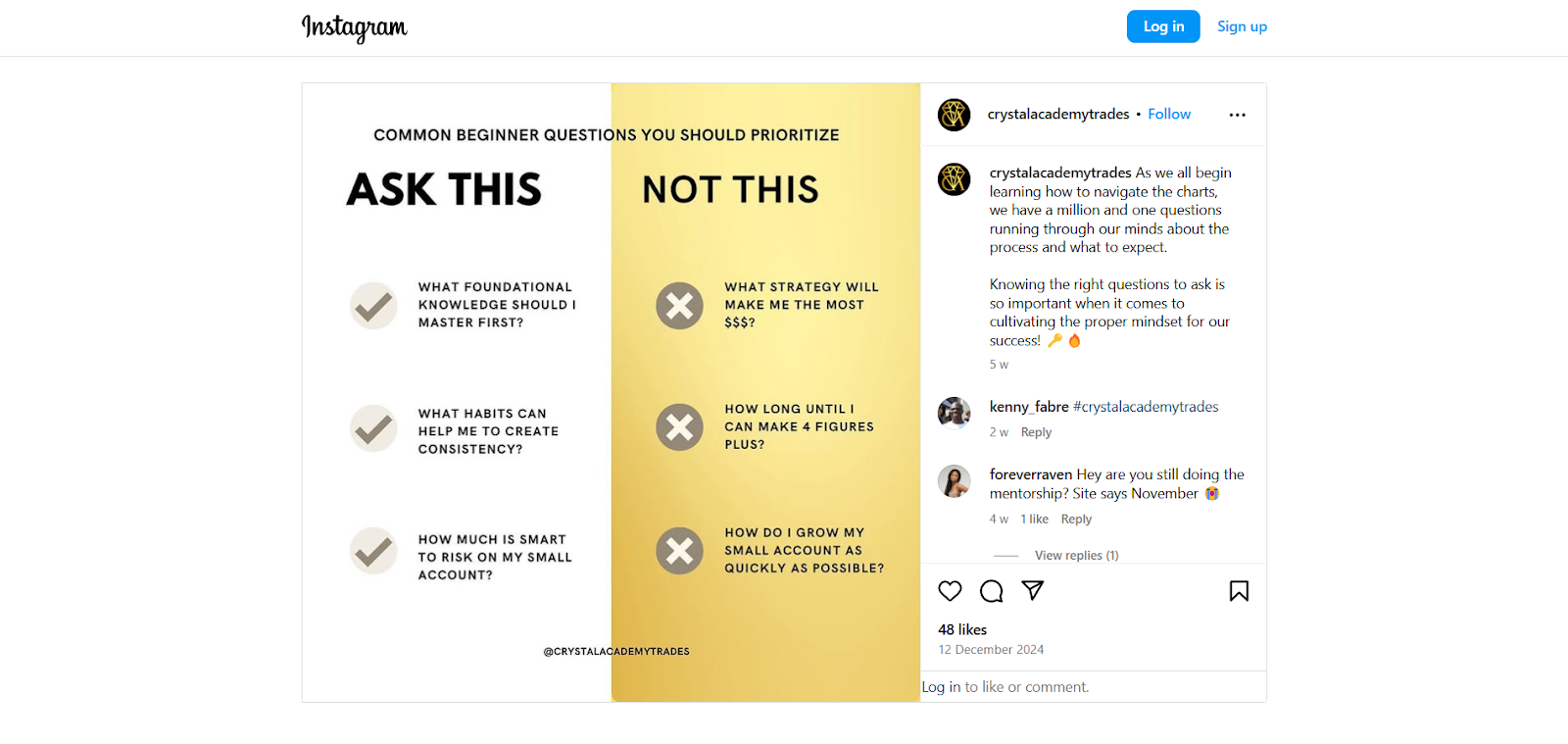
Crystal Academy’s feed is informative, not just promotional. For example, the post below explores the most important questions for beginner traders to prioritize.
Plus, Crystal Academy showcases testimonials from premium members. User generated content, including reviews, works as a great form of social proof and build trust in your brand.
You can use platforms like Canva, Photoshop, and CapCut to create imagery and videos for your socials.
Collaborate with other creators: If you’d like to branch out beyond your own following, you could connect with new audiences through other creators.
For example, you could write a guest post for a blog in your niche, or collab on a video with like-minded content creators. You could also work with influencers, but they will typically require payment - and promoting this way can quickly get costly.
Drawing in new members
Along with social media promotions, there are other ways to funnel members into your community at the early stages.
Invite your contacts: Of course, you don’t want your community to just be made up of people you know. But your contacts can actually be a great place to start. Invite contacts who would find genuine value in your group, and ask them to share with their contacts.
Focus on engaged followers: Don’t spread yourself too thin. Some of your followers won’t be interested. And that’s okay. Rather than draining your energy promoting to everyone, hone your focus on those who show genuine interest.
Start an email newsletter: If you don’t already have an email newsletter, this is another good way to keep followers in-the-loop about your new community. You can give readers a glimpse into what your group has to offer.
Developing launch content
Plan a launch event: Make your launch day an event. Run a Q&A, share some exclusive materials, and get community members hyped for what’s to come.
Create an onboarding process: Joining a new community can be overwhelming. Ensure new group members know what they need to do when they first join your space. That can be as simple as creating a pinned introduction post in your forum, or a downloadable PDF guide.
Start your first discussions: Communities need content, so make sure your members won’t be greeted by an empty space. Plan out some discussion topics in advance and get them posted before the group goes live. Give members lots of space to connect with each other too.
Step 5: Grow your community website
Learning how to make a community website for free is only the beginning. You’ll need to be consistent to create a thriving online space.
Develop a schedule: Similar to social media posts, create a content schedule for your community. Post regularly, and use a wide variety of content to keep members engaged. That includes text posts, but also image content and polls. On Whop, you can add engagement features like the Whop Wheel, which allows subscribers to your whop to win prizes, courtesy of Whop.
At the end of the day, the people that are inside of your communities are the ones that are the cheerleaders of you the most. They support you and therefore you need to make sure that the vision of your community and goals of your business are going to be so big that they can fit and exist within it and that they're actually excited to go along this journey with you.
And this goes directly into my best tips when it comes to monetizing your skill set. There's an age old saying that it's much easier to sell to somebody that you sold before than somebody new. And this is why having a community is such a great thing because these people will buy again and again and again.
– Jasen Hunt, professional CAD instructor and online creator
Metrics and feedback: Don’t make decisions based on gut feelings. Keep an eye on your community metrics (if you have them), and ask community members for feedback wherever possible. Ultimately, your group is for them. Getting to grips with their perspective is key.
Create membership tiers: Every member of your community is different, and this is important for monetization. Creating several tiered plans allows members to choose the features they actually want.
If you only have a single paid membership, you could turn some people away. It’s better to have a few different options at varying price tags. One tier could offer standard access to the community. Another could provide VIP access to an exclusive section of the group, and add in a few extras, like coaching.
You could also have a free tier, which allows limited access to your community. This can work as a kind of trial plan.
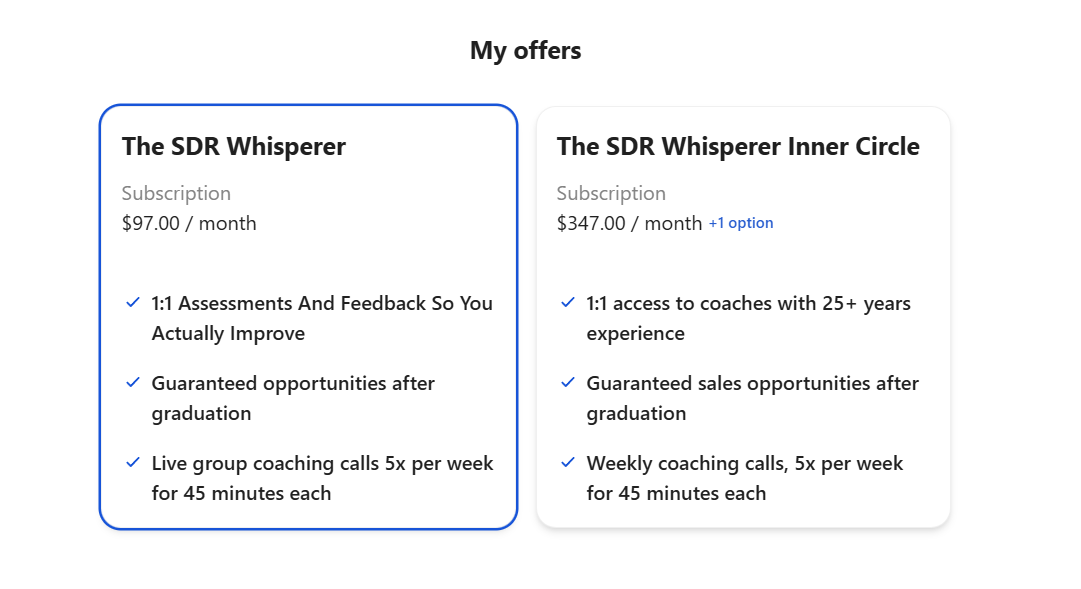
For example, on Whop, The SDR Whisperer offers two subscription tiers. The first is $97 per month, and includes several chat rooms, along with forums for assignments, courses, and group coaching calls.
The second tier is $347 per month, and also includes 1-1 coaching sessions and other features.
Hold events: Events are another great way to build stronger connections with your community. These can be online, or you could even hold an in-person meetup for group members. Whop has a handy Events app, too.
Start an affiliate scheme: Another way to grow your community is through an affiliate scheme. This rewards users for referring their friends and connections back to your community. As affiliate programs provide incentives, you’ll have to factor in the costs for this.
Build, grow, and monetize your online community with Whop
Online communities need the right platform to thrive. With Whop, you can create a tailored community - and earn money as it grows.
To recap: you’ll set up a “whop”, which will work as your base on the platform. You can customize your whop with different apps. That includes forums, live chat, video calls, and other tools for creating an online community.
"Choose the right platform to host your community. There's platforms like Skool and Kajabi, but Whop is the number one choice. Think of Whop like a Discord, but for payments and software that you can sell inside your community."
Then you can sell membership access at different tiers. Sell at a one-off price or through a subscription model.
Whop gives you the ultimate flexibility for creating, managing, and monetizing an online community.
Start building (and monetizing) a thriving online community today. Set up your whop for free.
Are community websites worth it for online creators?
Community websites are valuable for digital creators for lots of reasons. Creators can use these digital spaces to:
- Build their following
- Share information with members
- Establish and promote online and in-person events
- Hold online webinars
- Promote and sell products
- Create, sell, and deliver digital courses
- Monetize the community with paid membership tiers
- And lots more…
It can be tempting to stick to social media platforms, like Facebook, X, or Reddit, for growing a following. They’re familiar online spaces, and they have some solid community management tools.
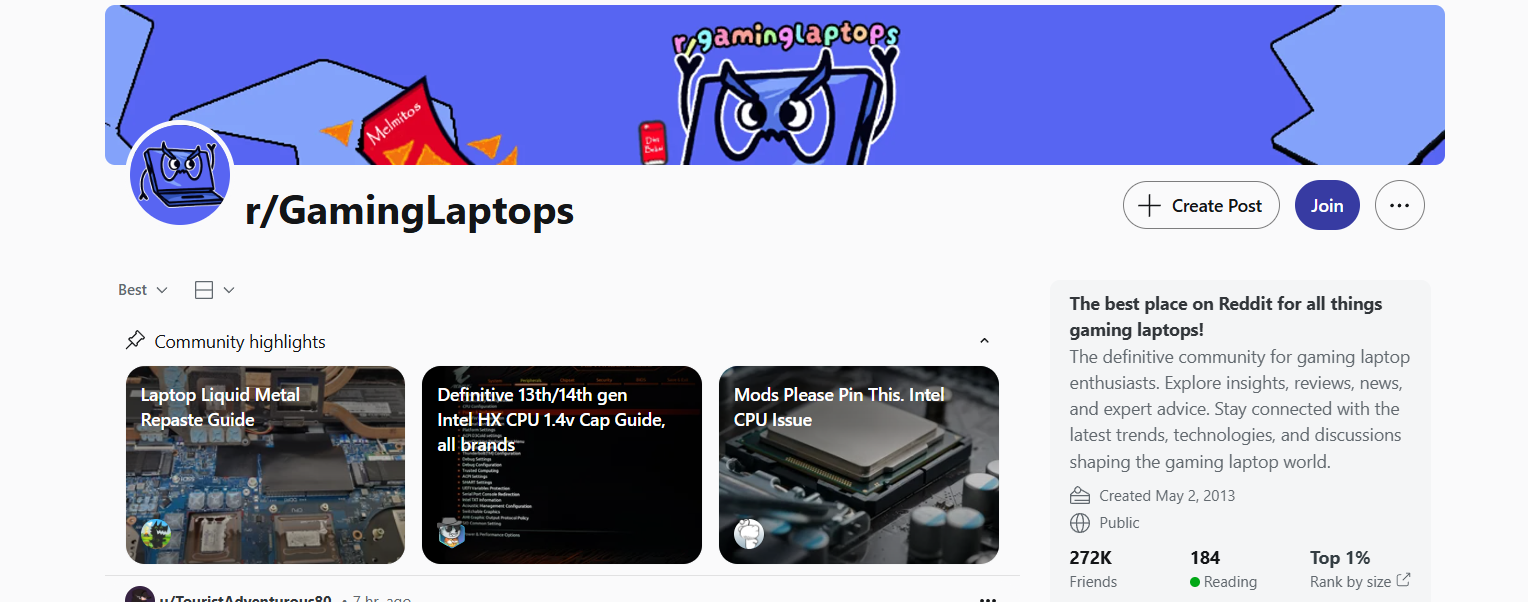
Reddit, especially, is known for its thriving online communities focused on niche topics. r/GamingLaptops has a staggering 272,000 members, for example. Social platforms evidence the sheer scale of the demand for digital communities.
However, creators shouldn’t rely on these platforms. They’re okay as a starting point, but you’ll face a number of limitations as you scale.
It’s much harder to monetize online communities on Facebook, Reddit, etc, as they don’t have built-in tools for this. Facebook does allow some monetized groups, but this is currently on an invitation-only basis.
Plus, you’ll be reliant on the features the platform offers. You could go live on Facebook, but not hold a live group call as on a community platform. You wouldn’t be able to deliver course materials with assignments, multimedia content, etc. So, you’d be held back on what you could offer.
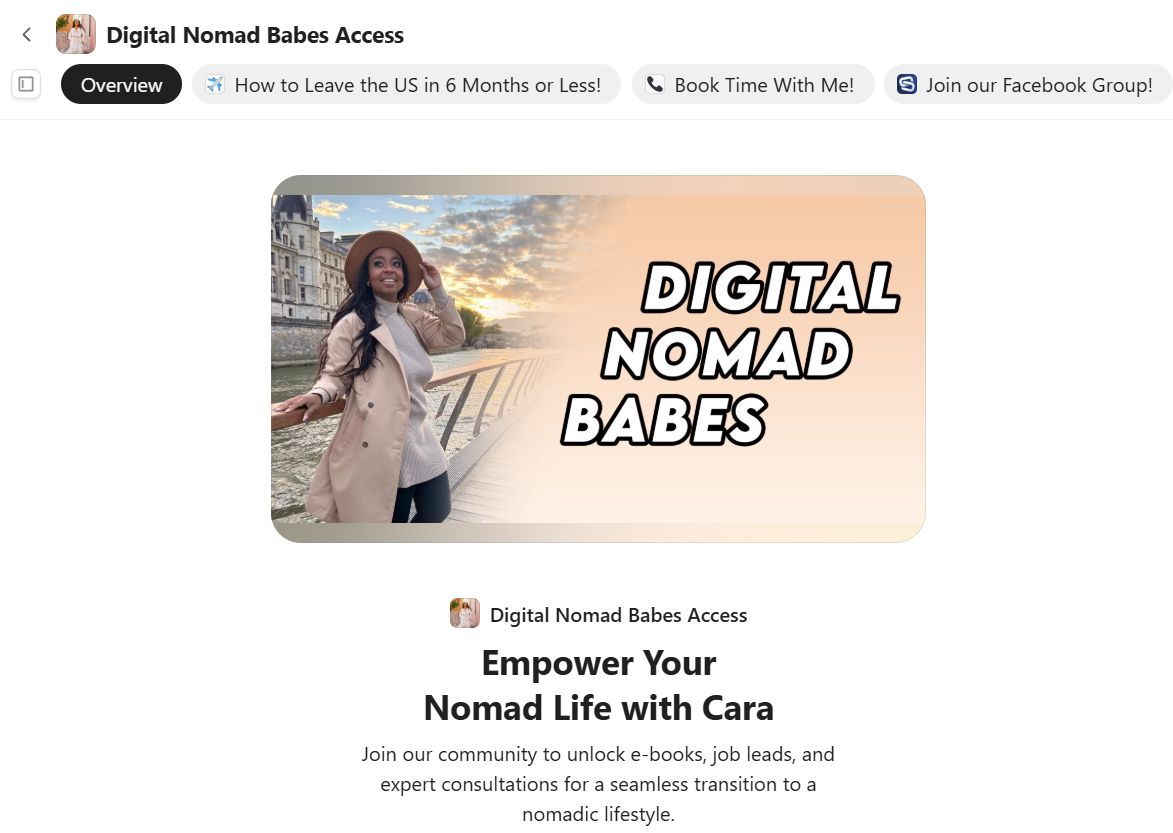
You could link up with both. For example, Digital Nomad Babes has both a community chat on Whop and links back to their Facebook group. They also promote their consultation calls, offering personalized travel advice.
However, it's best to host your community on one platform that can do it all - like Whop.
So, tldr; community websites are definitely worth it for online creators, but your best bet is to create a single hub on Whop.