
An explanation of the fees, features, payout speeds, and best use scenarios for Stripe and PayPal.
Key takeaways
- Choose Stripe for developer control over checkout, billing, and payouts; choose PayPal for near-instant, low-effort setup.
- Headline rates are nearly identical, so compare invoicing, payout, currency conversion, and add-on fees instead.
- Invoice volume decides the winner: PayPal is free but manual, Stripe charges per invoice yet automates at scale.
Stripe and PayPal are often the default starting point for most businesses accepting payments, but they're built for different jobs.
PayPal is the fastest way to start taking payments with almost no setup, which makes it a good fit for freelancers and smaller sellers. Stripe trades that simplicity for control, giving platforms and larger businesses the tools to shape checkout, billing, and payouts.
This guide breaks down where each one wins, what each costs once you're past the headline fee, and which is the better fit depending on the size and shape of your business.
Stripe and PayPal: a quick recap
PayPal launched before Stripe, in 1998, as a digital wallet, providing a way to move money between a customer's account and a business's account without either side handling the transaction directly.
Stripe followed in 2010, built instead as a set of developer tools that let businesses control exactly how a payment happens rather than handing it off to a pre-built flow.
As of mid-2026, PayPal has 439 million active accounts. It still works largely in the same way it did at launch: acting as a digital middleman that handles fund transfers, disputes, and fraud screening on the business's behalf.

But it's also grown well beyond that original wallet. PayPal Enterprise Payments (formerly Braintree) now unifies payment processing, risk management, and payouts for large merchants.
It also offers REST APIs for orders, payments, subscriptions, invoicing, and disputes, for businesses that want to build PayPal into their own systems.
Stripe now serves 5 million active businesses, with a system built to handle every part of the transaction, from recurring payments to fraud checks, via APIs and developer tools. That includes the ability to build fully custom checkout flows rather than rely on a pre-built one. PayPal also offers checkout customization, but that's gated behind Enterprise Payments, whereas with Stripe it is available from the start.
Stripe vs PayPal: a deep dive on fees, features, speed, and best use scenarios
| Stripe | PayPal | |
|---|---|---|
| Best for | Businesses that want advanced control over how their payments work and checkouts look. | Sellers who want to start accepting payments quickly, with minimal technical input. |
| Best features | Advanced billing and developer tools. | Simple invoicing, ease of use, and ease of use for customers. |
| Checkout experience | Highly customizable and can be embedded into a site or app. | Familiar and quick to deploy, but minimal design control. |
| API integration | Advanced APIs, SDKs, webhooks, and tools. | Limited APIs and webhooks. |
| Online domestic fees | 2.9% + $0.30 per transaction | 2.99% + $0.49 (cards) / 3.49% + $0.49 (PayPal balance, Checkout) |
| Invoicing | Advanced and configurable. | Simple itemized invoices. |
| In-person hardware | Yes | Yes |
Fees: how do Stripe and PayPal’s fees compare, and are there any hidden costs?
When choosing a payments partner, the first metric businesses look at is usually pricing. The table above gives you an overview of Stripe and PayPal's fees and features, but the true cost only becomes clear once you see how each platform's fees scale with method and volume.
Both Stripe and PayPal apply a mix of percentage fees and fixed fees to business transactions, which vary depending on the payment method used – and in both cases, it's the seller who pays.
For example, on a $500 domestic online card sale, you could expect to pay the following fees:
- Stripe: $14.50 (2.9% fee) + $0.30 (fixed fee) = $14.80 (a net payout of $485.20)
- PayPal: $14.95 (2.99% fee) + $0.49 (fixed fee) = $15.44 (a net payout of $484.56)
Here’s a look at the base fees for each (based on U.S. accounts):
Stripe: fees and pricing
| Fee type | Cost (U.S.) |
|---|---|
| Online domestic card payments and wallets | 2.9% + $0.30 |
| Manually entered card | +0.5% |
| International cards | +1.5% |
| Currency conversion | +1% |
| Stablecoins | 1.5% |
| Buy Now Pay Later methods | Between 4.5% and 6% + $0.30 to $0.35, depending on the finance provider used. |
| Bank transfers or other methods | 0.8% |
| In-person payments | 2.7% + $0.05, +$0.10 for Tap to Pay, +$0.05 for optional point-to-point encryption |
| Chargebacks | $15 |
PayPal: fees and pricing
| Fee type | Cost (U.S.) |
|---|---|
| Online card payments (standard) | 2.99% + $0.49 per transaction |
| Online card payments (advanced integration) | 2.89% + $0.29 per transaction |
| PayPal Checkout (wallet & balance) | 3.49% + $0.49 per transaction |
| PayPal Pay Later | 4.99% + $0.49 per transaction |
| International payments | Domestic fee + 1.50% |
| Currency conversion | 3% spread on the exchange rate (4% on some payment and payout conversions) |
| Disputes | $15 standard dispute fee; $30 for high-volume dispute accounts |
| Chargebacks | $20 per chargeback on card payments made outside PayPal checkout |
| Refunds | No refund fee, but the fees you paid aren't returned |
| Enterprise pricing | Custom rates for high-volume sellers |
The cost of global payouts
The fees above cover accepting payments. The following fees are about the opposite: paying other people.
If you're running a marketplace, platform, or any other business that pays out sellers, creators, or contractors, these apply to you.
For both Stripe and PayPal, payouts are a separate product, with their own fee structures.
Stripe Global Payouts fees
Stripe Global Payouts allows you to send money to third parties in minutes, with notification upon payout success. It's built for platforms that need to move money out to a large seller or contractor base.
| Payout type | Cost (U.S.) |
|---|---|
| Domestic payouts | $1.50 to a local bank (+0.75% to debit cards) |
| International payouts | $1.50 per payout (plus cross-border fees from 0.25% and FX fees from 0.5%) |
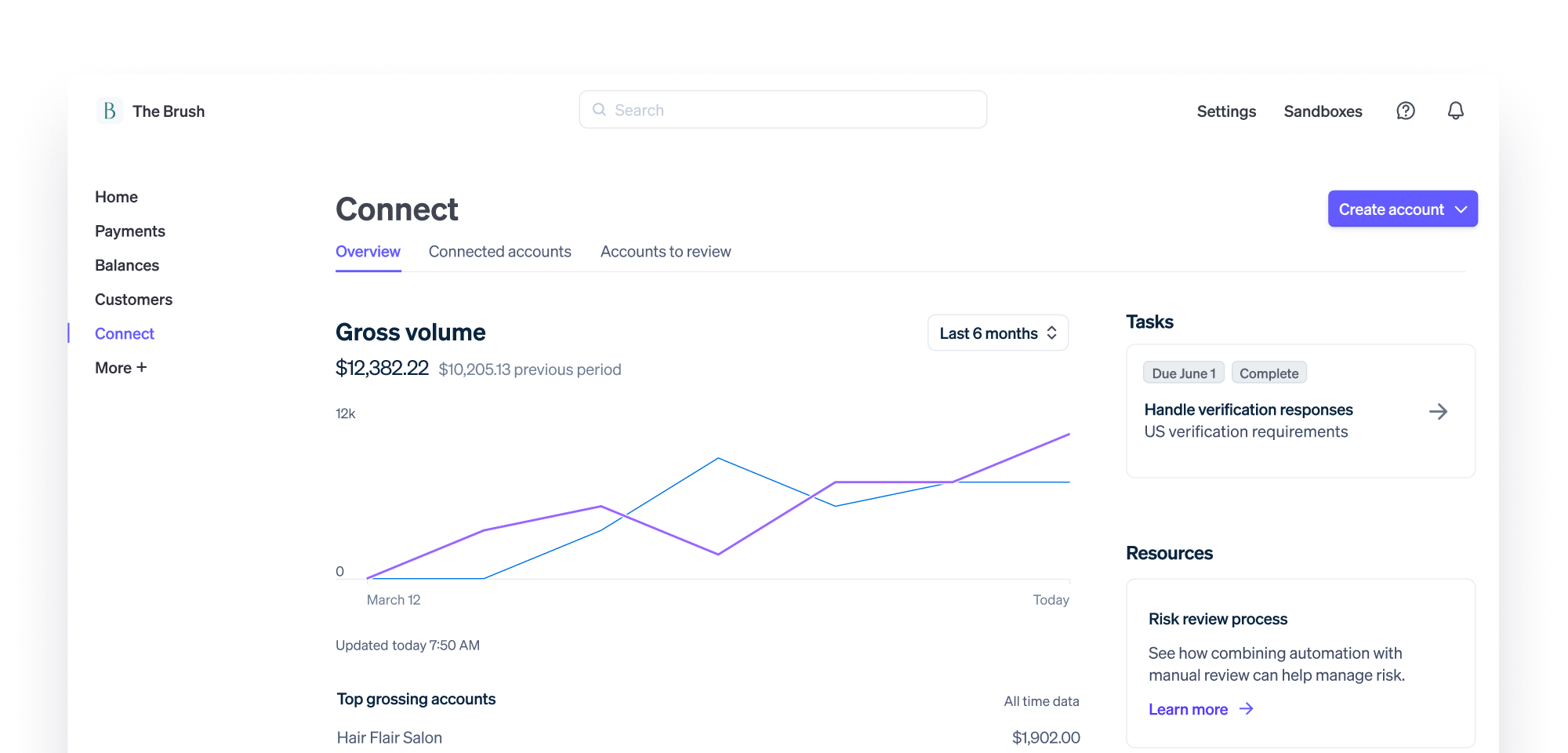
Connect is Stripe's more established product, built for platforms with recurring payees. If you're a marketplace paying the same sellers repeatedly, it's worth comparing Connect against Global Payouts before you decide.
PayPal Payout fees
PayPal Payouts, formerly Mass Payments, lets you send large-scale, automated funds to multiple recipients simultaneously across borders.
| Payout type | Cost (U.S.) |
|---|---|
| Domestic payouts via website | 2% per recipient (capped at $1) |
| Domestic via API | $0.25 USD per transaction |
| International payouts | Capped based on the recipient’s currency |
Payout speeds: which is fastest?
Payout speeds are critical for cash flow, transparency, and building better relationships with your business. The longer a payout takes, the more support tickets and churn risk you're managing.
Nearly 3 in 5 small businesses (59%) paid for instant transfer in 2025 (QuickBooks): proof that speed is worth paying for when it comes to cash flow.
Stripe Global Payouts speed
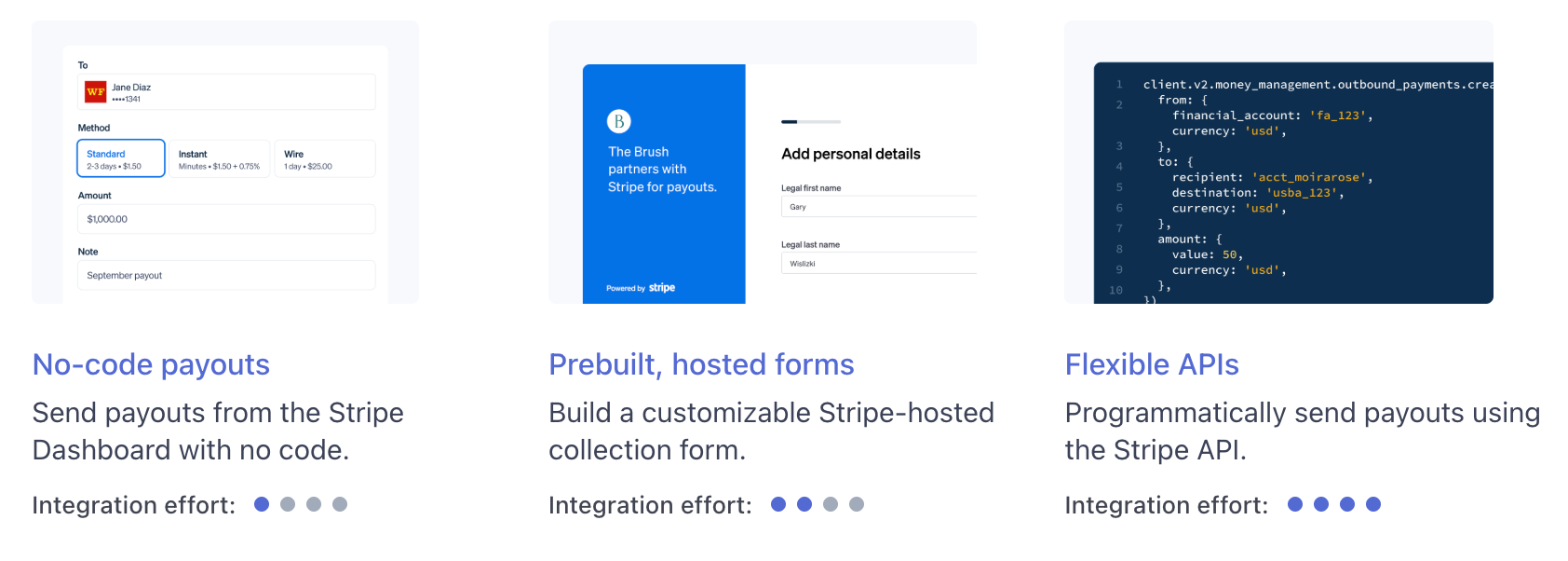
Domestic US payouts arrive in 0–1 business days by standard bank transfer, or immediately by card.
Cross-border payouts are slower and less predictable: typically 1 to 7 business days, depending on the destination country.
PayPal Payout speeds
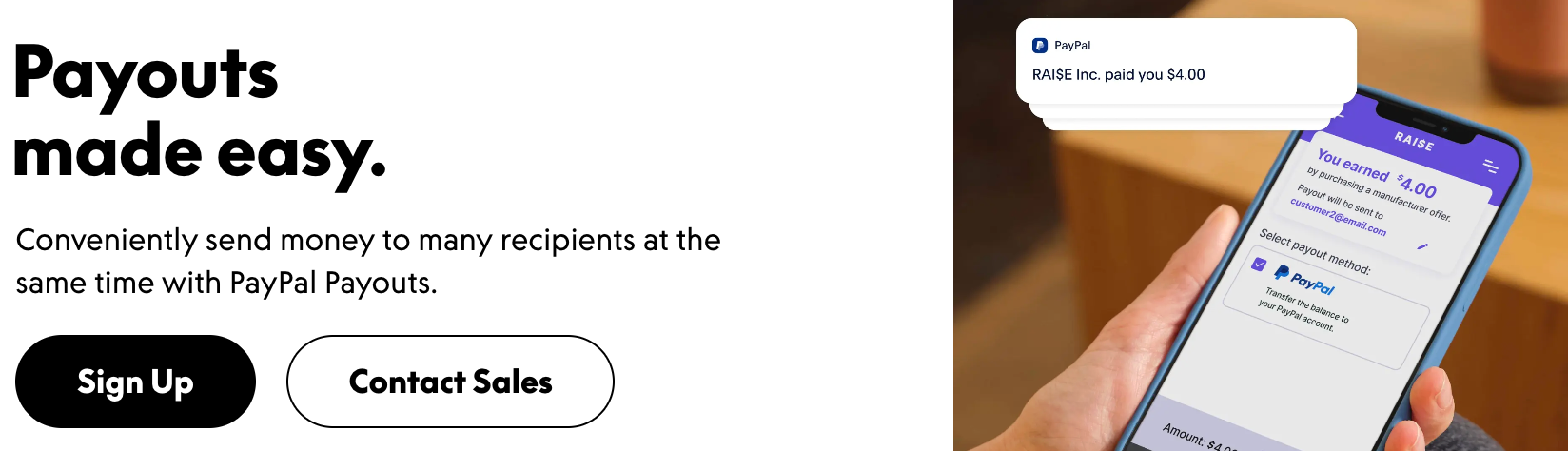
PayPal Payouts offers instant delivery speeds for PayPal, Venmo, and Wallets, as well as Direct-to-Card payments in under 30 minutes.
Same-day transfer is also possible for US domestic bank transfers, with International Bank Transfers possible in 3 to 5 business days. Instant withdrawals to a bank account or card are charged a 1.50% fee. Standard withdrawals are free.
So which is fastest?
- Domestic: it's close to a tie. Both offer near-instant options.
- International: PayPal is more predictable at 3 to 5 business days. Stripe can be faster in the best case, but its 1 to 7 day range varies by destination country, so check timing for your top payout markets.
Invoicing: Stripe does more, but it comes at a cost
For a business invoicing dozens of clients or contracts a month, the invoicing layer is central to costs, as it comes with its own fee structure that you need to weigh against the volume you're running.
Stripe invoicing
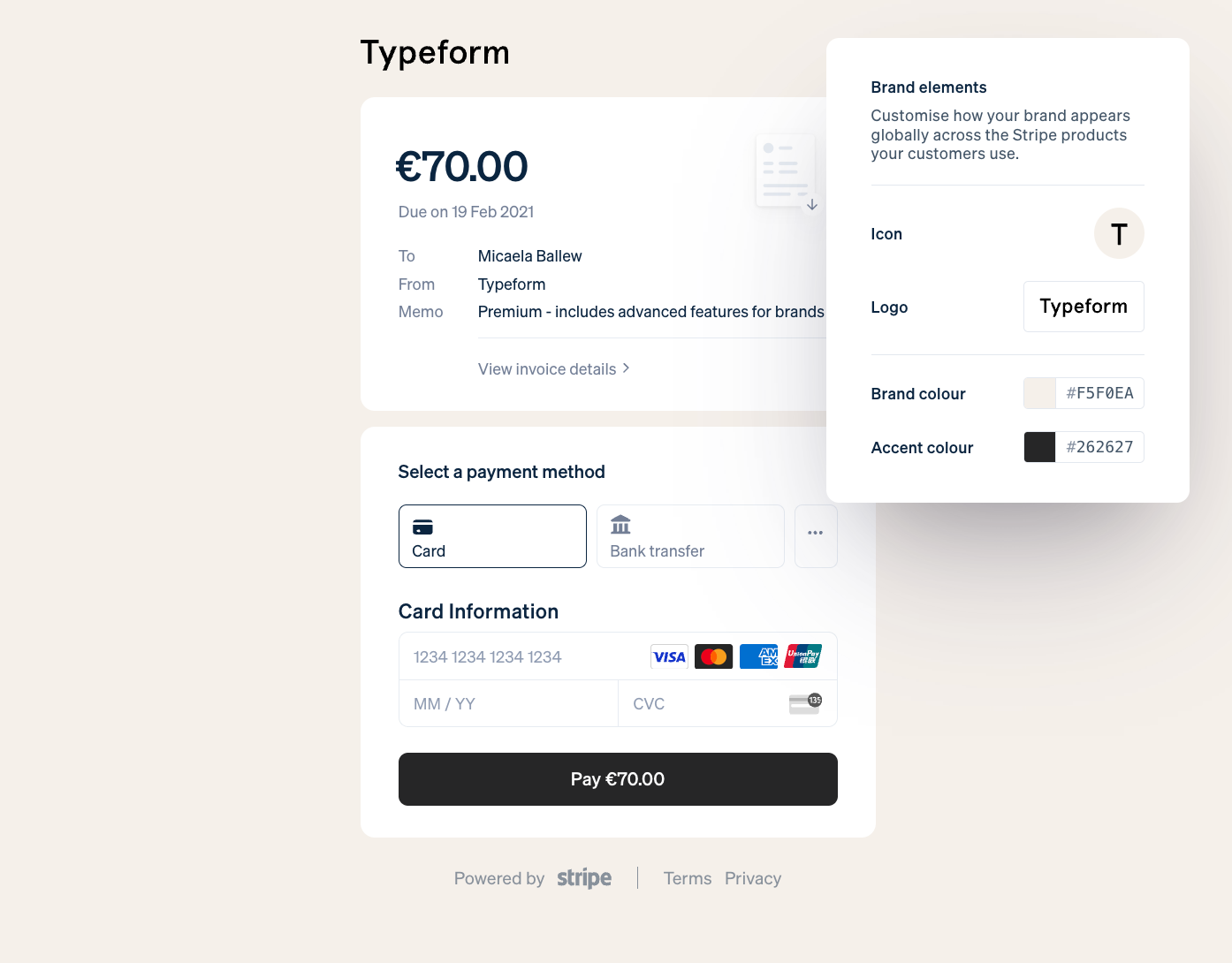
Stripe lets you build, customize, and send responsive digital or PDF invoices directly from its dashboard or API.
You can invoice for one-time payments, recurring payments, add discounts, tax rates, and even have it automatically translated into 25+ languages and accept over 135 currencies. It is built for volume: a business invoicing dozens or hundreds of clients a month can automate the whole cycle rather than build one invoice at a time.
But that capability comes at a cost, split across two plan tiers:
- 0.4% for the Starter tier
- 0.5% for the Plus tier (on one-time invoices).
- 0.4% (with a $2.00 cap) on post-payment invoices (for invoices sent out after an instant purchase has been made via a Stripe link).
As that’s on top of the already mentioned transaction fees, this can quickly add up. On a business sending 200 invoices a month averaging $2,000 each, that's an extra $1,600 a month on Starter just for the invoicing layer, before underlying card or ACH fee is factored in.
Having said that, the automation, reporting, and accounting sync (real-time to NetSuite, Xero, or QuickBooks) usually earn back the fee spend cost in admin time saved.
PayPal invoicing
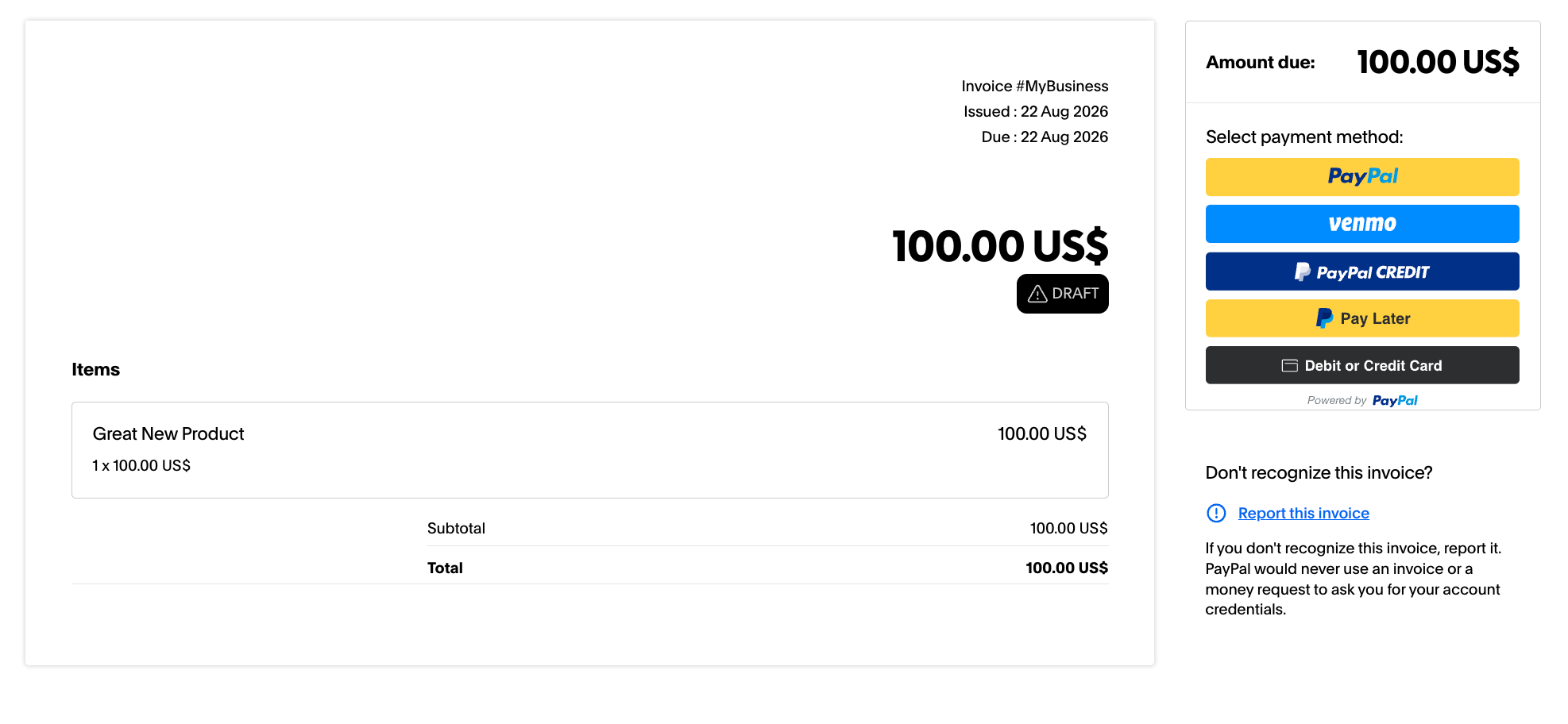
Unlike Stripe, PayPal charges no additional fees on its invoices.
This makes it the cheaper option per invoice, and it covers the basics well: itemized invoices via email or a secure link (which can be downloaded as a PDF). Customers can then pay using a PayPal account, debit card, credit card, or digital wallet. PayPal’s invoicing system has long been appreciated by small businesses due to its simplicity.
But for businesses invoicing at scale, PayPal's invoicing tools are built around creating and sending one invoice at a time through its dashboard. There's no native bulk-send feature for pushing out dozens of invoices in one action.
So is Stripe or PayPal better for invoicing?
PayPal is cheaper per invoice and simpler to set up for occasional billing. Stripe costs more per invoice but is built to handle volume natively, with automation, multi-currency, and accounting sync included.
For a business sending a handful of invoices a month, PayPal's savings win here. But for one sending hundreds, Stripe's fee is close to the cost of the infrastructure it replaces.
Customization: how much site and app integration is possible?
If you're running a platform or marketplace, this section matters more than almost any other in this guide. Customization is the difference between a checkout that looks like a third-party redirect and one that feels like a native part of your product.
Stripe
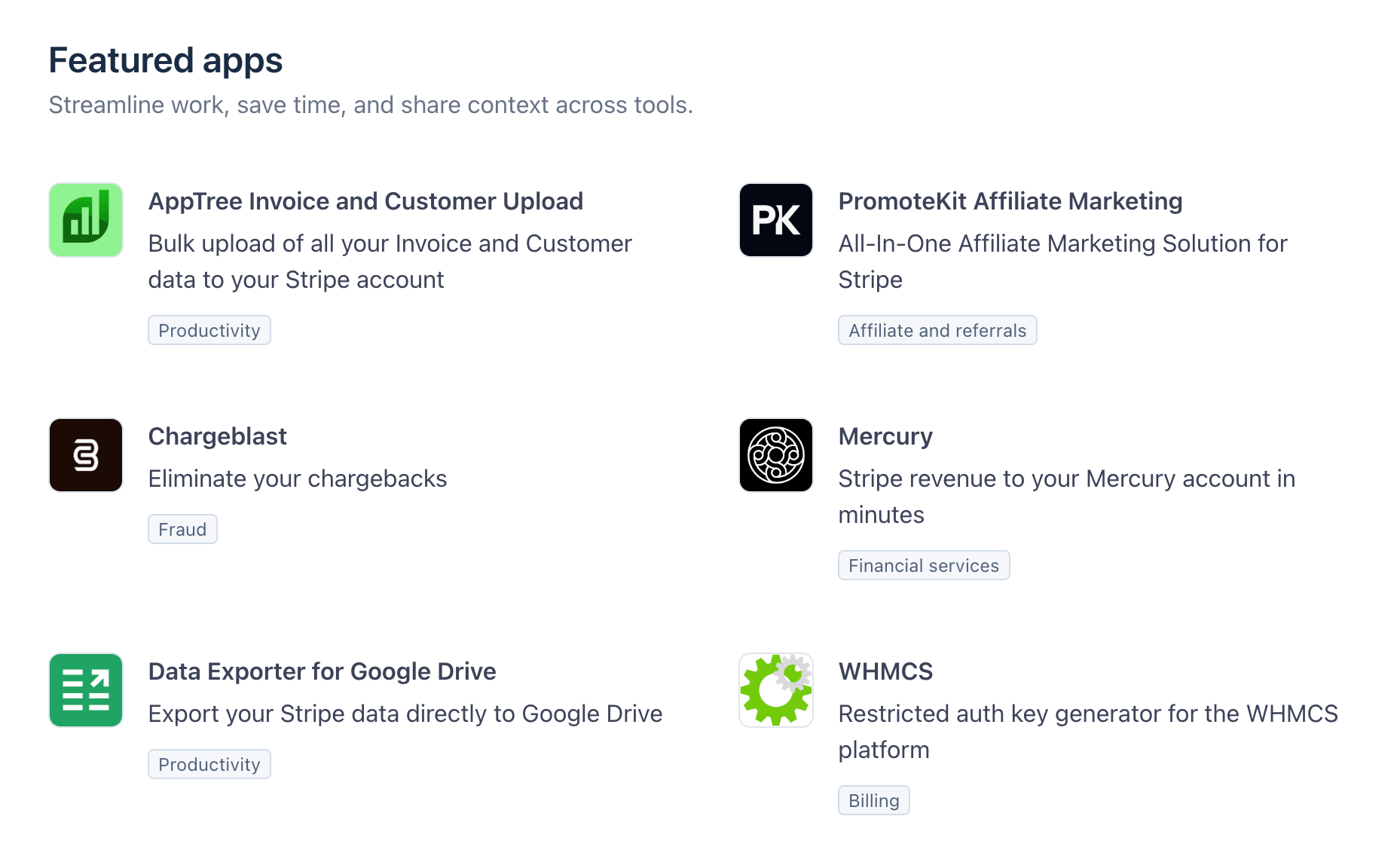
Stripe embraces developer customization, with APIs and SDKs allowing you to integrate it into your website or app. The Stripe App Marketplace makes this particularly powerful.
And Stripe’s suite of APIs allows you to control and automate the entire payment lifecycle and make a checkout look like it's part of your own site or app, rather than a generic Stripe-looking page.
All this customization is possible while maintaining robust security measures and simplifying payment-related tasks.
Stripe's customization depth shows up in specific tools: subscription and recurring billing APIs for building revenue, trials, upgrades, and cancellations directly into your app; Stripe Connect for managing and routing payments across a marketplace of sellers; Stripe Radar for machine-learning fraud detection; and reporting APIs that sync in real time with your accounting stack.
Most importantly, this level of customization is available from the start, on every plan. There's no separate enterprise tier you have to unlock to build a fully branded checkout.
PayPal
PayPal also supports API integration, allowing businesses to add PayPal Checkout, process payments through PayPal’s REST APIs, manage subscriptions, generate invoices, and use webhooks to automate certain payment events. At the base tier, this gets you real, but limited, customization: simple payment buttons and moderately flexible payment flows across multiple currencies, with PCI DSS compliance built in.
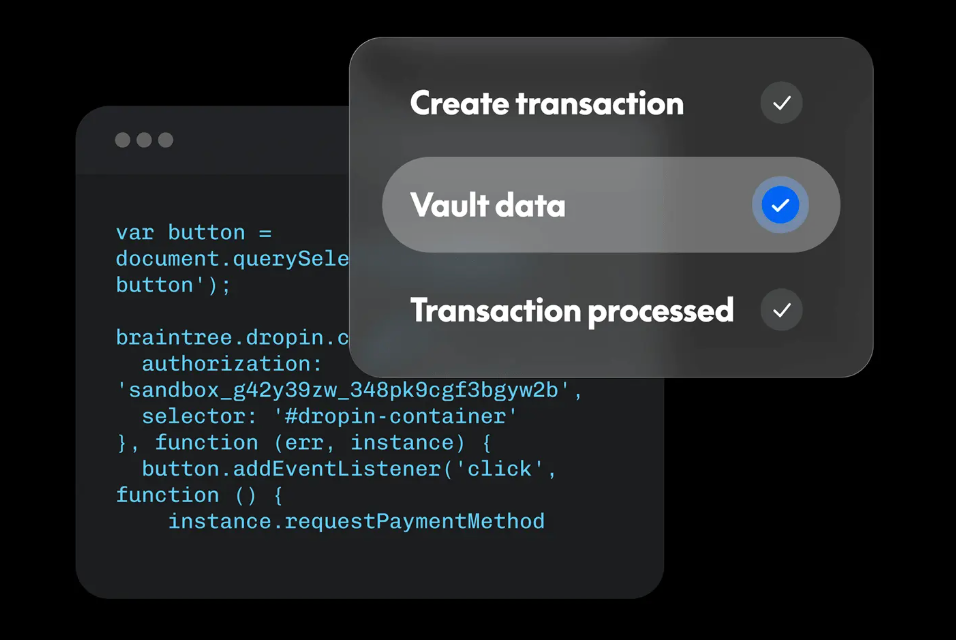
Full checkout customization is comparable to Stripe's – a tailored flow that doesn't feel like PayPal – but it sits behind PayPal Enterprise Payments.
So PayPal can match Stripe's depth of customization, but it's gated behind a separate product and sales conversation, not available by default the way Stripe's is.
Add-ons: what premium features do they offer?
Beyond the core platform, both Stripe and PayPal sell additional tools for tax, fraud, card issuing, and reporting.
Stripe
Stripe has various advanced add-ons and APIs, but at a cost.
For example, Stripe’s ‘Issuing’ service provides the infrastructure to create and manage virtual and physical cards at $0.10 per virtual card, or $3.50 per physical card.
Another example is ‘Tax’, which provides all-in-one automated tax compliance from $90 per month, or a pay-as-you-go option at 0.5% per transaction. For high-earning businesses, Stripe also offers custom pricing with its tailored service.
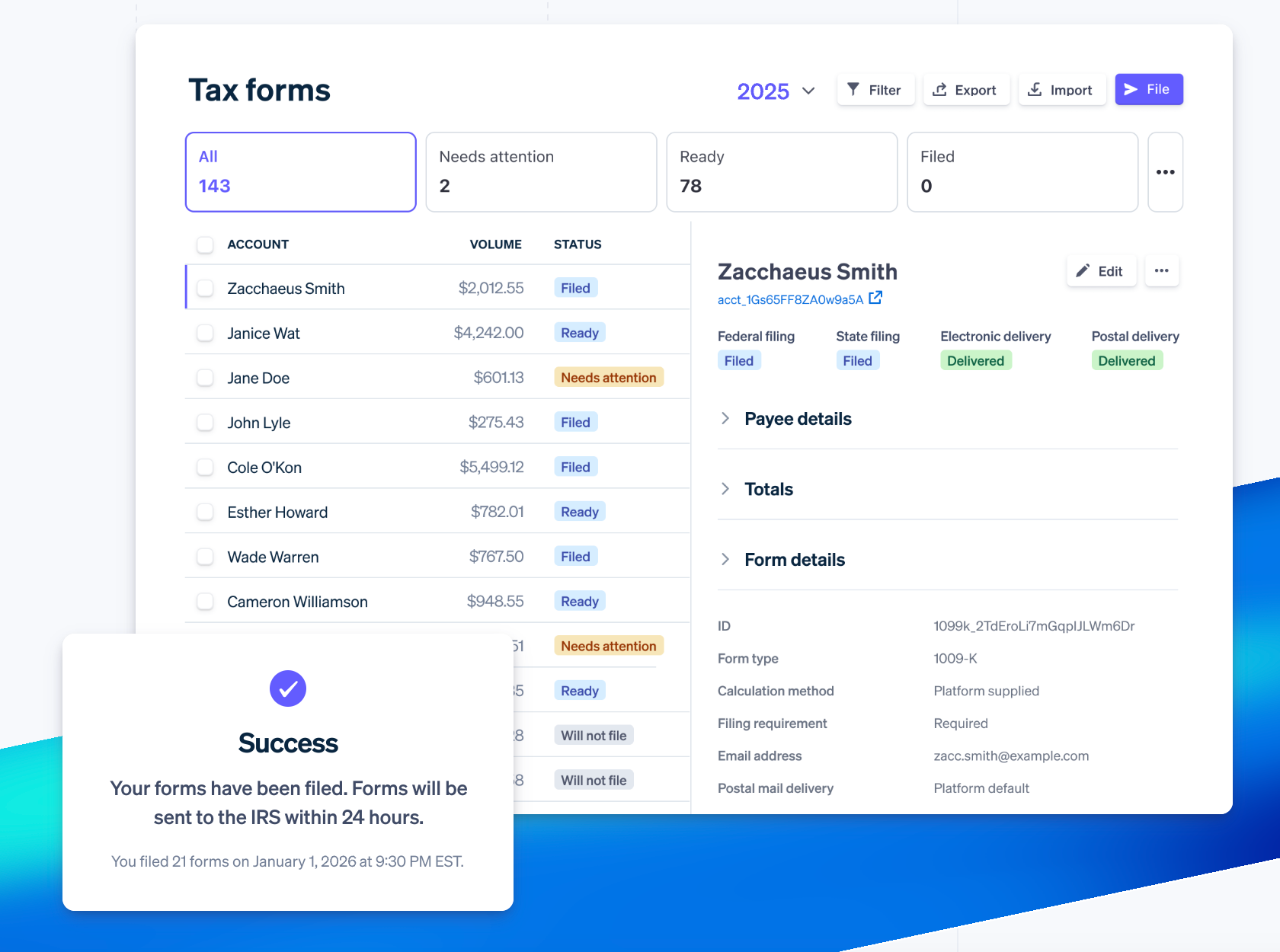
Stripe’s add-ons include:
| Add-on: | Use: | Price: |
|---|---|---|
| Stripe Billing | Manages subscriptions, recurring invoices, usage-based billing, automation, and customer self-service. | From $620 per month, or 0.7% of billing volume per use. |
| Stripe Tax | Automated sales tax, VAT, and GST calculation and collection. | From $90 per month, or 0.5% per transaction. |
| Stripe Revenue Recognition | Automates revenue-recognition schedules and accounting reports. | From $25 per month. |
| Stripe Radar | Provides AI-powered advanced fraud controls, with custom rules. | From $10 per month, or $0.05 per screened transaction. |
| Stripe Sigma | SQL-based custom reporting and queries that use Stripe payment data. | From $10 per month. |
| Stripe Data Pipeline | Sends Stripe data to a supported data warehouse for advanced analytics. | From $50 per month. |
| Stripe Identity | Provides identity verification, usually using ID documents, selfies, or other checks. | $1.50 per verification, or $0.50 per lookup |
| Stripe Financial Connections | Lets customers link bank accounts. | Fees from $0.30 to $1.50 per use. |
| Stripe Managed Payments | A merchant-of-record service for tax, fraud, dispute, invoicing, and customer support. | 3.5% per successful transaction in addition to Payments fees. |
PayPal
PayPal also has add-ons. For example, you can use third-party retail partners to add physical cash to your PayPal balance (for up to $3.95 per transaction, depending on the store).
For large and fast-growing businesses, PayPal Enterprise Payments (formerly Braintree) is also available, offering bespoke discounts, single-touch payments, mobile SDKs, and global currency acceptance.
PayPal’s add-ons include:
| Add-on: | Use: | Price: |
|---|---|---|
| Fraud Protection Advanced | For deeper fraud screening and controls for online transactions. | $0.07 per screened payment (in the US). |
| Chargeback Protection | Covers eligible chargebacks and reversals. | From 0.40% per transaction. |
| Dispute Automation: Payflow Pro | Advanced payment gateway for processing cards and more traditional gateway integrations. | $0.10 per transaction. |
| Recurring Billing for Payflow | Allows for recurring payments. | $10 per month. |
Hardware options (their in-person sales power)
Even a business built primarily around online payments often ends up needing in-person hardware eventually: pop-up events, trade shows, hybrid storefronts and so on. Shein, for example – an online-first fashion marketplace – has run temporary pop-up stores in cities including Sydney, Vancouver, and Montreal.
It's worth understanding what each platform offers here, even if physical sales aren't the primary focus right now.
Stripe Terminal
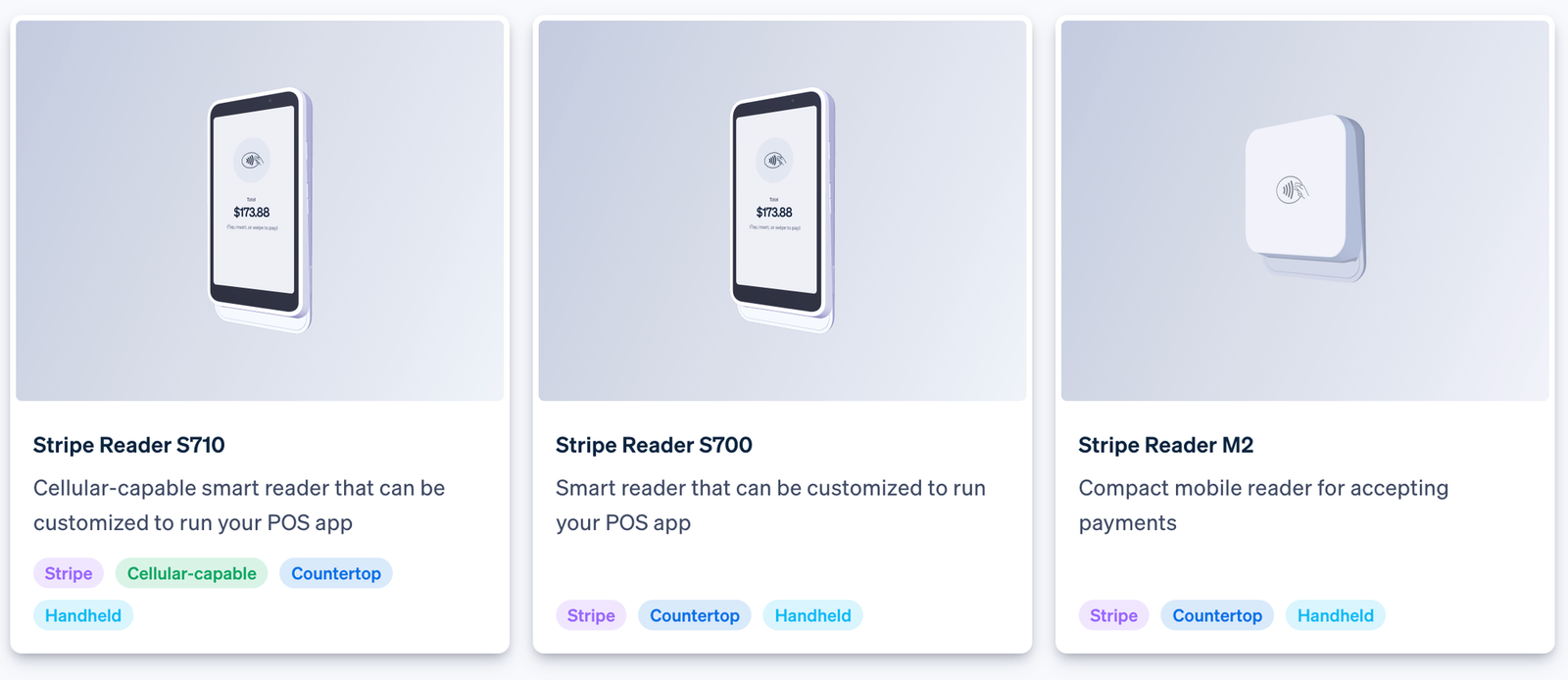
Stripe Terminal lets you accept card payments in the physical world. It integrates directly with your existing Stripe account, keeping all your sales data centralized.
However, it’s not a ready-made POS system – it's a set of hardware and APIs that developers build a custom POS experience around, which means more flexibility but more setup work before you're taking your first in-person payment.
| Hardware | Price | Best for? |
|---|---|---|
| Stripe Reader M2 | $59 | Pop-up sellers and basic apps. |
| BBPOS WisePOS E | $249 | Countertop or portable setups. |
| Stripe Reader S700 / S710 | $299 | More advanced smart-terminal and custom POS setups. |
| Optional cellular data cost | $10/month | If you need it untethered from Wi-Fi. |
| Cost per in-person payment | 2.7% + $0.05 |
PayPal
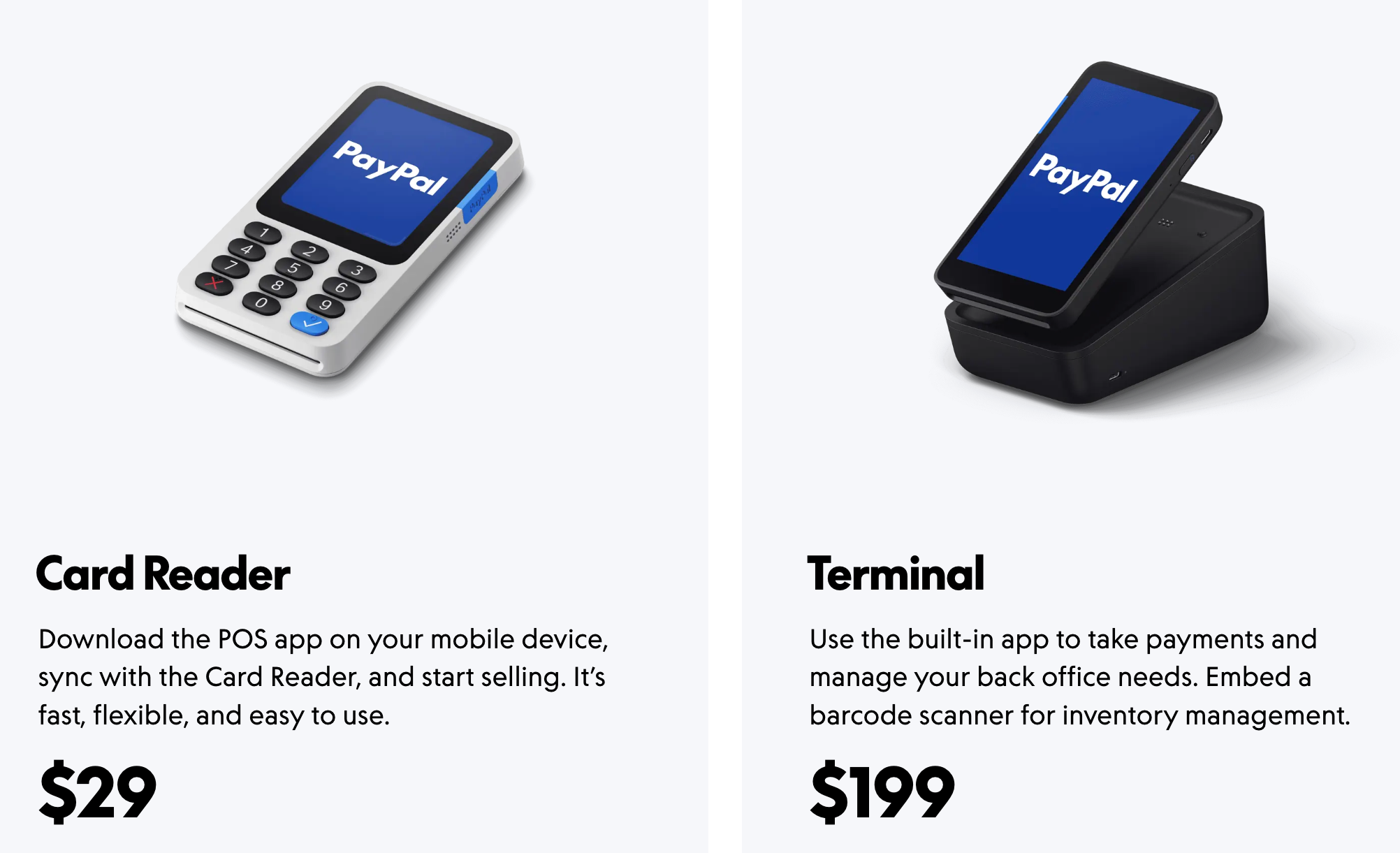
PayPal also has a physical payment device, called PayPal Point of Sale (formerly known as ‘Zettle’).
PayPal offers a portable card reader and a POS Terminal that allows you to use their sales app or POS software for simple real-world sales out of the box.
If you’re looking for something more plug-and-play friendly, PayPal is the better option.
The costs are also slightly more welcoming than with Stripe:
| Equipment | Price | Best for? |
|---|---|---|
| PayPal Reader | $29 ($79 for additional readers) | Pop-up sellers. |
| PayPal Terminal | $199 | Countertop setups. |
| PayPal Terminal with Barcode Scanner | $249 | Stores with barcode-based stock. |
| Cost per in-person payment | 2.29% + $0.09 |
Security: what levels of protection do they promise?
Both platforms hold themselves to the same industry-standard certifications. What actually differs, and matters more for a platform or marketplace, is how much compliance responsibility stays on your side once you integrate.
Stripe
Stripe is certified at the top tier of security in the payment industry (PCI Service Provider Level 1), with SOC 1/SOC 2 Type II compliance reports, a public SOC 3 report, and conforms to ISO 27001 standards, all backed by annual audits. Payment data is protected with end-to-end data encryption and tokenization, keeping card data off your own servers.
Stripe Radar, its built-in fraud-prevention system, adds machine-learning fraud detection, flagging or blocking suspicious activity before a transaction completes. But because Stripe's checkout tools (Elements) can be embedded directly on your own site, some compliance scope stays with you – generally more than it would with a fully hosted checkout page.
Stripe reduces what you're exposed to, but it doesn't eliminate your platform's own compliance and risk responsibilities.
PayPal
PayPal's certifications match Stripe's – PCI DSS, ISO/IEC 27001, and SOC 1/SOC 2 compliance reports, with the same encryption and machine-learning fraud screening.
Where PayPal differs structurally is that its hosted checkout flow means customer card details go directly to PayPal rather than touching your own site at any point, reducing your own compliance scope compared to an embedded checkout, since less of the payment flow passes through infrastructure you control.
Enterprise Payments changes this if you build a fully custom checkout instead of PayPal's hosted flow.
What does this mean for you?
If minimizing your compliance workload matters more than checkout customization, PayPal's default hosted flow is the lighter lift. But if a fully branded checkout is the priority, both platforms put more of that responsibility on you – Stripe from the start, PayPal once you move to enterprise payments.
How do they process payments?
Understanding how a payment moves is what lets you diagnose failed payments, explain delays to customers, and know who is responsible at each step. Here's how Stripe and PayPal process payments.
Stripe payment processing
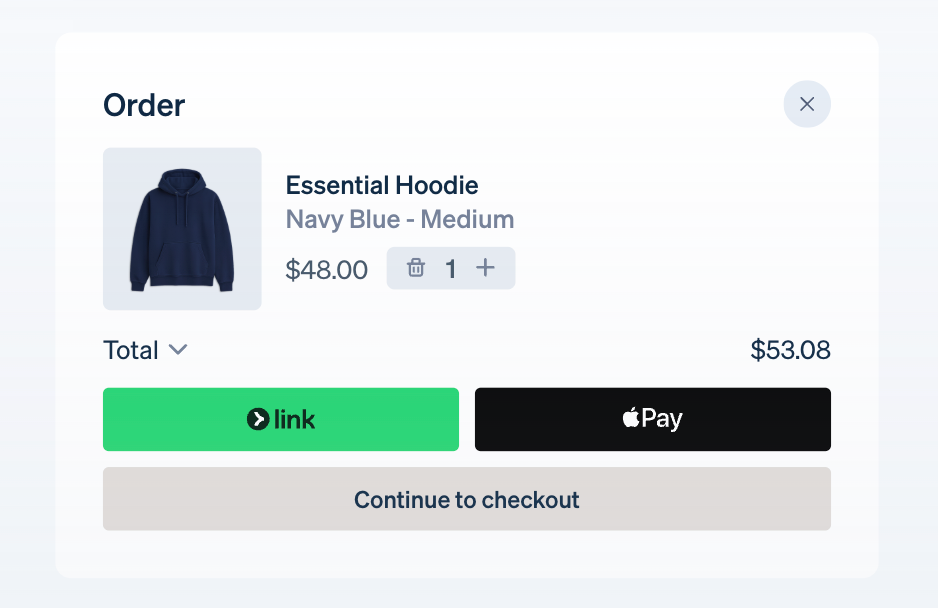
Stripe processes payments by acting as a secure bridge between your customer, your business site (or app), and banks.
Once a customer pays, the funds are held in your Stripe balance until you withdraw them to your bank (which can be automated).
Here’s a closer look at the cogs that turn to make that happen:
- A customer makes a payment by submitting their card details on your online store or app.
- Stripe uses its front-end payment gateway to encrypt the card details.
- Stripe then receives the encrypted transaction data and validates the information before forwarding the transaction details to the acquiring bank.
- The acquiring bank then sends this information to the card network for authorization.
- The issuing bank then approves or declines the transaction, with a response shown in the payment gateway and user interface.
- Approved funds are captured and settled in the merchant’s Stripe account. The customer receives their goods or services.
PayPal payment processing
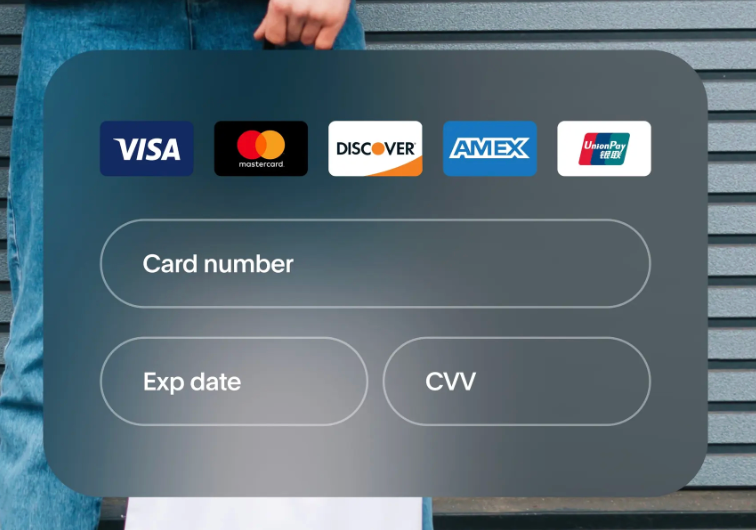
Like Stripe, PayPal doesn’t send the buyer’s full bank or card details to a merchant, by handling every step of the process.
Once selected as the payment option at checkout, PayPal manages authorization, fraud checks, settlement, and payouts automatically.
Here’s a closer look:
- At checkout, the customer can select PayPal as a payment option, using either their bank details (within PayPal), their PayPal balance, Venmo, or PayPal Pay Later.
- PayPal then either encrypts the customer's card details or sends the transaction to the card network or PayPal’s internal wallet for approval.
- PayPal then runs automated fraud and risk checks, flagging or declining any it deems suspicious.
- PayPal then captures the funds and logs the payment instantly within the merchant’s PayPal Business account.
- Funds can then be withdrawn to the seller’s linked bank account.
Is it easier to use Stripe or PayPal?
PayPal is without a doubt the simplest to get running. From its interface and invoice setup to withdrawals and in-person payments, most businesses can be up and taking payments the same day.
That simplicity comes with limitations. PayPal's default tools give you a real but limited level of customization. Matching Stripe's depth of branding, layout, and API control means stepping up to Enterprise Payments, which comes with more setup and a sales conversation.
Stripe makes that level of customization available from the start, on every plan. The trade-off? You'll need development resources to build it, rather than PayPal's more guided, ready-to-go setup.
So which is easier?
If you want to be live today with minimal setup, PayPal wins. If a fully custom, branded experience is the goal, Stripe gets you there without a separate process.
Support: can you speak to a human?
For any business relying on one of these platforms, support quality is key. A slow resolution on a payment issue doesn't just cost you time, it costs your customers or sellers time too.
Stripe
Every Stripe account level receives the same level of support. You get 24/7 phone, chat, and email support. In practice, that's a mixed bag. Basic technical and accounting issues get quick responses, but more complex and account-specific problems are prone to delays and the dreaded bot response until you're elevated to a human.
For developers, there is a developer Discord and an extensive resource library which can help you out further.
PayPal
PayPal’s support is widely reported as frustrating by both customers and business users, with phone support and resolution center available, but users report that support staff lacks the authority to solve complex issues with any urgency.
Which is best, Stripe or PayPal?
Neither platform is overall 'best' – the right choice depends on what your business needs to do, and how much of that need justifies the setup cost.
Let's break that down by business type.
If you're a freelancer or small seller
PayPal is the practical choice here. You'll be live the same day, with no coding required, standard transaction fees, and no per-invoice fee stacked on top.
If you're invoicing clients at volume
Stripe's invoicing fee adds up fast, but that fee buys automation, recurring billing, and multi-currency support natively. PayPal is cheaper per invoice but has no native bulk-send.
If you're a marketplace or platform paying out sellers
This is where Stripe and PayPal diverge most. Stripe offers two paths: Global Payouts for one-off or infrequent third-party payments, and Connect for platforms with recurring payees. PayPal's equivalent is PayPal Payouts, which supports bulk payment files but doesn't offer the payee balance and reporting tools Connect does.
If a fully custom, branded checkout matters from day one
Stripe gets you there fastest, with customization available on every plan. PayPal can match it, but only through Enterprise Payments.
If you're taking payments in person
For a straightforward mobile or pop-up setup, PayPal's plug-and-play hardware gets you running faster. Stripe Terminal is the better fit once you want deeper data, pricing control, or a fully custom point-of-sale setup.
The TL;DR:
PayPal wins on speed and simplicity, and stays cost-effective at low volume. Stripe costs more to set up and often to run, but it's built to scale with a business that needs customization, invoicing volume, or marketplace payouts, without hitting a ceiling.
Whop: the best alternative to Stripe and PayPal
Stripe and PayPal each ask you to pick a side: speed or control. Whop is built to give you both.
Like Stripe, Whop payments and payout elements can be embedded into your platform’s own product. Like PayPal, Whop also offers easy invoicing and checkout links.
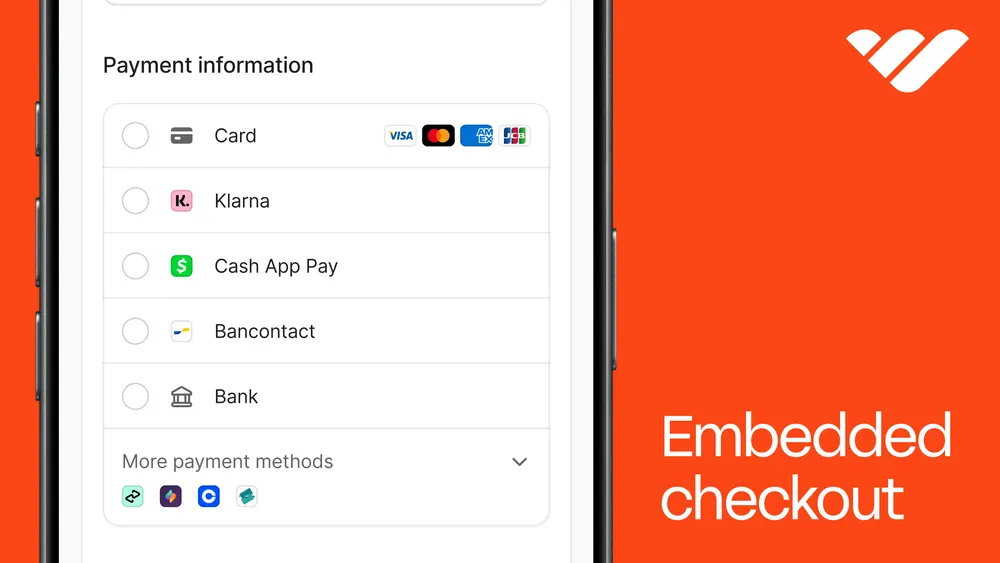
Whop Embedded Checkout places Whop’s checkout into your app or site.
You can also send buyers directly to your Whop payment page with a checkout link. Checkout links remove purchase friction, boosting conversion sales, all while tracking revenue and click count data.
Whop Payouts makes sending money out easy, so marketplaces and platforms can pay out their user base. It supports bank, mobile wallet, and crypto wallet.
Whop has a global reach, equal to Stripe and PayPal, of 195 countries and 135+ currencies. And with Tap-to-Pay on iPhone, it matches both for convenience.
Outside of payments, you can run your entire business with the Whop CLI, from LLC registration to Whop Ads, all within that slick and easy-to-use Whop dashboard.
Start running your entire business with Whop
Whop is so much more than just payments.
It’s a place to run your whole business, from accepting payments and paying contractors, to forming your LLC, and launching ads.
All in one dashboard. We’ve made it simple to start, but flexible enough to grow with.







![14 best global payout platforms for mass and cross-border payouts [2026]](https://storage.ghost.io/c/12/7b/127b828b-bdc2-4972-9cf2-de857df9c324/content/images/size/w1000/format/webp/2026/08/blog-best-global-payout-platforms.png)
![Top 10 best embedded finance companies for SaaS and marketplaces [2026]](https://storage.ghost.io/c/12/7b/127b828b-bdc2-4972-9cf2-de857df9c324/content/images/size/w1000/format/webp/2026/08/embedded-finance.jpg)