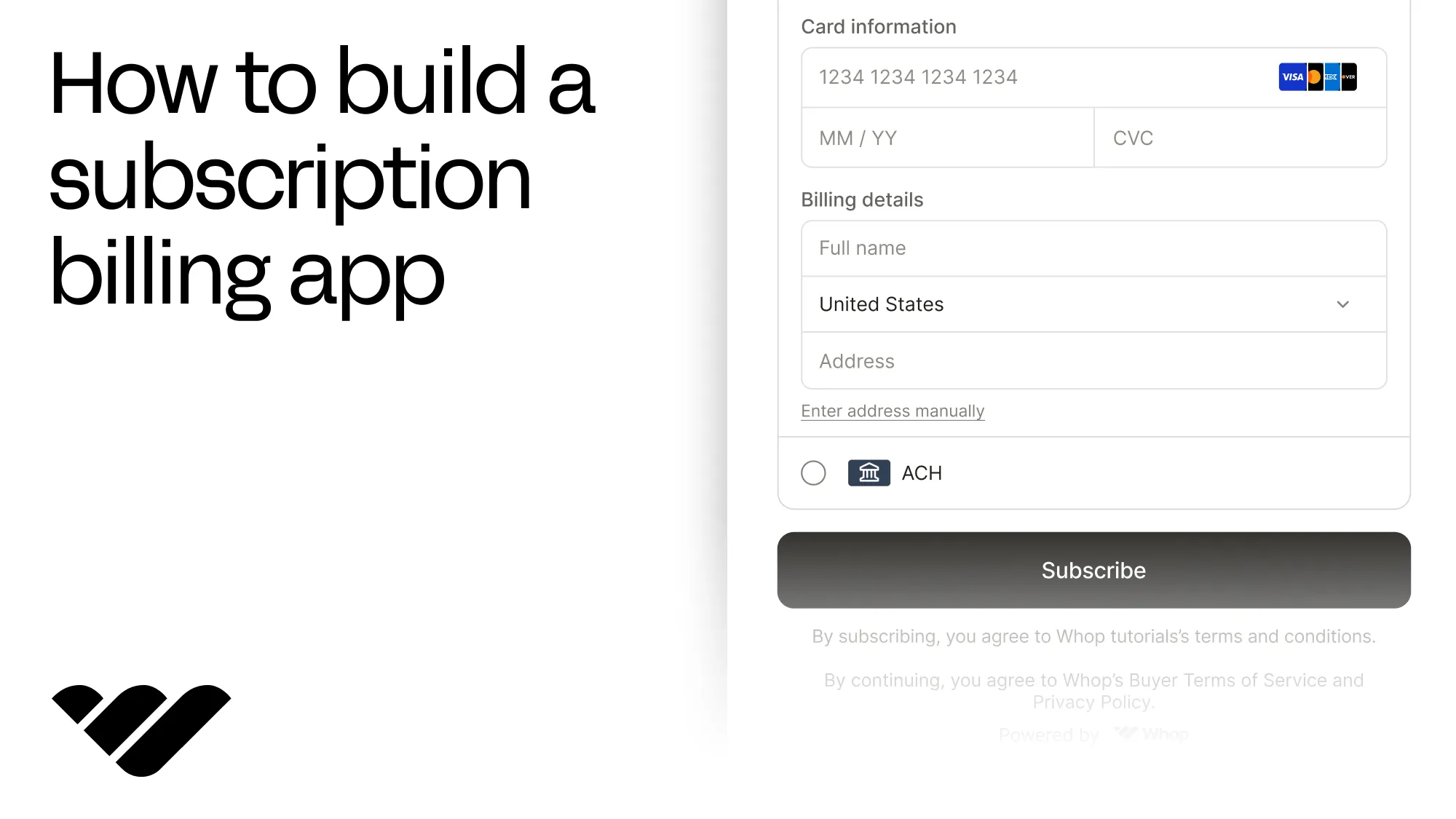
You can build a subscription billing app with Next.js and Whop, with monthly plans, embedded checkouts, and products gated on membership. Learn how in this guide.
Key takeaways
- Whop handles recurring charges, failed-card retries, and receipts once you create a plan and embed its checkout.
- Whop OAuth and membership checks replace your users and subscriptions tables, unlocking paid content while memberships stay active.
- Subscribers cancel or pause on their own and keep access until the month they paid for ends.
You can build a subscription billing app with Whop without having to manually charge your subscribers every month, retry cards that fail, handle receipts, and more.
All you need to do is create a monthly plan, put the Whop checkout in your app, and go live.
In this tutorial, we're going to build a Next.js app where people sign in, subscribe to a Pro membership, get into the Pro area while their subscription is active, and manage the subscription themselves.
You can try the whole flow in our companion demo and its repository.
How subscription billing works on Whop
The first step of getting subscription billing to work on Whop is creating a plan with the price and how often it renews.
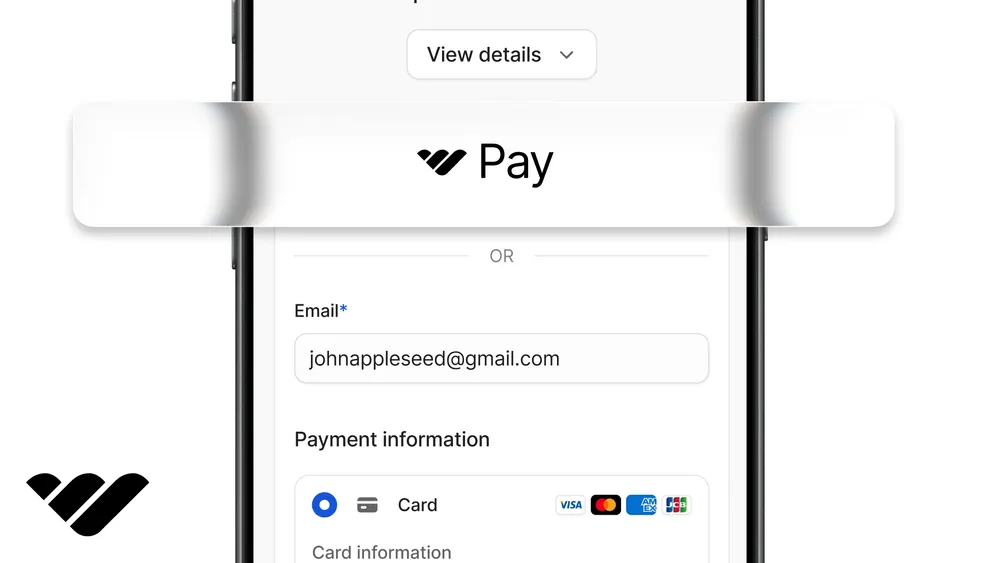
Then your subscribers pay using the Whop checkout that's embedded in your app (you can also use a Whop-hosted checkout link).
Once the checkout is done, Whop's going to bill the customer every month, retry if the charges fail, and send a receipt to the customer directly without you having to get involved.
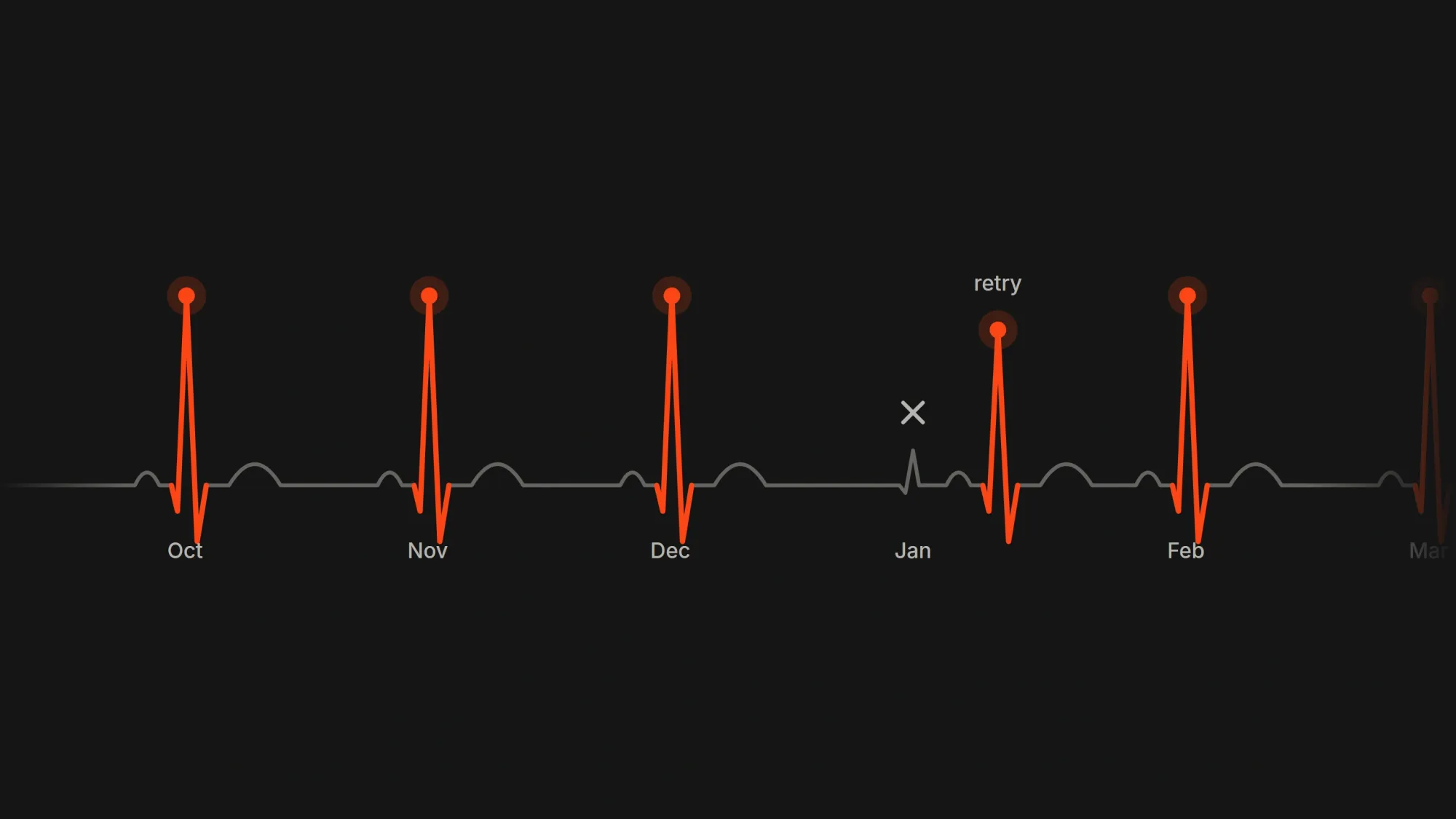
And then your app checks the subscription by reading the user's membership from Whop and grants the paid product to the customer.
Prerequisites
For the sake of the tutorial and being able to do tests, we're going to start from a new Next.js app that runs on the Whop sandbox, so we can do tests without moving real money until the Moving to production section.
Set up a sandbox account
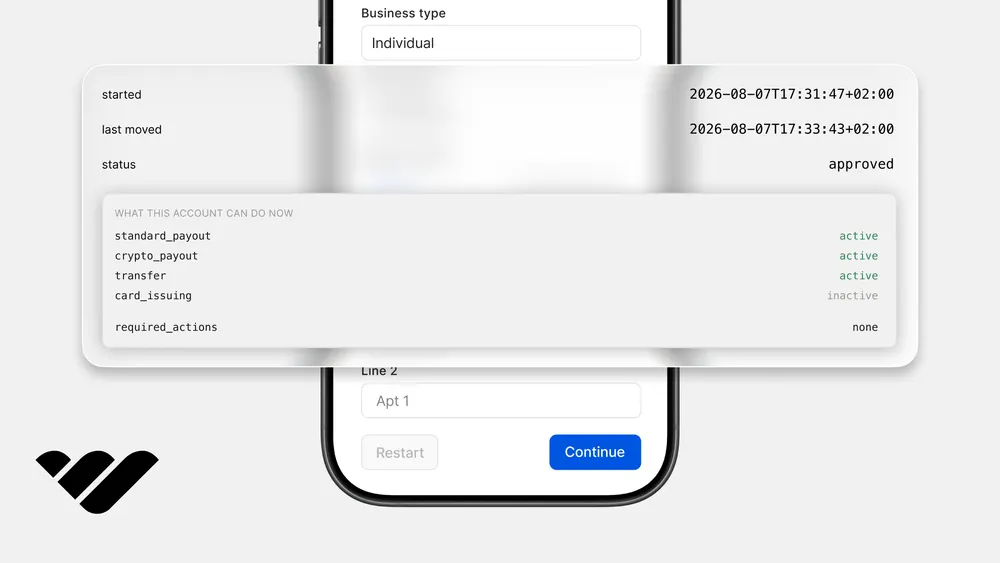
Create a business on Sandbox.Whop.com. This will be your app's account, and your subscribers' payments land in it.
Then go to your business's dashboard and open the Developer page. There, find the API key section and use the "Create API key" button to create a new one. Then grant it these permissions:
access_pass:createplan:createcheckout_configuration:createcheckout_configuration:basic:readmember:basic:readmember:email:readmember:managemembership:cancelpayment:basic:readaccess_pass:update
Create the plan
Before we move on to code, let's create a plan for our subscribers to pay for. You only have to create the plan once, and there are a few ways to do it.
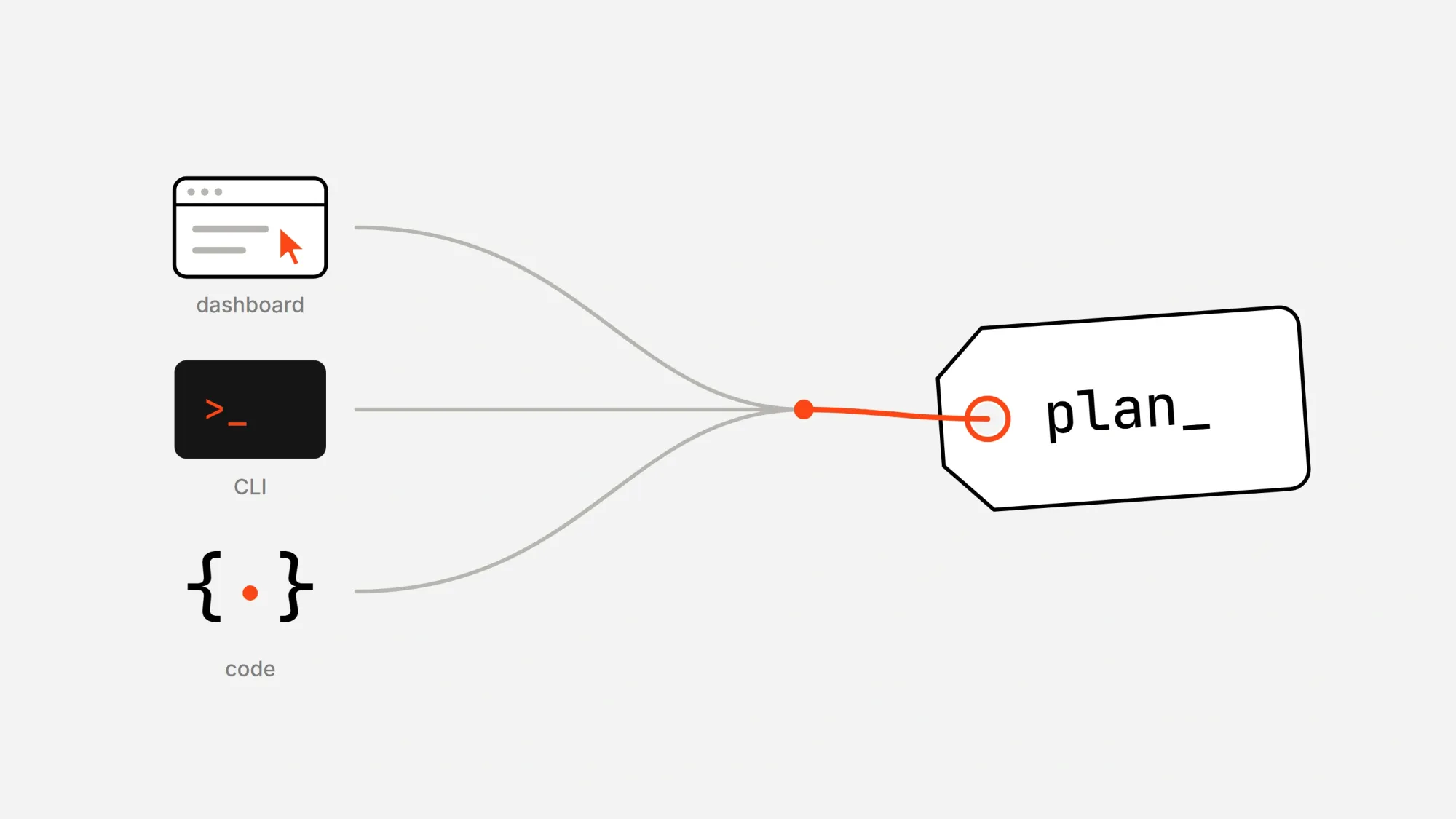
The easiest way is by using the dashboard. In your sandbox dashboard, open the Product page and use the "Create product" button to create one with a recurring plan at the price you want. Then copy its plan ID, which starts with plan_. You can find it in the URL of the plan you just created.
You can also create it in code with variants.create, but for something you make once, the dashboard or the CLI is quicker.
Keep in mind that if you set an initial price, it's going to be charged on top of the first month's price. A $29 initial price on a $29 plan charges a new subscriber $58 in the first checkout.
Once the plan is done and you have its ID, copy it to your environment as WHOP_PLAN_ID. The app is going to create checkouts from it.
If you'd rather use the terminal or an AI agent, the Whop CLI does the same with a few commands. Point WHOP_API_BASE_URL at the sandbox and export your sandbox API key first, because the CLI can't switch to the sandbox on its own.
npm install -g @whop/cli
export WHOP_API_BASE_URL=https://sandbox-api.whop.com/api/v1
export WHOP_API_KEY=apik_XXXXXXXX

whop products create --title "Pro membership" --visibility visible
whop variants create --product_id prod_XXXXXXXX --billing_type renewal --initial_price 0 --renewal_price 29 --billing_period 30
Install the packages
Now, let's create the app and install the packages:
npx create-next-app@latest subscription-billing --typescript --tailwind --app --no-cache-components
cd subscription-billing
npm install @whop/sdk @whop/elements @whop/elements-react iron-session zod
Environment variables
Add these to .env.local, and to your host when you deploy.
| Variable | Example | How to get it |
|---|---|---|
WHOP_COMPANY_API_KEY |
apik_... |
Sandbox dashboard > Developer > API keys. |
WHOP_PLAN_ID |
plan_... |
The plan you created in Create the plan. |
WHOP_CLIENT_ID |
app_... |
Your OAuth app's client ID, from Let users sign in with Whop. |
WHOP_CLIENT_SECRET |
apik_... |
Your OAuth app's API key, from Let users sign in with Whop. |
WHOP_WEBHOOK_SECRET |
ws_... |
Shown when you create the webhook in Get notified about every renewal. |
WHOP_SANDBOX |
true |
Set manually. Remove it in production. |
SESSION_SECRET |
32+ random characters |
Run openssl rand -base64 32. |
APP_URL |
http://localhost:3000 |
Your app's origin. |
Check your env vars on startup
Let's create a schema so Zod checks our environment variables at startup. This will make missing keys fail with clear errors.
Go to lib/ and create a file called env.ts with the following content:
import { z } from "zod";

const envSchema = z.object({
  WHOP_COMPANY_API_KEY: z.string().min(1),
  WHOP_PLAN_ID: z.string().startsWith("plan_"),
  WHOP_CLIENT_ID: z.string().startsWith("app_"),
  WHOP_CLIENT_SECRET: z.string().min(1),
  WHOP_WEBHOOK_SECRET: z.string().startsWith("ws_").optional(),
  WHOP_SANDBOX: z
    .string()
    .optional()
    .transform((value) => value === "true"),
  SESSION_SECRET: z.string().min(32),
  APP_URL: z.url(),
});

export type Env = z.infer<typeof envSchema>;

let cached: Env | null = null;

export function getEnv(): Env {
  cached ??= envSchema.parse(process.env);
  return cached;
}
Create the Whop client
You are going to use your company API key in this step. One thing you should keep in mind is that the client switches to the sandbox when WHOP_SANDBOX is true in your environment.
Go to lib/ and create a file called whop.ts with the following content:
import { WhopClient, WhopEnvironment } from "@whop/sdk";
import { getEnv } from "@/lib/env";

let cached: WhopClient | null = null;

export function getWhop(): WhopClient {
  if (cached) return cached;
  const env = getEnv();
  cached = new WhopClient({
    token: env.WHOP_COMPANY_API_KEY,
    environment: env.WHOP_SANDBOX ? WhopEnvironment.Sandbox : WhopEnvironment.Production,
  });
  return cached;
}
Let users sign in with Whop
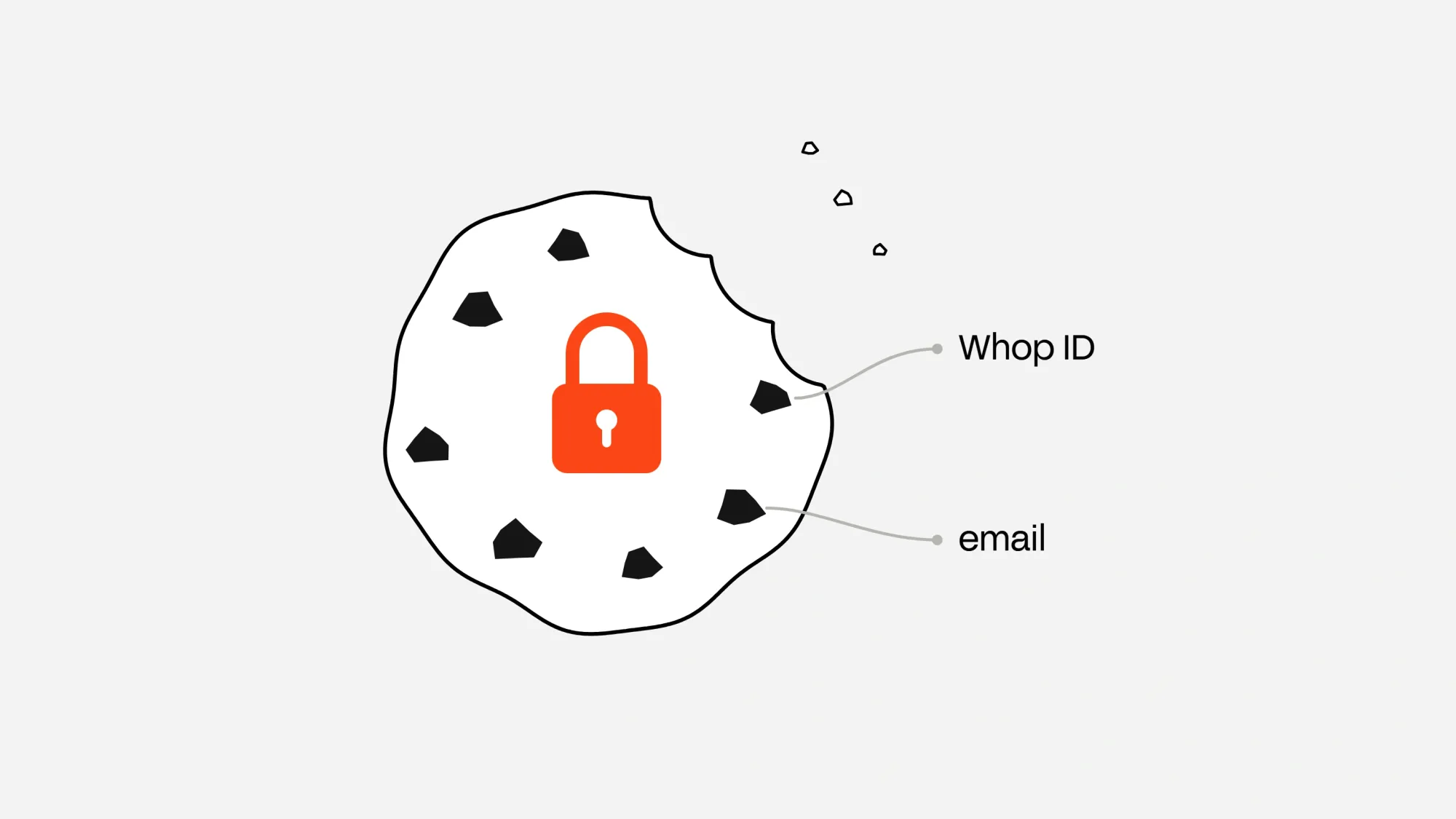
The plan is ready. Your app needs a way to pinpoint who the user is, so the user signs in with Whop OAuth. This method gives us the user's Whop ID, which is how we'll find their subscription later, and their email, which we'll put in the checkout.
Now, on the Developer page of your business dashboard, let's create an app and, under OAuth, add http://localhost:3000/api/auth/callback as a redirect URL.
Then, copy the app's client ID into WHOP_CLIENT_ID and its API key into WHOP_CLIENT_SECRET. Then add the oauth:token_exchange permission to the app from the Permissions tab.
The session is an encrypted cookie that holds the user's Whop ID and email, which also means we don't have to build and manage a users table.
Now, create lib/session.ts with the following content:
import { getIronSession, type IronSession } from "iron-session";
import { cookies } from "next/headers";
import { getEnv } from "@/lib/env";

export interface SessionData {
  whopUserId?: string;
  email?: string;
}

export async function getSession(): Promise<IronSession<SessionData>> {
  return getIronSession<SessionData>(await cookies(), {
    password: getEnv().SESSION_SECRET,
    cookieName: "billing_session",
    cookieOptions: {
      httpOnly: true,
      secure: process.env.NODE_ENV === "production",
      sameSite: "lax",
      path: "/",
    },
  });
}
The OAuth file has two main parts:
- It creates a random PKCE verifier, keeps it in a short-lived cookie, and builds the URL that sends users to Whop.
- When users come back, it checks the values, swaps the code for tokens with the client secret included, and asks Whop who just signed in.
Go to lib/ and create a file called whop-oauth.ts with the following content:
import { cookies } from "next/headers";
import { z } from "zod";
import { getEnv } from "@/lib/env";

const PKCE_COOKIE = "whop_pkce";

const pkceSchema = z.object({
  codeVerifier: z.string(),
  state: z.string(),
  nonce: z.string(),
});

const tokenSchema = z.object({
  access_token: z.string(),
  id_token: z.string().optional(),
});

const userInfoSchema = z.object({
  sub: z.string(),
  email: z.string().nullish(),
});

export type WhopUser = z.infer<typeof userInfoSchema>;

function oauthHost(): string {
  return getEnv().WHOP_SANDBOX ? "https://sandbox-api.whop.com" : "https://api.whop.com";
}

function redirectUri(): string {
  return `${getEnv().APP_URL}/api/auth/callback`;
}

function randomString(bytes: number): string {
  return Buffer.from(crypto.getRandomValues(new Uint8Array(bytes))).toString("base64url");
}

function nonceFromIdToken(idToken: string): unknown {
  const payload: unknown = JSON.parse(Buffer.from(idToken.split(".")[1] ?? "", "base64url").toString());
  return payload && typeof payload === "object" && "nonce" in payload ? payload.nonce : undefined;
}

export async function startSignIn(): Promise<string> {
  const pkce = { codeVerifier: randomString(32), state: randomString(16), nonce: randomString(16) };
  const store = await cookies();
  store.set(PKCE_COOKIE, JSON.stringify(pkce), {
    httpOnly: true,
    secure: process.env.NODE_ENV === "production",
    sameSite: "lax",
    path: "/",
    maxAge: 600,
  });

  const challenge = await crypto.subtle.digest("SHA-256", new TextEncoder().encode(pkce.codeVerifier));
  const params = new URLSearchParams({
    response_type: "code",
    client_id: getEnv().WHOP_CLIENT_ID,
    redirect_uri: redirectUri(),
    scope: "openid profile email",
    state: pkce.state,
    nonce: pkce.nonce,
    code_challenge: Buffer.from(challenge).toString("base64url"),
    code_challenge_method: "S256",
  });
  return `${oauthHost()}/oauth/authorize?${params.toString()}`;
}

export async function finishSignIn(code: string, state: string): Promise<WhopUser> {
  const store = await cookies();
  const saved = store.get(PKCE_COOKIE)?.value;
  store.delete(PKCE_COOKIE);
  const pkce = pkceSchema.parse(JSON.parse(saved ?? "null"));
  if (pkce.state !== state) throw new Error("OAuth state mismatch");

  const env = getEnv();
  const tokenResponse = await fetch(`${oauthHost()}/oauth/token`, {
    method: "POST",
    headers: { "Content-Type": "application/json" },
    body: JSON.stringify({
      grant_type: "authorization_code",
      code,
      redirect_uri: redirectUri(),
      client_id: env.WHOP_CLIENT_ID,
      client_secret: env.WHOP_CLIENT_SECRET,
      code_verifier: pkce.codeVerifier,
    }),
  });
  if (!tokenResponse.ok) throw new Error(`Token exchange failed with ${tokenResponse.status}`);
  const tokens = tokenSchema.parse(await tokenResponse.json());
  if (tokens.id_token && nonceFromIdToken(tokens.id_token) !== pkce.nonce) {
    throw new Error("OAuth nonce mismatch");
  }

  const userResponse = await fetch(`${oauthHost()}/oauth/userinfo`, {
    headers: { Authorization: `Bearer ${tokens.access_token}` },
  });
  if (!userResponse.ok) throw new Error(`Userinfo failed with ${userResponse.status}`);
  return userInfoSchema.parse(await userResponse.json());
}
Now, the login route. It starts the sign-in process and sends the user to Whop.
Create app/api/auth/login/route.ts with the following content:
import { NextResponse } from "next/server";
import { startSignIn } from "@/lib/whop-oauth";

export async function GET(): Promise<NextResponse> {
  return NextResponse.redirect(await startSignIn());
}
The callback route is where Whop sends users back. It finishes the sign-in, saves the user's Whop ID and email in the session, and opens the home page.
Create app/api/auth/callback/route.ts with the following content:
import { NextResponse, type NextRequest } from "next/server";
import { finishSignIn } from "@/lib/whop-oauth";
import { getSession } from "@/lib/session";
import { getEnv } from "@/lib/env";

export async function GET(request: NextRequest): Promise<NextResponse> {
  const appUrl = getEnv().APP_URL;
  const code = request.nextUrl.searchParams.get("code");
  const state = request.nextUrl.searchParams.get("state");
  if (!code || !state) return NextResponse.redirect(`${appUrl}/?error=signin_cancelled`);

  try {
    const user = await finishSignIn(code, state);
    if (!user.email) return NextResponse.redirect(`${appUrl}/?error=email_required`);

    const session = await getSession();
    session.whopUserId = user.sub;
    session.email = user.email;
    await session.save();

    return NextResponse.redirect(`${appUrl}/`);
  } catch (error: unknown) {
    console.error("Sign in failed", error);
    return NextResponse.redirect(`${appUrl}/?error=signin_failed`);
  }
}
Find a user's subscription
Subscriptions are considered memberships on Whop, and the subscription.ts file we'll create finds a user's subscription by their Whop user ID. It reads the memberships directly. Users have access while their membership is active, trialing, or past due while Whop retries the charge.
That includes a subscriber who has scheduled a cancellation for the end of the period, and a paused subscriber until the period they paid for ends.
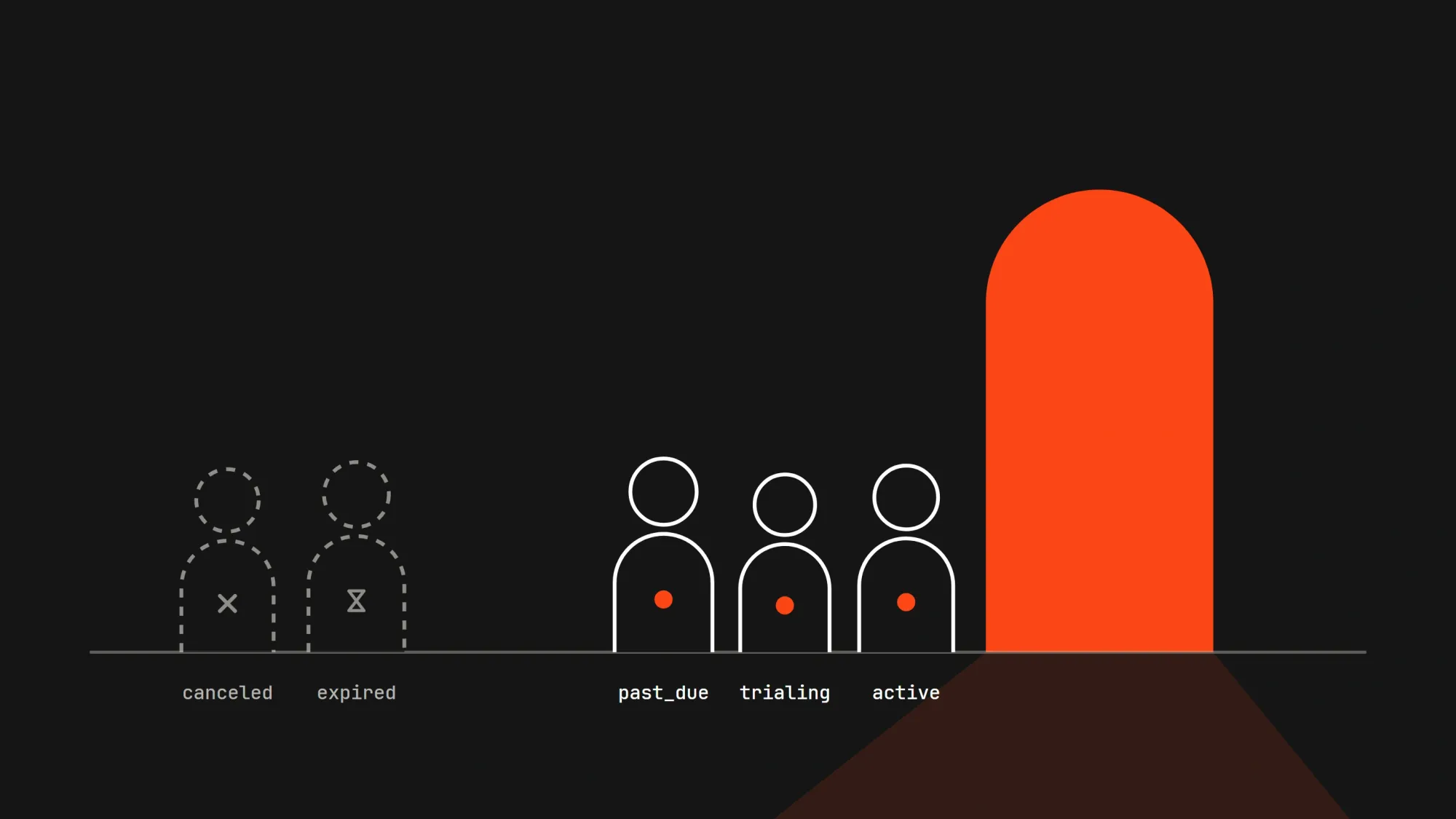
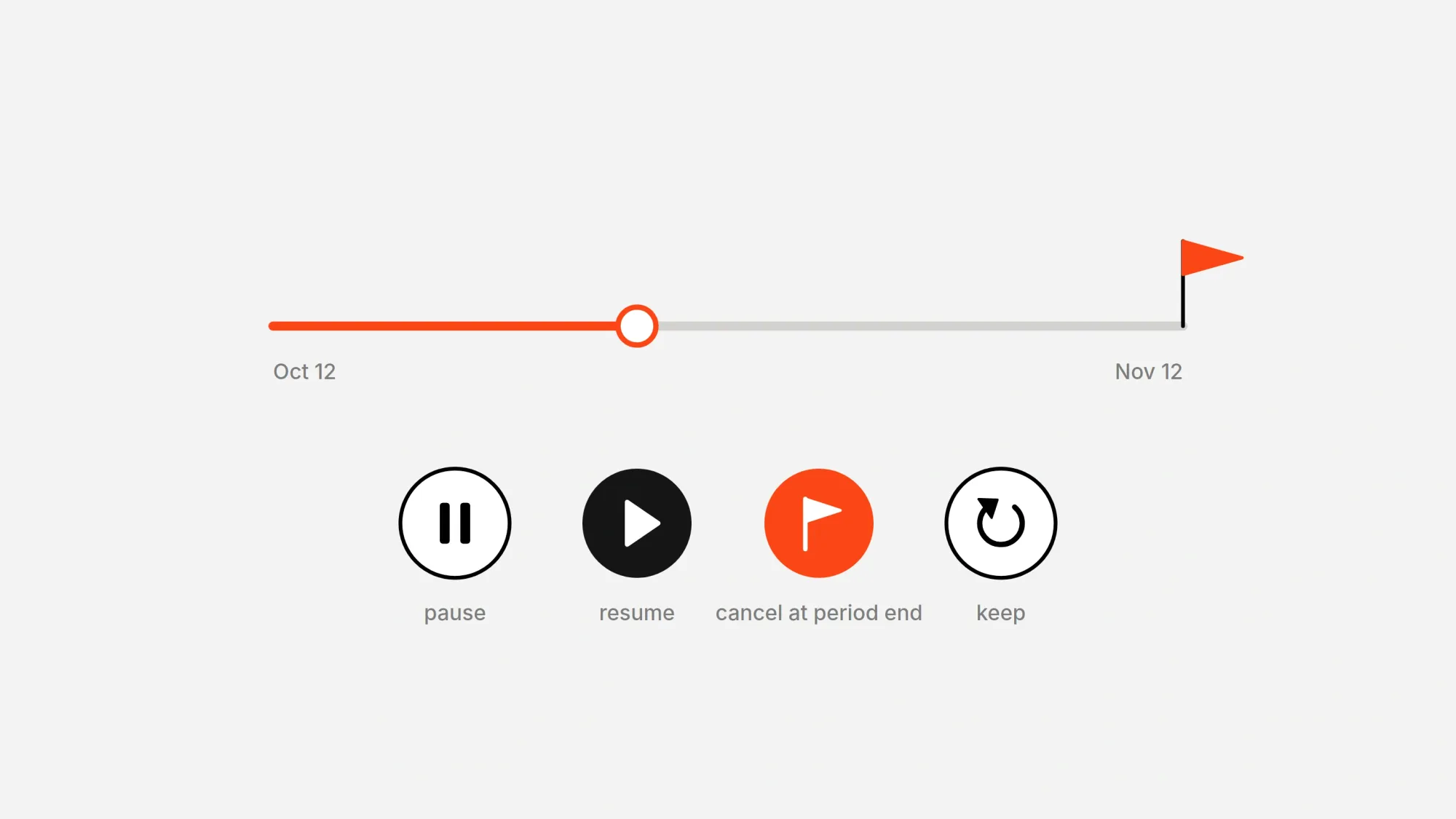
It can also change subscriptions, like canceling at the end of a period, taking that cancellation back, pausing it, or resuming it.
Pausing leaves a membership's status active, so we find paused memberships with a second list filtered by status: "paused". The list can trail a change by a few seconds, so the file then reads the membership by its ID, which is always current.
When canceling, pass cancel_at_period_end: true to memberships.cancel, or the membership ends right away instead of at the end of the period.
The file also builds the checkout from your plan. It looks for a checkout configuration for WHOP_PLAN_ID that sends subscribers back to your Pro page, and creates one the first time if there isn't one.
Go to lib/ and create a file called subscription.ts with the following content:
import { getWhop } from "@/lib/whop";
import { getEnv } from "@/lib/env";

export interface Subscription {
  id: string;
  status: string;
  paused: boolean;
  cancelAtPeriodEnd: boolean;
  renewsAt: string | null;
  manageUrl: string | null;
}

export const ACTIONS = ["cancel_at_period_end", "keep", "pause", "resume"] as const;
export type SubscriptionAction = (typeof ACTIONS)[number];

const ACCESS_STATUSES = new Set(["active", "trialing", "past_due"]);
const ENDED_STATUSES = new Set(["completed", "canceled", "expired"]);

export async function getMonthlyPrice(): Promise<number> {
  const plan = await getWhop().variants.retrieve({ id: getEnv().WHOP_PLAN_ID });
  return plan.renewal_price;
}

let checkoutId: Promise<string> | null = null;

export function getCheckoutId(): Promise<string> {
  checkoutId ??= findOrCreateCheckout().catch((error: unknown) => {
    checkoutId = null;
    throw error;
  });
  return checkoutId;
}

async function findOrCreateCheckout(): Promise<string> {
  const { WHOP_PLAN_ID, APP_URL } = getEnv();
  const whop = getWhop();
  const redirectUrl = APP_URL.startsWith("https://") ? `${APP_URL}/pro` : null;

  const plan = await whop.variants.retrieve({ id: WHOP_PLAN_ID });
  if (!plan.account) throw new Error("The plan has no account");
  for await (const checkout of await whop.checkoutConfigurations.list({ account_id: plan.account.id, plan_id: WHOP_PLAN_ID })) {
    if (checkout.redirect_url === redirectUrl) return checkout.id;
  }
  const created = await whop.checkoutConfigurations.create({ plan_id: WHOP_PLAN_ID, redirect_url: redirectUrl });
  return created.id;
}

export async function findSubscription(whopUserId: string): Promise<Subscription | null> {
  const whop = getWhop();
  const filter = { user_id: whopUserId, plan_id: getEnv().WHOP_PLAN_ID };

  const paused = new Set<string>();
  for await (const membership of await whop.memberships.list({ ...filter, status: "paused" })) {
    paused.add(membership.id);
  }

  for await (const listed of await whop.memberships.list({ ...filter, order: "created_at", direction: "desc", first: 1 })) {
    const membership = await whop.memberships.retrieve({ id: listed.id });
    return {
      id: membership.id,
      status: membership.status,
      paused: paused.has(membership.id),
      cancelAtPeriodEnd: membership.cancel_at_period_end,
      renewsAt: membership.current_period_end,
      manageUrl: membership.manage_url,
    };
  }
  return null;
}

export function isOngoing(subscription: Subscription | null): boolean {
  return Boolean(subscription && !ENDED_STATUSES.has(subscription.status));
}

export function hasAccess(subscription: Subscription | null): boolean {
  if (!subscription || !ACCESS_STATUSES.has(subscription.status)) return false;
  if (!subscription.paused) return true;
  return subscription.renewsAt !== null && new Date(subscription.renewsAt) > new Date();
}

export async function changeSubscription(whopUserId: string, action: SubscriptionAction): Promise<void> {
  const subscription = await findSubscription(whopUserId);
  if (!subscription) throw new Error("No subscription to change");

  const whop = getWhop();
  const id = subscription.id;
  switch (action) {
    case "cancel_at_period_end":
      await whop.memberships.cancel({ id, cancel_at_period_end: true });
      return;
    case "keep":
      await whop.memberships.update({ id, cancel_at_period_end: false });
      return;
    case "pause":
      await whop.memberships.pause({ id });
      return;
    case "resume":
      await whop.memberships.resume({ id });
      return;
  }
}
Put the checkout in your app
We embed a Whop checkout into your pages using Whop Elements, so customers can make the payment directly in your app. It fills in the signed-in user's email and locks it, so the membership lands on the same Whop user the app knows from sign-in.
After the payment, Whop sends the subscriber to your Pro page and adds status=success to the URL. Whop only redirects to HTTPS addresses, so when you do tests locally, the subscriber stays on Whop's own confirmation page instead.
If Whop hasn't listed the new membership by the time they land, the Pro page shows a short "payment received" message instead of sending them away.
Go to components/ and create a file called SubscribeCheckout.tsx with the following content:
"use client";

import { WhopElements, Checkout, CheckoutElement } from "@whop/elements-react";
import { loadWhop, type Appearance } from "@whop/elements";

const appearance: Appearance = { theme: { appearance: "light", accentColor: "orange" } };

export function SubscribeCheckout({
  checkoutId,
  email,
  sandbox,
}: {
  checkoutId: string;
  email: string;
  sandbox: boolean;
}) {
  return (
    <WhopElements elements={loadWhop()} environment={sandbox ? "sandbox" : "production"} appearance={appearance}>
      <Checkout checkoutConfiguration={checkoutId}>
        <CheckoutElement buyerEmail={email} lockBuyerEmail />
      </Checkout>
    </WhopElements>
  );
}
On the homepage, signed-out visitors get the sign-in button. Subscribers get links to the Pro area and their account. A subscriber who is paused past their paid period, or whose payment is unresolved, gets a link to their account instead of a second checkout. Everyone else gets the checkout.
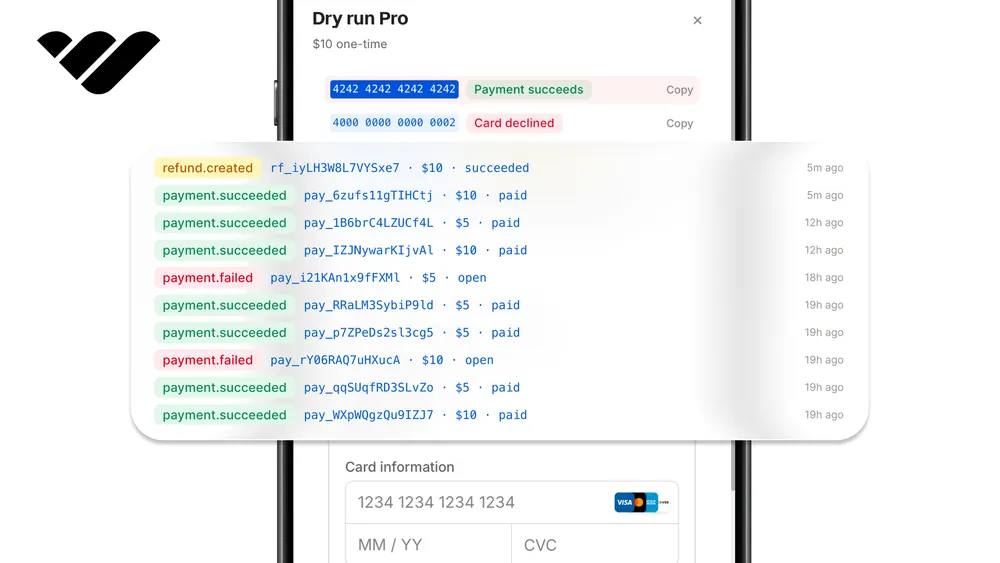
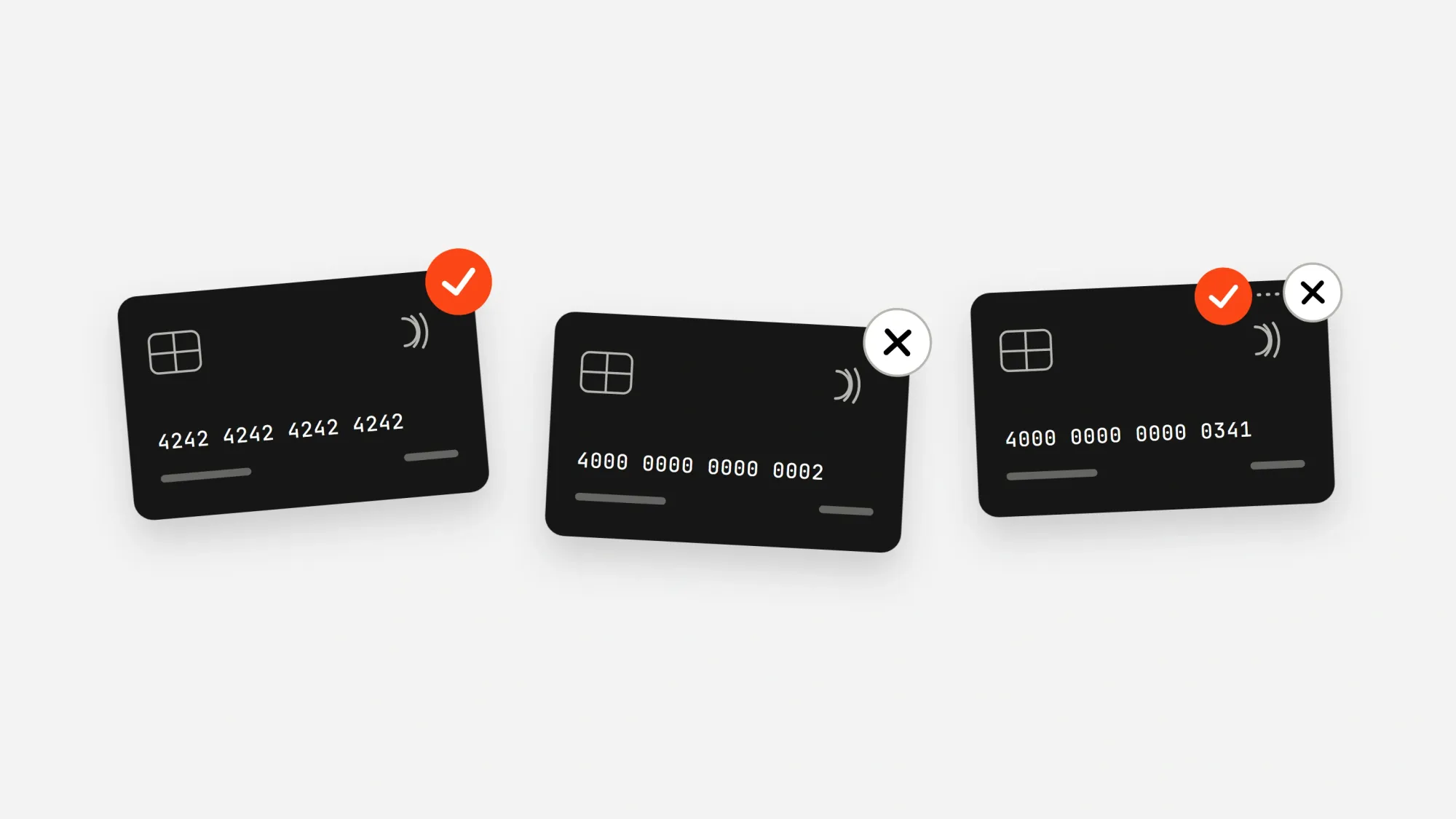
Since we are on the sandbox, we can do tests without spending real money, so in the checkout, use the card number 4242 4242 4242 4242, any future date, and any CVC.
4000 0000 0000 0002 declines, and 4000 0000 0000 0341 subscribes but fails later charges, so you can test a failed renewal.
Update app/page.tsx with the following content:
import Link from "next/link";
import { getEnv } from "@/lib/env";
import { getSession } from "@/lib/session";
import { findSubscription, getCheckoutId, getMonthlyPrice, hasAccess, isOngoing } from "@/lib/subscription";
import { SubscribeCheckout } from "@/components/SubscribeCheckout";

export default async function Home() {
  const env = getEnv();
  const session = await getSession();
  const price = await getMonthlyPrice();
  const subscription = session.whopUserId ? await findSubscription(session.whopUserId) : null;

  return (
    <main className="mx-auto flex max-w-xl flex-col gap-6 px-4 py-12">
      <div>
        <h1 className="text-3xl font-semibold">Pro membership</h1>
        <p className="text-gray-600">${price.toFixed(2)} a month. Cancel or pause any time.</p>
      </div>

      {!session.whopUserId || !session.email ? (
        <a className="w-fit rounded bg-black px-4 py-2 text-white" href="/api/auth/login">
          Sign in with Whop to subscribe
        </a>
      ) : isOngoing(subscription) ? (
        <p>
          {hasAccess(subscription) ? (
            <>
              You are subscribed. Go to <Link className="underline" href="/pro">Pro</Link>, or manage it on your{" "}
            </>
          ) : subscription?.paused ? (
            "Your subscription is paused. Resume it on your "
          ) : (
            "Your subscription needs attention. Check it on your "
          )}
          <Link className="underline" href="/account">account</Link> page.
        </p>
      ) : (
        <SubscribeCheckout checkoutId={await getCheckoutId()} email={session.email} sandbox={env.WHOP_SANDBOX} />
      )}
    </main>
  );
}
Unlock the Pro area
The Pro page is the actual product that people paid for. It's going to read the user's subscription on every visit and only show the page when they have access.
If the user's membership is canceled, or paused past the period they paid for, the page is going to be locked.
Go to app/pro/ and create a file called page.tsx with the following content:
import { redirect } from "next/navigation";
import { getSession } from "@/lib/session";
import { findSubscription, hasAccess } from "@/lib/subscription";

export default async function ProPage({ searchParams }: { searchParams: Promise<{ status?: string }> }) {
  const session = await getSession();
  if (!session.whopUserId) redirect("/api/auth/login");

  const subscription = await findSubscription(session.whopUserId);
  if (!hasAccess(subscription)) {
    const { status } = await searchParams;
    if (status === "success") {
      return <p className="p-12">Payment received. Your membership is being activated. Refresh in a moment.</p>;
    }
    redirect("/");
  }

  return (
    <main className="mx-auto max-w-xl px-4 py-12">
      <h1 className="text-3xl font-semibold">Welcome to Pro</h1>
      <p className="text-gray-600">Everything your subscribers pay for lives here.</p>
    </main>
  );
}
Let subscribers manage it
While Whop gives every membership a manage page, building your own page keeps subscribers in your app.
The account page shows when the subscription renews or ends, and a button for each change. Each button calls a server action, which checks the session, validates the action with Zod, and changes the signed-in user's own subscription.
Go to app/account/ and create a file called page.tsx with the following content:
import { redirect } from "next/navigation";
import { revalidatePath } from "next/cache";
import { z } from "zod";
import { getSession } from "@/lib/session";
import { ACTIONS, changeSubscription, findSubscription, type SubscriptionAction } from "@/lib/subscription";

const actionSchema = z.object({ action: z.enum(ACTIONS) });

async function requireUserId(): Promise<string> {
  const session = await getSession();
  if (!session.whopUserId) redirect("/api/auth/login");
  return session.whopUserId;
}

async function updateSubscription(formData: FormData): Promise<void> {
  "use server";
  const userId = await requireUserId();
  const { action } = actionSchema.parse(Object.fromEntries(formData));
  await changeSubscription(userId, action);
  revalidatePath("/account");
}

function ActionButton({ action, label }: { action: SubscriptionAction; label: string }) {
  return (
    <form action={updateSubscription}>
      <input type="hidden" name="action" value={action} />
      <button className="rounded border px-3 py-1">{label}</button>
    </form>
  );
}

export default async function AccountPage() {
  const userId = await requireUserId();
  const subscription = await findSubscription(userId);
  if (!subscription) redirect("/");

  const renews = subscription.renewsAt ? new Date(subscription.renewsAt).toLocaleDateString() : "-";

  return (
    <main className="mx-auto flex max-w-xl flex-col gap-4 px-4 py-12">
      <h1 className="text-3xl font-semibold">Your subscription</h1>
      <p className="text-gray-600">
        {subscription.paused ? `Paused. Access until ${renews}.` : subscription.cancelAtPeriodEnd ? `Ends on ${renews}.` : `Renews on ${renews}.`} Status: {subscription.status}.
      </p>

      <div className="flex gap-2">
        {subscription.paused ? (
          <ActionButton action="resume" label="Resume" />
        ) : (
          <ActionButton action="pause" label="Pause" />
        )}
        {subscription.cancelAtPeriodEnd ? (
          <ActionButton action="keep" label="Keep my subscription" />
        ) : (
          <ActionButton action="cancel_at_period_end" label="Cancel at period end" />
        )}
      </div>

      {subscription.manageUrl && (
        <a className="underline" href={subscription.manageUrl}>
          Manage it on Whop instead
        </a>
      )}
    </main>
  );
}
See what you keep
Let's build the payments.ts file, which reads one payment and returns what the subscriber paid, Whop's fees, and what you keep.
Go to lib/ and create a file called payments.ts with the following content:
import { getWhop } from "@/lib/whop";

export interface Receipt {
  paymentId: string;
  billingReason: string;
  total: number;
  whopFees: number;
  youKeep: number;
}

export async function readReceipt(paymentId: string): Promise<Receipt> {
  const whop = getWhop();
  const payment = await whop.payments.retrieve({ id: paymentId });
  const { data: fees } = await whop.payments.listFees({ id: paymentId });

  return {
    paymentId,
    billingReason: payment.billing_reason ?? "unknown",
    total: Number(payment.total?.amount ?? "0"),
    whopFees: fees.reduce((sum, fee) => sum + Number(fee.settlement_amount.amount), 0),
    youKeep: Number(payment.amount_after_fees.amount),
  };
}
Get notified about every renewal
Whop handles the charges on renewals on its own, and we need a webhook to let our app know about each charge as it happens.
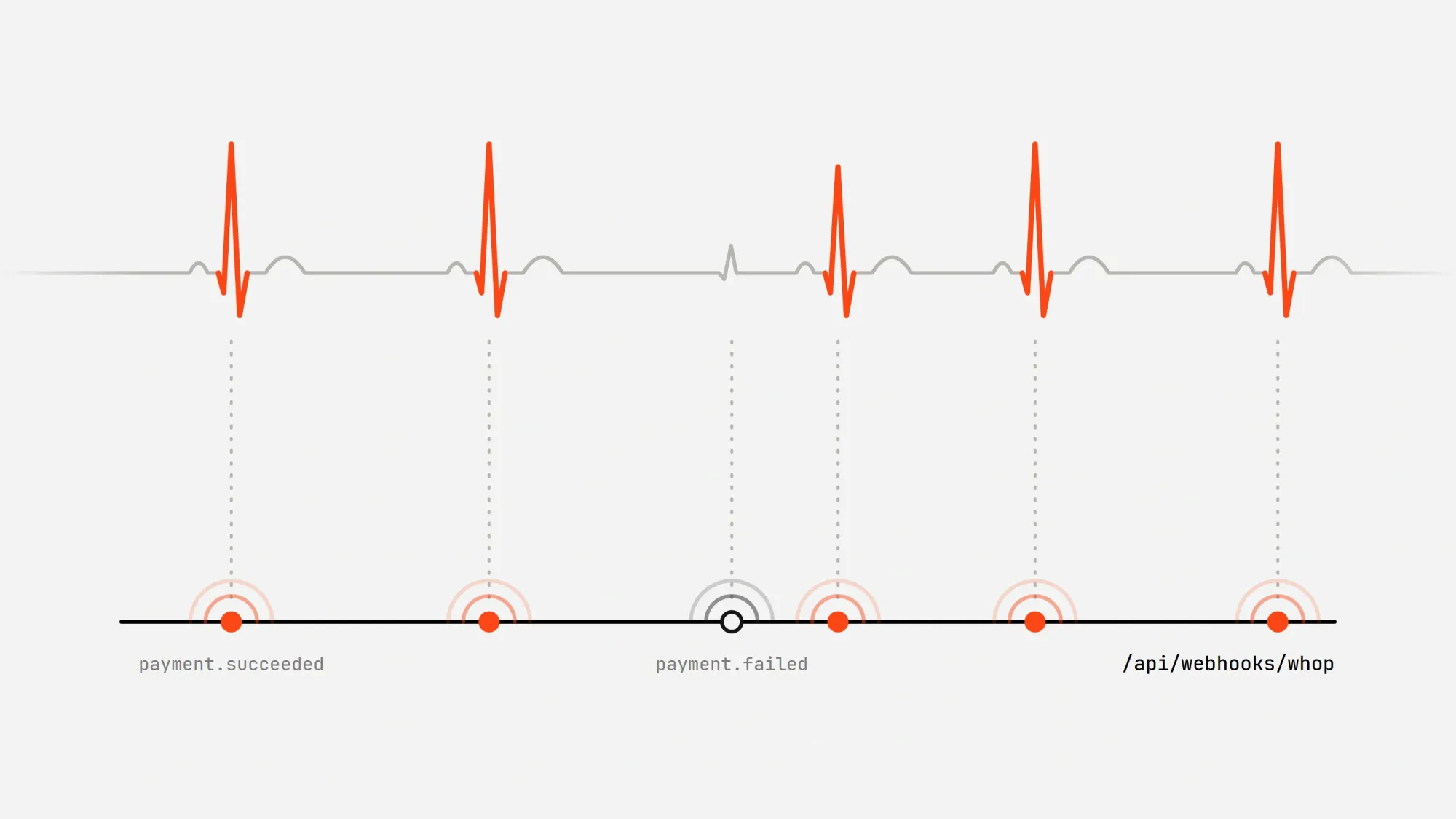
First, we need to deploy our app so Whop can reach our URL, since it can't reach localhost URLs.
In your business's dashboard, go to the Developer page and, under the webhook section, create a new webhook for the URL https://your-app.vercel.app/api/webhooks/whop with the payment.succeeded and payment.failed events, and copy its secret into WHOP_WEBHOOK_SECRET.
Go to app/api/webhooks/whop/ and create a file called route.ts with the following content:
import { after, type NextRequest } from "next/server";
import { unwrapWebhook } from "@whop/sdk/helpers";
import { z } from "zod";
import { getEnv } from "@/lib/env";
import { readReceipt } from "@/lib/payments";

const eventSchema = z.object({
  type: z.string(),
  data: z.looseObject({
    id: z.string(),
    billing_reason: z.string().nullish(),
  }),
});

export async function POST(request: NextRequest): Promise<Response> {
  const body = await request.text();

  let event: unknown;
  try {
    event = unwrapWebhook(body, {
      headers: Object.fromEntries(request.headers),
      key: getEnv().WHOP_WEBHOOK_SECRET,
    });
  } catch {
    return new Response("Invalid signature", { status: 401 });
  }

  const parsed = eventSchema.safeParse(event);
  if (!parsed.success) return new Response("Ignored", { status: 200 });
  const { type, data } = parsed.data;
  const deliveryId = request.headers.get("webhook-id");

  if (type === "payment.succeeded") {
    after(async () => {
      const receipt = await readReceipt(data.id);
      console.log(JSON.stringify({ deliveryId, type, receipt }));
    });
  }

  if (type === "payment.failed" && data.billing_reason === "subscription_cycle") {
    console.log(JSON.stringify({ deliveryId, type, paymentId: data.id, note: "renewal failed, Whop will retry" }));
  }

  return new Response("OK", { status: 200 });
}
Moving to production
To switch to production:
- Create your business on Whop.com and a company API key with the same permissions. Set
WHOP_COMPANY_API_KEY. - Create the plan again on Whop.com, the same way you did in the sandbox, and set
WHOP_PLAN_IDto its ID. - Create a production OAuth app with
oauth:token_exchangeand your real callback URL. SetWHOP_CLIENT_IDandWHOP_CLIENT_SECRET. - Create the webhook again for your production URL and set
WHOP_WEBHOOK_SECRET. - Delete
WHOP_SANDBOX. - Point
APP_URLat your domain and generate a newSESSION_SECRET.
Use Whop in your projects
Whop runs subscriptions and one-time payments in one place, with cards and other payment methods built into the checkout. The Whop CLI manages the same plans and checkouts from the terminal, or from an AI agent.
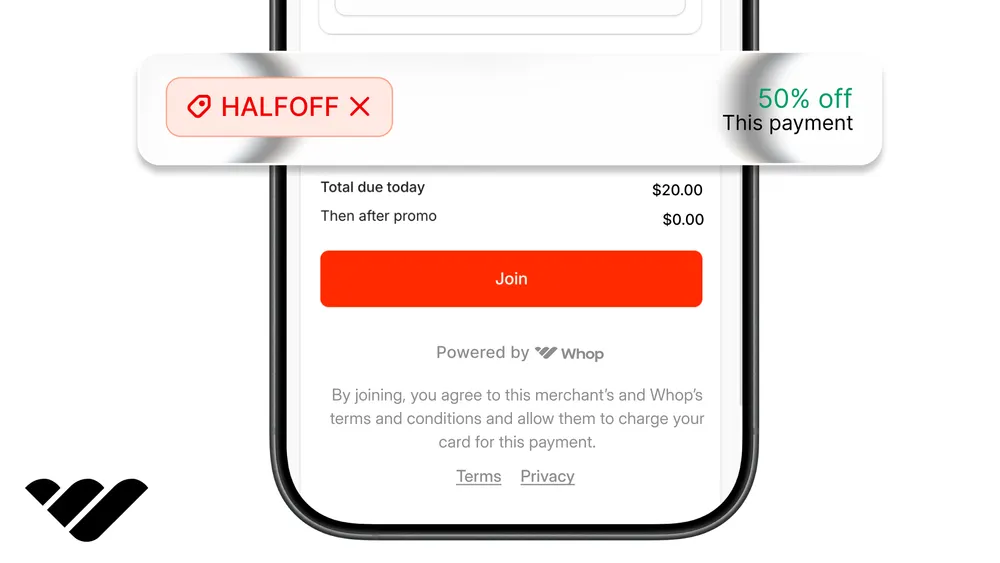
You can add free trials, promo codes, or a paywall to the same app. For a bigger build on the same pieces, see how to build an AI chatbot SaaS. See our other tutorials and the Whop developer docs for more.