Discover the key differences between Ecwid and Shopify, two leading ecommerce platforms. Compare pricing, features, and which is best for you.
Key takeaways
- Shopify offers superior website customization with 200+ themes and drag-and-drop editing, while Ecwid prioritizes simplicity.
- Ecwid works best for adding ecommerce to existing websites, while Shopify provides a complete all-in-one store solution.
- Shopify suits brands needing extensive customization and features, while Ecwid appeals to those wanting quick, simple setup.
Ecommerce is booming, with global retail ecommerce sales forecast to reach $6.88 trillion in 2026.
If you've been thinking about launching an online store, now’s the time, and success starts with choosing the right ecommerce platform. A solid platform lets you showcase, sell, and ship your products seamlessly.
With so many builders out there, it’s easy to feel confused. They all promise the moon—but do they deliver?
Struggling to know which to pick? Don’t worry, we’ve got you covered.
In this guide, we pit Ecwid against Shopify to help you decide which one suits your business needs best.
Let’s get stuck in.
What is Ecwid?
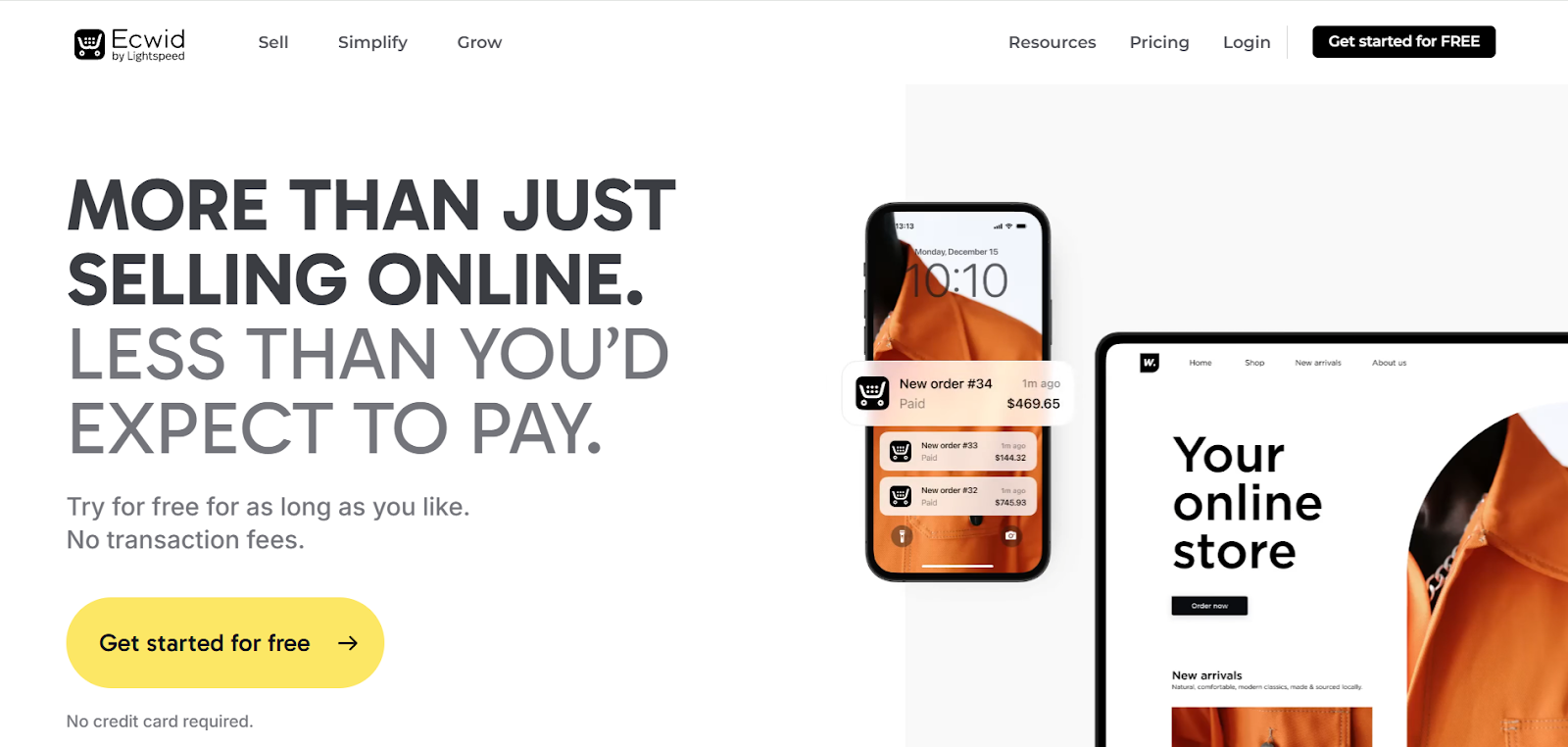
Founded in 2009, Ecwid is an ecommerce store builder that allows you to integrate your store into your existing website. Depending on your plan, you can also sell on other platforms, like Facebook.
Ecwid provides tools for each stage of the sales process. That includes managing your online storefront, marketing your products, and processing and shipping orders. Physical and digital products, along with subscription services, can be sold on Ecwid. This makes it a good option for lots of different ecommerce brands.
Currently, Ecwid hosts over one million users in 175 countries worldwide.
Check out our full review of Ecwid to learn more about the popular store builder.
What is Shopify?

If you’re looking for Ecwid alternatives, Shopify is likely to be your first stop. It's most people's first foray into e-commerce, and for good reason.
Set up in 2006, Shopify is an ecommerce platform that currently powers nearly 7 million live stores worldwide.
On Shopify stores, you can add a product catalog, accept payments, and manage orders and shipping. There are also tools for automating your marketing processes.
Through integrations, you can also sync your Shopify product catalog with leading marketplaces and social platforms. That includes Amazon, eBay, Etsy, TikTok, Instagram, Facebook, and more.
Plus, the app store offers other tools to add new features to your online store.
Ecwid vs Shopify: at a glance
In this review, we’ll put the two platforms head to head across website creation, hosting, inventory, orders, setup, and pricing.
Before we do that, here’s a quick summary:
| Ecwid | Shopify | |
|---|---|---|
| Website creation | Simple, streamlined builder. No drag and drop functionality. | Drag and drop builder with customization and blogging features. |
| Hosting | Level 1 PCI compliant hosting. To use with existing website, requires provider to allow embedding of HTML/Javascript code. | Level 1 PCI compliant hosting. Complete website and hosting. Unlimited email forwarding. |
| Inventory management | Simple and streamlined inventory management. Some options require paid upgrade. | Track inventory across multiple locations and sales channels. Apps available for digital products and subscriptions, including free options. |
| Order management | Manage orders across multiple channels. Up to 50% shipping discount on USPS. Limited dropshipping/POS options. | Manage orders across multiple channels. Up to 88% shipping discount with several providers. Vast dropshipping/POS options. |
| Account set-up | Easy set-up. Free plan to try out platform. | Easy set-up. 3-day free trial, then $1/month for your first three months on most plans. |
| Pricing | Free plan available. Cheapest paid plan is $21 per month (paid annually). Most expensive plan is $105 per month (paid monthly). | Starter plan from $5 per month for social selling. Core plans from $29 per month (paid annually). Plus starts at $2,300 per month (aimed at large enterprise businesses). |
Ecwid vs Shopify: creating a website
Before you get started building your ecommerce empire, you need a base online. For some online creators and entrepreneurs, a ready-made ecommerce platform is the best choice. Others prefer to have their own website - or a mix of both.
So, how do Shopify and Ecwid hold up when it comes to website creation?
Ecwid
Once your account’s set up, you can choose a template for your website. There’s a good selection of templates available. They’re grouped by business type, including electronics, art, and services, which is handy.

Ecwid’s “Instant Site” editor is intuitive and easy to use. You’ll have a rough layout in place with your template, and can add new sections, where needed. With the free plan, you’ll get a homepage and catalog page. You’ll need to upgrade to add more pages.
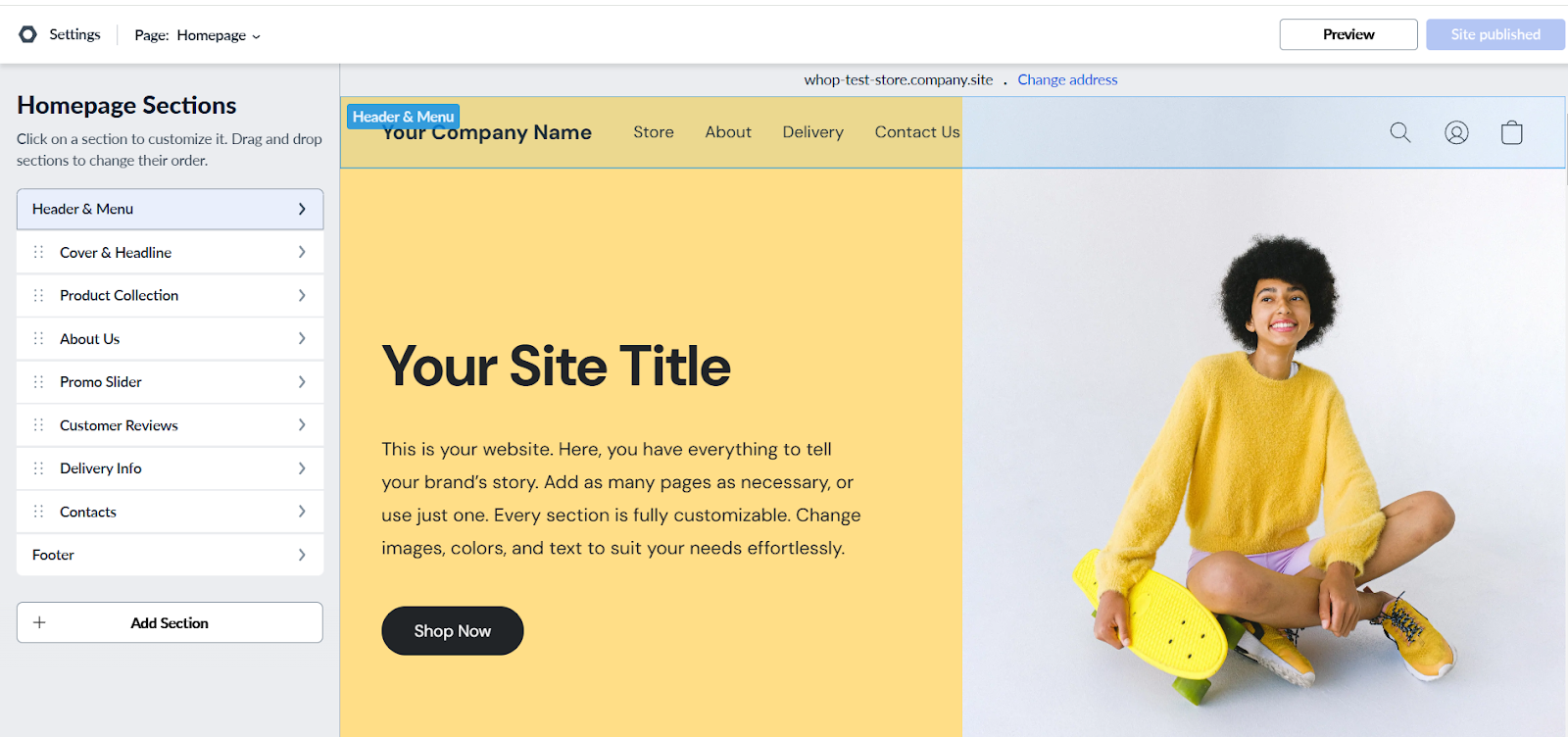
For example, clicking on the Delivery & Returns page shows that it’s unavailable on the free plan. This could potentially affect your search engine rankings. So, think about whether an upgrade is worth it.
Ecwid is tailored to creating ecommerce stores (so, if you’re searching for a more general website builder, Wix could be a better choice). The website designs are responsive, too.
It’s nice to know what you create will look great on mobile devices as well as on bigger screens.
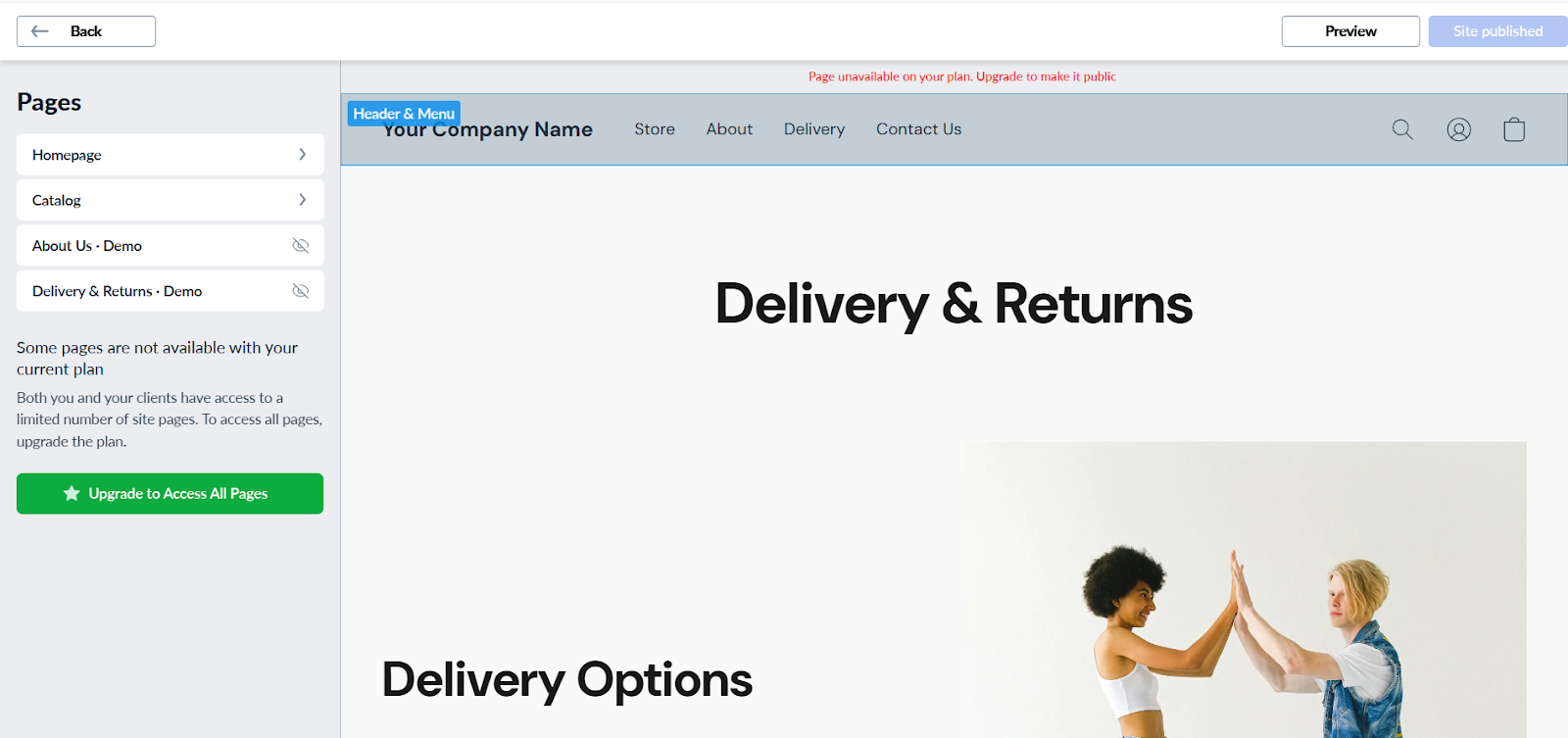
The builder gets right to the point. On the left-hand menu, you can see the sections of your page. On your homepage, these include “Header & Menu”, “About Us”, and “Customer Reviews”.
Some of these sections can be moved up or down the page. However, there’s no drag-and-drop editor. This would be useful to customize the finer details of your website, and is a bit of a let down in terms of missing features.
Clicking on a section allows you to edit it in more detail. For example, for the “Cover & Headline” section, you can change the layout, color, title, description, and other content.

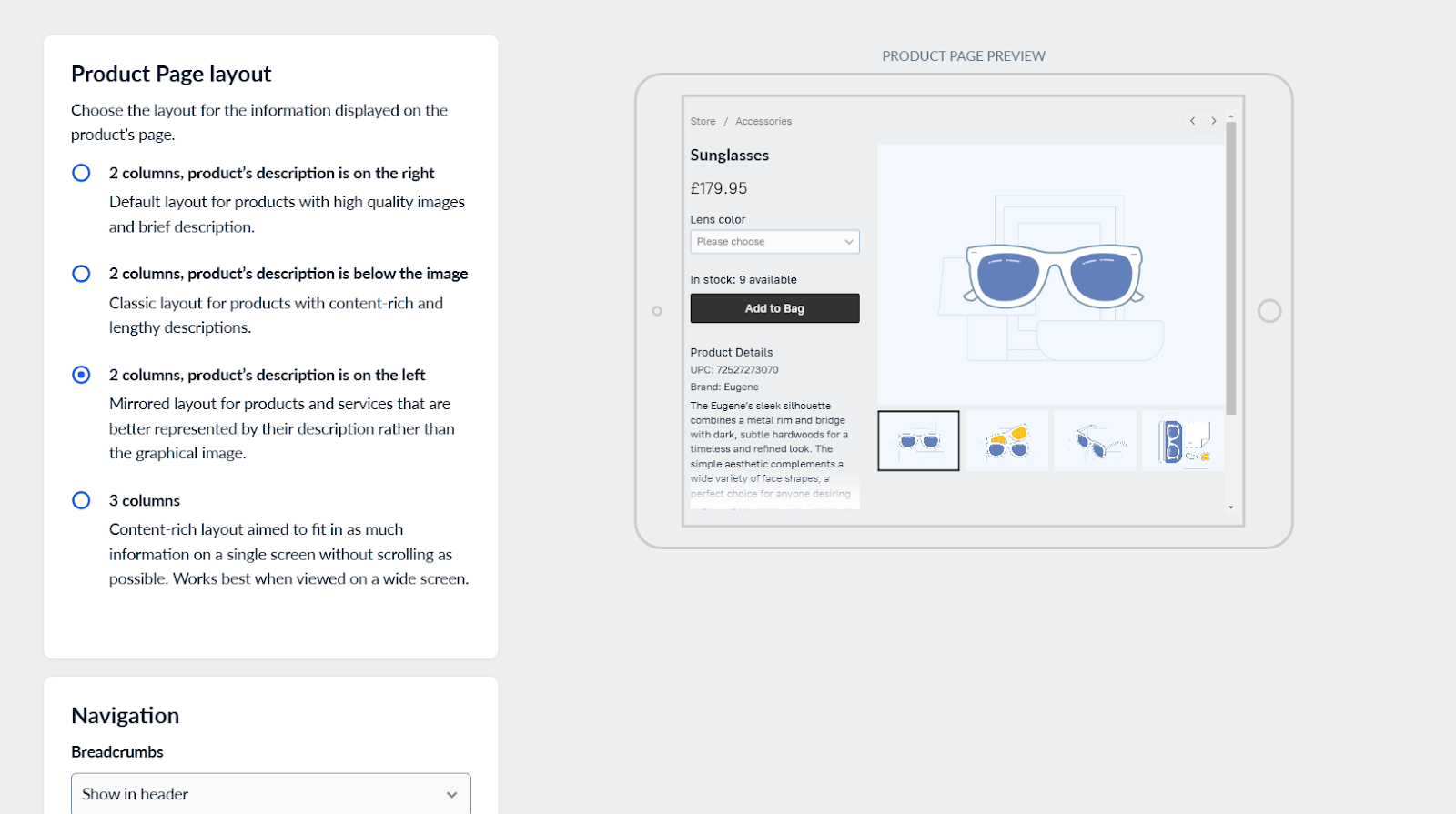
You can also make adjustments to your store catalog design, but this is more limited. For example, you can choose from several layout options for your product pages.
This doesn’t provide the freedom of a freeform drag-and-drop builder. On the other hand, it does streamline the process, so you might view this as a plus if you're just looking for something simple.
Shopify
How does Shopify’s website builder hold up?
With a wide range of free and paid themes to choose from, there’s a lot of scope to develop a tailored website. Paid themes are a one-time purchase, with prices of up to $500 for premium designs.

The builder is also flexible and intuitive, offering lots of room for customization. It’s all non-code, so you don’t need to be experienced in web development. The drag-and-drop builder makes it easy to add new sections to your website.
Unlike Ecwid, there’s also built-in blog functionality. For example, Pretty Presets and Actions is powered by Shopify, and their blog supplements their ecommerce store.

With Shopify, you can create a full website that’s customized to your needs. So, if you crave control over your store, Shopify trumps Ecwid in this regard. Plus, you’ll also have access to Shopify’s app store, which provides additional functionality.
This all helps you to create a platform that’s truly unique to you. If you’re a content creator or a luxury brand, that’s essential. For example, consider the bold, minimalist style of Glossier’s homepage (again powered by Shopify).

The winner: Shopify
Ecwid does offer speed and simplicity, but you’ll miss out on Shopify’s customization options. These are must-haves for brands aiming to create a professional online store and stand out from the pack.
How does Shopify stack up against Squarespace? Find out in our Shopify vs Squarespace comparison.
Ecwid vs Shopify: hosting
Ecwid
Ecwid offers hosting powered by Amazon Web Services.
This is included with all plans, and Ecwid also uses a Content Delivery Network to ensure your website runs quickly around the world. It’s also Level 1 PCI compliant for your peace of mind.
If you want to use Ecwid with an existing website (which is where the platform shines), you’ll need to choose your website hosting provider carefully. To be compatible with Ecwid, it needs to allow embedding of HTML/Javascript code.
Shopify
Shopify provides unlimited web hosting across all plans.
It’s highly secure, meeting Level 1 PCI compliance, and leverages a Content Delivery Network for extra-fast loading speeds. Beyond this you’ll also get unlimited email forwarding for free.
This means you can create email addresses with your new domain, and any messages sent to these will be forwarded to an email address you already own.
The winner: Shopify
Whilst both platforms offer similar security features, Shopify still stands out. That’s again thanks to its full website hosting. Having hosting and a complete website builder all-in-one makes this an ideal ecommerce solution for many businesses. Plus, the option for unlimited email forwarding is a real bonus.
Ecwid vs Shopify: inventory management
Ecwid
Adding and tweaking your products is simple on Ecwid. Just click on “Catalog” on the left-side menu. On the “Products” page, you’ll see all your products listed out, with their pricing. You can then click through to edit these.
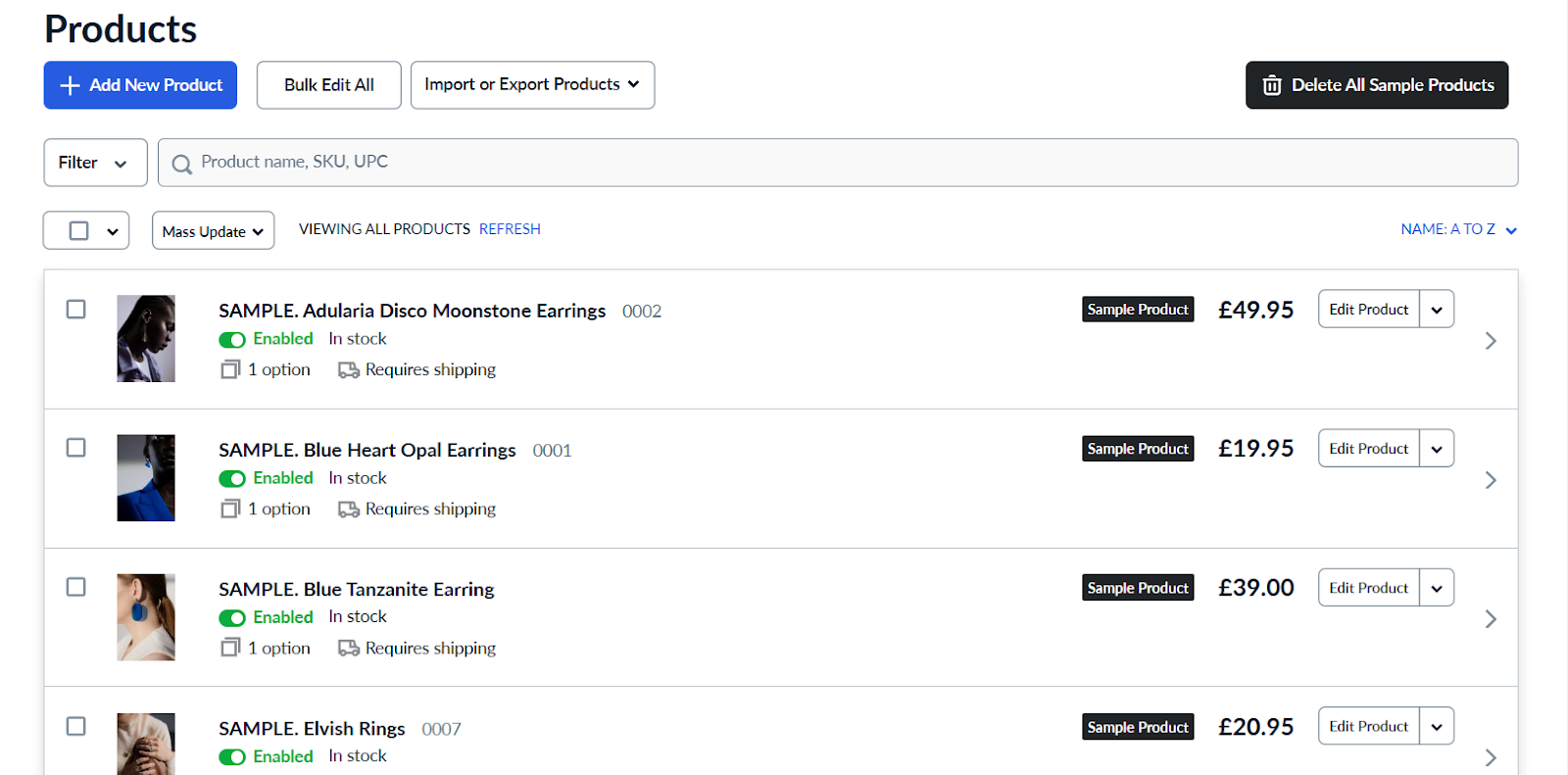
The interface for adding new products is streamlined, and different tabs stop the process from being overwhelming. There are also helpful suggestions for types of photos you should take of your product. Beyond this, there are lots of sections for adding product details.
These include:
- Attributes
- Options
- Files
- Shipping & Pickup
- Taxes
- SEO
- Related Products
For example, in the “General” section, you can add the product name, SKU, weight, and description.
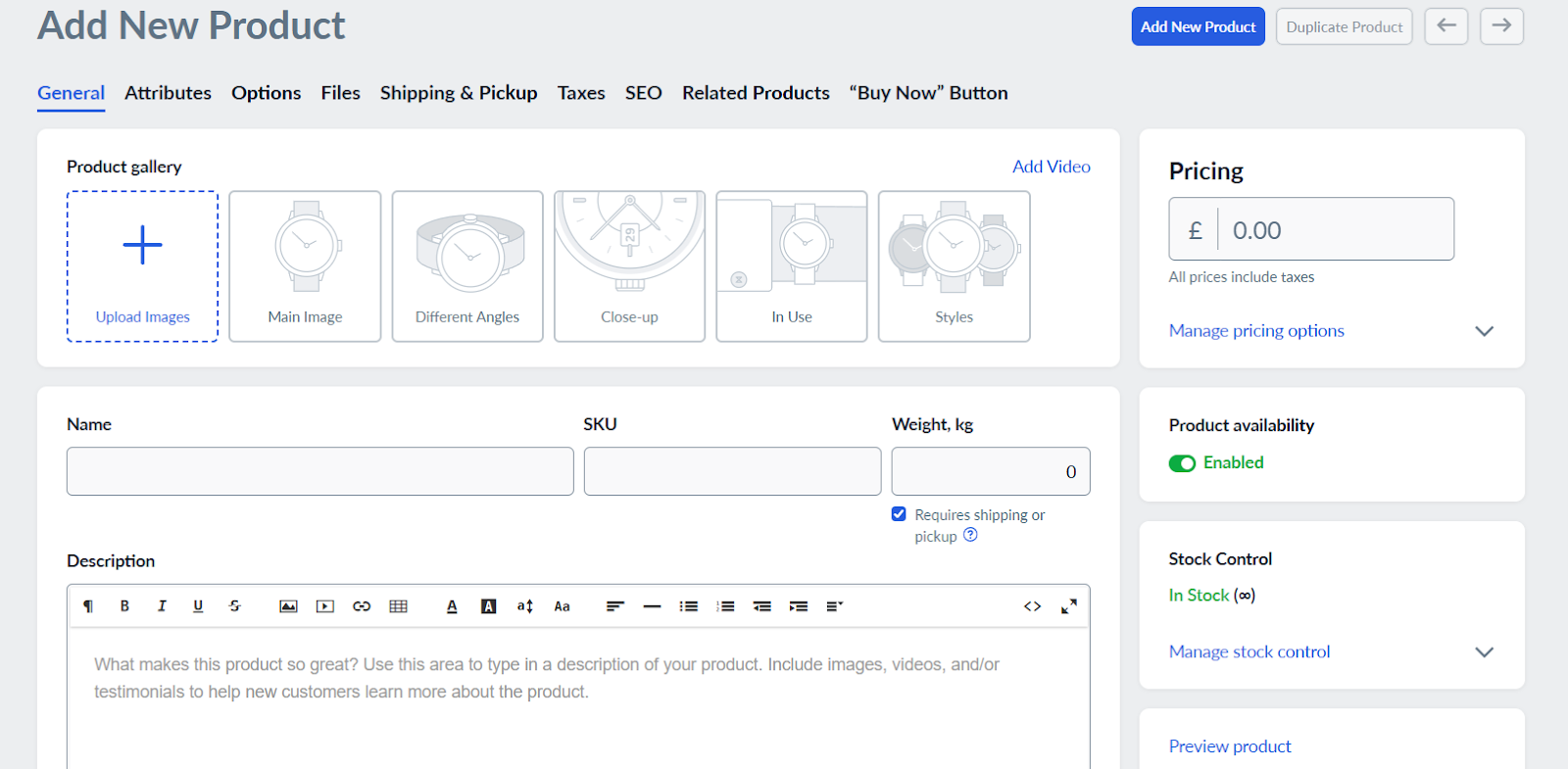
Some features do require a paid upgrade. For example, if you want a customized product URL for SEO purposes, you’ll need to upgrade to the Business plan.
Shopify
Shopify also keeps inventory management streamlined for businesses. Just head to the “Products” page. Like Ecwid, you’ll see a list of your products, with a photo and details section. Click on the name of a product to edit it. You can also add new products from this page too.
You’ll also have tools to track your inventory.
This is useful if your business has multiple warehouses or stores. You’ll also be able to sync your stock across different online platforms, including TikTok, Amazon, and Instagram. You can also view and change your inventory levels as needed, ensuring you don’t go out of stock.
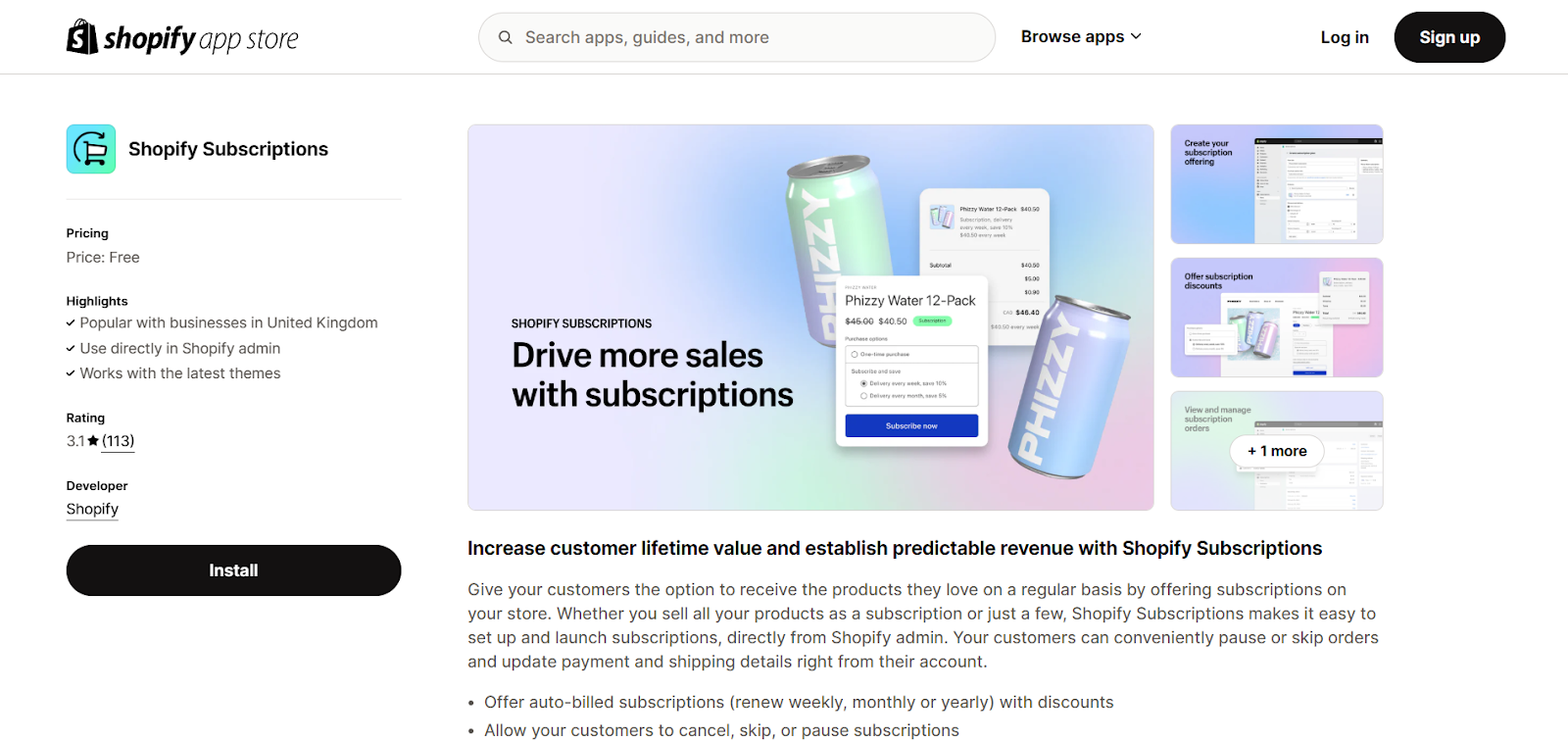
For subscriptions, you can use Shopify’s free Shopify Subscriptions app, or choose from third-party subscription apps in the App Store if you need more advanced features.
The winner: Shopify
Both platforms provide a solid offering for inventory management. Ecwid’s product page is clear and easy to use, and Shopify is streamlined too, but Shopify comes out ahead for convenience.
Ecwid has many product features behind a paywall, including the option to sell digital products. On Shopify, free apps like Digital Downloads and Shopify Subscriptions let you sell digital products and subscriptions without upgrading your plan.
Ecwid vs Shopify: order management
Ecwid
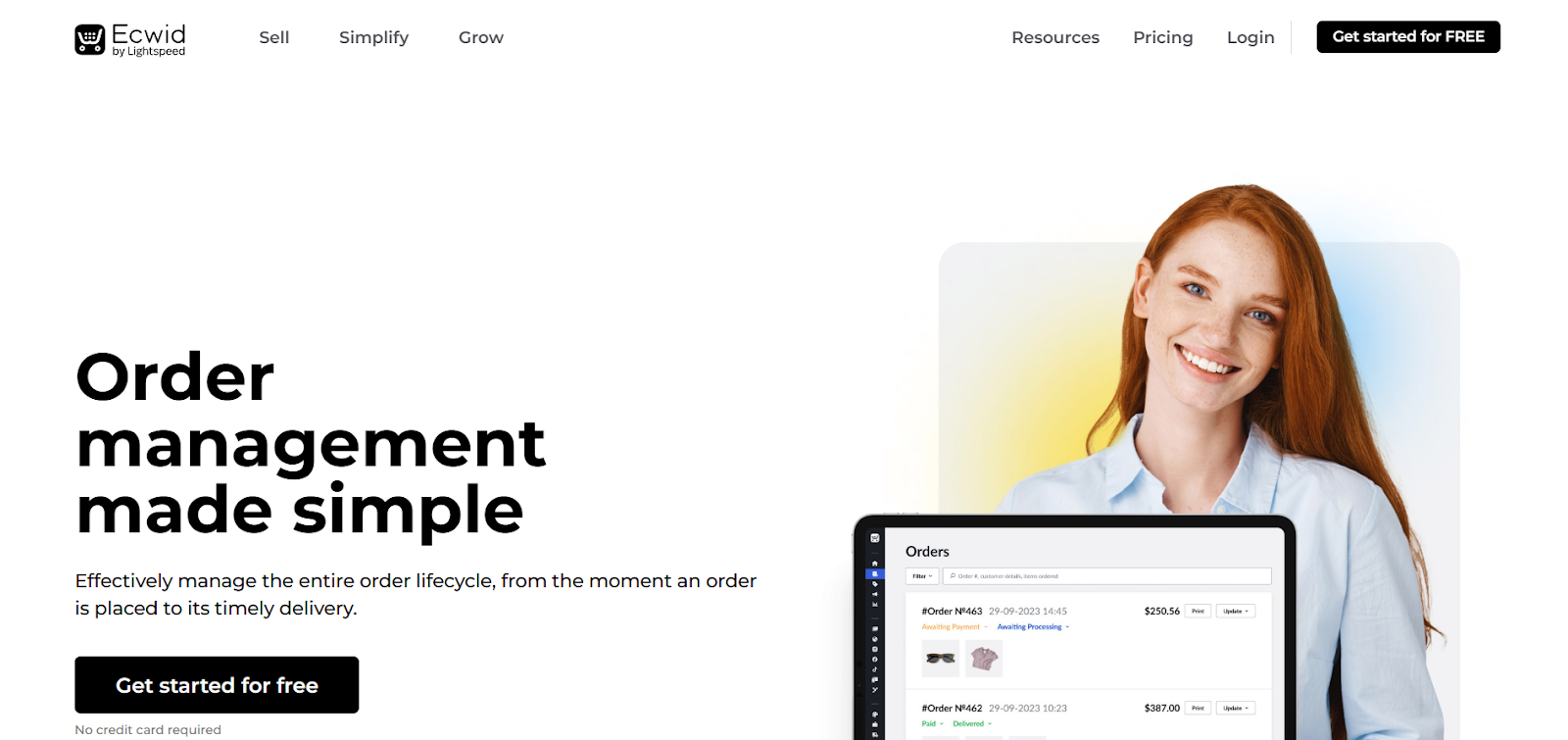
Ecwid’s order management features are comprehensive, allowing you to manage orders across multiple channels. That includes online marketplaces, websites, TikTok, and Meta apps.
You’ll get notifications about any new orders - and your customers will be able to stay updated about their orders in real-time.
There are also tools to update orders in bulk, generate invoices, and let customers make special requests for their orders.
In terms of shipping, Ecwid offers integration with several leading shipping companies, including USPS in the States, and Royal Mail in the UK. They do offer discounts, but these are only with USPS.
Plus, as they only reach up to 50%, the discount isn’t as significant as with Shopify.
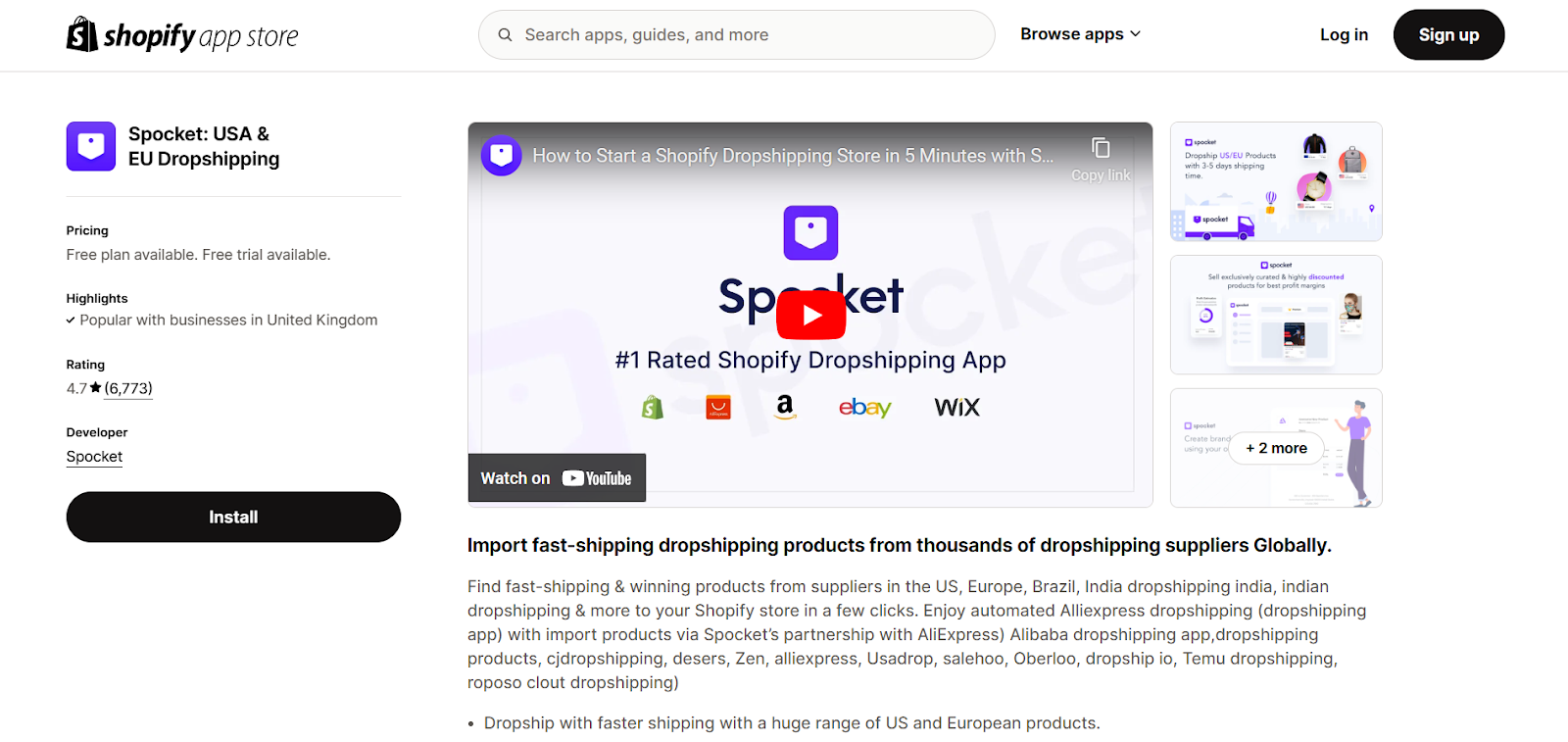
Ecwid offers a few dropshipping options through third-party apps. There’s not as much choice as with Shopify, but there are some solid providers included, like Spocket and Wholesale2b.
Again, there are similar limitations with print-on-demand apps. There are only a handful of options available. That being said, these include Printful and Printify, which are two of the most popular platforms.
Shopify
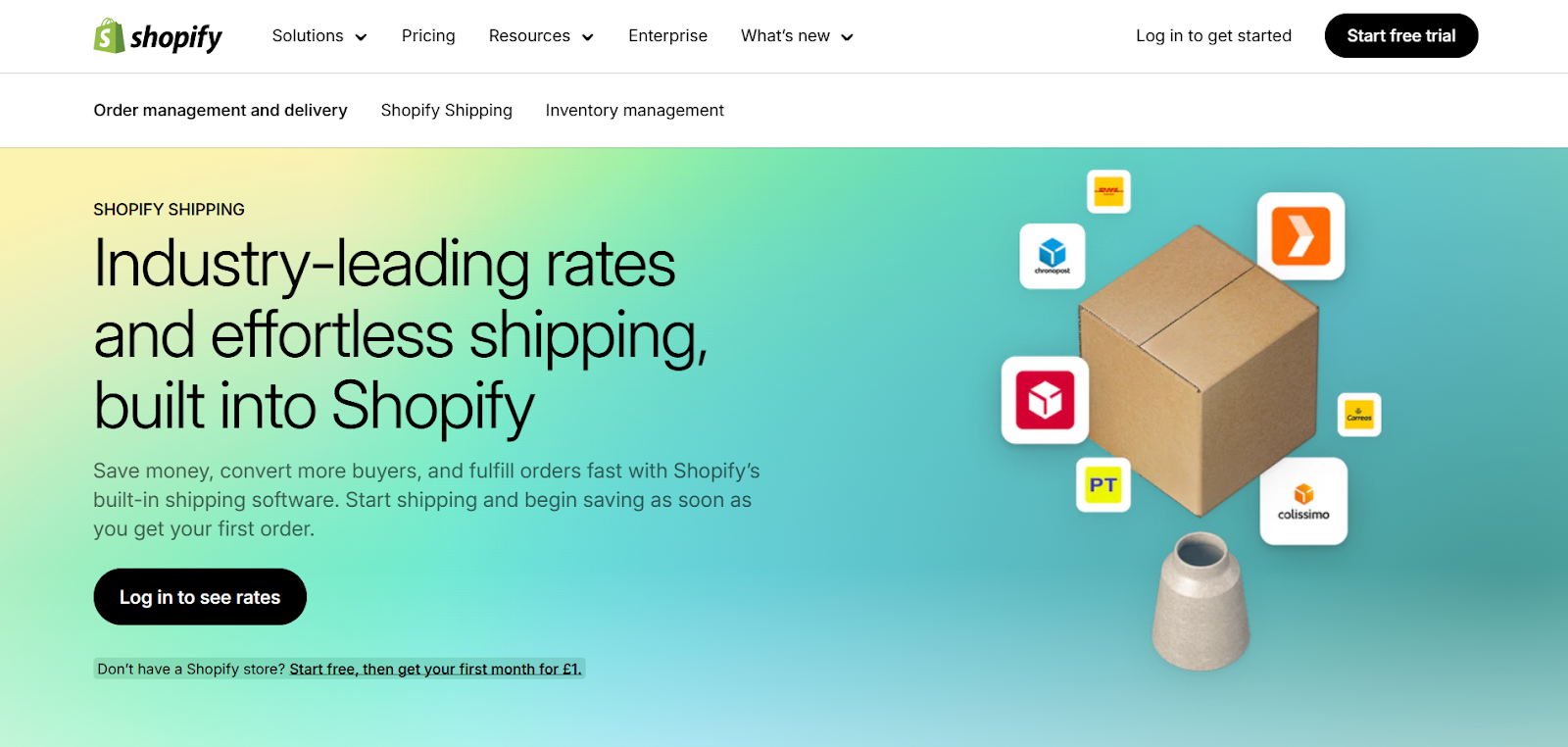
Order management and fulfillment are also built into Shopify. This helps you to see what orders have been made, and take care of them. That includes the option to buy and print 100 shipping labels in bulk.
Shipping with Shopify also comes with a number of key benefits. One of these is the discounts available on shipping in certain countries, like the US, UK, and France. This extends up to an 88% discount with certain plans.
Aside from these discounts, you can also access some powerful workflow automation tools with the free Shopify Flow app. You can set up custom automations without any coding knowledge.
This can be very useful for the order management process. For example, you can set up automations to flag certain orders to your staff, or contact customers about late deliveries.
If you’re looking to start a dropshipping business on Shopify, there are plenty of apps to use. Leading platforms like Spocket have app integrations. Plus, there are lots of options for print-on-demand businesses too.
Here you can discover the best dropshipping business ideas for 2026 and beyond.
The winner: Shopify
Again, Shopify has a bit of an edge here. That’s thanks to its huge shipping discounts and vast app integrations for dropshippers and print-on-demand brands.
Ecwid vs Shopify: setting up an account
Ecwid
Setting up an Ecwid account is simple. You’ll just need to provide your first and last name, email address, and a password. Then you can start registering your store.
For the first step, you’ll give your store a name, and confirm your country and currency.
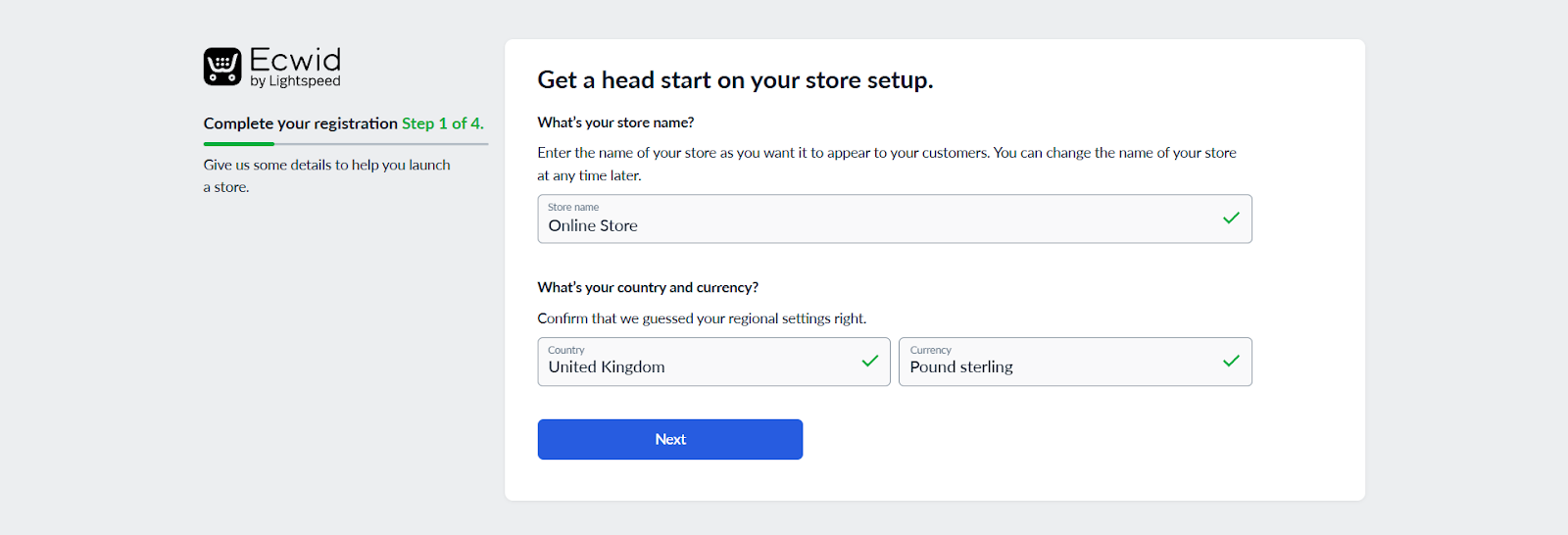
Next, provide your company address. This can just be the address you’ll be shipping from. For step 3, you’ll provide some more info about your store, including your prior experience of selling.
There’s also a section to confirm whether you’re setting up a store for a client. This is useful for development and marketing agencies. You can then select whether you have an existing website or not. This gives you the flexibility to add the store to your website, or create a new site from scratch.
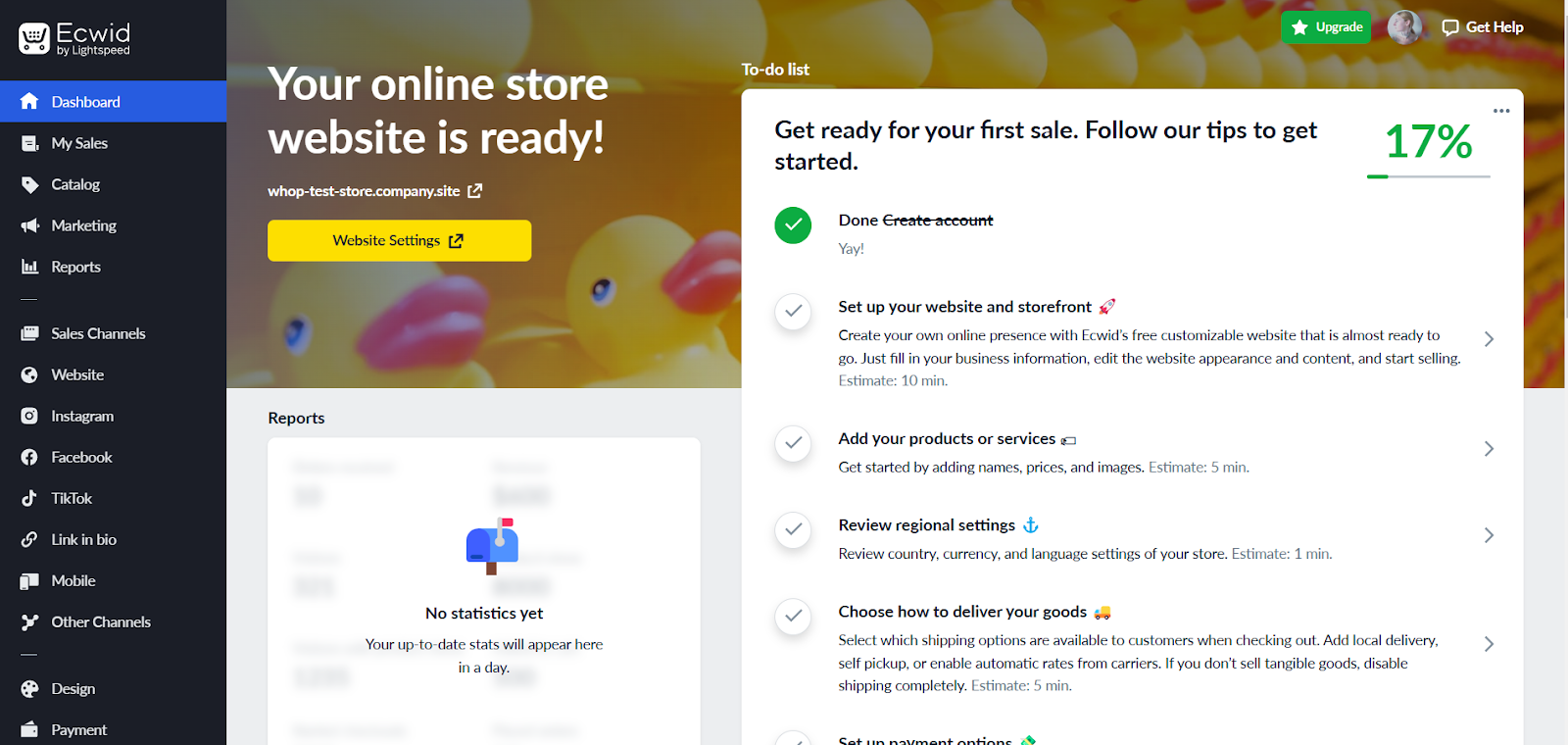
All in all, the set-up process is easy. The free plan also doesn’t require you to add credit card details. This takes away any pressure to cancel free trials before they expire. Plus, you’ll get a nice set of tips for how to get started too.
Shopify
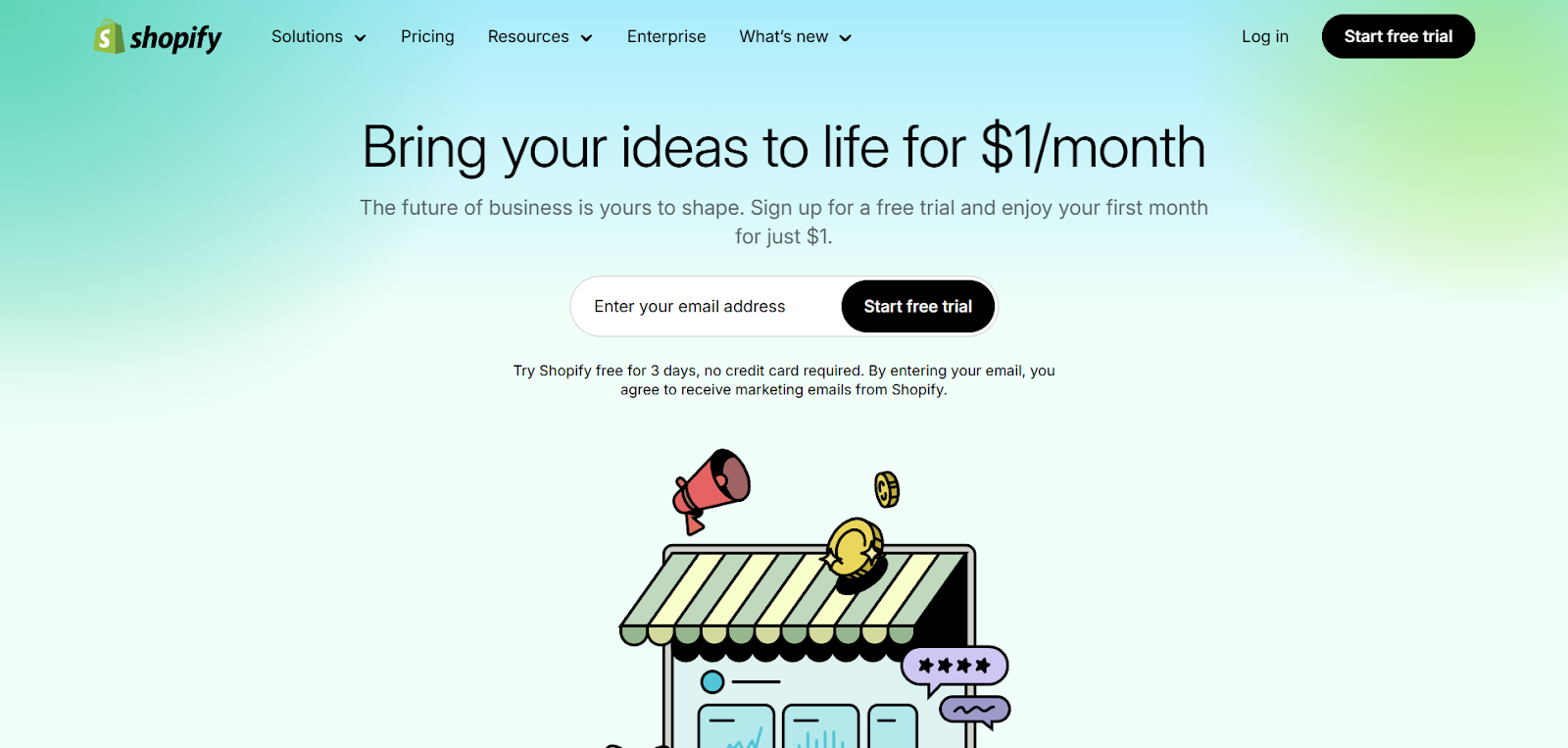
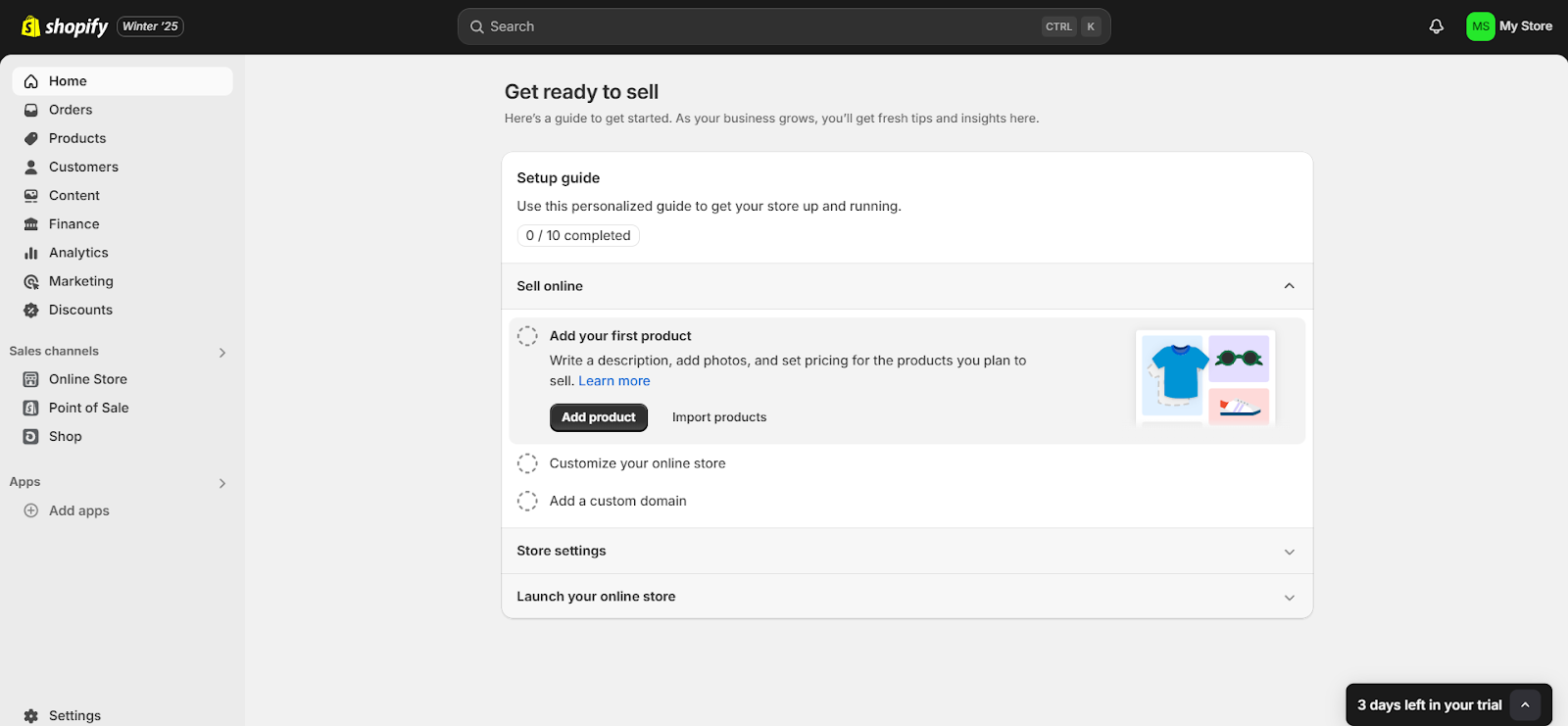
Shopify’s setup process is also simple, and you don’t have to provide credit card details for the free trial. Just click on the “Start free trial” button on the top right of the page.
You’ll be prompted to sign up with your email address, Facebook account, or another option. You’ll also need to provide a password.
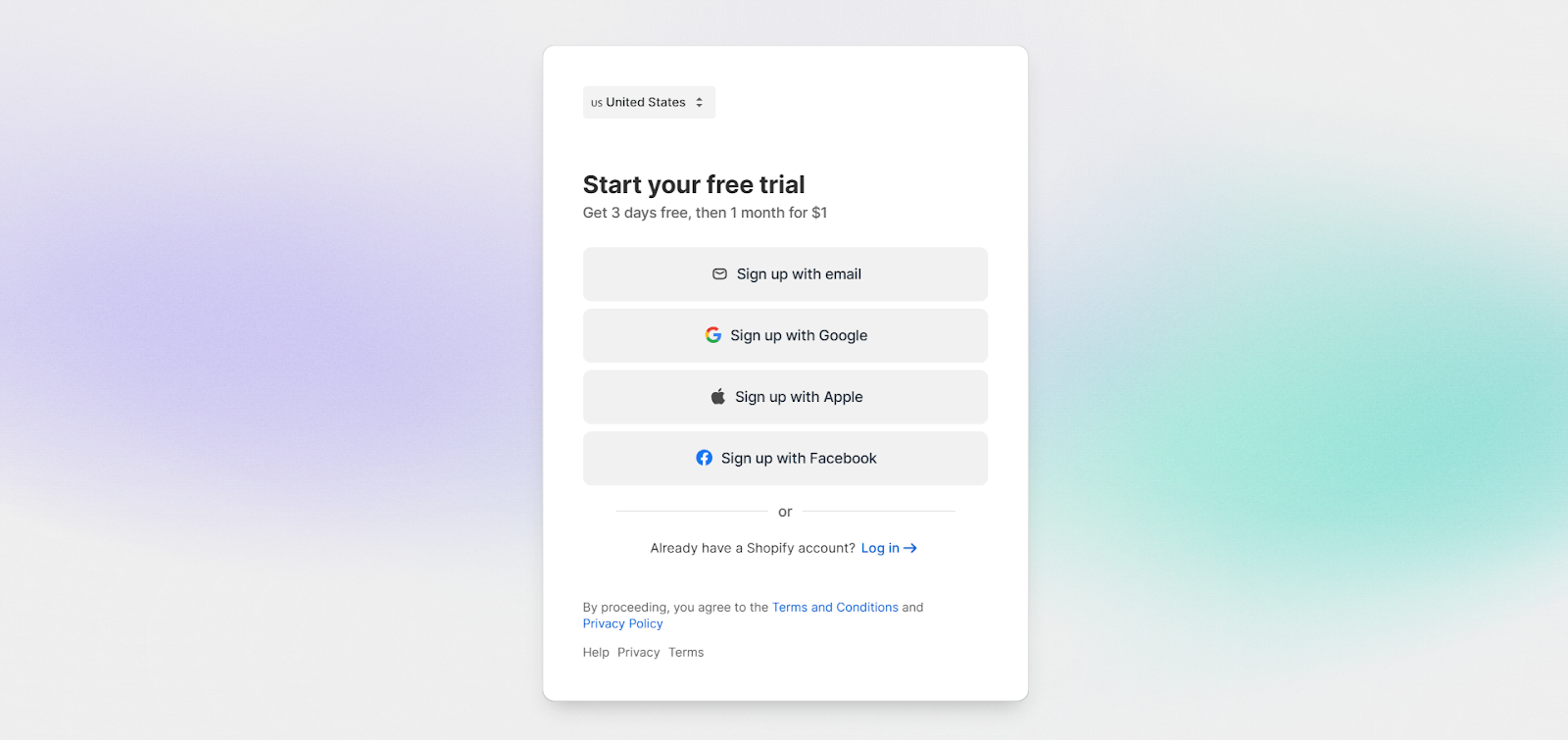
You’ll be prompted to choose a plan to try for just $1 a month for your first three months. But you can skip this step to stick with the 3-day free trial.
And that’s it - you’ll land right on your dashboard. Like Ecwid, Shopify provides a handy set-up guide to get you started. It also shows how long you have left in your free trial.
The winner: Ecwid
Both platforms are simple to set up, but Ecwid stands out here thanks to its free plan. It gives you as much time as you need to build your store, try its features, and even make some sales. Shopify’s free trial is shorter at three days, though its $1-a-month offer for your first three months gives you time to explore the platform at a low cost.
Ecwid vs Shopify: pricing
Ecwid
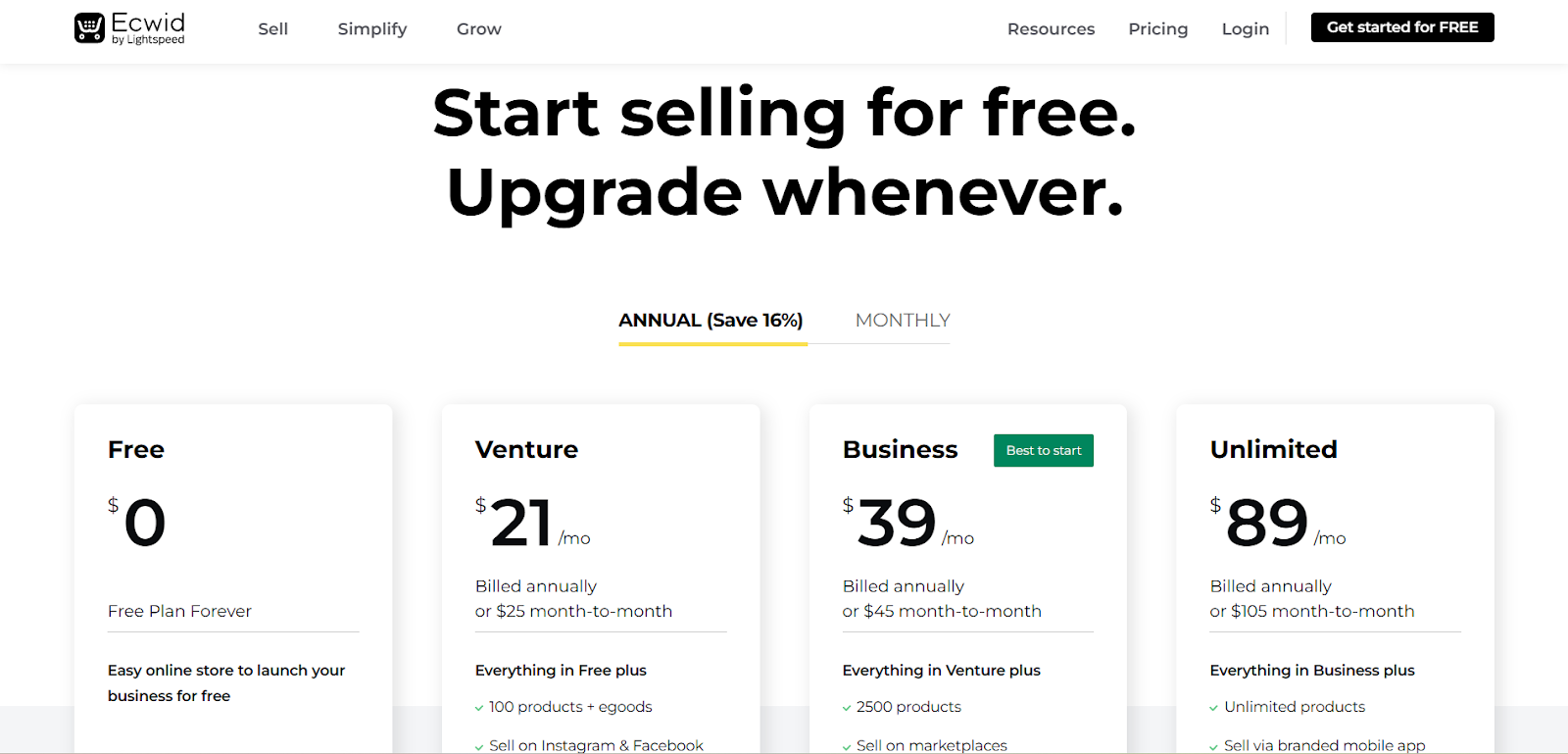
So, how much does Ecwid cost? It’s actually less than you might think.
There are four different Ecwid pricing plans available. One of these is a “free forever” plan.
Keep in mind that you can save 16% if you pay annually. Here’s a quick overview of the paid plans:
| Monthly Payment | Yearly Payment | |
| Venture | $25 | $21 per month |
| Business | $45 | $39 per month |
| Unlimited | $105 per month | $89 per month |
Naturally, the features you’ll get will depend on your Ecwid pricing plan. Below, we’ll explore the different options available.
| Free | Venture | Business | Unlimited | |
| Extra user accounts | 0 | 0 | 2 | Unlimited |
| Products | 5 (No digital products) | 100 | 2500 | Unlimited |
| Other channels | Linkup | +Facebook shop and Instagram store | +Sell on online marketplaces | All previous channels |
| Inventory tracking | No | Products | All variations / types | All variations / types |
| POS tools | No | No | Mobile point of sale | Yes |
| "Instant Site" pages | 1 | 3 | 10 | 100 |
Shopify
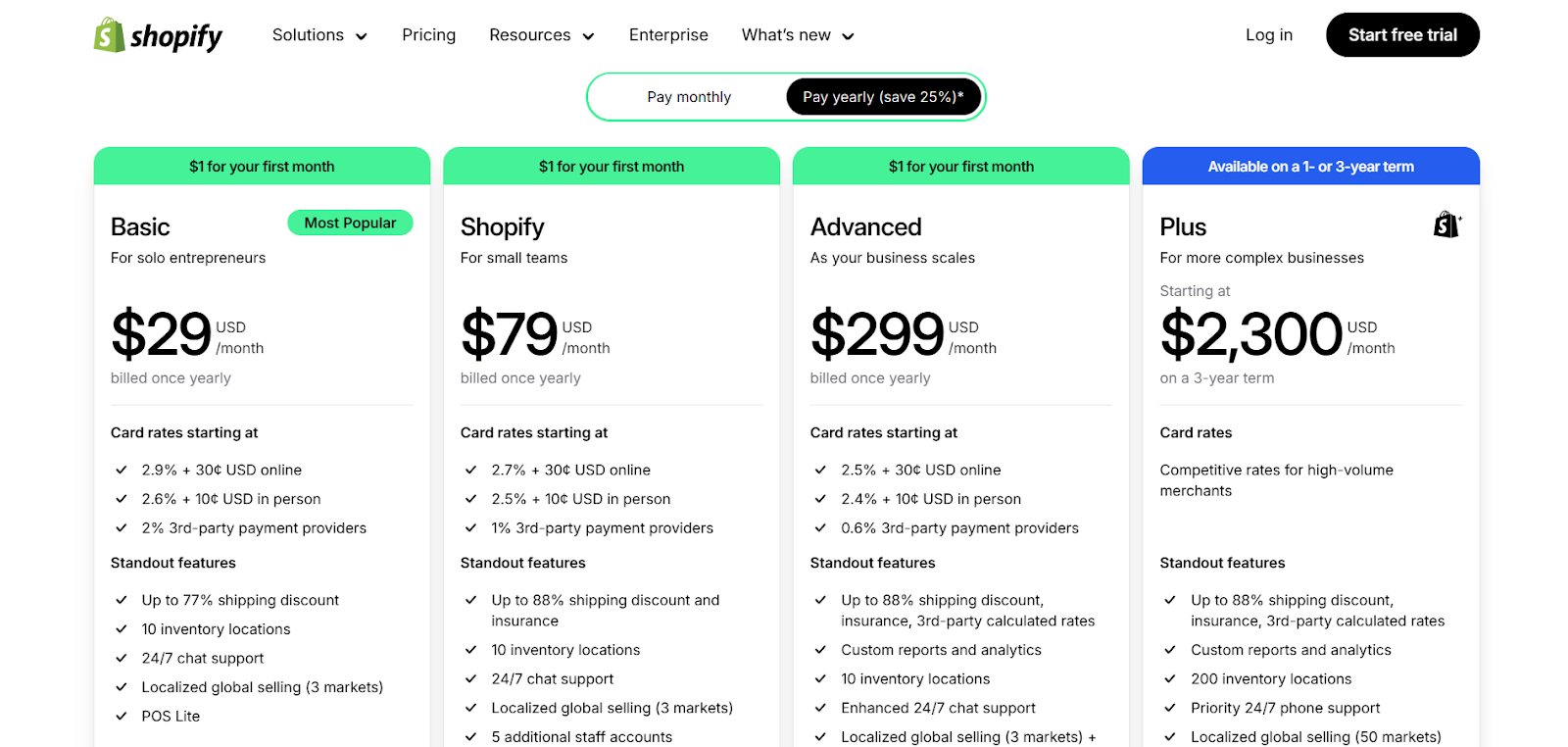
Shopify also has four plans. You’ll save 25% on the pricing of the first three plans if you pay annually, rather than monthly. Here’s a quick summary of the Shopify plans:
| Monthly Payment | Yearly Payment | |
| Basic | $39 per month | $29 per month |
| Grow | $105 per month | $79 per month |
| Advanced | $399 per month | $299 per month |
| Plus | Competitive rates starting at $2,300 per month (3-year term) | Competitive rates starting at $2,300 per month (3-year term) |
But what will you get with each plan?
Let’s take a closer look at some of the main features of each plan.
| Basic | Shopify | Advanced | Plus | |
| Extra user accounts | 0 | 5 | 15 | Unlimited |
| Products | Unlimited | Unlimited | Unlimited | Unlimited |
| Inventory locations | 10 | 10 | 10 | 200 |
| Analytics | Standard | Standard | Custom | Custom |
| POS tools | Lite | Lite | Lite | Pro (20 locations included or 200 with Shopify Payments) |
| Shipping discounts | Up to 77% | Up to 88% | Up to 88% | Up to 88% |
Learn more about Shopify’s fees and features in our complete Shopify guide.
The winner: Ecwid
Ecwid is significantly cheaper than Shopify. With that being said, you might be bothered by some of the platform’s limitations, like the product limits. Still, you’ll find that the top “Unlimited” plan ($105 per month) is the same price as Shopify’s Grow plan when paid monthly.
This removes many of the platform’s limitations, enabling unlimited products and user accounts, POS tools, and more. Ecwid also doesn’t charge platform transaction fees, while Shopify adds a transaction fee if you use a third-party payment gateway instead of Shopify Payments.
Launch and grow your business with Whop
Whether you embed a store into your existing site with Ecwid or build one from the ground up with Shopify, you’ll have a strong foundation for selling online. Whop is a great choice too, especially if you want your store, payments, and payouts all living in one place.
The quickest way to get started is with a Whop Blueprint. Pick one based on a business that’s already running on Whop, copy it, and tweak it until it’s yours. No blank canvas, no guesswork.
From there, customers pay you directly through Whop, and you manage your payouts from the same dashboard. And if you’d rather not click through menus at all, the Whop CLI lets you run your business agentically from the terminal.
Like Ecwid’s free plan, Whop costs nothing to set up, so you can try it out today.









![Mighty Networks: is it the best choice for your community? [2026 review]](https://storage.ghost.io/c/12/7b/127b828b-bdc2-4972-9cf2-de857df9c324/content/images/size/w1000/format/webp/2024/05/What-is-Mighty-Networks-Features--Pricing--and-Alternatives-2024-Review.webp)

![The best online newsletter platforms [2026]](https://storage.ghost.io/c/12/7b/127b828b-bdc2-4972-9cf2-de857df9c324/content/images/size/w1000/format/webp/2024/05/Best-online-newsletter-platforms.webp)
![Top 17 best online course platforms to sell your course [2026]](https://storage.ghost.io/c/12/7b/127b828b-bdc2-4972-9cf2-de857df9c324/content/images/size/w1000/format/webp/2026/01/best-online-course-platforms_1x.webp)