Commas (formerly FanBasis) is a platform for online creators and entrepreneurs to create and sell products, including courses, webinars, and communities. Read on to find the top alternatives for 2026, including Whop, Skool, and Kajabi.
Key takeaways
- Commas (formerly FanBasis) bundles payments, funnels, courses, and payouts, but hides its actual rates until you ask.
- Pick by what you sell: Whop for full-stack payments and distribution, Skool or Circle for communities, Kajabi or Podia for courses.
- Compare total cost, not sticker price, since monthly fees, processing rates, revenue shares, and app-store cuts stack up.
FanBasis started in late 2020 as a way for celebrities, artists, influencers, and athletes to sell experiences to fans – think 1:1 video calls, cooking lessons, and social media shoutouts.
Fast forward to today (after a rebrand to Commas in July 2026) and it's become a platform for digital entrepreneurs, creators, and coaches that combines sales tools, checkout funnels, course hosting, paid communities, and payment processing.
However, the fee structure and features may not be the right fit for everyone.
Searching for an alternative to FanBasis (Commas)? This article breaks down how it works, its fees and features, and which platforms could be worth considering instead.
How does FanBasis work, and what are its key features?
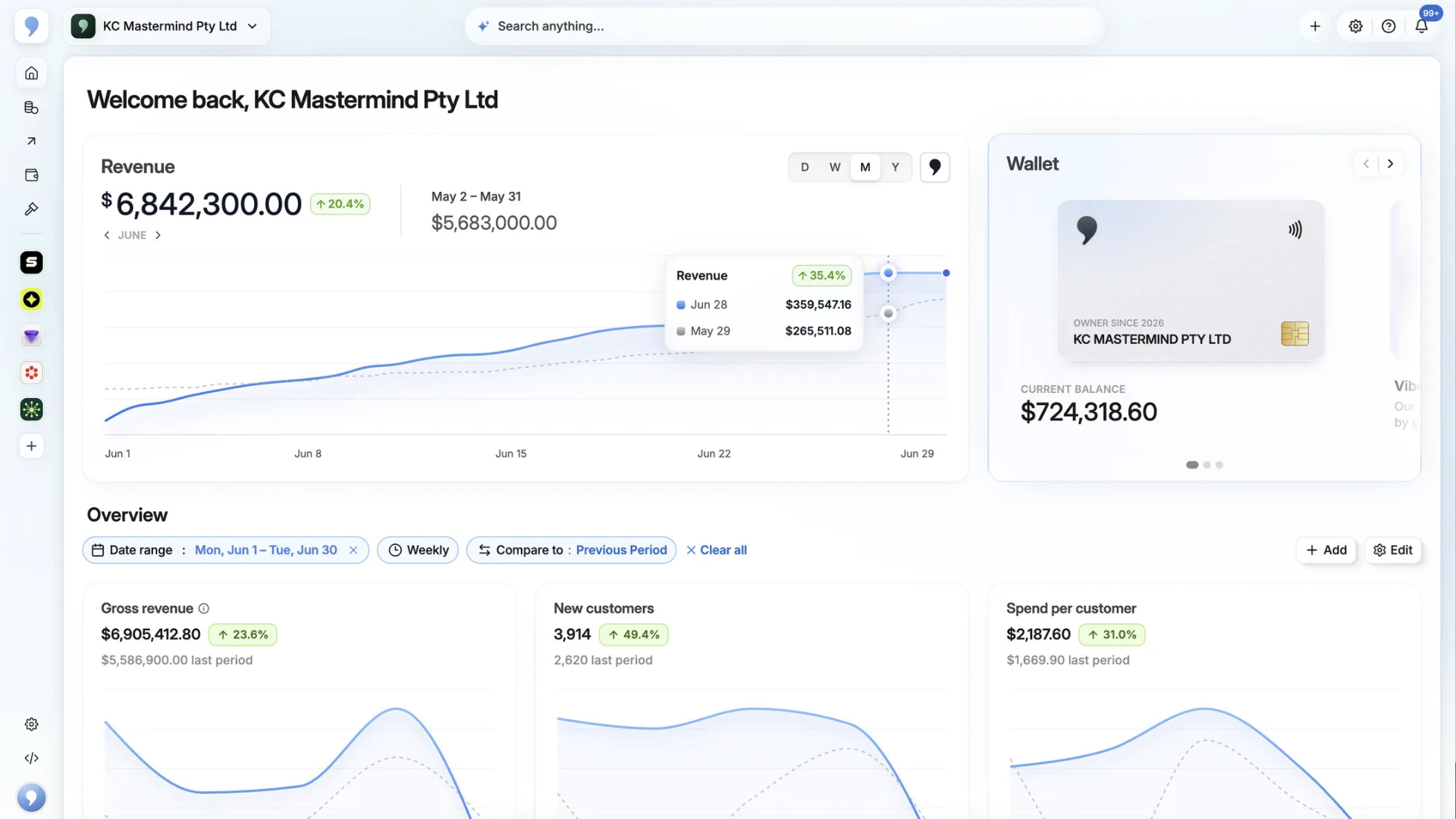
FanBasis works by giving sellers one place to host, create, and sell products, all built on one API.
It supports webinars and live events (including in-room checkout), coaching, courses, community access, services and SaaS, and more – according to their FAQs, "If it's digital and legal, it fits."
However, there are some business types and product categories FanBasis/Commas docs explicitly state aren't supported:
- Adult and explicit content
- Gambling, lottery, or wagering services
- Cryptocurrency, forex, or investment products
- Firearms, ammunition, or regulated weapons
- Prescription medications or controlled substances
- Multi-level marketing (MLM) or pyramid schemes
- High-risk financial services
- Counterfeit or pirated goods
Sellers get access to payments and payouts (for paying out team members, contractors, and affiliates), with features including 80+ local payment methods, BNPL, checkout links and embedded checkout, and invoices. Smart routing is also built in.
Subscription billing, event ticketing, and free trial features are available, as well as ways to recruit, track, and pay affiliates.
There's also a funnel builder (Vibe Funnels) that generates landing pages and checkout flows from an AI prompt, with ways to import existing sales funnels from GoHighLevel, ClickFunnels, and similar tools.
What does FanBasis cost?
It's free to start selling, as FanBasis operates on a revenue-share model, meaning they make money when you do.
However, exact fees and rates for payments products (including financing, affiliate splits, and each local payment method) aren't public. After digging through the documentation and website, we couldn't find any pricing figures.
Sellers should confirm their exact rates (including payment processing, BNPL, payouts, and revenue share) directly with the team before committing.
Top 10 alternatives to FanBasis (Commas)
The below platforms are the best alternatives to FanBasis (now Commas).
Some compete with FanBasis feature-for-feature, while others make sense for specific use cases (like courses, payments, etc). We'll break down the best fit for each competitor listed, as well as their best features and any pricing/fees (where applicable).
| Platform | Best for | Starting price | Platform/transaction fees |
|---|---|---|---|
| Whop | Payments, payouts, delivery, and distribution on one platform | Free to start | 2.7% + $0.30 per transaction, add-ons for fraud, security, tax remittance |
| Skool | Community builders offering free and gated courses, events, and info products | $9/mo (Hobby) | 10% + $0.30 (Hobby); 2.9% + $0.30 (Pro, 3.9% over $900) |
| Kajabi | Knowledge businesses that want the marketing stack built in | $143/mo (billed annually) | Processing 2.9% + $0.30 down to 2.7% by plan; +0.5–2% if using a third-party processor |
| Stan Store | Social-first creators selling from a link-in-bio | $29/mo | Standard Stripe or PayPal processing fees |
| ClickFunnels | Funnel-first businesses wanting the full acquisition stack | $81/mo (billed annually) | Processing via Payments AI (rates not published) |
| Circle | Community-focused businesses under their own brand | $89/mo | 2% / 1% / 0.5% by plan, + Stripe processing fees |
| Mighty Networks | Memberships where the community is the product | $95/mo ($79 annually) | 2% / 1% / 0.5% by plan + Stripe processing fees; Apple takes 15% on iOS purchases |
| Gumroad | Testing digital products with zero upfront cost | Free — no monthly fee | 10% + $0.50 per sale; 30% via Discover marketplace |
| Patreon | Creators monetizing ongoing fan support | Free to start | 10% platform fee + processing, currency conversion, and payout fees; Apple takes 30% on iOS |
| Podia | Solo creators on one simple subscription | $42/mo (billed annually) | 5% on Mover; 0% on Shaker/Earthquaker, + Stripe/PayPal processing fees |
Which FanBasis alternatives support customer financing?
If you sell high-ticket coaching, courses, or services, financing could be one of the biggest reasons to choose one platform over another.
Whop supports 13 financing providers, including Klarna, Afterpay, PayPal, and ClarityPay.
Kajabi and Stan Store offer BNPL through Afterpay and Klarna, and Circle and Podia add Affirm alongside both.
However, financing limits, customer eligibility, and seller fees vary by provider.
Skool and Mighty Networks don’t offer native BNPL. Mighty Networks supports installment plans, but letting customers pay in installments isn’t the same as receiving the full purchase amount upfront from a financing provider.
| Platform | BNPL and financing | Limits (US) | Seller cost |
|---|---|---|---|
| Whop | 13 providers, including Klarna, Afterpay, PayPal, Splitit, and ClarityPay | Up to $30,000 (ClarityPay, 36 months); Splitit up to $20,000 ($40,000 with approval); Klarna and PayPal Credit up to $10,000; Afterpay up to $4,000 | 15% (20% for ClarityPay No Interest) |
| Skool | No BNPL or installment option in Skool's pricing settings | N/A | N/A |
| Kajabi | Afterpay and Klarna | Afterpay up to $4,000 (one-time offers only); Klarna varies by currency | 6% + $0.30 (Afterpay), 5.99% + $0.30 (Klarna) |
| Stan Store | Afterpay and Klarna via Stripe (Creator Pro only) | Up to $4,000 | About 6% + $0.30 (Afterpay), 5.99% + $0.30 (Klarna) |
| ClickFunnels | Klarna as a separate payment gateway, but not in the ClickFunnels Checkout element; no BNPL through Payments AI | Not published by ClickFunnels | Not published |
| Circle | Affirm, Afterpay, and Klarna via Stripe (one-time paywalls only) | Not published by Circle | Stripe's BNPL fee (from 5.99% + $0.30) plus Circle's 2% on Professional |
| Mighty Networks | Installment plans only (one-time purchase plans); no third-party BNPL | No provider limit, but the seller carries the risk of missed payments | Card processing on each installment |
| Gumroad | No BNPL listed | N/A | N/A |
| Patreon | Not offered (cards, PayPal, Apple Pay, and Venmo only) | N/A | N/A |
| Podia | Affirm, Afterpay, and Klarna via Stripe (one-time purchases only) | Affirm $50–$30,000; Afterpay up to $4,000; Klarna varies | Stripe's BNPL fees, plus Podia's transaction fee where it applies |
For high-ticket offers, the limits column matters more than the provider count: a $5,000 program can’t be financed through Afterpay or Klarna on Kajabi or Stan Store, which cap out at $4,000.
1. Whop
Best for: Sellers who want payments, payouts, delivery, and distribution on one platform, rather than stitching several products together.
One platform to build, sell, get paid, and pay out.
If you’re leaving FanBasis, the real question is whether everything that lived in one place can move with you. On Whop, it can – and you only add the parts you actually use:
- Deliver what you sell: Build programs with the Courses app, run your community in Chat and Forums, schedule live calls in Events, and broadcast with built-in livestreams. Each is an app you add to your whop, so a coaching offer and a paid community can live side by side.
- Sell high-ticket offers: Checkout handles one-time payments, subscriptions, free trials, and split payments, plus 13 financing providers. ClarityPay finances up to $30,000 over 36 months, so a $5,000 coaching program can be financed in full.
- Run events: Sell tickets at a set price or open a free waitlist, offer payment plans, and get paid out before the event.
- Pay your team. Run your own affiliate programs, and pay team members, contractors, and closers instantly from your Whop balance. Anyone with a Whop account can be paid straight from their profile, even if they aren’t on your team.
- Bring in new buyers: Run ads across platforms from Whop, tracked with the Whop pixel.
You can also run your entire business agentically using Whop's CLI.
Businesses use Whop to sell SaaS, agency services, coaching, paid group access, physical products, IRL services (with Tap to Pay on iPhone now available for accepting payments on the go, anywhere), and more.
It's free to get started, with transparent, pay-as-you-go pricing. Custom pricing is also available for high-volume and enterprise-level businesses.
Coral Mujaes runs one of Latin America’s largest online education businesses. She switched to Whop to accept payments, and her first launch on Whop brought in $1.8M across 2,890 sales in seven days, paid by card, Afterpay, and local methods like OXXO, SPEI, and Efecty.
- Features: Payments, financing (13 providers), global payouts, courses, chat, forums, events and ticketing, livestreams, storefront, affiliates, business cards, multi-platform ads, smart routing, fraud protection and security tooling.
- Pricing: Free to start, payment acceptance is 2.7% + $0.30 per transaction (+1.5% for international cards, +1% for currency conversion). 3D Secure $0.03 per transaction, orchestration 0.8% per transaction (when enabled), billing 0.5% per transaction, tax and remittance 2% per transaction (when tax is collected), financing 15% (20% for ClarityPay No Interest), next-day ACH payouts $2.50.
2. Skool
Best for: Community builders who want to offer both free and gated access to courses, events, templates, and info products.
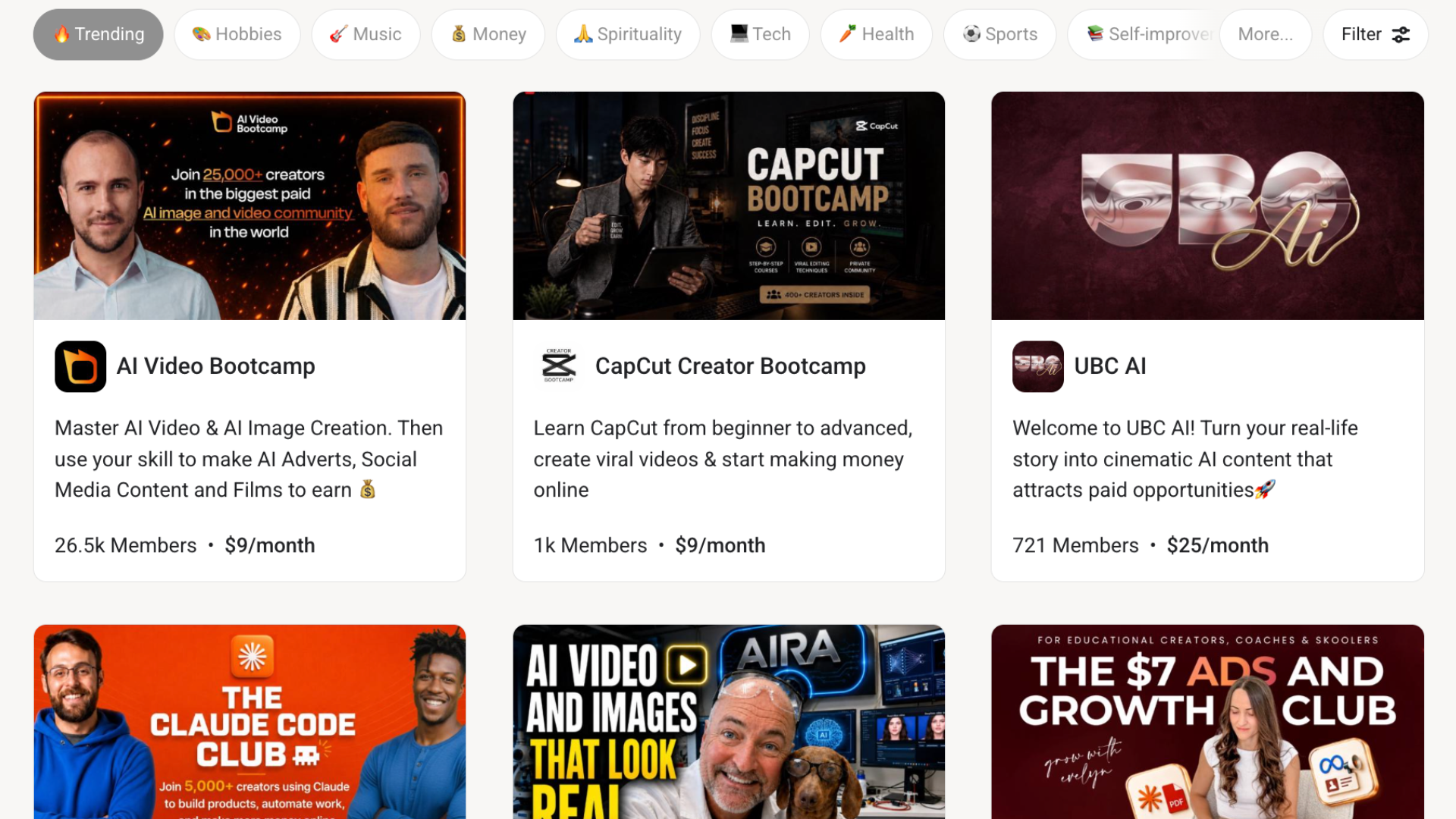
Skool is a platform founded in 2019 that offers creators a way to build their own community, courses, and events. Sellers can charge subscription memberships or one-time purchases and make money by sharing what they love.
It gives sellers a 'classroom' with native video hosting and drip content, a built-in calendar with timezone conversion and event reminders, gamification (points, levels, leaderboards), and member DMs and profiles.
However, it lacks some of the more robust payment features some sellers are looking for. Buyers can only pay by card in USD – there are no local payment methods, wallets, or BNPL. Skool's transaction fee also increases from 2.9% to 3.9% on transactions over $900, which matters if you sell high-ticket offers.
There are no funnels, landing pages, or email marketing tools (Pro users can pipe member data to a CRM via Zapier or webhooks), and groups live on a skool.com URL rather than your own domain. Payouts also require a traditional local bank account.
- Features: Community feed, classroom with native video hosting and drip content, event calendar, gamification, member DMs, one-time course sales, lifetime/annual/monthly group pricing, mobile apps, Zapier and webhook plugins (Pro only).
- Pricing: Hobby is $9/month with a 10% + $0.30 transaction fee; Pro is $99/month with a 2.9% + $0.30 fee (3.9% + $0.30 on transactions over $900). 14-day free trial, and pricing is per group.
3. Kajabi
Best for: Established knowledge businesses that want the marketing stack built in with flat monthly pricing.
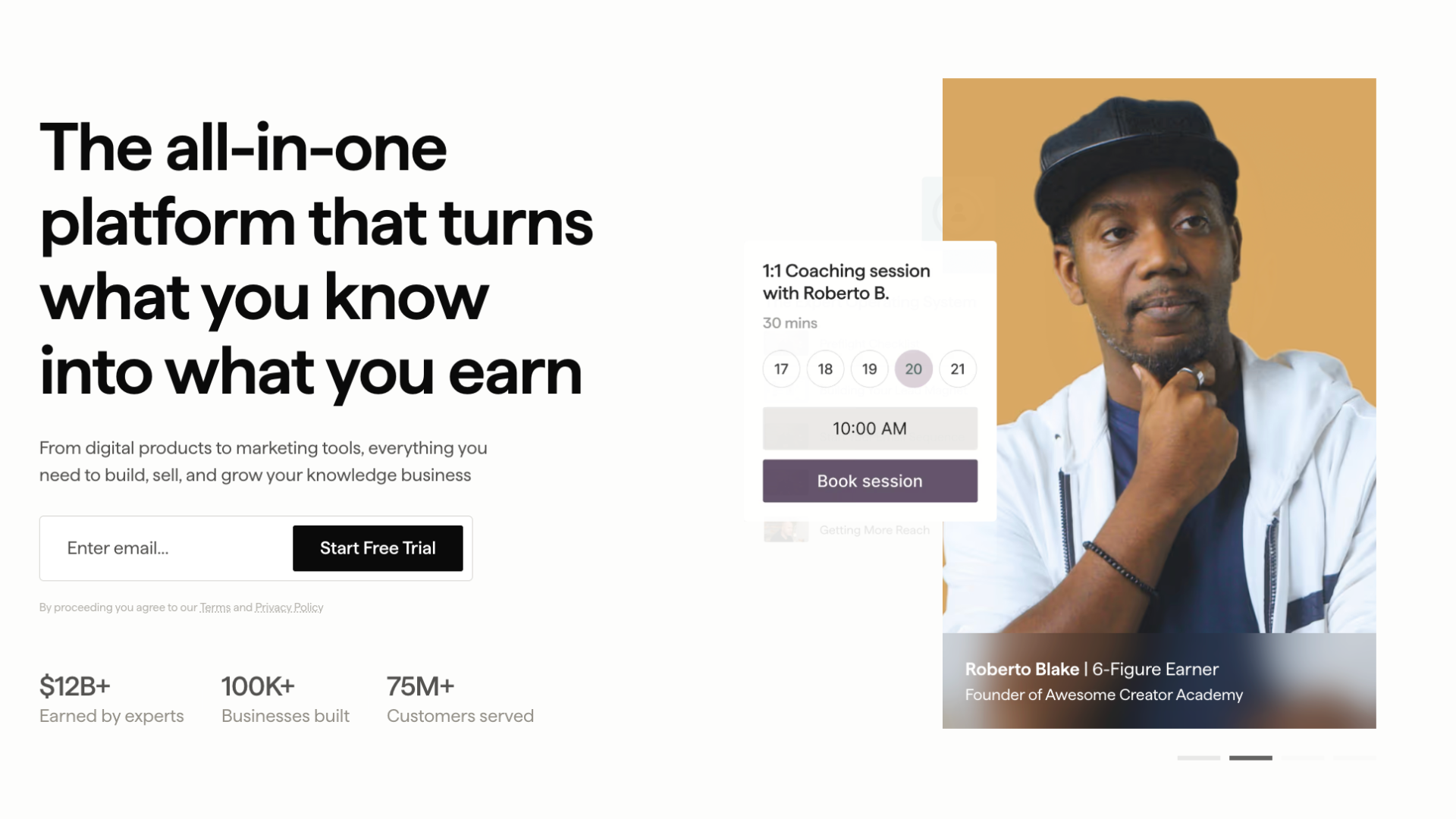
Kajabi is a platform that allows businesses to sell courses, coaching programs, memberships, communities, newsletters, and podcasts all under one roof, with a website builder and custom domain included on every plan.
There are 3 tiers of plans, and each one gets unlimited marketing emails, landing pages, and funnels. However, advanced automations, webhooks, and affiliate programs only unlock from the Growth plan up.
Checkout is also fully built out: subscriptions, one-time payments, payment plans, and pay-what-you-want pricing, with upsells, downsells, order bumps, and cart bundling. Kajabi Payments accepts major cards plus Apple Pay, Google Pay, and BNPL via Afterpay and Klarna, handles invoicing, calculates and collects sales tax automatically, and embeds on any page.
Sellers pay a fixed monthly fee plus card processing: 2.9% + $0.30 on Basic, 2.8% on Growth, and 2.7% only once you're on the $399/month Pro plan (US rates).
The trade-off is price of entry, and what the lower tiers hold back. Basic starts at $143/month billed annually ($179 monthly) and limits you to 5 products, 2,500 contacts, and one community, all while keeping Kajabi branding on your site and withholding affiliates, advanced automations, and webhooks.
The branded mobile app, API, and custom code editor are Pro-only.
- Features: Courses, coaching, memberships, communities, newsletters, podcasts, website and landing page builder, custom domain, unlimited email marketing and funnels, advanced automations and webhooks (Growth+), affiliate programs (Growth+), embedded checkout, pay-what-you-want pricing, invoicing, automated sales tax, Xero/QuickBooks integrations.
- Pricing: Basic $143/mo, Growth $199/mo, Pro $399/mo (billed annually; monthly is $179/$249/$499). Kajabi Payments processing is 2.9% + $0.30 (Basic), 2.8% + $0.30 (Growth), 2.7% + $0.30 (Pro). Third-party payment providers incur an extra 0.5–2% fee.
4. Stan Store
Best for: Social-first creators selling digital products, courses, and bookings straight from a link-in-bio.
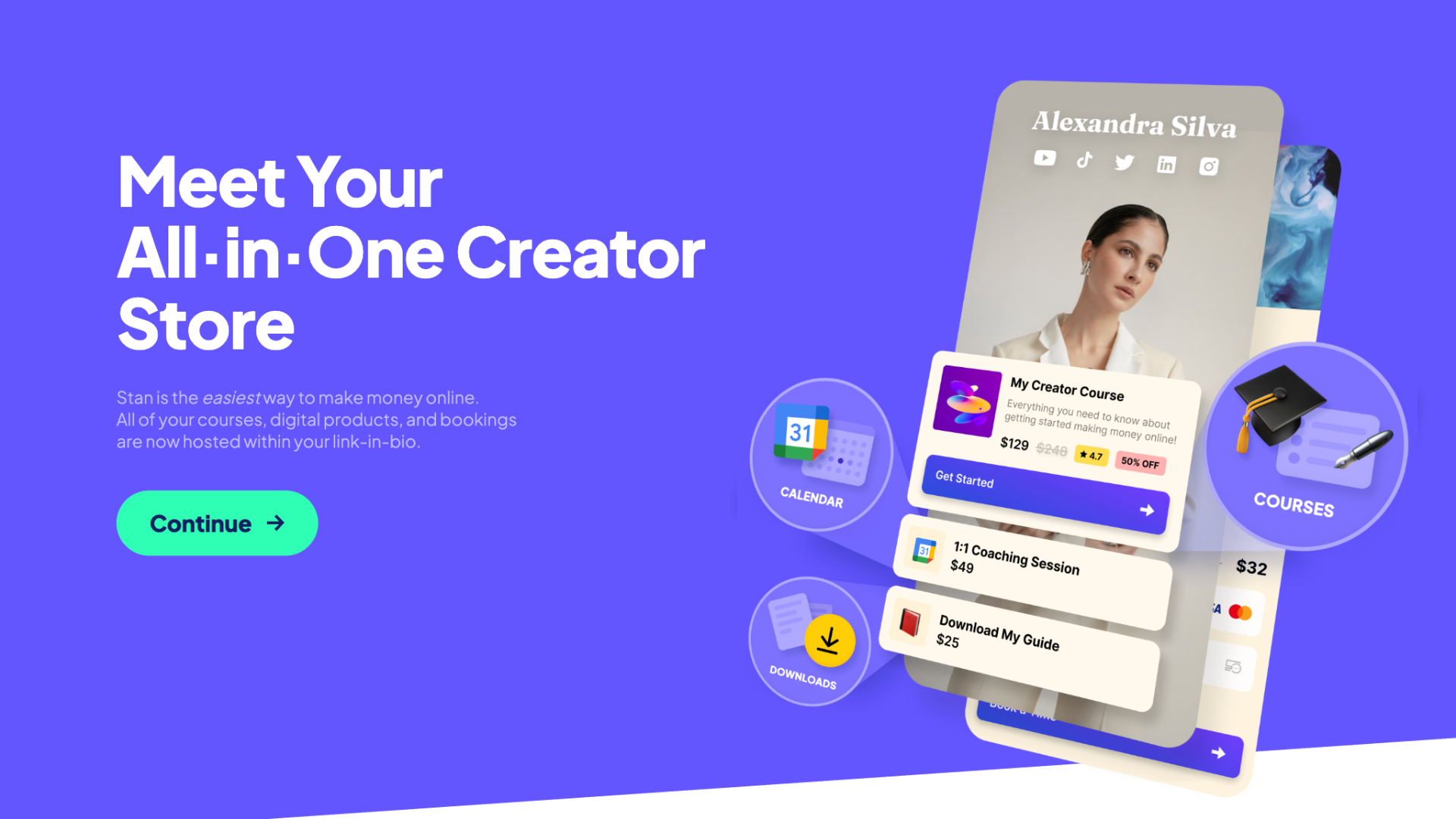
Stan Store is a link-in-bio storefront: your courses, digital downloads, coaching bookings, and subscriptions all live on one page that’s designed to sit in your Instagram or TikTok bio.
Stan Store’s Creator plan covers the storefront, calendar bookings, an unlimited course builder, subscription billing, lead magnets with email capture, and AutoDM for Instagram.
Creator Pro adds upsells and order bumps, discount codes, BNPL payment plans (via Afterpay and Klarna), affiliate management, email flows and broadcasts, and pixel tracking for Meta, Google, TikTok, and Pinterest.
Payments connect through your own Stripe or PayPal account, with iDEAL also supported and Stripe instant payouts available.
Stan charges no transaction fees on either plan. You keep everything, minus standard Stripe or PayPal processing fees.
In the US, Stripe's standard rate is 2.9% + $0.30 per transaction, and PayPal checkout is 3.49% + $0.49. Both rates can be higher for international cards or currency conversion. The real cost of a sale is never $0.
The main downside is scope: your store lives on a stan.store link rather than your own domain, email marketing and upsells are Pro-only, and there's no marketplace or discovery, meaning your sales simply come from the audience you bring.
- Features: Link-in-bio storefront, digital products, unlimited courses, calendar bookings, subscriptions, lead magnets, Instagram AutoDM, upsells and order bumps (Pro), discount codes (Pro), BNPL payment plans (Pro), affiliate management (Pro), email flows (Pro), pixel tracking (Pro).
- Pricing: Creator $29/mo ($300/year), Creator Pro $99/mo ($948/year). 0% transaction fees on both plans; Stripe or PayPal processing also applies.
5. ClickFunnels
Best for: Businesses built around sales funnels and sellers who want the full acquisition stack in one tool.
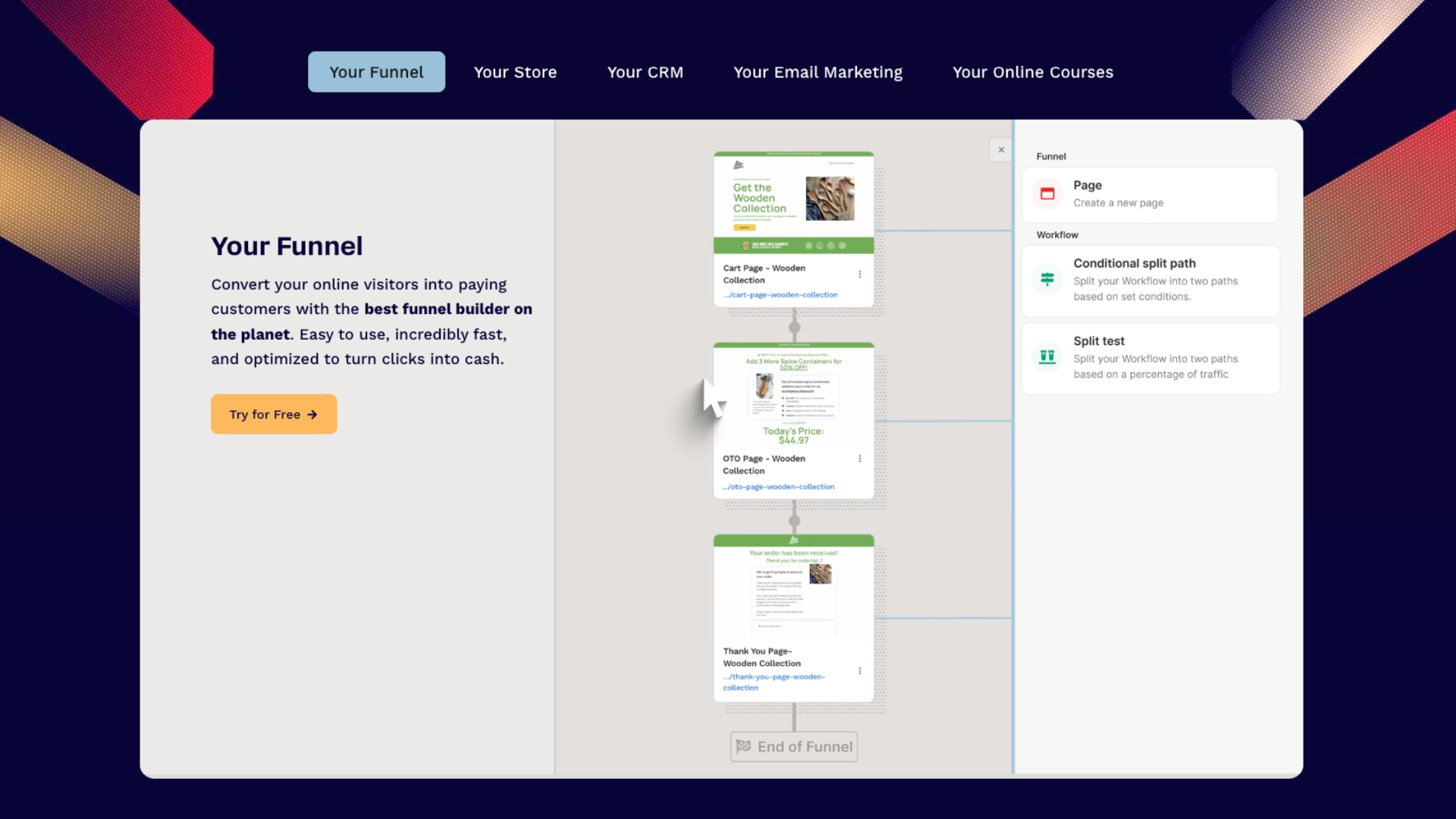
ClickFunnels is a funnel builder first, with landing pages, upsells, downsells, order bumps, countdown timers, and A/B testing. It's built around the idea that every part of your business is a funnel.
Around that core sit apps and tools for websites, blogs, online courses, membership areas, communities, an ecommerce store for physical products, and email marketing with automations.
It also goes deeper into sales operations than most creator platforms, with a built-in CRM: pipelines, appointment booking, deal tracking, and a message hub that pulls chat, SMS, email, and social DMs into one inbox.
An affiliate center handles affiliate management, and Payments AI is its payment processing solution, with webhooks and full API access from the Scale plan upwards.
Every plan includes unlimited funnels (a limited offer at the time of writing), landing pages, and unlimited custom domains from Scale and up – but courses and contacts are capped by tier: the $97/month Launch plan allows just 3 courses, 10K contacts, and 50K emails a month, with 5 custom domains. Custom code and API access don't unlock until Scale.
There's no marketplace or discovery, checkout and delivery revolve around funnels rather than a storefront or community, and the course caps mean product-heavy sellers climb tiers quickly.
- Features: Funnel builder with upsells, downsells, and order bumps, A/B testing, landing pages, websites and blogs, courses and memberships, communities, ecommerce store, email marketing and automations, CRM with pipelines and appointments, message hub, affiliate center, Payments AI, webhooks/API (Scale+).
- Pricing: Launch $81/mo, Scale $164/mo, Optimize $248/mo (billed annually; monthly is $97/$197/$297), plus an annual-only Dominate tier at $5,997/year.
6. Circle
Best for: Community-focused businesses that want discussions, courses, and events under their own brand.
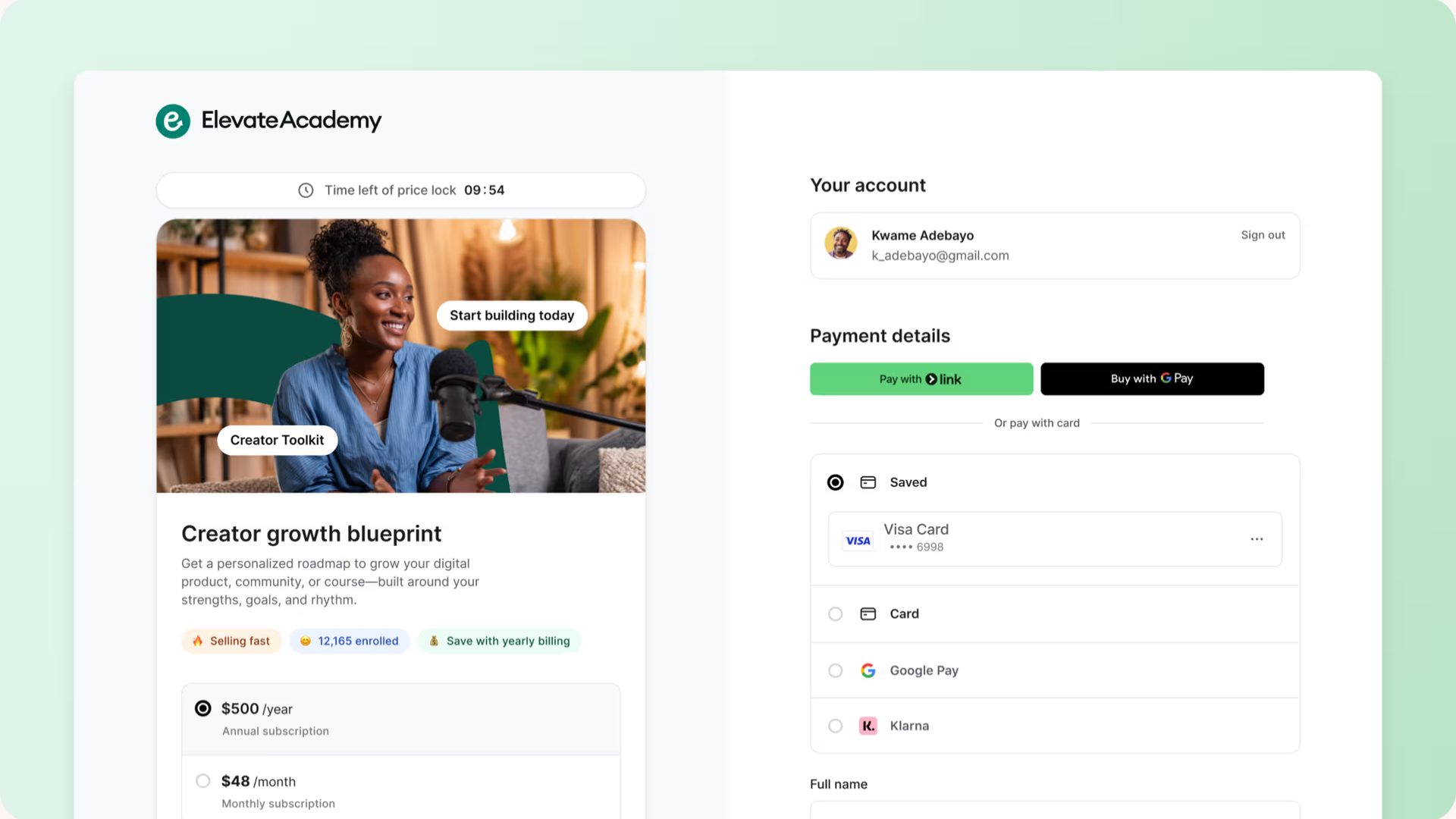
Circle is a community platform for running a digital business under your own brand, including discussions, chat, courses, live streams and live rooms, events, gamification, and a member directory, with a website builder, custom domain, and custom branding on every plan.
Desktop and mobile apps come standard, and Circle Plus customers can launch their own branded iOS and Android apps with in-app purchases.
A branded checkout supports one-time purchases, memberships, discounts, bundles, and recurring subscriptions. Sellers can also create paywalls and access groups, and track affiliates.
Email Hub (a paid add-on from $99/mo) adds broadcasts, marketing automation, forms, and an audience CRM. Circle AI is built in as a business assistant, with AI agents and AI workflows available on the top tier.
Plans start at $89/month, but only businesses paying $199/month can add workflows, APIs, automated transcriptions, and remove the Circle branding.
Circle also charges a transaction fee on top of Stripe's standard processing: 2% on Professional, 1% on Business, and 0.5% on Plus. So an entry-plan seller pays the monthly subscription, Circle's 2%, and Stripe's processing on every sale.
- Features: Discussions, chat, courses, events, live streams and rooms, gamification, member directory, website builder, custom domain, email marketing and audience CRM, paid memberships and subscriptions, affiliate tracking, branded checkout, Circle AI, workflows and APIs (Business+), branded mobile apps and AI agents (Plus).
- Pricing: Professional $89/mo, Business $199/mo (annual billing, excl. taxes), Circle Plus custom-priced. Circle adds a 2% transaction fee on Professional, 1% on Business, 0.5% on Plus, on top of Stripe processing fees.
7. Mighty Networks
Best for: Coaches and hosts selling memberships where the community is the product.
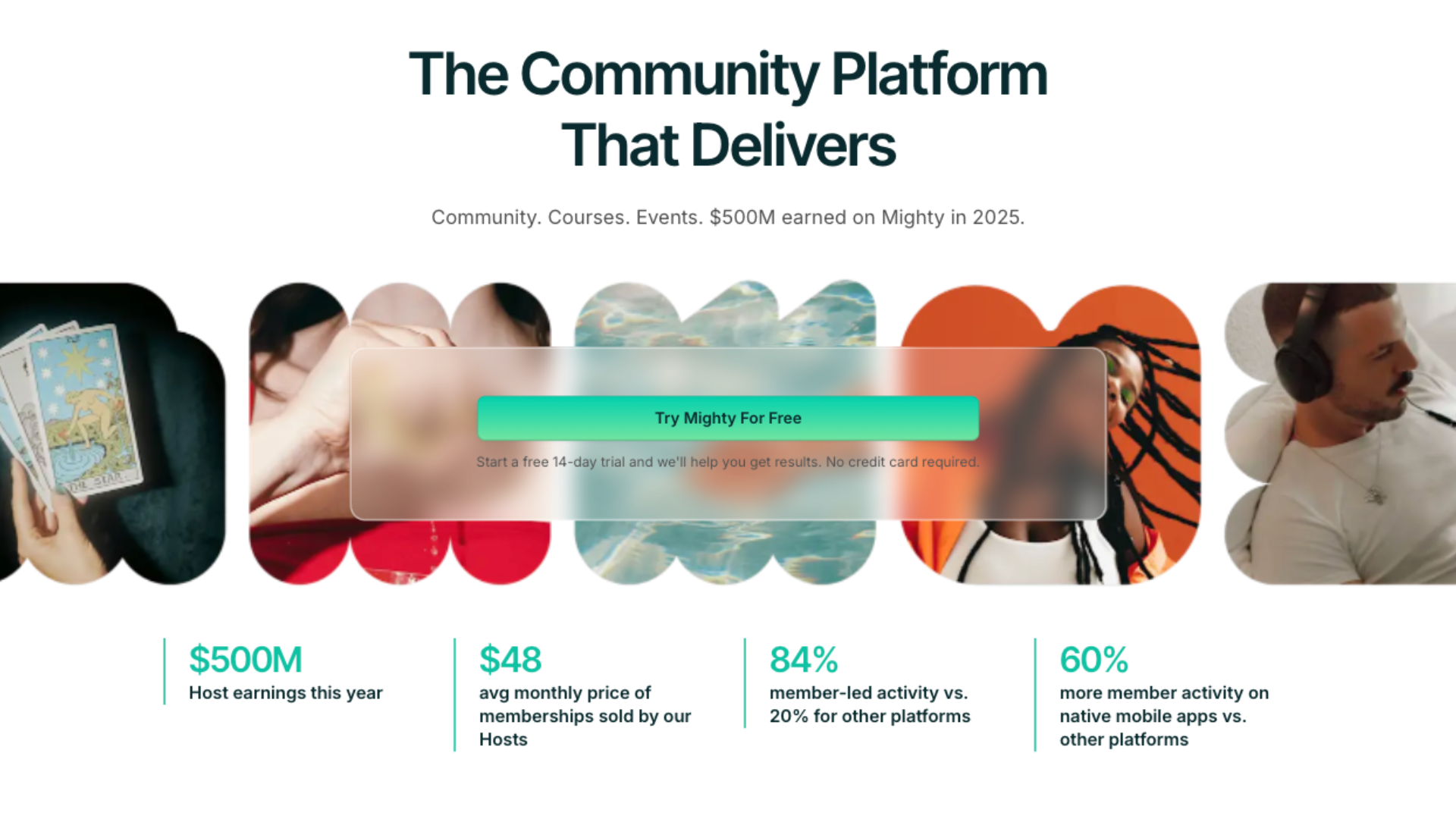
Mighty Networks is a community platform built around memberships, courses, and events, with discussions, member profiles, gamification, badges, and automations.
Its signature is mobile: real native iOS and Android apps (not web wrappers) come standard, and Mighty Pro customers can add their own branded apps in the App Store.
Checkout is native and runs on Stripe. You can charge for memberships, courses, events, and bundles, with annual, monthly, weekly, daily, or one-time billing, installment plans, promo codes, and members paying in their local currency.
Payment automations handle the follow-through (things like tagging buyers, unlocking the right spaces instantly on purchase, and triggering cancellation messages).
The platform charges a transaction fee on top of Stripe's processing, and it shrinks as your plan gets bigger. Purchases made inside the iOS app go through Apple's in-app purchases instead, where Apple takes 15%. Mighty Networks adds nothing on those, and lets you set a higher iOS price to offset it.
The biggest trade-off is that web payments are Stripe-only (no PayPal or other processors). The branded apps also sit behind custom-priced Mighty Pro.
- Features: Community discussions, courses, paid events, memberships, native iOS/Android apps, branded apps (Mighty Pro add-on), payment automations, installment plans, promo codes, local-currency checkout, API and MCP access (Scale+).
- Pricing: Launch $95/mo, Scale $215/mo (drops to $79/mo and $179/mo billed annually, respectively); Mighty Pro is custom-priced. Transaction fees of 2% (Launch), 1% (Scale), and 0.5% (Mighty Pro) apply.
8. Gumroad
Best for: Testing digital product ideas with zero upfront cost, because you pay nothing until something sells.
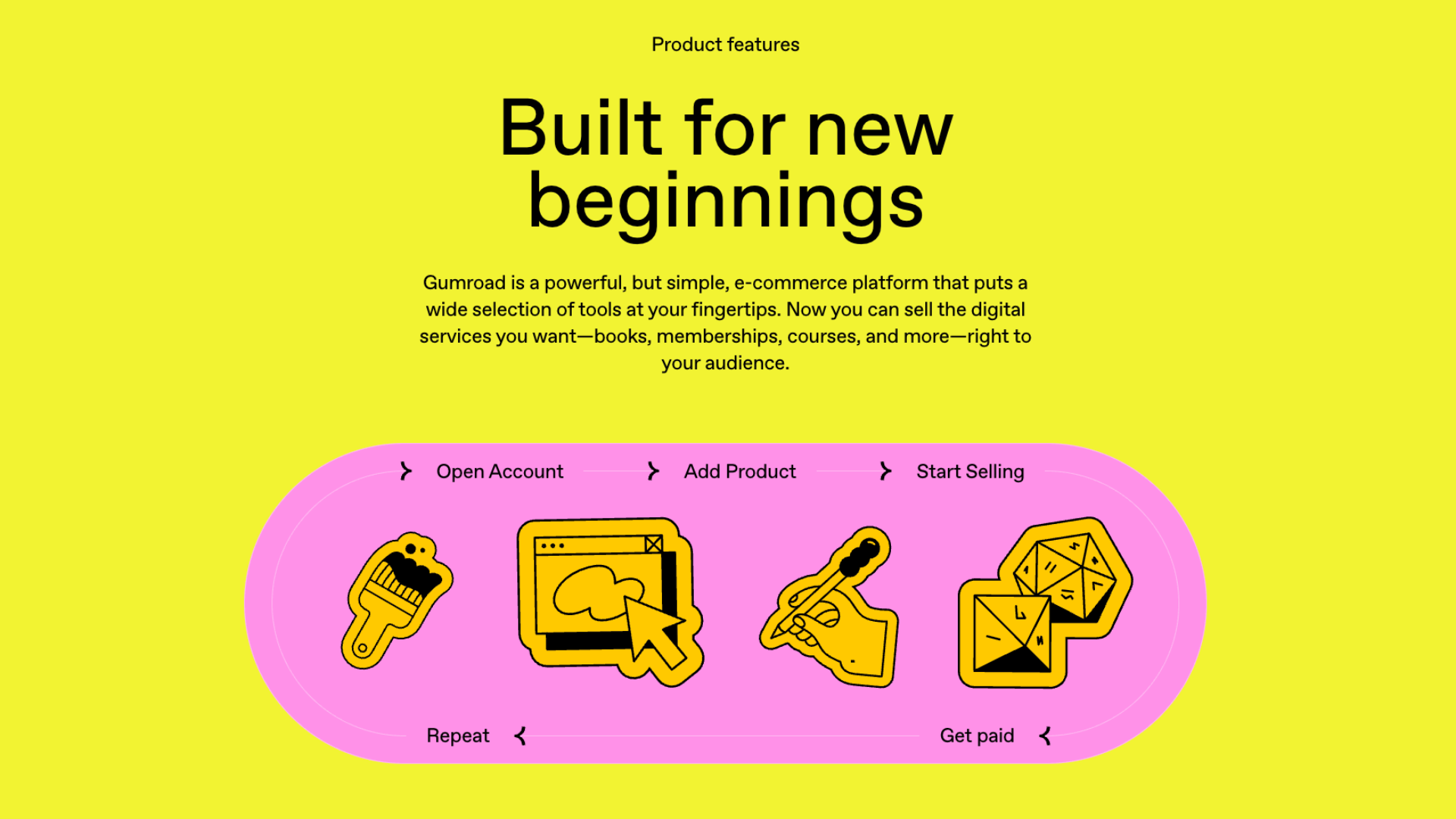
Gumroad is the simplest platform on this list. Sellers upload a file, set a price, start selling.
It handles digital downloads, ebooks, courses, memberships, and software (with generated license keys), plus offers features like pay-what-you-want pricing and the ability to sell multiple file versions at different price points.
Sellers can build a storefront, embed checkout on their own site, or connect a custom domain.
Gumroad now also operates as a merchant of record, which means it handles sales tax and VAT collection and remittance worldwide. Buyers pay in their local currency, and audience tools cover email broadcasts, automated workflows, affiliates, discounts, and CRM list import/export.
As far as pricing goes, Gumroad only earns when you do, taking a flat cut of each sale, with a much larger cut on sales that come through the Discover marketplace. That model makes it free to start but expensive to scale: at meaningful volume, the per-sale cut costs more than a subscription platform would.
Its community feature is also a customer hub attached to products, rather than a full community platform like Whop, Skool, or Circle.
- Features: Downloads, courses, memberships and subscriptions, pay-what-you-want pricing, storefront or embedded checkout, custom domain, merchant of record (global tax handled), email broadcasts and workflows, affiliates, discount codes, marketplace, analytics.
- Pricing: No monthly fee. 10% + $0.50 per transaction on sales through your profile or direct links; 30% per transaction on new customers who find you through the Discover marketplace.
9. Patreon
Best for: Content creators (podcasters, influencers, artists) monetizing ongoing fan support rather than selling structured offers.
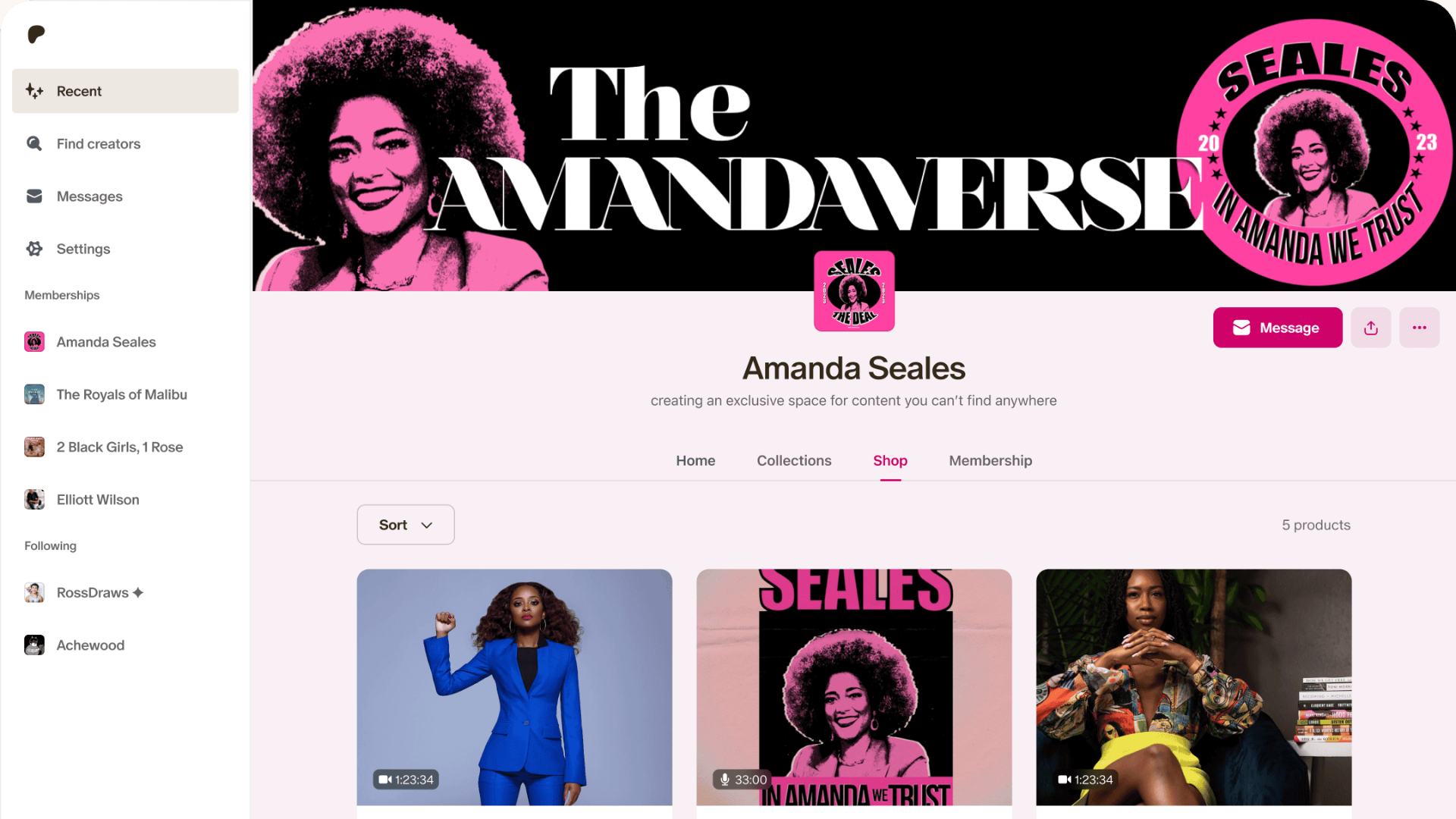
Patreon was built with a simple goal in mind: help creators further monetize their fandoms and social presence. Fans subscribe monthly or annually across tiers for exclusive content, community access, and a direct line to the creator.
Sellers can utilize native video, livestreaming, podcast importing (using Spotify integration and synced RSS feeds), and email newsletters. Community runs on group chats, DMs, and comments, and email lists are exportable.
Alongside memberships, Patreon lets you sell one-off purchases through a storefront, like individual videos, podcast episodes, digital products, and collections. Tools for free trials, discounts, and sales are also included.
Chargebacks, disputes, and fraud are absorbed by Patreon, most tax collection and remittance is handled, and fans can pay via major cards, PayPal, Apple Pay, Venmo, Sofort, and more, across 16+ currencies for both pay-ins and payouts.
The fees stack, though. Creators not only pay a platform fee on everything they earn, but also payment processing per transaction, a currency conversion fee when a fan pays in a different currency than your payout currency, and a payout fee on withdrawal.
There's no course builder, no webinars or coaching delivery, no built-in sales funnels, and your page lives on patreon.com with limited branding control rather than your own domain.
- Features: Fan membership tiers (monthly or annual), one-time purchases via shop, native video and livestreaming, podcast hosting with Spotify/RSS integration, group chats and DMs, free trials, discounts and sales, analytics, creator discovery, wide payment method support in 16+ currencies, taxes, fraud, and chargebacks handled by Patreon.
- Pricing: Free to start. New pages pay a 10% platform fee on earnings (older pages created before August 2025 remain on legacy plans with different rates). Payment processing applies per transaction (e.g. 2.9% + $0.30 USD), plus a 2.5% currency conversion fee where applicable and a payout fee on withdrawal. iOS in-app purchases carry Apple's 30% fee.
10. Podia
Best for: Solo creators who want courses, downloads, community, and email marketing on one simple, affordable subscription.

Podia bundles a full creator stack into one product: online courses, digital downloads, coaching, live and in-person events, community, a website builder with blog and landing pages, and built-in email marketing.
Every plan includes the whole feature set's foundations: custom domain, built-in checkout, sales tax handling across 230 jurisdictions, 20+ currencies, and migration help. Plans mainly differ on limits and fees.
Courses are properly built out, with capabilities for video, audio, quizzes, drip content, cohorts, certificates, completion tracking, bundles, and preselling. Checkout is also robust, and covers subscriptions, payment plans, free trials, coupons, upsells, and a post-purchase funnel with downsells and order bumps.
Payments run through your own connected Stripe or PayPal account with instant payouts (so Podia never holds your money), and buyers can pay by card, Apple Pay, Google Pay, iDEAL, SEPA Debit, and, on the upper two plans, PayPal.
Coaching is sold through Podia but scheduled via integrations like Calendly, and the affiliate program, upsells, and Zapier unlock from the mid-tier Shaker plan.
The catch is the limits. The entry Mover plan carries a 5% Podia transaction fee (the upper plans have none, leaving just processor fees). It also caps you at 50 products, 500 videos, and 25 community spaces (without access to affiliates or upsells).
- Features: Online courses, downloads, coaching, live and in-person events, community with spaces and chat, website builder, blog, landing pages, custom domain, email broadcasts, one-page checkout with upsells, payment plans, and free trials, sales funnels, affiliate program (Shaker+), tax support in 230 jurisdictions, 20+ currencies.
- Pricing: Mover $42/mo, Shaker $84/mo, Earthquaker $150/mo (billed annually, monthly billing costs more). Mover adds a 5% Podia transaction fee; Shaker and Earthquaker have no Podia fees. Stripe/PayPal processing fees apply on all plans.
What to look for in a FanBasis alternative
Truth is, most platforms don't offer end-to-end capability across building, payments, payouts, embedded components, hosting, marketplace distribution, and ads.
Most specialize in a few areas, leaving you to find substitutions for the rest. That can be fine, as long as you know which parts of the stack you actually need.
- The whole stack: If you need everything FanBasis offers (payments, payouts, hosting, funnels, and distribution), Whop covers every category, with published pay-as-you-go pricing and no monthly fee.
- Community-first platforms: Skool, Circle, and Mighty Networks nail hosting and engagement but run card-only or Stripe-only checkout, and none of them pay out your affiliates or contractors.
- Course and marketing platforms: Kajabi, Podia, and ClickFunnels bring a deeper funnel and email marketing stack than FanBasis offers natively, but run payments through Stripe-powered or third-party processors, and charge a monthly fee regardless of whether you sell.
- Storefront and fan platforms: Stan Store, Gumroad, and Patreon are the fastest to start on, but they're built for simpler products. The moment you need webinars, high-ticket financing, or contractor payouts, you've outgrown them.
Build your business using one end-to-end solution with Whop
At Whop, we're building for what we call the Global Fortune 5,000,000.
That includes small to medium-sized businesses run by people just like us, all the way up to enterprise-level businesses, agencies, marketplaces, and platforms.
Our mission is to deliver everyone a sustainable income. To do that, we've built an end-to-end solution that spans building, hosting, earning, distributing, and paying. All under one hood.
You can build your business with our dashboard, using the raw infrastructure behind our API, or even let an AI agent run it from the terminal with our CLI.
If you're weighing up alternatives to FanBasis, all the key features we've discussed in this article live on Whop. It's free to start selling, and all transaction and tooling fees are broken down on our pricing page.
Start building on Whop today and discover it all for yourself.
FanBasis (Commas) FAQs
Is FanBasis the same as Commas?
Yes. FanBasis rebranded to Commas in July 2026. Same company and platform, new name. Many sellers still know it as FanBasis, so we use both names in this article.
How much does FanBasis (Commas) cost?
FanBasis is free to start and operates on a revenue-share model, taking a cut when you make sales. The exact rates (including payment processing, BNPL, and affiliate splits) aren't published, so sellers need to confirm their specific pricing with the Commas team directly.
What is the best alternative to FanBasis?
Whop is the closest like-for-like alternative, covering payments, payouts, courses, communities, and distribution on one platform with published pricing. If you only need part of the stack, Skool and Circle work for communities, Kajabi and Podia for courses with marketing built in, and Gumroad for simple digital products.